Category: Photography

  • Five Ways to Improve Your Composition Skills

    Composition is one of the most important skills you can learn as a photographer. The interesting thing about composition is that it’s all to do with observation and learning to see. You may need to invest in a book or two to help you understand the basic principles, but nothing more. It’s a much more cost-effective way of becoming a better photographer than buying a new camera or lens!

    There are five things you can do right away to improve your composition skills.

    Composition and photography

    1. Learn how to use your camera properly

    The aim is to know your camera so well that you can photograph without thinking about it. This comes through familiarity and practice.

    Try this exercise. Close your eyes and pick up your camera. Which buttons and dials do you need to use to adjust aperture, shutter speed, and autofocus? How do you select the active AF (autofocus) point? How do you apply exposure compensation? If you don’t know the answers without looking, then read your manual. You should be so familiar with these settings that you can adjust them automatically, with no more than a glance at your camera.

    Learn this simple approach

    Digital cameras have lots of menu options and it’s easy to get caught up in adjusting settings. I suggest you ignore most of them and keep your approach simple. Here’s how:

    • Always shoot RAW format and set White Balance to Daylight or Auto and keep it there. Pick one camera profile and stick with it. You can adjust all of these settings afterward in Lightroom.
    • Don’t touch any settings such as lens corrections, contrast, dynamic range, noise reduction, sharpness or highlight preservation. These are all irrelevant if you shoot RAW.
    • Don’t switch between metering modes. Stick to one and learn how it works.
    • Understand your camera’s focus modes and when to use each one.
    • Learn how to select the active AF point so you can make the camera focus where you want.
    • Make sure you know how to switch to Manual shooting mode and when you should do so.
    • Learn how to apply exposure compensation, preferably without taking your camera away from your eye.

    For most forms of photography, you don’t need to know anything more than that. The main exception is anything that involves fast action, as you may need to adjust your camera’s autofocus settings to suit. The idea is to know your camera so well that you can concentrate on observing the subject and finding the best possible composition.

    Composition and photography

    Some photographers say that the dials on cameras like the Fujifilm X-T1 (shown above) and old style film cameras help them adjust settings quickly.

    Fiddling with your camera’s settings is a distraction. The more attention you pay to your settings, the less you’ll pay to the composition of your images.

    2. Look beyond the obvious

    The first viewpoint you find when you take a photo of something may not be the best or most interesting.

    When you find a worthwhile subject spend some time with it. Try and look beyond what first attracted you to it. This is called working the subject.

    • What happens if you photograph it from another angle?
    • With another lens?
    • Or if you get closer or further away?
    • Is there anything interesting about the subject that you have overlooked?

    For example, if you are taking someone’s portrait it might be because they have a captivating or beautiful face. But what else is interesting about them? Their clothes? Jewelry? Tattoos? Look beyond the face and see what you can find.

    Composition and photography

    I made some portraits of a friend of mine. But he also has interesting hands. After I made the portraits I asked him to hold his hands out and made this photo.

    3. Educate your eye

    You can learn a lot about composition by studying the work of master photographers. It’s time to pick some photographers whose work you like and get analytical. I like looking at photos taken decades ago. Photographers back then worked with much simpler equipment and didn’t have our technological advantages. Yet the best still created beautifully composed images.

    So, how did they do it? When looking at somebody else’s work ask yourself these questions:

    • Are they working in black and white or color? How would switching from one to the other affect the composition?
    • What is the focal point of the image? Is it positioned in the frame according to the rule of thirds or could there be other principles at work?
    • What shapes and patterns do you see?
    • Is there any negative space in the photo? How much room does the subject have to breathe?
    • Is the photo balanced or unbalanced? What is the visual relationship between the various elements in the scene? Which are dominant and which are secondary in importance?
    • Can you tell what lens focal length the photographer may have used? How would using a different focal length affect the composition?
    • How did the photography create a sense of depth?

    Questions like these deepen your understanding of the work of other photographers. The answers inform your work as you evolve as a photographer.

    Composition and photography

    This landscape scene was lit by the light reflected from the clouds and sky after the sun disappeared below the horizon. I first became aware of the beauty of this type of light when looking at the work of Galen Rowell, a famous adventure and landscape photographer.

    4. Work with geometry and symmetry

    Learn to look for shapes in your photos. A good place to start is with anything man-made, as we tend to build things with recognizable shapes like triangles, squares, and circles.

    Repeating shapes create patterns and symmetry that can also form the basis of an interesting composition.

    For example, when you look at this photo, what do you see?

    At first glance, it’s a photo of an outdoor cinema screen in a Chinese village. But look closely and you start to see shapes. The rectangle of the screen is an obvious one. But did you notice the diamonds made by the pattern in the flooring? Or the organic shapes of the Chinese characters on the wall?

    5. Use punctuation and gesture

    Jay Maisel talks a lot about gesture and Bob Holmes talks about punctuation. Look up the work of these two photographers to learn more about these concepts.

    Punctuation is the addition of something interesting, often a human figure, that completes a scene. The photo needs that little something extra to lift it above the ordinary. Punctuation is an important part of street and travel photography.

    For example, this photo is completed and made stronger by the presence of the woman in the doorway.

    Composition and photography

    In his book “Light, Gesture & Color” Jay Maisel defines gesture as the thing that reveals the essence of the subject. Everything has it. Gesture takes us beyond the superficial to the essence of the subject and reveals itself through observation.

    Imagine you are photographing a mountain. What do you see? Maybe it’s the shape of the mountain against the sky. The textures of the rocks scattered over the surface, the steepness of its cliffs, or the way that clouds wrap themselves around the summit. All these things are part of the gesture of the mountain, the things that make it what it is.

    With people, gesture is a mixture of body language and attitude. If you are making a street photo it may be in the body language or appearance of somebody in the photo. If you are making a more formal portrait it is something in the model’s expression or body language that helps create mood or communicate character.

    In this photo the pose and expression of the dancer are gesture.

    Composition and photography - gesture

    Punctuation and gesture are advanced concepts. But it’s worth thinking about how you can apply them to your photos, as they help make the composition of your images stronger.

    Conclusion

    Composition is an important skill. It takes time to master, but it’s worth the effort as the quality of your photos will improve immensely.

    Do you have any other suggestions for ways to improve your composition skills? Please let us know in the comments. I’m looking forward to seeing what ideas you come up with.


    Andrew is the author of the ebook Mastering Composition.

    The post Five Ways to Improve Your Composition Skills by Andrew S. Gibson appeared first on Digital Photography School.


    Digital Photography School

  • Pros And Cons Of Working As A Wedding Photographer

    If you love taking pictures of people in extraordinary social situations, wedding photography might be for you. Being part of such an important event in your clients’ lives is both an honor and a huge responsibility. But before you jump in with both feet, there are some things you should know to make sure that you’re choosing the right profession. Continue Reading

    The post Pros And Cons Of Working As A Wedding Photographer appeared first on Photodoto.


    Photodoto

  • How to Get the Most Out of Photographing at Golden Hour

    The infamous golden hour is a photographer’s dream. That one key period of time that could make even the most stringent artist swoon with inspiration. The sun will dance across your viewfinder, and an endless array of possibilities will present themselves. Regardless of whether your photographic style is vibrant, monochrome, gentle, or contrasted, the golden hour will grant you the ultimate canvas upon which to paint your vision.

    So, what is golden hour exactly?

    golden hour

    The golden hours include the first hour after sunrise and the last hour of light before sunset. Predicting this short window of time depends upon your geographical location and the current season. What makes this lighting situation so ideal for photography is the sun’s positioning relative to what you are photographing.

    Due to the sun beginning its speedy rise or setting in the sky, the light source is now closer in relation to your subject. It is also going through more of the earth’s atmosphere at this low angle. When this occurs, soft diffused light is produced.

    Generally speaking, soft light is considered the best canvas for a photographer. It does not create harsh shadows and tends to be very dynamic-range-friendly, as your images will not feature harsh shadows or blown-out highlights. The golden hour casts a warm color temperature as well, which can be enhanced upon or corrected via post-processing. This warm color cast lends itself to being a flattering illumination upon any subject of your choosing.

    golden hour portrait

    Five key lighting situations at golden hour

    Any type of photography, from portraits to landscapes to action, can benefit from the use of the golden hour. There are five key lighting situations you can create during this time:

    Front-Lighting

    This is when your subject faces the sun directly. During the golden hour, this lighting gives a very warm feel to images. Because the sun is not directly above them, in many cases, your subject will not have to suffer the intensely bright light and need to squint. This lighting situation is very easy to photograph in and will make a lasting impression.

    golden hour front-lighting

    An example of front-lighting at golden hour.

    Back-Lighting

    Back-lighting occurs when the sun is behind your subject. During the golden hour, this lighting situation creates a soft, warm, hazy, glowing effect. Be sure to expose for your subject’s proper tones, and enjoy the masterpiece that you create.

    Golden hour back lighting.

    An example of back-lighting.

    Rim Lighting:

    Rim lighting is when the sun is positioned in such a way to create a halo around your subject. This halo is especially prevalent when placed against a dark background. The sun doesn’t need to be directly behind your subject to achieve this effect, though, as long as the background is dark. You will have to move around to find the sweet spot to achieve this effect, but a good way to start is by shooting from a lower camera angle.

    golden hour - rim lighting

    Sun Flare

    A sun flare occurs when light hits your lens. Different lenses render different types of flares, so this effect is very fun to try with different types of equipment. To achieve a flare, just move your lens around until you see the light hit it through the viewfinder.

    During the golden hour, the sun is at its optimal height for this exact outcome. A simple way to achieve a flare is to move your camera and lens so that your subject is only partially covering the sun. Move around (sometimes you only need to move an inch or two left or right) to find the angle that best creates a sun flare. Another way to achieve a flare is to position your lens and camera so the sun is just out of the frame.

    Read more on sun flares: How to Photograph Sun Flares: 14 Tips for Beginners

    Golden hour sun flare

    An example of a sun flare.

    golden hour

    A different type of sun flare.

    Silhouette

    A silhouette is created when your subject is completely black without detail, against a bright background. When the sun is near the end of the golden hour, it becomes fairly easy to achieve a silhouette. Photograph your subject directly against the light, and add some contrast in post-processing.

    Golden hour silhouette.

    An example of a silhouette at golden hour.

    There are several tips to truly take advantage of the golden hour. Here are a few to help you:

    1. Observe the sky the day before

    The best way to figure out when the golden hour will be at its peak is by observation! Peek out of the window the day before your photo session, and see how the sun moves and how the light changes. This will allow you to get a better idea of what the lighting situation will be like on the day of your shoot.

    golden hour

    2. Plan your photo session around golden hour

    No one wants to feel stressed, anxious or rushed when doing photography, so be sure to plan well ahead of time! It is a good idea to begin setting up for your photo session an hour before the golden hour. That way you have plenty of time to ensure that your subject and equipment are ready for that perfect moment.

    Golden hour portrait

    Anani Inaru with Trinket photographed at golden hour.

    3. Watch out for clouds!

    Depending on the level of cloud coverage in the sky, your golden hour can change (or not appear at all!). Clouds can enhance the brilliant sunrise or sunset, or they can block your view.

    golden hour

    4. Set your White Balance to Cloudy

    By changing your White Balance setting, you ensure that the images you produce hold true to the colors you want to appear. This allows you to get the warm look the golden hour is famous for – choose Cloudy or Shade to add even more warmth and golden hues to your images.

    golden hour

    5. Shoot with a wide aperture

    How the light dances during this brilliant hour can make for an incredible bokeh (the aesthetic quality of the out-of-focus parts of a photograph). The dazzling yellows, reds, oranges, and golds make a rather exceptional backdrop.

    Golden hour

    Golden hour bokeh.

    6. Keep photographing, because the light will change every couple of minutes!

    The sun moves faster than you may expect, so keep shooting and don’t stop! Every position of the sun will create a brand new image for you to take.

    golden hour

    7. Try different angles and positions.

    The sun flares, colors, and intensity of the light in your image are all affected by how you angle your lens. Experiment and try as many different positions as humanly possible! The best way to get the absolute most out of the golden hour is to take advantage of how easy it is to manipulate this unique lighting situation.

    golden hour

    8. Underexpose a bit to add more vibrancy

    You can always lighten up your subject(s) in post-processing, but it is harder to darken an overexposed image. Underexpose just a bit to bring out the beautiful vibrancy of the sunset or sunrise.

    Golden hour

    9. Explore the use of HDR

    Photograph multiple exposures and then layer them on top of one another in post-processing, and see how many incredible lighting details you can achieve. Read more on HDR: Step by Step How to Use HDR Merge in Lightroom

    HDR golden hour

    10. Play with post-processing

    What colors can you bring out in your image? Use post-processing to really enhance the colors that you capture. You will be surprised at what colors you can see when the sky has a few clouds in it.

    Conclusion

    The golden hour is full of limitless possibilities, and no two photographs will look the same. Experimentation is key, explore the light. How do you use golden hour for your photography? Share your thoughts and images below.

    The post How to Get the Most Out of Photographing at Golden Hour by Anabel DFlux appeared first on Digital Photography School.


    Digital Photography School

  • MagMod and MagBeam Speedlight Modifiers – Thoughts and Field Test

    MagMod made their debut on the photography scene in 2013 with their original speedlight flash modifiers. Recently, they debuted their latest lighting product for photographers, the MagBeam. Functioning as a fresnel lens for your flash, the MagBeam provides a creative boost by easily adding a blast of color or patterns to your images. This article will highlight some of MagMod’s newest products with a special emphasis on the new MagBeam.

    What is MagMod?

    MagMod (short for MagnetMod) is a company which offers a series of compact, super durable flash modifiers that easily attach to your speedlight flash via ultra strong magnets. The magnets make it super simple to switch out modifiers, or even add color gels without having to pause and interrupt your photo shoot for too long. We first introduced this unique speedlight modifier in a MagMod review awhile back (read it to learn more about the MagGrip, MagGrid, and MagGels).

    Since that initial review, MagMod has expanded its product line to include the products below (the MagSphere, MagSnoot, MagBouce, and MagGrip). All of them have a built-in slot for easily adding color-correcting gels.

    MagMod and MagBeam Speedlight Modifiers - Thoughts and Field Test

    Basic MagMod kit with MagSphere, MagSnoot, MagBouce, MagGrip, and color gels.

    MagSphere

    MagSphere is an omnidirectional modifier that transforms your speedlight’s harsh flash into a bare-bulb light source by increasing the size of your flash over 250%. Use it like a small bounce card or on-camera diffuser.

    The MagSphere

    MagMod and MagBeam Speedlight Modifiers - Thoughts and Field Test

    Food photo, taken with the MagSphere.

    MagBounce

    Made from a large piece of silicone, the MagBounce increases the size of your flash by 300%. It delivers incredibly soft light and is akin to having a small softbox that is super easy to setup.

    MagMod and MagBeam Speedlight Modifiers - Thoughts and Field Test

    A portrait, taken with the MagBounce.

    MagSnoot

    This unique, collapsible snoot can easily be expanded or contracted to deliver a focused beam of light. MagSnoot is perfect for using as a hair light or highlight in product or portrait photography.

    MagMod and MagBeam Speedlight Modifiers - Thoughts and Field Test

    Left to right: MagSnoot (collapsed), MagBounce, MagSphere.

    MagBeam

    If you’ve ever wanted to project a variable spotlight pattern as a photography supplement or background, MagBeam has you covered. This compact system gives you a portable Fresnel spotlight that produces an even light with soft edges and a soft shadow. Since this product is a little more complex that the above-mentioned modifiers, we’ll be doing a deeper dive into its features.

    Two main uses of the MagBeam

    MagBeam can be paired with one of two different lenses that produce very distinct effects. The MagBeam Tele Lens is used to project a focused beam of light, similar to a spotlight. It also gives you two to three extra stops of usable light. This is handy for wildlife photographers to light subjects in the distance. You might also use this Tele Lens to get a tight, concentrated, beam of light for creative portrait or product photography.

    The other option is a MagBeam Wide Lens. Use it in conjunction with custom-made metal disks known as MagMasks and you can create projected light patterns for creative backgrounds or lighting effects. You can also stick MagMod color gels into the MagBeam to add a blast of color.

    MagMod and MagBeam Speedlight Modifiers - Thoughts and Field Test

    MagMod and MagBeam Speedlight Modifiers - Thoughts and Field Test

    Taken with MagBeam, wide fresnel lens, MagMask, and creative color gels.

    What’s in the MagBeam Kit box?

    The MagBeam can be purchased in several different ways, but the most comprehensive way is to order the whole MagBeam Kit. It comes with the MagBeam itself, a tele lens, wide lens, and MagMask Standard Set. You can add on extra MagMasks as accessories, and load up on colored artistic and creative gels as optional accessories.

    MagMod and MagBeam Speedlight Modifiers - Thoughts and Field Test

    What’s in the box of the MagBeam kit.

    MagBeam in Practice

    The MagBeam itself is like a bigger, wider version of the MagSnoot. It’s made of black silicone and can be easily collapsed or extended. When collapsed, the MagBeam is super compact and easy to stick in your camera bag. Using the MagBeam is simple. All you have to do is attach the magnetic end to your speedlight flash via a MagGrip (NOTE: this is not included with the MagBeam you need to buy it separately), then stick a plastic fresnel lens on the wide end.

    MagMod and MagBeam Speedlight Modifiers - Thoughts and Field Test

    Collapsed MagBeam with a patterned MagMask and red color gel attached on one end. The wide fresnel lens is on the other end.

    Speaking of the two Fresnel lenses, they look identical but are actually quite technical, so you must use them correctly to get the right effect. As an example, the wide fresnel lens must be used when the MagBeam is fully collapsed in order to use the included MagMasks (described in detail below) to create a light pattern. It’s not complicated, but you might have to do some experimenting and read some manuals before jumping right in.

    Pratt_MagMod MagBeam Review_001
    Pratt_MagMod MagBeam Review_001
    Pratt_MagMod MagBeam Review_001
    Pratt_MagMod MagBeam Review_001

    Things to Consider

    There is only one possible thing to consider about the MagMod before investing in this system. MagMod magnets that attach to your flash are impressively strong. Once you attach the modifier, it certainly isn’t going to fall off by accident. But sometimes the magnets are a little too strong. I often have to use two hands to carefully pull the MagMod modifiers off to avoid accidentally breaking my flash. I also have to make sure the MagMod units aren’t too close to other magnetic items in my camera bag otherwise, they’ll stick together.

    NOTE: If you have any concerns about using magnets next to your electronic equipment this video should answer your concerns. Items they do say to keep away from magnets include: 

    • Older spinning hard drives
    • Credit cards and bank cards
    • Older televisions
    • Speakers
    • Most importantly, pacemakers!

    In Conclusion

    Overall, I love the MagMod system and always have it in my on-the-go photography kit. In particular, I’ve been using the MagSphere for event photography and the MagBounce as a replacement to my Westcott Rapidbox softbox for food and portrait photography. In both cases, I appreciate how compact the modifiers are. They’re so convenient that I can stash them in my camera bag and simply pull them out whenever I need them.

    While the MagBeam took a little more trial and error to figure out, I’ve also been using the wide fresnel lens and gobos to add a splash of color and creativity to my product and food shots.

    If you shoot a lot with speedlights and are looking for compact and flexible lighting modifiers to add to your kit, I highly recommend the MagMod system!

    The post MagMod and MagBeam Speedlight Modifiers – Thoughts and Field Test by Suzi Pratt appeared first on Digital Photography School.


    Digital Photography School

  • 10 Things to Photograph Indoors When There’s Bad Weather Outside

    No matter where in the world you live, there are some seasons that are more conducive to outdoor photography than others. That said, bad weather is no excuse to stop learning about photography! Here are 10 beginning photography exercises to try the next time you’re cooped up indoors due to bad weather. Each exercise includes a subject theme, discussion about the type of skills you’ll practice with that particular subject, as well as some questions and/or ideas to walk through in order for you to really take your understanding to the next level.

    1. Flowers

    bad weather

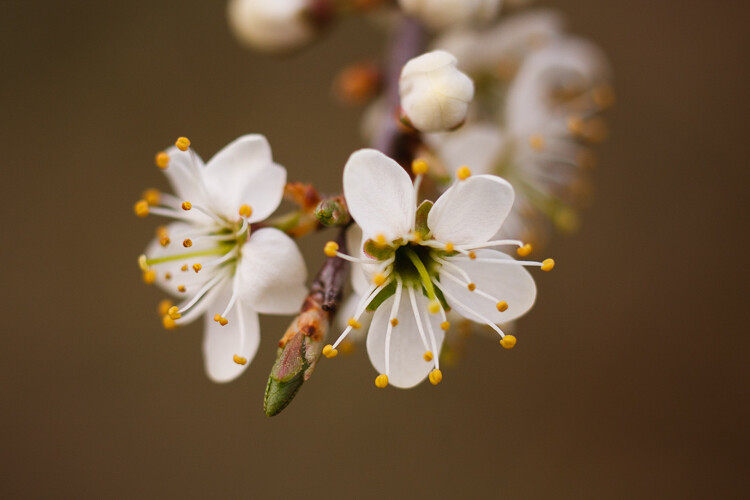
    Pick up an inexpensive bouquet of flowers the next time you’re at the grocery store and bring it home. Pop the flowers in a vase, and start shooting!

    If you choose a bouquet with a range of colors (including white flowers if possible), you’ll be able to practice properly exposing your images across the dynamic range. Photographing flowers is also a great opportunity to play around with different apertures. If you’re currently shooting in Auto, pop your camera over into Aperture Priority mode, and give things a try. How does changing from f/2.0 to f/5.6 affect the image? Which look do you prefer?

    2. Candles and/or a Fireplace

    bad weather

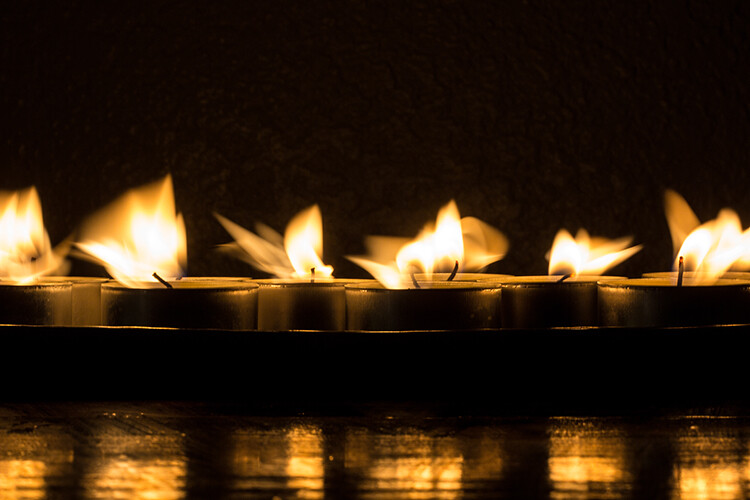
    There are a few different benefits to spending some time photographing a flame. Whether you’re photographing a collection of candles or a fireplace, try experimenting with different exposure lengths in Shutter Priority mode. Try both long and short exposure times, and also be sure to note how the shutter speed affects the overall exposure of your image. Does a longer shutter time translate to a lighter or a darker overall image? How could you balance out a longer shutter opening without overexposing the entire image?

    Another benefit to photographing flames is that it also makes you consider composition in a way that many subjects do not, especially in terms of reflections. Try putting a mirror or other shiny surface underneath a candle and photographing it. How does the reflection of the flame affect the overall image? Do you want to include the reflection in your image, or do you prefer to crop it out?

    3. Oil and Water

    This simple project packs a big punch!

    bad weather

    Equipment and supplies

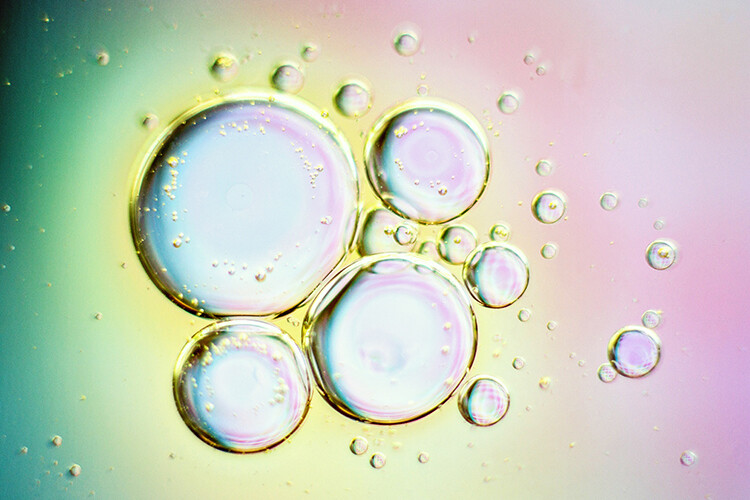
    A macro lens will help you out tremendously here, but if you don’t have one, extension tubes are also a great option. This image was taken with a $ 15 set of extension tubes and a 50mm lens. Basically, all you need is a clear glass dish, two cups, colorful paper, water, and olive oil.

    Setup

    First, take your colorful paper, and set it on a table or counter. Then take your two cups and set them on top of the paper, several inches away from each other. Next, take your glass dish and set it on top of the cups, so that it’s elevated off of the colorful paper. Add a little water, then a little olive oil, and be ready to photograph the bubbles that appear. You may want to spend some time experimenting with photographing the glass dish at differing heights above the paper underneath. Experiment with different types of colorful paper; scrapbook paper is a great resource for this. Try differing amounts of oil and water, and see how those small changes affect your image.

    This is a great opportunity to experiment with macro-like photography in a way that has a pretty big impact. If you are using extension tubes rather than a macro lens, keep in mind that your extension tubes may or may not work with your camera’s autofocus. If you’re having trouble getting the bubbles to come into focus, you may need to focus manually (try the LiveView focus technique).

    4. Food

    bad weather

    Photographing food is a great opportunity to play around with styling, as well as post-processing. It’s my humble opinion that much of your direction in terms of styling and processing will come from the food itself. In this case, I had a rustic loaf of bread that was covered in different seeds. It reminded me of rustic, communal dinners, and so I wrapped it in a tea-towel and stuck it directly on my table (something that happens with fair frequency to loaves that have just come out of the oven around here). I also knew from the get-go that I’d apply a more matte post-processing technique than I usually use in portraits in order to echo the rustic feel of the bread.

    On the other hand, what approach would you take to styling and photographing a sleek cheesecake? Or a classic fruit salad? This short little exercise allows you to push yourself in terms of styling and post-processing, trying out skills and techniques that you may not typically use, as well as spending some time thinking about what types of styling and post-processing would best represent the subject.

    5. Window Silhouettes

    bad weather

    I don’t know about where you live, but around here it can often be rainy and sunny at the same time. If you find yourself faced with similar weather, it’s a great opportunity to try doing a window silhouette.

    Window silhouettes are a great exercise if you are learning photography because it will help you understand how your camera sees light. If your camera is on auto, and you focus directly on your subject, what does your camera try to do? If you move your focal point off of your subject, what does your camera “see” then? Does it affect the focus of your image? What happens if you try out the different metering modes? Does one seem to be more effective than the others in creating a silhouette?

    6. Food Coloring and Water

    bad weather

    Grab a tall glass or vase, fill it with water, and then drop a couple of drops of food coloring into it.

    This is a simple and colorful way to examine both shutter speed and light. Try using a short shutter speed. What does the image look like? Try using a long shutter speed. How is that image different?

    In addition, try shooting with all different types of light. The transparency of the water is a great opportunity to practice capturing backlit images.

    7. Interiors

    bad weather

    You don’t need to have perfectly clean or perfectly decorated rooms in order to gain valuable experience and knowledge from photographing them. Just a pick a room and go for it.

    Experiment with light sources. How does the final image look when you use only natural light? What happens when you use only overhead and/or floor lights with the curtains closed? How does the image look when you use a combination of natural light and accent lighting? Think both in terms of exposure, and also the color balance of the image. Which look do you personally prefer?

    8. Books

    bad weather

    I’m a huge bookworm, so it’s no surprise that I really enjoy photographing books in all sorts of scenarios. I love the texture of the pages, I love the different colored spines. I love basically everything about books!

    Photographing books is also a great way to learn about aperture. Pick any book, and crack it open. Look for a short passage that you enjoy. Set your camera to Aperture Priority mode, and start with the lowest number you’re able to select (f/4 or f/2.8 for example). Set your focal point to your desired passage, and shoot. How much of the image is in focus?

    Now set your aperture to one or two numbers higher than your first setting. How much of the image is in focus this time? Continue shooting up and down your available aperture range, noticing how the image changes as you do so. When might you want to use an image with only a sentence or two in focus? When might you want an image that included more of the book in focus?

    9. Pets

    bad weather pets

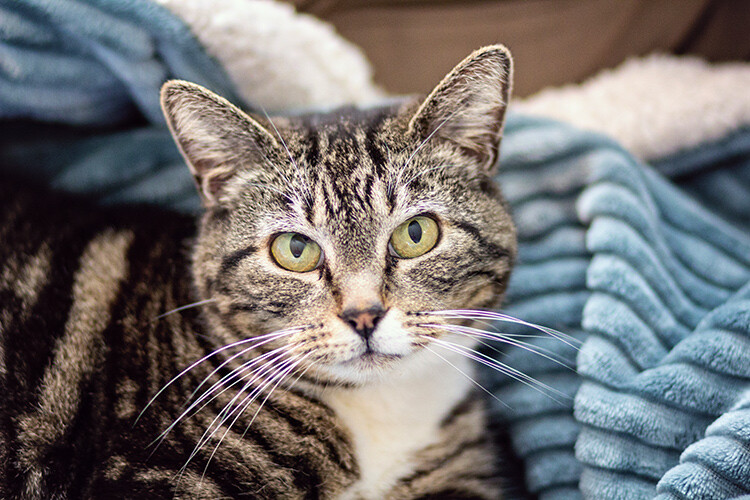
    Photographing a pet can often present many of the same challenges that you might experience when photographing children. Certainly, this will depend greatly on the type of animal you have as well as their temperament, but it holds true for our cat.

    She moves quickly and is often not super interested or cooperative when I’m attempting to photograph her. So, trying to photograph our cat is a good opportunity to practice shooting candidly, as well as waiting patiently for just the right moment. Our cat is obviously never going to walk right in front of me, sit, and smile for a photo. Instead, it’s my responsibility to sit on the couch with my camera, waiting patiently. When she decides to come over and investigate, I’ll be waiting and ready. (Read: 9 Tips for Taking Better Photos of Cats) 

    10. Craft Supplies

    bad weather

    Craft supplies are a great tool for photographic exercises because they’re usually a good source of color. Play around with color and group items randomly. Then group similar colors together.

    Next, pick one single item or color to focus on. Photograph it alone, as well as grouped with the others. Is the image stronger with only one color or with many? Do you prefer the colors to be randomized, or grouped together?

    Conclusion

    Have you tried any of these approaches? What other ideas do you have for bad weather, indoor photography exercises that would help beginners understand an element of photography better?

    The post 10 Things to Photograph Indoors When There’s Bad Weather Outside by Meredith Clark appeared first on Digital Photography School.


    Digital Photography School

  • How to Create Portraits with a Black Background

    Who does not love a crisp, deep black background for a portrait? You can achieve this with the application of just two ideas, and just a little post-processing too.

    black background

    We are talking about a couple of techy things in hopefully, a non-techy way. These two ideas will give you tips for how to make black backgrounds for your portraits.

    No calculations necessary

    As an erstwhile teacher of Mathematics, I should not apologize for numbers, should I? There is quite a lot of Mathematics in photography. However, you may be pleased to know that I think you can achieve everything, without thinking much beyond the basics. If you have a broad understanding of the concepts you will be absolutely fine.

    These techniques are not just applicable to portraits.

    Two Tips for Making Portraits with a Black Background

    Banana palm leaf

    Firstly, please think of stops of light as units. Using the term stop is like saying that something weighs 12 kilograms or that it is 10 miles away. As photographers, we tend to talk about stops and stopping down, but it is just as valid to say units. The thing is not to get bogged down in technicalities, the term stop is only a unit of measure.

    The falling off of the light

    The first concept might be stated simply as light falls off rapidly. Fleshing that out just a little, the amount of light available decreases greatly as you move away from the source of the light. But we are photographers and we do tend to think that a picture is worth a thousand words, so look at the diagram below:

    In the example above, one unit of light arrives at our subject, one meter away from the window. If she moves two meters away, just one-quarter of a unit of light will now be arriving at her. Then, if she moves three meters away from the window, which is the source of light, there will be only one-ninth of a unit of light. The available light disappears very quickly.

    It might suit some if I illustrate the same point with a graph (which, in the past, I have tended to introduce to students as a Mathematical picture).

    Two Tips for Making Portraits with a Black Background

    A mathematical picture tells a story?

    How does that affect the background?

    When trying to achieve a black background, you are interested in the amount of light hitting it. Again, pictures tell the story best. Both these photos had only white balance and very small adjustments to balance exposure done in post-processing.

    Two Tips for Making Portraits with a Black Background

    Not happy

    The image on the left has the background close to the subject, about three feet (one meter) behind her. Then, on the right, the white background is about thirteen feet (four meters) back. You do not need me to do calculations, quote some nice formulae, to prove what is happening above. It is obvious, isn’t it?

    In these photographs, the subject hasn’t moved and the exposure does not change. The background moves farther away, and the amount of light reaching it reduces rapidly. Even when the background is white, rather than the desired black, it gets much darker the greater the distance it is positioned from the light source.

    In the practical world, there may be limits to what you can do, perhaps by the shooting space you have available. However, the message is simple, push the background as far away as possible, and even a seemingly small distance will help make it appear darker.

    Two Tips for Making Portraits with a Black Background

    Young Filipino.

    The background for this photograph was the inside of a room. The teenage Filipino boy was standing in a doorway, getting full benefit from the light source. The background, the far wall of the room, might be only eight feet (just over two meters) away, but it is getting very close to the blackest of blacks, isn’t it?

    Combine this reasonably straightforward science, the way light falls away, with the science of the dynamic range of camera sensors and you will be a long way towards achieving black backgrounds for your portraits.

    Dynamic Range

    Please understand that the numbers I am using here are approximate. They do vary from camera to camera, and from the conclusion given by one source to another. But I am going for using what is easy, what is really needed to make the point so you understand.

    Dynamic range is the measurement from the darkest to the lightest item which can be seen. Your camera has a great deal less dynamic range than the human eye. It is much less capable of seeing into dark and light areas at the same time. That is why, when your camera produces an image with blown out highlights, and blocked up shadows. But your eye can still see the detail of a bird, which sat in bright sunlight, and you can also see the black dog which sat in the darkest shadows. Your camera simply cannot see both at the same time.

    Two Tips for Making Portraits with a Black Background

    Light the subject, not the background

    It might be stating the obvious, but it needs to be said – the first step to getting a black background is to use a black backdrop. Then, if you can get the subject lit more brightly than the background, that will push the background into the underexposed, dark areas, outside the camera’s more limited dynamic range.

    Portrait setup

    If you can throw some extra light onto the subject and have them exposed correctly, in the brighter end of the dynamic range, that will help to send the rest of the image into darkness. The brightly lit subject should be properly exposed. Then there is a good chance that the background will be outside of the part of the dynamic range for which you are exposing. It will, at the very least, be heading towards black.

    Portrait setup

    Here is the setup for a portrait, with only natural light hitting the subject. It is not as obvious in this reduced jpeg as in the original RAW file, but the background is rather muddy, certainly getting towards black, but not the pure black you are looking for. In the original, you can clearly see folds in the cloth.

    Two Tips for Making Portraits with a Black Background

    Still not happy – most people would describe the background as black, but it is not the blackest of blacks, is it?

    Here is the same set up again, with some extra light on the subject.

    black background

    I think the point is illustrated. Is it clear that the background is worthy of the classic description “inky”? Other things could be improved with a few post-processing tweaks. They are presented to show the backgrounds, not as finished portraits, and I’ve only changed color balance and tried to balance the exposures.

    Use the natural law (it is called the Inverse Square Law) which dictates that light falls away rapidly from the source, and the limited dynamic range of your camera and you are a long way to getting a good, deep black, background. Next, you can help complete it further in post-processing.

    Post-processing

    I am referring to Lightroom here, but there are equivalent tools in other software.

    Two Tips for Making Portraits with a Black Background

    A bit of a muddy RAW file.

    This is the photograph from the top of the article, as it first appeared out of the camera. You do not want to hear my excuses, but I did not get it as completely right in-camera as I would normally like to do. However, it turns out that is lucky, as it makes a good example for a post-processing in this case. Because the file was produced with the application of the ideas talked about above, it is very workable.

    Most of the way to being processed in just a very few steps.

    Edit intuitively

    One of the best bits of advice I ever received, which I sometimes manage to apply, is to ignore the numbers. You should move those sliders till they give the look which you think suits the picture. Look at the photo and see what happens, take a breath, pause for a moment, and make some judgment as to whether it gives you what you’re looking for. Often this involves going a bit too far (whether it be with sharpening, or exposure, shadows, or whatever) and then dialing back a little.

    I managed to do just that with this image. It makes me smile when I look at it now, a few weeks later, as I am slightly surprised at how far I went. I adjusted the color balance, brushed some negative clarity onto mom’s face, rotated the image counter-clockwise a little, but the exposure was not adjusted at all as the faces looked fine to me. Then I started pushing the sliders around.

    Push the limits

    It was a bit of a surprise to see just how far towards the negative I had moved the contrast slider. This may be counter-intuitive when you are trying to make parts of the image darker, but because we have got a reasonably well-produced file, we can get away with reducing the contrast, and this has the pleasing effect of lightening the hair and separating it from the background.

    Of most significance to this exercise is the shadows slider which was moved in the opposite direction to usual. It was moved to the negative, to block up the shadows, rather than to the right, to try to pull out some detail.

    I was also a bit surprised at how far I moved the black point. It seemed to work, though. As I say, I think it often works best if you move the sliders, without too much concern for the numbers they represent. Try to look at each photograph individually, rather than apply some sort of formula.

    The final image had only a couple more, tiny, detailed tweaks.

    black background

    Extra Tips

    A couple of other things.

    How you decide to throw some light onto the subject of the photograph is for other articles. There are many other great Digital Photography School articles, which offer a huge number of suggestions for illuminating subjects. I thought you should know that I do very much like my LEDs, as I like being able to see the light. I also use reflectors. However, the first source of light in all the photographs above is natural light. You do not necessarily need a fancy kit.

    In respect of the black cloth, most advice will suggest that you buy black velvet. I am sure it does an excellent job of absorbing light from all directions. But it is expensive, and with careful technique, it seems to me that another dark, non-shiny cloth can do the job too. One thing to pay a little attention to is making sure that you stretch the background cloth out a little. Try to get it as smooth and even as possible, with no creases, as any imperfections are liable to catch the light.

    black background

    Conclusion

    The power of photography! 25 years after the event, I paid a bit of homage to Annie Leibowitz’s photograph of Demi Moore. I was not trying to replicate it as such, just nod in the photograph’s direction. But I did manage to get a really black background, didn’t I? Please give it a go yourself.

    Share your images and questions in the comments below. I’m happy to try to help further if I can.

    The post How to Create Portraits with a Black Background by Richard Messsenger appeared first on Digital Photography School.


    Digital Photography School

  • 7 Questions to Help You Choose the Best Lens For Any Situation

    Cameras and lenses – in fact, anything to do with gear – often spark heated debates amongst photographers. People love to discuss which lenses you should buy or use in certain situations. So I thought it would be interesting to look at a few common scenarios and ask what lenses you might want to use in each of them.

    This article presents a slightly different perspective on the debate as the answers are led by creative considerations rather than the subject. Lens choice is often subjective – what might be right for one photographer may be the wrong choice for another.

    7 Questions to Help You Choose the Best Lens For Any Situation

    Here, then, are some of the things you need to think about when it comes to using lenses. Of course, in practice, your choice is limited by the lenses you actually own. But these considerations are still useful and will help you decide which lenses to buy in the future.

    Question 1: Do you want to get the entire scene in focus?

    The types of photos where you might want to get the entire scene in focus include; landscape photography, street photography, travel photography, and environmental portraiture.

    The depth of field, and how much of it you want in your image, is a creative decision. Once you’ve made that decision you can think about the type of lens you need to use to make that happen.

    Wide-angle lenses are the natural choice when you need a wide (lots of it) depth of field. There are exceptions – for instance, you could focus on something distant with a telephoto lens and use a small aperture to make sure everything included in the frame is sharp.

    But generally speaking, wide-angles are the best choice. They also help you include more of the scene. Some photographers refer to wide-angle lenses as story telling lenses. The phrase describes the way you can use the lens to include enough detail to give your subject context. This approach is most likely to be used in character portraits and documentary work.

    7 Questions to Help You Choose the Best Lens For Any Situation

    I used an 18mm wide-angle lens to capture the entire scene in sharp focus.

    7 Questions to Help You Choose the Best Lens For Any Situation

    I used a 40mm lens (strictly speaking, not a super wide-angle lens on a full-frame camera, but wider than normal) to capture this scene and the rock formation the group is standing in front of. The environment is as important in this image as the musicians so I wanted it to be sharp.

    Question 2: Do you want bokeh?

    If you don’t want to get the entire scene in focus then perhaps you intend to go the other way and use bokeh in the composition. You can do this with zoom lenses, but you really need a telephoto lens with a maximum aperture of f/2.8 or f/4.

    It’s easier to create bokeh with a prime lens as the aperture is much wider. You also have more choice. You can use the widest aperture of the lens for an ultra-shallow depth of field, or a more conservative setting such as f/2.8 that still blurs the background but gets more of the subject in sharp focus.

    If bokeh is your thing, then use a prime lens.

    7 Questions to Help You Choose the Best Lens For Any Situation

    I made this photo with an 85mm lens set to f/1.8. The wide aperture completely blurred the background behind the lizard.

    Question 3: How close can you get to your subject?

    Telephotos are essential for most types of wildlife and sports photography. They even have their uses in street photography. If there is something that stops you getting physically close to your subject, then you need a telephoto lens to bridge that distance.

    7 Questions to Help You Choose the Best Lens For Any Situation

    I needed a telephoto lens to photograph this jousting tournament. It wasn’t possible to get any closer to the horse and rider.

    Question 4: How much weight do you want to carry?

    Sometimes it’s tempting to take an array of lenses on a shoot to cover every conceivable situation. The problem is that carrying too much weight can tire you out. This makes it harder to concentrate, be creative, and make good photos.

    It’s something to think about whether you’re taking photos on the street for a few hours, or going away for a month. Think carefully about the number of lenses you need to take with you while traveling. The more you have, the heavier your camera bag gets and the more difficult it is to carry everything around. Two or three lenses is often all you need.

    Of course, there are times when you do need a lot of lenses. This applies to pros in particular who take lots of gear on commercial shoots to cover every eventuality. That’s part of the job and has to be done. But you’re unlikely to need a lot of gear for personal work.

    7 Questions to Help You Choose the Best Lens For Any Situation

    I used my 35mm lens for over 73% of the photos taken during a recent trip to China (the above photo is one of them). Another 10% were taken with my 18mm lens. I could easily have got by with just these two lenses.

    Question 5: Will you be shooting in low light without a tripod?

    If you are, then you need to consider how you are going to cope with the low light levels. Luckily, the high ISO performance of many cameras is so good that you can probably push ISO to 6400 or beyond (depending on your camera). This will help greatly when it comes to achieving shutter speeds fast enough to take sharp photos.

    But there are a couple of other things you should think about. A prime lens will also help by letting you shoot at wide apertures if you need to.

    7 Questions to Help You Choose the Best Lens For Any Situation

    The Leica Noctilux M 50mm lens has a wide aperture of f/0.95 – over five stops faster than the f/5.6 aperture of a typical kit lens. It may be too expensive for most (over $ 10,000 if you’re curious) but it will certainly help you work in low light.

    A lens with some sort of image stabilizer (if your camera doesn’t have it built into the body) will also help you take sharper images at slower shutter speeds. But remember that while the background will be sharp at slower shutter speeds, anything that moves (such as people) won’t be.

    Wide-angle lenses also help as they require slower shutter speeds for safe hand-holding (using the one of the focal length rule). For example, when I used my 56mm lens (on an APS-C camera) I prefer to set the shutter speed to at least 1/250 second to guarantee sharpness. But with my 18mm wide-angle I can comfortably use 1/60 second – a two stop difference.

    Question 6: Will you be shooting portraits?

    If so, then you need to decide what approach to take. One option is to use a telephoto lens. The flatter perspective flatters your model and helps isolate her from the background.

    Another is to use a wide-angle lens for a documentary style. But don’t get too close with this type of lens unless you deliberately want to distort your model’s face.

    7 Questions to Help You Choose the Best Lens For Any Situation

    I used an 85mm lens to isolate the model from the background in this portrait.

    Question 7: Do you need a specialty lens?

    There are times when you may need a specialty lens such as a macro, a fisheye lens, a tilt-shift lens or a Lensbaby. If you know that you may need a specialized optic for a shoot (or an accessory like extension tubes), then you can plan in advance to buy, borrow, or rent one if you don’t own it already.

    7 Questions to Help You Choose the Best Lens For Any Situation

    I made this photo with an 85mm lens fitted with an extension tube to get close to the small flowers.

    Conclusion

    Rather than tell you that a certain lens is required for a specific situation, I prefer to take a different approach and get you to think about what you want to achieve before the shoot, so you can select the most appropriate lens. It’s a different, less prescriptive approach to lens selection that puts creative considerations in front of technical ones.

    What lenses do you like to use and why? Please let us know in the comments – I’m curious to see your answers.


    Andrew is the author of the ebook Mastering Lenses: A Photographer’s Guide to Creating Beautiful Photos With Any Lens.

    The post 7 Questions to Help You Choose the Best Lens For Any Situation by Andrew S. Gibson appeared first on Digital Photography School.


    Digital Photography School

  • Lighting 103: Using Gelled Flash to Correct Ambient Light

    Abstract: You can alter your camera's white balance and gel your flash to "correct" nearly any ambient light color shift. But should you?Read more »
    Strobist

  • How to Create a Potluck Photography Party

    It’s always great to meet up with friends, and as photographers, it’s great to meet with fellow photographers. A lot of people’s photography style is to go it alone, which can be good for many things. But, even if you like to photograph alone there are times when meeting other photographers, and bouncing ideas off them will help you. Those meetings are often in the form of photo walks, where most people photograph by themselves. A progression of this type of photography meet up is the potluck photography party.

    As you probably know potluck parties are about food. This is such a great idea that we photographers should also use it too. So what does a photography potluck party look like? It’s all about collaborating as a team, and trying everyone’s stuff!

    How to Create a Potluck Photography Party

    It’s great to collaborate with others and work on photos together. Here two cell phones are used as light sources.

    What is a potluck photography party?

    The idea of a potluck party is you bring different food dishes to a party, so how can this be applied to photography? Well if you substitute food dishes for photographic equipment then you have the basis of how this idea works. The equipment each participant can bring with them is as follows.

    1. A camera body: This can be a DSLR, a point and shoot camera, or a Smartphone.
    2. A camera lens: This is applicable to those bringing a camera body with interchangeable lenses. Bring just one lens with you to the photography potluck party.
    3. Additional equipment: You can bring one other piece of equipment with you. This can be anything from a tripod, to an additional lens, or even a glass ball.
    How to Create a Potluck Photography Party

    The gear used in a potluck photography party.

    The above parameters form part of a creative exercise, one where the equipment you have is deliberately constrained. In order to realize more complex photography ideas, collaboration and sharing of equipment will be necessary. If the group size is around five, hope at least one person brings a tripod, but not everyone.

    If you like to take portraits then equipment for off-camera flash would be great, and working in a team allows the stronger photographers to help those learning this type of photography. The equipment could be as simple as an umbrella that could be used as a prop with a model, or an interesting way of framing a photo. The last variable is where you really should look to push that creative potential, another good piece of additional equipment is the Smartphone!

    How to Create a Potluck Photography Party

    This photo shows how the flashlight from Smartphones can be used to light the face in a portrait.

    Will you go blind?

    No, we’re not talking about blind dates here, but equipment. Will you organize your event so that nobody knows what the others will bring? This is the purest form of a potluck photography party, but sometimes you need to engineer what everyone brings a little. Think of those potluck parties where everyone brought cheesecake, that would be awesome but didn’t you want a salad as well?

    Letting other people know what you’ll bring can give you a much more balanced set of equipment, and with that comes more creative photos. So the type of potluck photography party you decide to have is important. There are three main types to choose from, they are:

    1. Blind: In this type of party, nobody knows what others will bring, so results will vary. This is the purest form of a potluck party, you will have to use the tools given to you and come up with the best results.
    2. Early bird: In this type of event, you share with other people what you’ll bring through social media or e-mail. This means those people deciding what equipment to bring later can choose based on what other people say they’ll be bringing.
    3. Listed: This form of potluck is highly engineered as you list the items people can bring. In this case, a list is posted on your event page or e-mail invitation. Once people can see the list they can choose which item they’ll bring, and once taken nobody else can bring that same thing. This list may only apply to item #3, the additional equipment.
    How to Create a Potluck Photography Party

    In this photo, the phone is used to create a second image, with the Smartphone being used creatively.

    Make an event on social media

    The best way to share your potluck photography party is through social media, with Facebook the best placed to deliver on this. Creating an event on Facebook is a straightforward task. To grow the potluck photography community, and share the results of your party, joining this Facebook group is encouraged. In addition to the resource of this article, you’d be welcome to use this document to explain the concept to other people.

    Why not create some country, or city-specific, potluck photography party groups, and host your events through these groups? Instagram is also a great platform to promote your event. Create a new account just for the potluck party photos.

    How to Create a Potluck Photography Party

    You don’t have to collaborate, some photos don’t need it. In this photo, simple composition and moment of capture were used.

    Sharing your equipment

    The collaborative nature of this type of event means you’ll be sharing equipment with others. You’re not likely to share your camera body, but other equipment can be shared. If you have a camera body that’s compatible with other people’s lenses, why not see if you can try them out? This way you can increase the pool of lenses available for your shot.

    Tripods, Smartphones, and off-camera strobes can be used by almost everyone, regardless of the camera. Take care with speedlights, these are specific to the camera brand they’re designed for and may damage other cameras. Using other people’s expensive equipment does carry some risk, so asking people to sign an agreement to replace damaged items is an option to consider.

    How to Create a Potluck Photography Party

    Some photographers carry so much gear, it looks like they’re checking in for a flight! Potluck photography parties aim to reduce how much each person carries, but by pooling gear, you still get to experiment.

    The potluck photography party group

    The idea with the party is that each person has a chance to create their own concept for a photo. In turn, you allow each photographer time to use the available equipment to make their concept happen.

    You will need to split larger groups into several smaller groups of around five to seven people. The most sensible way to divide is by camera brand, this will make it easier for people to share lenses. If you have a large group finish the day with something social, where everyone can mix together.

    How to Create a Potluck Photography Party

    This is the group for a potluck photography party.

    Share your potluck photography party experience!

    The types of photos that can come out of these events can be conceptual or spontaneous. As with all meetups like this, it’s great to share the results with everyone after you have had an event. This will give you feedback on what you did and will give other people fresh ideas about how they could do something new.

    If you go out and try a potluck photography party be sure to come back here and post your work, or a link to your Facebook event page. Those posting to Instagram can use #potluckphotographyparty and #PPP to share on that platform. So now all you have to do is go out and party!

    How to Create a Potluck Photography Party

    In this photo, no extra gear was needed, but collaborating with one of the other photographers who would model for the shot.

    How to Create a Potluck Photography Party

    In this photo, a Jinbei 600 flash unit, a pixelstick for the light painting, and a tripod for long exposure were used fro the items that were brought for the party.

    How to Create a Potluck Photography Party

    The most important thing about parties is to keep it fun and spontaneous!

    The post How to Create a Potluck Photography Party by Simon Bond appeared first on Digital Photography School.


    Digital Photography School

  • How to Simulate the Look of Analog Film Using Lightroom

    The tones and organic nature of analog film are things many of us have began to long for in our digital age. Don’t worry, though, this will not be an article about the merits or disadvantages of digital photography or whether film is better or worse than digital. The purpose of this tutorial is to deliver what might be called the best of both photographic worlds. And if not the best, a very liveable compromise between the charm of analog film and the convenience of digital imaging – how to simulate the look of analog film using Lightroom.

    How to Simulate the Look of Analog Film Using Lightroom

    Photography, like most everything else, is invariably on a forward march of advancement. Always looking for the next best thing; better cars, better computers, and for us photographers…newer digital cameras. Intriguingly enough, often times we end up missing the “old school” feel of the very things we sought to replace with successive newer versions.

    Imparting our digital photos with the great look of film is not only but possible, but simpler than it has ever been before. Furthermore, we can conduct all this retrograde post-processing alchemy in Adobe Lightroom. Yes, I promise it’s easy.

    How to Simulate the Look of Analog Film Using Lightroom

    Things to Note

    Now is a good time to pause and make a small disclosure. There are many other variables that exist which determine the final look of a print made from analog film. These variables range from the type and temperature of the chemistry used to develop the film, to the way it was printed and scanned. Even the age of the film when it was shot can change the look of the final results. So remember that while exact accuracy might not be possible the fun of the process itself certainly is!

    First Things First – Find a Film You Like

    The first step in the process is to find the film you want to replicate. There are a number of ways to go about this. If you happen to be one of those glorious hybrids who shoot both digital and film then you likely have some examples readily available. But the easiest way I’ve found to discover a multitude of images made with analog film is to have a look at Flickr.

    There are quite a few groups there that specialize in “film only”, so each image posted is shot on analog film and then scanned into the computer. Some of these groups, such as Film Database require participants to post their images with the film type indicated. Once you find an image with a grain and tone you like, it’s very simple to learn which film was used to create that image. The more images you can find that were shot with that film, the better you can understand the general feel of it.

    How to Simulate the Look of Analog Film Using Lightroom

    Moving to Lightroom

    Once you’ve found the film-look that you’d like to replicate, it’s time to move into Lightroom and let the fun begin. First, we’ll look at the three key things to pay attention to when it comes to simulating the characteristics of film color tone, contrast, and grain. Then, we’ll walk through creating the look of film with a sample image, so you can see just how easy the process really is!

    Color Tone

    Color tone is a broad term that, for our purpose, describes the overall color temperature of a film and the saturation of those colors. Analog films come in virtually every color tone under the rainbow (pun intended). Some films are very warm toned with rich, vibrant colors. While others are more subdued, with cooler tones and less color saturation. Even black and white films have certain color tone variations.

    When looking for the chromatic characteristics of a film, be sure to take note whether the overall tone is warmer or cooler in temperature. Then, look to see if there is any color cast to the image such as blue, red, green, etc. If the film you’re replicating is black and white, still pay close attention to any coloring that might be present. Black and white film is always more than just black and white!

    Contrast

    This is perhaps the most straightforward aspect of the entire replication process. Contrast is simply the difference between lights and darks within an image. Films carry different contrast latitudes (again, development is key) which you can observe. Are the blacks dark and dense or are they lighter and more faded? Are the highlights bright and contrasted or is the photo flatter and less punchy? Later in Lightroom, the contrast slider will do a lot of the work for you.

    Grain

    Perhaps the most fickle property of analog film is the presence of grain. Grain is brought about by the size and number of the tiny light-sensitive silver crystals found in the film’s emulsion. Higher ISO film has more grain and lower ISO films generally have less grain. Depending on the film these grains can be larger or smaller, rough or fine, and literally everything in between. It’s a good idea to view the image at the largest size available when examining the grain of the film. Pay special attention to the amount, size, and coarseness of the grain when taking your notes. You are taking notes…aren’t you? Of course, you are!

    The Process of Simulation

    How to Simulate the Look of Analog Film Using Lightroom

    Fujifilm Provia 400X (Image courtesy of Fujifilm)

    Now here comes the good part. We will take a digital image and give it the look of a particular analog film. In this case, I’ve chosen a mid-range ISO film, Fujifilm Provia 400X. It’s a moderately saturated film in terms of color, with nice contrast. At ISO 400 the grain is apparent, but not as coarse as some other mid-range ISO films. In most of the images that I viewed from this film, there exists a slight blue color cast present.

    Make a Roadmap

    So, before I do anything in Lightroom, I make a road map to help me along the way during my processing. It will list the core attributes of the film I’m hoping to replicate. Do this for your film now:

    • Color Tone: Slight blue hue especially in the shadows. Color saturation is moderate. Color temperature is slightly cool.
    • Contrast: Moderate to strong contrast with deep blacks.
    • Grain: Quite apparent but relatively smooth.

    Do Basic Adjustments First

    We begin with a photo that has been corrected for exposure but no adjustments for color or contrast. This is the best place to start for replicating analog film.

    How to Simulate the Look of Analog Film Using Lightroom

    Image before processing.

    I crop the photo slightly and then move back to the Basic Panel.

    How to Simulate the Look of Analog Film Using Lightroom

    Follow the Roadmap

    Going back to the road map list I made earlier, contrast is the first adjustment. I increase the contrast slider to +81 but this still doesn’t give me the depth in the shadows I’m after, so I go further and darken the blacks by -40. While I’m here, I reduce the saturation to better match the moderate qualities of the Provia 400x. Since the image needs to be slightly cooler, I decrease the temperature a very small amount as well.

    To add a little more blue to the shadows we will next use one of the great unsung hero of Lightroom, the tone curve. Click on the tone curve panel and be sure it’s set to “channels” view. Since I want to add a blue color cast, I select the blue channel (see below).

    How to Simulate the Look of Analog Film Using Lightroom

    Since I want to apply the blue toning mostly in the shadow areas of the image, I raise the leftmost end of the curve upwards slightly. This will introduce a blue hue to the blacks. Be careful not to overdo it here. A little goes an incredibly long way.

    How to Simulate the Look of Analog Film Using Lightroom

    Using the Curves Adjustment, in the blue channel – adjust the blacks as shown here to add a cool tint to shadows.

    Adding Grain

    All that’s left now is to focus in on our grain situation. My original digital image was shot at ISO 500 which is close to the ISO 400 of the Provia. Here’s a 1:1 zoom of the original image.

    How to Simulate the Look of Analog Film Using Lightroom
    But film grain bears many more nuances. So let’s adjust the grain in the effects panel based on our notes from earlier. We observed that Fujifilm Provia 400x sported grain that was moderate, but rather fine. So I experiment with the Amount, Size, and Roughness sliders until I reach a grain effect that approximates the appearance I’m after. Don’t be afraid to manipulate these sliders into submission! The correct combination only comes from visually comparing the adjustments.

    How to Simulate the Look of Analog Film Using Lightroom

    Here is the grain we’ve added compared to the original image. At a 1:1 view the difference because readily apparent.

    And now, you’re all done!

    How to Simulate the Look of Analog Film Using Lightroom

    Final image.

    Don’t hesitate to go back and tweak the exposure or other adjustments to get the look you want. But remember if you change the contrast or color edits your photo might distance itself from the analog film you’ve attempted to simulate.

    *Bonus* Try increasing the color noise reduction slider to remove any traces of color noise. Color noise is a trait exclusive to digital imaging and is not found in analog films.

    Here’s the finished simulation of Fujifilm Provia 400x film compared to our original digital photo.

    How to Simulate the Look of Analog Film Using Lightroom

    Before and after.

    Conclusion

    While we can’t exactly replicate the look of film due to variances in the development and printing processes, we can achieve very similar looks. In a way, we have more versatility since we can strive to achieve the look of a multitude of films in our digital darkrooms. Show us your own analog film simulations in the comments section below!


    Want to get a jump start at creating your very own analog film simulations? Take a look at these presets developed by myself, which replicate the looks of numerous classic analog films. All with just a click of the mouse!

    • Analog Film Simulations: Volume 1
    • Analog Film Simulations: Volume 2

    The post How to Simulate the Look of Analog Film Using Lightroom by Adam Welch appeared first on Digital Photography School.


    Digital Photography School