RSS
 

Archive for the ‘Photography’ Category

Why Your Camera Gear Doesn’t Matter

17 Sep

graffiti wall - Why Your Camera Gear Doesn't Matter

Many discussions in online photography groups and discussions revolve around “What’s the best camera brand?” or “What is the best lens for x?” or “Thinking about upgrading, should I pick between camera x or camera y?” and so on.

It seems that a lot of people think that there is a Holy Grail of camera gear that will solve all their problems if only they can achieve it. However they fail to understand that it isn’t the gear that matters, it’s what you do with it that counts.

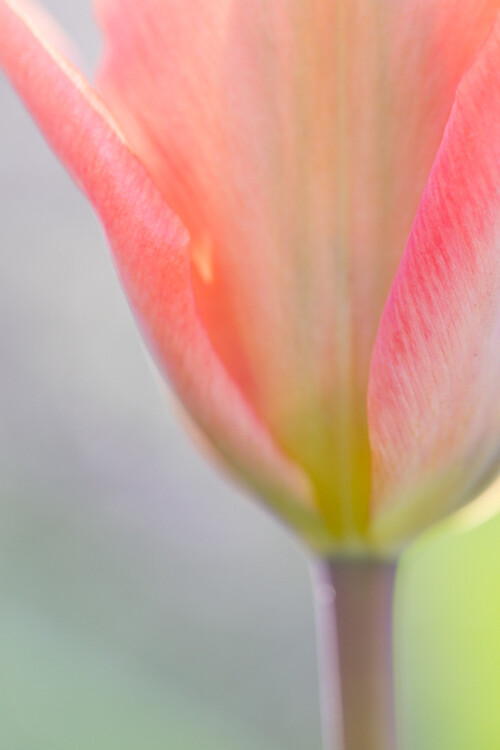
Why Your Camera Gear Doesn't Matter - pink flower

So many people praise Ansel Adams or Cartier-Bresson as peers of the craft, yet those photographers were dealing with old film cameras. The camera in your cell phone is more powerful and advanced in technology by light years in comparison.

If all the photographers in history were capable of making lasting impactful images with old film camera hardware and development techniques – if you have a modern camera (of whatever brand you choose) or even just your cell phone – what is your excuse?

old cabin b/w - Why Your Camera Gear Doesn't Matter

It isn’t about the gear. It has never been about the gear and as soon as you realize that, you will be free to create and shoot in a new and exciting way.

Why Your Camera Gear Doesn't Matter - still life image

Let’s Count the Ways That Gear Doesn’t Matter

  1. The camera doesn’t decide what brand or model you buy, or what lens you opt for. You do your own research (presumably), make your choices, place the order and pay the money. Or perhaps you were gifted with some gear or loaned it. Maybe you just have a phone with a camera. It doesn’t matter, they are all cameras with essentially the same capability to capture images.
  2. Your camera doesn’t haul itself out of bed early in the morning to get to the desired destination for a sunrise shot. It doesn’t drive for hours to get to a pretty lake, nor does it pack itself into a backpack and hike its way into the mountains to get the perfect shot – would be nice if it did though!
Why Your Camera Gear Doesn't Matter - ice and snow in the sun

This image was taken on a recent camera club trip in the mountains – roughly 4 hours drive from home. Lying full length on a snow bank to brace to get this shot, I chose to do it backlit for the desired creative outcome.

  1. The camera doesn’t decide what the composition will be, it doesn’t walk this way and that way, crouch down low, or climb up looking for a better vantage point.
  2. The camera doesn’t go without its daily latte for a year, while it saves up to go on holiday to an exotic destination so it can take lovely new photos while its there.
  3. Your camera doesn’t sit for hours on the side of a river, lake, or estuary waiting for the birds to come close enough to shoot.
  4. The lens doesn’t decide, “Hey I want to be the lens on your camera today, shoot with me all day”.

Why Your Camera Gear Doesn't Matter - rolling hills landscape

  1. Unless you are a complete beginner and shooting with everything on Auto, the camera doesn’t decide what settings it’s going to use. Nor does it decide when to click the shutter, when is exactly the right time to take the shot.
  2. The camera doesn’t say, “I don’t want to shoot macro today, instead let’s do architecture instead, I’m bored with flowers”.
  3. The camera doesn’t go, “I know it’s going to be cold and frosty tomorrow in the snow but it will be super pretty so let’s get up early to take photos before everyone walks all over it”.
Why Your Camera Gear Doesn't Matter - food photo setup

A behind the scenes shot of what it takes to stage a food photography shot – I haven’t even got the camera out yet.

There are so many decisions that you, the photographer make, that are essential to the image being created. But you could get the same shot with a Canon, or Nikon/Pentax/Sony or whatever brand you have.

For many of the shots that are taken, a recent cellphone has a pretty good camera in it and will do a good job too.

Why Your Camera Gear Doesn't Matter - flower abstract

Specifically mounted and lit against a black background, this was deliberately shot with selective focus and edited for a dark moody rich color tone.

What the Photographer Does Matters

  • You are the one saving up to go on the exciting holiday, deciding where to go, what time of year, what places to visit, what things you might want to see and photograph.
  • It’s you that decides how your image is going to be composed – portrait/landscape, close in or far away, what the subject is, what aperture or shutter speed to use for the desired creative outcome.
  • You choose your subject, you decide how the image is going to look, where you will shoot from, what height/angle, and what settings you will use.
  • You make the creative choices such as is it going to be macro, or shot with a very wide open aperture for a blurred background. Perhaps a long telephoto lens to separate the subject from the background. Maybe an ultrawide or fisheye lens for a different look, or even an old vintage lens with swirly bokeh.  You choose the gear and decide how you are going to use it at any given point in time.
  • It’s you that makes the sacrifice to get out of bed early in the morning for the sunrise shots.
  • You load up the gear, put on walking shoes, load up a drink bottle and head off into the unknown for an adventure and you earn your blisters and sore feet.
  • If you are a food photographer, you might spend hours baking in the kitchen to create tasty treats which you then spend ages styling and propping before you eventually shoot.
  • If you are a portrait photographer you might dabble in hair or makeup, and you absolutely need to have control of the light, shaping and modifying it to suit the desired outcome.
  • Maternity photographers probably have to do some hair/makeup/clothing as well as set design and lighting for newborn shots.
  • If you are a wedding photographer you probably have a bag full of tricks and emergency supplies to cope with any last minute drama or wardrobe failure, plus you have to wrangle all of the people on what is often a stressful day.
Why Your Camera Gear Doesn't Matter - frosty morning mountains

Minus 6C Hoar Frost – yeah it was pretty cold getting out of bed that morning but it was totally worth it.

There are so many creative choices that you can make – high key or low key, black and white or color, cool or warm tones, tight abstract or bigger picture, low to the ground or eye level, morning/daytime/evening light – but none of these references your gear at all. These are all things you may even decide before you even pick up the camera.

So much of what we do is visualizing the image in our heads, and putting in place the required circumstances or situations to make that image happen. You may have to save for a couple of years to afford the trip to Patagonia or Alaska. Perhaps you might chase storms for months before you get the absolute best cloud formation or lightning shot you were after.

You might get up night after night to capture an aurora or every morning for a month to get the stunning sunrise. Maybe you have to wait until the next breeding season to get the shot of the bird that only flies in once a year. Plus you have to stake out a nest, build a hide and keep it secret.

Why Your Camera Gear Doesn't Matter - cutlery still life

Sometimes Gear Does Matter

Yes, there are absolutely situations when having a specific piece of gear totally matters. It is difficult to take macro shots of things if you don’t have a macro lens, or extension tubes or similar options.

Having a longer lens makes those birding shots a lot easier as well, not only are birds skittish, they can fly away from you. Plus you should be a responsible environmentally aware photographer and stay out of their habitat and not scare them deliberately.

I don’t shoot astrophotography but am aware that there are recommended lens choices to get the best outcome for your night shots.

Sports, action, and wildlife photographers usually want a camera with a high burst rate for the action shots, fast focus action, and reasonably good high ISO for low light situations and a really long lens.

Wedding photographers need high-performance camera/lens options that are adaptable to a range of situations and can work in low light.

If you want to do soft flowing waterfalls and waves, neutral density filters, a tripod, and a remote shutter are usually requirements.

So yes, there will always be situations where you do need specialty gear, but the same rules apply. You still need to make all the creative choices and decisions. Adding that extra hardware choice into the mix just becomes part of it.

Why Your Camera Gear Doesn't Matter - flowing water frozen in the air

To get this shot I needed a 70-200mm lens mounted on a tripod and then I experimented with fast shutter speeds to get capture the motion in the water and the splashes.

Conclusion

Being there matters. Having the right light matters. Your subject choice matters. How you choose to frame up the composition matters. Your creative choices matter. Post-processing matters.

What gear you use to take the shot – doesn’t matter.

Any general camera gear can do the job for the vast majority of images taken. Does the brand matter? No.

Is it a cell phone? If you can take images you are happy with on a cell phone, then keep doing it.

Are there situations where specific lenses or gear makes a difference? Absolutely, and yes you probably will need to have what’s required to make those images.

But not everyone wants to do macro. Lots of people have no need for a tilt-shift lens for those architecture shots. 600mm lens that weighs several kilos? No thanks!

Street art in Melbourne, Australia. Some of these laneways are so hidden away only a local knows where to find them.

But even when you do get the specialty gear, there are usually multiple choices of options to purchase. But again, the brand doesn’t matter.

Even if you do have the top-end camera with the fanciest tripod, the longest lens with all the bells and whistles…unless YOU take it out and use it, it isn’t going off and having photography adventures on its own.

As the saying goes, “The best camera is the one you have with you” so work with what you have, learn to use it to the best of your ability. Experiment, be creative, try different things, push your boundaries and have fun.

My camera does landscape, nature, birds, macro, food, still life, fine art self-portraits, flowers, cats, long exposures, black and whites, high key, low key, sports, abstract, events and probably many other things I have yet to point it at.

What does matter is that you are out there, with whatever gear you have, and are using it.

Happy shooting!

The post Why Your Camera Gear Doesn’t Matter appeared first on Digital Photography School.


Digital Photography School

 
Comments Off on Why Your Camera Gear Doesn’t Matter

Posted in Photography


The Magic of Creativity Rarely Happens in Your Comfort Zone

17 Sep

You’re not likely to ever excel at anything unless you push past what you normally do and exit your comfort zone. That’s unless you’re the type of person who’s not comfortable unless they are constantly taking risks.

Python in a Pit © Kevin Landwer-Johan - The Magic of Creativity Rarely Happens in Your Comfort Zone

Becoming more creative with photography requires you to seek out new subjects. It means trying different techniques. It demands you tackle the difficult and uncomfortable at times.

Most creatives seek to improve on what they have already achieved. This can mean photographing what they normally photograph different and better. It could mean working in whole other genre of photography altogether. Both approaches are challenging and vulnerable to failures.

How can you step out beyond your comfort zone and experience real magic in creativity?

Flag performance at a street parade - The Magic of Creativity Rarely Happens in Your Comfort Zone

Watch Your Attitude

I believe the biggest struggle many people have in growing creatively is that they can be too hard on themselves. When they try something new they set themselves up to fail because of negative thought patterns. Sound familiar?

Taking a step outside your creative comfort zone with a positive attitude is the most important factor towards your success. Acknowledging to yourself that what you are doing is new and difficult and that your initial result will probably suck, is important. If you are broken hearted at your photos the first time you try a new aspect of photography, you will never grow. You will not find the magic.

You need to press on and make the most of what you find difficult to help you improve.

Karen pipe smoker - The Magic of Creativity Rarely Happens in Your Comfort Zone

Commit to Learn

Studying the new technique or subject you’re challenging yourself with is a positive step towards creative magic. If you launch headlong into something new without knowing much about it you will most likely fail. I know this to be true from far too much personal experience.

Taking time to study a little more, step by step, you can become an expert. When I first worked in a photography studio with subjects, lights, props, and backgrounds I could manipulate it was all new to me. I had come from working as a newspaper photographer where I often had no control over these things. I didn’t know what to do.

Initially, I wasted a lot of Polaroids, (instant photos which were used to preview the setup, now we chimp our LCD screens).

Then, I found a gem of a book in the local library, (yes, this was when the internet was still a baby.) Light Science and Magic was a superb teacher. This book taught me so much of how to control the lighting. I am also a big fan of Irving Penn and love his still life arrangements. I have always learned a lot by studying the work of high achieving photographers.

Studio photos of food and cocktails - comfort zone

Creating Photos for Someone Else

The main difference between amateur and professional photographers is not that pros take better photos and earn a living doing so. The most significant difference is that professional photographers must consistently produce photos that fit a brief and please someone else, not just themselves.

Photographing what you are passionate about is meaningful for enjoyment and creative growth. Photographing something you have no interest in is often a huge challenge.

When I first started work at the newspaper I learned very quickly that I was well out of my comfort zone. I was having to not only talk to strangers but to go back to my picture editor with publishable photos of those strangers. I was painfully shy and it was so difficult, but I wanted to keep my job, so I took on the challenge.

Later came other challenges like photographing sports events and other action photo situations I had no experience with. The opportunity to attend top international matches was a good incentive. I learned because I had to and I came to love it.

one day cricket action- comfort zone

Role-Play Being a Pro

You don’t need to get a job working for a newspaper. These photography jobs are few and far between nowadays. You can role play effectively and imagine you are a pro.

Set yourself assignments and treat them as though you are working for a newspaper or magazine. Better still, have someone else task you assignments of their choosing. This way you will begin to photograph subjects and in situations, you may never have chosen.

You will discover that you love some of these assignments as you are being stretched beyond what you normally do. As you are outside your comfort zone you will have to think and behave differently.

Set deadlines. Approach this exercise realistically. If someone else has set your assignment, have them review your photographs with you and make a selection.

By role-playing like this, you may have the advantage of rephotographing the same subject if you can see room for improvement. This is a luxury I did not often have when working at the newspapers.

Forest Waterfall - comfort zone

Photographing What is Familiar

I am not advocating only photographing new and different things with techniques you’ve never used. Making great photos of what you love can be equally challenging.

Taking pictures of what you love over a long period of time your photos may begin to lack flair. This is common. If you are truly passionate about what you are photographing you need to press yourself to remain creative.

We are often at the local markets in Chiang Mai taking photo workshops. I told myself after we’d been going there for about a year that I need to come away with at least one new portrait each time. Not of the same people who I knew and were easy to photograph, but of different people in different locations at the market.

I’d passed this guy many times and felt a little intimidated by his tough looking exterior. One winter’s morning he was standing in the sun outside his flower shop watching the world go by. The light was fabulous and he had on a cool beanie. I had to ask him. Turns out he was happy to pose for me. I took him a print of this photo next time we were there and now he often gives my wife or our customer’s flowers when we are passing.

Street portrait of a Thai man - comfort zone

Photographing People

I have become pretty comfortable photographing people, but still, find it challenging. Like with the tough looking flower seller, initial contact and relating to a stranger is not easy for most people. If you step out and ask often the results can be most rewarding.

Photographing people you know can pose other problems. My friends got engaged recently and asked my wife and me to do a photo session for them. My challenge was pressure I put on myself to excel. I wanted to bless them with photos that made the event special.

Working with my wife is always enjoyable. We work well together. I found I could capture different moments, especially when their attention was on her. My expectations and desire to do well for my friends was my biggest challenge. My fear of failing was my biggest hindrance.

Once I relaxed and enjoyed myself as much as they were I was able to take some photos that they told us later were their favorite image of themselves they’ve ever had. This is feedback every portrait photographer loves to hear.

Thai woman and white man in the street - comfort zone

Two New Personal Photography Challenges

My wife and I recently moved to a new home in the countryside. I have never been particularly interested in landscape photography, but now I need to be.

We are running a homestay and need to show off the wonderful environment so people will want to come and stay here. This means I must make the best landscape photos I can. It’s good to be working with a subject that I have not cared for much and to have a reason to be taking these types of photos.

My second challenge is to use my phone for more photography. I am comfortable with my camera, thank you. I have had little interest in using my phone except to take the occasional snapshot. Currently, I think I am using my phone more than I am using my camera.

Bicycle on a road in the rice field - comfort zone

I am using the panorama mode frequently.

I ride my bicycle in the surrounding region each morning. But I don’t like carrying a camera when I ride so I am using my phone to photograph the local landscape.

Part of my motivation to take up the challenge of photographing with my phone is that this is how most photos are being made in the world now. I need to know more about it so I can teach it. The best way for me to learn is to just do it.

The limitations I have with using my phone are a big challenge. I must innovate and be creative to capture the photos I want. Now I am also beginning to use my phone to photograph more than only landscapes. As the challenges continue I hope my creativity continues to grow.

Thai rice landscape - comfort zone

Be encouraged, find something new that’s not easy for you. You will only reap the rewards if you step outside of your comfort zone and try. Tell me in the comments below how you are getting on with your challenge, I’d love to know.

The post The Magic of Creativity Rarely Happens in Your Comfort Zone appeared first on Digital Photography School.


Digital Photography School

 
Comments Off on The Magic of Creativity Rarely Happens in Your Comfort Zone

Posted in Photography


The Six Killers of Night Sky Photography (and how to avoid them)

16 Sep

One of the best things about night photography, in general, is how forgiving it is. That is to say, you generally don’t need special weather conditions to create a really nice picture. The night and urban lights give you all you need to work with. Once it is dark the light isn’t changing so you aren’t chasing the light. Almost any night will do.


But if you are trying to photograph the night sky it is a completely different story. The reality is that night sky photography is very finicky. If you are going to pursue this sort of photography be ready for your opportunities to be very limited. You should also be ready for some failures.

Milky Way - Night Sky Photography

Failure is never any fun, but it is even less so in night sky photography. You have to go to remote areas, so you will often have to drive long distances to get the shot. You will be cutting into valuable sleep time as well.  So let’s try to avoid some of those failures. In that regard, here are the six biggest problems I expect you will run into and how you might deal with them.

Night Sky Photography Killer #1: The Moon

There is nothing that will destroy your opportunities for night sky photography more than the moon. This might surprise you, but it is true. Why is that the case? Because the light coming from even a quarter moon is over 100 times more powerful than starlight. So it simply washes out the scene.

Having the moon in the sky does have its advantages. It can light up your foreground, for example.  But when it comes to photographing the stars, it is a killer.

What’s more, the moon is in the night sky for most of the month. Frankly, I wouldn’t plan a night sky outing more than about 4-5 days on either side of a new moon. Anything near a full moon is out of the question. That takes about 70% of the year out of the picture for night sky photography. As such, it is a huge limitation.

Campsite panorama of the night sky.

So how do you avoid problems with the moon? There are two ways, and for both of them, you need nothing more than a website called TimeAndDate.com. That website will tell you the moon phase, first of all. That way you can plan your night sky outing on or close to the new moon.

If you are totally unfamiliar with the moon and its phases, the new moon is when there is no moon in the sky at night. From the new moon, the moon will transition into a crescent moon, to a quarter, and then a few weeks later to a full moon (and then the process starts reversing itself). The nights around the new moon are critical because not only does that limit the illumination coming from the moon, but during a new moon phase the moon won’t even be in the night sky.

The moon travels across the sky in the daytime during the new moon phase, and across the sky at night during a full moon. The closer you are to a new moon, the less time the moon will be in the sky at all during the night.

That leads to the second way to avoid the moon, which is to take note of the times of moonrise and moonset. Again, you can get these times through TimeAndDate.com. Make sure this lines up with the other conditions you need for success (ie. times of complete darkness, weather conditions, movement of stars, etc.) which we will talk about in a second.

night sky photography - Milky Way over a road

Killer #2: Light Pollution

You may have read that heading and said “duh.” You already know you need to be in a dark place to have any success in capturing the night sky. But you might be surprised by just how dark it needs to be. You cannot just drive outside of a city for half an hour and expect it to be dark enough to really capture a great night sky shot or the Milky Way.

What you need to do is consult the Dark Site Finder. This is the best resource I have found for avoiding light pollution. It is basically Google maps with an overlay of different colors that tell you how much light pollution a given place will have. The darker the color the better (ie the less the light pollution).

dark sky finder map - night sky photography

How dark do you need it to be? Really dark. Take a look at this picture:

church and Milky Way - night sky photography

This picture was taken in a blue area on the Dark Site finder, which is the fifth darkest area out of the 15 different levels. The light pollution you see on the bottom left of the picture was not from a big city, but rather from a small town shaded green on the map that was about 10-15 miles away.

The light pollution was not something you would see as you were shooting – everything looked totally dark to me as I was standing there. But it shows up very clearly in the shot, obviously. Make sure it is very dark where you are planning to shoot.

Killer #3: Star Movement

If you are not familiar with night sky photography, you might think you can just open up the shutter for a minute or two to allow enough light into the camera to achieve a proper exposure. But you can’t, because the stars are moving. And they are moving a lot faster than you might think. (Okay, I know this is actually due to the earth spinning – I’m not a flat-earther – but it appears as though the stars are moving!)

If you shoot the night sky with a long exposure, the stars will move while you have the shutter open. They will show up as small trails. It doesn’t look attractive and just makes the stars look blurry. Of course, you can go with it and create trails that go across the entire frame, but that is a different story entirely. What you are after here are crisp pictures of the stars in the night sky.

How long of a shutter speed can you use? On all but super-wide-angle lenses, you shouldn’t go longer than about 15 seconds. Even on super-wide-angle lenses, you shouldn’t go longer than 30 seconds. You can also use something called the Rule of 500 to determine your longest useable shutter speed. That rule says that the maximum shutter length should be 500 divided by your focal length (eg. with a 24mm lens it would be 500 / 24 or 20.8 seconds).

Because of this, you should use your widest angle, fastest lens for night sky photography. For more information on picking a lens, check out this article.

shooting star night desert photo - night sky photography

Killer #4: Lack of Foreground Element

A starry sky or Milky Way shot will provide a nice background for your picture. It is sort of like having a nice sunset. It is a great thing to have, but on its own, it won’t be enough. You also need a foreground element.

If you just head out to shoot the night sky with no real idea of where you are going, you will likely have problems. You will end up with an uninteresting foreground, and therefore uninteresting photography. The middle of the night is no time to explore and try to come up with something. Remember that where you are going will be very dark. It will be full darkness, with no moon, in a place with no light pollution. You won’t be able to see anything to come up with a foreground.

To fix this problem, you need to scout your area ahead of time. Sometimes that is possible by physically going there, but often it isn’t. When you cannot go ahead of time, you can still virtually scout the location.  Use the Street View feature in Google Maps to get you started.

Killer #5: Unforeseen Conditions Blocking Out the Stars

You probably already know that you cannot head out on a cloudy night and expect to have any chance of success at photographing the night sky. You need a clear sky, or at best partly cloudy conditions. There is no secret as to how you check this. There are a number of weather apps, so just use the one you are comfortable with.

But that isn’t the end of the issue. I have had many outings ruined when there was not a cloud in the sky. They have been ruined by things like dust clouds, smoke, and mist. These conditions aren’t as flukey as you might think. Remember you will usually be doing your night sky shots in remote places.

A desert environment is a pretty commonplace, and moderate winds kick enough dust up into the atmosphere to essentially block out the stars. If you are in a coastal environment, sea mist can do the same thing. Forest fires from hundreds of miles away can also impact your ability to get the shot.

So be sure you take a close look at conditions in your target area. It is no fun to drive for many hours and then not even pull the camera out of the bag.

trees and stars - night sky photography

Killer #6: A Boring Sky

Finally, not just any clear, moonless night will do. If you go out without understanding which stars will be in the sky when you will be shooting, you might be destined for a boring sky. If you have a strong enough foreground element, this might not matter so much. But if the night sky is the predominant subject matter, you need it to look really good.

For most people, this means including the Milky Way in your shot. That means capturing the band of stars that runs across the sky. It is best when you capture a cluster of stars at the heart of it. But the Milky Way isn’t visible all year. It isn’t visible at any time of night during about November through February. Starting in about March it will become visible just before sunrise. In June through about August, it will be visible most of the night. Starting in about September it will only be visible just after sunset. This is true no matter what hemisphere you live in.

To plan for including the most interesting stars and constellations (and, again, usually the Milky Way), just pick up one of the apps that are available for your phone. I use Star Walk 2 and I like it very much, but there are others available such as PhotoPills.

tree at night - night sky photography

Putting It Together

Again, night sky photography is finicky. Taking steps to prepare will pay huge dividends. Because you need to be in remote areas, that means a long drive to get there. Planning will keep you from wasting a whole lot of time and effort.

But don’t wait for perfection – that never happens. Plan for the best conditions you can get, and then give it a shot. It could lead to some stunning pictures.

The post The Six Killers of Night Sky Photography (and how to avoid them) appeared first on Digital Photography School.


Digital Photography School

 
Comments Off on The Six Killers of Night Sky Photography (and how to avoid them)

Posted in Photography


How to Create Memorable Family Albums Using the Lightroom Book Module

16 Sep

There is little quite as delightful as going through family albums, reliving memories and watching how things have changed over the years. Having digital copies is great but nothing really beats the excitement of having them in print, holding all those memories in your hands and going through them at your leisure.

It’s a sentiment I’ve especially grown to appreciate since the birth of my daughter. The rare times my hard drive starts giving me trouble and I begin to fear the loss of my digital files, I’m assured if anything, my favorite photographs with my loved ones are safe in their spot on my shelf. So, how do you go about creating such family albums?

The Lightroom Book Module

If you use Lightroom in your post-processing workflow (who doesn’t?), you’ll be delighted to know it helps you make beautiful albums even if your sense of design isn’t the best.

It keeps you from looking for other software – where you’ll probably be re-uploading your photos, struggling with their size, cropping, and even brain storming for creative and appealing layouts.

The Lightroom Book Module even goes a step further and gives you the option to send your photo book to Blurb for printing from within Lightroom!

In case you don’t know, Blurb is a publishing company which prints quality books on-demand for people like you and me. They’re reasonably priced and could rival professional photo books. To sweeten the deal, they deliver your order right to your doorstep!

How to Create Memorable Family Albums Using the Lightroom Book Module

Of course, you still have the option to convert your photo book into a PDF or JPEG images. That way you can have them printed yourself or just save those layouts as collages. So, without further ado, let’s look into how you can make beautiful family albums!

Step 1 – Make a Collection

Before you start creating your book, you should make a Lightroom Collection of the photos you want in the book.

Since I take a lot of photos of my daughter and they’re all in different folders, I’ve set up a Smart Collection which saves any picture I keyword with her name. This way, Lightroom automatically saves them to that Collection. Whenever I need to look at all her photos together, I just navigate to that folder and they’re all there.

For this example, I’m making a photo book of my daughter’s first year. Once you’ve made your personal Collection, select it and head over to the Lightroom Book Module.

Step 2 – Save your photo book

In the Book module, you’ll immediately see all the photos of your Collection laid out in the form of open book pages. (Note this only happens automatically if you set that up in your Lightroom preferences).

How to Create Memorable Family Albums Using the Lightroom Book Module

Before you start anything, it’s a good idea to save the book so you don’t lose any changes you make. To do so, look for this button in the top-right: Create Saved Book.

How to Create Memorable Family Albums Using the Lightroom Book Module

After clicking that, you’ll be asked to name your book and choose where you want to keep it in Lightroom.

How to Create Memorable Family Albums Using the Lightroom Book Module

It’s preferable to keep it under the collection you’re working from so it’s always easily accessible. To do so, select the Inside checkbox, and in the drop-down menu select the collection you’re using. I’m using a collection with my daughter’s name. (Keep the other options ticked as they are by default).

On the Collections panel, the photo book will appear under your collection.

How to Create Memorable Family Albums Using the Lightroom Book Module

Viewing your photo book

You can choose how to view your photo book from the different “Views” options on the toolbar at the bottom.

The default one is the Multi-Page View which shows your entire photo book. You can enlarge or shrink the size of the pages by using the Thumbnails slider on the bottom-right, the same way you do in the Library module.

How to Create Memorable Family Albums Using the Lightroom Book Module

Then there’s the Spread View, which shows how side-by-side pages will appear in the book. This is useful when you’re having a closer look at your photo book. You can shift through the pages using the arrow keys on the toolbar below.

How to Create Memorable Family Albums Using the Lightroom Book Module

Finally, there’s the Single Page View to get really up close and personal, for when you’re adding finer details.

v

Step 3 – Select Book Settings

The first panel on the right-hand side is the Book Settings panel. Here, you can choose the format of the book between Blurb, PDF, and JPEG.

Publishing with Blurb

First, let’s look at the options you have if you choose to publish through Blurb.

How to Create Memorable Family Albums Using the Lightroom Book Module

Depending on your requirements, you can change the size of the book.

How to Create Memorable Family Albums Using the Lightroom Book Module

You also have the options to change the paper type and the book cover. An interesting thing to note is that at the bottom of the panel you’ll see a rough estimate of how much your book will cost. However, the price is only visible if you’re using the Blurb option (as seen above).

As you change your options the price will also change. This helps you manage your photo book within your budget.

Publish as a PDF or JPEG

If you choose PDF or JPEG in the Book drop-down, the options will also change (shown below).

How to Create Memorable Family Albums Using the Lightroom Book Module

You still have the liberty of changing the book size and choosing the book cover, however, now you also have to look over other things like your image quality, resolution, etc.

Step 4 – Layout

Now that basics are out of the way it’s time to get to the good stuff!

Right now, your photo book may have a lot of empty pages and it clearly doesn’t look like what you want. The appearance, or rather, the layout of the book can be changed in the Auto Layout panel.

Notice that the Preset selected by default is Left Blank, Right One Photo, and that’s likely how you’re seeing your book right now: the left page is blank and the photo is on the right side of the spread.

How to Create Memorable Family Albums Using the Lightroom Book Module

If you want you can choose any of the other presets available to you, though you’ll find there’s little available.

How to Create Memorable Family Albums Using the Lightroom Book Module

To change everything to your liking, you’ll first need to hit the Clear Layout button in the Auto Layout panel.

How to Create Memorable Family Albums Using the Lightroom Book Module

This clears away everything and gives you a completely new canvas to work on.

How to Create Memorable Family Albums Using the Lightroom Book Module

Making your own Layout

In the Preset drop-down, select Edit Auto Layout Preset.

How to Create Memorable Family Albums Using the Lightroom Book Module

This opens a dialog box where you can select how you want your pages to look.

How to Create Memorable Family Albums Using the Lightroom Book Module

You can see that the dialog box is divided in half to accommodate the design for the right and left pages. By default, the left page is blank. On the Left Pages drop-down, select Fixed Layout.

How to Create Memorable Family Albums Using the Lightroom Book Module

This will open a variety of layouts for you to choose from. You can scroll through them to see if anything catches your fancy.

How to Create Memorable Family Albums Using the Lightroom Book Module

The grey area in the template shows how much space the photo will take on the page. In the image above, the first sample (on the left-hand page) portrays an image having some space from the edges of the page, thus we can see the white border. The second template (on the right-hand page) shows an image being fit onto the entire page with no blank space at all.

As you scroll down, you’ll see a number of different layouts, some of them with text as well.

Your page might not be the same proportion as your photograph, so it’s a safe option to choose “Fill” from the Zoom Photos drop-down menu.

How to Create Memorable Family Albums Using the Lightroom Book Module

This makes sure that the final look is exactly as you see in the template, or you might be seeing more blank space than you were supposed to.

You might have noticed that so far we’ve been working with “1 Photo: from the secondary drop-down that appeared after selecting Fixed Layout.

How to Create Memorable Family Albums Using the Lightroom Book Module

If you choose any of the other options from the dropdown, the templates will change accordingly.

How to Create Memorable Family Albums Using the Lightroom Book Module

Similarly, you can choose any template on the right-side pages. Don’t forget to choose “Fill: in the Zoom drop-down before you hit Save!

One tip I offer is that you should choose templates where images have some space (white lines) between them. It gives a more elegant, classy look. In the end, though, it all depends on your personal preference.

When you hit Save, the New Preset dialog will ask for a name. For convenience, name the Preset according to how you’ve selected the layout to look (see example below).

How to Create Memorable Family Albums Using the Lightroom Book Module

When you click Create, the Auto Layout panel will have the new preset selected. To apply it to your photo book, you just have to click the Auto Layout button.

How to Create Memorable Family Albums Using the Lightroom Book Module

If you don’t, you’ll find your book to still be in the default setup of “Left Blank, Right One Photo”. This is what my view looks like after clicking Auto Layout.

How to Create Memorable Family Albums Using the Lightroom Book Module

As you can see, Lightroom applied the selected layout (that we created) to the entire photo book.

Step 5 – Changing Layout for Individual Pages

For now, your entire photo book follows a single layout. But you can also change the layouts for individual pages too! Let’s check out the Page panel for that.

Select the page where you want to change the layout by clicking on the little arrow on the Page panel.

How to Create Memorable Family Albums Using the Lightroom Book Module

You can also access these options directly by clicking on the little arrow below any page you select.

How to Create Memorable Family Albums Using the Lightroom Book Module

This allows you to choose from all the layouts available.

Step 6 – Working on Individual Panels

There’s still more tweaking you can do as well. If you think an image would look a bit better after a little bit of zooming in or out, you can select the image and a zoom slider will appear. Simply drag the marker as you see fit.

How to Create Memorable Family Albums Using the Lightroom Book Module

This sort of work is better done in Spread view since it shows you a larger view and is also easier on the eyes.

You can also change the position of a photo by dragging it. It will move within the confines of its template. In the image below, you can see the photo has been dragged a little bit from left to right.

How to Create Memorable Family Albums Using the Lightroom Book Module

You should go through your entire photo book in the Spread View at least once to make sure everything looks good and no image is getting cut off in an unpleasant way.

You can get really creative and make interesting sets of photos by using zoom and dragging the image to adjust its position.

Step 7 – Changing Photos inside Panels

Lightroom arranges all the photos automatically. So obviously there may be images which you want to see on another panel, or another page, or a certain set of images you wanted to keep together.

You can change the photos inside panels pretty easily by dragging and dropping. Select the photo you want to move and drag it towards the panel you want it in. Once you drop it, the two photos will swap places.

How to Create Memorable Family Albums Using the Lightroom Book Module

You can also drag photos into the panels from the Filmstrip below.

Removing a Page

If you want to remove any page, right-click on the page and select Remove Page.

How to Create Memorable Family Albums Using the Lightroom Book Module

Step 8 – Adding Text to your photo book

When you select any page or photo, a small button “Add Page Text” or “Add Photo Text” will appear near the bottom line.

How to Create Memorable Family Albums Using the Lightroom Book Module

Simply click this button if you want to add text and write whatever you want.

Lightroom’s default font might not be very pleasing to the eye, so if you want to edit your text, select the text and look over at the Type panel.

How to Create Memorable Family Albums Using the Lightroom Book Module

The Type panel is pretty straightforward. Here you can change the font type, font color, font size, opacity, alignment, etc. By default, the font is set tightly against the photo.

You can adjust this through the Text panel too.

How to Create Memorable Family Albums Using the Lightroom Book Module

The Offset slider on the Text panel helps you adjust how near or far you want to place the text from the photo.

You can also adjust the text to sit Above, Over or Below the photo. If you want to remove the text, uncheck the Photo Text option in the Type panel.

Step 9 – Adding Backgrounds to your photo book

Our last stop is the Background panel. If you want to add images or some sort of design in the background, this is where you need to be.

How to Create Memorable Family Albums Using the Lightroom Book Module

Adding a Photo in the Background

If you want to add an image as the background, simply drag it from the Filmstrip and drop it on “Drop Photo Here” in the Background Panel. It’ll appear as a faded background.

How to Create Memorable Family Albums Using the Lightroom Book Module

You can control its density with the Opacity slider near the bottom of the panel. It’s best to keep it at a low opacity like 20-30% so it doesn’t distract from the main image.

Adding Background Color

If you want to add a color to the background, you need to check the Background Color option. Then you can click on the color selector and pick a color, or add a HEX code to get your desired color.

How to Create Memorable Family Albums Using the Lightroom Book Module

Adding Graphics to Background

Adding graphics is just as simple. Click on the arrow icon in the Background panel and it will open a side menu.

How to Create Memorable Family Albums Using the Lightroom Book Module

By default, “Photos” is selected. Change it to “Travel” or “Wedding: and you’ll see graphic images similar to the ones in the image above. Select the one you like and you’re good to go.

How to Create Memorable Family Albums Using the Lightroom Book Module

You can experiment with the Opacity slider using graphics too.

Note: Any background effect that you apply will apply to only the selected page. If you want to apply it to the entire photo book, you’ll need to check the Apply Background Globally option.

45

Step 10 – Ready for Printing!

Once you’ve worked out the finer details and are all set to see your photo book in print, select the Send to Blurb button at the bottom of the panels. In case you’re working with the PDF or the JPEG option, you’ll have Export Book to PDF/JPEG as the last step.

How to Create Memorable Family Albums Using the Lightroom Book Module

When you click Send Book to Blurb, you’ll get a Sign In window detailing the final look and price of your photo book.

How to Create Memorable Family Albums Using the Lightroom Book Module

If you want to get good quality prints at a good price and a professional looking photo book ready at your doorstep, I’d suggest making an account at Blurb and taking full advantage of it.

Afterward, the only thing left to do is to wait for the memories to be given a form.

I know for a fact that I’d love to look through this album of my daughter’s first year in the world, from time to time, even ten or twenty years later. At that point, who knows where my digital files will be.

The post How to Create Memorable Family Albums Using the Lightroom Book Module appeared first on Digital Photography School.


Digital Photography School

 
Comments Off on How to Create Memorable Family Albums Using the Lightroom Book Module

Posted in Photography


SCL-OE-04: Cheap, Portable Outdoor Light Source

15 Sep

No matter how long you have been doing something, be it lighting or photography or, well, anything, you're never too old to be dumbstruck by a cool new idea.

Take the linens drying on the line above, for example. In the right frame of mind they are essentially super-portable outdoor light sources.

Read more »
Strobist

 
Comments Off on SCL-OE-04: Cheap, Portable Outdoor Light Source

Posted in Photography


Weekly Photography Challenge – Mellow Yellow

15 Sep

In the last couple of week’s you’ve done blue and red as the photography challenge, so it’s only fitting to complete the triangle of primary colors with yellow this week.

Photo by Boris Smokrovic on Unsplash

Weekly Photography Challenge – Yellow

Simply upload your shot into the comment field (look for the little camera icon in the Disqus comments section) and they’ll get embedded for us all to see or if you’d prefer, upload them to your favorite photo-sharing site and leave the link to them. Show me your best images in this week’s challenge. Sometimes it takes a while for an image to appear so be patient and try not to post the same image twice.

Share in the dPS Facebook Group

You can also share your images in the dPS Facebook group as the challenge is posted there each week as well.

The post Weekly Photography Challenge – Mellow Yellow appeared first on Digital Photography School.


Digital Photography School

 
Comments Off on Weekly Photography Challenge – Mellow Yellow

Posted in Photography


Inspiring Photography of the Waves and Oceans of Tahiti by Ben Thouard

14 Sep

Ben Thouard is an award-winning ocean and surfing photographer living on Tahiti – an island in French Polynesia. His love of surfing and photography took him there at the age of 22, and he hasn’t looked back since.

In this film by Roam, titled SURFACE, Thouard gives us a unique view of waves and surfing. The film documents how he works, and how his shots are captured – it’s a valuable look into the creative process of such an experienced photographer.

Note: Watch it fullscreen, you’ll feel like you’re in the water with him!

?

“Being in the water, moving with the waves and going with the flow… you feel the energy from the ocean,” says Thouard. “You feel very humble in front of all of that power.”

Thouard discovered photography at the age of 15 and spent all of his time underwater trying to capture images of the ocean. Most of Thouard’s days are spent exploring and waiting for the perfect conditions, but when all of that comes together it makes for stunning photography.

Thouard has now created a 184-page book, also titled SURFACE, documenting his work photographing waves and the ocean in beautiful imagery.

Here’s a short trailer on the film above, if you want a more concise insight into his work:
?

To see more of Thouard’s work, head over to his website.

The post Inspiring Photography of the Waves and Oceans of Tahiti by Ben Thouard appeared first on Digital Photography School.


Digital Photography School

 
Comments Off on Inspiring Photography of the Waves and Oceans of Tahiti by Ben Thouard

Posted in Photography


5 Ways to Make Extraordinary Photographs of Ordinary Subjects

14 Sep

How to Take Extraordinary Photographs of Ordinary Subjects - leaf in the snow

How do you take extraordinary photographs of ordinary subjects? Many photographers think that this is impossible. They think that the best photography requires far-flung locations or sweeping landscapes. Yet creating beautiful photographs of everyday things is not only possible, it’s easy!

In this tutorial, you will find five ways to make incredible photographs of ordinary subjects.

5 Ways to Make Extraordinary Photographs of Ordinary Subjects - close up of a white flower

1. Change your angle

I’ll start with a simple but very useful trick, that is changing your camera angle. Many photographers often shoot from a standing position, and this can be a useful starting point.

Yet when faced with an ordinary subject, it’s important to change things up. Otherwise, you’ll get a boring image that anybody could have taken.

red leaves - 5 Ways to Make Extraordinary Photographs of Ordinary Subjects

I stood underneath the leaves to get this image.

Instead, you should be more creative. Try crouching down low, so that you’re shooting up at your subject. This will create a sense of drama and your subject will loom in the frame.

I often lie on the ground, especially when shooting wildlife. Getting down on this level, even with the most ordinary of subjects, will give your images a sense of intimacy and draw the viewer right in.

Another option is to shoot from up high. You can hold the camera above your head, and use the LCD to compose your photograph. Or you can find some way of elevating yourself by using a chair, a balcony, or some stairs.

succulent plant - 5 Ways to Make Extraordinary Photographs of Ordinary Subjects

Regardless of which method you use, by changing your angle, you’ll find that you can make even the most ordinary of subjects come to life.

2. Photograph in dramatic light

A second way to take extraordinary photographs is to use dramatic lighting. Dramatic lighting can significantly add to the feeling and mood of your images. Therefore, by using dramatic lighting, you can create powerful images of ordinary subjects.

How do you create dramatic lighting?

One of my favorite types of dramatic lighting is with direct backlight. By this, I am referring to situations where the sun is low in the sky and directly behind your subject.

tree bark backlit - 5 Ways to Make Extraordinary Photographs of Ordinary Subjects

The sun was setting just beside the tree in the background.

Make sure that the sun itself is not in the image. You can either hide the sun behind the subject or photograph so the sun is just out of the frame.

Direct backlighting can single-handedly save a lackluster image. It will make viewers stop in their tracks. They’ll be pulled in by the high contrast and the drama.

Try it. I guarantee that you’ll see huge improvements in your photographs.

3. Find abstract compositions

A third way of taking extraordinary photographs of ordinary subjects is to look carefully for abstract compositions.

Abstract compositions are ones that don’t view the subject merely as the subject. A good abstract image emphasizes lines, shapes, and colors over any identifiable real-world elements.

dandelion - 5 Ways to Make Extraordinary Photographs of Ordinary Subjects

Often, good abstract photographs can be made by zooming in close (perhaps with a macro lens). But you can take beautiful abstract photographs with any lens.

How?

The trick is to forget about the subject as you would normally think about it. Say you’re taking a picture of a rose. You must stop thinking about the rose as a flower. Start thinking about the rose in terms of its delicate lines, its solid color, and its curves.

rose abstract - 5 Ways to Make Extraordinary Photographs of Ordinary Subjects

Compose with these components in mind.

Even if your subject is completely ordinary, being able to find abstract compositions will do wonders for your photographs of the most mundane subjects.

4. Use creative photographic techniques

By “creative photographic techniques,” I’m referring to tricks that professional photographers employ.

These tricks will add a special touch to any photograph. By using these tricks, your everyday images will come to life.

snow and ice - 5 Ways to Make Extraordinary Photographs of Ordinary Subjects

I’ll share two with you today.

The first technique is called “freelensing.” It involves detaching the lens from your camera and holding it manually in front of the camera body.

By tilting the lens in different directions, you can change the area of the image that is in focus, resulting in some very creative effects.

I use this technique quite often when photographing nature.

red leaf on a tree - 5 Ways to Make Extraordinary Photographs of Ordinary Subjects

I used freelensing to capture this photograph of autumn leaves.

The second technique is called “intentional camera movement.” You simply set your shutter speed for a significant length of time (anywhere between 1/50th of a second and 2 seconds is a good place to start).

Then, once you’ve pressed the shutter button, you intentionally move the camera during the exposure. You might try panning from left to right. Or you can bring the camera downward. Really, you can use any kind of motion, the possibilities are endless!

This intentional camera movement technique will undoubtedly result in some stunning abstract images. So go ahead and experiment!

camera movement - 5 Ways to Make Extraordinary Photographs of Ordinary Subjects

5. Add a touch of editing

Some photographers often skip post-processing, thinking it unnecessary. But while you don’t have to edit your images, even subtle editing can be used to accentuate certain aspects of a photograph. Editing can make a photograph moody, colorful, or dramatic.

In short, a touch of editing can make your ordinary photographs extraordinary.

One of my favorite tricks for editing a photograph of an ordinary subject is simple. Convert it to black and white.

cute dog - 5 Ways to Make Extraordinary Photographs of Ordinary Subjects

I liked the color version of this pet photograph, but I loved the drama of the black and white.

That’s it. If you have Lightroom, go ahead and use one of their free presets.

What’s so special about black and white?

Black and white emphasizes the contrasting elements of a scene while stripping away all color. This makes your images far more artistic and dramatic.

By lightly editing your photographs, you can make them pop off the screen. You can make them come to life. You’ll create images that you’ll be proud of, even years later.

palm leaf backlighting - 5 Ways to Make Extraordinary Photographs of Ordinary Subjects

In Conclusion

By changing your angle, photographing in dramatic light, finding abstract compositions, using creative techniques, and by lightly editing your photographs, you’ll be able to take stunning images of even the most ordinary of subjects.

abstract of a leaf - 5 Ways to Make Extraordinary Photographs of Ordinary Subjects

So get out there and start shooting!

Have another tip for taking great photographs of ordinary subjects? Share it in the comments!

purple flower - 5 Ways to Make Extraordinary Photographs of Ordinary Subjects

The post 5 Ways to Make Extraordinary Photographs of Ordinary Subjects appeared first on Digital Photography School.


Digital Photography School

 
Comments Off on 5 Ways to Make Extraordinary Photographs of Ordinary Subjects

Posted in Photography


Tips for How to Photograph a Rock Concert or Show

14 Sep

There are the stories, I’m sure you’ve heard them. Annie Leibowitz hanging out with the Rolling Stones. Bob Gruen photographing John Lennon on New York rooftops.

Let’s face it, second to being an actual rock star (we’ve all used a hairbrush as a microphone at some point, right?) being a music photographer and capturing all of the action, has a certain allure to it that for many of us, is hard to shake. But how do you actually do it? How do you photograph a rock concert or show?

Tips for How to Photograph a Rock Concert or Show - wide shot from the stage

Let’s start by getting one thing straight, your first show is not going to be a recording artist at the height of their fame. Even if it was, you will not have the skills you need to be able to do it justice. These shows come with time, effort and a good portfolio. The best thing to do is start with lower expectations.

Step 1. Find a band to shoot

Although it may seem a little daunting, this is pretty simple. There are two ways to go about it.

Firstly there is Social media. Search for musicians in your local area. Many towns and cities will have Facebook groups for live music, which is a great place to start, and most bands will have some sort of Social Media presence. You can check out their music, see what photos they already have and find out where they are playing. From here, you can simply send them a message and see if they would be happy for you to take photos at their next gig.

Tips for How to Photograph a Rock Concert or Show

The other way is to go to venues in your local area that put on bands. Get out there, talk to the bar staff, talk to the locals. Ask if they have any restrictions on photography in the venue, etc. This way you can see what the venue has to offer in terms of lighting, as well as being able to approach bands directly and build relationships with people who can help get you in front of bands you want to photograph.

It is simply is a case of speaking to people. Being an introvert myself, I know this can be hard, but sometimes you need to suck it up and put yourself out there.

Step 2. Know your camera

This is the key technical thing you need to be aware of. Do you know how to change your ISO with your eyes closed? If not, you should so practice until you can. Shooting live music means you will generally be in very dark conditions and unless you are able to access things quickly, you may miss the perfect shot.

It might seem pretty boring learning this stuff and, to be honest, it is, but consider it the homework you need to do in order to begin your journey into music photography. Imagine the lead guitarist hitting their rock god pose only to find that you have been staring at your camera, trying to remember how many clicks you need to change your ISO by one stop and completely missed it.

Tips for How to Photograph a Rock Concert or Show

While we are on the subject of knowing your camera, you really need to shoot in RAW. Live music images generally need to be processed to get the best color from them and RAW gives you the largest amount of data to work with.

Although there is technically no pressure to deliver amazing images for a shoot like this, you should approach every shoot like a dream assignment and deliver the best images possible. Seeing the band members reactions to your amazing photos will make all the memories of the boring stuff fade away.

In the same way, learning the exposure triangle is never the most fun but it is the thing that really helps you cope with the demanding situations you will face when shooting live music. Which brings me nicely to my next point.

Step 3. Learn to shoot in Manual Mode

Lighting in live music is complicated at best. At worst it is downright terrible. Camera meters will generally struggle with the type of lighting you are going to be facing. While aperture or shutter priority is great, what happens when those fail you?

Tips for How to Photograph a Rock Concert or Show

Shooting in Manual Mode means that if you find there is heavy backlight on the performer, you know how to move past it. It is the difference between looking at the back of your camera and wondering what is going wrong, to looking at the back of your camera and knowing how to fix it.

Manual Mode is something that will really help you up your photography game no matter what you shoot. It is the basic principle of photography that you really should take the time to learn. There are so many great resources available for this, it simply needs practice and isn’t as hard as it seems at first.

Having the knowledge to be able to fix exposure problems is something that takes your photography game to the next level. Why? Because you have the confidence to be able to handle the lighting, rather than hope that it is going to be okay.

Step 4. Gear

While I am no means a gear nerd, or an advocate of buying gear for the sake of it, if you are wanting to do this regularly you really need to consider a lens with a fixed f/2.8 aperture.

Most music photography means almost exclusively low light shooting situations and having a lens with a wide aperture means you can get more light into your camera. In terms of focal length, the 24-70mm (or 17-50mm if you are on a crop sensor camera) is the most used lens in almost every music photographer’s bag. The wide aperture also has the advantage of blurring the background, which is useful in venues that don’t have the most attractive backgrounds.

Tips for How to Photograph a Rock Concert or Show

You can purchase these lenses reasonably second hand, or you could always rent them. A cheaper alternative is the legendary Nifty Fifty lens, but it has big limitations for shooting music and even more if shooting in a small venue. While I love the 50mm lens I can’t really recommend it as a one to purchase for music photography when starting out.

I must stress though, these lenses are nice to have. You can shoot a show with any lens and any camera, but if you are considering this in the longer term, it will be a worthwhile investment.

Step 5. Shoot Day

It’s here. You’ve found a band to photograph, you know your camera and have learned how to shoot better in Manual Mode. It is time to go to the show.

Tips for How to Photograph a Rock Concert or Show

The first thing is to make sure you get to the venue in plenty of time. This means you will not be rushing around and it also means you can check the venue, say hello to the band, and get yourself prepared. You may be tempted to have a drink for some liquid confidence, but I would advise against that. You need to be at your best and a few drinks aren’t always helpful.

It is always a good time to check the basics. Format your memory card in the camera. Make sure you have a spare card at hand, check your camera is in the right mode and the lens is clean. It sounds really simple when you are reading this, but honestly, this is the sort of thing you will easily forget due to nerves.

On one of my first shoots, I forgot to put a memory card in the camera, so when the show started, I had to rush into my bag and sort it out. Luckily nobody noticed and the shoot went well, but this mistake is the reason I am so anally retentive in my pre-shoot ritual and you should be too.

Step 6. Etiquette

This is a big one!

You need to make sure you behave appropriately. The most obvious thing is to be mindful of those who are watching the show. You need to be aware of them and make sure you are courteous. A general rule of thumb is to not stay in one place too long. People generally want to see the band, not just the back of the photographer’s head.

Some fans will also be quick to let you know. I have been sworn at, had beer thrown at me and been threatened with violence. While you want to tell them off or snap back, you must remain professional and rise above it. To the band, their fans are number one, so make sure you treat them the same way.

Tips for How to Photograph a Rock Concert or Show

If there are other photographers shooting the show, always say hello and be polite. It is nice to see people you know when shooting shows and having friends to bounce ideas off, etc., is always a great thing.

When shooting the show, the general rule of thumb is if you want to go behind someone while they are taking photographs, gently tap them on the back and carefully walk behind them. It is a simple gesture, but one that people always appreciate. Again make sure that you don’t stick in one spot, make sure the other photographers can shoot from the same place as you. Get your shot, move on, and let others have their chance.

Now we come to one of my pet peeves. Please, pretty please with a cherry on top, don’t hold your camera over your head and blindly take photos. While it may get you a shot you like, it is the most annoying thing for the fans, for the other photographers, and for the band themselves. It also screams “I don’t know what I am doing”. Just don’t be that person, please.

Step 7. To flash or not to flash

The next thing to consider is using your flash. Now many smaller bands will not mind this, or at least they will say they don’t. But imagine being in a dimly lit space and having someone fire off a camera flash at you 10 times a minute. It soon becomes annoying!

The best solution is to try and avoid flash wherever possible. Modern cameras hold up really well at higher ISOs, so you should not have a problem. Photographing live music, generally means shooting at ISO 3200 or even 6400, but this is something most newer cameras can handle well enough.

Tips for How to Photograph a Rock Concert or Show

Shutter speeds should be 1/125th or higher and your aperture will generally be as wide as your lens will go.

Now having said all that, what if you do need to use flash because the lighting is just that bad? Firstly be frugal. As tempting as it is to fire off hundreds of shots, it will just annoy everyone. Pick your shots carefully and shoot sparingly.

The other thing when shooting flash is to make sure you pick up some ambient light or your shots will lack atmosphere. Start with an exposure that gets close to where ambient would be, then add flash as a small fill. This not only means you get more atmosphere in your shots, it also lessens the flash power, which is better for the artist you are photographing.

Don’t be afraid of slowing your shutter speed down when using this technique. 1/30th of a second or even slower can add some cool effects to your shot and will help keep the atmosphere.

Once you move into bigger bands, it is a simple rule, first three songs, no flash allowed. Break this rule and not only will you be removed from this show, but you will find it hard to get your next pass. The music business is a small world and lots of promoters know each other, lots of tour managers talk and if you annoy one, your name may spread. Practice not needing your flash now, then when you move onto bigger bands, you will be more confident and be able to do the show justice.

Step 8. Composition

Tips for How to Photograph a Rock Concert or Show

Composition is incredibly important in music photography. Simply put, there are shots to get and shots not to bother with. The most common shot that I see from those starting out in music photography is one of the singer’s face covered by the mic. This shot is considered a no-no in professional music photography, simply because it hides the singer’s expression.

When shooting, you need to pick your moments and move around frequently to be able to capture the best images possible. Do your research before the shoot. Look at popular music websites, look at professional music photographers and see what the best in the business are doing, then apply this to the band you are photographing.

Every band wants to be on the cover of Rolling Stone. While you can’t provide them with this, you can give them photographs that look like they could be in the magazine.

Step 9. Post-Processing

Tips for How to Photograph a Rock Concert or Show

This could be a whole tutorial in itself, so I will keep it brief. You will need to work with the color. By shooting in RAW this will give you the best data to work with later. You generally will need to tweak live music images, especially the color balance and JPEG simply does not give you enough scope to do this.

The most important thing is getting the images out quickly. When shooting professional bands, this means as soon as possible after the concert. When you are just starting out it is still a good idea to get the images to the band while the gig is still fresh in their minds.

Step 10. Practice

You’ve done it. You’ve now photographed your first show. I am sure you had a blast and the band loved the images. So what now?

Do it again and again, and again. Get out there and shoot! This will make sure you are constantly improving, but also allows you to start to build a reputation in your local area and building up a portfolio. This is key in moving to the next level and shooting bigger bands. They want to know you will take photos that make them look good.

Tips for How to Photograph a Rock Concert or Show

So how do you shoot bigger bands? Well, that’s a story for another day. For now, you need to get out there and practice. What’s stopping you? I can’t wait to hear how it went. Please share your rock concert photos and questions in the comment area below.

The post Tips for How to Photograph a Rock Concert or Show appeared first on Digital Photography School.


Digital Photography School

 
Comments Off on Tips for How to Photograph a Rock Concert or Show

Posted in Photography


Insect Photography Tips – How to Capture Cool Critters

13 Sep

Do you find creepy crawlies fascinating? Or maybe a bit scary? Insects can be many things, and they are many! From a photographer’s perspective, they offer countless opportunities to learn about photography, your gear, and the critters themselves. In this article, I hope to share some of my love of these critters and some insect photography tips to inspire you to enjoy this buzzing, chirping, stridulating treasure trove.

Mantis in morning light. Insect Photography Tips

Morning mantis.

Why on Earth Should I Photograph Insects?

Insects are the most diverse and numerous animals on the planet. While this may not seem like the most wonderful fact in the world to everyone, it’s a boon for people who like photographing insects.

As I’ll try to demonstrate, it’s not only incorrigible insect chasers who can benefit from this abundance. Anyone who enjoys or wants to learn macro photography, who is looking for inspiration in nature, or who likes to tell a story with their photography is in luck.

Damselfly and ant. Insect Photography Tips

Insects come in many sizes and all colors.

Opportunity is everywhere

Anyone can photograph insects. Not only are they easy subjects to find, they are also amazingly diverse in appearance, behavior, and habitat. You never have to go far to find something interesting to photograph.

Insects offer a great opportunity for different kinds of photography, from scientific documentation to abstract art. So if you’re ever running out of photography ideas, insects are a great way to get back into it.

Photographing them can reveal whole new worlds: you might find unexpected beauty in a grasshopper’s patterns and new perspectives in an ant colony’s activities.

Black and white insect photo of a lacewing - Insect Photography Tips

The delicate lacewing.

On top of being a very varied group of animals, insects also have a lot of variety in their individual lives. Fluffy, colorful caterpillars turn into stunning butterflies; chubby grubs turn into formidable beetles; alien underwater nymphs turn into whirring dragonflies.

The possibilities for the eager photographer are virtually endless. So are you ready to try it out? All you need is your camera, some time, and a big bucket of patience.

Insect development: dragonfly with old nymph skin and mantis ootheca. - Insect Photography Tips

Insect life cycles are fascinating! To the left is a dragonfly next to its old nymphal skin, to the right the ootheca (egg mass) of a mantis.

How to Photograph Insects

I’m going to focus specifically on how to photograph insects. There are a lot of great articles about macro photography in general and other relevant aspects of photography, like natural lighting vs. flash photography, good settings to know about for macro, and nature photography.

Abstract insect photography: dragonfly. - Insect Photography Tips

A close view of a dragonfly’s back.

First, you need to find them

The first step is to find the insects. If you’re happy with just any insect, this is very easy. You just need to go outdoors and wait for a while – some insects will even come to you!

It’s a good idea to spend some time thinking about when and where you want to take photographs. Both location and timing will affect not only the quality of light, but also the kinds of insects you’re likely to find, and their activity levels.

Mantis by swimming pool. Insect Photography Tips

This mantis came to hang out with me next to the swimming pool.

In terms of timing, a good general rule is to aim for a time when it’s cool and the sun isn’t out since the cold will make insects slow. This can be early in the morning or around sunset, in spring or fall, or on an overcast day.

The light conditions may not be optimal at this time, but this is when you want to be out shooting if you don’t want your subject to fly off or run away immediately. Of course, only photographing insects when it’s cold outside means you’ll miss out on normal parts of their life, like flight, mating, feeding, and pollination.

Wasps. Insect Photography Tips

Some insects really are nicer when they’re a bit sluggish, like these wasps.

The location depends a lot on what you want to photograph. You can find a lot of different insects in a garden, field, or forest, but if you’re hoping for something specific you’ll need to learn about that insect and its behavior.

Remember to also think about the background and how it will look in the picture!

Insect photography: locust and mantis. Insect Photography Tips

Locust and mantis.

If you’re really eager about photographing insects, there are many methods you can experiment with.

For instance, the easiest way to photograph nocturnal insects like moths is to set up a light outdoors, next to a white or light-gray wall or sheet. Turn on the light in the evening before you go to bed, and wake up around 2 or 3 am to see all the fun creatures that have appeared. Remember not to do this too often so you don’t disturb them too much.

Larva on net and moth. Insect Photography Tips

The larva on the left found the net before I found it. The moth on the right was photographed in the middle of the night during a biology field course.

You can also catch insects with a net, put them in a glass jar and photograph them there, or even put them in the fridge for a little while to slow them down. I only recommend doing this if you know what you’re doing and you feel it’s worth it.

The insects would probably rather be somewhere else than your fridge. Remember to release them afterward!

Tools of the trade

The camera equipment needed really depends on what kind of photos you’re after. Insect photography can definitely be done with expensive tools in complicated ways, but it doesn’t have to be.

Since insects are generally small, it’s helpful to have a good macro lens or something comparable. But you can also make a great start without any special equipment. Some insects are pretty big and insect photos don’t always have to be close-ups!

Butterfly on cactus. Insect Photography Tips

Here, the insect is not the only subject, but it’s still essential to the photo.

What to focus on

So you’ve chosen the time and location, found your subject, and you have everything you need; all that’s left is to actually make the photo.

No matter what kind of photo you want – a portrait, an action photo, something abstract – there are a few things you should know about insects before photographing them.

Poisonous caterpillar. Insect Photography Tips

This caterpillar is covered in hairs that can cause irritation when they come in contact with skin (or lungs!).

Insects’ behavior and senses are as variable as the insects themselves. Some of them may notice you way before you see them and flee. Some may not notice that you exist, Others may become aggressive if you behave a certain way.

Some insects see much more and more accurately than we do, while some barely see at all. Some smell with their antennae and some of them have ears on their knees.

They are as alien to us as we are to them, which is why you need a lot of patience, some knowledge of what you’re photographing, and an open mind.

Black and white locust. Insect Photography Tips

Locusts have ears on their knees.

It depends on what kind of photo you want, of course, but a few things that are usually good to keep in mind are:

  1. Use a fast shutter speed if you want a sharp photo – insects can be very fast and they move a lot.
  2. Aim for a small aperture (large f-number) if you want to have more than just a tiny part of the insect in focus.
  3. If you’re photographing an insect in flight, try manual focus.
  4. Focus on the eyes, like with any other animal. You might find yourself mesmerized!
Fly with stripey eyes. Insect Photography Tips

Even flies can have beautiful eyes!

Conclusion

Insect photography is such a broad topic that I had to leave many things out of this article, but I hope this basic introduction was able to provide you with some tips.

What do you think about insects? Have you ever photographed them? Feel free to share your best or most interesting insect photos as well as your tips in the comments below.

The post Insect Photography Tips – How to Capture Cool Critters appeared first on Digital Photography School.


Digital Photography School

 
Comments Off on Insect Photography Tips – How to Capture Cool Critters

Posted in Photography