RSS
 

Posts Tagged ‘White’

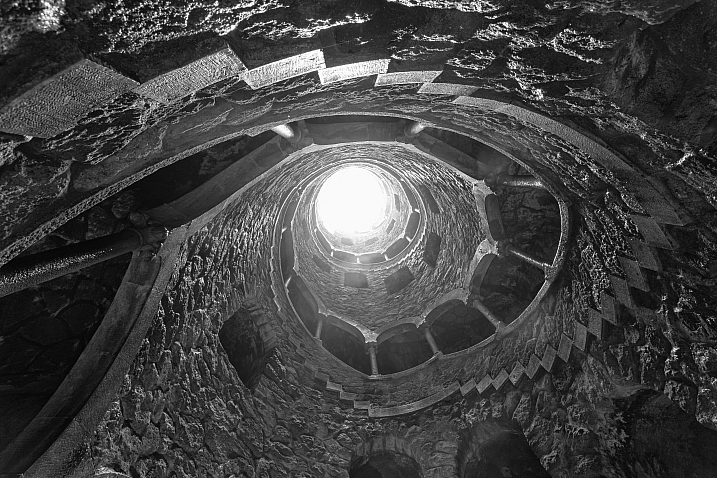
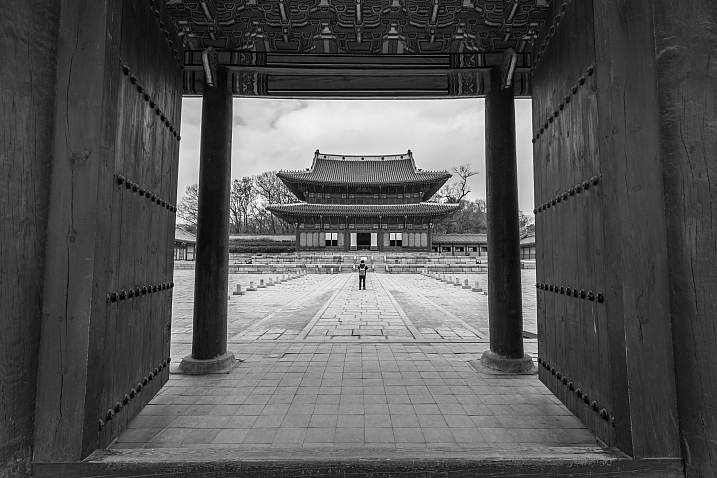
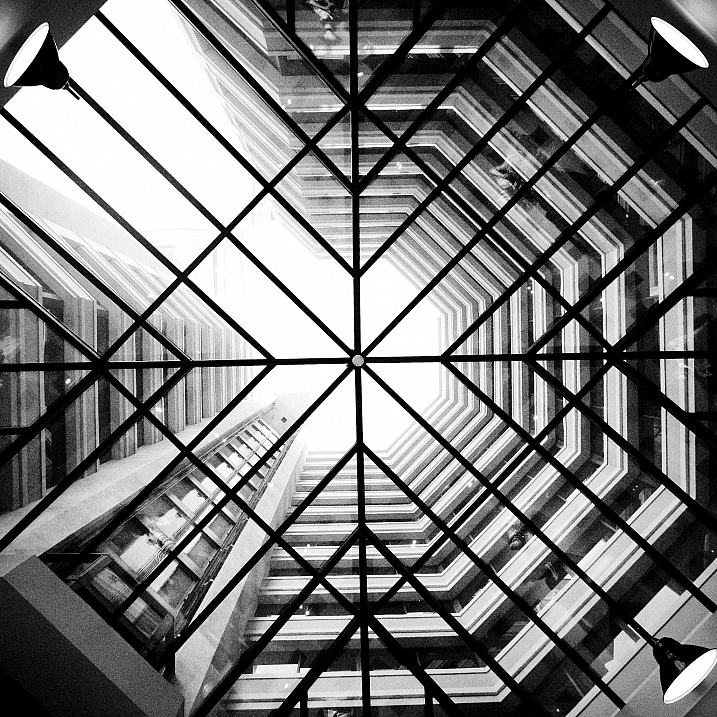
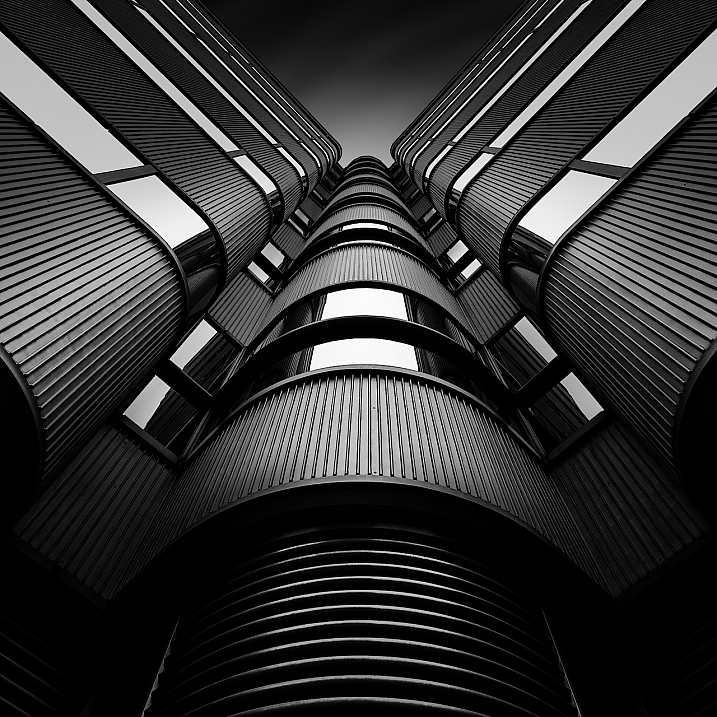
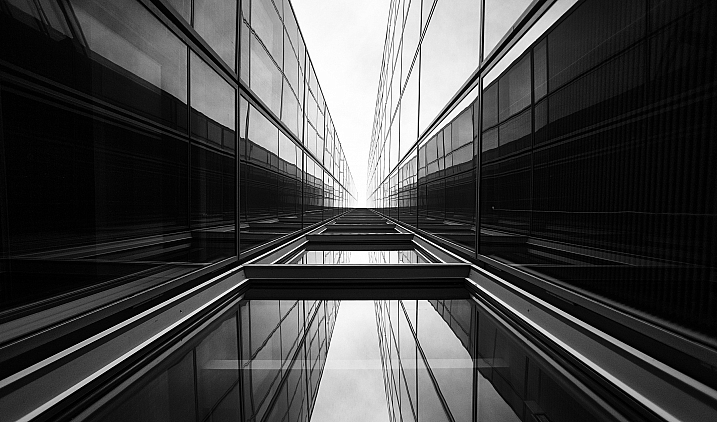
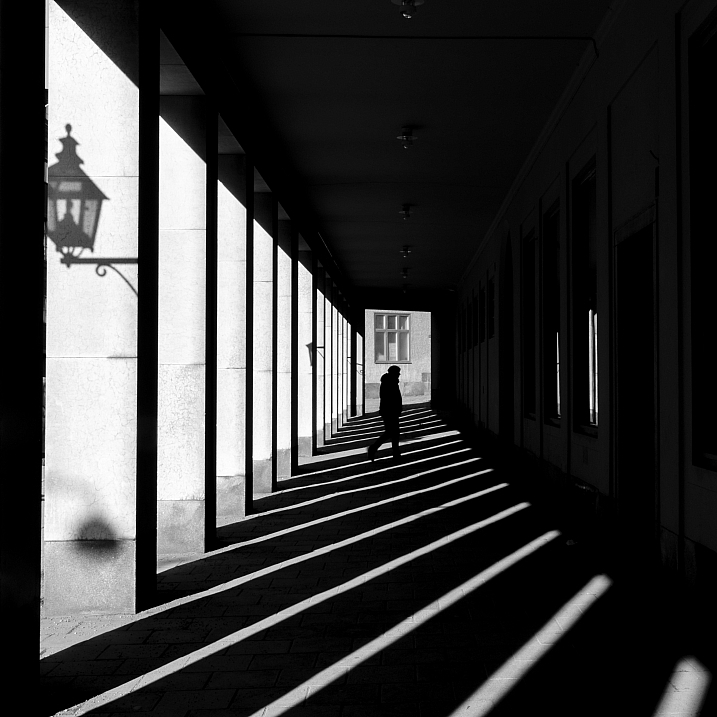
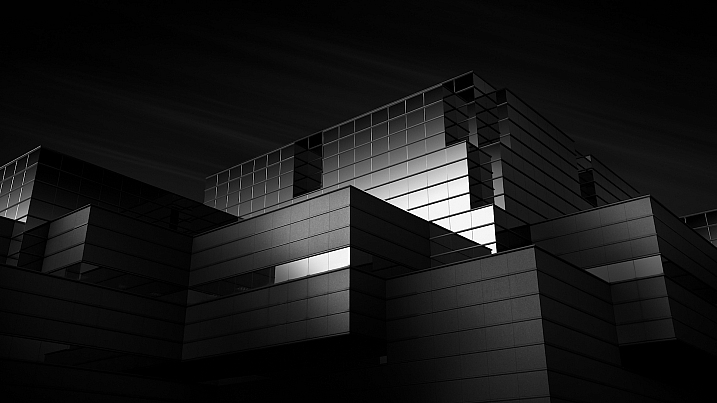
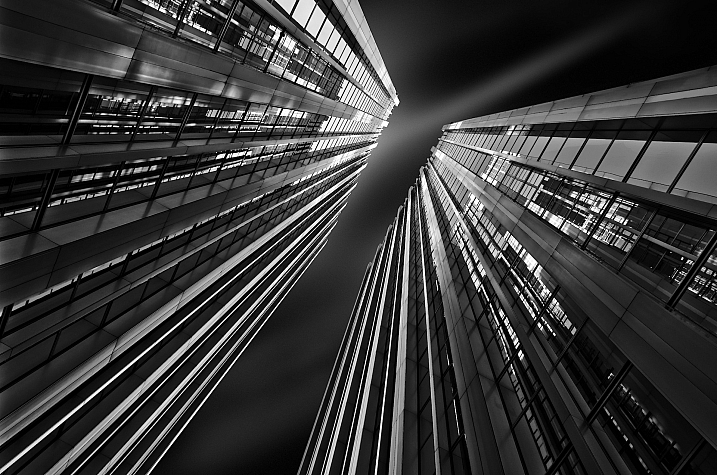
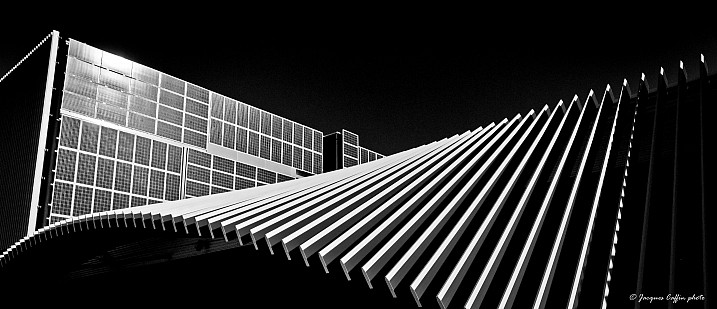
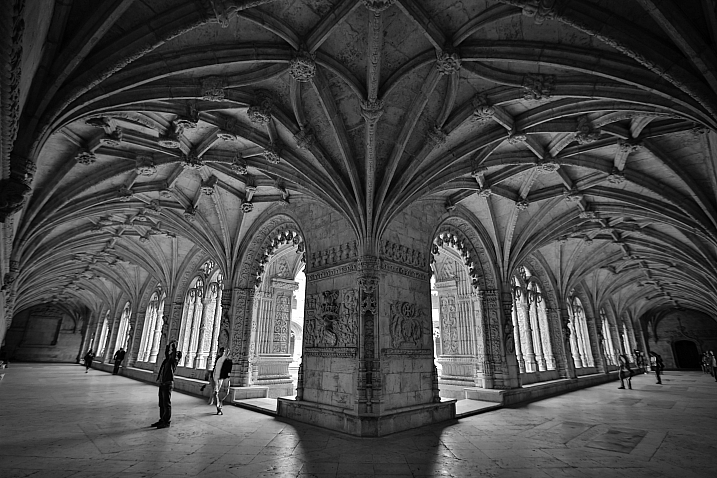
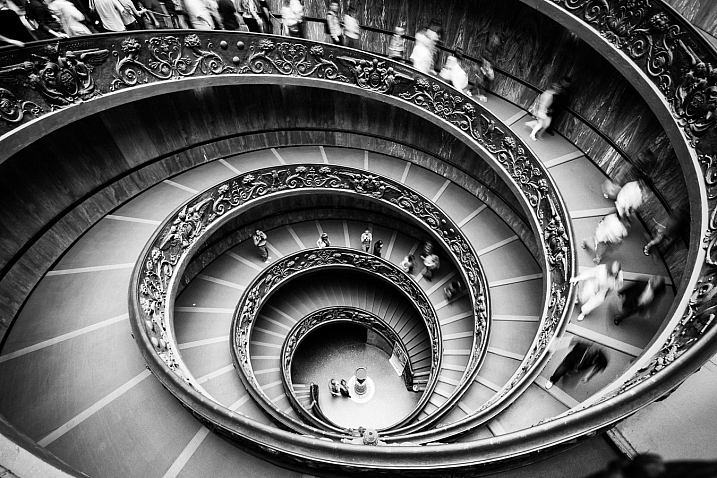
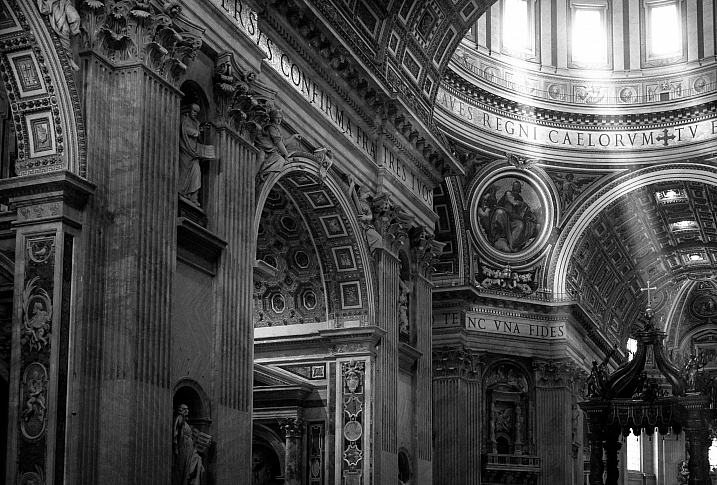
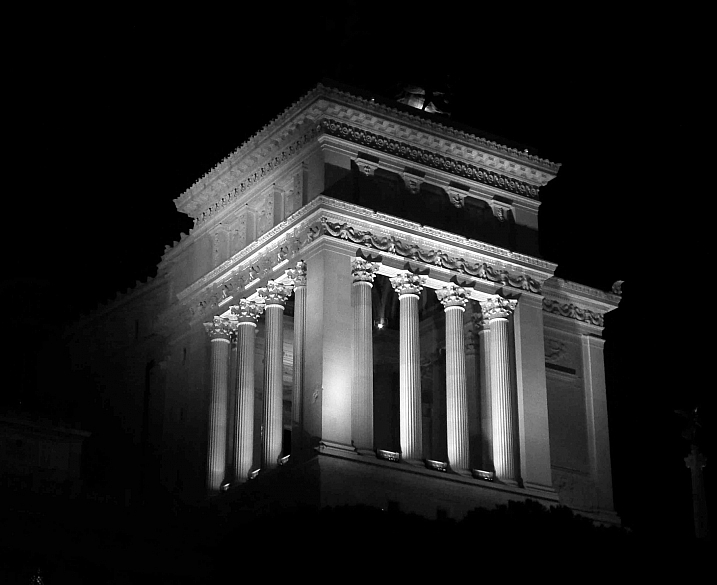
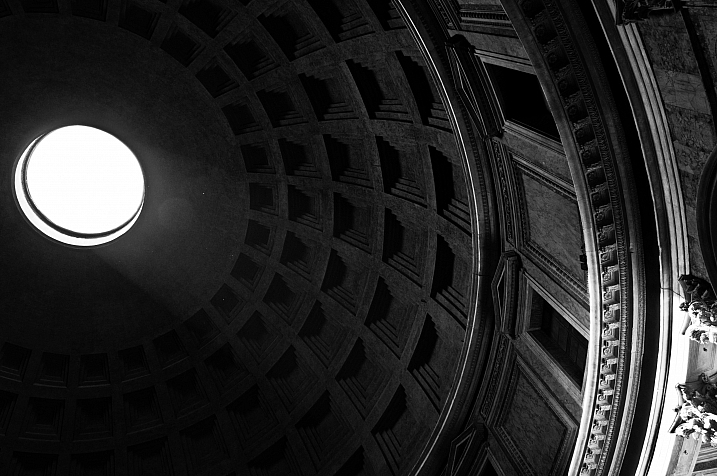
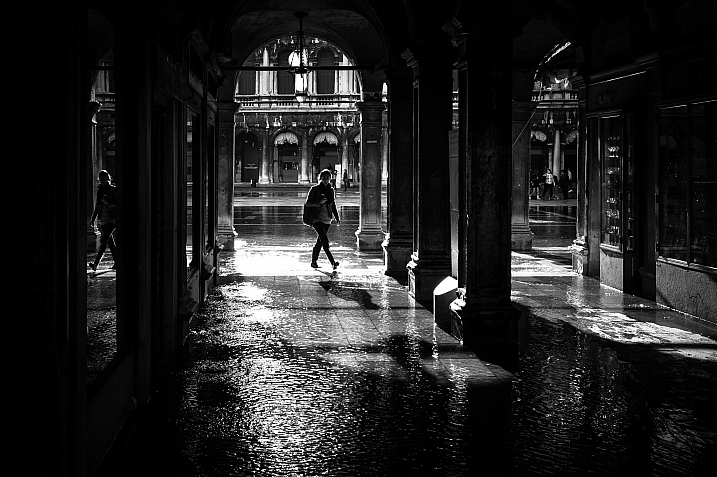
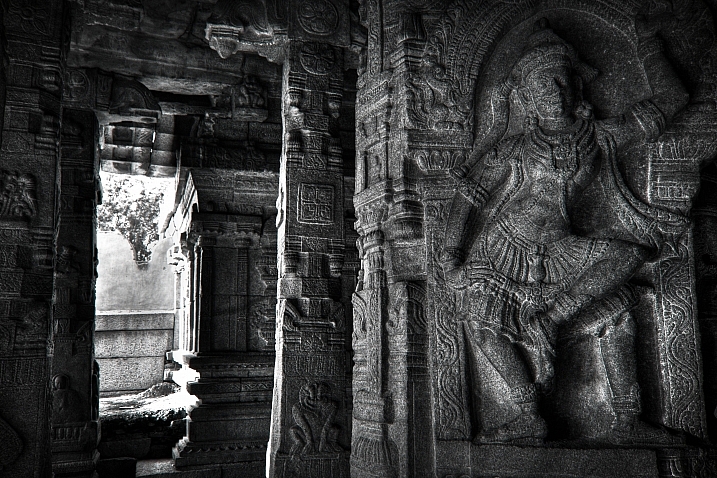
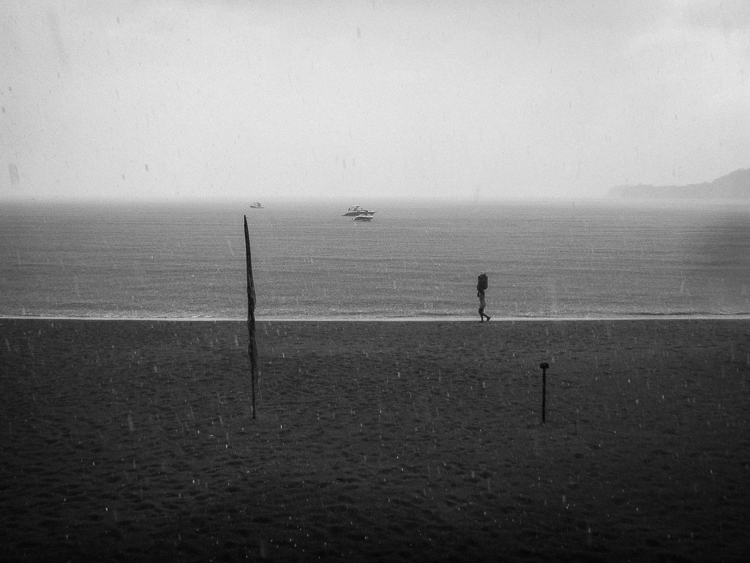
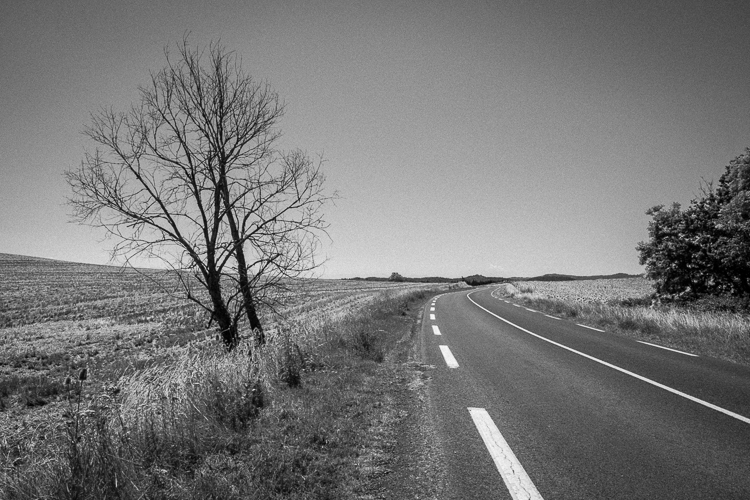
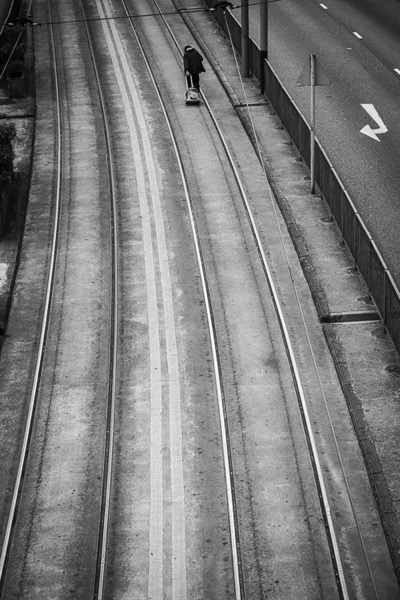
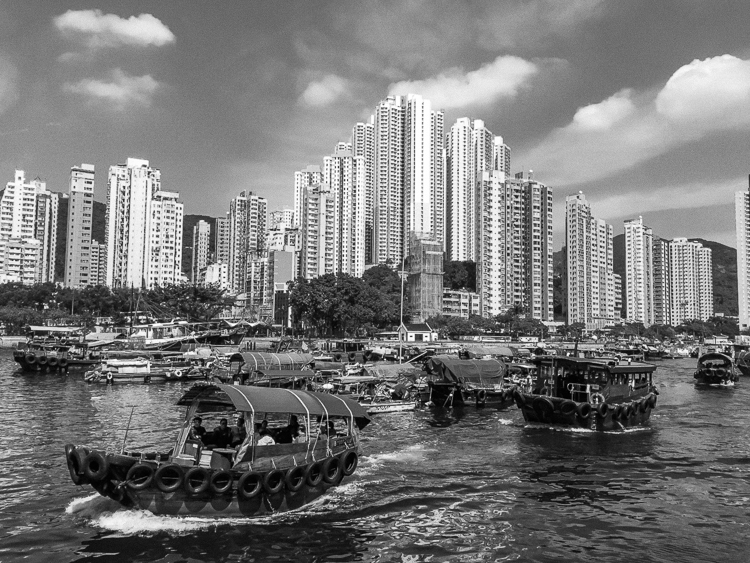
23 Moody Black and White Architectural Images

18 Feb

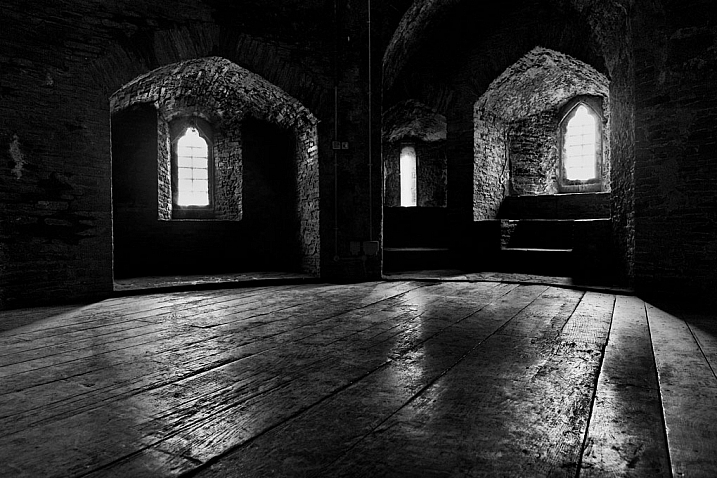
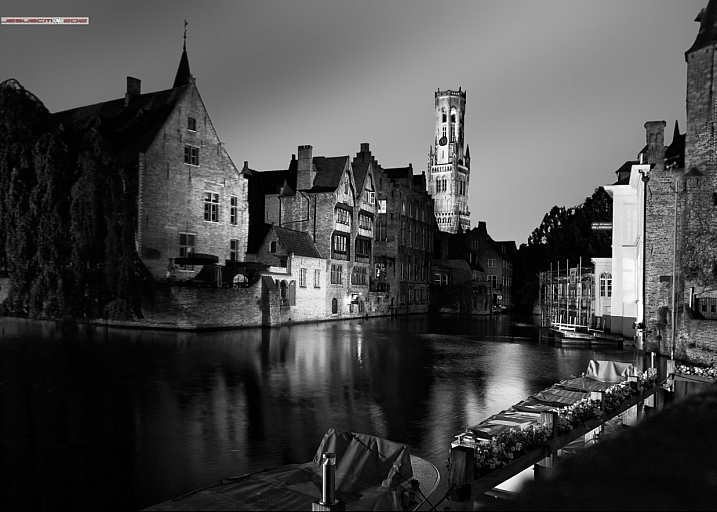
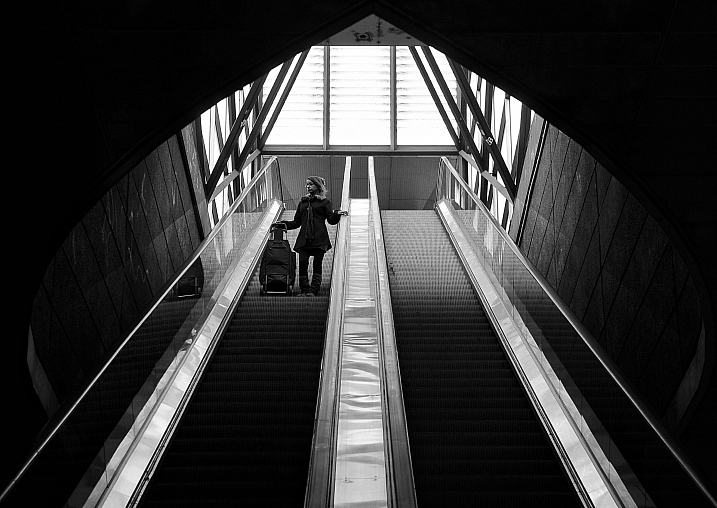
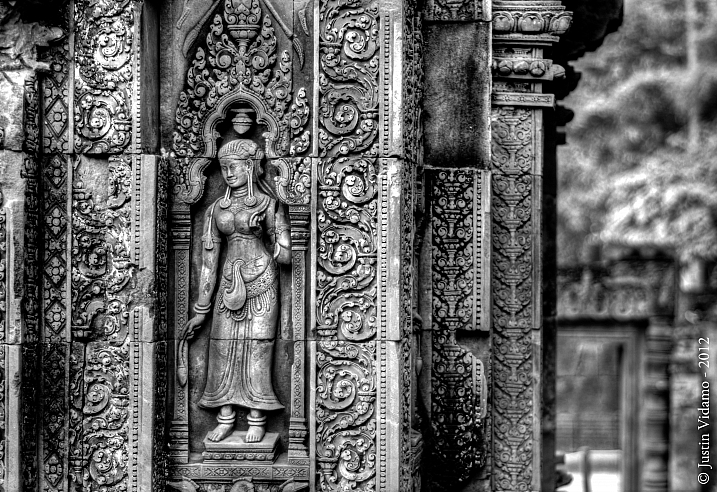
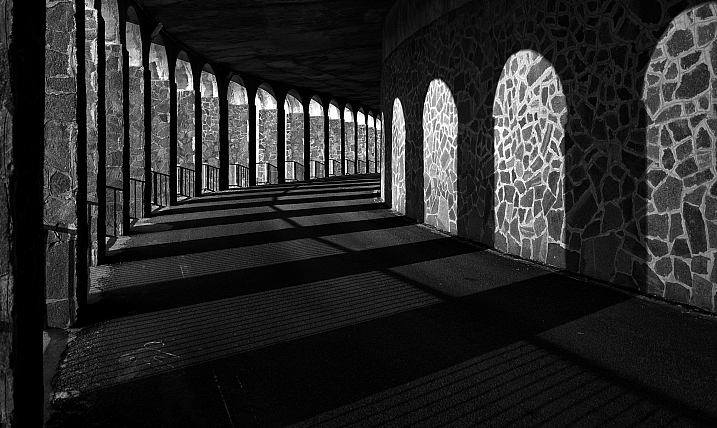
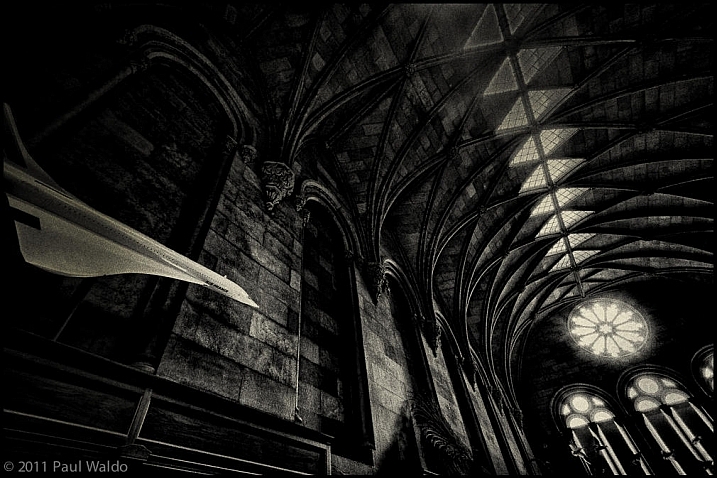
Architecture provides a few things that photographers love; texture, shape, contours, dramatic lighting.

Let’s see how these 23 photographers found and photographed different buildings and kinds of architecture in black and white.

By Marco Crupi

By Paul Waldo

By Andrew Howson

By jesuscm

By Thomas8047

By Justin Vidamo

By Brad Hammonds

By Brad Hammonds

By Thomas Hawk

By ?Jin Mikami?

By perceptions (creative pause)

By Peter Tandlund

By ?Jin Mikami?

By ?Jin Mikami?

By Jacques Caffin

By Paulo Valdivieso

By Franck Vervial

By Chris Chabot

By Wasif Malik

By Davidlohr Bueso

By gato-gato-gato

By Brad Hammonds

By Premnath Thirumalaisamy

googletag.cmd.push(function() {
tablet_slots.push( googletag.defineSlot( “/1005424/_dPSv4_tab-all-article-bottom_(300×250)”, [300, 250], “pb-ad-78623” ).addService( googletag.pubads() ) ); } );

googletag.cmd.push(function() {
mobile_slots.push( googletag.defineSlot( “/1005424/_dPSv4_mob-all-article-bottom_(300×250)”, [300, 250], “pb-ad-78158” ).addService( googletag.pubads() ) ); } );

The post 23 Moody Black and White Architectural Images by Darlene Hildebrandt appeared first on Digital Photography School.


Digital Photography School

 
Comments Off on 23 Moody Black and White Architectural Images

Posted in Photography


Weekly Photography Challenge – Black and White Architecture

18 Feb

Earlier I shared some moody and dramatic images of architecture in black and white. Now it’s your turn!

Weekly Photography Challenge – Black and White Architecture

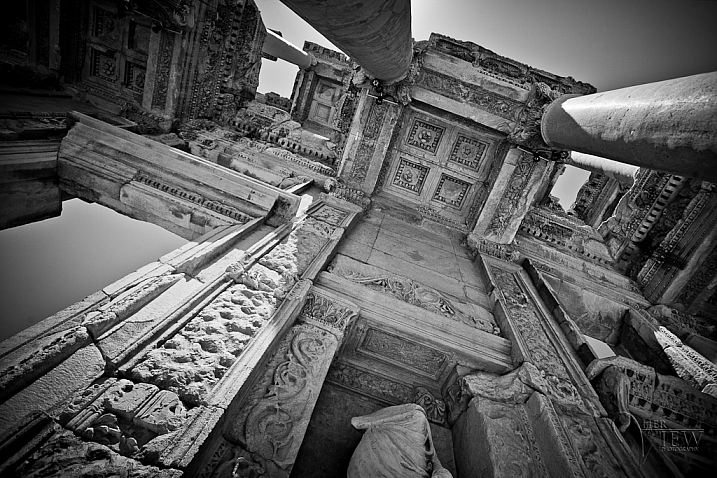
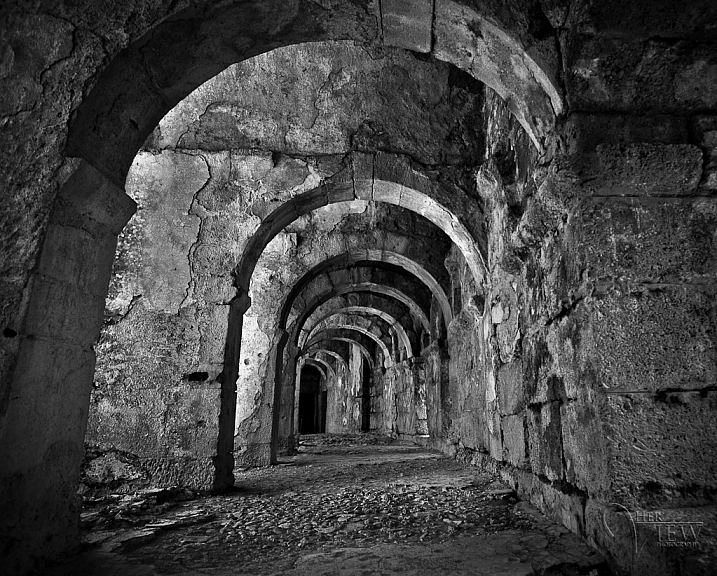
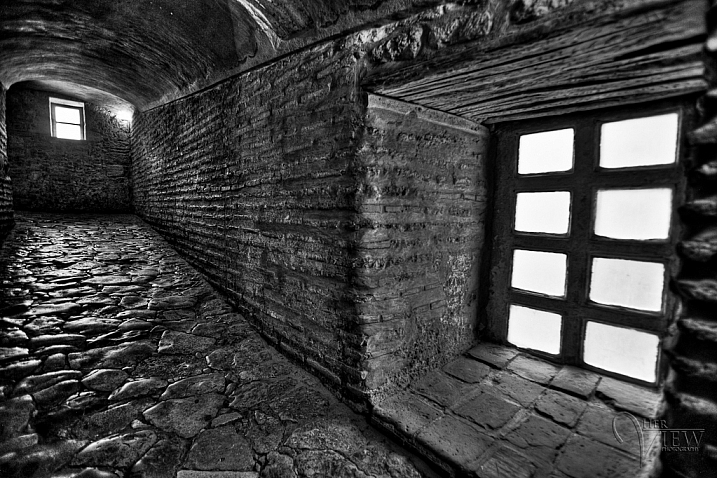
Even in harsh midday sun, you can often create stunning and dramatic images of architecture. Let’s take a look at a few black and white images of architecture. I’ll start you off with a few of my own from Turkey.

The library at Ephesus

Inside the great Haga Sofia in Istanbul.

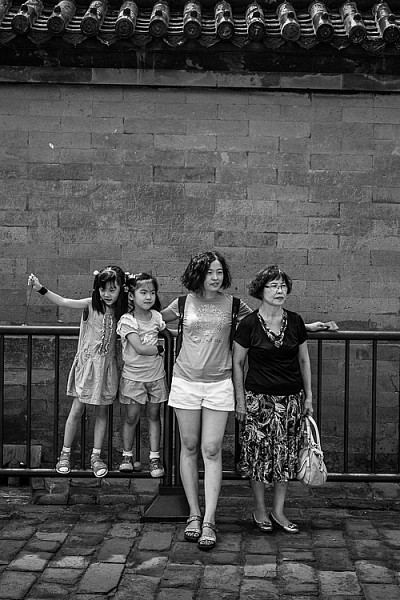
Your challenge this week is to photograph some architecture. You can do this no matter where you live. If there are buildings, you can do this. Even a hut or shack is architecture! Use a wide-angle lens or go for details, maybe shoot at night? It’s up to you how you approach it, just get out there shooting.

If you need some tips here are a few articles to help:

  • 4 Beginner Tips for Doing Architecture Photography
  • How to Create Stunning Architecture Photography by Painting with Light
  • Tips for Different Approaches to Architecture Photography
  • 8 Quick Tips to Improve Your Photos of Architectural Details
  • 9 Architectural Photography Tips
  • A Guide to Black and White Conversion in Photoshop
  • A Guide to Black and White Conversion in Lightroom
  • 8 Reasons to Use Silver Efex Pro 2 for Your Black and White Conversions

By Pietromassimo Pasqui

By David

By Hernán Piñera

By darkday

Share your images below:

Simply upload your shot into the comment field (look for the little camera icon in the Disqus comments section) and they’ll get embedded for us all to see or if you’d prefer, upload them to your favorite photo-sharing site and leave the link to them. Show me your best images in this week’s challenge. Sometimes it takes a while for an image to appear so be patient and try not to post the same image twice.

Share in the dPS Facebook Group

You can also share your images on the dPS Facebook group as the challenge is posted there each week as well.

googletag.cmd.push(function() {
tablet_slots.push( googletag.defineSlot( “/1005424/_dPSv4_tab-all-article-bottom_(300×250)”, [300, 250], “pb-ad-78623” ).addService( googletag.pubads() ) ); } );

googletag.cmd.push(function() {
mobile_slots.push( googletag.defineSlot( “/1005424/_dPSv4_mob-all-article-bottom_(300×250)”, [300, 250], “pb-ad-78158” ).addService( googletag.pubads() ) ); } );

The post Weekly Photography Challenge – Black and White Architecture by Darlene Hildebrandt appeared first on Digital Photography School.


Digital Photography School

 
Comments Off on Weekly Photography Challenge – Black and White Architecture

Posted in Photography


FILM Ferrania P30 black and white film will get a limited ‘ALPHA’ release

03 Feb

FILM Ferrania has announced the ‘rebirth’ of its P30 black and white film, which will be made available soon as a limited ‘ALPHA’ edition. This 80 ISO panchromatic offering is described by FILM Ferrania as ‘motion picture film for still photography,’ reintroducing the P30 stock first launch by the company in the 1960’s. Says Ferrania, P30 ALPHA ‘has no peers in the modern analog film market.’

Ferrania introduced the limited edition product via a tweet yesterday, pointing photographers toward the P30 ALPHA’s product page and a new video (below). According to the company, its pre-production batch of film presents ‘various defects’ like contrast issues and scratches, but these issues will not be present in the finalized commercial film product. ‘That said, this film is an ALPHA edition for a clear reason,’ the company stressed.

The company has released a gallery of photos taken with the pre-production film on its P30 website. Photographer Adam Goldberg has also published a series of photographs taken with the film on his Tumblr. According to Ferrania, sales of the film will start in mid-February; no prices have been revealed.

Via: PetaPixel

Articles: Digital Photography Review (dpreview.com)

 
Comments Off on FILM Ferrania P30 black and white film will get a limited ‘ALPHA’ release

Posted in Uncategorized


Pete Souza captures Obama’s final day in the White House

21 Jan

Pete Souza, the official photographer for now-Former President Obama, posted a series of photos on his Instagram account showing the Obama’s final departure from The White House. Like the Former President, Souza plans on taking some time off, sleep late and ‘do whatever the wife wants me to do.’

All of the photos Souza took during his eight-year tenure as White House photographer are archived here.


President Obama leaves the Oval Office this morning for the last time. What a great experience I’ve had the past eight years. Every photo I’ve posted to this account has been archived and locked at @petesouza44. This account (@petesouza) will now be my personal account so I hope you will continue to follow me. I expect to be very active on Instagram although I may not post that much initially as I try to take a little break, sleep late, do whatever my wife wants me to do, go the gym every day, see some concerts, watch some movies, read some books, drink some wine….you get idea.

A photo posted by Pete Souza (@petesouza) on


Another view of President Obama leaving the Oval Office for the last time this morning (taken with remote camera).

A photo posted by Pete Souza (@petesouza) on


President Obama waves from the steps of Executive One helicopter following the inauguration of Donald Trump at the U.S. Capitol.

A photo posted by Pete Souza (@petesouza) on


Farewell.

A photo posted by Pete Souza (@petesouza) on

Homepage photo by Susan Sterner

Articles: Digital Photography Review (dpreview.com)

 
Comments Off on Pete Souza captures Obama’s final day in the White House

Posted in Uncategorized


The Pros and Cons of Black and White Versus Color for Street and Travel Photography

10 Jan

The question of whether to shoot street and travel photos in black or white or color is an eternal one that isn’t going to go away. But one of the interesting things about digital photography is that it lets you decide whether to process a photo in black and white or color after the photo has been taken. Unlike film photography, there’s no need to commit to one or the other until you open the photo in Lightroom.

The Pros and Cons of Black & White Versus Color for Street and Travel PhotographyBut is that a mistake? I think it is because black and white photography and color photography are two different mediums. If you are working in color, then you need to pay attention to the colors in the scene and how to use them to create an interesting composition. But in black and white, you need to pay more attention to textures, contrasts, and shapes in order to create a strong composition.


That’s on top of the task of capturing the expressive moments that the best street and travel photos reveal.

There’s a lot to think about, and as black and white and color photography require different mindsets, it’s a good idea to make the decision about which you are going to shoot before you press the shutter button.

Having said that, it is also helpful to think about the following factors when you are processing photos. It may be that you were working in color, but realize afterward that a particular image would work very well in black and white. The same considerations apply, except that you have more time to think about it.

3 Reasons for working in black and white

1. To capture character

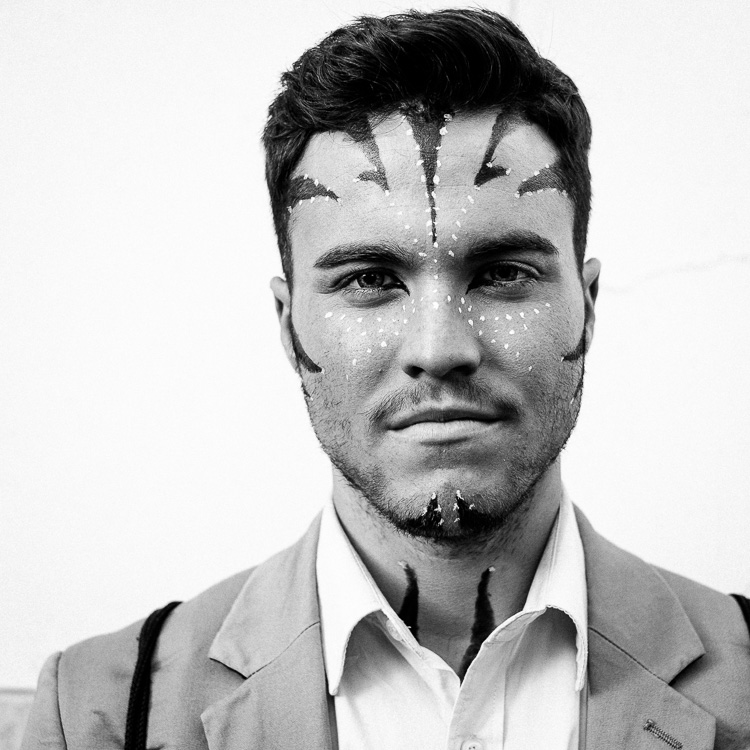
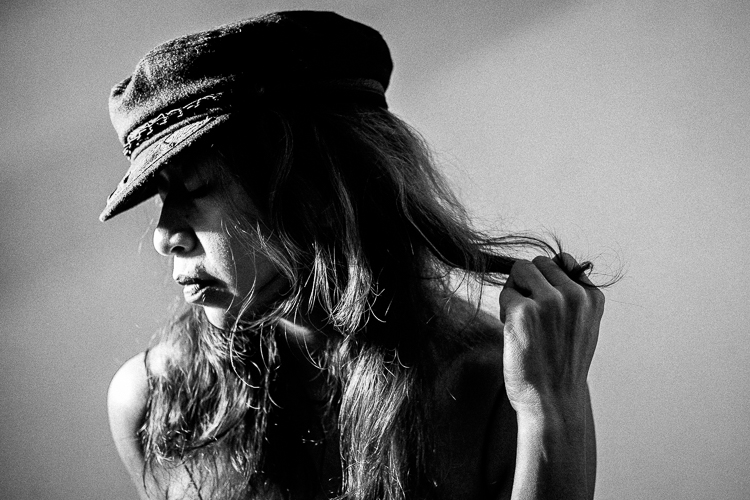
Many street and travel photographers, street photographers especially, chose to work in black and white. If your aim is to make a candid portrait that captures something of the person’s character or soul, then black and white is an excellent choice. There is something timeless about black and white that helps reveal character.

That’s why I shot the following photo in black and white.

The Pros and Cons of Black & White Versus Color for Street and Travel Photography

2. To simplify the composition

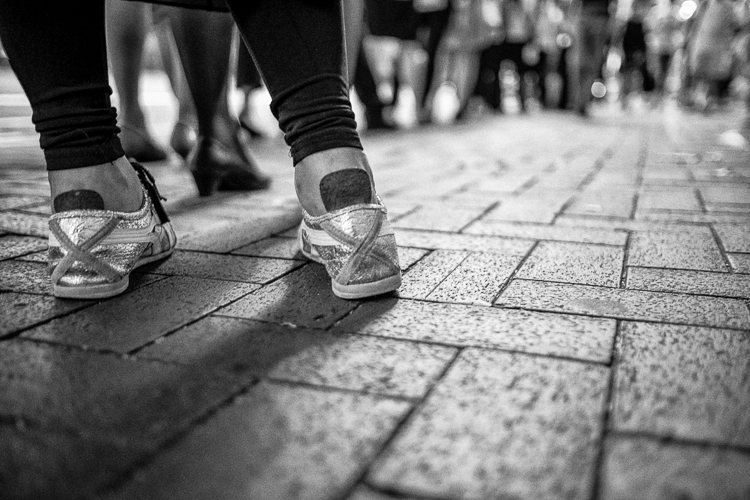
Black and white is a form of simplification. Skilled street photographers learn to create images that are uncluttered and that contain as few distractions as possible. Color can be extremely distracting, and sometimes it’s easier to ignore color completely and work in black and white.

For example, let’s say you make a portrait of somebody on the street, but there is a red poster on a wall behind them. In a color photo, that’s likely to be very distracting. But convert it to black and white and the distraction goes away. The viewer’s attention goes back to the person, where it belongs.

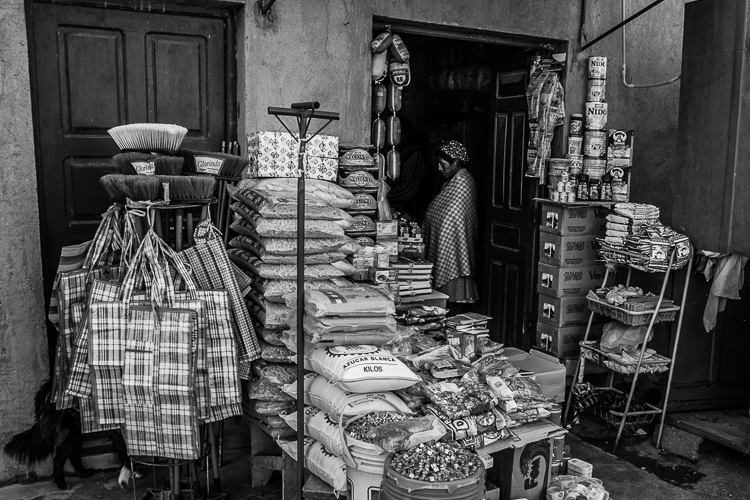
If you are working in an area with lots of potentially distracting colors, working in black and white may be the way to go. For example, this scene in Bolivia was quite colorful, and I felt that black and white removed the distractions of those colors.

The Pros and Cons of Black & White Versus Color for Street and Travel Photography

3. To evoke atmosphere

Color photos can be tremendously evocative, but so can black and white ones. I think it’s because a black and white image leaves something for the imagination, or perhaps because we associate it with photos taken in the past. So, if you are working somewhere with lots of old buildings, then black and white photos can be a tremendously moody way of capturing the atmosphere of that place.

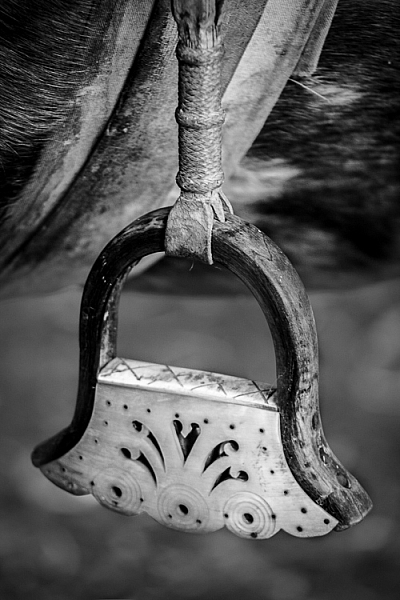
I chose black and white for this photo, taken in the Argentina, because the stirrup is handmade, and looks ancient, as if it were made many years ago.

The Pros and Cons of Black & White Versus Color for Street and Travel Photography

3 Reasons for working in color

Color is very powerful and used wisely it can elevate your images to another level. Yet, if it is not used thoughtfully, it can take away from the impact of your photos.

1. The colors of the location are part of its character

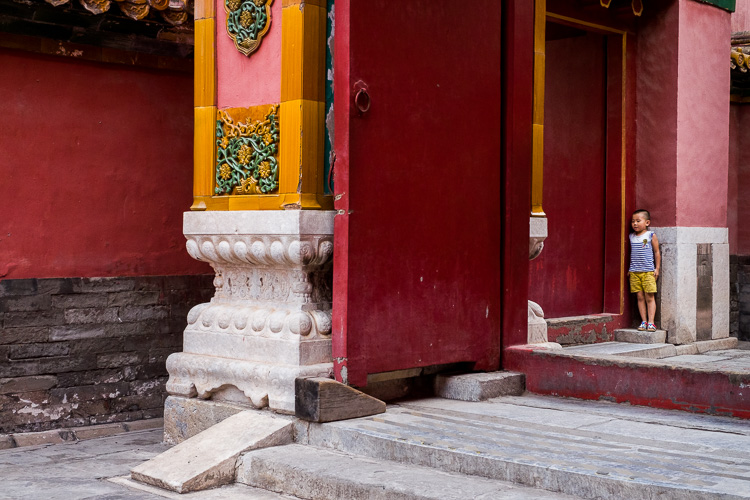
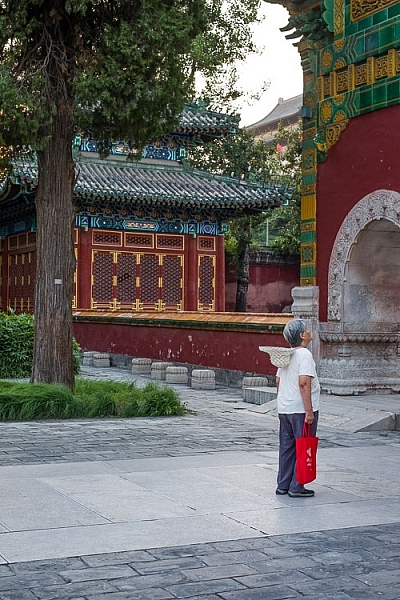
For example, last year I visited Beijing and noticed that red is a very common color in that city. It denotes power and wealth and has an important part in Chinese culture. I realized that it is possible to create a series of interesting photos with red as the dominant color.

For example, this photo (below), taken in the Forbidden City in Beijing, makes use of the striking contrast between the red walls and the yellow tiles (matched by the boy’s shorts).

The Pros and Cons of Black & White Versus Color for Street and Travel Photography

2. The light is beautiful

Color photos are at their strongest when the light is beautiful. This is usually during the golden hour close to sunset, or early morning just after sunrise. The light at these times is warm and golden, and tremendously evocative. This could be a good time to work in color.

I took this photo close to sunset. The light was soft and its warmth helped lift the scene.

The Pros and Cons of Black & White Versus Color for Street and Travel Photography

3. You are shooting at dusk

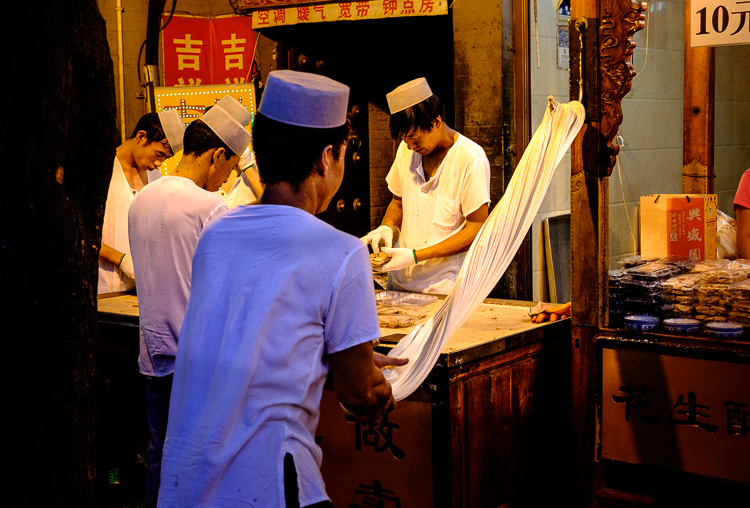
Dusk and early evening are good times to work in color as it gives you the opportunity to work with the natural color contrast between the orange light cast by tungsten light bulbs and the natural blue color of the ambient light.

This photo below was taken in the early evening. The hat and t-shirt of the man in the foreground are colored blue by the ambient light outside, while the rest of the scene is lit by artificial light. I retained the orange color in post-processing to keep the atmosphere.

Color vs black and white in street and travel photography

Commit

The process of deciding to shoot in black and white or color involves assessing the scene and the situation, and deciding which one to use, taking into account the reasons listed in this article and your personal preferences. The key is then to commit to the process. Work the subject and do your best to create the most powerful images possible.

If you’re working in color, think about the colors present in the scene and how you can use them effectively. Your mind will engage and start looking more deeply at the colors around you.

If you’re working in black and white, look for interesting textures, tonal contrast, and shapes. Again, once you commit your mind will start looking for compositions that work well in monochrome.

Your turn

What do you think? Do you prefer to make street and travel photos in black and white or color? Let us know in the comments.


If you enjoyed this article and would like to learn more about street and travel photography then please check out my ebook The Candid Portrait.

googletag.cmd.push(function() {
tablet_slots.push( googletag.defineSlot( “/1005424/_dPSv4_tab-all-article-bottom_(300×250)”, [300, 250], “pb-ad-78623” ).addService( googletag.pubads() ) ); } );

googletag.cmd.push(function() {
mobile_slots.push( googletag.defineSlot( “/1005424/_dPSv4_mob-all-article-bottom_(300×250)”, [300, 250], “pb-ad-78158” ).addService( googletag.pubads() ) ); } );

The post The Pros and Cons of Black and White Versus Color for Street and Travel Photography by Andrew S. Gibson appeared first on Digital Photography School.


Digital Photography School

 
Comments Off on The Pros and Cons of Black and White Versus Color for Street and Travel Photography

Posted in Photography


Pulse: Extreme weather in black and white

04 Jan

Mike Olbinski has captured some pretty amazing footage over the past year; you may remember this video that we posted back in October and this one from July. Needless to say, he had a busy 2016. For his latest project, he decided to do something a bit different by presenting the entire 4K time-lapse film in black and white.

This type of treatment definitely comes with its own set of challenges, but we think it showcases the drama and unpredictability of thunderstorms in a refreshing way. Make sure to enjoy this one in HD with volume turned up and the lights turned down.  

Song by Tony Anderson: “The Way Home” (Licensed through The Music Bed)

Articles: Digital Photography Review (dpreview.com)

 
Comments Off on Pulse: Extreme weather in black and white

Posted in Uncategorized


Modern Markings: 42 Bold Black & White Tattoo Designs

03 Jan

[ By SA Rogers in Art & Drawing & Digital. ]

geometric-tattoos-main

Modern tattoos are less about sailors, pin-ups and ‘MOM’ and more about bold black lines, complex geometry, architecture, esoteric imagery, glitches and even blacking out entire body parts to cover up old work. These standout themes represent some of the most visually striking, imaginative and artistically challenging styles gaining popularity in recent years.

Black & White Snake Tattoos by Mirko Sara

modern-tattoos-snakes-1

modern-tattoos-snakes-2

modern-tattoos-snakes-3

modern-tattoos-snakes-4

Alone, white ink isn’t the greatest choice for a tattoo, according to many artists: it looks splotchy and uneven on all but the clearest, most evenly pale skin, fades quickly, and has a tendency to disappear into a blurry mess within a short period of time. But if you’re willing to get it touched up often to maintain it, it can be really beautiful, and it sets off black ink beautifully. Take the work of artist Mirko Sata for example – whose most common subjects are intertwined snakes.

Blackout Tattoos

modern-tattoos-blackout-1

modern-tattoos-blackout-2

modern-tattoos-blackout-4

modern-tattoos-blackout-5

What do you do when you’ve got a large number of old tattoos you want to get rid of? Laser surgery is an option for the removal of smaller tattoos, but some people get beyond that whole ‘permanent’ aspect of inking the skin in a different way. Blackout tattoos are growing increasingly popular, blocking out large areas of the body with solid swaths of black ink.

Though the lines from the old tattoo still tend to show through, and several painful sessions are often required, the look can be pretty incredible. Some people get blackout tattoos on virgin skin just for the dramatic effect. Tattooers working in this style include Chester Lee of Oddtattooer, Alex Arnautov, Simon Mora, Josh Stephens and Kenji Alucky.

White Ink Over Black Work

modern-tattoos-white-over-black-1

modern-tattoos-white-on-black-3

modern-tattoos-white-over-black-4

modern-tattoos-white-over-black-5

modern-tattoos-white-over-black-6

Fresh white ink applied over healed blackwork can also be a fun way to cover up old mistakes, and the contrast is pretty incredible right after it’s applied. Subjects have to sit for as many as five sessions to go over the white ink to make it opaque enough to stand out, and it can take years to finish a single piece. Artists who have experimented with this process include Esther Garcia, Nathan Mould, Ruslan Batyrbaev and Wayne Fredrickson.

Architectural Designs

modern-tattoos-architectural-mxm

modern-tattoos-architectural-haight-ashbury

modern-tattoos-architectural-victorian

modern-tattoos-architectural-church

modern-tattoo-architectural-thieves-of-tower

thieves-of-tower-2

thieves-of-tower

Architecture can be a particularly striking tattoo theme, especially when it takes up large areas of the body. Artist Maxime Buchi of M-X-M has tattooed traditional Russian architecture across people’s backs, arms, legs and chests, and someone loved Haight Ashbury enough to get imagery of the famous San Francisco intersection inked onto their body by the tattoo studio of the same name. Dmitriy Tkach depicted a Victorian house with roots wrenched from the ground like a plant, while Wang Lei designed an intricately shaded classical church. Thieves of Tower, appropriately enough, often tattoos spindly towers onto their subjects.

Next Page – Click Below to Read More:
Modern Markings 42 Bold Black White Tattoo Designs

Share on Facebook


[ By SA Rogers in Art & Drawing & Digital. ]

[ WebUrbanist | Archives | Galleries | Privacy | TOS ]


WebUrbanist

 
Comments Off on Modern Markings: 42 Bold Black & White Tattoo Designs

Posted in Creativity


Deal 11: Black & White Photo Artistry Course – 60% OFF!

29 Dec

NewImageOn the eleventh day of Christmas dPS gave to me …

Sebastian Michaels smashed every dPS record recently with his Fine Art Grunge Composition course. Now he’s back, with his bigger, better and brand freshly updated Black & White Photo Artistry course!

… and you can save 60% on the regular price right now.

This course brings together all the best photo artistry approaches and techniques from the original course and expands on them within the realm of creative black and white.

You’ll discover the pro secrets for producing stunning works of photo art. Awesome, intricate black and white compositions fit for print and canvas. All while honing your own photography skills!

Ready to create the most artistic photo works of your life? Grab this deal with a 60% saving today only!

Here’s the link to order – you won’t be disappointed.

This huge offer to this brilliant course not only comes with lifetime access, but also a heap of extra bonuses. You’ll get FREE software, bonus Lightroom presets and more.

We think it’s a stunning deal in the 12 dPS days of Christmas and well know you’ll cherish everything it will teach you about black and white photography artistry.

googletag.cmd.push(function() {
tablet_slots.push( googletag.defineSlot( “/1005424/_dPSv4_tab-all-article-bottom_(300×250)”, [300, 250], “pb-ad-78623” ).addService( googletag.pubads() ) ); } );

googletag.cmd.push(function() {
mobile_slots.push( googletag.defineSlot( “/1005424/_dPSv4_mob-all-article-bottom_(300×250)”, [300, 250], “pb-ad-78158” ).addService( googletag.pubads() ) ); } );

The post Deal 11: Black & White Photo Artistry Course – 60% OFF! by Darren Rowse appeared first on Digital Photography School.


Digital Photography School

 
Comments Off on Deal 11: Black & White Photo Artistry Course – 60% OFF!

Posted in Photography


How to Convert a Camera to Infrared for Black and White Landscape Photography

13 Dec

Get Andrew’s The Black and White Landscape eBook bundle at 30% off now over at Snapndeals, only until December 20th (AUS time).

Do you have an old digital camera that you don’t use much anymore? If you do, one way to make it useful again is to convert it to infrared for black and white landscape photography.
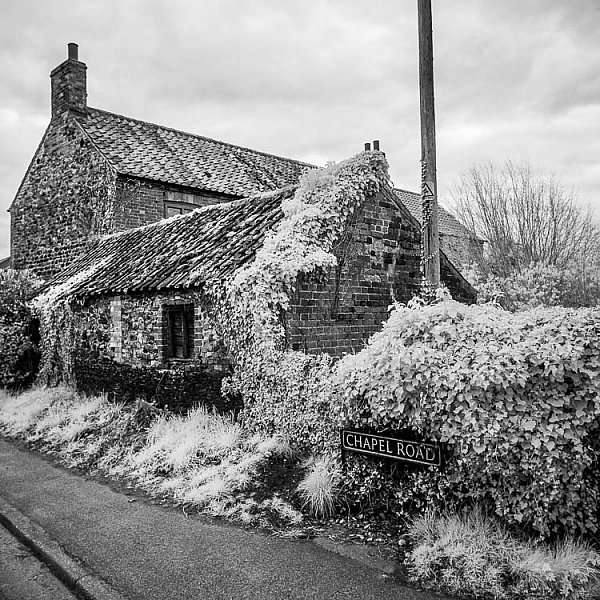
How to Convert a Camera to Infrared for Black and White Landscape Photography

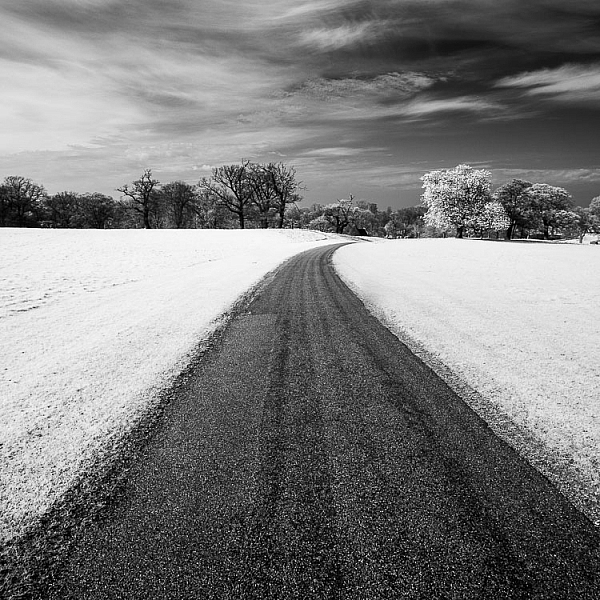
Why would you want to do this? For me, the main reason is that it gives me a new way of working in black and white. Yes, infrared converted cameras can give you color images as well as black and white ones, but for me, the strange colors are more of a gimmick than a useful tool. With black and white, it’s different. In infrared photography, the tonality of the photo changes, giving you new and interesting ways to capture the landscape.

What is infrared photography?

The simple (non-technical) explanation is that infrared light is a kind of invisible light, formed of electro-magnetic waves that are undetectable to the human eye.

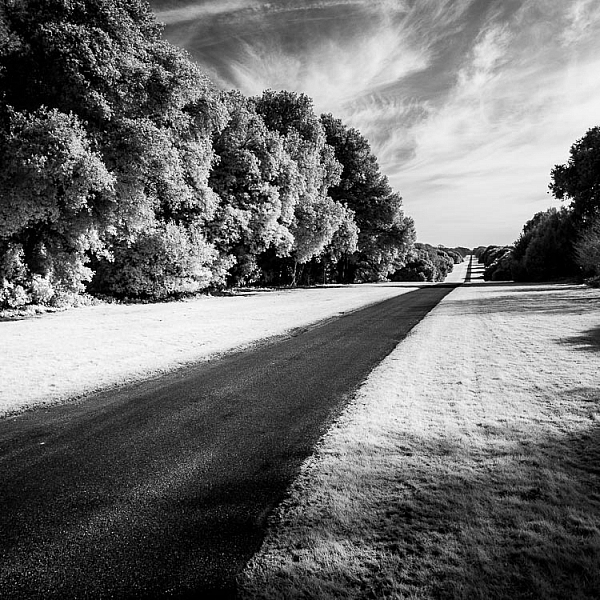
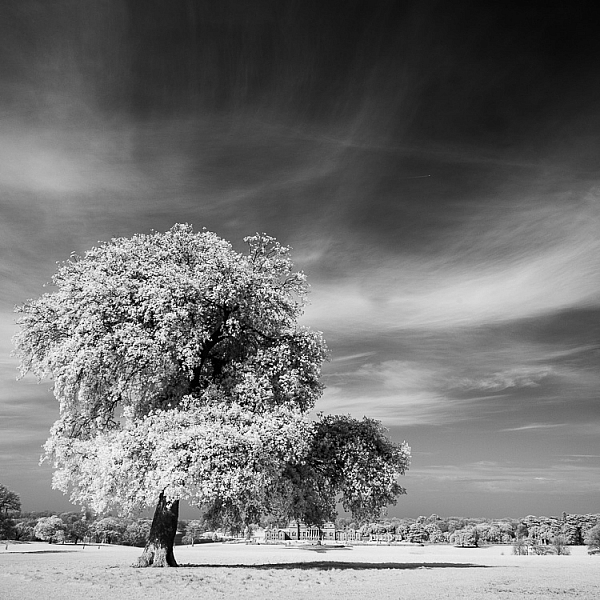
Human skin reflects a lot of infrared light, so does vegetation. These these things appear very bright in black and white infrared photos. Inanimate objects, such as roads, stones, and buildings, don’t reflect as much infrared light and can look remarkably similar to regular black and white photos when photographed in infrared.
How to Convert a Camera to Infrared for Black and White Landscape Photography

What is an infrared conversion?

Digital camera sensors are sensitive to ultraviolet (UV) light and infrared light as well as the visible wavelengths of light. Because of this, digital cameras have filters to block both ultraviolet and infrared light. The infrared filters on most cameras do let some infrared light through, but not enough to affect the image.

During an infrared conversion the technician removes the infrared filter so that the sensor can now see infrared light, and replaces it with a filter that blocks visible light, so the sensor can only see and record infrared. The process isn’t complex, and because of that isn’t particularly expensive. If you are technically minded you could even try it yourself. There are videos on YouTube that explain how. You just need the right tools and parts.

The usual caveats apply. If your camera is still under warranty that will be voided, and bear in mind that you can damage your camera if you don’t know how to do it properly. You should only attempt it if you know what you are doing!How to Convert a Camera to Infrared for Black and White Landscape Photography
The infrared conversion on my camera was done by Protech Photographic in the UK (they also handle orders from mainland Europe). LifePixel and Kolarivision are US based companies that also do infrared conversions. If you know of any other reliable companies, please let us know in the comments section below.

Types of infrared conversion

There are several types of infrared conversion. These are some of the most common.

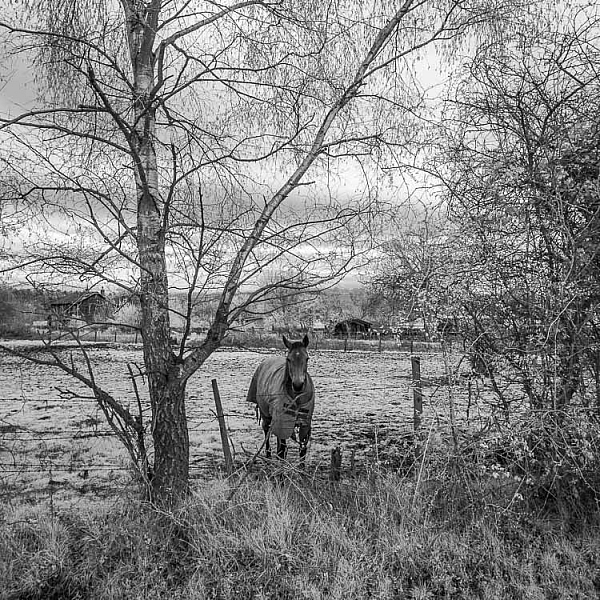
Full spectrum conversion

The UV and infrared filters are removed. Your camera’s sensor can now see UV and infrared light as well as visible light. You control the effect by using filters (on the lens) to block different amounts of visible and/or infrared light. This may be interesting if you like to experiment, but the disadvantage is that you need to buy filters, adding to the cost. Filters also block light, so you need to use slower shutter speeds or higher ISOs to compensate.
infrared-camera-conversions-6

720nm conversion

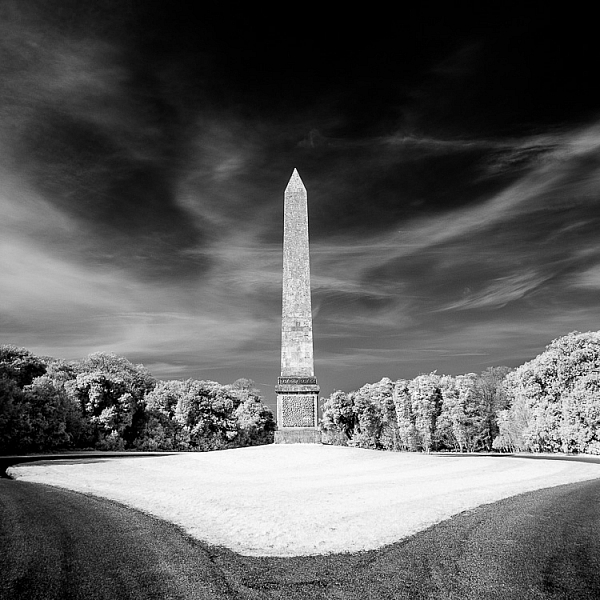
The technician places a filterin front of the sensor that blocks all wavelengths under 720nm (nm = nano-meter and is a unit of measurement equivalent to 1/1,000,000,000 meter used for measuring wavelengths of light). In other words, it only lets infrared light through. It’s the type of conversion best suited for landscape photography, giving you a color image that’s easy to convert to black and white. This is probably the most common type of infrared conversion and the one you should go for unless you have a specific need for one of the other types.

830nm conversion

The sensor is fitted with a filter that blocks all wavelengths under 830nm. This gives a more intense type of infrared effect, with very little color. It’s ideal for dramatic black and white landscape photography.

Some companies offer different types of conversion in addition to these, so check their websites for details.
How to Convert a Camera to Infrared for Black and White Landscape Photography

Camera types and infrared conversions

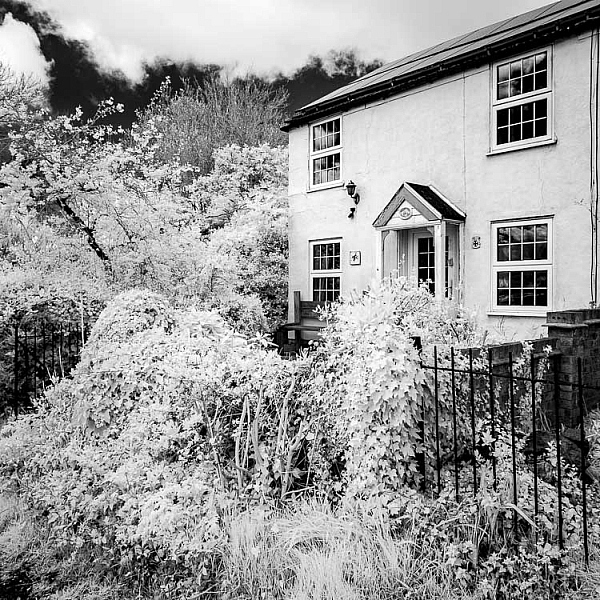
When it comes to converting digital SLRs to infrared there is something you need to bear in mind. Infrared light focuses at a different point to regular light. Your camera is calibrated to focus visible light, which means that if you try to focus on something using a wide aperture (which gives less depth of field) then your focus may not be accurate. It is possible to calibrate a lens to focus accurately with infrared, so check with the company that is going to handle your infrared conversion for details.

But for landscape photography, where most photographers use wide-angle lenses and stop down the aperture for sharp focus, it is not so important. If your camera offers some sort of contrast detect autofocus in Live View (where the camera focuses by taking a reading from the sensor rather than using the camera’s phase detection autofocus system) then you will have accurate focusing in Live View (just not when using the viewfinder).
infrared-camera-conversions-5

Mirrorless advantage

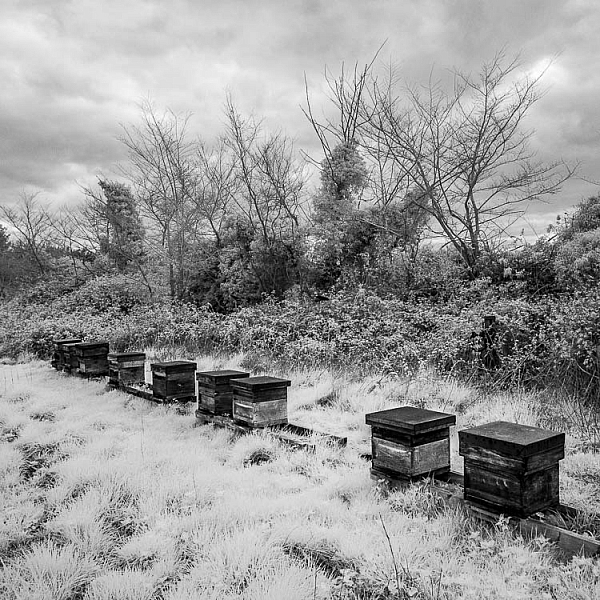
Mirrorless cameras have an advantage over digital SLRs for infrared because they are able to focus from the camera’s sensor. That means that if you plan to hand-hold the camera and look through the viewfinder to take photos (rather than put the camera on tripod and use Live View) then a mirrorless camera is an excellent choice as you won’t get any focusing errors.

Another advantage of cameras with electronic viewfinders is that when you set the camera to its black and white mode the camera displays the scene in black and white in the viewfinder. This makes it easy to visualize how the photo will come out in black and white with the infrared effect applied.
infrared-camera-conversions-7

Lenses and infrared photography

Another consideration is that not all camera lenses are suitable for infrared photography. Older lenses in particular tend to show a hot spot at the center of the frame, especially at wide aperture settings. Before converting your camera you should check and see if there are any reported problems with the lenses you intend to use with it. Kolarivison have a comprehensive list of infrared compatible lenses.

Infrared filters

Another option, if you don’t want to convert a camera to infrared, is to buy an infrared filter that blocks out visible light and just lets infrared light reach the camera’s sensor. The Hoya R72 filter is a great option and not very expensive, especially if you have smaller lenses. It blocks wavelengths below 720nm, just like a 720nm infrared conversion.

Note: shop for the Hoya R72 Filter on Amazon.com or on B&H Photo’s site. 
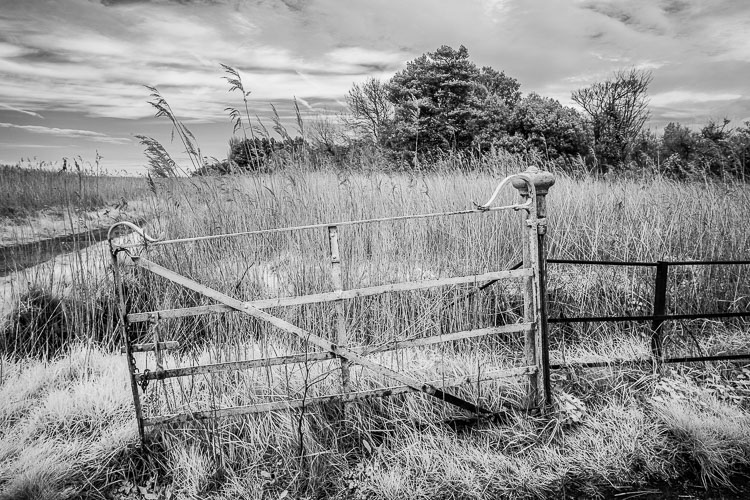
infrared-camera-conversions-8

You may remember that digital cameras have a filter that blocks most infrared light. An infrared filter is opaque, so the result is that not much light reaches the sensor. In effect, an infrared filter is a strong neutral density filter as well as an infrared filter.

The strength varies according to the camera used, but don’t be surprised if you lose 16 stops of light. A tripod is essential. Luckily, this is not necessarily a bad thing for landscape photographers. If you are prepared to work within this limitation then an infrared filter could be for you.
infrared-camera-conversions-11

Test first

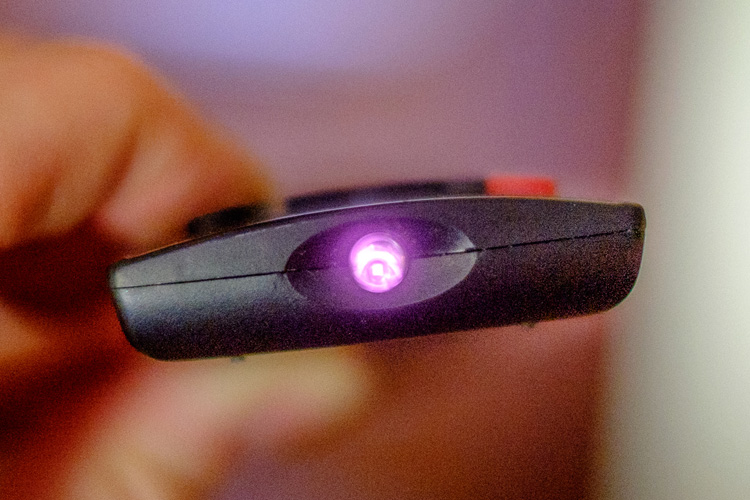
The infrared filter on some cameras is so strong that no light reaches the sensor at all. This makes using an infrared filter impossible. There’s a simple way to check to see if your camera’s sensor can detect infrared light. Do this test first before buying an infrared filter.

Set your camera to Live View and focus on the end of a television remote control while pushing down one of the buttons. If you can see a light (the infrared communication in action) then it is sensitive enough to infrared light to use with a filter. It’s probably easiest if you ask somebody to hold the remote control for you.
Black & white infrared landscape photograph

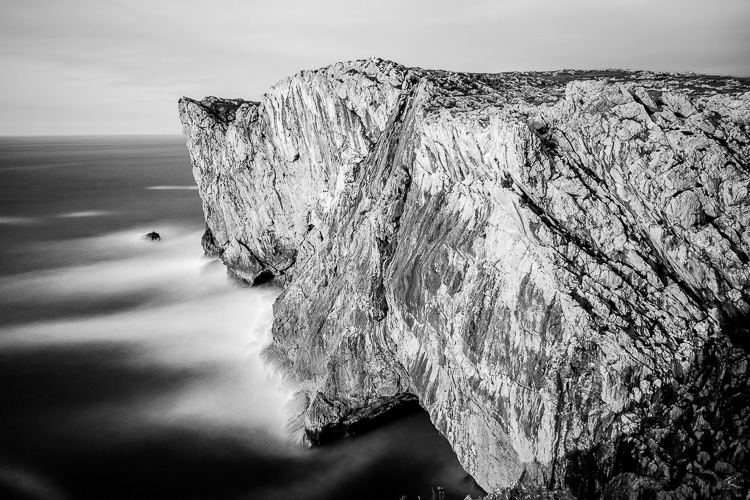
This photo (below) was taken with a Hoya 72 filter. It required a shutter speed of 180 seconds, even though the cliffs were lit by the light from the setting sun.
Black & white infrared landscape photograph

All the other photos in the article were taken with a Fujifilm X-Pro 1 converted to infrared.

Conclusion

That concludes our overview of converting cameras to infrared for black and white landscape photography. Have you tried this yourself? What camera did you have converted and how did it work out? Please let us know in the comments.

Get Andrew’s The Black & White Landscape eBook bundle at 30% off now over at Snapndeals, only until December 20th (AUS time).

googletag.cmd.push(function() {
tablet_slots.push( googletag.defineSlot( “/1005424/_dPSv4_tab-all-article-bottom_(300×250)”, [300, 250], “pb-ad-78623” ).addService( googletag.pubads() ) ); } );

googletag.cmd.push(function() {
mobile_slots.push( googletag.defineSlot( “/1005424/_dPSv4_mob-all-article-bottom_(300×250)”, [300, 250], “pb-ad-78158” ).addService( googletag.pubads() ) ); } );

The post How to Convert a Camera to Infrared for Black and White Landscape Photography by Andrew S. Gibson appeared first on Digital Photography School.


Digital Photography School
 
Comments Off on How to Convert a Camera to Infrared for Black and White Landscape Photography

Posted in Photography


5 Steps to Achieve the Look of Black and White Film Using Lightroom

10 Nov

As a hobbyist, amateur, or professional photographer, you may be interested in achieving the look and feel of black and white film without the hassle and investment in equipment and gear. You can edit a digital image using Lightroom with this goal without having your hands smell like rotten eggs (developing chemicals). If you shoot black and white film often, as I do, then you might actually love that smell. If not, then you might want to read on.

Look feel black white film Lightroom01

The feel of black and white film – research first

The objective here is to provide you with a few basic steps to get you started on the path to edit your digital images to look like they were shot on black and white film, without the mess. If you are not familiar with the qualities of film images or have not examined them closely, it would be a good idea to do so. Try to pick up and look closely at some actual prints on photographic paper. You might find these in your grandmother’s attic or your local museum. Photography books or online searches will yield many reprinted or scanned examples as well.

First, consider the subject of style as it relates to film photography. Film photographs generally have a certain nostalgic or vintage look and quality to them that distinguish them from the clarity and realistic look of a well-composed digital image. Film tends to render subjects and scenes in a more abstract manner. Although you can make tack sharp and very realistic looking images using today’s film and gear, that’s not really the role of film photography.

Look feel black white film Lightroom02

If you want clean, shoot digital. Film should look old, slightly out of focus, and definitely grainy. All film has some or a lot of grain and it is basically the equivalent of digital noise. While you may prefer some of your images to look super sharp and smooth, you may also find it pleasing to add a little (or a lot) of grain from time to time.

Film adds an air of mystery

You might want to experiment with this more abstract style or look of film that comes with a distinctive aesthetic. One advantage of presenting this style of image is that the viewer is given the task of filling in the blanks, so to speak. Subjects in your image that are not entirely in focus or even blurry can be representative of anything or anyone. Your image can be more open to interpretation by the viewer as compared to an image that was sharply composed with a subject that is obvious. In other words, you might want to leave some room for mystery in your images. Film photography, or working towards the look and feel of film, can do that for your images.

Look feel black white film Lightroom03

Like digital, film is really just another medium in which we can express ourselves as artists and photographers. I love many things about both film and digital and each has a place in my professional and personal photography life.

5 steps to getting the look and feel of film using Lightroom

If you shoot digital and are looking to achieve the look and feel of film, below are five easy steps using Lightroom.

1. Set your ISO high

ISO should be set to somewhere between 1600 and 6400. Digital noise is the modern day equivalent of the grain in film. The grain or digital noise creates atmosphere and the look or aesthetic that you are trying to emulate.

2. Make an image of something interesting

Look feel black white film Lightroom04

Choose a subject. Framing and composition should be pleasing, and be careful to avoid too many distractions. Emotion is usually a good idea to include if there are people or animals in your photo. Any additional compositional techniques can be applied to the image. The subject could be in focus or blurry. This is completely up to you and your vision.

3. Convert the image to black and white

To convert your image to black and white, press V or use another method for black and white conversion in Lightroom. You can stay in color, but the look and feel of color film is more difficult to achieve and will require some additional steps.

4. Open the Develop module in Lightroom

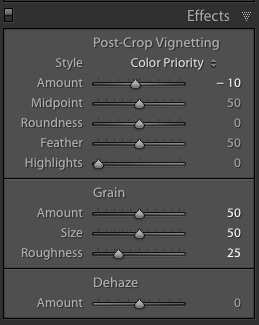
Look feel black white film Lightroom11In the bottom panel of the Develop module called Effects, make the following adjustments:

  • Using the sliders, set the Post-Crop Vignetting to -10. Older camera lenses tended to impart some vignetting onto the image. This will give the image an authentic older film quality to it. Ansel Adams famously burned (darkened) the edges to all of his prints.
  • Set the Grain Amount slider to 50.
  • Adjust the Grain Size to 50.
  • Set the Grain Roughness to 25.

5. Review your image and make the finishing touches

Adjust the sliders to increase or decrease the three Grain options to achieve your vision for the given image. You can also dial in or out the vignette as well. All images are different and all digital image files will respond differently to these adjustments based on the sharpness and ISO settings.

Look feel black white film Lightroom05

You may want to consider the following questions to evaluate your adjustments at this point. Do these edits help the image? Does it assist in the presentation of the image as more abstract so that it might connect better with the viewer? Did the adjustments achieve the look at feel of film that you were gong for? You can decide on the answers to these questions and make editing decisions as you see fit or recruit a friend to provide a critique.

If you like your results and would like to explore this topic further, there are free online software programs such as Analog Efex Pro that are part of Google’s Nik Collection. Presets are also available that will aid you in this process and even help you to achieve the look and feel of color film. You might want to consider making your own presets and applying them en masse to a given photo shoot or batch of images as well.

Look feel black white film Lightroom06

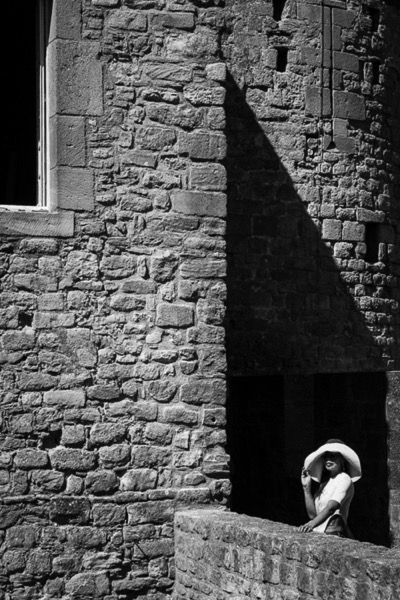
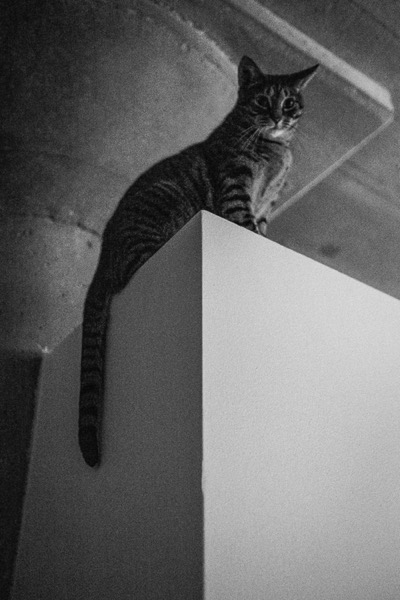
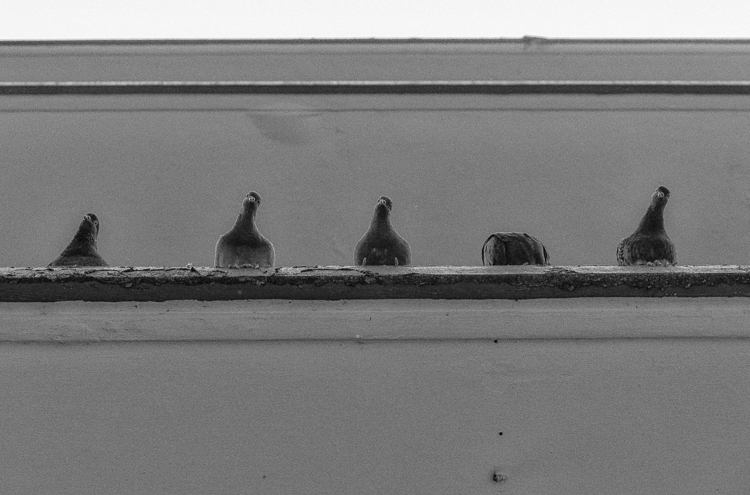
Below are a few images representing multiple genres that I made with a digital camera then edited to achieve the look I was going for using the settings in the Effects panel above.

Look feel black white film Lightroom07

Look feel black white film Lightroom08

Look feel black white film Lightroom09

Look feel black white film Lightroom10

Do you enjoy shooting film or reproducing the look of it using digital methods? Do you have a favorite way to achieve it? Please share in the comments below.

googletag.cmd.push(function() {
tablet_slots.push( googletag.defineSlot( “/1005424/_dPSv4_tab-all-article-bottom_(300×250)”, [300, 250], “pb-ad-78623” ).addService( googletag.pubads() ) ); } );

googletag.cmd.push(function() {
mobile_slots.push( googletag.defineSlot( “/1005424/_dPSv4_mob-all-article-bottom_(300×250)”, [300, 250], “pb-ad-78158” ).addService( googletag.pubads() ) ); } );

The post 5 Steps to Achieve the Look of Black and White Film Using Lightroom by Jeremy H. Greenberg appeared first on Digital Photography School.


Digital Photography School
 
Comments Off on 5 Steps to Achieve the Look of Black and White Film Using Lightroom

Posted in Photography