RSS
 

Posts Tagged ‘Visual’

Photokina 2016 interview: Ricoh aims for visual revolution

28 Sep
The Pentax 645Z might be large compared to the mirrorless medium format cameras announced at the show, but look at the effect of that viewfinder on Carey’s face.

‘Visual Revolution’ is the concept that links Ricoh’s Theta 360 degree camera to its Pentax K-1 DSLR and the arrival of competition only serves to grow the market, the company says.

We spoke to Kazunobu Saiki, Senior Management and Group Leader, Marketing Section, Visual Revolution Business Development and Yutaka Takada, General Manager, Business Management Department, Global Sales and Marketing Division. Saiki started by explaining the company’s philosophy when it comes to imaging.

‘We don’t see the Pentax business and products like the Theta as separate concepts, we group them together under a business group called ‘Visual Revolution.’ We believe the K-1 is a visual revolution within the frame, whether this is in terms of high resolution, the really nice hand feeling or Pixel Shift Resolution.

The Pentax K-1 has been receiving positive feedback both from established Pentax users and photographers who aren’t invested in the K-mount.

Another visual revolution could be beyond the frame. Both are different but both can help users to enjoy some new creativity. That’s why Ricoh governs both areas as one business group.’

Mr. Saiki seems to be in a bullish mood, buoyed by the market response to the K-1. ‘The reaction to the K-1 has been beyond our expectations,’ he says: ‘not only in terms of sales but also in the words we’re hearing from users. We believe we can revive Pentax as the leading company for DSLRs. We’ve had lots of feedback from non Pentax users, who wanted to be able to enjoy our FA Limited lenses. That’s nice feedback to have.’

“We believe we can revive Pentax as the leading company for DSLRs”

This response validates the company’s commitment to the system, he says: ‘In terms of developing the system, we have a lens roadmap and we plan to release some single focal length D-FA lenses. We know some users want to have D-FA Limited lenses and we’re listening to their voices.’

But the Visual Revolution business isn’t just focused on established technologies. Ricoh hopes to capitalize on its early entry into the market for 360 degree capture devices. ‘We believe we are a pioneer of 360,’ says Saiki: ‘If we compare to two years ago, the move to the Theta S has seen business grow to something like triple. Now in 2016 we have several new entrants to the market, but we’re really happy to get competition. That will grow the market itself.’

They’re already starting to see the impact of this increased interest in 360 content: ‘The VR market has really started now, and the Theta is a one-shot VR camera. At the moment, the majority of people enjoy the content that’s provided for them, but with the Theta they can create their own content with one shot. It’s in good harmony with VR development and we expect rapid growth for 360 market, including Theta.’

The Theta, now on its third iteration, faces increased competition but its capability and form-factor remain unique.

The company is confident that the Theta is the right product for the market: ‘When we’ve done our evaluations, we’re told one of the top features is the form factor. It’s very different from all competitors models including newly released ones or any of the earlier released ones we’ve seen. It has the advantage of being small, so it’s always with the user. It can also create a 360 image in a single shot, so it’s quick and simple. Because of this, we’ve applied the same form factor to the first, second and now third generation, the Theta S.’

The current Theta model offers both stills and video but its users are already demanding more: ‘we’ve been listening to the customers voice and after Theta S they’re telling us they want 4K video, HDR and easy live streaming. In today’s form factor this is difficult but this is what they want. They want to enjoy video and high resolution images, too. Most likely we need to develop our product to catch up, technologically.’

‘The Theta S’s still image is more than 4K but the video is 1080 for the entire 360 degree scene. For video customers they require more quality.’ But this is hard, Saiki says: ‘The technology for compression and data transfer have not caught up to allow end users to capture VR in 4K. We need to develop 4K and beyond. This means processing a huge data and this requires heating management in a small and slim body of this form factor. But we want to be the leader in the industry so we’re very busy trying to reply to these needs.’

As well as responding to customer demands, the company says it’s also been trying expand what can be done with the content its devices produce. ‘In order to enjoy and share 360 images/videos, we had needed to have a lot of platforms. Thanking to Google, FaceBook, YouTube, Instagram and others, Theta users can enjoy instant sharing of their works. Also we provide the applications Theta + and Theta + Video for editing and posting on FaceBook, Instagram and so on.’

“We think the challenge is not just connectivity but the management and storage, too”

This isn’t Ricoh’s only work in the area of content sharing, though. ‘One of the key issues is the number of pictures our audience takes. It’s only getting bigger and the size of their images are getting bigger,’ says Saiki.

‘These days we need instant action. Before we had to wait maybe one week to get our prints back. Now it’s maybe a couple of seconds. We think the challenge is not just the connectivity but the management and storage (probably in the cloud), is very important, too.’

‘The cloud side can play a role. These two [connectivity and the cloud] can provide a new era of visuals. Ricoh acquired Eye-Fi’s cloud service, and this is one step to creating new solutions of communication and storage. Not just from the point of view of taking pictures but from the back end as well.’

The 645Z’s weather sealing and lens options (both current and planned) are part of its appeal, the company says.

The 360 market isn’t the only area in which Ricoh faces new rivals. Photokina saw the announcement that Fujifilm will introduce a digital medium format system and for many it was also the first opportunity to see Hasselblad’s X1D camera. Yutaka Takada doesn’t seem too worried, though: ‘We could enjoy success in the medium format market,’ he says: ‘Fujifilm coming to our market shows that it still has potential to grow. Like the Theta, having competition is a great chance to develop the medium format market as a whole. Our advantage is that we have plenty of lenses in our lineup and on our roadmap, which helps convince customers to join medium format. 645Z has great image quality but it’s also weather sealed. People can use it in outside situations. This is very much the DNA of Pentax cameras.’

“Having competition is a great chance to develop the medium format market as a whole”

‘All these are under one business unit to provide visual innovation. We want to give surprise and astonish with innovation.’

And, having discussed the Pentax K-1, 645Z and Theta, we wanted to check whether the company still has time for models such as the GR. Absolutely, says Saiki: ‘Ricoh GR is one of our most important premium cameras. We want to reassure our GR lovers that the series will continue.’

Might that extend to GRs with other focal lengths? ‘It depends,’ says Saiki: ‘we know we really appeal. We have so many GR lovers, it’s a very emotional attachment. That’s why we need to listen to customers about where we should go.’
Articles: Digital Photography Review (dpreview.com)

 
Comments Off on Photokina 2016 interview: Ricoh aims for visual revolution

Posted in Uncategorized


How to Use Portrait Angles More Creatively: A Visual Guide

11 Jul

When it comes to creating a successful portrait, there are a lot of moving parts! We talk often about finding the light, composition, and camera gear when it comes to portraits. While all three of those things are important in creating your final image, they aren’t the only variables at play.

Another important aspect in capturing portraits is angles. Understanding and making good use of angles in portrait photography, allows you to capture images of your subjects in the most flattering way, unique to each person you’re photographing.

portrait-angles1

Under the umbrella of “angles” are two different aspects – facial view, and camera angle. Facial view simply refers to how much of a person’s face is visible in the photograph. Whether or not you recognize the term facial view, you probably understand that there’s a visual difference between a photograph of someone looking directly into the camera, and a photograph of them in profile. These are examples of both ends of the facial view spectrum. In addition to facial view, you’ll also want to learn to utilize camera angle in portraiture. Camera angle refers to whether you’re holding the camera at eye level, or above or below the eye level of your subject.

The concepts themselves are pretty simple, right? However, the difficult part is learning how each of these variables interact with each other, and your subject. Let’s walk through some visual examples of different facial views and camera angles using the same gear, subject, location, and same time of day, while observing how different angles change the look and the feel of each image.

Camera Angles

portrait-angles2

Eye Level

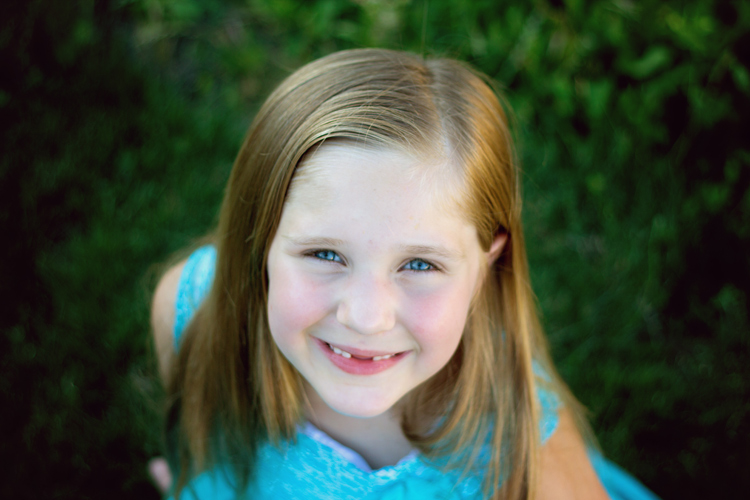
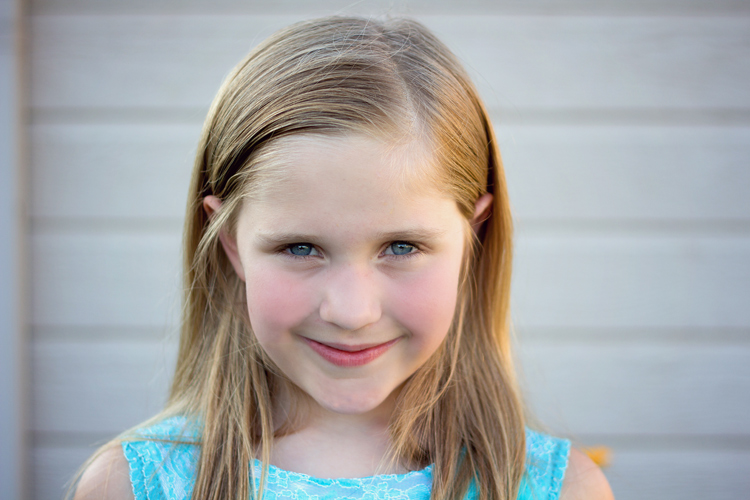
One of the most common camera angles for portraits is to place the camera at the subject’s eye level. This camera angle results in a final image that is balanced, and proportionate between head and body. It also allows for the subject to look directly into the lens, which tends to create the feeling of connection in a portrait. This is a flattering camera angle for most people.

portrait-angles3

High Camera Angle – Above Eye Level

Shooting from a high camera angle (with the camera above the subject’s eye level) is another great option to try in your portrait photography. With this angle, the focus is on the face rather than the body and can be a very slimming angle for adults. I’m not at all concerned with making children seem slimmer than they really are, but find that I use this angle a lot when photographing children because I like the way that it emphasizes the childlike qualities of kiddos. I find that parents tend to really enjoy photographs of their children taken from a high camera angle, and I believe that’s because parents see their children from this angle quite often in their day-to-day life, so it feels very natural and candid.

As a bonus, shooting from a high angle makes it really easy to achieve good catch lights in their eyes, and can also help to camouflage a less than desirable background. On the other hand, this camera angle may not be to your advantage in some situations; if your subject is very thin, shooting from above can sometimes make your subject look like a bobble-head, which is very rarely flattering.

portrait-angles4

Low Camera Angle – Below Eye Level

Shooting from a low camera angle (with the camera placed below the subject’s eyes and tilted up) can make people seem tall and authoritative, but can also tend to make people (their body in particular) look larger than they really are, which is not very flattering for most people.

This is particularly important to keep in mind if you’re photographing someone who is taller than you. If you’re 5’2″, and the person you’re photographing is 6’4″, you may need to be creative to make sure that you’re not photographing the whole session from a low camera angle. Have your subject sit, crouch, or find something that you can climb on to create a more even plane, for at least some of the photos – it really will make a difference.

I’ve used this camera angle a handful of times with newly walking babies, and could envision using it with a wider angle lens (to capture more of the body) if I were photographing a politician, a football player, or someone who wished to appear particularly powerful. Overall though, this is usually not the most flattering angle for portraits.

portrait-angles7

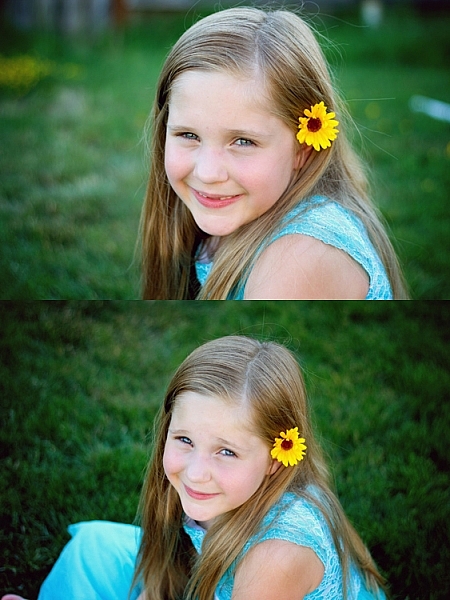
Don’t be afraid to experiment. Try capturing the same image from two different camera angles. The image above demonstrates how the same subject and pose appears from eye level, as well as from a high camera angle. If you did a poll, I bet you’d find that some people prefer the eye level shot, and some prefer the high camera angle. This is largely a matter of taste and preferred aesthetic, so I frequently make a point to include both sorts of angles in my portrait sessions.

Facial Views

portrait-angles6

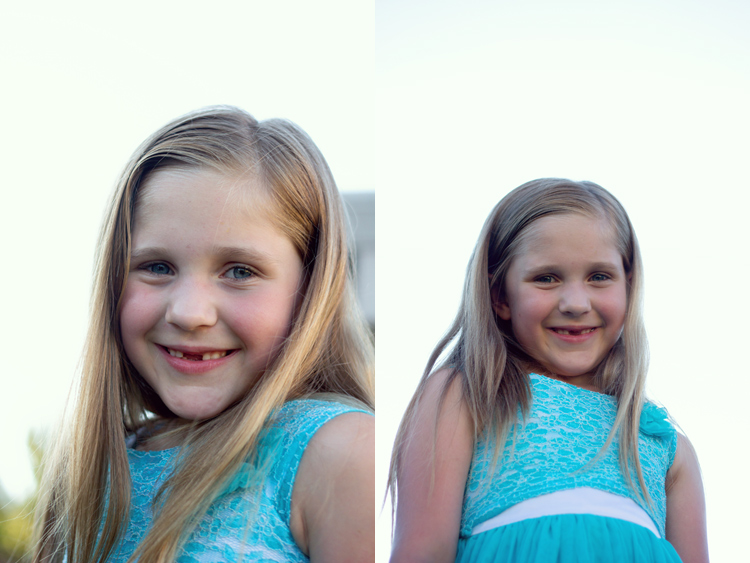
Photographing a subject full-face means that their face is pointing directly towards the camera lens – you can see both ears, and both sides of the face in equal amounts. Full-face portraits often convey a sense of confidence and assertiveness, especially when the person being photographed is looking directly into the camera with their eyes also.

portrait-angles8

Other facial views include 3/4 view, 2/3 view, and profile view. With 3/4 view, the subject has turned just enough so that one of their ears is no longer visible to the camera. With 2/3 view, the subject has continued to turn so that their nose is just about to break the plane of their back cheek. For a true profile portrait, the subject’s face is turned 90 degrees, and is perpendicular to the camera.

Shooting with the subject’s face turned to 2/3 view or 3/4 view tends to convey a more casual, and less assertive portrait. Images shot with a 3/4 facial view, and the subject looking just off camera, are often the most successful candid images, because the facial expressions are still easily visible to the viewer. Similarly, shooting in profile allows for portraits that feel unposed, while also being graceful and demure (particularly when shot in silhouette).

portrait-angles5

The best way to begin to learn, and really understand angles, is to grab a friend and go experiment. Take photos from every camera angle you can think of, including non-traditional angles like a bird’s eye or worm’s eye view. Then, take a photo with every facial view – full face, 3/4 view, 2/3 and profile. If you’re really feeling ambitious, try combining facial views and camera angles – does the feel of the portrait change if you shoot full-face from eye-level versus from a high camera angle?

Chime in below, do you find that you gravitate towards images with a particular facial view and/or camera angle? What tends to be your preference and why?

googletag.cmd.push(function() {
tablet_slots.push( googletag.defineSlot( “/1005424/_dPSv4_tab-all-article-bottom_(300×250)”, [300, 250], “pb-ad-78623” ).addService( googletag.pubads() ) ); } );

googletag.cmd.push(function() {
mobile_slots.push( googletag.defineSlot( “/1005424/_dPSv4_mob-all-article-bottom_(300×250)”, [300, 250], “pb-ad-78158” ).addService( googletag.pubads() ) ); } );

The post How to Use Portrait Angles More Creatively: A Visual Guide by Meredith Clark appeared first on Digital Photography School.


Digital Photography School

 
Comments Off on How to Use Portrait Angles More Creatively: A Visual Guide

Posted in Photography


‘Details matter’: Ian Goode on visual storytelling

06 Mar

Ian Goode has over 12 years of experience working in advertising, and until recently owned a production company that specialized in photo illustration and compositing. He has a keen eye for the subtle influences that details can have on an image as a whole, and on the story that it tells. In his PIX 2015 talk, he brings his perspective from advertising to the creation of any imagery, stressing the importance of storytelling in photography and the elements of a photo that can contribute to a strong narrative. 

Articles: Digital Photography Review (dpreview.com)

 
Comments Off on ‘Details matter’: Ian Goode on visual storytelling

Posted in Uncategorized


Visual appetite: Eric Wolfinger’s food photography

03 Mar

Eric Wolfinger is a traveling food photographer who spent six years cooking and baking professionally before working behind the lens. An immersive photographer known for weaving practical instruction with powerful storytelling, the cookbooks he shoots go on to become the classics of their category. His first project, ‘Tartine Bread,’ was nominated for a James Beard Award and is now in its ninth printing. Twelve books later he is still hungry and on the move.

In this presentation from PIX 2015, Eric takes us on a journey that includes baking bread in San Francisco, scuba diving in Korea to photograph fishermen, and details the challenges of photographing an entire book within the confines of a restaurant kitchen in Manhattan. He also reminds us that no job is too small in pursuit of your dreams.

If you’re feeling hungry and want to see more mouthwatering food photos, visit Eric’s website for a visual feast.

Articles: Digital Photography Review (dpreview.com)

 
Comments Off on Visual appetite: Eric Wolfinger’s food photography

Posted in Uncategorized


7 Quick Tips on How to Use Visual Balance to Make Better Photographs

19 Dec

Balance is one of the characteristics of good composition. It is the way elements of an image are arranged to create a feeling of stability. If you imagine that your image is a set of scales, all elements of your composition should be balanced to make a photograph feel stable.

balance 1 eva polak

There are many ways to create balanced images. The easiest way to achieve it is by using symmetry, as it guarantees left to right, or top to bottom balance. The results look formal, organized, and orderly.

If you would like to create a balanced composition that feels more casual, free, and energetic, then use asymmetry.
To understand this concept, let’s go back to our analogy of a set of scales. If you have several small items on one side, they can be easily balanced by one large object on the other side. Visual balance works in a very similar way, but it can be affected not only by the size of objects, but also by their value, colour, texture, quantity, orientation and isolation.

Different colours, shapes and sizes create different degrees of visual interest. So, to achieve asymmetrical balance you need to arrange elements of all different visual weights, when composing your image, in such a way that each side is still balanced out.

balance 2 eva polak

There are seven basic factors to consider when you compose your images with visual balance in mind. Let’s have a close look at how you can use these different factors affecting visual weight and gain some advantage.

1 – Colour

1 Colou by Eva Polak

Colour has many properties that can affect an object’s visual weight relative to others in the photograph, such as saturation, brightness, darkness, and hue. Warm colours advance into the foreground and tend to weigh more than cool colours, which recede into the background. Red attracts attention better than any other colour, and thus has the highest visual weight as opposed to yellow, which has the least visual weight. Also bright colours attract more attention than subdued colours.

2 – Size

2 Size by Eva Polak

Large elements appear heavier than small ones. Size is an evident visual weight factor because, in the physical world, an object that’s bigger than another will naturally be heavier, and will take up more physical space. Large elements command more attention. We naturally see them first, or spend more time looking at them anyway.

3 – Value


3-Value-by-Eva-Polak.jpg

Value is a powerful tool for balancing images. Dark elements feel heavier than light items. The higher the value-contrast (between object and background), the heavier will be the weight of the object.

4 – Texture

4-Texture-by-Eva-Polak.jpg


Texture adds visual weight to items in photographs. Texture is just more interesting and our eyes are drawn to it. Smooth areas will feel lighter than those with a lot of heavy texture.

5 – Isolation

Objects isolated in a space appear heavier than those surrounded by other elements. Look at the image below with a brown circle on it. Your eyes go directly to the brown circle first because there’s nothing else to see.

5-Isolation-by-Eva-Polak.JPG


6 – Quantity

A few small objects can balance out a single large object. Repetition of objects can be used here as well. In the example below, the three small berries are balancing out the large berry.

6-Quantity-by-Eva-Polak.jpg


7 – Orientation

Vertical objects appear heavier than horizontal objects. A diagonal orientation carries more visual weight than a horizontal or vertical one. Lines can be very powerful in your composition. Pay close attention to them.


7-Orientation-Eva-polak.JPG

Remember, you don’t have to balance colour with colour, or light with dark – you can mix and match your visual weights. For example, a counterweight to a large, bright area might be a small red object. Experiment with different kinds of balance and play around with visual weight. See what works best for your images and the story you want to tell.

As you go out exploring with your camera on your next photo shoot, keep balance in mind and the seven factors of visual weight. Look closely and try to determine which elements are commanding the most visual weight when you compose your photographs, and see how they affect balance in your images.

If you have any comments or questions please post them below. And we’d love to see your visually balanced images.

googletag.cmd.push(function() {
tablet_slots.push( googletag.defineSlot( “/1005424/_dPSv4_tab-all-article-bottom_(300×250)”, [300, 250], “pb-ad-78623” ).addService( googletag.pubads() ) ); } );

googletag.cmd.push(function() {
mobile_slots.push( googletag.defineSlot( “/1005424/_dPSv4_mob-all-article-bottom_(300×250)”, [300, 250], “pb-ad-78158” ).addService( googletag.pubads() ) ); } );

The post 7 Quick Tips on How to Use Visual Balance to Make Better Photographs by Eva Polak appeared first on Digital Photography School.


Digital Photography School

 
Comments Off on 7 Quick Tips on How to Use Visual Balance to Make Better Photographs

Posted in Photography


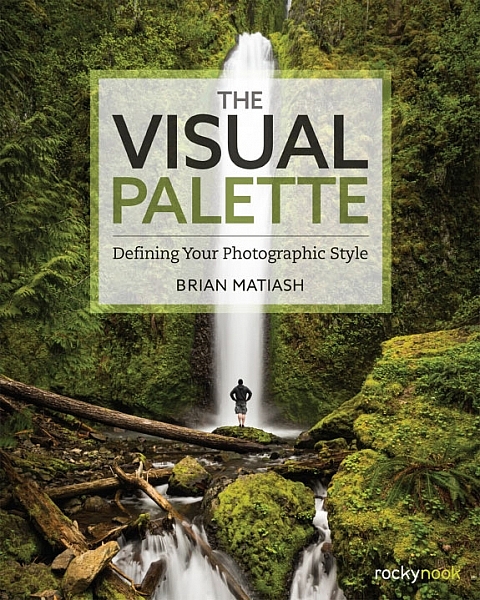
Book Review: The Visual Palette by Brian Matiash

10 Dec

The Visual Palette book review

Brian Matiash is a photographer based in Portland, Oregon. The Visual Palette is his first book published by Rocky Nook.

As the title suggests this is not a technical book. It’s aimed at evolving photographers who grasp the basics, but need some guidance in developing the creative side of their photography. The book is divided into three sections – Composition, Post-Processing and Stylization, and Sharing Your Work and Your Brand. Each section builds on the lessons learned in the one before.

The Visual Palette book review

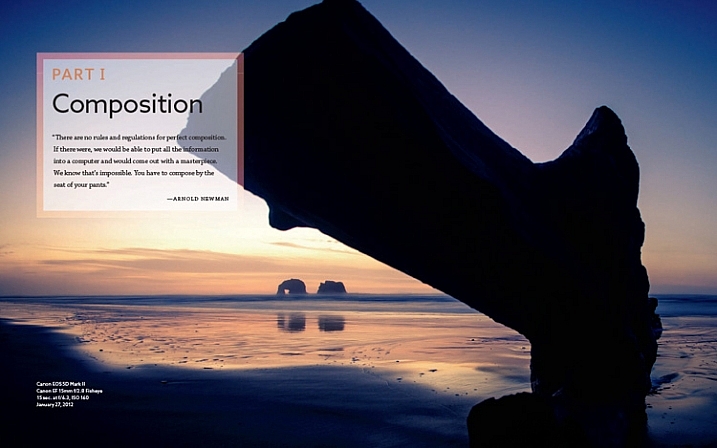
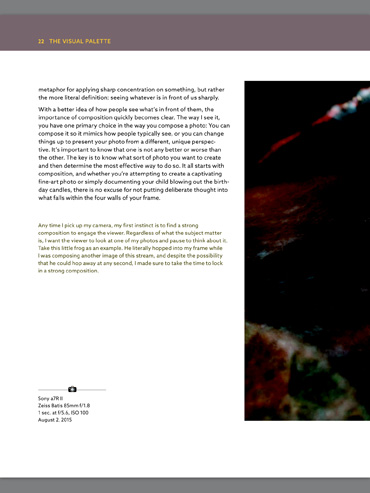
Screenshot from The Visual Palette

The book starts with composition. How you see, compose, and tell stories with photos is a major factor that sets your work apart from another. This section covers techniques like the rule-of-thirds, creating depth and using leading lines, as well as giving tips for photographing familiar subjects and learning to see.

The book continues with post-processing and stylization. This is where you bring further individuality to your work by the style in which you chose to process. It suggests separating photo editing into two distinct skills – post-processing and stylization.

  • Post-processing is the preparation work – preparing a clean image that gives an accurate representation of the scene.
  • Stylization is the process of adding your own artistic interpretation to the image.

I really like this idea, and think there is a lot to be gained by separating the concepts.

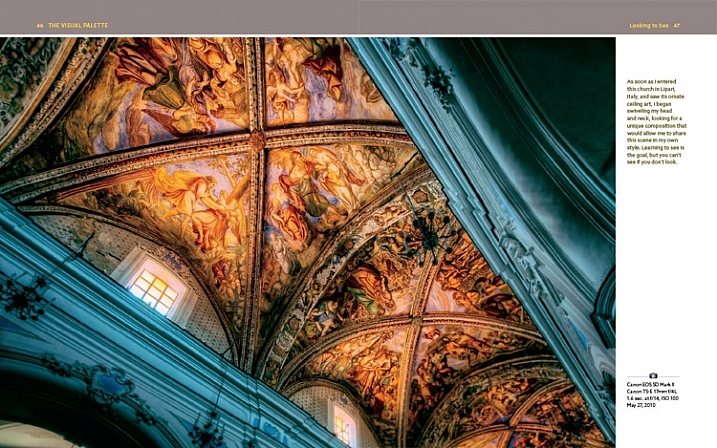
The book covers the tools you can use to achieve both skills. Be forewarned – there is a lot of grungy HDR in this section, and the processing may look a bit over the top for those of you not into this style of photography.

On the other hand, Brian does explain how he has moved from a grungy HDR style to a more natural one over the years – a journey that many photographers will probably identify with.

The Visual Palette book review

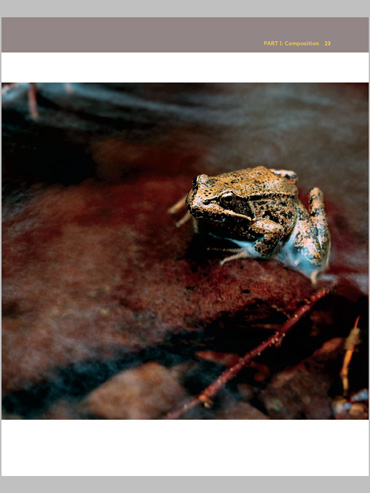
Screenshot from The Visual Palette

The final part of the book explores the process of sharing your work and building your personal brand. This will appeal to a wide spectrum of readers, from those who simply want to share their photos on Flickr or 500px, to professional photographers who need to build a brand to promote their work. If you haven’t put much thought much into how you share and promote your work, then you will find this section very useful.

Personal stories

As Brian explores the ideas in the book he relates his own experiences, giving you an insight to his thought processes, and his development as a photographer.

It could be argued that dividing the book into three topics results in a lightweight treatment of each. In a way that’s true – if you want to learn more about composition, for example, you would be better off buying a book dedicated to the topic. However, the aim of this book is to give you a primer in each of the areas it covers. You can then follow up by buying a book that explores the topics that interest you most in more depth.

For these reasons, The Visual Palette is more likely to appeal to beginners than advanced photographers.

The Visual Palette book review

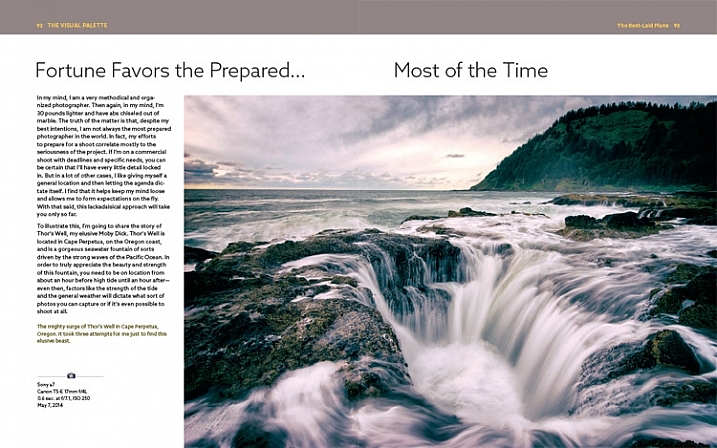
Screenshot from The Visual Palette.

Annoyances and niggles

The review copy was provided in PDF form, and there were a couple of problems that stopped me fully enjoying the experience of reading it.

The first is related to layout. In iBooks or Acrobat Reader (on an iPad) you can only view one page at a time (on a computer you can view page spreads in Reader). Given that the book is designed as a series of double page spreads, and that many photos cross the gutter, this prevented me from seeing the photos properly. You can’t look at, and appreciate the photo, when it is split into two by the formatting. It greatly lessened the enjoyment of the book, and to be honest, put me off buying another ebook from Rocky Nook.

The Visual Palette book review

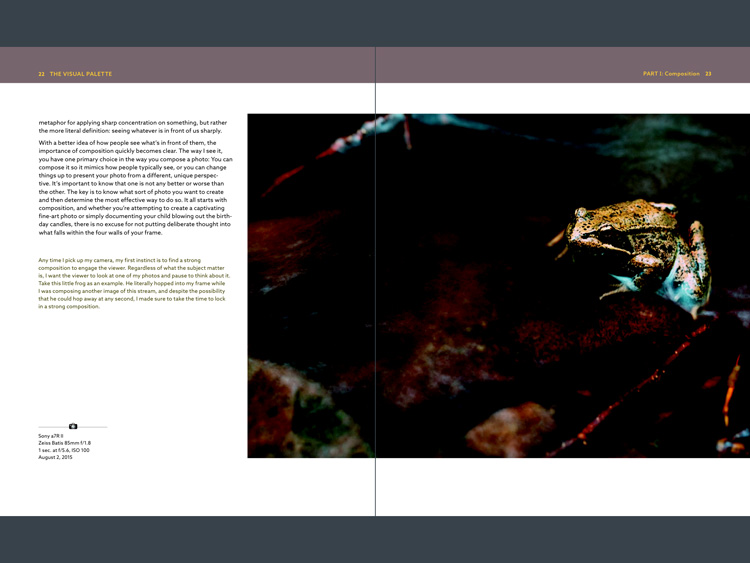
Here’s an example of what I mean. This is a screenshot from iBooks, which presents the pages one at a time. Not good when you have lot of photos that cross the gutter.

The solution would be to format the book especially for viewing on the iPad (and other tablets), so that each page in the PDF document contains a double page spread from the book. ILEX do this already with their ebooks (note: ILEX don’t publish PDF ebooks any more, restricting ebook sales to the Amazon Kindle store), and I’d like to see Rocky Nook follow suit.

It is possible to see spreads in Goodreader, but that brings me to the next point.

The second annoyance relates to color management. Adobe Acrobat Reader is the only PDF reader that accurately displays the colors and tones of the photos in the book on an iPad. However, Acrobat Reader only lets you view one page at a time, so we are back to the first problem.

The Visual Palette book review

This screenshot is from Adobe Acrobat Reader. Now we can see the photo with the correct brightness and contrast. But you can’t view two pages together, and the photo is still cut off.

In Goodreader and iBooks the photos are too dark, have too much contrast, and the colors are inaccurate.

This is a screenshot from Goodreader, which can display two pages together, as the designer intended them to be seen. Great – now you can see the entire photo. But that's not much use when the photo is too dark to see properly.

This is a screenshot from Goodreader, which can display two pages together, as the designer intended them to be seen. Great – now you can see the entire photo. But that’s not much use when the photo is too dark to see properly.

I hope someone from Rocky Nook reads this and takes some action to put it right. Anybody who buys the PDF version of this book and tries to view it in iBooks or Goodreader will be disappointed with the quality.

Conclusion

The Visual Palette is well written, well thought out, and full of useful ideas. While little of the content will be new to advanced photographers, most of it will be useful to people starting out.

There are some good photos in the book (and unfortunately a few weak ones), although the heavy-handed treatment of some of them may put readers off who feel that there is a little more to stylization than using HDR techniques. However, if you ignore that, you’ll find a lot of good ideas in the written content.

I’m giving this book three and a half stars for the content. I recommend the printed book over the PDF ebook which is virtually unreadable in its current format.

Given my experience with the PDF version of this book I thought it would be interesting to ask your opinion about ebooks in general. Have you bought any? What did you think of the design? What format do you prefer, PDFs or epub/mobi? What feedback would you give publishers regarding design and content?

And of course, if you have read The Visual Palette and would like to let us know what you think, or if you have any questions regarding the book, please let us know in the comments below.

googletag.cmd.push(function() {
tablet_slots.push( googletag.defineSlot( “/1005424/_dPSv4_tab-all-article-bottom_(300×250)”, [300, 250], “pb-ad-78623” ).addService( googletag.pubads() ) ); } );

googletag.cmd.push(function() {
mobile_slots.push( googletag.defineSlot( “/1005424/_dPSv4_mob-all-article-bottom_(300×250)”, [300, 250], “pb-ad-78158” ).addService( googletag.pubads() ) ); } );

The post Book Review: The Visual Palette by Brian Matiash by Andrew S. Gibson appeared first on Digital Photography School.


Digital Photography School

 
Comments Off on Book Review: The Visual Palette by Brian Matiash

Posted in Photography


6 Tips Using Visual Weight to Improve Your Composition

19 Jun

Andrew’s newest ebook Mastering Composition is now on special for a limited time only at Snapndeals.

Visual weight (also called visual mass) is the principle that some elements of the photo pull the eye more than others.

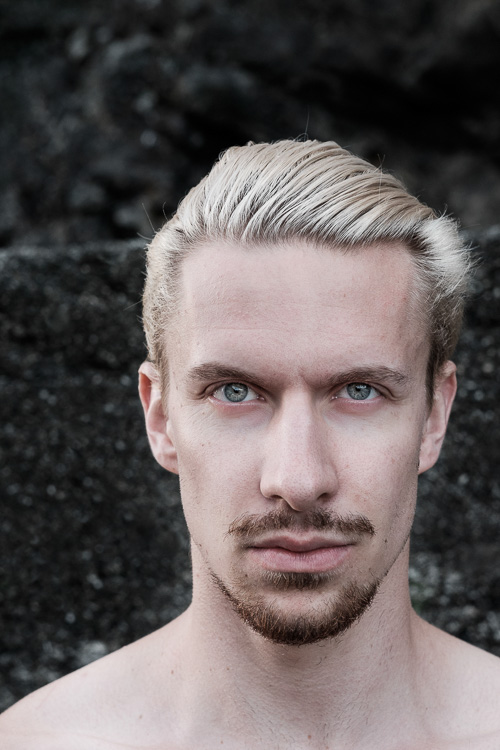
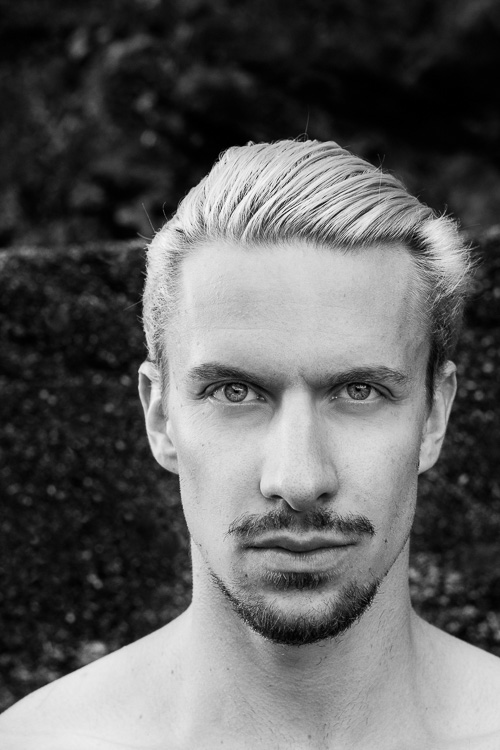
Take a look at the portrait below. Where does your eye go? It should go straight to the eyes, because they have the most visual weight. They are the element exerting the greatest pull.

Visual weight and composition

Notice that the model’s eyes are not positioned on the traditional intersection points created by the rule of thirds. That doesn’t stop them from pulling the eye, although it could be argued that their visual weight would be strengthened by placing them on a third.

Let’s look at the principles of visual weight (or visual mass) that you can use to improve the composition of your photos.

1. Light tones

Light tones and highlights pull the eye more than dark ones (the basis of tonal contrast). There is a strong contrast in the portrait above between the model’s skin and hair, and the dark background. It is easier to see in a black and white version of the same photo.

Visual weight and composition

2. People

Curiosity about other people is part of the human condition. Our eye goes straight to any human figure that is present in a photo. Recognixable faces exert a stronger pull, while the eyes (the window to the soul) have the strongest visual weight of all.

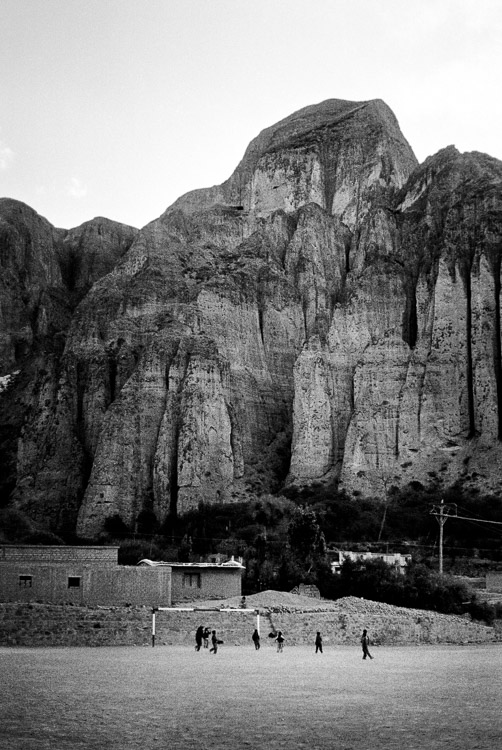
This explains why you can use people, small in the frame, to give scale and context. It works because our eyes go straight to those figures, as long as they stand out from the background (gestalt theory in action).

The people in the photo below are small, yet the eye goes straight to them. The inclusion of the human figures helps give the scene scale, and emphasizes the size of the mountain behind them.

Visual weight and composition

3. Visual weight and size

The larger the element of a photo, the more it pulls the viewer’s eye. This principle works in harmony with the others discussed in this section. A small human figure, for example, can have much more pull than a large, inanimate object. A small splash of red can also pull the eye very strongly. But for objects of similar texture and colour, the larger one has the stronger pull.

For example, the dials in this photo are virtually identical in terms of shape and design. The one on the right has the most visual weight because it is the largest of the two.

Visual weight and composition

4. Sharp or recognizable elements

Objects that are sharp or easy to recognize pull the eye more than ones that aren’t. According to gestalt theory, the mind looks for patterns and shapes that helps it make sense of chaotic scenes. Once something is identified, it gains significance in the frame compared to those that aren’t.

The most obvious example of this is a portrait taken against a strongly blurred background. The visual weight of the background is reduced because it is no longer sharp, and no longer recognizable. The use of negative space also comes into play.

Visual weight and composition

5. High contrast

High contrast subjects have more visual weight than low contrast ones. This is a good principle to apply in post-processing as well as the photo taking stage. Instead of increasing contrast universally across the image, try increasing it more in the areas where you want the viewer’s eye to travel. Lightroom’s Clarity slider is an excellent tool for this.

In this example I used the Clarity slider to emphasise the texture of the old car and help draw the eye to it.

Visual weight and composition

6. Visual weight and colour

Bright, saturated colours draw the eye. But not all colours are equal. Warm hues have more visual weight than cool ones. Red is the strongest colour of all.

Simplifying the composition makes the relationship between the colours in the photo easier to see. A technique you can use, if your subject is brightly coloured, is to position it against a background comprised subdued, less powerful hues like grey, green and brown.

Simplifying works for all aspects of visual weight. Eliminate everything that isn’t necessary. Keep the background as simple as you can. Once you’ve done this, look at the remaining elements and think about how the eye will move around between them, according to the principles of visual weight. The relationships between them become clearer as the composition is simplified.

The red figurine in the centre of the photo below has the most visual weight. I emphasised this in post-processing by using the Clarity slider to increase its contrast and adding a vignette to darken the background.

Visual weight and composition


Mastering CompositionMastering Composition

My new ebook Mastering Composition will help you learn to see and compose photos better. It takes you on a journey beyond the rule of thirds, exploring the principles of composition you need to understand in order to make beautiful images. It’s on special for a limited time only at Snapndeals.

googletag.cmd.push(function() {
tablet_slots.push( googletag.defineSlot( “/1005424/_dPSv4_tab-all-article-bottom_(300×250)”, [300, 250], “pb-ad-78623” ).addService( googletag.pubads() ) ); } );

googletag.cmd.push(function() {
mobile_slots.push( googletag.defineSlot( “/1005424/_dPSv4_mob-all-article-bottom_(300×250)”, [300, 250], “pb-ad-78158” ).addService( googletag.pubads() ) ); } );

The post 6 Tips Using Visual Weight to Improve Your Composition by Andrew S. Gibson appeared first on Digital Photography School.


Digital Photography School

 
Comments Off on 6 Tips Using Visual Weight to Improve Your Composition

Posted in Photography


Do Visual Push-Ups Everyday to Grow as a Photographer

17 Apr

Please note that I do not know who originally coined the phrase “visual push-ups”. I have heard it used many times and find it very suitable to describe what we should all be practicing as often as possible with our camera.

There is no better time to practice your photography than here and now. Don’t wait for the best light, the exotic vacation, or a new lens. Let’s be honest, the only way you’re going to become a better photographer, is by doing visual push-ups every day, and by challenging yourself continuously for as many years as you’ll be able to carry that camera around. Give yourself assignments often and never stop learning!

©Valerie Jardin-4

One of my ongoing projects for several months was photographing beautiful smiles of strangers which resulted in a fun collection of smiles from all over the world. Here a shopkeeper in Melbourne, Australia.

Are you a hobbyist photographer?

You have the luxury of only needing to please yourself with your work. Make sure you do that. Click the shutter to move and inspire, not to impress.

Do you work for clients?

Pursuing personal projects is even more important. Remember the feeling of shooting for yourself only, without having to compromise between your vision and your client’s? However much you love being a pro photographer, you run the risk of losing the passion if you don’t take care of yourself and your creative needs.

You don’t have time to shoot everyday?

Yes you do! How much time do you spend on social media for example? Or sitting in front of the television? If you take only 15 minutes of that time and invest it in your photography daily, you will see the results. The best part is that you can do those visual push-ups at home, during your lunch break, or on the bus ride to work.

Do you think this only applies to beginning photographers?

Think again! I see so many seasoned photographers who are always shooting the same types of subjects, the same way. No matter what your skill level is, it’s always good to challenge yourself by getting out of your comfort zone to try new things.

Do you think that posting different genres will look like you can’t focus on one thing?

Wrong! On the contrary, it will prove that you are a well-rounded photographer. But, if you are trying to sell your services as a wedding shooter, your urbex images will be better posted on a separate page or gallery. Use common sense.

©Valerie Jardin-1

Anything can become a subject and give you a challenge. Try to make art with everyday objects and difficult lighting situations.

 What type of photo projects should you work on?

Anything will do, as long as you enjoy it. Remember, the point of the exercise is not to please others or get likes. It’s to please yourself, and yourself only. By all means, do share with the world and get that extra satisfaction and gratification if others like it too. But that should not be your priority.

©Valerie Jardin-5

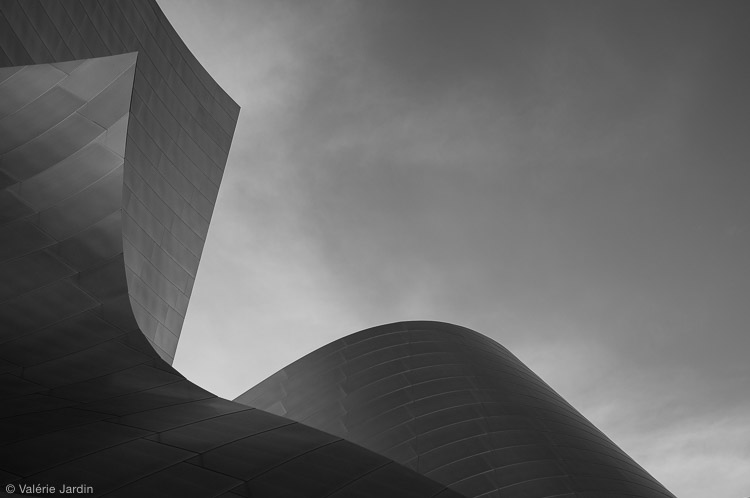
Although I am better known for my street photography, I don’t want to limit myself to just one genre of photography, the world is too beautiful to miss other opportunities. I love photographing architectural abstracts for example.

The sky is the limit!

Photograph any ordinary objects around your house and make them look extraordinary. Read the local paper and find a story that you can document with your camera. Start a 52 week, a 365 project, or even a 100 strangers or a self portrait project but be aware of the pressure you are putting on yourself. Make sure it doesn’t become a chore which would be counter-productive to what you are trying to accomplish.

Don’t worry too much about coming home with keepers every time you go out with your camera. There will be some good days, and there will be many not-so-good days. But one thing is certain; you will learn and grown every time you go out with your camera and do those visual push-ups.

©Valerie Jardin-3

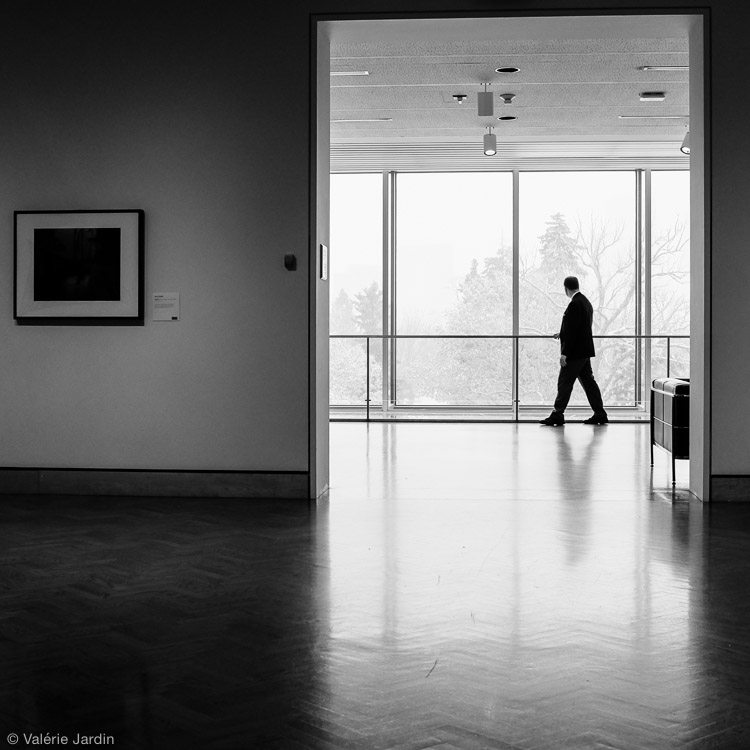
During the long winter months I visit a lot of museums and Museum-Goers has become one of my on-going series.

I always have two or three personal projects going at the same time, in different genres if possible. The point of the exercise is to explore new things and grow. Remember, that no matter what the subject or genre you choose to experiment with, you will benefit greatly from expending your creative vision.

Doing those daily visual push-ups will be the best time invested in your photography. One day you will only have five minutes to photograph an ordinary object on the window sill in the early morning light. The next day you may have an hour with your camera during your lunch break. Every minute you spend working on your craft will help you find your photographic voice and expand your creative vision.

©Valerie Jardin-2

Exercising your vision can take as little as a few seconds, and be as simple as photographing an object in your own house. This is part of my weekly self-assigned “Ordinary Objects are Beautiful” challenge.

Do yourself a favor, get off the internet and grab your camera NOW!

Please share with the dPS community which personal projects have made a real difference in your photography by adding a comment below.

googletag.cmd.push(function() {
tablet_slots.push( googletag.defineSlot( “/1005424/_dPSv4_tab-all-article-bottom_(300×250)”, [300, 250], “pb-ad-78623” ).addService( googletag.pubads() ) ); } );

googletag.cmd.push(function() {
mobile_slots.push( googletag.defineSlot( “/1005424/_dPSv4_mob-all-article-bottom_(300×250)”, [300, 250], “pb-ad-78158” ).addService( googletag.pubads() ) ); } );

The post Do Visual Push-Ups Everyday to Grow as a Photographer by Valerie Jardin appeared first on Digital Photography School.


Digital Photography School

 
Comments Off on Do Visual Push-Ups Everyday to Grow as a Photographer

Posted in Photography


How to Tell Better Visual Stories with Travel Photography

18 Feb

Take a look at your favorite travel magazine, and you will notice a pattern in the images.

Establishing 12

Understanding how to turn a bunch of images into a story – creating series is crucial to any travel photographer.
In this article, we will get familiar with two kinds of very important visual concepts in the travel photography world: the establishing shot (above) and the detail shot (below).

Detail 1

It doesn’t matter if you wish to do travel photography professionally, or if you just want to come back home with better pictures from your next trip. Understanding these visual concepts will help you.

Establishing shot

The establishing shot is arguably the most important shot in a travel photography series. In a print magazine, this image will usually cover the two first pages of the article (the spread). In a digital-based platform (your website or Facebook page), this will be the album’s opening image. However, you can find the establishing shot later in the series.

Establishing 10

The establishing shot’s purposes are to:

  • Give a general idea about the story and the “what” and “where” of this series.
  • Be visually interesting enough so that the viewer wants to read the article or go through the digital album.

Establishing 8

From the technical point of view:

There are no clear rules. But in most cases, the image is a horizontal one (sometimes you will see two vertical images side by side).

Most important:

This image is the grand entrance to your story. Make it impressive and epic. It is usually recommended to leave room for text on this image. So take it into account when you create your composition.

Establishing 9

The detail shot

While the establishing shot is all about being big and epic, the detail shot is about putting a spotlight on something small and making it the image’s hero.

The detail shot’s purposes are to:

  • Give attention to different aspects in your story that might get lost in the bigger picture.
  • The detail shot is like sorbet ice cream in a gourmet dinner — it gives balance to the other, bigger images.

Detail 4

From the technical point of view:

It is all about making small things bigger, so a macro lens is useful (but not obligatory) here.

Most important:

While in the field, be on the lookout for interesting details of things that relate to your story. If you are doing a series on a city a funny street sign, graffiti, or food in a local market can be your detail shot. If you are doing a story about a specific person, his hands or his work tools can be the hero of the shot.

Detail 3

Putting it all together

Of course, I’m not saying that there are certain rules that you must apply in order to create a well-built travel photography series. But by thinking in terms of visual concepts, such as the establishing and detail shots, it will help you be more focused in the field.

Examples include taking the extra effort to reach a high vantage point, or getting an “off limits to the general public” pass to an interesting location in order to get that jaw-dropping establishing shot. Or, taking an hour just to “hunt” for interesting subjects to snag the detail shot. From my experience, having a framework to work within allows you to know what you are looking for, and increases the chances you will find it!

Establishing 14

Want to get more tips and hints about travel photography in a snap? Check out Oded’s ebook, about travel photography, by dPS and our sister brand – Snapn Guides.

Note: the author would like to thank Nicholas Orloff for his help in writing this article.

googletag.cmd.push(function() {
tablet_slots.push( googletag.defineSlot( “/1005424/_dPSv4_tab-all-article-bottom_(300×250)”, [300, 250], “pb-ad-78623” ).addService( googletag.pubads() ) ); } );

googletag.cmd.push(function() {
mobile_slots.push( googletag.defineSlot( “/1005424/_dPSv4_mob-all-article-bottom_(300×250)”, [300, 250], “pb-ad-78158” ).addService( googletag.pubads() ) ); } );

The post How to Tell Better Visual Stories with Travel Photography by Oded Wagenstein appeared first on Digital Photography School.


Digital Photography School

 
Comments Off on How to Tell Better Visual Stories with Travel Photography

Posted in Photography


Shooting Details to Tell a Visual Story

19 Aug
Cross

The bride’s most prized possession for the wedding day

A visual story, although no longer used as frequently in magazines or media, is a powerful way to give your viewer a taste of a

situation without having to be there. It’s also a great way to challenge yourself to produce a coherent body of work. A collection of images, or picture story, can be engrossing and tell a story far beyond what a single image could do.

Think back to a recent trip you took, a night out with your significant other, a favourite book or film. Try to describe it to an audience using only overarching themes. Thailand is hot and the people friendly. We went to see a movie. Lord of the Rings is about good and evil. These give your audience an idea of the content, but no clear idea of the details. The power of a story does not lie only in the bigger themes, or the “include-all” wide shot. In order to clearly convey your message, you often need small details that give your audience a glimpse into the building blocks of your story. The devil is in the details, as they say.

If your pictures aren’t good enough, you’re not close enough. – Robert Capa

Capa meant this in a couple of different ways: physically of course, but also emotionally. Both of these will help you shoot clear details to aid your viewer’s understanding.

Go Wide

In order to get closer, you don’t always need to zoom in. This will cut out distractions, but also give your viewer a sense that you’re not really close to your subject. Longer focal lengths necessitate being further from your subject. There is an intimacy that comes about by using wide-angle lenses and physically moving in very close. Just be careful of distortion.

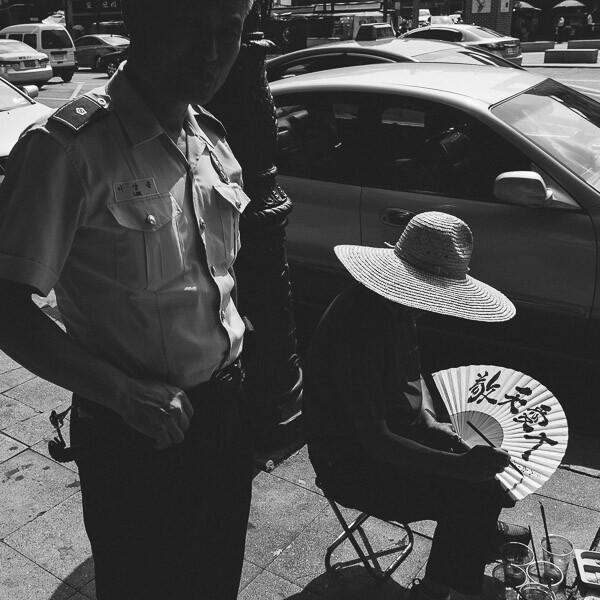
The street surrounding this man was littered with his creations, but by getting in close with a wide lens, I was able to just show his current work.

Street Calligrapher in Seoul

Street Calligrapher in Seoul

Feel

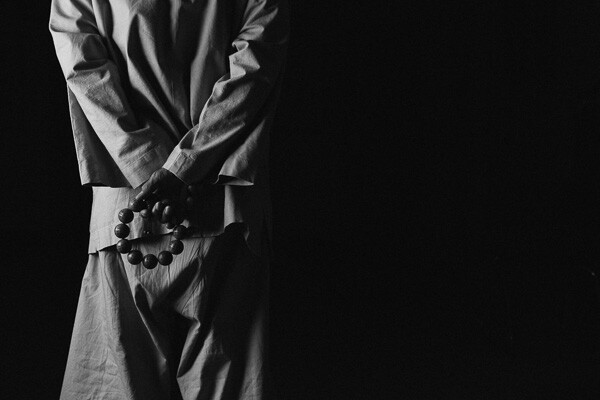
Being emotionally close can help you not only with being able to get physically close, but also give you a deeper understanding of your subject, and thus photograph details that are meaningful. If you are working with people, it will also help you gain trust. In the photograph below, it was important to gain the monk’s trust before asking him to take time out of his schedule to pose for a while. By watching and understanding him, the decision for which detail to shoot was obvious.

Prayerbeads

A Buddhist Monk with prayer beads

John Loengard, the picture editor at Life Magazine, always used to tell me, “If you want something to look interesting, don’t light all of it.” – Joe McNally

Loengard’s quote, by way of Joe McNally, gives us a very important concept that essentially tells us to shoot details. If, by not showing all of something we are making it more interesting, then details by their very nature are a strong starting point for interesting photographs.

Light

Light is a wonderful tool for showing only the details you want your viewer to see. Although our eyes are able to see a wide range of tones from light to dark, our cameras do not have that luxury, so you have to make creative decisions.

In the scene below there were multiple interpretations that could have been made. The exposure could have been based on the faces of the candle bearers, blowing out (photographically speaking) the candles to pure white. But the story I chose to tell was about the prayer-candles themselves, and knowing that the scene would fade to black very quickly around the candles made for a great detail shot of a very chaotic scene.

Candles

Choosing to expose for the brightest parts of the scene to show only the necessary details

This applies to lighting, and also to composition. The strongest stories we read are the ones that leave us with guess-work and hints to pique our interest. The same goes for photographs. If you show the entire subject, or the entire scene, you are giving your viewer the answers. If you want them to linger on your photo, fill it with hints, but not complete answers.

Focus

Depth of Field, or selective focus, is a great way to shoot important details. Your eyes are drawn to areas of sharp contrast (which could be light, or focus) before areas of low contrast. This means that you can use depth of field to very effectively direct your viewer’s eye to what you want them to look at.

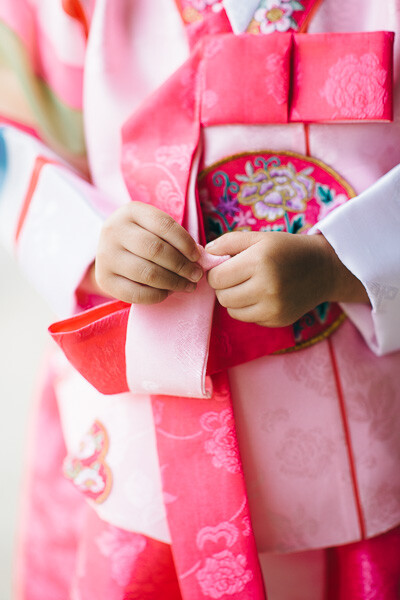
While shooting this portrait of a young girl, I noticed that she was playing with her ribbon quite intently. This details speaks volumes about her that her mother will remember forever. Her hands will never be that small again, and that is an important reason to highlight them with a detail shot.

Hanbok

A young child’s hands holding the ribbon on her Hanbok

You can use light, subject distance, lens choice, emotion, depth of field, and so many other technical aspects to show details and give extra depth to a story, or at the very least provide you with another interesting way to look at your subject.

Set aside a few hours over the next couple of weeks to practice this. Choose a subject. That could be a person, a craft, a street in your town, a time of day, or whatever else you choose. The task here is to explore that subject. Shoot it from as many angles, and in as many ways as you can, with each and every frame trying to tell the story of your subject. Be sure to shoot as many details as you can using the techniques above. When you finish, take the time to look over these images and make a selection based on the ones that speak the most about your subject. The details will shine here, giving another dimension to the collection of images you have shot.

Tools

Tools at a Thai umbrella factory

Do you have any other tips for capturing details to tell a story? Please share in the comments below.

The post Shooting Details to Tell a Visual Story by Dylan Goldby appeared first on Digital Photography School.


Digital Photography School

 
Comments Off on Shooting Details to Tell a Visual Story

Posted in Photography