RSS
 

Posts Tagged ‘Video’

Sample Reel: Check out the Panasonic FZ2500’s 4K video quality

12 Nov

The Panasonic FZ2500 made its Photokina 2016 debut sporting a 20MP 1″-type BSI-CMOS sensor and a 24-480mm equiv. F2.8-4.5 lens. And while it offers some pretty cool stills features, the FZ2500 is really a video-centered camera.

It is capable of 4K capture at both 24 and 30p as well as Full HD capture at up to 60p. The camera sports a fully-articulating touchscreen, mic and headphone ports as well as in-body image stabilization. The above video should give you an idea of the 4K and HD video quality, on-board microphone quality, image stabilization and zoom range. Note: when shooting 4K the widest focal length available is 36mm.

The only adjustments applied in post were to conform the higher frame rate clips to 30p, and to upscale as necessary to fill the frame.

Click here to download the clips for yourself. 

Articles: Digital Photography Review (dpreview.com)

 
Comments Off on Sample Reel: Check out the Panasonic FZ2500’s 4K video quality

Posted in Uncategorized


Sphericam Beast studio camera lives up to its name with 6K 10-bit Raw 360-degree video

12 Nov

Sphericam has introduced ‘Beast,’ its new pro-grade 360-degree VR camera. This beastly model features four 1″ 4096 × 2160 image sensors, four 190º fisheye lenses, and four M.2 SSD drives with a 2.8 GBs bit rate. This combination of hardware enables the camera to record ‘more than’ 6K resolution footage, according to Sphericam, at 60 fps in a 10-bit Raw format (30fps for stitched content). Beast is designed for use by studios and other companies in need of pro-grade VR hardware.

Beast spent ‘several months’ in development, says Sperhicam, and was recently launched at NAB in NYC on November 9. In addition to recording ultra-high-resolution 360-degree videos, Beast can livestream content to headsets or the web, making it suitable for broadcasters as well as filmmakers. The company hasn’t yet revealed how much Beast will cost, nor when it plans to commercially launch the camera.

Via: Digital Trends

Articles: Digital Photography Review (dpreview.com)

 
Comments Off on Sphericam Beast studio camera lives up to its name with 6K 10-bit Raw 360-degree video

Posted in Uncategorized


This 4K video tour of the International Space Station is probably as close as you’ll get to being an astronaut

02 Nov

Halloween’s not over yet – NASA has released a 4K treat. The 18 minute UHD video features a fly-through of the International Space Station. Get out your headphones, flip into full-screen mode and pretend your dreams of becoming an astronaut have finally come true.

Related: NASA astronaut Jeff Williams showcases ISS photography equipment

Articles: Digital Photography Review (dpreview.com)

 
Comments Off on This 4K video tour of the International Space Station is probably as close as you’ll get to being an astronaut

Posted in Uncategorized


Video: Game Boy Camera revisited

28 Oct

Some of us were thrilled to be reunited with the Game Boy Camera of our childhood. Others? Less thrilled. Watch as DPR staff revisit the Game Boy Camera – or in some cases, pick it up for the very first time. 

Read more about the Game Boy Camera

Articles: Digital Photography Review (dpreview.com)

 
Comments Off on Video: Game Boy Camera revisited

Posted in Uncategorized


Manfrotto launches new FluidTech Base and monopod kits for stills and video

22 Oct

Accessory-maker Manfrotto has introduced a new series of monopod kits called XPRO Monopod+ and a new FluidTech Base to help videographers to achieve smooth pan, tilt and swivel motions. The new Monopod+ models come in a choice of four or five sections. The legs are made of aluminum or carbon fiber and kits are available with and without heads. The actual monopods are the same as the existing XPRO models but they come with the FluidTech base included.

The new base is slightly larger than the one it replaces and offers three-way motion instead of just support for panning. The rotation can be locked off to allow only panning or unlocked to support smooth action in three directions. The base attaches and detaches by screwing it to the foot of the monopod, and while the base will hold the monopod upright on its own Manfrotto doesn’t suggest using it self-standing with a camera attached.

The new FluidTech Base will be $ 99.99/£74.95 and the kits including a monopod will start at $ 189.99/£144.95.

For more information visit the Manfrotto website.

Press release:

Introducing the new FLUIDTECH – Full Fluid Base: first of its kind 3D-movement for the smoothest video footage

  • Easy, instant locking and adjustment with the Quick Power Lock system
  • Superior stability and portability thanks to powerful lightweight aluminium & carbon fibre
  • Flexibility to switch from photo to video thanks to the accessory base

October 2016: Manfrotto, world leader in the photography, imaging equipment and accessories industry, presents a new offering featuring high-performance monopods for professional videographers and photographers: the new XPRO Monopod+ family.

When volume and weight need to be minimal, set-up speed is of primary importance, in crowded places where there’s no room for a tripod, or for creative, overhead footage – whenever a tripod is not the option, monopods are the solution. They enable users to quickly and easily move from one shooting point to another, providing stable support to video and photo equipment, ensuring incredibly smooth footage, ultra-sharp photos and creative shooting perspectives.

This exciting new generation brings image makers the ground-breaking FLUIDTECH – Full Fluid Base, making Manfrotto XPRO Monopod+ the first of its kind on the market featuring fluidity on all 3 axes to deliver ultimate smoothness in an extremely compact solution for advanced video shooting.

Articles: Digital Photography Review (dpreview.com)

 
Comments Off on Manfrotto launches new FluidTech Base and monopod kits for stills and video

Posted in Uncategorized


Google shows off Pixel imaging capabilities in demo video

19 Oct

Nat and Lo is a YouTube Channel that started out as a ‘20% project’ within Google and has an objective to ‘demystify the technology in our everyday lives.’ Now the makers of the channel have published a video that was almost entirely shot with Google’s recently announced Pixel high-end smartphone.

The Pixel comes with a A 6-element lens with F2.0 aperture, a 1/2.3″ 12.3MP sensor with 1.55µm sized pixels, on-sensor phase detection with laser-assist and a gyroscope-based electronic video-stabilization system. The demo video shows off all of those capabilities and features, mixing 4K output of the front camera with 1080p Full HD footage from the front camera and some slow-motion sequences. A comparison shot shows the efficiency of the new video stabilization system and viewers can enjoy some nice still images and panorama shots of New York City. 

The video doesn’t really show anything that we would not have seen before on various other mobile devices but gives a good overview of the Pixel’s imaging capabilities. To judge for yourself watch the video at the top of this page and don’t forget to flick on the 4K switch on YouTube.

Articles: Digital Photography Review (dpreview.com)

 
Comments Off on Google shows off Pixel imaging capabilities in demo video

Posted in Uncategorized


Sample reel: the Sony RX100 V shoots impressively detailed 4K video

16 Oct

Sony’s RX100-series has always been a capable machine for video as well as stills, and the Mark V version is no exception. With the addition of phase-detection autofocus and oversampled 4K footage, we’ve been impressed with what we’ve seen so far. In this video, you’ll be able to check out 4K footage, 1080p footage (scaled to 4K), high frame rate footage, and more. Note that for the image stabilization demo, no attempt was made to smooth the camera motion – just normal walking with a camera out in front.

The only adjustments applied in post were to conform the higher frame rate clips to 30p, and to upscale as necessary to fill the frame (there is no change in crop-factor when going to 1080p as long as you haven’t enabled active or intelligent active IS, the shift in the fountain shot was just a reframing of the camera on our tripod). Otherwise, all clips are straight-out-of-camera.

Click here to download the clip for yourself.

Articles: Digital Photography Review (dpreview.com)

 
Comments Off on Sample reel: the Sony RX100 V shoots impressively detailed 4K video

Posted in Uncategorized


A look at Google Pixel’s sensor reveals potential HDR video tech

14 Oct
Example of a sensor pattern with spatially varying exposure, in which pixels of the same color receive differing amounts of light. (From the Computer Vision Laboratory at Columbia University.)

Steven Zimmerman over at XDA Developers has just published an article with some insights into the Sony IMX378 sensor used in Google’s recently announced Pixel smartphones. Although he covers a number of technologies likely familiar to DPReview readers, such as stacked BSI-CMOS technology and on-sensor phase detect autofocus, there’s an interesting section on Spatially Multiplexed Exposure (SME-HDR) which has the potential to provide improved HDR video capture. It’s an interesting read, and one worth taking a look at if you’re interested in sensor technology.

Articles: Digital Photography Review (dpreview.com)

 
Comments Off on A look at Google Pixel’s sensor reveals potential HDR video tech

Posted in Uncategorized


Video: Sony a6500 First Look

08 Oct

From a pure design standpoint, Sony’s a6500 look all that flashy at first glance, but don’t let the looks fool you. It may look like an a6300, but with 5-axis in-body image stabilization, a touchscreen for focus point placement (even with your eye to the finder), and an improved processor that brings an extensive buffer and instant image playback/review to the Alpha line, it’s a compact force to be reckoned with. Get the low-down in our overview video. 

Articles: Digital Photography Review (dpreview.com)

 
Comments Off on Video: Sony a6500 First Look

Posted in Uncategorized


Beginner’s Guide to Doing DSLR Video Clips

06 Oct

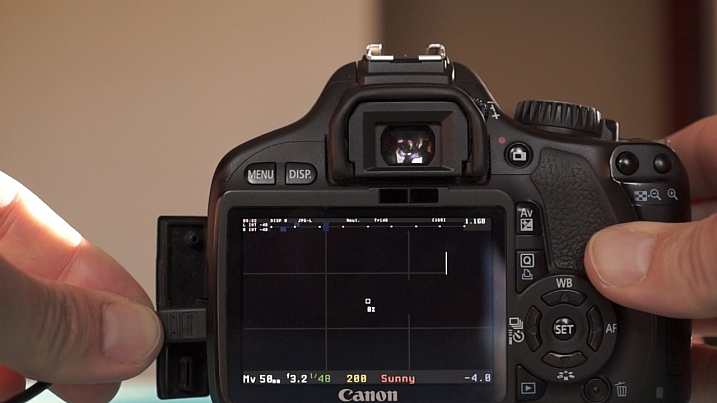
The video function on your camera is probably one that you don’t play with very often. It’s often disregarded – after all, DSLR cameras are not exclusively video cameras are they? But did you know that some big budget films, including The Avengers, have scenes shot on DSLR cameras? In fact, The Avengers used the Canon EOS 5D Mark II and 7D cameras on the set!
Dave Dugdale

By Dave Dugdale

Understanding your camera’s video mode opens a world of opportunities to you. Filming is great for recording a developing scene, rather than trying to record a sequence in a still image. As a wildlife photographer, I use film to record sequences of behaviour with wildlife. For obvious reasons, it’s much easier to convey something that occurs over time with moving images. Whether you work with wildlife or not, I hope the following guide to taking DSLR video helps you to unlock the potential of your camera’s video mode.

#1 Understand frame rates

When you’re shooting a video, you’re actually recording images at a very fast frame rate. These are then played back so quickly that the human brain sees one moving image. Depending on where or what you are shooting, the frame rate you go for will vary. It’s worth noting that the frame rate your camera can shoot video at is different to the frame rate at which it can shoot still images.

Movies are shot almost exclusively at 24 frames per second. Television doesn’t have an internationally accepted frame rate. For example, in Europe and many other countries, videos are shot in PAL format at 25 fps. In North America, and also Japan, videos are shot in NTSC format and at 29.97 fps (often written as 30 fps).
Steven Worster

By Steven Worster

#2 Choose your shutter speed

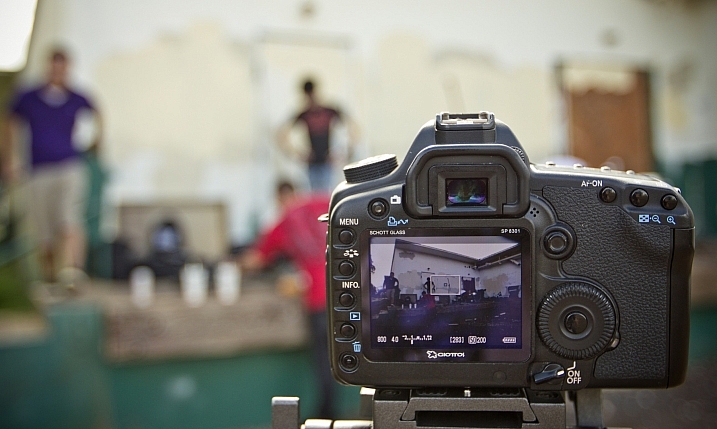
Big movie cameras will likely have rotary shutters. They are semicircular and spin around to expose the sensor for each frame. Filmmakers would then adjust the shutter angle to alter the amount of motion blur in a video and how smooth the movement appears to the eye.

DSLR cameras almost exclusively use curtain shutters. You don’t need to worry too much about the workings of the shutter for this. Just remember that to convey normal motion in your video, and avoid static uncomfortable viewing of your video, you should shoot at 1/ double the frame rate.

So, if you are shooting at 25 frames per second, then you should choose a shutter speed of 1/50th second. You can balance the exposure using the aperture or ISO. The following video illustrates the differences in motion blur with different shutter speeds.

#3 Do both wide and close-up shots

It can be easy to train your camera on an event, set it to record and leave it alone. But how many films or videos have you watched where the camera angle or composition never changes? Very few, if any. One of the best ways to keep the viewer’s attention, and add a professional touch to your videos, is to shoot one scene in a number of different compositions.

This is why shooting video with a zoom lens is so handy. You can zoom out to record your wide shots, and then zoom in to record close-ups that highlight the details of whatever you are filming. It allows you to jump between clips, keeping the viewer’s attention.

If you were to just show one clip for 30 seconds solid, it is likely that the viewer would become bored. If you cut between compositions, then their interests are peaked. It also allows you to skip through time, cutting between more interesting parts of a sequence (although you need to be careful that the scene looks the same and flows – that’s known as continuity).

Take a look at this example:

#4 Focus manually

It’s super tempting to use autofocus when you first start filming, especially if you’re recording a moving subject. But autofocus makes the lens search for the focus, and once it starts trying to refocus in your video then it looks very amateur. Instead, pull the focus manually.

You’ll need to practice this technique, but it’s not as hard as it sounds. Using a smaller aperture helps too. In big film productions, there are entire jobs for focus pullers – this is a guy who manually focuses the lens for the cameraman.

#5 Take filler shots

Make sure you record the little details around your subject of the film. It might be water hitting a leaf, or the wind blowing through trees. It could be anything. But filler clips let you pad out your final film with extra details, meaning that you don’t require footage of your target throughout the whole film.

This is particularly useful in wildlife films, as it helps to transition time and events more easily by breaking up different clips. It works in a similar way to the wide and close-up shots mentioned in tip #3 above.

#6 Record sound externally

Big productions never record sound directly from the camera. They’ll have a sound man with a boom pole, holding it over people talking. This removes the interference of you actually working the camera, but it also ensures sound receives the attention it deserves. A film without sound is often a bad film, but a film with only sound can paint a picture easily.

For wildlife, we record sound at a later date. Very rarely is it recorded at exactly the same time. Instead, it is dubbed onto the footage during editing. Here’s an example:

Notice how it helps the clips to flow into one another? I am definitely not a sound expert, but it helps to make a conscious effort to improve your sound recordings.

In Conclusion

Video is a fantastic medium, I love it. There is a reason we are transfixed by film and television. Quality film production is an art, just like photography, and it is great fun to try your hand at it. So switch over to the video mode of your camera and see what you can put together.

If you’ve made any DSLR films yourself, please share them in the comments below.

googletag.cmd.push(function() {
tablet_slots.push( googletag.defineSlot( “/1005424/_dPSv4_tab-all-article-bottom_(300×250)”, [300, 250], “pb-ad-78623” ).addService( googletag.pubads() ) ); } );

googletag.cmd.push(function() {
mobile_slots.push( googletag.defineSlot( “/1005424/_dPSv4_mob-all-article-bottom_(300×250)”, [300, 250], “pb-ad-78158” ).addService( googletag.pubads() ) ); } );

The post Beginner’s Guide to Doing DSLR Video Clips by Will Nicholls appeared first on Digital Photography School.


Digital Photography School

 
Comments Off on Beginner’s Guide to Doing DSLR Video Clips

Posted in Photography