We’ve added the Fujifilm X-A5 mirrorless camera to our ‘Best Cameras under $ 500’ buying guide. It’s too new to be eligible for an award, but that may change when we get our hands on one.
Articles: Digital Photography Review (dpreview.com)
Ahh, the Pen Tool! When it comes to making complex selections and cutting objects out of an image, there is no better tool for the job. And while the Lasso Tool or Magic Wand Tool might make selections faster and easier (and are still quite useful depending on the situation), the Pen Tool reigns supreme when it comes to accuracy and precision.
So, what’s the drawback? Well, it’s pretty tricky to get the hang of it. Even with all of the helpful videos and guides out there (including a handful of our own), we still get questions all the time on how to master this extremely versatile tool within Photoshop. In our most recent tutorial on the Pen tool, we focused on the absolute need-to-know fundamentals so that you can follow along and start practicing immediately.
Not only does the Pen Tool provide unparalleled accuracy and control, but it’s extremely flexible as well. Photoshop will store any Paths you create under the Paths tab. If you ever need to adjust a selection as you work, you can simply select the Path you wish to edit, make the changes that you need, and then convert that Path into a new selection.
![]() |
Before editing a Path, be sure to check Auto Add/Delete in the Pen Tool options bar. This will tell Photoshop to automatically swap to the Add Anchor Point Tool (when you’re hovering over a line segment) or the Delete Anchor Point Tool (when you’re hovering over an Anchor Point). This setting makes the process of making changes to a Path much easier.
Avoid using the Delete or Backspace keys to remove Anchor Points! These shortcuts will delete the selected point as well as the line segments that connect to it!
Another key to mastering the Pen Tool is making sure that your precision selections look realistic within the context of an image. I know that we use the Pen Tool for its clean lines and curves, but rarely in the real world will you find a completely hard edge. To maintain realism in your selections, be sure to add a bit of feathering to account for the naturally occurring softness in photographs. It’s a subtle change that will help avoid that “Photoshopped” look.
And if you ever feel lost, just remember your “home base” keyboard shortcuts:
For an even smoother workflow, toggle the Hand Tool by using the Spacebar. The Hand Tool allows you to navigate around your image by clicking and dragging, eliminating any need for you to have to zoom out, scroll, and zoom back in to continue a Path.
And most the most important tip of all: practice, practice, practice! The Pen Tool completely changed how I work within Photoshop and if you put in the time, I’m confident that you’ll see a considerable improvement in your own work as well.
About the Author: For over seven years, Aaron Nace has been teaching photography and photo manipulation on PHLEARN.com to millions of users across the world at every skill level. You can subscribe for his professional videos or view the free tutorials as well.
Articles: Digital Photography Review (dpreview.com)
![]() |
According to a report by Reuters AT&T’s decision to not sell the Huawei Mate 10 Pro, currently one of the best camera smartphones, in the US might have been made under pressure from the US Congress.
According to the report, lawmakers did pressure the communications company to drop its plans to offer Huawei’s devices to customers. AT&T is also being urged by Senators and House members to put an end to its collaboration with the Chinese manufacturer on standards for its 5G network.
The report claims that companies are being told that doing business with Huawei, China Mobile and other Chinese companies could reduce the chances of procuring government contracts. “The next wave of wireless communication has enormous economic and national security implications,” said Michael Wessel of a US-Chain security review commission. “China’s participation in setting the standards and selling the equipment raises many national security issues that demand strict and prompt attention.”
In addition, Congress has proposed a bill that would prevent any government agencies from working with the Chinese company. The proposal says that, according to US intelligence information, Huawei has shared sensitive information with the Chinese government, and that Chinese security agencies can make use of Huawei equipment to spy on US businesses.
As one would expect, Huawei insists that its technology does not come with any built-in tools for access to US communications infrastructure. The company also told Reuters that its equipment is used by 45 of the world’s top 50 carriers, for all of whom security is a priority.
The good news is that If you are based in the US and did like the Mate 10 Pro’s camera performance in our full review, you’ll still be able to purchase the device, just not through a carrier. Instead you can buy the unlocked version on Amazon, Best Buy and other retailers.
Articles: Digital Photography Review (dpreview.com)
With the global digital camera market expected to surpass $ 2 billion by 2021 (study by Technavio), no wonder the market is crowded with different digital cameras at different price points. Big market players such as Panasonic, Canon, Sony, FujiFilm, Casio, Kodak or Olympus are consistently launching new products and banking upon advanced photography trends such as large optical zooms, bigger Continue Reading
The post Best 6 Cameras to Buy Under $ 300 appeared first on Photodoto.
[ By SA Rogers in Art & Sculpture & Craft. ]

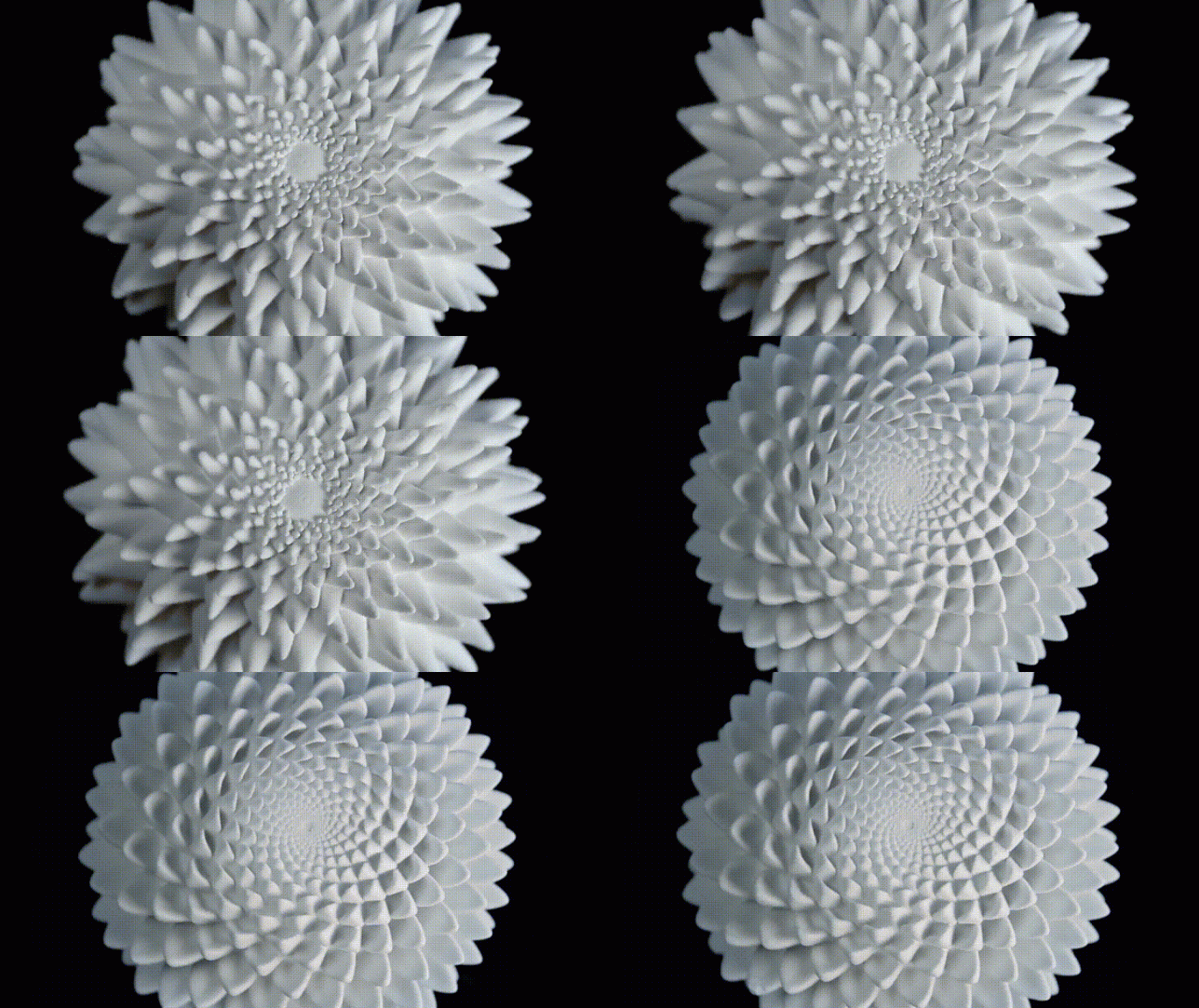
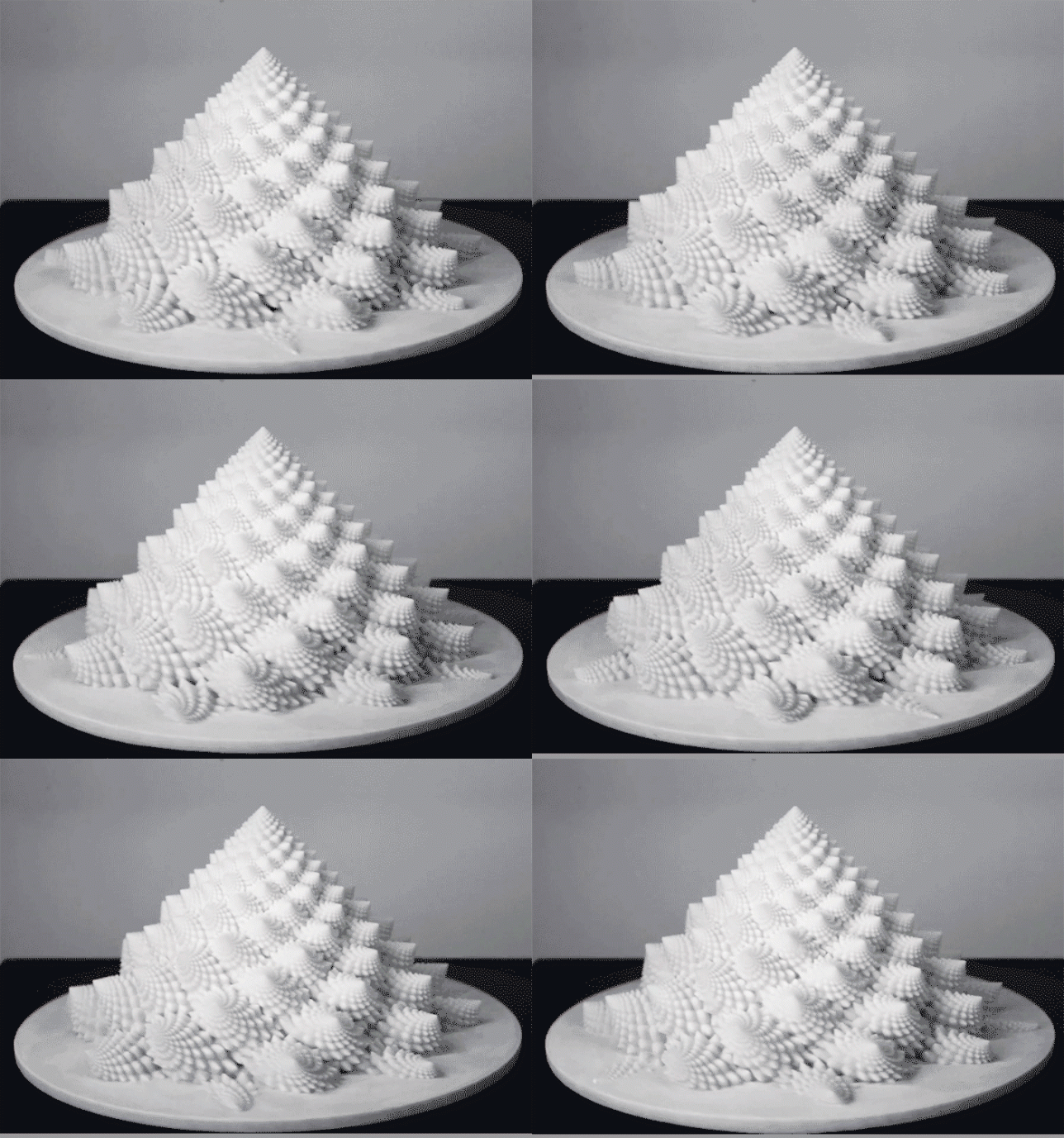
It’s really easy to lose a chunk of your day getting lost in the hypnotizing effects of these trippy 3D-printed sculpture animations by artist John Edmark. Drawing from spiral patterns and numerical sequences often found in natural objects like pine cones, cacti, sunflowers and seashells, the objects seem to shift and change before your eyes when spun under a strobe light. Watching the videos of the sculptures in motion, it’s hard to believe these aren’t digital animations.

“Unlike a 3D zoetrope, which animates a sequence of small changes to objects, a bloom animates as a single self-contained sculpture,” says Edmark. “The bloom’s animation effect is achieved by progressive rotations of the golden ratio, phi, the same ratio that nature employed to generate the spiral patterns we see in pinecones and sunflowers. The rotational speed and strobe rate of the bloom are synchronized so that one flash occurs every time the bloom turns 137.5 degrees (the angular version of phi.) Each bloom’s particular form and behavior is determined by a unique parametric seed I call a phi-nome.”


The artist explains that much of his work celebrates the patterns underlying space and growth, explored through kinetic sculptures and transformable objects. Highly precise mathematics come into play in both the design and fabrication of each object, more to ask questions about spatial relationships that can only be answered with geometrically exacting constructions than to put that precision on display or “exalt the latest technology.”


It’s a cool way to utilize 3D-printed objects, though, and if you want to play with the effect yourself, you can even purchase the individual shapes from Edmark via Shapeways. He offers a tutorial to repeat the results at Instructables.


[ By SA Rogers in Art & Sculpture & Craft. ]
[ WebUrbanist | Archives | Galleries | Privacy | TOS ]
You must be logged in to post a comment.