
Whew. What a year.
But if you're reading this, you made it through!
As we all move into a hopefully much better 2021, here are three things you can do to improve your experience as a photographer for the coming year.
Read more »
Strobist
Whew. What a year.
Read more »
Strobist
 |
Astropad successfully funded Luna Display for Mac on Kickstarter in late 2019. The company is back with another project, Luna Display for Windows. The new project was fully funded in its first hour on Kickstarter. Luna Display for Windows allows iPad owners to turn their Apple device into a wireless PC display.
Astropad states that Luna Display for Windows is the only hardware solution available to turn any modern iPad into a wireless second display for a PC or Mac. You can connect your iPad via Wi-Fi or with a wired connection. For a physical connection, you can select between USB-C or HDMI Luna Display units. Astropad promises ‘lag-free lightning-fast speeds’ and compatibility with any Windows or Mac application
 |
| Luna Display for Windows boasts many features, including support for iPad touch gestures. Image credit: Astropad |
Luna Display for Windows is fully compatible with external keyboard and mouse peripherals, full iPad touch gestures and supports Apple Pencil pressure sensitivity. Astropad promises low latency and a ‘crystal clear’ display.
When working on a single display, especially a smaller notebook display, it can be difficult to fit your entire workspace. With a second display, you can instantly and easily expand your workspace, allowing additional flexibility when working. If you don’t need a second display but would like to be untethered from a desktop computer, you can use Luna Display wirelessly to work on your iPad anywhere you can connect to your Wi-Fi network, such as in a more comfortable room in your home or maybe even outside.
In order to ensure a low-latency and clear wireless image, Luna leverages its own custom video compression technology, LIQUID. The rendering system adjusts in real-time to prevailing network conditions to ensure fast performance. Luna Display promises latency as low as 16 milliseconds, which is considerably faster than the 204ms of Windows Connect and 64ms performance when using Apple’s Airplay technology. Further, LIQUID uses GPU acceleration when available to ensure stable performance.
Luna Display requires the use of a small device, which you can plug into an HDMI port (Windows compatibility only) or USB-C (compatible with Windows and Mac). The device’s size varies slightly with the selected port type, but in either case, it weighs a little over an ounce.
Once your Luna Display is inserted into your computer, you will need to open a dedicated Luna Display app on your computer and your iPad. As soon as the applications are running, you’re good to go.
Luna Display for Windows requires Microsoft Windows 10 64-bit, Build 1809 or later. It requires an Intel or AMD processor with 64-bit support that is 2 GHz or faster. As for RAM, Luna Display requires at least 4 GB. Luna Display for Windows is compatible with Intel HD Graphics 520, AMD Radeon RX Vega 3, NVIDIA GeForce 820m or later; or an equivalent DirectX 11 compatible GPU. On the iPad side of the equation, nearly any iPad will work. Luna Display is compatible with iPad Mini 2 (2013 or later), iPad Pro (2016 or later), iPad 5th generation (2017 or later) and iPad Air (2013 or later). Your iPad must be running iOS 9.1 or later and 32-bit devices are not supported.
 |
| Image credit: Astropad |
You can pledge $ 49 USD to support Luna Display for Windows and save up to $ 31 off retail price. Luna Display for Windows is scheduled to begin shipping in May 2021. For additional information and full pledge details, head to Luna Display for Windows Kickstarter project page.
Disclaimer: Remember to do your research with any crowdfunding project. DPReview does its best to share only the projects that look legitimate and come from reliable creators, but as with any crowdfunded campaign, there’s always the risk of the product or service never coming to fruition.
 |
Following in the footsteps of Canon, Fujifilm has released a Windows-only program for turning your Fujifilm camera system into a webcam.
Fujifilm X Webcam, as it’s being called, makes it possible to turn nine different Fujifilm X Series and GFX System digital cameras into webcams for use with video conferencing software such as Skype and Zoom. We previously shared how you can do this through more convoluted means, but this first-party program should make it easier and guarantee better integration with the supported Fujifilm systems, including the GFX100, GFX 50S, GFX 50R, X-H1, X-Pro2, X-Pro3, X-T2, X-T3 and X-T4.
Much like Canon’s webcam software, Fujifilm’s is Windows-only for now, so macOS users will still have to use third-party means of accomplishing this. You can download Fujifilm X Webcam for free on Fujifilm’s website.
Duet Display, the software that was launched as a way to turn an iPad into a secondary Mac display, has launched support for Android. The new Duet Display for Android app enables users to turn an Android smartphone, tablet, or Chromebook into an extra display for use with a PC or Mac computer, a feature that is particularly useful when working outside of the office.
Apple made the Duet’s main product defunct with the launch of its Sidecar feature, which now directly offers a way for using an iPad as a secondary Mac display. Users had anticipated an eventual arrival of Duet Display for Android given the sudden change in its primary market.
As with iPad, Android and Chromebook users can turn their devices into secondary displays for a main PC or Mac computer by connecting the two with a USB cable. Users must install the free Dual desktop client on their computer and the Duet Display Android app on their supported secondary device.
Duet supports gestures and touch control, enabling users to scroll and zoom, among other things, directly on the secondary device. The Duet Display for Android app costs $ 19.99 USD, but is temporarily discounted on the Google Play Store at $ 9.99 USD.
Brandon Stanton, the photographer behind the wildly successful website-turned Facebook page-turned Best Selling Book “Humans of New York” surprised everyone today with a bombshell announcement. For the past 4 years, he’s been quietly filming over 1,200 personal interviews with his portrait subjects, and he’s turning those interviews into a HONY TV series starting next week.
The series was created in conjunction with cinematographer Michael Crommett, and the official announcement and trailer went live just 20 minutes ago on the Humans of New York Facebook Page.
“Early on I realized that video would add a deeper layer to Humans of New York. At the heart of all these posts are the conversations themselves,” writes Stanton. “I’m often deeply moved by the people I meet. Or they make me laugh. Or they make me think. And I always do my best to recreate the experience through photos and words. But I always knew that video would provide the closest thing to ‘actually being there.’”
Inspired by this realization, he began filming interviews… many many interviews. But instead of posting them one day at a time as he has been doing with his photos, he held onto them in the hopes of creating something special down the line. Down the line has finally arrived.
“My goal was not to make a television show based on Humans of New York. I wanted the television show to *be* Humans of New York,” explains Stanton. “I think I came pretty close. And I think/hope you will love it.”
Watch the trailer for Humans of New York (The Series) at the top of this article, and then head over to the HONY Facebook Page for more info. The Series premiers next week on Facebook Watch.
 |
| NASA’s image of the day is a composite, taken by the Moderate Resolution Imaging Spectroradiometer (MODIS) on its Aqua satellite. It shows phytoplankton swirling in the currents of the Black Sea. Credit: NASA/Jeff Schmaltz, LANCE/EOSDIS Rapid Response |
The Black Sea is one of the largest bodies of water on earth, measuring 168,500 square miles, and it turns out not to be black at all. NASA’s appropriately-named Aqua satellite captured this shot last month, showing the deep blues and turquoise colors of the Sea from an orbital altitude of 438 miles. This is actually a composite image, made up of multiple photographs taken during several passes over the region.
The light-colored swirls are billions of phytoplankton – floating microscopic organisms plated with calcium carbonate.
Read more at NASA.gov
[ By SA Rogers in Destinations & Sights & Travel. ]

Slides actually make a lot of practical sense in urban environments, potentially zooming over busy streets and transferring pedestrians from high ground to low ground faster than an escalator or set of stairs. That is, as long as people use them in an efficient manner and don’t clog them up. A mainstay on playgrounds around the world, slides can add a sense of fun to urban settings for adults, too. These examples of slides integrated into architecture, temporarily installed in city streets and doubling as public sculptures offer some exciting inspiration (take the hint, architects and city planners!)

Zoom from the 70th floor of Los Angeles’ U.S. Bank Tower to the 69th in a fully transparent, 45-foot-long glass slide with thrilling (or terrifying, depending on your feelings about heights) views of the city below. The Skyslide opened this year on the West Coast’s tallest building, and though the glass is only 1 1/4 inches thick, the slide is said to be earthquake- and hurricane-proof.


‘Park and Slide’ by UK-based artist Luke Jerram temporarily turned Bristol’s Park Street into a waterpark, drawing in 65,000 visitors to watch 360 lucky lottery winners ranging in age from 5 to 73 slide from one end of the street to the next. “This massive urban slide transforms the street and asked people to take a fresh look at the potential of their city and the possibilities for transformation,” says Jerram. “Imagine if there were permanent slides right across cities?”


Designed as part of the Overvecht train station’s redevelopment, the Transfer Accelerator slide in Utrecht makes leaving the train station a little bit faster, and a lot more fun. The slide was integrated into the stairs outside the station as part of a push to encourage more commuters to take the train instead of driving.


This four-lane stainless steel slide at Cliveden House in Buckinghamshire, former home to Waldorf and Nancy Astoria, distracts visitors from ongoing restoration work and offers an alternative way to get back to lawn level rather than the scaffolding-covered stairs. It’s not often that you see a theme-park-worthy slide attached to a regal old manor house – it’s too bad it’s not a permanent feature.



[ By SA Rogers in Destinations & Sights & Travel. ]
[ WebUrbanist | Archives | Galleries | Privacy | TOS ]
[ By WebUrbanist in Conceptual & Futuristic & Technology. ]

For an inevitable future when oil gives out in the Middle East (or nautical supply chains are replaced by pipes), a series of designers have envisioned creative ways to reuse the behemoths that currently ship this infamous commodity around the world.


The Black Gold Project proposes a different kind of design revolution for an area of the world currently striving to build the tallest and most stunning structures on the planet: pragmatic conversions of shipping vessels into functional land structures.


A joint project of Chris Collaris Design, Ruben Esser, Sander Bakker, and Patrick van der Gronde, the resulting renderings take advantage of the versatility found inside such huge and open interior volumes.


Cultural exhibitions, shopping centers and art museums could all be housed inside these massive hulls, not to mention residential and office spaces. The decks above could become public parks and performance spaces.


There are practical drawbacks to be considered, however, including the impact of waves, saltwater and wind over time as well. Still, as a conceptual project, the idea is compelling (if more poetic than realistic): turn the very vessels responsible for the rise and fall of these oil-producing nations into something new that remains, at the same time, a monument to days gone by.
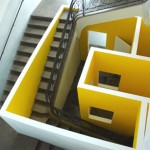
Installation art fuses lies at the intersection of art and design, architecture and interiors, and blurs the boundaries between form, function and innovation.
Click Here to Read More »»

These 15 buildings are brave and bold in solid black, from modern private residences to museums and offices.
Click Here to Read More »»
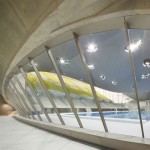
From 1896 to 2012, here are some attentio-grabbing standout structures of the Olympic Games including stadiums, velodromes, aquatics centers, towers and more.
Click Here to Read More »»


[ By WebUrbanist in Conceptual & Futuristic & Technology. ]
[ WebUrbanist | Archives | Galleries | Privacy | TOS ]
Seven Things You’ll Wish You Knew Before Turning Pro

Do you remember your first job? Your first, proper, grown up full-time job. You probably walked in on your first day, not really having much of a clue about what was expected from you. Your manager probably sighed to themselves at the thought of moulding your young, inexperienced self into a viable member of the workforce.
It probably took time but with some guidance, a bit of a learning curve, and probably a few mistakes along the way, you made it.
Now replicate that situation, but imagine you don’t have a manager, or any colleges to bounce ideas off of and to ask for advice. Welcome to your first tentative steps into self employment as a full-time photographer.
You might have been running your business alongside a day job for a while before making the leap. You might have found a support network and accountant, and you might have a good idea of your own processes and policies.
You never know what you don’t know though, so I picked the brains of a group of full-time, professional wedding photographers to find out what they wish they’d known when starting out.
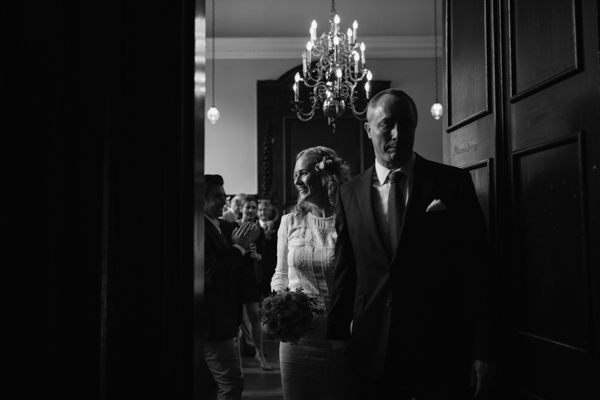
1) “It doesn’t matter how good you are at taking photographs if you’re no good at marketing your business.” – www.blincpicsphotography.com
Building a brand, working on your organic search engine reach, getting featured, focussing on word of mouth referrals, and paid advertising can all be great ways of getting your name out there. It can be a little overwhelming to know where to start though!
dPS has some great articles on marketing techniques in its archive here.
2) “Don’t be scared to say no. It’s okay to turn away business if it’s not a good fit for you.” – Smashing the Glass
We’ve all been there, especially early on in our careers. You accept any job that crosses your path, including those who just need a photographer within their budget, rather than specifically wanting YOU and appreciating your value.
Sometimes you take jobs because they pay you money and you need money. In an ideal world, though, it’s all about creating value and making people see that value, and building your business to attract the clients you want to work with.
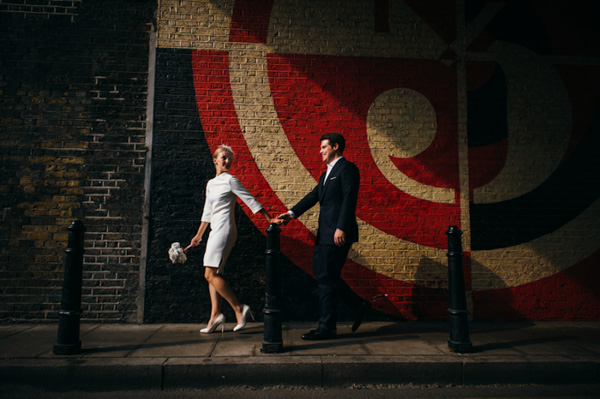
3) “Creating a good workflow is essential. You need to establish good habits from day one.” – Tux and Tales Photo
You might not think you need a client management system to start off with, but you do need a way of tracking your client work flow.
You also need to establish procedures, processes, and a routine that helps you get things done. How will you know when to send out a final invoice? How will you gather feedback from customers to improve your service going forwards? How will you manage expectations? You could use PDFs that explain procedures to clients and set expectations, or you could publish information on your blog or website that explains the way you work and your timescales.
Just because you work for yourself doesn’t mean you can let go of good structure and procedures.
Also do your accounts weekly. Trust me.
4) “The most unique selling point you have is you.” – Jordanna Marston
Be true to yourself, trust your gut and don’t worry too much about what you think you should be doing. Be true to yourself and you will attract clients that connect with you.
The most successful wedding photography businesses I know have their owner’s personality stamped all over them. They have created a brand, they create work that they believe in and that’s authentically them.
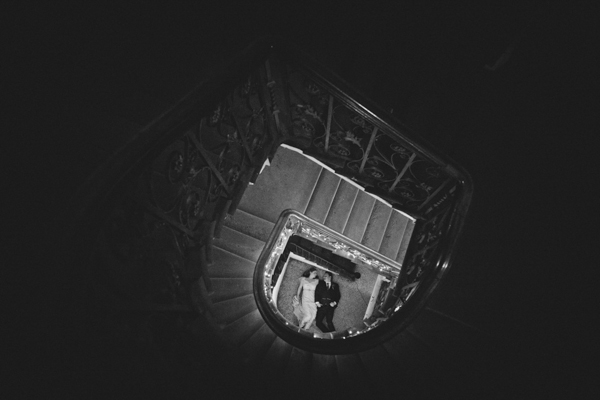
5) “When photography is your passion and your business, you can end up doing it 24/7.” – My Heart Skipped
Don’t forget to explore, discover, be curious and do other things that fill your heart with joy. That joy and creativity will feed back into your photography.
Of course the opportunity issue can occur too and you might find that you only end up shooting when you’re working, rather than shooting for pleasure. Find a balance. Do personal work and have other interests and sources of inspiration.
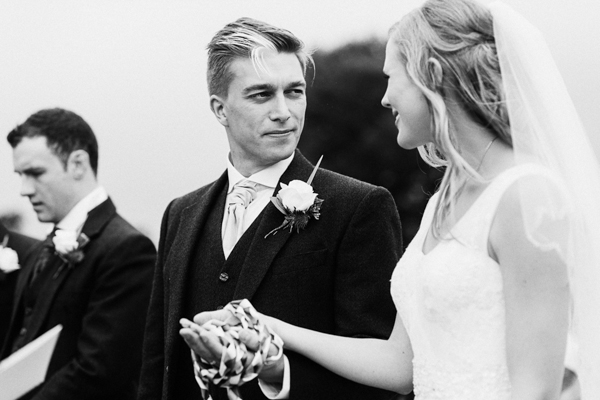
6) “You can’t make a silk purse out of a sow’s ear.” – Andy Gaines
It’s tempting to focus on editing and throwing a filter on everything to find your style, but your style will come naturally when you’re making good work.
What makes your image is light, composition, expression and moment. Not the latest trend in post-processing.

7) “Keep work and play time separate, not only for yourself, but for those you love.” – Paula Ohara
If you learn how to fully switch off, you’ll be fully switched on when you need to be.
Work/life balance is so important. A huge tipping point for me was when I designated a separate work space. I have an office in my house now, but there was a time that I worked from the corner of my living room. It’s really good to have that separation, so you can switch off at the end of the day.
Keep at least one day a week free for yourself. Sunday is my day off now and I try to take it easy on a Monday, if my work load allows it. In my first year or so I routinely worked seven days per week, to keep on top of my editing and my day job commitments.
Make balance a priority. Although I haven’t quite mastered it myself yet…
Are you a pro, do you have any other tips you’d add to this list?
googletag.cmd.push(function() {
tablet_slots.push( googletag.defineSlot( “/1005424/_dPSv4_tab-all-article-bottom_(300×250)”, [300, 250], “pb-ad-78623” ).addService( googletag.pubads() ) ); } );
googletag.cmd.push(function() {
mobile_slots.push( googletag.defineSlot( “/1005424/_dPSv4_mob-all-article-bottom_(300×250)”, [300, 250], “pb-ad-78158” ).addService( googletag.pubads() ) ); } );
The post 7 Things You’ll Want to Know Before Turning Pro by Laura Babb appeared first on Digital Photography School.
[ By WebUrbanist in Architecture & Cities & Urbanism. ]

Designed to shield the exposed edges of Lower Manhattan from increasingly-disastrous storms, this impressive system of parks and other public spaces is also designed to serve the everyday needs of New York citizens.


Rising sea levels and increased flood frequencies may eventually are the driving threat behind this competition entry. Big U, an urban design scheme authored by Bjarke Ingels Group (BIG) and others, is one of a set of submissions to Rebuild by Design, a competition from the U.S. Department of Housing and Urban Development (HUD). This plan calls for a series of discrete interventions that together form a protective buffer.
Jeremy Siegel, one of the project leads, elaborates: “Because they all work individually, you end up with a system that’s resilient. If you have a breach in one area, it’s localized and you can organize evacuation into neighboring compartments. It’s a little bit like the hull of a ship, where you’ve got different segments, and breaching one area doesn’t necessarily mean that the whole system fails.”

One of the advantages of this segmentation is the ability to build in sections, breaking a massive construction project down into discrete steps that can be implemented sequentially for budgeting and other pragmatic reasons. Each area features its own personality and amenities, including aquariums, swimming pools, walking paths and seasonal markets.
Learning local lessons from Hurricane Sandy (and national ones from the likes of Katrina), the architecture teams participating in the competition sought to address social as well as engineering needs. Located anywhere else and their ambitious plans might sound far fetched, but New York City is already home to Central Park and The High Line.


Siegel notes that, particularly in a place like NYC, “If you’re going to be investing so much money into an infrastructure for resiliency–that’s going to be sitting along one of the most spectacular coastlines in the world–there’s a huge opportunity there to also improve civic infrastructure, so it can protect the city, but also become a platform for civic life.” As for other proposed schemes, you can see and read more about the finalists and (eventual) winners at Rebuild by Design.
A long-abandoned underground space may soon be turned into a subterranean version of the High Line park, complete with high-tech sunlight harvesting.
Click Here to Read More »»

Out of four recent proposals for a radical overhaul of Penn Station in New York City, this concept is far and away the most dramatic.
Click Here to Read More »»

A tale of two neighborhoods, these graphics (and their hybrid) stunningly illustrate how much further you can get on foot when you take a walk through an …
Click Here to Read More »»
[ By WebUrbanist in Architecture & Cities & Urbanism. ]
[ WebUrbanist | Archives | Galleries | Privacy | TOS ]
