RSS
 

Posts Tagged ‘tune’

Lighting 103: Use Gels to Tune Your Home’s Lighting

05 May

Abstract: You can use your knowledge of color temperature and gels to improve the quality of light in your home.

So far, everything we have done has centered on gelling a single light to create a single desired color shift. But before we make the jump into using multiple colors and light sources, one quick hack for your home's lighting that will help you to improve the quality of light in compact fluorescent and LED bulbs.

Like the gawdawful green-tinged lamp above, for example. Read more »
Strobist

 
Comments Off on Lighting 103: Use Gels to Tune Your Home’s Lighting

Posted in Photography


Maximum sharpness: Nikon’s automated AF Fine Tune explained

22 Apr

Among the features introduced in Nikon’s new D5 and D500 DSLRs, we’re very excited by automated AF Fine Tune. This feature allows users to quickly fine-tune their specific camera bodies and lenses, maximising the chances of a sharp shot and avoiding the lengthy process of trial-and-error tuning that was previously necessary. Watch our video and read our in-depth analysis.

What’s the problem?

If you’re a DSLR shooter, you may be acutely aware of consistent front or back-focus issues with some of your lenses, particularly fast ones like F1.4 primes. Mirrorless users tend to not have such issues, because their cameras focus using their image sensors. When a mirrorless camera says it’s achieved focus, generally it’s actually in focus. That doesn’t necessarily hold true with DSLRs, which use a secondary phase-detect sensor under the mirror as a sort of proxy for focus at the imaging plane. This makes DSLR focus sensitive to misalignments between the secondary AF module and the image sensor, and also requires calibration of the optics inside the module itself. Furthermore, the way these phase-detect AF modules makes them sensitive to certain lens aberrations, like spherical aberration.

Manufacturers of DSLR bodies and lenses do a lot of calibrations to make sure that this isn’t an issue, calibrating every AF point at the factory, writing look-up tables into lenses, and more. But the reality of tolerances is such that you’ll be best off if you calibrate your particular copy of a lens and your particular copy of a body yourself. That’s what AF Fine Tune, or AF micro-adjustment as Canon calls it, is all about.

State of the current art…

Up until now, this calibration procedure has required cumbersome procedures for accurate calibration. We’d often set a camera up on a tripod and align it to a LensAlign (which has a sighting tool), then have to change the set up to test different subject distances, lighting, or lenses. Some photographers even try to Fine Tune on the spot by trying different values and seeing if a real-world target looks sharper or not – but this method is extremely prone to error. Solutions like FoCal have tried to automate the procedure, but again, the requirement of a chart and a computer is cumbersome.*

… disrupted

Nikon’s new automated AF Fine Tune makes things as easy as child’s play. It uses contrast-detect AF in live view, which focuses using the image sensor and is nearly always accurate, to calibrate its own phase-detect AF system. Watch our video above to get an idea of just how easy it is to calibrate your lenses on the new D5 and D500 cameras.

A couple of things are worth keeping in mind. For some lenses and systems, the optimal calibration value can change for different subject distances. This isn’t necessarily always the case, but you may wish to calibrate for the subject distances you’re most likely to shoot for any particular lens. For a good all-round calibration, we’re told that using a target approximately 40x the focal length away strikes a good balance.

The key here is to play around a bit. Try a couple different distances, a few different runs, and make sure you’re getting a consistent result. Sometimes we’ve found the optimal value to change with lighting temperature, but this sort of thing is precisely why the automated procedure is so valuable: if you’re running into trouble with focus, you can – right at the wedding reception you’re shooting – set the camera on a table, point it at a static object, and calibrate your camera in under 10 seconds. Yeah, we timed ourselves.

The result

Here’s an example of how Fine Tune helped calibrate our Nikon 24/1.8 to our D5. Roll your mouse over the ‘OFF’ and ‘ON’ buttons to see Sam’s eye sharpen up. If you click on the main image, you can see the full image in a separate window, where you’ll notice that the ‘OFF’ shot is front-focused on Sam’s nose, while the ‘ON’ shot is focused correctly on his eye. We placed a single AF point over Sam’s left eye (on camera right) for focus in both cases.

AF Fine Tune OFF
(focused on nose)
AF Fine Tune ON
(focused on eye)

In this case, for this lens paired to this body, automated AF Fine Tune found a value of +14 was best. This indicates that for correct focus, the camera has to shift focus backward an arbitrary 14 units from the focus reading the phase-detect sensor makes. In other words, out of the box, this lens on our D5 front-focuses. If it had back-focused out-of-the-box by a similar amount, we might have expected the automated procedure to find -14 to be the optimal value.

How we’d like to see this feature evolve

AF Fine Tune currently only writes one global value per lens. This means the calibration value can’t be adjusted for either end of a zoom. Furthermore, only the center point can be calibrated – the camera assumes that the calibration at the factory ensures all points are consistent with one another and, importantly, the center point. Finally, as mentioned earlier, sometimes the optimal value can change based on subject distance.

Canon cameras currently at least offer to microadjustment values for either end of a zoom, but don’t offer any sort of automation to help you out. Sigma and Tamron USB docks allow for calibration at either end of the zoom, and for 3 to 4 different subject distance ranges, allowing for a high degree of accuracy of calibration. Unfortunately, entering 4 different subject distance ranges for two ends of a zoom mean the user has to literally set up the camera 8 times, with some sort of test target for accurate assessment – hardly practical for most working photographers.  

The key here is automation: automating opens up a world of opportunities, and automated Fine Tune is an important first step. We’d even imagine a future implementation where calibration data for all focus points is stored and learned from over time. Every time you calibrate a particular point, the camera could retain subject distance information (passed on to it via the lens), and over time learn the best calibration values for each point, for all subject distances, for different temperatures and lighting as well (the latter are often minor concerns).

To sum up…

Nikon’s automated AF Fine Tune is truly one of the most welcome features we’ve seen added to a DSLR in recent times. We’ve wondered for years why camera companies don’t use their contrast-detect AF to self-calibrate their phase-detect systems, instead relegating calibration to a cumbersome end-user experience.

Automated Fine Tune changes all that. It’s a really useful feature that takes a lot of guesswork and cumbersome aspects of calibrating yourself out of the equation, allowing you to do it on the spot, at an event, anywhere, on the fly. In fact, anyone working with shallow depth-of-field imagery should absolutely perform this procedure. Wedding, newborn, portrait, lifestyle, photojournalist, and even sports photographers: take note.


* We really like Reikan FoCal for research purposes though: you get a plethora of data for how a body/lens combination behaves at different subject distances, on different days, under different lighting, and even a map of the optimal calibration value per AF point. Of course, since you can only enter one global adjustment value into your camera, this information is a bit more academic, but if you want to get an idea of the behavior of your system, there’s probably no more comprehensive tool than FoCal.

Articles: Digital Photography Review (dpreview.com)

 
Comments Off on Maximum sharpness: Nikon’s automated AF Fine Tune explained

Posted in Uncategorized


To the point: LensRentals shows how to use Autofocus Fine Tune

23 Jan

DSLR autofocus has been the Gold standard for decades but the higher accuracy and precision offered by some mirrorless cameras risks tarnishing this image. However, many modern DSLRs include an option to fine-tune the autofocus behavior to help optimize their performance. Guest writer Joey Miller has written a short guide to how to make use of this feature, over on the LensRentals blog.

You don’t necessarily need any specialist equipment to fine tune your lenses. But if you’re going to go to all this effort, it might be worth it. Photo: Joey Miller

The article builds on the work Roger Cicala has already done, looking at the reasons that fine tuning is needed, with one of the main reasons being to cancel-out the effect of the combined tolerances of your camera body interacting with the combined tolerances of the specific copy of the lens you’re using.

As we reach higher pixel counts, this imprecision is being highlighted in ever more detail (it was always there, but your camera wasn’t letting you examine the problem in such fine detail).

Miller uses a Canon setup as an example, with up to two corrections per lens being possible (a ‘Wide’ and ‘Tele’ value being available for zoom lenses). But even this is a rather blunt instrument when it comes to achieving perfect accuracy. Given the variation we encounter using off-center focus points, a more complete solution would require something more like the Olympus system for Four Thirds lenses, which allowed two values per lens, per focus point. The best correction value can also change with subject distance, which is why Sigma’s USB dock offers the ability to set four different values for four different subject distances.

Even if such control over calibration were possible for the end-user, it would be so arduous as to be nearly impossible. Products such as Reikan FoCal can help, but it’s still fairly involved, and the situation-to-situation, day-to-day variability we’ve noted with some systems means even these don’t completely solve the problem. Thankfully, the process looks as if it’s about to be made simpler, with Nikon’s D5 and D500 gaining something we’ve been proposing for several years now: an automated fine tune system that checks the results of its contrast-detect AF in live view mode to calculate the corrections needed to fine tune its secondary sensor phase-detection system. It’s rather rudimentary in that only one value can be entered for any lens and body combination, but it’s certainly a step in the right direction. 

Articles: Digital Photography Review (dpreview.com)

 
Comments Off on To the point: LensRentals shows how to use Autofocus Fine Tune

Posted in Uncategorized


Countdown to PIX 2015: Tune in tomorrow!

05 Oct

DPReview’s first major event – PIX 2015 – kicks off tomorrow! The best news? You don’t even have to book a last-minute flight to Seattle to participate. Starting Tuesday at 10AM PT, you can tune in right here and be part of the experience, or watch the archived content later, at your convenience. Read more

Articles: Digital Photography Review (dpreview.com)

 
Comments Off on Countdown to PIX 2015: Tune in tomorrow!

Posted in Uncategorized


Tune in to DPReview Live this Thursday and Friday

08 Oct

This Thursday and Friday October 11-12th, DPReview is teaming up once again with CreativeLive on a live streaming broadcast. We’ll be talking with industry experts and pros about current technological advancements and what they mean to photographers. Additionally, we’ll have on hand plenty of new gear announced at Photokina and DPReview editorial staff will discuss the highlights and trends seen at the show. Learn more

Articles: Digital Photography Review (dpreview.com)

 
Comments Off on Tune in to DPReview Live this Thursday and Friday

Posted in Uncategorized


Fine Tune Your Exposures With Spot Metering

09 Apr

The metering systems of today’s digital cameras are light years beyond cameras of just 10 to 15 years ago. What this means is that in many situations, the camera’s meter, left to its own devices, is going to do an excellent job at getting a good exposure. While evaluative (or matrix) metering and center-weighted average metering take into account the entire scene, albeit in different ways, spot metering mode provides a tool for metering only the part of the scene you as the photographer consider most important.

I used spot metering on this image  due to the sun setting over her shoulder, making the sun and sand exceptionally bright behind her. By metering on the model's shoulder, I was able to maintain detail in the shadow areas, without hurting the drama of the lighting.

I used spot metering on this image due to the sun setting over her shoulder, making the sun and sand exceptionally bright behind her. By metering on the model’s shoulder, I was able to maintain detail in the shadow areas, without hurting the drama of the lighting.

Spot metering is especially helpful when the subject is much brighter or darker than the background, and the subject does not make up a majority of the image.   Most cameras, when set to spot metering, are set to measure an area of the image as small as 1.5% of the total image area.  This varies from camera to camera, so check your manual for the exact specification.  In addition, while most consumer cameras use the center of the image for spot metering, usually defined by a circle in the viewfinder, others allow for tying spot metering to the active AF point, which then ties your choice of focus point to the meter.

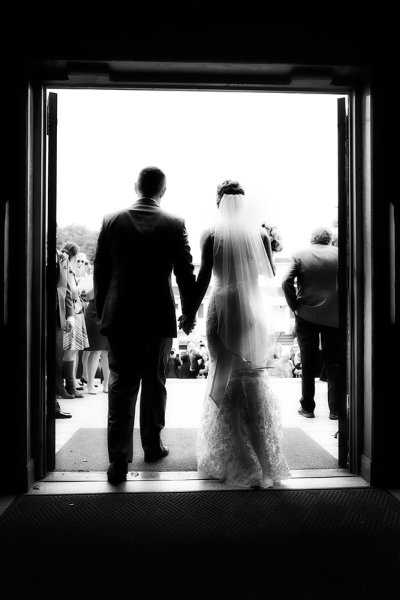
When I saw this shot I immediately knew what I wanted.  I did not want to completely lose the detail in the dress, but I did want a near-silhouette effect to add to the mood of the image.  Using the spot meter, I metered off the sky, and then dialed in +1/3 of exposure compensation to bring back some dress detail.

When I saw this shot I immediately knew what I wanted. I did not want to completely lose the detail in the dress, but I did want a near-silhouette effect to add to the mood of the image. Using the spot meter, I metered off the sky, and then dialed in +1/3 of exposure compensation to bring back some dress detail.

Generally, if you’re spot metering, and your camera’s spot meter is at the center of the image area, you will have to use Exposure Lock as well. This is because if the meter only works at the center of the image, and the area you’re metering is NOT the center of the image, you will need to recompose after metering.  Exposure Lock ensures that your exposure is locked in once you have metered the scene, before you recompose the shot. Exposure lock is generally activated by pressing a button on your camera while metering.  It will then hold the exposure you locked in, at least until you release the shutter button.  Some cameras will hold the metered reading until you deactivate Exposure Lock. On Canon cameras, Exposure Lock is achieved by pressing the (*) button.  On Nikons, exposure can be locked by pressing AE-L.

When you’re dealing with a high contrast situation, such as a bright background with a dimly lit subject, or a dark background with a brightly lit subject, switching your metering mode to Spot Metering can be an easy way of ensuring that your exposure is exactly where you want it.

I was shooting the sunrise on Cadillac Mountain in Acadia National Park when I spied this couple sitting on a rock.  I moved around behind them, and spot-metered on the sky. Because the meter tries to make the metered area a mid-tone, I knew it would silhouette my subjects perfectly.

I was shooting the sunrise on Cadillac Mountain in Acadia National Park when I spied this couple sitting on a rock. I moved around behind them, and spot-metered on the sky. Because the meter tries to make the metered area a mid-tone, I knew it would silhouette my subjects perfectly.

Post originally from: Digital Photography Tips.

Check out our more Photography Tips at Photography Tips for Beginners, Portrait Photography Tips and Wedding Photography Tips.

Fine Tune Your Exposures With Spot Metering


Digital Photography School

 
Comments Off on Fine Tune Your Exposures With Spot Metering

Posted in Photography


How To: Easily Fine Tune Your Flash Right From the Camera

18 Feb

Strobist reader (and relative lighting newb) Ron Ibarra of New York City asks, via Twitter:

"I can't control the flash through the PC cord. Am I doing something wrong?"

Nope, Ron, you are not. A PC cord is what we call a "dumb sync," meaning it only triggers the flash but does not otherwise control it. And if you are a smart photographer, all you really need is a dumb sync.

That's because you can control everything right from the camera itself. And today's follow-the-bouncing-ball post will show you the super-easy way to do just that.

Read more »
Strobist

 
Comments Off on How To: Easily Fine Tune Your Flash Right From the Camera

Posted in Photography


photoshop fashion color tune

26 Oct

Video Rating: 4 / 5

This Photoshop tutorial demonstrates how to quickly get Instagram-like effects by downloading specific color effect actions to apply to photographs. Watch more at www.lynda.com This specific tutorial is just a single movie from chapter two of the Photoshop for Photographers: Creative Effects course presented by lynda.com author Chris Orwig. The complete Photoshop for Photographers: Creative Effects course has a total duration of 4 hours and 57 minutes, provides a practical guide to enhancing photos, and shows how to modify color and light to add vibrance, drama, and emphasis. Photoshop for Photographers: Creative Effects table of contents: Introduction 1. Creating Vibrant, Saturated, and Rich Colors 2. Creating Subdued, Artistic, and Unique Colors 3. Adding Light and Shadows 4. Increasing Visual Interest with the Blur Gallery 5. Adding Motion 6. Creating Lens Flare Effects 7. Making HDR Toning Effects 8. Creating Digital Infrared Looks 9. Adding Film Grain 10. Creating Vintage Effects 11. Adding Border and Edge Effects 12. Blending Layers Together 13. Working with Custom Brushes 14. Working with Photoshop Plug-Ins Conclusion

 
Comments Off on photoshop fashion color tune

Posted in Retouching in Photoshop