RSS
 

Posts Tagged ‘this..’

Photos: This is what it looks like when farm machinery goes to battle

23 Jun
The Lind Combine Demolition Derby takes place the second weekend of June every year, and draws huge numbers of people to a town with a population of around 550.
Panasonic Lumix S Pro 50mm F1.4 | ISO 100 | F5.6 | 1/100 sec

Lind is one of those western American towns that, unfortunately, a lot of folks have forgotten about. It was never a huge town, but the railroad brought enough hustle and bustle to support people’s jobs and families. But then the completion of Interstate 90 from Seattle to Boston effectively altered the flow of people around Lind instead of through it.

There are still a handful of businesses scraping by – Slim’s Tavern is one, and Jim’s Market is another. Although, given that Slim’s is owned by a man named Skip, it seems unlikely that Jim’s Market is still owned by someone who goes by Jim. Then again, Slim’s has literally been around for more than a hundred years, so I guess an eventual change in ownership was inevitable.

Bill, at his home one block off main street in downtown Lind. Bill used to be the announcer for the demolition derby, but health problems have forced him to retire and pass on the torch.
Lumix S 24-105mm F4 | ISO 100 | 1/320 sec | F4

A friend and I went to Lind for the one weekend a year where Slim’s Tavern is packed to the rafters. It’s the only weekend where Skip’s grandson comes through not just to visit, but to help out behind the bar, pouring shots of Jaegermeister and Fireball, neither of which is stocked (or needed) for the bar’s regulars the rest of the year. There are only two beers on tap: Budweiser and Bud Light, and they ran out of Bud Light.

The second weekend in June is home to the Lind Combine Demolition Derby. There are pickup truck races too, and there’s a parade, but the main attraction concerns the smashing of ancient combine harvesters. These mechanical steel farm hands belch out black diesel smoke as they slam into each other in the arena to the sounds of cheers and the crushing of beer cans.

The tail-end (pun intended) of the parade.
Lumix S 24-105mm F4 | ISO 100 | 1/1250 sec | F4

So how exactly does a combine demolition derby work? There are several heats taking place over the course of the afternoon starting at 1pm sharp, and if a driver hasn’t made contact with another combine in three minutes, he or she is disqualified. The last wreck still moving at the end of each 15-minute heat is the winner, and in-between heats there are intermissions where teams may make some repairs if necessary. Honestly, the full rules are pretty thorough.

And lest anyone worry about the waste involved in smashing up perfectly good equipment – well, it’s not exactly perfectly good. The rules require the combines to be quite old, and most people are upgrading to fancier GPS-driven equipment anyway. Will they eventually run out of old combines? Perhaps. But for now, that’s a bridge best crossed when it’s arrived at.

In any case, my friend and I showed up on the morning before the main event, just catching the tail-end of the parade. The plan? Talk to the locals, soak up the culture, and photograph the crap out of everything. It was a spectacle the likes of which I’ve never seen before, and won’t likely see again (until next year, anyway).

Spectators in the beer garden are kept some distance from the combines, but that doesn’t mean you won’t get covered in dust.
Lumix S 24-105mm F4 | ISO 100 | 1/400 sec | F4

I used the new Panasonic Lumix DC-S1R. This brief story, and the point of our trip, are about the town and pictures of Lind and not about the gear we used, so I won’t go into too much detail beyond the fact that it was a great camera for this sort of work. In short, it was responsive, sealed against the dust and beer, and gave me tons of resolution and great color out-of-camera.

Some of these images will make a reappearance in our full S1R review, but for now, enjoy the sights of Lind, Washington, during the one weekend where the town’s status rises to that of ‘destination’, the streets are crowded, and late at night, the bar is once again packed.

Spectators exit the stands after most of the combines have died.
Lumix S Pro 50mm F1.4 | ISO 100 | 1/320 sec | F8

All images in this story are processed through Adobe Camera Raw 11, using the ‘Camera Standard’ color profile.

Sample gallery

$ (document).ready(function() { SampleGalleryV2({“containerId”:”embeddedSampleGallery_4883233679″,”galleryId”:”4883233679″,”isEmbeddedWidget”:true,”selectedImageIndex”:0,”isMobile”:false}) });

Articles: Digital Photography Review (dpreview.com)

 
Comments Off on Photos: This is what it looks like when farm machinery goes to battle

Posted in Uncategorized


Hasselblad’s first XCD zoom, the 35-75mm F3.5-4.5, finally arrives this October

22 Jun

Hasselblad’s press release says its first zoom lens for the X system is ‘eagerly awaited’, though some users might consider ‘much delayed’ a more accurate phrase. Promised in 2017, the XCD 35-75mm F3.5-4.5 should finally be arriving in stores in October this year.

The company seems to think it will all be worth the wait though, as its chief designer declares it to be the ‘best zoom lens available on the market’. Said to offer the same edge-to-edge image quality as a series of prime lenses, Hasselblad claims it is the best lens it has ever developed.

Using an internal focusing system that allows the lens to retain the same compact dimensions throughout the zoom range, the lens is said to provide fast AF in a lightweight package.

The Hasselblad XCD 3.5-4.5/35-75 Zoom lens will cost $ 5175 / €4500 / £4050. For more information see the Hasselblad website.

Hasselblad XCD 35-75mm F3.5-4.5
Focal length 35.9-73.1mm
Focal length equiv 28-58mm
Aperture range F3.5-32/F4.5-32
Angle of view (D, H, V) 77°/64°/50°
Length/diameter 145 / 85 mm
Weight (excl. covers and lens shade) 1115g
Filter diameter 77 mm
Minimum distance object to image plane 0.42 / 0.6 m

Press release

THE NEW XCD 3,5-4,5/35-75 – PRIME LENS PERFORMANCE IN A COMPACT ZOOM

The ninth addition to the X System lens range is the eagerly awaited XCD 3,5-4,5/35-75 Zoom Lens. Delivering the same superb image quality from edge-to-edge as the XCD prime lenses, this extremely high performance, compact mid-range zoom covers moderate wide angle to short telephoto focal lengths. Its internal focusing keeps the lens’ dimensions constant, delivers quick autofocus and additionally keeps the overall weight down. Ideal for shooting anything from wide angle landscapes to portrait images, this lens is perfect for photographers who are looking to keep the amount of equipment they carry when travelling to a minimum but don’t want to compromise on image quality. “This really is the best lens Hasselblad has developed – its performance is extremely high, competing with our prime lenses. I can even go as far to say that it’s probably the best zoom lens currently available on the market,” says Per Nordlund, Hasselblad Lead Optical Designer.

Like the rest of the XCD lens range, the XCD 35-75 features an integral central lens shutter, offering exposure times from 68 minutes to 1/2000s with full flash synchronisation throughout.

Articles: Digital Photography Review (dpreview.com)

 
Comments Off on Hasselblad’s first XCD zoom, the 35-75mm F3.5-4.5, finally arrives this October

Posted in Uncategorized


This AI that can generate a 3D walking model from a single still image or painting

22 Jun

Researchers with the University of Washington and Facebook have detailed a method using artificial intelligence to animate a person using a single still image. The algorithm is called Photo Wake-Up, and it will be presented at the Conference on Computer Vision and Pattern Recognition on June 19.

The Photo Wake-Up algorithm is given a single still image, such as a photo of a person standing or even an image of a less-than-realistic painting. The system animates the character or person featured in the still image, enabling it to step out of the photo and move forward in 3D space. The hole in the image where the character was located is automatically filled in by the software.

According to the study, the method can create a 3D character from the still image that is capable of walking, running, sitting, and jumping in 3D. The resulting animations can be experienced using augmented reality, enabling artwork in museums to literally walk off the wall, for example.

Despite the input image only providing a single camera position, the resulting 3D model can be viewed from the side and back, as well. The quality varies based on the image; a sample video shared by the researchers shows some 3D models that look more realistic than others.

As has already been demonstrated with AI-based faced generation technologies, it’s likely the quality of this method will improve greatly over coming months and years. The study follows a different method revealed by Samsung in May that can transform a still image of a face into an animated, talking video.

Articles: Digital Photography Review (dpreview.com)

 
Comments Off on This AI that can generate a 3D walking model from a single still image or painting

Posted in Uncategorized


DJI Spark 2 drone will not be released this summer as rumored

21 Jun

It has been almost a year since DJI introduced a new drone aimed at consumers. The Mavic 2 Pro and Zoom models were announced on July 18th of last year. With rumors swirling that the planned Phantom 5 line was canceled, while most of the Phantom 4 series has remained sold out for the past six months, it was expected that the world’s top drone manufacturer would release an update to one of its popular models in the near future.

DroneDJ recently reported that a Spark 2 drone was slated for release this summer. The original Spark was released April 15, 2017, making an upgrade long overdue. The spark is even smaller in size than the Mavic series. It’s an ideal accessory for vacations and family events which is why the July release made perfect sense. The online publication got some bad news this past Tuesday.

‘We have received word that the Spark 2 launch that was scheduled for July 23rd has been postponed indefinitely. An industry insider told us that DJI sent out a memo last week stating: “due to a shift in priorities the July 23 event is now on hold until further notice.” Unfortunately, no information was provided explaining the postponement nor was a new date announced.’

‘An industry insider told us that DJI sent out a memo last week stating: “due to a shift in priorities the July 23 event is now on hold until further notice.” Unfortunately, no information was provided explaining the postponement nor was a new date announced.’

Here are some of the specs and upgrades DroneDJ author Haye Kesteloo expected from the DJI Spark 2:

  • 4K video at 30fps
  • Increased video bitrate
  • An improved 3-axis gimbal
  • ActiveTrack 2.0
  • 2x digital zoom
  • An increased flight time of 18 minutes versus 16 minutes for the original Spark
  • New battery design that is not compatible with the original model
  • Same official range but with a new antenna design and a new remote controller featuring improved tech for a better connection. OcuSync 2.0 will likely not be included
  • Two exterior colors: black and white
  • A new panorama mode

DJI recently released the Robomaster S1, a ground-based robot aimed at educators and students interested in Science, Technology, Education, and Mathematics (STEM). This latest cancellation of the Spark 2 has insiders and enthusiasts, alike, wondering when they plan on shipping a new-and-improved drone.

Articles: Digital Photography Review (dpreview.com)

 
Comments Off on DJI Spark 2 drone will not be released this summer as rumored

Posted in Uncategorized


Teaching at Porto Photo Fest this October

09 Jun

Just a quick heads-up for anyone based in Europe that I’ll be teaching several classes at the Porto Photo Fest on October 12-13 this fall. This is the only time I’ll be teaching in a public event this year.

The folks at PFF gave us a lot of control in structuring the classes (which they may live to regret!) But we think we have come up with some really cool stuff.

PLEASE NOTE: There is currently early bird pricing in effect. So if you might be interested, it’s worth acting in a timely manner.

Co-Teaching with Sara Lando

I’m stoked to once be again collaborating with Sara Lando, one of the most creative people (and brilliant photographers) that I know. We will be co-teaching a class, something we last did together in Ireland in 2017.

This Sunday, October 13 class will be on photographing people. It will be taught from two different perspectives. Sara and I will essentially be representing the right and left sides of your brain respectively.

We’ll be flipping back and forth from between the lighting/technical side and the interpersonal/creative side. This is a class designed both to enhance your strengths and, more important, to really go after your weaknesses. At some point Sara and I will probably get into an argument. (Not to worry, she’s Italian, so this is perfectly normal.)

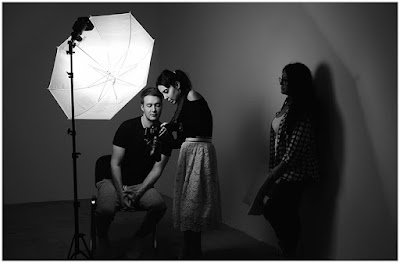
This setup is probably my very favorite approach to teaching lighting, because it interweaves some more organic/human/creative layers with f/stops and lighting techniques.

The course description is not very detailed, so here is what you should know. We’ll be a class of (max) 20 people, usually split into two groups of ten. We’ll work all day progressively hitting both the interpersonal stuff (with Sara) and the technical stuff (with me.)

We will further separate into smaller groups of 3-4 people, and you’ll be shooting all day. Lighting equipment will be provided. If time permits, we may bust out a little Iron Chef-style competition at the end of the day. We’ll have to see. No matter what, this class will be both fast-paced and fun.

Portrait Class details and signup

In the Fish Bowl

Later Sunday evening, Sara and I will transition from our co-class to an onstage event where we’ll be putting some of these yin-yang principles to the test in front of an audience, real-time, mistakes and all. Think of it as a tag-team portrait session between two brains that think nothing alike.

If you are in the day class, you are automatically included in the evening event. But you can also attend separately.

(Way) Outside the Box

On Saturday morning (October 12) I’ll be doing a 3-hour talk on some of the things we usually don’t think about as photographers. But these are things that, in retrospect, probably should have been obvious. This is an evolution of a talk I have given in Seattle, Berlin and London.

This class is designed to help you to integrate your photography with the rest of your non-photo life skills and expertises; to learn to think of photography not as an end-all but as a catalyst for creating more powerful and unique other things.

We’ll look at how other photographers have quietly applied this approach to great ends, and I’ll help you to roadmap how you can learn to adapt this thought process to your own situation.

In short, the key to being able to compete effectively with the bajillion other image makers out there is to create, and then own, a very un-level playing field. Because if life is not going to be fair anyway, it should at least be unfair in your favor.

Class details and signup


Strobist

 
Comments Off on Teaching at Porto Photo Fest this October

Posted in Photography


This wooden Leica is a covert music box with rotating ‘lens’

29 May

Unlike some of the camera replica projects that have surfaced over the years, this wooden Leica music box is available to purchase now. The music box, which is available from multiple sellers through online retailers Amazon and eBay, features a combination of wood components and wood burning to imitate the Leica M camera system.

$ (document).ready(function() { SampleGalleryV2({“containerId”:”embeddedSampleGallery_5276490978″,”galleryId”:”5276490978″,”isEmbeddedWidget”:true,”selectedImageIndex”:0,”isMobile”:false}) });

Different versions of the music box are available, including options that play Für Elise, The Blue Danube, and more modern tunes like the Harry Potter theme song. Users wind the music box by rotating the front lens, which then slowly unwinds as the music plays. Prices vary based on seller, but generally sit around $ 12.

Articles: Digital Photography Review (dpreview.com)

 
Comments Off on This wooden Leica is a covert music box with rotating ‘lens’

Posted in Uncategorized


Try this DIY Neutral Density Filter for Long Exposure Photos

15 May

The post Try this DIY Neutral Density Filter for Long Exposure Photos appeared first on Digital Photography School. It was authored by Rick Ohnsman.

You could buy an expensive ND filter to make a long exposure image like this. Or, you could do it “on the cheap” with the trick you’ll learn in this article. 162 seconds f/8, ISO 100

You’ve seen those landscape photos where the water has been rendered silky smooth, ocean waves look more like fog, or the clouds have streaked motion effects?  How are they done?  They are long exposure photos. The shutter speed often measured in full seconds rather than fractions of a second.  Some even measured in minutes of exposure.  In low light, you can sometimes slow your shutter speed by decreasing the aperture size and setting the ISO as low as it can go.

Of course, if you’re working in bright light, you may find that even with the smallest aperture and lowest ISO you still can’t get the shutter speed slow enough to produce the effect you want while still maintaining proper exposure.  What can you do then?  It’s time for a Neutral Density Filter.

So what are they, how do they work, and how can you achieve a similar effect without immediately laying down about $ 100 U.S dollars for one?  Read on my friend.

This one was done with a variable ND filter. With a 30-second exposure, whatever moves will blur. Note the water and clouds.

What is ND and why use it?

On a bright sunny day, you may reach for a pair of sunglasses to reduce the amount of light coming into our eyes.  A Neutral Density (ND) Filter is much the same for your camera.  The “density” part of that term refers to how dense or dark the filter might be.  The “neutral” portion of the term refers to the coloration the filter might add to the image.

If we’re making color images, we’d like a filter that would help reduce the amount of light while remaining neutral in color and not putting a color cast on our images.  So we want a neutral filter that can cut the light in situations where the ambient light is too bright to get a slow shutter speed beyond that obtainable with a combination of the lowest ISO and smallest aperture.

A 6-stop ND filter was used here. 30 seconds, f/20 ISO 100

Types of ND filters

The DIY approach to long exposure photography to be discussed here uses a method never initially designed for photography but will allow you to give this technique a try “on the cheap.”  Rather than spend around $ 100, it’ll cost you a tenth of that.  Before I reveal the “secret,”  let’s first talk about the commercial photographic ND filters you might buy.

Camera filters typically fall into two types:

Screw mount – Those that screw into the filter threads on the front of your lens

Square filters – Those that are mounted to the lens with a filter holder.

Both are available in varying degrees of density.  How dark the filter is, is typically described in how many “stops” of light it reduces compared to an exposure without the filter.

For example, if you made a proper exposure at ISO 100, f/5.6, 125 seconds, and then after the filter was mounted, you needed to slow the shutter speed to 1/2 second to get the same exposure, (assuming you left the ISO at 100 and f-stop at 5.6), that filter would be a 6-stop ND filter.  (1/125 – > 1/60 -> 1/30 – 1/15 -> 1/8 -> 1/4 -> 1/2 second ).  The density of the filter would have reduced the amount of light by 6-stops.

You can purchase both screw mount and square filters in various “strengths” or number of stops they reduce the light.

For example, this 77mm screw-mount 6-stop ND filter made by B&W runs about US$ 71, while this popular 10-stop square mount ND filter, the Lee “Big Stopper” is at this writing US$ 129.00.

A variable ND might work, but take it too far…

…and you’ll get weird artifacts.

Variable ND Filters – Another type of ND filter uses two polarized filters mounted together so they can be rotated in a way that produces variable density.  One might think this is a better solution than a fixed ND filter, allowing the photographer the means of adjusting the desired stops of reduction.

That would be ideal, and it works – to a point.

The problem with variable ND filters is sometimes they can produce nasty “artifacts” that spoil the image, especially on wide-angle lenses at higher density settings with less expensive variable ND filters.

More expensive variable ND filters will be better, but of course, cost even more.

The “One Weird Trick” ND filter

You’ve seen that “one weird trick” phrase used on the web before, right?  Usually, it’s for a gimmick that is less than a quality product.  I confess, what I’m going to suggest here is a bit of a gimmick and no, won’t deliver the results of the pricier dedicated photography ND filters.  You have to perform a few workarounds to get it to produce decent results and mounting it to your camera will be a little… “funky,” shall we say?  The upside is, it will probably cost about 1/10th of what a true photographic ND filter.

So, it could be a nice introduction to long exposure photography, while allowing you to explore this technique on a budget to see if it’s for you.

So here’s the big reveal…

What you are going to use is a piece of welder’s helmet glass.

You’ve seen welders wearing helmets while they work and perhaps noted a glass “window” they look through to observe their work?  The intensity of arc welding is so great that without a way to darken the welding spark the welder would be blinded.  So, a piece of very dark glass, a “density filter,” is what they have in their helmets.  The common denominator is the welder wants to darken the welding arc and you, as a photographer, want to darken the light coming into your lens.

These aren’t spacemen. They are welders and that piece of glass you see in their helmets is what you need for this “weird trick.”

What and where to get it

What you are looking for is a piece of welding glass used in a helmet.  Pieces can be purchased alone, (as replacements for the helmets) and in various sizes and “grades.”  You might have a local welding supply shop where you can get these or purchase them online.  Here is a link to an example. The glass measures 4.5″ x 5.25′ (114.3 mm x 133.35 mm) which is large enough to cover most camera lenses.  It comes in grades 4, 5, 6, 8, 10, 11, 12, and 14 with the higher numbers being darker/denser.

This chart may help you in determining the conversion from “grade” to the amount of f-stop reduction:

To keep it simple, most often you will use a 6-stop or a 10-stop ND filter.  One popular brand of ND filters is Lee. Their “Little Stopper” is a 6-stop filter, and their “Big Stopper” is a 10-stop filter.  So consulting the chart, if you wanted a 6-stop welding glass filter, get a Grade 6, and for a 10-stop reduction, get a Grade 8.

The left half of this shot shows how the uncorrected image looks due to the heavy green color of the welder’s glass. The right has been white-balanced using the custom white balance method discussed.

Density Yes, Neutral… not even close

This is probably the biggest drawback to using a piece of welding glass as an ND filter.  You can get very dark pieces of welding glass, so density isn’t a problem.  The problem is that most welding filters have a very pronounced green, or in some cases, gold color cast.

Dedicated photography ND filters may have a little coloration, but try to come as close to neutral as possible.  You will pay more for more neutral filters as you’d prefer to get darkening without coloration.  So what to do when using a welding glass filter?

Three options to dealing with the color cast

There are three things you can do to help reduce the distinct coloration a welding glass filter causes:

  • Shoot in Raw, (which you do anyway, right?) and adjust your white balance when editing to compensate.
  • Set an in-camera Custom White Balance
  • Plan to make your images monochrome where color casts won’t be a problem.

Let’s discuss these options.

The first is simple enough.  Yes, when you review your images after shooting on the camera LCD they will look very green.  (I’ve only used the green welder’s glass, not the gold).  Just know you will be adding lots of magenta, (the opposite of green), to your white balance when you edit.  Even then, good color may be a struggle.

Rather than fight the color cast, maybe monochrome is the ticket when using the welder’s glass ND trick.

The second option, setting a custom white balance, is a good idea.  To do so, mount your welding glass filter, (more on that in a minute) and make an exposure of the sun or bright sky.  Then, using the custom white balance function of your camera, (consult your manual on how to do this), store that image and white balance on it, creating a custom white balance you can use to shoot with when using your welding glass filter.

The advantage of this is image playback on your LCD will be closer to a normal color.

Additional tweaking will likely be needed in post-processing, but this may help you a bit when shooting.

The third option, (and to me maybe the best) is not to fight the color cast and plan to make your welding glass filter shots monochrome.  Long exposure images have an “ethereal” look often enhanced in a monochrome image.  So, rather than fight trying to restore good color from that alien green image, embrace monochrome.

If you decide you love long exposure photography, you will then likely buy a photographic ND filter which will make much better color shots.

Calculating your exposure

Before mounting your welding glass on your lens, you will want to compose your shot as usual.  You will also want to obtain good focus.  Do this first, because you won’t be able to see much of anything with the welding glass mounted.

Once focus has been obtained, switch the focus to manual.  Consider putting a piece of tape on the focus ring so it won’t move later.

Now make a shot with good exposure without the filter.  You will be changing your shutter speed once the filter is mounted, so choose an aperture and ISO.  What setting you choose will depend on the depth of field you require and also how long you’d like your exposure to be.  The slower the shutter speed you set here (while still getting a proper exposure), the longer your exposure can be with the filter.

Your subject will largely dictate your desired exposure length and the look you are trying to achieve. A silky waterfall might only require a 2-second exposure while smoothing ocean waves could take 30 seconds and streaking clouds in the sky a couple of minutes.  There is no formula here – trial and error will help you learn what works right.

The monochrome version of this shot above was done with the welders’ glass and an exposure time of 1.6 sec. This shot was taken later when the last rays of sun lit the turbines and also used 1.6 seconds. Too short a shutter speed and the blades were frozen. Too long and they disappeared. 1.6 seconds was the “sweet spot.”

Using an app to calculate shutter speed with the filter

Your meter will likely be useless once you mount the welding glass ND filter so you will need to calculate shutter speed yourself using the previous exposure information as a starting point.  There are numerous smartphone apps available to help you.  I like the one made by Lee Filters (Android / iOS ). Made for use with their Little (6-stop)/Big (10-stop)/Super (15-Stop) filters, you will need to tweak a bit when using it with your welding glass. However, it will get you in the ballpark, and you can adjust from there.

Let’s use an example:  You’ve made a shot without the filter and with the ISO set at 100 and the aperture at f/22 you can get the shutter speed down to 1/15th of a second and make a proper exposure.  You bought both a Grade 6 (6.67-stops) and Grade 8 (10-stops) pieces of welding glass.  What will your new shutter speed need to be with each filter installed?  Using the Lee app, we can see the 6-stop reduction would put us at between 4 and 8 seconds and the 10-stop reduction at 1 minute.

Again, plan on using these adjusted settings as starting points.  Try them and adjust your shutter speed (or possibly other settings) as needed.  Definitely plan on taking multiple shots as you get things dialed in.  Long exposure photography is not something you do in a hurry.

It’s funky, but it works. Reverse the lens hood and use rubber bands to attach the welder’s glass filter.

Attaching the welding glass filter

You’ve set up the camera, composed, focused, locked everything in, calculated your new shutter speed and are ready to mount the welding glass ND filter.  I think I used the word “funky” earlier in the article to describe how you will attach your DIY ND filter to your lens.  The photo here, showing how reversing the lens hood on your lens and then using rubber bands pretty much depicts the technique.

Something to improve it a bit – put some black gaffer tape on the edges of your piece of welders glass.  This will give the rubber bands a surface with more friction to grab onto.  (It also helps you in hanging onto the glass).  I’m not sure if the edges of the glass would transmit light onto the image, but the tape will also prevent that should it occur.  If your lens doesn’t have a hood to reverse, try larger bands which will allow you to stretch them back around the camera body.

Try not to disturb the focus ring as you mount the filter.  You will not be able to check focus again once the filter is in place.

Set your focus BEFORE mounting the filter and turn the switch to Manual focus (MF)

Making the shot

With the welder’s glass filter mounted, you will pretty much be “flying blind.”  You will not be able to see anything through the viewfinder, and maybe, if your filter isn’t too dark, you might be able to see just a little bit using live view if your camera supports that.  You better have composed and focused before mounting the filter as you can’t see to do it now.  Your meter will also not work with such low light.

While you could use the 2-second timer to trip the shot, I’d suggest a remote release.  You will also definitely need one if you’ll be making exposures over 30-seconds (on most cameras) in which case you will be putting your camera in Bulb-Mode.

A release that allows you to lock the shutter open during the exposure will help a lot here.  The Lee exposure calculator app also has a countdown timer.  Activate it when you open the shutter and it will countdown and beep at the end of the calculated exposure time telling you when to close the shutter.

If your shutter speed will exceed 30-seconds, you will probably need to use bulb mode. A remote release is a good idea in such cases.

You may also want to consider using the noise reduction feature of your camera.  Noise can be a problem with long exposures.  The noise reduction feature will make a second black frame image the same length as your first shot and then subtract any random noise or hot pixels from your image using the black frame as a reference.

Keep in mind, however, that the black frame exposure will be as long as the original shot so if you are, for example, making a 2-minute exposure, your camera will be busy for four minutes.  I told you, you don’t do long-exposure photography in a hurry.

No filter. A straight shot – 1/25 sec. f/8 ISO 100

Back in post-production

You edit your long exposure images much as you do with any regular shot with the big exception of that crazy color cast.  There are lots of web resources that tell you how to help correct for that cast so I won’t spend time on that here.  Just know that with this welding glass technique you will never get the color as good as you would without the filter.  I still believe that monochrome is the way to go here.

Using the welder’s glass ND. Custom white balanced in the camera, color corrected again in Lightroom and Photoshop. 162 seconds, f/8 ISO 100. The monochrome version is at the top of this article.

Frustrations and limitations

I’ve since bought a real ND filter, the 6-stop B+W I mentioned, so my welding glass hasn’t seen much use until I got it out to make this article.  In making the wind turbine shots, I found what I think, (after some comparison testing), is a Grade 10 glass, very dark but still not dark enough to make even a short 1.6 second shot, (the shutter speed I determined was best to get the hint of motion I wanted on the turbine blades.)  Longer exposures simply caused the blades to disappear entirely.

A side note here: long exposures can be a great way to make a crowd disappear when photographing a busy cityscape.  The people move and so disappear during a long exposure while the static buildings and such stay put and show up in the photo.

Trying to darken the shot further, I put a polarizer on the lens, (dropping the exposure 2-stops), and then stacked the welder’s glass ND over that.  It wasn’t a good combination.  Too much, as the British say, “faffing about,” and I likely knocked my focus off slightly.  Also, shooting through both the polarizer and the welding glass put too much “cheap glass” between the camera and the image, so the sharpness suffered.

A straight shot with no filter. 125/sec. f/22 ISO 100

A second trip to the Boise River provided an opportunity to see how a long exposure would depict the fast-moving spring runoff.  I was able to use much longer exposures here, a few just over two minutes.  I also made a 30-second exposure with the sun in the shot, something that wouldn’t have been possible with no filter even with the minimum ISO of 50 and the smallest aperture of f/22.  Shooting long exposures in bright light is a big reason for using an ND filter.

A shot directly into the sun, and a shutter speed of 20 seconds, probably isn’t possible without a strong ND filter. I calculate the Grade 10 welder’s glass used here to give about 13-stops of light reduction. 20 seconds f/14 ISO 100

When to buy a real ND filter

You may find the welder’s glass technique a fun way to dip your photographic toe in the waters of long exposure photography.  If you find you enjoy it and like the kinds of images you can make, save up and buy a good ND filter.  However, if the technique is interesting, but not really your bag, then you will have discovered that having only spent a few dollars on your welder’s glass DIY version.

Either way, you will learn much more about creatively using your camera controls to make exciting photos and that’s what it’s all about.  Learn and enjoy!


The post Try this DIY Neutral Density Filter for Long Exposure Photos appeared first on Digital Photography School. It was authored by Rick Ohnsman.


Digital Photography School

 
Comments Off on Try this DIY Neutral Density Filter for Long Exposure Photos

Posted in Photography


This background removal tool just got a fancy new Photoshop plug-in

07 May

The online background removal utility Remove.bg has now made its way directly into Adobe Photoshop in the form of a plug-in.

Until now, the only way to use Remove.bg was to open up the web app in your browser and upload an image. Now, after downloading the plugin through Adobe Exchange, you can easily remove the background from a portrait, product photo or any other image with the click of a button or two.

Based on a past experience with the web-based version, Remove.bg isn’t perfect by any means, but it’s impressive considering how quickly it removes the background and it serves as a nice starting point at the very least, as it can create a layer mask of the cutout.

The Remove.bg plugin relies on the Remove.bg API, meaning pricing and usability is anything but simple. Even with the free plan, you’ll need to sign up for a Remove.bg account, which in turns provides you with an API key. With the free account, you’ll be limited to 50 background removals with images no larger than 625 x 400 pixels (0.25MP) and a single 2500 x 1600 (4MP) ‘HD’ image per month with the plug-in.

You’re still free to use the web app version of Remove.bg free of charge, but the convenience of the plug-in is going to cost you if you’re planning on working with larger images. Remove.bg offers monthly subscription plans, as well as pay-as-you-go plans, each of which have different tiers depending on how many images you plan on processing and how large the files are.

A screenshot of the pay-as-you-go pricing options for Remove.bg

Below are a few example images provided by and processed via Remove.bg:

$ (document).ready(function() { SampleGalleryV2({“containerId”:”embeddedSampleGallery_3469250141″,”galleryId”:”3469250141″,”isEmbeddedWidget”:true,”selectedImageIndex”:0,”isMobile”:false}) });

You can find more information regarding pricing on the Remove.bg pricing page and download the Photoshop plug-in via Adobe Exchange.

Articles: Digital Photography Review (dpreview.com)

 
Comments Off on This background removal tool just got a fancy new Photoshop plug-in

Posted in Uncategorized


This Adobe quiz reveals what creative type you are

24 Apr

If you would describe yourself as a creative type and are into personality tests this fun little self-test that has been released by Adobe might just be what you needed to keep procrastinating for a little longer. In the Creative Types test you have to answer a series of slightly abstract questions in order to find out — you guessed it — what kind of creative type you are.

The 15 questions are binary and definitely a little quirky, for example ‘I tend to see life through the lens of systems or stories?’ or ‘Are you a ruler or a spring?’ Nevertheless your answers are used to compute a result which is one of eight creative types: the Artist, the Thinker, the Adventurer, the Maker, the Producer, the Dreamer, the Innovator, and the Visionary.

I am apparently a thinker, which means my creative strengths are ‘intellectual curiosity’ and an ‘ability to find and create meaning.’ My untapped potential is ‘bridging theory and practice” as well as “applying ideas in real life.’

I can’t deny I can see myself in some parts of the more detailed description of the thinker type, so even though this test is meant to be just a little bit of fun, there definitely seems to be some substance behind it. Head over to the Creative Types website if you would like to try the test yourself.

Articles: Digital Photography Review (dpreview.com)

 
Comments Off on This Adobe quiz reveals what creative type you are

Posted in Uncategorized


This is the first ever photograph of a black hole

10 Apr

Credit: Event Horizon Telescope Collaboration

Editor’s note: It appears the National Science Foundation has taken down the link to the full-resolution image, likely due to the ridiculous bandwidth required to load a 183.3MB image. We will leave the original link in its place for the time being until we can find an officially mirrored image to put in its place.


As promised a week ago, the results of the Event Horizon Telescope (EHT) project have been unveiled to the world, showing the first ever photograph of a supermassive black hole.

The picture above, which you can find a full-resolution version of on the National Science Foundation’s (NSF) website (183.3MB TIF), shows a black hole at the center of the galaxy Messier 87 (M87). The black hole, located 55 million light years from Earth, is 6 billion times more massive than our Sun and 1,500 times more massive than Sagittarius A* (Sgr A*), the black hole at the center of our own galaxy, the Milky Way.

The black disk at the center of the image is a shadow of the event horizon. Surrounding it is an orange glow made up of hot gas that’s managed to escape the strong gravitational pull of the black hole. In the words of the NSF, who helped to fund the EHT Project, the image is ‘not simulation or conjecture, but chaotic photons surrounding an unimaginable void.’

The data used to create the image was captured in a week’s time back in April 2017 with the help of eight different radio telescopes across five continents, but it’s taken until now to gather, process and review that data. As noted by The Verge, Davide Castelvecchi of Nature News wrote back in 2017 that ‘A typical night will yield about as much data as a year’s worth of experiments at the Large Hadron Collider outside Geneva, Switzerland.’

Below is a video explainer of the EHT project and its mission.

Once all of the data was captured from the eight telescopes across the globe, the data had to be physically sent to centralized locations where it was parsed through by a supercomputer for months on end to create the image we’ve been shown today.

In addition to processing the data, the final image and accompanying information was stringently peer-reviewed ahead of today’s release, ‘as a part of the standard process of peer-review required for any scientific publication.’


Update (April 10, 2019): This article has been updated to clarify that the black center of the image is not the event horizon itself, but a shadow caused by the activity at the event horizon.

Articles: Digital Photography Review (dpreview.com)

 
Comments Off on This is the first ever photograph of a black hole

Posted in Uncategorized