RSS
 

Posts Tagged ‘Support’

Snapseed 2.9 for iOS adds Raw support for 144 camera models

02 Sep

The iOS version of Google’s Snapseed mobile photo editing app just got an update with a major new benefit: full Raw support for 144 cameras and all DNG files. With the update, the app can now be used to edit Raw files from a lengthy list of advanced compacts and interchangeable lens cameras.

A full list of cameras included in the update is available at Google’s Snapseed support website. The website also suggests supported workflows to get those Raw files onto your device, listing EyeFi MobiPro, Google Drive and Apple’s Lightning to SD card reader or USB camera adapter as possibilities. Realistically, a Raw editing workflow will probably make most sense with an iPad Pro.

Version 2.9 also introduces a face tool with various pre-set options to apply different smoothing and brightening effects to detected faces in a photo. Also added is an option to specify the JPEG compression rate applied when exporting photos, and the ability to save a lossless PNG.

Original photo from front-facing camera of an iPhone SE.  ‘Subtle’ face effect. Not usually a fan of ‘beauty’ settings on cameras, but I won’t lie: I am fine with this.

Articles: Digital Photography Review (dpreview.com)

 
Comments Off on Snapseed 2.9 for iOS adds Raw support for 144 camera models

Posted in Uncategorized


Firmware update for Sony a7R II improves stability, adds support for radio controlled flashes

19 Aug

Sony has released a firmware update for its a7R II full-frame mirrorless camera which improves camera stability while adding support for the company’s new radio controlled lighting system.

The official list of improvements in version 3.30 include:

  • Support for Radio Controlled Lighting System
  • Improved stability in picture shooting mode (by optimizing temperature control)
  • Allows for HDMI output while using Remote Camera Control software
  • Improves overall stability and operability of the camera

The firmware is now available and can be downloaded right here.

Articles: Digital Photography Review (dpreview.com)

 
Comments Off on Firmware update for Sony a7R II improves stability, adds support for radio controlled flashes

Posted in Uncategorized


Cascable remote control app adds support for 50 cameras

13 Aug

Cascable, a Wi-Fi-based camera remote control app for Apple devices, has been updated to version 2.0. This update is a major one, adding both new features and additional support over the previous version. Most notably, Cascable 2.0 now supports 50 camera models from Sony, Canon, Nikon and Olympus. It also adds a new Night Mode dark theme, faster image previews and better photo management.

According to Cascable, user feedback indicated that version 1.0’s photo preview method was too cumbersome. To remedy this, Cascable 2.0 automatically provides a preview of a shot as soon as it is taken, though at a lower resolution than the original photo. Photo management has also been improved by showing the most recent photos first, and any photo can now be quickly previewed using Force Touch or a tap.

Finally, Cascable says the latest software version has better handling of RAW + JPEG workflows, namely via the elimination of duplicate images. Users can zoom into images at a 1:1 resolution, and metadata with a histogram is now presented during fullscreen photo viewing.

Cascable 2.0 uses a different payment structure compared to the 1.x versions, being made available as a free base app with ‘Pro’ feature packs that cost $ 9.99 individually (there are three total) or $ 24.99 as a bundle. The update is free to all existing customers. Cascable 2.0 is available to download now from iTunes.

Via: Cascable Blog

Articles: Digital Photography Review (dpreview.com)

 
Comments Off on Cascable remote control app adds support for 50 cameras

Posted in Uncategorized


Eye-Fi to cease support for Pro X2 and earlier generation cards

01 Jul

Eye-Fi will soon end support for its X2 and older wireless memory cards, services and apps, according to a notice sent to customers today. Citing security concerns, the company will complete the ‘end of life’ stage on September 16, 2015 by ending server support. The cards will still function at that point, and certain wireless transfer modes may still work, but their associated apps and services won’t offer full functionality. Eye-Fi is offering to move customer data to its newer Cloud service, and will sell affected customers new cards at a discount. Mobi, Mobi Pro and EyeFi Cloud are all unaffected.

Eye-Fi mentions that some functions that don’t require contact with its servers may still work after September 16, but their function is by no means guaranteed. The company states that Direct Mode for transfer directly to a computer or mobile device may keep working, as well as Selective Transfer, in which the user chooses images for transfer by designating them as ‘locked’ or ‘protected’ on the camera. Eye-Fi warns that if customers want to try and keep using these modes, they should make sure they’re configured prior to September 16.

Eye-Fi Premium customers will be able to migrate to an Eye-Fi Cloud account, and owners of legacy cards can buy a limited number of Mobi cards at a discount to replace them. Below is a list of affected products which Eye-Fi will no longer support.

  • All original pre-X2 products (Original, Home, Share, Explore, Video Share, Video Explore, Pro)
  • 4GB Geo X2
  • 4GB Connect X2
  • 8GB Explore X2
  • 8GB Mobile X2
  • 8GB Pro X2
  • 16GB Pro X2
  • Visioneer X2
  • Sandisk X2
  • Eye-Fi Windows desktop software (Eye-Fi Center)
  • Eye-Fi Mac desktop software (Eye-Fi Center)
  • Eye-Fi app for iOS
  • Eye-Fi app for Android
  • Eye-Fi Center web app (center.eye.fi)

Eye-Fi began the process of retiring its older products in March 2015, citing vulnerable security mechanisms and technological obsolescence. Visit Eye-Fi’s website for an FAQ and more information about the end of life products.

June 30, 2016

To Our Eye-Fi X2 and Earlier Generation Product Customers:

This message is for customers that purchased an Eye-Fi Pro X2 or earlier generation products prior to March 2015. Effective today, June 30th 2016, we will no longer be offering support for our legacy product lines, a complete list of which appears below. This notice formally begins the final stage of the “end-of-life” (EOL) process started in mid-2015 for the affected products. It’s very important that customers cease using these products no later than September 16, 2016 as some key services these products rely on will be shut down at that time. All customers who have a Mobi or Mobi Pro products purchased since 2013 are not affected by this announcement.

We began EOL on these product lines in 2015 largely driven by technological obsolescence of some of the key technologies included in these products. The primary technologies relate to Internet security and authentication mechanisms that were state-of-the-art in 2007 when we built them into our products but have since proven to be vulnerable. Since mid-2015 we have been offering migration services free of charge for Customers who have paid Eyefi Premium accounts. We will continue to offer this service migrating your Eyefi View data to Eyefi Cloud. You can request a migration here. For those customers that wish to use an Eyefi Mobi Pro card in place of their earlier generation products, we have also made a limited quantity available at a deep discount, see details here if you wish to take advantage of this offer.

Please note that we will maintain our customer service Web site and content for all customers. The support site includes detailed explanations for how to accomplish migration to Eyefi Mobi/Mobi Pro and Eyefi Cloud services. We are grateful to all the customers around the world that used Eye-Fi products in the past as well as for our newest customers. The EOL of a product line is always difficult and we have made every effort to minimize the impact of this change on our customers. Thanks for your loyalty and understanding.

LISTING OF IMPACTED PRODUCTS

Customers with Eye-Fi 1.0 product line and Eye-Fi Premium subscriptions will be impacted by this EOL process. Effective September 16, 2016 the following products may no longer operate:

Eye-Fi 1.0 Products:

All original pre-X2 products (Original, Home, Share, Explore, Video Share, Video Explore, Pro)
4GB Geo X2
4GB Connect X2
8GB Explore X2
8GB Mobile X2
8GB Pro X2
16GB Pro X2
Visioneer X2
Sandisk X2
Eye-Fi Windows desktop software (Eye-Fi Center)
Eye-Fi Mac desktop software (Eye-Fi Center)
Eye-Fi app for iOS
Eye-Fi app for Android
Eye-Fi Center web app (center.eye.fi)
The Mobi, Mobi Pro and Eyefi Cloud products and applications are unaffected and will remain operational with continued future developments.

Articles: Digital Photography Review (dpreview.com)

 
Comments Off on Eye-Fi to cease support for Pro X2 and earlier generation cards

Posted in Uncategorized


Capture One Phase One 9.2 extends support to Pentax K-1 and Nikon D500

23 Jun

Phase One has updated its Capture One Pro software. Version 9.2 brings support for two notable new DSLRs: the Pentax K-1 and Nikon D500. The update also adds support for premium compacts in Canon’s PowerShot G series as well as minor workflow enhancements. The update is offered at no cost for Capture One Pro 9 customers. Capture One Pro 7 and 8 customers can get the latest version for $ 99/€99.


Press release:

Phase One Releases Capture One Pro 9.2

Unprecedented Power, Precision and Quality

COPENHAGEN, June 23, 2016 — Phase One, creator of the world’s finest open-platform high-end camera systems and professional imaging software, today released Capture One Pro 9.2. Known for its outstanding tethered capture capability, high-quality raw conversion, and precision image editing tools, Capture One Pro is already considered by many to be the only image capture application for the serious professional photographer. The release of version 9.2 aims at a better culling workflow from selections and metadata sources to accelerate editing workflow to new levels.

New camera support includes:

  • Pentax K-1
  • Nikon D500
  • Canon EOS M10
  • Canon G5x
  • Canon G7x MkII
  • Canon G9x

Powerful new workflow features include:

— Access assets quickly and precisely: Select from file list, select by variant position and create album from selection form a large group of improvements under targeted selections;

— New rate and cull workflow using “Select Set”: Select a number of images for viewer preview, then advance through the browser by the same number. Navigating within the selection to rate and cull makes editing and comparing fast and efficient;

— Capture One 9.2’s new color management module for Tiffs gives users more accurate preview returned from retouching/round trip applications – making Tiff handling in Capture One better than ever before;

— Phase One XF camera users can turbocharge focus stacking workflow with a multi-image round trip to the Helicon Focus application. Shoot, organize, group, process and stack — all in a few clicks;

— New Shortcut Engine: More functions can be shortcut than ever before! All cursors can now be shortcut, users can navigate the library collections (even when hidden) and shortcut support for the new 9.2 selection methods all help to make the workflow sing.

“Pro photographers deserve a strong ally to vanquish workflow issues and give them the most reliable, efficient workflow and performance,” said James Johnson, Software Product manager, “Capture One Pro 9.2 is about workflow, not work!”

For more details on all the new and improved features in Capture One Pro 9.2, including new cameras and lenses supported, please go to: www.phaseone.com/ninetwo

Availability and Pricing

Capture One Pro 9 is available now for the Mac and Windows operating systems online at www.phaseone.com/store and from Phase One authorized partners worldwide. www.phaseone.com/partners.

New customers can purchase Capture One Pro 9 for 299 USD / 279 EUR. Owners of versions Capture One Pro 7 or 8 may upgrade for 99 USD / 99 EUR.

Capture One Pro is also available by subscription. Existing subscribers can simply download the new Capture One Pro 9 release, as subscriptions are good for all new and previous versions of Capture One Pro. A single-user subscription is 15 USD / 12 EUR per month for a 12-month plan. Please see all subscription options at www.phaseone.com/store

Articles: Digital Photography Review (dpreview.com)

 
Comments Off on Capture One Phase One 9.2 extends support to Pentax K-1 and Nikon D500

Posted in Uncategorized


Space Age 3D Furniture: Skyscrapers & Rockets Support Stellar Tables

19 Jun

[ By WebUrbanist in Design & Furniture & Decor. ]

curved wave table

Furniture designer and sculptor Stelios Mousarris has added a new twist to his latest 3D-printed creation, taking a leap from sweeping cityscapes to impromptu launch platforms with a spaceship-supported glass coffee table.

rocket lift table

rocket slice

The Cyprus-based creator has “been collecting toys and action figures and anything nostalgic from my childhood until this day,” and wanted to recreate that sense of carefree creativity and imagination in this latest piece, turning toy-style rockets into the centerpiece of a clever table design.

rocket table top

rocket side table

The table’s creation “combines various techniques from lathe to 3D printing, resin casting and traditional hand carved elements” while “each of the individual rockets remain unattached to the glass, allowing the user to generate their own desired structure and configuration. The table is designed to tap into the playful minds of nostalgic adults and children alike.”

wave coffee table

wood table detail

wave table side

wave city table

wave wrapping city

In his previous works, Mousarris has taken an inception-style approach to wrapping cities, turning their inverted grounds into the supports for coffee and dining tables (using raw wood or added glass to top them off, respectively). The meticulously-detailed buildings become a layer of urban decor, allowing the rest of the materials to remain minimalist in their expression.

Share on Facebook


[ By WebUrbanist in Design & Furniture & Decor. ]

[ WebUrbanist | Archives | Galleries | Privacy | TOS ]


WebUrbanist

 
Comments Off on Space Age 3D Furniture: Skyscrapers & Rockets Support Stellar Tables

Posted in Creativity


Ricoh Theta and Theta S apps add support for Google Cardboard

03 Jun

Good news for users of Ricoh Theta and Theta S 360-degree cameras: the corresponding apps now support the use of ‘head-mounted displays’ for viewing your images and videos in their full 360-degree glory. This of course includes Google’s budget Cardboard viewer. 

When viewing images or video in the app you can now choose between standard screen or two different virtual reality modes, single or double lens, the latter of which will work with Google cardboard. Until now, Theta users had to upload their content to a compatible service in order to view them using Cardboard. Now, thankfully this additional step is no longer necessary. The Ricoh Theta and Ricoh Theta S app can be downloaded from the Google Play Store.

Articles: Digital Photography Review (dpreview.com)

 
Comments Off on Ricoh Theta and Theta S apps add support for Google Cardboard

Posted in Uncategorized


Facebook announces support for 360 degree photos

13 May

Only a few years ago capturing a 360 degree sphere was quite an involved and lengthy process, even more so when recording moving images. In 2016, 360 degree imaging has made it to the consumer level, with affordable 360 degree cameras such as the Ricoh Theta, Samsung Gear 360 or LG 360 Cam available in abundance. Clearly the web’s largest social network does not want to miss out on the trend – after integrating 360 degree videos in its news feed last year, Facebook will now the support of 360 degree photos on mobile and web.

The feature, called ‘360 Photos,’ is expected to arrive within the next few weeks and will allow users to upload and view 360 degree photos in their news feed. Users will be able to view the content by dragging the image with their finger on a mobile screen or by using the mouse on a desktop web browser. Of course there’s also the option to use a virtual reality headset, such as the Samsung Gear VR or Facebook’s own Oculus Rift, and get an even more immersive experience. 

Facebook supporting the new technology could be an important moment for 360 degree imaging. The ability to share spherical images and videos straight from capture should make this new type of imaging even more popular than it already is. Keep an eye on your news feeds; it’s only a matter of time before your friends and contacts will post the first 360 degree photos.

Via: The Verge

Articles: Digital Photography Review (dpreview.com)

 
Comments Off on Facebook announces support for 360 degree photos

Posted in Uncategorized


Camera Raw 9.5.1, Lightroom updates add Pentax K-1 support

29 Apr

Adobe has released updates for ACR as well as standalone and CC versions of Lightroom, providing Raw support for the Pentax K-1 and Sony Cyber-shot DSC-RX10 III. Adobe Camera Raw 9.5.1, Lightroom CC 2015.5.1 and Lightroom 6.5.1 are all available for download and offer some minor bug fixes along with the new camera support. Updates are also available for Adobe DNG Converter for Windows and Mac.

Lightroom Mobile for iOS also gets an update. Version 2.3 brings improvements to editing workflow by making it easier to start editing a single photo from the device’s camera roll. The latest version is available for iPhones and iPads at the App Store.

Bugs Fixed in Camera Raw 9.5.1

  • EXIF lens name not visible for some camera models.
  • Camera Raw would not launch under Mac OSX 10.7 and 10.8.
  • Errors when using Camera Raw to tone HDR images from Photoshop. This occurred when converting 32-bit files to 16 or 8-bit files.

Bugs Fixed in Lightroom CC 2015.5.1 / 6.5.1

  • Droplets not working as export actions 
  • Issues with incorrect folder permissions.  Please see instructions to help correct user permissions issues.
  • EXIF lens name not visible for some camera models.  Please see instructions to reparse the Lens metadata after installing the update.
  • Focus lost in the keyword panel when navigating to the next image
  • Error when merging to HDR or Panorama from a collapsed stack 
  • Removed dependencies on QuickTime for some video codecs on Windows. Please see https://helpx.adobe.com/x-productkb/multi/quicktime-uninstallation-impact.html for more information

Articles: Digital Photography Review (dpreview.com)

 
Comments Off on Camera Raw 9.5.1, Lightroom updates add Pentax K-1 support

Posted in Uncategorized


Stronger than Concrete: New Glass Bricks Support Dutch Facade

22 Apr

[ By WebUrbanist in Architecture & Offices & Commercial. ]

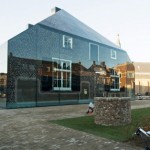
glass brick facade

A new type of see-through glass brick used in this Dutch building facade aims to bridge traditional brick with transparency; the assembled bricks have been tested and shown to be as strong as concrete, able to support heavy loads in compression like its opaque competitor.

glass brick assembly

Architecture firm MVRDV applied this new technology to the front of a Chanel shop in Amsterdam that was damaged behind repair, allowing for a see-through storefront that still references local historic brick while using fully-recyclable glass.

glass brick detail

The bricks themselves are held in place with likewise see-through glue and help support the remaining terracotta brickwork on the floor above into which they visually transition. The structurally-sound result stands out against the street, but also lets additional light into the interior of the building.

glass brick details

glass brick in context

This new approach to brick can help mediate between the desire for solidity and openness, providing a cheap alternative to both masonry and glass construction traditions. The construction process was as much a laboratory experiment as an architectural process, involving teams from around the world in different disciplines.

glass brick view

Researchers from Delft University of Technology, engineers at ABT and contractors at Wessels Zeist joined forces to develop and test structural solutions and fabrication techniques, ultimately leading to the development of this new type of brick. The bricks were then cast by a glass company Venice and joined using glue from Delo Industrial Adhesives in Germany. (Photos by Daria Scagliola and Stijn Brakkee).

Share on Facebook


[ By WebUrbanist in Architecture & Offices & Commercial. ]

[ WebUrbanist | Archives | Galleries | Privacy | TOS ]


WebUrbanist

 
Comments Off on Stronger than Concrete: New Glass Bricks Support Dutch Facade

Posted in Creativity