RSS
 

Posts Tagged ‘special’

Light Blaster [ For Special Effects Lighting ] a Review

20 Apr

Sometimes a new piece of camera equipment will let you do something better, faster, or cheaper. But sometimes it lets you do something wholly new, that nothing else can do, and it opens up a whole new world of creative opportunities. The Light Blaster is that kind of gear.

Light blaster 33 1024 resize

By combining a flash, a lens, and one of many different slides which you can buy or provide yourself, the Light Blaster lets you project an image into your scene or onto the subject. Like any new piece of equipment there’s a bit of a learning curve, but you can create effects that add to your photo in ways only possible with tricky DIY hacks until now.

How it works

The Light Blaster is a strong plastic shell that acts as a mount to hold the three key elements – lens, flash and slide – securely in place and in the correct relative positions. You provide a lens and a flash. The lens attaches to the front via an EOS bayonet mount (a Nikon adapter is available). There’s no lock, but it is held firmly. At the back you slide in your flash, which is held in place with a strong leather friction-secured strap, which is adjustable and held in place with velcro. Flashes of many sizes are accepted, and I tested with a Canon 580EX and a Lumopro 160.

In the centre of the Light Blaster there is a slot which accepts the provided caddy. The caddy holds the slide which is to be projected. You can use standard mounted 35mm slides or small plastic sheets about the size of a coloured gel you might put on the front of your flash. Just on that topic: you can gel the flash you’re using to give a colour tint to the projected image as well. The caddy is super easy to swap, although putting the slide in can be a wee bit fiddly. Topping off the well designed and sturdy construction is a metal tripod thread on the bottom in the thickest part of the plastic body so that you can securely mount the whole arrangement on a light stand.

Looking at the whole thing assembled, one might think it’s a bit precarious and that the lens or flash could be bumped and fall out, but that was not my experience at all. Everything felt sturdy and secure, and I didn’t mind picking up the light stand with everything attached and moving it around the set.

The Light Blaster also comes with a convenient case which safely holds everything, including a whole bunch of slides and an extra caddy in a small package with a fabric handle.

The Results

While I was testing out the Light Blaster I used it primarily in three different ways:

  1. Projecting onto the background
  2. Projecting onto a model
  3. Projecting into the air itself with the aid of a smoke machine

Here are some examples:

Creek 131110 078 X3 resize

Model: Mei Hikari

For this shot I projected a pair of wings onto a large wall behind the subject. It was dusk and low light, so the flash projection was easily visible, even though it’s a dark wall. The contrast was enhanced in post processing. The image projected ended up being about three meters wide. It took a few shots to get myself and the model lined up exactly right, since you can only see the projection on the camera screen. Have a look at the rest of the photos from this shoot here.

Creek 140319 236 X3 resize

Model: Graciously

I used the Light Blaster to project a simple circle of light onto the backdrop behind my model in this burlesque style shoot for a “stage” feel. While a snoot can restrict the light to a spot, only a focussed light can create the sharp clean edge I wanted, like a stage spotlight, or the Light Blaster. See more photos from this shoot.

Creek 140319 383 X3 resize

Model: Graciously

Later in the same shoot I fired up my smoke machine, and using a random geometric pattern on one of the effects slides, I created cool light beams through the smoke. The shafts of light you see wouldn’t be possible with a single light. It needs to be broken up in order to cast shadows into the smoke.

I NXG3q3z X3 resize

Here a photo of autumn leaves was projected directly onto the model and background, creating interesting layers of texture and shadow. I filled in the shadow of the model’s face with a tightly gridded flash to make his whole face visible. Projecting onto the model can be tricky to get right, but the results can be impressive. I want to experiment more with this technique. I think it is particularly well suited to art nude photography.

Any Problems?

There’s a couple of potential ‘gotchas’ when using the Light Blaster, which you’ll need to overcome and learn how to work with, but that’s true of any piece of gear in your kit.

Firstly, you’ll most likely want the projected image to be in focus, which is achieved by turning the focus ring on the attached lens, (make sure it’s in manual focus mode). Since the image is only visible when the flash fires, you’ll need to use a flashlight in place of the flash before you add the flash to the back. You’ll need the set to be quite dark or use a bright flashlight to see well enough to focus, and if you move the Light Blaster relative to the surface it’s being projected onto, you’ll need to take the flash out and re-focus.

As mentioned in the first example shot above, it can be tricky to get the best placement of the image, your model and yourself. You might need to take several shots and make small adjustments each time.

Because there’s a powerful flash shining through the slide, the blacks are never going to be truly black. Some of the light will still pass through the black ink or emulsion, so the contrast might not be as good as you’d like it to be. To address this issue, a brand new set of laser-cut metal “slides” has just been announced for the Light Blaster. This will give you absolutely solid blacks.

Conclusion

I had a great deal of fun testing this product, and I’m looking forward to using it in future shoots. With a good variety of effects slides available from the Light Blaster site, the ability to take any 35mm slide, and even home-printed acetate slides, there is literally unlimited creative potential. You can put any backdrop you like behind your subjects, and transport them to another world. Or you can use it in ways similar to what I have here. Have a look at the Light Blaster site for more example photos. For under $ 100, this is a super versatile creative tool to add to your kit.

Want more on special lighting techniques? Try these articles:

  • How to Create this “Fight Club” Inspired Portrait using One Light
  • Accent Lighting for Portraits
  • Studio Lighting: Building a Light Set-up
  • How the Shot was Done: SNK Police Cosplay

The post Light Blaster [ For Special Effects Lighting ] a Review by Neil Creek appeared first on Digital Photography School.
Digital Photography School

 
Comments Off on Light Blaster [ For Special Effects Lighting ] a Review

Posted in Photography


Five Tips for Special Event Photography

13 Apr

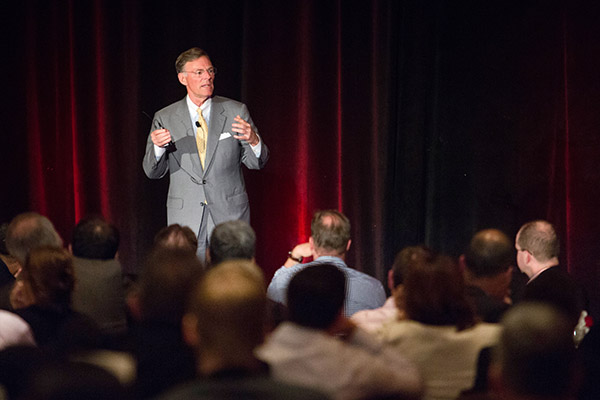
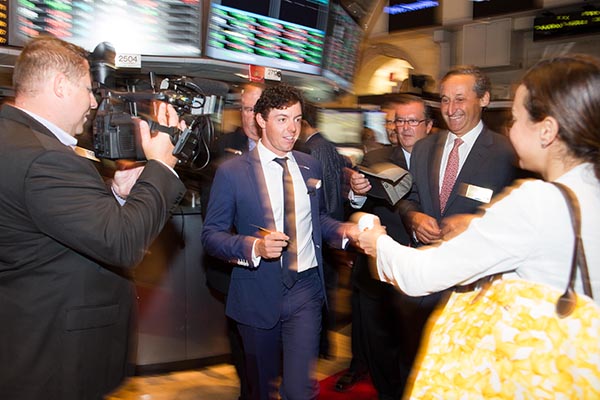
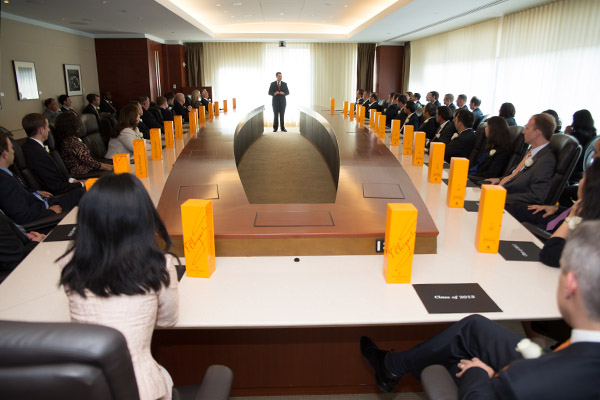
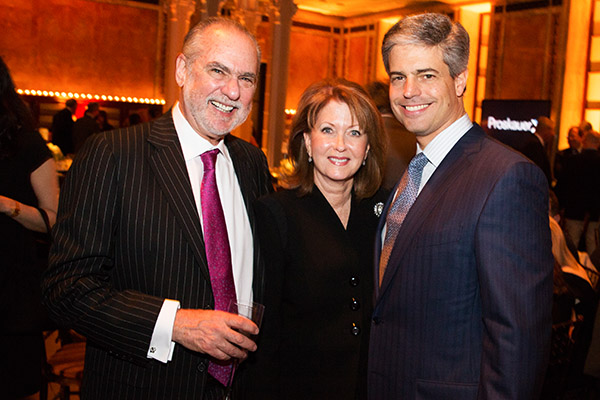
Often times shooting special events is not the most glamorous gig in photography, but when a client calls you up looking for a photographer to shoot an event, you take the job.  Sometime’s you end up somewhere great like the trading floor of the New York Stock Exchange, other times you’re in a small, dark, dull event space with only 20 people making the best of the situation.  Regardless of the size or location of the event, you’re job is to make some great images.  There are a lot of little things that can make diving into special event photography much easier or much harder on yourself, below are a few ideas of how to prepare and execute the photography at your next event.

Event photography tips 01

#1 Dress Like You Belong There

As a photographer, there are plenty of times when you can go to work in jeans and a t-shirt, after all clients aren’t watching you do post production.  When photographing a special event however, you should dress like you belong there and blend in with the crowd.  This doesn’t necessarily mean a suit and tie every time for men, or that a blazer is necessary for women, but slacks/dressy pants, comfortable, low key, black shoes and a nice shirt/blouse usually are a must.  If it is a higher end event you men should be sure to wear a suit coat and tie while women should wear a blazer if they feel it is necessary.  If you’re unsure of the appropriate attire, always air on the side of safety if you’re over dressed you can always take the coat off and stick the tie in your pocket.

Event photography tips 02

#2 Take Pre-event Shots

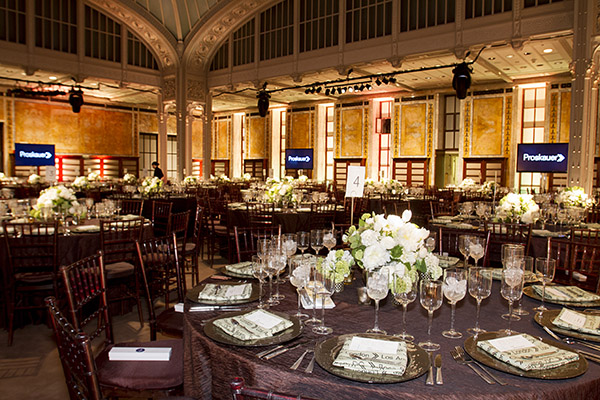
While it may be an afterthought for your client at the event, the event planner responsible for dotting the i’s and crossing the t’s will love that you captured shots of the room prior to the guests arrival. Not only will it be something they can use to sell their services in the future, it will also allow them to catalog the set-up in case they have a very similar type of event in the space again. This will prove invaluable to the client and should be the way you start any event.

#3 Don’t Over Shoot (but don’t undershoot either)

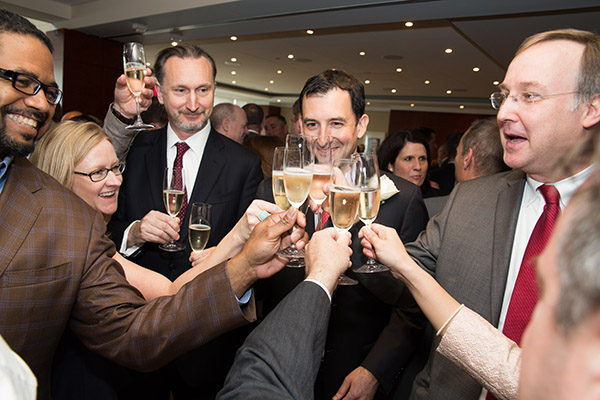
The divide on Over vs Under shooting seems like it would be quite blurry, it really isn’t. If you are photographing a special event, you have to remember that even though great photos are key, the attendees having a good time is the top priority. While it is completely acceptable to photograph the attendees, both candidly and posed, be sure to make mental notes of who you have photographed so that you aren’t going to the same groups of people over and over again. Along with posed shots, if the lighting allows for it, bump up your ISO and shoot candids with ambient light. Once you move past a cocktail hour and into a reception, keep your focus to the stage. Candid audience or crowd shots are nice here and there, but a good rule of thumb is that once plates go down and people are eating, keep the camera pointed away from the tables and onto the stage and shoot conservatively.

Event photography tips 03

#4 Be Quick

Wether it’s a panel discussion or candids at a cocktail hour, no one is at the event to be with you. Accept it. While shooting candids, be ready to go, take a step back, click off three frames and move on, any more than that (unless it’s a VIP or there is a glaring, non-camera related, issue) and you might be intruding on the attendee’s time. When shooting a panel discussion, or anything on a stage, shoot a lot with a long lens. While close, intimate shots from a wide lens look awesome, the people who are paying, or are invited to the event aren’t there to look at the back of their head. If you do have the opportunity to shoot from up close, be quick, quiet and stay as low as possible.

Event photography tips 04

#5 Edit Hard and Deliver Quickly

I find that no matter how hard I try to not over shoot an event, I still end up trashing about half of what was shot. It usually isn’t because the shots aren’t good, but because there is something very similar and slightly better in the edit. If you shoot three frames each of every group you photograph at an event(which is pretty typical) and have hundreds files, there’s no reason you can’t cut at least one of the frames for each group, if not two. Your client only needs the cream of the crop since there is only be a limited amount of use for event photos. If there are any VIP’s you might want to leave an extra frame or two in if they are also good, but for the general attendees the top frame of three works best every time. The same rule applies to shots of speakers or the panel at a discussion, edit hard and give the client the cream of the crop.

Once you get your edit down to the best images, bring your files into your editing software (I am still a diehard Photoshop guy) and crank out the images. The best thing about corporate events is that for the most part everything should be consistent and can be batch processed out in no time. From here, deliver your files, unless a disc is requested, we deliver everything via our PhotoShelter page online.

Event photography tips 05

Special Event Photography may not be the most fulfilling form of photography in the world, but when it comes time to pay the bills, you will be glad that you learned how to execute the photography aspect of them.  There are always events going on and opportunities to find work, just remember to dress the part, get photos before the event as well as during it, not over shoot, be in and out of groups and to edit hard with a quick turnaround to keep clients happy.

Event photography tips 06

The post Five Tips for Special Event Photography by Patrick Nugent appeared first on Digital Photography School.

Digital Photography School

 
Comments Off on Five Tips for Special Event Photography

Posted in Photography


How to Add Special FX to Instagram Videos

28 Jan

Skimming through your Instagram feed, you expect the usual crop of selfies, cats, lunches and babies. You don’t expect are exploding refrigerators.

… Unless you follow our pal, Okay Samurai.

He uses Adobe After Effects to add special effects to his Instagram videos.

Okay Samurai (aka Dave) put together a guide so that you too can use After Effects to make a fridge explode.

It requires a few more steps than editing on the phone, but it turns out it’s simpler than you’d think!

With Dave’s step by step guidance and a free 30-day trial of AE up for grabs, now is the perfect time to pick up a new skill and spice up your Instagram feed.

Learn How to Add Special FX to Your Instagram Videos

(…)
Read the rest of How to Add Special FX to Instagram Videos (920 words)


© laurel for Photojojo, 2014. |
Permalink |
No comment |
Add to
del.icio.us

Post tags:


Photojojo

 
Comments Off on How to Add Special FX to Instagram Videos

Posted in Equipment


How to Add Special FX to Instagram Videos

27 Jan

Skimming through your Instagram feed, you expect the usual crop of selfies, cats, lunches and babies. You don’t expect are exploding refrigerators.

… Unless you follow our pal, Okay Samurai.

He uses Adobe After Effects to add special effects to his Instagram videos.

Okay Samurai (aka Dave) put together a guide so that you too can use After Effects to make a fridge explode.

It requires a few more steps than editing on the phone, but it turns out it’s simpler than you’d think!

With Dave’s step by step guidance and a free 30-day trial of AE up for grabs, now is the perfect time to pick up a new skill and spice up your Instagram feed.

Learn How to Add Special FX to Your Instagram Videos

(…)
Read the rest of How to Add Special FX to Instagram Videos (920 words)


© laurel for Photojojo, 2014. |
Permalink |
No comment |
Add to
del.icio.us

Post tags:


Photojojo

 
Comments Off on How to Add Special FX to Instagram Videos

Posted in Equipment


Choir of Retro Computers Sing a Special Christmas Carol

26 Dec

[ By Steph in Gaming & Computing & Technology. ]

Retro Computers Christmas Carol 1

“Hail the machines, sweet old machines, blow off the dust, wipe off the rust. Christmas has come, joy is foretold, for those of us you never sold. Still we are here, still full of cheer, just plug us in, it will begin.” So starts the Christmas carol this quirky choir of vintage computer equipment would like to sing to you today courtesy of The Glasgow School of Art.

Retro Computers Christmas Carol 2

Alumnus James Houston, who graduated in 2008, created the project using a collection of vintage Mac computers, a Commodore 64, ZX Spectrum +1 and a SEGA Mega Drive. The lyrics to the song ‘Carol of the Bells’ were rewritten accordingly.

Retro Computers Christmas Carol 3

Houston got the idea when pondering new uses for past Christmas gifts, realizing that a few of them had the capability for speech synthesis.

Retro Computers Christmas Carol 4

“Bleep bloop beep bong, hear our sweet song, if none of our coding is wrong.”

Share on Facebook


[ By Steph in Gaming & Computing & Technology. ]

[ WebUrbanist | Archives | Galleries | Privacy | TOS ]


WebUrbanist

 
Comments Off on Choir of Retro Computers Sing a Special Christmas Carol

Posted in Creativity


Apple’s Jony Ive and Marc Newson design special edition Leica M

09 Oct

leica_thumb.png

Jony Ive, design mastermind at Apple, and Marc Newson, the creative force behind the thoroughly unconventional Pentax K-01, have collaborated with Leica to design a special edition Leica M for a good cause. The unique M will be sold at auction, at an event raising money for The Global Fund to fight AIDS, Tuberculosis and Malaria. The one-of-a-kind camera is the product of 85 days’ work and no less than 1000 prototype parts. Click through for the full details.

News: Digital Photography Review (dpreview.com)

 
Comments Off on Apple’s Jony Ive and Marc Newson design special edition Leica M

Posted in Uncategorized


Leica announces $1300 special edition ‘G-Star RAW’ D-Lux 6

20 Jun

Screen_Shot_2013-06-19_at_2.35.59_PM.png

Leica has announced a special edition of its D-lux 6 high-end compact camera, in collaboration with clothing manufacturer G-Star RAW. The special D-Lux 6 (itself arguably a ‘special edition’ Panasonic Lumix DMC-LX7) will be available from Leica Stores and Boutiques worldwide, and is expected to cost around $ 1300. What do you get for your money? Well, ‘a new dot structure on the leather body trim’ and a leather case with ‘exclusive carrying strap’. Excited? Click through for more details. 

News: Digital Photography Review (dpreview.com)

 
Comments Off on Leica announces $1300 special edition ‘G-Star RAW’ D-Lux 6

Posted in Uncategorized


Discover the Secrets to These 11 Special Effects Photography Projects: New dPS eBook

23 May

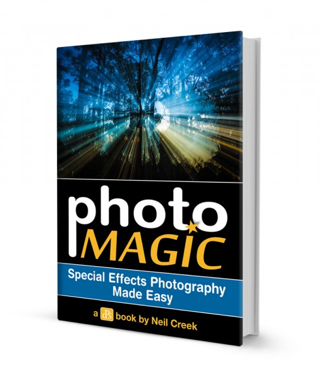
NewImageToday we’re launching a new dPS eBook that I suspect is going to give a lot of our readers hours of fun while playing with their digital cameras.
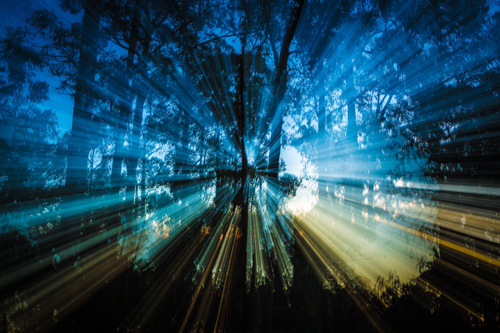
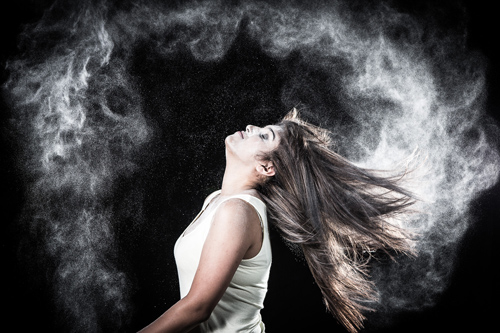
It’s called Photo Magic: Special Effects Photography Made Easy – an eBook by Neil Creek.

As an Early Bird special you can grab it today at 25% off (just $ 15 USD).

Over the years we’ve published thousands of tutorials here on dPS – many of which are on topics like Portraiture, Landscapes, Macro and Street Photography.

However some of our most popular tutorials over the last few years have been when our authors have submitted teaching on how to do ‘trick’ or ‘special effects’ shots.

As a result, I’ve long wanted to publish an eBook on Special Effects Photography and recently asked one of our regular authors – Neil Creek – if he’d like to write it.

Neil was an obvious choice to author this eBook, he’s a Professional Photographer, experienced photography educator and he’s one of those guys who always seems to be working on a new technique for taking photos with that WOW factor.

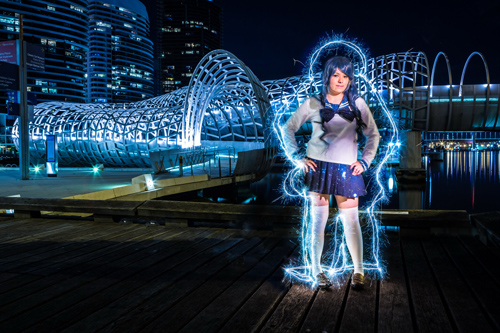
11 Fun Special Effects Photography Projects to Master

In Photo Magic Neil walks you through 11 photography special effects. In each case he shows you a photo he’s taken and then will walk you through the steps he went through to take the shot.

This is the perfect eBook for those weekends when you’re looking for something fun to do. Tackle each technique in turn and over the coming months you’ll have some spectacular images in your portfolio and will also have learned some new skills that you can then build upon to create your own special effects.

Here’s just some of the shots Neil will walk you through taking.

Zoomeffect

NewImage

NewImage

NewImage

NewImage

NewImage

Get full details on what’s included in this eBook here or order your copy at 25% off by clicking the download button below.

download_it_now_photomagic

// < ![CDATA[ // < ![CDATA[ // < ![CDATA[ // < ![CDATA[ // < ![CDATA[ // < ![CDATA[ // < ![CDATA[ // < ![CDATA[ // < ![CDATA[ // < ![CDATA[ // < ![CDATA[ // < ![CDATA[ // < ![CDATA[ // < ![CDATA[ // < ![CDATA[ // < ![CDATA[ // < ![CDATA[ // < ![CDATA[ // < ![CDATA[ // < ![CDATA[ function EJEJC_lc(th) { return false; } // ]]>

Post originally from: Digital Photography Tips.

Check out our more Photography Tips at Photography Tips for Beginners, Portrait Photography Tips and Wedding Photography Tips.

Discover the Secrets to These 11 Special Effects Photography Projects: New dPS eBook


Digital Photography School

 
Comments Off on Discover the Secrets to These 11 Special Effects Photography Projects: New dPS eBook

Posted in Photography


Snap Up our Food Photography Guide for just $7 [Early Bird Special]

20 Mar

snapnfoodToday I’m excited to announce the launch of our brand new Guide to Photographing Food over at SnapnGuides.

This mini-guide is all about helping you to learn how to mouth-watering photo of food and today it is just $ 7 (30% off for early birds).

If you’ve ever looked at other people’s pictures of food and thought to yourself, “Why don’t mine look like that?” then this is the guide for you.

Snapn Food will:

  • break down all the important aspects of photographing food
  • give you practical advice on what gear to use
  • show you how to leverage available light
  • teach you how to use simple props to great effect
  • illustrate how to use different composition techniques and shooting angles to take great food images
  • help you to develop your own style of taking delicious photos of the food you make and eat

The guide doesn’t overcomplicate things with technical jargon – everything is explained in a way that everyone can follow and understand.

It is also written in a way that is accessible to people using all kinds of cameras – from a camera phone through to higher end DSLRs.

Grab Your Copy for Just $ 7

Ready to improve the quality of your food photography? Grab this brand new SnapnGuide here for just $ 7 before the price goes up.

Post originally from: Digital Photography Tips.

Check out our more Photography Tips at Photography Tips for Beginners, Portrait Photography Tips and Wedding Photography Tips.

Snap Up our Food Photography Guide for just $ 7 [Early Bird Special]


Digital Photography School

 
Comments Off on Snap Up our Food Photography Guide for just $7 [Early Bird Special]

Posted in Photography


Special Occasions-Cupcakes

02 Feb

Our commercial shooting for Glaze Q8 – Bite away (www.glazeq8.com) Gear: Nikon D3X, Lens: Nikon 105 f/2.8, with 2 strobes N-Studio Official website: www.n-studio.com.kw Mobile: +96566383666 E-mail: N_Studio@live.com © all rights Reserved 2010

 
Comments Off on Special Occasions-Cupcakes

Posted in Nikon Videos