RSS
 

Posts Tagged ‘Shutter’

Nikon expands D750 shutter recall yet again, more cameras affected

14 Jul
The Nikon D750 shutter unit has been causing problems for 2 years. Photo: Nikon

It seems Nikon D750 shutter issues are still plaguing the company 2 full years after it initially issued a recall on some serial numbers produced between October 2014 and June 2015. In another update issued yesterday, Nikon expanded the recall to include more cameras—specifically: models produced between July 2014 through September 2014 and from July 2015 through September 2016.

This issue first cropped up on the Nikon advisory page in July of 2015. At the time, Nikon claimed the issue—which could result in the shutter shading a part of your photo—was limited to units made in October and November of 2014.

Then, in February of 2016, Nikon expanded the recall to include units made between December 2014 to June 2015.

Today’s update makes three, and expands the recall to include units manufactured between July 2014 to September 2014 and those made between July 2015 and September 2016. If you’re keeping score, that means that affected units were being manufactured from July of 2014 all the way through September of last year.

Check your serial number using Nikon’s website to find out if your camera is affected. Photo: Nikon

As with the original advisory and the previous update, D750 owners can check to see if their camera is affected by using Nikon’s serial number lookup tool at this link. If your camera is affected, that tool will provide instructions on sending your D750 to Nikon for repair free of charge regardless of warranty status.

Read the full service advisory text below for more details.

UPDATED NIKON D750 SERVICE ADVISORY AS OF JULY 12, 2017.

Technical Service Advisory for users of the Nikon D750 digital SLR camera

Thank you for choosing Nikon for your photographic needs.

In February of 2016, we announced in an update that the shutter in some Nikon D750 digital SLR cameras manufactured between October 2014 through June 2015 may not function normally, sometimes resulting in a shading of a portion of images. Since that time, we have learned that the same issue may affect D750 cameras manufactured from July 2014 through September 2014 and from July 2015 through September 2016.

For those who have already purchased a D750 and would like to have their camera serviced for this issue, free of charge, Nikon service centers will service cameras as indicated below. We sincerely apologize for any inconvenience this issue may have caused.

Identifying affected D750 cameras

To check whether or not your camera may be one of those affected by this issue, click the Check Your Serial Number link below and enter your D750’s serial number as instructed.

If your D750 camera is one of those that may be affected, instructions for obtaining service will be displayed. If your D750 camera is not one of those to which this issue may apply, rest assured that service to your D750 camera as to this issue is not necessary and you may continue using your D750 camera without concern for this issue.

Check Your Serial Number

The camera’s serial number is the 7-digit number indicated by the red frame in the image above.

Resolution

If your D750 camera may be affected, as confirmed with the serial number check above, you will be provided with the necessary information to obtain service for this issue free of charge. Once your D750 camera is received by Nikon, your D750 camera’s shutter will be examined and replaced, and your D750 camera returned to you free of charge, even if your D750 camera warranty has expired.

We sincerely apologize for any inconvenience this matter may have caused you.

Nikon will continue to take all possible measures to further improve product quality. Therefore, we hope that you will continue to choose Nikon for your photographic needs.

Articles: Digital Photography Review (dpreview.com)

 
Comments Off on Nikon expands D750 shutter recall yet again, more cameras affected

Posted in Uncategorized


Canon 7D Mark II torture test: See a shutter fail in real time

10 Jul

YouTube channel ContinueCrushingTech recently had that chance to ‘crush’ something of interest to us: a Canon EOS 7D Mark II. The camera was broken and awaiting a service appointment with Canon anyway, so the channel’s host decided now was the good time to push the 7D to its literal breaking point.

Specifically, he shot the camera continuously for hours, until the shutter finally gave up its mechanical ghost and displayed the Canon screen of death: Err 20.

The experiment isn’t exactly complex. Using a remote trigger and a clamp, ContinueCrushingTech set the 7D Mark II to continuous mode and shot at 10fps for as long as it took to kill the camera’s shutter.

Under normal use, the 7DII’s shutter should last about 200,000 actuations, according to Canon. That means, under continuous use at 10fps, the camera has to shoot for 5+ continuous hours before it hits that theoretical breaking point.

So how long did it take for CCT’s camera to give up and die already?


Spoilers incoming


Unfortunately, the poor little camera didn’t quite live up to its manufacturer’s expectations. It passed away just shy of the 200K number, after 199,591shots:

But more interesting than the number itself is getting to see a shutter fail in real time with your own eyes—seeing how it starts behaving erratically after 190K actuations, freezing more and more frequently as it approaches that fated 200K failure.

Finally, at exactly 199,591 (according to FreeShutterCounter) Err 20 emerged and the 7DII would shoot no more.

You can watch the whole thing for yourself up top. And if you like this torture test, you can find more feature tests, reviews, and other gear-related videos on the ContinueCrushingTech YouTube channel.

Articles: Digital Photography Review (dpreview.com)

 
Comments Off on Canon 7D Mark II torture test: See a shutter fail in real time

Posted in Uncategorized


Rolling shutter explained with simple side-by-side examples

01 Jul

We hold accurate technical knowledge in pretty high regard around here, which is why this video from YouTube channel SmarterEveryDay was such a pleasant surprise.

In 7 minutes, engineer Dustin Sandlin does a fantastic job explaining rolling shutter with plenty of useful examples where he simulates the rolling shutter effect using high-speed camera footage and After Effects. In this way, he can actually show you how rolling shutter distortion happens; in fact, he can recreate it perfectly:

In the example above, he basically recreates what happens in every single frame of a 24fps iPhone video when you’re recording an airplane propeller. As the green line moves down, it scans the prop… but the prop is moving, and so it’s causing this strange distortion known as the ‘rolling shutter effect.’

In this example, he actually traces the lines as your camera is seeing them over the course of the exposure:

You will capture different patterns depending on which way the propeller is rotating, but it’s not a guessing game. You can actually visualize it when you slow the footage way down the way Dustin has.

But he doesn’t stop with propellers (which is where most breakdowns of rolling shutter end), he goes on to show you how this affects cell phone video of all kinds of things. Fidget spinners, a coin spinning on a table top, guitar and mandolin strings, you name it: the rolling shutter effect visualized and simulated/recreated by using high speed footage.

Definitely check out the full video up top to really see rolling shutter in action. If you’ve always had a hard time conceptualizing how the rolling shutter effect worked, and why it produced the shapes it does, you won’t find a better side-by-side comparison than this.

And if you like this, definitely check out Dustin’s YouTube channel. This is far from the only interesting, educational and just plain cool thing on SmarterEveryDay.

Articles: Digital Photography Review (dpreview.com)

 
Comments Off on Rolling shutter explained with simple side-by-side examples

Posted in Uncategorized


How to Have Fun with Shutter Speed and Added Motion Blur

21 Jun

If you think learning is a boring task, you definitely haven’t studied photography. To make this point, I decided to explain the relationship between shutter speed and movement by spending the day at a theme park.

Image blur – unwanted or not

When you get an unwanted blur in your photograph it can be very frustrating. However, this shouldn’t stop you from experimenting with your camera’s shutter speed. Perfectly sharp images can be great for composition and color but they don’t really reflect everything that’s going on and can fail to convey the atmosphere.

Composition - shutter speed

Shutter speed 1/640th, f/9, ISO 200.

Movement shutter speed

Shutter speed 1/50th, f/22, ISO 200.

Theme parks can be the most fun, but even so, they can appear a bit dull in still images. However, just adding a little movement can do the trick. Don’t you agree?

Still shutter speed

Shutter speed 1/1000th, f/3.5, ISO 200.

Moving shutter speed

Shutter speed 1/15th, f/22, ISO 200.

If you are comfortable using Manual Mode on your camera, then please do so. However, if you are not used to adjusting your settings you can always do these exercises by using Shutter Priority Mode. To do this you have to set the dial of your camera to the S (Nikon, Sony) or Tv (Canon) symbol on your mode dial. This mode gives you the flexibility to choose the shutter speed that you want, and the camera figures out the rest of the settings for you in order to have a well-exposed photo.

However, there is one thing that you do need to know first . . .

What is shutter speed?

The shutter is a curtain inside your camera that opens to allow light to enter the camera and hit the digital sensor (or film) in order to create your photo. Shutter speed refers to how fast or slowly it opens and closes. The longer you leave the shutter open, the more light will come in.

Therefore, as long as it’s opened everything in front of your lens is leaving an imprint. In the case of a moving object, this results as a halo or a ghost and is why you get blurry photos when using slower shutter speeds. The longer the exposure time, the blurrier the subject will be.

Faster shutter speed

Shutter speed 1/60th, f/22, ISO 200.

Slower shutter speed

Shutter speed 1/30th, f/29, ISO 200.

Creative effects of shutter speed

#1 Blurry subject sharp background

Now that you have that clear, let’s dive into the fun part and start doing some creative effects with this knowledge. First, we’ll start with a sharp background and a blurry object/subject, as this is the easiest one to achieve. For this one, you need to be standing still and have something or someone in motion in the scene in front of you. As for your camera, you need to use a slow shutter speed. How slow depends on the speed your subject is moving, so just make a few tries.

Note: All movement gets registered in the image when you are using slow speeds, including your own. So if your subject requires for you to shoot lower than the length of your lens (i.e. slower than 1/50th with a 50mm lens) it’s better if you use a tripod or else your fixed background will look blurry as well.

Cars shutter speed

Shutter speed, 1/6th, f/22, ISO 200 and an 18mm lens.

Twirls shutter speed

Shutter speed, 1/50th, f/29, ISO 200 and a lens focal length of 33mm.

#2 Blurry background sharper subject

For the second effect, let’s do the opposite; a blurry background and a sharper subject. You don’t want the moving subject completely sharp because then you can lose the purpose and it will look dull or worse, fake (as in Photoshopped into the image). So it’s always better for the subject to have a small halo around it that shows its movement, direction, and speed.

This one is a little bit trickier because, on top of choosing the correct shutter speed, you also need to follow the moving subject with your camera, matching its speed (this is called panning). So please don’t get frustrated if you don’t get it right on the first try because the results are worth the effort!

Follow Circular shutter speed

Shutter speed, 1/50th, f/29, ISO 200. The camera was moved in a circular motion to follow the subject.

Follow Vertical shutter speed

Shutter speed, 1/40th, f/32, ISO 200. The camera was moved in a vertical motion to follow the subject.

Follow Horizontal panning shutter speed

Shutter speed, 1/60th, f/22, ISO 200. The camera was moved in a horizontal motion to follow the subject.

#3 Mix it up

When you feel comfortable with the previous techniques, try introducing some mixed movements. In other words, your subject moving one way and you in another.

Mix shutter speed

Shutter speed, 1/50th, f/22, ISO 200.

Mix shutter speed

Shutter speed, 1/40th, f/32, ISO 200.

#4 Still objects

Liking it so far? It gets better! You can even put some movement into photos of still subjects.

Ducks shutter speed

Shutter speed, 1/50th, f/22, ISO 200 with an 18-35mm lens.

To achieve this effect you need to use a zoom lens. What you have to do is to twist (zoom) so that you go from one focal length to another while the shutter is still open. The bigger the zoom, the more intense the effect.

Barrel zooming shutter speed

Shutter speed, ½ a second, f/29, ISO 200, focal length 18-28mm.

Barrell shutter speed

Shutter speed, 1/50th, f/29, ISO 200, focal length 18-45mm.

Barrell shutter speed zoom

Shutter speed, ½ a second, f/29, ISO 200, focal length 18-55mm.

Your turn to go try it

There you go, you are ready to enjoy your day in the park while making some amazing looking shots. Take a ride, have fun, and let all your problems all blur away!

Blur

Shutter speed, 1/15th, f/22, ISO 200.

Please share your comments, questions, and motion blurry images below.

The post How to Have Fun with Shutter Speed and Added Motion Blur by Ana Mireles appeared first on Digital Photography School.


Digital Photography School

 
Comments Off on How to Have Fun with Shutter Speed and Added Motion Blur

Posted in Photography


Electronic shutter, rolling shutter and flash: what you need to know

22 May
The rolling shutter effect is usually seen as a damaging defect but even this can be used creatively, with enough imagination.
Photo by Jim Kasson, Fujifilm GFX 50S

Click! goes the camera and in that fraction of a second the shutter races to end the exposure. But, although it’s quick, that process isn’t instantaneous. Whether you’re syncing a flash, wondering why banding is appearing in your image or deciding whether to use your camera’s silent shutter mode, the way your shutter works has a role to play. This article looks at the different types of shutter and what effect they have.

At their most basic, cameras capture light that represents a fragment of time, so it shouldn’t be surprising that the mechanism that defines this period of time can play a role in the final outcome. It’s not nearly as significant as the exposure duration (usually known as shutter speed or time value), or the size of the aperture but, despite great effort and ingenuity being expended on minimizing it, the shutter behavior has an effect.

Mechanical Shutters

There are two main mechanical shutter technologies: focal plane curtain shutters and leaf shutters. The majority of large sensor cameras and nearly all ILCs use focal plane shutters while the majority of compacts use leaf shutters.

Focal plain shutters

Focal plan curtain shutters are what you probably think of when you think about shutters. At the start of the exposure a series of horizontal blades rises like a Venetian blind and, to end the exposure, a second series of blades rises up to cover the sensor again.

The first curtain lifts to start the exposure, then a second curtain ends the exposure. The shutter’s movement is shown as the blue lines on the graph. The time taken to open and close the curtains (red) is defined by the shutter rate, the exposure time is shown in green. 

These blades move quickly but not instantly. We’ll call the amount of time it takes the shutter to move across the sensor the shutter rate. This is not the same thing as shutter speed, which is the amount of time that elapses between the bottom of the first curtain lifting and the top of the second curtain passing that same point.

Leaf shutters

Leaf shutters work slightly differently. These are built into the lens, right next to the aperture, and usually feature a series of blades that open out from the center, then snap shut again to end the exposure. Because each blade doesn’t have to travel so far, these shutter rate can be much faster.

Leaf shutter still take a small amount time to open and close but they’re very fast. And, because they’re mounted so close to the aperture, they progressively increase or decrease illumination to the whole sensor, so there’s no difference between the slice of time seen by the top and bottom of the sensor.

However, since the same blades that start the exposure also end it, the maximum possible shutter speed is more closely linked to the shutter rate (because you can’t end the exposure until the shutter is fully open).

In addition, the distance the shutter blades need to travel depends on the aperture you’re shooting at (on some cameras, the shutter acts as the aperture). Consequently, it’s not unusual to encounter cameras that can’t offer their maximum shutter speed at their widest aperture value.

Electronic shutter

But why do we need mechanical shutters at all? Unlike film, digital sensors can be switched on and off. This reduces the number of moving parts (which both lowers cost and obviates the risk of shutter shock) and means you get a totally silent exposure, so why not use that?

The answer is that you can. However, there is a restriction: while you can start the exposure to the whole sensor simultaneously, you can’t end it for the whole sensor at the same time. This is because with CMOS sensors, you end the exposure by reading-out the sensor but, in most designs, this is has to be done one row after another. This means it takes a while to end the exposure.

Fully electronic shutter

This need to read out one row at a time has a knock-on effect: if you have to end your exposure one row at a time, then you have to start the exposure in a similarly staggered manner (otherwise the last row of your sensor would get more exposure than the first).

Electronic shutter tend to be comparatively slow in terms of shutter rate (red), leading to rolling shutter (note that exposure for the top of the sensor has already finished even before the bottom of the sensor has started. This is despite the use of a faster shutter speed (green)

This means that your shutter rate is determined by your sensor’s readout speed. Lower pixel count sensors have an advantage in terms of readout: they have fewer rows and each of those rows has fewer pixels in it, both meaning they can be read out faster.

Smaller sensors also have an advantage in this respect: less physical distance to travel means rows can be read-out quicker. This is why we saw 4K video in smartphones, then compacts, then larger sensor cameras and why cameras such as the Canon EOS 5D IV struggle with rolling shutter, even when only using the central region of their sensor. However, newer sensor designs are constantly striving to reduce the read-out time (and consequently increase the shutter rate).

Note from the diagram that even an exaggeratedly slow shutter rate doesn’t stop you using fast shutter speeds. In fact, the beginning and end of the exposure can be controlled very precisely, allowing super-high shutter speeds.

However, although each part of the image is only made up from, say, 1/16,000th of a second, the slow shutter rate means each part of the image is made up from different 16,000ths of a second. Essentially, you’re capturing the very short slices of time that your shutter speed dictates, but you’re capturing many different slices of time. And, if your camera or subject have moved during that time then that distinction becomes apparent. This effect, where the final image is made up from different slices of time as you scan down it is known as the ‘rolling shutter’ effect.

The same thing happens with any shutter that isn’t immediate, which includes focal plane mechanical shutters. However, these tend to be fast enough that the rolling shutter effect isn’t usually noticeable.

Electronic first curtain

Electronic first curtain shutter is an increasingly common way for cameras to work. As the name suggests, these work by using the fast mechanical shutter to end the exposure and then syncing the start of the electronic shutter to match its rate.

An electronic first curtain shutter avoids the risk of shake from the first curtain’s movement but avoids the downsides of fully electronic shutter.

This requires a mechanical shutter where the second curtain and be operated independently of the first curtain. But, in those circumstances, you get many of the anti-shock benefits of electronic shutter while retaining the speed benefits of a mechanical shutter.

Global electronic shutter

Sensors do exist that can read-out all their rows of pixels simultaneously to give what’s called a ‘global shutter.’ However, while these are great for video, the more complex technologies used to achieve this add both noise and cost. The added sensor noise limits dynamic range, so they are not yet common for those video or stills applications where image quality is critical. 

Find out about flash sync and working under artificial lights

Articles: Digital Photography Review (dpreview.com)

 
Comments Off on Electronic shutter, rolling shutter and flash: what you need to know

Posted in Uncategorized


A Photographer’s Shutter Speed Cheat Sheet as a Handy Reference for You

01 Mar

To take your photography to the next level and achieve perfectly exposed photos, it’s important to understand and master shutter speed and its relationship to Exposure. However, what’s even more exciting and challenging is using shutter speed as an artistic tool to achieve stunning effects.

Whether you want to master shutter speed as part of Exposure Triangle or use it artistically, the Shutter Speed Cheat Sheet makes things much easier!

Shutter Speed Cheat Sheet DPS 700px

Full Stop, ½ Stop, 1/3 Stop

The equation behind the relationship between Exposure and Shutter Speed is straightforward; by doubling or halving the shutter speed you are changing the exposure value by 1-stop. However, the introduction of digital cameras changed everything by no longer restricting how much we can change the shutter speed. Some cameras allow us to change the speed by half or even a third of a stop. Use the Shutter Speed Cheat Sheet to help you estimate and calculate your exposure.

Safe Shutter Speed

Using the right shutter speed is vital in photographing moving objects. Look at the Shutter Speed Cheat Sheet to see how speed directly affects image sharpness.

googletag.cmd.push(function() {
ruleset_slots.push( googletag.defineSlot( “/1005424/_dPSv5topic-rhs(300×250)”, [300, 250], “pb-ad-0” ).addService( googletag.pubads() ) ); } );

Light

The Cheat Sheet illustrates how a faster shutter speed means that less light reaches the camera sensor and a longer shutter speed means that more light reaches the sensor.

Artistically Shooting with Shutter Speed Cheat Sheet

Birds in Flight 1/2000

Wildlife photographers typically use a 1/2000th of a second shutter speed to ensure birds in flight are sharp. Ultimately, you can reduce the speed to 1/400th to give the bird a sharp body and blurry wings.

Action Sports

Shutter speed is crucial in fast-moving sports like football and soccer where a shutter speed between 1/500th and 1/1000th freezes the action to create crisp and sharp images.

Street Photography 1/250th – 1/500th

googletag.cmd.push(function() {
ruleset_slots.push( googletag.defineSlot( “/1005424/_dPSv5topic-rhs(300×250)”, [300, 250], “pb-ad-1” ).addService( googletag.pubads() ) ); } );

Most streets are in constant movement with pedestrians and vehicles. That is why shutter speed is critical to produce the right exposure and to avoid soft or blurry images.

Shutter Spped Cheat Sheet StreetPhotography

Street Photography 1/250th, f/8, ISO 100.

Landscapes 1/125th – ¼

Shutter speed varies across landscapes and techniques. When using a tripod, a slower shutter speed of 1/8th or ¼ of a second is acceptable. However, to avoid blurry images when shooting hand held, you need to use a faster shutter speed.

Shutter Spped Cheat Sheet Landscapes

Landscape 1/125th, f/8, ISO 100.

Panning Cars 1/15th – 1/60th

Panning is an artistic effect created when a slower shutter speed of 1/15th to 1/60th is used to track a moving object like a car. This causes the car to stay in focus while its surroundings are completely blurred.

Waterfalls 1/8th – 2 seconds

Capturing fast-moving water with a longer shutter speed creates a visual effect of motion blur which does not exist in reality.

Shutter Spped Cheat Sheet RunningWater

Waterfall 1/6th, f/20, ISO 100.

Blurring Water half – 5 seconds

For slower moving water like ocean, lakes, and rivers you need to use a shutter speed slower than half a second to create dreamy landscapes and seascapes with silky, smooth water.

googletag.cmd.push(function() {
ruleset_slots.push( googletag.defineSlot( “/1005424/_dPSv5topic-rhs(300×250)”, [300, 250], “pb-ad-2” ).addService( googletag.pubads() ) ); } );

Shutter Spped Cheat Sheet Water

Slow Moving Water 4 seconds, f/6.3, ISO 100.

Fireworks 2-8 seconds

Capturing fireworks can be exceptionally difficult. A faster shutter speed yields a speck of light across a dark sky and a slower speed creates a blurry, overexposed image. Try using a 3-5 second shutter speed for optimal results.

Stars 15–25 seconds

Like fireworks, shooting the stars requires balance. A faster shutter speed produces tiny and dim stars, but a longer shutter speed (over 30 seconds) produces a trail effect. For the brightest and clearest stars, try a shutter speed between 15 and 25 seconds.

Star Trails

Take advantage of the earth spinning on its axis by opening the shutter speed long enough to capture the star trail. This is often done with a 15-minute (or longer) shutter speed (exposure time). However, you can create the same effect digitally by taking a series of photos (100+) with a 30 seconds exposure each. Later, blend the images together using editing software to create a gorgeous trail effect.

googletag.cmd.push(function() {
ruleset_slots.push( googletag.defineSlot( “/1005424/_dPSv5topic-rhs(300×250)”, [300, 250], “pb-ad-3” ).addService( googletag.pubads() ) ); } );

The post A Photographer’s Shutter Speed Cheat Sheet as a Handy Reference for You by Viktor Elizarov appeared first on Digital Photography School.


Digital Photography School

 
Comments Off on A Photographer’s Shutter Speed Cheat Sheet as a Handy Reference for You

Posted in Photography


10 Reasons to Use a Shutter Remote

21 Feb

The Shutter Remote is pretty much the magic wand of the photography world.

Being able to snap a photo without touching your camera or EVEN BEING NEAR IT is downright magical.

Consider us your owl. We’re here to deliver ten reasons you should be using a shutter remote of your own.

(…)
Read the rest of 10 Reasons to Use a Shutter Remote (209 words)


© laurel for Photojojo, 2017. |
Permalink |
No comment |
Add to
del.icio.us

Post tags:


Photojojo

 
Comments Off on 10 Reasons to Use a Shutter Remote

Posted in Equipment


Sensor innovations push global shutter chip capabilities

21 Dec

Engineers with Tohoku University have detailed a new project in which a CMOS sensor with a global shutter is able to record ultra-high-speed footage without the constraints of existing technology, namely short-duration recording and low resolutions. The end result is a CMOS sensor capable of recording one million frames-per-second over a ‘large’ duration of time, relatively speaking (480 micro-seconds in this case), at full resolution.

By re-designing the sensor’s memory bank, researchers have tested a 96 x 128 pixel array with global shutter at 480 frames. The design is intended to be tiled on a sensor with 1MP resolution – clearly not enough for consumer photography, but great for engineering applications. 

Don’t feel left out though, consumer photography and videography may also see benefits from this kind of technology – Canon also reported progress on its research of global shutter sensors. Canon’s technology similarly uses memory in an innovative way: by assigning each pixel its own memory cell. While Tohoku University’s research is concerned with ultra high speeds, Canon is looking for ways to improve the dynamic range of global shutter sensors. The company has tested a 10MP sensor at 30 fps – take a look at the results below. 

Global shutter chips typically offer poor dynamic range. To improve DR, Canon has increased the number of ‘accumulations’ per frame, or the number of times each pixel deposits electrons to its associated memory cell. Image supplied by Canon

Via: IEEE Spectrum

Articles: Digital Photography Review (dpreview.com)

 
Comments Off on Sensor innovations push global shutter chip capabilities

Posted in Uncategorized


Full frame 48MP sensor with global shutter and 8K video hits market from CMOSIS

13 Nov

The Belgian manufacturer that makes some of the sensors used in Leica’s cameras has announced a new offering that features 48MP and a global shutter. Although the CMV50000 CMOS sensor is described as medium-format in the press release, it is actually nearer to being 35mm-sized and measures 36.43 x 27.62mm (the width of a 35mm ‘full-frame’ sensor but elongated out to 4:3 aspect ratio).

The new sensor is also designed to record 8K video at a rate of 30fps and offers, according to the manufacturer, a dynamic range of 64dB at full resolution and a signal-to-noise ratio of 41.4dB. The sensor can increase the dynamic range of its output by recording alternate row of pixels at different exposures (a process comparable with the DR mode of Fujifilm’s EXR CCD designs).

The global shutter design of the sensor allows all pixels to record at the same time instead of in sequence as is usually the case. This means fast moving objects traveling across the frame can be captured without distortion in cameras when using a fully electronic shutter. While some of the company’s target market is industrial inspection the sensor is also said to be suited to still photography and professional and broadcast video.

At the moment the sensor is only available in black and white, but a color version is on its way for the end of the year. The existing sensor costs €3450 (approx. $ 3800). For more information visit the CMOSIS website.

Press release:

Industry’s first global shutter 48Mpixel CMOS image sensor from CMOSIS supports 8k image resolution at 30 frames/s

CMV50000 features low noise, high frame rate, and high dynamic range; easy-to-design-with sensor excels in automated optical inspection systems, machine vision uses and prosumer video applications

Premstaetten, Austria — CMOSIS a member of the ams AG (SIX: AMS) group, a leading provider of high performance sensors and analog ICs, today launched the CMV50000, an industry first global shutter CMOS image sensor offering high resolution of 48Mpixels, more than twice the resolution of its previous generation CMOSIS global shutter CMOS image sensors.

The CMV50000 is a medium format 48Mpixels sensor with 7920 x 6002 4.6-µm sized pixels using the patented 8-transistor pixel architecture to offer low noise and excellent electronic shutter efficiency. Global shutter operation means, that images of fast-moving objects can be captured without distortion.

Its pixel offers 64dB optical dynamic range at full resolution and up to 68dB in subsampled 4k mode, and the imagers benefits from the implementation of sophisticated new, on-chip noise-reduction circuitry such as black level clamping to enable it to capture high quality images under low-light conditions.

Operating at a fast 30 frames/s with 12 bit pixel depth at full resolution or a binned 4k mode, and at up to 60 frames/s with pixel subsampling to 4k resolution, the sensor is suitable for use in high-speed machine-vision systems, as well as in TV broadcasting and video cameras.

The CMV50000 provides detailed views of a large surface area required in factory automation applications such as automated optical inspection (AOI) systems and systems for the inspection of displays of mobile phones, tablets, laptops and TVs. The combination of high frame rate and high re-solution allows further increase of the already high throughput rates at consumer product assembly plants.

A High Dynamic Range (HDR) mode is supported by an odd/even row dual-exposure operation.

The CMV50000 is expected to replace high pixel-count charge-coupled device (CCD) image sensors used in machine-vision cameras and high-end security cameras. Compared to the older CCD sensor technology, CMOS image sensors are easier to integrate in camera designs, use less power, and can operate at much higher frame rates.

“The introduction of the 48Mpixel CMV50000 gives camera manufacturers the opportunity to enjoy the design and operating advantages of a CMOS image sensor while gaining the ultra-high resolution, which has previously only been available through the use of CCD sensors”, said Wim Wuyts, Marketing Manager for image sensors at ams.

“The CMV50000’s advanced noise-reduction features such as black level clamping combined with its high optical dynamic range, results in high picture quality at full operation speed without the need for complex analog output matching required for multi-tap CCD image sensors and therefore also decreases the camera development time significantly.”

The monochrome version of the CMV50000 is sampling now. The color version will be available for sampling by the end of 2016. Unit pricing is €3,450.

Articles: Digital Photography Review (dpreview.com)

 
Comments Off on Full frame 48MP sensor with global shutter and 8K video hits market from CMOSIS

Posted in Uncategorized


Remote Shutter Release Versus the Built-In Delayed Shutter

21 Oct

It’s no secret that being a photographer, amateur or professional, can be quite expensive. We both travel and we want the latest and best equipment but we can’t always afford it all. Being selective with the equipment we choose to purchase can be wise as it’s better to spend a few dollars extra purchasing something of quality. A lot of the gear we have isn’t essential and can easily be done inside the camera itself. Let’s look at using a remote shutter release versus the delayed timer built into the camera.

SelfieVoringsfossen

A self portrait captured by using a remote shutter

A remote shutter is something you may have heard repeatedly that you need to purchase, especially if you’re into landscape photography. One of the main uses of a remote shutter is to minimize the vibration when taking a image to get a sharper result. What you also may know is that your camera has a delayed shutter function, typically of 2 and 10 seconds. So do you really need to purchase a remote shutter when you can do it in the camera? Let’s look at some pros and cons of using each – a remote shutter release and delayed shutter.

Delayed Shutter

Most digital cameras have a Delayed Shutter function. In fact, even smartphones have it.

Since I was close to the camera I could use a delayed shutter

Since I was close to the camera I could use a delayed shutter

A delayed shutter is, in simple words, a function that tells the camera to wait a few seconds after you push the shutter before it takes the picture. This allows you to either run in front of the camera and take a selfie or reduce the amount of vibration. This function is especially useful when you’re using a slow shutter speed and have your camera mounted on a tripod. If you use a shutter speed of 0.5 seconds and press the shutter you’ll see that the image will come out less sharp than if you use a delayed shutter.

Pros of the Delayed Shutter:

  • It’s a standard function in most digital cameras and smartphones.
  • It’s free.
  • It reduces vibration and leads to a sharper image.
  • You can choose between a short delay or a longer delay.
  • You have the time to position yourself in the image after pressing the shutter.

Cons of the Delayed Shutter:

  • It’s not flexible.
  • If you’re photographing something with motion it’s hard to time the shutter release perfectly and you might miss the shot.
  • In some cameras, the function is found deep in the menu.

Remote Shutter Release

Remote shutter release can vary in form, shape, and price. Some are tiny and inexpensive, while others are larger, with more options but also a less attractive price tag.

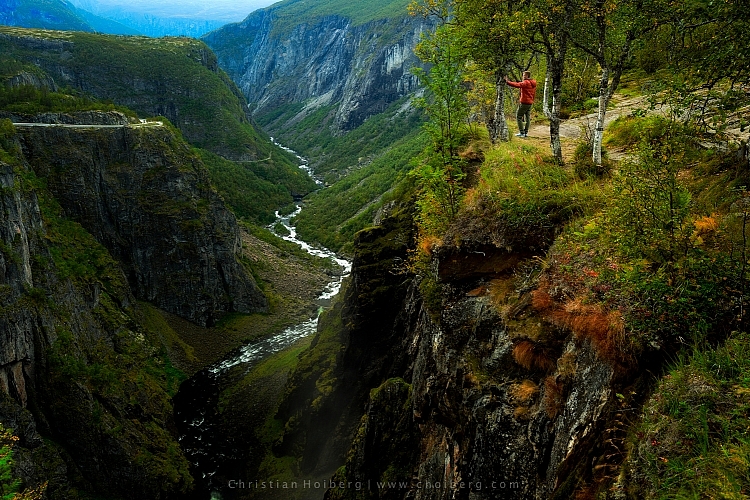
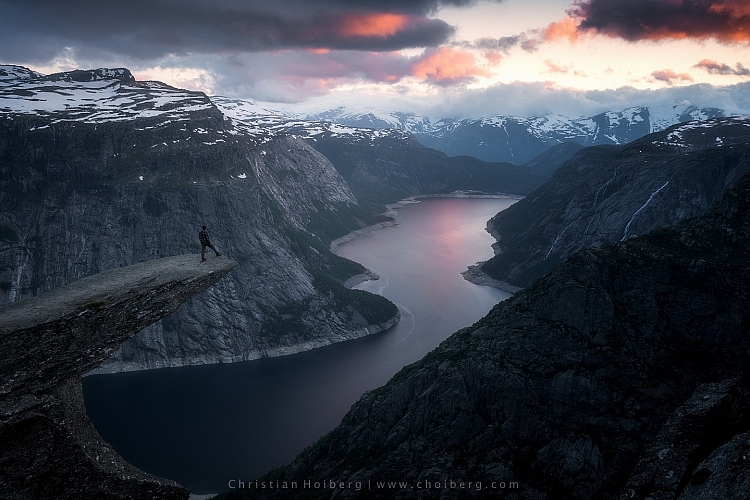
I used a remote shutter and interval timer to photograph myself on the edge

I used a remote shutter and interval timer to photograph myself on the edge.

Choosing the right remote shutter release can be a hassle sometimes as you may not know your needs. You may only need a simple one to avoid any motion when taking the image, or may need something more advanced that lets you do interval timing or perhaps something that has a “Bulb lockup”.

Once your needs are established, you have to sort out if you want a cable release or wireless. I won’t get into the topic of which is better, but again you need to consider your needs for a remote.

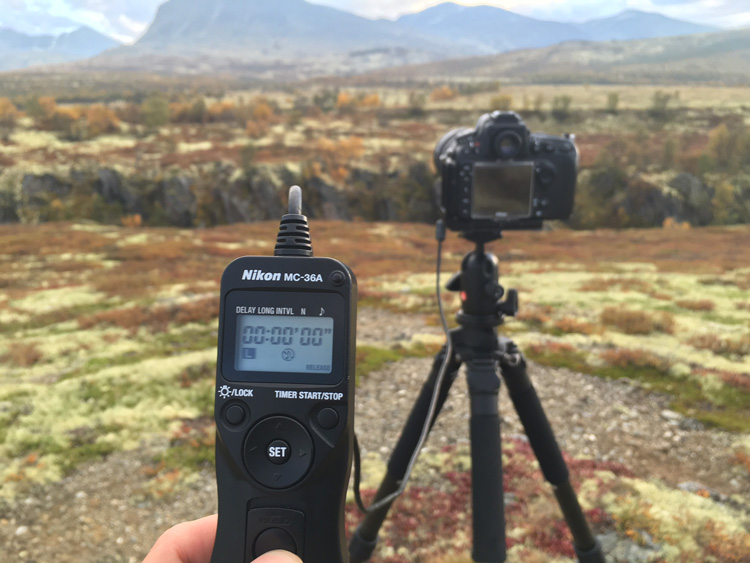
remote-timer-nikon

Pros of remote shutter releases

  • Wireless remotes allow you to stand far away from the camera and take pictures.
  • Advanced models have many options such as interval timers.
  • You can use “Bulb Mode” without having to hold the camera’s release button and cause vibration.
  • Many models have LCD screens with a timer.
  • Take a picture at the exact moment you need.
Freezing the exact moment with a cable release

Freezing the exact moment with a cable release

Cons of remote shutter releases

  • More advanced models can be very pricey.
  • It takes extra space in your bag.
  • It might be hard to choose the right model.
  • Cables break quickly on low-end cable releases.
  • Small, wireless remote shutters are easy to loose.

What is best?

To be honest with you, they both have their advantages. It would be wrong to say that one is better than the other in any case.

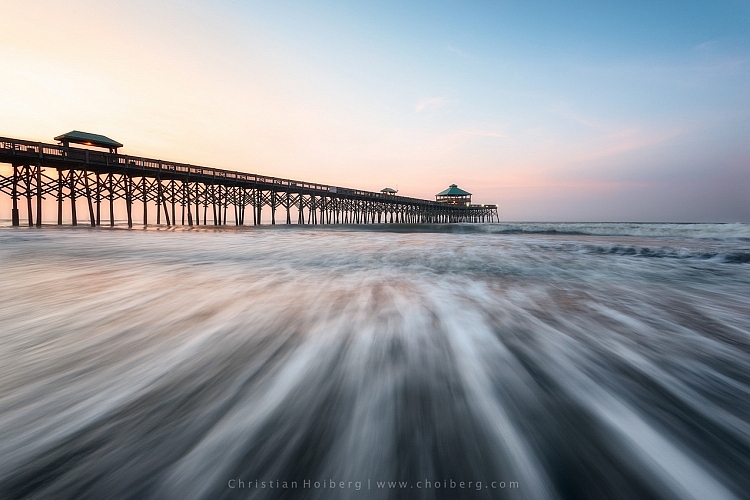
That being said, as a landscape photographer, I am dependent on my remote shutter. A lot of the time I can’t wait the extra two or three seconds before the image is taken, as the moment is gone by then. When I’m photographing rushing waves I need to capture the image at the exact moment I want, ergo I need a remote shutter. If I’m in the woods and not photographing anything that might move, I don’t need the remote shutter (even though I use it by habit).

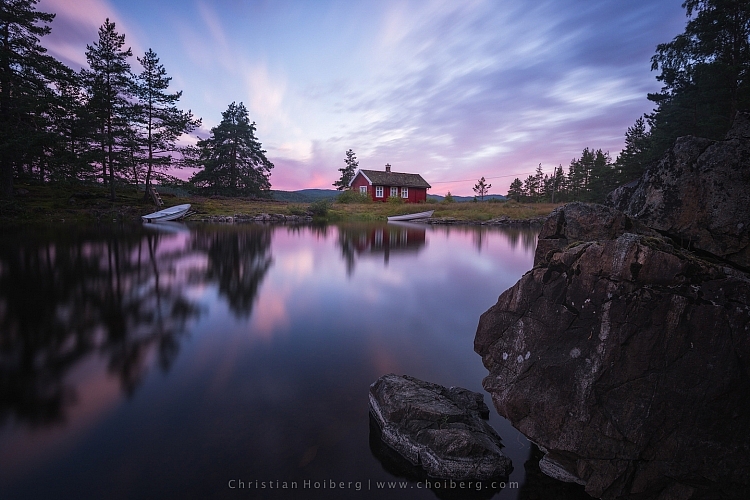
Shutter speeds over 30 seconds requires a remote shutter

Shutter speeds over 30 seconds require a remote shutter

If you only photograph still landscapes and you don’t need a shutter speed of more than 30 seconds, I don’t see a reason to purchase a remote shutter. If you photograph anything with motion or need a shutter speed of more than 30 seconds I recommend you to purchase one.

googletag.cmd.push(function() {
tablet_slots.push( googletag.defineSlot( “/1005424/_dPSv4_tab-all-article-bottom_(300×250)”, [300, 250], “pb-ad-78623” ).addService( googletag.pubads() ) ); } );

googletag.cmd.push(function() {
mobile_slots.push( googletag.defineSlot( “/1005424/_dPSv4_mob-all-article-bottom_(300×250)”, [300, 250], “pb-ad-78158” ).addService( googletag.pubads() ) ); } );

The post Remote Shutter Release Versus the Built-In Delayed Shutter by Christian Hoiberg appeared first on Digital Photography School.


Digital Photography School

 
Comments Off on Remote Shutter Release Versus the Built-In Delayed Shutter

Posted in Photography