[ By WebUrbanist in Gadgets & Geekery & Technology. ]

Buildings are forever in tension, being static objects in a dynamic world – light conditions in particular shift predictably yet variably throughout the day, week, season and year, in turn demanding an adaptive response.

Thus the Penumbra system by Tyler Short, “designed to offer a kinetic and mechanical solution to a problem that would otherwise be nearly impossible to solve with static architectural components: providing shading across a building facade for both low evening sun and high afternoon sun conditions.”
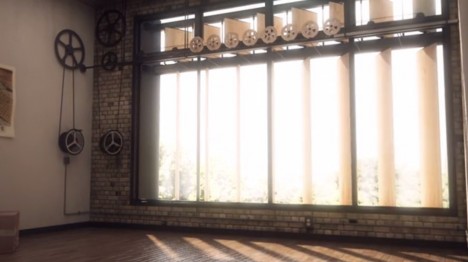
The constituent parts can shift side to side while in their vertical orientation, then turn on a proverbial dime to form a horizontal shading solution, all creating a way to deflect (and let in) light while maintaining control over views.

More from the designer: “Our solution was a series of vertical shading louvers, that can independently pivot to maximize solar protection, and when the sun reaches an altitude in which vertical louvers would be ineffective, completely rotate upwards to act as a horizontal shading element and light shelf. All of the mechanical components and gear ratios were fully resolved, and the result is a hand or computer-operated system that creates a beautiful undulating form across the facade.”
Want More? Click for Great Related Content on WebUrbanist:

Algae-Fueled Building: World’s First Bio-Adaptive Facade
Bio-reactors and micro-algae sound like the stuff of science fiction, but this is the real deal: biomass built into panel glass on an actual working structure.
Click Here to Read More »»

House of Glass: Cabin Facade from Antique Window Frames
On an unusual kind of cross-country road trip, this couple visited garage sales, antique dealers and added these to other roadside finds, all toward the quest …
Click Here to Read More »»

Adaptive Reuse: 7 Brilliant Building Conversion Projects
So many recycled projects out there, but few can boast they live in a boat, or a plane, or a church, for that matter – here are a few that do.
Click Here to Read More »»


[ By WebUrbanist in Gadgets & Geekery & Technology. ]
[ WebUrbanist | Archives | Galleries | Privacy | TOS ]
