RSS
 

Posts Tagged ‘REVIEW’

DPReview TV: Sigma 70mm F2.8 Macro Art lens review

05 Jan

This week on DPReview TV, Chris and Jordan test Sigma’s latest macro lens, the 70mm F2.8 DG Macro Art. Find out why they like it in this uniquely Canadian presentation.

Get new episodes of DPReview TV every week by subscribing to our YouTube channel!

  • Introduction
  • Focus by Wire
  • Close Focus Distance
  • Size vs Stabilization
  • Focal Length Advantages
  • Autofocus Performance
  • Lack of Stabilization vs Competition
  • Wrap-up

Sample gallery from this episode:

$ (document).ready(function() { SampleGalleryV2({“containerId”:”embeddedSampleGallery_4054814217″,”galleryId”:”4054814217″,”isEmbeddedWidget”:true,”selectedImageIndex”:0,”isMobile”:false}) });
Articles: Digital Photography Review (dpreview.com)

 
Comments Off on DPReview TV: Sigma 70mm F2.8 Macro Art lens review

Posted in Uncategorized


Review: Peak Design Travel Backpack 45L and ‘Packing Tools’ are pricey but versatile

01 Jan

Introduction

The Peak Design Travel Backpack 45L is the core item in the brand’s new travel line.

The Internet has been abuzz with excitement over Peak Design’s new travel-oriented bag line which revolves around a 45L carry-on-sized backpack and set of organizational ‘Packing Tools’. The system is for those who love Peak Design gear and want to travel with their camera gear and personal items packed into just one bag.

The system is for traveling with camera gear and personal items packed into just one bag

The Kickstarter for said line of bags launched in July and crossed the finish line with over 10 times its initial goal raised. In more direct numbers, that’s 5.2 million dollars raised, with an initial goal of $ 500,000. Wow.

The whole kit I tested: Travel Backpack 45L (right), Packing Cube (top-middle), Shoe Pouch (bottom-middle), Camera Cube (top-left), Tech Pouch (middle-left), Wash Pouch (bottom-left).

For the sake of this review I’ll be looking at the Travel Backpack 45L, on page one. On page two I’ll look at the rest of the system, including the Tech Pouch, Wash Pouch, Shoe Pouch, Rain Fly, Packing Cube (small), and Camera Cube (medium). Combined these items add up to $ 545.

It’s important to note this bag and its accessories should be viewed almost as a gear carrying ecosystem, not unlike owning a Macbook, iPhone, AirPods, etc. These products are designed to be used together, but I believe its important to remind both myself and anyone else interested in these bags you certainly can choose to use other brands alongside the different pieces of the Peak Design (PD) ecosystem. I’ll go in depth with the main bag, then share my notes on the each of the smaller items, and lastly return to how all of these things fit together.

Peak Design Travel Backpack 45L
$ 299.95| PeakDesign.com

The most important part of the Travel Line is the backpack itself. It’s big, sleek, and surprisingly boxy, though I’ll get to why that’s not such a bad thing later. As mentioned, this bag is oriented towards travelers, photographers, videographers and anyone in between. It blends some design principles of a traditional ‘backpacking’ bag with the sensibilities of a camera luggage bag, sans-wheels.

Specifications

  • Carrying Capacity: 30L – 45L
  • Height: 56 cm (22″)
  • Width: 33 cm (13″)
  • Depth: 23 – 29 cm (9″ -11″)
  • Weight: 2.05kg (4.52lb)
  • Back panel and dual side loading/access
  • 2 Expandable side pockets with drainage holes
  • Front access organization panel with 5 zippered compartments
  • Passport/travel document pocket in back panel
  • Laptop/Tablet sleeve in back panel interior, fits 15″ laptop
  • Storable hip and shoulder straps
  • 12 gear attachment loops across bag
  • 400D weatherproof, 100% recycled nylon canvas outer shell
  • 900D weatherproof bottom liner
  • Durable water repellent, polyurethane coated interior
  • Weatherproof zippers for back, front and side panels
  • Padded ultralight foam around entire bag

Compared to other bags

There aren’t a lot of direct competitors to the Travel Backpack, but two that comes to mind are Osprey’s Porter 46 Travel Pack and Mind Shift’s Firstlight 40L. These two bags represent the different focuses that Peak Design is trying to blend: a long distance travel backpack (Osprey) and a camera gear bag (Mind Shift).

The Porter is nearly identical in size, fits many of the same things and weighs only 1.5kg, or .5kg less than the Peak Design – it also costs $ 140, less than half of Peak Design’s $ 300 price tag. That being said, the Porter doesn’t have quite the gear readiness of Peak Design’s bag and is also missing the 900D bottom liner, though it does boast 420D weatherproof nylon, as opposed to PD’s 400D.

Peak Design’s Travel Backpack 45L packed with the Camera Cube (medium)

Meanwhile, the Firstlight has 5L less carrying capacity and an interior depth of 18.5cm compared to PD’s 23cm at the low end. The Firstlight also costs $ 330, $ 30 more than Peak Design but the key difference here is that the Firstlight comes readily equipped with padded dividers in the main compartment of the bag – not the case with the PD option. With the Firstlight you lose some of the flexibility and travel-focus of Peak Design’s bag, but you actually end up spending less in the long run if what you’re looking for is a gear-focused bag.

Design and construction

This bag really surprised me out of the gate. Design-wise, it boasts a simple facade that has all kinds of pockets, straps, and secret stash areas. The boxiness of the bag seems like a departure from Peak Design’s more angular, triangle-based design you see in the Messenger and Everyday Backpack. This bag doesn’t ask for attention in its appearance.

The Travel Backpack has a simple design with little flashiness.

In the Black version (tested here), everything blends together seamlessly. None of the straps, loops, or zippers call attention to themselves and everything has a James Bond-esque coolness to it. The Sage color also looks classy.

Nothing feels flimsy and all the zippers are smooth. Every strap feels like it belongs and helps the user carry the bag in whatever method is most convenient in the moment. I particularly appreciate the addition of the duffel-style strap in the center of the back panel. I’m a huge fan of Peak Design’s padded handles on both the tops and sides of their bags so to see another one in another place I didn’t realize I wanted it until I had it is a joy.

Back of the Travel Backpack 45L, note the duffel handle in the middle

I think the area that Peak Design seems to excel the most is producing bags that feel sturdy and warrant the trust we give them with our gear. Another stellar addition here is the 900D weatherproof bottom liner, something you rarely even see in more outdoor-oriented bags.

The only design flaw that really stands out to me is the hip straps’ locking mechanism feels particularly unfamiliar. I like that Peak Design chooses to use hard metal joiners, like for the sternum strap, but for me I would’ve been perfectly happy with a hard plastic buckle.

Hip Strap Sternum Strap

In Use

I actually found this bag to be much more comfortable on my shoulders than my backpacking bag from REI. The hip straps aren’t quite as load-bearing, though I still find they take some of the weight off my shoulders and I think part of this is to do with the fact that a) I’m skinny, and b) the metal hook used to secure the hip straps doesn’t have quite the same tension as a buckle.

That said, the magnetic latches that allow you to store the hip straps in the back panel are super helpful for keeping things streamlined without a bunch of straps flapping in the wind when you’re moving around. And yes, this bag weighs more than others, I didn’t find it to be excessively heavy but ultimately that’s going to depend on how you pack it.

Strap storage, brought to you by: magnets!

I first used this bag (along with the medium sized camera cube) like a gear suitcase traveling from Seattle to Portland to shoot a wedding and found it more than adequate for moving my equipment in a safe, comfortable manner.

I later used it without the camera cube as my main pack to travel around Europe for a few weeks and it was also pretty great. I opted to keep all my clothes and miscellaneous belongings in the main backpack and then carried Peak Design’s 10L Sling separately to keep my camera, extra lenses, journal, Kindle, etc. protected. Although it’s not really possible with the 10L Sling, Peak Design’s 5L sling can fit inside the Travel Backpack no problem, though you won’t have the same side panel access you could have with the camera cubes.

There are a lot of features packed into this bag and they take time to learn

The compression down to 30L is nice for those who want to use it, but I found the bag still felt too large for use as a ‘day pack’, even compressed down. The compression is achieved by folding two buttons on the top of the bag back onto their button counterparts, making the bag more angled down its face. There are a lot of features packed into this bag and honestly one of the biggest hindrances of enjoying them is they take time to learn. I’d highly recommend anyone interested in using using this pack for extended travel consider taking it out on a short weekend excursion first to learn some of the ins and outs. I didn’t initially realize that the front zipper panel with 4 zipper pockets could actually be rolled up and stowed for a more simple 1 compartment approach (see below).

My biggest usage gripe with the bag (which also extends to Peak Design’s Everyday Backpack) is that the side pockets really don’t expand much and can only fit some pretty small things. My 32oz Nalgene bottle for example, had to be attached on one of the gear loops because it didn’t fit in the side pockets. My guess is that this tightness is based around keeping things like tripods snug against the side of the bag. On the other hand one thing I like most about this bag is it stands upright on its own, unlike some of Peak Design’s other packs.

The pocketed divider can be stowed to create one big main pocket with immediate front access.

Conclusion: Peak Design Travel Backpack 45L

Overall, I really enjoy using this bag and think I’ll be relying on it more to come in the future. The build quality is stellar, it’s stylish but subdued and it offers a lot of possibilities in terms of approaching how you carry all your stuff with you.

On it’s own this backpack offers a really awesome option for traveling light. It can fit enough to live out of, but doesn’t make you feel like a turtle. The sturdy design of the bag gives buyers a chance to manipulate the space within it as effectively as possible, unlike other backpacking bags that require you to stuff things in from the top down.

What we like:

  • Stylish design
  • Lots of space and versatility
  • Comfortable fit
  • Packed with tons of features
  • Durable and naturally protective

What we don’t:

  • Too large for daypack use
  • Pricey
  • Features can be overwhelming at first
  • Small side pockets

Peak Design Travel Backpack 45L rating:


Head to page 2 for a breakdown of the rest of Peak Design’s Packing Tools and our overall conclusion.

Articles: Digital Photography Review (dpreview.com)

 
Comments Off on Review: Peak Design Travel Backpack 45L and ‘Packing Tools’ are pricey but versatile

Posted in Uncategorized


Gear Review: Lensbaby Sol 45 Field Test

01 Jan

The post Gear Review: Lensbaby Sol 45 Field Test appeared first on Digital Photography School. It was authored by Suzi Pratt.

Lensbaby has always been a niche company, offering lenses that help photographers put a creative, untraditional spin on their images. This year, the Portland, Oregon based company released the Lensbaby Sol 45. At $ 200, this is their least expensive lens yet, making it an attractive way for photographers to enter the creative effects world of Lensbaby. We got to test out this new lens and found it to be great for unlocking new creative angles. Read on for more thoughts on the lens and our ultimate recommendation.

Lensbaby Sol 45

Lens specs

Design

Announced on August 7, the Lensbaby Sol 45 is a fixed 45mm f/3.5 lens with an unusual lens design. Relatively compact at just 5 ounces, this lens looks normal until you twist the front to unlock it. When in the unlocked position, this lens can bend in just about every direction. It does this via its “bokeh blades” that rest on the lens hinges. When unlocked, these blades can be moved around to alter the quality of bokeh or image blur.  The result is an image with textured bokeh and custom edge blurs that can’t be achieved with “normal” lenses. It’s a very specific creative look that may or may not appeal to you.

Lensbaby Sol 45mm Tilt Shift Lens

Build

Despite being one of Lensbaby’s cheapest lens, Sol 45 feels very well built. The exterior is mostly metal and has a solid feel in your hands. Perhaps the only thing to note is that the lens’ moving parts could potentially get stuck or broken, so it’s important to keep the lens in a locked position.

Lensbaby Sol 45

Compatibility

The Lensbaby Sol 45 is a full-frame lens, but it can also work on crop-sensor cameras. Currently, the lens is available for Canon EF, Nikon F, Sony A and Sony E, Pentax K, and Fujifilm X mounts. For Micro Four Thirds cameras, the Sol 22 is available with an equivalent focal length of 45mm. For this article, Sol 45 was used with the full-frame Sony A7rIII.

Lensbaby Sol 45

The shooting experience

Besides its unusual design, Lensbaby Sol 45 is also a manual focus lens (as are all other Lensbaby products). This means that in addition to manually altering the bokeh blades, you also have to manually set your focus point. Depending on your subject, getting a tack sharp image can be challenging. If your camera has manual focus peaking, this can greatly help with correctly setting your focus, so take advantage of it!

Lensbaby Sol 45

Fun for closeup shots

The lens has a minimum focusing distance of about 1.1 feet. This means you can get pretty close to a photo subject and isolate it with a nice bokeh background. Even though most photographers likely use this lens for still photos, it also made for creative video shots.

Lensbaby Sol 45

Lots of moving parts

I used the Lensbaby Sol 45 on a Sony A7rIII. As someone who rarely uses manual focus, shooting with this lens took some getting used to. For one, it’s a process just to set the bokeh blades since you have a wide range of positions to lock them in. After setting the bokeh, you then have to tinker with the front element of the lens to set your focus point. With focus peaking enabled, it was a breeze to shoot with this lens. But if I didn’t have focus peaking, I could see this shooting experience getting frustrating very quickly. In general, this lens isn’t the best choice if you’re shooting a moving subject or need to capture your shot quickly.

Lensbaby Sol 45mm Tilt Shift Lens

Should you get this lens?

The Lensbaby effect is a specific, very unique look that won’t suit every taste. It also shouldn’t necessarily be applied to every photo, so it’s very much a specialty lens. But what’s great about having a unique look is that it may appeal to you in surprising ways. Although it took a while to get used to handling the lens, I eventually found it to be a delight for viewing the world from a very different perspective. It became a novelty that unlocked a creative side of my brain that I hadn’t used before. Sometimes, this is what creatives need if they’re stuck in a rut or simply need a new form of inspiration.

Bottom line

If you’ve been curious about Lensbaby products, Sol 45 is a great lens to get started with. It has a low price point, and the lens itself is very compact and easy to travel with. While untraditional in many ways, this lens is great for offering you a new perspective on photo subjects if that’s something you’re seeking.

Lensbaby Sol 45mm Tilt Shift Lens


Lensbaby Sol 45mm Tilt Shift Lens

Lensbaby Sol 45mm Tilt Shift Lens

Lensbaby Sol 45mm Tilt Shift Lens

Lensbaby Sol 45mm Tilt Shift Lens

Lensbaby Sol 45mm Tilt Shift Lens

Lensbaby Sol 45mm Tilt Shift Lens

Have you used the Lansbay Sol 45? If so we’d love to hear your thoughts and see you images in the comments below.

The post Gear Review: Lensbaby Sol 45 Field Test appeared first on Digital Photography School. It was authored by Suzi Pratt.


Digital Photography School

 
Comments Off on Gear Review: Lensbaby Sol 45 Field Test

Posted in Photography


Gear Review: Fujifilm 50-140mm vs 55-200mm

23 Dec

The post Gear Review: Fujifilm 50-140mm vs 55-200mm appeared first on Digital Photography School. It was authored by Suzi Pratt.

One of the biggest questions all Fujifilm X-Series users have to contend with is, “which telephoto zoom lens should I buy?” Luckily, there are three great Fujifilm X telephoto lenses to choose from:

  • Fujinon XF 18-135mm f/3.5-5.6 OIS WR
  • Fujinon XF 55-200mm f/3.5-4.8 R LM OIS
  • Fujinon 50-140mm f/2.8 OIS

Fujifilm Telephoto Lenses: 50-140mm vs 55-200mm

All three lenses are fantastic in their own rights, but which one is best for you? In this article, we’ll take a look at two telephoto lenses in particular: the 55-200mm and 50-140mm. Why these two? Because they’re intended to fill the role of the standard 70-200mm zoom lens, an important tool in every professional photographer’s gear kit. If you’re unfamiliar with Fujifilm, note that all X-Series cameras are crop sensors, so these lenses have a 35mm equivalent.

Specifications

Fujinon XF 55-200mm f/3.5-4.8R LM OIS

  • Released in June 2013
  • Price (MSRP): $ 699 USD
  • 35mm Equivalent: 83.6-304mm
  • Aperture Range: f/3.5-4.8
  • Dimensions: 75mm (diameter) x 118mm-177mm (length)
  • Weight: 633 grams (with hood and caps)
  • Image Stabilization (OIS): Yes
  • Weather Sealed: No

Fujinon 50-140mm f/2.8 OIS

  • Released in November 2014
  • Price (MSRP): $ 1599 USD
  • 35mm Equivalent: 76-212.8mm
  • Aperture Range: f/2.8
  • Dimensions: 82.9mm (diameter) x 175.9mm (length)
  • Weight: 1,184 grams (with hood and caps)
  • Image Stabilization (OIS): Yes
  • Weather Sealed: Yes

1 - Gear Review - Fujifilm 50-140mm vs 55-200mm

Specs Summary

Based on specs alone, there are big differences between these two lenses. The 50-140mm is much larger, heavier, and more expensive. Although, it doesn’t even cover nearly as much range as the 55-200mm. What gives? For starters, the 50-140mm is one of few Fujifilm lenses to receive the Red XF Zoom Badge. It’s similar in concept to Canon’s L-lens designation, indicating that red badge lenses are more premium and geared toward professionals.

There are two qualities in particular that make the 50-140mm more premium: weather sealing, and the constant f/2.8 aperture. Both features make this lens more flexible in terms of shooting in bad weather and in low lighting conditions. Both important features for professional photographers. Unfortunately, that also means the price is much higher with the 50-140mm costing more than double the 55-200mm.

2- Gear Review - Fujifilm 50-140mm vs 55-200mm

Build quality

Specs aside, let’s talk about how these two lenses compare in terms of handling and physical construction.

Buttons and rings

Both telephoto lenses are made of a combination of metal and rubber. There’s a rubber ring to control the zoom and another rubber ring for manual focus. The lenses also have Fujifilm’s signature aperture ring that allows the user to twist to select the aperture. There’s a key difference in that the 50-140mm has a marked Auto Aperture ring, whereas this takes the form of a switch on the 55-200mm. Both lenses also have a switch to turn OIS on or off.

3- Gear Review - Fujifilm 50-140mm vs 55-200mm

Zoom

Another big difference between these lenses is how they zoom. The 55-200mm has an external zoom, which means it extends as the zoom ring is turned. When fully extended, the 55-200mm is nearly the same length as the 50-140mm. This can be positive in that the lens ends up being quite compact when not fully extended. However, when fully extended, there’s an added risk of damaging the lens. On the other hand, the 50-140mm lens zooms internally, meaning it physically remains the same length even as you zoom in and out.

Lens Hoods

Both the 50-140mm and 55-200mm come with plastic lens hoods. The 50-140mm’s lens hood is scalloped and has an opening allowing easy access to lens filters (ie. circular polarizers).

4- Gear Review - Fujifilm 50-140mm vs 55-200mm

Tripod collar

Likely due to its size and weight, the 50-140mm comes with a metal tripod collar. This allows for the lens to be mounted to a tripod, rather than the camera body, resulting in better overall balance. The tripod collar has several knobs that allow it to easily be turned in any position, or removed altogether. Compared to other telephoto zooms such as the Canon 70-200mm f/2.8, Fujifilm’s tripod collar is much lighter and easier to remove. Overall, the tripod collar seems to be one of the best and most surprising features of this lens.

The 55-200mm lens does come with a tripod collar.

Lens performance

Let’s start with the 55-200mm f/3.5-4.8 lens as its price point and size makes it the easiest to add to your kit. Overall, the lens performs extremely well. Images are sharp and in focus. Even when shooting at 200mm f/4.8, image bokeh is smooth and there’s a good separation between the photo subject and background. However, it’s still a variable aperture lens. When shooting in low lighting or needing to isolate your subject with creamy bokeh background, this lens is blown out of the water by the 50-140mm.

5- Gear Review - Fujifilm 50-140mm vs 55-200mm

The 50-140mm at f/2.8 performs incredibly well in low lighting.

Moving on to the 50-140mm f/2.8 lens. This lens is definitely much beefier and you’ll need more room in your bag to lug it around. Its size can make it an awkward match for some of Fujifilm’s more compact cameras such as the X-E bodies. If your camera comes with an optional battery grip, using it can help the lens and camera feel more balanced. Personally, I had a hard time turning the aperture ring with the tripod collar attached, although the collar did help hold the lens steady.

In terms of image quality, the 50-140mm offers sharp, crisp images at all focal lengths and apertures. It has an obvious upper hand when it comes to low light shooting and bokeh with that f/2.8. However, if you’ve gotten used to shooting with the 55-200mm, you might miss that extra zoom range that you can’t get with the 50-140mm.

7- Gear Review - Fujifilm 50-140mm vs 55-200mm

55-200mm at 55mm f/3.5

8- Gear Review - Fujifilm 50-140mm vs 55-200mm

50-140mm lens at 140mm f/2.8

Conclusion

So which of these two Fujifilm telephoto lenses is best for you? It’s hard to say. If you’re on a budget, don’t want a bulky lens, or don’t shoot in a lot of low lighting scenarios, the 55-200mm is a great deal that will still give you sharp, clear images. However, if your budget can stretch a bit and you really value having a constant f/2.8 aperture, splurge on the 50-140mm. Despite being larger, pricier, and offering less range, the 50-140mm is a sturdy, reliable lens that will last you a long time.

Video

?


9- Gear Review - Fujifilm 50-140mm vs 55-200mm

50-140mm lens at 140mm f/11

10- Gear Review - Fujifilm 50-140mm vs 55-200mm

55-200mm at 200mm f/11

11- Gear Review - Fujifilm 50-140mm vs 55-200mm

55-200mm

12- Gear Review - Fujifilm 50-140mm vs 55-200mm

50-140mm

Have you used either of these lenses? We’d love to hear your thoughts in the comments below.

The post Gear Review: Fujifilm 50-140mm vs 55-200mm appeared first on Digital Photography School. It was authored by Suzi Pratt.


Digital Photography School

 
Comments Off on Gear Review: Fujifilm 50-140mm vs 55-200mm

Posted in Photography


Gear Review: Canon EOS M50 Mirrorless Camera Kit

19 Dec

The post Gear Review: Canon EOS M50 Mirrorless Camera Kit appeared first on Digital Photography School. It was authored by Anabel DFlux.

1 - Gear Review Canon EOS M50 Mirrorless Camera Kit

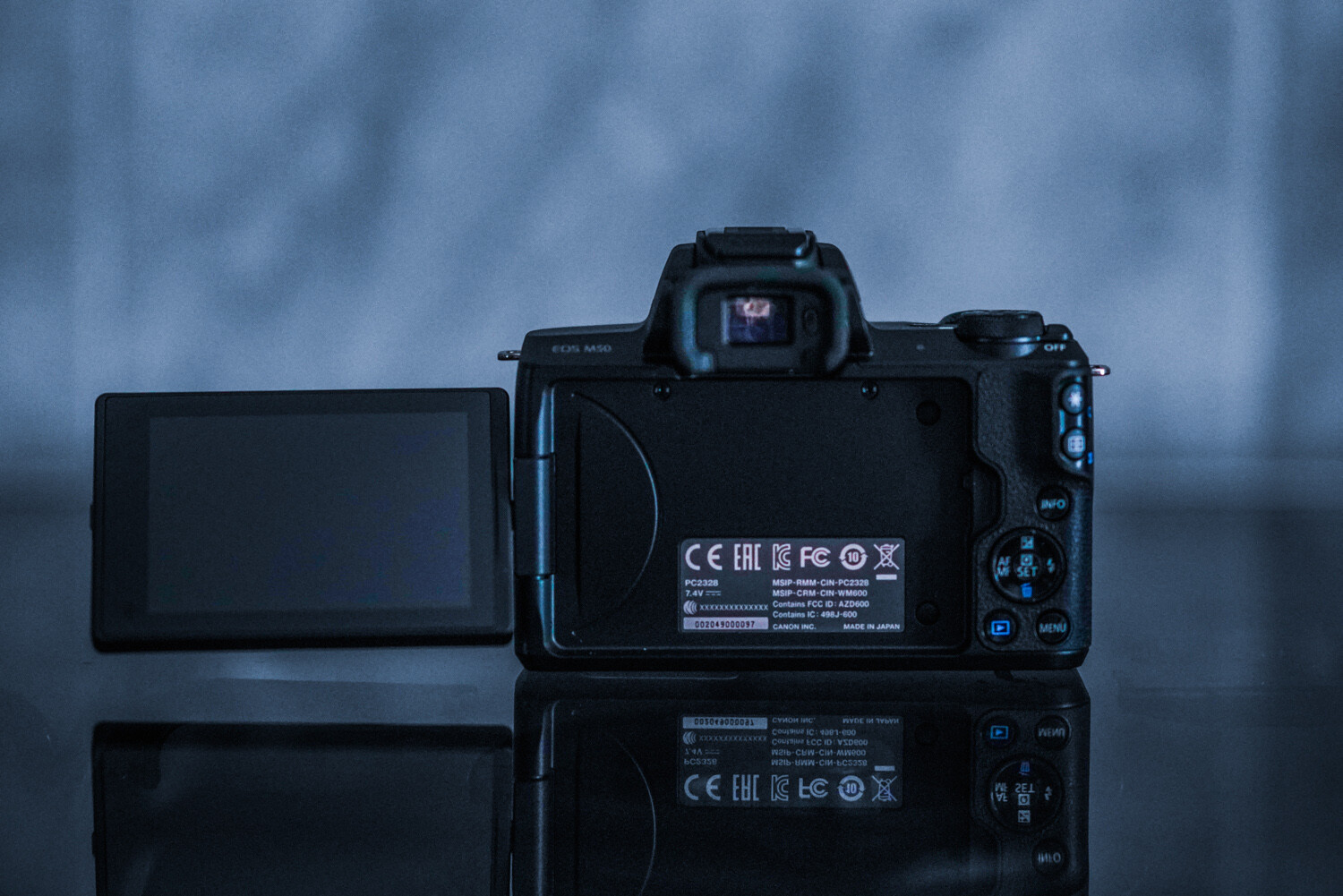
The Canon EOS M50 is a compact interchangeable lens camera for aspiring photographers looking for an easy way to boost the quality of their photos and videos. Sporting 4k video capabilities to capture your favorite memories, 24-megapixel vibrant photographs, and Dual Pixel Autofocus system, the Canon EOS M50 is a masterful piece of technology.

Social media mavens can benefit from the camera’s Wifi function that allows users to connect to the Canon Camera Connect app to transfer images to their smart device. From there, you can share and upload from your device directly to various social media sites.

Canon’s newest addition is an excellent introduction to mirrorless cameras. Complete with a lens, its ready to go right out of the box – making it a fantastic holiday season gift for any photography enthusiast. Following is why this camera is so spectacular!

What is a Mirrorless Camera?

Before we get into it, let’s have a quick look at what a mirrorless camera is and how this new technology compares to digital Single Lens Reflex cameras (DSLRs).

2 - Gear Review Canon EOS M50 Mirrorless Camera Kit

The way that a digital SLR camera works is that a mirror inside the camera reflects the light up to the optical viewfinder (which is also how you see the image before you take it). When you release the shutter, the mirror lifts, allowing the light to hit the sensor and capture the image.

In a mirrorless camera, there is no mirror or optical viewfinder. Instead, the imaging sensor gets exposed to light at all times. This method gives you a digital preview of your image either on the rear LCD screen or an electronic viewfinder (EVF).  As such, a mirrorless camera is one that doesn’t require a reflex mirror – a key component of DSLR cameras.

Due to the lack of mirror, the camera is significantly smaller and lighter weight than a DSLR, a very distinct difference between the two. However, DSLRs are well-trusted because of their true-to-life through-the-lens optical viewfinder system, which uses a series of mirrors to reflect light to your eye.

Mirrorless cameras, on the other hand, require an electronic viewfinder or LCD screen for image monitoring. Both are equally spectacular. Each model has their own pros and cons and it comes down to personal choice.

Canon EOS M50 features and specifications

3 - Gear Review Canon EOS M50 Mirrorless Camera Kit

Features

The Canon EOS M50 mirrorless camera sports some very impressive features that would make even the smuggest photographer blush. The EOS M50 delivers improved Dual Pixel CMOS AF for fast, accurate autofocus that helps you get the photo you want right at the moment it happens.

The 24.1 Megapixel (APS-C) sensor is capable of capturing high-resolution image and video. The files grant the user images suitable for enlargements with sufficient resolution for significant cropping. The video capability of this hardy little camera is even more impressive. It has the ability to record in 4K UHD at 24 frames per second. The high-speed 120p mode is possible in HD.

According to the manufacturer, the built-in high-resolution electronic viewfinder features approximately 2,360,000 dots. So, you can see high amounts of detail in whatever you’re capturing.

The vari-angle Touchscreen LCD, which has a flexible tilt range. The tilt range is ideal for high-angle and low-angle shooting so you can get the composition you want without breaking your back. The Canon EOS M50 camera features the new DIGIC 8 Image Processor, which helps improve autofocus performance, enables you to shoot 4K UHD 24p video and aids with many other advanced features.

4 - Gear Review Canon EOS M50 Mirrorless Camera Kit

Specifications

  • Improved Dual Pixel CMOS AF and Eye Detection AF.
  • 24.1 Megapixel (APS-C) CMOS Sensor with ISO 100-25600 (H: 51200).
  • 4K UHD* 24p and HD 120p** for Slow Motion.
  • Built-in OLED EVF*** with Touch and Drag AF.
  • Vari-angle Touchscreen LCD.
  • Built-in Wi-Fi, NFC, and Bluetooth Technology.
  • Automatic Image Transfer to Compatible Devices while Shooting.
  • New DIGIC 8 Image Processor with Improved Auto Lighting Optimizer.
  • Silent Mode for Quiet Operation.

This is only the second EOS M model to have a built-in Electronic View Finder (with the first being the EOS M5). It is also the first EOS M model to offer 4k video, which puts it one step ahead of the EOS M5. The camera also uses a DIGIC 8 processor, rather than the older DIGIC 7 processor.

Physical build

5 - Gear Review Canon EOS M50 Mirrorless Camera Kit

This camera’s size is brilliant! It is smaller than my cell phone (Google Pixel). Easy to throw into any bag, purse, or pocket. The body construction consists of polycarbonate rather than a metal body shell, but it still feels robust enough in your hand. The camera features a very comfortable and well-designed grip containing  ‘hooks’ for your second finger and thumb. As a result, the M50 feels surprisingly secure, even when used with one hand.

Much like Canon’s pro-level DSLRs, the controls are well laid-out. The buttons are a decent size and easily located by touch while using the viewfinder. However, the size may be an issue for those with larger hands. My hands are petite, and I find the controls just fine (haha)!

6 - Gear Review Canon EOS M50 Mirrorless Camera Kit

The tilt, vari-angle touch screen is brilliant. This nifty feature has infinite uses. Additionally, the screen can be stowed backward against the camera body to avoid any potential scratches (for those that don’t purchase screen protectors). The built-in viewfinder is very helpful when shooting during the noon sun or other bright conditions. There’s an auto activation when your eye approaches the viewfinder, ensuring that the LCD doesn’t blind you.

Canon has a knack for making its small models handle well and feel professional. The M50 is proof of this.

Autofocus

Canon’s autofocus is what has kept me loyal to the brand for over ten years now. Canon’s Dual Pixel CMOS sensor that the M50 sports mean every sensor pixel is capable of being used for phase detection. Allowing fast autofocus almost wherever the subject gets situated within the frame. The AF system is sensitive down to -2 EV, which means the camera continues to focus in extremely low light.

7 - Gear Review Canon EOS M50 Mirrorless Camera Kit

A new autofocus feature of this model is the eye-detection autofocus. The camera can find eyes on your subject and lock focus on them with the push of a button. It is photographic witchcraft, and I love it. This feature is activated when face detection is turned on, to focus specifically on your subject’s eye.

Do make note that this fun feature is only available in single-AF mode, which means you can’t use it track focus during burst shooting. As can be seen above, the eyes of my dog are nicely in focus (and this was easy to achieve, even when she moved a bit).

I have always preferred the AI Servo | Continuous Focus mode due to the majority of my subjects moving around a lot. Thanks to the ability to use phase-detection anywhere in the frame, this feature is fast and reliable.

Low light capability

8 - Gear Review Canon EOS M50 Mirrorless Camera Kit

As the years’ progress, so does low-light capability. In higher ISO levels, image quality stands up very well at ISO 800. It’s only at ISO 3200 noise, and noise reduction starts to blur away detail. However, the color gets retained well. The higher numbers are passable for smaller reproductions, but you’ll generally find yourself not wanting to move beyond 12,500 max! The autofocus continues to shine even at low-light levels.

9 - Gear Review Canon EOS M50 Mirrorless Camera Kit

Battery life

I have always been a tremendous fan of Canon’s batteries. They always continue to impress me with their longevity. This camera is no exception, despite having an always-on LCD screen! As always, I do suggest purchasing more than one battery, but you can remain confident in this camera lasting you through your entire photo session and photography adventures.

10 - Gear Review Canon EOS M50 Mirrorless Camera Kit

The lens: EF-M 15-45mm f/3.5-6.3 IS STM

The M50 kit comes complete with the EF-M 15-45mm f/3.5-6.3 IS STM, a compact and stylized zoom lens for the mirrorless camera. The lens is very compact and features a side switch to flatten the lens when stored. This feature makes traveling with the M50 kit an absolute breeze.

11 - Gear Review Canon EOS M50 Mirrorless Camera Kit

With the 15-45mm kit lens with its STM focus motor, autofocus is great. It is super-fast, silent, accurate, and excellent for any photography style. The 35mm-equivalent 24-72mm range combines a wide-angle for landscapes and big group photos, with a telephoto zoom for close-ups and detailed headshots.

12 - Gear Review Canon EOS M50 Mirrorless Camera Kit

I found the lens to be reliable, fast, and sharp – no complaints whatsoever!

Final thoughts

13 - Gear Review Canon EOS M50 Mirrorless Camera Kit

The Canon EOS M50 is an excellent entry-level camera for aspiring, beginner, and hobbyist photographers alike. From its variety of features to its portable size and ease-of-use, unraveling this camera under the Christmas tree would excite even the most controlled picture-takers. Plus, having a kit that comes with a lens is just a brilliant bonus!

The post Gear Review: Canon EOS M50 Mirrorless Camera Kit appeared first on Digital Photography School. It was authored by Anabel DFlux.


Digital Photography School

 
Comments Off on Gear Review: Canon EOS M50 Mirrorless Camera Kit

Posted in Photography


ON1 Photo RAW 2019 Review

18 Dec

The post ON1 Photo RAW 2019 Review appeared first on Digital Photography School. It was authored by Leanne Cole.

This November, ON1 released the latest version of their standalone-editing platform, Photo RAW 2019. It is a sophisticated program aimed toward all levels of photographers from the absolute beginner to the professional. The program is there to help photographers edit their photos to achieve the best possible images.

Many features in the previous version still exist. However, some obvious changes are in the user interface — specifically, the removal of the different modes you had to switch to as you processed your images. They are now much easier to use, and access to each is all done in the same window.

leannecole-on1-photoRAW-2019-001

When you open ON1 Photo RAW 2019

Some of the significant aspects of Photo RAW are still available but have been improved to make them more efficient to use. ON1 have always listened to their users. They find out what their users want the most from the software and use that feedback to make product improvements, via the ON1 Photo RAW Project.

User Interface

One of the biggest changes with Photo RAW 2019 is the basic layout. The Browse section is much the same, except for a few minor changes. However, some of the most significant changes are when you proceed to the photo editing section.

In the past, you have had to go to different modules to make particular changes. In the latest release, you the Develop, Effects and Layers features are all integrated in the same place. You can now move between each of them easily, and more importantly, quickly.

leannecole-on1-photoRAW-2019-002

The User Interface has been updated as well.

You no longer have to wait for changes to get saved when moving from one module to another. In previous versions, when you moved to the Layers module, you lost all of the non-destructive settings used to create your image. However, now you have access to them all the way through the editing process of your image.

When you open your image in Edit Mode, you can see on the right side that it still looks similar to the previous version with Tone & Color windows opened first. However, above it, are now tabs for Develop, Effects, Portrait, and Local. When you want to use aspects that are in a specific tab, you click on it and you are taken to it straight away. You can move around them very quickly.

Above those tabs, is a larger one that has Layers written on it. You can now add layers at any stage of your editing and go back and forth between the other tabs as well.

leannecole-on1-photoRAW-2019-005

Now layers is in the same place as the other tabs.

The new Layers tab is a bonus because you don’t lose any of the previous edits you have done. As you go back to the other tabs everything you have done previously is still there. You can change adjustments and filters at any stage of the process too. This ability is new to Photo RAW and was not available in previous versions.

Effects and Filters

Nearly all the adjustments are now under the Effects Tab. When you click on Add Filter, a new window pops up with a range of filters available for use. While this isn’t new, in the previous version they were split between the Develop and Effects Modules, and you had to keep swapping between them, depending on how you used them.

In the 2019 release, the filters are all in one place under the Effects tab. Along with the existing filters, ON1 have also included some new ones.

leannecole-on1-photoRAW-2019-004

All the filters are now under the Effects tab.

These filters include Curves, Color Adjustments, and Film Grains. Curves is a very welcome addition as it is something that many people use in other editing programs. This filter is addictive. Once you start using it, you want to use it on everything.

Some people enjoy the Film Grain option. It is excellent for imitating the effects of analog film. If you had a favorite film type, you could make your digital images have a similar feel to them.

Color Adjustments give you more options for individual colors in your image. You can saturate or desaturate them. You can also change the hue tones or change the color entirely. If you like that sort of control in your editing, then this filter is perfect for you.

Tool changes

One of the things I have noticed is the tools are now in the left sidebar. In the previous version there were many of them, and as you moved through the modes more appeared.

At first glance with Photo RAW 2019, it appears that there are not as many tools. There aren’t many sitting in the sidebar, but when you click on one, you should also look at the top of the window. There, you can find the settings for each one, and you find other similar tools. You can click on them to use the ones that you like.

leannecole-on1-photoRAW-2019-014

Some of the tools are now located in a different section.

If you have used previous versions and can’t find tools that you previously used, go through each one along the top to see what is available. It looks as though all the original tools are still available. They are merely in a new location.

Text Tool

One of the really exciting additions to the latest release is the Text Tool. You can now add text to images. You can make memes or other designs.

This new feature is excellent for watermarking your image too. Love them or hate them, many people want to put watermarks on their work. It allows them to prove they own the copyright if their image is stolen or used without their permission.

The Text Tool also features a range of font options, and you can choose the size and placement. Like most adjustments, you can change the opacity as well, which is perfect for watermarking.

The Text Tool is a welcome addition to Photo RAW and something that many people are going to like.

leannecole-on1-photoRAW-2019-011

The new Text Tool is a very welcome addition.

Processing RAW images

Some programs are not capable of processing your RAW files; however, ON1 can process these files with Photo RAW. It can process them quickly, and the file sizes are not an issue.

Many of the modern cameras produce images with enormous file sizes. I use a Nikon D850, and the RAW images are often over 50MB. Each image I have processed in Photo RAW 2019 has handled with no problems.

Lightroom Catalogues

Many people who have used Lightroom for years have cataloged all their photos using the platform. Lightroom users may be hesitant to switch to Photo RAW 2019 for fear of losing access to all of these catalogs. However, there are now some new AI algorithms that power Photo RAW giving the user access to all their photos from Lightroom catalogs using the Lightroom Migration Assistant. The Migration Assistant adds the top-level folders in the Folders panel in Lightroom to Cataloged Folders in Photo RAW. All of the photos inside of these folders are cataloged automatically. Your collections and Metadata changes made in Lightroom are migrated and include keywords, descriptions, ratings, labels, orientation, etc.

Lastly, RAW processing and editing settings from Lightroom’s Develop module including crop, retouching, and local adjustments are migrated non-destructively so they can be re-edited in ON1 Photo RAW 2019.

You can also see the photos you have edited in the other program as well. This feature was an essential development for ON1 because it offers users an alternative to paid monthly subscriptions such as Lightroom.

leannecole-on1-photoRAW-2019-013

Now you can access all your photos and catalogs from Lightroom.

Creating HDR images

While HDR Images editing is not new to Photo RAW, the 2019 release has seen some significant improvements to the programs ability to edit them faster. The workflow has improved significantly too.

The process starts the same way – select your images and click on the HDR icon. However, once the images are merged, the changes made to the overall image are not set in stone. Once the HDR is created and opened in the Develop tab, you can continue making other re-adjustments. This feature allows you to alter any mistakes you may have made the first time.

leannecole-on1-photoRAW-2019-006

Creating HDR Images is now easier.

The most significant and best change is how fast your HDR images get processed. It is fantastic and makes them so much easier to do. While other programs make you wait (you can make coffee while it is doing the merging), Photo RAW completes the process before you know it. This feature is an excellent addition for time-poor photographers.

Many of the other features remain, and you can choose various options for how you want your HDR images to appear when the merging is complete. If you are familiar with how ON1 does HDR photos, the previous features remain, with the added bonus of new ones that are sure to impress.

leannecole-on1-photoRAW-2019-008

Make changes anytime.

Focus stacking

If you love macro photography or are keen to get everything in your images in focus, the Focus Stacking feature is a great new feature for you. Photo RAW 2019 allows you to highlight all the images you want to Focus Stack via the Browse section, and you simply click on the Focus icon. The icon is located on the right side of the window.

leannecole-on1-photoRAW-2019-009

Use Photo RAW 2019 to merge images for Focus Stacking.

Photo RAW aligns all your images together and displays a preview of your stacked image. It then blends all the selected images to make a final focus-stacked image. There is a reference panel to ensure you get the image you want.

leannecole-on1-photoRAW-2019-010

All the images are aligned and everything that you want in focus is.

Who is ON1 Photo RAW 2019 for?

The latest version has been designed to appeal to a wide range of photographers who want to edit their photos. Professional photographers can find everything they need to process their photos in Photo RAW 2019. If you have many photos to process, all the tools and adjustments that you used in Lightroom are available. Accessing all those images that you have previously processed with Lightroom is simple.

Hobbyist photographers who want more say on how their final images look may find Photo RAW 2019 brilliant. You can make all those basic adjustments, and more. It is an excellent program for learning layers too.

However, the best part is that many new photographers don’t want to sign up for monthly subscriptions set out by Adobe. The monthly expense can be expensive. With Photo RAW, you can purchase it outright and not have ongoing monthly costs. On top of that, with monthly subscriptions, you aren’t paying for many extras that you may not need.

Support

ON1 have many tutorial videos on YouTube to help you learn how to use the Photo RAW 2019 software if you are new to it. There are also tutorials for the latest release.

If you want more from the program and the company, consider signing up for ON1 Plus. ON1 Plus provides in-depth monthly courses on using ON1 Photo RAW and courses from top photographers. It is something that I would highly recommend.

leannecole-on1-photoRAW-2019-015

ON1 Plus gives you so much more support.

In Conclusion

The latest addition of ON1 Photo RAW 2019 was thoughtfully developed with the use of current user feedback. One of the great things about ON1 is how much they care about their users and try to make sure their software delivers for their needs. This latest release is sure to impress their users.

If you are looking for an alternative to mainstream editing programs, you should consider ON1. It does everything you need and is a program you can continue to learn. No matter what level of photographer you are, Photo RAW 2019 can cater to your editing needs.


Disclaimer: ACDSee is a paid partner of dPS

The post ON1 Photo RAW 2019 Review appeared first on Digital Photography School. It was authored by Leanne Cole.


Digital Photography School

 
Comments Off on ON1 Photo RAW 2019 Review

Posted in Photography


Gear Review – Fikaz Sony E-Mount Lens Adapters

17 Dec

The post Gear Review – Fikaz Sony E-Mount Lens Adapters appeared first on Digital Photography School. It was authored by Adam Welch.

Not too many years ago, in a sad and dark time, there weren’t many ways for us adventurous types to branch out in ways we used our photography gear. Namely, our camera lenses weren’t easily usable across platforms. It was possible, but adapters and converters weren’t plentiful or easy to find.

1 - Gear Review - Fikaz Sony E-Mount Lens Adapters

Today, mirrorless, full-frame, and crop-sensor cameras are essentially pairable with many lenses. Adapters for these lenses are relatively easy to find too. So much so, that there is an over-saturation of the lens conversion market making most lens mount adapters affordable for any budget.

Unfortunately, not all lens adapters are created equal. So when Fikaz, a company I had never heard of, approached me to test out some of their new Sony E-Mount (NEX) adapters, I was open-minded but still cautious of yet another lens adapter-maker.

Luckily, all of my reservations about the Fikaz Sony E-Mount lens adapters were unfounded. As it turns out, the two adapters I received were pleasantly high-quality pieces of kit. Let me explain to you what I thought about these nifty little adapters from one of the newest kids on the lens converter block.

As I said, the lens adapter world is a hot commodity right now and being able to use your lenses (especially manual vintage lenses) is currently in vogue. The two adapters I evaluated were the Nikon F (G) to Sony E-Mount and M42 to Sony E-Mount. Both adapters were high quality in both aesthetics and their build.

Nikon F (G) Adapter

Until their recent leap into the full-frame mirrorless realm, and since the late 1950s, all of Nikon’s lens mounts have been variations of the “F” mount. So technically, virtually all Nikon lenses should be compatible with a Nikon F-mount adapter.

The caveat is that later “G” series lenses (read as modern) don’t sport a physical aperture ring on the lens itself. This missing aperture ring means that while the lens is physically shootable with most F-mount lens adapters, there is nowhere for the photographer to change the aperture. A dedicated G-mount adapter comes in handy because the shooter can use the aperture ring on the adapter to physically control the amount of light entering the camera via the lens.

2 - Gear Review - Fikaz Sony E-Mount Lens Adapters

The Nikon F (G) adapter is solidly built and feels extremely substantial in the hand. The aperture controller ring is a nicely contrasting silver against the black frame of the adapter.

3 - Gear Review - Fikaz Sony E-Mount Lens Adapters

4 - Gear Review - Fikaz Sony E-Mount Lens Adapters

The Nikon F (G) adapter was tested using my relatively ancient Nikkor 70-300mm F/4-5.6 lens. Both the lens and camera sides of the adapter fit extremely snug…but not too snug…to the lens bayonet and the camera mount. Absolutely no play or movement was observed.

5 - Gear Review - Fikaz Sony E-Mount Lens Adapters

A well placed and crisply-springy release slider is also present on the adapter which is, again, in the visually pleasing contrasting silver tone. Fikaz has also included a highly visible red bead for easy mating of both the lens and camera with the adapter.

6 - Gear Review - Fikaz Sony E-Mount Lens Adapters

From what I would approximate, the aperture ring, or rather more accurately, the “aperture approximator” ring works in full stop increments with six stops of adjustment. Basing my lens at 70mm and F/4, the apertures provided from the adapter should be approximately F/4, F/5.6, F/8, and so on. The adapter has a visual representation to aid you in selecting aperture size.

7 - Gear Review - Fikaz Sony E-Mount Lens Adapters


8 - Gear Review - Fikaz Sony E-Mount Lens Adapters

Aperture control using the Fikaz Nikon F (G) to Sony E-mount adapter

9 - Gear Review - Fikaz Sony E-Mount Lens Adapters

Aperture control using the Fikaz Nikon F (G) to Sony E-mount adapter


M42 Adapter

I had intended to test the Fikaz M42 to Sony E-mount adapter using a fan-favorite lens, the Helios 44-2. Unfortunately, I realized far too late that my Helios was not in my bag. Seeing as I’m currently 3,000 miles from my test lens, this portion of the review shows my impressions of the build and appearance of the M42 adapter only. Which I must say, is extremely impressive for its price tag.

10 - Gear Review - Fikaz Sony E-Mount Lens Adapters

The M42 adapter from Fikaz is incredibly Spartan in its appearance. The majority of the converter is mostly flat black with accenting bare aluminum areas which cut an understated yet classical form. Like the Nikon adapter, the markings are well executed and quite clean. The threads on the M42 side are very uniform and smooth with no burrs or metal shavings present.

11 - Gear Review - Fikaz Sony E-Mount Lens Adapters

This same level of craftsmanship also holds through for the Sony bayonet end of the adapter which shows no flaws in the cutting or finish of the mount. The perimeter of the M42 adapter sports deep cut serrations offering a superb grip even with gloved hands.

12 - Gear Review - Fikaz Sony E-Mount Lens Adapters

Final Thoughts on the Fikaz Sony E-mount Adapters for Nikon F(G) and M42

In the grand scope of things, both the construction quality and thoughtfulness of design displayed with Fikaz’s first entries into the world of mirrorless adapters impressed me. Hopefully, both the build and looks of the adapters hint at great things to come too.

The Nikon F (G) adapter worked extremely well to allow a large measure of aperture control with newer Nikon lenses and mated perfectly to my 70-300mm test lens. However, I wasn’t able to test the M42 mount with a lens, the build and precision left little doubt that it would also perform well.

That said, there are some things to keep in mind about the M42 (and any other non-AF adapters). Essentially, all that is needed is a mount conversion. There is no real need for the relatively large size of the adapter which can affect infinity focus. While the M42 adapter has an excellent build, it may be beneficial to search for a slimmer “ring” adapter if you are worried about focusing issues.

On that note, the Fikaz adapters both feature black paint on their interior but no flocking to eliminate possible reflections. This shouldn’t be a problem, but maybe a concern for those seeking complete security for lengthy exposures.

Currently, the Fikaz Sony E-mount adapters are available for the following lens mounts: Nikon F (G), M42, Pentax K, and Fuji X mount. I have been informed that Canon EF mount will be available in the future. At the time this review, these adapters have a selling price of around US$ 24, making them a bargain. There are plenty of choices for lens adapters and converters today. Some are high quality and others, well, not so much.

I feel as if Fikaz can now join the ranks of some of the better budget adapters currently on the market. A bonus for those who are looking at a cost-effective way to use their lenses across a wide range of camera systems.

The post Gear Review – Fikaz Sony E-Mount Lens Adapters appeared first on Digital Photography School. It was authored by Adam Welch.


Digital Photography School

 
Comments Off on Gear Review – Fikaz Sony E-Mount Lens Adapters

Posted in Photography


DPReview TV: Nikon Z6 review

15 Dec

Tune in this week to see Chris and Jordan’s review of the Nikon Z6 full frame mirrorless camera, and also find out what Chris thinks of the popular 35mm focal length. (Rant alert!)

For more information you can read our in-depth First Impressions Review of the Nikon Z6.

Nikon Z6 First Impressions Review

Get new episodes of DPReview TV every week by subscribing to our YouTube channel!

  • Introduction
  • Handling and Stability
  • AF Points and Selection
  • Image Quality
  • Memory Card
  • Buffer and Burst
  • Conclusion

Articles: Digital Photography Review (dpreview.com)

 
Comments Off on DPReview TV: Nikon Z6 review

Posted in Uncategorized


Nikon Z6 First Impressions Review

11 Dec

The Nikon Z6 is one of two full-frame mirrorless cameras that Nikon introduced in August of 2018. It’s very similar to its big brother, the Z7, with the main differences being the sensor (24MP vs 46MP) and the decrease in resolution that comes along with it. The Z6 also has fewer phase-detect autofocus points (273 vs 493) due to the lower-res sensor. Otherwise, you’re getting the same rugged body, the same (mostly) familiar controls and access to a small but soon-to-grow collection of Z-mount lenses.

Specs aside, the Z6 is for a very different audience than the Z7. The latter is for those seeking ultra-high resolution and would also be considering cameras like the Sony a7R III and Nikon D850. The Z6, on the other hand, is intended to be be more appealing to those looking to upgrade from crop-sensor cameras or previous-generation full-frame DSLRs.

The Z6 will ultimately be compared to its DSLR sibling, the D750 (which is getting on in years, but still very capable). While the two cameras have different designs, they operate similarly, with autofocus modes and video being the the most significant differences.

Key specifications:

  • 24.5MP full-frame BSI-CMOS sensor
  • Hybrid autofocus system w/273 phase-detect points
  • Up to 12 fps burst shooting (Raw + JPEG)
  • 3.69M-dot OLED viewfinder
  • 2.1M-dot tilting touch LCD
  • OLED top plate display
  • Single XQD card slot
  • UHD 4K capture up to 30p
  • 10-bit 4:2:2 N-Log output over HDMI
  • Up to 100Mbps H.264 8-bit internal video capture
  • SnapBridge Wi-Fi system with Bluetooth
Out of camera JPEG | ISO 7200 | 1/250 sec | F1.8 | Nikkor Z 50mm lens
Photo by Dan Bracaglia

If those specs look familiar, it’s because they’re almost identical to that of the Z7, with resolution and the number of AF points being the main differences. You do reap the benefits of the lower resolution sensor when shooting bursts, with a top frame rate of 12 fps (versus 9) and the ability to capture more photos per burst. Otherwise, you’re getting the same design and innovations found the Z6’s big brother, which is significantly more expensive.

The Z6 is sold body-only for $ 1999 or with the Nikkor Z 24-70mm F4 S lens for $ 2599. If you buy the $ 249 FTZ (F-to-Z mount) adapter at the same time, Nikon will knock $ 100 off of the price.


What’s new and how it compares

The Z6 uses the all-new Z-mount along with a full-frame 24MP sensor with 5-axis image stabilization built in, along with a hybrid AF system and oversampled 4K video.

Read more

Body and handling

The Z6 has excellent build quality, familiar controls and a lot of customizability, though some favorites from Nikon DSLRs didn’t make the cut.

Read more

Operation and controls

The Z6 can be customized in numerous ways, and we appreciate its ability to have separate settings for stills and video.

Read more

Image quality

The Z6’s 24MP sensor has excellent resolution and high ISO performance, though on rare occasions you may see banding if shadow areas are brightened.

Read more

Sample Gallery

See how the Z6’s photos look in our extensive sample gallery.

Read more

Articles: Digital Photography Review (dpreview.com)

 
Comments Off on Nikon Z6 First Impressions Review

Posted in Uncategorized


Gear: DJI Mavic Air Drone Review – Better than the Mavic Pro?

09 Dec

The post Gear: DJI Mavic Air Drone Review – Better than the Mavic Pro? appeared first on Digital Photography School. It was authored by Adam Welch.

1 - Gear: DJI Mavic Air Drone Review - Better than the Mavic Pro?

Slowly but surely I’ve begun to set my sights higher when it comes to my photography. Literally. I got my first real taste of aerial photography/videography a few months ago when I used the DJI Mavic Pro drone for the first time. A whole new world opened up with a brilliant “aha” moment when I realized that a bird’s eye perspective can lend itself to an incredible expansion of creative ideas.

So when the good folks at DJI asked me to have a go at their Mavic Air drone…it was difficult to say no.

Being primarily a landscape and wilderness photographer, the super-small size of the Mavic Air made it immediately appealing, as did the fact that the imaging performance was rumored to be on par with that of its larger cousin, the Mavic Pro and Mavic 2 Pro.

Sit back, relax, and let’s have a look at the incredibly capable, incredibly small Mavic Air drone from DJI.

Out of the box

Opening up the package for the DJI Mavic Air Drone proved to be an exercise true to the drone’s namesake. The Air is surprisingly small and most of all, lightweight. I was honestly taken aback at just how minute of a profile the aircraft presented; easily fitting in the palm of my hand.

2 - Gear: DJI Mavic Air Drone Review - Better than the Mavic Pro?

In fact, the AIR isn’t much larger than the provided radio controller.

3 - Gear: DJI Mavic Air Drone Review - Better than the Mavic Pro?

Visually, the drone is beautiful. My test model came in “Alpine White” color but red and black flavors are also available.

4 - Gear: DJI Mavic Air Drone Review - Better than the Mavic Pro?

The Mavic Air is simply a great looking drone in this color scheme. Of course, form should always follow function.

Here’s a list of the key aircraft specifications for the Mavic Air:

  • Folded Dimensions(L×W×H): 6.6″x 3.3″x1.9″(168×83×49mm)
  • UnfoldedmDimensions(L×W×H): 6.6″x 7.2″x 2.5″(168×184×64mm)
  • Flight Vision Senors: Downward, Forward, Backward
  • Controllable Gimbal Range: Tilt: -90° to 0° (default setting),-90° to +17° (extended)

Build quality

Even though the Mavic AIR is admittedly small, the build quality is extremely sturdy. The drone does not feel flimsy at all. Throughout my tests and a couple of crashes (sorry DJI), this little drone sustained little more than a few scrapes and scratches.

5 - Gear: DJI Mavic Air Drone Review - Better than the Mavic Pro?

6 - Gear: DJI Mavic Air Drone Review - Better than the Mavic Pro?

In terms of build quality, the Mavic Air feels less substantial than it’s big brother, the Mavic Pro (and 2 Pro). The overall quality is apparent. I would not worry about the Mavic Air being capable of surviving extended (and turbulent) fly time.

Flight performance and handling

If you’re like me, anything that has a “Sport Mode” function makes you extremely excited. More on that fun little feature in just minute, but first let’s discuss how the Mavic Air handles…well…in the air.

The DJI Mavic Air Drone has a maximum horizontal flight speed of 17.9mph (28.8kph) which is just a tad slower than the DJI’s new Mavic 2 Pro, which clocks a blistering 44.7mph (72kph) and is even more sluggish than the 31mph (50kph) speed of the DJI Spark. These numbers, however, are slightly deceptive as the relatively sloth-like horizontal speeds of the Air are all in “P-Mode”, which could be considered the mode best for general flight.

Where the Mavic Air really earns it’s wings (haha drone humor) is when it’s Sport Mode is engaged. This kicks the Mavic Air’s top horizontal speed up to a hearty 42.5mph (68.4kph). Here’s a quick video of the Mavic Air in Sport Mode. To be honest, the acceleration when in Sport Mode would make the Millennium Falcon a little bit jealous.

I absolutely love the Sport Mode of the Air because it allowed me to use P-Mode for the majority of my flying time to conserve battery life. At the same time, I knew that I could really stomp the gas to fly into or out of trouble extremely quickly.

Overall, the handling of the Air was responsive and accurate during radio control although not as snappy as the Mavic Pro.

Speaking of radio control, I want to take a moment to give the remote control of the Mavic Air a little bit of love. Not only does the controller feel great both with and without my mobile device mounted but it also features removal joysticks. This makes the controller even more packable.

A small feature but one that speaks volumes to the amount of thought DJI put into making the Mavic Air truly user-friendly.

7 - Gear: DJI Mavic Air Drone Review - Better than the Mavic Pro?

8 - Gear: DJI Mavic Air Drone Review - Better than the Mavic Pro?

The ascent speed of 9.84fts (3ms) was actually more comfortable and controllable for my personal tastes when compared to the meteoric 16.4fts (5ms) of the Mavic Pro.

Here are a few more important performance specifications for the Mavic Air:

  • Maximum Descent Speed: 6.56 ft/s / 2 m/s
  • Maximum Wind Resistance: 23.61 mph / 38 km/h
  • Flight Ceiling: 16,404′ / 5000 m
  • Maximum Flight Time: 21 Minutes
  • Maximum Hover Time: 20 Minutes

Camera performance

The proof is in the pudding as they say and the Mavic Air produced some beautiful video and stills with its 12MP camera. Some useful specs of the Mavic Air camera are as follows (provided by DJI):

  • Sensor: 1/2.3” CMOS
  • Lens FOV: 85°
  • 35 mm Format Equivalent: 24 mm
  • Aperture: f/2.8
  • Shooting Range: 0.5m to infinity
  • ISO Range Video: 100 – 3200 (auto),100 – 3200 (manual)
  • Photo ISO Range: 100 – 1600 (auto),100 – 3200 (manual)
  • Shutter Speed Electronic Shutter: 8 – 1/8000s
  • Still Image Size: 4:3(4056×3040),16:9:(4056×2280)
  • Burst shooting: 3/5/7 frames
  • Auto Exposure Bracketing (AEB): 3/5 bracketed frames at 0.7EV Bias


  • Video Resolution 4K Ultra HD: 3840×2160 24/25/30p
  • 2.7K: 2720×1530 24/25/30/48/50/60p
  • FHD: 1920×1080 24/25/30/48/50/60/120p
  • HD: 1280×720 24/25/30/48/50/60/120p
  • Max Video Bitrate 100Mbps
  • Supported File System FAT32
  • Photo Format JPEG/DNG (RAW)
  • Video Format MP4/MOV (H.264/MPEG-4 AVC)

9 - Gear: DJI Mavic Air Drone Review - Better than the Mavic Pro?

10 - Gear: DJI Mavic Air Drone Review - Better than the Mavic Pro?

Here’s a quick video short made using the Mavic Air. Shot in 1080P at 30fps:

Another extremely convenient feature that bears mentioning about the Mavic Air is the inclusion of an 8GB internal “last ditch” memory storage. This bit of built-in memory is an incredibly practical way to ensure that you aren’t completely immobilized by either a forgotten or full memory card. During one of my flights, I managed to fill up my micro SD card, and the 8GB of internal storage really saved the day. Especially if it had been crucial that I finished shooting the scene at the time.

Final thoughts on the DJI Mavic Air

How to best characterize the Mavic Air?

I will admit that before I received the Air I was under the impression that it was going to be a step down from the Mavic Pro I had tested previously.

This is simply not the case.

In fact, I can confidently say that I prefer the Mavic Air to the Mavic Pro based on my testing.

The Mavic Air is extremely compact while still packing in the imaging power of it’s larger cousins. It looks great and can hold its own while in flight.

And that Sport Mode….sheesh.

If you’re looking for an extremely portable yet powerful drone for your aerial photography and videography needs that won’t break the bank, I strongly suggest you have a look at the DJI Mavic Air Drone. It seems great things truly can come in small packages.

Have you used the DJI Mavic Air Drone? If so, share with us your thoughts in the comments below.

The post Gear: DJI Mavic Air Drone Review – Better than the Mavic Pro? appeared first on Digital Photography School. It was authored by Adam Welch.


Digital Photography School

 
Comments Off on Gear: DJI Mavic Air Drone Review – Better than the Mavic Pro?

Posted in Photography