RSS
 

Posts Tagged ‘Ready’

Ready for takeoff: GoPro records rocket trip into space

06 May

While you’re waiting for Space X to get you into orbit, there’s an easier way to enjoy an otherworldly view. A GoPro HERO 4 camera was used to record a UP Aerospace Inc. SL-10 rocket’s travel into space, showing the flight at speeds of up to Mach 5.5 from Earth to an altitude of 120,700m / 396,000ft and back again. The video was recorded on November 6, 2015 during a mission to deploy the Maraia Capsule designed by NASA, and was recently showcased by GoPro on its YouTube channel.

This isn’t the first time GoPro’s action cameras have been used to record space missions. In April 2015, for example, NASA published a pair of videos showing astronauts on a spacewalk, both of which were recorded using the small action cameras. A GoPro was also used to record Felix Baumartner’s ‘Red Bull Stratos,’ a space jump that took place 24 miles above Earth. 

Articles: Digital Photography Review (dpreview.com)

 
Comments Off on Ready for takeoff: GoPro records rocket trip into space

Posted in Uncategorized


Ready for its close-up: X-Pro2 defines a new era of video for Fujifilm

08 Feb

Video has previously been one of the great weaknesses of Fujifilm’s X-Trans cameras but that’s all changed with the X-Pro2. We’ve shot our test scene, pounded the streets of New York and captured all the visual clichés we could, to show you what the X-Pro2 can do

The X-Pro2’s headline video specs are broadly unchanged compared to previous models but the quality has moved forwards dramatically. It’s still not going to be the first choice for professional use but it’s now more than competitive amongst its 1080-shooting peers. Add in the ability to apply Film Simulations to your shooting and video becomes another storytelling tool in the camera’s arsenal.

Articles: Digital Photography Review (dpreview.com)

 
Comments Off on Ready for its close-up: X-Pro2 defines a new era of video for Fujifilm

Posted in Uncategorized


5 Tips for Striking Getting Ready Shots of Brides

06 Nov

The Bride in her wedding dress, shy and tense, beautiful and alluring. She provides quite a conundrum for a wedding photographer. How does one work towards capturing the emotions that often rush over the bride as she prepares for holy matrimony?

DPS2

Over the years that I’ve shot weddings in India, I’ve come to appreciate the Bridal getting ready session. This is the calm before the storm when the bride will look her best, and it is the least interrupted time the photographer has with the bride. Below are a few tips and tricks I’ve honed that help me capture my brides at their best in some pre-wedding getting ready photos:

1. Work with the most important person in the room.

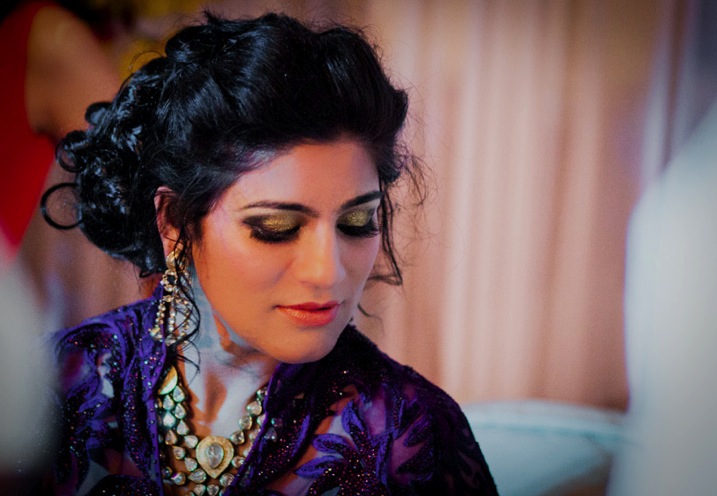
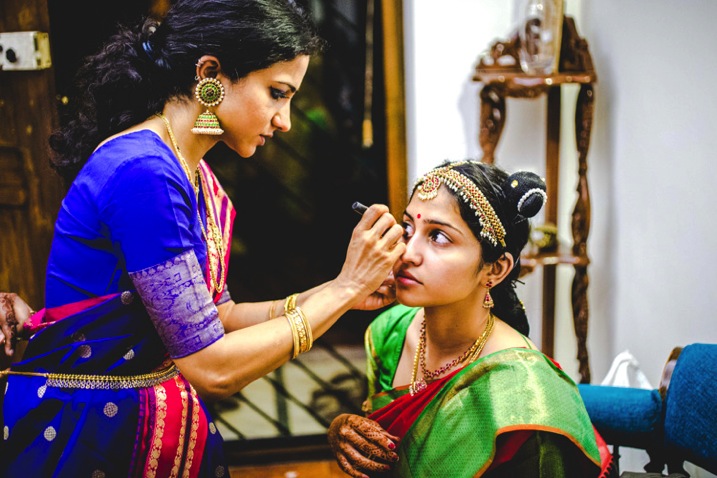
The bride typically gets ready in a room in the presence of the make-up artist and supportive sister(s) and friend(s). In this group, the most important person is the make-up artist. Work with him or her to understand their work flow. Is she left handed or right handed? What is the order in which she does her stuff? Does she schedule her breaks??
All this information is critical for you to capture the best angles, and moments, in the getting ready process. You don’t want to interrupt another wedding professional when she is in her zone. Respect her and together you can make the bride look her best and capture the process.

DPS1

2.The Three Perspective Rule

Every wedding photographer has been taught to capture the subject from multiple perspectives. While I agree with this, I believe there are three specific perspectives that are critical for capturing the bride getting ready. They are:

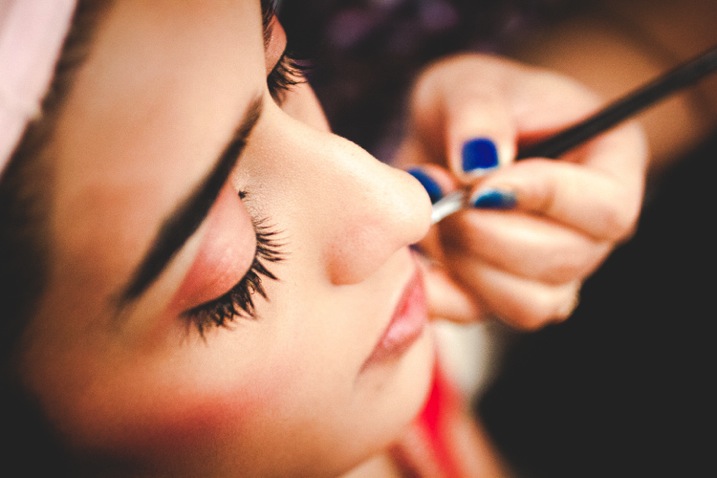
The Top Down

These shots provide a god view of the process and often help focus the viewer’s eye on a specific aspect of the process. Below is a top-down of the eye liner getting done. A lot of clutter in the room (weddings are messy !) can be worked around and simple moments like the addition of lipstick or the adjustment of a dress can be shown with a certain dramatic flourish.

DPS3

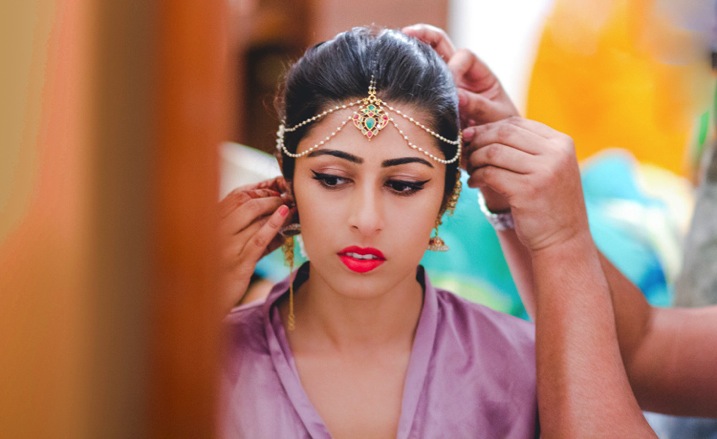
The Bride’s View

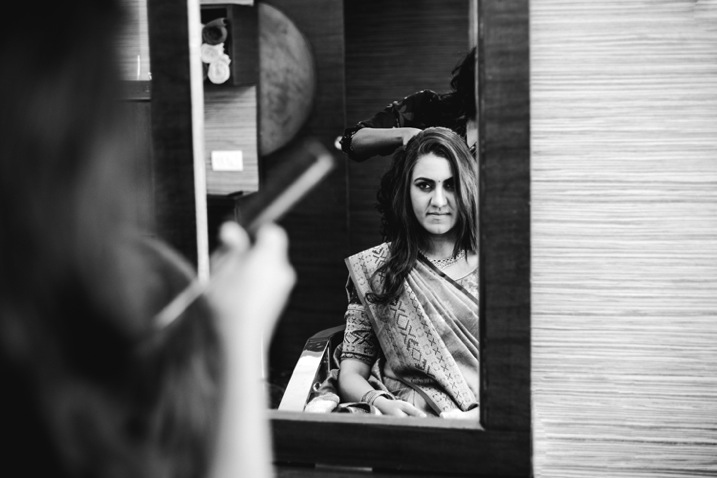
Do not forget that the most important person after the make-up artist is the bride. It’s important to capture this session from her perspective too. Get down to her level if she is sitting. Imagine what she is going through. Follow her eyes to see what is capturing her precious attention. Make use of a mirror to capture her in a moment of self-reflection. Below is a picture of bride when she is just looking at herself while her friends are helping her with her earrings.

DPS4

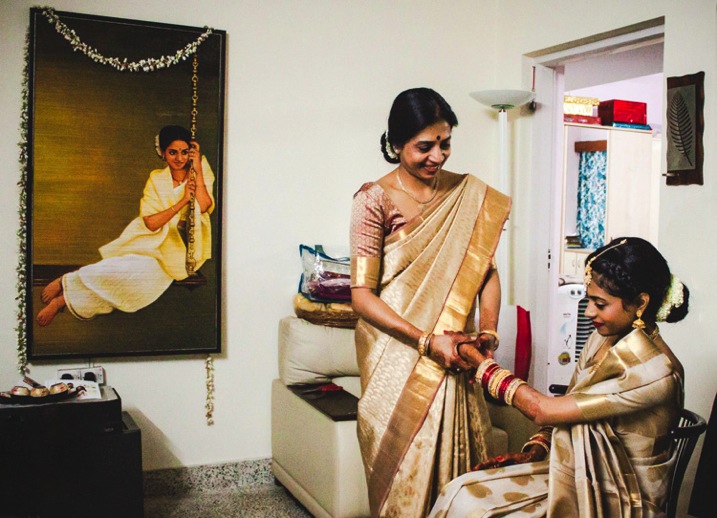
The Fly on the Wall

Remember that clutter I mentioned? That is part of weddings. They are like the handwritings of the bride and her sisters. Try going to the corner of the room with a wide angle lens and capture the confusion and chaos in all its glory. Get on a chair and view the room from above and try to spot what is adding color and personality to the room. Maybe it’s the jewellery spread carelessly on the bed. It could be the mother happily putting bangles on the bride’s arm, or maybe the groom trying to look through the window (it’s happened!).

DPS5

3. Expect the Unexpected

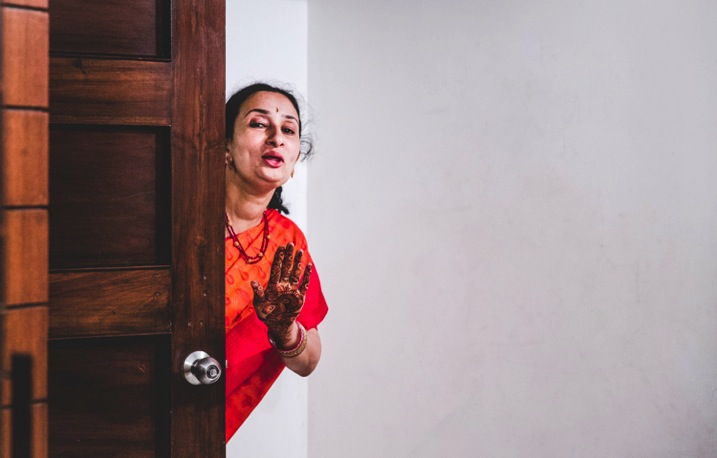
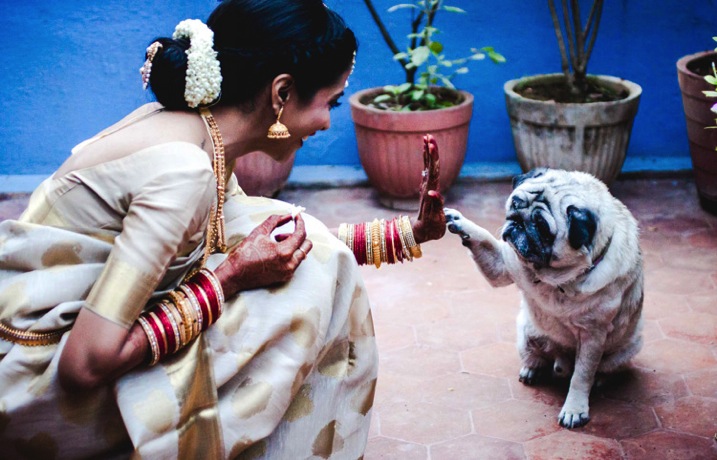
Wedding photographers should approach the weddings with the attitude of a journalist looking for a scoop. Still, during the getting ready time, it’s easy to let your guard down as everything seems pre-planned, and in motion. Some of my most candid pictures have been taken in moments of delightful serendipity. Below are pictures from different weddings.

DPS6

A sister-in-law feeding the bride minutes before she stepped out

DPS7

The bride’s aunt reminding her that she has just five minutes to go

DPS6b

And then sometimes the pet just walks in to say the final goodbye!

4. The Trousseau and Trinkets

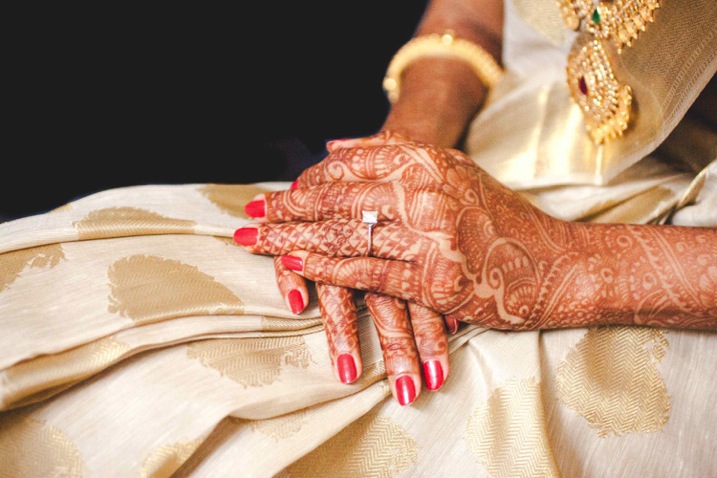
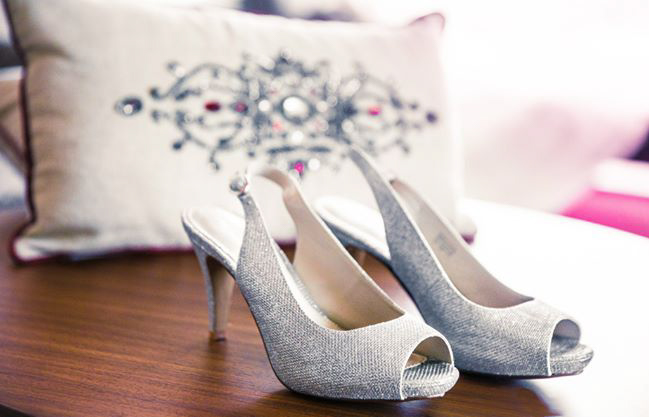
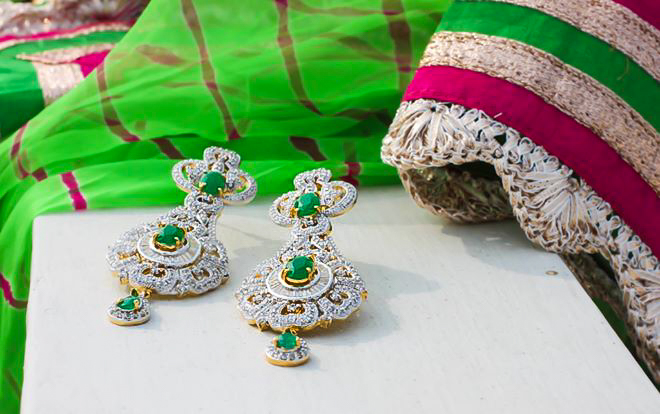
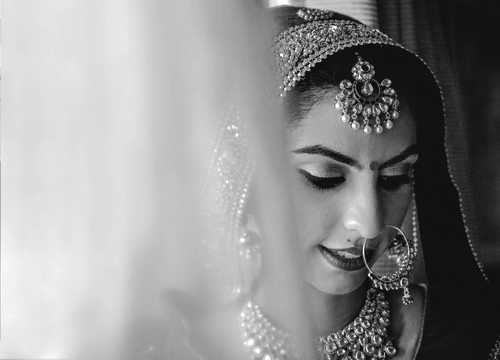
There are brides that wear a simple white silver bracelet, and others that wear elaborate gold chains, adorned with peacock and mango motifs, that were made nearly a century ago for their grandmother’s wedding. The Wedding Trousseau and the accompanying trinkets say a lot about the personal choice of the bride and her traditions. It is important to capture them with respect, and a certain sensitivity, as these hold meaning for a family more that what we as a person viewing in from outside can appreciate.

These items could simply be the Wedding Trousseau itself, which the bride, her sister, and friends would have spent weeks agonizing over, and probably spent many woman-hours putting together.

DPS8b

DPS8 DPS9


DPS9b

5. Lights, Camera, Action!

Light – what else is there for a photographer to contemplate? The challenge doing portraiture for a bride getting ready is that the event sometimes occurs in a small compact bedroom, studio, or dressing room at the temple, church, or hotel where the wedding is taking place.

It’s important to understand what the sources of lights in the room are, and perfectly professional to ask the make-up artist and bride to reorient themselves, or the way they face to make the pictures look better.

Be prepared to use white curtains to bounce of light from your flash or shoot from outside the room through a window to get light right!

DPS10 DPS11

I hope you find these tips helpful, whether you are doing wedding photography as a professional, or at a friend or relative’s wedding. Please share your own tips and comments below, as well as your images.

googletag.cmd.push(function() {
tablet_slots.push( googletag.defineSlot( “/1005424/_dPSv4_tab-all-article-bottom_(300×250)”, [300, 250], “pb-ad-78623” ).addService( googletag.pubads() ) ); } );

googletag.cmd.push(function() {
mobile_slots.push( googletag.defineSlot( “/1005424/_dPSv4_mob-all-article-bottom_(300×250)”, [300, 250], “pb-ad-78158” ).addService( googletag.pubads() ) ); } );

The post 5 Tips for Striking Getting Ready Shots of Brides by Manvi Gandotra appeared first on Digital Photography School.


Digital Photography School

 
Comments Off on 5 Tips for Striking Getting Ready Shots of Brides

Posted in Photography


Rough and ready: Olympus Tough TG-4 review

10 Aug

While most of the rugged cameras we covered in last year’s roundup have received minor upgrades, the Olympus Tough TG-4 brings something big to the table: Raw support. Does adding Raw put the TG-4 at the top of its class? Read more

Articles: Digital Photography Review (dpreview.com)

 
Comments Off on Rough and ready: Olympus Tough TG-4 review

Posted in Uncategorized


Lowepro Whistler and Photo Sport II backpacks ready for adventure

06 Aug

Lowepro has introduced the Whistler and Photo Sport II backpacks, designed to keep gear safe in the great outdoors. The Whistler is a new series built for alpine adventures, while the Photo Sport II updates a popular rugged design. Read more

Articles: Digital Photography Review (dpreview.com)

 
Comments Off on Lowepro Whistler and Photo Sport II backpacks ready for adventure

Posted in Uncategorized


Ready, steady: Sony Alpha 7 II Review

31 Mar

The Sony Alpha 7 II provides a number of features and ergonomic enhancements over its predecessor, but its standout feature is the 5-axis image stabilization system surrounding its 24.3MP full-frame CMOS sensor. Sony also claims improvements to the camera’s hybrid AF system, and it also sports a redesigned grip. Find out all about the a7 II’s added features and see what difference they make. Read review

Articles: Digital Photography Review (dpreview.com)

 
Comments Off on Ready, steady: Sony Alpha 7 II Review

Posted in Uncategorized


CP+ 2015: Sony’s new FE lenses almost ready for prime-time

13 Feb

At the Consumer Electronics show in Las Vegas last month, we got our hands on some mockups of Sony’s upcoming FE-mount lenses. Originally promised to start shipping this month, Sony has yet to announce final pricing and availability but it is showing working pre-production samples of the lenses at CP+ in Yokohama, Japan. We’re there, and we wasted no time getting our hands on the new lenses – now complete with glass inside them, which is welcome change from the last time we saw them. Click through to see for yourselves

Articles: Digital Photography Review (dpreview.com)

 
Comments Off on CP+ 2015: Sony’s new FE lenses almost ready for prime-time

Posted in Uncategorized


Give Your Photographs The Stage They Deserve – Make Sure Your Website is Mobile Ready

12 Oct

If you post amazing professional-quality photographs to your website and nobody can access them, are they really that amazing? Nobody will know. All that hard work, focus, determination, and artistic ability -POOF – all for nothing. This is exactly what is happening to many very talented photographers. They pour their heart and soul into their art form and then entrust it to outdated technology that doesn’t adequately display their work on mobile devices.

ResponsivePortfolioSite

How important is being mobile friendly?

With the proliferation of mobile devices, it’s no surprise that many people do most of their web browsing on the go. Consider the following eye-opening statistics found on visual.ly:

  • Mobile search queries have grown five times in the past two years.
  • Nine out of 10 mobile phone searches result in a purchase or visit.
  • Three out of every five searches are conducted on a mobile device.
  • 99% of Smartphone owners use their mobile browsers at least once a day.
  • 52% of all local searches are conducted on a mobile device.
Mobile Search Statistics

Those are startling numbers, especially if you’re not keeping up with the changing face of the web. Unfortunately, it seems that there has been a lag in photographers adopting the appropriate web technology to showcase their work in a way that accommodates mobile users. To ensure that your site and your photography work are presented in an impactful way, it must be optimized specifically for mobile viewing.

Desktops and mobile devices don’t always play nice

Just building a site for the desktop doesn’t guarantee that the results will transfer to phones and tablets, or even the new smart watches. You do not want interested viewers to open your site on a mobile device and find a helter-skelter layout with distorted or inaccessible images. If this happens, it puts you in a difficult spot – you’re left hoping that they remember and desire to seek out your site for a second time when they’re back at a desktop computer. That’s wishful thinking considering the deluge of distractions we all encounter every day and the somewhat shrinking attention spans of the high-definition, high-speed digital generation. Here today, gone tomorrow, or maybe sooner in the case of your hard work and aspirations.

One of the worst-case scenarios you could be in is with a portfolio site that is completely based on Adobe Flash, leaving you to lose a whole group of mobile users who will rapidly look elsewhere when your site doesn’t load on their device. No one likes seeing a blank screen or a message saying, “This content cannot be displayed on your device.”

FlashOnlySite

Mobile devices often will not play Flash websites

Making your work accessible

It’s vital to give your audience exactly what they want – fast, fluid access to your dazzling work anytime anywhere. If they can’t clearly navigate your web site, it raises questions in their minds about your professionalism and your commitment to viewers and to your art form. This is not a good place to be for a proud, ambitious photographer. The good news, however, is that there are readily available solutions that you could leverage whether you already have an existing site or are starting one from scratch.

The key to optimizing the mobile user’s experience is to have a site that uses responsive web design or adaptive web design. These are two types of site programming that ensure a seamless transition of your content from the desktop to all mobile devices, regardless of screen size. Anything less than that, and you’re severely limiting exposure for your work and jeopardizing your chance of making a significant first impression. Negative experiences can turn into negative reviews. These travel fast in the digital age, and it’s difficult to change those perceptions once they’re public.

Using an adaptive design, you get a site that is specifically designed for particular browser sizes found on most mobile devices. In a lot of cases, the mobile site almost looks like a native app. Problogger.net (also run by dPS owner Darren Rowse) is an example of such a site. With this type of design, the experience on a mobile device is a bit different than that of a desktop, but you could still access the content in a readable format. This results in a fast and easy to read site that is user-friendlier on small web browsers.

ProBlogger Adaptive

Example of an adaptive design

A Responsive site is even better in that it is flexible in displaying the same content across a large array of devices while keeping much of the same styles. It maintains a fluid layout by using elements that are automatically resizable and could be placed where they fit best on the screen. This even works great on desktops when you want to shrink the browser window.

A perfect example of a website with a responsive design is Digital Photography School’s own site. If you’re accessing the site from a desktop browser, notice how the site responds fluidly as you resize the window. If you’re reading this from a mobile device, you’re still able to read the content just fine without having to manipulate the browser by zooming in and out or doing a lot of horizontal scrolling.

ResponsivePhotoSite

dPS is a responsive site

Simple changes make a HUGE difference

Updating your site from a clunky old format is quite simple, and the tools are readily available. Most people who have a blog use a Content Management System (CMS) such as WordPress, Joomla, or Drupal. These systems allow you to change the overall look and feel of your site by offering different designs or themes. There are plenty of available themes that are already responsive or adaptive right out of the box. These range in cost from free up to $ 100. A simple web search will reveal many sites that specialize in offering a variety of this type of themes. I’ve had great success using Theme Forest.

In addition to themes that are optimized for mobile browsing, these CMSs also allow you to install plugins that display the same content in a mobile-only theme. In some cases, especially if you already have an existing site, this might be the easier route to take.

Rock the mobile web

At some point, we’ve all experienced the disconnect between the artistic or creative world and the technology world. But in the modern age, you really can’t draw a distinction without suffering the consequences. It’s much wiser to embrace the role of technology in displaying art – in this case photography – and use it to your advantage.

With just a bit of effort, you can make sure that you nail that vital first impression with your fans and give your work the digital stage that it deserves!

The post Give Your Photographs The Stage They Deserve – Make Sure Your Website is Mobile Ready by Jorge Hassan appeared first on Digital Photography School.


Digital Photography School

 
Comments Off on Give Your Photographs The Stage They Deserve – Make Sure Your Website is Mobile Ready

Posted in Photography


Ready to Upgrade Your Kit Lens? Tips for Which Lens to Invest in Next

01 Oct

Most cameras come with a kit lens that generally works well as a decent all-around workhorse. A common focal range for these lenses is 18-55mm, which means they are capable of wide-angle shots as well as medium-telephoto pictures, and everything in between. The tradeoff for this zoom range, however, is a limited maximum aperture range of roughly f/3.5 when zoomed out (18mm), and f/5.6 when zoomed in to 55mm.

Of course some kit lenses cover a longer focal range and have different maximum apertures, but overall most kit lenses are designed for the types of all-around shooting conditions in which you may often find yourself. While this is not necessarily a bad thing, it does mean that the kit lens is more of a jack of all trades while being the master of none, and after a while you might start wondering what other options are available to you and how they will affect your photography. This all begs the question: which lens should you buy when you want to upgrade from the one that came with your camera?

Child bear

A 35mm or 50mm lens can work well for shooting portraits

Lenses are like apps

Think of lenses like different apps for your camera, and just as apps on your smartphone or tablet have specific functions, each lens is designed to meet a specific set of photographic needs. Next, think of the kit lens as a basic set of apps you might find on a device. It does many things well, but doesn’t really unlock the true potential of your camera. For some people, that’s fine: they don’t feel the need to install new apps (i.e. buy new lenses) and instead only use the ones that come with their device.

But when you start exploring the myriad of apps available for phones and tablets you might wonder how you ever lived with your device’s basic apps at all! The same holds true for lenses, but there is one key area where the analogy breaks down – price. When you start looking around for lenses, you might find that your vision quickly outstrips your budget! The choice, then, is this – which lens should you buy after exhausting the possibilities of the kit lens that came with your camera?
Montana

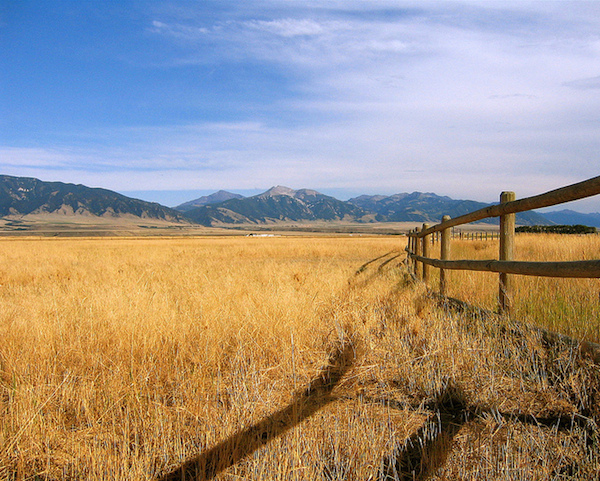
Wide-angle lenses are great for capturing photos of natural landscapes and other outdoor scenery.

Know what you need for the photography you do

The answer, unfortunately, is not as black and white as it might seem. While there are hundreds of options available, what you buy ultimately comes down to your unique needs and style as a photographer. After using your kit lens for a while, you will hopefully have an idea of what type of photography you enjoy most: landscapes, architecture, portraits, nighttime long exposures, pets, sports, weddings, etc. Or maybe you do a combination of everything! Before spending hundreds of dollars on another lens it’s important to know what will suit your needs – much in the same way that purchasing a vehicle is a matter of finding one that works for you, as opposed to simply buying the same car that all your friends have.

Grapes

A lens with a wider aperture will enable you to shoot get nice blurry backgrounds that are not always possible with a kit lens.

Prime lenses pros and cons

My first bit of advice, though, is to find a prime (non-zooming) lens that can accommodate your shooting style. If you take a lot of landscape and outdoor shots, you will likely want a wide-angle lens with a focal length of around 10-20mm (for cropped sensors, 15-35mm if you have full frame). For portraits, anything between 50-100mm is a good choice. Sports and wildlife shooters tend to use lenses that are on the telephoto end, such as 100-300mm. Remember the tradeoff between zooming and aperture I mentioned in the first paragraph? If you eliminate the zoom functionality you will find plenty of lenses with much larger apertures, which will let in much more light and allow you to use faster shutter speeds, as well as capture pictures in low-light situations that might not otherwise be possible without the use of a flash.
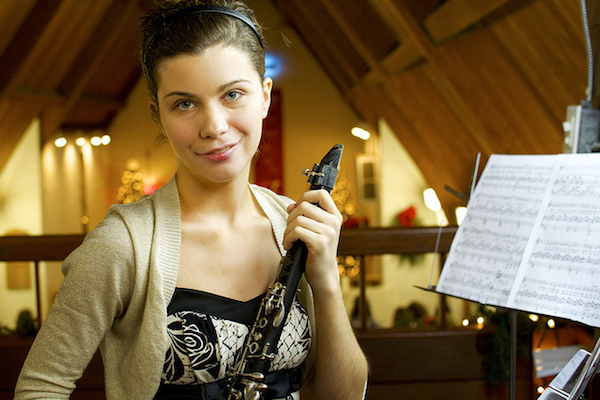
Church

Prime lenses can’t zoom, but you gain the ability to shoot in dimly-lit situations without the need for a flash because they often have large apertures.

It admit it can be a bit nerve-wracking to use a lens that can’t zoom in and out, but once you try it you may find a whole new world of photographic possibilities that you never knew existed, thanks to the larger aperture. Remember that you haven’t lost the ability to zoom, you can still move yourself around physically, which is another fantastic way to explore and stretch yourself as a photographer. You can often find prime lenses for a couple hundred dollars that will suit your needs exceedingly well, though even prime lenses with longer focal lengths could easily push the limits of your budget.
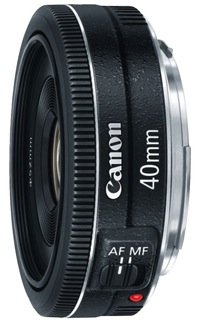
40mmPancake

It might be small, but Canon’s 40mm f/2.8 pancake lens packs a big punch.

If you would like to upgrade from your kit lens but are not entirely sure exactly what your individual needs are, I would recommend one of the following. All are fairly inexpensive as far as lenses go, and will suit a variety of photographic situations, though they are not the best for sports and wildlife due to their somewhat short focal lengths:

  • Canon 24mm f/2.8 – and the newly released pancake version at only $ 149 US
  • Canon 40mm f/2.8 (pictured on the right)
  • Canon 50mm f/1.8
  • Nikon 35mm 1.8G – get the DX if you have an APS-C or cropped sensor, get the ED if you have full frame.
  • Nikon 50mm 1.8G

Zoom lens options

You can buy prime lenses with longer focal lengths, but they can easily cost many times that of their cheaper counterparts. If you decide you absolutely cannot live without the zoom functionality, I would recommend going with a lens that covers one end of a focal range (i.e. wide-angle to medium telephoto) rather than one that covers both ultra-wide and ultra-telephoto. Of course this is all subjective, and there are as many opinions on this topic as there are photographers. In my experience lenses that try to cover as many focal lengths as possible are generally not as sharp as their more limited counterparts, unless you are willing to spend hundreds or even thousands of dollars. Lenses I would recommend include:
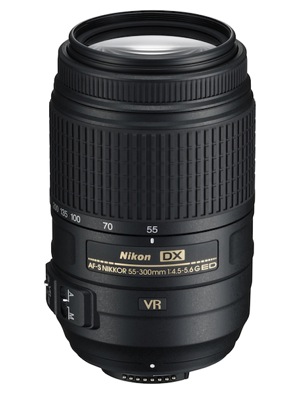
55 300mm

[caption: Nikon’s 55-300mm picks up where most kit lenses leave off and is a great option if you are interested in shooting sports and wildlife.

  • Canon 75-300mm f/4-5.6
  • Canon 28-135mm f/3.6-5.6
  • Canon 24-105mm f/4
  • Nikon 18-105mm f/3.5-5.6
  • Nikon 55-300mm f/4.5-5.6G

There are also many other really good third party options available. The options are almost endless so I’ve stayed with the two big brands here, but you can also look at Sigma and Tamron who both make some really good lenses also.

Deciding

The more you are willing to spend on a lens, particularly a zoom lens, the more features it will have like: image stabilization, higher-quality glass elements, weather sealing, and larger maximum apertures. These lenses are just the beginning. The sky’s the limit when it comes to upgrading your lens, and it’s important to not overlook options like simply borrowing one from a friend, buying older gear, renting, or even looking online for used equipment. Whatever you decide, it’s important that the lens is right for you and your photography goals, but chances are if the kit lens is too limiting there is a fantastic one out there with your name on it, waiting for you to come and explore what it can do for you.

The post Ready to Upgrade Your Kit Lens? Tips for Which Lens to Invest in Next by Simon Ringsmuth appeared first on Digital Photography School.


Digital Photography School
 
Comments Off on Ready to Upgrade Your Kit Lens? Tips for Which Lens to Invest in Next

Posted in Photography


1 September, 2014 – Sigma DP2 Quattro – Not Ready For Prime Time

02 Sep


As the digital photography age matures we are all waiting for the newest big thing. So far this year there hasn’t been anything really big. Many camera makers are upgrading their present camera models without showing any real new innovation. However, there is one company that is bold to say the least and not only introduced a radically different looking camera but also put a Foveon chip inside it.  Sigma, recently introduced the Sigma DP2 Quattro. We had the chance to try this camera out. Our review Not Ready For Prime Time will show where we think Sigma and Foveon missed the mark. Some may not agree, read on and see what you think.

You have to love a Photokina year. The next few weeks are going to be crazy with a large number of anticipated announcements as well as hopefully some big surprises. Both Michael and Kevin will be at Photokina this year and you can expect daily updates on the latest from the show floor. More on this over the next two weeks.


The Luminous Landscape – What’s New

 
Comments Off on 1 September, 2014 – Sigma DP2 Quattro – Not Ready For Prime Time

Posted in News