RSS
 

Posts Tagged ‘Prints’

Why Prints Matter to You as a Photographer

27 Apr

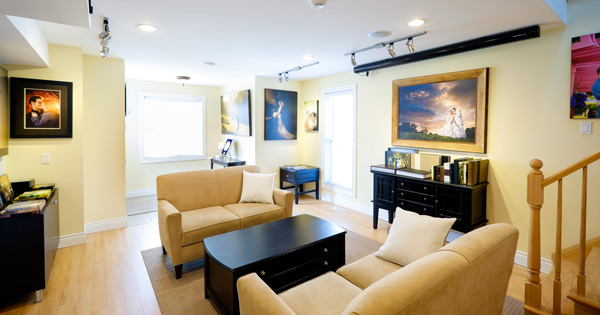
wall-prints-02

Digital has done wonders for our industry – it allows us to learn faster, it gives us technological opportunities that we could have only wished for in the “film” days and it has made completely new styles of photography possible. There’s no doubt that the digital shift has been a positive one.

While we embrace all of this change that digital has brought and explore the new depths of technology, I think it’s important to keep one foot in the “analog” world, at least one area – the physical print. The print versus digital discussion is a very controversial topic among professional photographers, and certainly everyone will have their own opinion. Regardless of where you fall in this matter, I’d like to share some thoughts and explain why I feel prints matter for us as photographers and for our clients as consumers of photography.

There are three topics of discussion that I will explore:

  1. Why printing is important for you as a consumer of photography
  2. Why offering printed products as a professional photographer is crucial to your long-term success
  3. How printing your work is the best way to grow as an artist

The Nostalgia of prints

Forget about the fact that you’re a photographer and take your attachment to professional quality imagery out of the equation. Printing as a medium is one of the most meaningful ways that you can enjoy photography. Here are a few reasons why the printed image is so important to you as a consumer of photography.
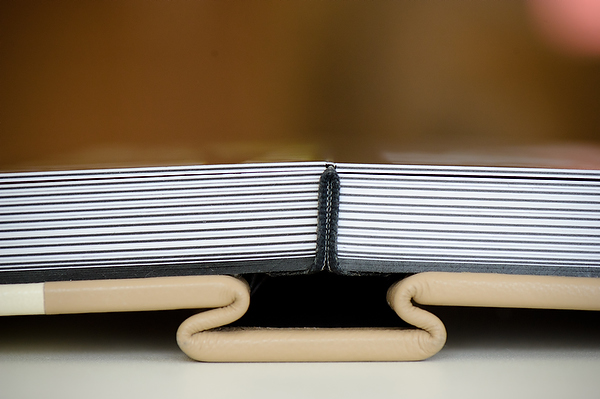
Importance printing products 01

A print will always be there

Digital media go out-of-date and out-of-style, and the files that you have stored in these digital formats will also go out-of-style and become unaccessible. Imagine having your vacation photos from 1995 on a 3.5″ Floppy Disk – how might you access those “digital files” today? Of course this is hard to imagine because digital photography wasn’t around in 1995. More recently then, consider the fact that for years you have used DVDs and CDs to store digital files and now that Apple has decided not to install optical drives into their computers anymore, that medium is slowly starting to disappear. You’ll soon have a generation of images that were stored on discs that may not even be (easily) accessible. On the other hand, if you made prints as well, then these changes in technology wouldn’t have a negative impact on you being able to continue to enjoy your images.

A print doesn’t need to be enjoyed on a screen

Being “in the moment” and away from technology is not a luxury that you get to enjoy all that often in today’s digital world. There is something nostalgic and romantic about being able to curl up on the couch with your children and look back at a wedding album, or old family photos, without having to flip open a laptop and press the “next” button dozens of times. When you look at a picture that is printed, you are free of distraction. There is no e-mail bouncing up in the bottom of your screen and no Facebook “dings” going off in another window. You can enjoy the picture and the story it tells in a quiet, distraction-free moment.

A print lasts a lifetime, and often even longer

Physical prints give you heirlooms to pass down as you move on in your life. Often you are not recording (capturing a moment) and printing (preserving the moment) for today, but instead for tomorrow, for your children and your children’s children. Passing down a box of hard drives doesn’t exactly have the same appeal, does it?

Professional photography – why printing is important
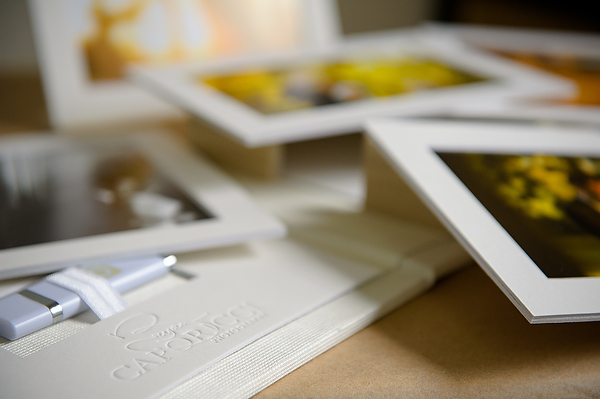
Importance printing products 02

As a professional photographer or aspiring professional, it’s important to consider offering printed products to your clients. Besides the nostalgia, the emotional and logical reasons for enjoying the printed image as described above, there are also many business benefits to being a full-service photographer. Here are a few:

  • Prints can separate you as “great” photographer, apart from the “ok” photographers. It’s easy to make an image look nice at a low-resolution on the web, but to make an image look great in print involves a whole other skill set.
  • Printing your images increases your perceived value as a photographer. Everyone has digital files sitting on hard drives or memory cards. To offer a beautifully finished printed piece shows that you care about your photography and that you put effort into the presentation of your imagery for your clients.
  • Making prints for your clients shows that you care about their customer experience and in delivering their images in their finished form, It also shows that you are a full-service photographer, when many these days are not.
  • As a photographer, if you are trying to make a living with your camera, offering printed products gives you the opportunity to make additional income as opposed to just making your money from your session fees.
  • When you make a print for a client, it means that you control the output quality and the finished product and you don’t leave it up to them to produce their own prints from a consumer-grade lab. Quality control is important for a professional!
  • Ultimately, when you offer prints and other professionally produced physical products, you are supporting the industry (i.e. the labs, the album makers, etc.) who are constantly supporting photographers by providing educational opportunities, sponsorships, trade shows and so on.

Printing as a teaching tool
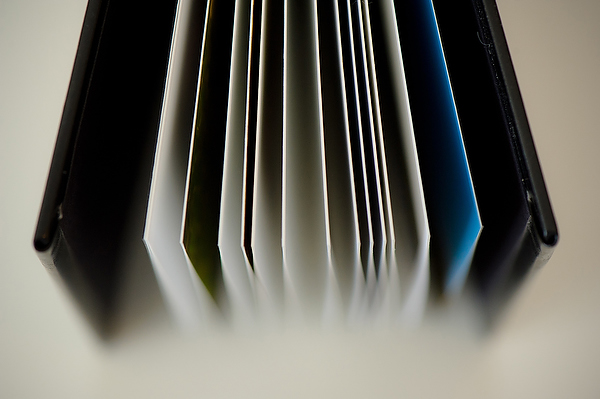
Importance printing products 03

We’ve explored why printing is important for you as a consumer of photography and how you must consider offering printed products to ensure long-term success as a professional photographer. But, now I’d like to take another side of the argument: how printing your work can actually be the best learning tool to help you grow as a photographer and artist.

A print will always be the most realistic representation of an image as it is the only medium that is truly tangible and actual. This will ultimately be the best way to judge your work as an image isn’t truly finished until it’s in printed form.

It’s easier to judge an image when it’s printed – you can examine it closer, look at it longer, and see it in different contexts. I have been taught that a great way to judge and find improvement in an image is to print it, display it somewhere that you pass by frequently, and look at it often. Try changing its orientation and displaying it upside-down for a while. You will often see things that you wouldn’t otherwise notice if you didn’t analyze it to that extent. This is a much more effective exercise than staring at a computer screen for hours on end.
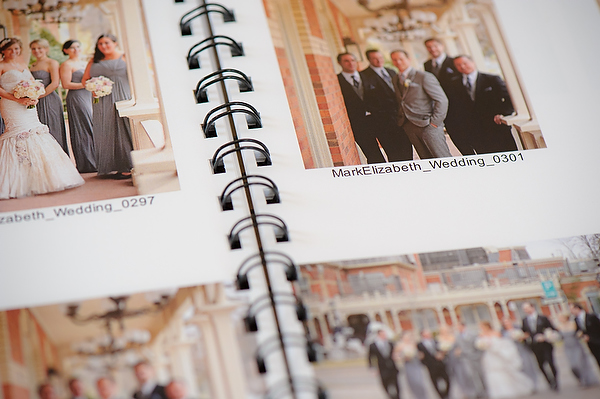
Importance printing products 04

Consider that the process itself of creating a print will help you grow as a photographer because it gives you a greater appreciation for the bigger picture. At the same time, the exercise of getting in close, fine-tuning and perfecting an image for print will show you a lot about your work that you may otherwise have missed if you were just putting together a quick online gallery or contact sheet.

Lastly, a print is easier to pass around and get objective feedback from others. There is no limitation or interpretation that makes digital photography subjective – variations in monitor size, calibration, room lighting and so on. You ultimately can’t argue with print quality – it is either a good print or not – so the discussion and feedback ends up being more about the image than about the presentation.

Becoming a full-service photographer

When you offer a printed product to your clients as a photographer, you make yourself about more than just pictures. You are now about the preservation of moments and in ensuring that your work, and your clients’ memories, will be guaranteed to last a lifetime.
wall-prints-04

My next article and discussion in this series will be geared towards the mechanics of exactly how to actually sell prints and make your photography business a full-service studio as opposed to being a shoot-and-burn photographer. Check back soon!

The post Why Prints Matter to You as a Photographer by Bryan Caporicci appeared first on Digital Photography School.


Digital Photography School

 
Comments Off on Why Prints Matter to You as a Photographer

Posted in Photography


The Instax Printer:From Phone Pix to Prints in Seconds

21 Apr

Extra photos for bloggers: 1, 2, 3

Meet the Instax Printer, the simplest way to instantly print pics from your phone. We’re sure you two will hit it off splendidly.

With a free app and just a few taps on your phone your new BFF makes it easy to turn any photo onto a real live Instax mini print!

Crop, edit and filter first … then, tap tap, you’re printing.

We might be moving a little fast here, but the Instax Printer makes a great addition to a wedding photobooth too.

Grab Your Own Portable Instax Printer
$ 220 at the Photojojo Shop


© laurel for Photojojo, 2014. |
Permalink |
No comment |
Add to
From Phone Pix to Prints in Seconds”>del.icio.us

Post tags:


Photojojo

 
Comments Off on The Instax Printer:From Phone Pix to Prints in Seconds

Posted in Equipment


Pocket Printer: Mini Roomba-Like Robot Prints on the Go

17 Apr

[ By Steph in Gadgets & Geekery & Technology. ]

Mini Robotic Printer 1

While other gadgets have gotten smaller and more streamlined, printers have generally remained space-hogging behemoths. Seemingly ignored in the quest to make computers and their accessories compact and ultra-efficient, most modern-day printers look like relics of the circa-2000, oversized beige PC era. One new concept aims to challenge that with a tiny mobile design that moves across paper of any size like a Roomba.

Mini Robotic Printer 3

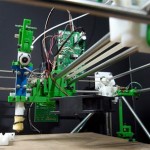
The Mini Mobile Robotic Printer makes it possible to take printing capabilities on the go with you along with your laptop, cell phone and other mobile devices. It prints from any device, including phones, and isn’t constrained by the paper size accepted by a conventional printer. It consists of a printhead on a set of small wheels that travels across a sheet of paper to print. An omni-wheel system enables the printer to turn in any direction.

Mini Robotic Printer 4

Powered by a battery that can be recharged via USB, the Mini Mobile Robotic Printer has a small inkjet that lasts over 1,000 printed pages. Once charged, the battery gets an hour of printing time. While the first version will be grayscale only, Jerusalem-based ZUtA Labs aims to create a color version in the future.

Mini Robotic Printer 2

Measuring just over 4.5 inches in length, the printer connects to gadgets wirelessly via Bluetooth. A Kickstarter campaign is currently raising production funds, and the first printers will go out to backers of the project in January 2015.

Share on Facebook


[ By Steph in Gadgets & Geekery & Technology. ]

[ WebUrbanist | Archives | Galleries | Privacy | TOS ]


WebUrbanist

 
Comments Off on Pocket Printer: Mini Roomba-Like Robot Prints on the Go

Posted in Creativity


Instagramer makes $15,000 in one day by selling prints

13 Mar

Screen_Shot_2014-03-12_at_2.05.09_PM.png

You still think Instagram is for cat pictures and selfies only? Think again. Forbes published an article on Brooklyn-based photographer Daniel Arnold whose checking account balance was getting alarmingly close to zero when he decided to have a go at selling prints of his images and reached out to his followers. The response was overwhelming. Learn more

News: Digital Photography Review (dpreview.com)

 
Comments Off on Instagramer makes $15,000 in one day by selling prints

Posted in Uncategorized


Artist Emma Jaubert Howell prints photos onto hand-blown glass

07 Feb

CAMERA1.jpg

Artist Emma Jaubert Howell has combined her passions for glass blowing and photography by adopting the wet plate collodion process to expose images directly onto her artwork. The process alone is tricky, but to expose onto her three-dimensional glasswork Howell had to create a camera from scratch that was large enough to accommodate the hand-blown bowls. We spoke to Emma about her project. Learn more about her process and see some of her art in our gallery. 

News: Digital Photography Review (dpreview.com)

 
Comments Off on Artist Emma Jaubert Howell prints photos onto hand-blown glass

Posted in Uncategorized


Stitching Images For Larger Prints

22 Sep
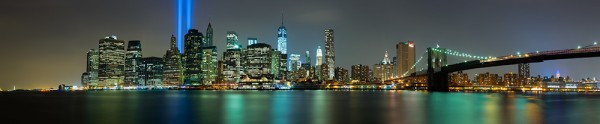
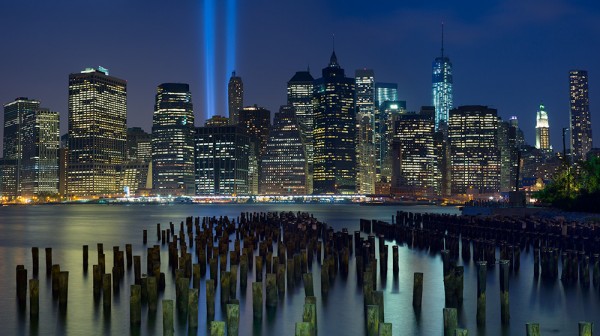
For this image I decided I wanted to cover all of Lower Manhattan from the Statue of Liberty (far left) to the Empire State Building (far right, under the Brooklyn Bride, colored red, white and blue. I was using a Canon EOS 5D Mark III. My EF 24-70 f/2.8L II at 70mm covered the skyline and water with some sky vertically, so I positioned the camera vertically and proceeded to take 9 shots, moving the camera by turning the tripod head on it's rotating base. I overlapped portions of each frame so Photoshop would have a point of reference when stitching. Each of the nine exposures was taken at ISO 200, 90 seconds, at f/16.

For this image I decided I wanted to cover all of Lower Manhattan from the Statue of Liberty (far left) to the Empire State Building (far right, under the Brooklyn Bride, colored red, white and blue. I was using a Canon EOS 5D Mark III. My EF 24-70 f/2.8L II at 70mm covered the skyline and water with some sky vertically, so I positioned the camera vertically and proceeded to take 9 shots, moving the camera by turning the tripod head on it’s rotating base. I overlapped portions of each frame so Photoshop would have a point of reference when stitching. Each of the nine exposures was taken at ISO 200, 90 seconds, at f/16.  If printed at it’s native resolution at 300 dpi, it would measure 18.39 inches by 88.25 inches.  My photo lab maxes out at 108″, which it says it can print this image to.

Several months ago I was asked by a potential client if I had any images that were capable of being printed very large- up to 20 feet across! It pained me to explain that, no, based on my camera’s resolution, I did not have any images capable of being printed that large.  I had never gotten into doing many stitched panoramas or other prints, and couldn’t afford a Gigapan or other panorama photography tool.  For the most part, I’d had no call for it in my daily business. Generally, when shooting landscapes, I think in terms of one frame, and fill it with my composition. This has worked well for the most part, as long as I didn’t want to print much larger than around 48″ inches across.  Suddenly, however, I had a desire to go much larger.

This past week in the United States, we commemorated the 12th anniversary of the September 11th terrorist attacks. Every year New York City remembers the victims with a tribute in light- two columns of light representing the fallen towers of the World Trade Center.  It seemed a perfect opportunity to start playing with panoramics, especially since one of the images the aforementioned client wanted was a skyline shot of New York City.

The general rule of thumb for printing on standard inkjet printers is to print at 300 dpi.  To find out how large you can print an image, simply take the pixel dimensions and divide by 300. From a camera such as the EOS 5D Mark III, that means an image of 5760 x 3840 pixels can be printed at about 12.8 inches by 19.2 inches.  It is true, using various resizing techniques you can print larger.  I have on many occasions. But to get to the extreme sizes beyond approximately 48″, you’ll need to start combining images by stitching them together.

There are currently a few automated panoramic photo options on the market, including Gigapan’s and Panogear’s. Both can be somewhat pricey.  But just because you don’t have these nice accessories does not mean you can’t make stunning panoramic images.  A tripod is helpful, but not completely necessary if you can handhold the shutter speed your camera is set to.  A tripod is helpful for locking your camera in place from shot to shot. The reason a tripod is helpful is that if your tripod head has markings for panoramics on the base, you can use these for reference when repositioning the camera for each shot. More on that in a bit.  Another helpful tool is an L bracket. This will help you position your camera vertically if desired to shoot verticals to stitch the final piece.  L brackets can be purchased from several manufacturers and are usually camera-specific.  Acratech makes a universal L bracket with a quick release that any camera can attach to using an Arca-Swiss style plate.

You’ll want to start by defining your image in your mind. Where does it start, where does it end? Then, how far up does the image go, and how far down?  can you cover the up and down with one vertical?  Or would you be better off shooting two rows of images. Or more? Keep in mind when planning that you’ll want to shoot with some extra area around the image to leave room for cropping if needed.  You’ll also want to make sure you leave some overlap in each shot so the stitching software can find a point of reference to see where the next shot goes. I used Photoshop for these, but there are other programs out there. Feel free to suggest your favorite in the comments below.

For the first image in this article, I wanted to shoot the Lower Manhattan skyline, from the Statue of Liberty to the Empire State Building.  I had a 24-70mm lens, and at 70mm I covered exactly what I wanted, from top to bottom, with a vertical shot.  I took 9 shots in that orientation, while rotating the tripod head incrementally until I got my last shot.

For the second shot in this article, there was a more prominent foreground element, the pilings from the old pier.  I decided to do this one in a horizontal orientation, using two rows of three shots.  This was again taken using the 24-70mm lens, at 70mm.  I shot this one starting at the far right, shooting in columns- upper right, lower right, lower center, upper center, upper left, lower left.  I used the playback feature on the camera to check my reference points. Again I stitched it using Photoshop’s Photomerge feature.

This shot was six horizontal shots stitched together. Because of the overlap, the 3 shots across and 2 up and down will not add up to the full resolution of the individual images simply put together. This image came together at  10,531 pixels by 5904 pixels. At 300 DPI the file can be printed at 19.68 inches by 35.1 inches. My lab, however, tells me they can print this image up to 8 feet wide.

This shot was six horizontal shots stitched together. Because of the overlap, the 3 shots across and 2 up and down will not add up to the full resolution of the individual images simply put together. This image came together at 10,531 pixels by 5904 pixels. At 300 DPI the file can be printed at 19.68 inches by 35.1 inches. My lab, however, tells me they can print this image up to 8 feet wide. They are not using inkjet printers and thus are not subject to the same parameters.  The same still holds true however.  The larger the file, the larger it can be printed.

I have not yet heard anyone say that any photo stitching program is perfect.  There will be errors in stitching.  A misplaced post, a skewed building. To correct these, I simply opened the source file and added it to the stitched file on a new layer.  Then I created a layer mask to show only the area I wanted shown, which would correct the issue.

For your exposure, you’ll need to be in manual mode. You need the exposure to be uniform across the image.  If you leave your camera in any auto mode where the camera helps set the exposure, you run the risk of your exposures varying.  For the first image in this article, my exposure was 90 seconds at f/16, ISO 200 for each image.  This is important, particularly when photographing the area around the statue of liberty which had huge dark areas.  In auto mode, the camera will try to brighten these areas, which will cause problems when the stitching if the skies or water don’t match from shot to shot. In the interest of full disclosure, I made this mistake myself with the second image, the six-shot stitch.  I shot in aperture priority and there was a variation of plus or minus 2/3 of a stop from shot to shot.  This caused all kinds of headaches in my first attempt at stitching.  I was able to correct this by reproccessing the RAW files with an exposure adjustment to match the exposures.  In addition, if your camera has a feature for vignette correction, such as Canon’s Peripheral Illumination Correction, turn it on.  This will even out the exposure so there are no dark areas in the corners, which can be difficult to correct later on.

I’ve toyed with stitching panoramics before, but never seriously.  This is one of my first attempts at a serious pano.  It’s well worth exploring more in the future.  I might even start saving for a new piece of equipment just for that purpose!


Post originally from: Digital Photography Tips.

Check out our more Photography Tips at Photography Tips for Beginners, Portrait Photography Tips and Wedding Photography Tips.

Stitching Images For Larger Prints


Digital Photography School

 
Comments Off on Stitching Images For Larger Prints

Posted in Photography


Meet Piccolo: Our Prints Charming

17 Sep


We all said it… “I like digital photography, because then I just print out the photos I want.” And then we all did the same thing… Stopped printing photos entirely!

We miss ‘em.

That’s why we were so excited when we heard about Piccolo, an automatic photo printing service.

Once a month they print out your best shots from Insagram and Facebook, then drop them right off into your mailbox.

Just like that, prints are back!

Prints for crafting. Prints for decorating. Prints for mailing to grandma.

You can even subscribe a friend (or frenemy) to receive an analogue update on your life every 30 days. They’ll love (hate) that!

Sign-up is simple. Then just keep doing what you’re doing – taking great shots and sharing them on the web! Piccolo will do the rest.

Piccolo — Prints! On your doorstep, on the regs.

But wait! There’s more… use the coupon code photojojo3 for $ 3 off you first month. Thanks for the hook up, Piccolo!

Related posts:

  1. DIY: Turn Digital Photos into Vintage-like Prints with Mulberry Paper Extra photos for bloggers: 1, 2, 3 What is it…
  2. Lavish and Large: Huge, Wall-sized Prints Using Your Inkjet or Laser Not since we used PrintShop for our Commodore 64 has…
  3. DIY: Turn Phone Photos into Mural-Sized Prints! Extra photos for bloggers: 1, 2, 3 What’s on every…


Photojojo

 
Comments Off on Meet Piccolo: Our Prints Charming

Posted in Equipment


Enfojer project turns your smartphone into an enlarger for B&W prints

08 Sep

enfojer-1.jpg

Billed as a way to bring back the romance of the darkroom in the smartphone era, Enfojer is an indiegogo project which promises to make your smartphone into an enlarger to create real prints. Part app and part hardware, Enfojer enlarges the image displayed on a smartphone’s LCD, projecting it onto real photo paper to create genuine darkroom chemical prints. Click through to connect.dpreview.com for more on Enfojer’s efforts to bring smartphone photography into the darkroom.

News: Digital Photography Review (dpreview.com)

 
Comments Off on Enfojer project turns your smartphone into an enlarger for B&W prints

Posted in Uncategorized


Prints vs. CDs: When Business Strategies Collide

14 Aug

By Lori Peterson

There seems to be a constant war waged between photographers who sell prints and the “shoot and burn” photographers that give their clients a disc with edited images. Photographers who sell prints think that photographers who sell (or ***gasp***) give away their images on a CD are devaluing photographers and photography as a whole. Photographers who provide discs (whether given or purchased) to their clients think they are just keeping up with technology and client demand.

So, who is right in this war pitting photographer against photographer? Sadly, no one. Not all business models are created the same and neither are photographers. Client demand is a huge factor when creating packages and figuring out what products to sell.

As a photographer, I think it is natural to want to see your prints displayed. However, if you are only selling 4×6 sizes of images, you are not really creating displays for your clients, you are creating pieces for their scrapbooks and photo albums. Seeing your work displayed gives a feeling of accomplishment and a sense of purpose. It also allows clients to see the work every day and remind themselves of how beautiful your work is and how they need to keep updating those wonderful pieces.

In this digital age now, people want to share everything online and save the images to their computer. They don’t necessarily want the hard copies of the images, but the ability to create them if they want. They upload them to their computers, their external hard drives, or even cloud storage. This doesn’t only apply to younger people, because even older people are learning to use the Internet to connect with their families. Grandma and Grandpa may even be on Facebook just to keep up with photos of their grandchildren and see what is happening on a day-to-day basis with their families. Grandparents love seeing all those new images and most of the time, they don’t even care about seeing the watermark from the photographer on them. They just want to see new photos.

Just because you are a part-time photographer or new photographer does not mean that you can only give images on a CD. New photographers think that is the only way for them to give their images to their clients and it’s just not so. There are so many options for photographers who solely provide discs because they don’t know how else to give their clients their images.

Most professional photographers use professional labs, such as White House Custom Color, Black River Imagining, Miller’s Lab, Bay Photo Labs or Mpix Pro. How do you know which lab is best for you? Most labs will offer to do test prints for you so that you can see how your particular images will look when transferred from your computer and screen to their paper. Setting up accounts with most labs is pretty easy as long as you have a Tax ID number.

Educating your client on the differences between a professional lab and a discount store lab is very important. The test prints you get from your lab can help your keep your monitor calibrated which helps to ensure that what is seen on the computer screen matches what is printed. This is not a guarantee, sometimes not even close enough to be passable, from a discount lab. There can be huge color shifts, variations in overall tones, and the photographer has lost all control of the quality of the output of their final images.

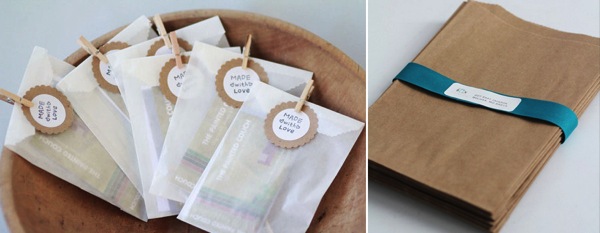
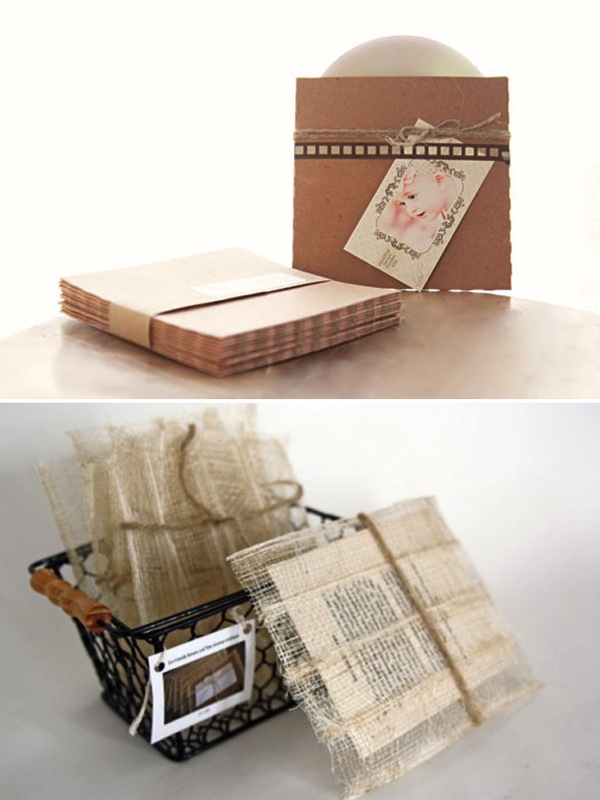
If you are giving your images on CD, you need to think about presentation and packaging. Just handing a burned CD with their name written in Sharpie doesn’t make for a professional presentation. You can create white CD labels with your logo or a photo simply and cheaply. You can even order blank CD/DVDs from labs that have your logo on them and then just burn the images onto the discs as you sell them. There are so many options out there that can help make your presentation of CDs beautiful and unique. For instance, you can use these simple brown kraft envelopes and place them inside the banana leaf sinamay envelopes. It’s relatively inexpensive and looks so much nicer than just handing over a CD.

Image 01

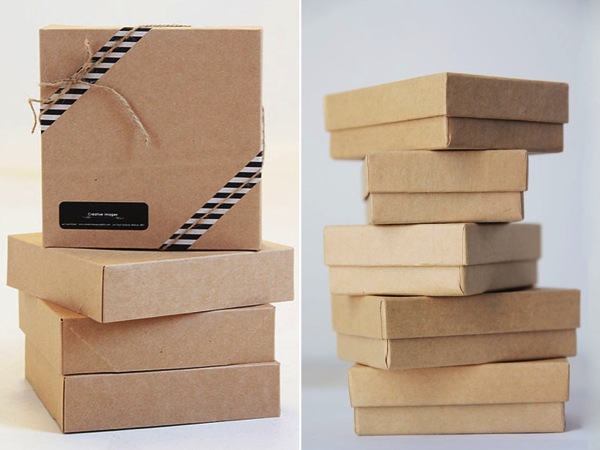
You can customize boxes or folders to present your CDs in when you give them to your client. You want it to represent your photography, your business, and your brand model as a whole. It doesn’t have to cost an arm and a leg, but it should come across as a representation of your business and what you provide.

Image 02

The final images can be placed inside the box on some beautiful fabric or you can purchase bags to separate them inside the presentation boxes. Again, this is very inexpensive to do, but makes the presentation so much more beautiful and shows the attention to detail you provide in every aspect of your business.

Image 03

They key component is not which is technically “right”, but which fits your business model. If you are pricing your sessions correctly and including the price for the CDs then you are doing what best fits your business. Giving the CDs away actually does very little to help clients value your business and the time and energy that was spent into creating, editing, and presenting your images. The same goes for providing prints so cheap that you are trying to compete with discount store pricing.

You need to value your business. You need to know your worth. Does the cost of whatever product you are providing help maintain your business or are you just throwing money away trying to get clients to walk in the door? If your business is not making money or at least breaking even, then you really need to figure out where you are losing your money. Is it from not selling prints or from including a CD with every order?

There are resources you can go to if you need help figuring out what to do and what your business can afford. The bottom line is that you have to do what makes your business successful, profitable, and provide a professional looking end product to your client. Photographers spend much of their time trying to figure out how to get clients and in the end your presentation of their products can be the difference in showing them if you are truly a professional or you are just a hobbyist making money on the side.

The presentation resources in this article are available from Le Box Boutique. Digital Photography School readers can use the code PHOTOGRAPHER10 for 10% of any purchase from Le Box Boutique.

Lori Peterson is an award winning photographer based out of the St. Louis Metro Area. Her dynamic work ranges from creative portraits to very unique fine art photography. Lori’s work can be seen at www.loripetersonphotography.com and also on her blog at www.loripetersonphotographyblog.com. You can follow her on Facebook at https://www.facebook.com/LoriPetersonPhotography.

Post originally from: Digital Photography Tips.

Check out our more Photography Tips at Photography Tips for Beginners, Portrait Photography Tips and Wedding Photography Tips.

Prints vs. CDs: When Business Strategies Collide


Digital Photography School

 
Comments Off on Prints vs. CDs: When Business Strategies Collide

Posted in Photography


Make prints from your phone: Impossible Instant Lab closer to reality

01 Aug

impossible.jpg

Back in 2008 the Impossible Project took on the task of reproducing Polaroid instant film. Since then, their product line has expanded to include the Impossible Instant Lab. Similar to the analogue Daylab that Polaroid (and Fuji instant film) fans use(d) to create instant prints from 35mm and 120 film, transparencies, snapshot prints and 3D objects, the Instant Lab operates in much the same way using onscreen images from your iPhone as the source. Click through for more details. 

News: Digital Photography Review (dpreview.com)

 
Comments Off on Make prints from your phone: Impossible Instant Lab closer to reality

Posted in Uncategorized