Epson UK has announced a further model to the SC range of A3+ printers with the SC-P400, a printer it claims is smaller and lighter than any other A3+ pigment inkjet machine. Although no pricing has been released, the new model is said to be part of an ‘affordable’ package that includes the lowest cost pigment ink-set on the market. Read more
Tag: printer
-
Epson launches A2 SureColor SC-P800 printer with UltraChrome HD inks
Printer manufacturer Epson has announced it will introduce an A2 printer that uses its new extended-life UltraChrome ink-set and will accept roll-fed paper via an optional roll holder. The professional photo printer will be able to produce prints of up to 17in high in panoramic formats as long as 1.1m/43.3in, as well as printing on thick art paper via a front media loader. Read more
-
New from Polaroid: the Zip Instant Printer

With an instant printer in your pocket, you’re ready to rock insta-prints at all times.
Check out the latest from Polaroid … Zip! A printer that prints photos from your phone.
Edit any shot on your phone or use it as-is. Instantly print any photo, anywhere. You can even print multiples to share! Sharing is caring.
Pocket-size is the new fun-size.
Learn More about Zip or Order Yours Here!
© Erin for Photojojo, 2015. |
Permalink |
No comment |
Add to
the Zip Instant Printer”>del.icio.us
Post tags:
-
How to get more from your printer – besides good quality prints!

Canon Pixma MG6350 All-in-one-printer
If you like to print hard copies of your photos at home, how do you decide which inkjet printer to buy? With such a myriad of printers on the market it can be daunting which one to choose. However, similar to buying a camera, one main consideration will be how much do you want to spend.
I bought a Canon PIXMA MG6350 a little over a year ago.
As luck would have it, my local computer shop had the white version in stock for nearly 50 Euros ($ 62USD) less than the black one. The white one was my first choice.
This is a high-end, multifunction, inkjet printer. It is an all-in-one color printer with two paper trays. This means that it can print, copy, and scan and it also has WiFi and Airprint. I believe the latter lets you print from a smartphone or tablet but I haven’t tried it yet.
The lower cassette can hold up to 125 sheets of A4 (US letter) size paper, while the upper tray is for photo paper (20 sheets) of 10 x 15cm (3.9 x 5.9 inches) or 13 x 18cm (5.1 x 7.1 inches). So it doesn’t hold a great deal of paper but I only ever load one sheet at a time.
Its physical size, measuring 466 x 369 x 148mm (18.34 x 14.5 x 5.8 inches)was a perfect fit for my shelving unit. My Manfrotto travel tripod measures 18 inches when folded and this is exactly the width of the printer. It’s not small but at least it doesn’t have a top paper feed which can be awkward if the space between the shelves isn’t adequate enough.
It’s solid but it is not light, it weighs approximately 8.4 kg (18.5 lbs). Also, this printer is noisy.

Manfrotto travel tripod on top of Canon Pixma MG6350 All-in-one-printer

Canon Pixma MG6350 printer-perfect fit on these shelves
Inks
The branded inks aren’t cheap. This is often the case with home, small office printers, whereby the consumables are not cost efficient. The Canon Pixma MG6350 uses a six-tank ink system. A full set of standard 15ml tanks will cost you around 62 Euros ($ 77.50 USD). The 22ml XL versions cost around 85 Euros ($ 106 USD), and are better value for money. The Canon Pixma MG6350 has a print resolution of up to 9600 x 2400 dpi.
Generic third party inks have improved in their quality. It will be a case of trial and error to see which ones are better than others. The upside is that they can work out much cheaper. Currently, the non-branded full set XL versions cost 52 Euros ($ 65 USD) for this printer, so it is worth taking at look at them.
DPI/PPI/MP
In printing, DPI (dots per inch) refers to the output resolution of a printer or imagesetter. The more dot’s the higher the quality of the image.
PPI (pixels per inch) refers to the input resolution of a photograph or image. Although these two terms are used in the same context, they are different but are analogous to each other.
The real digital “resolution” of your photos are its pixels, the total of those is expressed as megapixels. For example, if your camera shoots 2848 x 4288 natively. Multiply these two figures and this represents the megapixels of your camera. In this case, it is 12.2 MP.
Images viewed on the web have an output value of 96dpi (for PCs) and 72dpi (for Macs). However, this is where it can get confusing. An image displayed on your monitor with a resolution value of 72dpi, and the same image saved out as 300dpi will look exactly the same on screen (the resolution on your monitor is fixed). But if you were to print these images, this is where they would look very different. The image saved out as 300dpi will be a quarter the size of the image at 72dpi but the image will be better quality and won’t have that pixelated (jaggies) look.
So why bother saving images for the web at 96/72dpi? Because they load faster and it saves on bandwidth.
The standard output resolution(dpi) for printing when using inkjet printers is normally 240dpi (good), 300dpi (better) and 360dpi (better yet).
To change the the resolution of a file in Photoshop, you first choose Image from the File menu and then Image Size. Make sure to uncheck Resample Image. If you need to make the image smaller or larger than leave Resample Image checked.
However, if you want to change the resolution and the document size (print output size) at the same time here’s what you do. In this example, I want to change this file sized 9.49” x 14.29” at 300ppi to a 4” x 6” at 360ppi.
- Choose Image > Image Size (Alt+Ctrl+I). The Image Size dialog box appears.
- Deselect the Resample Image option, and change the Resolution to 360ppi. Notice that the Document Size changes to 7.9″ x 11.9″ because you’re moving the pixels closer together.
- Select Resample Image option and change the Document Size Width to 4 inches.
- Click OK. Now you have a file that is 4″ × 6″ at 360ppi.

Animated gif illustrating how to change resolution and size of image in Photoshop
Scanning
The Canon Pixma MG6350’s flatbed scanner has an optical resolution of up to 2400 x 4800 dpi, and is Twain compatible. This means that you can scan an image through Photoshop rather than using proprietary software. What I like about this flatbed scanner is that the flap can extend upwards allowing for books and larger items.
This was particularly useful a few months back, I was presented with this very old portrait image to make a copy. As you can see, the actual image is much larger than the surface area of the scanner.

Old large image on scanner bed

Old portrait image-actual size-larger than scanner bed
Tip: Scan the image in as four separate files, working from top left to top right and then bottom left across to bottom right to ensure all the image has been scanned. Don’t worry if they overlap. Depending on the size of your photo, it is better to increase the DPI.
For this image, I increased the DPI to 400. Save out the images as PNGs. This format is lossless, whereas JPEGs are a lossy compression which means that some detail is lost. The size of the image worked out at 6056 x 6983 pixels. This is a high resolution image.
You then bring the four separate images into Photoshop. Go to File>Automate>Photomerge. A dialog box appears. By default, Auto is chosen which is fine. Make sure Blend Images Together checkbox is ticked too.

Photomerge dialog box in Photoshop CS6
Photoshop usually does a fantastic job of blending images together. It also creates the layer masks. This will be a huge time saver. Then save out your file as a PSD and work on cleaning up the image.

Photomerge action completed showing scanned image with layer masks
Photo Papers
When it comes to photo papers, the better quality branded papers are excellent. They are consistent and produce much better quality prints over non branded cheaper versions. My choice is the Ilford Galerie range (especially the Prestige Smooth Pearl paper), Hahnemühle FineArt Pearl-finish, and the Canon Luster range.
However, I do use cheaper photo papers for my girls’ school projects. And if you are feeling in a creative mood, like I was, you can print up ID tags for your kids’ school bags using an old plastic gift/iTunes card, some double-sided tape, a colored cable tie and an O-ring.
Another gift idea is the iron-on transfer papers. These papers allow you to print your photo onto a t-shirt. In the past I have given these as last minute birthday presents. They have always gone down as a treat.

T-shirt+name-tag
WiFi
That fact that this printer works from WiFi is a plus. This helps prevent your desk looking like a spaghetti junction of cables from other connected peripherals.
CD/DVD Labels
A feature that I hadn’t realized came with the printer was neatly tucked under the second paper tray. This is the direct-to-disc tray for printing CD, DVD and Blu-ray labels.
This is a much more favourable option over the self adhesive labels. These are known to peel and get stuck in the optical drive.
While Apple is doing away with optical CD and DVD drives from their range of desktops and laptops. This technology is becoming defunct, especially as flash drives are getting cheaper to buy. Nonetheless, it makes for a good presentation to give someone a CD with photos and a cool label on it. This could be a potential client or gift to someone you like.
Do you have any other printer tips you’d like to share?
The post How to get more from your printer – besides good quality prints! by Sarah Hipwell appeared first on Digital Photography School.
-
Mobile 3D Clay Printer: Whole Houses from Local Mud & Fiber
[ By WebUrbanist in Architecture & Houses & Residential. ]

Easy to disassemble and transport on demand, this 3D-printing solution uses natural materials to build completely stable homes from readily available resources.

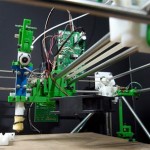
Designed by WASP (World’s Advanced Saving Project) and deployed recently at a maker fair in Rome, the Delta device itself is lightweight and can be loaded onto a truck, moved then rebuilt in a matter of hours.

Structurally, the system employs curved walls, arches and domes to create solid buildings that can withstand the test of time. For its source material: dirt, clay and water are fed into the machine, leaving the results to dry naturally in the sun. Other substances like wool can be added to help bind the solution. Architecturally, the designs draw on regional vernaculars.

Part of WASP’s larger goal here is to raise awareness of non-plastic building materials that can be used in 3D printers, all with the same degree of precision found when using plastics. This process has started with demo models and is leveling up to full-scale structures.

As for future endeavors: “the company is in the process of exploring 3D printing implantable ceramics, such as hydroxylapatite, bioglass and aluminium oxide, to create bone implants with the same porous structure as natural bone.”
Want More? Click for Great Related Content on WebUrbanist:

Local Materials: Sustainable Clay-Fired Desert Architecture
A basic earthen structure is formed and finished by traditional clay-firing processes – like pottery on a massive scale to build abodes for long-term desert …
Click Here to Read More »»
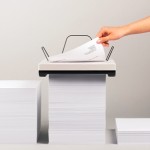
Stack on Sheets: Minimalist Printer Needs No Paper Tray
An elegant concept and beautifully executed, this thesis project strips away everything but the essentials from the process of printing, proposing a simple …
Click Here to Read More »»
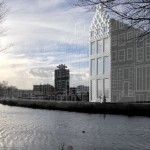
Mobile 3D-Printed House Factory in a Shipping Container
Dutch architects DUS plan to build the first 3D-printed house alongside a canal in Amsterdam using a mobile 3D printer in a shipping container.
Click Here to Read More »»


[ By WebUrbanist in Architecture & Houses & Residential. ]
[ WebUrbanist | Archives | Galleries | Privacy | TOS ]
-
Epson launches A3+ SC-P600 printer with ‘industry’s highest black density’
Epson has announced a new A3+ desktop inkjet printer aimed at the professional and semi-professional photographer that it claims is capable of producing a maximum black density of 2.8. According to Epson this beats all competitors’ A3+ machines that use 6 or more inks. The SureColor SC-P600 is part of Epson’s plan to introduce ten new professional printers to the market under the ‘Sure’ brand by 2016, and is the first SureColor model to be aimed at the photo market. Click through to read more.
-
Robotic Printer Creates Artist’s Portrait Using His Blood
[ By Steph in Art & Drawing & Digital. ]

Blood streams from Ted Lawson‘s arm into a CNC printer, which uses it like ink or paint to robotically create the Brooklyn-based artist’s image. ‘Ghost in the Machine’ is a life-sized nude self-portrait rendered in just about the most graphic way possible, the whole process captured on video as an alarming amount of blood is applied to a blank white surface.

Visibly drained by the process, Lawson sits beside the machine as it works, replenishing himself with juice as his blood streams out in little squiggles. At first, the image is abstract, slowly coming together as the robot follows the guidelines of the illustration.

“I’m generally not into doing selfies, particularly nude ones, but when I came up with the idea to connect my blood directly to the robot (CNC machine), it just made too much sense to not try one as a full nude self-portrait,” Lawson told the Associated Press.

“In this series I’m really just trying to make a good drawing, which requires a lot of process and spontaneity to achieve. I do consider these works to be drawings and not prints, in that I allow the robot to make certain mistakes or leave in certain glitches on purpose.”

The final print will be on display at the Joseph Gross Gallery in New York City from September 11th through October 4th as part of Lawson’s solo exhibition, “The Map Is Not the Territory.”
Want More? Click for Great Related Content on WebUrbanist:

Action Figure Booth: 3D Printer Creates Custom Figurines
In Tokyo, customers can walk into a photo booth, have their images captured, and then walk out not with photos, but action figures that look just like them.
Click Here to Read More »»
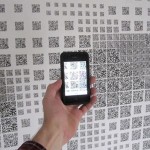
Hidden Creativity: QR Code Portrait Hides Double Meaning
This portrait consisting of QR codes is impressive in its own right, but it is even more so when you consider that it has a second layer of hidden meaning.
Click Here to Read More »»
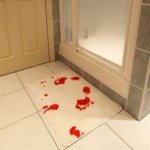
Bloody Brilliant: 10 Blood-Themed Domestic Design Ideas
Blood is mystifying to most of us but inspiring to others. Some of these bloody designs are surreal and strange, others are downright beautiful and original.
Click Here to Read More »»
[ By Steph in Art & Drawing & Digital. ]
[ WebUrbanist | Archives | Galleries | Privacy | TOS ]
-
Pocket Printer: Mini Roomba-Like Robot Prints on the Go
[ By Steph in Gadgets & Geekery & Technology. ]

While other gadgets have gotten smaller and more streamlined, printers have generally remained space-hogging behemoths. Seemingly ignored in the quest to make computers and their accessories compact and ultra-efficient, most modern-day printers look like relics of the circa-2000, oversized beige PC era. One new concept aims to challenge that with a tiny mobile design that moves across paper of any size like a Roomba.

The Mini Mobile Robotic Printer makes it possible to take printing capabilities on the go with you along with your laptop, cell phone and other mobile devices. It prints from any device, including phones, and isn’t constrained by the paper size accepted by a conventional printer. It consists of a printhead on a set of small wheels that travels across a sheet of paper to print. An omni-wheel system enables the printer to turn in any direction.

Powered by a battery that can be recharged via USB, the Mini Mobile Robotic Printer has a small inkjet that lasts over 1,000 printed pages. Once charged, the battery gets an hour of printing time. While the first version will be grayscale only, Jerusalem-based ZUtA Labs aims to create a color version in the future.

Measuring just over 4.5 inches in length, the printer connects to gadgets wirelessly via Bluetooth. A Kickstarter campaign is currently raising production funds, and the first printers will go out to backers of the project in January 2015.
Want More? Click for Great Related Content on WebUrbanist:
Best Print This: 12 High-Tech & 3D Printer Design Ideas
Concept designs that use coffee dregs or pencil stubs instead of ink, forgo paper altogether or even produce 3D objects bring printers into the 21st century.
Click Here to Read More »»
Stack on Sheets: Minimalist Printer Needs No Paper Tray
An elegant concept and beautifully executed, this thesis project strips away everything but the essentials from the process of printing, proposing a simple …
Click Here to Read More »»

Printing Prospects: 10 Hi-Tech Printer Prototypes & Concepts
Printers are no longer just the bulky machines that sit on our desks. Current and future printers can create our homes, our toys and even our new body parts.
Click Here to Read More »»
[ By Steph in Gadgets & Geekery & Technology. ]
[ WebUrbanist | Archives | Galleries | Privacy | TOS ]
-
LifePrint’s portable wireless printer hits Kickstarter

Robert Macauley wants to make photographs special again – by printing them. He’s one of the heads behind the LifePrint Kickstarter project that is aiming to build a portable wireless printer that is controlled via an iOS or Android app. The LifePrint team is looking to secure $ 200,000 of funding to build a printer that will be capable of printing a 3×4″ photo in approximately 30 seconds. Learn more