RSS
 

Posts Tagged ‘portraits’

How to use Colored Gels to Create Unique and Creative Portraits

08 Aug

We’ve all seen the usual studio set up –  beautifully crisp white light, maybe some strobes, diffusers, and other things of the sort. However, what can you do beyond that to make your portraits stand out? Add some color! In this article, learn how to use colored gels to add some spice to your images.

musician portrait with pink background - How to use Colored Gels to Create Unique and Creative Lighting

Colored gels are filters that go on your light in order to change the output color. They are usually sold at photography stores and clamped onto your lights. They range in size, thickness, color cast, and most importantly, price. Be very mindful of how hot your lights are because we’ve had gels melt on the set before during long sessions (such as music videos). 

However, you can also make your own colored gels using cellophane and tape. Just take some really saturated cellophane from a local party or art store and wrap them around your softbox or LED light (so long as the LED runs cold and won’t melt the plastic paper) and fasten with tape.

This may not look like the most professional setup, but I suppose that matters little so long as the final outcome is fantastic!

spooky photo with double exposures - How to use Colored Gels to Create Unique and Creative Lighting

There are limitless possibilities with gels. In regard to color combinations, I suggest making sure all of your gels are saturated the same in order to match with one another (and not become a headache in the editing room later).

Here are some of my favorite gel lighting arrangements to create some new and unique imagery. As a personal preference, I use continuous light, but the same can be achieved with studio strobes or speedlights.

One Color Gel Setup

The simplest and most traditional gel lighting look. There isn’t any fancy setup for this look, you can photograph your model in any fashion and just replace the white light with a color. Make sure your colored gel is really vibrant or the image may fall flat. 

portrait of a girl with amber gel - How to use Colored Gels to Create Unique and Creative Lighting

Play with distance, shutter speed, and some light post-processing to see how far you can get the light to spread. That can add a unique and unexpected twist to your one-light setup!

A good use of the one color set up is backlighting! Take your light and place it behind the subject.

backlighting with gels - How to use Colored Gels to Create Unique and Creative Lighting

Double Colored Gel Setup

My personal favorite is the double colored gel setup. All this requires is two lights, each gelled with different colors. Set them to the side of your model and watch the magic happen!

The division can be very eye-catching and intriguing.

model with red and green lights - How to use Colored Gels to Create Unique and Creative Lighting

lighting diagram - How to use Colored Gels to Create Unique and Creative Lighting

Be mindful of your model’s physical structure. You want to make sure that the color division hits the proper place. Aim for the lighting to (generally) divide right at the center of the nose (split lighting).

Tri-Color Gel Setup

How to use Colored Gels to Create Unique and Creative Lighting

You can go as intense with colors as you like, but when I do three color looks, I like one of those colors to be white. The white softens the whole look and doesn’t make it overly exaggerated.

However, if you prefer a color, I suggest placing a lighter color in the center of your arrangement and the darker colors on the sides.

portrait with 3 colors of light - How to use Colored Gels to Create Unique and Creative Lighting

For three color looks, my favorite arrangement is the traditional triangle light setup. This includes one light in front of the subject and two lights at the sides.

Depending on the look you want to achieve, you can set up the two side lights behind the model and just turn them towards the model. That keeps the light from being too harsh. For a more intense look, place the lights directly at the model’s sides.

lighting diagram - How to use Colored Gels to Create Unique and Creative Lighting

Rim Light Colored Gel Setup

girl with rim lighting - How to use Colored Gels to Create Unique and Creative Lighting

Always a very dramatic and edgy look, using gels for rim lights can bring a bit of flair to your portraits. It does depend on your model’s structure as to where you place the lights. What I do is set up a white light in front of the model and two colored gels on lights to the side pointed forward.

The best colors I’ve found for the rim light look are purples, blues, reds, and greens – oranges tend to get a bit lost with the white light.

How to use Colored Gels to Create Unique and Creative Lighting

Background Light Gel Setup

How to use Colored Gels to Create Unique and Creative Lighting

The quickest way to liven up any location is to aim some lights with colored gels attached toward the background wall.

You can photograph your subject in any traditional studio light manner, and just shoot two gelled lights to the back wall. This allows your subject to be really well separated from the background (something we always strive for in studio photography).

How to use Colored Gels to Create Unique and Creative Lighting

Now go out there and play with colors!

The post How to use Colored Gels to Create Unique and Creative Portraits appeared first on Digital Photography School.


Digital Photography School

 
Comments Off on How to use Colored Gels to Create Unique and Creative Portraits

Posted in Photography


Weekly Photography Challenge – Portraits

04 Aug

I did portraits and weddings as commissioned work for years. To this day, people photography is still my favorite thing to do. So, whether you’re into travel, street, or full-on portrait photography you can practice your people skills with this week’s photography challenge.

Natural light portrait, taken in Turkey.

If you need some tips and help getting started, try these dPS articles:

  • 6 Portrait Lighting Patterns Every Photographer Should Know
  • How to use Off-Camera Flash to Create Dramatic Images with Cross Lighting
  • Tips for Doing Natural Light Headshots and Portraits
  • 7 Quick Tips To Help You Capture Better Portraits
  • How to Use a Small Softbox With Your Flash to Transform Your Portraits
  • How to Create Compelling Wide-Angle Portraits Using One Off-Camera Flash

Need more information and training? Grab our dPS ebook Portraits: Making the Shot.

This portrait was lit using a combination of flash and natural light at 1/30th of a second.

This portrait was made in a classroom when I was teaching a portrait class. There is a large window off to camera right which is lighting the model’s face, another reflector being held behind her and up high to light her hair and add highlights. Finally, there is a black reflector being held by one of my students to create the background. You don’t need a lot of gear!

Weekly Photography Challenge – Portraits

Simply upload your shot into the comment field (look for the little camera icon in the Disqus comments section) and they’ll get embedded for us all to see or if you’d prefer, upload them to your favorite photo-sharing site and leave the link to them. Show me your best images in this week’s challenge. Sometimes it takes a while for an image to appear so be patient and try not to post the same image twice.

Portrait using window light (camera left) and a gold reflector to add the highlights on her hair.

Share in the dPS Facebook Group

You can also share your images in the dPS Facebook group as the challenge is posted there each week as well.

The post Weekly Photography Challenge – Portraits appeared first on Digital Photography School.


Digital Photography School

 
Comments Off on Weekly Photography Challenge – Portraits

Posted in Photography


Basic Photoshop Tutorial – How to Add Creative Overlays to Your Portraits

31 Jul

portraits of 3 girls - Basic Photoshop Tutorial - How to Add Creative Overlays to Your Portraits

I’ve been shooting these moody portraits lately and I thought about adding some creative overlays to a few to make them a little different and more interesting.

3 girls portraits with texture overlay - Basic Photoshop Tutorial - How to Add Creative Overlays to Your Portraits

Here is a basic tutorial on how to add an overlay using Photoshop. Take your images from simple portraits (top) to textured backgrounds (above) above and finally to incorporating some surreal or artistic elements in the finished portraits (below).

Basic Photoshop Tutorial - Basic Photoshop Tutorial - How to Add Creative Overlays to Your Portraits

Getting started

First of all, I wanted my images to have a dark background and look more moody rather than smiling portraits. You can read here on how I have achieved these types of portraits in my home studio using natural light only.

Secondly, in order for you to be able to follow this tutorial, you need to have a good understanding of how to use layers and masks in Photoshop. It is a simple but extremely powerful tool which I believe to be the most fundamental editing technique you need to learn when using Photoshop.

Thirdly, you need to decide on the images that you wish to use as creative overlays. A quick search on Google provided me with some free overlays that have a high enough resolution to use with my images.

Basic Photoshop Tutorial - Basic Photoshop Tutorial - How to Add Creative Overlays to Your Portraits

butterfly images - Basic Photoshop Tutorial - How to Add Creative Overlays to Your Portraits

leaves - Basic Photoshop Tutorial - How to Add a Texture Overlay to Your PortraitsDesigned by Freepik

It is essential that these overlays are in PNG format because it supports transparency. If the background isn’t already transparent (which is indicated by the checkered grey and white boxes), you can extract the image from the background if need be before you can use it as an independent overlay. But that’s a lot more work.

I will walk you through this process step-by-step. You will need to refer to the layers shown on the Photoshop screenshots below to be able to understand the process.

#1 Open your image in Photoshop

Once you open your image in Photoshop it will become the Background Layer. In my case, here I have renamed the layer as the file name “lsp-portraits-13” which appears at the very bottom of the file next to the “eye” icon. This just means it is visible and it is what I am showing you now.

file and layers in Photoshop - Basic Photoshop Tutorial - How to Add a Texture Overlay to Your Portraits

#2 Open your texture image in the same Photoshop file

The texture I’m using is called Chambord as you can see on the layer name. You can easily add a new image onto an existing open Photoshop file two ways:

  1. By dragging your image from its source folder on your computer into Photoshop directly.
  2. Or by opening your texture file in Photoshop as a separate image, selecting the entire image, copying it and then pasting it into the portrait image you are working on.

The latter is the long-winded way. The former is quicker and it is the smarter way too because Photoshop automatically makes the new texture a Smart Object. That means it matches the size of your image yet you can still change the scale without losing any pixels.

Change the blend mode of your texture image layer (Chambord in this case) to Overlay on the Layers tab. Add a layer mask to the Chambord layer and remove the texture from the person on the image by painting on the mask with black using a soft brush.

Your layer should look like the second layer below with the “eye icon” turned on. You can also adjust the opacity of your texture to your liking by moving the layer opacity slider next to the blend mode.

Note: If you don’t mask out the texture, the person will also be covered in texture and would look really odd! You only want the texture to fill the background and nothing else.

dps-tutorial-using-overlays-for-portraits

#3 Now you can proceed with adding overlays

The set of leaf overlays, however, come as one image, so I’ve had to use the latter method mentioned above. I opened the overlay file separately in Photoshop and used the marquee tool to select the specific leaf I wanted to use. Then I copied and pasted it onto the other file that I was working with the portrait image opened.

It is essential that you set the blend mode for each texture overlay to “Overlay”. You can experiment with various modes but for this type of work, I’ve found the Overlay and Soft Light modes tend to be the most suitable.

You can see that I added a mask on the leaf layer so that I could remove anything else around the specific leaf that I didn’t want to use. I have added four leaves in total to this image, each one on separate layers with their respective masks. I have also played around the opacity for each layer.

You will also notice that three of the leaves have a separate Levels Adjustment Layer on top of them. This is a simple way of adjusting the look of the overlay, for example, brightening it, darkening, increasing the contrast, etc. You just need to make sure that you clip the levels layer to the corresponding overlay it is adjusting by pressing Alt+Cmd/Ctrl+G. The arrow down indicates it is clipped (only applies to that and no others) to the layer below it.

You will also notice that there is a layer called Group 1 with the folder icon next to it. I grouped all four overlays after I have made individual adjustments with the levels layers. This is in case I want to make further adjustments to all of them, I only have to clip the adjustments to the Group rather than repeating myself for each overlay layer. Especially if all the adjustments are to be exactly the same anyway.

You can do this by selecting all the overlay-related layers and choosing “New group from layers” from the drop-down menu at the top of the Layers panel.

Basic Photoshop Tutorial - How to Add a Texture Overlay to Your Portraits

#4 Use adjustment tools to make final changes

Although the leaves are now where I wanted them to be, the leaves are far too saturated for my liking and they stand out too much. Not to mention they do not match the green tone of the entire image.

To correct this, I added a Hue/Saturation adjustment layer and clipped it to Group 1 so that it only affects that group and not the other layers. I played with the sliders to get the green looking similar to the green leaves on the little boy’s shirt. I wanted the overall image to have the look and feel of an old illustrated postcard with subdued tones and muted colors.

Basic Photoshop Tutorial - How to Add a Texture Overlay to Your Portraits

#5 It’s time to save your work!

If you want to keep all the layers and the original image, you need to save your file as a PSD image (Photoshop Data File). As long as you don’t merge or flatten the layers, you will have access to all the original elements used in making your composite image.

This is a non-destructive process but the files can take up a large space on your computer drive. However, if you change your mind later on about some of the elements, you can always go back into it without starting from scratch. Just choose the layer you wish to make changes on.

You must also save a compressed version of your image, usually a JPEG, which is a flattened lossy file. It is much smaller and only contains the final finished image without all the layers that went into creating it.

Conclusion

So that’s the simple process of using overlays! Below are the other two images showing the various layers using exactly the same process as shown above.

dps-tutorial-using-overlays-for-portraits

dps-tutorial-using-overlays-for-portraits

I hope you enjoyed this little tutorial.

Have you used texture overlays before? If you have more tips, please share them below.

The post Basic Photoshop Tutorial – How to Add Creative Overlays to Your Portraits appeared first on Digital Photography School.


Digital Photography School

 
Comments Off on Basic Photoshop Tutorial – How to Add Creative Overlays to Your Portraits

Posted in Photography


Simple Tips for Street Candid Portraits

25 Jul

Capturing candid portraits on the streets can be stressful. When you first go out with your camera and you decide to capture people’s reaction, you find yourself wondering how to approach this type of photography. First of all, candid portraits must show genuine expressions from the subjects. An inside look, an image, in the life of someone. Then, your best Continue Reading

The post Simple Tips for Street Candid Portraits appeared first on Photodoto.


Photodoto

 
Comments Off on Simple Tips for Street Candid Portraits

Posted in Photography


Review of the Westcott Eyelighter for Headshots and Portraits

16 Jul

The portrait and headshot industry in photography is likely the craft’s most popular niche. As such, it isn’t a stretch to say that there is a multitude of headshot and portrait photographers in every state and country. So, you need to find a way to stand out from the herd. The Westcott Eyelighter is one such way to differentiate from the masses, a unique reflector unlike any other I’ve seen before.

Review of the Westcott Eyelighter 2 - studio portrait of a model

What is the Westcott Eyelighter?

Much like the name implies, the Westcott Eyelighter is curved to mimic the shape of the human eye and illuminate the bottom part of the iris (something that many photographers tend to add in post-production). The eyes are the windows to the soul, and often the very first thing most viewers notice about an image. This highlight creates an eye-catching image (no pun intended).

As all working photographers understand, the more time you spend in front of a computer screen is less time out there shooting. So taking advantage of a tool that creates a commonly edited effect is grand. This product certainly diminishes the time spent at the computer.

portrait of a model in a black and white dress - Review of the Westcott Eyelighter for Headshots and Portraits

What’s in the box?

The Westcott Eyelighter kit features the reflector itself and a carrying case, with additional accessories sold separately. The physical makeup of the Eyelighter includes a durable aluminum frame and a highly-reflective silver surface. Tension rods are utilized to pull this material taut, maximizing the light cast on the subject.

I was quite impressed by the durability and quality of the Eyelighter’s build, this is not an addition that will snap or break easily.

Review of the Westcott Eyelighter for Headshots and Portraits - b/w of a model in the studio

Assembly

Assembling the Westcott Eyelighter is not much of a task on paper, but can be a bit of a handful in practice. Myself, as a 5’ 5” 98lb female, did struggle to put the Eyelighter together with no help, but it is most certainly possible.

Westcott released a very helpful YouTube instructional video (see below) on how to properly assemble this reflector for those that don’t find the instruction manual helpful. The real difficulty comes from the tension rods as I found it requires quite a bit of strength to put together.

?

Had there been a second pair of hands to help, the assembly would have been more of a breeze (so photographers that have studio assistants, there won’t be much concern there). On average, after practicing the assembly process several times, it finally took me 10-15 minutes to put together.

Review of the Westcott Eyelighter for Headshots and Portraits

What’s included with the Westcott Eyelighter.

Transporting the Eyelighter and portability

The Eyelighter is a rather large piece of studio equipment and really is intended as a permanent addition to your studio. As I did not want to assemble and disassemble the kit every time, I wanted to test to see if I can transport the reflector in its fully assembled state.

From personal experience, I can attest that this product can fit into a car fully-assembled (minus the tripod). I drive an SUV, and I did not need to place the seats down to fit this reflector in horizontally across the backseat. Seats may need to be put down for smaller vehicles, but the height of the kit poses no issue fitting inside of a car.

The Eyelighter does come with a carry case and can be disassembled and assembled, but the assembly does take a bit of time. At least, for me it took a significant amount of time, so I would rather transport the reflector fully-assembled.

Review of the Westcott Eyelighter for Headshots and Portraits - studio setup showing it in use

Using the Westcott Eyelighter

Using the Eyelighter is rather simple and doesn’t require any advanced studio knowledge. Like any reflector, the Eyelighter works by bouncing light off of its reflective panel.

The Eyelighter is already tilted upon attachment to a tripod (which must be purchased separately). As such, all you need to do is take a large softbox (I personally use an octagonal one for this but a square or rectangular softbox is just as valid), place it directly above the Eyelighter, and aim downwards.

It may take a bit of maneuvering and brief trial-and-error test to find the correct placement of the reflector underneath your subject, but the general consensus is that it belongs below the chest area of your model. This piece of equipment will not affect your additional lighting setup, which allows you the freedom to light the rest of the subject in any which way.

Unique catchlights

Review of the Westcott Eyelighter for Headshots and Portraits - dramatic b/w portrait

The Eyelighter reflects light toward your subject, leaving a catchlight that follows the natural curve of the eye. If the silver reflector is too bright or causes too stark of a reflection, Westcott has a white sheet available for purchase that will cover that whole panel and soften the effect.

My favorite aspect of this is how seamless the catch light is, there are no odd or unflattering gaps. As well as this, it really does soften the light on the neck and chin. Paired with your other studio lighting kits, this is a must-have for anyone looking to add something fantastic to their collection.

That being said, it is important to keep in mind that due to the necessary position to create the effect, this reflector really is for portrait and headshot use only – you won’t be able to catch a whole body image with this.

Review of the Westcott Eyelighter for Headshots and Portraits - white panel


Conclusion

In conclusion, the Westcott Eyelighter is a fun, eye-catching, and simple to use reflector that can really help you stand out from the competition.

With a retail price of $ 299, this isn’t the absolute most expensive item in your photographic arsenal but can make a huge difference to your portraits and headshots.

The post Review of the Westcott Eyelighter for Headshots and Portraits appeared first on Digital Photography School.


Digital Photography School

 
Comments Off on Review of the Westcott Eyelighter for Headshots and Portraits

Posted in Photography


5 Tips How to Set Up a Home Studio for Dramatic Portraits

07 Jun

Having a brick and mortar studio when you are a photographer is such a huge and daunting step. There are so many overhead costs to consider such as rent, electricity, insurance and various other bills. It’s a worry to cover all these before you pay staff and yourself and still make enough profit to make a living. This thought can make one feel that having a studio is an impossible dream or is too of a big a step to take. But you can always start somewhere, so let’s look at some tips for how to setup a home studio.

portrait of 2 girls - 5 Tips How to Set Up a Home Studio for Dramatic Portraits

How to set up a home studio

If you have a spare room in your home or a basement, that is a good place to consider as a home studio. You may be surprised at just how much space is needed to start a portrait studio. Not that much at all! In this article, I will show you how I have set up my little home studio which I have recently revamped to make into a dedicated portrait studio.

I live in London in a narrow Victorian house. These houses have a typical 2-up 2-down rectangular layout, short side across and long side from front to back, with a narrow corridor that runs on one side of the house all the way to the back. My house has two reception rooms (living rooms) and a dining room and kitchen at the back. I decided to make the first reception room (the front room of the house) into my studio. It has a bay window at the front which juts out of the house and provides nice ample natural light.

At first, I set up my backdrop on the opposite side of the window so it was facing the window directly. The reason for this was so that I could get a much wider area for shooting. However, this is not great for dramatic lighting with natural light flooding from the window, with the camera right in between the backdrop and the window. This lends itself to flat lighting instead which isn’t what I wanted for my studio.

In order to achieve a more versatile directional lighting and avoid flat lighting from the window, I use strobes at 45-degree angles to the backdrop to get the lighting setup that I like.

Recently, I have moved things around so that I can use dramatic natural light if I want without the need for strobes, although I still have the flexibility to add strobes and artificial light if needed. This is how I’ve done it.

#1 Make sure your backdrop is at 90-degrees to the window

lighting diagram 5 Tips How to Set Up a Home Studio for Dramatic Portraits

This angle gives you a lighting that is more dramatic as it is only coming from one side. If you position your subject so that the far side of the face is unlit, you could achieve lighting similar to the Rembrandt style or low-key portraits.

#2 It is ideal to have an L-shaped corner connecting your window light to your backdrop or wall

lighting diagram corner - 5 Tips How to Set Up a Home Studio for Dramatic Portraits

Having this little dark, unlit corner between your backdrop and the window gives you a 45-degree angle lighting setup which is one of my favorite set-ups. The corner minimizes the light for you to be able to create a moodier image with only the front left of the face illuminated rather than full light flooding from the side.

In terms of artificial light, this is similar to controlling the amount of light hitting your subject either by the use of grids, a strip light or a snoot. You don’t want your subject awash with light as that would make for a rather flat lighting.

My personal preference is for having both light and shadows in my images so I can sculpt my subjects using directional light. If you don’t have such a corner, you can use a V-flat (two black pieces of mountboard taped together to form a V) positioned in the corner as shown in the diagram above.

#3 Paint your wall dark or use a dark backdrop

portrait of a happy girl on a dark background - 5 Tips How to Set Up a Home Studio for Dramatic Portraits

You will be astonished at the difference a dark backdrop makes! It brings focus to the subject far more than a light backdrop can. It also lends itself to more artistic photos.

#4 Diffuse your window light

portrait of a girl in black - 5 Tips How to Set Up a Home Studio for Dramatic Portraits

Window light, albeit coming from an angle, can still be a bit harsh. You can further soften this light by diffusing it with some white sheer curtains or voile or any fabric that can diffuse the light. The bottom half of my windows are frosted which means they are already perfectly diffused. I cover the top half with pieces of diffusion fabric to cut out the light.

#5 Use a reflector or light opposite the window

lighting diagram with reflector - 5 Tips How to Set Up a Home Studio for Dramatic Portraits

Much like in a painted portrait, reflected light is a pleasing detail found at the edge of the unlit side of the face. A silver reflector can achieve this very well with a stronger reflective light result as compared to a white reflector. I find that the gold reflectors can make the skin too warm so I stick with the silver and warm up the overall image in post-production.

The reflector does have to be positioned really close to the subject to make it more effective. If you don’t have an assistant who can hold it in place for you, get a free-standing reflector arm that you clip the reflector into thus making it easy for you to position it as needed.

two different portraits of girls - 5 Tips How to Set Up a Home Studio for Dramatic Portraits

dps-portrait-home-studio-tips_0000

Using strobes

If you want to use or add artificial light such as strobes or continuous lighting, consider a portable studio kit that you can fold and hide away when not in use. Here you can find suggestions of equipment to use for your portable studio kit.

There are many possibilities and things that you can do with this type of setup. Even with just one flash (like this tutorial), you can create dramatic home studio lighting. Another fun thing you can do with flash is creating double exposures.

These images below were taken in exactly the same spot as those above. But this time a gridded softbox was placed on the right as the main light instead of using the natural light coming from the window on the left.

dps-portrait-home-studio-tips_0000

I hope you found this article helpful. Please share images taken in your home studio, and if you have one or more tips on how to create portraits in a small studio space please share those too.

The post 5 Tips How to Set Up a Home Studio for Dramatic Portraits appeared first on Digital Photography School.


Digital Photography School

 
Comments Off on 5 Tips How to Set Up a Home Studio for Dramatic Portraits

Posted in Photography


7 Quick Tips To Help You Capture Better Portraits

24 May

Taking great portraits is a great genre of photography to master. Some of the most famous photographs in the world and even paintings are simple head and shoulder portraits. They can tell us so much about the person being photographed. Think of arguably the most famous painting of all time and most people would probably say the Mona Lisa. But taking portraits also seems to be a difficult thing for newbie photographers to do. Fear not, here are 7 quick tips to help you capture better portraits.

7 Quick Tips To Help You Capture better Portraits - portrait of a chef

1. Start with a conversation

It might seem daunting taking someone’s portrait, even in a studio. But it will get so much easier if you build a rapport with the person first. Whether it’s in the studio or in the street, start the shoot with a conversation and get to know who they are. Find out what they do, what they like, and even what their personality is like.

If you can, make them laugh with a joke. Not only will all of this help build a picture of who they are which can influence the photo, but it will also mean that they are much more comfortable working with you.

This, in turn, will mean that they will be more relaxed and also more be accommodating to you taking their photo. Clearly, sometimes that will be difficult in travel photography, for example, when you might not speak the same language. But even then it’s amazing what a few hand gestures, a few local phrases, and a smile can achieve.

portrait of a lady smiling - 7 Quick Tips To Help You Capture better Portraits

2. Frame carefully

While it might seem obvious, it’s amazing how often I’ve seen a portrait taken where it hasn’t been framed properly. When you are taking an environmental portrait, you need to capture some of the person’s surroundings to be able to tell a story. But when you’re doing a normal head and shoulders portrait, the sole focus should be the person standing in front of you. Their face is where the focus should be, so if there are distracting elements near them or in the background try to crop those out.

Often the reason that photographers end up with too many distractions in the photo is that they are too far away from their subject. So, if you find that you are not able to focus primarily on the subject’s face when taking a portrait, get closer.

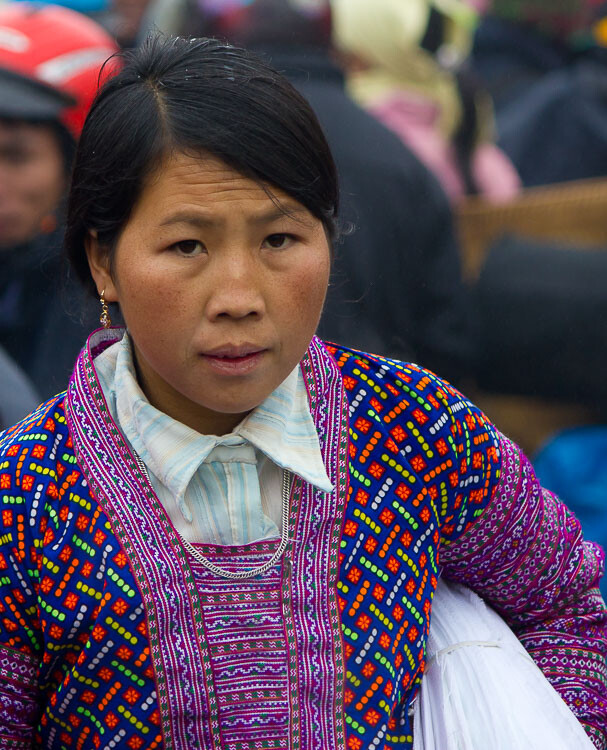
portrait of an Asia lady - 7 Quick Tips To Help You Capture better Portraits

3. Think about the background

Another key element of framing your portrait properly is to ensure that the background isn’t too overpowering. Ideally, a muted or plain surface such as a wall works best as the viewer isn’t distracted by anything else. They can focus solely on the person’s face. If you find that your subject is standing somewhere that doesn’t work best for the portrait, ask them if you can move them and position them somewhere better. Even if you don’t speak their language, usually pointing to where you want them to go does the trick.

If you find that you have to take the photo with too much stuff happening in the background, set a wide aperture so that you will get the background blurred. This will help make your subject stand out from the busy background and not get lost in the photo.

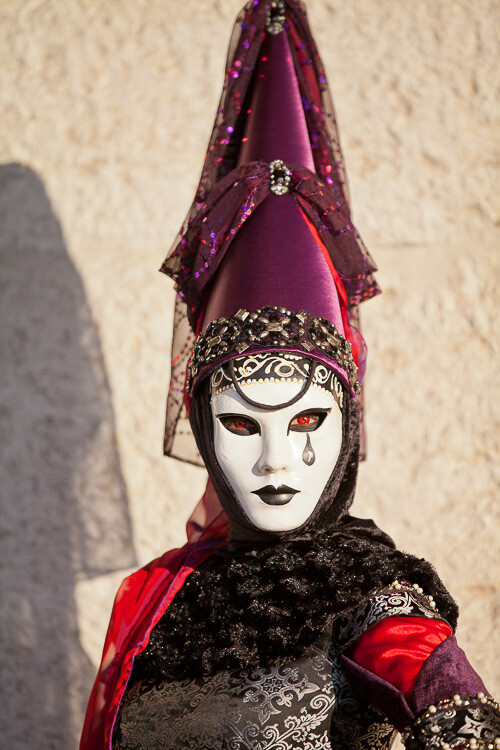
portrait of a person in costume in Italy - 7 Quick Tips To Help You Capture better Portraits

4. Experiment

Most of the time the advice that you are given is to try and light your portrait using natural light, photograph your model from the front, and get close enough to eliminate any distractions. Sound familiar? For example, being outside on an overcast day is ideal for taking portraits as the soft even light means you don’t get harsh shadows on the person’s face.

But while these are great bits of advice that you should follow, it is also worth sometimes pushing the boundaries. So experiment with harsh lighting or even a more creative shots such as in the example below. I took a step back to let people pass and was immediately struck with the dynamism that having someone walk across the image brought to it. It’s still a portrait, but it’s a little more interesting than if there was no one else in the shot.

The key is to not be afraid to go against convention and try something different, you might be surprised by the results.

7 Quick Tips To Help You Capture better Portraits - portrait of person in costume in Venice

The passer-by added a sense of mystery to this portrait.

5. Keep the eyes sharp

If there is just one rule that you need to follow when it comes to taking better portraits, it is to ensure that the subject’s eyes are sharp and in focus. If the eyes are not in sharp focus, the whole image looks soft and unappealing. So, take extra care that you are focusing correctly and that you are keeping the eyes sharp.

When taking portraits outside, the majority of the time you can get away with using a fairly wide aperture. So as long as there is decent light your shutter speed should remain fast enough to avoid camera shake. If you are unable to keep a fast enough shutter speed, raise your ISO accordingly.

portrait of a young Asian child crying - 7 Quick Tips To Help You Capture better Portraits

6. Take multiple shots

You often have a relatively short window when taking portraits as your subject will usually want to get on with their day. But that should still give you plenty of time to take multiple photos. Try taking photos in burst mode so that you can capture the exact moment when your model has their eyes open or has an expression on their face that works for the photo.

You can also try a few different compositions and even angles to give your photos variety. The great thing about digital photography is that it won’t cost you anything to take multiple photos as long as you have enough memory space.

man taking a photo in Venice -7 Quick Tips To Help You Capture better portraits

7. Just relax

Sometimes the real key to taking any great photo is just relaxing and letting it happen naturally. So rather than rushing around and clicking away frantically, just slow down and take your time.

Start talking to people without the burden of knowing that you want to photograph them and if the situation lends itself to a photo just enjoy the process and have fun. Show the person the photos you’ve taken, keep everything casual and you will find that your photos become much better and more intimate.

young girl's portrait - 7 Quick Tips To Help You Capture Fantastic Portraits

Taking a great portrait takes great skill, but when done well it can have incredible results. You will find that not only will you have amazing photos that will look great anywhere, but also memories that you will cherish. Just follow these 7 quick tips to help you capture better portraits and you’ll be on your way to capturing great photos of people.

Please show us your portraits and share your tips advice below.

The post 7 Quick Tips To Help You Capture Better Portraits appeared first on Digital Photography School.


Digital Photography School

 
Comments Off on 7 Quick Tips To Help You Capture Better Portraits

Posted in Photography


Tips for Doing Natural Light Headshots and Portraits

08 May

You may think that headshots are just like portraits or perhaps think that they are only best photographed in a studio space. Thankfully, natural light headshots can help you to achieve the perfect look and portraits for your clients.

Both indoors and outdoors, natural light will give you a more organic and authentic feel to your client’s headshots. Making the photos more personable and versatile when it comes to using them on social media, resumes, or the like.

Natural light headshots - portrait of a man in cactus setting

Using natural light allows you to create headshots with a more authentic feel.

Advantages of Natural Light Headshots

While studio headshots are the more traditional route for this style of photography, natural light will offer more options as far as backgrounds and lighting than you could ever imagine.

Photographing in natural light gives you more mobility to go from indoor to outdoor without fussing with setting up or tearing down a whole set.

Natural light headshots - two photos of a lady indoors and outdoors

Natural light gives you the opportunity to photograph your client both indoors and at outdoor locations.

You also have the opportunity to photograph your client more organically and more authentically than a traditional headshot in a studio light setup. These types of headshots are growing in popularity since they can be versatile for social media and online profiles.

For example, a wedding decorator actually decorating an event can be a great optional headshot since this way her clients can see her working the event, in addition to the waist cropped headshot.

Natural light headhshots

Photographing your client in natural light helps to create more authentic and real shots that can be used for different purposes.

Natural light also helps you choose backgrounds that perhaps you don’t have available or can’t afford in a studio setup. Brick, repetitive lines like stairs, textured concrete, etc., will give your client more options when choosing her headshots.

Photographing Indoor Natural Light Headshots

Your client may ask you to photograph them in the very place where they work, which will most likely be inside. If this is the case, ask them if you can photograph during midday. This ensures that you will get the best possible light entering their office or building.

Natural light headshots - two portraits of ladies

Using elements already found inside near large windows can offer subtle backgrounds without distracting from your client.

When you are photographing headshots it’s very important to keep your background in mind. Look for evenly dispersed, soft light and a neutral background. Headshots are meant to put the focal point of the photo on the person’s face. Neutral backgrounds help to isolate your client and keep the focus on them. This is one advantage of photographing inside.

Ideal backgrounds where natural light is abundant can include office building lobbies, large windowed offices with lounge seating, plain neutral colored walls, rooms with an interesting pendant or incandescent lighting.

Natural light headshots

Using natural light and combining it with the ambient light in the building can give the portrait a more interesting look.

Photographing Outdoor Headshots

If your client has asked you to photograph them at their workplace, don’t feel pressured to only photograph them indoors. Most often office buildings will have beautifully manicured gardens, atriums, or lawns where you can photograph your client’s headshots.

Choose the background wisely

Try to steer away from too busy a background, though, as this can cause the background to compete with your client. Photographing your client in the shade is most likely to give you the best results as you don’t want to have blotchy lighting on your client’s face or body.

Natural light headshots

Use neutral backgrounds for your client’s headshots in natural light.

Shooting on location can also offer you other options such as textured walls, patterned walls like a brick wall, solid concrete walls, and staircases. All of which creates a neutral background where you will have an overflow of natural light.   

Natural light headshots

Using different types of backgrounds can give your client options.

One of the best backgrounds that you can use is the pavement. Placing your client on a ladder, crate, or having them crouch down will help you get the right angle so that the pavement becomes an even colored background.

If you do use the pavement, place your client close to the edge where the sunlight and shade meet, this will create a natural reflector and bounce light back onto your subject.

Natural light headshots

Using both solid pavement and a manicured garden can offer your client variety.

Add variety

Another advantage to photographing on location is that you can add variety to the session without being limited. Photograph your client with a textured background and then try a solid background.

Even though placing your client in the shade is ideal, you can also use the sunlight as a hair light or to light parts of the background to create more depth in the image.

Natural light headshots

Depending on where you place your client, you can choose how you want to light the headshot. More light or with more drama.

Depending on what your client intends to use the headshots for, you may even try facing your client towards the setting sun.

Natural light headshots

Facing this model towards the sun gives his headshot a different look.

One more advantage of on-location headshots is the option of bringing props for your client’s headshot. For example, if they are a photographer, they can bring cameras. Or if they are a travel writer, they can bring suitcases. Or a fashion blogger with accessories.

All of these, with the various backgrounds work well to create the perfect headshot for your client.

Natural light headshots

Natural light headshots can give you the option of using props to create a more stylized portrait.

In Conclusion

Natural light headshots

Using props can also enhance the effect of your client’s headshots and portraits.

Given that you are using natural light as your main source for your client’s headshots and portraits means that you will be able to offer more variety to your client. This is a great advantage because it can give your client the chance to use the photographs for different purposes.

Furthermore, your client will have more natural and authentic headshots versus more traditional studio headshot, which is becoming more and more popular as well.

The post Tips for Doing Natural Light Headshots and Portraits appeared first on Digital Photography School.


Digital Photography School

 
Comments Off on Tips for Doing Natural Light Headshots and Portraits

Posted in Photography


Tutorial: The best way to sharpen portraits in Photoshop

03 May

Sharpening plays an important role in influencing how the human eye interprets a photo and it is the only way to create the illusion of higher definition and detail. Also, much like we use light, color, and composition, it is an extremely effective way to guide the eyes of the viewer to wherever you want them to focus.

The first question to ask isn’t how to sharpen but when to sharpen. Any retouching, compositing, coloring, and any other edits you’ve made should be included in the sharpening process. So make sure that it’s the final step in your workflow just before you export! It’s important to note that you’ll want to resize your images beforehand as well. Resizing an image that has already been sharpened can have adverse effects such as reducing or exaggerating the amount of sharpening.

For example, if you want to upload one of your latest photos to Instagram, first resize your image to 1080 x 1080 pixels (their recommended dimensions for square images). Then go through the sharpening process as normal. Doing this will guarantee that your image quality will be consistent no matter what size your image is or where it will be displayed.

To begin the sharpening process, create a new layer, go to the Image menu, and select Apply Image. Apply Image will take all of the visible layers in your project and merge them together onto the new layer. This will allow you to sharpen your final image (including all of the edits you’ve made) without affecting the originals.

As far as technique goes, there are many ways to sharpen an image. I’ve always preferred the High Pass method which involves converting the new merged image into a Smart Object and then using a High Pass Filter to apply the sharpening effect. Since we’re working with a Smart Object and a Smart Filter, we can always go back to make changes to the radius by simply double-clicking on the High Pass option underneath the layer.

My favorite thing about this technique is just how flexible and precise it can be! If I ever need to make changes to the amount of sharpening I can either duplicate the sharpening layer (for a subtle adjustment), change the radius of the High Pass Filter, raise or lower the opacity, or simply paint with the Brush Tool on the layer mask.

Using Layer Masks, you can apply different levels of sharpening to different parts of a photo. You can have a sharpening layer just for facial features and a second for wardrobe. Create as many layers of sharpening as you need to get the look that you want. Overall, focus your sharpening on aesthetic details in your photo—hair, eyes, jewelry, details in clothing—anything that you want to stand out. Avoid sharpening things that might distract the viewer or bring out details you don’t want to be as noticeable (i.e. pores).

Like most things that we’ll do in Photoshop, sharpening is highly subjective. It’s up to you to determine where and how much to sharpen. And while we use a portrait as our example, this method works across all types of photography! This is a process I’ve developed over several years and it has served me well. So give it a try! I only hope that it helps you figure out your own favorite method that’s best suited for you and your work.


About the Author: For over seven years, Aaron Nace has been teaching photography and photo manipulation on PHLEARN.com to millions of users across the world at every skill level. You can subscribe for his professional videos or view the Photoshop tutorials as well.

Articles: Digital Photography Review (dpreview.com)

 
Comments Off on Tutorial: The best way to sharpen portraits in Photoshop

Posted in Uncategorized


How to Find and Use Natural Reflectors for Portraits

01 May

Natural light is one of the simplest ways to create beautifully lit portraits, without having too much equipment or worrying about setting up extra gear. However, it limits beautiful light to certain hours of the day and for you to work in the shade. This is where finding and using natural reflectors comes into play.

With natural light reflectors, you can photograph at any time of the day without having to carry any extra gear. It’s really easy to find and use to help give your portraits that extra boost of light.

Natural light reflector for portraits

Here we can see that the natural reflector is the path at the park.

What is a natural reflector?

A natural reflector is using already built-in or found materials to bounce light back onto your subject. This rids you of having to carry more equipment on location. 

It also helps immensely when you are photographing your subject during not so great hours of the day, like say, noon. When the light is harsh, it makes for great big natural reflectors to bounce that light back onto your subject.

Natural reflector for portraits

In this portrait, the subject is in direct sunlight at midday and the pavement helped to bounce light back onto her face.

Natural reflectors can come in many different forms, the most useful are big light-colored walls, the pavement, buildings with silver or light colored walls, white/silver cars in parking lots, mirrors, windows, even your white t-shirt. 

They are all found naturally occurring on location and all of them bounce light back onto your subject.

Natural light reflectors for portraits

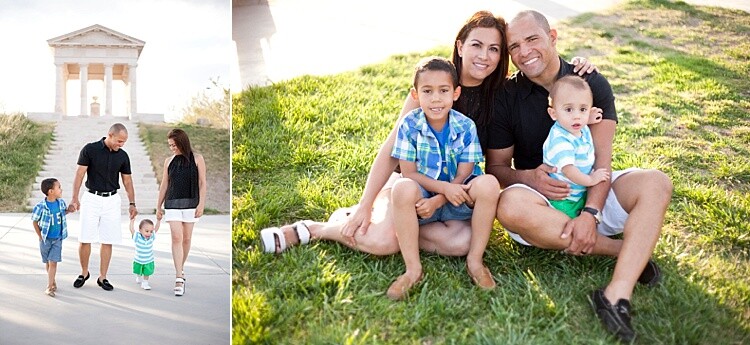
This family is being lit by the sidewalk as a natural reflector, bouncing light back onto their faces.

The bigger your reflector, the more dispersed and diffused (soft) the light will be. Keep this in mind when photographing big groups or families, as you want the light to be evenly spread over all of your subjects’ faces.

How to use a natural light reflector

Natural reflectors are used a lot like real man-made or handheld reflectors. Position your subject in front of the natural reflector, for example, a large white wall. 

How to Find and Use Natural Light Reflectors for Portraits

The sidewalk directly in front of this couple is naturally reflecting light back onto their faces. The natural light reflector is large and therefore disperses light evenly on both of them.

Parking garages make for great portrait locations, especially for headshots. Make sure to position your subject behind the edge of where the sun is hitting the pavement and the shadowed area. This will keep the lighting on your subject even while maintaining an even background as well.

Using buildings is also a great way to reflect light on to your subject and compete with the sun, offering a different style of portraits. As light is reflected off a big silver wall, the light reflected creates more drama. Adding to the overall effect of your photographs!

How to Find and Use Natural Light Reflectors for Portraits

The silver paneling on the building serves as a natural reflector competing with the sun in the background.

If you are out in a field or more of an open space, you can still find natural reflectors. Fields reflect a beautiful golden hue as does the sand on the beach when the sun is brightest.

Natural reflectors can also add a little more drama to your photos if you use them strategically. Placing your subject away from the light can create interesting shadows. Same with reflectors below your subject. Experiment to see which types of natural reflectors work best for you.

How to Find and Use Natural Light Reflectors for Portraits

Here the light reflected creates a little bit of drama in the portraits of this young man.

Best time for natural light reflectors

The best time to use natural reflectors is anytime the sun is shining bright! 

On cloudy days you may get some bright light, but when the sun is out, that is the best time for maximum reflection. It’s a good rule of thumb to go to the portrait location before your session and observe when is the best time and which natural reflectors will be useful.

How to Find and Use Natural Light Reflectors for Portraits - maternity portraits in natural light

Use natural light reflectors in both brightly lit backgrounds or in shaded areas.

To get the most out of a natural reflector, it’s best to photograph your subject between 11 am and 2 pm so that the sun hits these natural reflectors evenly and you can move your subject around to get the best background, angle, and of course, lighting.

How to Find and Use Natural Light Reflectors for Portraits

Fields are great for naturally reflecting onto your subject’s face during a session.

If you are photographing in a cityscape or urban area with a lot of buildings, the best time is a couple of hours before sunset. The sun will reflect against the windows of buildings and offer the best strength. 

Don’t stop photographing though. You’ll want to catch the sunset reflecting in the windows as well after the sun goes down a little.

beach family portrait - How to Find and Use Natural Light Reflectors for Portraits

Using the sand as a natural light reflector is a perfect way to evenly light your subjects at the beach.

Another example of beach photos and using the sand as a natural reflector.

You can also become a natural reflector

Wearing white can bounce some much-needed light off you and back to your subject if you need a bit more light. A simple white t-shirt can do the trick and give you a little boost of light. It especially makes for great catchlights in your subject’s eyes.

How to Find and Use Natural Light Reflectors for Portraits

Using white can help reflect light. Take precaution when photographing in really bright sunlight as it can sometimes wash out details in the shirts. However, if you use a white shirt, it has the same effect of bouncing light.

White shirts can give your subject a soft dewy look. Just be mindful that you will have to be relatively close to your subject so that enough light can bounce back onto the subject’s face.

In conclusion

portrait of a girl - How to Find and Use Natural Light Reflectors for Portraits

When you’re photographing in natural light, these natural reflectors can help make for interesting, beautifully lit portraits of your subjects. The boost of light can get you out of shaded areas and allow you to shoot at all hours of the day without having to carry additional gear other than your camera. 

Have fun and experiment with different types of natural reflectors to add drama to your portraits.

The post How to Find and Use Natural Reflectors for Portraits appeared first on Digital Photography School.


Digital Photography School

 
Comments Off on How to Find and Use Natural Reflectors for Portraits

Posted in Photography