RSS
 

Posts Tagged ‘Photography’

Mastering Color Series – The Psychology and Evolution of the Color GREEN and its use in Photography

03 May

The post Mastering Color Series – The Psychology and Evolution of the Color GREEN and its use in Photography appeared first on Digital Photography School. It was authored by Megan Kennedy.

Spanish dramatist, poet and writer Pedro Calderón de la Barca once said “green is the prime color of the world, and that from which its loveliness arises”. From the perspective of a well-loved frog however, it’s not so easy being green. On the visible spectrum, green occupies the space between blue and yellow. In color theory, it is a secondary color, made by mixing blue and yellow together. Here, we’ll have a look at the evolution of green and its impact in art from antiquity to the present day.

The psychology of green

Green’s strongest psychological associations lie with the natural environment. The word green originates from the Middle English and Old English word grene, which has the same root as the words grass and grow. Many humans respond to nature, and thereby green itself, with a sense of calm and renewal. According to a recent study, exposure to green spaces in childhood can provide significant mental health benefits into adolescence and adulthood. Another study suggests that the “availability and quality of neighborhood green spaces are associated with greater well-being”.

Green’s association with nature has led to the adoption of green as an emblem for environmental movements. Fresh greenery in spring and the steady growth of plant-life has fostered associations with green and rebirth and determination. In contrast, the green text on early computer systems have cultivated associations between green, modernity and the digital landscape. The movie The Matrix has furthered this association.

When the United States government began issuing cash in 1861, bills were printed with a green-black ink. This has fostered associations between green and money. Due to it’s reflective nature, neon green is often used for safety equipment, clothing and signage. Because of it’s vibrational quality, neon green also features heavily in psychedelic art.

A belief held by the ancient Greeks that the overproduction of bile (which is typically a dark green to yellowish brown fluid) was a symptom of jealousy has drawn associations between green, envy and illness. Poeticized by William Drennan as the “Emerald Isle,” Ireland is associated with the color green because of it’s lush green landscapes. In China, green is associated with the east, spring and generative energy. For many Native American peoples, green symbolizes endurance. Green is the sacred color of Islam, representing Muhammad. However, in South America, green can be a symbol of death.

The evolution of the color green

Malachite, green earth and verdigris

While prehistoric artists used a pallet made up of reds, yellows, blacks, browns and whites, greens and blues were noticeably absent from early art. Decorative ceramics made by ancient Mesopotamians depict some of the earliest examples of green in visual arts. However, the method used to produce these greens is unknown.

Mined in the west Sinai and eastern desert, ancient Egyptians adorned tombs and papyrus with finely ground blue-green malachite pigment. Referring to the afterlife as the Field of Malachite, the ancient Egyptians wore the crushed mineral around the eyes to ward away evil. Moderately lightfast but very sensitive to acids, and varying in tonal consistency, malachite’s use in art continued up until the 1800’s. The Egyptians also used green earth pigments or mixed yellow ochre with blue azurite to form green hues.

Sourced near Verona in Italy and on the Mediterranean island of Cyprus, the Romans used green earth extensively in decoration. According to the blog Eclectic Light Company, green earth pigments have also been found in paintings from North America and the Indian subcontinent. Although lacking in intensity, green earth has seen use right up to the present day. Perhaps its best known usage however, is in the under-painting of flesh tones during the middle ages.

The Romans also used verdigris as a source of green pigment. Verdigris occurs naturally when copper, brass or bronze is exposed to air or seawater over time. Deliberately cultivated by soaking copper plates in fermenting wine and collecting the resulting residue, verdigris was the most vibrant green available until the 19th century.

Scheele’s green

Invented in 1775 by chemist Carl Wilhelm Scheele, Scheele’s green was the first to contain arsenic in its composition. Although it faded rapidly, Scheele’s green was considered superior to previous paints due to its vibrancy. It was used in a range of applications from food dye to artist’s paints. Needless to say, Scheele’s green was highly toxic and carcinogenic. Both manufactures and consumers became ill or died from exposure to the deadly pigment.

Cobalt green

In 1780 Swedish chemist Sven Rinman, developed a process that resulted in a cobalt-green compound of cobalt and zinc. Arthur Herbert Church, a British chemist, published Rinmann’s process in his book, the Chemistry of Paints and Painting where he stated that cobalt green was created by “precipitating with an alkaline carbonate a mixture of the nitrates of cobalt and of zinc, and then strongly heating (after washing) the precipitate formed”.

“When prepared properly,” Church continued, “cobalt green is a pigment of great beauty and power.” However, despite the opportunity to vary the ratio of zinc to cobalt oxides in production, the pigment was never a pure green, taking on a blueish hue instead. In addition, the high cost and poor tinting strength of cobalt green meant it saw limited use by artists.

Paris green

Paris green is also known as emerald green. Becoming commercially available in 1814, Paris green was used as a pigment as well as a rodenticide and insecticide. Offering greater permanence and saturation over Scheele’s green, Paris green proved popular with artists such as Monet, and Van Gogh. Ranging from a pale blue-green to a deep green, Paris green was relativity cheap to manufacture. It was also used as a household paint and in decorative wallpaper. Highly toxic, it was discontinued over the second half of the twentieth century.

Viridian

Electing to keep their methodology a secret, Viridian was first produced by chemists Pannetier and Binet in Paris around 1838. It took another 20 years before chemist Guignet patented a process to manufacture Viridian, making the pigment available to artists.

Viridian takes its name from the Latin word viridis, meaning green. A dark shade of spring green, Viridian sits between green and teal on the color wheel. Viridian’s brilliance, excellent permanence and lack of toxicity meant that it soon eclipsed all other green pigments. Readily adopted by Edvard Munch, Monet and Van Gogh, the rich blue-green hues of viridian remain in use today.

Green in visual arts

Green’s presence in art history is a testament to its evocative associations with nature and life. Cultivated by the flooding of the River Nile, ancient Egyptians recognized the greenery of flourishing crops as a symbol of rebirth. Osiris, the ancient Egyptian god of the underworld and rebirth was depicted with a green complexion and the hieroglyph for the color green was represented by the stalk of the papyrus.

During the middle ages and renaissance, clothing color signaled social rank and occupation. Green was worn by merchants, bankers and gentry. Both the Mona Lisa and the bride in the Arnolfini portrait by Jan van Eyck are depicted in green, an indication of their status.

Taking advantage of greens refined over the renaissance period, Baroque artists conveyed moments of movement and drama with rich green hues. Dreamy green landscapes populated by the well-to-do defined the rococo art movement, while the green hues in 19th century realism mirrored the bleak reality of middle and lower class society. In contrast, pre-raphaelite artists used green to depict resplendent clothing and foliage.

Capturing the interplay between light and movement, green took on a new life under the strokes of the impressionist’s brush. Expressionist artists, in their distortions and exaggerations, valued emotion over reality, using green to convey new artistic possibilities. Cubists used green as a tool to alleviate some of the heaviness of their compositions and later, abstract artists like Mark Rothko and Helen Frankenthaler expressed the immersive nature of green through verdant tones on active canvasses.

Green in contemporary art

Contemporary examples of green used in art are as varied and unique as green itself.  In 1970 Bruce Nauman erected two walls, placed them 12 inches apart and suspended green lights above the gap. Encouraged to walk through the claustrophobic space, members of the public were bathed in green fluorescence as they shuffled along.

In 1998 Olafur Eliasson used a sodium salt variation of fluorescein called uranine to color waterways in Germany, Norway, Iceland, Sweden, Japan and the USA a vibrant green. He called his endeavors the Green River Project.

In 2016 Norwegian artist Per Kristian Nygard transformed an Oslo gallery into an organic work of art. Distributing soil and grass seed over a wooden framework covered with plastic sheets, Per Kristian Nygard cultivated Not Red But Green, a contemplative piece investigating the exchange between architecture and nature.

Green in photography

Green’s associations continue to be depicted in both film and digital photographic formats. Australian duo Prue Stent and Honey Long combine photography with performance, installation and sculpture, investigating the relationship between the human body and nature. Stent and Long’s series Bush Babies melds the green of the natural environment with the nakedness of the human body.

An overreaching theme in Narelle Autio’s photography is the study of human interaction within green spaces. Namia Green’s portraits of black and brown subjects against lush greenery reflects the photographer’s rejection of the narrow representation of black peoples in art. Photographed by Steve McCurry, the famously green eyes of the Afghan Girl (Sharbat Gula) are both haunting and haunted, piercing a viewer’s gaze. Ren Hang (link NSFW), known for his sexually expressive imagery, often relied on green for contrast, context and life.

Landscape and architectural photographer Andreas Gursky often applies green as a visual pause within his work. Fashion photographer Miles Aldridge uses green as a surreal brush with the surreal. Signalling time, place and atmosphere, macro photographers like Tomas Shahan feature green as an inevitable backdrop for their minuscule natural subjects. And Pep Ventosa’s dynamic works see green as a prevailing presence in her series In the Round, Trees.

Green has applications on-camera too. In black and white photography, green filters are mainly used for photographing plants, separating green foliage from brightly colored flowers. In landscape photography, green filters lighten organic greens, giving an image a more natural appearance.

Conclusion

Despite its late arrival to the artist’s pallet, green’s versatility is reflected in its many connotations. Associated with renewal and rebirth, green has also been linked with the digital landscape, money, jealousy and sickness. From ancient art to contemporary visual culture, green has shaped our comprehension of the environment around us. Portraying immeasurable depth and abundance, green is the color of nature and life.

Share with us your photos that use green in the comments below.


You may also like:

  • Mastering Color Series – The Psychology and Evolution of the Color RED and its use in Photography
  • Mastering Color Series – The Psychology and Evolution of the Color YELLOW and its use in Photography
  • Mastering Color Series – The Psychology and Evolution of the Color BLUE and its use in Photography

The post Mastering Color Series – The Psychology and Evolution of the Color GREEN and its use in Photography appeared first on Digital Photography School. It was authored by Megan Kennedy.


Digital Photography School

 
Comments Off on Mastering Color Series – The Psychology and Evolution of the Color GREEN and its use in Photography

Posted in Photography


Adobe test replaces $10/month Photography plan with 1TB $20/month option

03 May

Under a current test, some potential Adobe customers are no longer presented with the company’s $ 9.99 per month individual Photography plan, which includes access to Lightroom, Lightroom Classic, Photoshop, and 20GB of cloud storage. These customers now only have the option to subscribe to the more expensive $ 19.99 per month Photography plan, which includes 1TB, rather than 20GB, of cloud storage.

A screenshot captured on the Adobe Creative Cloud website on May 2, 2019.

The change has only appeared for some customers, and as noted by PetaPixel, it’s possible to subscribe to the cheaper plan by directly contacting Adobe’s customer support. At this time, Adobe has only offered confirmation that it is conducting ‘a number of tests’ on its website, which may include displaying certain plan options to only some customers.

Though Adobe is remaining somewhat quiet about the change, the test hints at a potential future price hike for the Photography plan — namely the elimination of the cheaper, lower-storage option. Customers who want to lock in the lower rate (for now, at least) retain the option of purchasing a one-year Photography plan subscription for $ 120, though they may have to contact support to get that rate.

As with any test, it’s possible Adobe will scrap the change and keep its existing $ 9.99 per month option, but based on simple math, if even a little over half of customers don’t leave because of the change it’s still worth it for Adobe to bump up the price to $ 20 per month.

DPReview has contacted Adobe for an official comment. We will update this article when we hear back.

Articles: Digital Photography Review (dpreview.com)

 
Comments Off on Adobe test replaces $10/month Photography plan with 1TB $20/month option

Posted in Uncategorized


Gaining Confidence to Charge Properly for Your Photography

02 May

The post Gaining Confidence to Charge Properly for Your Photography appeared first on Digital Photography School. It was authored by Mat Coker.

Alexander Mils

So many of us are awkward about money – especially asking for it. A few years ago I was just starting out as a “professional” photographer. I did a free session just for the experience. The family insisted on paying me something even though I kept declining. They gave me $ 20. I couldn’t help but think, “is that all I’m worth?” I was happy to do it for free, yet $ 20 felt like an insult.

There were a lot of questions tangled up in that $ 20 session. Are my photos good enough to charge money? What is the right price to charge? How do I tell them my price when I feel so dirty about money? Why don’t they value me more?

I knew that I had to work through these questions or just forget about charging money at all.

Let me share with you how to:

  • Know what to sell (a service, prints, or digital)
  • Set your prices (to fund your hobby or go full time)
  • Get over the dirty feeling you have when talking about money
Photo session pricing

This was one of my first and cheapest photo sessions, but also one of my most memorable. It rained the whole time and we had to keep ducking back into our vehicles to stay dry.

A riddle

When I first started out and my prices were low, people would tell me that my prices were too high. And now that my prices are five times higher, people keep telling me my prices are too low. Why is that? I’ll tell you at the end.

First, the truth about prices

You will set your prices based on assumptions you have. Many of those assumptions are wrong, which leads to wrong pricing.

I promise you that:

  • The market is not over-saturated with photographers.
  • Cheap photographers have not driven down prices for the rest of us.
  • People do value photography and will spend good money on it.
Family photo session prices

I charged this family four times more for their next session and they gladly paid because they loved their first set of photos so much. I even got a call from the dad saying how much he liked the photos. And dad’s never want to pay for photos!

What do you really want?

There is little use in discussing pricing if you don’t have an end goal in mind. You need to begin by asking yourself what you really want.

Do you even want money? If so, do you want a little money to fund your photography hobby? Or, do you want enough money to count as income?

Money is a tool to get other things. So the question is, what do you want?

Don’t charge anything at all

Don’t feel as though you must charge for your photography. You might get sucked into the idea of making money with your photography just because so many other photographers do.

If you love photography for it’s own sake, you don’t necessarily need to make money doing it.

Keep your life simple and chase photography for it’s own sake. Go ahead and share your photography as a gift with no concern about money.

photography pricing

Figure out what you’re selling

If you do want to earn money with your photography, you need to decide what you’re selling and why.

You could sell sessions, digital files or prints (or any combination of these).

Don’t let anybody tell you what you must offer. Make your own decision.

Here are some examples of what you could sell.

  • Photograph events and then sell digital files or prints.
  • Do photography sessions (newborn, family, etc) and then sell digital files or prints.
  • Take photographs of your own ideas and then sell fine art prints or digital stock photography.

Create a price list for whatever you offer and then you’re ready when people ask how much you charge.

How to set your prices

I prefer to keep everything as simple as possible, so here is my model for how to set your prices.

  1. What do you want to make per month?
  2. How many sessions would you like to do per month? Or, how many prints or digital photos would you like to be selling per month?

Suppose you would like to earn $ 1000 per month and you would like to do four sessions per month. You’ll have to charge $ 250 per session (but also consider your expenses).

Perhaps you want to earn $ 500 per month by photographing one event and selling digital images. If you price your digital photos at $ 10 each, you’ll have to sell 50 of them.

How about full-time income? Suppose you would like to earn $ 4000 per month. You could do 8 photo sessions at $ 500. Or, you could do a couple of weddings per month.

Play with the numbers based on how much you would like to make and how much work you want to put out.

Earning money on the side

Hovering on the line between amateur and professional, I just loved the fact that I could take pictures and make a little money doing it.

What should amateurs charge?

Don’t assume that because you are an amateur you should charge less. You could be as fine a photographer as the pros – maybe better.

Just keep in mind how much you would like to make and how much work you want to put out.

Some amateurs like to photograph sporting events and then sell digital files or prints through an online gallery. Others like to do photo sessions for their friends. Some sell a few of their prints here and there. It’s often just a way to make a little extra money to spend on new lenses and camera bags.

Consider how much money you would like to make and set your prices accordingly.

How to get over the dirty feeling you have when talking about money

There are many reasons you might feel awkward about money.

If you haven’t set your prices in advance you’ll feel thrown off when somebody asks you. You’ll feel hesitant or doubt yourself. So set your prices and be ready to tell people what they are.

Confidence plays a role in setting your prices.

Are you ready to charge?

A lot of people just need to know if they are ready to charge money for their photography.

If you take good photos then you are ready. If you don’t take good photos then you’re not.

Get feedback from other photographers about whether your photos are good. Ask them how you could improve. When you get to the point that you feel confident, or almost confident, then offer your services with a price tag.

Photograph an event and sell digital photos. Or offer family photo sessions. Whatever it is, see if people are willing to pay. You’ll know you’re ready when your photos are good and people begin paying.

At this point you may know you’re a good photographer and how much money you would like to make, but deep inside something tells you you’re not worth it.

Are you worth it?

I often see photographers charging low prices for their incredible photography because they don’t feel worthy of charging more. They have many reasons for their low prices, but they’re mostly just excuses. Underneath is a sense of inferiority – a sense that they themselves are no good. If this is you, then you need to get out of your own head and prove yourself wrong.

There are countless photographers doing the work they want and charging what they want. Why not you?

confident photography pricing

Get out of your comfort zone and make trying new things a part of your lifestyle. You’ll gain confidence more quickly and overcome those voices that put you down.

But will people really pay?

Yes, people will pay. A lot.

You’ll hear a lot of people saying that everybody is running to cheap photographers and it’s putting the higher priced photographers out of business. But it’s not true.

Yes, a lot of people go to cheap photographers. It’s natural to seek out lower prices when we can. But that doesn’t mean that people never spend lots of money.

Have you ever noticed that people have two polar reactions to the money they spend? People love to brag that they got a great deal. But they also love to brag about how expensive something was. People are funny creatures and you’ll learn a lot about us by paying attention to what we do with our money.

photography pricing

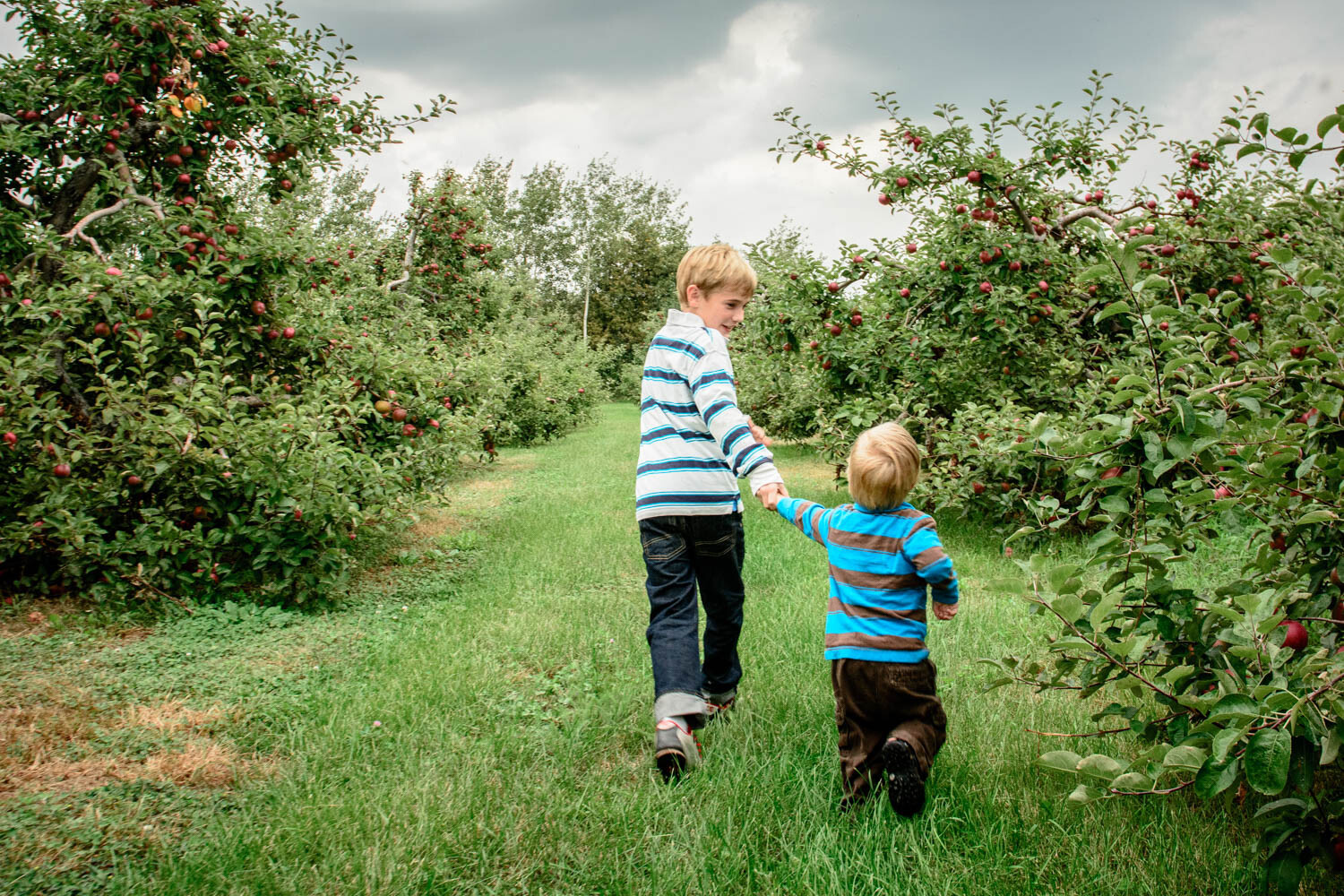
My family is even willing to pay more for apples, just for the experience of picking our own.

Cheap commodity or something meaningful?

Remember that curious thing I told you in the beginning? When I first started out and my prices were low, people would tell me that my prices were too high. But now that my prices are five times higher, people keep telling me my prices are too low. Why is that?

In the beginning, I priced my photography as a cheap commodity. Nobody wants to pay a high price for a commodity. We all want the price of things like food, insurance and fuel to go down, not up! I priced my photography to be the sort of thing that is cheap and is found anywhere.

But later on, when my prices were higher, my photography began to appeal to people who thought differently about photography. They valued it as something truly meaningful to them – not as a cheap commodity like toothpaste. They valued it like a fine bottle of wine and were happy to pay more for it.

Some people don’t value photography, and it’s just a commodity to them. However, others do value it and are proud to seek out a talented photographer and pay good money for their work.

The subject of my photography, and the words I use to talk about my photos, speak of meaning rather than cheapness. My prices have come to reflect the true value of my photography.

From a purely business perspective, my prices are probably still too low. Even some of the people who hire me say that I should charge more than I do (and they prove it by giving me generous gratuities).

So why don’t I charge even more? Because, like many of you, I struggle with that voice inside that says, “are you crazy? Nobody will pay that price.” However, the people who hire you and I will keep proving that voice wrong.


The post Gaining Confidence to Charge Properly for Your Photography appeared first on Digital Photography School. It was authored by Mat Coker.


Digital Photography School

 
Comments Off on Gaining Confidence to Charge Properly for Your Photography

Posted in Photography


6 Ways to Plan a Photography Road Trip

01 May

The post 6 Ways to Plan a Photography Road Trip appeared first on Digital Photography School. It was authored by Jeremy Flint.

photography road trip 01

Monument Valley, USA

Going on a road trip can be an exciting prospect for any budding photographer. There is usually a great sense of anticipation and adventure associated with any road trips where you embark on a journey across familiar or unfamiliar lands.

If you are planning a road trip to a particular travel destination, here are 5 ways to help you plan your getaway.

1. Choose a destination

photography road trip 02

Arizona, USA

One of the first and most fundamental things to do is to decide where you want to go. You can choose a destination based on a photographic interest you may have such as landscapes or select a location based on somewhere you would like to visit. For example, the Scottish highlands in England are a great place to take a road trip where nature is bountiful and beautiful.

You may prefer a road trip that follows a famous route such as Route 66 in the USA.

2. Do your research

Planning your journey can be a challenging prospect if you have never been to the place you will be visiting. The fear of the unknown surrounding the location can hold you back and even put you off doing any groundwork.

I suggest to just choose a route, research it and go. Researching an area will help alleviate any anxieties about going to a new area. Then it’s simply a case of putting your plan into practice.

photography road trip 03

Arizona, USA

You need to decide if you will take your own vehicle or hire one depending on your budget and where you are planning to visit. Obviously, if you are going somewhere abroad that is too far away to take your own vehicle, consider which vehicle you will hire. A campervan may be a financially viable option if you would like wheels and accommodation in one.

Alternatively, you may opt to rent a car and stay in local accommodation at your chosen destinations The advantage of a campervan or car and tent is that you can stay overnight near to a place you want to photograph such as beside a river, lake or landscape.

3. Plan time for photography

Plan your trip for the time you have. Figure out which location you want to visit and factor in some time for picture taking. You will also want to allow some time for sightseeing and relaxation. Don’t forget to stop the car during your road adventure to soak in the views.

photography road trip 04

Namibia

4. Consider your travel partners

A key factor to consider when planning time for photography during your road trip is who you do your grand tour with. Consider who your travel partners will be whether you decide to go with a friend, your spouse or family. Make a clear plan to factor in some photography. Tell the people you are with that you intend to do some photography at a specific time and ask if they want to come with you on your photographic pursuits.

If they decide to join you, advise them to take to take a good book or puzzle to entertain them. These plans will help keep everyone happy and prevent you from falling out with your travel companions.

On the contrary, if your tour is a solo road trip, you will have all the time you need. It will just be a case of choosing where and when to go and which travel destinations to photograph.

5. Plan the gear to take with you

photography road trip 05

Bryce Canyon, USA

Have you ever been on a photography excursion only to find out when you get there that a vital piece of kit is missing? This could be anything from a piece of equipment to a lens cleaning cloth.

As simple as it may seem, I recommend making a list of things to take before you pack to ensure nothing is forgotten. Your packing list may include a camera, lenses, cleaning cloths, spare batteries and memory cards, tripod, waterproof coat, hat and gloves, walking shoes, map and a guidebook.

6. Consider electricity

photography road trip 06

Desert road, namibia

Charging your batteries is an essential part of your trip so make sure that wherever you are going has sufficient supplies to charge your batteries. Electricity points are available at most types of accommodation including hotels, B&B’s, hostels and even campsites.

If you’re traveling in a campervan or vehicle specifically set up for road trips, it may already be well equipped with electricity points for charging devices. A solar powered or fully-charged battery charging device will provide additional battery charge capabilities.

Conclusion

When embarking on a road trip, make sure to plan your trip well and be prepared for any potential photographic challenges such as lack of electricity when away from connectivity spots for a certain duration of time.

Choose and research your location. Plan time for photography and make a checklist of the gear you intend to take with you. That way, you ensure nothing is forgotten when packing for your adventure.

The post 6 Ways to Plan a Photography Road Trip appeared first on Digital Photography School. It was authored by Jeremy Flint.


Digital Photography School

 
Comments Off on 6 Ways to Plan a Photography Road Trip

Posted in Photography


Samsung patents wraparound phone display with unique photography features

30 Apr

Dutch website Let’s Go Digital has uncovered a Samsung patent that details a wraparound mobile phone display. Unlike the company’s folding phone, this recently approved patent shows a flexible display that wraps from the front of the phone up over the top and down partially across the back. Among other uses, the rear display could be used to provide an image preview to the photo’s subjects.

An illustration from the patent showing how the secondary display can be used to help the subject see themself in the frame.

The patent describes multiple potential uses for the rear display, including as a camera preview. A translation of the section describing this potential use reads:

For example, at operation 1620, the electronic device may confirm to the user that he wants to selfie. When the self-portrait mode is selected, the control unit of the electronic device can activate the rear display provided in the same direction as the direction in which the camera is mounted. The preview image generated in operation 1660 may be displayed through the activated rear display.

Who needs a high-resolution front-facing camera when a secondary display can turn the main camera unit into a selfie cam?

Though the idea of a dual-display smartphone isn’t new, Samsung’s method — using a flexible OLED panel for a seamless wraparound screen — is unique. Of note, this arrangement could enable users to capture selfies using the device’s superior rear camera in lieu of the front-facing camera.

As with any patent, it’s possible Samsung may never bring a device featuring this technology to market.

Articles: Digital Photography Review (dpreview.com)

 
Comments Off on Samsung patents wraparound phone display with unique photography features

Posted in Uncategorized


Can New Gear Kickstart Your Photography?

29 Apr

The post Can New Gear Kickstart Your Photography? appeared first on Digital Photography School. It was authored by Charlie Moss.

1 - Can New Gear Kickstart Your Photography - Charlie Moss

I’m sure you’ve heard of “Gear Acquisition Syndrome” or GAS for short. Photographers usually consider GAS to be negative; frivolously spending money that you don’t need on equipment that won’t make your photography better. However, I’m here to tell you that sometimes a new piece of kit is exactly what you need to inspire you to do something different with your photography.

White rose in a gold basket. 2 - Can New Gear Kickstart Your Photography - Charlie Moss

Getting out of your comfort zone

It’s easy to become complacent with the equipment that you already own. You’ll get to the point where you know it inside out, and you’re completely comfortable using it to create the kind of images that you love. Many photographers have gone for years always using the same system, the same set of lenses, and just upgrading to a new camera body every once in a while to keep pace with new technology.

Of course, there’s nothing wrong with that approach. Sticking with what you already know produces results that can be a wise use of your limited time and funds. However, sometimes a piece of new gear can push you outside of your comfort zone, forcing you to experiment with new techniques and styles.

A modernist piece of architecture. 3 - Can New Gear Kickstart Your Photography - Charlie Moss

A modernist piece of architecture. © Charlie Moss

New gear for a new style

For me, it was a combination of a new Fujifilm mirrorless camera and a 50mm equivalent lens that forced me into trying new styles. Lugging my dSLR camera around with me always felt like a chore; it was so big and heavy. The Fujifilm X-T20, on the other hand, is small and lightweight. It feels much more like the small Yashica rangefinder that my Grandfather used to bring with him on every family holiday. I found that I would shoot much more spontaneous and joyful images with my new little camera, rather than the “serious” images I shot on my larger dSLR.

But what really changed my photography, and could change yours too, was the investment in a new lens. I didn’t spend a fortune – a secondhand Fujifilm 35mm f/1.4 lens found its way into my possession. It is a 50mm equivalent lens (on the Fujifilm X-T20 crop-sensor body), so it’s the classic length for many styles of photography. It’s a great focal length for portraits, street photography, food, and still life. So as soon as it arrived, I began to test it extensively. I should point out that I shot every image in this article with the new lens.

Two images of bright yellow classic cars. One image is of a chrome-trimmd wing mirror, the other is a Humber logo. 4 - Can New Gear Kickstart Your Photography - Charlie Moss

Bright yellow classic cars – a chrome-trimmed wing mirror, and a Humber logo. © Charlie Moss

Do you really need new gear?

I get it; not everyone has the money to go out and pick up a new lens or camera just to see if it helps them be more creative. And maybe it wasn’t even the lens or the camera that inspired me to change the way I photograph. Plenty of people manage to change up their style without spending any money at all.

So with that in mind, I have a few suggestions for breaking out of your comfort zone before you break out your credit card.

Two images of the Ashmolean Museum in Oxford. 5 - Can New Gear Kickstart Your Photography - Charlie Moss

The Ashmolean Museum in Oxford. © Charlie Moss

Look at more photography

I don’t just mean on social media. Get out and about in the real world. Take yourself off to an exhibition of photography or an art gallery with a photographic collection. If you live anywhere near a major city, photography exhibitions shouldn’t be too hard to find. Have an open mind about the kind of work you could see. Try to remember that you’re looking for something to inspire a new way of working!

Take a notebook with you too. Make notes in it while you’re walking around the gallery looking at images. Think about how the works of art make you feel or if there’s a particular detail you love. Perhaps there’s a subject you hadn’t thought about photographing before. Or maybe a new use of color that you hadn’t considered for your own work.

Don’t forget to look up the work when you get home too! Many photographers now have a social media presence so that you can keep up to date with their current projects. Historical photographers often have lots written about them on museum and gallery websites for you to read.

Two street images of Oxford, UK. One is at the Botanical Gardens looking through a doorway at a wheelbarrow. The other is a woman walking in front of a science lab. 6 - Can New Gear Kickstart Your Photography - Charlie Moss

Two street images of Oxford, UK. Left: Botanical Gardens looking through a doorway at a wheelbarrow. Right: a woman walking in front of a science lab. © Charlie Moss

Try a new genre

Pick something you’ve never done before in photography. Do a bit of research online and then go out and try shooting it. Be brave – what’s the worst that can happen?

For me, it was street photography. I read some tutorials, talked to a few friends, checked out some images on social media and then went out for the day and just had a go. If the images were rubbish, I’d still had a nice day out photographing!

It’s too easy to become very conservative with your approach to photography. Staying with what you know works well is an easy approach, but you might miss out on a new kind of photography that you absolutely adore. Becoming more fearless and trying new things is something that can benefit all photographers – from beginners to professionals! We all need a kickstart every now and again with our work.

Two images. One is a self-portrait with out-of-focus fairy lights. The other is a white and red doorway. 7 - Can New Gear Kickstart Your Photography - Charlie Moss

Follow a trend

Of course, we’d all like to be trendsetters rather than followers. But every once in a while it’s good to experiment with something that is clearly capturing the imagination of lots of other photographers!

Instagram is great for checking out what’s fashionable in the world of photography right now. That could be portraits with out-of-focus fairy lights that create bokeh, or beautiful doors and pretty houses. Even if you don’t love the images that you create, each trend will give you the opportunity to experiment with a new technique. You might learn more about the technical aspects of photography, about composition, or even about styling. The key is to take these new things that you’ve learned and use them in your own authentic way.

A photograph of new buildings on Albert Embankment, London. 8 - Can New Gear Kickstart Your Photography - Charlie Moss

A photograph of new buildings on Albert Embankment, London. © Charlie Moss

Whatever you do – do something!

If there’s one thing I’m certain about, it’s that if you never try anything new in your photographic practice, then you’ll come to regret it. So take a leap of faith and try something new.

Start by working out what you’d like to try photographically. See if you can try it without investing in any new gear. However, don’t be afraid to think about if a new piece of gear might bring you a new way of working. A lens, a flashgun, or a new lighting modifier. Perhaps even a new camera.

Also, don’t forget to let us know in the comments what you’re planning on trying out. Or if you’ve changed things up in the past let us know what you did to try and reinvigorate your photography and how well it worked for you!

The post Can New Gear Kickstart Your Photography? appeared first on Digital Photography School. It was authored by Charlie Moss.


Digital Photography School

 
Comments Off on Can New Gear Kickstart Your Photography?

Posted in Photography


Which Landscape Photography Camera Should You Buy? [video]

28 Apr

The post Which Landscape Photography Camera Should You Buy? appeared first on Digital Photography School. It was authored by Caz Nowaczyk.

In this video by Mark Denney, he looks at 8 questions you should ask yourself before choosing your new camera for Landscape Photography.

8 questions to ask yourself:

1. What are you solving? What’s broken that you are trying to fix?

The main problem he was having was that he was trying to use his main photography camera, the Sony A7RII for video too, which was fine but it was an inconvenience for him.

So he wanted two separate cameras – one for stills, and one for video.

2. What’s Your Budget?

Set your budget in the beginning (before you start shopping), so you know what to look for.

3. Do you want to go mirrorless or DSLR?

There are pros and cons to both. While DSLRs have great image quality, and good battery life, they are heavier.

Many mirrorless cameras also have excellent image quality but not always great battery life (editor-though this is always being improved upon). They are lighter in weight, but you may have to carry extra batteries.

4. What sensor size do you want?

Think about the sensor size you want. Do you want to go for full-frame, crop sensor or Micro four thirds? Full frame is the most expensive sensor size to go for. Think about the type of photography you will be doing. If you are going to be doing a lot of Astro photography, for example, you may want to go for full-frame as it will allow you to capture the most light.

5. Image Quality

What camera has the best image quality in the brand that you are interested in?

Pixel size – Think about megapixels. Many cameras now have large megapixels. Are you printing your images in large format or just sharing them on the web and social media?

Dynamic Range – the tonality of an image. The difference between the brightest brights and the darkest darks.
The human eye can detect 20-stops of dynamic range. Dynamic range is measured in stops. Mark says the best cameras on the market at the moment in terms of dynamic range are the Nikon D850 and the Sony A7RIII with around 15-stops of dynamic range. Average DSLRs are around 12-stops of dynamic range. The more dynamic range, the better results you get when bringing out shadows in editing.

ISO – Again, it depends on what you are shooting. If you are shooting night skies, you may want to choose a camera that works better at high ISOs with less noise. If you are shooting landscapes during daylight hours or blue hour, most cameras will work fine in these conditions.

6. Overall Lens Ecosystem

You aren’t just investing in the camera, but also the brands’ lens ecosystem. While there are adapters, you may want to still look at the lenses.

7. Video specs

If you are planning to shoot video too, then look at the video specs. For example, do you want 4K, or are you happy with just HD?

8. User interface/User experience

Do some research about the user interface. Is the camera intuitive and easy to use and navigate? Are the ergonomics good? Does it feel good in your hand?
If you are unsure about any of these things, renting a camera is a good way to try it out before buying.

Mark decided that the Fuji X-T3 was the perfect camera for his needs. What will yours be?


You may also find the following helpful

  • Which Crop Sensor Sony a6000 Series Camera Should You Buy?
  • Fujifilm X-T3 versus Fujifilm X-H1: The Best Mirrorless Camera for You?
  • Camera Comparison – The Fujifilm X-H1 Versus the Sony a7R III
  • The New Panasonic Lumix S1 and S1R – Could these Full-frame Mirrorless Cameras be Cameras of the Year?

The post Which Landscape Photography Camera Should You Buy? appeared first on Digital Photography School. It was authored by Caz Nowaczyk.


Digital Photography School

 
Comments Off on Which Landscape Photography Camera Should You Buy? [video]

Posted in Photography


How to Develop a Photography Workflow that Preserves Your Images

28 Apr

The post How to Develop a Photography Workflow that Preserves Your Images appeared first on Digital Photography School. It was authored by Karthika Gupta.

“I love spending time in front of a computer working on my images – sorting them, cataloging them and editing them,” said no photographer ever!

Well, maybe a few of us like to be sitting in front of our desk pouring over image after image, shoot after shoot. But let’s face it, as photographers, we would much rather get out there and photograph in the field than be chained to our desk and computers indoors.

How to setup a workflow to protect your images Karthika Gupta

This is where having a good solid workflow that can help you ease the post-shoot process is very important. Workflows are not just for the editing portion of your life as a photographer. In fact, a workflow is something that can help you before, during and even after your photo shoot.

Whether you are a busy professional photographer or an active hobbyist, having a good solid workflow and method of organizing images is crucial.

Having a workflow is even beneficial if you just photograph on your smartphone.

We have all been in situations where your phone runs out of space because you have images from three years ago that you have done nothing with. Sorting through three years worth of data to find images to delete under pressure of missing a key moment is no joke!

I wear many different photography hats as a wedding, lifestyle and travel photographer. So my workflow is slightly different based on the type of session I am photographing. But for the most part, I follow the same series of steps.

Here is my process. Hopefully, you may be able to replicate some or all of these steps to create a process that works for you in your photography.

1. Choice of Gear

Camera

My camera of choice is a Canon 5D MKIII. At this point, I only have one digital camera. I used to have a Canon 5D MKII as my backup, but ever since I starting working with a second shooter for my weddings, I didn’t find the need for my Canon 5D MK II. So I sold it.

For commercial shoots or bigger gigs that require multiple cameras and lenses, I just rent what I need. I am lucky in that I have a big camera store close to home that has all the gear I could need. They even have a studio that I can rent out should I need more space.

Batteries and Cards

I purchased two extra batteries when I was a full-time wedding photographer, and because I sold my backup gear, I am now left with extra camera batteries for my primary camera.

This works really well because I carry all my batteries with me when I am traveling or going to a multi-day event. That way I don’t have to worry about finding a plug point or charging my camera battery in the field.

This was a lifesaver earlier in the year when I traveled to Portugal and lost my power converter/adaptor. Try figuring out how to say power adaptor in a part of the world where you don’t speak the language! I drained out my batteries to the very last percent of battery juice during that trip!

Side tip: try shaking the battery to squeeze out every last bit of battery juice if you are running out of battery life. I’m not joking. I have tried this successfully many times in Portugal to get that last shot before the battery died!

I have 5 x 32GB CF cards, 3 x 16GB CF cards and a handful of 8 GB CF cards. For the most part, all these cards travel with me for a multi-day shoot or a personal travel trip that is several days long.

Part of my pre-shoot workflow includes downloading all my cards, charging my batteries and packing my bag with everything I need the night before.

Camera bag

My camera bag is a backpack that I used not just my photography but also for excursions and trips around town. I ditched the proverbial camera bag many years ago when I started traveling with my family of young kids. Carrying a camera bag, diaper bag, and a purse was just not practical. Also, once I got used to carrying a day pack that held all my treasures, it just seems second nature to me to pick that bag up no matter what the occasion.

Since I have just one camera/day pack, part of my workflow is to make sure the bag is empty and ready for the next adventure as soon as I come back home from a shoot/trip or even just going around town.

Luckily, it has enough pockets to store batteries, CF cards and other things like filters, and flashes.

How to setup a workflow to protect your images Karthika Gupta

At a recent class I taught, I loved seeing the diversity in terms of camera bags that everyone was using!

2. During the shoot

There is nothing quite like learning the importance of having a workflow than losing data or content in the absence of one. I learned the hard way when I lost all my images from a shoot on a card that failed. Luckily it was for a family shoot that I could reschedule.

So from that point onwards, I change my camera data card with each logical break in the event I am photographing.

For example, if I am photographing a wedding, I have the getting ready activities on one card, the ceremony on another card and the reception on a third card.

Even though the cards are not full, this gives me the security of losing only a part of the day should anything go wrong.

Of course, my backup for weddings is my second photographer who does the same thing.

For non-wedding related client work, I use a backup SD card in my camera. The Canon 5D MkIII has a dual card slot, so I take full advantage of the technology at my fingertips. If I am on a personal assignment, I change out my cards every night and download the photos onto an external drive.

Another thing that is important to note is how you store used and unused data cards. Figure out a system that works for you in how you separate the two. For me, used CF cards from a photoshoot are placed in a separate pouch from unused CF cards. I place those in another pouch in my camera bag.

In terms of the actual shoot, try and come up with a game plan for what you are photographing. As a wedding photographer, one of the key things I make sure to discuss with my wedding couples is a shot list. A shot list is a list of all the key moments and images that the couple absolutely wants to have taken. Typically these are around photos with family members.

With client and commercial shoots, the clients typically have a list of images they want to get from you. Use this concept of a shot list to list down all the ‘must have’ images you want to get out of a photographic excursion.

Shot lists save you effort, and they help you become more efficient with your time in the field.

How to setup a workflow to protect your images Karthika Gupta 2

Wedding photography can be quite stressful. There isn’t really a do-over option if you mess up. Having a workflow is critical and life-saving for a wedding photographer.

3. After the shoot

When I am back home from a wedding or a lifestyle shoot, the first thing I do is pack away my gear. I separate my camera body from my lenses and pack them away separately. All batteries are removed, including those from my flash. I have heard horror stories where batteries, especially AAAs, have leaked into the flash socket, so I don’t want to have to deal with that mess! Plus I use rechargeable batteries for all my flashes and external lights. Once they are out, I put them back in the case ready to be recharged for the next photography gig.

If I am at a multi-day shoot, all batteries are plugged into the charger slots right away.

These are the steps I take with my images:

  1. I download all the images from my CF cards onto TWO external hard drives, that act as a storage for my RAW images. 
  2. Once the RAW images are successfully transferred to my external hard drive, I go through and spot check the images and the total image count to make sure all the images are moved over.
  3. Images are moved over based on the shoot, location or event. For example a wedding will be downloaded as follows on the primary storage drive:

20190101_ClientNameWedding_GettingReady

20100101_FamilyName_LifestyleShoot

20100101_Personal_VacationLocation_Day01

  1. The secondary drive is less formal and has images just based on the event. For example:

2019

WeddingClientCard01

WeddingClientCard02

FamilyLifestyelShoot

Personal_TripCard01

Personal_TripCard02

  1. I then format the cards in camera. This is done on the camera rather than the computer. The reason for this is because I have found that sometimes all the images are not cleaned out and the card still retains some data that occupies unnecessary space.
How to setup a workflow to protect your images Karthika Gupta

Treating every client shoot like it was a wedding really helped me nail down a process and workflow that works for me. Now it is second nature and something I don’t even have to think about.

4. After the shoot (remote)

When I am traveling for work or pleasure, I carry one WD My Passport Ultra external hard drive and all my camera data cards. Earlier in my career, I would carry two external hard drives and create primary and secondary backups in the field. Now I have found that I don’t photograph as much because I am more thoughtful about what I photograph.

So now I just carry all my cards, and one external hard drive to back them up in the field. I avoid taking an external hard drive when I am just traveling for pleasure or personal work to reduce my load.

When I get home, the RAW files from the CF cards used during the trip are copied over to both external hard drives (primary and secondary) that house all my raw images. They are deleted from the WD Ultra so that it is ready for my next trip.

Early in my photography career, there were times where I would travel with almost every lens I owned, a laptop, two external hard drives, and many camera cards to be safe. Perhaps it is age, or perhaps it is maturity (I like to think it is a little bit of both), but now I try to travel light and take only what is absolutely needed to get the job done.

If I need something along the way, I either borrow, rent or figure out creative solutions to make things work.

How to setup a workflow to protect your images Karthika Gupta

I would argue that personal photos are more important than professional ones – especially as the dedicated photographer of the family. I love documenting our journey for no-one but me!

5. Editing workflow

Eighty percent of my editing happens in Lightroom (LR). Photoshop is used sparingly if I have to make any advanced editing. I have invested in the Adobe Creative Cloud for LR and Photoshop. I’ve installed them on my iMac (my primary editing device), as well as my MacBook Pro (my travel companion).

My Lightroom catalog lives on an external HD. I understand some people have concerns over running a LR Catalog on an external HD, because of potential LR speed issues. So far, I have not experienced any issues with LR in terms of speed by having the catalog on an external HD. However, if you are concerned about speed, then your LR catalog can be put on your computer’s hard drive, and keep a backup on the external HD. A backup of my LR catalog lives on a cloud service that is updated every six weeks.

I used to use iPhoto on my iMac to store all my images and only upload selected images to Lightroom. I tried to use Bridge for a few years to select images that I want to import into Lightroom. Now I use Photos on my Mac to select images that I want to edit and upload them into Lightroom.

I know it is probably easier to just upload all images to Lightroom and sort them via the software to save an extra step. I have one Lightroom catalog that houses all my work since 2012, and so there are quite a few images in the catalog. I had found that when I used Lightroom to sort and select images, it takes forever to load.

My Lightroom catalog is sorted by year, and I use the following naming convention for my Lightroom. I am less worried about the naming convention in Lightroom than I am with my primary and second storage units. This is just my personal preference.

YYYYMMDD_ClientName_TypeoftheShoot.

After editing is complete, I export my client images onto the same WD Ultra external hard drive as my Lightroom catalog.

The client folders get arranged by the date of the session.

This time the naming standard is as follows:

CompanyName_ClientNameEvent_Date

All images have the same naming convention as the folder, along with an image sequence number.

Every few years I go through and delete edited galleries from the external hard drive. I don’t delete client RAW files – just the edited files. I have found myself going back to many client galleries and re-editing images as my style evolves and changes. There is no point in keep multiple copies of the same image.

I use a mix of presets and hand edits for my images. It took me many years to finally come up with a style and method of how I want my images to look. Ninety percent of my edits follow that same process. Every once in a while I drastically change my “look” to keep things fresh.

As a rule, I spend no more than a minute on each image. I would much rather be outside photographing than indoors editing.

How to setup a workflow to protect your images Karthika Gupta

How to setup a workflow to protect your images Karthika Gupta

Exact same image – two different looks. And I love them both.

6. Editing Remotely

I really avoid extensive editing of images in the field. I prefer to focus on documenting and photographing rather than same day edits. I would much rather take a quick snapshot on my iPhone and edit using phone apps for a quick social media preview than spend time and effort in editing in the field.

A couple of years ago, I traveled out of the country for three months over the summer. This was before Lightroom came up with their cloud version. Because I was gone for so long, I took my Lightroom catalog with me on an external drive and used that for 3 months.

Recently, I started using Lightroom Classic and Lightroom CC for my workflow. I primarily used them for working when traveling. When I know I need access to my files for a particular project or a particular job, I upload those files to my Lightroom CC and work on them while on the road. Once back home, I ‘sync’ Lightroom CC as a collection in my Lightroom Classic and have all those edits readily available.

7. Client workflow

I use an external portfolio service to host my images for client work. These client galleries are only online for three weeks, and then they are deleted. My wedding photography packages all include edited images on a personalized flash drive whereas my family portraiture clients have the option of purchasing digital images if they want them for future use.

Every few years I go through and update client galleries and delete old ones. Keep in mind these are just the edited files. My client RAW files are stored indefinitely in case a client comes back after a few years for the images. If you don’t want to delete client images, you can invest in an external cloud storage system.

How to setup a workflow to protect your images Karthika Gupta

In Conclusion

While it might seem like a lot, my workflow has simplified over time. Just as I limit the gear I own and use, I also try and limit the images I capture – for both client and personal work. Having 100 photos of a spectacular sunset no longer make sense to me. I also stick to my workflow because it saves time in the long run.

One of my favorite things to stock up on are external hard drives. Every so often they fail, and I have to replace them. As cloud storage gets more accessible and less expensive, I can see myself moving things over to the cloud and simplifying my process and workflow even more.

I encourage you to use this, or some variation of this workflow and tweak it to make it your own. If you do it consistently and often enough, it becomes second nature and saves you time so you can do what you enjoy doing – photographing.


The post How to Develop a Photography Workflow that Preserves Your Images appeared first on Digital Photography School. It was authored by Karthika Gupta.


Digital Photography School

 
Comments Off on How to Develop a Photography Workflow that Preserves Your Images

Posted in Photography


Weekly Photography Challenge – Dogs

27 Apr

The post Weekly Photography Challenge – Dogs appeared first on Digital Photography School. It was authored by Caz Nowaczyk.

This week’s photography challenge topic is DOGS!

Andreas Wagner

Go out and capture your little doggy friends doing those awesome things they do – like running, jumping, barking, eating your sofa, etc. They can be color, black and white, moody or bright. You get the picture! Have fun, and I look forward to seeing what you come up with!

Joe Caione


Check out some of the articles below that give you tips on this week’s challenge.

Tips for Shooting DOGS

How to Take Better Action Photos of Dogs

Five Tips for Creative Pet Photography

Why Taking Pictures of Your Pets Will Help Make You a Better Photographer

6 Tips for Working with Unruly Animals in Pet Photography

5 Adorable Pet Photos [and How to Make your Shots even Cuter]

4 of the Best Lenses for Creative Dog Photography


Weekly Photography Challenge – DOGS

Simply upload your shot into the comment field (look for the little camera icon in the Disqus comments section) and they’ll get embedded for us all to see or if you’d prefer, upload them to your favorite photo-sharing site and leave the link to them. Show me your best images in this week’s challenge.

Share in the dPS Facebook Group

You can also share your images in the dPS Facebook group as the challenge is posted there each week as well.

If you tag your photos on Flickr, Instagram, Twitter or other sites – tag them as #DPSdogs to help others find them. Linking back to this page might also help others know what you’re doing so that they can share in the fun.

The post Weekly Photography Challenge – Dogs appeared first on Digital Photography School. It was authored by Caz Nowaczyk.


Digital Photography School

 
Comments Off on Weekly Photography Challenge – Dogs

Posted in Photography


How Using Movies Can Inspire Your Photography

25 Apr

The post How Using Movies Can Inspire Your Photography appeared first on Digital Photography School. It was authored by Glenn Harper.

One of the best ways to “improve” at photography is to look at a lot of pictures. Ask yourself why some photos work and others don’t. This is easy to do with the endless photo books and magazines available. You can also learn a lot from the world of cinema. Use movies to inspire your photography!

bleach bypass filter effect

The bleach bypass effect originated from movies.

Many of the tricks and techniques used in movies are transferable to stills photography. It might be the lighting, the color contrast, the depth of field or the camera angle that gets your attention. Watch your favorite movies and see what you can learn, but also consider watching films you wouldn’t normally watch. Note the names of directors and observe their style.

Lighting

Lighting is obviously an important part of cinematography, but it’s not always discussed in the same terms that photographers are used to. For instance, there is “motivated” and “unmotivated” lighting. The former uses a light source within the frame, whereas the source of unmotivated lighting is unknown to the viewer.

Photographers often leave artificial light sources out of frame. So not doing so and improvising with various lights (e.g., headlamps) makes your pictures instantly more movie-like.

A classic movie lighting technique is three-point lighting. By lighting the subject from the front, back, and side, cinematographers create modeling and separate their subjects from the background. The strongest light is the key light, while the other light sources are fill lights.

Stills photographers are familiar with the hardness and softness of light. Soft light generally comes from a large light source and hard light from a small one. Soft light is often more desirable, but the harsh shadows caused by hard lighting are useful in horror or film noir-style movies.

Inspiring your photography with movies - film noir

A small light source (e.g. table lamp) placed near the subject creates big, bold shadows – film noir-style.

Film Noir

Popular during the 1940s and 50s, and still a reference for today’s movie-makers, film noir uses low-key lighting and often a small light source to create long or bold shadows. You’ll see other tricks, too, like low camera angles to emphasize power in lead actors and instill fear in the viewer. Modern interpretations of film noir are “neo-noir” movies.

Inspiring your photography with movies - film noir

Almost film noir with the banister shadow cast onto the wall via an artificial light.

Color

Cinematographers, like photographers, use various tricks to separate elements in the frame. One way to do this is by using complementary colors to create color contrast. A common example is the orange and teal grading seen in many movie and TV scenes.

orange and teal grading, movie effects, toning

Orange and teal grading, which can be achieved in numerous ways with varying degrees of subtlety. This is still very common in movies and on TV.

Orange and teal are opposite each other on a color wheel, like all complementary colors. These hues are useful for emphasizing skin tones against a dark background, but they also work well in beach scenes, sunsets and sometimes street views.

Color Contrast in Photoshop CC

The latest version of Photoshop CC includes the Adobe Color Themes extension, which can be used to find perfect complementary colors and paint them into photos. This technique works best in unfussy pictures, where you may want to create eye-catching color contrast between two main elements. You might paint a wall green, for instance, to complement a red subject in the foreground.

Inspiring your photography with movies - Adobe Color Themes extension

The Adobe Color Themes extension showing the complementary color for this Harley Davidson paintwork.

You can also create these color contrast effects at the raw stage using split toning or calibration sliders in Lightroom or ACR. The channels sliders in Photoshop are another possibility, as are gradient maps. Try creating a gradient map by dialing in your own choice of complementary colors!

Camera Angles

Even as beginners, photographers soon realize that camera angles are important. In tall buildings, a sloping camera angle emphasizes height and has a disorienting effect on the viewer. Look at stills from Spiderman movies to see this! Buildings are very often diagonal in the frame. Or there’ll be several converging buildings to create a dizzying effect.

The Dutch angle (or Dutch tilt)

In movie terms, slanting the camera to create a diagonal perspective is called a “Dutch tilt”. You’d use it for the reasons described above, although not only with buildings. It wrong-foots the viewer and creates a feeling of tension, uneasiness or instability. Sometimes it conveys a psychological malaise in the subject. The Dutch tilt is a feature of film noir movies, too, as another means of unsettling viewers.

Inspiring your photography with movies - the Dutch tilt, the Dutch angle

The Dutch tilt.

Soft focus effect

In old movies, and not-so-old TV series, leading ladies were often shrouded with a soft-focus effect. Then we’d cut to the rugged leading man in sharp relief. Aside from its romantic quality, this effect has a smoothing effect that conceals skin blemishes and flatters the subject. The idea of routinely beautifying women for “the silver screen” is a little controversial today, but use of soft focus isn’t limited to portraits.

soft focus photo effect - Gaussian blur

Marcel Proust can be my soft-focus model. Note how his bronze skin is smoother in the upper part of the photo. This is a simple Gaussian blur edit.

A subtle soft-focus effect can work quite well with scenery and it’s a useful way of remedying over-sharpening in web photos. Ideally, that shouldn’t happen, but sometimes resizing introduces a slight crunchiness in pictures (as does sharpening without your glasses on).

One easy Photoshop method for a soft-focus effect is to create a duplicate layer, apply Gaussian blur to that layer with a value of about 10 and then reduce opacity. For a dreamy look, you can use an opacity of about 30-50%, but a much lower value will take the edge off sharpening in a web image.

Evoke a film genre

Even if you’re not directly copying a movie technique, you can still try to capture the feel of a movie genre. For instance, a war movie might have somber colors and a grainy look, while you could use a strong vignette and cool or dark tones to suggest a horror movie. Vignettes force the viewer’s eye along a specific path, so they can evoke a nightmarish loss of control if the subject matter lends itself to that treatment.

horror movies, macabre photos

Heavy vignetting and a somber tone get somewhere near a horror movie feel.

Choosing lenses

Cinematographers choose lenses for similar reasons to stills photographers: image quality, lens speed, practicality. They might use a fast telephoto zoom in less controllable situations (e.g. documentary shooting), but often they use prime lenses.

You can buy into the cinematic look with what used to be called a standard lens – the 50mm prime. These are relatively cheap, though the faster, more expensive models (e.g. f/1.4) sometimes have more pleasing bokeh. And you can close them down a stop or two for sharper results than cheaper lenses at the same aperture. Still, the affordable 50mm f/1.8 is always a great buy. It’s also less prone to focusing problems than ultra-fast lenses.

Shame the modern cars ruin the vintage feel of this photo. I took it with a Sigma 50mm f/1.4 lens, which was well known for its creamy background “bokeh”. Any 50mm lens is useful.

Other prime lenses to consider include a wide-angle 28 or 35mm (or equivalent) and a fast “portrait” lens of between 80 and 105mm. The ability to use a wide aperture gives you more creative choice and helps isolate subjects, though clearly this is not always a cinematic aim.

Studying movies

You can learn a lot about photography just by closely studying movies. If you watch DVDs or Blu-ray discs, you might have the director’s commentary as an extra feature. This gives fascinating insight into the reasons scenes are shot the way they are. A director has the last say in framing and how a movie looks, although the cinematographer also has creative input (e.g. in lighting a scene).

10 Well-Shot Movies

Here are 10 movies from many that I admire for their photography:

  • Casablanca (1942)
  • Lawrence of Arabia (1962)
  • Chinatown (1974)
  • Apocalypse Now (1979)
  • The Shining (1980)
  • Amélie (2001)
  • Children of Men (2006)
  • No Country for Old Men (2007)
  • The Tree of Life (2011)
  • Mr. Turner (2014)

A more extensive list is here. It helps if the subject matter appeals to you, but dedication can overcome this.

Inspiring your photography with movies - DVDs

An unforgettable movie still and a brilliantly shot horror film: The Shining. I don’t tend to watch horror films, but I’ve seen this many times.

Closing shot

The aim of this article is just to get you thinking about movies and how you can use them to inspire your own photography. Look at the style of different directors, the way they frame pictures and the colors they use. Look for their patterns across several movies. Check out the lighting.

I was taking photos for years before I made a connection between stills photography and movies. I spent my formative years gazing at photo magazines without often reading the accompanying text. Since then, movies and their media have evolved. They’re more accessible.

Everything in life may influence our photography on some tangential level, but if you make a conscious effort to understand and repeat cinematic techniques, those that you admire will ingrain themselves in your pictures.

Has your photography been influenced by movies? Feel free to share some of your shots in the comments below.

The post How Using Movies Can Inspire Your Photography appeared first on Digital Photography School. It was authored by Glenn Harper.


Digital Photography School

 
Comments Off on How Using Movies Can Inspire Your Photography

Posted in Photography