RSS
 

Posts Tagged ‘Olympus’

Olympus Stylus SP-100EE Real-world Samples

16 Jun

Screen_Shot_2014-06-12_at_4.12.52_PM.png

The Olympus Stylus SP-100 EE is a superzoom camera with a built-in dot-sight that enables you to easily track moving subjects while the lens is zoomed in. The dot-sight pops up just above the high-resolution electronic viewfinder. To make long zoom focusing easier, the SP-100 also features a focus limiter, which lets the user choose what distances the camera searches. The SP-100 combines a 16MP BSI CMOS sensor with a 24-1200mm 50x optical zoom that captures 1080/60p HD video. We’ve been playing with it for a couple of weeks, to see how well it performs. See gallery

News: Digital Photography Review (dpreview.com)

 
Comments Off on Olympus Stylus SP-100EE Real-world Samples

Posted in Uncategorized


Olympus Tough TG-3 real-world samples gallery

11 Jun

tg3.jpg

The Olympus Tough TG-3 is a slightly more enthusiast-focused rugged compact, offering a 25-100mm equiv. F2.0-4.9 lens, 16 megapixel sensor, built-in GPS and Wi-Fi. It’s waterproof to 15m/50 ft, shockproof to 2.1m/7 ft and freezeproof to -10° C/14° F. Like its peers it records 1080p HD video. We put its waterproof claims to the test – find out how it did in the real-world. See gallery

News: Digital Photography Review (dpreview.com)

 
Comments Off on Olympus Tough TG-3 real-world samples gallery

Posted in Uncategorized


Olympus patent describes Google-Glass-like device

06 Jun

olyglass1.png

It seems that Olympus might be planning to jump on the wearable camera bandwagon with a device that looks similar to Google’s ‘Glass’. A newly published Oly patent (JP2013/075623) describes a wearable device that comes with either one or two transparent screens in front of the wearer’s eye. Click through for more information on connect.dpreview.com.

News: Digital Photography Review (dpreview.com)

 
Comments Off on Olympus patent describes Google-Glass-like device

Posted in Uncategorized


Update: Olympus issues emergency firmware fix for E-P5

24 May

shared:download-button.png

Update: Following on the release of a significant new v1.4 firmware update for the Pen E-P5 last week, Olympus has issued another fix. Version 1.5 reportedly addresses a problem introduced by 1.4 in which displayed values for shooting parameters did not change. Firmware v1.4 introduced improved Wi-Fi remote control functionality to the E-P5 and a ‘0 sec’ anti-shock setting. The latter was added to help prevent blurred images at certain shutter speeds – our main gripe when we reviewed the camera.

News: Digital Photography Review (dpreview.com)

 
Comments Off on Update: Olympus issues emergency firmware fix for E-P5

Posted in Uncategorized


Olympus OM-D E-M10 and E-M1 get firmware updates

23 May

shared:download-button.png

Olympus has issued new firmware versions for the OM-D E-M10 and E-M1. The E-M10 gets the same zero-second anti-shock mode recently added to the Pen E-P5 in an attempt to work around shutter shock problems. The E-M1 update adds a variety of new features, including several when used with Olympus OI.Share smartphone app. Learn more

News: Digital Photography Review (dpreview.com)

 
Comments Off on Olympus OM-D E-M10 and E-M1 get firmware updates

Posted in Uncategorized


Does the new Olympus PEN E-P5 firmware reduce image shake?

15 May

ep5.jpg

A year on from the camera’s announcement, Olympus has issued a significant firmware update for its PEN E-P5. The update not only adds a trigger-only ‘cable release’ mode to its Wi-Fi functions, it also provides a feature to combat the biggest problem with the camera. The new ‘0 sec Anti-Shock’ option provides a work-around for the image shake that held the E-P5 back in our original review. Is the new firmware enough to elevate the E-P5 to the select company of Gold award winners? Find out

News: Digital Photography Review (dpreview.com)

 
Comments Off on Does the new Olympus PEN E-P5 firmware reduce image shake?

Posted in Uncategorized


Olympus updates PEN E-P5 with electronic shutter ‘0 sec anti-shock’

14 May

shared:download-button.png

Olympus has updated the firmware of its PEN E-P5 mirrorless camera, introducing improved Wi-Fi remote control functionality and a ‘0 sec’ anti-shock setting. The latter should help prevent blurred images at certain shutter speeds – our main gripe when we reviewed the camera. There’s also an update for the Stylus 1 enthusiast compact with similarly-enhanced Wi-Fi control. Both updates are available to download and install now. 

News: Digital Photography Review (dpreview.com)

 
Comments Off on Olympus updates PEN E-P5 with electronic shutter ‘0 sec anti-shock’

Posted in Uncategorized


Review of the Olympus TG-850 ‘Tough’ Waterproof Camera

06 May

I’ve discovered a flexible companion for all weather action, adventure, and family fun.
JillSnorkeling-TG-850-HD-video-frame

I’d been researching the ideal pocket-sized, waterproof, and shock-resistant camera to take to Hawaii for one of my Land and Sea Photography workshops. I’d compared every “tough” camera available online, but not one jumped out and said “Buy Me!”

Besides the full DSLR kit that I’d haul to the islands, I wanted to test and demonstrate a well-featured compact for capturing outdoor sports and vacation adventures. Almost every small durable camera available had been on the market for at least a year. Surely something ideal had been unveiled at the recent 2014 CES show in Vegas, but nothing was to be released in time for my imminent sailing.

My wish list of desirable features was brief:

  • Pocket-sized
  • Light weight, solid build
  • Comfortable, intuitive controls
  • Button-triggered Movie mode
  • Real wide-angle zoom below 28mm
  • Articulating LCD screen
  • Good LCD visibility in bright daylight and underwater
  • Fast power-up to shoot time
  • Fast to focus
  • Intelligent Auto ISO and low minimum ISO
  • One-button navigation to common shooting options
  • Exposure compensation
  • Underwater shooting modes
  • LED illumination for extra lighting
  • HD 1080p video
  • Hi-Speed 60fps or faster video for Slow-Motion fun
  • Sequential timer for action capture effects
  • Fast frame rate for recording bursts of action
  • Eye-Fi SD card compatible to shoot and upload images and video
  • Under $ 300 USD
  • Oh, and it must be crushproof, droppable and waterproof to at least 25 feet depth

I held out patiently, but my departure date was nearing and I was reluctant to purchase last year’s technology. Then I learned of the new Olympus ‘Tough’ TG-850, loved what I read on the Olympus Website. I made contact and a pre-release sample was sent overnight to my hotel just in time.
Olympus TG 850 camera 4VIEWS sm

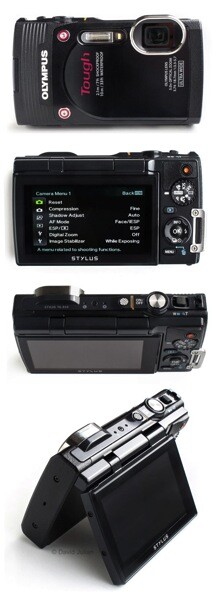
I charged it up with the supplied direct-connect USB–>MiniUSB cable and secured a fast SD card into the waterproof double-locking connection, memory and battery compartment. My test camera had arrived in a generic box without instructions, yet I was delighted to find that the camera’s menus are the most intuitive I’ve seen, and feature a brief description for each selected menu option.

Once I’d configured some favorite user options, I tethered the camera’s supplied strap to my wristband for some body surfing to see how the TG-850 handled pounding surf breaks. The TG responds well to capturing spontaneous action and the lens clears of water drops easily. Power-on to shoot time feels very responsive at about 1.3 seconds. Weighing under 8oz (226g), it’s easy to use for hours without fatigue.

Features and User Experience

LCD screen

The TG-850′s hinged 3″ diagonal 460k-dot LCD screen is a unique feature in today’s compact waterproof camera market. The sturdy LCD screen can be flipped upwards to 180º, and is also one of my favorite features. It allows the convenience of shooting at low and high angles, or when snorkeling along at the surface or wanting an ant’s eye view of nature. Flip the LCD all the way facing forward and it’s great for solo selfies and group portraits.

Wide lens

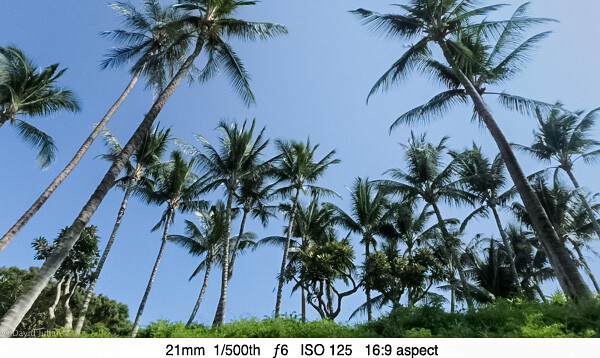
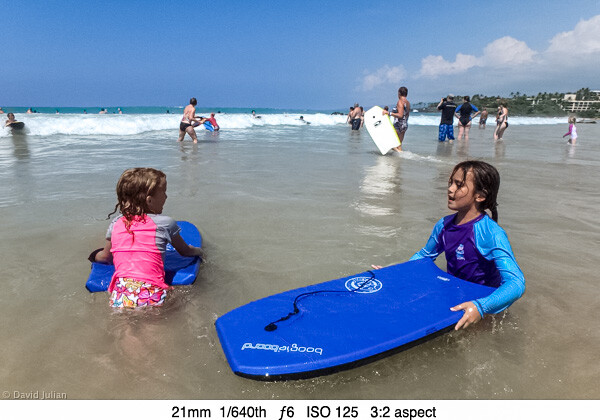
The very wide 21mm lens is my favorite feature of this camera. At review time, it’s the only waterproof pocket compact lens that is that wide without needing any extra attachments. Such a wide view allows more dramatic landscape compositions, in-the-action sports captures and easier group portraits. A digital zoom feature add extra reach, but as can be expected, there is some loss of quality. The on-off, zoom, Shutter, Movie, Mode and Playback controls are placed well for my single-handed operation. The TG-850 contains Olympus’s latest 16mp back-side illuminated CMOS ½.3 sensor coupled the powerful TruePic VII processor, for faster frame rates, video processing and other options.
DJulian Palm Trees 21mm

DJulian Kona kids boogieboards

Exposure settings

The sensor’s light sensitivity (ISO) can be set from 125 to 6400, HIGH or AUTO. My test of ISO settings revealed better quality than expected at settings from 200-1600, and after that it’s noisy as expected under magnification. With shutter speeds from 4 seconds to 1/2000th, there is plenty of room for creativity under many conditions. Set to Sports mode, my photos revealed very crisp water droplets shaken from a wet pooch. The onboard flash helps fill in harsh shadows or in backlit portraits. Metering can be switched from ESP Auto to Spot Center for more accuracy when needed. High contrast backlit scenes are easily balanced using the Exposure Compensation.
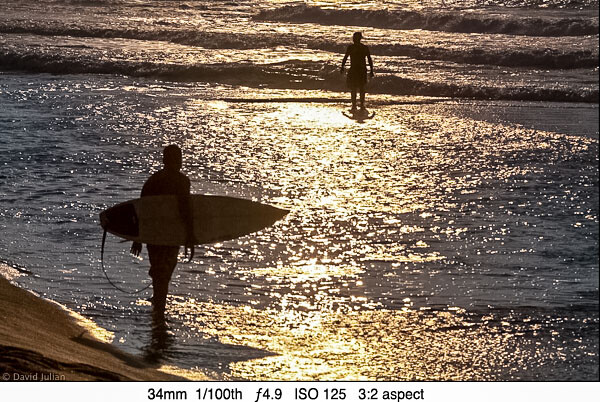
DJulian Backlit surfers Kona

File format and image quality

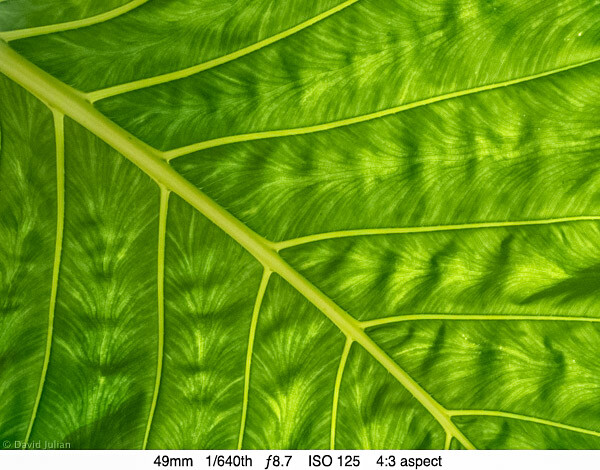
This camera does not shoot RAW format. No waterproof compacts do at this time, and I’m not expecting RAW anytime soon. Apparently the manufacturers uniformly conclude that this market segment isn’t after RAW processing. The good news is that the full-resolution 16mp JPGs I shot under varying conditions appear quite sharp when viewed in Lightroom at 1:3 magnification. At full-screen and 1:1 viewing, one can see the typical effects of compact sensor JPG processing that results in a rather painterly appearance. Photos shot at ISO 125-200 revealed the best shots of the trip.
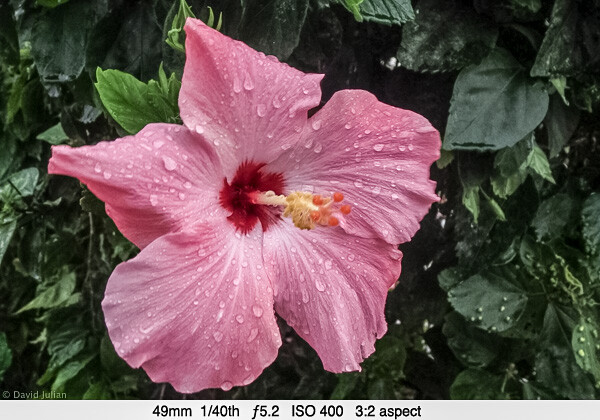
DJulian Pink Hibiscus

DJulian Molokai Leaf Detail

Video

The TG-850 can shoot video at 1080 60p, 1080p, 720, VGA, high-speed 120fps at 640×480 and even 240fps at 432×324 video captures. Dual-mode lens-shift stabilization reduces normal handheld camera shake, and Hybrid mode reduces rhythmic shake during video shooting. I was ready to take the camera snorkelling off Lanai. Truly crisp contrasty underwater photography is a challenge for compact cameras, but the TG-850 produced very acceptable video for my online posts. Water depth plays a big part in color temperature and contrast, and three Underwater scene options help warm up the underwater blues.

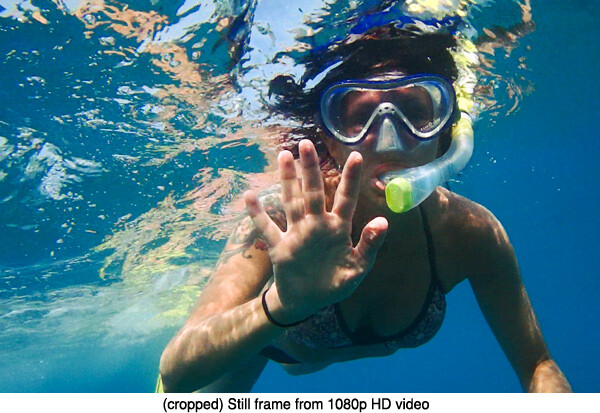
I am impressed with the sharp stills I clipped right from the 1080p video using a menu option. My use of the 120fps High Speed video produced fairly smooth slow-motion playback, though not quite as smooth as a Hero3 camera. The TG-850 videos are not distorted at the corners and edges as those I made with the Hero3. I found auto-exposure struggling when panning in uneven light conditions, but worked well enough for pleasing videos.
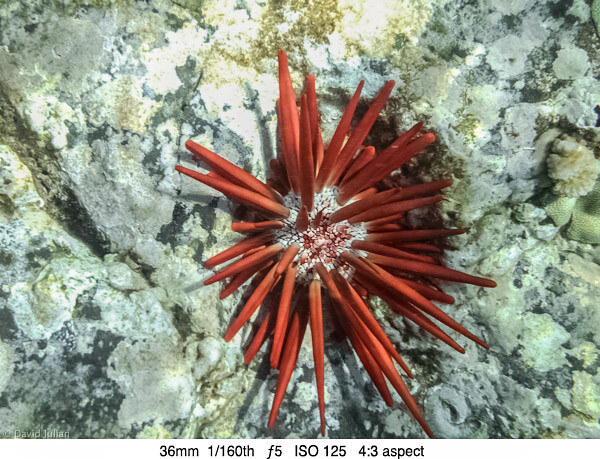
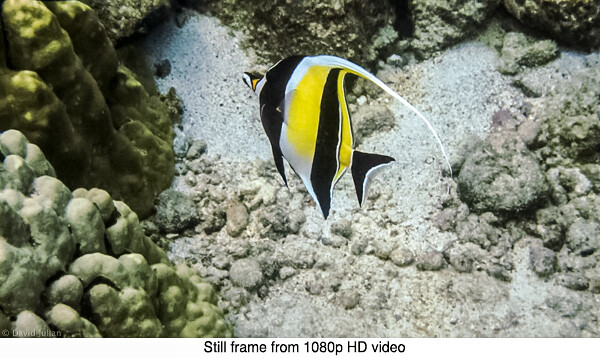
DJulian-Hawaii-Red-Urchin.jpg

DJulian Moorish Idol HD still

DJulian Sea Turtle Makena Maui Video Still

Here is a couple samples video done with the TG-850, the second one is done using 120fps high speed shooting mode.

Another feature that’s a lot of fun is the sequential shooting modes that allow fast frame bursts. Options include four different sequence settings including the ability to record a 60-frame burst in one second, a 60-frame burst at 20 fps for 3 seconds, or a 200-frame burst at 2.5fps for 80 seconds. A built in interval timer is also completely configurable for start delay time, interval time and sequences up to 99 frames. To replay the shot sequence you select the image ‘stack’ and the images show automatically in sequential order. Smart, easy and intuitive. For those who want to upload their images to a smartphone for social media, the TG-850 even has a menu setting to enable Eye-Fi SD card wireless transfers. I look forward to testing this soon.


DJulian Kona pool 21mm PANO TG 850 iso125

DJulian Kona pool TG850 ZOOM illo 3

DJulian Jill pool twirling frame sequence TG850

The 5-way control pad’s center button gives instant access many common shooting options:

  • 18 Picture styles including: Natural, Interval, Night Scene, Miniature, Backlight HDR, three underwater modes and some artsy effects you will at least try once
  • Flash control and LED assist lamp on/off – helps add light for closeups, macro and even video in low light
  • Exposure Compensation, +/- up to 2 stops helps compensate for difficult lighting
  • White Balance, including two custom WB settings
  • ISO including a very smart AUTO ISO mode
  • Timer and Multi-Frame speed modes
  • Image Size settings from 16mp to 3mp and VGA, which is great for emailing and social media
  • Aspect Ratios of 4:3, 16:9, 3:2, and 1:1 (square)

Other creative features accessible in the camera menus include:

  • AF Face/ESP detection – locks focus onto faces for quick grabs at gatherings
  • AF Spot – tracks the center of the frame. Works well when the subject is in a busy environment
  • AF Tracking – when a subject is moving across the frame or towards you
  • Spot or ESP pattern metering
  • Four sequential frame modes
  • The eighteen scene modes include the common standards as well as three underwater modes
  • Custom self-timing mode
  • Regular and Hybrid Stabilization for smoother video
  • Super Macro mode

Conclusions

The TG-850 is an excellent value for the features provided. It’s ease of use will appeal to families, and creative features will win over active enthusiasts. I cannot wait to take it back out into the wilds and have more fun.

Pros:

  • Well designed, fully-featured and very durable compact camera for outdoor and family adventures
  • Sturdy tilting LCD encourages experimentation
  • 16mp images and HD video quality are just right for most web and print publishing needs
  • 400-1600 ISO photos are better than other cameras we tested
  • Solid build and double-locked battery/card/cable door has a strong yet easily replaceable gasket
  • Little motor noise recorded when zooming video
  • Excellent creative options for shooting action
  • Face-detection ESP AF is rapid and helpful
  • Fast power-up to shoot time
  • Intuitive menu navigation and quick-button access to shooting options
  • Eye-Fi card ready for WiFi transfers
  • Recessed lens is well protected and clears easily when wet

Cons:

  • No RAW format
  • High quality JPGs seem overly processed when viewed full screen
  • The TG-850 has forgone the 720p high-speed video of its predecessor, the TG-830. Even my iPhone 5s can shoot 120fps High-speed in HD
  • Ridged plastic grip could be a durable rubber for wet hands
  • Slight jumpiness and motor noise at times when zooming during video
  • HD Video crops slightly into wide angle, appearing more like 24mm
  • Zoom switch could be sturdier, with smoother video zoom

Advice

  • Buy a floaty strap if you plan to use the camera around deep water. At the time of this review, Olympus is offering a free one with each camera purchase.
  • Try attaching a mini tripod or telescoping monopod such as the ones from iStabilizer for even more active shooting fun.
  • You will want at least one spare battery. I found a set of two Halcyon 1500 mAh batteries and a matching AC+Auto charger from Amazon for under $ 20. The Halcyon batteries are higher capacity than the originals, though I have not compared their actual hard-use longevity. (Note from the Editor: please note that using off market batteries can cause a void in your warrantee if anything should go wrong – be cautious and proceed at your own risk)
  • Check the battery/card door gasket for tiny particles of sand before every use in water. Any residual particles can admit water if under pressure.

The post Review of the Olympus TG-850 ‘Tough’ Waterproof Camera by David Julian appeared first on Digital Photography School.


Digital Photography School

 
Comments Off on Review of the Olympus TG-850 ‘Tough’ Waterproof Camera

Posted in Photography


23 April, 2014 – Olympus OM-D EM1 and Fuji XT-1 Video Review

23 Apr


Mirrorless cameras are getting a lot of attention these days.  The new Fuji XT-1 and Olympus OM-D EM1 have redefined this format.  Both Kevin Raber and Michael Reichmann have adapted this format for much of their shooting.  We plan to do some more articles going over this format and using it on an everyday basis.  There will be some future articles on this soon.  In the mean time Luminous-Landscape made a video review on using both the Olympus and Fuji.

In a two-part video review, Kevin Raber (Luminous Landscape’s Publisher) takes a close look at the Olympus OM-D EM1 and the Fuji XT-1. These two mirrorless 16 megapixel cameras each offer very high image quality but differ radically in their design approach, features and intended user.

In Part One, Kevin details the features and functions of each camera.

In Part Two, the video follows Kevin on a field shoot in Zion National Park, Utah. He talks through his use of the cameras while shooting and demonstrates the cameras’ controls. He also offers some observations & advice while shooting.

These videos are available in the Video Store now for $ 10.00 USD. Or if you are a subscriber as part of your subscription. 


There aren’t too many places to slow your photography down and to work the landscape as Isle Of Skye. Come join Kevin Raber, Steve Gosling and Joe Cornish on an amazing photographic adventure to this amazing landscape.  It gets even better as this is being held with the cooperation of Phase One as a PODAS workshop and each participant will receive a Phase One camera system to use for the duration of the workshop.  There isn’t a better camera system to do the Islel Of Skye Landscape with than the Phase One camera and digital back.  Spaces will go fast for this workshop.  Your workshop fee provides you with an all expenses paid worry free trip. All you need to do is get to the Inverness airport.  Learn more about this amazing week of photography HERE.

If you can’t make this workshop check out our other workshops.  We have an amazing small ship cruise in July to The Land Of The Polar Bear.  We have only select berths left for this trip so please inquire.   And our August Palouse Harvest workshop is filling fast. There are still a few berths left for our second Antarctica Workshop next January. 

Mark your calendars for December of this year in New Zealand, details coming soon and a most amazing adventure next April aboard the True North sailing the Kimberley region of Western Australia.


The Luminous Landscape – What’s New

 
Comments Off on 23 April, 2014 – Olympus OM-D EM1 and Fuji XT-1 Video Review

Posted in News


Contest – Win an Olympus E-M10 Camera from Macphun!

23 Apr

Win an Olympus E-M10 Camera from Macphun! Every photo entrant receives a prize!!!

Contest Image 01

Over the last several years here at dPS, we’ve run some very popular competitions. This week, we are very happy to bring you our latest photo contest, “Get Outside and Shoot” from Macphun, makers of award winning photo apps for Mac OS!

EVERYONE is a WINNER!

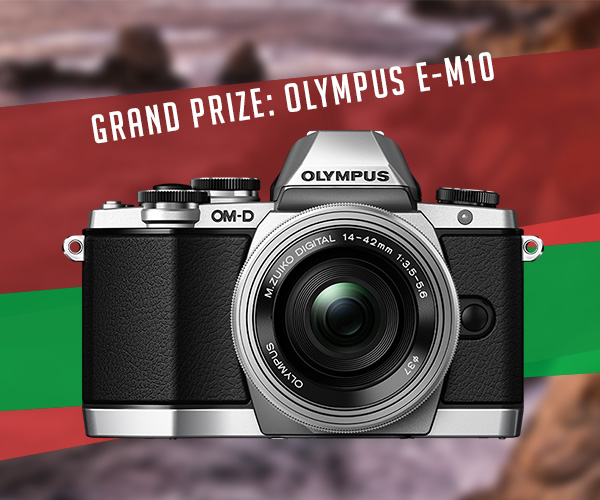
For this competition, Macphun is giving away a Grand Prize of an Olympus E-M10 Camera, photo submissions published on canvas, and Macphun photo apps of your choosing! Plus, EVERY entrant will receive a complimentary copy of ColorStrokes for Mac – an award winning photo application!

These five prizes are designed to be helpful for every level of photographer, so don’t wait to enter. Here’s what you could win:

Contest Grand Prize Image 01

  • Grand Prize: Olympus E-M10 Camera – $ 700 Value
  • Weekly Winners will receive their submission on canvas – value varies
  • Runners-up will receive the Macphun photo app of their choice (Intensify Pro, Snapheal Pro, Fx Photo Studio Pro, or Focus Pro) You can view each product here.

How to Win

Anything you see outside is already a perfect subject. So take your camera or a smartphone, get outside, find the best angle and shoot. All you need to do is submit your photos to our photo contest and check back on weekly basis: we will be awarding prizes each Wednesday throughout the contest timeframe.

Deadline is Wednesday May 21, 2014, 12:00 a.m. PDT (PST). Photos submitted after deadline will not be considered.

Contest Outline

The Grand Winner will get a shiny new and amazing Olympus E-M10 camera!

There are also very cool prizes for runners-up, and a guaranteed gift for everyone who enters. Just remember, these will work with your Mac OS only. Sorry Windows users.

You can submit your photo on here. The contest is called “Get Outside and Shoot”, so we urge you to submit images that are on topic, as others will not qualify. You can submit up to three different images.

Your FREE gift, just for entering!

Every entrant will receive a free copy of ColorStrokes for Mac – award-winning photo app by Macphun Software . The Macphun team will email you the app (download link and serial code) 2-3 days after your first submission. There will be only one app per entrant. Learn more about Macphun photography software here.

Colorstrokes

Winners and Prizes

  • The Macphun Team will pick and announce four winners of the week (one Grand Winner and three runners-up) every Wednesday for the duration of the contest; April 23rd, April 30th, May 7th, and May 14th, 2014.
  • One (1) Grand winner of the week will get his/her submission printed on canvas and shipped directly to them. Please note that the winner will be contacted by Macphun Team to confirm the shipping address.
  • Three (3) runners-ups will receive a Macphun photo app of their choice (Intensify Pro, Snapheal Pro, Fx Photo Studio Pro or Focus Pro)
  • The Grand Prize Winner will be picked by the Macphun Team and announced on Wednesday, May 28th, 2014. The Winner will receive an Olympus E-M10 Camera ($ 700 value)
  • The Macphun team may decide to add more prizes for the entrants of the contest. Entrants will receive an email newsletter, announcing new prizes, so make sure to enter today!!

Macphun is passionate about photography! They develop software that inspires photographers of all levels to create the most stunning pictures ever. You capture the moments, Macphun products help you to unveil the real beauty of an image.

Disclaimer: Macphun is a paid partner of dPS.

The post Contest – Win an Olympus E-M10 Camera from Macphun! by Darlene Hildebrandt appeared first on Digital Photography School.


Digital Photography School

 
Comments Off on Contest – Win an Olympus E-M10 Camera from Macphun!

Posted in Photography