RSS
 

Posts Tagged ‘Moving’

Shooting Fast Moving Subjects – How to Stop the Blur

24 May

In this article you will see how to deal with fast moving objects. For me shooting action is the most fun you can have with your photography. You can freeze that instant split second that the human eye couldn’t even comprehend, and capture it in an image for all time.
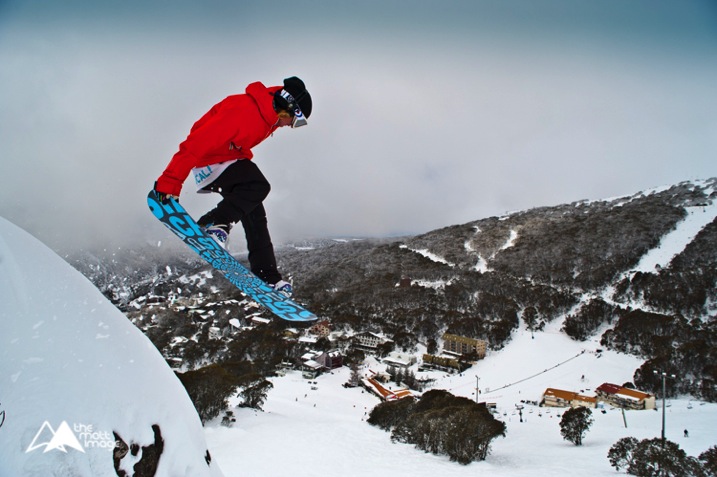
Image 4

1/6400, f/6.3. ISO 800

Last weekend I was lucky enough to shoot a bicycle charity event in the countryside. The sun was out, the birds were singing and there was enough distractions for me to completely leave my imagination at home.

As I was shooting fast moving road cyclists I had two lenses that I used. One which is the bread and butter lens of most photographers, the 70-200mm f/2.8. On a full frame body it has a good focal length that can capture subjects at a medium distances and the fast aperture allows for shooting in quite low light conditions. The second lens was a wide angle, for capturing some different looking shots. You don’t want to have a memory card with all the same style of shots, boring for you, and if this is for work, definitely not what the client wants to see.
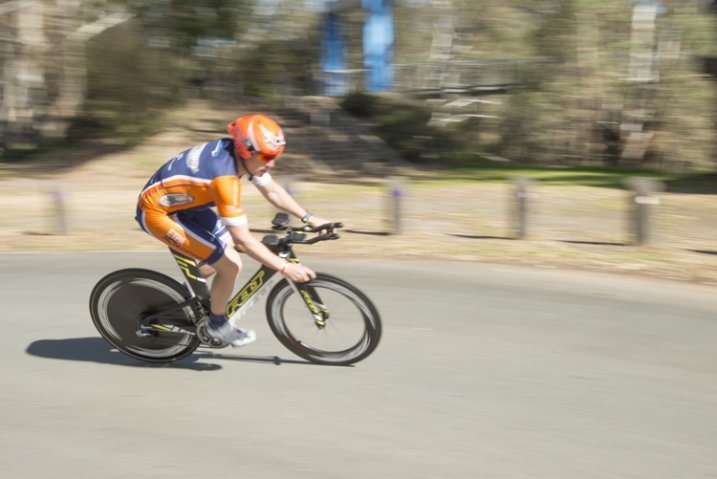
image 7

Shutter speed: 1/50th, f/16, ISO 200

Although I just listed pro lenses, honestly you can do this with any kit zoom lens, a 55-200mm variable aperture or a 70-300mm like the Nikon VR which is a great value for money zoom lens.

As with most shoots I make sure I get the classic shots that I KNOW I can nail first. For me this is frozen action, nice background, and the subject at approximately a 45 degree angle.
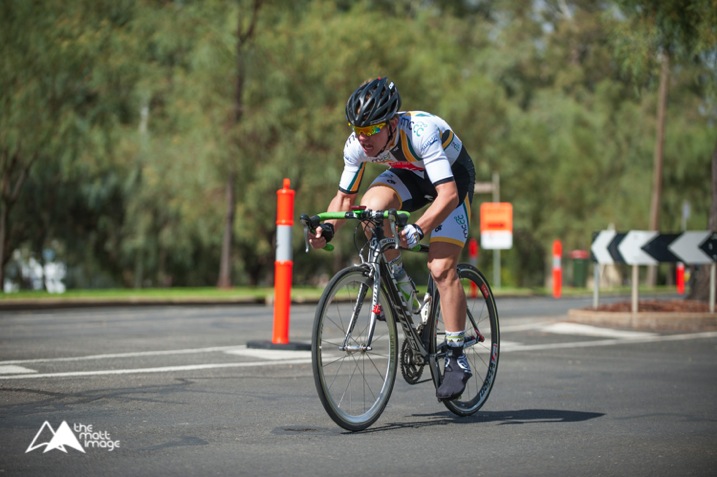
Image 1

1/2500, f/3.2, ISO 200

As you can see in this image, it’s not mind blowing, however it has all the ingredients for a nice photograph that meets the criteria of what you are trying to capture. To create this type image, shoot with your zoom lens using the following settings as a rough starting point:

  • Camera mode: Aperture Priority (Av in Canon, A in Nikon and most other brands)
  • Aperture: As you want to freeze the action you need as much light entering the camera as possible, so choose a large aperture setting. With most kit lenses go down as low as possible, at this focal length that may be f/5.6.
  • Shutter speed: No need to worry about this as the camera will adjust this automatically in this mode.
  • ISO: If it is a sunny day like above, then ISO 100 or 200 is fine. However, if it is a little bit gloomy you may have to increase your ISO, I’ll talk about this in a minute.
  • Focus: Set your camera for on Continuous or Servo focus depending on your brand. This means that while your shutter button is held halfway down, or your AF on button is pressed, the camera will continue to adjust its focus, which is what you need when tracking moving objects.

Your camera is now setup and ready to go. Get yourself in a position where the subject, in this case the cyclist, will be at approximately 45 degrees to you. Full side-on image and straight-on images can seem a bit odd unless it’s the style you are going for; at this angle you can see most of the rider and it’s more flattering.

Smoothly follow the rider with your camera; this might be easier in a crouch or if you have a monopod, utilize it. Once they are in a good position click off a shot or two. With any luck you have a nice photo of the rider, somewhat frozen in time.

Image 2

1/1600, f/3.2, ISO 200

It didn’t work? Okay, there are two main things that could trip you up here, firstly the shutter speed wasn’t fast enough and the rider is blurry (??? and secondly???). As you are using Aperture Priority (which means you set how much light is allowed in the camera and the camera adjusts the amount of time the shutter is open automatically) it’s possible that there just isn’t enough light. So the camera has slowed the shutter speed way down to let more light in to exposure your photo properly, which has caused blurring of the subject.

When looking through your viewfinder. check your shutter speed down the bottom. You should be aiming for at least around 1/500th of a second. If it is slower than that, it’s time to bump your ISO up to compensate. Your ISO is how sensitive your camera sensor is to light. As a general rule you always want to keep this as low as possible to guarantee grain and noise-free images. However, it is a tool to be used, and on modern DSLRs shooting at ISO 800 yields incredible results over the older generation digital.

image 6

1/4000, f/3.2, ISO 400

Adjust your ISO up to 400 and try again. If you are still experiencing motion blur bump it up to 800. Unless it’s a very dark and gloomy day this should give you a crisp clear image with a fast shutter speed.

The next issue you might encounter is that the focus isn’t right. Maybe the rear wheel of the bike is in focus, but the riders face isn’t. Or even worse, the background is sharp and the rider is way out of focus. This is a simple fix.

All DSLRs give you the ability to change focus points, the square which the autofocus uses to target the focal point. Move this point to where the riders head will be in your frame. You may have to change your focus mode to Single Point Focus, as many cameras have the ability to change which focus point they use automatically, depending on the situation. You will have to consult your manual to find out where this is located in your menu system.

image 5

1/3200, f/3.5, ISO 400

Now when your rider is in frame, and you are focusing, it will focus on the rider’s face. Honestly, as long as their face is in focus the rest could be a blur, it doesn’t matter, faces are the most import thing in nearly all photos.

These guide lines should give you most of the info you need to shoot this type of photo. However, as with all photography, it’s trial and error to get things right and to get it looking the way YOU want.

Practice this week. Get your kids out on their bikes, go to the park and try to get some photos of dogs running around (this is fantastic practice for tracking subjects) or head down your local racetrack and take photos of cars, motorbikes or horses!
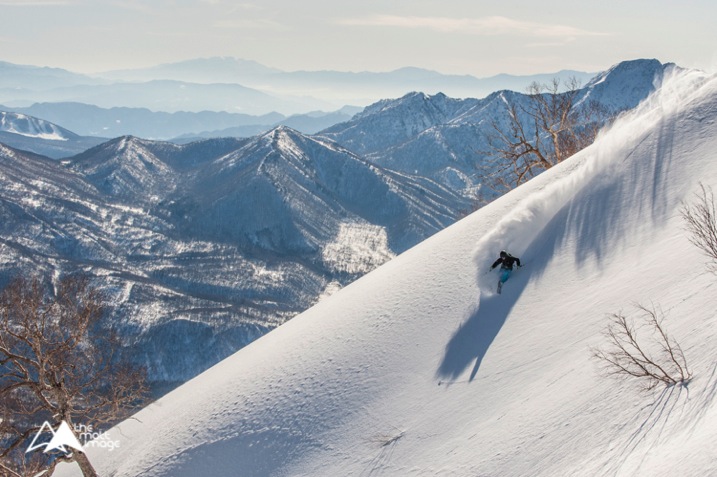
Image 3

1/2500, f/7.1, ISO 500

Once you get this dialled in. it can be moved to many other subjects and situations, the photos of a skier (above) and snowboarder (top of article) were shot using exactly the same technique.

Do not dismay if things aren’t working out straight away. A lot of learning photography is trial and error and practice. Any entry level, or higher DSLR setup, can do this. Learn your gear and practice, you will be surprised at the caliber of photos you can get from even the least expensive setup.

Thank you for reading, I hope this helps you on your photography quest this week. Please post up your photos and practice shots, if you have any questions I will try to answer them all and get you on the right track to photography perfection. Happy snapping!

googletag.cmd.push(function() {
tablet_slots.push( googletag.defineSlot( “/1005424/_dPSv4_tab-all-article-bottom_(300×250)”, [300, 250], “pb-ad-78623” ).addService( googletag.pubads() ) ); } );

googletag.cmd.push(function() {
mobile_slots.push( googletag.defineSlot( “/1005424/_dPSv4_mob-all-article-bottom_(300×250)”, [300, 250], “pb-ad-78158” ).addService( googletag.pubads() ) ); } );

The post Shooting Fast Moving Subjects – How to Stop the Blur by Matt Hull appeared first on Digital Photography School.
Digital Photography School

 
Comments Off on Shooting Fast Moving Subjects – How to Stop the Blur

Posted in Photography


35 Moving Images of Speeding Cars

08 Mar

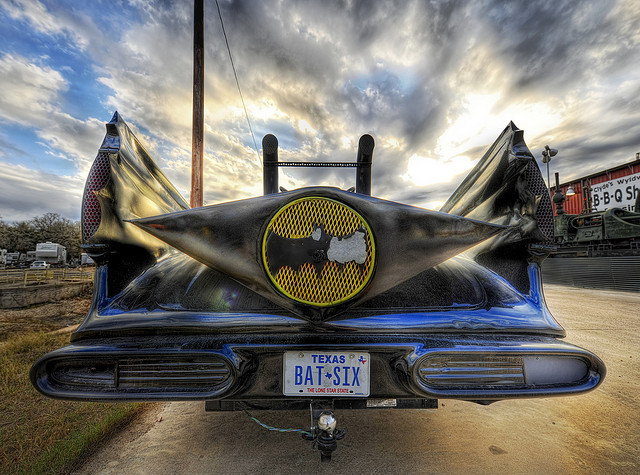
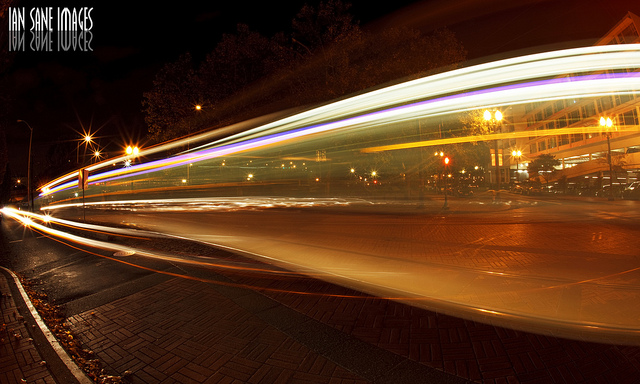
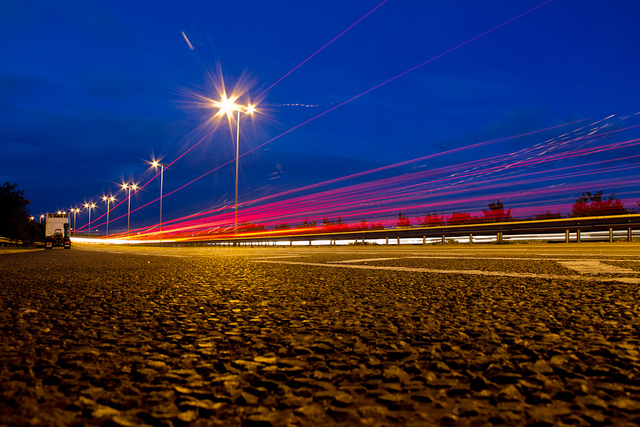
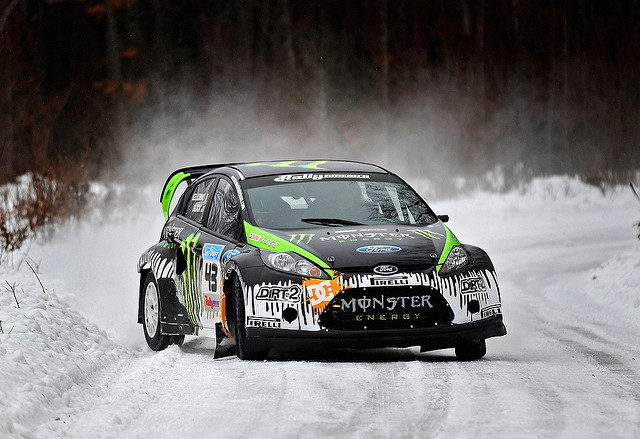
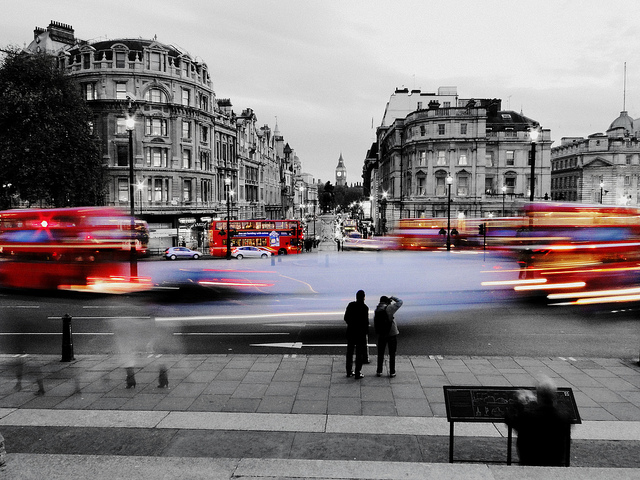
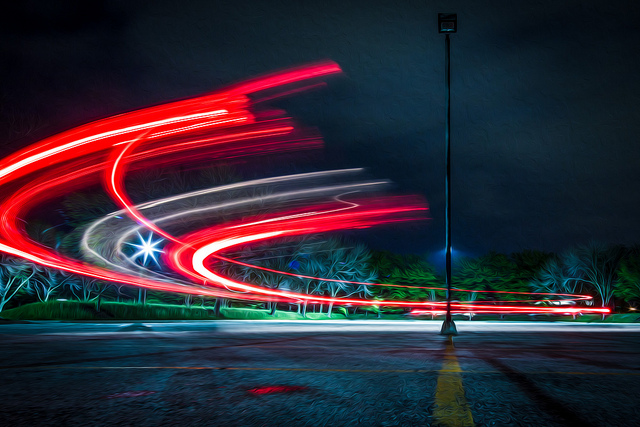
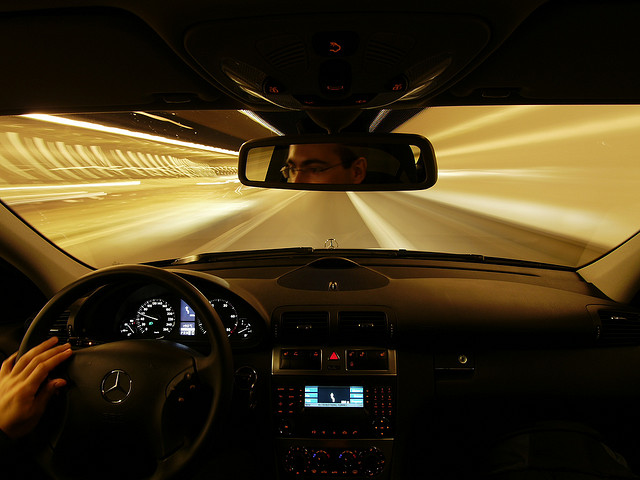
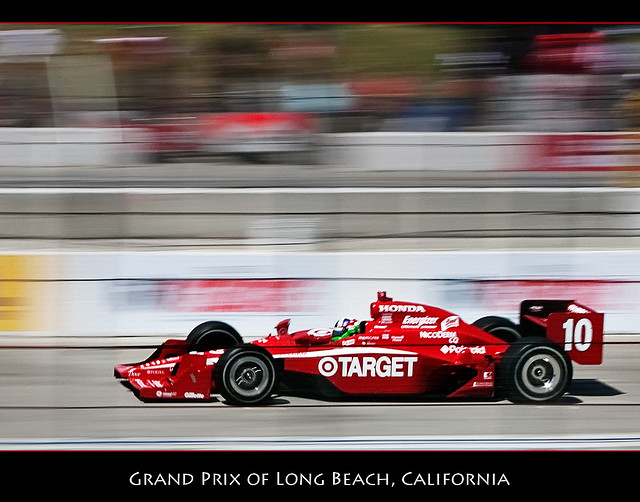
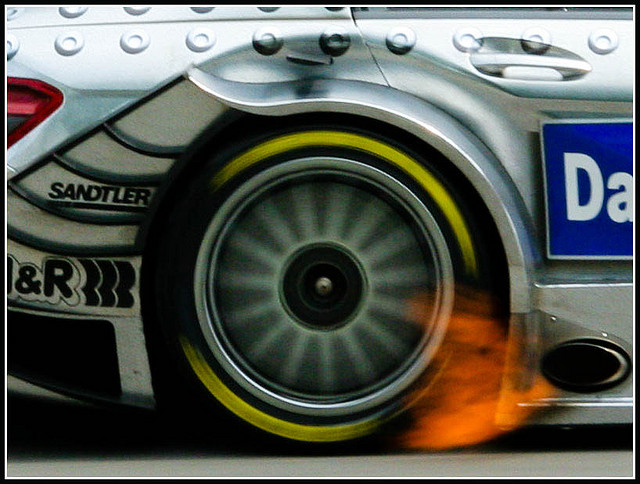
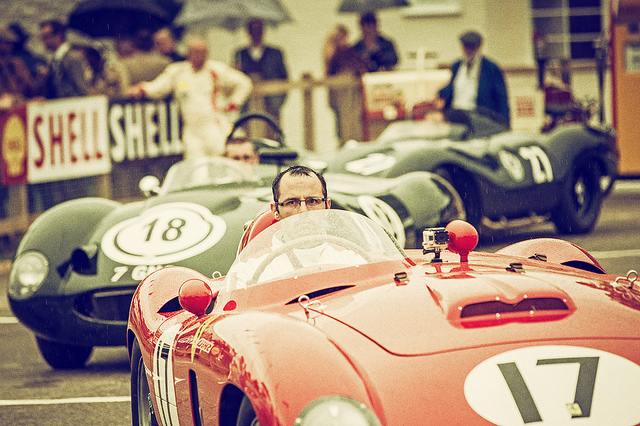
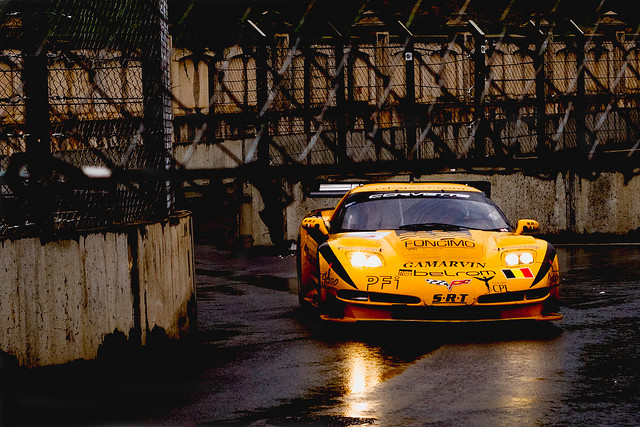
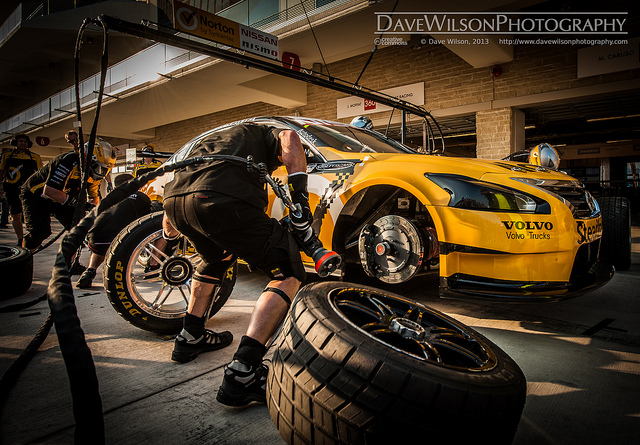
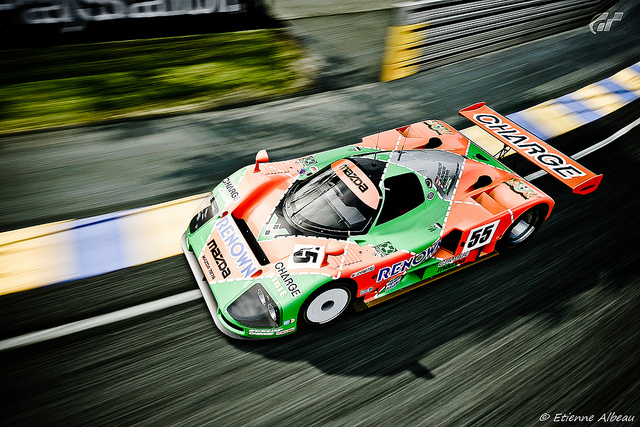
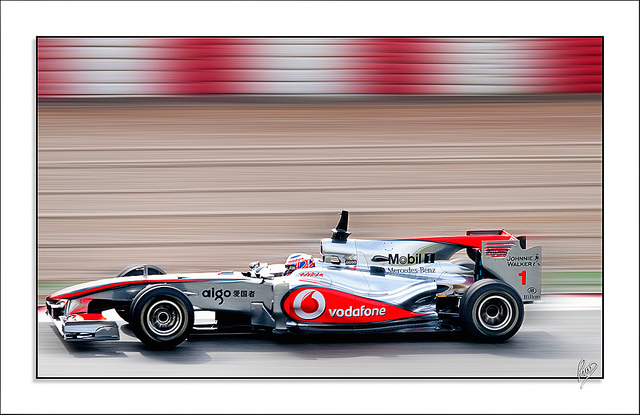
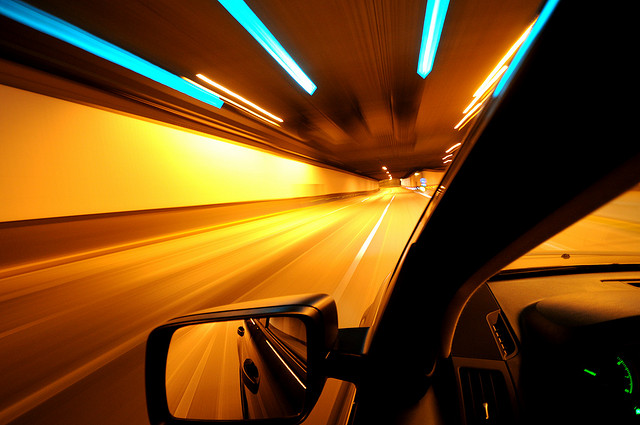
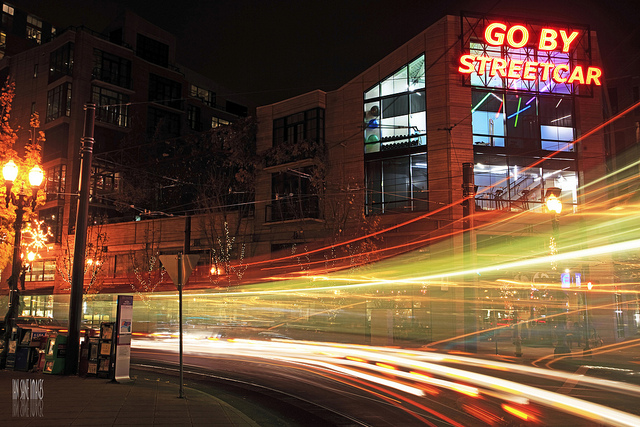
Last week I shared some great images of boats, so I thought I’d continue with the transportation theme and take a look at some images of speeding cars. Fast cars!

In fact, some are so fast they didn’t even show up in the image! You figure that one out.

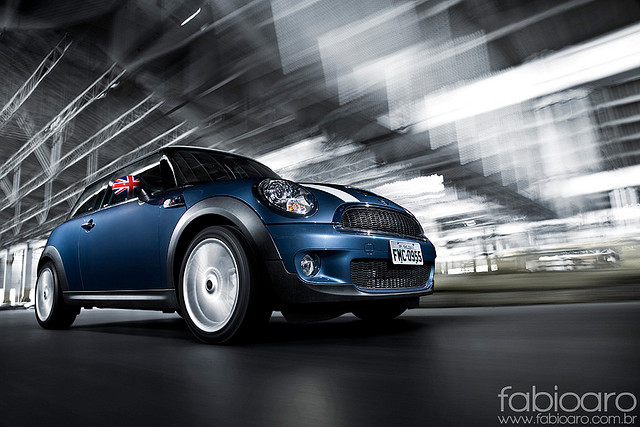
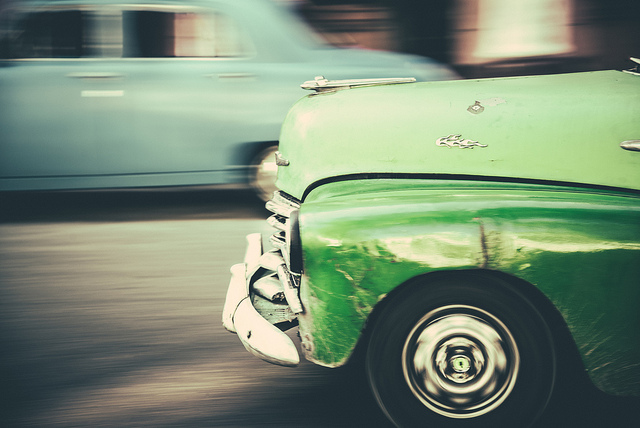
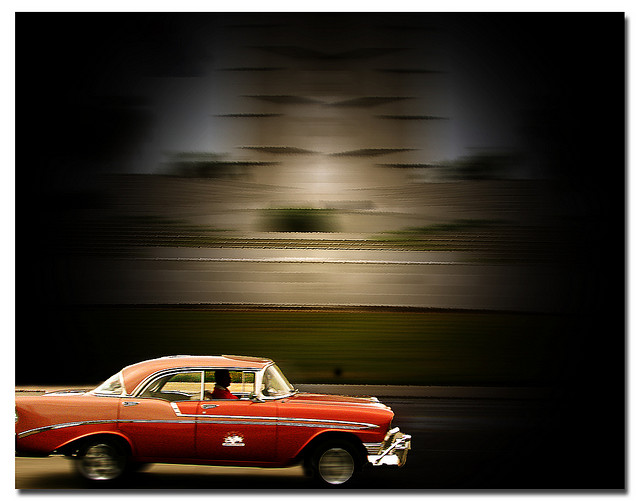
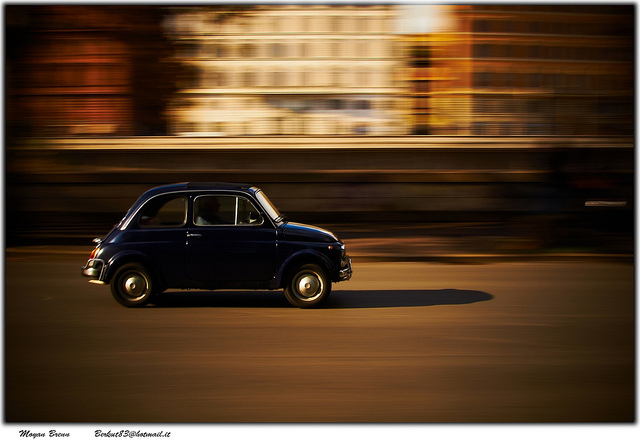
I love shooting cars by panning to create some motion. Having just been in Havana, Cuba classic cars were in abundance.

Enjoy these images of fast cars.

By Moyan Brenn

By Paco CT

By Ernest

By Ian Sane

By Nathan E Photography

By Trey Ratcliff

By Ian Sane

By Romain Ballez

By Om

By Digimist

By dez&john3313

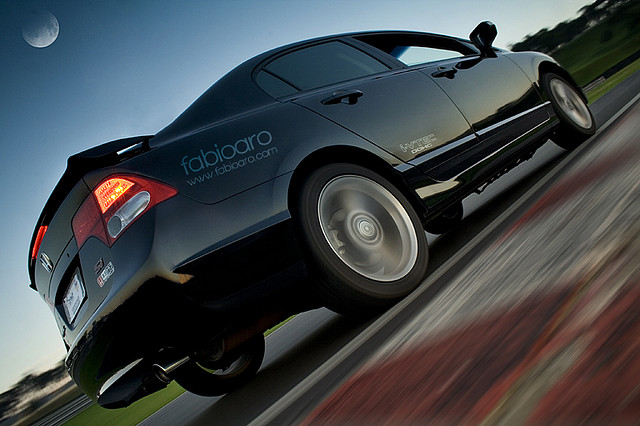
By Fabio Aro

By Caitlin H

By Chris Smith

By Luis Miguel Justino

By Ville Miettinen

By Dustin Spengler

By William Cho

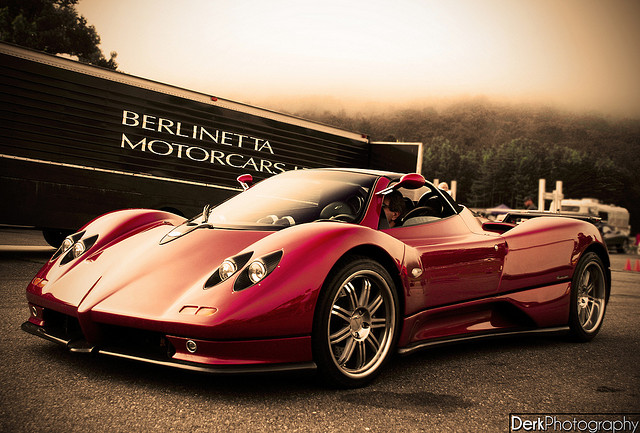
By Derek Walker Photo (Derk Photography)

By Pedro Szekely

By Donnie Nunley

By Mohammed Nairooz

By Patrick Mayon

By Jim Monk

By hjhipster

By bkdc

By Dave Wilson

By Eric Castro

By Nick Wheeler

By Fabio Aro

By drpavloff

By Derek Walker Photo (Derk Photography)

By Didier Baertschiger

By YackNonch

By Nick Kenrick

For some car photography tips check out: 7 Tips for Taking Better Photographs of Cars

The post 35 Moving Images of Speeding Cars by Darlene Hildebrandt appeared first on Digital Photography School.

Digital Photography School

 
Comments Off on 35 Moving Images of Speeding Cars

Posted in Photography


How To Freeze Moving Subjects in a Long Exposure Photo

20 Nov

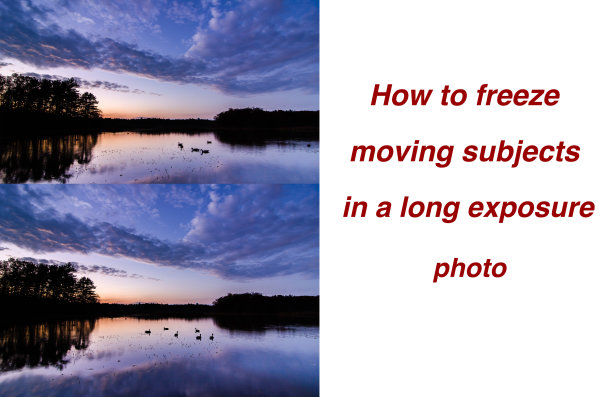
So you have this idea for a photograph where you’ve smoothed out the water on a lake using a long exposure, but want to capture the wildlife swimming on said lake frozen in place – or something similar?  I had that same vision and I’m going to show you how I accomplished it below, so you can follow along.

freeze subjects in long exposure photo

When trying to capture this kind of photograph in a single frame you’re pretty much out of luck. You can either capture a long exposure shot to smooth out the water, OR increase your ISO and capture a shot using a faster shutter speed to freeze your subject. No matter what you do in camera though, one piece of this puzzle will be out of line with the other.

So how do you freeze your subjects in a long exposure scene? Simple – with a little bit of post production.

Part One – Photograph Two Different Images

You will need two frames to work with in post production; one with a fast shutter speed to freeze the moving subjects, and one with a long exposure to smooth out the water in the scene. You don’t want to change the Depth of Field between the two frames, and need to make sure that the overall exposure remains the same, so you are left with changing the ISO setting to achieve the results you want.

The long exposure shot will be taken at ISO 100 and whatever settings will be required to get the optimal exposure for the scene in front of you and the faster shutter speed shot will be taken with a higher ISO setting allowing you to achieve a fast enough shutter speed to freeze the motion of the subject you want stationary.

In the example photograph the long exposure was taken at 1.3 seconds, and the high ISO photograph was shot at ISO 4000. This allowed me to get an exposure of 1/30th of a second (still fairly slow, but workable for the desired result).

Part Two – Combining the Images in Photoshop

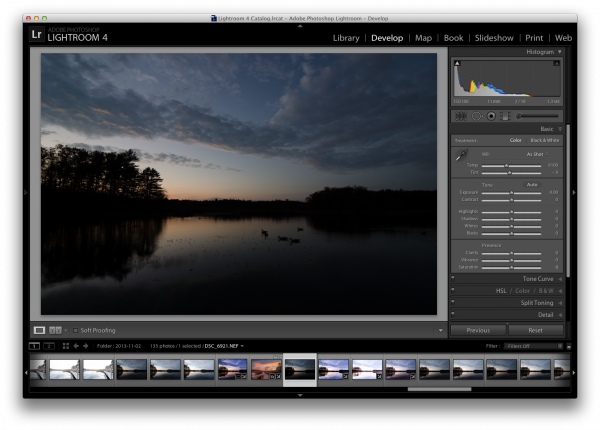
Here’s the first, unprocessed image, straight out of camera. Before you get to freezing the moving subjects you need process the original photo. I will be working in Lightroom 4 to demonstrate.

Original Long Exposure

Original long exposure photo in Lightroom

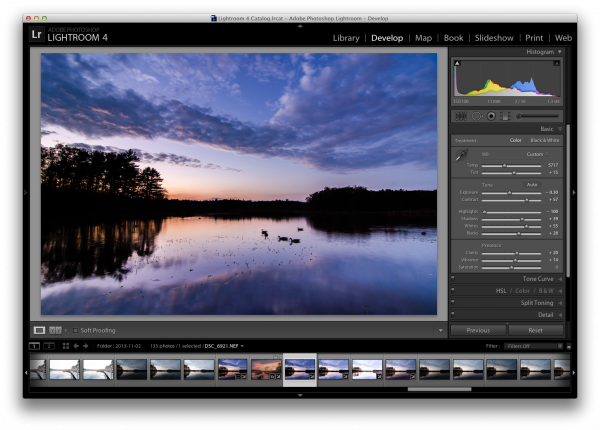
After applying a few graduated filters, some adjustment brushes, and playing with the basic sliders I was able to achieve a result that is pleasing. If you’d like to see exactly how I created this – you can watch the entire process here.

Now that you’ve got the photograph properly exposed you’ll notice that the problem is very evident in the photograph – the moving subjects just wouldn’t sit still for the long exposure. So it’s up to post production magic to solve this issue.

Processed Photo

Process the long exposure image to your liking

Use Lightroom’s “sync” feature in the Develop Module to bring the settings from the photo above over to the high ISO photo that you will be using . This will allow you to make sure everything stays the same (color, contrast, tone, etc.) between the two images when you get to creating the composite later.

sync

Sync settings from the processed long exposure shot with the high ISO shot used to freeze the subject

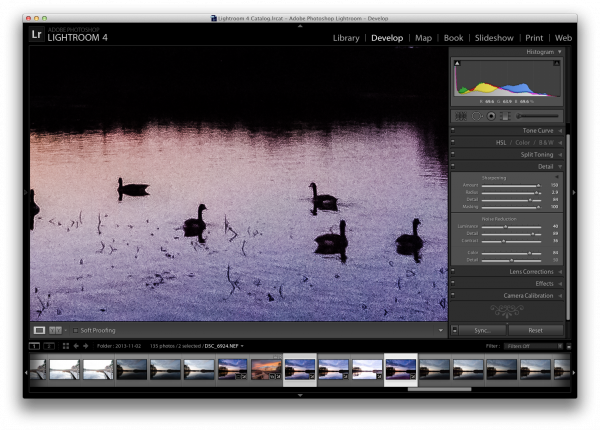
I suggest applying some minor adjustments to the high ISO image to get the subjects to stand out more (as they are going to be the only piece of the high ISO used in the final version).

One of the main areas of focus for this example image was to create lines that are as hard as possible for the subjects, so that they stand out very nicely in the composite. To do this, go into Lightroom’s detail section and push up the sharpening quite a bit. You may also want to do some noise reduction to try and compensate for the high ISO exposure with increased noise.

High ISO Exposure

Make some minor adjustments to the high ISO shot and export both images for further processing in Photoshop

While Lightroom is great for processing photos, it is limited in that you can not create composites or work with layers, which is exactly what is needed to finish this project.

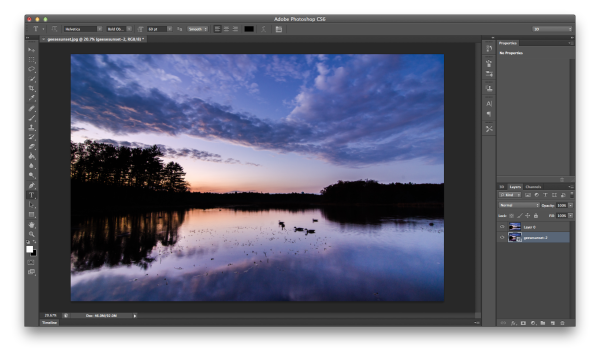
Therefore it’s time to bring out the big guns and jump on over to Photoshop. Below, I’ve loaded the two files as layers, (select the two thumbnails in LR, right click on them, and choose “edit in>Open as layers in PS) with the long exposure layer on top and the high ISO layer on the bottom.

Jump into Photoshop

Open both photos as layers in Photoshop – I typically put the high ISO image on the bottom as we will be using less of that image in most cases.

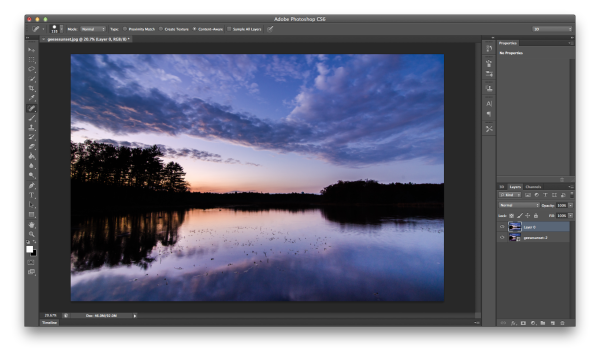
I like to clean up the long exposure shot as well as I can first, so I went ahead and got rid of the blurry geese by performing a simple clone job. Go ahead and do that on your image as well if suitable.

Clone

Clone the blurred subject from the long exposure shot

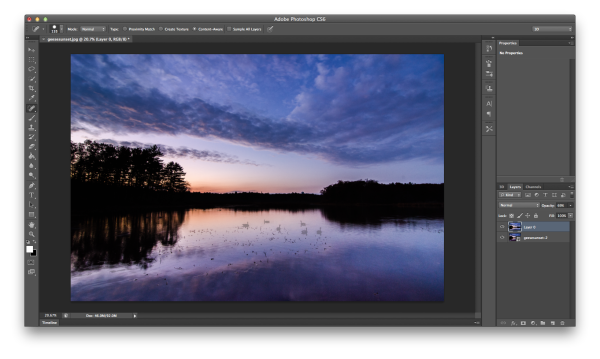
Next reduce the opacity of the long exposure layer (which I’ve arranged as the top layer). This will allow you to see the high ISO layer as a reference point, while still being able to see most of the long exposure shot as well.

Reduce Opacity

Reduce the opacity of the long exposure layer allowing you to see the high ISO layer below

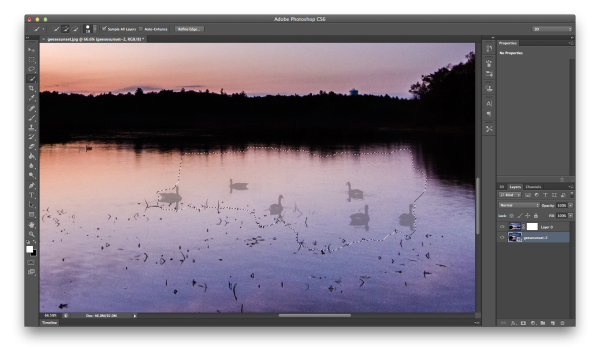
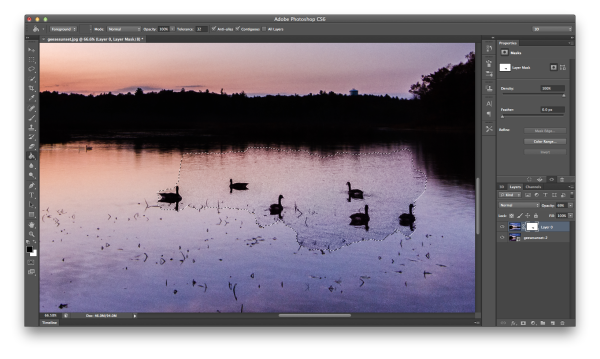
With the high ISO layer selected, use Photoshop’s selection tool to make a rough selection of the subjects in the frame. Next add a layer mask to the long exposure layer, which you will be using in the next step.

Select high iso subject and add layer mask

With high ISO layer selected, select your ‘frozen’ subject and add a layer mask to the long exposure layer

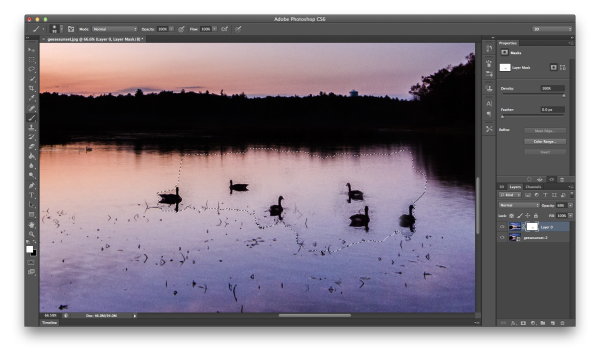
Once the subjects have been roughly selected, fine tune the edges of the selection to make sure you’ve got everything you need. Then select the layer mask you added to the long exposure layer and fill in the selection with a black paint bucket fill (make sure your swatches are set to default black/white and use the tool at 100%). This is a very crude way of getting the geese into the long exposure shot, but does the job quickly and it works.

Bring Frozen Subject Forward

With the layer mask selected for the long exposure layer, use the paint bucket to fill in the selected region

Now that you have your subjects visible within your frame, bring the opacity of the long exposure layer back to 100% and start the clean up. I recommend you work in broad strokes first using a wide brush with the color white selected. This will allow you to get most of the areas between the subjects from long exposure frame back, instead of the noisy high ISO frame.

Clean Up part one

Using a white paint brush clean up the areas in between and around the subject in broad strokes first

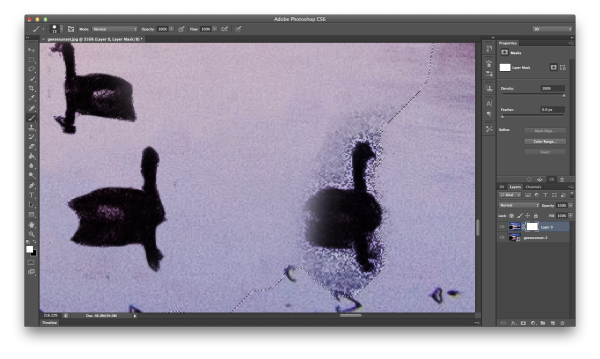
Once you have a basic rough clean up done, it’s time to zoom closer and use a finer point brush to do the detail work. It’s a time consuming process. But, this must be done, or the final image will end up looking like two images put on top of one another, and not one cohesive, final image.

Detail Work

Once you’ve roughed out the clean up – zoom in with a small brush and continue the clean up on a more detailed level

You’re on the home stretch now!

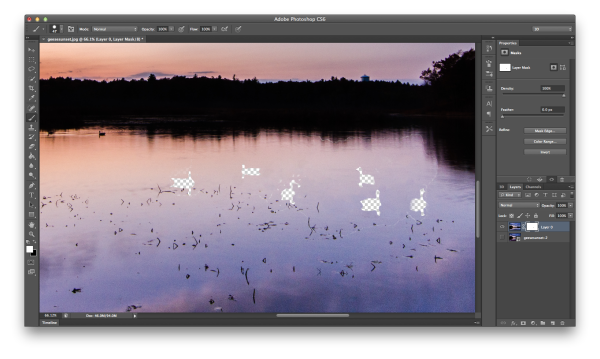
Do one final check of the image by hiding the high ISO image (click the little eyeball next to the layer). By doing this, places the mask has been applied will now be transparent, and you’ll easily be able to tell if there were small areas that need fixing.

Final Clean Up

As a final clean up – hide the subject layer and see if there were any spots that need a final adjustment

After the final touch up and a few other minor tweaks in photoshop you’re ready to merge layers, save the image and show your friends. (you can also save a layered version if you think you might want to edit it more later)

geesesunsefinal

Save and share your final shot

Summary and more reading

I hope you got something out of this step by step walkthrough – for more information on how to mask in Photoshop, which is really what this entire process boils down to, check Photoshop Masks 101. If you’ve ever created a long exposure, high ISO composite, I’d love to see it in the comments!

Post originally from: Digital Photography Tips.

Check out our more Photography Tips at Photography Tips for Beginners, Portrait Photography Tips and Wedding Photography Tips.

How To Freeze Moving Subjects in a Long Exposure Photo

The post How To Freeze Moving Subjects in a Long Exposure Photo by John Davenport appeared first on Digital Photography School.

Digital Photography School

 
Comments Off on How To Freeze Moving Subjects in a Long Exposure Photo

Posted in Photography


Photographers turn to moving images to hold audience

12 Jun

movingimageexample.jpeg

In a world that can feel visually oversaturated with images, some photographers are seeking solutions that draw viewers’ attention and ask them to linger a little longer. Model Coco Rocha recently shared her take on the dynamic image trend, exploring how animated GIFs, Cinemagraphs, Lytro images and interactive 360-degree panoramas are helping photographers stand out. We take a longer look at connect.dpreview.com.

News: Digital Photography Review (dpreview.com)

 
Comments Off on Photographers turn to moving images to hold audience

Posted in Uncategorized


Why I Quit Getty Images and Why I’m Moving My Stock Photography Sales to Stocksy

26 Mar

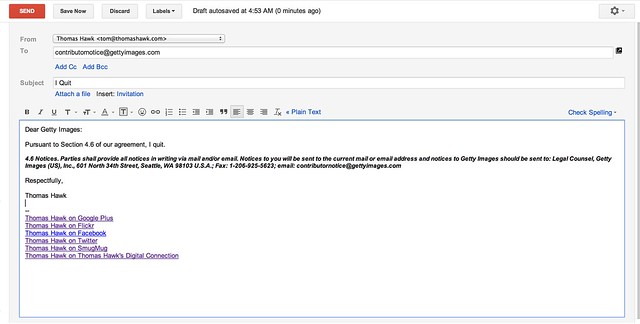
Dear Getty, I Quit

Dear Getty Images: I quit.

I just sent Getty Images the email above, which, I think, is how I terminate my relationship with them. Hopefully. I’m not 100% sure, but I can’t seem to figure out any way to do it online, so I’m hoping that email works.

Why am I quitting?

Well, I’m sitting here typing this at 4:56 in the morning on my “vacation,” getting ready to get an early up to the top of a mountain in Idaho to shoot sunrise and I’m not a skier. It’s dark, it’s cold — and maybe, just maybe, with $ 10,000 worth of camera gear on my back, I’ll get something that works from this shoot. After I shoot several thousand images today I’ll go home and spend hours and hours processing them. Finally, I’ll upload them online and maybe sell some. If I do sell some though, bottom line is I feel that I’m getting ripped off with Getty’s lousy 20% payout.

I don’t care how you look at it, for me, 20% is not fair. It’s too low. I’ve been complaining about it for years, but have just grumbled along because Getty felt like the only game in town for stock photo sales. Artists and photographers *deserve* more than 20% payouts. I understand that Getty has the buyers, that Getty is the 800 pound gorilla, but still, photographers deserve a better split than 80/20 against them.

There are other reasons why I’m quitting Getty Images too though.

Since the Carlyle Group (read their wikipedia page actually, it’s fascinating) has taken over Getty Images, things seem to have changed. Maybe Getty’s parent is trying to wring as much profit as their stock business as they can, but it feels like artists are getting the short end of the stick even more these days.

In the private, closed, Getty Photographers group, managed by Getty on Flickr, there were almost 3,500 replies to a thread about Getty’s deal with Google Drive. Whatever you think about this deal, there are ALOT of photographers who are unhappy at Getty about an arrangement where they receive a pittance for their work. The 20% payout is already pretty low, but when you combine it with a $ 12 image buy, some photographers feel that was pushing things too far.

The fact that Getty made this deal doesn’t bother me as much as how they’ve handled the criticism from their members over it. The above mentioned thread is now closed and locked by Getty Images. As a result of the thread, a member was banned and removed from the group — this is the second time that a Getty photographer has been booted from this group that I know of. An earlier member Alex Hibbert was also banned for criticizing Getty.

One of the Getty admins in the group, said that the more recent member was booted not because of his criticism, but because he wasn’t respectful with his criticism. I asked the question if respectful criticism would be allowed to stand and was told yes. I’m going to post this blog post into that forum and I guess we’ll see if this is true. For me, while critical, this post is entirely respectful. I’m still not sure it will get to stay there though.

When you start to see a company fighting with it’s contributors, banning contributors, even FIRING contributors, it makes me feel like maybe it’s time to go. This doesn’t feel like a healthy “relationship” any more. Paying me 20% and keeping 80% already felt a little insulting, but I think we deserve to be treated better.

So where am I going?

This has been the hardest part of all about leaving Getty earlier, there didn’t really seem like there was any place good to go — before today.

Today I’m pleased to announce that I’m going to start selling my stock photos on Stocksy.

Stocksy is a revolutionary new photo agency started by Bruce Livingstone, the founder of iStockphoto. A lot of my friends are there selling photos now too. I’m pleased to be joining some of the most talented photographers I know in a new sort of photographer-owned coop.

While Stocksy isn’t exactly “occupy” stock photography, rather than me getting 20% and Carlyle getting 80%, I’ll be paid a much fairer 50% payout. The exciting part about Stocksy though isn’t just the higher payout, it’s that the members of Stocksy actually OWN the agency. That’s right, after paying out costs, Stocksy will distribute profits to it’s members — so members will get dividends and actually hold real equity in the business.

Now THAT is an idea that I can get behind, and one that’s been long overdue. Fairly compensating photographers while running an agency with some of the most talented photographers in the world today? Sign me up!

Today Stocksy is launching to the rest of the world. You can read more about that here.

If you are a photographer, consider signing up. One bit of warning here though, Stocksy is being *very* selective about the photographers that they are adding. I have felt a little bad because some of my good friends and talented photographers haven’t been asked to join.

Especially early on, Stocksy is trying to build a super premium library of images and sometimes this means making hard choices about who you will launch with. They are also trying to keep Stocksy small where the editors and members can know each other on a personal level. I’ve already made lots of new friends at Stocksy and I’ve appreciated the valuable advice that the editors there share with me about why an image may or may not be right. At Stocksy editors and management do Google+ hangouts with photographers. At Getty all they seem to do is fight.

If you are an image buyer, consider looking at images on Stocksy the next time you need to buy. Not only will you find some of the best, fresh, and most authentic images in the marketplace today, you can feel good about buying them, knowing that they are treating the photographers fairly.

As fellow creative professionals, you are one of us — if given a choice, where would you rather your money go — to actual photographers who create the images, or to Carlyle? Even if you don’t care, still give Stocksy a look, because the imagery there really is miles ahead of what you see in the run of the mill stock photography library out there today.

Let Stocksy make you and your clients look the best they possibly can. You are the ones we need to embrace this idea most of all.

I’ll blog more about Stocksy as time goes on. For stock photography it will be the primary place where I market my own images (like the other photographer members my images for sale on Stocksy will be exclusively offered there) and I’m looking forward to a long and successful relationship.

Here’s Stocksy’s announcement on today’s launch.

Update: well that was fast. I’ve been banned from Getty’s Forum. I’m fine with that as I’m not a member, but I’m told that my post criticizing them has also been deleted. I hope those that are still in the forum can keep up the good fight, demanding more for photographers. I’m disappointed (although not surprised) that after being told that respectful criticism would be allowed that Getty deleted my respectful criticism there.

Update #2: More from Stephen Shankland over at CNET. PetaPixel republished my article as a guest post here. My good friend Trey Ratcliff is also joining Stocksy.

Update #3: Fast Company’s article on Stocksy here.


Thomas Hawk Digital Connection

 
Comments Off on Why I Quit Getty Images and Why I’m Moving My Stock Photography Sales to Stocksy

Posted in Photography


A Million Times: Clock Wall is a Moving Art Installation

03 Mar

[ By Delana in Gadgets & Geekery & Technology. ]

a million times humans since 1982

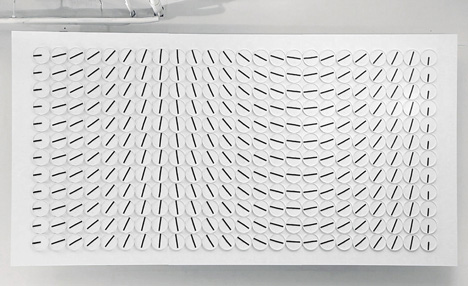
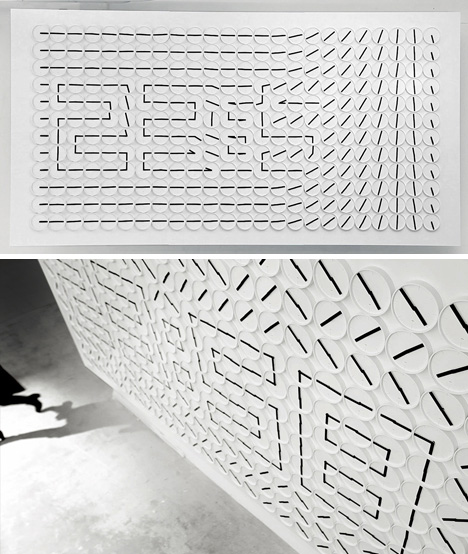
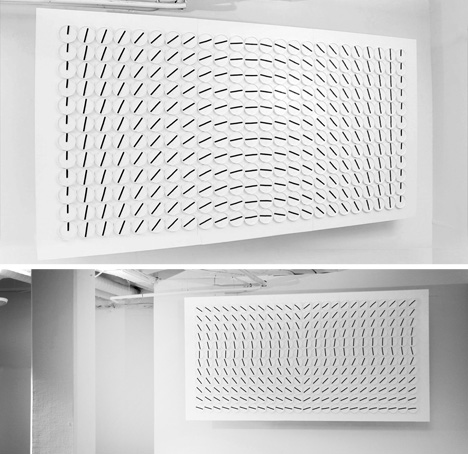
Staring at the hands of an analog clock for too long can lead to the feeling that the hands are moving in odd ways. In the case of this large installation, however, that feeling is completely true. Known as A Million Times, the installation features 288 analog clocks and 576 motors – one for each minute and hour hand.

The piece was created by Stockholm design studio Humans Since 1982. The studio has worked with clocks in the past, giving them new functions that not only celebrate their physical form but demonstrate the many ways in which moving hands can work together to create entirely new aesthetic designs.

art installation analog clocks

In the case of A Million Times, the hands of each clock are controlled by custom iPad software. The hands can be moved to create letters or numbers, but as seen in the video above, the most visually impressive part of the display is when all of the hands rotate at once to create the illusion of waves or an undulating surface.

analog clock display

The project strips the clocks of their pragmatic existence and turns them into mesmerizing works of art. Each clock is perhaps a bit boring on its own, but the overall display of 288 individual clocks ends up being far more memorable than you might have imagined.Through the above article, we can recommend you the latest dresses.Shop dress in a variety of lengths, colors and styles for every occasion from your favorite brands.

Share on Facebook


[ By Delana in Gadgets & Geekery & Technology. ]

[ WebUrbanist | Archives | Galleries | Privacy | TOS ]


WebUrbanist

 
Comments Off on A Million Times: Clock Wall is a Moving Art Installation

Posted in Creativity


Ultimate Nikon D5100 HD video test review, Fast moving object.

01 Feb

Filmed at 10mm. A boat in waves, lots of spray, pitching rolling, movement, very intricate detailed waves flying past. Can the camera cope? Watch the video to see. The lens was a Tamron 10-24mm with a polarising filter fitted, the lens was around 10mm when filming, to get an ultra wide view of the boat. The spray and the boat are fast moving and complex, great test to see how the camera copes with moving objects. The new Nikon d5100 has a 16.2 MP CMOS sensor much like that in the D7000, 1080p movie capability and a side-articulated 921K dot 3.0″ tilt/swivel LCD. The D5100 also becomes the first Nikon DSLR to be able to apply special processing filters to stills and video. The company has also introduced the ME-1 external microphone. The camera will be available from this month as a kit with the 18-55mm VR lens for 9.95 while the microphone will retail at 9.99.


Wellsite Dirt Moving.

13 Jan

Finally finished stripping the soils, started moving dirt

dombowerphoto.blogspot.com editing with adobe lightroom, shot with the nikon 70-200mm vr1 and the nikon d300 camera


Web Traffic Moving In Your Direction

08 Jan

“Blog and Ping” -a process by which you post a portion of information from your site to a blog with a URL to your site included, You then notify Yahoo that a post exists on this blog. Your blog will be spidered quickly by both Google and Yahoo. Many bloggers use http://www.blogger.com to accomplish this (recommended for newbie bloggers).

Here’s a good list of blog directories you can ping and submit your blog to. That should get some traffic moving in your direction. You will notice my sites XML feed in some of the examples I show you. Be sure to replace my XML feed with your own. Make sure you paste it exactly over where my XML URL is. This is the fat-finger way I should tell you. Many blogging tools Like MoveableType and WordPress have integrated blog ping features. In addition there is 3 party software suh as RSS Submit that can automate this process. Hopefully this information proves useful to you

Yahoo – Here is the Yahoo ping URL: http://api.my.yahoo.com/rss/ping

Here is an example of how your ping URL should look: http://api.my.yahoo.com/rss/ping?u=http://www.top-affiliate.com/weblog/blogs/xmlsrv/rss2.php?blog=1

MSN Search – Get your site indexed by the My MSN RSS search tool. By entering the Web address of your RSS feed into My MSN, your site will be searchable by My MSN within 24 hours.
Fyber Search – http://www.fybersearch.com/add-url.php

Bulk Feeds – http://bulkfeeds.net

Truth Laid Bear – http://www.truthlaidbear.com/addtoscan.php

Moreover – Here is the Moreover ping URL: http://api.moreover.com/ping

Here is an example of how your ping URL should look: http://api.moreover.com/ping?u=http://www.top-affiliate.com/weblog/blogs/xmlsrv/rss2.php?blog=1

Blog Street – Use this URL to add a Blog: http://www.blogstreet.com/bin/add.cgi?

Use this URL to add an RSS Feed: http://www.blogstreet.com/bin/addrss.cgi

Memigo – http://memigo.com/feed

Feeds Farm – http://www.feedsfarm.com/a.html (strictly for news oriented sites)

Blogarama – http://www.blogarama.com/index.php?show=add

News Knowledge – http://www.newsknowledge.com/home.html

Blog Wise – http://www.blogwise.com/submit

News Trove – http://newstrove.com/suggest_site.html

Every Feed – http://www.everyfeed.com/addsite.php

Blog Search Engine – http://www.blogsearchengine.com/add_link.html

Syndic8 – http://www.syndic8.com/suggest.php?Mode=data

Boing Boing – http://boingboing.net/suggest.html (Follow the instructions)

RSS Clipping – http://www.rss-clipping.com/

Fastbuzz – http://www.fastbuzz.com/

Eatonweb – http://portal.eatonweb.com/add.php

Newsmob – http://www.newsmob.com/index.php?m=c

2RSS – http://www.2rss.com (bottom of page)

Feedster – http://feedster.com/add.php

Search4RSS – http://www.search4rss.com/addfeed.php

Anse – http://www.anse.de/rdfticker/addchannel.php

Sourceforge – http://sourceforge.net/

Blog Digger – http://www.blogdigger.com/add.jsp

Day Pop – http://www.daypop.com/info/submit.htm

Feed-Directory – http://www.feed-directory.com/addfeed/

Sarthak Blog – http://www.sarthak.net/blogz/add.php

Bloggernity – http://www.bloggernity.com/cgi-bin/add.cgi

Bloogz – http://www.bloogz.com/man_en/add_your_url.php

News Is Free – http://www.newsisfree.com/contact.php?ctmode=suggest

Rocket Info – http://reader.rocketinfo.com/desktop/AddRSSFeed.jsp

Genecast – http://www.genecast.com/news/create.jsp

Easy RSS – http://www.easyrss.com/ (bottom of page)

Postami – http://blogdirectory.postami.com/

Topix – http://www.topix.net/ (good source for site content)

Headline Spot – http://www.headlinespot.com/site/suggest.htm

Blogdex – http://blogdex.net/add.asp

Pub Sub – http://www.pubsub.com/add_feed.php

Blog Tree – http://www.blogtree.com/ (bandwidth exceeded at the moment)

Findory – http://findory.com/submit-blog/

Blog Catalog – http://www.blogcatalog.com/blogs/submit_blog.html

Step Newz – http://stepnewz.com/sn/nr_feed_add.asp

WeBlogALot – http://www.weblogalot.com/Ping/

Blog Matcher – http://blogmatcher.com/u.php

News Feeds – http://blogmatcher.com/u.php

Feedplex – http://www.feedplex.com/suggest-a-feed.php

Popdex – http://www.popdex.com/addsite.php

Newzfire – http://www.newzfire.com/suggest.aspx

Read A Blog – http://www.readablog.com/AddFeed.aspx

Blog Pulse – http://www.blogpulse.com/submit.html

Rub Hub – http://www.rubhub.com/main/add/

Feed 24 – http://www.feed24.com/?c=add

Blog Map – http://www.feedmap.net/BlogMap/submit.aspx (very cool, I use it on this page)

Weblogs * – http://www.weblogs.com/ (currently busted)

Feed Burner * – http://www.feedburner.com/fb/a/home (great tool)

Blo.gs * – http://blo.gs/ping.php

BlogRolling * – http://www.blogrolling.com/ping.phtml

Technorati * – http://beta.technorati.com/

NewsGator * – http://www.newsgator.com/ngs/subscriber/Folksonomy.aspx

Pingomatic * – http://pingomatic.com/ (awesome tool)

RSS Network – http://www.rss-network.com/submitrss.php

Plazoo – http://www.plazoo.com/en/addrss.asp

RSS Munch – http://scriptosis.com/submit.asp

Feed Miner – http://www.feedminer.com/addfeed.aspx

Ice Rocket – http://www.icerocket.com/c?p=addblog and http://www.icerocket.com/c?p=ping

Any suggestions, ideas? Feel free to comment on this article!

Back to Top

BlogPhoto

 
Comments Off on Web Traffic Moving In Your Direction

Posted in Equipment


Visualization Vids: Moving Data Make Marvelous Movies

15 Nov

[ By Delana in Art & Photography & Video. ]

Raw data, as interesting as it may be to the scientists and analysts who use it, simply isn’t very interesting (or understandable) to the rest of us. In order to get the general public truly excited about some bit of trivia, a set of facts and figures, or an unusual trend, you’ve got to dress it up a bit and give it a little flash. That’s just what the makers of these films did. Their short movies all illustrate data sets, but not in a boring, overtly scientific way. These data are presented with the help of some cool graphics and/or video that make them not only informative, but downright fascinating.

The Size of the Known Universe

According to the incomparable Douglas Adams, “Space is big. You just won’t believe how massively, mind-bogglingly big it is.” Its massive size is almost impossible for the human brain to comprehend, but that doesn’t mean that humans will ever stop trying to explain and illustrate it. This film from the American Museum of Natural History shows every known part of our universe, starting on Earth in the Himalayas and expanding to view stars, planets, asteroids, quasars, and a whole lot of dark, empty space.

The Biggest Stars in the Universe

As difficult as it is to imagine the vast size of the universe itself, it is nearly as hard to visualize the size of individual stars. The relative sizes of the planets in the solar system are explored first for reference before the video zooms out to show the inconceivably massive known stars. Starting with our own Sun – which, by the way, looks impressively large compared to the planets – the stars just get larger and larger until even the largest planet in the solar system is completely dwarfed. It’s a humbling reminder of just how tiny our planet is and how vastly minuscule every one of us is in comparison to the rest of the universe.

Asteroid Discoveries – 1980 to 2010

As our space observation and exploration tools have grown more and more sophisticated, we have been able to gain unprecedented glimpses into the universe around us. This video examines the pattern of asteroid discoveries beginning in 1980, showing exactly how our technology has continually advanced to allow more frequent discoveries, further and further from Earth.

1000 Years of Worldwide War in 5 Minutes

Although the data used for this video is somewhat biased, the visual representation of 10 centuries of war is still remarkable. Each explosion represents a military conflict, with the size of the animated explosion and associated label representing how many died in each war.

The Decline of Empires

Along with war and conflict has come the natural ebb and flow of the world’s empires. This video gives an interesting look at how the great world powers of the 19th and 20th centuries changed – with an emphasis on their downfalls. Year by year, the empires grow, shrink, break off into factions and sometimes disappear altogether. Just like in today’s world, these empires were in a near-constant state of flux – although the data represented in the video make that time period look much more volatile than our own.

Every Nuclear Explosion since 1945

A haunting depiction of a terrifying subject, this short film from artist Isao Hashimoto shows every nuclear explosion in the world since the first one occurred in 1945. The film also shows which countries were behind the blasts, illustrating just who in the world has the most nuclear firepower. The video is strangely beautiful, but of course very scary. The final blasts of the video are in Pakistan in 1998 – given the doubts about the legitimacy of the alleged nuclear tests performed by North Korea in 2009, they were not included.

Scientific Visualization of the 9/11 Attack on the World Trade Center

This scientific animation is difficult to watch, but it is an interesting look into how the planes struck the WTC buildings on 9/11 and what happened immediately after the impacts. The video was created by scientists and engineers at Purdue University as a scientifically accurate depiction of those tragic events.

Light Traveling at One Trillion Frames per Second

The Media Lab at MIT developed a new imaging system that is capable of recording images at one trillion frames per second – which is fast enough to record a burst of light traveling through a one-liter plastic bottle and reflecting back toward the source.

Worldwide Android Activations

When the open-source Android operating system was released, the world immediately took notice. The first Android-powered mobile phone was released in October 2008, and between that time and January 2011 millions of Android devices were activated all over the world. This video maps out all of those activations from that time period, calling attention to which parts of the world are most into Android.

Radiohead’s Data-Only Video

Radiohead is an innovative band that has tried some rather unconventional things during its long run of popularity, so this unique video should come as no surprise to fans. No lights or cameras were used in the music video for the song “House of Cards;” rather, the images were created by 3D plotting technologies measuring info about the shapes and distances of objects – namely, Thom Yorke’s beautiful singing head.


Want More? Click for Great Related Content on WebUrbanist:

5 Infamous Abandonments Used in Famous Movies: Deserted Buildings from Cult Classic Films

Have you ever wondered what really happened to that mall in The Blues Brothers or where Tarkovsky filmed those jarring and surrealistic scenes in Stalker?
26 Comments – Click Here to Read More »»


Moving Pictures: Stunning Photographs Brought to Life

These still photographs have some surprising elements of movement tucked into their scenery – some quite obvious and others very subtle, but all truly stunning.
23 Comments – Click Here to Read More »»


Share on Facebook


[ By Delana in Art & Photography & Video. ]

[ WebUrbanist | Archives | Galleries | Privacy | TOS ]


WebUrbanist

 
Comments Off on Visualization Vids: Moving Data Make Marvelous Movies

Posted in Creativity