RSS
 

Posts Tagged ‘Meet’

Meet Piccolo: Our Prints Charming

17 Sep


We all said it… “I like digital photography, because then I just print out the photos I want.” And then we all did the same thing… Stopped printing photos entirely!

We miss ‘em.

That’s why we were so excited when we heard about Piccolo, an automatic photo printing service.

Once a month they print out your best shots from Insagram and Facebook, then drop them right off into your mailbox.

Just like that, prints are back!

Prints for crafting. Prints for decorating. Prints for mailing to grandma.

You can even subscribe a friend (or frenemy) to receive an analogue update on your life every 30 days. They’ll love (hate) that!

Sign-up is simple. Then just keep doing what you’re doing – taking great shots and sharing them on the web! Piccolo will do the rest.

Piccolo — Prints! On your doorstep, on the regs.

But wait! There’s more… use the coupon code photojojo3 for $ 3 off you first month. Thanks for the hook up, Piccolo!

Related posts:

  1. DIY: Turn Digital Photos into Vintage-like Prints with Mulberry Paper Extra photos for bloggers: 1, 2, 3 What is it…
  2. Lavish and Large: Huge, Wall-sized Prints Using Your Inkjet or Laser Not since we used PrintShop for our Commodore 64 has…
  3. DIY: Turn Phone Photos into Mural-Sized Prints! Extra photos for bloggers: 1, 2, 3 What’s on every…


Photojojo

 
Comments Off on Meet Piccolo: Our Prints Charming

Posted in Equipment


Ilford opens US lab to meet demand for black and white film development

02 Sep

Ilford-Photo-Lab-BWsq.jpg

While digital has truly swamped film for most common purposes, demand for black and white film development and printing is sufficient that ILFORD has expanded its processing and printing service to include a mail-order lab in San Clemente, California. Unlike most local labs, ILFORD’s service offers black and white printing on silver gelatin photo paper.

News: Digital Photography Review (dpreview.com)

 
Comments Off on Ilford opens US lab to meet demand for black and white film development

Posted in Uncategorized


Meet The Super Secret Smartphone Spy Lens

27 Aug

Extra photos for bloggers: 1, 2, 3

The kittens of the world are onto us. They seem to have learned to cut the cute stuff as soon as we get our camera phones out.

Well, we can finally outsmart those smartycats thanks to the 90° periscoping Smartphone Spy Lens! Hold your phone in texting position, all the while snapping pix of the cuteness.

Its high quality glass lens allows you to shoot at a less conspicuous angle without losing photo quality. You can position it in any direction while still looking at your screen for framing and focus.

Shoot more natural candids of your cute but camera-shy pets, pals and kiddos.

Check Out The Smartphone Spy Lens
$ 20 at the Photojojo Store

 Tweet it!      Share

Related posts:

  1. Super-Secret Photo Projects Just for Kids! Back Off, Grownups. ~Have a cool photo product or site? Reach 250,000 photo…
  2. The iPad Telephoto Lens Has Super
    Zoom Powers Elephants, body pillows, King sized candy. We’re huge fans of…
  3. The Phlash: Camera Phone Super Flash Every photographer knows that the key to the art is…


Photojojo

 
Comments Off on Meet The Super Secret Smartphone Spy Lens

Posted in Equipment


Hello Sunshine! Meet the Pocket Reflector and Inkodye Photo Fabric Dye Kit

09 Jul

Extra photos for bloggers: 1, 2, 3

It’s summer! Time to make some photos with a little help from your pal, Mr. Sunshine!

The bright summer sun can lead to backlighting and harsh shadows, ick.

But, with a little help from the Pocket Reflector you can bounce Sunster’s rays onto your subject for bright even lighting.

Then grab the Inkodye Photo Fabric Dye Kit and paint sun-sensitive dye onto fabric. Expose it in the sun under a photo negative or object (lace! leaves!) for brilliant blue prints.

Now that’s solar power!

Check Out The Pocket Reflector
$ 15.00 at the Photojojo Store

 Tweet it!      Share

Meet The Inkodye Photo Fabric Dye Kit
$ 30.00 at the Photojojo Store

 Tweet it!      Share

Related posts:

  1. Photo Fabric Dye: Make Multicolored Sun Prints! Extra photos for bloggers: 1, 2, 3, 4 What do…
  2. Lighten Up! (Your Photos)
    With The Pocket Spotlight Extra photos for bloggers: 1, 2, 3 We have seen…
  3. Fotoclips and The Electric Pocket — Picture-Perfect Stocking Stuffers Seeing as it’s December, you’ve been good all year, and…


Photojojo

 
Comments Off on Hello Sunshine! Meet the Pocket Reflector and Inkodye Photo Fabric Dye Kit

Posted in Equipment


Meet The Deluxe Pop-Up Flash Bounceand His Light Perfecting Pals

23 May

You’ve got the Camera and the Action — now, about those Lights.

We’ve rounded up our favorite easy to use lighting gadgets. And we’ve even added a new one … The Deluxe Pop-Up Flash Bounce that bounces light from any angle.

Grab up these gizmos and give your photos pro-quality lighting, just the special sparkle you’ve been looking for.

     
Deluxe Pop-Up Flash Bounce

The Deluxe Pop-Up Flash Bounce redirects the harsh light from your pop-up flash.

It swivels around so you can bounce your flash’s flash off of a wall or ceiling and make the light fall more evenly.

Deluxe Pop-Up Flash Bounce
$ 37 at the Photojojo Store


Ring Flash Adapter

Get the soft glowing look of a ring flash with the Ring Flash Adapter.

It works with your external flash to surround your subject with light, for a fraction of cost of a pro ring flash.

Ring Flash Adapter
$ 40 at the Photojojo Store


White Balance Lens Caps

Nothing ruins great lighting like crumby white balance.

The White Balance Lens Cap helps you set the perfect custom white balance every time, even in mixed light where the presets just won’t cut it.

White Balance Lens Caps
From $ 45 at the Photojojo Store


Related posts:

  1. The Pop-Up Flash Bounce – Perfect Lighting with Your Camera’s Own Flash! Your pop-up flash’s measly spurt of light and shadowy results…
  2. No light? No hot shoe? No problem. The Metz 28 CS-2 Digital Slave Flash to the Rescue! Nothing will ruin a shot quicker than on-camera flash. Unless…
  3. The Ring Flash Adapter Ever wonder how photographers get that glowing halo in their…


Photojojo

 
Comments Off on Meet The Deluxe Pop-Up Flash Bounceand His Light Perfecting Pals

Posted in Equipment


Meet the photographer behind Apple’s product pictures

09 May

Peter-Belanger-Verge-portrait_large.jpg

When you think about Apple products, the pictures that come to mind of gleaming glass and aluminium are likely the work of a photographer you’ve never heard of – until now. In an interview with The Verge, industrial photographer Peter Belanger offers an insight into his painstaking processes, including his complex lighting schemes and choice of camera equipment. Learn more on connect.dpreview.com.

News: Digital Photography Review (dpreview.com)

 
Comments Off on Meet the photographer behind Apple’s product pictures

Posted in Uncategorized


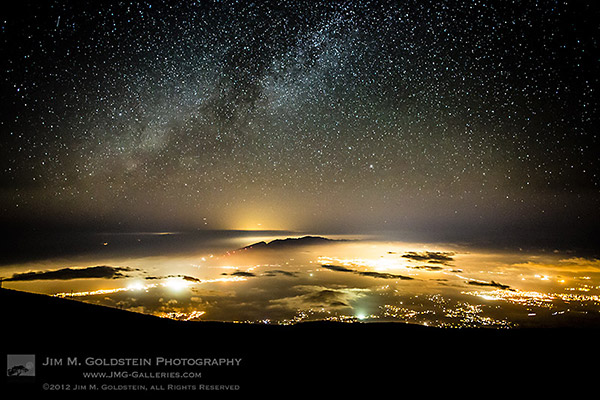
Meet The Photographers Who Write For Digital Photography School ~ Jim Goldstein

22 Apr

You’ve been reading their articles for months or years, have you ever wondered “Who are the photographers who write for dPS”?

Today we meet Jim Goldstein.

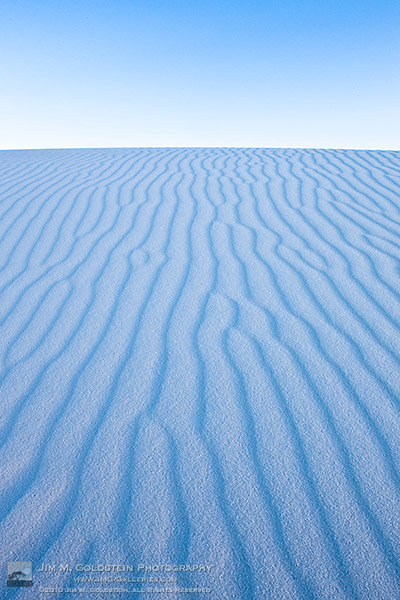
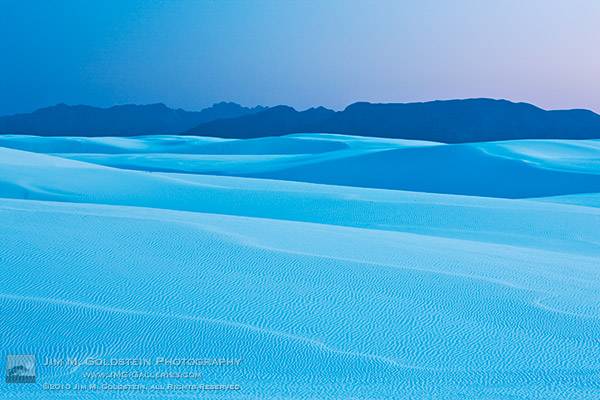
 Dusk at White Sands National Monument

1. How long have you been shooting?

I have been behind a camera perfecting the art of photography since the mid-1990′s. I honed my skills in the days of film and have been growing every day since as a photographer, digital and otherwise.

2. Do you have a full time job or are you a full time photographer?

jim_m_goldstein_headshot-sqI was a full-time professional outdoor photographer for sometime, but given my knack for social media & marketing I was recently recruited by BorrowLenses.com to help head up their marketing department.

3. If you had to limit yourself to one genre of photography, what would it be and why?

That is much easier said than done, but I would say Outdoor Photography.

4. When did you start writing for dPS and why?

I began writing for Darren the first day he opened his site to authors other than himself in early 2008. I pursued writing for DPS because I’m deeply passionate about sharing with the photography community at large. I strive to share my expertise, ideas and inspire others.

5. What do you shoot with and what’s your favorite lens?

These days I shoot with a Canon EOS 5D Mark III when ever I have the opportunity, but always have my trusty Canon 5D Mark II with me as well. My favorite lens at the moment is a Canon EF 50mm f/1.0L lens as it is the newest lens to my collection, but the bulk of my work is shot with a Canon EF 16-35mm f/2.8L lens.

6. What would be your number one tip to any new photographer?

Be persistent. I can’t begin to tell you how many times I was frustrated along my journey as a photographer. Very early on, when I was 15, I stopped because of it. Only after college did I return back to try again and to push my way through the learning process. Ever since I’ve embraced each challenge to push my limits and test my creativity.

7. What’s your next big project?

My next big project is a follow up to my ebook Photographing the 4th Dimension – Time.

8. Where can people go to find out more about you and your work?

People can see my photography and writing on my blog: JMG-Galleries blog, my social media pages Google+, Twitter & Facebook and my ebooks/webinars at InspiredExposure.com.

12-jimgoldstein-HP9F8890M_full_600c

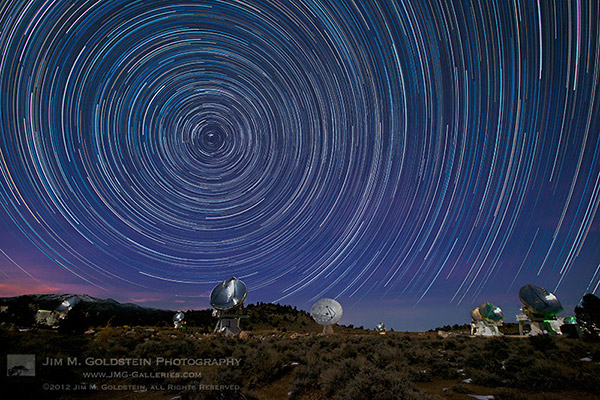
CARMA Star Trails

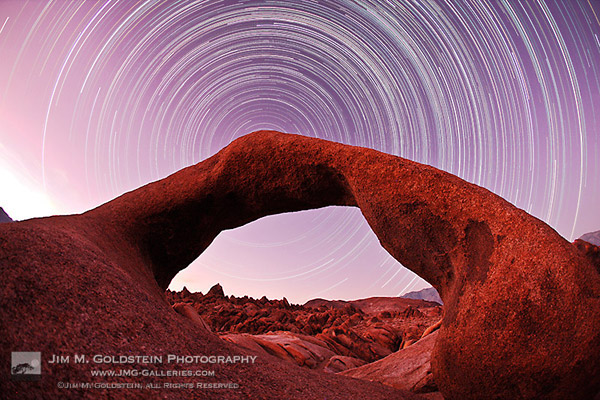
Mobius Arch Star Trails

6-jimgoldstein-TRAVEL_SF2428-Edit_600c

5-jimgoldstein-LAN_DV_JMG_0523M_600c

4-jimgoldstein-LAN_MAUI_U2C0359_600c

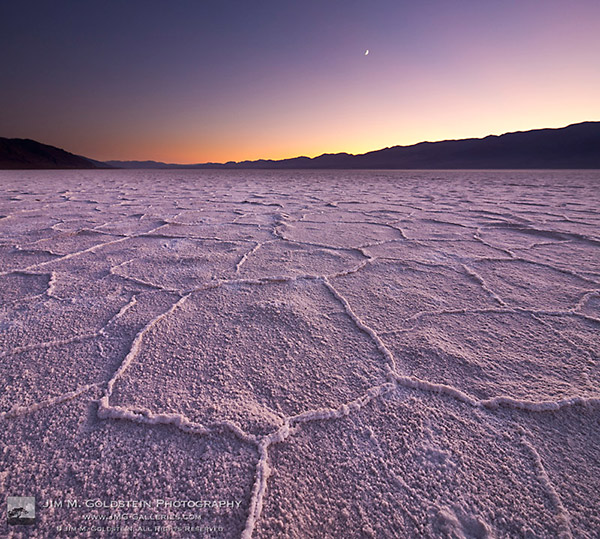
3-jimgoldstein_zen_wsnm_600c

8-jimgoldstein-35_LAN_DVNP_JMG8463_600c

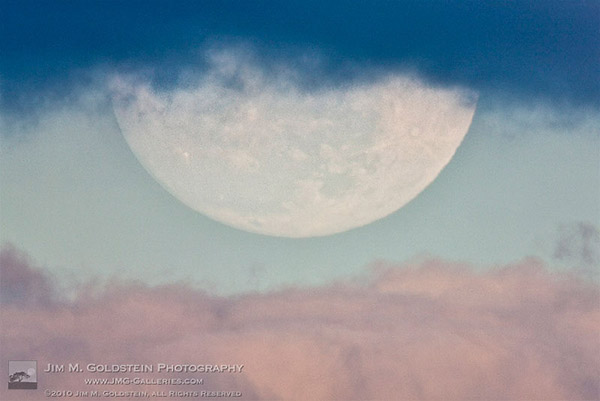
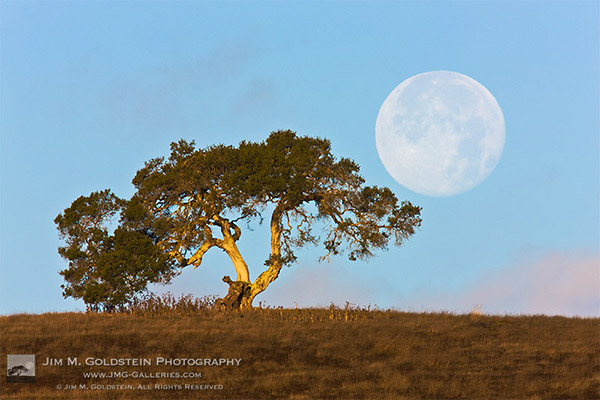
2-JimGoldstein-PerigeeMoonCaliforniaOak


Post originally from: Digital Photography Tips.

Check out our more Photography Tips at Photography Tips for Beginners, Portrait Photography Tips and Wedding Photography Tips.

Meet The Photographers Who Write For Digital Photography School ~ Jim Goldstein


Digital Photography School

 
Comments Off on Meet The Photographers Who Write For Digital Photography School ~ Jim Goldstein

Posted in Photography


Film Grains Meet Digital Pixels: A Complete Guide to Scanning Film

18 Apr

Extra photos for bloggers: 1, 2, 3

iPhones, and internets, and ion implanters! Oh my!

In this tech-savvy world we can return to 100%-analog-photog-goodness and transform them to digital with some simple scanner-wizardry.

This handy guide will show you how to scan your film, merging all of the sweetest parts of analog with the ease and shareability of digital.

The best part? You don’t have to know a thing about rocket science to follow along.

Learn How to Scan Film!

p.s. Our buddies at Printstagram make some of the bestest Instagram prints we’ve seen! You can make it happen right from your phone.

Why it’s Cool:

paint-smWe all know the benefits of analog photography: slower pace, limited number of frames, and those old cameras are just plain fun to use.

The only downside? Your inner tech maven is crying out for all of those lost shares on Facegram, instabook, and PinTube! Or something like that.

This guide will equip you with the tools to get started on making film grains best friends with digital pixels.

Ingredients:

ingred-sm

  • Film Scanner (We used a flatbed Epson V600.)
  • A computer
  • Developed 35mm film
  • Dust Blower, Microfiber Cloth, or Anti-Static Brush

Flatbed Scanners vs. Dedicated Film Scanners

paint-smThere are a few brands of scanners, but they mostly fit into two categories for consumers: flatbed scanners and dedicated film scanners.

This article will be dealing specifically with an Epson V600 flatbed scanner, but many of the techniques will still apply, especially to other flatbeds!

Here’s a quick rundown of the pros and cons of a flatbed scanner.

  • Cost: For the most part, a flatbed is a very reasonable option in terms of price and quality.
  • Uses: In addition to being affordable, many flatbeds are able to do both 120 and 35mm, something usually reserved for very expensive dedicated scanners.
  • Ability: Flatbed scanners are certainly capable of great results, but a dedicated scanner is always better. After all, that’s what it’s built for!

Step 1: Prepping The Film

paint-smHere’s what we need to do to the film in order to ensure the best scan.

Dust bunnies sound cute, but for scanning, they are not your friend! Use a dust blower, a clean microfiber cloth (Extra emphasis on clean! There’s nothing worse than scratched film), or an anti-static brush to get rid of any dust that may have settled on the negative.

Tips for preventing dust:

  • Break Out The White Glove: make sure your working environment is as clean as possible. If there’s no dust in the are to begin with, there won’t be any to go on your film.
  • Pre and Post-Scan Storage: Store your negatives in sleeves or binders to keep exposure to open air as infrequent as possible.
  • Dust During Drying: If you develop your own film, try to limit either the air flow around your film as it dries or the dust in the environment. Wet film and dust stick better than glue!

Step 2:Insert Film Into The Negative Holder

paint-smOne of the greatest challenges with scanning is film flatness.

The scanner works a bit like your camera; it focuses on the film to take a “picture” of it. If your film isn’t flat, it’s harder for everything to be in focus. A little curl is manageable.

Place film under a book to flatten unruly negatives, but make sure they’re in a sleeve so they don’t get dusty or scratched.

Each negative holder is a bit different, but here’s how it’s inserted into ours.

Step 3: Place Negative Carrier Onto Scanner

paint-sm This one’s as easy as it sounds! Each scanner has a specific orientation for the negative carrier depending on the film type.

On the Epson V600, there’s an “A” on the negative carrier that should line up with the “A” on the side scanner bed.

If your scanner doesn’t have markings, make sure to place the negative carrier under the slot of glass in the top of the scanner.

Step 4: Scanning Software

paint-smThis step will also be specific to your scanner. We’re using the included Epson Scan software in Professional Mode.

Here are the main points:

  • Make sure to choose the “Film” setting and then the appropriate type: black and white, color negative, or positive
  • Choose the resolution: for files that are easy to work with and great for web use, we set ours to 1200 DPI. If you have plenty of space on your harddrive or want to print above an 8×10, scan at a higher resolution to get a larger image
  • Don’t forget to switch on Dust Removal to get any spots you missed earlier
  • First, hit the preview button and let the scanner generate a preview. At this point you can rotate the photo and mirror the image if the film isn’t oriented correctly.
  • Lastly, choose the file format for the scan and you’re good to go! We usually scan ours as jpeg. A TIFF can provide more information, but at the cost of much larger files. If you need to make corrections to a scan it’s a better option, but for many sharing purposes a jpeg is sufficient!

There are a few third party software options for scanning as well, and our favorites are VueScan and Silverfast.

The advantage to these programs is that they offer more customizability and control over the scanning process. Plus, they have some neat tricks such as setting the film stock to try to get the most faithful result. They’re both friends with PC’s and Macs!

Step 5: Final Touches

paint-sm Once the scan is completed, you have a few choices of where to go next. You can take the scan “as is” and go from there, or import into Photoshop, Lightroom, and other editing programs to make some slight changes.

Sometimes a few tweaks are needed after the fact so that the imagined picture lines up with the actual picture!

Some post-scan adjustments

  • Contrast: This is a big one for black and white. Adjust the contrast so that it’s more faithful to the look of the negative
  • Color: Sometimes a scan will have a shift in colors or have an overall color cast that’s undesirable. The curves adjustment will be your BFF. Utilize the separate color channels to get the look right.
  • Sharpness: Sharpness can be detrimentally affected by the scan. Apply a little unsharp mask or boost the sharpening slider in Lightroom to taste.
  • Dust and Scratch Removal: Despite our best efforts, dust can still remain on the negative and sometimes they get scratched as well. An easy way to fix this is to use the healing brush or clone brush in Photoshop.

This isn’t to change the look of the film, but sometimes this information gets skewed in the scan and needs to be returned to the appropriate value.

Taking it Further

  • Try it with medium format!
  • Try using your DSLR and a macro lens to scan!
  • Ditch the film. Use your scanner as a Camera!

Related posts:

  1. Meet Mr. Digital Clover, A Keychain Camera with Film Camera Appeal Extra photos for bloggers: 1, 2, 3 Bus rides can…
  2. How-To: Turn Digital Photos into Artistic Sunprints! Extra photos for bloggers: 1, 2, 3 Boy, do we…
  3. Keep Your Film Safe on Plane Trips Extra photos for bloggers: 1, 2, 3 The airport x-ray…


Photojojo

 
Comments Off on Film Grains Meet Digital Pixels: A Complete Guide to Scanning Film

Posted in Equipment


Meet The Photographers Who Write For Digital Photography School ~ Jason Weddington

25 Mar

You’ve been reading their articles for months or years. Have you ever wondered: “Who are the photographers who write for dPS”? Today meet San Diego based photographer Jason Weddington.
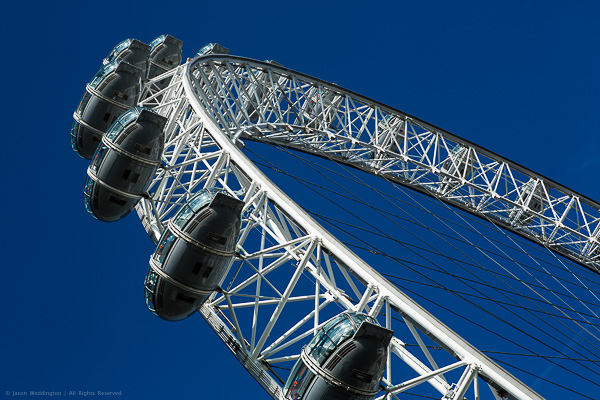
The EDF Energy London Eye

1. How long have you been shooting?

My first camera was a Kodak disk camera, similar to the ones shown here. I must have been 8 or 9 at the time. Around the same time, I took a black and white photography course during summer vacation. I learned how to develop black and white film, as well as how to make prints. I remember being very proud of an image of an empty root beer can that I’d photographed in the street. That photo sat in a frame on my dresser for a few years.

Then I went several years without having a camera or being exposed to photography (pun intended). In 1998 I joined the Marines and was stationed in Japan. I bought a Kodak Advantix film camera, because I wanted to be able to capture and share scenes from my time in Japan. I wouldn’t say I was interested in photography per se, I was more interested in ‘taking pictures’, if the distinction makes sense. I was happy to point and shoot, and drop the film off at the lab. I would flip through the prints and say things like “too bad that one didn’t come out.” In those days I thought cameras made photos, not photographers. Pushing the shutter was like rolling the dice, sometimes the pictures came out, sometimes they didn’t. It would be a few more years before my awareness changed.

By 2001, I was really into computers. The Internet was still pretty new, technology was racing forward, and some exciting things were becoming possible. I bought a digital camera, because it was yet another cool thing I could do with my computer. I was more into computers than cameras – digital seemed like the logical camera choice.

In early 2001, I saw some fine art nude photographs on the Internet. I was amazed and inspired. I hadn’t seen much fine art photography before, or maybe I hadn’t given it much notice. But this time my eyes were opened to a whole new world. I became aware of photography as an art form, rather that simply a tool for capturing moments.

I’d just married a beautiful woman, and I had a 1.2 megapixel (!!) digital camera. It seemed so simple. Knowing next to nothing about photography, I asked my wife to model for me. The pictures weren’t very good. Suddenly I became aware that photography is a skill, and a skill that I needed to learn.

2. Do you have a full time job or are you a full time photographer?

The short answer is “neither one.” The long answer is more complicated. I left my full time job as an IT manager at the end of 2012 to start my own business. My goal is spend more time on my personal photography projects, and more time with my family. I’m building a business around my interest in photography, but I don’t plan to work full time as a photographer.

Going forward I hope to make a living from a combination of activities. I’ve just finished a book of my photography, and I’m beginning to market prints on my website. I’m also in the process of launching a software company. We’ll be producing products and services for photographers.
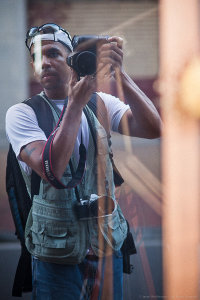
Me!

Photographer Jason Weddington

3. If you had to limit yourself to one genre of photography, what would it be and why?

That’s a hard question, I hope I’m never in that position. I guess if I had to, I would limit myself to photographing people. I like portrait work, I’m inspired by the idea of creating a portrait that really captures the sitter’s personality. I love it when people are happy with a photo I’ve made of them, since most people don’t enjoy being photographed.

4. When did you start writing for dPS and why?

I wrote a trial post for dPS in September of 2012, and was accepted as a regular writer in October. I’d already made the decision to leave my full time job to pursue my own business, and I wanted photography to be a big part of that. I genuinely enjoy teaching and sharing, when the topic is something that I am passionate about. So writing for dPS is a good fit, and the timing was perfect.

5. What do you shoot with and what is your favorite lens?

I’m a Canon guy. My main camera is the EOS 5D Mark III. I also have an old Canon AE-1 film body, and a Canon EOS 7s (aka ELAN 7) film body.

I like prime lenses. My favorites are probably the EF 135mm f/2L and the EF 50mm f/1.2L. Is is cheating to pick two?

6. What would be your number one tip to any new photographer?

Become a student of light. Practice visually deconstructing photographs and picturing where the light comes from. Do the same thing in real life, as you walk around your city or neighborhood. Notice what light does to a subject when it comes from above, from the side, from behind, from in front, and from below.

You can learn the technical stuff as you go, and modern cameras will take care of exposure for you most of the time, at least well enough to get you started. But no camera will teach you how to find the good light.

7. What’s your next big project?

I’ve just hired a software and web developer to help me build a social media marketing service for photographers. The goal of the service is to provide a set of online tools to help photographers get more exposure for their work on major social sharing sites like Flickr, 500px, Facebook, and Tumblr. We will start development in March and I hope to launch the first version of the service in May.

I’m also working on my second photography book which will be a collection of photos from Japan.

8. Where can people go to find out more about you and your work?

My Portfolio Site – This site features my portfolio, fine art prints, and my books.

My Blog – This is my personal blog. The focus going forward will be photography tips and tutorials, information about my photography projects, and eventually some premium training materials.

Uncovered Beauty – This is the brand for my fine art nude photography. You can see some of my work here, and later this year I will launch a fine art nude photography training course from this site.

Facebook – Like my Facebook page to get updates when I have something new to share. I post links to my dPS articles here, and also share photos and tips. As my other projects move forward, I’ll post updates from time to time. I try to make sure that the things I share on Facebook are genuinely useful.


Snowy Day

Joy

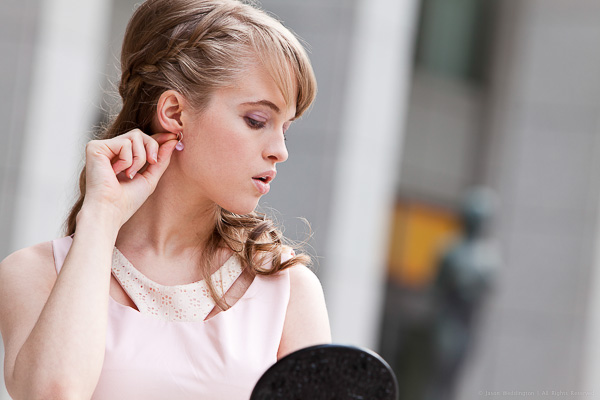
Fashion Shoot

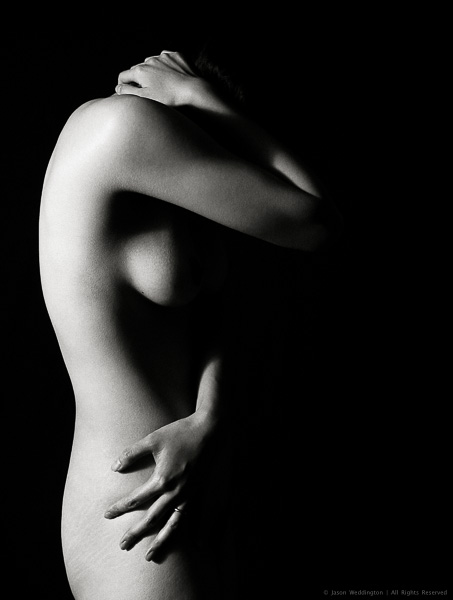
Figure

The Golden Pavilion

Joss Sticks

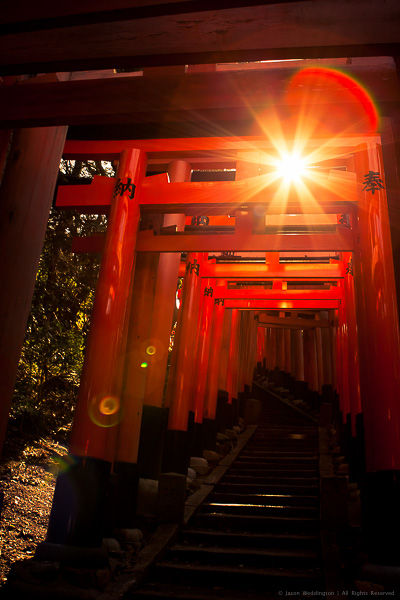
1000 Torii Gates

Post originally from: Digital Photography Tips.

Check out our more Photography Tips at Photography Tips for Beginners, Portrait Photography Tips and Wedding Photography Tips.

Meet The Photographers Who Write For Digital Photography School ~ Jason Weddington


Digital Photography School

 
Comments Off on Meet The Photographers Who Write For Digital Photography School ~ Jason Weddington
Posted in Photography


Meet The Photographers Who Write For Digital Photography School ~ Rick Berk

17 Mar

You’ve been reading their articles for months or years. Have you ever wondered: “Who are the photographers who write for dPS”? Today meet New York State photographer Rick Berk.

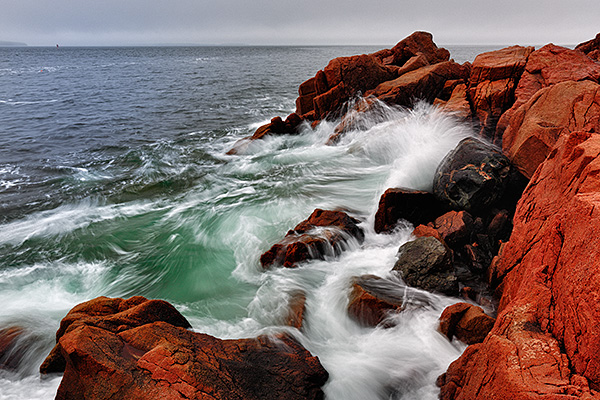
05-09-12_Maine_0179

1. How long have you been shooting?

I’ve been shooting since 1992, so about 21 years now.

2. Do you have a full time job or are you a full time photographer?

I have a full time job within the photo industry, but my full time job is not that of a photographer, if that makes any sense.  I photograph for my own creative outlet, and as a part time job on the side.  Part time, I photograph weddings and portraits, and I shoot landscapes as a creative outlet.  I have a website set up to sell my fine art work as well.

Rick-Portrait

Photographer Rick Berk

3. If you had to limit yourself to one genre of photography, what would it be and why?

Probably landscape photography.  I love nature and the outdoors and love capturing nature’s beauty. And mountains never complain that you made them look fat!

4. When did you start writing for dPS and why?

I started writing for dPS in September, 2012.  A friend saw that they were looking for writers and suggested I apply.  I had taught photo seminars as part of my previous job and thought this would be a great way to continue to share my love for photography.

5. What do you shoot with and what is your favorite lens?

I shoot Canon gear. Right now my cameras of choice are the EOS-1D X and the EOS 5D Mark III. I’m not sure I can choose just one lens as my favorite.  My favorite landscape lens is the EF 24mm f/1.4L II, but I also love the EF 14mm f/2.8L II.  For portraits, I always go to the EF 85mm f/1.2L II.

6. What would be your number one tip to any new photographer?

Learn to do as much in camera as possible. I’m all for using Photoshop to complete the thought but there is a difference between “fixing” in Photoshop and enhancing in Photoshop.  I would rather spend more time shooting and less time editing.

7. What’s your next big project?

I haven’t planned anything yet for 2013, but I will have at least one or two trips dedicated to photography.  Right now I’m eyeing the Oregon coast, and possibly the Outer Banks of North Carolina.

8. Where can people go to find out more about you and your work?

My website.

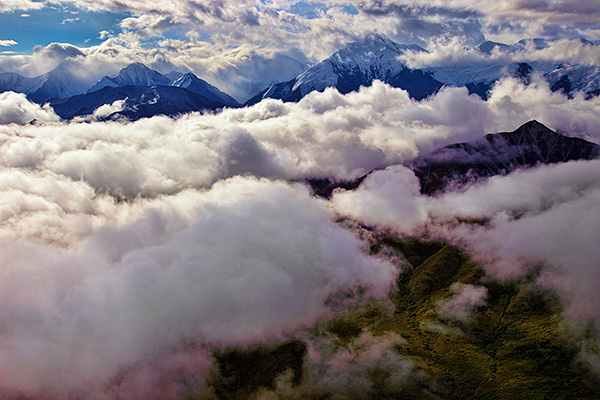
Alaska_2010_08_17_1221

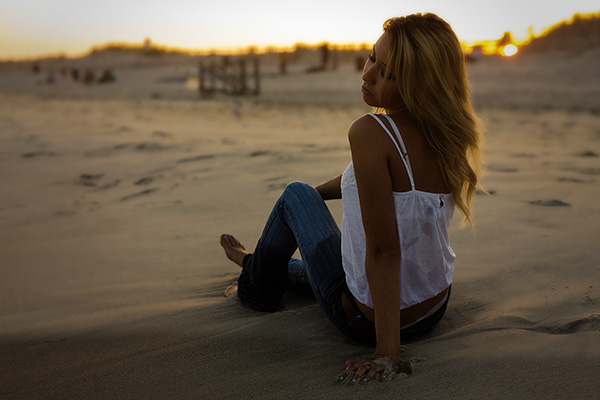
07-31-12_Heather_0278

11-29-11_Christina_0237-Edit

Julia_Jyoti_20120323_1286

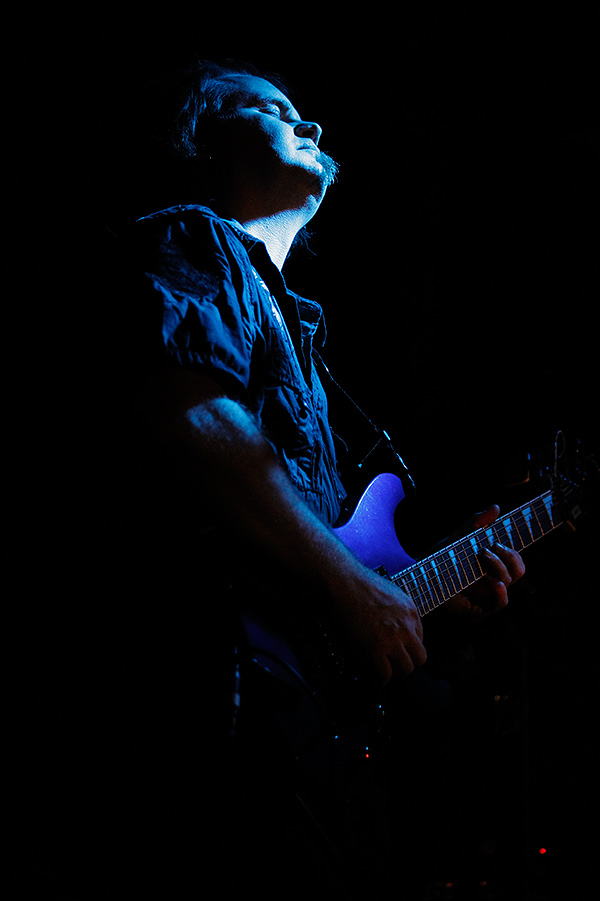
SG_Live_09-05-10_0600

Post originally from: Digital Photography Tips.

Check out our more Photography Tips at Photography Tips for Beginners, Portrait Photography Tips and Wedding Photography Tips.

Meet The Photographers Who Write For Digital Photography School ~ Rick Berk


Digital Photography School

 
Comments Off on Meet The Photographers Who Write For Digital Photography School ~ Rick Berk

Posted in Photography