Recently I was introduced to a free open source RAW file editor called Darktable. I know most everyone loves free stuff and quality RAW file editors are not easy to come by with a price tag of $ 0.00, so I thought it would be worth taking a quick look at Darktable vs Lightroom here on DPS.
I’d like to preface this article with a simple disclaimer…
I’ve only spent a handful of hours with Darktable and therefore by no means have I mastered the workflow and features packed into it. My intention here is to introduce it to you and share with you some of my experiences within the first few hours of opening it up. Is it for you? I can’t say that for sure, but if you’re like me, and you’re saying – “Did he just say free?” – than why not head on over to Darktable’s website and get your own copy today.
General Overview
Darktable is no slouch when it comes to RAW file processing. In fact, it is probably one of the better free options that I’ve come across in my travels. If there is one flaw with the software I’d have to say that it boils down to its learning curve. It simply has A LOT of tools, and as a result the interface ends up feeling a bit cluttered and confusing to a first time user.

Basic Processing
Overall the basic processing will feel very similar to Lightroom. The tools are broken into different groups, you still move sliders around to manipulate the photograph, and you have various ways of doing the same action. It feels very much like it was inspired by Lightroom and while there are some similarities, it is also very different in what it can, and can’t do.
I’m not going to go through everything in this article, but rather, just show you a couple of generic examples that I ran through both Darktable and Lightroom 5.
In this first example I’ve spent a bit of time processing a very simple photograph of a flower. I thought this would be a nice simple start to get my feet wet with the program.
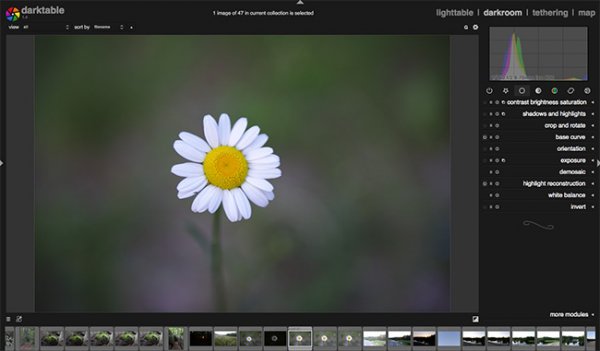
Darktable Screenshot – Before
Notice how Darktable’s imported image appears slightly underexposed compared to that of Lightroom. While this isn’t a big deal, it is interesting that the same RAW file displays differently by default within the two programs.
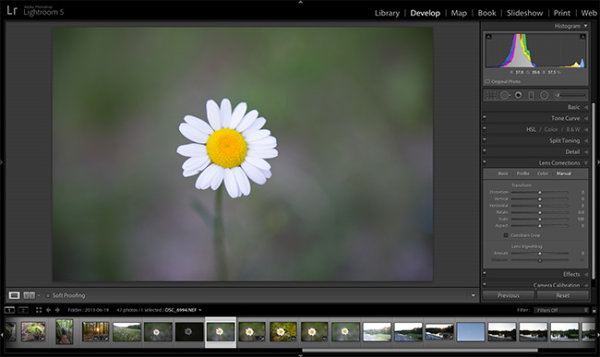
Lightroom Screenshot – Before
Overall the workflow for processing images is much simplier and more streamlined in Lightroom, but both pieces of software do perform quality edits on the flower. While I did try my best to get the two edits to come out to be the same, they did end up a bit different. This isn’t necessarily a flaw of Darktable, just that its layout of sliders, nomenclature, and the way the algorithms and coding behind the scenes work to process your edits are different.

Darktable final edit

Lightroom final edit
Another Example
Another example, which I thought might be more difficult for Darktable to handle, was a photograph taken just after sunset. It was part of a bracketed set of images and was slightly underexposed. My goal here was to see how Darktable performed at recovering shadows from underexposed areas while retaining the highlight details in the sky and reflections.
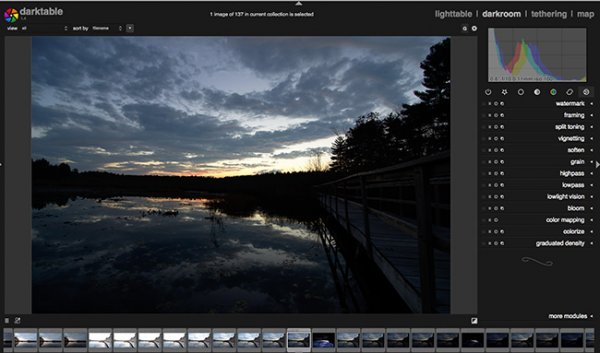
Darktable Screen Shot – Before
You can see here, once again, the original RAW file imported into Dartable is slightly darker compared to that of Lightroom. Potentially this is something that could be fixed within the settings of the program, but either way, it is a consistent trend in my experience.
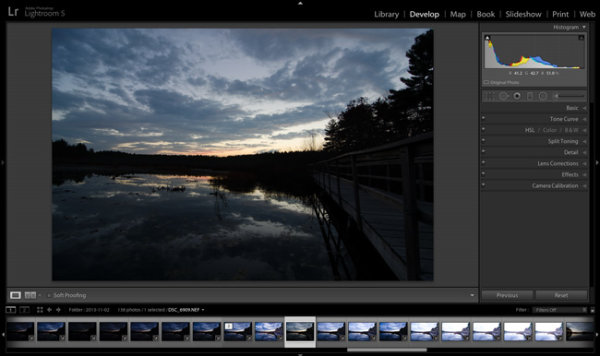
Lightroom Screenshot – Before
As I mentioned, the goal for this edit was to recover the foreground shadows along the tree line and retain the highlight detail just above the horizon and within the reflections.
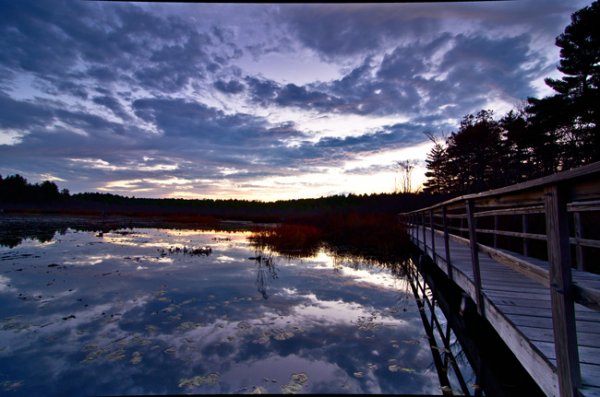
Darktable Final Edit
You’ll notice that while Darktable was able to dramatically improve the photograph, Lightroom was able to retain more detail in the brightest and darkest regions of the original photo. This wasn’t surprising to me as Lightroom has only recently had this much control over these areas of the photograph and I can only imagine how much math goes into creating the code behind the operations that we perform with a simple move of a slider.

Lightroom Final Edit
Bottom Line
Darktable is a powerful RAW image processor – there’s no question about that – and for the price of $ 0.00 it is an attractive alternative to Lightroom. It’s not going to replace Lightroom for me and probably won’t for anyone who currently uses Lightroom, but if you’re absolutely set on paying nothing for a RAW file processor, Darktable might be the perfect choice for you.
Over to you – have you used Darktable? What are your own experiences with it? Do you have any tips to share with those who are trying it for the first time?
The post Darktable vs Lightroom – Does it measure up? by John Davenport appeared first on Digital Photography School.

Digital Photography School



