Tag: Life

  • How water droplets came to life for a Gatorade ad

    Image courtesy UNIT9 and Gatorade

    Video production outfit UNIT9 pulled off some neat visual tricks in a recent project for client Gatorade. Using a custom-built ‘rain rig,’ precisely timed water droplets fall to the ground in the shape of a figure. Strobes illuminate the droplets and give the effect of freezing them, and frame-by-frame the water figure appears to run, jump and kick right in front of our eyes.

    The figure’s movements were informed by motion-capture, and the rain rig had to be timed to turn water pressure on and off at millisecond intervals. The camera, strobes and rig were all synced to work in concert with each other, and each frame was processed to correct for gravitational acceleration of the drops as they fell.

    Photo courtesy UNIT9 and Gatorade
    Photo courtesy UNIT9 and Gatorade
    Photo courtesy UNIT9 and Gatorade

    Manipulating falling water to this extent hadn’t been done before, so the rig was custom built. It’s a neat piece of innovation that plays with the most basic principle of video capture: string together a certain number of still images every second in front of a viewer’s eyes and they’ll look like a moving image. For a behind the scenes look, check out the video below and visit UNIT9’s website.

    Articles: Digital Photography Review (dpreview.com)

  • The new Surface Pro: new processors, boosted battery life and more

    Microsoft’s Surface Pro (they’ve dropped the numbering scheme) looks impressive. In an interview with The Verge, Microsoft’s head of Surface, Panos Panay, claims there are about 800 new custom parts in the Surface Pro.

    Battery life is up from 9 to 13.5 hours, it’s got the latest Kaby Lake processors, there are promised sleep/wake improvements (an issue that plagued many Surface Pro 4 users), and the device just looks and feels nicer with more rounded edges as well as a barely visible vent.

    The Core i5 now joins the m3 in being fanless (the high-end i7 still has a fan). The new hinge allows the Surface Pro to lie almost completely flat at 165 degrees, which Microsoft calls Studio Mode (after the Surface Studio). This’ll make it easier to use with the Surface Dial.

    The Surface Pen gets a sizable update as well: it now has 4096 levels of pressure sensitivity and tilt detection (only with the Surface Pro) for better shading and inking accuracy. Perhaps even more important is that it’s more responsive because of a reduction in minimum activation force. Though this time around, it’s a separate purchase.

    There’s still no USB-C, and only one USB port (this accessory will help photographers import SD cards to an external drive without a hub, utilizing the Surface’s micro SD port). A new LTE option should be great for those one the go, though a release date for that feature hasn’t been announced.

    The new Surface Pro is available for pre-order today starting at $ 799, with the Type Cover coming in at $ 129 and Surface Pen coming in at $ 99. Shipping starts June 15th.

    Via: The Verge and Microsoft

    Articles: Digital Photography Review (dpreview.com)

  • Flat-Pack Life Support: NASA’s Inflatable Hydroponic Space Greenhouse

    [ By WebUrbanist in Conceptual & Futuristic & Technology. ]

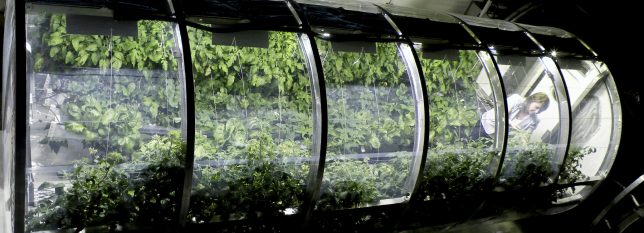
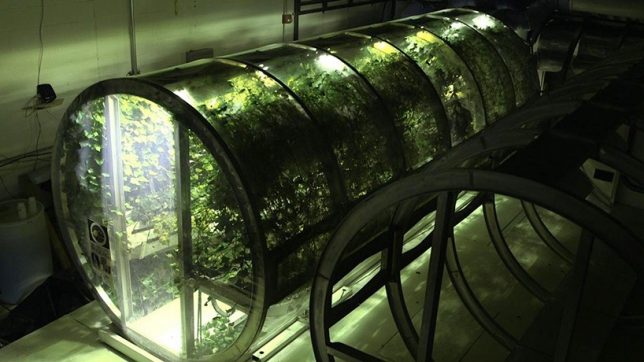
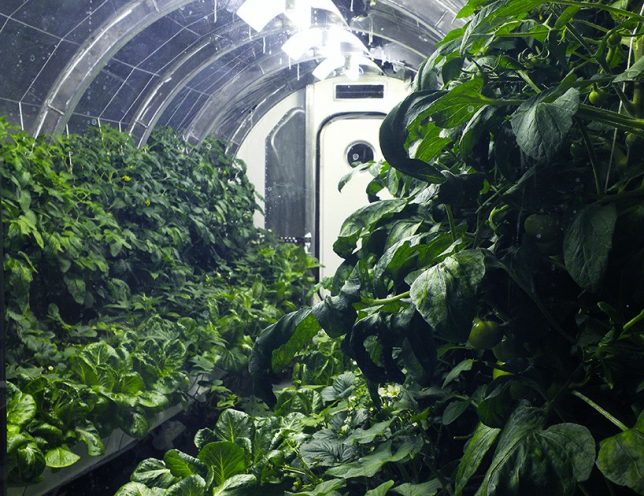
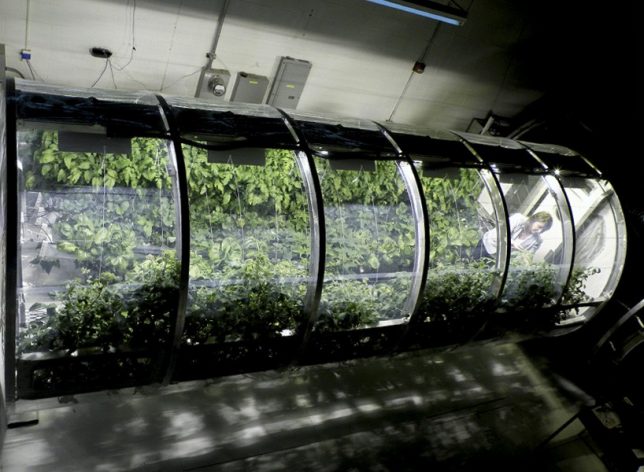
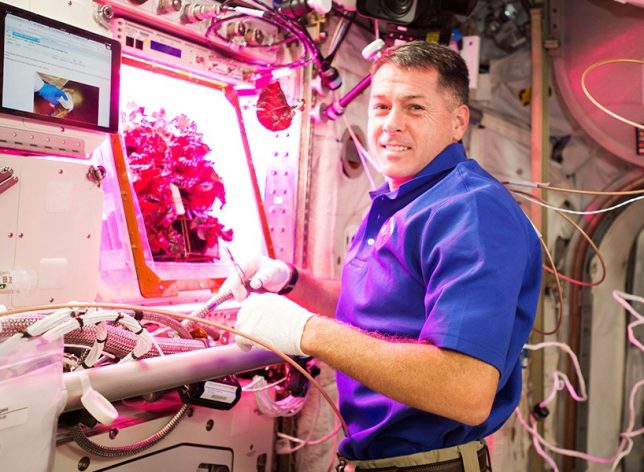
    A key development in the quest to create sustainable ecosystems in space, this expandable greenhouse prototype aims to generate essential food and oxygen for long-term astronaut travel.

    Recently, Peggy Whitson broke the record for longest stay in space (534 days) and astronauts have started growing their own vegetables on the International Space Station. This collapsible growing unit aims to take things to the next level, enabling longer-term settlements on places including the moon and Mars.

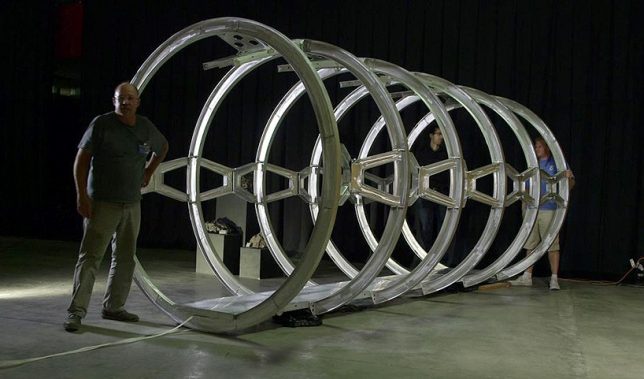
    Developed by NASA and agricultural researchers at the University of Arizona, the test unit spans 7 by 18 feet. Its primary functions: convert carbon dioxide from crew, support plant photosynthesis. This bio-regenerative approach to life support is an essential system for recycling scarce resources off-planet.

    It also takes its queues directly from our own world: “We’re mimicking what the plants would have if they were on Earth, and using of these processes for life support. The entire system of the lunar greenhouse does represent, in a small way, the biological systems that are here on earth.”

    But a big trick to the design is simply its portability: materials take up space, so engineering minimal frameworks that will work when the system is expanded is critical to getting space greenhouses into (and out of) orbit in the first place.

    Meanwhile, on the ISS, astronauts continue to grow (and consume) plants outside of Earth’s normal gravity, paving the way for a better understanding of how agriculture will really work off-planet in the future.

    Share on Facebook


    [ By WebUrbanist in Conceptual & Futuristic & Technology. ]

    [ WebUrbanist | Archives | Galleries | Privacy | TOS ]


    WebUrbanist

  • Still Life with Smoke Bombs: Artist Live-Paints Berkeley Protest Violence

    [ By WebUrbanist in Art & Street Art & Graffiti. ]

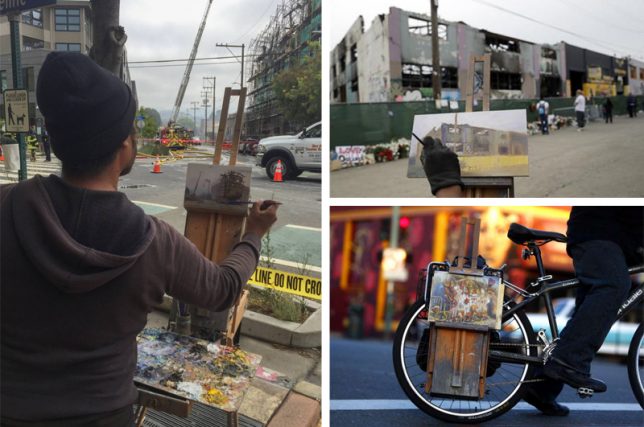
    This past Saturday, Trump supporters and counter-protesters from the left clashed violently in liberal Berkeley, all while one intrepid street painter captured the scene live on canvas. As reporters filmed and photographed the chaos, John Paul Marcelo biked his mobile painting station into place.

    The alt-right rally organizers and their opponents arrived ready for a brawl, variously equipped with shields, helmets, wooden poles, pepper spray and other weapons. “By mid-afternoon,” reports Blake Montgomery, “the dueling protesters were screaming insults at each other over a flaming pile of trash and using a dumpster as a battering ram.” In the end, dozens were arrested on both sides.

    But in the midst of the mayhem (or at least: slightly off to one side) was perhaps the most unexpected sight of all — Bay Area street artist John Paul Marcelo standing his ground and calmly painting the chaotic scene as it unfolded before him.

    Marcelo is a fixtures of the San Francisco community, a fifteen-year resident who can be found painting ordinary street scenes as well as timely and tragic still lifes, like: a building just after a fire, burnt out and abandoned.

    His artistic gear collapses on demand, folding neatly for transportation by bike to events unfolding in around the Bay or calmer, more everyday still-life subjects (below: Morning on Broadway and Telegraph in Oakland as seen in Cafe 817).

    John Paul Marcelo studied graphic design and advertising, then started painting the urban decay of Chicago streets and decided to “reject modern technological mediums” and “paint exclusively en plein air, and migrate to the majestic California coastline.” And although he reports being “very content with painting existing idyllic scenes like Big Sur and Marin, past expeditions have brought him to places like post Katrina New Orleans and Cabrini Green housing projects.” His influences “include Claude Monet, James Nachtwey, and Ai Wei Wei.” (Images via AP, SfGate & KQED)

    Share on Facebook


    [ By WebUrbanist in Art & Street Art & Graffiti. ]

    [ WebUrbanist | Archives | Galleries | Privacy | TOS ]


    WebUrbanist

  • Art History in Contemporary Life: Classical Figures in Modern Scenery

    [ By SA Rogers in Art & Drawing & Digital. ]

    classical paintings modern photos 8

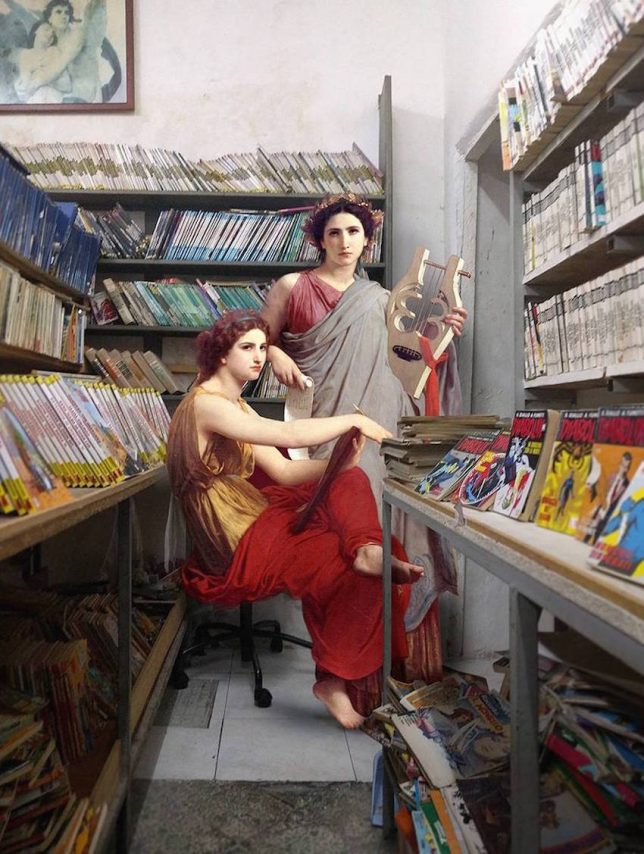
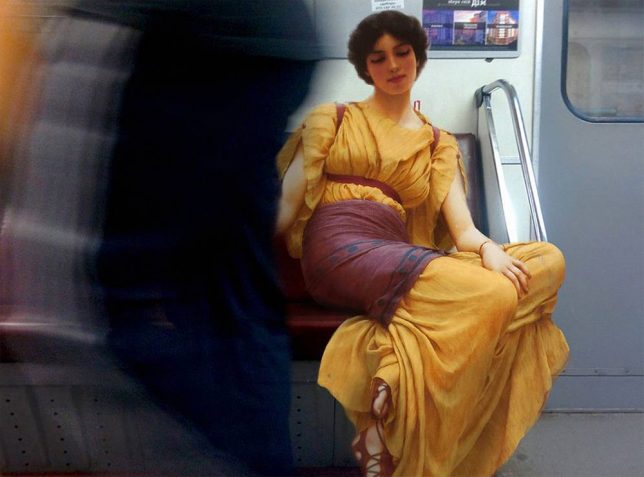
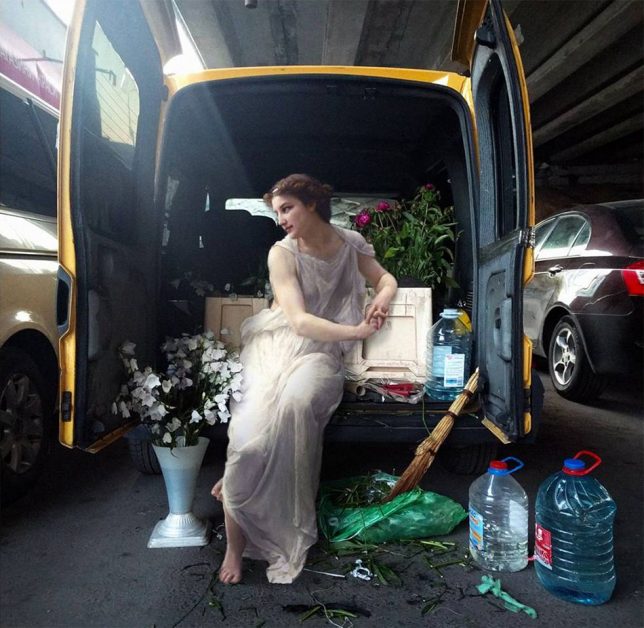
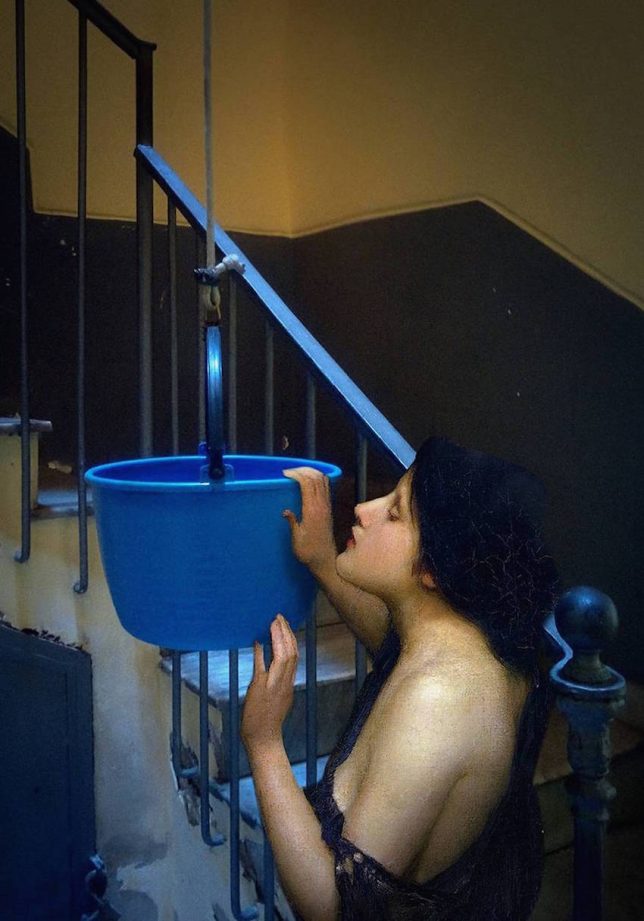
    Dressed in garments from centuries long past, figures from classical paintings peer out the windows of metro cars, vend souvenirs, browse comics and otherwise interact with unlikely scenes in modern-day Naples, Italy. Artist Alexey Kondakov is back with another round of ‘Art History in Contemporary Life,’ his mash-up series that gives the world a new perspective on paintings from the distant past.

    classical paintings modern photos 1

    classical paintings modern photos 2

    classical paintings modern photos 3

    The Ukrainian artist is known for relocating angels, royals, knights, the Virgin Mary and other subjects from classical works by artists like Hans Holbein and William Bouguereau into modern-day scenes with careful attention to light and shadow for a convincing result.

    classical paintings modern photos 5

    classical paintings modern photos 8

    classical paintings modern photos 10

    Though the subjects remain painterly and the backdrops are crisp photographs of everyday city environments, the blended images read less like Photoshopped collages and more like finished works ready to be hung on museum walls.

    Given this new context, the figures suddenly seem more real than they ever did before, as if we really could come across them playing harps in subway stations or hanging out in grungy bars.

    classical paintings modern photos 4

    classical paintings modern photos 6

    classical paintings modern photos 8

    Naples is a fitting choice for the latest series, simultaneously giving a nod to Italy’s history as birthplace of High Renaissance Art and illustrating how much the city has changed over the past 500 years. Previous iterations of ‘Art History in Contemporary Life’ were set in the artist’s hometown of Kiev, Ukraine. Check out more images from the Napoli Project at Kondakov’s website or Facebook.

    Share on Facebook


    [ By SA Rogers in Art & Drawing & Digital. ]

    [ WebUrbanist | Archives | Galleries | Privacy | TOS ]


    WebUrbanist

  • Robot Home Companion: 12 High-Tech Assistants Making Life Easier

    [ By SA Rogers in Gadgets & Geekery & Technology. ]

    robot-barista

    They can’t quite measure up to R2D2, but a new array of consumer robots offer all sorts of practical advantages, including companionship, soothing babies back to sleep, playing with pets, folding laundry and making the perfect latte. All 12 of these robot home companions have passed the concept stage into fully-operational products, and many of them are already up for sale.

    Cargo Carrier: Gita Bot

    gita-cargo-robot

    gita-cargo-robot-2

    gita-3

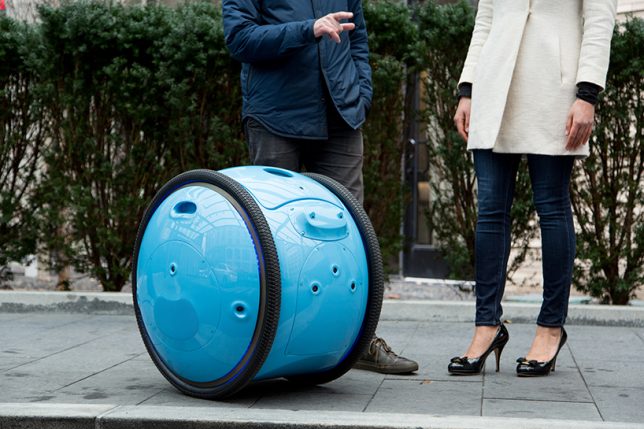
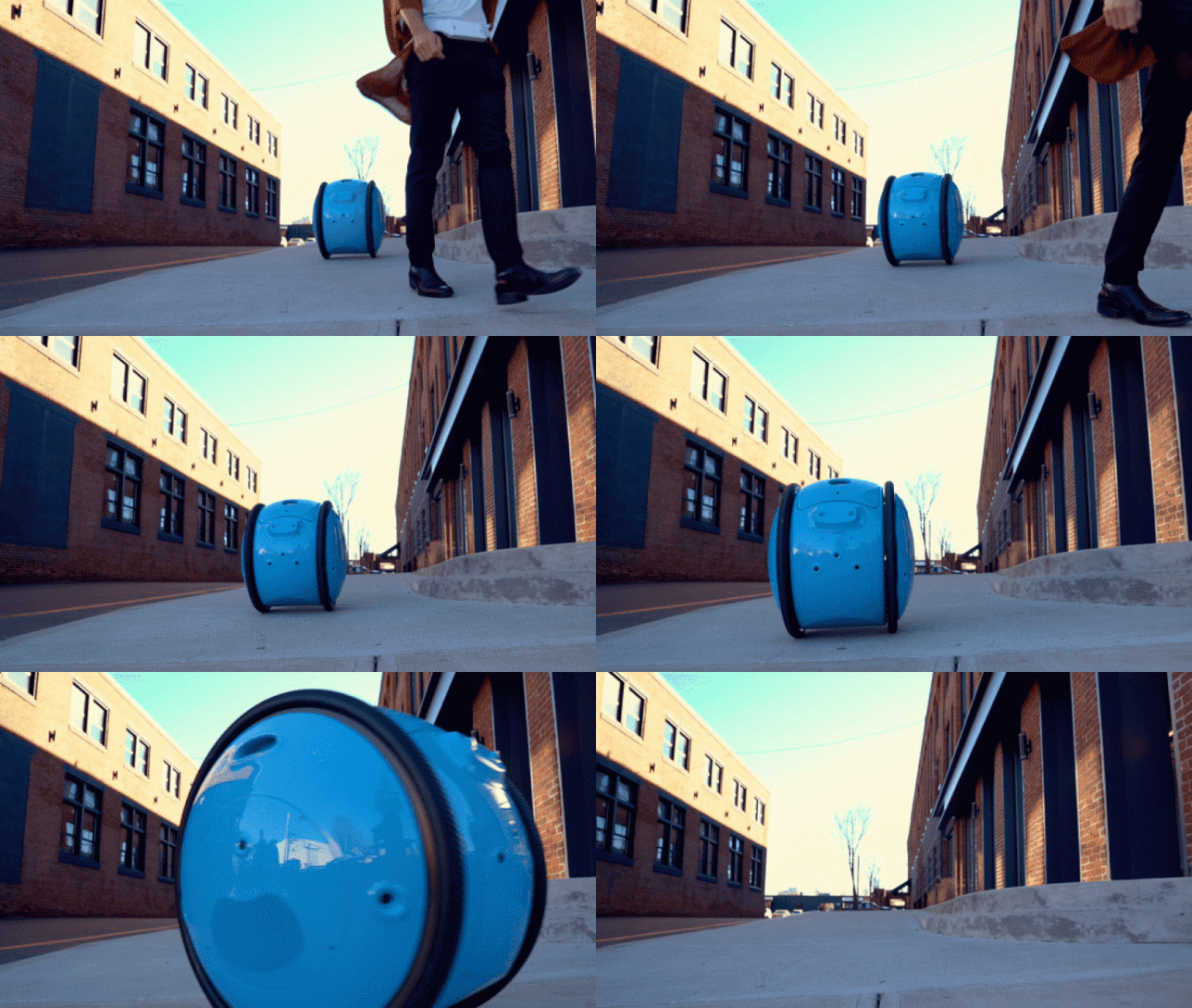
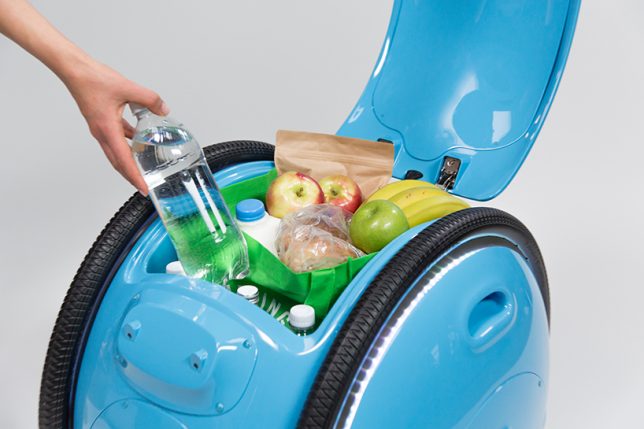
    From the same company who gave us the Vespa scooter comes Gita, a cargo bot that’ll carry your stuff for you, follow you ask you walk, stop when you do, slow down when necessary and even keep up if you start running. You could use it to haul groceries home from the neighborhood market, deliver packages or as a travel aide; a display screen lets you know when the battery is getting low. One thing that’s not clear is how it manages stairs.

    Scooter Bot: Segway Advanced Personal Robot

    segway-robot

    segway-robot-2

    segway-robot-3

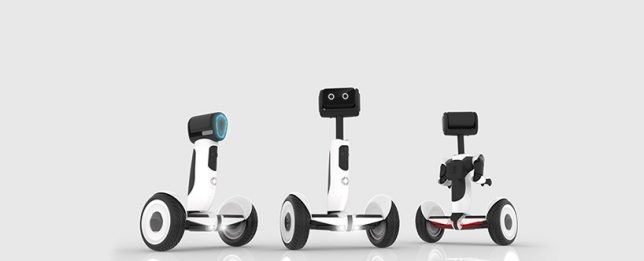
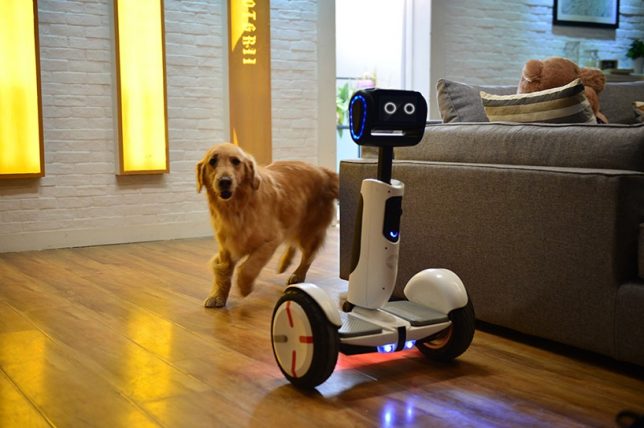
    Recently renamed ‘Loomo,’ the Segway ‘Advanced Personal Robot’ is a cross between a robot companion and a functional scooter, capable of recognizing individuals and following them until it’s needed. It’s able to stay in balance while carrying loads, and its microphones listen for voice commands. Sensors keep it from bumping into objects and help it map your home and other surroundings so it can navigate itself. It’s currently still in development.

    Cute Companion: Kuri Home Robot

    kuri-home-robot-1

    kuri-home-robot-2

    kuri-home-robot-3

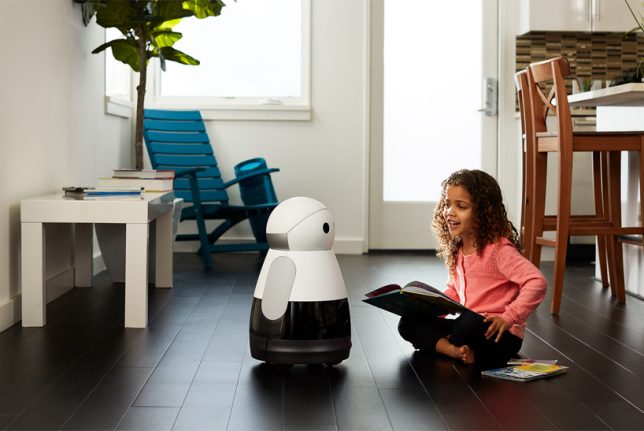
    This 20-inch-tall, 14-pound personal companion robot chirps, blinks and ‘smiles’ in response to your attention, and it’s able to recognize specific people, understand context and surroundings, play music, read books, project video, tell you the weather and perform other useful everyday tasks. The Kuri bot responds to verbal commands and can also be controlled and maintained through a smartphone app.

    Pet Entertainer: Rolling Bot by LG

    lg-rolling-bot

    rolling-bot-lg-2

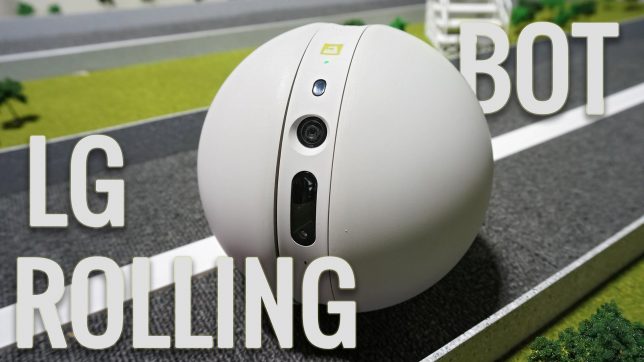
    This little bot may not have as much personality as the Kuri, but it’s got some seriously useful functions if you’re the kind of homeowner and/or pet owner who wants to keep a close eye on things while you’re gone. The Rolling Bot by LG is part security system, part pet toy, part smart home gadget with a built-in camera and the capability to roll itself through your home, turning lights on and off, sending you video footage, or entertaining your dogs and cats with dancing and lasers. You can control it through your phone to talk to your pets through it, too.

    Next Page – Click Below to Read More:
    Robot Home Companion 12 High Tech Assistants Making Life Easier

    Share on Facebook


    [ By SA Rogers in Gadgets & Geekery & Technology. ]

    [ WebUrbanist | Archives | Galleries | Privacy | TOS ]


    WebUrbanist

  • Whatever You Need, On Demand: 10 Apps That Streamline Urban Life

    [ By SA Rogers in Gadgets & Geekery & Technology. ]

    screen-shot-2017-01-25-at-9-40-18-am

    If you’re that person who’s always asking for a ride or help moving, or you’re just too crazy busy to go grocery shopping or clean your own house, there’s a range of apps that could make your life a whole lot easier. Moving beyond the usual suspects like Uber and Amazon Prime Now, these city-centric apps streamline urban lifestyles, giving you assistance with things like transit planning, sharing rides, choosing a place to live, hiring people to assemble your IKEA furniture or getting liquor delivered to your doorstep.

    Via Ride-Sharing App

    via-ridesharing-app

    via-ridesharin-app-2

    Based in New York City, Via is a cab alternative in the vein of Lyft and Uber, but offers ride sharing, so you get into a car full of multiple passengers and pay less. The service charges a flat $ 5 fee for each of the first five rides and $ 7 thereafter (or still $ 5, if you buy the rides in advance.) Passengers are asked to meet their drivers on a street corner instead of being picked up at a specific location, and if you’re late, you have to wait for the next vehicle. It may not be the fastest way to get somewhere if you’re in a hurry, but it’s a cool alternative to city buses for everyday rides.

    Urban Engines App

    urban-engines-app-1

    urban-engines-app-2

    Which public transit route should you take at rush hour to avoid slowdowns? How did last night’s storm affect light rail service? Depending on what’s going on in the world, the flow of traffic changes. The Urban Engines app takes a variety of data points in big cities like Boston, Chicago, Seattle, Toronto and Los Angeles and uses them to determine which routes are best at which times. Best of all, it has an X-ray mode function that superimposes maps, bus or train routes and stops over the city as viewed through the camera lens of your phone, so you can easily find stops around you. It also continues working when there’s no mobile service as long as it has the right maps downloaded, so it won’t cut out underground.

    Instacart App

    instacart-app

    instacart-app-2

    Get groceries delivered from local stores (maybe even ones that aren’t included with Amazon Prime Now’s similar app service) via Instacart. The whole process is surprisingly fast, partially due to the fact that Instacart typically reserves its own checkout aisle at each participating store, ushering its shoppers through the lines. It’s pretty ideal for those times when you just can’t be bothered to leave the house (like when you’re sick, suffering from a hangover, or just really busy.)

    Drizly App

    drizly-app-2

    drizly-app

    Who doesn’t want wine, beer and liquor delivered to their door on demand? Drizly is an alcohol delivery app partnered with liquor stores in New York City, Los Angeles, Boston, D.C. and other cities, with a goal of building the biggest online catalog of booze available for delivery in the U.S.

    Hello Alfred App

    hello-alfred-app

    hello-alfred-2

    These days, you can even order housekeeping and butler services on demand. ‘Hello, Alfred’ is an app that connects you to ‘carefully vetted’ helpers who visit your home once a week according to your desired schedule, doing chores like cleaning, grocery shopping, picking up dry cleaning and shipping your packages.

    Next Page – Click Below to Read More:
    Whatever You Need On Demand 10 Apps That Streamline Urban Life

    Share on Facebook


    [ By SA Rogers in Gadgets & Geekery & Technology. ]

    [ WebUrbanist | Archives | Galleries | Privacy | TOS ]


    WebUrbanist

  • Guerrilla Guidance: DIY Street Signs Make Urban Life More Interesting

    [ By SA Rogers in Art & Street Art & Graffiti. ]

    guerrilla-street-signs-5

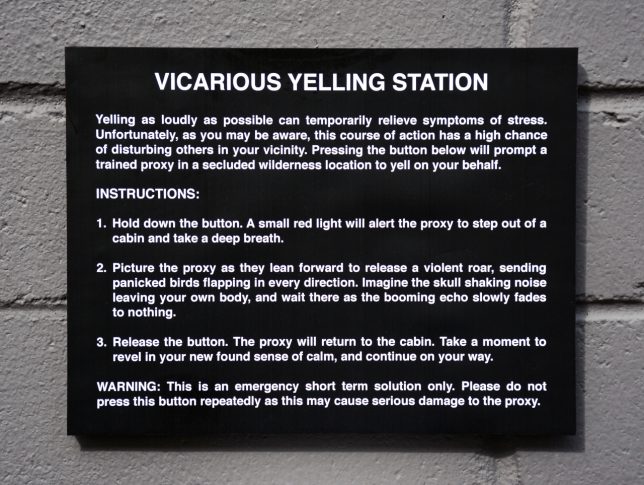
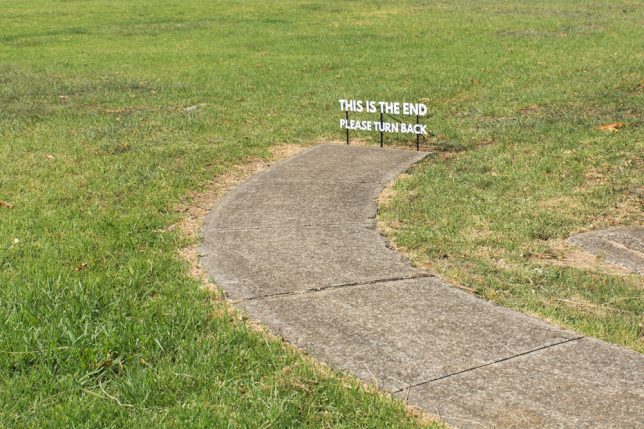
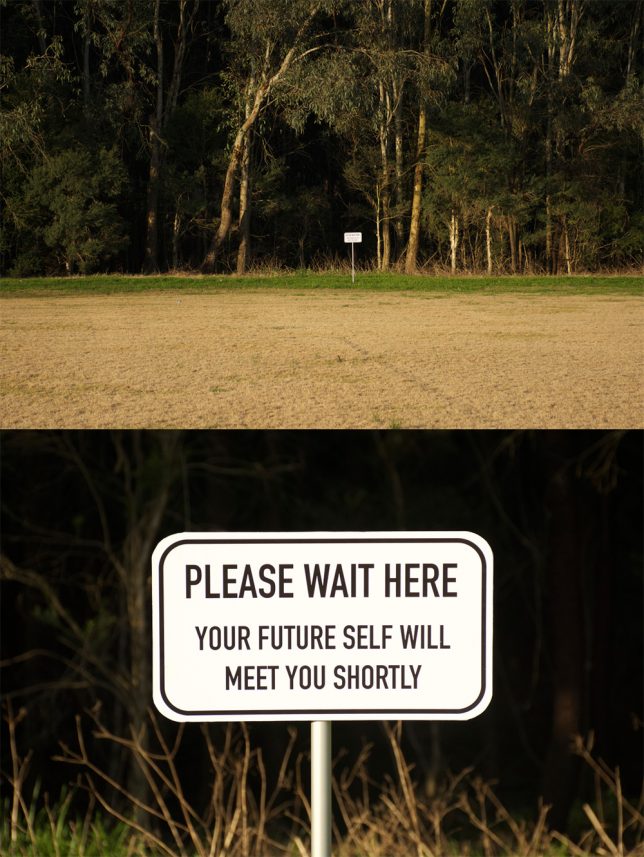
    You’re hurrying along the sidewalk on the way to work, running late and not in the greatest mood, when you see a sign in the adjacent field that simply reads “PLEASE WAIT HERE, YOUR FUTURE SELF WILL MEET YOU SHORTLY.” How does that affect your day? Little moments like these can bring some much-needed levity to the world around us, especially in dark times.

    marquez-signs-3

    guerrilla-street-signs

    guerrilla-street-signs-2

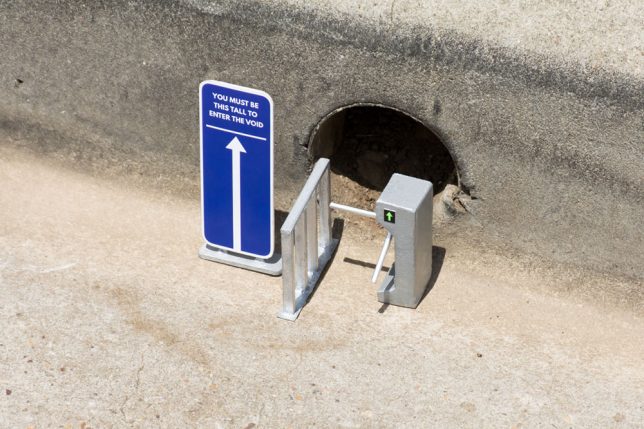
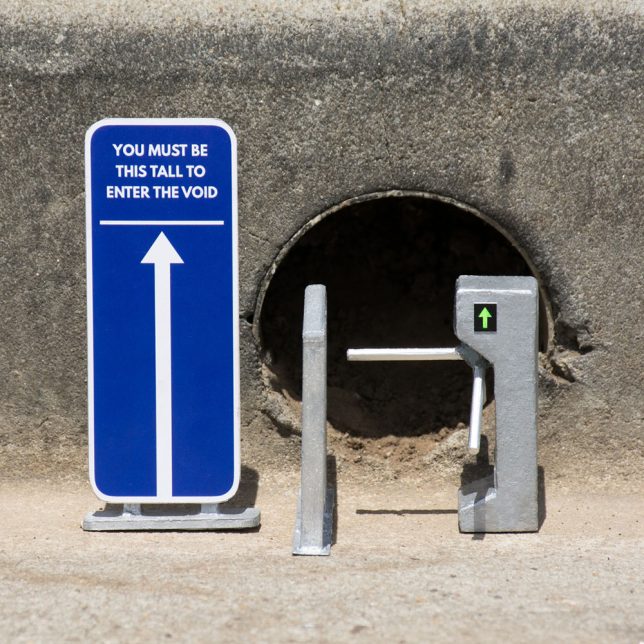
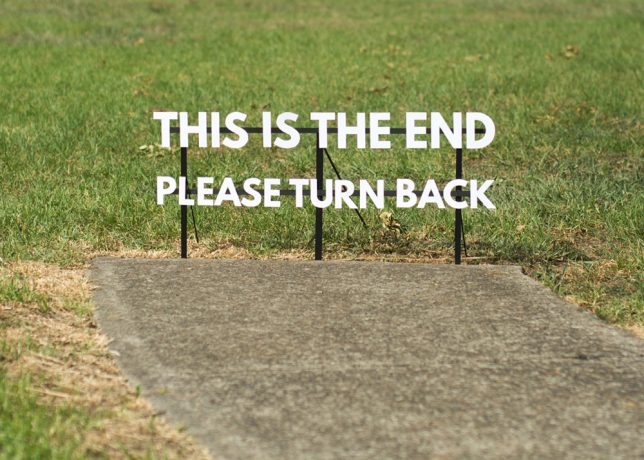
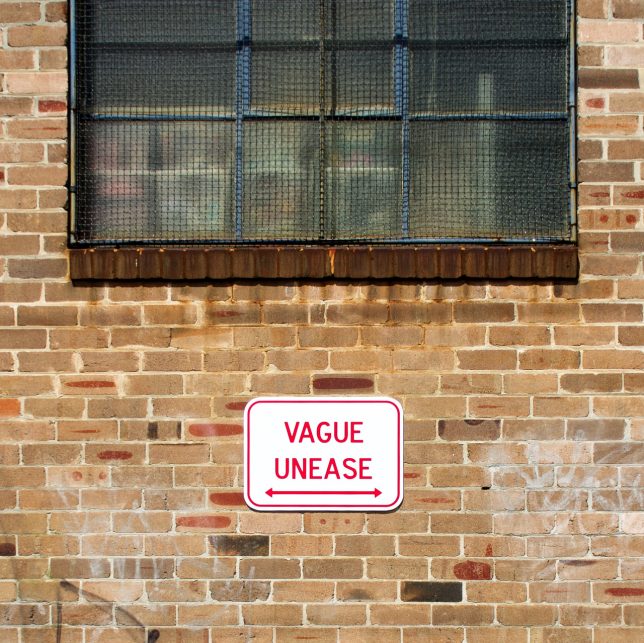
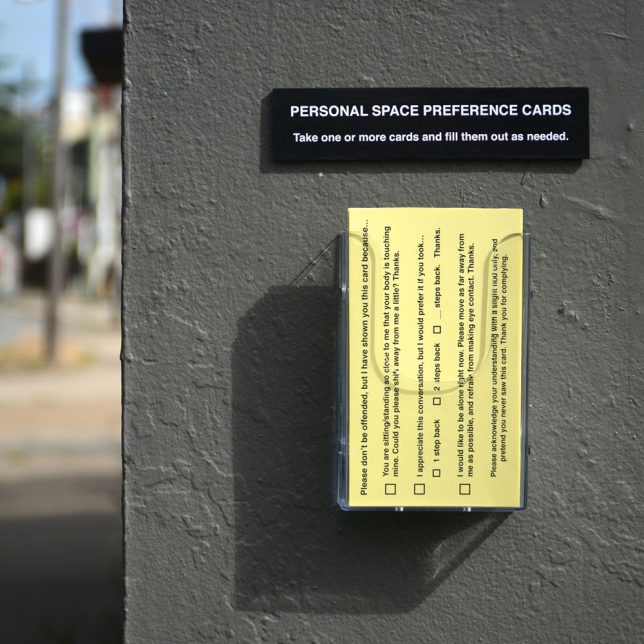
    Impeccably produced, often enticing you to push a button or take a card, these guerrilla installations look pretty legit until you stop to read what they say. They’re easy to miss, if you’re hustling too quickly and tuning out your surroundings – but if you take a moment to notice them, they might just make you smile.

    marquez-signs-1

    marquez-signs-2

    guerrilla-street-signs-6

    guerrilla-street-signs-7

    Artist Michael Pederson (aka Miguel Marquez Outside) creates these little interventions and puts them up all over his home city. Sometimes they’re site-specific, referring to things that can be found in the local environment, like a hole in the curb or a sidewalk that ends abruptly.

    guerrilla-street-signs-3

    guerrilla-street-signs-4

    guerrilla-street-signs-8

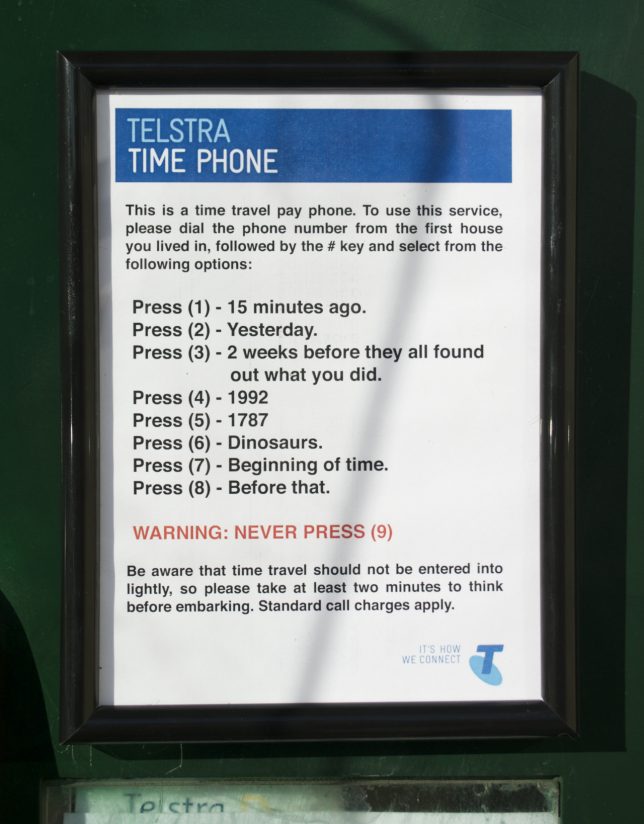
    The personal space cards would actually be pretty handy, and who wouldn’t be tempted by a time travel pay phone? Check out more of Pederson’s work at his tumblr and Instagram.

    Share on Facebook


    [ By SA Rogers in Art & Street Art & Graffiti. ]

    [ WebUrbanist | Archives | Galleries | Privacy | TOS ]


    WebUrbanist

  • 5 Tips for Capturing Everyday Moments in Your Family’s Life

    Lifestyle photography and the art of everyday photography is about documenting your daily life. This could include capturing your baby’s toothless smile, his/her first steps, the way they hold their hair or twirl their dress, first time they start to read or write, or anything that you would normally run to grab your cell phone to capture.

    While smartphone cameras have gotten to be more powerful and expensive over the years; nothing beats the quality and the depth of field you can achieve with wide apertures using your DSLR. The ability to capture raw files and process them, lens interchangeability, and being able to obtain superior images under even low light conditions, are just a few of the benefits. To add, over the decade the price for an entry level DSLR has also come down significantly. So if you own a DSLR (or a mirrorless or high-end compact camera) already, why not use it to capture everyday moments in your daily life?

    how to capture everyday moments

    Here are some tips for you to capture your everyday moments with your camera.

    #1 – Capture the details

    how to capture everyday moments

    how to capture everyday moments

    Capturing the details is about focusing on what the subject is actually doing versus photographing the entire subject which can take away from the story the image is trying to tell or convey. It could be something as simple as a kid holding a flower, or the way she touches her hair or smiles, or anything for that matter.

    how to capture everyday moments details

    Another key to creating extraordinary images out of the ordinary is to think about composition while considering the detail you are trying to capture. You may be focused on documenting and creating that memory that you can reflect upon. So compose your image such that the subject, in this case, the boy writing, creates stronger and meaningful image while helping you remember the story that occurred.

    Another example is the image below.

    how to capture everyday moments

    This was a very simple image where he wanted to show a tiny flower he got from the garden. Again, having my camera right next to me, I quickly adjusted the settings to get the shot. I also tweaked the image a bit during post-processing to accentuate the details.

    how to capture everyday moments

    Children grow up fast and the memories in images and videos of them doing little fun things, their innocence is sometimes all we have to remember and treasure of their childhood.

    #2 – Think perspective

    how to capture everyday moments perspective

    This was an ordinary everyday moment for us. Having breakfast at the table, eating his favorite snack and just enjoying his moment. I happened to think about a different angle and took this image while he stared up at me. Straight on would have been a perfectly fine image as well, but him looking up gives the viewers something different from the usual.

    Here is another image where perspective was a little different.

    how to capture everyday moments

    In this image, I found my little one sitting on the stairs and coloring away. He found that to be his comfortable spot. Using the stair rods as framing I placed my camera in between the pillars and clicked for a unique perspective. This was a very ordinary moment of a 4-year-old coloring. But having my camera on hand and using a different perspective makes this image more unique and extra special.

    Perspective can be anything. Utilizing your stairs for shooting through, or having your kid looking up at you while you click to emphasize scale are some commonly used techniques that can give an added boost to your images.

    how to capture everyday moments

    3 – Open your windows and blinds and use natural light

    When that fails, use alternate light sources.

    The biggest challenge with indoor photography is the availability of light and being able to use your camera under different lighting conditions. The quantity and quality of light change dramatically with different sky conditions. Regardless of the sky, however, try to shoot in the available natural light while keeping your subject close to the window.


    how to capture everyday moments

    how to capture everyday moments

    Also, consider the time of day while photographing your subjects. In the first image above, I had to increase my ISO to 400 while also trying to keep only certain parts of the image in focus. Something to remember is while a high ISO can help you with many scenarios, it can also produce a certain amount of grain in the images which may or may not be desirable, depending on the look you want.

    The bigger challenge with natural light is what do you do at night when there is only artificial light available? One solution is to use a flash and bounce it off the ceiling or wall depending on how much you wish to have in your image. Another way is to actually decrease the available light in your image, use interesting available light sources as a backdrop and accentuate your subject under low lighting conditions for some extra creativity.

    how to capture everyday moments

    In the image above, all the artificial lights in the room were turned off. While he was browsing his iPad, it was the only light source illuminating his face.

    In examples below, I used the lighting from the Christmas tree as my light source. I turned all the room lights off and adjusted the exposure a bit during post-processing. Another creative way to use the artificial light is to use backlighting which causes a silhouette.


    how to capture everyday moments

    how to capture everyday moments

    In other words, use natural light as much as possible. However, when artificial lighting is all you have, use it in the best possible creative way.

    #4 – Make your moments happen, don’t wait for them
    how to capture everyday moments

    how to capture everyday moments

    how to capture everyday moments

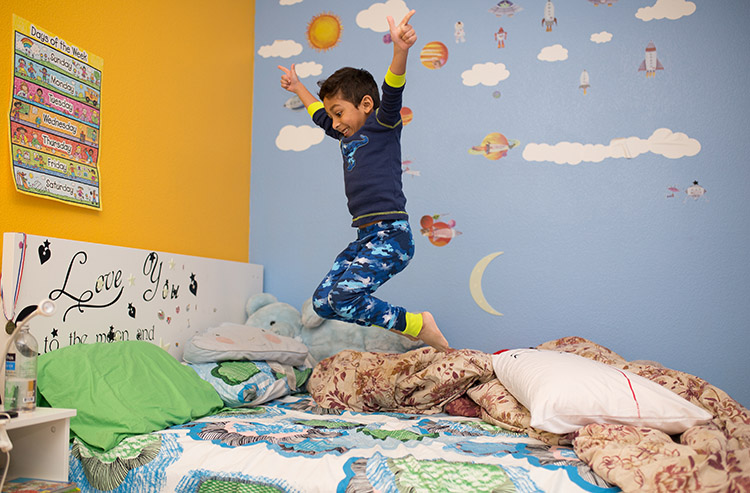
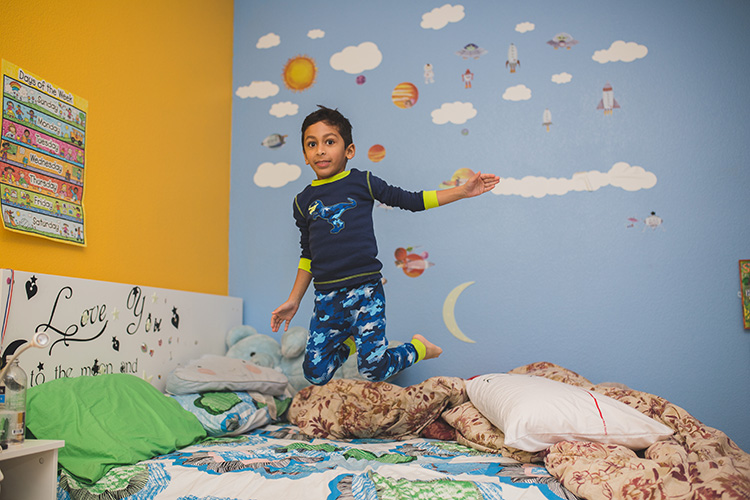
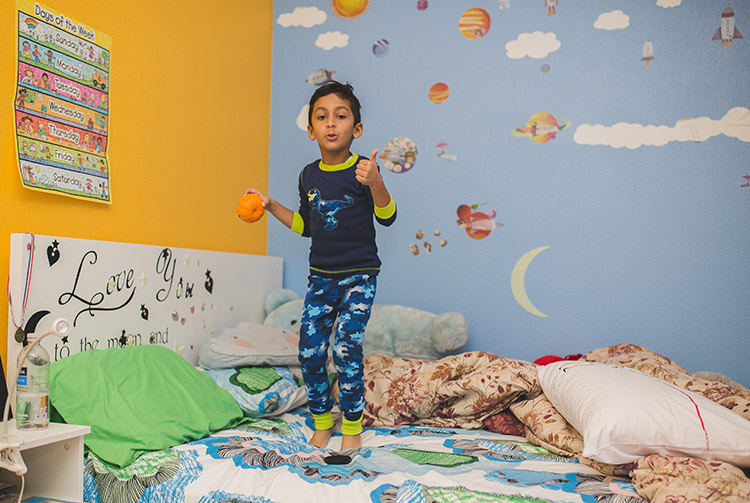
    Somedays, you just have to wait for a cute moment to happen. While other days, you have to create a scenario to make those adorable moments with your kids occur. In the images above, he just wanted to hang out in his room. I used that as an opportunity to let him jump on the bed, which he loved a lot, and I clicked away to capture the action and movement shots with a high shutter speed.

    In the image below, I really wanted a laughing happy image of my kid without him knowing I was shooting. Hence acting natural, while he really didn’t care to do either while being engrossed with his iPad. I kept repeating certain jokes he likes until I got that laughter out of him.

    how to capture everyday moments

    In other words, it is nice to have your camera nearby when a certain moment happens for you to be able to capture it right away. However, you sometimes have to create that moment or place your subject in a place or a scene in order to achieve something you want.

    #5 – Last, but not the least, carry your camera everywhere

    how to capture everyday moments

    how to capture everyday moments

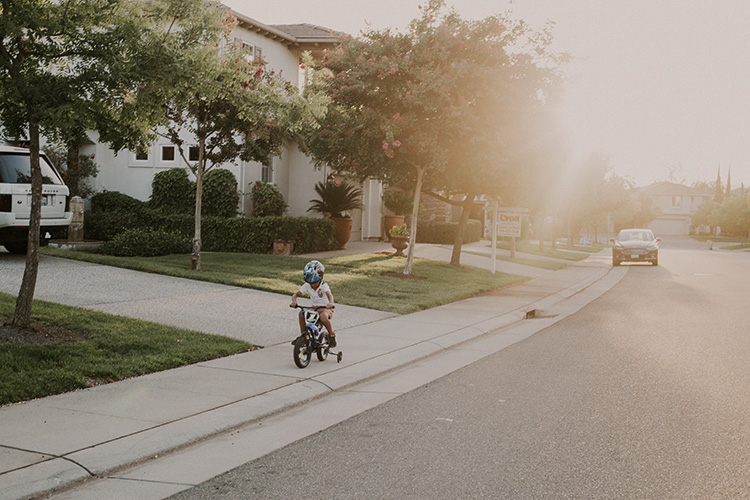
    Carrying your camera everywhere you go will ensure that you do not miss out on documenting key moments in your kids’ lives. Can you imagine carrying only your cell phone to your son’s soccer game and ending up with a blurry image?

    Documenting and creating a memory book or printing out a family album with images you created that are clean, crisp and not blurry is a special feeling of its own. Having your DSLR with you while learning the basics will help you to document key events in your own life and ensure they remain for generations to come.

    Conclusion

    In conclusion, just a few simple techniques in understanding composition, lighting, while also applying the above tips will help you create stronger images. Lifestyle photography and the art of capturing the everyday moments using your DSLR instead of your cell phone gives you an extra layer of that creative edge while still documenting moments that you usually would either way.

    googletag.cmd.push(function() {
    tablet_slots.push( googletag.defineSlot( “/1005424/_dPSv4_tab-all-article-bottom_(300×250)”, [300, 250], “pb-ad-78623” ).addService( googletag.pubads() ) ); } );

    googletag.cmd.push(function() {
    mobile_slots.push( googletag.defineSlot( “/1005424/_dPSv4_mob-all-article-bottom_(300×250)”, [300, 250], “pb-ad-78158” ).addService( googletag.pubads() ) ); } );

    The post 5 Tips for Capturing Everyday Moments in Your Family’s Life by Jyotsna Bhamidipati appeared first on Digital Photography School.


    Digital Photography School

  • Epson doubles print life with its SureColor P5000 17in printer

    Epson claims its new 17″ printer uses ink that has double the print-life of previous models and which produces a smoother, more even gloss finish. The SureColor P5000 features a choice to two 10-cartridge inksets so photographers and artists can prioritize durability while the commercial proofing market can prioritize color gamut.

    The new machine replaces the Stylus Pro 4900 and brings Epson’s latest technology to the 17″ sector. It uses the company’s PrecisionCore TFP print head and the newest UltraChrome pigment inks – HDX. These inks have blacks which are 1.5x denser than previous sets, and use orange and green inks to expand the range of colors that can be produced. Epson also says that the new print head has an ink-repellent coating that helps to prevent ink sticking to it and clogging the nozzles.

    The P5000 will accept sheet and roll media at the same time, and can be front-loaded with art board up to 1.5mm thick. A built-in rotary cutter automatically slices roll-fed images and Epson says that the printer can produce prints of up to 100 feet in length.

    The difference between the Standard Edition for photographers and the Commercial Edition for proof printers is that the Light Light Black ink that delivers the extended permanence in the Standard Edition is replaced by a violet ink that Epson claims delivers ‘an industry-best 99 percent PANTONE® PLUS FORMULA GUIDE solid-coated color matching’. Both formulations cost the same $ 1995.

    For more information see the Epson website.

    Press release

    Epson Introduces SureColor P5000 Professional 17-inch 10-Color Inkjet Printer

    Desktop Printer Offers Enhanced Performance and Reliability for Professional Photographic, Fine Art, Graphic Design, and Proofing Applications

    Epson is once again setting the benchmark for professional imaging excellence with the introduction of the new 17-Inch Epson® SureColor® P5000. Incorporating the latest imaging technologies, the SureColor P5000 resets the standard for the desktop photography, fine art, graphic design, and proofing markets. Leveraging the advanced Epson PrecisionCore® TFP® printhead and UltraChome HDX® 10-color pigment ink set, the SureColor P5000 delivers outstanding output with an increased color gamut, higher-density blacks and twice the print permanence than the previous generation. A refined printer design includes improved dust and static control for reduced maintenance and increased durability and reliability.

    “The SureColor P5000 is a replacement to the last Epson Stylus® Pro model still available – the renowned Epson Stylus Pro 4900. The Epson Stylus Pro brand was iconic, and it helped Epson build a pronounced reputation within the photography industry. We have since announced the SureColor product line, which is bringing Epson’s photographic technology to the next level,” said Larry Kaufman, product manager, Professional Imaging, Epson America, Inc. “The SureColor P5000 brings all of the SureColor printing technology into a 17-inch desktop model, providing photographers and graphic designers with the best imaging technology has to offer.”
    The SureColor P5000 leverages 200 mL UltraChrome HDX 10-color ink cartridges2 utilizing newly developed core pigments, including new Orange and Green inks, as well as Black inks that are 1.5 times denser than the previous generation, delivering a wider contrast ratio and improved resin encapsulation technology for superior gloss uniformity and optically clearer, sharper images. Touting a refined design, the SureColor P5000 supports a 10-channel PrecisionCore TFP printhead that includes a new ink-repellant surface coating, along with improved dust and static control for reduced nozzle clogging and maintenance, and supports printless nozzle checks for time, production and resource efficiency.

    The SureColor P5000 can support two different ink configurations. The SureColor P5000 Standard and Designer editions leverage Light Light Black ink for twice the overall print permanence, smooth and neutral tonal transitions and support of the Epson Advanced Black and White print mode, ideal for photography, fine art and graphic design applications. The Commercial Edition includes Violet ink, in place of Light Light Black, for an expanded color gamut, to deliver an industry-best 99 percent PANTONE® PLUS FORMULA GUIDE solid-coated color matching3, ideal for commercial and flexographic proofing applications.

    The SureColor P5000 offers versatile media handling capabilities with auto-switching between the high-capacity front paper cassette and roll media feeder. It includes a power-driven roll media spindle, ideal for producing panoramas and roll printing up to 100-feet, and an internal high-speed single pass rotary cutter. The high-capacity cassette can hold up to 100 sheets of premium paper for high productivity printing on sheets from 8”x10” up to 17”x22”. In addition, the SureColor P5000 features a front feed straight path for delicate fine art sheet media, including poster board, up to 1.5mm thick. Auto-switching between roll and cassette sheet feeding allow both sources to be loaded at the same time.

    Additional Epson SureColor P5000 Features: 

    • Exceptional Print Permanence – Offers next-generation pigment ink technology for up to twice the overall print permanence than previous generation1
    • Remarkable Detail – Epson PrecisionCore TFP printhead delivers high print speeds with 360 nozzles per color channel, with variable-size ink droplets as small as 3.5 picoliters
    • Epson Precision Dot Screening Algorithm – Ensures incredibly accurate control of the sizing and mixing of ink droplets for beautiful prints
    • Borderless Printing – Four-sided BorderFree® printing is available at common widths, including 8”, 10”, 11”, 13”, 14”, 16”, 16.5”, and 17”
    • Optional SpectroProofer® UVS – Developed jointly with X-Rite, the in-line spectrophotometer provides automated color management and verification-related tasks for a range of proofing applications. It supports all current illumination standards for UV and UV-Cut measurement and is UV selectable between M0, M1 and M2.
    • LCD Control Panel – Full-color 2.7-inch LCD panel allows for easy setup, control and maintenance of the printer

    SureColor P5000 Standard Edition
    UltraChrome HDX with Light Light Black – $ 1,995

    SureColor P5000 Commercial Edition
    UltraChrome HDX with all-new Violet – $ 1,995

    SureColor P5000 Designer Edition
    Standard Edition with EFI® Fiery® eXpress 4.6.1 for Epson, software RIP with true Adobe® PostScript® 3™ for accurate CMYK and spot color printing – $ 2,495

    Articles: Digital Photography Review (dpreview.com)