Last week saw a slew of new Android and Windows Phone devices launched at IFA in Berlin, and today it was Apple’s turn. The company has announced two new smartphones – the iPhone 6 and iPhone 6 ‘Plus’ which feature new 8MP imaging sensors with phase-detection autofocus and (in the case of the iPhone 6 Plus) optical image stabilization. Read more at our sister site, connect.dpreview.com
Tag: larger
-
Larger Than Life: 10 Monuments Honoring Nelson Mandela
[ By Steve in Global & Travel & Places. ]
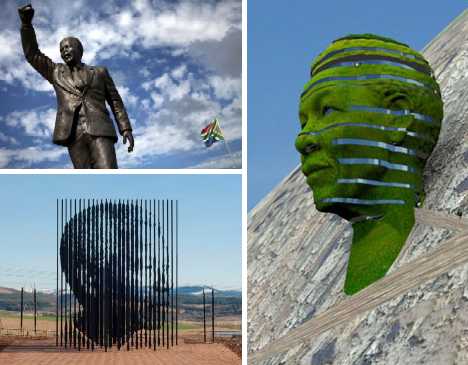
Though Nelson Mandela’s passing will spur the creation of memorials worldwide, a number of larger-than-life tributes are already extant or planned.Nelson Mandela Capture Monument
 (images via: Lemay Online)
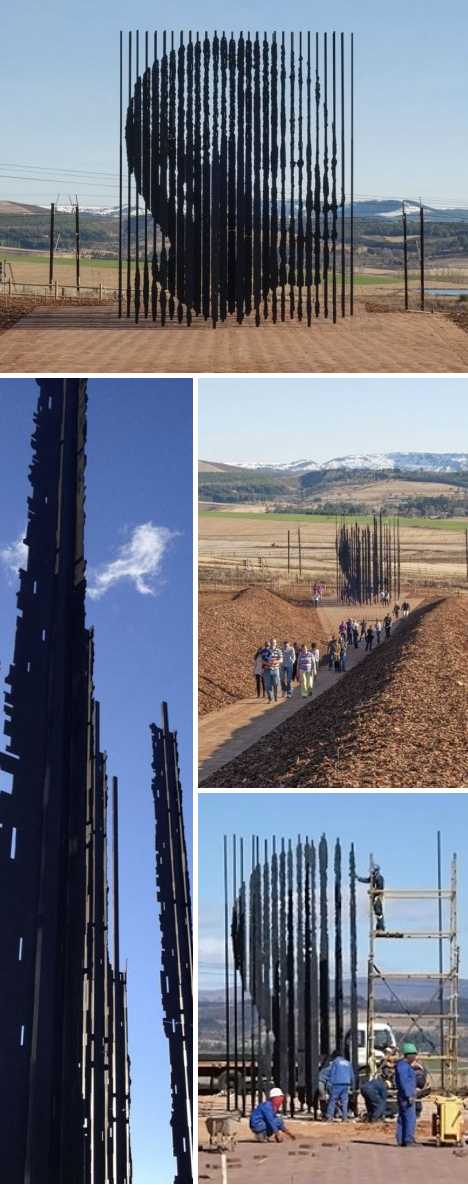
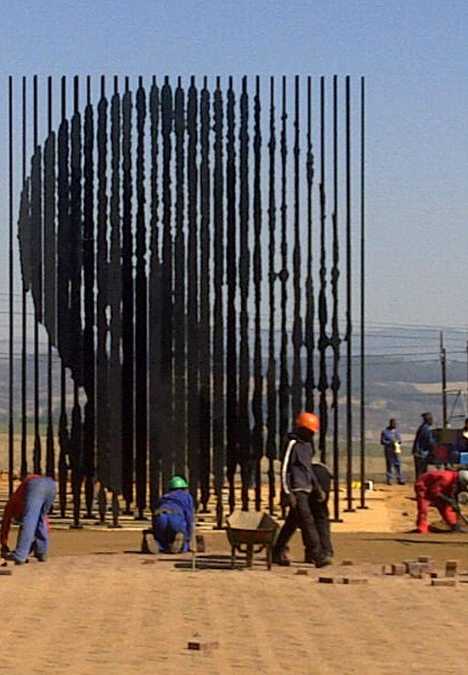
The Nelson Mandela Sculpture in Howick KwaZulu-Natal was inaugurated and unveiled by South African President Jacob Zuma on August 4th, 2012. Artist Marco Cianfanelli was commissioned to create the sculpture in time for the 50th anniversary of Mandela’s capture by police in 1962, after which he was imprisoned for 27 years.
 (image via: Lemay Online)
The sculpture comprises 50 metal columns ranging in height from 5 to 10 meters (16 to 33 ft). Visitors can only discern the portrait of Mandela at a point 35 meters (115 ft) away from the front of the sculpture, signifying the fact that Mandela, dubbed “The Black Pimpernel”, was able to elude authorities for 17 months after his arrest was ordered.
Boxing Mandela Statue
 (images via: National Geographic and Howzit MSN News)
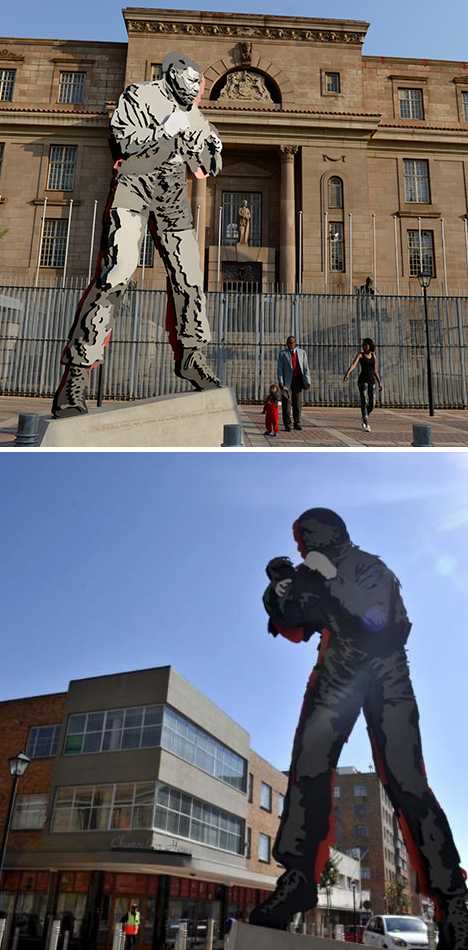
In June of 2013, a strikingly styled statue of Nelson Mandela was unveiled and unlike other Mandela statues on display around the world, this one depicts the famed freedom fighter as, well, a different sort of fighter. Situated in front of the Magistrate’s Courts in Johannesburg, the 5 meter (16.5 ft) tall steel statue by Marco Cianfanelli depicts Mandela in his younger days when he was known mainly for his skills in the boxing ring.
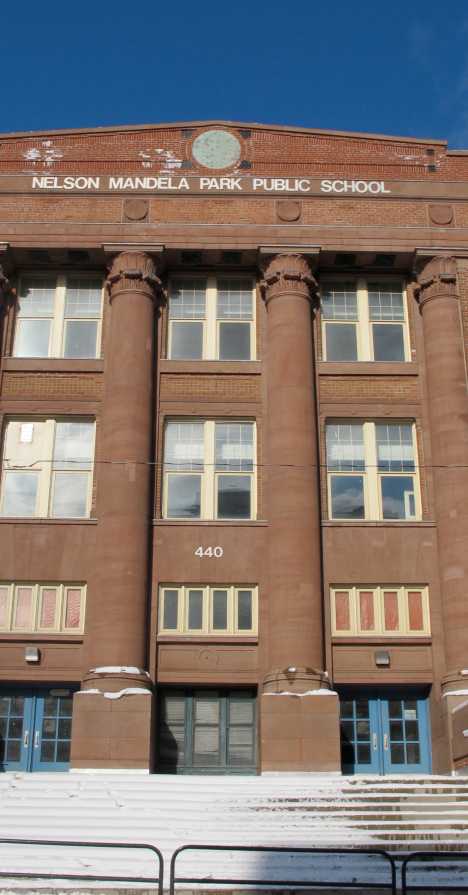
Nelson Mandela Park Public School, Toronto
 (image via: Edwards13)
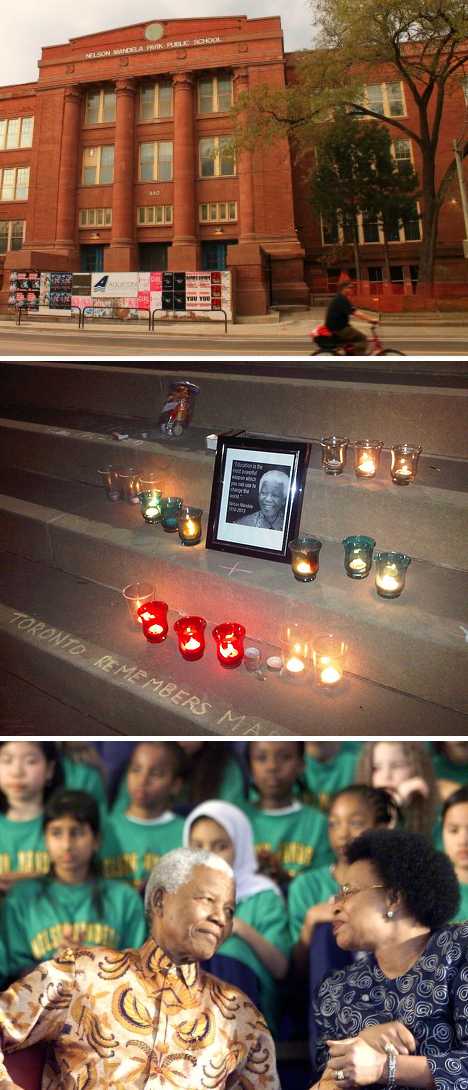
Built in 1917, Toronto’s Park Public School underwent a multimillion dollar renovation that included the school’s name being changed to Nelson Mandela Park Public School. Much of the structure’s imposing architectural elements and Beaux Arts detailing both inside and out were retained in the renovation while students learn the reasons why their school, located so far from South Africa, was named for someone whose fame knows no national boundaries.
 (images via: Toronto Star, HiMY SYeD and CBC.ca)
Located in in downtown Toronto’s Regent Park neighborhood, the school’s official renaming ceremony on November 17th of 2001 was attended by none other than Nelson Mandela himself. Mandela took time out from his third trip to Canada (during which he accepted honorable Canadian citizenship) to visit the school named for him and spend time with some of the students.
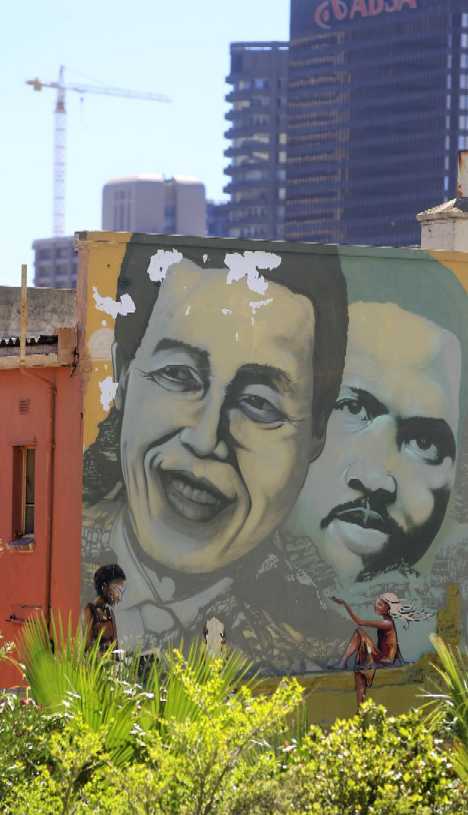
Mandela & Biko Mural
 (image via: Hot 106.5FM)
The epithet “man of the people” suits the late Nelson Mandela more than most who’ve been casually dubbed as such, and his accomplishments are perhaps greatest treasured by the lowest levels of South African society. Here in one of Cape Town’s rougher neighborhoods, a well-worn mural depicts anti-apartheid freedom fighter Steve Biko alongside a younger Mandela.
Next Page – Click Below to Read More:
Larger Than Life 10 Monuments Honoring Nelson Mandela
Want More? Click for Great Related Content on WebUrbanist:
Larger than Life: 10 Giant Portraits, Murals & Sculptures
Whether for effect or out of necessity because of the size of the canvas, here are 10 of the most interesting and mind bogglingly large portraits:
Click Here to Read More »»
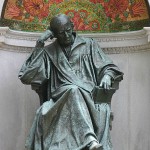
Men of Science: 10 Historic Monuments to Great Geeks
Here are ten monuments dedicated to remarkable men of science that have changed our lives, sometimes in ways we take for granted.
Click Here to Read More »»
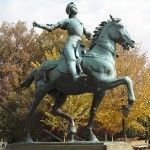
12 Monuments & Memorials Dedicated to Amazing Women
From around the world here are some of the most interesting monuments dedicated to amazing women of history.
Click Here to Read More »»


[ By Steve in Global & Travel & Places. ]
[ WebUrbanist | Archives | Galleries | Privacy | TOS ]
-
Stitching Images For Larger Prints
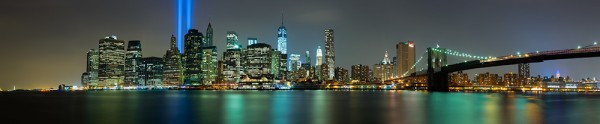
For this image I decided I wanted to cover all of Lower Manhattan from the Statue of Liberty (far left) to the Empire State Building (far right, under the Brooklyn Bride, colored red, white and blue. I was using a Canon EOS 5D Mark III. My EF 24-70 f/2.8L II at 70mm covered the skyline and water with some sky vertically, so I positioned the camera vertically and proceeded to take 9 shots, moving the camera by turning the tripod head on it’s rotating base. I overlapped portions of each frame so Photoshop would have a point of reference when stitching. Each of the nine exposures was taken at ISO 200, 90 seconds, at f/16. If printed at it’s native resolution at 300 dpi, it would measure 18.39 inches by 88.25 inches. My photo lab maxes out at 108″, which it says it can print this image to.
Several months ago I was asked by a potential client if I had any images that were capable of being printed very large- up to 20 feet across! It pained me to explain that, no, based on my camera’s resolution, I did not have any images capable of being printed that large. I had never gotten into doing many stitched panoramas or other prints, and couldn’t afford a Gigapan or other panorama photography tool. For the most part, I’d had no call for it in my daily business. Generally, when shooting landscapes, I think in terms of one frame, and fill it with my composition. This has worked well for the most part, as long as I didn’t want to print much larger than around 48″ inches across. Suddenly, however, I had a desire to go much larger.
This past week in the United States, we commemorated the 12th anniversary of the September 11th terrorist attacks. Every year New York City remembers the victims with a tribute in light- two columns of light representing the fallen towers of the World Trade Center. It seemed a perfect opportunity to start playing with panoramics, especially since one of the images the aforementioned client wanted was a skyline shot of New York City.
The general rule of thumb for printing on standard inkjet printers is to print at 300 dpi. To find out how large you can print an image, simply take the pixel dimensions and divide by 300. From a camera such as the EOS 5D Mark III, that means an image of 5760 x 3840 pixels can be printed at about 12.8 inches by 19.2 inches. It is true, using various resizing techniques you can print larger. I have on many occasions. But to get to the extreme sizes beyond approximately 48″, you’ll need to start combining images by stitching them together.
There are currently a few automated panoramic photo options on the market, including Gigapan’s and Panogear’s. Both can be somewhat pricey. But just because you don’t have these nice accessories does not mean you can’t make stunning panoramic images. A tripod is helpful, but not completely necessary if you can handhold the shutter speed your camera is set to. A tripod is helpful for locking your camera in place from shot to shot. The reason a tripod is helpful is that if your tripod head has markings for panoramics on the base, you can use these for reference when repositioning the camera for each shot. More on that in a bit. Another helpful tool is an L bracket. This will help you position your camera vertically if desired to shoot verticals to stitch the final piece. L brackets can be purchased from several manufacturers and are usually camera-specific. Acratech makes a universal L bracket with a quick release that any camera can attach to using an Arca-Swiss style plate.
You’ll want to start by defining your image in your mind. Where does it start, where does it end? Then, how far up does the image go, and how far down? can you cover the up and down with one vertical? Or would you be better off shooting two rows of images. Or more? Keep in mind when planning that you’ll want to shoot with some extra area around the image to leave room for cropping if needed. You’ll also want to make sure you leave some overlap in each shot so the stitching software can find a point of reference to see where the next shot goes. I used Photoshop for these, but there are other programs out there. Feel free to suggest your favorite in the comments below.
For the first image in this article, I wanted to shoot the Lower Manhattan skyline, from the Statue of Liberty to the Empire State Building. I had a 24-70mm lens, and at 70mm I covered exactly what I wanted, from top to bottom, with a vertical shot. I took 9 shots in that orientation, while rotating the tripod head incrementally until I got my last shot.
For the second shot in this article, there was a more prominent foreground element, the pilings from the old pier. I decided to do this one in a horizontal orientation, using two rows of three shots. This was again taken using the 24-70mm lens, at 70mm. I shot this one starting at the far right, shooting in columns- upper right, lower right, lower center, upper center, upper left, lower left. I used the playback feature on the camera to check my reference points. Again I stitched it using Photoshop’s Photomerge feature.
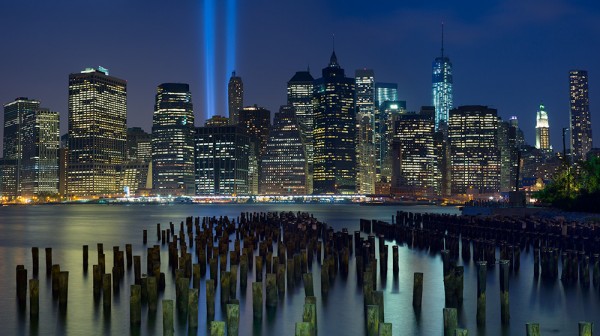
This shot was six horizontal shots stitched together. Because of the overlap, the 3 shots across and 2 up and down will not add up to the full resolution of the individual images simply put together. This image came together at 10,531 pixels by 5904 pixels. At 300 DPI the file can be printed at 19.68 inches by 35.1 inches. My lab, however, tells me they can print this image up to 8 feet wide. They are not using inkjet printers and thus are not subject to the same parameters. The same still holds true however. The larger the file, the larger it can be printed.
I have not yet heard anyone say that any photo stitching program is perfect. There will be errors in stitching. A misplaced post, a skewed building. To correct these, I simply opened the source file and added it to the stitched file on a new layer. Then I created a layer mask to show only the area I wanted shown, which would correct the issue.
For your exposure, you’ll need to be in manual mode. You need the exposure to be uniform across the image. If you leave your camera in any auto mode where the camera helps set the exposure, you run the risk of your exposures varying. For the first image in this article, my exposure was 90 seconds at f/16, ISO 200 for each image. This is important, particularly when photographing the area around the statue of liberty which had huge dark areas. In auto mode, the camera will try to brighten these areas, which will cause problems when the stitching if the skies or water don’t match from shot to shot. In the interest of full disclosure, I made this mistake myself with the second image, the six-shot stitch. I shot in aperture priority and there was a variation of plus or minus 2/3 of a stop from shot to shot. This caused all kinds of headaches in my first attempt at stitching. I was able to correct this by reproccessing the RAW files with an exposure adjustment to match the exposures. In addition, if your camera has a feature for vignette correction, such as Canon’s Peripheral Illumination Correction, turn it on. This will even out the exposure so there are no dark areas in the corners, which can be difficult to correct later on.
I’ve toyed with stitching panoramics before, but never seriously. This is one of my first attempts at a serious pano. It’s well worth exploring more in the future. I might even start saving for a new piece of equipment just for that purpose!
Post originally from: Digital Photography Tips.
Check out our more Photography Tips at Photography Tips for Beginners, Portrait Photography Tips and Wedding Photography Tips.
Stitching Images For Larger Prints
-
Sensor size is what matters and the trend is for larger, says Aptina

Consumers need to think about sensor size rather than pixel count, says Aptina’s Sandor Barna, because larger image sensors are likely to appear in all types of devices. Barna, the Vice President and General Manager of sensor maker Aptina’s Consumer Camera Business Unit, spoke to us about the challenges facing compact cameras, the niche that will continue to exist for them, and hints that more large sensor compacts are on their way.
-
Pentax announces Q7 with larger 12MP BSI CMOS sensor

Pentax Ricoh has announced the Q7 – its latest Q-mount camera and the first to feature a larger, 1/1.7″ type sensor. The 7.44 x 5.58mm, 12MP BSI CMOS sensor is the same size as the one used in many enthusiast compacts, with the company claiming a 60% improvement in S/N ratio over the existing Q10. This improvement also allows the camera to focus faster in low light. The Q7 will cost around $ 500 with the ’02’ 5-15mm zoom lens and can be custom-ordered in any of 120 color combinations. The company has also introduced a body-cap ‘Mount Shield’ lens for the Q system – the 11.5mm F9 lens will cost around $ 80.
-
Eye-Fi gets larger and faster with 16GB Class 10 Wi-Fi SD card

Eye-Fi has launched the Pro X2 16GB, its largest Wi-Fi SD card, and its fastest yet. The Pro X2 retains all the existing capabilities of the existing 8GB version, including upload to a smartphone, direct connection to a Wi-Fi network, auto backup and Raw file transfer. Despite the capacity and speed hike (the previous version was rated as Class 6), the Eye-Fi Pro X2 16GB retains the recommended selling price of $ 99.99, with existing models having $ 20 knocked off their prices. Customers in Australia and Japan will be next to receive the card.
-
Instagram v2.0 offers faster processing, larger images and more options
 Instagram has updated its popular free image processing and sharing app to version 2.0, adding an revised interface and more features. Instagram v2.0 includes an improved user interface, faster image processing and the ability to save its processed images at higher resolution. The app still only shares low-res versions of files but allows you to save full resolution versions to your ‘phone (10x larger in the case of the iPhone 4). The latest version also adds four more processing filters and the option to add or remove borders from the existing ones.
News: Digital Photography Review (dpreview.com)