The LED flash units in smartphones are usually poor performers compared to the Xenon flashes in dedicated cameras or even external flashguns. If you feel your iPhone photography has been held back by your Apple device’s underpowered LED light, Tric’s new Kickstarter project might just be what you’ve been waiting for. The team behind Tric is looking to fund the final development and mass production of a wireless trigger unit for the iPhone. Read more
Tag: iphone
-
Priime, The Best iPhone Photo Editor I’ve Ever Used
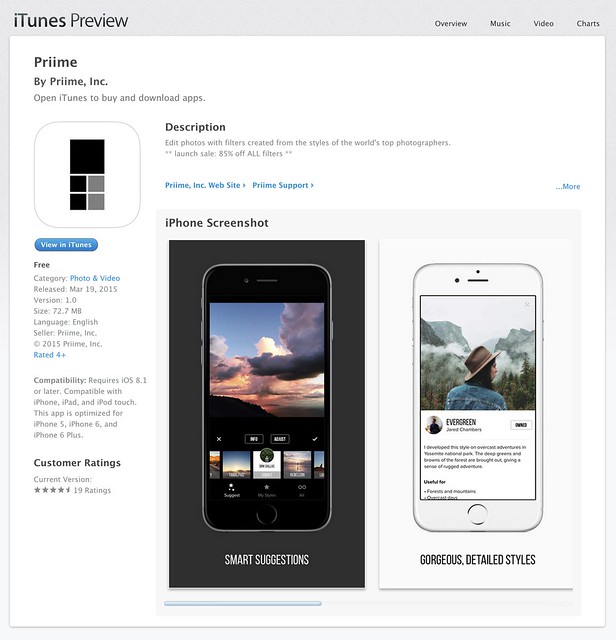
Disclosure, I am an advisor to Priime and have styles included in their style marketplace.
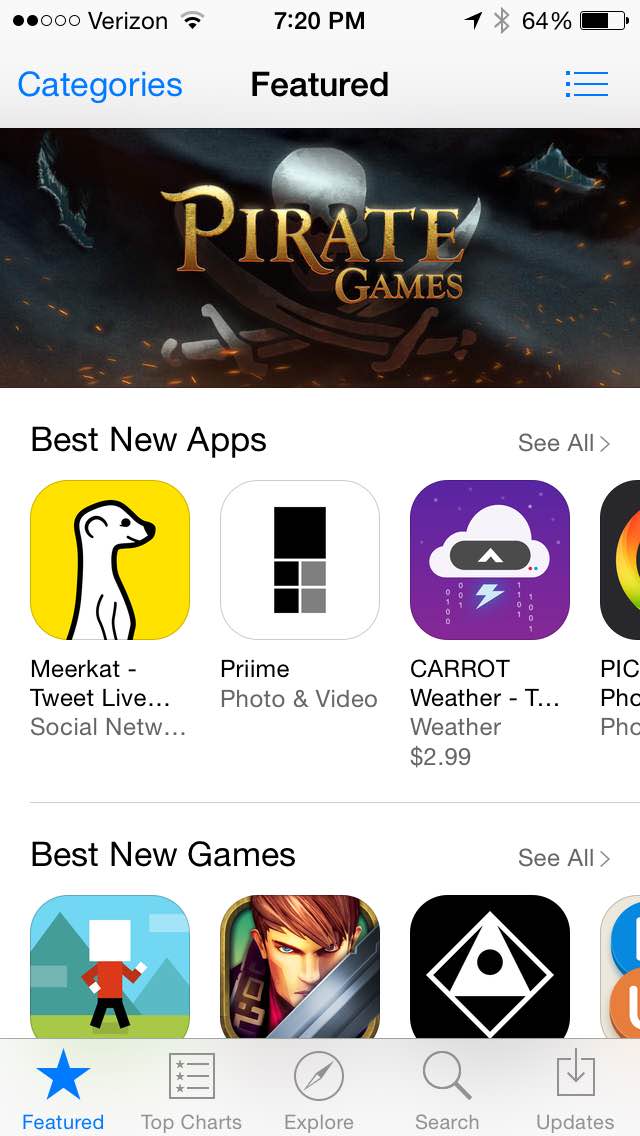
Boom. Just a few hours ago Priime went live in the Apple iTunes App Store and already on launch day Apple is featuring it in their best new apps section.
What is Priime?
Priime is the best mobile phone editor I’ve ever used. I’ve been using it behind the scenes for the past few months and am blown away by how much better it is than anything else out for mobile editing today. The free app features a powerful suite of editing tools allowing you to enhance a lot of the basics around your photos: brightness, structure, contrast, warmth, tint, saturation, sharpness, highlights/shadows, vignette and fade. The app can also save photos up to 50 megapixel in size! I don’t know of any other app that can let you output such high res photos.
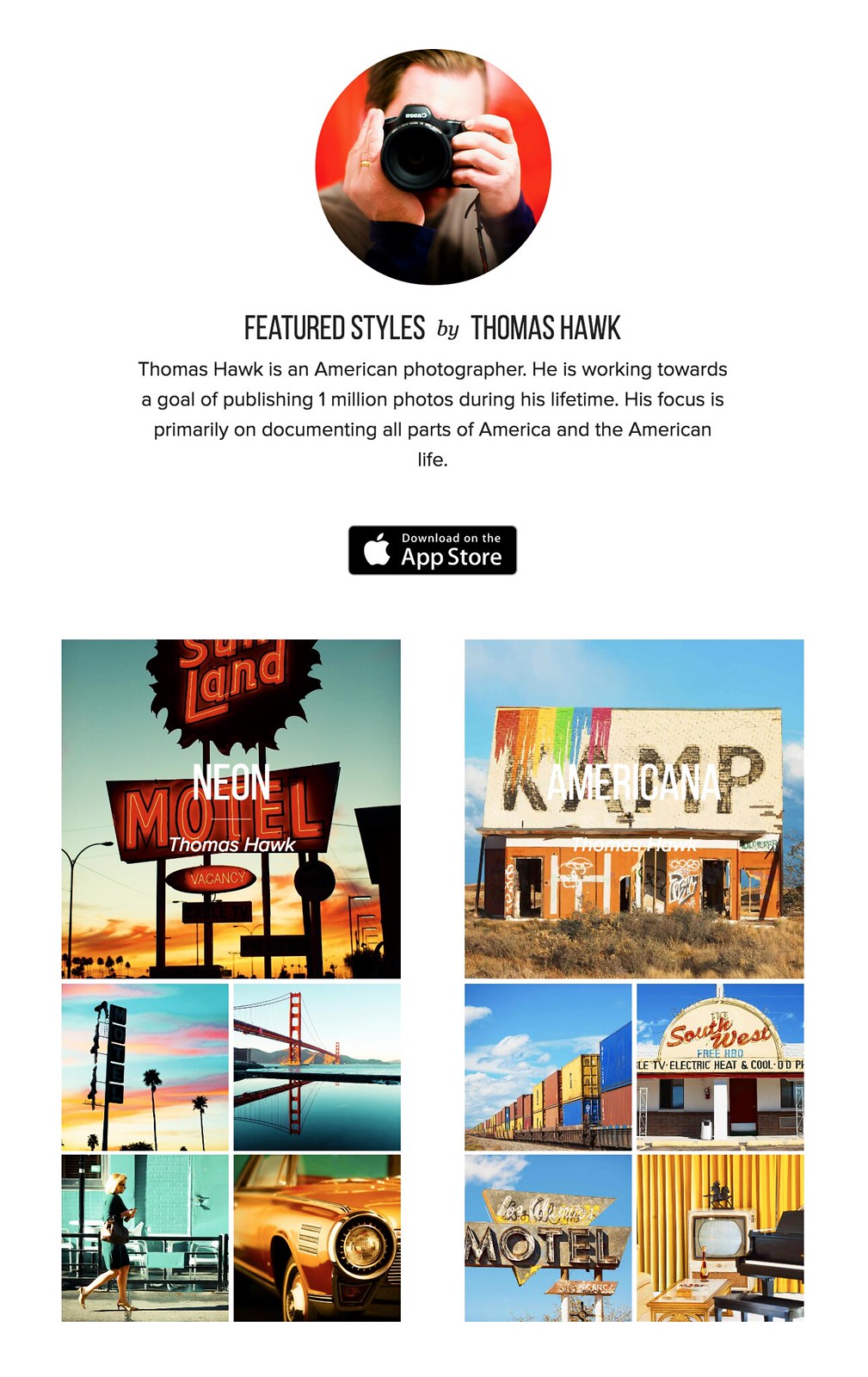
In addition to these tools, Priime has currated some of the best mobile photo styles available. These are styles developed by photographers for photographers. I have two styles for sale in the Priime marketplace — Americana and Neon. Neon can be a particularly tricky thing to shoot sometimes. I’ve taken over 10,000 photos of neon signs and this is my best attempt at an overlay that works especially well for signs.
The app gives you some great free starter styles. It will also make suggestions for what styles may work best with your photo after analyzing it.
In addition to my styles, Priime features styles developed by 30 other insanely talented photographers, each with their own unique way of processing the world through their iPhone.
Daniel Krieger, who shoots for the NY Times, is probably the best working food photographer in the world right now. If you are going to take photos of food, you are definitely going to want to get his filter. Vivienne Gucwa just put out a fantastic book of New York City photographs and has some amazing styles as well.
There is no Android version yet (it is on the roadmap), but the app is compatible with iPhone, iPad, and iPod touch.
One of the things that I think makes Priime different from other photo editing apps is that it was actually developed by photographers. I have known Art Chang for several years. We went and shot Death Valley with a bunch of Google+ photographers 4 years ago. He’s an amazing photographer and has especially done cool things with mobile. His Instagram stream is here. Art has a love for photography that I think gives the app a unique photographer driven perspective and street cred. Art’s co-founders are also all photographers — Loren Baxter, Andrew Ng and Joe Pestro.
Priime is sharing the revenue for their styles with the photographers who have developed them. I think that is a really cool thing. I can’t wait to see what other photographers are added as time goes on.
Anyways, check out Priime in the iPhone App Store. Here is a direct link to the app here. I’d love to hear what you think of it. Remember it’s Priime with two ii’s.

-
Mophie… the Best thing to happen to the iPhone since the iPhone
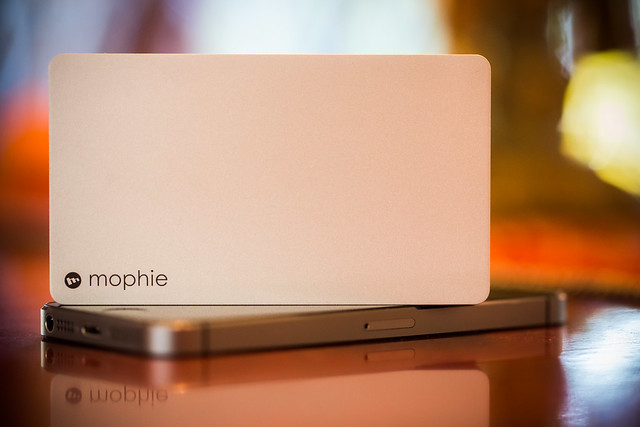
I’m a huge fan of Mophie. I started using the juice pack plus about a year and a half ago and since using it have never once ran out of battery power on my iPhone 5s. Even using it during a long day out shooting, somehow the I always end up making it through an entire day of heavy use. The great thing about the juice pack plus is that it is also a case for your iPhone. I’ve dropped my iPhone a few times and was happy that I had my juice pack plus on it to help protect it.
Last week Mophie sent me one of their new powerstation plus charging units. You connect this device up to any USB port and it holds up to 2 full charges for your iPhone. It’s super small and lightweight and is another perfect complement to my iPhone. Even though I’m not worried about running out of power with my juice pack plus case on, it will be convenient to have this unit around in case my friends (right Mr. Mingus?) run out of juice on their phone while hanging out with them.
It will also be a convenient thing to have around if I’m too lazy to go plug my phone into the regular wall charger. I will keep this new Mophie powerstation plus in my photo backpack and take it with me everywhere I go.
Like a lot of places, Mophie is having a black Friday 40% off sale today. Use the code POWER. If you’ve been waiting to pick up a Mophie, today’s the day.
Thanks Mophie, you guys rock!
-
App Review: Bluristic für iPhone
Die iPhone-App „Bluristic“ verspricht echte Langzeitbelichtungen für experimentelle Fotografie mit dem iPhone. Doch wie gut funktioniert das Konzept wirklich? Ich habe die App auf Herz und Nieren getestet.
Konzept
Der grundsätzliche Ansatz von Bluristic ist nicht nur sehr gut, sondern tatsächlich einmalig unter den vielen Foto-Apps im Store: Die App macht Langzeitbelichtungen und trackt dabei die fokussierten Subjekte, sodass durch Bewegung des Smartphones oder des Subjekts Wisch- und Mitziehereffekte auf dem Hintergrund erzeugt werden.
Bluristic setzt dabei nicht auf einen Filter, det nachträglich einen Effekt auf das Bild setzt, sondern nutzt einen Umweg, um echte Langzeitbelichtung zu ermöglichen: Über die Video-Funktion des iPhones werden je nach Belichtungszeit sehr viele Bilder hintereinander aufgenommen, sodass man am Ende ein kombiniertes Bild aus sehr vielen Einzelbildern erhält.
Endlich kann man, so zumindest die Theorie, auch mit dem iPhone ein bisschen experimentellere Fotografie betreiben, die nicht nur durch Nachbearbeitung glänzt.

Foto eines statischen Objekts mit Bluristic, farblich nachbearbeitet in Photoshop
Design
Die designtechnische Ausarbeitung von Bluristic muss im negativen Sinne als „rudimentär“ beschrieben werden: Abgesehen davon, dass es in der App lediglich einen Landscape-Modus mit einigen wenigen und sehr einfachen Icons gibt, nutzt Bluristic auch generell nur wenige Gestaltungselemente, die zum einen Teil mit Apple-eigenen Standard-Tables und -Tabellen abgebildet werden, zum anderen Teil mit recht amateurhaften Grafiken daherkommen.
Eigene Akzente in Sachen Design setzt Bluristic kaum, wenn überhaupt, dann fällt nur das sehr markante App-Icon und der dazu passenden Start-Screen positiv auf. Auch der Sound ist nicht gerade sonderlich vertrauenserweckend: Ein ansteigendes Surren verkündet den Verlauf einer Aufnahme, der umgekehrte Ton beendet sie. Mit bekannteren Foto-Apps hat das alles nur sehr wenig zu tun.
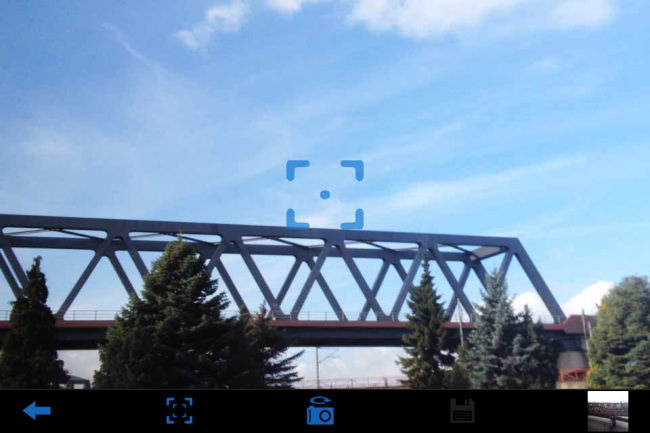
In Sachen Design ist auf allen Ebenen dringend Nachbesserung gefragt: Momentan hat Bluristic nur wenig Wiedererkennungswert und wirkt stellenweise wie eine unprofessionell zusammengeschusterte Bastler-App.
Usability/UX
Die gute Nachricht ist: Bluristic ist nicht so schwer zu bedienen, wie man es zu Beginn vermuten mag. Die schlechte Nachricht ist: So leicht allerdings auch nicht. Die Bilder werden gemacht, indem man im Aufnahmemodus den Bildschirm berührt, gedrückt hält und die Kamera dabei bewegt.
Die Schwierigkeit dabei ist es, einen roten Punkt auf dem Screen innerhalb eines Quadrats zu behalten, der wie eine Wasserwaage das getrackte Subjekt fixiert. Anders ausgedrückt: Wenn man das iPhone während der Aufnahme zu stark bewegt und rotiert, dann verliert die App auch das Subjekt, das man eigentlich fotografieren will und man bekommt ein vollständig verwaschenes Bild.

Foto eines sich bewegenden Objekts, farblich nachbearbeitet in Photoshop
Für Einsteiger gibt es dazu ein kleines Tutorial beim ersten Einstieg in die App, sonst hat Bluristic lediglich ein paar Einstellungsmöglichkeite und eine sehr abgespeckte interne Galerie für die Aufnahmen. Insgesamt kann man sagen, dass Bluristic nach einiger Einarbeitungszeit durchaus schnell zu bedienen ist. Richtig Freude mag bei der Nutzung aber nicht aufkommen, dafür wirkt die App insgesamt zu unfertig.
So muss etwa irritierenderweise vor jeder Aufnahme ein Play-Button gedrückt werden, selbst wenn man sich bereits auf dem „Capture“-Tab befindet und die Bilder können nur in einer recht kleinen Auflösung exportiert werden, beides höchstwahrscheinlich ein Resultat dessen, dass man technisch betrachtet bei der Aufnahme ein Video dreht.
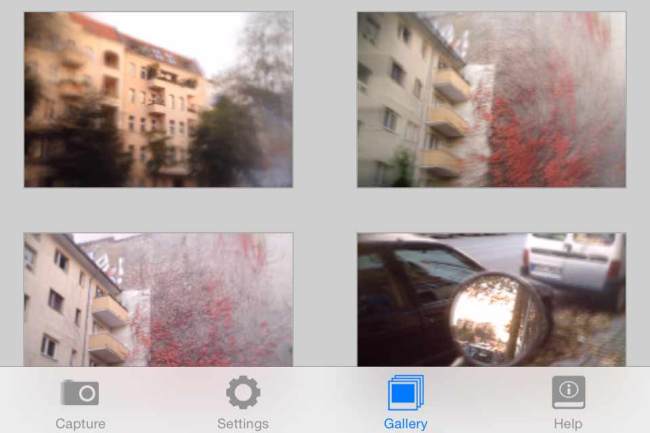
Die Galerie-Ansicht. Viel mehr gibt es in der App auch nicht zu sehen.
Fazit
Kommen wir zur entscheidenden Frage: Wie sind die Ergebnisse mit Bluristic denn jetzt eigentlich? Wie brauchbar sind die Bilder, die man mit der App macht und wie sehr entsprechen sie den gezeigten Promo-Bildern im App-Store?
Sofern man nicht die Qualität von Mitziehern einer DSLR erwartet, erfüllt Bluristic sein Versprechen wirklich gut: Bei statischen Objekten sind die Ergebnisse und der Effekt entfernt vergleichbar mit dem Lensbaby – in der Mitte scharfe Bilder, die zu den Rändern hin verwischen und verschwimmen.
Mit etwas Übung kann man mit Bluristic durchaus spannende Experimente und Fotos aufnehmen, die sich sehen lassen können. Durch die echte Langzeitbelichtung lassen sich außerdem erstmals bewegte Objekte verschwimmen, Passanten verschwinden lassen und auch echte Mitziehereffekte kreieren.
Freilich müsste man für die exakte Anwendung der App und einige Aufnahmearten wieder ein Stativ verwenden, was den Sinn einer Smartphone-App zum Mitnehmen und aus der Hand schnell Fotos machen konterkariert, aber auch so sind die Bluristic-Ergebnisse durchaus sehenswert.

Portrait meiner Herzdame in Bewegung, farblich nachbearbeitet in Photoshop.
Trotz all der Schwächen und Schwierigkeiten der App kann man Bluristic vor allem für den niedrigen Preis von unter einem Euro durchaus weiterempfehlen, denn das Programm ist sehr originell und tut, was es verspricht.
Wenn am ganzen Drumherum (und vielleicht auch am Aufnahmeprozess selbst) noch ein paar Verbesserungen geschehen, dann wird Bluristic vielleicht irgendwann ein richtig gutes Tool fürs iPhone. Bis dahin ist es zumindest für alle, die gern mal herumexperimentieren, im Sinne einer Lomo-App durchaus zu empfehlen.
-
Apple iPhone 6 Plus camera review
The iPhone 6 Plus, introduced alongside the iPhone 6, offers one distinct feature that its sibling doesn’t – optical image stabilization. In all other respects, their 8MP cameras, F2.2 aperture lenses and updated AF systems are the same. On paper the 6 Plus doesn’t represent a great leap forward in terms of camera tech, but how does it perform in the real world? Read more
-
Photographer’s Guide to iPhone 6: Capabilities, Tips & Gadgets
After many months of waiting, the iPhone 6 and its big brother, the iPhone 6 Plus, have finally arrived! Apple made the decision to keep the 8-megapixel sensor for the iPhone 6 iSight camera, despite other smartphones which have up to 20-megapixel cameras. However, the iPhone 6 camera is not the same as the one you’ll find in the iPhone Continue Reading
The post Photographer’s Guide to iPhone 6: Capabilities, Tips & Gadgets appeared first on Photodoto.
-
Inky’s Birthday Treat: Get 50% off All Deals and an iPhone 5S
We told you about InkyDeals before. This time I’m happy to inform you that InkyDeals turns three! Since founding of the project, InkyDeals managed to gather a huge community of over 300k members. These days they’re one of the biggest websites offering daily design deals. InkyDeals is the place to go if you want to buy premium resources at unbeatable Continue Reading
The post Inky’s Birthday Treat: Get 50% off All Deals and an iPhone 5S appeared first on Photodoto.
-
DxOMark Mobile tests iPhone 6 Plus
DxOMark has put Apple’s iPhone 6 Plus through its mobile imaging tests and the results are in. Tested alongside its iPhone 6 sibling, the 6 Plus has the added benefit of optical image stabilization. Both phones scored well enough to place them at the top of DxOMark’s mobile rankings, pushing the Galaxy S5 and Sony Xperia Z3 down the list. Take a look at the full test results and how the iPhone 6 Plus compares to its sibling and its peers. Read more
-
DxO Mobile Report ranks iPhone 6 on top
DxOMark has put Apple’s latest through its mobile imaging tests and published its findings. This assessment put the iPhone 6 (and its iPhone 6 Plus sibling) at the top of its mobile rankings, pushing the Samsung Galaxy S5 and Sony Xperia Z3 to positions three and four, respectively. See how the iPhone 6 performed in DxOMark’s testing and find out how it compares to its peers. Read more