RSS
 

Posts Tagged ‘ioSafe’

The Ultimate On-Location Storage Solution – ioSafe Rugged Portable SSD Review

26 Apr

That’s a big call really, isn’t it? “Ultimate on-location storage” what does that even mean, and do you need it? Well, dear reader, read on and we’ll get to the bottom of this relatively new, bomb proof storage device from ioSafe.com

The aptly named Rugged Portable is an external solid state drive that connects to your computer via USB 3.0 to store all of your files – in my case, raw images photographed on location. We have the 1TB version on a trial and that’s going to be (much) more than enough for most photography adventures.
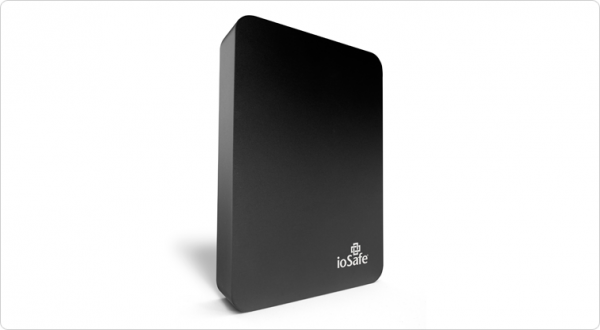
slideshow_rugged-portable_3

Transfer speeds via USB 3.0 are usually more than enough under the two circumstances I’ve used the drive. The first being to copy from my 32GB Sandisk Extreme Pro CF card via a Lexar USB3 card reader, through the Macbook Air and out the other side into the compact ioSafe drive. I also use a couple of Thunderbolt drives at home, and the noted difference between Thunderbolt and USB3 transfer speeds isn’t actually all that noticeable under real world conditions.

The second scenario was while shooting for an agency that’s recently hired me to be the photographer for a series of shoots. When tethered, and shooting on location, I find myself importing the images to my WD Passport Pro and running a second copy off to the ioSafe – Why? This client takes my CR2 files at the end of each shoot and the designer handles the processing and editing, so I unplug the WD and hand it to the producer and he takes it away with him until next shoot, the ioSafe comes with me. You’re still sitting there scratching your forehead?

Six of the shoots I’ve done so far for this client, four of them have been of scenarios I can’t recreate for one reason or another. If those images are lost by me between location (sometimes on set for two days, away from home and the comfort of backing up to my Promise R8 – yes, I love storage) and the client has a mishap – well, frankly, we’re stuffed. Obviously this is a worst case scenario, but these are the ones that we like to avoid!
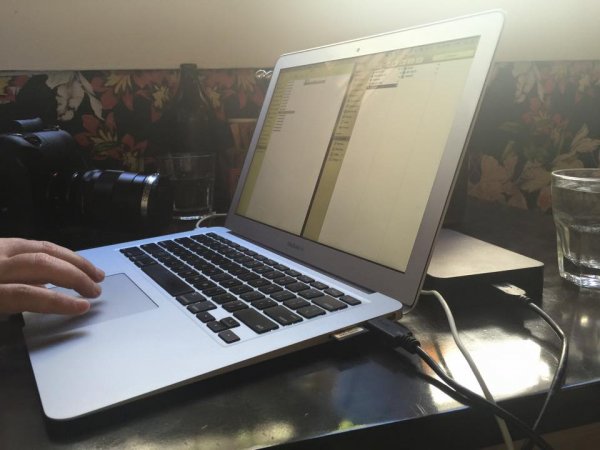
s123

Sure, you find a way to work around it – you’re a professional, and that’s why I think it’s nice to not have to “get around it” and to take as much risk out of your shoot days as possible.

When I say “if those images are lost by me” I’m hoping to never have a catastrophic failure that involves my gear melting down, drowning or being driven over, but human error involves dropping drives, spilling a glass of wine on your laptop – the list goes on.

I can see this drive being the perfect storage and transport for destination wedding photographers, commercial photographers travelling to shoot, pretty much anyone that really cares about their, or their clients’ images, between shoot and final delivery.

The ioSafe Rugged portable has some pretty impressive statistics and while I’ve not tested these personally* I know the ioSafe crew are pretty serious about their gear and have a data recovery guarantee attached to their products (more on that after the stats).
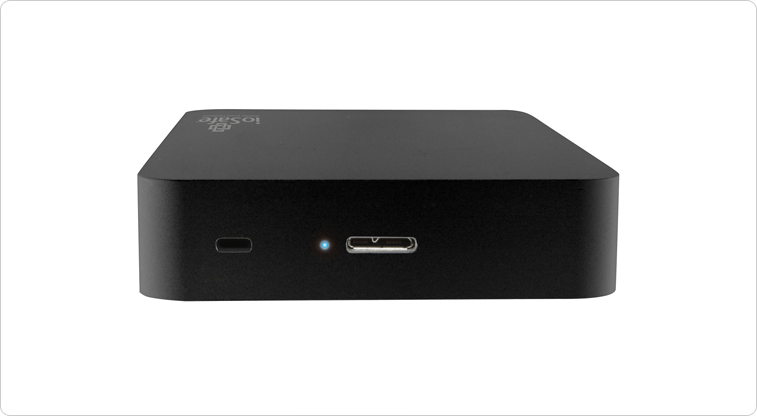
slideshow_rugged-portable_2

  • Crush Protection up to 5,000 lbs.
  • Drop Protection up to 10 feet
  • Immersion protection up to 30′ for three days
  • USB 3.0 SuperSpeed (like Superman, you know)
  • Data Recovery Service up to $ 5,000/TB
  • World’s best warranty
  • Mac or PC

Like I said, pretty impressive… But then, it’s not really impressive unless I test some of this stuff, right? (This was an afterthought and, now *I have tried some of them!)

Enlisting the services of Filmmaker and Educator, Lee Herbet of Capturing Passion We’re going to try show you what makes the ioSafe Rugged Portable the little beast that it is.

So, for some examples! In most of these examples I was either tethered shooting to the drive (crush test) or it was at least plugged in and powered up (water and drop tests)

1. Crush test

I’m on set, shooting the OutdoorTech van (Thanks to Blonde Robot!) when one of the directors glides in silently in his Tesla S… Clearly the Tesla has a great rear facing camera, but this one doesn’t have a front facing camera and well, you can see how that played out!

2. Submersion test

We’re back shooting some images for a water conservation company here in Melbourne, thankfully not into 30′ of water, but you get the idea!

3. Drop test

I’d forgotten to simply use my CamRanger with the 7.3m (24′) tall Kupo LookOut stand while shooting a lifestyle image… Watching this back almost reminds me of a Mr Bean sketch!

So, even though the shooting situations above were staged, the drive really did get run over, dropped, and drowned multiple times to make these short films. The footage was also saved onto the drive and the films edited together on location at my favourite cafe right after we wrapped the final filming. You can even see the drive data light flashing in the Tesla video as I was shooting to it just before it was run over!

In closing , do you need the ultimate on-location storage solution? Only your business requirements can answer that question for you, but if you’re after an easily portable SSD external drive for your photography, that will look danger in the face and laugh – this is it.

This drive leaves me nothing to complain about and so I give it five gold stars.

Thanks for reading! Hope you enjoyed my take on the ioSafe Rugged Portable!  –Simon

googletag.cmd.push(function() {
tablet_slots.push( googletag.defineSlot( “/1005424/_dPSv4_tab-all-article-bottom_(300×250)”, [300, 250], “pb-ad-78623” ).addService( googletag.pubads() ) ); } );

googletag.cmd.push(function() {
mobile_slots.push( googletag.defineSlot( “/1005424/_dPSv4_mob-all-article-bottom_(300×250)”, [300, 250], “pb-ad-78158” ).addService( googletag.pubads() ) ); } );

The post The Ultimate On-Location Storage Solution – ioSafe Rugged Portable SSD Review by Sime appeared first on Digital Photography School.
Digital Photography School

 
Comments Off on The Ultimate On-Location Storage Solution – ioSafe Rugged Portable SSD Review

Posted in Photography


ioSafe N2 – Your own Private Muscly Cloud

26 Aug

I wrote recently about the Synology NAS, I will write more about it soon as I’ve added to it! But there are, as they say, two sides to every story and here’s the other side to that story!

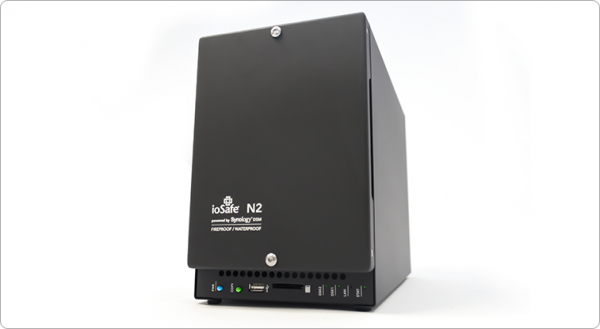
Introducing the ioSAFE N2 NAS

ioSafe-n2-review-simon-pollock

Having (had!) an IT background and experiencing first hand a number of times people losing their data – sometimes LOTS of data – and being completely overwhelmed at the thought of not knowing what they had saved somewhere else and what was “gone forever*” I wanted to make sure that wasn’t the case for me.

At the same time, I wanted to be able to get to “stuff” from wherever I was. I do use multiple “online” storage things, Dropbox is my main online storage space, I’ve also just started using COPY who give much more free space.. Why multiples? Who puts all of their eggs in one basket? But we’re talking 20gb here and 30gb there… If I wanted to have an entire copy of my computer online just incase something really shoddy happened like theft, flood, fire, or something else… The ability to get to my digital life (as I like to call it) is crucial. I work from home, I have client data (As a photographer, I have photographs obviously, but they’re covered with my other NAS, the DS1512+) and I need to be able to access that data at all time.

There’s also the whole “would I walk up to someone in the street and hand them all the photos of my kid, all of my important business data” that Robb touches on in the video below… I’m sure you’ve heard of businesses folding – well, it has happened to online storage companies too [READ THIS this is from 2009, but there’s nothing to say it can’t happen today] and with this firmly in mind, I smile about my N2 sitting securely in a cupboard in my house, out of line of sight, quietly backing up all of my precious digital stuffs…

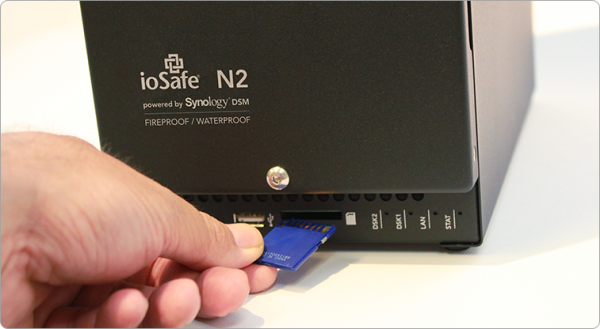
That said, having this NAS packed in a cupboard out of harms way, I don’t get to use the SDXC slot on the front of the unit, but it is there if you want to use it – simply take photographs on an SD card, pop the card into the front of your NAS and it mounts up like a little external drive and you can copy all of the images across. Very handy.

3

Lets hop around a little.. I run my own business, but it isn’t large and I don’t have co-located servers with my data replicating across multiple sites – if I wanted to make sure I was 100% safe, I’d do that, but it is cost restrictive for me right now, so I needed to be able to trust what I could afford** The ioSAFE N2 is sort of like a baby army tank that stores data.. It can withstand fire, water, three year olds etc… 1500 degrees f. for half hour – you’d want to hope the fire brigade had put your house out in that time!, Under ten feet of water for 72 hours… This is no ordinary NAS (Network attached storage) device. There’s also the included one time data recovery service – ioSAFE will recover your data up to $ 5K worth of DRS included with every ioSAFE product… that is pretty rad if you ask me! (read more on that here)

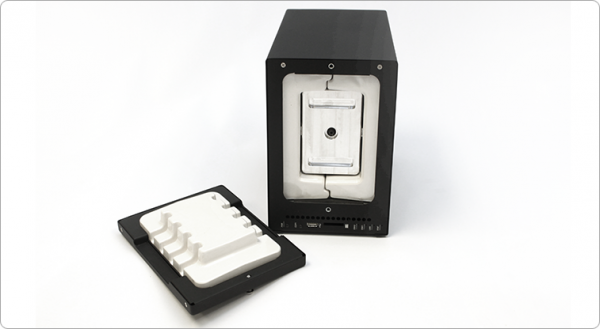
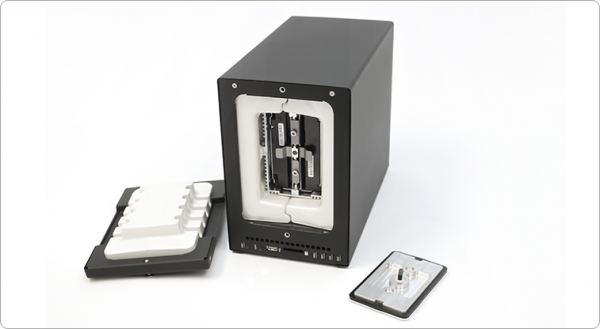
ioSafe-n2-internal-photo-simon-pollock-review-dps

You can see above (and below) where your data is stored, on those two disks in the middle… Then there’s a solid metal plate that goes on the front of the disk bay, then a plug that is the front of the unit… There is airflow around the sealed unit that has heat dispersion wings on it, so your disks maintain a normal working temp, too.

ioSafe-fire-water-proof-nas-simon-pollock

Lets jump back to where I was talking about accessing my data remotely shall we… The ioSafe runs Synology DSM (I’m currently running the 4.3 Beta on my ioSafe with great success) DSM pretty much turns the N2 into a fully fledged cloud (cloud simply means server that can be accessed remotely in this case.. sort of) and there are some very handy iPhone and Android and (even haha) Windows phone apps that you can use to get to your data.. You can log into your server via FTP too.. (It also works as a web server, print server, ftp server, media server… this thing can’t make a decent espresso, but then I can, so we’re good!)

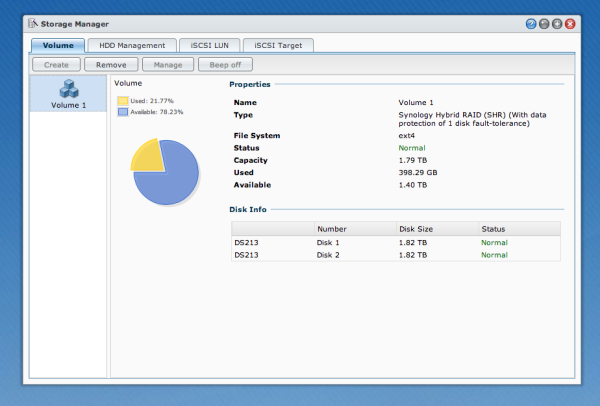
My ioSafe N2 is setup using the Synology Hybrid Raid, I use two 2TB disks in (basically) raid one so I have a one disk fault tolerance.. My stuff is essentially safe unless Godzilla comes along and eats my N2..

DSM-Synology-disk-manager-simon-pollock-review-iosafe-n2

I use my N2 in conjunction with my other ioSAFE drives.. I have a Solo G3 and a Rugged Portable (That my brother has borrowed to take around the world!!)

Who is the N2 for? 

Anyone that is serious about keeping their data safe but maybe not quite ready to buy a serve in a datacentre. (You can also bolt the N2 to your floor / hide it in a cupboard and access it wirelessly!)

Pros

  • Life proof.
  • Connectivity.
  • Massive feature set via DSM.
  • Small footprint by comparison.

Cons

  • Errr? For the market this beast is aimed at, there are none.

I want to leave you with a video from Robb Moore, he’s the guy that started ioSafe when nothing else would suit his needs… I’m very glad he did because right now, for me, nothing else does what this N2 does.


I was provided with the N2 for review, I was already an ioSafe user… I use product I love, I don’t have time for rubbish that doesn’t work – who does. I give this N2 a total of 10 out of 11 gold stars, I only deduct one because I know I’m going to need more space soon and there’s not a 4 disk model – yet.

Please feel free to ask any questions in the comments below.

–Sime


Post originally from: Digital Photography Tips.

Check out our more Photography Tips at Photography Tips for Beginners, Portrait Photography Tips and Wedding Photography Tips.

ioSafe N2 – Your own Private Muscly Cloud


Digital Photography School

 
Comments Off on ioSafe N2 – Your own Private Muscly Cloud

Posted in Photography