Skimming through your Instagram feed, you expect the usual crop of selfies, cats, lunches and babies. You don’t expect are exploding refrigerators.
… Unless you follow our pal, Okay Samurai.
He uses Adobe After Effects to add special effects to his Instagram videos.
Okay Samurai (aka Dave) put together a guide so that you too can use After Effects to make a fridge explode.
It requires a few more steps than editing on the phone, but it turns out it’s simpler than you’d think!
With Dave’s step by step guidance and a free 30-day trial of AE up for grabs, now is the perfect time to pick up a new skill and spice up your Instagram feed.
Learn How to Add Special FX to Your Instagram Videos
(…) Read the rest of How to Add Special FX to Instagram Videos (920 words)
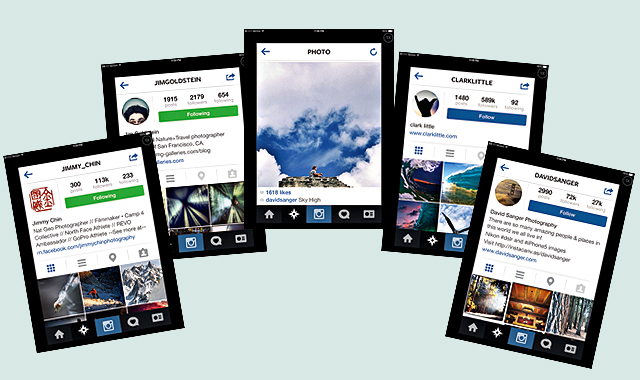
Instagram has been the source of a lot of debate and even the butt of jokes with in the photography community. I’ve written an article in Digital Photo Pro magazine discussing the potential Instagram offers to photographers of all levels. Check out the article, Make Use of Instagram and I invite you to follow me on Instagram.
Also if you’ve missed my other Digital Photo Pro articles you can find them here:
Move Forward With Social Media
Search Engine Optimization
Social Media & Copyright
Social-Media Marketing Essentials
Creative Commons
PLUS Coalition Standardized Licensing Codes
How I Evaluate Terms of Service for Social Media Web Sites – Google+ (my blog)
Evaluating Terms of Service Documents: Resources (my blog)
More of my articles on Social Media for Photographers
Copyright Jim M. Goldstein, All Rights Reserved
Recommended Reading: Make Use Of Instagram
The post Recommended Reading: Make Use Of Instagram appeared first on JMG-Galleries – Landscape, Nature & Travel Photography.
Related Stories
Recommended Reading: Make Use Of Instagram – Enclosure
Recommended Reading: Move Forward With Social Media
Recommended Reading: Move Forward With Social Media – Enclosure
Celebrities live at the mercy of the camera of the paparazzi and always try to look perfect in accordance with the canons of Hollywood liberal elitism. They know that millions of curious eyes are watching them all the time, whenever they go and whatever they do. We follow celebrity lives throughout the years and always wonder what they eat, where Continue Reading
The post 100 Luxurious Celebrity Instagram Accounts to Follow appeared first on Photodoto.
No, I am NOT telling you that you should replace your DSLR with your iPhone. So, let’s be clear on that. Having an iPhone thought does give you a new market to tap into and a new perspective on your photography and your style.
Just a few short years ago, every client started asking for web sized images to share on Facebook or to email to relatives. Now everyone asks if it’s okay to Instagram their photos. Times are changing for photography and people want to be able to share their photos right away.
During a session it is pretty standard that no one else is shooting. This way your client knows where to look, there are no distractions for them, and you can control the images that you are putting out there. But as trends are changing everywhere else in technology, they have also affected photography and what clients want.
Keeping up with what is trending is as easy as logging onto your Facebook page and seeing what your latest senior has been posting. Everything from Instagram photos to Vine videos is what they are talking about and looking for. At first you might feel odd about setting your DSLR camera down for a quick image for Instagram, but your client will love it. Let them know ahead of time that you are going to take one or two images to post to Instagram and that if they follow you they can see them and you can tag them in the images. Of course, on the spot images won’t have your logo, but you can tag them from your business and make sure your contract with them states that they won’t alter the images or add filters. It’s a quick and very simple way to make a client very happy. (Especially if it is a gorgeous image of them!)
Instagram is not your only option for creating cool photos for your clients. It’s nice when you have a few apps on your phone that you can choose from just based on the feel and look of the shoot. Instagram is a nice overall app to have and you can post the images right away without a lot of tweaking for the images. Instagram does allow you to add filters, blur or frames to your images. With Instagram you can post directly to your Facebook, Twitter, Tumblr, Foursquare and you can also send the images in an email.
?Image posted to Instagram with frame, blur and a basic filter.
One of my favorite apps right now is called Snapseed. It’s a free app but it comes with a ton of fun stuff to really enhance your images and make them stand out. Textures, filters, light leaks, frames…you name it and Snapseed probably has it. And just like Instagram you can upload the images directly to your Facebook, Google + or you can email them.
Same image with frame, texture, and filter from Snapseed.
Pixlromatic is another free app that lets you add frames and effects to your images. It comes with standard default effects and you can purchase additional upgraded effects. The free app lets you add effects such as bokeh, light leaks, filters and frames. You can save the image into your camera roll on your phone or you can upload it to your Facebook, Twitter, or email.
Image with filter and frame from Pixlromatic.
If you want to create a collage or storyboard for your client with their images you can use an app called Moldiv. You can frame up to 9 of your images, put them in a collage or stitch them together . It also allows you to add text if you want. With Moldiv you can upload to your Instagram or share on Facebook or Twitter.
Image in collage with another old car on Moldiva.
And of course, if you want to use Instagram, but want to be able to make the image look it’s best and add your logo you can download an action that resizes and preps your images from Colorvale Actions. This action can be used with portrait or landscape images.
You can download the Colorvale free action here.
Using your phone and any of these apps is an easy way to provide your clients with images that they can use on whatever social media they use. If you upload and tag them, more people will be seeing your business and will see that you are providing all around service for your clients.
Note: The apps listed above are all free to download.
Lori Peterson is an award winning photographer based out of the St. Louis Metro Area. Her dynamic work ranges from creative portraits to very unique fine art photography. Lori’s work can be seen at www.loripetersonphotography.com and also on her blog at www.loripetersonphotographyblog.com. You can follow her on Facebook at https://www.facebook.com/LoriPetersonPhotography.
Post originally from: Digital Photography Tips.
Check out our more Photography Tips at Photography Tips for Beginners, Portrait Photography Tips and Wedding Photography Tips.
iPhones, Instagram and Your Photography Business
The post iPhones, Instagram and Your Photography Business by Guest Contributor appeared first on Digital Photography School.
Instagram is both broadly adopted and heavily criticized for the faux-vintage filter options provided to users, providing opportunities for aptly-timed and well-executed spoofs like this project.
In his Real Life Instagram installation art series, Brazilian artist Bruno Ribeiro has begun framing everything from mundane graffiti on walls and ubiquitous CCTV cameras to famous London monuments. These he carefully surrounds with physical emulations of digital snapshot borders.
Hilariously enough, many people then stop to photograph the frame and the scene … presumably some of them uploading the results to Instagram, completely the somewhat silly circle.
Add view counts and voting stats and you can trick people, at least for a moment, into wondering if they are wandering online or in the real world. Hashtags, in turn, encourage more online sharing.
The work plays on our expectations and associations. Translucent and colorful green, blue, yellow, orange and red plastic makes whatever is seen through the resulting rectangle somehow special, different or noticeable.
As in photography, the simple act of adding a frame makes a scene feel somehow intentional in its selection, except, more like movies or video in general, the scenes in this case may never stand still.
Want More? Click for Great Related Content on WebUrbanist:
Real Street Photographer Documents Virtual Life in GTA V
Advanced artificial characters and enhanced in-game graphics have increasingly made in-game worlds look and feel like real-life places. It was only a matter of …
Click Here to Read More »»
Top 3 Look-Alikes: Second-Life Avatars vs Real Life Users
Many people who have an avatar (digital representation) in online communities like Second Life choose to appear completely different, but some people bear a …
Click Here to Read More »»
Real-Life Tetris: Items Fit Perfectly in Street Sculptures
Old objects fill empty spaces between buildings and in doorways. They look like the results of a closet explosion, but they are carefully crafted sculptures.
Click Here to Read More »»
Happiness is not a state to arrive at, but a manner of traveling. Margaret Lee Everybody loves traveling, but we can’t always afford to go everywhere we want. There is no better way to travel the world than through photography. While Instagram might be often known by its food photos and other iPhone photography clichés, this awesome application allows you Continue Reading
The post 100 Fantastic Instagram Accounts for Travelers to Follow appeared first on Photodoto.
Backed by Facebook, Instagram is now the main platform for shooting and sharing. With more than 130 million members, 45 million images uploaded each day and a billion daily likes spreading those photos across accounts, Instagram is the most important tool for casual snappers and photography enthusiasts who want to capture interesting scenes and show them to their friends.
But what about professionals — or at least people who want to earn like them? Is it possible for Instagram users to shoot, share and cash in on their images? It’s not easy and the numbers so far aren’t huge but there are ways to turn a photo-sharing following into a profit stream, with more on the way. We assess five of them:
1. Sell Access to Your Followers
The Mobile Media Lab has been described by AdWeek as “a marketing agency for Instagram.” Created in April 2012 by three popular Instagramers, the company is used by brands that want to push images of their events to social media audiences. Those clients have included fashion firm Michael Kors, sports company Puma and even Delta Airlines which hired the company to shoot a New York Rangers playoff game as part of its team sponsorship.
After receiving an enquiry, Mobile Media Lab matches the brand to one of its photographers whose network might enjoy the images. In practice, the photographer might post just a handful of photos during the course of an event but in return they may receive access to a sports meeting, travel and a payment. A sign-up form on the website lets other popular Instagramers sell their networks.
2. Instastox
The Mobile Media Lab model is fun and lucrative — and proven to work. But it depends as much on a large audience as high quality images. The three Instagramers who founded the company are effectively charging companies to advertise to their followers. A better option would be to offer companies the chance to license images posted on Instagram.
Until Instagram provides an easy way for firms to buy licenses off-the-shelf, the same way that they can buy microstock images, a number of companies are trying to fill the gap.
Instastox is currently preparing to launch. It’s not saying too much yet but prices appear to be microstock level and it’s accepting requests for invitations from photographers. Others, though, include…
3. InstaStock… and InstaStock Images
According to an April press release, InstaStock Images was due to open in August 2013. So far, it’s still talking lorem ipsem and it’s going to need to move fast to live up to its tagline of “the first royalty-free stock photography marketplace just for Instagram photos”; the similarly named Instastock is at roughly the same level of development.
Both firms have issued press releases, launched sites and are taking enquiries from contributors although neither are open for business just yet. The bidding war looks interesting though: Instastock has promised a 50/50 split with photographers; Instastock Images are offering 60 percent and predicting that contributors will make three times the 25 cents they earn on “some competitor stock photography sites.”
Don’t expect those Instagram stock shots to make you rich.
4. DotSpin
While photo entrepreneurs race to push out Instastox, Instastock and Instastock Images, one company is already up and running. It’s just not paying. DotSpin sticks closely to the way Instagram is currently being used. The service provides a way for Instagramers to apply Creative Commons licenses to their images. The pictures are rated by the community and those that win the most votes are given “dotcredits” that they can redeem for rewards. At the moment, DotSpin has some agreements with Amazon but when we contacted him earlier this year, founder Gaston Paladini was confident he would be able to bring in brands looking to push their products to Instagram users willing to share their images.
It’s not a service that’s going to bring in bucks but if you don’t mind people taking your photos and doing whatever they want with them — and if Gaston Paladini can persuade firms to donate — you might find it’s a fun way to pick up some goodies from your Instagram use.
5. Instaprints
Instaprints might well have been the first Instagram service to actually make money from Instagram and to allow photographers to do so too. While digital stock sites are struggling to get off the ground, Instaprints, which comes from Fine Art America, does things the old fashioned way: it lets art-lovers buy prints of the images they love on Instagram. And those sales do appear to be coming in.
The success of Instaprints at actually generating sales can be put down to three vital factors. First, the site has the backing of an established company with an audience used to searching and buying art.
Second, sellers at Fine Art America are used to marketing their works. While stock contributors tend to upload, forget and wait for the checks to roll in, art sellers know they need to build their own fan bases and do their own marketing. On Fine Art America they were already doing it. The company’s Instaprints just gave them another way to bring images they were shooting and sharing anyway to those markets.
And perhaps most importantly, the service sells the kinds of images that Instagram’s users are creating naturally on the social media service. Even if one of the Instagram-based stock companies does take off, the photos it sells might be good for one or two uses but they’re unlikely to be flexible enough for the kinds of multiple sales necessary to earn significant income. Those stock companies might well find that the photos they offer are better sold on a rights managed basis rather than copying the microstock model.
It would be great to say that Instagram’s massive userbase and giant number of uploaded images represent a huge opportunity for people hoping to make money from their images. It is worth keeping an eye on the stock sites that are currently being built but in practice the best bets appear to be turning your account into a marketing agency or selling prints of your mobile pictures as art.
We’re not sure what it is about autumn that makes us feel downright snap happy!
Maybe boots and sweaters just make us feel more poetic than flip-flops.
We know how quickly autumn’s colors fade, and we don’t want you and your lens to miss a minute of it.
So we’ve scoured Instagram for the season’s best hashtags to inspire you to trade in your lemonade for a latte, then get out there and capture fall in all it’s glory.
Fall in Love with the Season’s Most Inspiring Hashtags
why it’s cool
All Link and Henry David Thoreau had to do when their spirits were down was visit their magical ponds. Lucky punks.
We don’t have a magical pond, but we do have a whole internet full of inspiration.
We’re big fans of Instagram, and we especially love the efficiency of the hashtag. It’s a great tool when there’s a certain something we’re trying to capture, be it a subject, place or even a particular color.
Pulling up a hashtag and spending time with other people’s work helps our photography to keep moving in a fresh direction. With 150 million users on Instagram you’re bound to find someone who makes you see things from a whole new angle.
FANCY FOLIAGE #LeafPeeping
Grams and Pop-Pop used to take us for a scenic drive every fall, which was great until Pop-Pop started belting out Tom Jones, we ran out of cookies and our sister started poking us in the ribs.
These days we like take a gander at #LeafPeeping to enjoy the scenery without ever leaving our couch — or sharing our snacks.
When you head out to capture that leafy goodness for yourself, set your alarm clock to take advantage of that “golden hour” right after sunrise. Or, you could snuggle in for an extra 50 winks and hold out for those just-before-sunset rays.
FAIR GAME #CountyFair
Life doesn’t hand us too many opportunities to capture swirling neon lights, deep-fried snack cakes and Nigerian Dwarf goats all in the same venue.
The #CountyFair might not be such a great place for watching your waistline, but it’s always a good place to grab some fun and fanciful photos.
Apps like Slow Shutter Cam (iPhone) and Camera FV-5 (Android) offer DSLR-like control over your shutter speed, giving you the best shot at getting your best shot of swirling and whirling rides during evening hours.
GROWTH INDUSTRY #harvest
It was all we could do this summer to keep the tomatoes on our balcony alive, so we’re totally in awe of the work that real farmers put in every year.
Farmers all over the United States are reaping what they’ve sowed this time of year, and it’s a nifty thing to witness. All those golden #harvest hues are really pretty.
Don’t have access to your own agricultural landscape? Head to a corn mazes or apple-picking orchard, which give you full access to farm photo ops without the responsibility of keeping things alive.
CLEAR EYES, FULL HEARTS #FridayNightLights
The contrast of a ginormous floodlight against a clear night sky makes us happier than a backside defensive end on the sunny side of a scrape-exchange cutback.
OK, so we don’t know what that means (or if it means anything at all).
But we do know that a night at your favorite local sporting venue can make for some dramatic and dynamic photos. Check out #FridayNightLights for a quick pigskin fix.
Grab an iPhone Telephoto Lens to get right up in the action!
Taking It Further
Now that you’re totally inspired…
Pick out a nearby deciduous muse and take its pic at the same time every day. String the results together with your own hashtag — #JuliaFallsforFall2013, perhaps? — for an awesome time-lapse glimpse of fall.
Create a hashtag for your next event so your friends and family can share their pics from #BigJims4thAnnualJimboree, #WandaAndRoderickLeafTour13 or #TheHarveyFamilyCatInASweaterNationals. (Or possibly something like #SmithFamReunion, if your family is more normal than ours.)
Take some leaves home and make some chemical-free prints with your scanner.
Join us in sharing the fall-tography at #PhotojojoFall. We’ll be looking for your autumnal visions!
Big thanks to pde_; leahohh; hilldwellertom; Amber and her buddy Anubis; Annie Smith; Pocono Tourism; Mandy Cooke; Tiffany Cornwell; leahohh; and shazzwright for sharing their inspirational Instagram photos with us!
Related posts:
12 Fantastic Fall Photo Tips — Our Extra-Crunchy Guide to Leaf Peeping …
A Healthy Dose of Photo Inspiration — George Lange’s 2006 Photo Flipbook Every so often, we run across photos that make us…
500 Photographers – 100 Weeks of Photo Inspiration Carbonmade, Your online portfolio Find 5 active, amazingly talented photographers…
If you are an Instagram user, I think you’ve clearly noticed a few people who love posting photos of their food. Once, browsing through Facebook, I found a joke that said, “A true hipster does not eat food, he tweets it.” But after looking at my Instagram news feed, I can say that it’s not quite true: People don’t eat Continue Reading
The post 100 Incredibly Tasty Instagram Accounts for Foodies to Follow appeared first on Photodoto.
When it comes to movies, editing is kind of a big deal.
Without it, we wouldn’t have twist endings. (Looking at you, M. Night.) We wouldn’t have out-of-order movies to entertain our brains (Marty McFly 4ever). We wouldn’t even have beginnings, middles, and ends!
Frankly, movies would be pretty weird and probably not very good at all without editing.
Thanks to Instagram’s 4.1 update, you can now upload videos to Instagram, meaning a whole new world of video editing has opened up!
Sound, filters, transitions, sequencing — there is so much you can do to an Instagram video before uploading it. And awesomely, you can do it all on your phone.
Consider this guide an editing workshop that’ll turn your Instagram videos into cinematic artworks served 15 seconds at a time.
10 Tips for Editing Instagram Videos
You Can Now *Upload* Vids to Instagram
Instagram must’ve read our minds with the 4.1 update because we were like Man, wish we could upload #tbt vids!
Now, you totally can. You can upload any video that’s in your phone’s library, and with a quick file transfer, you can even upload videos that are sitting on your computer (we’ll show you how in the guide below!).
Being able to upload video opens up a whole new world! It means that you can get way more precise about how you shoot and edit your videos because you can use outside apps, add sound and video effects, splice together clips, and speed up or slow down your footage.
Read on to learn how to which tools and apps are the handiest, how to optimize shooting and editing within Instagram itself, and how to make a workflow for churning out really great videos!
Pre-req reading: Check out our essential guide to Instagram video if you haven’t yet. It answers all the questions you might have about Instagram video and also give you ideas to start.
How to Get Videos onto Your Phone
Shoot it on your phone.
Shooting videos on your phone is obviously the fastest way to get videos onto your phone.. But did you know there are lots of options besides shooting within the Instagram app?
Yeah! It’s actually quite refreshing to shoot video outside the Instagram app.
You’ll pick how you shoot your video based on what you want your end-result to be like. Here are a couple options and why you’d use them:
Your phone’s native camera app.
Use this to shoot multiple clips that you can then arrange in the order you’d like in Instagram. This gives you more freedom with time and set-up because you don’t have to shoot in order like you do in the Instagram app. (Also, you don’t have to fear accidentally losing your work-in-progress while working in the app!)
A filter app.
Use this to get a different look besides the filters that Instagram offers. We dig Vintagio (Android & iOS) and 8mm (iOS). Or you can even layer filters to come up with your own feel.
An advanced video editing app.
Apps like iMovie (iOS) equip you with extra tools that give you more precise editing tools and control over sound and transitions. If you find yourself using one of these often, then you might end up shooting through these apps to make it seamless.
PRO-TIP: When you upload a rectangular video (which is what most other apps shoot in), your video will be cropped in Instagram. Instagram crops to center your video, so while you’re shooting, just envision that either side of your video will be lopped off.
Transfer files from your computer to your phone easily.
Maybe you have phone videos that you long ago saved to your computer. Maybe you have vids you shot on your DSLR. Maybe you have childhood vids transferred from old VHSs.
Whatever it is, your video’s trapped on your computer, and you need to get it to your phone so you can share its amazingness with all of your Instagram followers STAT.
The file might be too big to email to yourself and bothering with cables can be cumbersome and take time.
Here’s how to do it the e-z way:
Use an iFlash Drive to transfer files. This is a spacious drive (up to 16GB) that lets you quickly transfer files between your phone and your laptop. One end connects to your phone, the other a USB.
Use an EyeFi SD card to wirelessly send vids straight from your DSLR and onto your phone. (IT DOES THAT.) You can see how it works in the vid above!
Use an app like Dropbox (Android & iOS) or Cloud to store in internet-space and download it on whatever device you want, whenever you need it. If you have a iThingies, you can also use iCloud to sync your files across computers and devices.
Make Your Video Legit with Transitions
Instead of having your video abruptly switch from scene to scene all choppy-like, you can use transitions to give your video a more cinematic, elegant flow.
Use objects as a clever transition.
One really clever way to transition scenes is to use objects as a divider between two completely different shots. Check out the vid to the right to see how cool this effect is!
How to do it? Pan your camera horizontally across your first scene and place your transitional object at the end of it. (We used bags as our objects in the sample video above. Yours can be anything — a tree, a person, a telephone pole.) When your video pans half-way through that object, cut the scene.
Now, go to a new location for your next scene, and place the same object at the start of the new panning scene. Start shooting at the halfway mark of the object where you stopped your previous scene and end the scene halfway through the next object. Repeat for however many scenes you want to sequence together. The end result will look like one seamless pan that completely changes location between objects. That’s movie magic, baby.
PRO-TIP: Measure how far your object is away from your camera, so that you can make it consistent from one scene to the next.
BONUS IDEA: Place a piece of paper over your phone lens to give yourself a black screen between scenes. You can also pull it away and allow your camera to adjust exposure and come into focus as you’re filming — this ends up looking like a dreamy fade-in. Check out our example.
Use apps to add transitions between scenes.
Apps are great because they give us access to tools that previously only pros had. Case in point, iMovie (iOS) and WeVideo (Android & iOS) give you options for placing transitions between video scenes.
You can do a simple fade in/fade out, text (think silent movies!), and all the transition types that you never really thought about but have probably seen on TV or in movies.
Pull focus a.k.a. Changing depth of field
Pulling focus is this fancy thing cinematographers do to get movie-watchers to pay attention to a particular part of the screen or to spice up a moment with visual drama.
You’ve seen this in movies when an out-of-focus shot suddenly comes into sharp focus or when something that’s in the foreground falls out of focus and the background comes into focus instead.
Pulling focus can also mean simply keeping your subject in focus as they move within your shot.
The cool thing about all of this? You can do it on your phone! Here are two ways:
Tapping to focus.
While your phone doesn’t have much of depth of field to work with, you will still notice certain parts of your shot going in and out of focus as you move your phone. This is especially true if one subject in your shot is a lot closer to your lens than everything else in the shot.
As you move or as your subject moves, pay attention to how your focus changes, and tap your screen to keep what you want in focus nice and sharp. You might *want* something to fall out of focus, so tap a different part of your screen to get them to fall out of focus.
Using a telephoto phone lens for dramatic depth of field.
Watch the video above to see just how dramatic of a focus shift you can get with a telephoto phone lens! Because it’s telephoto, you get a nice range of depth of field. It also has a focusing ring that lets you control exactly where focus falls in your shot.
Another way to do it is by using an iPhone SLR lens mount to shoot phone photos and vids with SLR lenses. You read right — you can shoot videos using your SLR lenses mounted onto your phone.
Chopping & Sequencing Clips
The editing choices you make can really make your video stand out from the rest. Remember Memento? Yeah, those guys were nominated for best film editing at the Oscars for the super clever way they edited the story out of order. Now bookmark that in your brain, and get your tapping finger ready.
Plan your video.
When it comes to editing, the best thing you can do is to plan out what you’re going to shoot before you even start. This can be as quick as taking out 30 seconds to come up with a vision for your video in your mind.
Questions to ask yourself: What are you trying to get across in your video? What will the beginning, middle, and end be? How long should each clip be, so that you can fit your entire story into your time limit? Maybe your idea’s worth spanning over more than one Instagram post — how many?
Chopping.
Maybe your clip is too long or you want to sequence a bunch of clips together, but they don’t quite start or end the way you want them to. Go to town like a lumberjack on a tree trunk: chop. it. down.
How? Instagram lets you trim down video clips. After you load a video, hit Next. Then use the slider to shorten the video to the length you want. Move the video timeline underneath the slider to indicate exactly which part of the video you want to crop down to.
Most phones’ native camera apps also already have simple editing tools that let you shorten your video clips down just how you like them. In iOS, view a video in your library, and move the slider on each end of your video clip’s timeline to where you’d like it. Then hit the “Trim” button that appears in the top right corner.
Sequencing.
Sequencing is all about the order of your clips and how you transition between them. If your video is spur of the moment, you can edit as you shoot within Instagram by viewing your video and the going back to the previous screen to delete and add scenes.
However, if you’re shooting something more complex, there’s a disadvantage to editing together clips as you go within Instagram. You can’t rearrange the order of videos you’ve already placed into your Instagram video. So if you wanted to be able to do that and get more precise with how your clips transition and the order that they play, then you’ll want to use a video editing app like iMovie or WeVideo. If you work better on the big screen, you might even edit it on your computer and then transfer the file back to your phone.
Fast & Slow Motion
Slow motion is the raddest. Everyone and their mom knows it. While there has yet to emerge one great app that gives you the kind of slow-motion effects you see coming out of a Phantom Flex camera, there’s no harm in pushing the limits of slow-motion tools that currently exist in apps.
We were able to speed up the video above using Vintagio. Because the speed up and slow down tool only lets you change the speed a little bit, we ran the video through the app twice to speed it up doubly. You can do the same thing for slowing down your video.
Keep in mind, it won’t look as smooth as other slow motion videos because your phone just doesn’t shoot video at a high enough frame per second. Again, there’s no harm in playing with what you have, so experiment!
We haven’t found a great Android app for slowing down or speeding up video, but if you know of one, let us know.
Oh yeah, and if you’re into editing video on your desktop, Twixtor is a tool that manipulates video to make it look like it was shot at a higher frame per second than it actually was. In short, it gives you a slow motion effect without having to use an expensive slow motion camera.
Adding Music, Sound Effects, and Muting
One amazing advantage to being able to upload videos to Instagram is that you can edit sound on your videos before you post them!
Depending on what app you’re using for video editing, you can control the sound in your videos in all kinds of ways.
Here are some ideas:
Mute or lower the sound in your video
Record narration or sound effects to lay over your video
Import music from your phone’s library
If you’re wondering which apps do what, here’s a quick rundown. iMovie and Vintagio give you the ability to control volume on your video. The iMovie app in particular lets you lay over a narration or any recording that you make, as well as import music and sound effects.
Meanwhile, WeVideo doesn’t let you edit sound within the phone app, but the app syncs your video to the desktop app, which gives you sound editing options. Vintagio comes with pre-selected music that you can play over your video, too.
Filters, in Apps and By Hand
Instagram video comes with a set of squeaky new filters, but what if you’re looking for something different?
Outside apps.
8mm and Vintagio do a good job of covering specific film looks based on time period. For example, if you want a black and white ‘20s silent film look vs. a warm 70s vibe.
If those aren’t enough iMovie and WeVideo have filters, too. And if you’re into experimentation, overlap filters across apps to make your own awesome filter! You can even name it after your favorite celebrity cat.
Filters by hand.
DIY the dang thing. We’re talking hold up anything that looks like it could potentially Shooting a horror vid? Hold up some red glass over your lens.
Want to make it lo-fi? Grab some plastic to give your video dreamy vignetting.
Want to give your video a warm tint Coen brothers style? Use your sunglasses to wash your video in color. If you’re into these ideas, check out our roundup of 10 DIY Filters on the Cheap.
Dreamy lens flares.
We’ve played around with how to create intentional lens flares. Here are two fun and easy ways to do it:
1) Lens whacking is a videography technique that’s similar to free-lensing. You remove the lens from your DSLR and slightly move it away from the camera body. The purpose here is to let light hit the camera sensor to create moving light leaks, which we can attest are very pretty and –heck we’ll say it– dreamy. If you shoot on a DSLR, here’s a guide with samples.
Since phone’s don’t quite work this same way, you can still create the illusion of light leaks by having your subject backlit and letting your phone’s auto-exposure shift with the movement of your camera or your subject. This can create rays of light in your video that can look quite lovely.
2) Sprinkling water either directly on your lens or onto a clear sheet in front of your lens. Try something like a pane of glass, mylar or anything clear. Here’s our full guide on playing with water for lens effects.
360-Degree Time-lapses
Time-lapses are cool, but have you ever seen a panning time-lapse? It’s dually impressive! It’s one of those effects that stops you in your tracks because you wonder, How’d they do that?
If you’re not sure what a panning time-lapse is, it’s when your camera pans across a landscape and simultaneously shoots a time-lapse.
Two popular ways to make a panning time-lapse is by using a slider that moves your camera horizontally or by using a rotating mount that turns your camera 360-degrees.
We were able to make the 360-degree time-lapse above with a simple rotating mount called the Camalapse. You can use this mount with any camera that has a tripod thread, but we mounted our phone by pairing it with the Glif (a tripod mount for iPhones).
Just grab a time-lapse app, like Lapse-It (Android & iOS), set up how long you want to shoot your time-lapse for, twist the Camalapse (twists similar to a kitchen timer), and let ‘er go. In the end, you’ll get a rad video that all your buddies will be asking you about.
PRO-TIP: Because time-lapses are usually slow-paced, we sped ours up by running it through Vintagio’s speed-up tool two times.
STOP-MOTION & Editing Photos into Video
If you’re using the internet right now, there’s a good chance you’ve seen a stop-motion or two. Stop-motions, when well done, have the power to blow people’s minds, and that’s a good thing!
Stop-Motion Tips.
We have so many tips in our Ultimate Guide to Stop-Motion, but here are the essentials. Of utmost importance, keep your camera still. Put it on a tripod or set it somewhere where it absolutely won’t move.
Aim for consistent lighting. If this is going to take a while, shoot in a place where your light isn’t moving (i.e. the sun traveling across the sky), unless o’ course that’s what you want.
If you’re shooting and editing within Instagram, tap lightly and quickly to record, so you don’t accidentally make each clip too long. For smooth movement, each clip should be as brief as you can shoot it.
To get more precise, you can shoot individual photos for each frame in your phone’s native camera app, and then import the photos to create a video in iMovie or WeVideo. This’ll let you throw out any mess-up shots or figure out if you need to reshoot a particular part of the stop-motion.
PRO-TIP: A camera phone remote can make shooting tiny clips easier and also prevent you from accidentally moving your phone while tapping.
The Quickie Slideshow — Your Life in Instagram Flashed Before Your Eyes.
You might’ve heard about Pummelvision. It was a web app that took all of your Facebook or Flickr photos and turned them into a lightning-fast slideshow. It was like watching your life flash before your eyes! We cried, not kidding.
Everlapse is a similar idea, but it takes your most popular Instagram photos and turns them into a short reel that you can share on Instagram. We’re getting verklempt just thinking about all the memories.
Instagrammers with Vid Skillzzz
Hopefully at this point, you’ve abandoned this article and are outside shooting and maybe will not read these words until hours from now (which we’re fine with because OMG you should be out shooting!).
And if not, your brain’s about to be so full of ideas they’ll start to leak out your ears/eyeballs/face. Why will that happen? Because gathered up a list of amazing Instagram videographers for your personal inspiration.
@megancignoli — A photographer/director with a jelly-worthy talent for stop-motion. Girl’s got creativity *and* patience.
@nazfilms — A cinematographer who makes incredible experimental Instagram videos completely shot and edited on his iPhone. Watch with sound. Also, watch for his just started #flickstagramseries.
@bythebrush — A painter who needs to get into movie-making stat. Especially good for inspiration on transitions between scenes, as well as music use.
@pinot — An illustrator & animator whose animations makes us question reality.
@teresa_franco — A nurse who can wield a macro phone lens like a pro. Check out her amazing insect videos.
@mariamsitchinava — An editorial photographer who turns her stills into gorgeous filmic vignettes.
@cole_rise — While this photographer/pilot doesn’t have a lot of videos up right now, he’s one to watch.
@rokuthecat — Just because.
Related posts:
Pro-Tips for Shooting Better Instagram Videos Extra vids for bloggers: 1, 2, 3 “Well that’s weird,”…
FlipClips — Print Your Short Videos into Magical Flipbooks If you bought your digital camera in the past few…
10 Tips to Make Your Phone Photos Amazing; Plus, Our New Phoneography Blog! Phoneography is the best. No matter where you go, you’ve…








 All Link and Henry David Thoreau had to do when their spirits were down was visit their magical ponds. Lucky punks.
  Grams and Pop-Pop used to take us for a scenic drive every fall, which was great until Pop-Pop started belting out Tom Jones, we ran out of cookies and our sister started poking us in the ribs.
  Life doesn’t hand us too many opportunities to capture swirling neon lights, deep-fried snack cakes and Nigerian Dwarf goats all in the same venue.
  It was all we could do this summer to keep the tomatoes on our balcony alive, so we’re totally in awe of the work that real farmers put in every year.
  The contrast of a ginormous floodlight against a clear night sky makes us happier than a backside defensive end on the sunny side of a scrape-exchange cutback.
