RSS
 

Posts Tagged ‘Initial’

Canon EOS 90D initial review: What’s new and how it compares

29 Aug

$ (document).ready(function() { SampleGalleryStripV2({“galleryId”:”3453035806″,”isMobile”:false}) })

Sample photoSample photoSample photoSample photoSample photo

The Canon EOS 90D is a midrange DSLR that replaces the 3.5-year-old 80D. It fits between the EOS 77D and the ‘yes, it still exists’ EOS 7D Mark II, and offers Canon’s latest processor and a brand-new sensor.

The 90D is essentially the DSLR version of the EOS M6 Mark II mirrorless camera, which was introduced alongside it. Since the specs are nearly identical, Canon is letting potential buyers choose what type of shooting experience they want: a midsize DSLR with an optical viewfinder and more physical controls, or a smaller and lighter mirrorless model with a removable electronic finder. And, of course, the difference in native lens lineups between the EF and M mounts could attract different types of users, as well.

Key features:

  • 32.5 Megapixel APS-C CMOS sensor
  • Dual Pixel autofocus (live view/video)
  • 45-point all cross-type AF (through the viewfinder)
  • 220k-pixel metering sensor w/face detection
  • 7 fps burst shooting w/continuous AF
  • Fully articulating 3″ touchscreen display
  • Optical viewfinder w/100% coverage
  • 4K/30p video capture with no crop
  • USB 2.0 port with Micro USB connector
  • Wi-Fi + Bluetooth

While the outer design of the 90D doesn’t dramatically depart from the 80D’s, the guts are quite a bit different, which we’ll cover on the next page.

The 90D will come in several kits when it becomes available in mid-September. The body alone is priced at $ 1199. When bundled with the EF-S 18-55mm F3.5-5.6 IS STM lens the price is $ 1349, while the kit with the more versatile EF-S 18-135mm F3.5-5.6 IS USM lens is $ 1599.


What’s new and how it compares

Find out more about the 90D’s new sensor, updated metering system and video capabilities.

Read more

Body and controls

The design of the 90D has barely changed since the 80D, with one exception.

Read more

Sample gallery

See how the 90D’s photo quality looks in our sample gallery.

Read more

Articles: Digital Photography Review (dpreview.com)

 
Comments Off on Canon EOS 90D initial review: What’s new and how it compares

Posted in Uncategorized


Canon EOS M6 II initial review: What’s new and how it compares

28 Aug

$ (document).ready(function() { SampleGalleryStripV2({“galleryId”:”0757003519″,”isMobile”:false}) })

Sample photoSample photoSample photoSample photoSample photo

The Canon EOS M6 II is an enthusiast-targeted 32.5MP APS-C mirrorless camera built around the company’s EF-M mount. In many respects it’s a more compact mirrorless variant of the EOS 90D DSLR that was announced simultaneously.

Physically, it closely resembles the original M6 but brings a host of speed and feature upgrades. These include a higher resolution sensor, the ability to capture 4K video and a mode that shoots bursts of Raw files at up to 30 fps.

Key features:

  • 32.5MP Dual Pixel AF CMOS sensor
  • 14 fps continuous shooting
  • 30 fps Raw Burst mode (with AF Tracking and pre-shot buffering)
  • UHD 4K video at 30p and 25p with no crop / full width
  • 3.0″ rear touchscreen flips up by 180° or down by 45°
  • Optional electronic viewfinder
  • USB 2.0 port with Type-C connector

The EOS M6 Mark II will be available in a series of kits. The official body-only price will be $ 849. Adding the retracting 15-45mm IS STM lens and EVF (pictured) will boost the price to $ 1099, while an 18-150mm IS STM and EVF kit will set you back $ 1349.


What’s new and how it compares

The M6 II brings 4K video and 30 fps Raw bursts. We look at the new features and how it stacks up against its peers.

Read more

Body, handling and controls

The M6 II gains some direct controls over its predecessor and features the latest iteration of the Canon menu system. There’s also a good degree of customization available.

Read more

Sample gallery

We had the chance to shoot with the M6 Mark II and have some sample images to show what it can do.

Read more

Initial impressions

The M6 II has a couple of nice improvements over the original version, but it’s the state of the EF-M lens range and the future of the EF mount that change out perspective the most.

Read more

Articles: Digital Photography Review (dpreview.com)

 
Comments Off on Canon EOS M6 II initial review: What’s new and how it compares

Posted in Uncategorized


Initial sample images from the new Olympus TG-5

17 May

We had a little bit of time to try out the new Olympus Tough TG-5 prior to its launch, in and around the waters of Seattle. As the weather improves, we’ll look to update this gallery with additional underwater samples and a range of samples from various lighting conditions. For now, wet your whistle with these.

Articles: Digital Photography Review (dpreview.com)

 
Comments Off on Initial sample images from the new Olympus TG-5

Posted in Uncategorized


Initial impressions of the Manfrotto Spectra LED Light 500S

12 Jan

I wanted a small portable LED for video work primarily to either pop on the hot shoe of my camera or use on a light stand off camera. I also really like the white light emitted from a LED source. So I purchased the Manfrotto Spectra LED 500s.
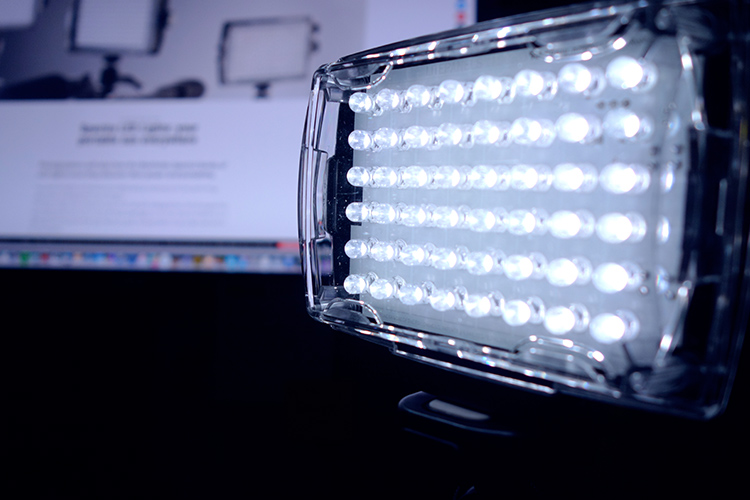
Manfrotto Spectra LED 500S

The portable Manfrotto Spectra LED 500S

Why did I purchase it?

LEDs are becoming more popular in photographers’ studios where continuous lighting is used. The main advantages of LEDs are they don’t get hot, unlike tungsten or incandescent lights. Another important factor is that LEDs use less power (watts) per unit of light generated (lumens). So they are extremely eco-friendly.

In this article, I will describe my initial impressions of using the Manfrotto Spectra 500s light for photography. I haven’t had it for long enough to give it a more comprehensive review.

Most of my work is location based, so portability is essential and plays an important role when choosing my photography gear. Nothing irks me more than going to a shoot and feeling like some poor-beast-of-burden overloaded with camera equipment!

I could have purchased a cheaper similar model off Amazon. However, I sourced online with a local company that had it in stock. I got this particular model at a discounted price and more importantly if I had any problems with the light I could easily return it with minimum fuss. Plus, I have built a trust with the brand over the years.

Disclaimer: I bought this Manfrotto Spectra light. I wasn’t sponsored to write this article. The opinions expressed in this article are mine alone.

What’s in the box?
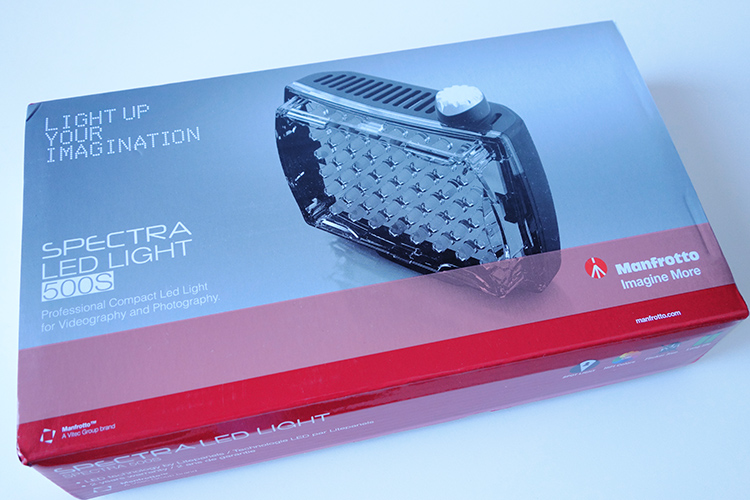
manfrotto-spectra-light-box

The Manfrotto Spectra LED 500s box

The unit itself is really compact and measures 3.7 x 4.4 x 1.7″ (including the on/off knob). It has one power switch which also acts as a variable dimmer, very cool. It is daylight balanced at 5600 Kelvin. Also included with each light is a set of filters, including one ¼ CTO, one ½ CTO, and one opal diffuser. It also comes with a ball head shoe mount.
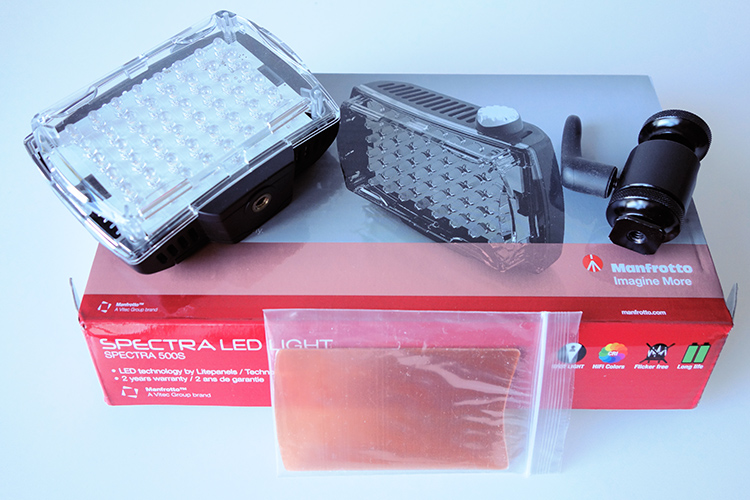
Manfrotto Spectra LED 500s in the box

The Manfrotto Spectra LED 500s light comes with 2 CTO gels and one opal diffuser. It also comes with a ball head adapter for mounting on a hotshoe or tripod.

I did find this mini ball head adapter a bit clunky to use. I had to fiddle with the lever to release the tension to get it to move and then lock it back in place. Not ideal when you’re on a shoot, time is of the essence, and you just want your equipment to work effortlessly.

This unit is slim and very compact, as you can see in comparison to my Sony RX100 camera (below).
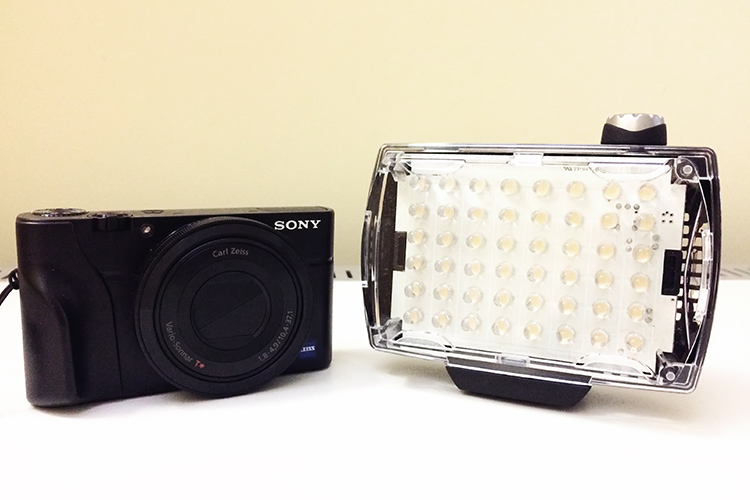
Manfrotto Spectra LED 500s Sony RX100

Side by side size comparison of the Manfrotto Spectra 500s LED Light with the Sony RX100.
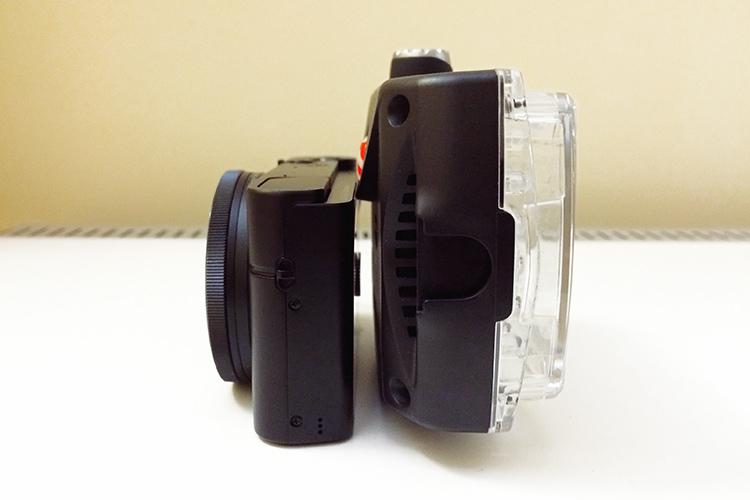
Manfrotto Spectra LED 500s size

The Manfrotto Spectra LED 500s is quite compact and slim.

How is it powered?

This little unit, the 500S is the smallest in the range of five models by Manfrotto. The S stands for spot, as a beam of light emits at a 30-degree angle. It produces 300 lux at one meter. The Spectra 500s takes four Alkaline AA batteries. It is simple to use, turn the knob to switch it on. It is also dimmable which makes really useful to control the amount of light being powered.

Rechargeable AA and Lithium-Ion AA batteries can be used as well. It can also be powered by an AC adaptor (ADAPTOR12V0.5A) to use through the mains. I can’t see myself bothering with this but the option is there. You can also purchase an adaptor (Manfrotto  L7.2V-Battery Adapter) which mounts at the back of the spectra unit and uses Sony L-Type batteries. Again, another alternative.
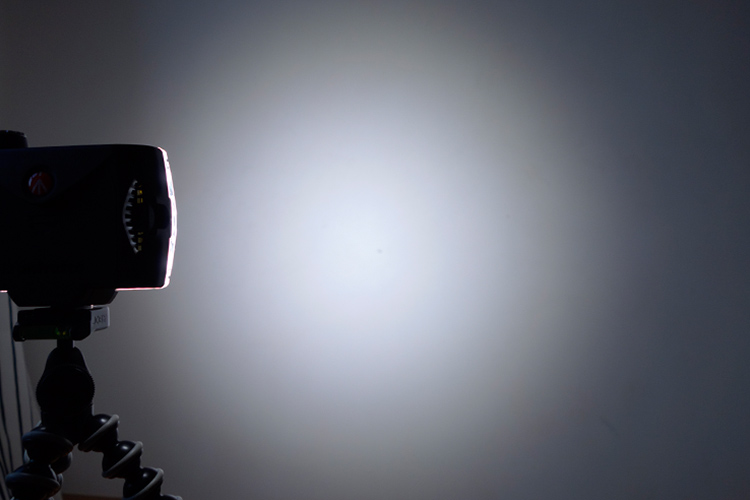
 Manfrotto Spectra LED 500s

The Manfrotto Spectra LED 500s on full power at one meter.
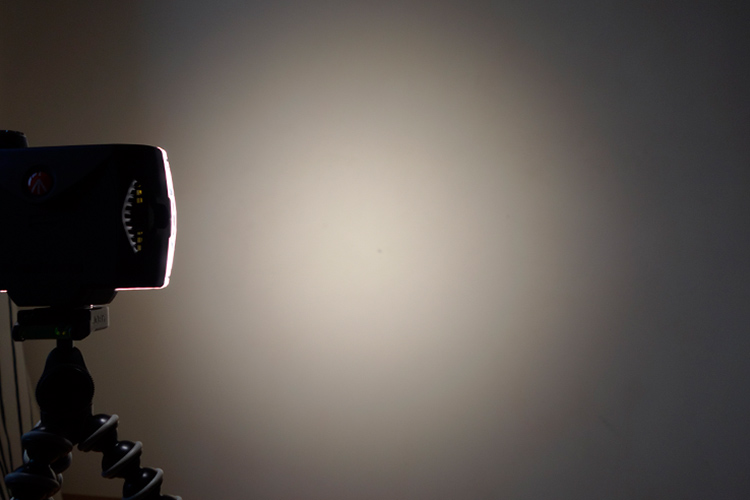
lighter-cto-gel

Here, the the 1/4 CTO gel has been applied over the light.
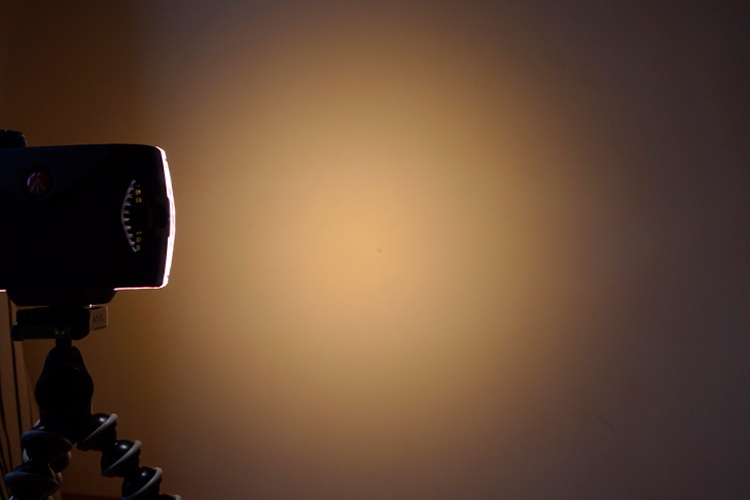
 Manfrotto Spectra 500s LED

The Manfrotto Spectra 500s LED light with a CTO gel.
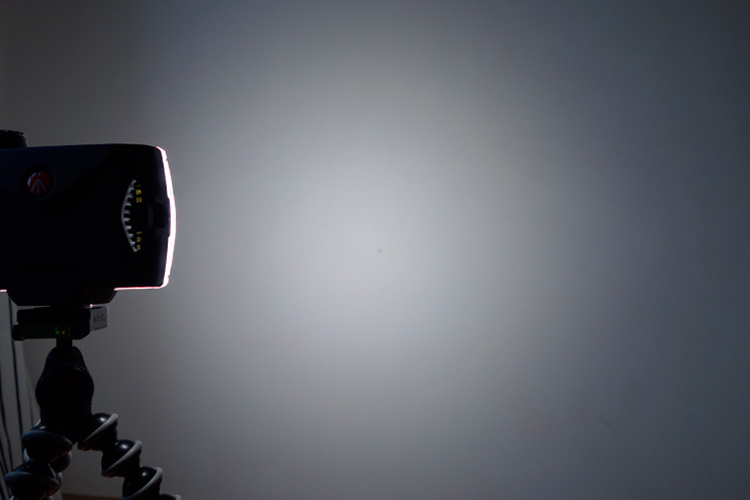
 Manfrotto Spectra 500s LED opal diffuser

The Manfrotto Spectra 500s LED light with the opal diffuser.

LED versus flash lighting?

To see how using speedlights fared against this little LED I did a quick test. I didn’t set out to pitch one light source over the other, as that would be like comparing apples to oranges. I only wanted to get a comparison to see the results.

The speedlight is way more powerful, I know that. For the shot below, I used a speedlight with a shoot through umbrella, which was about two feet away from the subject at an angle of 45 degrees. The power on the flash was only at 1/8th power. I kept the ISO the same at 200 for both. Shutter speed was at 1/60 second and the aperture was f/7.1.

In contrast to the Spectra light, I had the light switched to full power and I had to get really close, 10-12 inches away from the object. The camera settings were 1/15th of a second at f/5.6. I didn’t put a diffuser on the Spectra light as a result, there is a harsh shadow under the air blower.
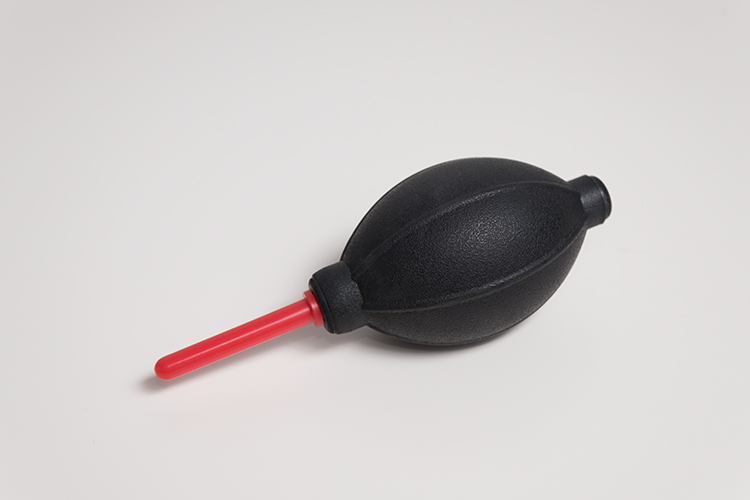
speedlight versus Manfrotto Spectra 500S LED

This was shot using flash with a speedlight.
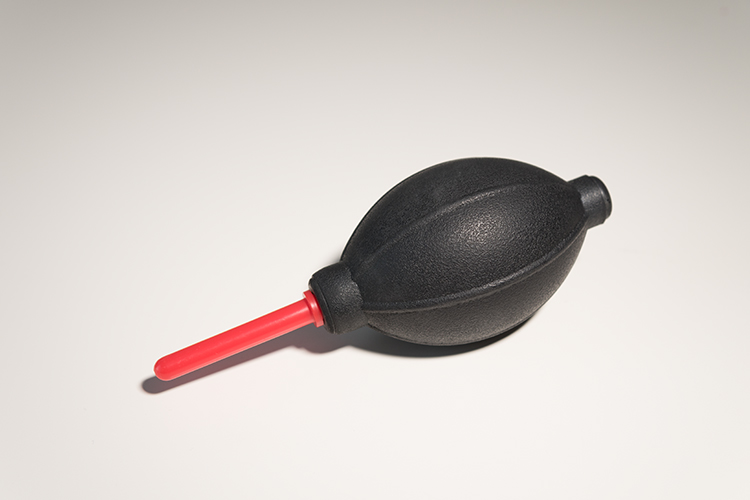
Manfrotto Spectra 500s LED

This was shot using the Manfrotto Spectra 500s LED light.

What to look for when choosing LED lights

First, CRI (color rendering Index) is important when choosing an LED light. The closer it is to 100, the more ideal it is. Less than 90 is considered not great. The Manfrotto Spectra LEDs claim >90. What does this really mean? Natural light is classified as having a CRI of 100, the best possible.

Secondly, make sure the LED is flicker free.

Pros of LED lights

  • Extremely portable
  • Lightweight and compact, even with the batteries
  • Easy to use
  • Don’t overheat
  • Can be used for both video and photography
  • Great for small product shots
  • Handy in low light conditions
  • As it is a portable continuous light source, this makes LED lights ideal for beginners to learn about how light affects the subject/model
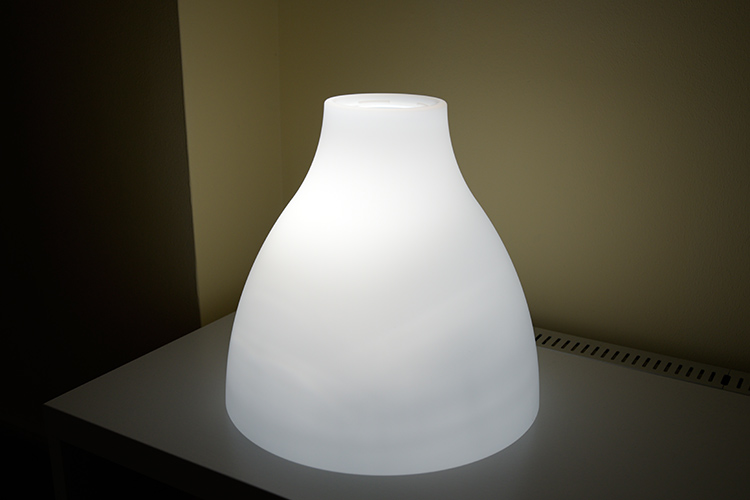
spectra-light-unde-pendant-shade

I put the Spectra light inside this pendant shade. This is where the LED light could come in handy by mimicking other light sources to create atmosphere or mood in your shot.
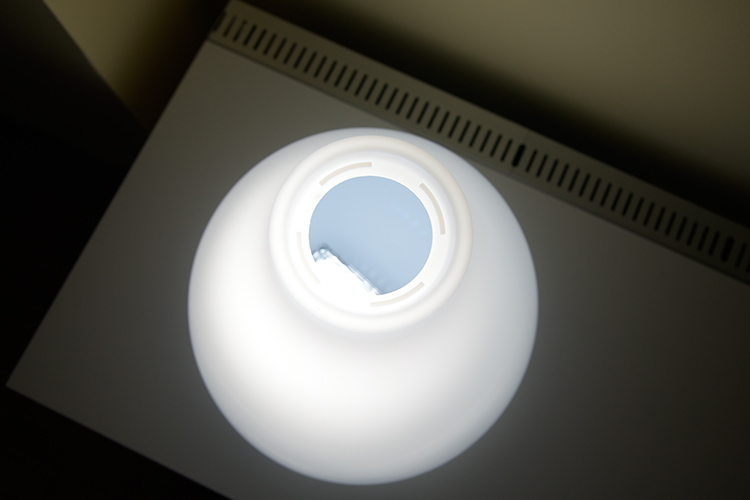
spectra-light-in-shade

I just placed the Spectra LED LIight under this shade to see how effective it could be to mimic another light source to add atmosphere in your shot.

Cons

  • A little pricey, unless you get a discounted price
  • The white light may not be appealing to some – but the gels included compensate for that
  • The mini ball head adaptor is clunky and fiddly to use – not a deal breaker but annoying nonetheless
  • Not powerful enough in some situations where there is a lot of ambient light to balance against.

Conclusion

As I stated at the beginning of this article I set out to describe my initial impressions so far to date. As this is a very recent purchase, I have yet to test it out fully. But so far I give it 3.5 stars out of five. This may seem a bit harsh but I took a half star away for each of the following:

  • The mini ball head adapter is quite cumbersome to use.
  • It’s fairly expensive compared to other similar less expensive models.
  • This light is not really powerful enough in certain situations and other cheaper models are more powerful.

In terms of photography use, LEDs are terrific and so easy to use. The Manfrotto Spectra 500S is the smallest but not as powerful as its siblings in the Spectra range. That said, I won’t be putting away my speedlights just yet.

So, if you are new to LEDs lights and you would like to test them out for your photography. Check out my article here on how to use an inexpensive LED flashlight to take shots.

Do you use LED lights in your photography? Please leave a comment below, and tell us more.

googletag.cmd.push(function() {
tablet_slots.push( googletag.defineSlot( “/1005424/_dPSv4_tab-all-article-bottom_(300×250)”, [300, 250], “pb-ad-78623” ).addService( googletag.pubads() ) ); } );

googletag.cmd.push(function() {
mobile_slots.push( googletag.defineSlot( “/1005424/_dPSv4_mob-all-article-bottom_(300×250)”, [300, 250], “pb-ad-78158” ).addService( googletag.pubads() ) ); } );

The post Initial impressions of the Manfrotto Spectra LED Light 500S by Sarah Hipwell appeared first on Digital Photography School.


Digital Photography School

 
Comments Off on Initial impressions of the Manfrotto Spectra LED Light 500S

Posted in Photography


Initial impressions of the Nikon D750

15 Jan
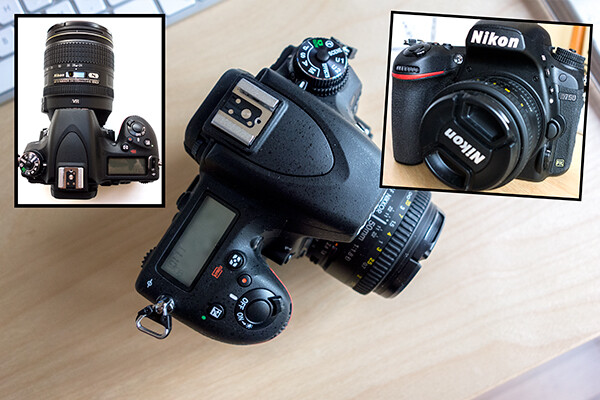
Nikon D750

Nikon D750

When Nikon made their announcement just prior to Photokina in September of this year (2014)  that they were launching the D750, my interest piqued, especially as the specs on paper were ticking all my requirement boxes. The price looked good too!

I have had the Nikon D750 a little over two months now, but have yet to put this camera through any serious testing. Over the following months, I will give this camera a thorough workout. In the meantime, this article will outline my first impressions and why I chose this particular camera.

‘Mirror mirror on the wall, who’s the fairest of them all’…why mirrorless of course!’

Before I finally went ahead and purchased the Nikon D750, I did seriously consider taking the mirrorless route. Sony and Fuji have some excellent ones on the market. At this moment in time, I do feel the choice of lenses available are still limited. That said, because these MILC (mirroless interchangeable lens cameras) are much lighter than DSLRs, this is a serious factor to consider, especially if travel and landscape photography is your speciality.

If you are interested in reading more about this topic, Simon Ringsmuth has an interesting article here the whole DSLR versus Mirrorless debate.

Main considerations before I bought the D750

  1. I was looking to upgrade from my APS-C sensor camera to a full frame one. I’m not bothered about the brand – it’s what the camera can do for me.
  2. I wanted more dynamic range, so a larger sensor and megapixels was a prerequisite.
  3. Faster AF system.
  4. Trade-in my older gear to lessen the financial blow, plus it didn’t make sense for me to hang onto to older gear with the current speed of technology.
  5. Video – I want to get more adept at shooting HD video footage.

A camera is an important tool in the photography profession and whatever camera suits your needs and gets the job done is the one for you.

I wanted to upgrade to a full-frame camera and use full frame lenses. My Nikon D300 which has an APS-C sensor had served me well and it was seven years old. I don’t believe in holding on to digital equipment for too long, because it depreciates so quickly. I traded-in this camera with the 18-200mm lens which did make a difference to the final bill.

Ergonomics

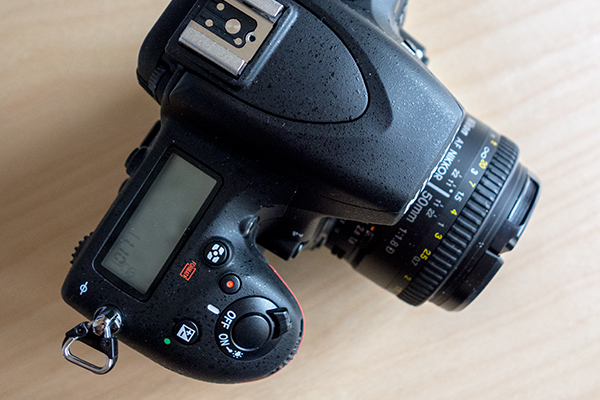
When I held the D750 for the first time, the ergonomics felt great. The extra dimension to the grip makes all the difference and it fits very comfortably in my hand. I don’t have large, nor petite hands. The body feels lighter than my previous body and more slimline but still has that solid feel of a DSLR.

Grip-on-the-Nikon-D750

The grip on the Nikon has been extended to allow for a much more comfortable hold.

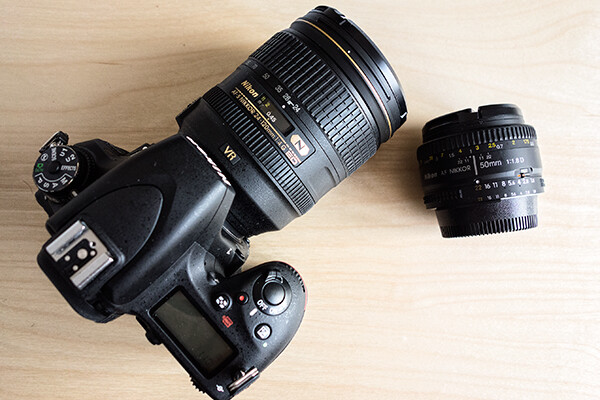
I got the Nikkor 24-120mm f/4 lens with the camera in a bundle deal. In doing so, I got the lens for nearly half of the purchase price. This particular lens isn’t light though, it weighs nearly the same as the camera body, which is about 755g(1.7lb) including the battery. The camera plus this lens was now more hefty to hold.

Nikon-D750-24-120mm f/4-lens+50mm-f/1.8D-lens

Nikon D750 with the Nikkor 24-120mm f/4 lens plus the 50mm f/1.8D.

First Test Run

On the day that I took the camera out for its initial test run it was a fantastic sunny day. I had the 50mm f1.18D lens attached. It felt so light, mind you this lens weighs practically nothing in comparison to other lenses.

Immediately, the camera felt very intuitive as I wasn’t fumbling around getting to grips with dials and menu systems. I am biased here given that I am more familiar with Nikon cameras so I had an advantage.

Image Quality

I have to admit that I am a bit of a pixel peeper. This camera has a high resolution 24.3 megapixel sensor, which is reflected in the quality of the images. I was impressed with the detail and color of the images.

Detail-on-dinghy

Zoomed in at 100% to show the detail on the elastic cord on this dinghy.

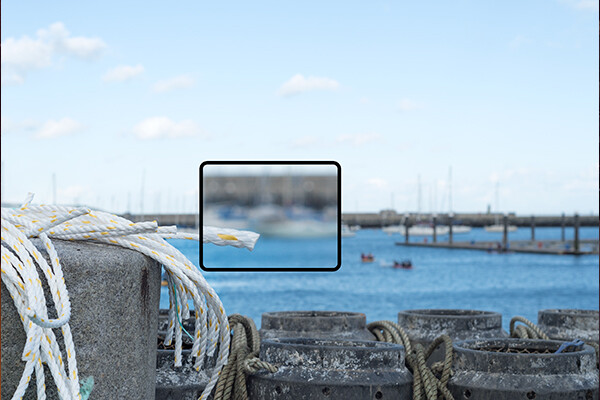
Autofocus

The speed of the Autofocus was just amazing. It was very responsive and super fast.

Autofocus

The AF was super fast and a dream to use. I was able to focus on the yachts in the background and then re-focus quickly on this part of the rope.

Dynamic Range

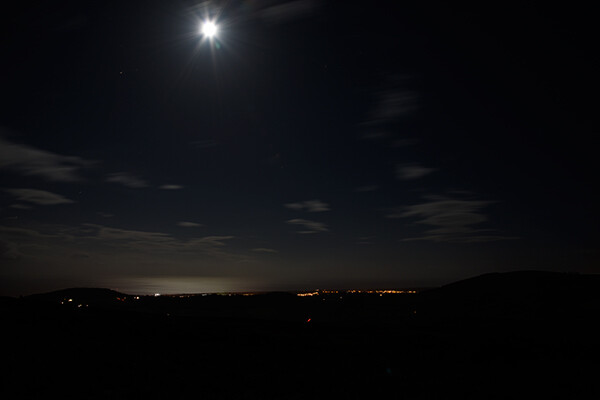
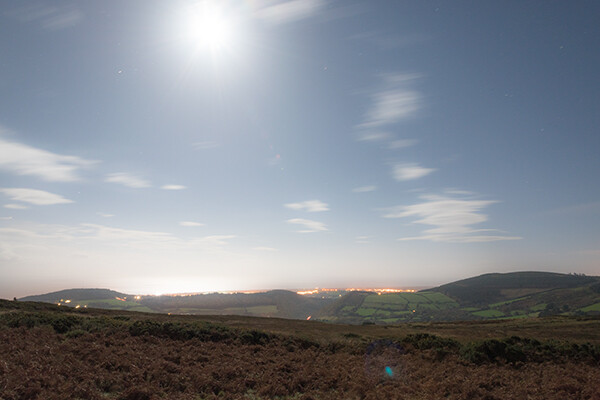
I had the opportunity to go on a night shoot in early November. I had never shot at night before, so this was a first. There was a full moon, so seemingly that’s not good if you want to catch star trails. I was happy enough with the moon. When I uploaded the images onto my computer, I wanted to see how much detail I could recover using Camera Raw. I was gob smacked!

Night-shot-original

I took this shot on a night shoot with a group. This is the jpeg version, straight out of the camera.

Night-shot-details-recovered-by-3.5-f-stops

This is the RAW file of the same night shot. However, when I brought it into Camera Raw, I was able to push the exposure by three and half stops to recover this detail, amazing!

misfired-original

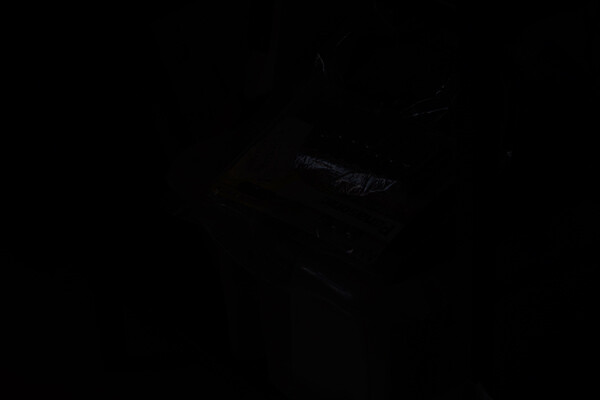
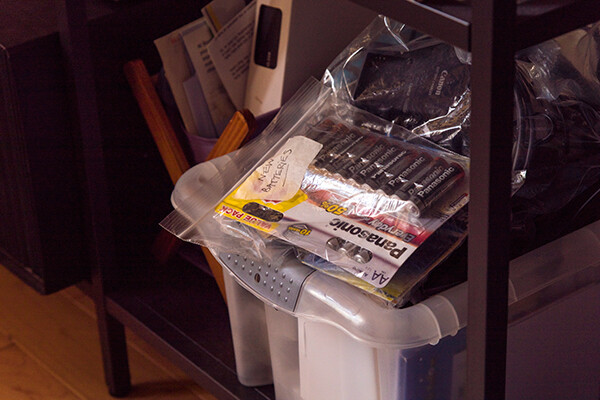
This jpeg image that is straight-out-of-camera was taken accidentally while holding the camera down. If you look closely, you can just barely see the highlights from the plastic bag with the batteries in it.

misfired-recovered-by-5-f-stops

This is the RAW file of the same accidental shot processed with Camera Raw, where I was able to push the exposure by five stops.

Adobe have launched camera raw 8.7 for the Nikon D750 but anyone who is using Adobe CS6, can download Photoshop Camera Raw 8.7 here.

Pros

This camera exceeds my expectations and then some with regards to image quality and dynamic range. The autofocus is so responsive and super fast.

I haven’t tested out the WiFi but this would not be a main consideration for me.

However, the tilt screen is a nice feature. This would be particularly useful, especially if you are a wedding photographer and you want to get down low for an interesting point of view or if you want to take an overhead shot at  a concert.

Cons

Not enough time!

I have yet to put this camera through its proper paces. Once I have properly tested out this camera, the cons may present themselves or will they?

Have you picked one up to try it or invested in the D750 already? What are your initial impressions?

googletag.cmd.push(function() {
tablet_slots.push( googletag.defineSlot( “/1005424/_dPSv4_tab-all-article-bottom_(300×250)”, [300, 250], “pb-ad-78623” ).addService( googletag.pubads() ) ); } );

googletag.cmd.push(function() {
mobile_slots.push( googletag.defineSlot( “/1005424/_dPSv4_mob-all-article-bottom_(300×250)”, [300, 250], “pb-ad-78158” ).addService( googletag.pubads() ) ); } );

The post Initial impressions of the Nikon D750 by Sarah Hipwell appeared first on Digital Photography School.


Digital Photography School

 
Comments Off on Initial impressions of the Nikon D750

Posted in Photography


Converting from Android Back to the iPhone, Initial Observations

22 Oct

I’ve been using smartphones for a long time. I was an original owner of what I believe was the very first smart phone, the Kyocera PDQ 800 back in 2000. I had a couple of Microsoft Windows based phones after that. I waited in line down in Palo Alto with my pal Robert Scoble to get the very first iPhone when it was launched back in 2007. I then upgraded to an iPhone 3G, then an iPhone 3Gs. I skipped the iPhone 4 opting instead to give Android a run for the money. I switched to a Samsung Vibrant in 2010 and then in 2011 to a Samsung Galaxy Nexus.

On Friday my new iPhone 5s arrived.

I returned to the dark side of Apple for a lot of different reasons. I hated the poor battery life on both of my previous Android phones. I hated that it felt like the only way to get updates on Android phones was to buy a new Android phone. I thought it sucked how difficult it was getting updated software and I thought Google didn’t do enough to pressure the hardware manufacturers and carriers to better support Android updates in the aftermarket.

A lot of things felt broken on my Android phones all the time. Things crashed, didn’t work, etc. People kept suggesting that I “root” my phone to fix things — but I didn’t want to root my phone. I’m not a phone geek. I just want something really good that consistently works with little effort.

On my recent trip to New York City last month, I felt like I spent the whole trip apologizing to people who couldn’t get a hold of me on my Nexus because it was constantly dead. I didn’t dare listen to music on it or it would die even faster.

It’s totally unfair to compare my new iPhone with a 2 year old Galaxy Nexus, but I’m going to do it anyways. Maybe Android’s come a long way since my Nexus, but I’m not interested in shelling out $ 500 to see if in fact this is the case — not after feeling like I’ve been burned twice with my last two Android phones.

I’ve only been using my new iPhone for a few days, but here are my initial observations.

1. The iPhone battery is wayyy better than my old phone. Last night I went to bed with my iPhone fully charged, but unplugged. This morning it had 98% of it’s battery life still. That was amazing to me. My Nexus would have been dead. It’s so nice having a phone that actually has a battery life.

2. The internet reception is better on this phone than my Nexus. For the last two years I’ve thought that Verizon just had really crappy internet service in the Ferry Building here in San Francisco. It turns out it was my phone! All the places in the Ferry Building where I couldn’t get Verizon LTE service on my Android, now work perfectly with Verizon LTE on my iPhone. I was so frustrated all the time when my LTE connection wouldn’t work on my old phone. I was constantly blaming Verizon when the real culprit was MY PHONE! Verizon LTE works GREAT. I just needed the right phone.

3. I didn’t care about the fingerprint technology on the new iPhone. I never locked my Nexus and didn’t think I’d lock this one — I’m one of those optimists who never thinks they will lose their phone. It turns out that the fingerprint tech is so easy that I do now lock my iPhone. I totally get that the NSA likely now has my fingerprint, but I don’t care about stuff like that.

4. It’s nice to be able to hear my music again. One of the things that I disliked about my old Nexus was the music volume. It was too low at max volume. Sometimes when you are on a train or something you want the music louder. The iPhone music can go louder and that’s nice.

5. It’s nice having my iPhone sync with my iTunes. I transferred about 7,000 of my favorite songs on it. I tried downloading doubleTwist to somehow port my iTunes to my old Nexus, but I could never get it working. I think my music library was too large for doubleTwist or something. Letting iTunes manage my music flawlessly with my iPhone is great.

6. My new iPhone just feels better. I don’t know how to describe it. It feels more responsive, more accurate, faster. It feels smoother. The Flickr and Google+ apps flow easier on it.

7. The first shocker for me was how much smaller the phone and the screen felt to me. I got over this quickly and barely notice at this point.

8. I don’t really feel like I’m missing the best Google stuff from my Nexus. I can get Google Maps on my iPhone. I can get Gmail on my iPhone. I can get Google Chrome on my iPhone. All of the best things that sort of set Google apart initially for me as an incentive to go Android feel like they are now on iPhone.

9. Setting up my new iPhone took me a lot longer than I thought it would. Some of this was my fault and some was the phone’s I think. I couldn’t activate it at first. My phone couldn’t connect to the activation server. I finally got it activated and it wouldn’t connect with my wifi at home initially (now it works fine). I had to download all of my favorite apps. It seemed to take longer to download my apps than I would have liked. I had to reset some passwords because I’m always forgetting my passwords (on Flickr now your password must include upper and lowercase letters, a number, a special character AND be at least 8 digits!) I spent about an hour trying to figure out how to get my Google Calendar into my iPhone calendar. It turns out what was screwing me up was two step authentication. Once I turned that off at Google it worked.

Thanks to everyone online on Twitter, Google+, Facebook, etc. who gave me input on what phone I should buy next. Rosa Golijan was especially helpful. :)


Thomas Hawk Digital Connection

 
Comments Off on Converting from Android Back to the iPhone, Initial Observations

Posted in Photography


27 June, 2013 – Sony Rx1N Initial Impressions

27 Jun

Last year the Sony Rx1 took the industry by surprise, and photographers were somewhat astonished. A pocket-sized 24MP full frame camera with a superb Zeiss lens. It was a wow, though an expensive wow.

Today Sony has upped the ante a bit more by introducing the Rx1N, the same camera but this time without an AA filter, for that little bit of extra resolution. My first impressions review is now online.

"Michael’s and Jeff’s tutorial videos are absolutely awesome, not only because of the information transmitted but also because of the casual, conversational style which somehow really makes things stick in your memory."


The Luminous Landscape – What’s New

 
Comments Off on 27 June, 2013 – Sony Rx1N Initial Impressions

Posted in News


Sigma 50-150mm f/2.8 OS HSM Initial Review – Nikon Mount D7000

09 Nov

The 50-150mm f/2.8 EX DC OS HSM APO Lens for Nikon F from Sigma is a fast f/2.8 telephoto zoom lens with a 50-150mm focal length (75-225mm equivalent in 35mm format) designed for cameras with a Nikon F mount. This long autofocus telephoto gets you close to the action, and it has an optical image stabilization system that makes it possible to hand-hold the lens at up to four shutter speeds slower than usual, while maintaining sharp, shake-free images. The Hyper Sonic Motor (HSM) gives you quiet, high-speed autofocus, and also allows full-time manual focus override. Six SLD glass elements help prevent chromatic aberrations, and provide excellent image quality throughout the zoom range. Super Multi Coating on the glass surfaces reduces flare and ghosting, and helps ensure high-contrast images. The 9-blade diaphragm gives a very pleasing quality to the out-of-focus areas of your photos (generally known as bokeh). A built-in tripod collar provides a solid mount when it’s placed on a tripod. Taken from B&H Photo Video Website.
Video Rating: 4 / 5

 
Comments Off on Sigma 50-150mm f/2.8 OS HSM Initial Review – Nikon Mount D7000

Posted in Nikon Videos