RSS
 

Posts Tagged ‘Image’

Video: ‘One Shot’ shows what it takes to capture an iconic image at the Olympic games

25 Nov

A thread on Reddit has brought a neat photography documentary from 2017 to our attention. ‘One Shot: Photographing the Olympic Games’ is a behind the scenes look at how photographers capture the iconic images of the Olympics, including a special focus on photographers setting up to capture the 100m men’s final in Rio de Janeiro during the 2016 summer games.

Featured photographers include multi-awarded photographers such as Lucy Nicholson, Dave Burnett, Bob Martin, Tim de Waele, and Tsuyoshi Matsumoto. Nicholson had a very specific image in mind for the 100m men’s final in Rio. As she sets up her gear, nine hours ahead of the starting gun kicking off what is one of the most exciting 10 seconds in sports, Nicholson talks about how she wants a tight shot of the winner with other sprinters on either side of the winner. ‘You only get one chance to take the key shot,’ Nicholson says.

A chart showing Sports Illustrated’s plans for photographing the 100m men’s final in Rio. Click to enlarge.

The documentary, seen below, was awarded the Candido Cannavo Award at the World Final of the Milan Sport Film Festival in 2018. About 150 iconic images from nearly 100 different photographers over the last 50 years of Olympic games are featured. An iconic image tells a story for years to come. Long after the medals have been awarded to the victors, and even long after the photographer has passed, the images and the stories they tell remain. Presenter Jonathan Edwards, Olympic gold medalist triple jumper, says it well, ‘A story that’s taken a lifetime to create, told in one shot. One freeze frame.’

Years of planning are required to create iconic images, and in under a minute, an iconic photo can be sent halfway around the globe. The technology on display in 2016 during the summer games was incredible. Reuters was able to get the first photo of Usain Bolt winning the 100m men’s final out to its customers in 58 seconds. It’s safe to assume that the technology will have advanced even further when photographers head to Tokyo in 2021. And while the equipment and tools photographers use continue to evolve, photography’s importance when telling a story remains unchanged.

‘One Shot’ was directed and written by Peter Davies and presented by Jonathan Edwards. As pointed out by PetaPixel, the documentary can also be viewed on the Olympic Channel. It’s hosted on YouTube by Anthony Edgar, the Head of Media Operations for the International Olympic Committee. Edgar also appears in the video. His channel, linked above, includes a lot of interesting Olympics-related video content.

Articles: Digital Photography Review (dpreview.com)

 
Comments Off on Video: ‘One Shot’ shows what it takes to capture an iconic image at the Olympic games

Posted in Uncategorized


Apple’s new ProRAW image format will capture 12-bit Raw DNG files

14 Nov

Apple has released the iOS 14.3 developer beta which, amongst other improvements, includes the new ProRAW photo feature Apple showed off at its virtual iPhone event last month.

Until now, not much was known about the ProRAW workflow and what type of file the latest iPhone 12 Pro devices would output. We now know, thanks to the iOS 14.3 developer beta, that a ProRaw file will be a 12-bit Raw image captured as a linear digital negative (Linear DNG) file. The file will offer up to 14 stops of dynamic range, according to a report from PetaPixel, and offers the usual post-production adjustments we’ve come to expect from Raw files: white balance adjustment, better exposure refinement and more.

Turning on ProRAW in iOS on the new iPhone 12 Pro devices is done by toggling it on in the Settings app. As with HDR and Live Photos, images captured as a ProRAW file will have a ‘RAW’ badge displayed alongside it to distinguish it from other images. It’s worth noting though that the image shown in the Photos app is simply a JPEG conversion of the Raw photo, akin to how Raw photos you view on your camera’s displays is actually a JPEG preview. You will only see the Raw image when it’s imported into a compatible post-production app for editing.

Speaking of editing, the DNG file should be compatible with any app that accepts DNG files, but it might take some time for all apps to integrate specific profiles for getting the most from the ProRAW format. The DNG files stored to the iOS Camera Roll can either be edited directly on your mobile device and exported as a JPEG from there or be saved and exported to your computer for editing in apps like Lightroom, Affinity Photo, Capture One and others.

Co-founder and designer for pro camera app Halide, Sebastiaan de With, points out that ProRAW works on the wide, telephoto and ultrawide camera modules and is also compatible with Night Mode shots (no luck with Portrait mode shots or Live Photos). He’s also discovered ProRAW images come in at roughly 24–28MB, which is quite large considering that’s the size of most DSLR and mirrorless Raw files.

No API is available at this time for ProRAW capture, so even if it does become available in the future, it might take some time to see ProRAW capture enabled in third-party apps.

Apple’s new ProRAW format is limited to its new iPhone 12 Pro and iPhone 12 Pro Max devices, so unless you’re planning on upgrading to the new flagship iOS devices, you won’t be seeing this new capture mode. For those of you who already have a compatible iPhone, there’s no information on when iOS 14.3 will be publicly available, so you’ll still need a little more patience.

Articles: Digital Photography Review (dpreview.com)

 
Comments Off on Apple’s new ProRAW image format will capture 12-bit Raw DNG files

Posted in Uncategorized


Kodak Professional Select’s AI-powered virtual assistant speeds up image culling

05 Nov

Kodak has introduced a new application, Kodak Professional Select. The app relies upon proprietary artificial intelligence to cull hundreds to thousands of images based upon technical attributes and aesthetic qualities.

Kodak states that technical attributes include color, focus, brightness, exposure, contrast and sharpness. With respect to aesthetic qualities, the AI looks for eyes being open, smiles and centered faces in your images. Kodak Professional Select then uses this data to select your best images and showcases them in an ‘easy-to-use interface.’ Importantly, the user maintains total control over which images are included in a final selection. The AI has been designed to drastically speed up this process. Kodak promises that ‘image culling is completed in minutes.’

Along with artificial intelligence, Kodak Professional Select allows the user to tag images with keywords, adjust the orientation, add star-based ratings, organize your files and more. You can learn more about Kodak Professional Select and see it in action in Kodak’s video below.

As you can see in the video above, to use Kodak Professional Select you must first sign up and install the required desktop application. This app interacts with Kodak’s cloud-based software. You then select and upload your images, which the software resizes for faster uploading and processing on the cloud. Once your images are uploaded, Professional Select goes to work and analyzes each image, ranking, and organizing your best images from the batch.

You can adjust how Kodak Professional Select prioritizes its evaluation criteria. Further, you can select how many images you desire from the batch. For example, you can prioritize exposure and sharpness and then select that you will want to keep 20 images from a batch of 500.

Kodak Professional Select judges images based upon multiple properties, including color, focus, contrast, and how the faces look in your images. Click to enlarge.

Once the analysis is complete, you will be able to adjust score criteria, add/remove selections, move images between groups, review images that the software determined were nearly identical and more. At this point, you can adjust the orientation of images, rate photos and add keywords. Once you’re all set with your selection, you export your selected images for the next step in your editing workflow.

Kodak Professional Select is compatible with Windows 10 and macOS Mojave (10.14.4) or newer and requires an internet connection. The following file formats are supported: DNG, JPG, RAW, TIF, CRW, CR2, CR3, RAF, 3FR, FFF, ARW, KDC, MRW, MOS, IIQ, NEF, NRW, ORF, RW2, PEF, X3F, SRF.

With its AI, Kodak Professional Select promises to make culling your images much easier and faster than traditional manual analysis. A free trial is available to try the software for yourself.

If you’d like to try Kodak Professional Select to see if it will fit in your workflow and speed up your image culling, there is a free 30-day trial available. After this trial, the ‘virtual assistant’ solution is available in monthly or annual subscriptions. Kodak Professional Select costs $ 29.95 USD per month. If you’d prefer a 12-month subscription, you pay $ 299.95, the equivalent of 10 months. To download the trial, head to Kodak Professional Select’s website.

Articles: Digital Photography Review (dpreview.com)

 
Comments Off on Kodak Professional Select’s AI-powered virtual assistant speeds up image culling

Posted in Uncategorized


Sony a7C review: Compact size, big sensor image quality

28 Oct

$ (document).ready(function() { SampleGalleryV2({“containerId”:”embeddedSampleGallery_5104195094″,”galleryId”:”5104195094″,”isEmbeddedWidget”:true,”selectedImageIndex”:0,”isMobile”:false}) });

Silver Award

87%
Overall score

The Sony a7C is the company’s latest and smallest full-frame interchangeable lens camera. It fits a 24MP full-frame sensor and image stabilization into a body more closely resembling the APS-C sensor a6600.

A lot of work has clearly gone into making this one of the smallest full frame cameras available, whereas a lot of the features and capabilities are familiar. A new retractable kit zoom is being launched along with the a7C to help maintain those size savings.

Out of camera JPEG.
ISO 500 | 1/40 sec | F9 | Sony FE 35mm F1.8
Photo by Carey Rose

Key specifications

  • 24MP BSI CMOS full-frame sensor
  • Bionz X processor (same as in the a7 III)
  • ‘Real-time tracking’ AF system with human head, face, eye, and animal recognition
  • Oversampled 4K video at up to 30p, including 8-bit S-Log and HLG
  • Continuous bursts at up to 10 fps
  • Fully articulating 921K dot touchscreen
  • 2.36M dot EVF with 0.59x mag.
  • Mic and headphone sockets
  • Large ‘Z-type’ battery, rated to 740 shots per charge

The Sony a7C is available at a price of around $ 1799 ($ 2399 CAD) or with the new collapsible 28-60mm F4-5.6 kit zoom for around $ 2099 ($ 2699 CAD).


Review contents

From the camera’s controls to the image and video quality it’s capable of, find out what exactly what you want to know about the a7C right here.

What’s new and how it compares

The a7C fits almost all the capabilities of the a7 III into a body that has more in common with the a6000 series. This means a smaller viewfinder but few other compromises.

Read more

Body and handling

The a7C has three dials, all controlled using your thumb. It still handles pretty well, though, with a solid body and a small but pretty comfortable grip.

Read more

Initial impressions

The a7C’s main strengths are its size and convenience. This could make it a powerful travel or family camera. But there’s a price to be paid, and this isn’t necessarily a budget option.

Read more

Image quality

The a7C produces both Raw and JPEG images that are a match for any of its peers. Dynamic range is excellent but you need to shoot large, uncompressed Raw files to get the full benefit.

Read more

Autofocus and video

The a7C’s main improvement over the a7 III is an autofocus system that integrates all its subject recognition capabilities so you don’t need to mess around changing modes to get the most out of it.

Video is good but its operation can be a little awkward.

Read more

Conclusion

The a7C’s combination of size, image quality, AF performance and battery life make it a superb travel camera, but some awkward aspects of operation, including its small viewfinder, hold it back as a photographer’s choice.

Read more

Sample gallery

We’ve been shooting the a7C with both its kit zoom and the sensibly compact FE 35mm F1.8, to see what the camera offers.

See the gallery

Articles: Digital Photography Review (dpreview.com)

 
Comments Off on Sony a7C review: Compact size, big sensor image quality

Posted in Uncategorized


Image Size and Resolution Explained for Print and Onscreen

27 Oct

The post Image Size and Resolution Explained for Print and Onscreen appeared first on Digital Photography School. It was authored by Helen Bradley.

One of the most confusing things for a new photographer is understanding image size, resolution, and printing.

So in this article, I’ll explain what these terms mean.

And I’ll show you how to resize your images depending on what you want to do with them.

Let’s get started.

What is resolution in digital cameras?

When talking about digital cameras, resolution refers to the number of megapixels produced by an image sensor.

This, in turn, generally corresponds to the amount of detail a camera can capture.

So if your camera packs 20 megapixels (often written as 20 MP), it captures less detail than a camera with 30 megapixels, which in turn captures less detail than a camera with 40 megapixels.

But what is a megapixel, really? And how does it affect your ability to print and display photos?

Megapixels and photo size

Find information about a photo (including resolution) using File > File Info

Technically, a megapixel is equal to 1,048,576 pixels; in reality, camera manufacturers round this number to 1,000,000 when stating how large of an image the camera will capture.

So my camera, for example, captures 14.6-megapixel images, which is around 14,600,000 pixels per image (14.6 x 1,000,000). This information tells you nothing about the actual pixel dimensions of the image – it only tells you the total number of pixels that make up the image.

My camera, like most DSLRs, captures images with an aspect ratio of 1.5. So the ratio comparing the number of pixels along the long edge of the image to the short edge of the image is 3:2.

Each of my full-sized RAW images is 4672 x 3104 pixels in dimension. So by multiplying the number of pixels along the image width by those along the image height, we get the actual number of pixels in the image (4672 x 3104 = 14,501,888). You and I might call this 14.5 MP, but camera manufacturers round this up and call it a 14.6 MP camera.

You can check the width and height of an image using your photo editing software. In Photoshop, you can open your image, then choose File > File Info > Camera Data. The image above shows the resulting information dialog box.

Now, a pixel itself is a single picture element – and for our purposes, it’s the smallest element that your photo can be divided up into. A pixel can only be one color, and a photograph is made up of a grid of thousands of pixels, each of the different colors that together make up your image.

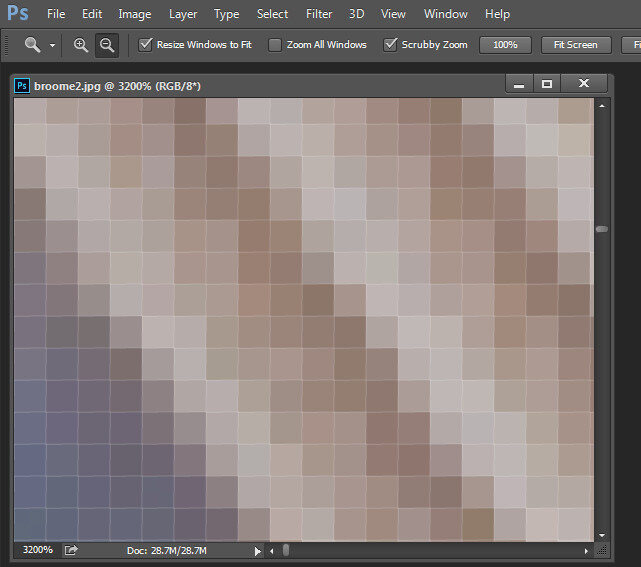
You can see these pixels if you open a photo and zoom in until you see single blocks of color (as shown below). Each of these blocks is a pixel:

An image of pixels in a photo

Why size is important when printing

When you’re printing an image, you may encounter the term PPI or pixels per inch. This literally refers to the number of pixels in an inch-long line of an image.

Most printing services, and indeed your own printer, will require a certain density of pixels in the image (PPI) to be able to render a print that looks good (i.e., with smooth color transitions so you can’t see each individual pixel).

Typical printing PPI values range from 150 to 300 PPI, although some high-end magazines may require images that are 1200 PPI.

So for example, if you want to print a 4 x 6 inch image at 300 PPI, then you need a file that has at least 4 x 300 (1200) pixels along its short side and 6 x 300 (1800) pixels on the long side. In other words, it needs to be at least 1200 x 1800 pixels in size.

To print an 8 x 10 inch image at 300 PPI, use the same math:

Multiply the printed image’s width and height in inches by 300 pixels. The result is 2,400 x 3,000 pixels, which is the image resolution you need to print an 8 x 10 image at 300 PPI.

Therefore, when cropping and sizing an image for printing, you’ll need to know what PPI the image should be. Your printer manual or printing service should be able to tell you this.

Below is a screenshot from the MpixPro.com website, showing their optimal and minimum image sizes for standard print sizes. Their printer outputs at 250 PPI (but can handle 100 PPI images), though other services may differ, so always check before preparing your images.

Print size required for MpixPro printing

Use the crop or resize feature in your software to size your image to the desired width and height and the desired PPI resolution.

Here, an image cropped to a size of 3000 x 2400 pixels is being adjusted from 72 PPI to 300 PPI in preparation for printing at 300 PPI. There is no resampling required, as the image is already the correct dimensions and only the resolution requires adjusting.

Adjusting resolution in a photo without resampling it

Photoshop, like other applications, will also crop an image to a fixed size and resolution if you type your desired values into the options bar when you have the crop tool selected (see below). If your image is smaller than the typed dimensions, then the image will be enlarged using the default resampling method. While it isn’t generally advisable to enlarge images, provided the image is already close to the desired size, enlarging it a little generally won’t cause a noticeable loss of quality.

When cropping in Photoshop, you can specify image size and resolution

Sizing for the screen

When it comes to displaying images on the screen, you need far fewer pixels than you do for printing.

This is because the density of pixels on the screen is far less than what is required for printing. For example, a typical monitor is 1920 x 1080 pixels in size; to fill the monitor, you only need an image that is 1920 x 1080 pixels in size. That’s about the same size image you need for a 4 x 6 print at 300 PPI – yet the 1920 x 1080 pixel image displays perfectly on a 23-inch monitor.

The post Image Size and Resolution Explained for Print and Onscreen appeared first on Digital Photography School. It was authored by Helen Bradley.


Digital Photography School

 
Comments Off on Image Size and Resolution Explained for Print and Onscreen

Posted in Photography


Samsung details new 65/14nm stacked sensor design for improving power efficiency, density of mobile image sensors

08 Oct
Stacked Architecture of the chipset Samsung details in its new paper.

Samsung has published a paper detailing a new stacked CMOS mobile image sensor that uses a 14nm processing layer to deliver high-resolution images while reducing power consumption.

The stacked sensor consists of two chips: a 12MP backside-illuminated (BSI) pixel chip on the top that uses 65nm process and a bottom chip for analog and logic circuits that uses 14nm process. By using the super-fine 14nm process on the processing layer, Samsung says it could achieve a 29% drop in power consumption compared to current conventional sensors that use a 65nm/28nm process.

Microphotograph of Implemented Sensor (Left: Top Chip & Right: Bottom Chip)

Samsung says the chip is capable of outputting at 120 frames per second while consuming just 612mW of power. The analog and digital power supply requirements also drop to 2.2V and 0.8V, respectively, compared to conventional 65nm/28nm process chipsets.

What this all translates to is a more energy-efficient stacked sensor for future smartphones that also manages to improve data throughput and reduce noise. It also paves the way for creating sensors with smaller pixel pitches, maximizing the potential for even higher-resolution sensors without increasing the size of mobile sensors. As illustrated in the below graphic, a 16MP sensor with a 1.0um pixel pitch is the same size as a 13MP sensor with a 1.12um pixel pitch.

Of course, smaller pixels means each pixel will be less sensitive, but Samsung emphasizes this shortcoming can be overcome through its pixel-merging technologies such as its Tetracell (2×2) and Nonacell (3×3) technologies, which will merge data from neighboring pixels together to achieve better image quality when light is scarce.

Specifications of the 12MP sensor Samsung details in its paper.

Samsung specifically notes the power-saving nature of stacked sensors using the 65nm/14nm process will be ‘critical’ for 8K video capture and even higher-resolution sensors, as power consumption is one of the biggest factors limiting 8K capture on current smartphones.

As tends to be the case with developments of this kind, there’s no knowing when we might see this 65nm/14nm stacked sensor design inside a consumer smartphone.

Articles: Digital Photography Review (dpreview.com)

 
Comments Off on Samsung details new 65/14nm stacked sensor design for improving power efficiency, density of mobile image sensors

Posted in Uncategorized


Disk Drill 4 makes it easier to recover Raw image, video files from damaged drives and memory cards

08 Oct

The macOS version of disk recovery software Disk Drill has received a major 4.0 update that adds, amongst other features, a dramatically improved ability to recover RAW image formats from drives and memory cards.

Disk Drill for macOS 4.0 is now ready for the latest versions of Apple’s desktop and mobile operating systems, macOS Big Sur and iOS 14. Using ‘state-of-the-art scanning methods and updated recovery algorithms,’ Disk Drill 4 can recover more than 400 different file types from drives with FAT32, NTFS, HFS+, and APFS file systems.

CleverFiles, the team that develops Disk Drill, says it’s ‘invested a lot of resources into researching and implementing unique search and recovery algorithms aiming bring back many raw images.’ Specifically, CleverFiles says it’s dramatically improved the ability to recover Raw image and video formats, including 3FR (Hasselblad), ARW (Sony), CR2 and CR3 (Canon), DNG (multiple mobile devices and cameras), GPR (GoPRO), HEIC (Apple), RLE (QuickTime videos), CVID (Cinepak), H263 and H264, MP4V, BRAW (Blackmagic RAW), CinemaDNG, Canon CRM, multiple MOV-container-based formats and many others.

CleverFiles specifically notes the success rate of being able to reconstruct Raw photo and video files has increased to 99% and 96%, respectively, compared to the respective 68% and 51% success rates with Disk Drill 3.8.

A breakdown of the success rate for recovering Raw image and video files from disks and memory cards compared to its previous version and competing products.

Other benefits of Disk Drill includes the ability to browse recovered files in real-time as they’re reconstructed, rather than having to wait for the entire disk to be scanned, and a secure ‘data shredder’ option for ensuring no data can be recovered from drives you’re looking to get rid of.

You can download Disk Drill 4 for free to try out basic functionality and to get familiarized with all the recovery methods, but if you actually need to recover files from a drive, you can pick up the ‘Pro’ version for $ 89. A single purchase is good for activation on up to three computers. Disk Drill has a great overview of all the new features on its website.

Articles: Digital Photography Review (dpreview.com)

 
Comments Off on Disk Drill 4 makes it easier to recover Raw image, video files from damaged drives and memory cards

Posted in Uncategorized


Pixelmator Photo update adds AI-powered image upscaling tool, ML Super Resolution

22 Sep

Pixelmator, makers of the photo editing application Pixelmator Photo, has released Pixelmator Photo version 1.4. The new update includes ML Super Resolution, a new tool designed to enlarge low-resolution photos with a single tap. ML Super Resolution utilizes machine learning (hence the ‘ML’ in the name) and the processing power available in Apple iPad devices to enlarge photos, illustrations, paintings and designs while preserving and enhancing details, edges and textures.

ML Super Resolution was designed for the newly released iPad Air and was presented during Apple’s ‘Time Flies’ event last week. The app is powered by the new A14 Bionic chip and Pixelmator states that it is the first AI-powered image enlargement tool available on a mobile device.

To enlarge images, ML Super Resolution ‘creates a layered representation of the image that is over 100 channels deep, detecting features such as edges, patterns, textures, gradients, and colors.’ After this, the channels are upscaled individually and combined back into a single image. Pixelmator states that the process ‘requires up to 62 thousand times more processing power than traditional approaches,’ something that Pixelmator states is only possible on iPad thanks to recent advancements in iPad performance and the dedicated processor in the Apple Neural Engine.

Tomas Andrijauskas, lead developer of Pixelmator Photo, says, ‘The processing power of iPad has advanced in leaps and bounds over the last few years. With these advances, it is now possible to open up workflows that simply were not available in the past. One such workflow is using machine learning techniques to enlarge photos while retaining sharpness and enhancing intricate details.’

Pixelmator Photo 1.4 includes ML Super Resolution, a new AI-powered image upscaling feature. Image credit: Pixelmator

Of being able to show Pixelmator’s work during an Apple event, Andrijauskas continues, ‘Our team consists of 20 people and is based in a tiny Baltic country. So it is an incredible honor to be recognized by a company as respected and influential as Apple. It also shows that if you work hard to create powerful, beautiful, and easy-to-use products, your work will be recognized, no matter your location or size.’

In addition to the new ML Super Resolution tool, Pixelmator Photo version 1.4 includes a new split-screen view of original and edited images and support for the Apple Pencil’s double-tap gesture.

Pixelmator Photo 1.4 also includes a new before/after comparison tool. Image credit: Pixelmator

If you’d like to learn more about Pixelmator Photo and its RAW editing tools, check out the overview video below and head to the Pixelmator Photo website.

Pixelmator Photo 1.4 is available now from the App Store as a free update for existing users or for $ 7.99 USD for new customers. Pixelmator Photo requires iOS 11 or later and a compatible iPad device. A list of compatible devices can be found on the App Store product page.

Articles: Digital Photography Review (dpreview.com)

 
Comments Off on Pixelmator Photo update adds AI-powered image upscaling tool, ML Super Resolution

Posted in Uncategorized


Sony a7C initial review: Compact size, big sensor image quality

15 Sep

$ (document).ready(function() { SampleGalleryV2({“containerId”:”embeddedSampleGallery_5104195094″,”galleryId”:”5104195094″,”isEmbeddedWidget”:true,”selectedImageIndex”:0,”isMobile”:false}) });

The Sony a7C is the company’s latest and smallest full-frame interchangeable lens camera. It fits a 24MP full-frame sensor and image stabilization into a body more closely resembling the APS-C sensor a6600.

A lot of work has clearly gone into making this one of the smallest full frame cameras available, whereas a lot of the features and capabilities are familiar. A new retractable kit zoom is being launched along with the a7C to help maintain those size savings.

Out of camera JPEG.
ISO 500 | 1/40 sec | F9 | Sony FE 35mm F1.8
Photo by Carey Rose

Key specifications

  • 24MP BSI CMOS full-frame sensor
  • Bionz X processor (same as in the a7 III)
  • ‘Real-time tracking’ AF system with human head, face, eye, and animal recognition
  • Oversampled 4K video at up to 30p, including 8-bit S-Log and HLG
  • Continuous bursts at up to 10 fps
  • Fully articulating 1.44M dot touchscreen
  • 921k dot EVF with 0.59x mag.
  • Mic and headphone sockets
  • Large ‘Z-type’ battery, rated to 740 shots per charge

The Sony a7C will be available from October 2020 at a price of around $ 1799 USD ($ 2399 CAD) or with the new collapsible 28-60mm F4-5.6 kit zoom for around $ 2099 USD ($ 2699 CAD).


Review contents

From the camera’s controls to the image and video quality it’s capable of, find out what exactly what you want to know about the a7C right here.

What’s new and how it compares

The a7C fits almost all the capabilities of the a7 III into a body that has more in common with the a6000 series. This means a smaller viewfinder but few other compromises.

Read more

Body and handling

The a7C has three dials, all controlled using your thumb. It still handles pretty well, though, with a solid body and a small but pretty comfortable grip.

Read more

Initial impressions

The a7C’s main strengths are its size and convenience. This could make it a powerful travel or family camera. But there’s a price to be paid, and this isn’t necessarily a budget option.

Read more

Sample gallery

We’ve been shooting the a7C with both its kit zoom and the sensibly compact FE 35mm F1.8, to see what the camera offers.

See the gallery

Articles: Digital Photography Review (dpreview.com)

 
Comments Off on Sony a7C initial review: Compact size, big sensor image quality

Posted in Uncategorized


Researchers capture 3,200MP image using future telescope camera

10 Sep

Researchers at the Department of Energy’s SLAC National Accelerator Laboratory have captured 3,200MP images, the largest photos ever captured in a single shot. The camera, an array that contains 189 individual image sensors, will become the future camera of the Legacy Survey of Space and Time (LSST) telescope at the Vera C. Rubin Observatory in Chile. The camera will be used to help shed light on some of the most intriguing mysteries of the universe, including dark matter and dark energy.

The 189 image sensors are charge-coupled devices (CCD) and each capture a 16MP image. To build the image sensor array, nine CCDs and supporting electronics were assembled into square units, called science rafts, by the Department of Energy’s Brookhaven National Laboratory and then shipped to SLAC. Then the team at SLAC inserted 21 of these square units into a grid to hold them in place.

The completion of the image sensor array and focal plane earlier this year took six months and proved to be a difficult task. In order to maximize the imaging area of the array, the gaps between individual image sensors are less than five human hairs wide. If the sensors touch each other during the process, they could easily break. Damaging a sensor or raft would be costly, as the rafts cost up to $ 3M USD a piece. SLAC mechanical engineer Hannah Pollek said of the assembly process, ‘The combination of high stakes and tight tolerances made this project very challenging. But with a versatile team we pretty much nailed it.’

The focal plane features impressive specifications beyond even the 3.2 billion total pixels. The pixels themselves are about 10 microns wide and the focal plane itself has been constructed to exacting standards. The focal plane is nearly perfectly flat, varying by ‘no more than a tenth of the width of a human hair’ across its more than two feet of width. The optics through which light will reach the image sensor array is designed to allow the sensors to identify objects 100 million times dimmer than what the human eye can see. This is equivalent to being able to see a lit candle from thousands of miles away.

The images produced by the 3,200MP camera are so large that you would need nearly 400 4K UHD televisions to display a single image at its full size. The resolving power of the camera would allow you to spot a golf ball from about 15 miles away.

As mentioned, the camera will be installed at the Vera C. Rubin Observatory in Chile. Once it has been installed, it will capture panoramic images of the southern sky every few nights for 10 years.

‘The complete focal plane of the future LSST Camera is more than 2 feet wide and contains 189 individual sensors that will produce 3,200-megapixel images. Crews at SLAC have now taken the first images with it. Explore them in full resolution using the links at the bottom of the press release. (Jacqueline Orrell/SLAC National Accelerator Laboratory)’ Image and caption credit: SLAC

Steven Ritz, project scientists for the LSST Camera at the University of California, Santa Cruz, said, ‘These specifications are just astounding. These unique features will enable the Rubin Observatory’s ambitious science program.’ Over the course of a decade, the camera will capture images of about 20 billion galaxies. Ritz continues, ‘These data will improve our knowledge of how galaxies have evolved over time and will let us test our models of dark matter and dark energy more deeply and precisely than ever.’

Before the focal plane can be used within the Rubin Observatory’s program, it needs to be rigorously tested. This includes capture images of a variety of objects, including a head of Romanesco broccoli. In order to operate normally, the sensors must be cooled to negative 150° Fahrenheit. Without a fully assembled camera, the team at SLAC used a 150-micron pinhole to project images onto the focal plane.

‘Taking the first 3,200-megapixel images was an important first test for the focal plane. To do so without a fully assembled camera, the SLAC team used a 150-micron pinhole to project images onto the focal plane. Left: Schematic of a pinhole projector that projects images of a Romanesco’s detailed texture onto the focal plane. Right: SLAC’s Yousuke Utsumi and Aaron Roodman remove the pinhole projector from the cryostat assembly after projecting the first images onto the focal plane. (Greg Stewart/Jacqueline Orrell/SLAC National Accelerator Laboratory)’ Image and caption credit: SLAC

SLAC’s Aaron Roodman is the scientist responsible for building and testing the LSST Camera. Of the successful test images, he says, ‘Taking these images is a major accomplishment. With the tight specifications, we really pushed the limits of what’s possible to take advantage of every square millimeter of the focal plane and maximize the science we can do with it.’

Despite the successful tests, there is much more work to do. Over the next few months, the team will insert the cryostat used to reduce the temperature of the image sensors along with the focal plane into the camera body and add lenses, including the world’s largest optical lens. The team will then affix a shutter and a filter exchange system so that the camera can be used to capture the night sky in different colors. The team anticipates the SUV-sized camera to be ready for final testing in mid-2021 before it begins its final journey to Chile.

‘Over the next few months, the LSST Camera team will integrate the remaining camera components, including the lenses, a shutter and a filter exchange system. By mid-2021, the SUV-sized camera will be ready for final testing. (Chris Smith/SLAC National Accelerator Laboratory)’ Image and caption credit: SLAC

JoAnne Hewett, chief research officer at SLAC and associate lab director for fundamental physics, says, ‘Nearing completion of the camera is very exciting…It’s a milestone that brings us a big step closer to exploring fundamental questions about the universe in ways we haven’t been able to before.’

As one would expect, we are unable to display 3,200MP images here on the site. However, SLAC has five full-size images taken with the focal plane of the LSST camera which you can view at the links below:

• Head of Romanesco broccoli

• Photo of the Flammarion engraving

• Photo of Vera Rubin, courtesy of the Carnegie Institution for Science, where Vera Rubin spent her career as a scientist

• Collage of LSST Camera team photos

• Collage of logos of institutions involved in the LSST Camera project

Articles: Digital Photography Review (dpreview.com)

 
Comments Off on Researchers capture 3,200MP image using future telescope camera

Posted in Uncategorized