RSS
 

Posts Tagged ‘Guide’

Phoneography Guide: How to Shoot a Wedding on Your Phone!

16 Oct

Extra photos for bloggers: 1, 2, 3

The Big Day. You’re outfitted, rehearsed and have a belly full of butterflies.

This isn’t your wedding day. It’s the day you’re shooting one with your phone!

So what apps are you going to use and what lenses will help you along the way? And OMG whataboutbatterylife.

Photojojo’s very own *pro* photographer Kim Thomas will tell you just what you need to shoot a wedding with your phone!

She recently shot one here in San Francisco for the lovely couple pictured, Jonathan & Brandi.

It’s a big day. Not just for them, but for you and your phoneography chops, too.

Kim’s Wedding Phoneography Guide

p.s. Way cool opportunity here! Kenneth Cole is featuring Instagrammers on its Collection Site. Enter your photos for a shot with this week’s theme “iconic”.

Why it’s cool:

ingred-smThere are all kinds of reasons you might want to shoot a wedding with your phone!

Maybe it’s the challenge you’ve been missing or maybe it’s just that your DSLR’s in the shop.

Maybe you just want to see if it can be done! Will your photos look much different through your phone’s lens as opposed to your DSLR’s? Will your friends be able to tell?

It’s exciting, and you’re dying to see what will happen. So try it! Kim did. Here’s her guide on how to best prep yourself for the big day.

Ingredients:

paint-sm

  • A camera bag (Kim used the Any Bag Insert)
  • Your camera phone
  • Another camera phone, as a backup (an older model or a friend’s works)
  • A charger
  • A portable backup charger (Kim used the Mophie)
  • Cell lenses, such as our Phone Lens Series or the Olloclip
  • Optional: the iPhone SLR Mount
  • Glif Plus tripod mount (for the iPhone) & a tripod

NOTE: This will vary from photographer to photographer, but the above is to give an idea of the kinds of tools that will help you get awesome results like Kim’s!

Lighting

paint-smIf the wedding is outdoors, you’re all set with natural lighting.

Either using an outside camera app or your phone’s built-in shooting app, you can choose your exposure by touching the part of the photo or using an exposure adjustment tool to get your exposure just how you want it.

HDR mode (either built-in or via an app, like HDR Pro) will help capture a balanced exposure when you have bright skies and a shadowy subjects.

If your wedding is indoors, place the couple next to windows where you can find natural light.

If you don’t have any windows to work with, this is where the Glif Plus and your tripod will come in handy. That’s because you’ll want to stabilize your phone as much as you can when you’re shooting indoors.

You won’t be able to eliminate all noise, but it will help, and some grain is a-okay in my books. A little bit of grain and even some motion blur gives photos that old film look.

EXTRA TIDBIT: You might consider combining the powers of a tripod, an app that lets you control shutter speed (like Slow Shutter Cam for iPhone or Light Painting Camera for Android), and an external flash. With these, you can set a long exposure and pop off a flash to light your couple.

Apps & Tools

paint-smI edited all the photos with Instagram after the wedding. I also used an app called PhotoForge2 to help straighten some of the photos. PhotoForge2 also gives you control of curves and levels in your photos.

For Androiders, PicSay and Camera360 are both excellents app for making small exposure adjustments, straightening, and cropping.

When it comes to outside accessories, cell lenses are really helpful in getting a closer view when you can’t get close enough or giving you a wider angle when you need to pack more into your image than space allows you.

And if you want to get advanced, you can try something like the iPhone SLR Mount which lets you shoot photos on your iPhone with a Canon or Nikon SLR lens!

Shooting Portraits

paint-smI start photographing people from farther away so they can get used to the presence of the camera, er, phone, being there.

People like direction and trust you to make them look good, so tell them what to do and how to stand. For example, it’s as simple as telling them to “stand facing one another and hold hands.”

When posing the couple, you can still capture candid moments by telling them to have a conversation with one another. They’ll start talking and laughing, and then you can snap your photo.

Having your subjects change up their line of view can help change the mood in the photo. A photo of a couple standing there looking at the camera will look a lot different from a photo of the couple standing there looking off into the distance. It adds a little wonder to your photo.

Lastly, remember that the environment is that additional subject in your frame. Pose your couple based on what’s around you. They could be leaning against a tree, looking over a balcony or sitting on some steps.

Shooting Candids

paint-smCandids can be tricky because your iPhone doesn’t work as quickly as your DSLR will.

Since that’s the case, don’t be afraid of motion blur. You can still capture the mood, and the blur may make your photos look more like film, which is always cool.

Battery Life

paint-smIf possible, have a backup phone. You might use an older model that you no longer use as a phone or borrow one from a friend.

If you are at an indoor location, I recommend leaving one of your phones plugged in a safe place, and then you can swap phones once your current one is almost out of battery.

If you don’t have an extra phone on you, keep a portable backup charger (I used the Mophie) with you for when you need to recharge your phone. Remember to start charging your phone before it’s too late as it will take a bit of time to charge back up.

If you have any downtime during the wedding (say the couple is going to freshen up and grab some drinks), use that time to charge up.

Even More Tips & Inspiration

  • Flip your phone to airplane mode to stave off interruptions.
  • Check out this team of photographers who used our iPhone SLR Mount to shoot Australia’s first iPhone wedding!
  • Catch our guides to the best iPhone and Android camera apps
  • Find even more *excellent* app recommendations at We Love Phoneography

Related posts:

  1. Wedding Photos You’ll Love (Even if You Hate Wedding Photos) ~Have a cool photo product or site? Reach 270,000 photo…
  2. 10 Tips to Make Your Phone Photos Amazing;
    Plus, Our New Phoneography Blog! Phoneography is the best. No matter where you go, you’ve…
  3. Attachable Lenses for Your Camera-Phone, Fisheye & Macro/Wide Angle Phone Lenses Extra photos for bloggers: 1, 2, 3 Camera-phones. They’re a…


Photojojo

 
Comments Off on Phoneography Guide: How to Shoot a Wedding on Your Phone!

Posted in Equipment


Photokina: An Easy-to-Follow Guide on the Latest in Cameras! (And then some)

16 Oct

Last week, 180,000 photo fans from all over the world came together in Cologne, Germany for Photokina.

What’s a Photokina? It’s Disneyland for photo nerds!

WEDONOTKID. We saw lenses the size of buildings, ladies swinging from the ceiling, zoetropes made of Legos and so much more.

It’s the world’s biggest photo conference that comes around only every two years. Along with the conference came camera announcements.

And with it, a flood of tech specs.

If it seems to have blurred into an indecipherable cloud of hyphenated terminology, allow us to translate!

A Guide to the Latest in Digital Cameras

p.s. Woot! We teamed up with our chums at Threadless to help you pack sweet threads + photo gear for your next trip. Enter here.

All New Instant Cameras

beforeWhat’s new? The Impossible Project’s Instant Lab and 8×10 film, Polaroid’s Z2300, and the Instax Mini 8.

  • The Instant Lab

    This is where it’s at when it comes to the future of phoneography. The innovators at the Impossible Project combined phoneography with analog and came up with this amazingness.

    It’s a modified Polaroid-esque camera that fits a phone on top to expose your phone photos directly onto instant film.

    That essentially means you’re turning your phoneography into instant prints, and that’s socool.

    Dave Bias of Impossible demoed it for us!

before

  • The Polaroid Z2300

    Digital analog mashups are the jam (we made a funny!).

    The Polaroid Z2300 pretty much does everything a lover of digital and analog would want it to do. It shoots your photos at a decent 10MP and gives you instant prints at your behest.

    Oh, and those prints come with sticky backs, so you can stick your photos on album pages, in notebooks, or a bathroom stall ’cause you’re a rebel like that.

    You can actually find this one in the Photojojo Store!

before

  • 8X10 Impossible Film

    This is hands down the most analog newbie you’ll find at Photokina.

    The Impossible Project are magicians, we say. They snatched up the last known 8×10 Polaroid machine in 2009 and have successfully made 8×10 integral film — meaning the film contains the chemicals needed to make a photo, good ‘ol Polaroid style.

    See the 8×10 prints they had at their booth!

before

  • The Instax Mini 8
  • The Instax Mini 8 is a slimmer Mini with a new “high-key” mode for getting brighter prints.

    What’s most exciting is that it comes in a bunch of rad pastel colors, like this sunny yellow one we played with here.

Camera + Smartphone Hybrids

beforeWhat’s new? Nikon’s Coolpix S800C and the Samsung Galaxy.

Walking Photokina, you’ll notice most new cameras have added Wi-Fi, Instagram-ish filters, or Android!

You might be wondering what the difference between a phone with a camera in it and a camera with a phone in it is? And whatever happened to shoes with phones in them?

We were wondering, too, and here’s what we found.

  • Nikon’s Coolpix S800C

    The main difference between this camera and your smartphone is that it shoots photos on a higher-res 16MP sensor and has a 10X optical zoom (to compare, the iPhone 5 gives you 8MP & 3x digital* zoom).

    So, it leans a little more towards camera than phone, and lets you do all your favorite Android stuff via WiFi like geotag photos and upload to Instagram or Facebook.

    One tidbit: the camera runs separately from the older Android 2.3 (Gingerbread) that it runs on, so the camera can open faster without having to wait for Android to load.

before

  • Samsung’s Galaxy Camera

    Samsung’s played a competitive match in the smartphone game with their Galaxy S III rivaling the iPhone 5. Now they’ve taken that over into point-and-shoots.

    This camera runs on Android’s latest version, Jelly Bean, and shoots with 16MP sensor and 21x optical zoom.

    It can also connect to 3G, 4G, and WiFi, which is pretty rad since it means you can upload your photos from anywhere — instead of being dependent on WiFi as is with most digital cameras right now.

*Why does optical vs. digital zoom matter? Digital zoom is like enlarging your photo and cropping it around your subject. Your photo ends up losing resolution and looking all pixelated, which is sad pandas if you ask us.

Optical zoom means your optics do the work, so you get to keep your image nice and high-res. This is more of a happy pandas situation.

See our photos of the Samsung and the Nikon.

Über-Fancy Mirrorless Cameras

beforeWhat’s new? Hasselblad’s Lunar Camera and the Leica M (and the ME & Monochrom).

  • Hasselblad’s Lunar Camera

    Hasselblad was the first camera on the moon, and their new mirrorless camera won’t let you forget it … which may be in part because it costs a fraction of what it does to get to the moon ($ 6K!).

    It does all the good stuff a mirrorless will buy you, like a 24.3MP sensor, up to 16000 ISO and can 10 frames per second when in burst mode. Plus, it has a handsome Don-Draper-esque design that doubles as an ergonomic extra.

    One thing folks have pointed out is that this camera is awfully similar to Sony’s NEX-7 ($ 1K), which would make sense considering the two companies have partnered and this camera is compatible with Sony lenses.

    Check out our photos of the Lunar up close!

before

  • The Leica-M

    Leica had us at hello, and then it wooed us with its lustrous magnesium alloy body.

    After you’re blinded by its good looks, you remember that it’s a camera and that you can shoot with it.

    So here’s what you need to know about that: a 24MP full-frame sensor, an upgrade from the M9′s 18MP not-full-frame sensor, a faster Maestro processor (their speediest processor yet which also allows for a longer battery life because it’s just that efficient), and Live View, which includes an electronic viewfinder.

    Why would you get this pricey camera instead of a cheaper DSLR? A few reasons. Maybe you’re a big Leica fan, maybe you’re looking for a smaller-bodied camera that can deliver images comparable to a DSLR’s (you can thank the full-frame sensor for that), or maybe you just fancy.

    See our photos from the rad Leica booth.

Nikon & Canon’s All New DSLRs

beforeWhat’s new? The Nikon D600 and the Canon 6D.

  • Nikon’s D600

    Someone needs to drop balloons from the ceiling because this camera’s one to have a party about.

    It’s the cheapest full-frame sensor Nikon DSLR! Ever! Its specs place it a notch above entry-level DSLRs but at a level that’s more affordable than say, a Nikon D800 ($ 2000 vs $ 3000).

    This is awesome because that makes it available to serious photographers who don’t necessarily need all the trims.

    For a quickie comparison, it has a full-frame 24MP sensor, while the D800 has a full-frame 36.6MP and the entry-level D3200 has a 24.2 DX sensor, which is quite a bit smaller in size (about 2.3x smaller).

    AND it’s lighter and smaller than most pro-cameras, and we think that merits confetti cannons.

    Nikon had a Lego zoetrope at their booth among other things! Check out our photos.

before

  • Canon’s 6D

    It’s like Canon read Nikon’s mind … or vice versa!

    The 6D is the most affordable full-frame Canon DSLR yet! Balloon drops all around!

    It’s also priced at $ 2000, making it almost $ 1500 cheaper than a 5D MarkIII, Canon’s benchmark pro camera.

    Since you might be wondering about how the sensor compares, here it is: the 6D has a 20.2MP full-frame sensor, the 5D MarkIII a 23.4MP full-frame sensor.

    Two things that are making some photographer’s ears perk up:

    • Built-in WiFi and GPS. (Other Canon DSLRs need extra gizmos in order to use WiFi or GPS.)
    • The same video modes as the 5D MarkIII, meaning you can make some pretty mean video.

    Here’s what Canon’s booth was like. Pretty epic.

  • Cameras That Surprised Us!

    beforeWhich ones? The Fuji XF1 and the Casio Exilim EX-ZR100..

    I know, right?

    • The Fuji XF1

      With DSLRs and shiny mirrorless cameras everywhere in sight, little did we expect a point-and-shoot to catch our eye.

      Lately, Fuji’s been all about retro bodies and outfitting their cameras in dapper leather wrappings.

      And that’s what we like about the XF1! It has a super slim (1.2″) rangefinder-esque body that comes in a several faux-leather colors.

      What we found especially fun when we played with it is that it comes with a manual focus lens, which zooms in and out from 25-100mm. It’s 500 bucks, but sometimes you just need things.

      This is what it looks like in real life! Cute, eh?

    before

    • The Casio Exilim EX-ZR100

      You know that part in the Exorcist, when her head rotates in ways it just really shouldn’t?

      That’s kinda like the Casio’s Exilim EX-ZR100! Except less scary and more handy.

      The ZR100 rotating screen is totally optimized for the most convenient selfies (kewl new slang for self-portraits). It rotates to face you, so you can see what you’ll look like in the photo. The screen simultaneously acts as a stand, so you can prop your camera without having to set up a tripod! Smart.

    Camera Style at Photokina

    beforeSo who goes to Photokina? You’ll find a mix of dealers, distributors, and companies having to do with any kind of camera-related gizmo you can think of.
    Then, there are simply photo fans who come to see what’s up.

    We picked some especially stylish Photokina attendees to feature in a fashion roundup for a better idea of who you might find there!

    See all of their photos on our Tumblr post!

    The 10 Craziest Things We Saw at Photokina

    Pretty much any camera-related company that you can think of has a booth at Photokina. Each one shows off their best, and if you look closely, you’ll find some really unusual stuff.

    • A Zeiss lens as big as a house.
    • A gang of birds of prey for all to photograph (including this tiny angry owl)
    • A Hasselblad clock.
    • All kinds of gold cameras and lenses, including this 24 Karat gold Minox.
    • Waterproof photo frames?
    • Sony straight up had a rainforest in their booth.
    • A croc-cage for crocodile photography.
    • A Lego zoetrope.
    • Half-off Olympus cameras.
    • An Olympus OMD pretty much mounted to a lightsaber.

    Related posts:

    1. Worldwide Pinhole Day, 5 Amazing Cameras to Inspire You + Tips Extra photos for bloggers: 1, 2, 3 Every year, a…
    2. Four Fun and Easy Ways to Make Your Photos Look Vintage Extra photos for bloggers: 1, 2, 3 Recently we asked…
    3. Free Pinhole Cameras for Everybody!   This Photojojo made possible by… ~Advertise with theWorld’s Greatest…


    Photojojo

     
    Comments Off on Photokina: An Easy-to-Follow Guide on the Latest in Cameras! (And then some)

    Posted in Equipment


    7 Reasons to Get my New eBook “Beginner’s Guide to Landscape Photography”

    16 Oct

    Greetings everybody! As you may have noticed, we now offer to download my new eBook – “Beginner’s Guide to Landscape Photography”. So, why would you want it? Firstly, because it is 100% free and is still awesome 🙂 Secondly, I don’t believe a photographer can be totally indifferent to landscape photographs. Even if you shoot commercial lifestyle or fashion, you Continue Reading
    Photodoto

     
    Comments Off on 7 Reasons to Get my New eBook “Beginner’s Guide to Landscape Photography”

    Posted in Photography


    Beginner’s Guide to Photoshop Elements – Part 1

    25 Jul

    In this free 10 part video series, we’ll look at the things you need to know to get off the ground. Starting with the organizer, and moving through photographic colour and tonal adjustments, layers, selection basics, transformations, manipulations, text, effects, resizing, retouching, blending and sharpening to name but a few. We’ll explore the different workspaces and pay particular attention to the quick-fix and full edit modes. I’m sure even seasoned Photoshoppers will pick up on things they didn’t know! To view the entire 2+ hour series follow the link – www.3photoshop.com For more information visit www.3photoshop.com


    Buyers’ Guide: Enthusiast Raw-shooting compact cameras

    16 Dec

    nikon_cpp7100.png?v=1271?v=1275

    Just published: Raw-shooting compact camera roundup. The ranks of photographers’ compacts have been swelled by the arrival of cameras such as Canon’s G12, the Nikon P7100 and Fujifilm X10, so we’ve spent time with all of the latest offerings and prepared a roundup of where they stand in comparison to the existing models. Are the old favorites still the best? Read-on to find out.

    News: Digital Photography Review (dpreview.com)

     
    Comments Off on Buyers’ Guide: Enthusiast Raw-shooting compact cameras

    Posted in Uncategorized


    Buyers’ Guide: 10 photography accessories for under $250

    26 Nov

    intro250.jpg?v=1230?v=1230

    Affordable accessories roundup published. Photography can be an expensive hobby, but there are plenty of photographic accessories available that won’t break the bank. In this buyers’ guide Matt Golowczynski focuses on ten accessories for less than $ 250 that deserve a place on your holiday season shopping list.

    News: Digital Photography Review (dpreview.com)

     
    Comments Off on Buyers’ Guide: 10 photography accessories for under $250

    Posted in Uncategorized


    Article: Auroral photography – A guide to capturing the Northern Lights

    13 Oct

    Wilderness photographer Ben Hattenbach advises on how to capture images of the Northern Lights. In this article he explains how to find an aurora and how to equip yourself to photograph it. He also gives advice on camera settings and composition.

    News: Digital Photography Review (dpreview.com)

     
    Comments Off on Article: Auroral photography – A guide to capturing the Northern Lights

    Posted in Uncategorized


    Red vs. Blue: Sarge and Church’s Guide to Gaming Online

    02 Sep

    Sarge and Church give you the lowdown on proper gaming etiquette.
    Video Rating: 4 / 5


    Designers Guide to Photoshop – Photo Compositing

    07 Jul

    In this free chapter form “Designers Guide to Photoshop”, Sue Jenkins teaches you her method for compositing photos together to create a single image. This training is perfect for the visual designer looking to make the leap into Photoshop’s tools for print, video and web-based projects. Additionally, you’ll get a glimpse at using 3D objects inside Photoshop. Adobe Certified Expert, Sue Jenkins, will be your guide in this five part tutorial. Section 1: Photoshop Overview 01. Workspace overview 02. Selection Tools 03. Transformation Tools 04. Paint Tools 05. Layers Panel 06. Retouching Tools 07. History and Actions Panel 08. Text Tools 09. Pen Tool 10. Special Effect with Layer Styles 11. Making Adjustments 12. Special Techniques 13. Automated Tasks Section 2: Photoshop for Print 01. Photo Compositing 02. Photo Restoration 03. Photo Retouching 04. Creating a Promotional Card 05. Print Layout Section 3: Photoshop for Web 01. Web Layouts 02. Optimizing Graphics for the Web 03. Animation Palette Section 4: Photoshop for Video 01. Basic Video Practices 02. Creating a Bug 03. Creating an Animated Lower 3rd 04. Rotoscoping Section 5: Photoshop for 3D 01. 3D in Photoshop Approx. Time: 7hrs, 48min
    Video Rating: 3 / 5


    Sorting through model requests: A Photographer’s guide

    08 Mar

    At some point in my life I started to get a bit overwhelmed with requests about photoshoots, specifically test shoots.  At first it was extremely flattering to be approached by complete strangers about shooting but after awhile, as the number of requests multiplied, it just became stressful, not to mention time-consuming.

    Over the years I have tried various ways to systematize the process and in 2010 I decided to REALLY work on a solution.  I created a form on my website (details on setting it up are later in this post) which allowed me to do a couple things easily.

    1. Collect ALL the information I needed without back and forth emails.
    2. Keep all the applicants in one place for easy reference (as opposed to checking email, facebook, myspace, modelmayhem etc. etc.)
    3. With a simple disclaimer I let everyone know that I’d only be contacting them if they were selected, saving me from writing a half dozen emails a week explaining my limited time… which EVERYONE takes the wrong way, by the way.

    My current system has been active since April of 2010, with a 3.5 month hiatus from October 2010 to January 2011.  I’ve had amazing applicants and even though I still get the random (rather annoying) message about how to apply it has dramatically cut down on the time it takes me to sort through the requests.

    Fun Facts (May 2010 to March 2011)

    • Approximate days the current application has been online: 225
    • Number of applications received: 277
    • Average number of applications received per day: 1.21
    • Number of applicants selected for a test shoot since May 2010: 16*
    • Percentage chance of being selected: 6.8%*

    *These represent best guesses, since I easily could have missed a few here and there.

    Here’s how I set it up.

    I have an account at Aweber so people can sign up for my FREE email list (which I also use at http://www.garnmuirhead.com) and the cool thing about Aweber is it allows you to create multiple lists and create custom forms for people to fill out to be on the list… so, I simply created a new email list and new form for the model application.

    Here’s the form I created for my website.

    You can try a trial by visiting jakegarn.aweber.com.  It might seem a bit complex to set up but once you get the hang of it it’s quite simple really. Once it was set up I didn’t have to touch it again.

    Side note: I also use ConstantContacts for email marketing other businesses which is about the same cost, but it doesn’t allow custom forms.  Both cost about the same… but I prefer aweber for my photography site.

    When someone fills out the application two things happen.

    1. I get an email and Gmail is set-up to automatically sort the applications into one folder
    2. The applicant gets a confirmation email with instructions on how to complete the application.  The instructions include a request for them to email photos of themselves and answer some simple YES or NO questions on their availability (schedule and posing).

    So why the second email?

    As I mentioned this is not the only system I’ve tried, and I find that having a two-step process cuts out people that aren’t all that serious about it, which has enabled me to schedule shoots with the most responsible models cutting my flakes down to nearly zero.

    So does the system work?

    If nobody ever filled out an application ever again I would still consider it to be a huge success.  Here are just a couple reasons why.  :-)

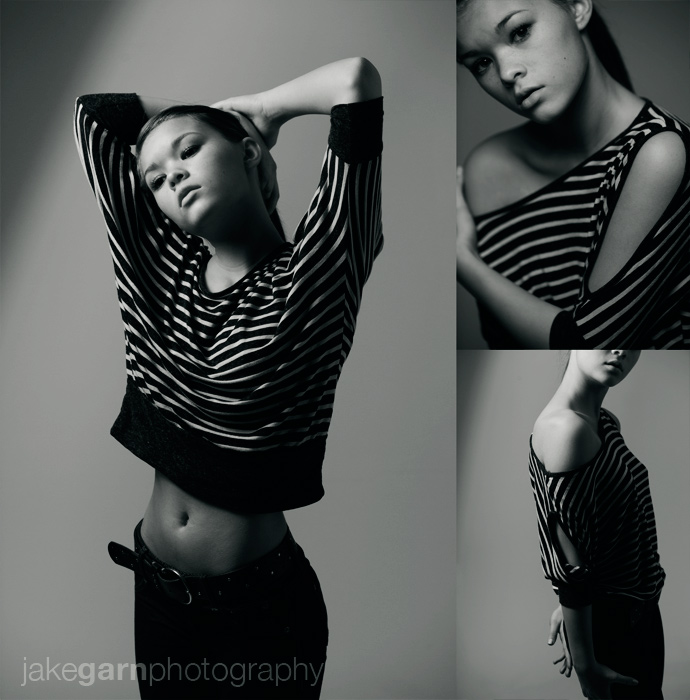
    Demi filled out an application on August 31st 2010.

    Jillian filled out an application on September 4th, 2010.


    Additional Marketing Advantage

    As someone with a marketing background I can tell you that collecting information from people specifically interested in your services is invaluable.  I don’t shoot for a living so I don’t really have plans to do this but how cool would it be to send out an email to the 200+ people that have filled out a form over the last couple hundred days offering them a discounted photoshoot for a limited time.

    It would probably be a quick way to pick up a few paying clients rather quickly and since these are people that willingly gave you their information because they are interested in your work and Aweber AUTOMATICALLY lets anyone unsubsribe from your email list at any time it doesn’t count as spam!  :-)

    Disclaimer:  I do get an incentive if you sign up for Aweber using the link I provided, I would recommend them without the incentive but since they offer it I’d be silly not to use it.  I’ve been paying for the service for almost a year and I have no complaints so it definitely gets my seal of approval!  :-)


    Jake Garn Photography

     
    Comments Off on Sorting through model requests: A Photographer’s guide

    Posted in Uncategorized