RSS
 

Posts Tagged ‘grip’

The JOBY GripTight PRO TelePod is a tripod… and a grip… and a selfie stick

06 Jan

Joining the GorillaPod Mobile Rig recently launched by JOBY comes another new product from the company: the GripTight PRO TelePod. This little telescoping tripod doubles as a lightweight extending pole and is designed primarily for professional video creators working with smartphones or small cameras, such as an action cam.

The JOBY GripTight PRO TelePod supports both landscape and portrait modes, as well as adjustable tilt for selfies. The tripod weighs 359g / 12.7oz and sports the company’s GripTight mount, as well as a hand grip, extended grip, and both elevated and tabletop tripod modes. A removable Bluetooth Impulse Remote Shutter enables users to capture shots remotely.

$ (document).ready(function() { SampleGalleryV2({“containerId”:”embeddedSampleGallery_7933591529″,”galleryId”:”7933591529″,”isEmbeddedWidget”:true,”selectedImageIndex”:0,”isMobile”:false}) });

In addition to the tilting tripod mount, the GripTight PRO TelePod includes a cold shoe PRO mount for accessories, and a Pin Joint mount for action cameras like GoPro. The tripod can be extended to lengths up to 79cm / 31in and is made from fiberglass-reinforced nylon plus stainless steel. The tripod’s legs have three positions and a maximum flattened leg span of 36cm / 14in.

The GripTight PRO TelePod is available from JOBY’s website now for $ 100 USD.

Articles: Digital Photography Review (dpreview.com)

 
Comments Off on The JOBY GripTight PRO TelePod is a tripod… and a grip… and a selfie stick

Posted in Uncategorized


DxO offers Android model, adds Facebook Live support and battery grip to One camera

16 Oct

$ (document).ready(function() { SampleGalleryV2({“containerId”:”embeddedSampleGallery_8121173966″,”galleryId”:”8121173966″,”isEmbeddedWidget”:true,”standalone”:false,”selectedImageIndex”:0,”startInCommentsView”:false,”isMobile”:false}) });

DxO has announced version 3.0 of the iOS app for its ‘One’ connected camera as well as a beta USB-C Android version of the device. This significant upgrade adds support for Facebook Live broadcasting, with the ability to utilize the iPhone’s built-in camera(s), as well as the one on the One (no pun intended). The new software allows users to monitor each camera separately, adjust settings as needed and then effortlessly switch from one to another.

The update also brings with it support for video and still time-lapses. The One uses ‘Auto Ramping’ to maintain white balance and exposure throughout the sequence in order to avoid ‘flicker.’ Still images can be saved in Raw format and can also be combined to create a 4K video.

New accessories include a battery pack, which holds up two batteries (each adding 1 hour of ‘life’), a tilt stand and a ‘cable back door’ that allows for extended shooting when using the outdoor housing.

Android users who have been waiting for a One of their own, take note. DxO has developed a One for tablets and smartphones and will be starting an ‘Early Access’ program in the next several weeks. The Android version uses a USB-C connector that may limit compatibility to those with the newest smartphones, though we’ve reached out to DxO to see if a microUSB adapter will work.

The new firmware for iOS is available immediately from the App Store. The battery pack is $ 50 while the tilt-stand and cable back door are available at no charge.

The DxO ONE now supports Multi-Camera Facebook Live and Time-Lapse features as well as new accessories and an Early Access Program for Android

The latest free iOS app update, available free of charge, opens up a number of new opportunities for using the DxO ONE remotely and autonomously, transforming the camera into the perfect photo and video accessory for your iPhone

PARIS – October 16, 2017 – DxO, a key player in digital image technologies, announced a major update to the DxO ONE, its miniaturized and connected professional-quality camera for smartphones and tablets. Available immediately and free of charge, version 3.0 of the DxO ONE iOS app offers the first pro-quality multi-camera solution for Facebook Live and a new time-lapse option featuring exclusive Auto Ramping technology. The DxO ONE ecosystem of accessories now includes an external Battery Pack that doubles the camera’s battery life as well as a Cable Back Door for the device’s waterproof case, allowing you to use the DxO ONE outside or even underwater for extended periods.

“While smartphones have made significant progress in terms of image quality, they don’t come close to the photos and videos a real camera like the DxO ONE can offer. Most importantly, you have to hold them in your hand, and you constantly need them for other things, like making calls, sending messages, or checking your social networks,” explains Jérôme Ménière, DxO’s CEO and founder. “The DxO ONE is the first photo and video camera designed to operate as both a handheld and remote device. It’s even able to function remotely over a long period of time — for example, you can use it outside to record a time-lapse or Facebook Live video. Because it works in perfect harmony with your smartphone, it is the ideal photo and video assistant for this device.”

Multi-Camera Facebook Live capabilities: the ultimate solution for broadcasting professional-quality videos

With its iOS application update to version 3.0, the DxO ONE revolutionizes video publication using Facebook Live by allowing users to instantly and easily create a live video stream. Its revolutionary Multi-Camera mode, which leverages the DxO ONE and both iPhone cameras, gives users the ability to experiment with shots that can’t be captured with the iPhone’s cameras alone, making it easy to create professional-quality video streams.

DxO ONE’s Live Facebook solution offers a set of advanced controls, including a mini-control panel that allows the user to preview all three views to compose shots, adjust lighting, or prepare the subject before shooting and streaming live from different angles. Just like filmmakers, users can switch from one camera to another at the touch of a fingertip, as well as record sound from the DxO ONE’s or the iPhone’s built-in microphone, and switch the sound source during playback.

Wi-Fi control also allows users to control the camera remotely while also sending videos over Wi-Fi or 4G, making it easy to experiment with new compositions. And with its large sensor and ultra-bright optics, the DxO ONE offers a natural bokeh that allows users to capture high-quality video.

Stunning, ready-to-share time-lapse videos

Version 3.0 of the DxO ONE iOS application’s Time-Lapse feature lets you capture stunning videos and share them without going through a complex post-processing process. The easy-to-use interface guides users through the appropriate settings — duration, interval, and time of shooting — and warns them if their selected settings are incompatible. DxO ONE’s unique Auto Ramping technology avoids flicker effects by providing consistent exposure and white balance across all images. Once the settings are established, the phone can be used normally while the camera continues to take pictures. The videos it produces can then be shared immediately.

In addition, the DxO ONE iOS 3.0 application’s Time-Lapse feature uses an intervalometer, transforming the camera into an automatic camera that periodically takes professional-quality images in RAW format at a user-defined rate. Advanced users can also create 4K videos in post-processing.

For long-term use no matter the weather and even underwater, the Cable Back Door connects the DxO ONE to an external battery when the camera is used with the Outdoor Shell — a must-have combination for superb outdoor video and time-lapse imaging.

New accessories for optimizing the DxO ONE experience

The new Battery Pack extends the DxO ONE’s battery life. It includes a Cradle, two rechargeable batteries, and a USB adapter. The Cradle attaches to the bottom of the DxO ONE once the back door has been removed so you can connect either one of the two batteries or the USB adapter. Each battery adds up to one hour of battery life, and the USB adapter allows the DxO ONE to be recharged directly from an external battery.

The new Tilt Stand lets you hold the camera on any surface and choose between five different tilt directions as well as different angles of view, greatly facilitating use of the DxO ONE in standalone mode, or for hands-free remote use when controlled by Wi-Fi.

DxO seeks out Android users

Building on the success of its DxO ONE for iOS, DxO has developed a DxO ONE for Android equipped with a type-C USB connector, making it compatible with recent Android smartphones and tablets.

The DxO ONE Android will be offered in the coming weeks via an “Early Access” program that is open to all. It will allow users to preview the DxO ONE Android and receiving regular updates with the latest application features. The Early Access program will be an opportunity for participants to share their feedback and help improve the DxO ONE experience on Android.

“Since its launch, we have added dozens of features to the DxO ONE, thanks to feedback from users,” said Jean-Marc Alexia, Vice President of Product Strategy. “Today, DxO is responding directly to one of the most frequent requests by launching the Android version, and we will continue to listen to market needs. “

Price & availability

Version 3.0 of the DxO ONE iOS application, along with the application for the Apple Watch, are immediately available for free via the iTunes App Store.

Version 1.0 of the DxO ONE Android will be available for free in the coming weeks via the Google Play Store, as part of the “DxO ONE Android Early Access program”.

The Battery Pack ($ 59,99 | £49.99 | 59,90 €) will be available at dxo.com.

The Cable Back Door will come with any purchase of a waterproof Outdoor Shell from DxO’s online store.

The Tilt Stand will be provided with the DxO ONE free of charge.

Articles: Digital Photography Review (dpreview.com)

 
Comments Off on DxO offers Android model, adds Facebook Live support and battery grip to One camera

Posted in Uncategorized


The Miggö Pictar is a pricey camera grip for iPhone photographers

26 Jun

Miggö Pictar
From $ 99 | www.miggo.com

Many photographers would probably agree that the image quality of smartphone cameras has improved rapidly over the past few years and in many cases now rivals the output from some conventional digital compact cameras. However, even if the image quality of the smartphone camera in your pocket is all you need, there is still one area in which conventional cameras offer undeniable advantages over smartphones: ergonomics.

Multi-touch smartphone displays are great for general use and navigation of mobile devices, but many photographers prefer physical buttons and dials for setting camera shooting parameters over virtual controls on a screen.

Enter the Miggö Pictar camera grip. It attaches to your iPhone and provides a number of customizable physical controls, plus a tripod mount and a cold shoe connector. The Pictar is available in two versions. One is compatible with the iPhones models 4s, 5, 5s, 6, 6s, SE and 7 and will set you back $ 99. The other fits the larger iPhone Plus models, including the latest iPhone 7 Plus flagship, and is $ 10 more expensive.

I’ve been using the Pictar grip with an iPhone 7 Plus for a few days. Here are my impressions.

Features, ergonomics and build quality

Attaching the Pictar to your phone is straightforward process. You ‘click’ the phone in place where it is safely held thanks to a spring-loaded mechanism. Once attached to the phone and connected to the Pictar app the grip offers most essential controls that you would expect on a conventional camera.

The Pictar’s chunky rubberized grip allows for comfortable and secure holding.

The shutter button supports half-press for focusing and locking exposure and two dials at the back of the grip are by default configured for dialing in exposure and changing the shooting mode. A front dial acts as a zoom ring, pressing it switches to the front camera. This configuration makes sense but if you don’t like how things are set up by default, the Pictar app allows for an impressive amount of customization. You can have a different setup for each shooting mode and even create custom profiles.

The Pictar offers a range of controls and features you would normally find on a digital compact or interchangeable lens camera.

Thanks to its rubberized grip the Pictar is comfortable to hold, even with only one hand, and most of the controls can be easily reached. Only the front dial is in a slightly inconvenient place which means you have to loosen your grip slightly when using it. That’s not much of a problem when you hold the phone and grip with both hands but makes for slightly unstable shooting in one-handed use. On my test unit the front dial is also a little stiff, making it difficult to dial in the desired zoom factor with precision.

The grip’s open design allows for attachment of most add-on lenses that don’t need a phone case but you cannot charge your iPhone while the grip is in place. A cold-shoe mount lets you use lights or microphones with your phone and at the bottom of the grip you’ll find a standard tripod mount.

Two dials on the back allow for quick adjustment of shooting mode and parameters.

Two major drawbacks of the Pictar are build quality and power supply. It’s made of quite cheap-looking plastic which stands in stark contrast to the iPhone’s premium materials. The buttons feel quite flimsy as well and the spring mechanism makes creaking noises when the iPhone is being attached. I have had no particular quality issues during my relatively short test but it remains to be seen how the Pictar will stand up to longer travels or intense daily use over time.

Power is supplied by a 1/2AA battery which Miggö says should last between 4 and 6 months. I had no issues with battery life during my testing but those batteries aren’t cheap and, depending on where you are, not always easily available. In this day and age even the cheapest devices seem to be USB-rechargable, and it’s a shame that the Pictar doesn’t offer this feature.

Pictar App

The Pictar camera app displays all essential shooting information. A histogram, virtual level and framing grid can be activated in the settings.

To use the grip you have to download and install the dedicated Pictar app first. Instead of Bluetooth it communicates with the phone via ‘ultrasonic OS’. Essentially, the grip sends out ultrasonic frequencies that are picked up by the iPhone’s microphones with a unique frequency for each function. According to the Pictar makers, this drains less battery on both devices. Everything worked well during our test and all of the grip’s physical controls were responsive and reliable at all times.

The app’s user interface is simple and well-designed. It shows all important camera settings and gives you the option to display a grid, histogram and virtual horizon. You can set focus and exposure points on the display and in some modes one shooting parameter is adjusted on a virtual slider but otherwise most settings are modified via the grip’s physical dials and buttons.

The customization options for the physical controls are almost endless.

The mode dial lets you switch between Auto, Manual and Shutter Speed and ISO priority modes. There’s also a Macro mode and a Sports modes, which biases toward using higher ISOs for faster shutter speeds, and a filter mode which allows for some live image manipulation. A video mode is included as well, but manual control is limited to exposure compensation.

Unfortunately the Pictar app does not offer the option to shoot images in Raw format, and there is no button to switch between the iPhone 7 Plus dual-camera lenses but you can assign that function to the front button if you want to. Unlike on a conventional camera a press of the shutter doesn’t take you back to the capture screen from review mode or when using another app.

Conclusion

In my experience there are two types of mobile photographers: purists who like mobile photography for its inconspicuousness and want to keep their device as compact and portable as possible, and those who like to use any gadget they can get their hands on to enhance their smartphone’s camera capabilities or feature set.

If you belong to the latter group and also like to have manual control over your shooting parameters the Pictar grip could definitely be for you. The dials and buttons offer quicker adjustment than most on-screen controls and the tripod and cold-shoe mounts will be appreciated by most more serious photographers.

On the downside, the Pictar does feel a little cheap for a $ 100 device. We’d also prefer USB-recharging to relatively obscure 1/2AA batteries. Raw support in the camera app would have been nice, too, especially when considering the photographically minded target users. That said, quite a few buyers will probably get the Pictar for its attractive retro-look alone.

What we like:

  • Good ergonomics and comfortable grip
  • Easy to use
  • Customizable configuration
  • Well-designed app

What we don’t like:

  • Cheap plastic material
  • Requires fairly obscure 1/2AA battery
  • Slightly stiff front dial makes precise zooming difficult
  • No Raw support in camera app

Articles: Digital Photography Review (dpreview.com)

 
Comments Off on The Miggö Pictar is a pricey camera grip for iPhone photographers

Posted in Uncategorized


GoPro Karma Grip gimbal now available as stand-alone product

06 Dec

GoPro’s Karma Grip motorized gimbal mount was first released as part of the Karma drone kit.  Unfortunately, GoPro had to recall the Karma drone due to problems with its power supply, but now the company has made the Karma Grip available as a stand-alone product.

The Karma grip is compatible directly with the GoPro Hero 5 Black and needs an adapter for Hero 4 Black and Silver models and the Hero Session 5. The motorized gimbal is used to stabilize video while walking or during other outdoor activities, when smoother footage is required than the cameras’ built-in electronic stabilization can produce. The camera can be charged and transfer data to a computer while mounted on the grip. 

The grip can be handheld or attached to GoPro’s chest harness, Seeker backpack, helmet mounts and other camera supports. It’s available now for $ 300.

Articles: Digital Photography Review (dpreview.com)

 
Comments Off on GoPro Karma Grip gimbal now available as stand-alone product

Posted in Uncategorized


Grip Gear introduces Movie Maker, a tiny slider for smartphones and action cams

30 Nov

Grip Gear, maker of the handheld smartphone stabilizer IndieSolo, has launched the Movie Maker: a portable, electronically driven slider built for smartphones, action cams and compact cameras.

Powered by AAA batteries or a separate power bank via USB, the Movie Maker includes a rail, motorized head and a clamp to accommodate most smartphones. Eight speeds can be utilized, as slow as 6mm/min up to 300mm/min to create slow motion, time-lapse or real-time stabilized panning shots.

Upon reaching the end of the track, the Movie Maker will automatically bounce back and move in the opposite direction. The motorized head can also be used separately from the rail to pan 360-degrees for panorama. It’s all designed to pack away into a compact kit that can fit into a camera bag or backpack.

The Movie Maker is available now on Amazon for a list price of $ 130.

Press release

Hollywood production tools arrive for smartphones.
Grip Gear launches The Movie Maker tool set

<GripGear. 31 Oct. 2016. For immediate release. > Smartphone movie tool kit company, Grip Gear has upped the ante in video production with the launch of Movie Maker: a set of miniature production tools that puts all the equipment a movie company might use to make a major Hollywood production into a tiny package that will help turn a smartphone into a full-blown movie making resource.

As smartphones become more and more capable, they are becoming one of the most important tools for creating video content for both brands and individuals. By 2019 video will account for almost 80 percent of all consumer Internet traffic. Even now, Facebook experiences 8 billion video views per day. But as video proliferates, standing out from the crowd becomes an increasing challenge.

The Movie Maker helps video makers move up into a new realm of production quality and creativity with gadgets like an 8-speed electronic tracking slider, a 360º panoramic function and suction cups to hold your phone in impossible positions for the most amazing shots.

Co-founder Rhys Bradley said: “As a former grip in the film industry, I’ve long had a vision of creating a film set experience in a smaller format for smartphones and other small cams. With the Movie Maker, smartphone users can now create beautiful movie quality footage that used to take massive pieces of expensive film making equipment with a set of highly portable tools that can fit in a camera bag!”

Co-founder Dean Tzembelikos said: “After 3 years of development and meticulous attention to detail and quality we are proud to launch the Movie Maker. It will enhance the video making experience and bring out the creative juices in everyone. This is a genuine breakthrough in putting movie making into the everyone’s hands”

The Movie Maker will shortly be available on Amazon as well as at www.gripgear.com and cost USD $ 129.

Technical information:

  • Can use 99% of all smartphones, action camera’s and light compact camera’s
  • Folds small and is light weight and backpack friendly • Comes with 2 x 31cm tracks, additional tracks are available for extensions
  • Power Options: Plug into a power bank to extend operating times +36 hours (10400MA), or use 2 AAA batteries for 2 hours
  • Remote control for both speed and direction (8 speeds)
  • Bounce back for continuous motion: When the movie maker reaches the end of track it will not stop but move in opposite direction
  • Motor speeds vary from very slow, mostly used in time lapse 6mm/minute and to a 300mm/minute for real time.
  • Operates as a manual slider
  • Convenient ¼ inch threads allow you to attach The Movie Maker to a tripod, suction cup
  • Can climb 90 degrees
  • Weighs 900g and can hold up to 300g phone/camera
  • Can operate upside down
  • Use without tracks for pans or 360 Panorama shots
  • No vibration, even on full zoom videos are stable
  • Easy to use

Articles: Digital Photography Review (dpreview.com)

 
Comments Off on Grip Gear introduces Movie Maker, a tiny slider for smartphones and action cams

Posted in Uncategorized


Miggo wants to ‘DSLR your iPhone’ with the Pictar grip

20 Apr

$ (document).ready(function() { SampleGalleryV2({“containerId”:”embeddedSampleGallery_4966451279″,”galleryId”:”4966451279″,”isEmbeddedWidget”:true,”standalone”:false,”selectedImageIndex”:0,”startInCommentsView”:false,”isMobile”:false}) });

Accessory manufacturer miggo has launched a Kickstarter campaign to fund a new iPhone grip that it says brings DSLR-style controls to many current iPhone models. The Pictar grip uses conventional buttons, wheels and dials to deliver a traditional camera experience that makes the photo feature of the phone easier to navigate, and the company claims the app that complements the grip allows greater camera control than the standard iPhone interface.

While most devices that connect wirelessly with smartphones do so using potentially battery-draining Bluetooth, the Pictar grip communicates with an iPhone app using high frequency sound that humans can’t hear but which the phone’s microphone can. It’s definitely a unique approach, and it’s not clear whether it will drive your dog crazy.

Turning the wheels and dials creates unique tones that instruct the app what it is the user wants to do. All of the controls can be customized to suit the user, but by default one of the top plate dials is set to deliver exposure compensation while the finger wheel on the front of the camera is used as a zoom or, when pressed, to switch from front to rear cameras – for selfies.

The Pictar grip is adjustable which allows it to work with a range of past, current (excluding the larger 6s Plus) and future models, and as there is no physical communications plug or socket the company says its device is not reliant on Apple maintaining its current form factor or connections.

The Pictar grip provides a cold shoe for microphones and lighting, as well as a tripod socket on its base. It is powered by a CR ½ AA battery which miggo says will last between six and eight months. The miggo Pictar will cost $ 90 and, if the campaign is successful, will come to market in December.

For more information see the miggo website, and the Pictar Kickstarter campaign page.


Press release:

miggo Transcends the Limitations of Mobile Photography with the Launch of Pictar

Inspired by classic camera design, Pictar unleashes the true photographic power of iPhones

New York – miggo, which first made its worldwide debut with the innovative Strap & Wrap and Grip & Wrap protective carrying solutions for digital cameras, today unveiled its most revolutionary offering yet – Pictar. High-tech and cutting edge, Pictar is an ergonomically advanced Camera-Grip for the iPhone that brings the familiar controls of a DSLR right to users’ fingertips.

Key features of Pictar include:
– Five user programmable wheels/buttons for full user control.
– Ergonomic grip for one handed use.
– Revolutionary communication between hardware and App via ultrasonic sounds.
– Compatibility with most iPhone models (4-6s and planned support for future models).
– Control over iPhone camera features not possible in the native App.

While the digital camera incorporated in each new generation of the iPhone has improved dramatically, what has stayed the same since its introduction is the way consumers hold the device and navigate its features and settings. With that in mind, when it comes to taking a photo, it’s not very ergonomic and simply does not compare to the traditional experience offered by that of a dedicated DSLR. Advanced shooters welcome a DSLR’s physical controls which put frequently used settings right at their fingertips – something Pictar was designed specifically to replicate. By bringing these physical controls to the iPhone, Pictar offers unprecedented control and gives users the ability to take their iPhone photography to a completely new level and transform the way they use it to take photos and video.

“As the adage goes, the best camera you have is the one you have with you,” said Guy Sprukt, co-founder of miggo. “It’s no secret that one of the most popular smartphones in the world is also one of the most widely used digital cameras.  The image quality of the phone can rival that of some of the best digital cameras on the market. With Pictar, we’re looking to give users – whether they be professionals or social shutterbugs — the ability to DSLR their iPhone and completely unleash its full potential.”

The Pictar project is the result of over a year of extensive research and development focusing on alleviating the shortcomings as it relates to the ergonomics and control of the iPhone. miggo’s product design engineers devoted significant resources to developing a solution to address these shortcomings and help deliver an experience that’s more natural, more comfortable, and that delivers better results.

Key shortcomings addressed by Pictar include:
* Poor control – while touchscreens have proven to be the method of choice for many of today’s mobile devices, they simply aren’t fast enough when it comes to navigating menus or accessing camera controls. Because of this, users choose to simply press capture or record i.e. take the pictures on Auto and fail to truly experience what the iPhone could offer.

* Uncomfortable grip- sleek and slim, the iPhone simply does not offer users a comfortable or secure grip when using the device to capture photos or videos. Due to the way users are forced to hold the phone, it’s often easily dropped or results are often not sharp enough because of an unsteady hand, especially when operating with just one hand.

Pictar features five external controls which operate key settings and includes a patented, revolutionary interface which utilizes high-frequency dual tone sound to activate and control the camera, saving significant battery power compared to standard Bluetooth connectivity. In addition, the ergonomically designed grip allows for one handed operation and sharper images.

In addition, users will also benefit from the optional hand and neck straps, which offer peace of mind, saving Pictar and the user’s iPhone from damage in the event of accidental drops. Both straps feature quick release buckles which enable the user to effortlessly switch between both to suit their needs. Moreover, for safe storage, miggo also includes a stylish padded pouch. Manufactured from neoprene, the pouch will protect Pictar when not in use and can also be attached to a belt or bag for easy transport.

External controls and features include:
1. Multi-state shutter button – electronically calibrated to provide maximum sensitivity, just like that of a traditional DSLR. Pictar’s shutter button offers a “half press” mode to lock focus and exposure for easy tracking of a moving object or to create a desired composition, as well as full-press for immediate shutter release.

2. Zoom ring – located right under the index finger, the rotating zoom ring alleviates the need to touch the screen to pinch-and-zoom, making it easy for the user to zoom in and out with just one hand. The zoom ring can also be programmed and changed by user to suit specific needs.

3. Selfie button – clicking the zoom ring will switch between the iPhone’s front and back camera for easy “selfie” shots.  Like the rotation of the zoom ring, the button can also be programmed and changed by user to suit specific needs and control other settings.

4. Exposure compensation wheel – located on the rear of Pictar, the exposure compensation wheel helps the user determine the exact level of exposure. Based on the user’s preference, the exposure compensation wheel – like Pictar’s selfie button and zoom ring – can also be programmed and changed from its default setting to control other features

5. Smart wheel – customizable, the smart wheel allows users – beginners and advanced – to control a variety of functions. In default mode it changes the camera’s preset modes: sports, landscape, portrait and for the more advanced users, full manual, aperture priority and more. Advanced photographers can choose to program the smart wheel to control other functions, such as manual mode, shutter speed, iso, flash modes and white balance settings.

6. Tripod mount – for those photographers looking for added stability, for landscapes or for video recording, Pictar offers a ¼” standard tripod mount located on the bottom of the device.

7. Cold shoe – located on top of Pictar, the integrated cold shoe will allow users to mount a variety of LED lighting accessories or mics for added creativity and control.

A powerful, dedicated app featuring patented high-frequency dual tone sound control:
Pictar is designed to communicate with the iPhone via a dedicated camera app which unlocks key features inaccessible on the native app to iPhone users. Each of the physical controls found on Pictar drive a specific function or setting and does so using high-frequency dual tone sounds. Each physical control is assigned a specific tone, and with each turn of a dial, press of a button or turn of a wheel, Pictar omits a sound that – when detected by the app – generates a corresponding action. The high-frequency dual tone (18,500 – 20,000 khz) is inaudible to the human ear and significantly increases battery life when compared to Bluetooth connectivity. Using a standard CR ½ AA battery which is easily found worldwide, miggo estimates 6-8 months of use before the need to replace the power source is required.

The Kickstarter campaign is now live with an introductory price of $ 90 USD. Full retail availability is slated for December 2016.

miggo was founded 2013 by a group of designers with extensive experience in developing award-winning camera cases and bags, as well as a passion for bringing to market innovative concepts for carrying and supporting cameras. In just three years, miggo expanded its portfolio to include patented game-changing camera carriers, multi-functional camera and binocular straps and innovative compact tripods. These products are successfully marketed in over 30 countries around the world.

Today, with two highly-successful Kickstarter projects under the company’s belt – the 2014 “Strap & Wrap” campaign and the 2015 “agua” campaign – miggo returns to Kickstarter for the third time with its sights set on the trend of mobile photography. With Pictar, the company’s new state-of-the-art grip enclosure, miggo is giving consumers the ability to truly unleash the power of their iPhone camera and take their mobile photography to a completely new level. 

For more information please visit www.mymiggo.com or follow us on Facebook.

Articles: Digital Photography Review (dpreview.com)

 
Comments Off on Miggo wants to ‘DSLR your iPhone’ with the Pictar grip

Posted in Uncategorized


Fotodiox pays ‘homage’ to Hasselblad Stellar with wooden grip for Sony RX100 series

10 Apr

Accessories brand Fotodiox has introduced a cherry wood hand grip for the Sony Cyber-shot RX100 III that it says is ‘inspired’ by the Hasselblad Stellar special edition cameras first launched in 2013. At $ 59.95 it makes a somewhat more affordable solution, even when you add the price of the camera, than the $ 1650 Hasselblad wanted for last year’s Stellar II. Read more

Articles: Digital Photography Review (dpreview.com)

 
Comments Off on Fotodiox pays ‘homage’ to Hasselblad Stellar with wooden grip for Sony RX100 series

Posted in Uncategorized


Kupo Grip Master C-Stand Review

25 Jan

I’ve been using studio lights for a couple of years now, I’ve used a few different brands with all sorts of different modifiers, from the basic softboxes that your less expensive lighting kits might come with, to my current favourite, the 2 meter Octa from Studio-Flash.com.

The one consistency with bundled lighting kits is that they mostly all come with a set of lightweight stands that, for the most part, are great and will certainly do what you need them to do when you’re starting out and they’ll get you a long way with clever use of sandbags and counterweights. But when you start using bigger, heavier modifiers on these stands, you may find it’s time to get yourself a dedicated “big” stand.

Enter stage left, Kupo Grip. (Thanks to the crew at ProTog for sourcing what I was after – also available on Amazon)

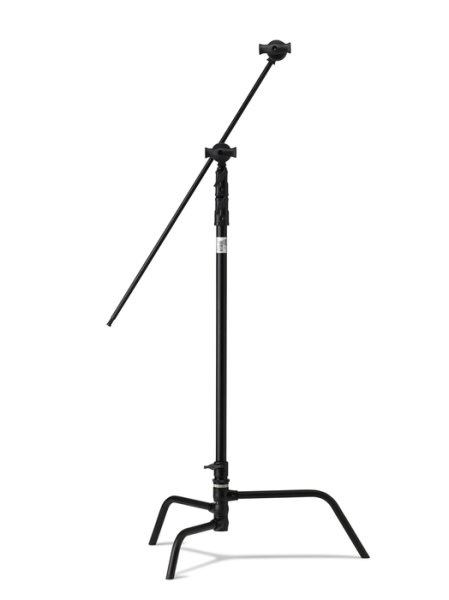
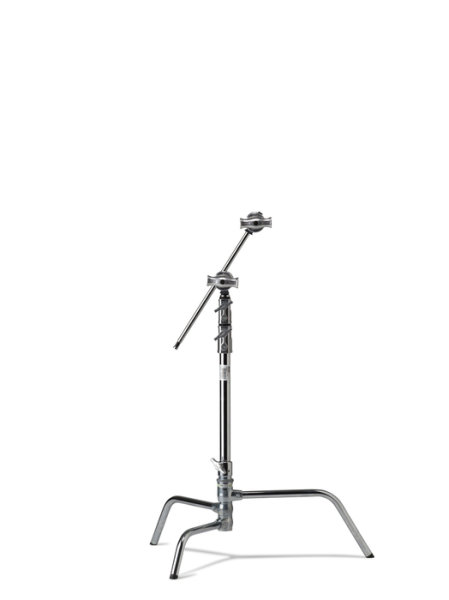
I wanted a stand that was going to take anything I’d ever use, I wanted it to be modular and easy to put up and tear down, I’m a one man show and setting up and packing down needs to be easy! (I’m not lazy, honest) so after visiting the crew out at ProTog in Melbourne, I settled on the 40″ C-Stand (C for Century, folks) with the Kupo Turtle base. The base and the upright pole come apart for easy packing and transporting.

Kupo-grip-light-stand-review-simon-pollock

They come in 20″ or 40″ and in black or silver (I went for the black option, for no real reason…)

silver_kupo_c-stand_20_inch

It isn’t always the strength (or weight) of the stand riser that gives you problems, it might be when you first get a 70cm beauty dish and put it on the front of your studio light and then find that the locking mechanism that holds the stand’s legs in place just doesn’t have the wherewithal to hold it all up. Maybe you simply need something more sturdy to hold a light and Kupo Convi Clamp (like the little beast below) or something similar like a Magic arm that you sit a Tether Tools Aero on… Anyway, you get the point – one solid workhorse of a stand has made all of these things much easier for me.
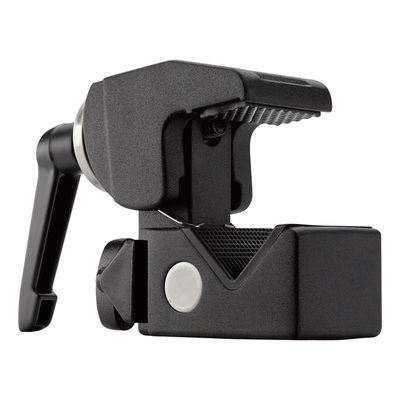
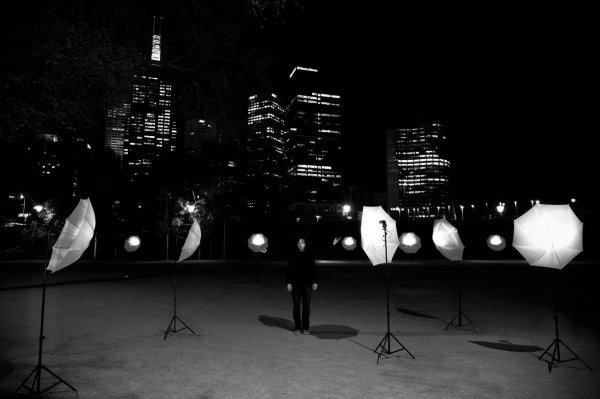
Kupo_Grip_C-Stand_Master_Review_Clamp

The other main reason I love my C-Stands is that with the legs the way they are, sticking out low to the ground and horizontally to the riser pole, you can load them up with some big heavy sandbags and use them in most any weather. If you’ve ever had even a single flash on a lightstand blow over and smash on the ground, you’re most likely nodding along right now! I have a special umbrella at home that’s kind of flat on one side – as a reminder. Use a solid stand OR bag your lightweight stands.

lightstand-smashed-brolly-on-ground

No sand bags, a lightweight stand in a light breeze… An accident waiting to happen.

As I mentioned earlier, with the ‘Turtle base’ they’re easy to pack down but obviously not as easy as a small telescopic light stand or a tripod with a long neck and you might not want to fly a whole lot with them, but when you need a heavyweight and you want innovative, maybe take a look at the Kupo Grip Master C-Stand.

Kupo Grip gear (well, my stands at least, I’ve not checked ALL of their products) comes with a two year warranty which, if you register, gets you an extra three years giving you five years warranty.

My summary, if you will… They’re priced nicely, they have a really solid build and a great finish, I can’t fault the things – that’s five big smiley stars from me.

googletag.cmd.push(function() {
tablet_slots.push( googletag.defineSlot( “/1005424/_dPSv4_tab-all-article-bottom_(300×250)”, [300, 250], “pb-ad-78623” ).addService( googletag.pubads() ) ); } );

googletag.cmd.push(function() {
mobile_slots.push( googletag.defineSlot( “/1005424/_dPSv4_mob-all-article-bottom_(300×250)”, [300, 250], “pb-ad-78158” ).addService( googletag.pubads() ) ); } );

The post Kupo Grip Master C-Stand Review by Sime appeared first on Digital Photography School.


Digital Photography School

 
Comments Off on Kupo Grip Master C-Stand Review

Posted in Photography


Richard Franiec offers Canon PowerShot G7 X custom grip

01 Nov

Richard Franiec is now offering a Canon G7 X custom grip, joining the examples he makes for the Sony RX100 series, Panasonic Lumix GM1 and other small camera models. Like his other products, it’s machined from high-grade aluminum alloy and attaches to the camera’s front plate with 3M VHB transfer tape that can be safely removed without leaving residue. Read more

Articles: Digital Photography Review (dpreview.com)

 
Comments Off on Richard Franiec offers Canon PowerShot G7 X custom grip

Posted in Uncategorized


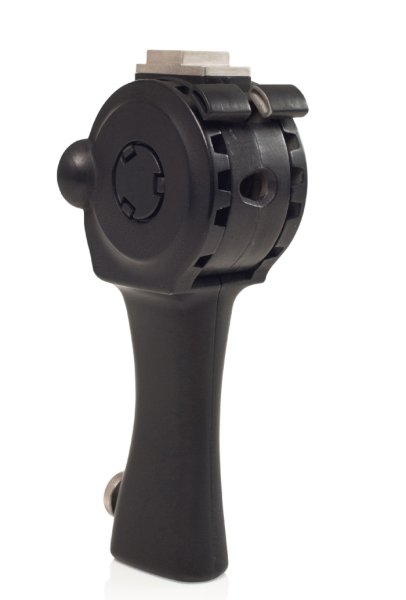
Product Review – Dixie Grip: Rotating, handheld, or mounted hotshoe grip

29 Jul

What is it?

The Dixie Grip

The Dixie Grip is a product that doesn’t exist yet. It’s a Kickstarter campaign product, and it fills a gap in the street portrait world that desperately needs filling – a handheld Speedlite grip.
Don’t believe there is a need for this kind of thing? Case in point: just days after trying the product out and thinking about whether I would have a need for it or not, I was walking with my mentor Payam in New York talking about photography. He was describing to me an engagement session he was shooting in Central Park. He was using a Canon Speedlite with a remote trigger, and his assistant had the flash on a monopod with a softbox mounted onto the unit. The reason for this crazy handheld setup is that having off-camera flash with a softbox is like having a portable studio wherever you go! And having an assistant hold it allows for great flexibility in movement. But there is a problem with this setup. It’s a workaround. The monopod is not an ideal piece of equipment for a Speedlite. It’s awkward, too long, and not ergonomically friendly. That’s where the Dixie Grip comes into play.

What does it do? What’s it good for?

This piece of equipment replaces the light stand with something much more flexible – your hands! Yes, you can mount the grip onto a light stand, but the best part is having the mobility and freedom of using it with your hands. As far as I know, there is no other thing out there that does that, exactly like this. And it holds an umbrella. It’s an ergonomic solution to the mobile problem of traveling light and easy. As my mentor was saying, his assistant was doing the same thing but with a monopod or a tripod, holding the whole awkward kit in their hands. That rig is unwieldy, heavy, and awkward. The Dixie Grip was created for exactly that situation, a light, perfectly sized grip for Speedlites. It’s so simple, it’s amazing it hasn’t been done before.The last part of the product which is pretty slick is that it is adjustable. You can “rotate” the head by simply squeezing these two units together and moving the Speedlite or umbrella up or down. This give you the ability to work with different angles.

How I used it

The Dixie Grip

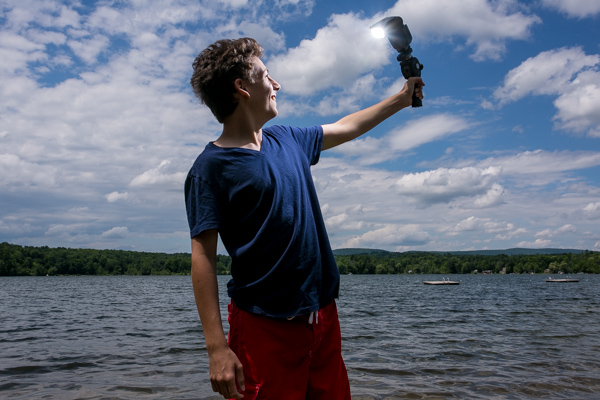
I brought the Dixie Grip with me to the lakeside with my cousin when I didn’t have an umbrella, and we played around with the equipment to get a feel for it. I made him the assistant and the model. The feel of it was easy enough to use, and since we were standing on sand we didn’t have to worry about getting sand on light stands or moving things around on uneven ground. He just got to hold the grip and it worked exactly as expected.

The Dixie Grip

I got back to the city and was able to use the Dixie Grip with an umbrella which is how it is best used. As you can see in the photos, the light looks great, it’s smooth, and best of all, we could shoot in very tight quarters without maneuvering an awkward tripod stand or monopod.

The Dixie Grip

The Dixie Grip

Summary

In conclusion, I would definitely recommend this product if you shoot on location in different conditions. I could see this being a tremendous asset to a wedding photographer who needs to run and gun with their bride and groom for a quick formal session. I could also see this on the streets of NY with a model in the city. There is no reason not to own one of these. It’s intuitive and easy and it works.

The only drawbacks I found were when I tried using my cheap Yongnuo triggers to fit into the hotshoe. They don’t have tightening rings and just sit on whatever they are attached to. The hotshoe mount on the Dixie Grip was a bit too large for the trigger, so the trigger would slide out easy (which isn’t great when the Speedlite is attached to it). But that was an easy fix with a couple of pieces of cardboard. Or just use normal equipment like a Pocket Wizard and you’ll be fine.

Adjusting the head by squeezing those two pieces together, and moving the Speedlite, was slightly awkward. It didn’t always click into place right away. But I was also using a prototype which I know has some kinks to be smoothed out yet. I expect that component to be rock solid when it comes to production. Which is where you come in!

Kick Starter Campaign for The Dixie Grip

This is the link to the product. The campaign ends July 28th, so help put this thing on the market, and be the very first person to own a Dixie Grip.

I give the Dixie Grip product 4.5 stars out of 5.

The Dixie Grip

The post Product Review – Dixie Grip: Rotating, handheld, or mounted hotshoe grip by Phillip VanNostrand appeared first on Digital Photography School.


Digital Photography School

 
Comments Off on Product Review – Dixie Grip: Rotating, handheld, or mounted hotshoe grip

Posted in Photography