RSS
 

Posts Tagged ‘Frustrating’

The Apple TV 4K Device is a Deeply Flawed and Frustrating Product… for Me

27 Sep

Pictures are so broken on Apple TV

About 12 years ago, in 2006, I had what at the time felt like the biggest technological change in my life. I switched from a PC to my first MacBook Pro. Switching computer operating systems at the time seemed like a massive chasm to overcome, but I did it and I’m glad I did. My main motivation was that I was tired of all of the errors that I was getting from PCs and all my friends with Macs just kept saying pretty much the exact same thing, “it just works.” After hearing that enough I broke down and made a decision that it was time for a change.

Over the last decade, that first decision has brought dozens of new Apple products into my life. Every three years or so I’d upgrade MacBook Pros. I bought a Mac Mini for the kitchen which I upgraded to a nicer iMac latter. I bought a high end iMac to edit my photos on for my home office. I bought a Cinema Display as a second monitor. I spent the night in line overnight to buy the very first iPhone. I bought the iPhone 3g, the iPhone 4, 5, 6s and most recently the 10. I’ve bought iPads, MacBook Pros and iPhones for my wife and kids. I always buy Apple Care. Apple iCloud storage, movies, tv shows, airpods, the list goes on and on.

I haven’t added it all up yet, but I’d say over the past decade I’ve easily spent tens of thousands of dollars on Apple products.

I feel like at some point I’ve just about purchased every product as a good Apple consumer is supposed to… except maybe the watch. The watch feels stupid to me. If I want to know what time it is I can just look at my phone. I haven’t worn a watch in 20 years. I don’t need an uncomfortable thing strapped to my hand and my health is good enough that I don’t need to constantly run ECGs or have someone notified if I fall down and can’t get back up (which hasn’t happened once yet in the 50+ years I’ve been on the planet).

Unfortunately for me though, it’s the Apple TV which I’ve always been the most excited about and which has also unfortunately frustrated me more than any Apple other gadget I’ve ever owned. I’ve bought every version of the Apple TV as they’ve been released dutifully. Giving Apple my hard earned money for the promise of something great, the ability to watch my photos in my living room — and it’s been a completely frustrating experience along the way.

I’m not sure exactly why I’m writing this blog post about Apple TV. I haven’t blogged in a while. In part it’s probably cathartic for me. In part I feel like I’m giving up on photos tonight and hope that maybe someday someone will Google one of my error codes and have a better answer. Maybe someone will read it and have some suggestion that I haven’t considered. Maybe someone will suggest a better way to watch photos on a TV.

My most recent problem revolves around the new Apple 4k TV. Of the six Apple TVs in my house I have two connected to Vizio 4k TVs. Of course I upgraded to the 4k Apple TV because what’s the point of having a 4k TV without a 4k device.

For the most part over the life of the AppleTV product photos have been frustrating. I have a large library of images that I want to play on my Apple TVs. I use home sharing and point my iTunes to a folder of images and ask for my Apple TVs to stream those images. (File >> Home Sharing >> Choose Photos to Share with Apple TV…) Frequently my AppleTVs lose their connections to my iTunes library and the only way to get the photos to play again is to quit iTunes and relaunch it. I frequently would have to restart the Apple TVs. The Apple TV in the living would be working but then the one in the attic couldn’t connect. The one in the attic would work but then the one in the bedroom wouldn’t connect. It was a constant exercise of frustration. I set all of the Apple TVs to update automatically and I’d constantly check for updates to apply them manually.

About a year ago I spent several weeks working with Apple Engineers. They sent these trace packet things to me by email and I’d do different things, run the logging software and send them log files. After several weeks and many log files I did get an answer back about a year ago that Apple engineers had found a problem related to my Apple TVs constantly disconnecting from home sharing that that a fix would be coming. They couldn’t tell me when but said that it was an issue on their end and to keep checking for updates. So at least I wasn’t totally crazy and at least there was hope… kind of?

Although this was a frustrating way to use my AppleTV, the payoff of being able to relax on the couch and watch my life’s work, my photos that I love so much, while enjoying a glass of wine was such a high payoff that I put up with it… until, unfortunately now, with the latest dreaded TVOS12 update.

Last week I updated all of my Apple TVs to TVOS12. On my non-4k Apple TVs, it’s the same sad, frustrating experience of having to restart Apple TVs, restart, my iMac, restart iTunes, constantly to get them to work. But when they do work it will play my photos for hours. Unfortunately on the two 4k Apple TVs photos crash 100% of the time. Usually within 10 seconds, but sometimes I can get them to play for 20 seconds or 45 seconds or maybe even 2 minutes before it crashes. But they crash 100% of the time. I’ve spent at least 20 hours trying to fix my photos over the past week (including a good 3 hour phone call last night with an Apple Care tech) but nothing seems to work.

If I try to stream photos on my iMac to my 4K Apple TVs the photos crash. If I try to stream photos on my MacBook Pro to my 4k Apple TVs the photos crash. If I try to stream photos on my home network to the 4k AppleTVs the photos crash. If I create a hotspot with my iPhone with just my MacBook Pro and one 4k Apple TV photos crash.

If instead of pointing home sharing to a folder, I import all the photos into Apple’s Photos app on my iMac (I hate the Apple Photos App on my iMac) and share from there instead still photos crash.

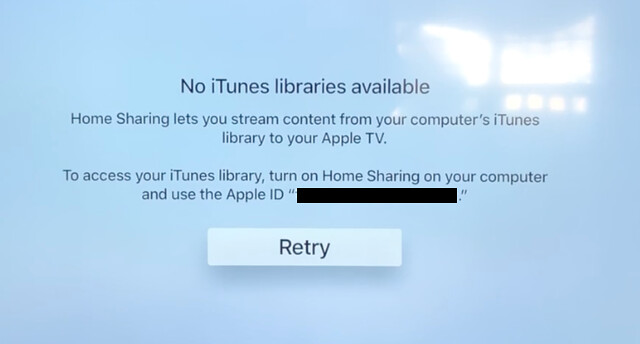
Every time after the photos crash there is a brief error message on the screen for about 1 second that reads “No iTunes libraries available. Home Sharing lets you stream content from your computer’s iTunes library to your Apple TV. To access your iTunes library, turn on Home Sharing on your computer and use the Apple ID. Retry.”

That message disappears and brings me right back to the main home sharing page on the Apple TV.

I’ve made sure that the photos that I want to share are all on the internal hard drives of the devices I’m trying to stream. I even upgraded yesterday to the new Apple OS Mojave, in the hopes that this might fix things. I’ve turned my Comcast router on and off.

The bottom line is there is simply nothing that I can do to make photos work on my 4k Apple TVs since updating to TVOS 12. And, of course, Apple will not allow you to roll your OS on your Apple TV back to a previous version so there is no getting out of TVOS 12 hell. I did a reset of the entire device back to factory settings, but instead of resetting it back to the factory setting from when I bought it. It reset it back to the factory settings for TVOS 12.

The Apple Tech I spent hours on the phone with yesterday suggested that I take my Macbook Pro and my 4k AppleTV into the Apple store and set an appointment to show them there. I had an appointment this afternoon at 2pm to do just that, but after only getting three hours of sleep last night trying to troubleshoot my Apple TV I just couldn’t go through with it today. It’s just too much, too soon.

In the meantime it looks as though I wasted $ 200 each on some useless Apple hockey pucks, but maybe at some point I’ll regain the strength to try again, or maybe someday, somewhere I’ll find an answer on how to make these devices stream photos for me again.

Or maybe like I ditched Windows back in 2006, it’s now time to ditch Apple again and maybe go find something that you know, “just works.”

Needless to say, your 4k AppleTV may work flawlessly and perfectly for you. This is my personal experience though and it’s my blog and this is what the experience has been like for me.

I made a video of this problem here. If anyone does have any constructive advice I’d love to hear it. Thanks.


Thomas Hawk Digital Connection

 
Comments Off on The Apple TV 4K Device is a Deeply Flawed and Frustrating Product… for Me

Posted in Photography


Learning to shoot video with a gimbal: a frustrating, yet highly rewarding experience

14 Feb

A new Panasonic GH-series camera always seems to mean having to learn more about video, but that also tends to mean getting experience behind a video camera. I’d like to think I’m getting better as a videographer. Hell, I even remember to record some background audio most of the time, but the GH5S review meant having to learn about a whole new piece of kit.

The GH5S’s oversized sensor means there’s little scope for any kind of sensor-shift stabilization, which means it’s best suited to shooting with external forms of stabilization*. This meant that, in addition to borrowing a nice video lens, I needed to rent (and learn to use) a gimbal.

Gimbaling around

In just a few years, external stabilization has gone from being the preserve of Hollywood movies (most famously by Steadicam) to something that can be provided by sub-$ 1000 equipment. It probably shouldn’t come as a surprise that DJI, best known as a maker of drones, also sells the technology required to mount and control aerial cameras as stand-alone stabilization rigs.

The DJI Ronin M is essentially a scaled-up version of the gimbals DJI mounts its drone cameras on. It provides a cradle that can move in all three axes, with motors to correct for (or provide) movement in each of these directions. At its most simple, it provides a platform that tries to keep the camera steady, regardless of the movements you make while holding the handles. This is both its fundamental role and the thing that makes it tricky to get used to.

The GH5S with Metabones Speedboost Ultra and Sigma 18-35mm T2.0, mounted in a DJI Ronin M: a powerful combination but one that’s not particularly easy to hold at shoulder-height for any length of time.

Initial setup is pretty easy: you connect the camera cradle to a top handle, screw some lateral arms and handles on, then clip a large rechargeable battery pack on the back. You then have to carefully adjust the position of the cradle so that the camera and lens are neutrally balanced (that way the gimbal isn’t having to constantly fight against the camera’s weight to keep the it level).

To make the most of the GH5S I borrowed a couple of nice pieces of kit: a Sigma 18-35mm T2.0 CINE lens and a Speedbooster Ultra 0.71. The problem is that this is a pretty substantial combination, something that would come back to haunt me later.

Lens choice

A Speedbooster is essentially an equivalence machine, condensing the lens’s projected light down onto a smaller sensor, shortening the focal length and lowering the F-number (since you have the same entrance pupil but with a shorter focal length lens). The upshot is that the 18-35mm T2.0 ends up giving essentially the same angle of view and depth-of-field it was designed to provide on APS-C/Super 35 format.

The result is something along the lines of a constant F1.4 lens. And, while it’s not really sensible to start mixing F and T-stops**, it quickly becomes irrelevant. Because, to shoot in daylight, the camera’s base ISO setting (320 in Log mode) meant I had to use a variable ND filter to prevent over-exposure, which meant I could use the aperture primarily to control depth-of-field, without necessarily having an impact on exposure.

Only the realization that I really can’t think in Imperial took the shine off one of my favorite lenses

Coming from a photography background it still feels somehow wrong to throw away light like this, but if your minimum ISO is 320 and you need to keep the shutter speed somewhere around 1/50th of a second, you’re going to have to do something to prevent constant overexposure. Sacrificing it to an ND filter is preferable to stopping down, since you then lose control over depth-of-field and smooth your footage with the power of diffraction.

It was a lovely combination to shoot with, though, offering a really useful zoom range, more than enough control over depth-of-field and beautifully damped controls for everything. Only the realization that this version had its distance scale in feet, and that I really can’t think in Imperial, took the shine off this version of one of my favorite lenses.

In practice

There’s a difference, of course, between knowing the theory and putting it into practice. I knew in principle what 10-bit capture should mean and I knew how a gimbal was supposed to work, but that’s not the same as seeing it out in the field. Or, in this case, in one of Seattle’s public parks.

I’d tested the gimbal the night before. Checked it was level and, via an app on my phone, configured it to move the way I wanted it to. Because while the basic function of a gimbal is to correct for the operator’s movement, the Ronin can also be configured so that a large movement of the handles is treated as an instruction to move the camera. You can configure which axes it’ll move in, how sensitive the system is to your inputs and how quickly it moves the camera in response. It’s all really clever.

It’s also a bit of a handful, at first. I quickly found myself trying to operate the focus and exposure on a camera that was constantly trying to move away from my attempts to grab it. Between this, the sheer weight of the setup and the inability to see the camera’s screen, it was incredibly difficult to make or assess any changes on the camera: a deeply frustrating experience. Then the rain we’d timed our shoot to avoid started. And then turned to hail.

1’9? So that’s, what, about 1/6th my height, plus about one and a half of those 15cm rulers we used at school? I’m not very good at thinking in Imperial measurements.

I was feeling pretty defeated. I’d shot maybe 10 seconds of footage, couldn’t work out how to operate the camera and was beginning to think I was wasting everyone’s time. The rain hammered down and I desperately cast around for a Plan B.

But you know what they say about silver linings? Mine was that the enforced rain break gave me more time to learn to handle the gimbal. In the end I developed a technique that involved powering it down, reaching for the camera with my right hand and letting the carrying frame collapse into the crook of my arms. I could then hold and operate the camera comparatively normally before finally making a grab for the carry handle with my left hand, letting the camera hang, then powering it all back up again.

The Ronin M went from nearly bringing me to tears to being one of the most fun pieces of equipment I’ve ever used

It also became apparent that some of the difficulty I was having was the result of the combined weight of the camera and lens, rather than just user error. The quick-release lever that locked the cameras fore/aft movement wasn’t tightened quite enough to withstand the weight of my setup. So as soon as I let the camera hang on the gimbal to change settings, it was slipping forwards or backwards on its plate, throwing off the balance I’d so carefully set up. Hence its refusal to then work properly afterwards.

With these problems overcome and the sun starting to strike out from behind the clouds, I found myself getting more and more confident with every shot I took. And in a matter of hours, the Ronin M went from nearly bringing me to tears to being one of the most fun pieces of equipment I’ve ever used.

Back at the computer

Even after dragging all the camera gear back up the hill from the beach, the emotional peaks and troughs weren’t complete, though. As with every other video project I’ve undertaken, there’s a moment back at the editing machine where I wished I’d done almost everything differently, if given the chance to do it again. Obviously I was missing the necessary audio for a key part of the video (again) but I also found myself wishing I’d shot using a different color mode.

The moment I applied Nick Driftwood’s LUT to my sole HLG clip, I wish I’d shot the whole thing that way

As I wrote up my review, I speculated whether it’d be better to shoot using the HDR-video-made-easy ‘Hybrid Log Gamma’ (HLG) mode, rather than the V-Log L workflow designed for professionals. I had reason to believe the simpler mode might make better use of the GH5S’s 10-bit video capability. However, the knowledge that I already had the look-up table (LUT) to convert V-Log L footage into something that more usable was enough to tip the balance in that direction, so I shot everything but the closing shot that way.

The moment I applied Nick Driftwood’s LUT (found via Google) to my solitary HLG clip, I wish I’d shot the whole thing that way. It may not prove to be the professional choice but it immediately got me closer to the end point I was hoping for.

I’m acutely aware of the risks of over-using the effect that that gimbal gives

That said, for all that I’d do the whole thing differently, I’m pretty pleased by the way the video turned out. No, my gimbal work isn’t particularly polished and there are a thousand little tweaks and changes I wish I’d made (including, as always, the need to shoot more little ‘B-roll’ clips to cut away to), but I think the results look better than my previous efforts, and that’s how learning works.

I’m also acutely aware of the risks of over-using the effect that that gimbal gives. But I’m itching to get a chance to use one again, hone my skills and bring a little bit of drifty magic to my next project. Once my shoulders have stopped aching.


*Panasonic would say I’ve got cause and effect confused. The outcome is similar though: I needed a gimbal.

**Since these same optics sold for stills use as an F1.8, you could argue that, with a 0.71x focal length reducer it ends up being an F1.3 lens. Certainly it can’t be said to be a T1.4, since the additional glass in the SpeedBooster will inevitably reduce the light transmission a smidge. But, as I say, the numbers don’t matter so much as the effect.

Articles: Digital Photography Review (dpreview.com)

 
Comments Off on Learning to shoot video with a gimbal: a frustrating, yet highly rewarding experience

Posted in Uncategorized


The 4th Generation AppleTV is a Flawed and Frustrating Device

26 Apr

*Disclaimer: Many of the problems of the 4th generation AppleTV are problems by the app creators for the device. Further, cable companies and content providers in many cases are likely disincentivized to make AppleTV a good or smooth experience. Cord cutting certainly hurts the profitability of cable companies and content providers are probably paid more by cable/satellite than AppleTV. I do understand that Comcast is directly responsible for much of what is broken on AppleTV. That said, I believe that Apple could do more to ensure that app creators fall into line. As the largest publicly traded company in the world, Apple has unique clout, an enormous amount of cash, and should bear more responsibility for a solid end user experience.

I purchased 4 new AppleTVs last year when Apple launched the new 4th generation AppleTV. I have also owned each previous generation of the device. With each release I’ve been hoping for something more and with each release I’ve been let down and disappointed by my experience with AppleTV. While AppleTV may offer the best solution available today, it’s a shame that it is still such a flawed and frustrating device.

AppleTV-5
AppleTV-3
AppleTV-2

1. My number one issue with AppleTV at present is that it feels like the content companies are at war with the device. Many of the content companies have created apps for the new AppleTV but these apps still require you to maintain a cable/satellite subscription. I am actually fine with this. I don’t mind paying the cable company to access content on my AppleTV. What annoys me though is what a miserable experience it is trying to actually consume your cable subscription content on AppleTV.

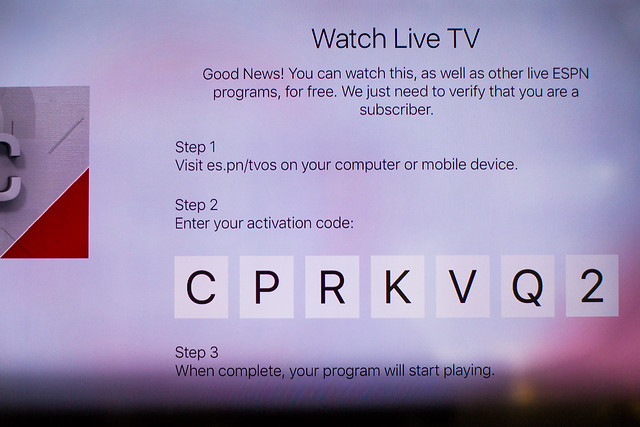
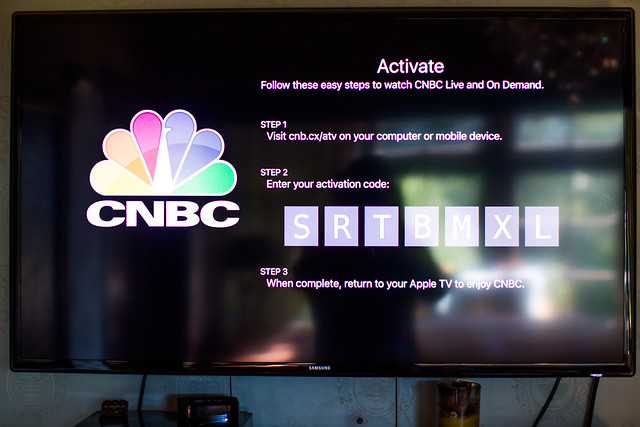
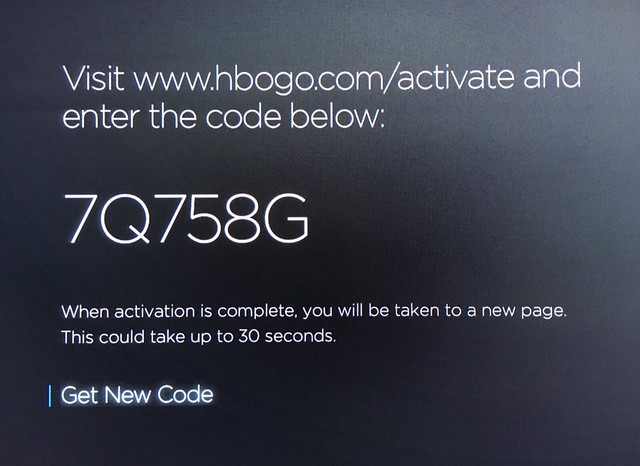
The basic way that content apps on the AppleTV allow you to access their content is by authenticating with your cable subscription. When you launch the app it asks you to go to a website with your phone or computer. Once you are there (each content app has it’s own unique approach) you are required to enter in your cable TV credentials and a code from your TV screen to “activate” that content. Having to do this multiple times for multiple apps on multiple AppleTVs is a drag. With my four AppleTVs it took me over an hour to authenticate all of the content on all of the devices. It should not be this difficult.

If consuming cable paid content on your AppleTV were as easy as spending an hour authenticating 50 times, even that might be ok. The problem with AppleTV though is that these content apps make you re-authenticate over and over and over and over and over and over and over and over again. When you are tired at the end of a day and just want to turn on HBO and watch Vinyl, it’s a drag to be jolted with the reauthentication screen yet again. It boggles my mind that my AppleTV and Comcast cannot find an easier way to verify that I indeed do pay and am entitled to consume the content. I’m sure Comcast makes it hard on purpose (it feels like you have to reauthenticate content every 48 hours or so), but Apple shouldn’t let them get away with that.

2. If the reauthentication were not bad enough, some of the content that I get through my cable provider that I want to watch the most is not even available. AMC is probably my favorite network for content right now (Walking Dead, Fear the Walking Dead) and there is no AMC app for the AppleTV.

Apple TV is a Flawed and Frustrating Experience

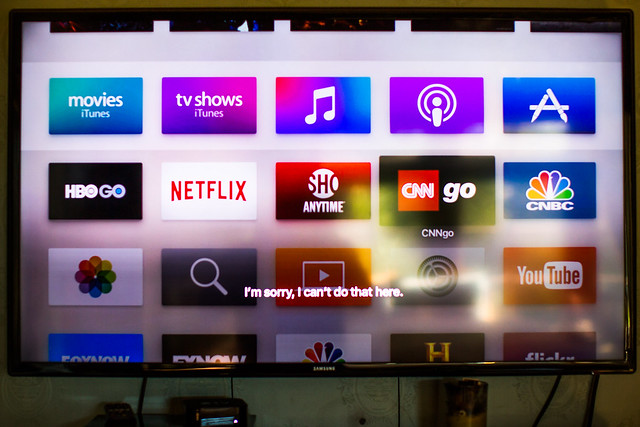
3. Watching live TV is difficult. While there are apps (like CNN and CNBC) that let you watch live TV, it’s a pain to get to this content. With my Comcast X1 remote I just press and button and say “CNN” into the remote and instantly CNN comes on. When I press the mic button for Siri on my AppleTV app and say “CNN” I get a message on my screen that says “I’m sorry, I can’t do that here.” Even if I say “CNN Go” and get to the app, it still won’t let me watch live TV with Siri. I have to manually go through the menu process to watch TV (and many times once I go through all of this I’m just prompted with yet another requirement to reauthenticate for the 75th time).

AppleTV-6

4. Streaming content on AppleTV is a crappy experience. The other night I decided to watch a Bruce Springsteen documentary on the River on HBO on my AppleTV. While watching the show locked up at least 10 times. Sometimes it would take five minutes or more for content to resume streaming. While it’s tempting to blame my ISP for this issue, it should be noted that HBO plays flawlessly on my cable TV box and I have the fastest available internet speed available at present in my neighborhood. Content streams just fine to my computers, it only has freezing issues with my AppleTV.

AppleTV-4

5. Photos are boring on AppleTV. I have hundreds of thousands of photos that I’d like to consume on my AppleTV, but seeing the same photos over and over again gets boring very quickly. When you point AppleTV to a folder on your hard drive (through iTunes) of photos to share to the device, it will allow you to create a slideshow or use the screensaver for those photos. Unfortunately AppleTV only chooses about 100-200 random photos from the folder selected and just plays those photos over and over and over again. I would love to watch photos on my AppleTV but it needs to truly send me all of the photos randomized in a folder, not just 100 of them.

6. I was hopeful that Flickr would work better on the new AppleTV. On my 3rd generation AppleTV Flickr photos suffered the same limitation. If I had Flickr as my screensaver and pointed it to my 100 faves or more album, it would just recirculate 100 or so of the photos from that album. On the new AppleTV Flickr slide shows have the same limitations and Flickr screensaver does not even work at all.

7. I hate watching commercials. I love the Americans on FX and watch it each week. When I watch it on my Comcast box I just fast forward through all of the commercials with my DVR. When I watch it on AppleTV I can’t fast forward through the commercials, that’s a big drag. Also when commercials play on AppleTV it’s the exact same commercial over and over and over and over again. At least on real TV they mix up the commercials. Having to watch the exact same commercial 5 times in a show is dumb. It makes you hate the product being advertised even more.

For a 4th generation device I expect something better than what AppleTV offers up today. It’s easy to pass the buck and blame Comcast and the content providers for such a miserable experience on AppleTV, but I think that AppleTV also bears some responsibility for ensuring a better experience for their customers who purchase the device.


Thomas Hawk Digital Connection

 
Comments Off on The 4th Generation AppleTV is a Flawed and Frustrating Device

Posted in Photography