RSS
 

Posts Tagged ‘Format’

Fujifilm working on square format Instax camera and film

20 Sep

Fujifilm has announced that it’s developing a 1:1 format instant film and accompanying Instax camera for release in spring of 2017. The film itself will measure 85.6mm x 72mm, while the image itself will measure a square 62x62mm. That’s the extent of the information released at this point, though Fujifilm has created a teaser page for Instax Square.

Press release

New Square Format for instax Series
A new format that drastically enhances the potential of photographic expression of instax

PHOTOKINA 2016, COLOGNE, GERMANY, September 19, 2016—FUJIFILM Corporation (President: Kenji Sukeno) is pleased to announce that its next generation format “instax SQUARE format film” and “instax SQUARE camera” are currently under development.

With its 1:1 aspect ratio, square format photography is ideal for both portraits and landscapes, and has long been the format of choice for users enhancing their artistic expression. In recent times, the popularity of square format has increased to such an extent that it has become the de facto standard of smartphone cameras and timeline photos on social media platforms.

Fujifilm believes that the instax square format has the potential to drastically evolve the role and presence of instant photography. By adding this new format to the existing mini and wide, a new dimension will be added to the wealth of possibilities of instax photographic expression, users will have a wider choice, and instax cameras and films will be able to respond to a broader range of photographic subjects and situations than ever before.

In addition to the new square format film, a new camera which is able to fully express the attractions of square format photos is also under development. Further details are available at the below website.

instax SQUARE Special content (http://instax.com/square/)

Availability:
Spring 2017

Features:
“instax SQUARE format film”:
Image size: Height 62mm x Width 62mm
Photo size: Height 85.6mm x Width 72mm
“instax SQUARE format camera”: TBD

Articles: Digital Photography Review (dpreview.com)

 
Comments Off on Fujifilm working on square format Instax camera and film

Posted in Uncategorized


Sony Xperia X Compact offers high-end camera in smaller format

02 Sep

Along with the Xperia XZ, Sony has launched the Xperia X Compact. It’s aimed at users who want a powerful camera in a compact body but can live with a slightly less powerful chipset.

The X Compact comes with the same 23MP ‘triple sensor’ main camera with laser-AF and color sensor as the Xperia XZ, but doesn’t offer 4K video and uses a front camera with a lower 5MP resolution, compared to the XZ’s 13MP. Like previous Sony Compact models the new device has a 4.6” display with 720p HD resolution, putting it in direct competition with Apple’s iPhone 6s. The Sony is powered by a Qualcomm Snapdragon 650 chipset and features 3GB of RAM in conjunction with 32GB of internal storage. The latter is expandable via a microSD slot. Power is provided by a 2700 mAh battery, that, like on the larger model, supports smart battery management and quick charging.

The power button doubles as fingerprint reader to ensure secure device access and online shopping. In contrast to the Xperia XZ the Compact model comes with a plastic body that does not feature any environmental protection. However, this is reflected in pricing. The Xperia Z Compact will be available in Europe from September for a more affordable €449 (approximately $ 560).

Articles: Digital Photography Review (dpreview.com)

 
Comments Off on Sony Xperia X Compact offers high-end camera in smaller format

Posted in Uncategorized


20 Random Thoughts on Google Photos in a Rambling Stream of Consciousness Format

10 Apr

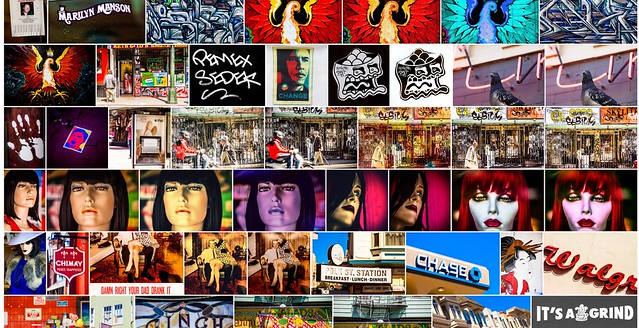
Google Photos Mosaic

Not exactly beat poetry, this list is a rambling mess of 20 things that I thought about today about my experience with Google Photos.

This list is very poorly written and absolutely lacks coherence. It’s a stream of consciousness jumble of unrelated thoughts about Google Photos.

I’ve been using (and uploading to) Google Photos non-stop since it launched. I think the service holds great promise but is also flawed in some ways at the same time.

Disclaimer: these are my experiences. My experiences are probably different than yours. I likely have more photos on Google Photos than 99.999% of users, so things that may be broken for me may work perfectly for you.

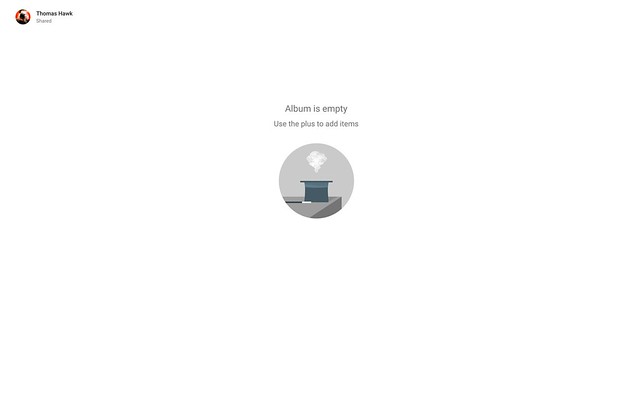
Album is Empty

1. My single biggest complaint about Google Photos is how long it takes to generate shareable links to content. Being able to share a photo or album or video by creating and copying a link is a nice feature, but in my case it typically will take several minutes to several hours in order for that link to actually work. When I create a link and copy and paste it I always get: “Album is empty use the plus to add items,” when I first try to share or access that album.

Link sharing should be instantaneous (like it is on Flickr), but even if it is not it would be better for the user to get some sort of messaging saying “your album will be ready in 27 minutes, come back later” or something like that. For the first six months or so I just thought sharing by link simply did not work, now I know it’s just a delay thing.

2. Google face tagging is awesome! It’s wonderful to have my family and friends’ photos grouped by face and I love that I can go back and put their name on them. Unfortunately Google Photos would appear to limit you to 200 different people at which point the tagging functionality will no longer tag any new people. In my case Google Photos early on chose to facial tag a lot of musical acts that I photographed at Coachella leaving no space for other real friends that I wish were in there.

I’m not sure why there is such a low 200 face limit or why there should be any limit at all. At a minimum, Google Photos should let me manually tag people and then run facial recognition on these people instead of the random 200 that the software has selected.

3. I wish Google Photos had a public sharing option. Private by default is nice, but it would also be nice to be able to make some photos in the service public.

No Keywords in Google Photos
Your titles, descriptions and keywords do not get uploaded with Google Photos.

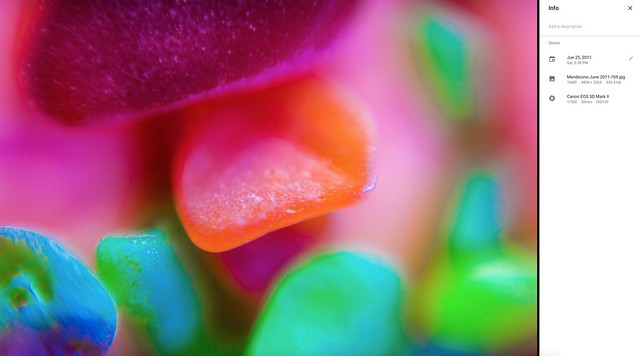
4. I wish Google Photos used all of the careful keywords and metadata that I embed in my photos. One of the nice things about Flickr is that when I add descriptive keywords to my photos in Lightroom and save them to the file Flickr automatically populates the tags along with the photo’s title and description. Google Photos ignores this data. I’m not sure why Google Photos does not care about this data as I would think it would be very useful for search and also very easy to include with uploaded photos. If Google Photos can bring in the iso and shutter speed setting with my photos, why not the keywords too?

5. Google Photos gives you a “card dismissed” message when you dismiss a card using Google Photos’ assistant. This message disappears after about 10 seconds. The problem is that if you are trying to go through a number of different Google automatic creations the page jumps as this message disappears. This makes you accidently click on the wrong place on the page all the time when trying to process more than one creation at a time. This message is not important enough to justify the instability it creates for use on the page.

6. On March 22, Google Photos announced smarter auto albums. It’s been several weeks now and I have not had a single automatic album suggested for me yet by Google Photos assistant. It would be nice to experience what these are like.

7. Since Google Photos launched I’ve found that it takes much longer to upload my photos to Google+, usually as long as 2 minutes or so to upload a photo. Not sure that this has anything to do with Google Photos.

8. Google Photos seems to do a little better job uploading photos than it did in the early days. In the early days sometimes it would only upload 50 photos for me in a single day. Now it typically will upload several hundred a day, but it’s still going to be a long time before it finishes with the 489,052 remaining in the current batch — and then I will still have many more batches to upload. By contrast Amazon Photos does not resize my RAW files at all and goes about 10x as fast.

9. Sharing very large albums with people does not work. At present Google Photos will not allow you to share over 2,000 photos at once. I spent a long time trying to figure out how to share all of the photos I’ve taken with my friend Scott Jordan with him the other day. Finally I had to give up trying and just create a new Google Account that we could both share and reupload all of the photos to that account. That was a pain and there should be a better way for people to share larger albums of photos.

10. Auto facial recognition is good but if it can’t auto tag everyone, Google Photos should let you manually tag people. A combination of automatic AI facial recognition with manual user tagging would make more complete collection.

11. When scrolling through your main Google Photos Library Google Photos will let you fast forward many years into the past. For example, it will start by showing me photos I took yesterday but then I can pull the slider all the way down and easily jump to say photos from 2010. When you are scrolling through photos of people Google Photos has facial tagged though they will not let you jump forward this way. If you have a lot of photos of someone getting to the year 2010 can take a very long time if you have to scroll through everything to get to that time.

12. Sometimes thumbnail versions of photos load very slowly on Google Photos. Other times they render quickly. Not sure why the diffference at times.

13. When I search for cats on Google Photos it brings up a lot of photos of my black labradors. If Google Photos uploaded my keywords they would probably have a better idea that it was a dog in the photo than a cat.

14. The share photos to Facebook functionality doesn’t work for me on Google Photos. Sharing Photos to Google+ seems to work just fine though.

15. Google Photos has only identified 143 “things in my photos.” I’ve collected over 2,000 albums on Flickr, many dedicated to specific things. My Flickr albums are much better organized than my Google Photos albums. Flickr allows me to build albums by my keywords though, Google Photos does not. After using the service as long as I have with as many photos as I have I feel like it should have identified more than 143 things.

16. I have to launch Google Photos and the Assistant to get it to add photos from my iPhone to Google Photos on wifi. I wish as soon as my phone connected to wifi photos from my phone just automatically uploaded to Google Photos, even without having to launch Google Photos app on my phone.

17. When you can get album sharing to work it can be a very powerful way to share photos with people. Here’s an album of all of the photos that Google Photos recognizes of my friend Robert Scoble by face. This includes both my processed and unprocessed photos so the quality is very mixed. I bet Robert hasn’t seen some of these photos.

18. I love how much infinite scrolling Google Photos uses. Paging sucks. Flickr should take notice of how much better Google Photos does infinite scrolling.

19. I wish there was a way I could see how many photos I’ve uploaded to Google Photos. Actually there is a way. Thanks Thomas O’Brien. So far I’ve uploaded 748,892 photos to Google Photos.

20. I wish in the share menu for Google Photos there was embed code where you could embed the photo on your blog or somewhere else on the web.


Thomas Hawk Digital Connection

 
Comments Off on 20 Random Thoughts on Google Photos in a Rambling Stream of Consciousness Format

Posted in Photography


45 Random Thoughts on Flickr in a Rambling Stream of Consciousness Format

01 Apr

Not exactly beat poetry, this list is a rambling mess of 45 things that I thought about tonight about my favorite photo sharing site Flickr. This list is very poorly written and absolutely lacks coherence. It’s a stream of consciousness jumble of unrelated thoughts about Flickr.

There is no order or rhyme or reason behind any of these thoughts. These are just my thoughts as a heavy user who uses the site every day.

1. Flickr could be the most successful stock photography site in the world. They could be bigger than Getty Images and could become the leader of a multi billion dollar industry.

2. On the Flickr mobile app, comments specifically take too long to load.

3. Yahoo requiring phone numbers to create accounts (and by extension Flickr) greatly reduces the amount of harassment and trolling that takes place on Flickr. This is a positive thing.

4. On the Flickr mobile app you eventually run out of your contacts’ photos. There should be no reason to run out. When people run out and it defaults to a repetitive staple of Flickr promoted photos this encourages the user to close the app and go to another social network. Flickr should strive to keep users in their app for as long as possible.

5. While the “connect” splash page in the mobile app encouraging users to try to hook up their Facebook and Twitter friends in Flickr is likely a good thing, after you have seen this splash screen 500 times it’s just wasting real estate. Flickr should limit the number of times it shows this screen to users or allow users to dismiss it after say 60, 70, 300 times it’s shown and no action is taken.

If you actually click on the “Facebook” button on the connect screen and follow it through, it is the most convoluted mess I’ve ever seen in a mobile app and asks for Facebook verifications, SMS, and all kinds of other things that no user would actually go through.

6. On the Flickr mobile app you can double tap to favorite a photo. Frequently I will accidentally tap the photo once and an unwanted larger version of the photo appears. Instagram does not have this problem. Might there be another gesture to open larger photos or an option for advanced users to disable one click photo opening?

7. Groups were where the magic happened in the early days of Flickr and the conversations that took place in the discussion forums were powerful social lubricant. By diminishing the discussion functionality of Groups, Flickr hurt social on Flickr. Groups can and should be rebuilt and represent Flickr’s greatest possible potential in social. The rebuild should focus on social and conversations over pool photos.

8. Flickr allows you to view your contacts’ photos by contacts and friends and family. More customization here would be helpful. Google+ failed but their idea for circles was interesting. Allowing advanced users the ability to create more than two buckets would be a wonderful power user feature.

9. Sometimes users will change the “date uploaded” on their photos to make their photos appear more often in their followers photos from contacts page. This can be annoying as a consumer of photography, but I get it, they want more views on their photos.

10. Flickr still needs strong block functionality. Facebook has done a much better job here and should be studied. If I block someone or someone blocks me Flickr should do everything in it’s power to make sure that we are entirely invisible to each other. This should include making comments invisible from someone you are blocking in all areas of the site, including the help forum and groups especially. When you block someone their photos should not appear in your search results on Flickr.

11. When you block someone their existing comments will be removed from your photos. This should happen faster than it happens at present.

12. My single personal biggest complaint with Flickr today has to do with the photos from my contacts page. As the page adds photo it jumps around. Very often exactly as I’m going to favorite a photo the entire page will jump and I will accidentally open a photo that I did not mean to open. This page should remain static and in place as new photos are loaded.

13. Collections and Profiles should both be included under the “You” menu at the top of the Flickr page.

14. Explore is interesting but it would be more interesting if there were two versions. One for general Flickr and one specifically for the people that you are following.

15. Flickr needs a better way for Flckrmail to work on mobile.

16. The non-app mobile site for flickr m.flickr.com is very slow. Chrome users frequently have to use “request desktop site” to use the web version of Flickr on mobile.

17. Publicly designating Flickr “Pro” accounts as well as prominently showing the date someone joined the site are very helpful tools. It allows users a good way to gauge authenticity of accounts.

18. I never use any of the camera or editing functionality of the flickr mobile app.

19. Flickr is currently the best site on the internet for photo sharing for more serious photographers.

20. On the Flickr photo page there is a “date taken” field. This field should link to the archive view of that date for the photographer in question.

21. I love using SuprSetr for managing my albums on Flickr. I don’t know why when using SuprSetr Flickr’s API limits me to 4,500 photos in an album.

22. Personal interestingness scores seem to have deteriorated over time on Flickr. There especially seems to be given preference for more recent photos, but overall it feels like it’s heavily discounting the value of favorites, comments and other social data. The result is that when using the Flickr API to sort a SuprSetr album by interestingness, it is not really in the best order.

23. Similarly with search on Flickr when you search and rank by interestingness. A photo with 1 favorite should not appear ahead of a photo with 100 favorites.

24. The “albums” page for Flickr users should not have any paging at all, it should infinite scroll forever.

25. Recent Activity is the most important page on Flickr. It is so well done and the ability to filter it by different types of activity is very powerful.

26. I wish Flickr had so much more infinite scroll than it does. While iterating on designs over the past few years there was a point when it had more than it has today. If I had it my way I’d never have to page on Flickr for anything ever.

27. Stats are awesome and worth the price of Pro alone.

28. When looking at your Flickr contacts’ photos if your mouse is over a photo and you press the F key on the keyboard it should favorite that photo.

29. I miss notes in Flickr.

30. In most areas of Flickr they use an empty star for an unfavorited photo and a full white star for a favorited photo — except on the photos from your contacts page where a full white star means the photos is unfavorites and a pink star means the photos if favorited. Flickr should be more consistent. On the photos from your contacts’ page it should be changed to match the format with the rest of the site.

31. When you hover over a tag on Flickr it should tell you who added that tag. Flickr used to do this.

32. Flickr should show more than 6 albums on the main photo page without a user having to click on “show more albums.”

33. I love the fact that flickr uses AI to auto tag my photos with tags that I forgot.

34. Sometimes I feel like I’m interacting with photos from people on Flickr that are just autoposts from their instagram accounts and that these people do not really interact on Flickr. Instagram auto posts to flickr diminish the authenticity of the flickr experience and are much less valuable than organic posts to flickr.

35. Interestingly enough my own personal Instagram to Flickr functionality has been completely broken for about a year. Probably Instagram’s fault though.

36. Sometimes if I put 16 photos in the uploader form to upload some of the photos immediately generate a thumbnail while others might take several minutes to generate a thumbnail. I’m not sure why this is and feel like all photos should generate a thumbnail immediately.

37. It is a very cool thing that Flickr has figured out a way for both regular content and adult oriented content to exist on the same site.

38. I wish there were a way for flickr to identify photos that have signatures, watermarks or borders and then give me an option to eliminate those photos from my search results.

39. Flickr is an amazing tool to find things to photograph if you are going to be visiting some place new. It’s my number one “go to” place for researching things to photograph ahead of any trip that I embark on.

40. I’d love to see “suggested” facial tags for my flickr photo stream that would go into a holding bin for my approval and private photo facial recognition along the lines of what Google Photos offers today, grouping people into private albums.

41. Yahoo Image search should rely much more heavily on Flickr than it does. Flickr has the largest, high quality, highly organized collection of images on the internet today. Yahoo image search should strive to send traffic to Flickr photos over other photos on the web and should weight Flickr images and Flickr tagged images (and especially highly rated interestingness images) very high in their image and web search results.

42. It’s harder for me to blog flickr images on my blog than it used to be. The html doesn’t render right. Having the old code was cleaner.

43. I should be able to have an easy option to exclude certain flickr users from my search results when searching for images on Flickr. This is different than a block, I should just be able to easily exclude a list of users from my search results.

44. With regards to search results there are two different thumbnail views I can select. I wish I had a third that was just a bit bigger and more consistent with the size of photos on the “photos from my contacts’” page.

45. I always visit the Flickr page of anyone who adds me as a contact on Flickr. If I like what I see I add them back. If their photos have signatures, watermarks, or are largely commercial related images I never add them back.


Thomas Hawk Digital Connection

 
Comments Off on 45 Random Thoughts on Flickr in a Rambling Stream of Consciousness Format

Posted in Photography


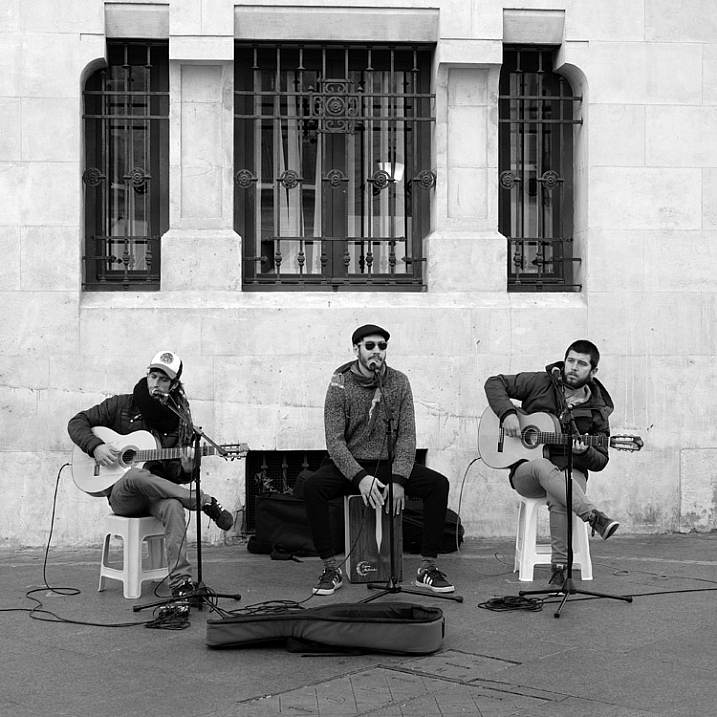
How the Square Format Can Enhance Your Street Photography

24 Mar

Square format and street photography

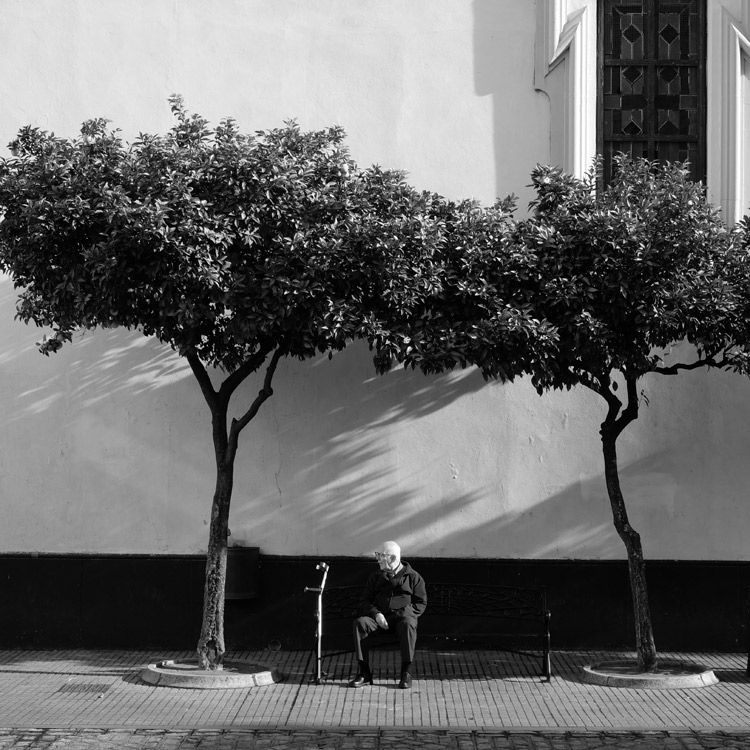
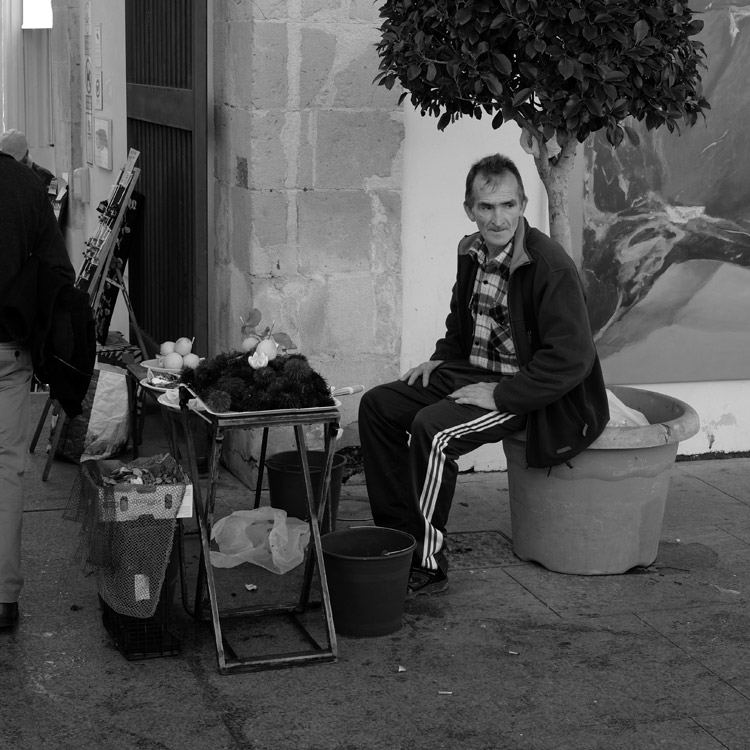
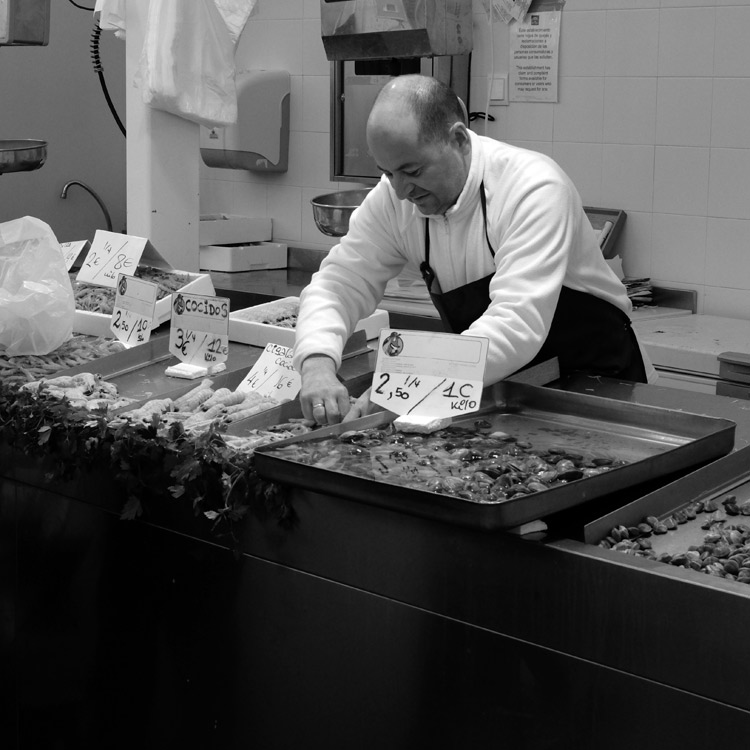
In my last article about choosing the best lens for street and travel photography, you may have noticed that all the photos used to illustrate it, were in the square format. That’s not a coincidence. I recently discovered that I really like this aspect ratio for street photography. It’s made a big improvement to my photos, and I thought it would be interesting to go a little deeper into the reasons why.

It started when I read a book by street photographer Willem Wernsen. I noticed that virtually all his photos were square, and I had an aha moment. There was something about the aspect ratio that worked really well. I couldn’t wait to try it out.

The square format and street photography

So, what is so good about the square format? I think it comes down to two factors. The first is to do with a fundamental weakness of the 3:2 aspect ratio of the 35mm format, that full-frame and APS-C cameras use. The long rectangle is difficult to use well, especially when the camera is turned on its side in the portrait orientation.

You can learn more about this in my article Aspect Ratio: What it is and Why it Matters

That’s why some photographers historically prefer using medium, or large format cameras, for landscape and portrait photography. These are two subjects where it seems especially difficult to compose within the 35mm rectangle, in the portrait orientation. The shorter rectangles of these cameras (not to mention the 4:3 aspect ratio of Micro four-thirds cameras) just seems to work better.

Square format and street photography

Keeping street photography simple

The other factor is that the square format greatly simplifies the decision making process. Street photography is often about reacting quickly to the scene in front of you. The fewer decisions you have to make, the quicker you can do so. With the square format, there is no need to consider whether the composition would be better if you turned the camera on its side.

Another benefit of the square format is that is seems much easier to create an effective composition within the square frame, than it does within the rectangular one. A good tip is to look for strong shapes, and simplify the composition as much as you can.

square-format-street-photography-02

Camera settings

If you would like to try out the square format, it is relatively easy to do so, as most modern digital cameras let you select the aspect ratio. If your camera has an optical viewfinder it will probably display guidelines to let you know how to frame the scene. Check your user manual.

If your camera has an electronic viewfinder you will see a cropped, square image. This, combined with the smaller size and quiet operation, makes mirrorless cameras ideal for street photography.

Square format and street photography

If you would like to shoot in black and white, as I have done for the photos in this article, then you can do so by setting your camera to its monochrome mode. Mirrorless cameras display the scene in black and white in the viewfinder, a great aid to composition. Digital SLRs display the photos in black and white when you play them back on the LCD screen.

If you shoot Raw, most cameras will let you uncrop the image in Lightroom if you want to (the exceptions are Nikon and Panasonic, which crop the image even for Raw files). The key is to convert the Raw files to DNG when you import them into Lightroom. If you keep them in their native format, Lightroom won’t let you uncrop them.

Using Raw also lets you convert your black and white files to colour if you wish to.

Square format and street photography

Your turn

Have you tried using the square format for street photography? How did you get on with it? Please let us know in the comments, and share some of your photos.

Square format and street photography


Mastering Composition ebookMastering Composition

My new ebook Mastering Composition will help you learn to see and compose photos better. It takes you on a journey beyond the rule of thirds, exploring the principles of composition you need to understand in order to make beautiful images.

googletag.cmd.push(function() {
tablet_slots.push( googletag.defineSlot( “/1005424/_dPSv4_tab-all-article-bottom_(300×250)”, [300, 250], “pb-ad-78623” ).addService( googletag.pubads() ) ); } );

googletag.cmd.push(function() {
mobile_slots.push( googletag.defineSlot( “/1005424/_dPSv4_mob-all-article-bottom_(300×250)”, [300, 250], “pb-ad-78158” ).addService( googletag.pubads() ) ); } );

The post How the Square Format Can Enhance Your Street Photography by Andrew S. Gibson appeared first on Digital Photography School.


Digital Photography School

 
Comments Off on How the Square Format Can Enhance Your Street Photography

Posted in Photography


Canon launches a pair of new large format printers aimed at the professional market

09 Mar
The Canon imageProGraf Pro-4000

Canon has announced it will introduce two new large format printers for professional photographers as part of its imagePrograf Pro series. The Pro-2000 and Pro-4000 both use 12-color Lucia pigment ink systems and produce either 24in or 44in prints. With their black bodies and ‘accentuated red line’ the printers are designed to link visually with the Canon EOS range of cameras to emphasise that they are intended for photo-quality printing and made to get the most out of EOS files.

A transparent Chroma Optimiser ‘ink’ is used alongside the colors that Canon says improves ‘print performance on gloss papers’ – which means it evens out the finish between the inks and the paper so the inks don’t stand out.

The printers are due to arrive in the middle of the year priced $ 5995 for the Pro-4000 and $ 2995 for the Pro-2000.

For more information visit the Canon website.


Press release:

Canon launches new imagePROGRAF PRO series for unmatched image quality and productivity

Canon Europe, world leader in imaging solutions, today announced a new range of imagePROGRAF PRO large format professional inkjet printers. The new imagePROGRAF PRO-2000 and imagePROGRAF PRO-4000 are designed to bring stunning image quality to professional photographers and fine art applications, while the new imagePROGRAF PRO-4000S and imagePROGRAF PRO-6000S deliver fast and reliable printing to high-volume print service providers that require photo quality prints such as posters, banners and canvas.

Superior image quality for professional users
The 12-colour PRO-2000 and PRO-4000 enable the full clarity and texture of photographs taken with a Canon EOS camera to be perfectly reproduced. Thanks to Canon’s unique input-output technology and Crystal-fidelity feature, photos look as accurate printed as when they were captured. Available in two sizes (24” and 44”) the PRO-2000 and PRO-4000 feature an attractive black design with an accentuated red line, denoting the link with Canon EOS digital cameras. The new devices use newly developed LUCIA PRO pigment ink to meet the demands of the most critical photographers and graphic artists, as well as transparent Chroma Optimiser ink to improve print performance on gloss paper.
Mathew Faulkner, European Marketing Manager for Wide Format Group, Canon Europe says “At Canon, we understand the importance of fine detail and precise colours to professional users. Images shot on even mid-range cameras can be very high resolution, and with the ability of today’s image editing software, this demands a highly accurate and colour-consistent output. The powerful technology of the new PRO-2000 and PRO-4000 models, not only provide incredible image reproduction, but the small footprint makes them ideal for any office, studio or design department.”

Unbeatable efficiency for print service providers
Also available in two sizes, (44” and 60”), the PRO-4000S and PRO-6000S boast an ergonomic compact design, which is ideal for time and space-pressed print operations in graphic arts, advertising and creative sectors. With a powerful L-COA PRO engine capable of processing large volumes of high-res images and data with ease, the new devices enable poster-quality printing at twice the speed of current imagePROGRAF 8 colour models. Full connectivity and Wi-Fi functionality ensures optimum productivity for busy environments.

Mathew Faulkner continues, “Whether for PSPs or in-house print departments in retailers or educational facilities, the trend towards more operational efficiency and on-demand printing is undeniable. There is a growing requirement not only for high quality imaging, but for ease of use and efficient media handling, as well as high-speed and uninterrupted printing to support high-volume output. These fundamental tools require a powerful and dependable large format printer. The PRO-4000S and PRO-6000S deliver speed, accuracy and colour vibrancy, making them ideal for both print-for-pay and print-for-use environments.”
The new devices feature Canon’s unique dual roll technology to support continuous paper feeding and take-up of printed output, while direct printing from a USB memory stick enables fast and easy prints. The imagePROGRAF PRO series is further improved by the new precision 1.28” wide print head and high-capacity ink tanks for fast, uninterrupted printing.

The new imagePROGRAF series will be available across Europe from the middle of 2016. To see the new imagePROGRAF PRO series in action, visit Canon at FESPA Digital 2016 from March 8-11, Stand F100-F120

Articles: Digital Photography Review (dpreview.com)

 
Comments Off on Canon launches a pair of new large format printers aimed at the professional market

Posted in Uncategorized


Phase One launches 100MP medium format back with Sony co-developed sensor

04 Jan

Phase One has announced a 100MP back for its modular XF medium format camera system, with a CMOS sensor co-developed with Sony. Despite being described as ‘full frame’ the sensor is 53.7 x 40.4mm, making it two and a half times larger than the 135 format to which the term is most often applied. The ‘full frame’ MF sensor guarantees that the full field-of-view of MF lenses can be realized, compared to the cropped fields-of-view a number of previous MF backs, such as the IQ250, yielded. The Phase One XF 100MP camera system offers 16-bit color output and a claimed 15 stops of dynamic range, presumably at the base (native) ISO setting of 50. The camera body, back and 80mm Schneider Kreuznach lens (~50mm equiv.) will set you back around $ 49,000.


Press Release:

Phase One Expands the XF Camera System to 100MP

The Ultimate Camera System has arrived

COPENHAGEN, January 4, 2016 — Phase One today announced that in collaboration with Sony it has designed a new 100MP CMOS full-frame sensor for the Phase One XF 100MP Camera System. Engineered to perform well beyond 100MP imaging, the modular Phase One XF Camera System platform was designed for expansion – offering hard-working professional photographers tangible investment value.

The XF 100MP Camera System with this new full-frame, medium format 100MP CMOS sensor combines high resolution with high dynamic range and exceptional wide angular response. The Phase One XF 100MP offers photographers unprecedented power to realize their visions. It delivers true 16-bit color, 15 f-stops of dynamic range, live view capturing with HDMI output, ISO flexibility from 50 to 12800 and exposure times of up to 60 minutes.

“For more than 20 years, we at Phase One have been pushing the limits of digital image quality to help top photographers stand out,” said Niels Knudsen, Vice President of Innovation and Phase One’s ‘Image Quality Professor.’ “With the XF 100MP Camera System, everything we have been working toward for our customers comes together in one system: ultimate image quality and ultimate creative freedom.”

“The XF 100MP Camera System delivers unparalleled dynamic range, retaining unmatched detail in both highlights and shadows, packing 101,082,464 active high quality pixels,” said Henrik Håkonsson, Phase One’s CEO. “This is the highest performing system that we have ever created, benefitting from a multitude of Phase One exclusive innovations developed to support our amazing customers in creating the ultimate images.”  

Introduced in June, 2015, the Phase One XF Camera System has been built with optimal 100MP performance in mind. As such, features like the Honeybee Auto Focus, Vibration Tracking, Electronic First Curtain Shutter, and Vibration Detection technology have all been developed to ensure the ultimate 100MP performance. The Phase One XF Camera System was also designed for future growth with regular feature upgrades, incorporating new features and unique customizations. Coupled with new Schneider Kreuznach Leaf Shutter lenses, interchangeable Prism Viewfinder and Waist Level Finder, the Phase One XF 100MP Camera System is sure to set the standard for professional photography for many years to come.

High-resolution files produced by the new Phase One XF 100MP Camera System, when processed with Capture One 9, benefit from the software’s advanced algorithms that have been fine-tuned over decades of engineering investment, rendering superior image quality and superior results.

Availability and Pricing
Shipping immediately, the XF 100MP Camera System is available through Phase One photography partners worldwide: www.phaseone.com/partners.

The XF 100MP Camera System comes with Phase One’s unique 5-year warranty and uptime guarantee including personalized 24/7 support and assistance.

The price of the Phase One XF 100MP Camera System (with Schneider Kreuznach 80mm LS lens) is 48,990 USD.

Attractive camera system upgrade offers are available for all Phase One photographers. Please contact our Phase One photography partners for further details: www.phaseone.com/partners.

For a demo of the Phase One XF 100 MP Camera System, please sign up here: www.phaseone.com/demo

Articles: Digital Photography Review (dpreview.com)

 
Comments Off on Phase One launches 100MP medium format back with Sony co-developed sensor

Posted in Uncategorized


Kipon to launch reducer to mount medium format lenses on full frame cameras

18 Dec

Chinese lens manufacturer Kipon has announced that next year it will make available a reducing adapter that’s designed to allow medium format lenses to fit on full frame cameras. The adapter will have a magnification factor of 0.7x which it says will both widen the effective focal length of the lens in use and widen its effective aperture. 

The first adapter will be designed to mount Hasselblad lenses on Sony E-mount cameras, but the company says it is working on other mounts for a wider range of both lenses and host cameras. 

The lenses in the adapter channel the light from the exit element to create a tighter covering circle. This means light that would otherwise fall outside the sensor area is directed to land on it to be recorded.

When a 50mm Hasselblad lens is mounted on a current Hasselblad digital body it produces a similar image area to a 35mm lens on a full-frame camera. That calculation though is a factor of the sensor size of the Hasselblad camera, and the same lens would not deliver that apparent angle of view were it mounted on a full frame camera or in front of the 6x6cm film frames Hasselblad lenses were designed to be used with. 

The 0.7x magnification of the Kipon adapter has the effect of canceling out the crop factor, turning that 50mm Hasselblad lens back into a 35mm-equivalent on a full-frame camera.

The adapter will have to be very good quality to make the most of the resolution of Hasselblad lenses, otherwise the exercise will be a bit pointless. It is expected to retail for $ 415 when it becomes available in February.

For more information visit the Kipon website. 

Articles: Digital Photography Review (dpreview.com)

 
Comments Off on Kipon to launch reducer to mount medium format lenses on full frame cameras

Posted in Uncategorized


Pentax launches limited-circulation 645Z IR, an infrared version of its medium format camera

02 Dec

Ricoh has announced it is to offer an infrared-sensitive version of its 645Z medium format camera, the 645Z IR. Sadly, the new model is not intended for public consumption, but will be aimed at museums and scientific establishments who will have to sign a usage agreement before they can make a purchase. 

The camera will be made sensitive to infrared by removing the IR-cut filter that sits in front of the sensor. The photographer will then need to fit a filter over the lens to cut visible light according to the requirements of the occasion. With a hot mirror in place the camera will operate as a normal 645Z, but without one the sensor will be able to record wavelengths of up to 1100 nanometers. 

Ricoh says that there is no provision for auto focusing when the camera is working with infrared light as the light focuses at a different distance to visible light, and advises owners to use the magnify function of the live view display on the rear tilting-LCD screen. 

Other than the removal of the IR cut filter the 51.4MP camera will operate in exactly the same way as the normal version – including the scene modes, compatibility with Flucards, wireless control from a smartphone and the ability to shoot HD video. 

Ricoh is offering the Pentax 645Z IR to museums, libraries, government agencies and research institutions for specialist operations, often involving forensic work or recording detail in artworks concealed by layers of paint or faded with time. Shooting with infrared sometimes makes visible what can’t be seen with the human eye. 

The company hasn’t made public the price, but says the camera will be available from 15th January next year.  

For more information see the Ricoh website (Japanese)

Articles: Digital Photography Review (dpreview.com)

 
Comments Off on Pentax launches limited-circulation 645Z IR, an infrared version of its medium format camera

Posted in Uncategorized


JPEG Committee contemplates adding DRM to image format

16 Oct

Change may come soon for the web’s most widely adopted image format. Earlier this week at a meeting in Brussels, the JPEG Committee discussed adding a DRM (Digital Rights Management) security feature to the regular JPEG image format. Read more

Articles: Digital Photography Review (dpreview.com)

 
Comments Off on JPEG Committee contemplates adding DRM to image format

Posted in Uncategorized