RSS
 

Posts Tagged ‘Edge’

DxOMark Mobile report: Samsung Galaxy S6 Edge+

28 Dec

DxOMark has completed its full mobile report into the Samsung Galaxy S6 smartphone’s camera. With a DxOMark Mobile score of 87 the Samsung Galaxy S6 edge+ just snatches the smartphone camera crown from the Sony Xperia Z5 and places itself on top of the DxOMark smartphone rankings.

Articles: Digital Photography Review (dpreview.com)

 
Comments Off on DxOMark Mobile report: Samsung Galaxy S6 Edge+

Posted in Uncategorized


Beach Read: Monumental Concrete Library on the Edge of a Bay

31 Oct

[ By Steph in Architecture & Public & Institutional. ]

beach library 1

If you’ve ever gotten bored with the book you’re reading on the beach and wished you could just run into a seaside library for a new one, here’s the building of your dreams: a stunning modern repository of books so close to the sea, it’s practically on the water. Vector Architects positioned this monumental concrete structure right on the edge of China’s Bohai Bay, about three hours from Beijing, with massive glass doors opening the reading space right onto the sand.

beach library 2

beach library 3

beach library 4

Oriented to direct nearly all of its views to the water, the library feels strong and solid, anchored to the sand. Of course, it’s hard not to worry about all of those books being ruined in the event of a severe storm. It’s not clear whether the architects have taken any particular precautions against potential disasters, but it certainly looks like a beautiful place to sit and read, especially when the lower doors are all open to the breezes coming off the water.

beach library 5

beach libray 6

beach library 7

beach library 8

Steel roof trusses support the massive canopy roof, which curves down into the wall at the rear of the building. Upper-level benches and tables look out a strip of fixed windows, and a stairway leads to a small rooftop patio. In contrast, a meditation room is  insulated from the rest of the space, the only windows a handful of skylights carefully directing natural light.

beach library 10

beach library 11

beach library 12

beach library 13

The building feels like a real-life version of a series of storm-proof fantasy beach structures by Dionisio Gonzalez – architecture with the heft and wherewithal to stand up to the elements when other buildings would be swept away.

Share on Facebook


[ By Steph in Architecture & Public & Institutional. ]

[ WebUrbanist | Archives | Galleries | Privacy | TOS ]


WebUrbanist

 
Comments Off on Beach Read: Monumental Concrete Library on the Edge of a Bay

Posted in Creativity


Lensbaby rolls out Composer Pro II and Edge 50 Optic

21 Oct

Lensbaby has announced new additions to its lens lineup with the Composer Pro II and Edge 50 Optic. The Composer Pro II houses the swap-able optic, updating the original Composer with an ‘upgraded’ metal body, and the 50mm equivalent F3.2 Edge optic provides a tilt shift effect slice of focus that can be moved around the frame. Read more

Articles: Digital Photography Review (dpreview.com)

 
Comments Off on Lensbaby rolls out Composer Pro II and Edge 50 Optic

Posted in Uncategorized


Samsung launches Galaxy Note 5 and Galaxy S6 Edge+

14 Aug

Samsung has today announced two new smartphones in its mobile device line-up. With their large 5.7-inch screens the Galaxy Note 5 and the Galaxy S6 Edge+ both qualify as phablets and share most components, including camera hardware borrowed from the Galaxy S6. Read more

Articles: Digital Photography Review (dpreview.com)

 
Comments Off on Samsung launches Galaxy Note 5 and Galaxy S6 Edge+

Posted in Uncategorized


Samsung Galaxy S6 / S6 Edge camera review

16 Jun

With a 16MP BSI CMOS sensor, faster F1.9 lens and the addition of an optical image stabilization system the Samsung Galaxy S6 Edge camera is, at least on paper, a clear improvement on the already very well performing module in the Galaxy S5. Our full review takes a look at the device from a photographer’s perspective. Read review

Articles: Digital Photography Review (dpreview.com)

 
Comments Off on Samsung Galaxy S6 / S6 Edge camera review

Posted in Uncategorized


DxOMark Mobile report: Samsung Galaxy S6 Edge tops rankings

28 Apr

DxOMark has just released test results for Samsung’s latest flagship smartphones, the Galaxy S6 Edge and, by extension, the Galaxy S6. Both phones share the same hardware and specifications, including a 16MP BSI CMOS sensor, F1.9 lens and optical image stabilization. The S6 Edge’s camera performance puts it at the top of DxOMark’s mobile rankings – find out why. Read more

Articles: Digital Photography Review (dpreview.com)

 
Comments Off on DxOMark Mobile report: Samsung Galaxy S6 Edge tops rankings

Posted in Uncategorized


For those on the leading edge Sony announces enthusiast 4K Handycam

05 Sep

SonyFDR-AX1-t2.png

Sony announced a consumer 4K camcorder, the FDR-AX1, which gives enthusiast videographers a way to capture four times the resolution of a Full HD camera. The AX1 is able to save the massive amounts of data gathered by a 4K, 60fps camera thanks to its XQD memory card. Its G lens covers a 20x zoom range equivalent to a 31.5 – 630mm, and includes Optical Steady Shot. Click through for more.

News: Digital Photography Review (dpreview.com)

 
Comments Off on For those on the leading edge Sony announces enthusiast 4K Handycam

Posted in Uncategorized


Celebrity Interview – Roof Topping: Standing on the Edge with Tom Ryaboi

19 Jul

As a photographer and aspiring writer, I’ve asked myself a few times before, “What subject or person in photography hasn’t been done to death, and is worthy of an article I’d actually read myself?” The answer, I found, is a formula. Take a young, talented photographer. Give him an idea, unlike any other you’ve encountered in the field. Make him Continue Reading

The post Celebrity Interview – Roof Topping: Standing on the Edge with Tom Ryaboi appeared first on Photodoto.


Photodoto

 
Comments Off on Celebrity Interview – Roof Topping: Standing on the Edge with Tom Ryaboi

Posted in Photography


Edge Cases: 8 Space-Saving Design Ideas for Inside Corners

28 May

[ By WebUrbanist in Design & Furniture & Decor. ]

inside interior corner designs

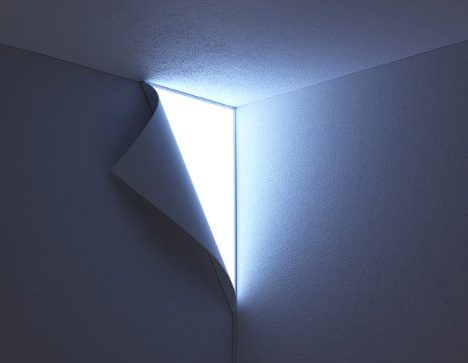
Most home furnishings are made for flat surfaces, not for those uncomfortable edge conditions we call either ‘inside’ or ‘outside’ corners. The following designs do more than just address such conditions, they thrive on these traditionally-problematic challenges.

inside kitchen corner drawers

Kitchens are somewhat notorious when it comes to corners – cupboards bumping into another is one thing, but you also often lose the extra space contained in the corner itself. Not so with these crafty corner drawers that slide out at a 45-degree angle – designs by Blum and Heritage.

inside flat pack lamps

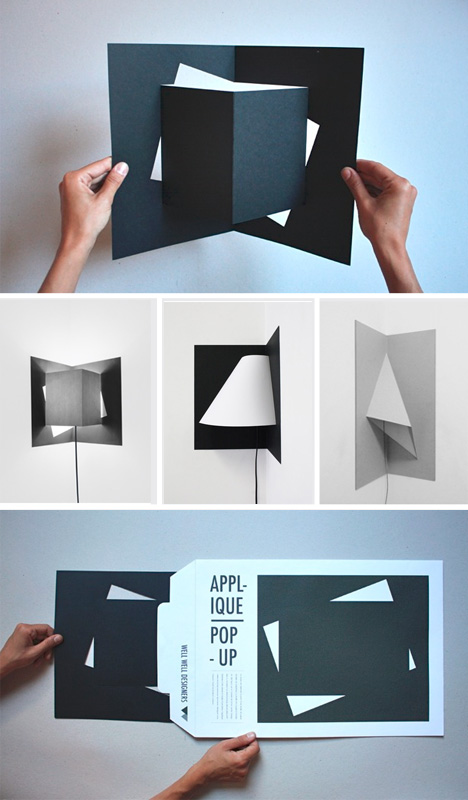
Floor lamps are another classic challenge- they are often rounded, and occupy more space in the corner than they could possible need. One solution is the Pop-Up corner light from WellWell, packed flat in an envelope with a cord, and folded out by the recipient to form a triangular, rectangular or round shape suited to 90-degree or even slightly-more-unusual angles.


inside corner pipe shelves

For storage considerations, pipe shelves like the ones shown above have been popping up for sale on Etsy for a while now – these are generally oriented toward inside corners, but could just as easily wrap out and around as well. And, of course, you can buy something already-made or go the do-it-yourself route instead.

inside outside corner shelf

But inside corners are only half of the equation – what about outside corners, where two walls meet as they push out into the room? This corner shelf by Martina Carpelan fills both functions with elegant simplicity – it can be flipped to wrap around an outside corner, or to tuck into an inside one.

Next Page:
Edge Cases 8 Space Saving Design Ideas For Inside Corners

Share on Facebook


[ By WebUrbanist in Design & Furniture & Decor. ]

[ WebUrbanist | Archives | Galleries | Privacy | TOS ]


WebUrbanist

 
Comments Off on Edge Cases: 8 Space-Saving Design Ideas for Inside Corners

Posted in Creativity


Google Unveils Cutting Edge Photography Tools to Make Your Photos Look Better and the World A More Beautiful Looking Place

16 May

Through Glass

Google unveiled significant new innovation in the world of online photography this morning, continuing their rapid development pace on Google+. All in, Google+ pushed out 41 new features today.

Much of the new work is focused on post production photography to make people’s photographs look better than they can straight out of the camera.

Some have suggested that part of Instagram’s success has been their ability to enhance users’ photos with very simple, one touch filters. Instagram has focused on a faux film aesthetic which actually highlights the flaws in many photos to give them more of an artistic, old school feel. By contrast, Google’s easily and automatically applied post production tools, released today, work to make photos look more vivid, life like and realistic.

By using simple techniques like skin softening, clarity adjustment, smart vignetting, HDR and other enhancements, Google, by default, now offers an enhanced photo for every photo uploaded by users to Google+. Also, with this new tech, Google will give you the ability to view the before and after results and decide which you prefer to use. For photographers who do not want their photos altered in any way, these users can turn this default functionality off.
Google Releases New Tools for Photographers Using Google+

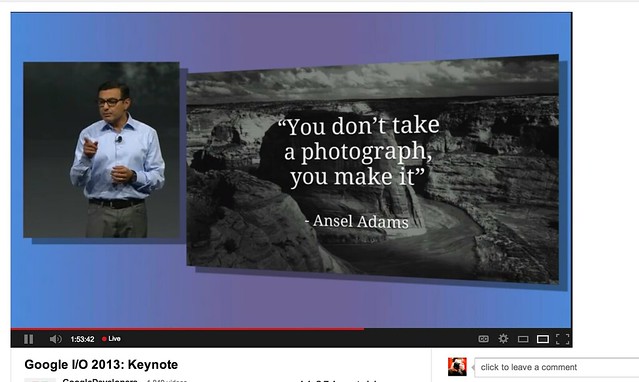
As a photographer, I have long been a believer of photo manipulation and post processing technology. Ansel Adams said “you don’t take a photograph, you make it,” as highlighted in Google Social Chief Vic Gundotra’s keynote this morning. Much of Ansel Adams’ genius has been attributed to the work that he did in the darkroom with his photos, his zone system, his post production technology of his time.

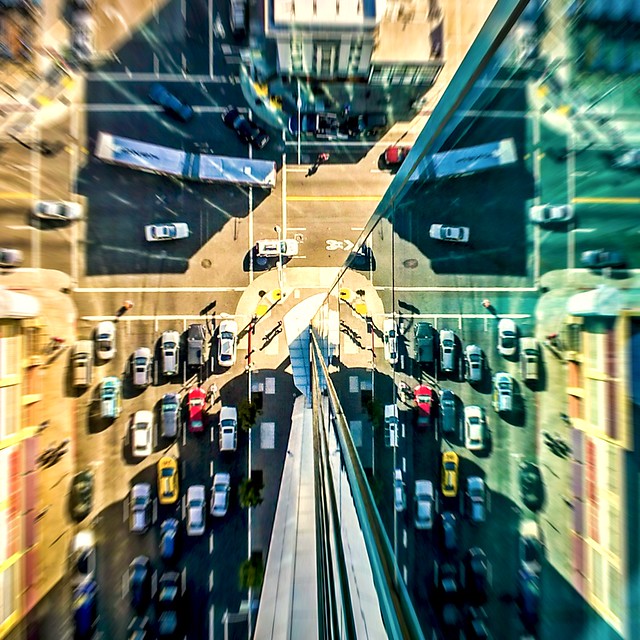
I post process all of my photos. The photo at the top of this post is the very first photo that I made with my new Google Glass that I bought yesterday. While I was able to get the composition to a point where I wanted in camera, much of the pop of that image is done with my own post production technique and style.

Many of my photographer friends also spend a great deal of time post processing their images — but the vast majority of the people out there really don’t post process at all. These people don’t own Lightroom and Photoshop or Nik Suite or Aperture or whatever else they might use to improve their photos. These are every day non-photographers who are still enamored with photography and imagery.

By applying some very basic algorithmic based enhancements, Google can make photos for the masses look much better than straight out of the camera. This is a very smart move on Google’s part. Where Instagram makes your bad photos look purposefully worse, Google now makes your bad photos look purposefully better! I stole that line from an unnamed source, btw. ;)

Where this new tech is especially powerful is in photos of people. By using basic skin softening post production tech, photos of people will look better on Google+ than on other social networks. By appealing to our vanity, this gives Google a big advantage. If people can post photos of themselves on Google+ that make them look BETTER than on other networks, many more people will choose to post their photos on G+. Just watch as people post photos of themselves on G+ for auto beautification and even download and post them to other networks I bet.

All of this sort of fancy post production *can* be done today by skilled post production photographers who spend hours and hours behind Photoshop. Now much of it will be automated and released to the masses.

There will undoubtedly be some naysayers about this tech. The same folks who moaned about the Instagramification of mobile photography will probably also complain about this new tech too. Google was smart here by giving users a very simple way to deal with this, by simply turning off this feature.

While the photo enhancements were the sizzle of Google’s announcements today, there were many other significant enhancements added to Google Photos.

Google will now begin to analyze your images and auto tag them. This is no trick where low paid overseas workers are manually reviewing your images; Googles’ algorithms now can look at the context of your photo and the actual subjects in your photos to identify possible tags for the images. If you post a photo of the Eiffel Tower, Google can detect the Eiffel Tower in your photo and add that tag for you. If Google gets the tag wrong, for whatever reason, it’s simple for you to just remove it.

What this means is that more of your photos will be seen in search by people using Google products. Many photographers are looking for more traffic and views on their photos. Who better to provide this traffic than Google Search, yes, using Google auto applied tags. This is the future of image search. If you are a photographer, especially one who depends on photography for your living, you cannot afford to ignore the significance of Google Search. Many of my own photo sales are made by people finding my photos while searching on Google. By uploading your photos to Google+, your photos will rank better in search and now even moreso with this new auto-keywording functionality.

Google Releases New Tools for Photographers Using Google+

Google also introduced a new smart algorithm that can analyze your photos and show you which ones Google thinks are the best of the batch, offering you highlights. Oftentimes we will “spray and pray,” taking 20 images of one person or subject. Google will analyze all of the images and suggest the best one for you. Google uses not just technical information about a photo (is it blurry or underexposed?) but they are using human tested aesthetics to look for what is most appealing.

But there’s more! In addition to the tech released above, Google has also added some very easy tools which will auto generate gifs for you of your photos, auto HDR bracketed shots, and suggest other compelling ways for you to present your photography to the world. Almost miraculously, Google can even look at photos of multiple people and merge the photos into a single photo that takes the best expression of each individual from *different* photos.

All of this also comes with an awesome new look and layout of Google+ which better highlights photography on the network. Popular photos will now be featured in jumbo new oversized form across a three column layout. For non highlighted photos, Google also made portrait oriented photos, especially, look better and bigger. In the past, the portrait format was the worst looking photo format on Google+, now it’s the best — that’s worth noting. ;) For folks who don’t like the three column layout, they can switch back to a single column if they’d like.

A couple of other notes: all of this work that Google does with your photos is done behind the scenes for your eyes only. You can use the tech or not use the tech. If you use the tech and like it, *you* then choose to share the image to Google+. Nothing is shared until you choose to share it.

The new technology will only work with the JPG format (hopefully Google comes out with RAW support down the road). Google increased everyone’s storage to 15GB of online storage, but note that any photo sized 2048 px or smaller does not count towards your 15GB storage limit (you can also buy more storage if you want to). Google allows unlimited uploading of photos that you either manually resize or allow Google to resize to 2048 px. There is an option on Google where you can set whether or not you want to upload full high res photos or resized 2048 sized images.

I upload some of my photos full res, and many of them I resize manually myself to 2048 px.

Google also introduced a free, stand alone hangout app that you can now use with your mobile phone or desktop device bridging text, photos and real time group video into a single app that preserves conversations (at your choice) over long periods of time. Hangouts have been one of the most popular Google+ feature and several photography related shows have been built around them.

More detail on these changes at Google here. More from Matthew Hanley here. Trey Ratcliff wrote insightful commentary here.


Thomas Hawk Digital Connection

 
Comments Off on Google Unveils Cutting Edge Photography Tools to Make Your Photos Look Better and the World A More Beautiful Looking Place

Posted in Photography