RSS
 

Posts Tagged ‘Digital’

How to turn your DSLR into a Digital Pinhole Camera

17 Oct

The post How to turn your DSLR into a Digital Pinhole Camera appeared first on Digital Photography School. It was authored by Adam Welch.

how-to-turn-your-dslr-into-a-digital-pinhole-camera

For all the advances made over the last 190-some-odd years of photographic history, at its primordial core, a camera is a highly simplistic apparatus. Our cameras are just light-proof boxes except for an opening that allows a small amount of light to enter. Any photograph ever made owes its creation to the technology of the camera obscura, from the Latin words meaning “a dark box” or “a dark room.” These magical devices project images consisting of light rays which pass through a singular, relatively small opening (aperture), thus casting the inverted scene inside the darkened space. If you were to add an optical element (lens) and an image receptor (digital sensor, film, other material) then, my friends, you have yourself an essentially modern camera system.

how-to-turn-your-dslr-into-a-digital-pinhole-camera

Even today, some cameras operate without lenses, relying only on the raw essentials of image-making to produce a photograph. These are “pinhole cameras” and consist of the bare-bones of photo-making – a light-proof box with an aperture and an image receptor.

A pinhole camera is, in fact, so easy, so simple, that you can morph your current DSLR or mirrorless digital camera into a surprisingly efficient pinhole camera. You can do so, using only a few basic materials that you likely already have on hand.

Not only is making your own digital pinhole camera a great project for all ages, but it is also an excellent way to “reset” yourself if you’ve become a little burnt out with your current photography gear.

For lack of a better phrasing, using a pinhole camera is arguably the most “pure” form of photography you can practice, in terms of tools involved. Let me show you how to turn your DSLR into a pinhole camera.

What you’ll need

As with most things, you can make your digital pinhole camera as simple or as complicated as you would like. For this example, I’m going to show you the most basic construction method I have used thus far. Now, let’s get down to business.

Materials:

  • An interchangeable lens digital camera. Although there is little chance of damaging your camera, I still recommend using a camera that you don’t rely upon daily. The reason being that you will have a small opening in which dirt or moisture could enter your camera. For our example, I’m using the back-up for my back-up; a Canon 7D MK1.
  • Aluminum foil
  • A pin or thumbtack
  • Tape. Preferably opaque such as electrical or gaffers tape
  • Scissors

how-to-turn-your-dslr-into-a-digital-pinhole-camera

That’s it! Yes, really. This is the basic materials that you need to turn your camera into a digital pinhole camera.

A brief introduction to pinhole photography

Before we continue, let’s take a quick time-out to talk about a few of the basic principles of pinhole photography. First of all, this is not going to be a tutorial for making a perfect digital pinhole camera.

Believe it or not, although incredible lacking complication, pinhole photography is an extremely nuanced craft. There are formulas for figuring out the optimum aperture size (the pinhole), and how to determine the actual F-stop you will be shooting to calculate exposure.

Even though we’ll be forgoing the complexities, it’s still good to have grounded knowledge in the principles of pinhole photography before you start.

Focal length

For our purposes, the focal length of your pinhole camera will be practically equal to the focal flange distance (FFD) or your camera. The FFD is just a fancy way of saying how far it is from the lens mount of your camera to the image sensor plane. Most cameras will have a symbol that demonstrates the image plane location.

How to turn your DSLR into a Digital Pinhole Camera

Check out this handy database over on Wikipedia for finding the FFD for your particular camera. In our case, the FFD is 44mm, which is also our effective focal length. This will come into play when we learn about optimal aperture size for the pinhole camera; which we’re about to talk about right now.

Optimal aperture (pinhole) size

Believe it or not, there is a beautifully elegant equation derived by none other than Joseph Petzval which helps us to determine the best size for the opening of our pinhole camera based on the focal length. In our case the FFD, and the wavelength of light. The equation is as follows:

How to turn your DSLR into a Digital Pinhole Camera

In the formula “d” is the diameter of the pinhole, “f” is the focal length, and lambda (the “l” with a kickstand) is the wavelength of light. Unless your goal is to make an extremely precise pinhole camera, you can essentially forgo all of the information in this section. Still, if you’re a camera nerd like me, it’s cool to know.

So, based on our formula, my “optimum” pinhole diameter is about .011mm, which is TINY. In fact, if we were to manage it, our effective aperture at 44mm focal length would be about F/157. Again, this is all just food for thought, and it won’t actually play into our final pinhole. You won’t need to crunch any numbers to turn your DSLR into a digital pinhole camera. So let’s move on to the good stuff!

Putting it all together

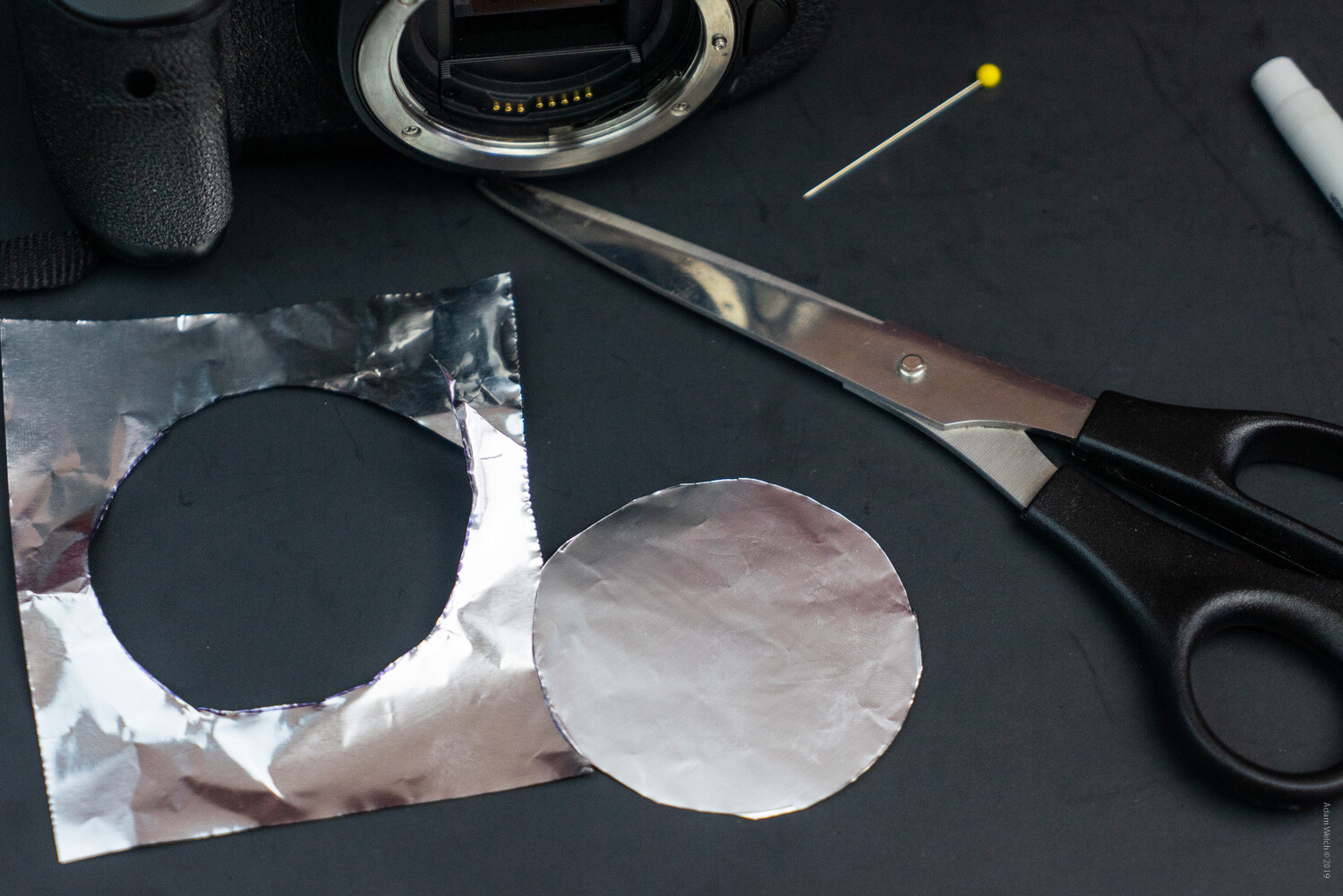
Now, let’s get to making our pinhole camera. As we’ve said before, this will be an extremely simple construct. We’ll begin by cutting out our aluminum foil diaphragm. This is the operable component of the entire system, as it will be what we eventually use to form our pinhole aperture.

Keep in mind that aluminum foil has a shiny side and a matte side. This will come into play later. A piece of foil 3×4 inches (7.6×10.2cm) should be plenty for almost all cameras.

Image: Shiny side…

Shiny side…

Image: …matte side.

…matte side.

Creating the Aperture

I like to use the front cap for the camera to trace a rough outline for the diaphragm. Just flip the cap over and this will give a good approximation of the front surface of the camera flange. Feel free to trace the outline on either side of the foil. Don’t worry if you don’t have a front cap to use as a guide, cut the foil as best as you can, making sure to leave some overlap.

how-to-turn-your-dslr-into-a-digital-pinhole-camera

Remember to trace the cap (if you have one) face down.

How to turn your DSLR into a Digital Pinhole Camera

Throughout the cutting process, try to keep the foil as unwrinkled and flat as possible.
how-to-turn-your-dslr-into-a-digital-pinhole-camera

Next, it’s time for our bravery test. We need to make our pinhole now. If you remember from earlier, our “optimum” pinhole size is .011mm. Of course, we won’t be able to achieve this exactly, so the best we can hope for is to make the smallest hole with the tools we have on hand. The pin I’m using has an approximate diameter of .77mm, which is still much larger than our optimum calculated hole size. So we’ll try to make the opening as small as possible using just the tip of the pin.

Lay the foil shiny side up on a semi-firm surface like a cutting board, or in our example, a piece of poster board. Aim for the approximate center of the foil disk and lightly press down with the pin. Don’t attempt to press the pin completely through the disk. Just a small amount of pressure will likely be sufficient to puncture the foil.

How to turn your DSLR into a Digital Pinhole Camera

And there you have it; our freshly minted pinhole.

how-to-turn-your-dslr-into-a-digital-pinhole-camera

From here, it’s just a matter of fixing our new pinhole diaphragm to the front of the camera.

Mounting the pinhole

Center the pinhole diaphragm as close as possible to the lens mount of your camera. Then, carefully tape the foil to the lens flange. I’m using a few pieces of electrical tape. It’s a good idea to use tape that is as opaque as possible and one which won’t leave excessive residue on your camera once it’s removed. Again, keep the foil as flat as you can.

How to turn your DSLR into a Digital Pinhole Camera

how-to-turn-your-dslr-into-a-digital-pinhole-camera

Begin at the outsides of the foil and be sure that the tape seals the diaphragm as tightly as possible. After this, I like to add a few more pieces of tape to the front of the foil for added strength. A delicate touch is required here. Be mindful not to cover your pinhole!

how-to-turn-your-dslr-into-a-digital-pinhole-camera

I know it’s difficult to believe, but you’ve just made a pinhole camera!

Tips for shooting with your pinhole camera

As you have likely already assumed, pinhole cameras make use of relatively small apertures. As such, shooting with them will require longer exposure times. So, a tripod will always be a good idea to have on hand for your pinhole work. Furthermore, it will be complicated to compose your images visually. However, this doesn’t mean that you can’t shoot your pinhole camera handheld!

Here are some suggestions for getting the most out of your pinhole camera when shooting with and without a tripod:

  • Bump up that ISO. Use the highest ISO you are comfortable with in order to bring the required shutter speed into a manageable range for handheld shooting.
  • Forget the viewfinder. While it’s perfectly acceptable to keep the camera held to your eye, it won’t benefit you all that much. Try shooting with the camera in a “waist level” configuration, holding it close to your body for added stability.
  • Pinholes love long exposures! Try mounting your pinhole camera on a tripod and lowering your ISO for some great long exposure images. That small aperture is your friend when it comes to super long exposure photography.
  • Protect your camera. Remember, you are now shooting without the protection of a lens. Even though the pinhole is extremely small, dirt and moisture can still make their way into the internal components of your camera.
  • Be ready to observe any and all dirt present on your sensor. Seeing as you will be shooting at extremely narrow apertures, any specs of dust or dirt on your camera’s sensor will be readily apparent.
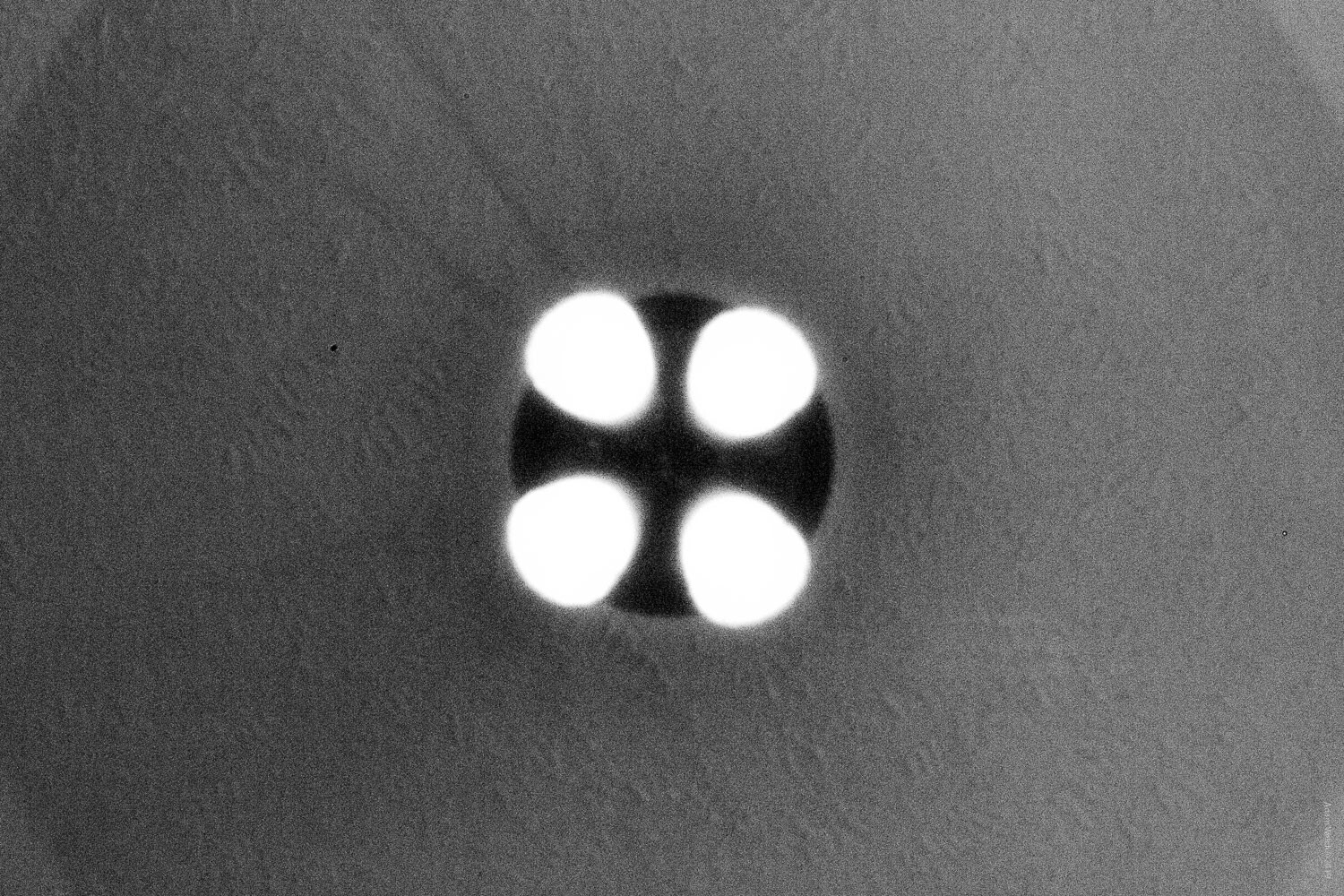
  • Try a few extra pinholes. There is no rule saying you have to limit yourself to a single aperture. A few additional pinholes can produce some amazing effects. Experiment with different numbers and configurations of pinholes.
  • Embrace the blur. By its very nature, pinhole photography is imperfect. Remember that the beauty of working with a pinhole camera stems from the simplistic nature of the method itself.
  • Pinhole photography works great in black and white. Converting your pinhole images to black and white can change the entire dynamic of the photo.

Here are a few examples of images I made with my converted pinhole DSLR:

How to turn your DSLR into a Digital Pinhole Camera


How to turn your DSLR into a Digital Pinhole Camera

How to turn your DSLR into a Digital Pinhole Camera

How to turn your DSLR into a Digital Pinhole Camera

How to turn your DSLR into a Digital Pinhole Camera

How to turn your DSLR into a Digital Pinhole Camera

How to turn your DSLR into a Digital Pinhole Camera

These last two images were made after I introduced three additional pinholes…

how-to-turn-your-dslr-into-a-digital-pinhole-camera

how-to-turn-your-dslr-into-a-digital-pinhole-camera

Ways to improve your pinhole camera

You can make more heavy-duty pinhole apertures using more sturdy materials and by more precisely measuring and cutting your pinholes. Of course, this means additional work and will likely require much more advanced tools. Still, we can make our pinhole camera perform much better through some simple ingenuity.

The best way to up-the-ante of your digital pinhole camera is by adding a bit of flocking to the inside surface of the diaphragm. Flocking is just a way of reducing reflections and glare inside of the camera by darkening the components that might produce these sorts of problems.

Even though we faced the matte side of the foil inward (told you this would come into play), we can still help further reduce the reflections by darkening the inside of the foil. The easiest way to do this is to use a black permanent marker to darken the inside surface of the diaphragm.

Image: Careful not to color over the pinhole. The aperture is extraordinarily delicate.

Careful not to color over the pinhole. The aperture is extraordinarily delicate.

This will help to reduce stray light rays that can degrade image quality. An even better solution is to add dark tape to the inside of the diaphragm. This will make for a much more efficient flocking material. If you plan to add tape flocking, it’s a good idea to apply it prior to making your pinhole. Again, leave a small amount of room around the aperture so that the diaphragm remains as thin as possible.

How to turn your DSLR into a Digital Pinhole Camera

Final thoughts on pinhole cameras

While I was making the images for this article, I realized what might be the greatest benefit of turning your DSLR or mirrorless camera into a pinhole camera; it makes you forget. What I mean by this is that when you use such a simple camera, most of your worries over composition and tack-sharp focus seem to fall away. It’s an odd feeling, really.

What’s more, given the fact that you’re shooting at such small apertures, it produces an enormous depth of field. This means that the entire scene will technically be “in focus.”

At the same time, you know that without the benefit of a lens, the entire photo will simultaneously be less sharp, even dreamlike. When operating under these conditions, it forces us to strip away our pretenses and focus (photo humor) on the core values of our images.

If you’ve never used a pinhole camera before, I hope that this tutorial has shown you that it is incredibly easy to turn your DSLR into a digital pinhole camera. Follow the steps shown here, and you can have a digital pinhole camera in your hands in less time required to read this article.

Have you ever used a pinhole camera? If so, be sure to share your thoughts and images in the comment section below!

Author’s note: While the method shown here poses little risk to your camera, I strongly urge you to only attempt projects such as these using equipment that you wouldn’t mind being damaged. As always, use good judgment and proceed at your own risk.

The post How to turn your DSLR into a Digital Pinhole Camera appeared first on Digital Photography School. It was authored by Adam Welch.


Digital Photography School

 
Comments Off on How to turn your DSLR into a Digital Pinhole Camera

Posted in Photography


The end of an era? Digital camera review site Imaging Resource set to close

12 Oct

We’re sad to report that Imaging Resource, one of our most longstanding (and very friendly) competitors is set to close at the end of 2019, after more than 20 years. In a lengthy message to friends in the industry, founder Dave Etchells confirmed that while the site will remain available through at least spring next year, content production will most likely cease in the coming months.

Imaging Resource and DPReview grew up together in the early days of consumer digital imaging, and although many of our respective readers might imagine that we’ve had a competitive relationship, the truth could not be more different. The photo industry is, by and large, a friendly and close-knit community. A community of nerds, sure. And not a few misfits, but bonded together over a common interest in photography and technology. As king of the nerds (and I know he would have no problem with me saying that) Dave has been a central, and literally towering figure for 20 years.

Although many of our respective readers might imagine that we’ve had a competitive relationship, the truth could not be more different.

We have worked closely with Dave and his team of writers since our respective sites were in their infancy. Just personally, I’ve had the pleasure of accompanying Dave on several factory tours, including some where we were the only two journalists present. Along the way we’ve shared notes, resources (you’ll find our images in Dave’s recent Sigma factory tour article, and a lot of Dave’s insights in ours!) and of course a lot of hangovers.

I hope that there are still a few shared hangovers ahead of us, because the chances of Dave and his team leaving the photo industry entirely seem extremely thin (it’s kind of like the mafia, in that respect). And on that note, we’ve been in communication with Dave about I.R.’s pending closure for some time, and I’m hopeful that we can play a part in continuing its legacy going forward into the future.

For now, I hope you’ll join me, and everyone at DPReview in wishing Dave and his team well, and we invite you to leave thoughts, best wishes and memories in the comments.

Articles: Digital Photography Review (dpreview.com)

 
Comments Off on The end of an era? Digital camera review site Imaging Resource set to close

Posted in Uncategorized


GoPro Hero8 Black adds improved stabilization, Media Mod, Digital Lenses and more

02 Oct

As promised in its teaser a few weeks back, GoPro has unveiled its latest action camera, the Hero8 Black.

The GoPro Hero8 Black now features Hypersmooth 2.0, GoPro’s second-generation stabilization technology that features a ‘Boost’ mode and an auto horizon leveling mode. TimeWarp (GoPro’s hyperlapse mode) also received a 2.0 update that will automatically adjust the playback of the video to the speed you’re traveling and can slow down to capture prominent moments with a tap of the screen.

Moving onto the hardware side of things, the Hero8 Black features the leaked ‘Media Mod,’ which adds additional ports and makes it possible to add a number of add-on accessories. When secured inside the Media Mod housing, the Hero8 Black gains a shotgun microphone, a 3.5mm microphone port, a Micro HDMI out port, a USB-C Port and two cold-shoe mounts.

$ (document).ready(function() { SampleGalleryV2({“containerId”:”embeddedSampleGallery_7199178824″,”galleryId”:”7199178824″,”isEmbeddedWidget”:true,”selectedImageIndex”:0,”isMobile”:false}) });

In addition to third-party accessories, GoPro has also released its own line of ‘Mods’ including a 1.9in flip-up LCD ‘Display Mod’ and a waterproof LED ‘Lighting Mod.’

GoPro has also added a new feature called ‘Digital Lenses.’ As its name suggests, this new functionality will effectively crop the image to adjust the framing in four different settings: Narrow, Linear, Wide and SuperView.

Presets have also been added to the Hero8 Black, which makes it easy for users to switch settings on the fly depending on what they anticipate filming. With the ‘Cinematic’ preset the Hero8 Black will shoot 4K/30p video, in ‘Activity’ it will shoot 2.7K/60p video and in ‘Slo-Mo’ it will shoot 1080/240p video. The exact settings can be further adjusted as with past Hero cameras, but these presets should provide a simple starting point for those who don’t care to dive into the settings too much.

GoPro has also updated its SuperPhoto and HDR functionality to deliver more ‘detail you never thought possible.’ Other improvements include the ability to livestream Full HD video, a 2x stronger lens and a dedicated Night Lapse Video mode.

Below is a detailed video of all the new and improved functions of the Hero8 Black:

The GoPro Hero8 Black is available to pre-order starting today for $ 399.99. The first shipments are expected to go out October 15th with in-store availability starting October 20th. The Media Mod and Display Mod will retail for $ 80 and the Light Mod will retail for $ 50 when they become available to pre-order in December.

Articles: Digital Photography Review (dpreview.com)

 
Comments Off on GoPro Hero8 Black adds improved stabilization, Media Mod, Digital Lenses and more

Posted in Uncategorized


The Polaroid Lab turns your digital smartphone photos into analog instant prints

10 Sep

Polaroid Originals has introduced the Polaroid Lab, a new instant printer that will turn your digital smartphone photos into instant prints.

The Polaroid Lab appears to be a rebranded version of Impossible Project’s Instant Lab released back in 2013, but offers a few new features and brings a retro-inspired design.

Like the Instant Lab, the Polaroid Lab uses your smartphone’s screen as a projector of sorts to capture the image on an instant photo. The process requires you to download the Polaroid Originals app on your Android or iOS smartphone. Once downloaded, images can be selected and edited before prepping them for their analog conversion.

Three lenses and multiple mirrors inside the Polaroid Lab take the image on the screen and focus them on any Polaroid i-Type film. When the red button on the base of the Polaroid Lab is pressed, the image is transferred to the instant film and ejected from the device.

The Polaroid Lab features an internal battery that’s rechargeable via Micro USB. Polaroid Originals says it supports iOS devices running iOS 11 or newer going back to the iPhone 6S and Android devices running Android 7 or newer for the current devices from major manufacturers.

The Polaroid Lab will retail for $ 129.99 / EUR €129,99 / GBP £119 when it ships. Polaroid Originals says the Polaroid Lab is ‘coming soon’ but fails to provide specifics beyond that. For more information, visit the Polaroid Originals’ website and sign up to receive more information on the Polaroid Lab as it’s released.

Articles: Digital Photography Review (dpreview.com)

 
Comments Off on The Polaroid Lab turns your digital smartphone photos into analog instant prints

Posted in Uncategorized


Why Shooting Film Will Increase Your Digital Photography Skills

03 Sep

In our current digital age the need for a quick turnaround in every discipline can be cut-throat and demanding. When it comes to the world of digital photography it’s not uncommon to sift through thousands of images after a session to narrow your edit down to a mere selection of 10-20 images. The peace of mind knowing you have an Continue Reading

The post Why Shooting Film Will Increase Your Digital Photography Skills appeared first on Photodoto.


Photodoto

 
Comments Off on Why Shooting Film Will Increase Your Digital Photography Skills

Posted in Photography


6 Film Photography Challenges that can Improve your Digital Photography

29 Aug

The post 6 Film Photography Challenges that can Improve your Digital Photography appeared first on Digital Photography School. It was authored by Tim Gilbreath.

Film photography, as an art form, is having a huge renaissance at the moment. This resurgence in popularity has been going on for a few years now, and the reasons for its existence is many fold.

Primarily, shooting film taps into our sense of nostalgia. Those are powerful feelings, and that power can push us on to do better and ignite our desire to learn more. At first, the general consensus of the photography community was that the return of film was a hipster’s game and almost became a cliche.

film-photography-challenges-that-can-improve-your-digital-photography

Older, more experienced photographers reminded us there was a reason film had gone by the wayside when digital photography became widely used. What about all of the advancements in technology that made it easier, faster, and cheaper to take the same photos we took before?

In the end, the truth shows the mediums of film and digital sensors can, and do, coexist. An even happier truth is that not only is film photography still valid in this day and age, but its greatest purpose is also to bolster our knowledge of the craft and infinitely improve our digital picture-taking techniques and resulting images.

Let’s explore a few film photography challenges and their benefits a little further.

1. There’s no chimping after shooting a photo

“Chimping” refers to the practice of checking your display or viewfinder after every capture to see the resulting image. It seems nowadays everyone is speaking out against it. Film cameras, of course, having no digital display, didn’t have this ability. You didn’t know what the shot would look like until you developed the film.

6 Film Photography Challenges that can Improve your Digital Photography

While there are certainly advantages to this practice, such as quickly identifying an incorrect exposure or setting, it is easy to fall into a habit of methodically looking at your display and missing other opportunities to shoot. Most camera LCDs are very small. They don’t do a great job of representing details of how capture really looks.

Try adjusting the review settings in your camera and setting them to one second, or no review if that’s an option. This will simulate just shooting without spending time looking over the resulting image.

2. You are limited to 24 or 36 shots

Another limitation of shooting with a film camera is the number of exposures available to you. Depending on the film type, you could only have a couple of dozen exposures to use on a single roll. Once they were gone, they were gone – no deleting in-camera.

Shooting with a limited set of exposures compels you to slow down a bit and take your time when shooting. If you know you only have a small number of shots, you’ll definitely take more care with composition, settings, and lighting before clicking the shutter button.

6 Film Photography Challenges that can Improve your Digital Photography

Of course, this exercise can be practiced by mentally allowing yourself only 24 or 36 shots in a session, and then going back to review them after pulling them off of the camera. Did you notice an improvement in the technical aspects of the image after you had to stop “spraying and praying”?

3. You are stuck with a single ISO for a whole roll of film

In the film days, ISO wasn’t used in the same context as it is today. Now, we think of ISO as an adjustable setting on our cameras (which of course, it is). We know that raising the ISO on our DSLR or mirrorless cameras lets in more light to the sensor, at the expense of adding digital noise.

Film cameras didn’t have these adjustments, because the film you loaded dictated the ISO. To shoot indoors in a lower light situation, you’d buy and load an ISO 400 or ISO 800 film. Then, to shoot outside in the sun, you’d more likely go with ISO 100.

The caveat, of course, was once you loaded a roll of film, you were stuck with that ISO until you finished the roll.

Nowadays, we can change ISO for every shot, drastically improving the efficiency of our series of images captured in one sitting.

6 Film Photography Challenges that can Improve your Digital Photography

Try shooting with the same ISO through an entire set of images with your digital camera. Many of us will leave the ISO the same for extended periods. However, not changing it at all strengthens your knowledge and usage of the exposure triangle. You’re going to have to adjust aperture and shutter speed instead to get a properly exposed image.

4. You need to know how to use manual exposure controls

As stated above, today ISO is a setting or a dial, not a roll of film you can’t change until it’s finished. Film cameras are the perfect tool to learn the exposure triangle since most controls are manual on these devices. Some later SLR models had automatic aperture controls, but even these require a little more input than what is available on current DSLRs.

To simulate this, set your camera’s mode to “Manual,” and play around with the ISO, shutter speed, and aperture to see what happens when one or more of these are changed. What does it do to the needle in the light meter? How does that final effect change the image recorded?

Proper exposure is a game. Changing one part of the exposure triangle changes the final output. You have to find out what other settings you must alter to balance that change and produce a correctly exposed image.

Once you’ve done this, you’ll have a better understanding of what’s going on when you set your camera to Av (aperture priority) or Tv (shutter priority).

5. There is no autofocus, so you’ll need to focus manually

One of the greatest technological improvements available in DSLR cameras today involves how the user focuses on a particular point in the frame. In older SLR cameras, a manually rotating ring on the lens controlled lens focusing. It changed the distance between the lens and sensor, thereby increasing or decreasing the sharpness of the focus.

On the DSLR cameras of today, electronic autofocus systems allow the photographer to manually or automatically select focus points within the frame. Then the camera adjusts a motorized focusing mechanism within the lens to focus. This can all happen very quickly – in seconds – and greatly improved picture taking over the last couple of decades.

film-photography-challenges-that-can-improve-your-digital-photography

As wonderfully innovative as autofocus is, not using it can help us reconnect with the mechanisms of film cameras. It helps us better understand the act of focusing a lens on increasing or decreasing sharpness in an image. Thankfully, most modern lenses give you the option of disabling the autofocus system altogether and focus manually.

To do this, simply look for the autofocus switch on your lens barrel (usually a two-position switch marked AF at one end, and MF at the other), and switch it to MF (manual focus). Doing this disables your autofocus system. You’ll be required to rotate the thin ring near the end of the lens to adjust focus.

6. There are no LCD screens, menus or advanced features to help you along

As camera systems entered the digital age and became more advanced, cameras themselves started to rely less on analog controls and more on menus available on bigger LCD screens. These menus allow you to control the finer aspects of the camera. They let you dig deeper into the options available.

Of course, film cameras had no menus. They didn’t even have LCD screens. Any options that you had control of you adjusted through analog knobs and switches on the camera body. With an old Canon AE-1 Program, you couldn’t change the file format (there isn’t one) or which autofocus mode to use (of course, no autofocus). To use “Program” mode, you simply turned the aperture ring on the lens to “A,” and the camera would then set the shutter speed and aperture automatically.

6 Film Photography Challenges that can Improve your Digital Photography

Naturally, you can simulate this by ignoring your LCD screen entirely. That means no chimping images after you push the shutter button, and not adjusting any settings in the camera. Using the analog dials (if available) on your camera will, again, help strengthen your understanding of the basics of taking photos. In the long run, this can only improve your photography.

In closing

So as we’ve seen, these film photography challenges can provide many benefits to modern-day shooters, whether you have an interest in analog photography or not. So take an afternoon out with your camera, and pretend it’s an old SLR, with none of the benefits of your newer model.

Get back to the basics. Concentrate on the bare essentials needed to capture a photograph. You will come out with a better understanding of how to capture light, and a more fulfilling enjoyment of the hobby. Also, you’ll produce better pictures, and more importantly, know exactly how you captured them.

Do you shoot with film cameras? Have you tried treating your dSLR like a film camera? Share with us your thoughts on these film photography challenges in the comments below!


film-photography-challenges-that-can-improve-your-digital-photography

The post 6 Film Photography Challenges that can Improve your Digital Photography appeared first on Digital Photography School. It was authored by Tim Gilbreath.


Digital Photography School

 
Comments Off on 6 Film Photography Challenges that can Improve your Digital Photography

Posted in Photography


Massive Decline in Digital Camera Sales, Plus Nikon Sees Market Share Decrease

11 Jul

The post Massive Decline in Digital Camera Sales, Plus Nikon Sees Market Share Decrease appeared first on Digital Photography School. It was authored by Jaymes Dempsey.

Earlier this week, Nikkei revealed the latest digital camera market trends.

And for camera manufacturers, things are looking dismal.

The market share breakdown

First, let’s take a look at the market share breakdown:

  • Canon: 40.5% (an increase of 3.9% from 2017)
  • Nikon: 19.1% (a decrease of 2.7%)
  • Sony: 17.7% (a decrease of 0.7%)
  • Fujifilm: 5.1% (an increase of 1.3%)
  • Olympus: 2.8% (an increase of 0.1%)

Notice that Canon had the biggest gains, followed by Fujifilm and Olympus. Nikon’s market share took the biggest hit, with Sony seeing a decrease, as well.

For Nikon, these numbers are not encouraging. The 2.7% drop in market share suggests the company’s latest big move – its leap into the full-frame mirrorless market – hasn’t held up well against the competition.

In some ways, this might be expected. Nikon is a small company compared to competitors such as Canon and Sony, and this puts a clear cap on its resources for innovation. On the other hand, Nikon has remained a dominant player in the digital camera market for decades.

Which begs the question:

Are we about to see Nikon losing its footing?

Unfortunately for Nikon and the other camera manufacturers, the bigger problem has little to do with reshuffled market shares, and everything to do with surging smartphone camera technology.

Because, as Nikkei’s report revealed, digital camera unit sales are down 22% from 2017.

This may come as a surprise to some, who see mirrorless cameras representing the future of photography. After all, mirrorless camera innovation is at an all-time high, with Canon and Nikon just recently joining the fray.

But here’s the issue:

As impressive as mirrorless cameras have become, smartphone cameras are still far more attractive – at least for the casual photographer. They’re smaller than the smallest mirrorless body. You always have them with you. And the simple camera interface, bolstered by features such as ‘swipe to change the exposure,’ make smartphone photography an extremely enticing option.

So in the wake of smartphone camera improvements, would-be DSLR and mirrorless photographers are consistently turning to companies like Google and Apple to satisfy their photography needs.

And it’s a trend we’re likely to see into the future.

So now I’d love your input:

  • Do you think that smartphones will completely replace hobbyist digital cameras?
  • Could you see yourself using a smartphone camera instead of a DSLR or mirrorless body?
  • What do you think about Nikon’s decline and Canon’s rise?

POLL

Note: There is a poll embedded within this post, please visit the site to participate in this post’s poll.

The post Massive Decline in Digital Camera Sales, Plus Nikon Sees Market Share Decrease appeared first on Digital Photography School. It was authored by Jaymes Dempsey.


Digital Photography School

 
Comments Off on Massive Decline in Digital Camera Sales, Plus Nikon Sees Market Share Decrease

Posted in Photography


Creating Spectacular Photo Displays with Digital Projectors

02 Jul

If you are reading this, it is likely that you take copious amounts of photographs. A few years ago, families would gather around their Kodak carousel slide projector and look at 35 mm slides of family vacations. There was something that was almost magical about seeing images on the big screen in living color. Really, back then, a homemade slideshow Continue Reading

The post Creating Spectacular Photo Displays with Digital Projectors appeared first on Photodoto.


Photodoto

 
Comments Off on Creating Spectacular Photo Displays with Digital Projectors

Posted in Photography


Top 5 Best Leica Digital Cameras

02 Jul

The digital era is here and photography has taken many strides into the future of artificial intelligence, thanks to camera lenses that beat human imagination. That is not all. There are many different brands to choose from such as Nikon, Canon, Sony, Olympus among others. But, does it mean everything you are going to buy should be automated and have Continue Reading

The post Top 5 Best Leica Digital Cameras appeared first on Photodoto.


Photodoto

 
Comments Off on Top 5 Best Leica Digital Cameras

Posted in Photography


Think Tank Photo releases Digital Holster 150, a waist holster for super-tele zooms

28 Jun

Think Tank Photo has released the Digital Holster 150, a top-loading waist holster designed specifically for use with super telephoto zoom lenses.

Think Tank Photo says the holster was built to replace a backpack for times when you’ll only be carrying around one super telephoto zoom lens and an attached camera body. Like Think Tank Photo’s other holsters, the Digital Holster 150 is designed to be used with a belt system, such as the Pro Speed Belt V3.0 or other belt system.

The holster features an integrated seam-sealed rain cover, a front pocket that’s large enough to hold a 150mm lens filter, an internal pocket for memory cards or lens cloths and an attachment point for monopods or other modular components. There’s also an additional divider included so you can pack another smaller lens or accessory if your camera setup doesn’t require all of the internal space.

$ (document).ready(function() { SampleGalleryV2({“containerId”:”embeddedSampleGallery_6315089572″,”galleryId”:”6315089572″,”isEmbeddedWidget”:true,”selectedImageIndex”:0,”isMobile”:false}) });

Think Tank Photo has provided two example setups that would fit inside the Digital Holster 150:

• Nikon D5 with 200–500mm F5.6 VR II attached
• Canon 7D Mark II with Sigma 150–600mm F5–6.3 Sport attached

The Digital Lens Holster 150 is available to purchase from Think Tank Photo for $ 109.75.

Articles: Digital Photography Review (dpreview.com)

 
Comments Off on Think Tank Photo releases Digital Holster 150, a waist holster for super-tele zooms

Posted in Uncategorized