RSS
 

Posts Tagged ‘Deliver’

‘We’re confident that they can deliver’: We talk to AP’s Director of Photography about switch to Sony

24 Jul
J. David Ake, Director of Photography at The Associated Press.

One of the world’s largest and oldest news agencies, The Associated Press, has just announced that it is switching to Sony for all of its photography and videography equipment. We spoke to AP’s Director of Photography, J. David Ake, about why the agency decided to make the switch, why it chose Sony, and what it means for AP staff photographers and videographers.

The following interview has been edited lightly for clarity and flow.


Thanks for joining us, David – what do you do at AP?

I’m the Director of Photography at The Associated Press, I’m responsible for stills photo reporting worldwide. That’s a team of a few hundred staff photographers, fifty or so photo editors, and we produce about 3,000 images a day from around the globe. I’ve been at the AP for 20 years, and previously I was a photographer for UPI, Agence France-Presse, and Reuters.

Is it a coincidence that this announcement coincides with what would have been the opening week of the planned 2020 Olympic Games in Tokyo?

Actually, yes, this just happened to be when we could get the dotted line signed! COVID-19 slowed things down a little bit, we were actually hoping to do this a little bit earlier.

How long have you been working with Sony on this project?

The AP has been thinking about switching to mirrorless on the stills side for a couple of years. We like the advantages [like silent shooting] which means we can be whisper-quiet in places where a DSLR shutter sound is disturbing. We like the super-fast autofocus and we like the light weight of the cameras.

We tested cameras from several manufacturers in really harsh zones from the Arctic to the rainforest, to hostile environments, to hurricanes. The overwhelming response from the photographers was that they really liked the Sony equipment: the way it worked, the way it felt, and the image quality.

The Sony Alpha a9 Mark II is a camera that Sony says was made specifically to meet the needs of professional photographers in demanding environments, and at major sporting events. The relatively few major hardware updates from the a9 were almost all intended to cater to this demographic.

Then we started talking to our video colleagues who were about ready to do a change-up of their gear too, and we started thinking “well if we went to Sony for video and stills, what would that do for our visual storytelling?” We liked the idea of having the color quality and the image quality being close to the same between stills and video equipment. So if a stills photographer helped out a video colleague with a little filming, or B-roll, it would fit in the edit. And if we were to pull a frame grab from a 4K video camera it would have the same basic feel as a photograph from a stills camera.

And the lens mounts are the same, so if a videographer was working with a stills photographer, he or she could borrow a 600mm f4, or a stills photographer could try a cine lens to get a certain look. It just gives us some unique opportunities.

Up to now, has AP been using a mixture of different platforms, from different manufacturers?

Yes, we have. We used one manufacturer for stills, and a different manufacturer for video. And we’ve been happy with those brands, we’ve used them for years, and they’ve supported us with their equipment. It was really the thought that we wanted to go mirrorless that took us down this path, and then we found that the synergy between video and stills could be really good, and Sony could support both of those at the level that we needed. And maybe that could open up some opportunities for visual storytelling in future that we hadn’t previously recognized.

It’s probably going to take us a little over a year to complete this switch

I’m excited, because both teams now can really work together well.

How many photographers and videographers will start using Sony equipment?

We have a few hundred staff photographers around the world, and about that many video cameras [in our equipment pool]. And probably into the thousands of freelancers, regular and occasional. This switch to Sony applies only to the staff photographers and videographers.

The freelancers are independent contractors, what they use is up to them.

Can you give us an idea of the scale of this investment, in terms of camera bodies and lenses?

Well if we’re kitting each photographer and videographer out with four or five lenses and a couple of camera bodies, that’s a large investment. It’s probably going to take us a little over a year, maybe a year and a half, to complete this switch worldwide. We’ve got photographers in some places that are very difficult to get gear to!

Sony is currently the only manufacturer to offer native mirrorless long-telephoto prime lenses. Lenses of this kind are a prerequisite for professional sports, although Canon and Nikon’s latest mirrorless cameras can accept EF and F-mount lenses via adapters.

Do you have a sense of the ratio of a9-series to a7-series cameras that you’re going to be onboarding?

The vast majority of the stills photographers will get a9 Mark IIs. We will get some a7R IVs for the videographers, and a couple for some of our entertainment shooters who do a lot of portraits. But the standard kit will be an a9 Mark II.

On the video side there are six different cameras that might become part of the kit, from broadcast cine cameras all the way down to small palm-sized cameras, depending on the assignment. But we have six cameras spec’d-out on the video side.

What convinced you that Sony could provide that level of support your photographers and videographers might need at major events?

Well Sony has committed to us that it will. And we have done some tests, we’ve done events where they did provide the level of support that we needed. This is not new for Sony. On the video side, Sony has been supporting its cameras in the field for a really long time. They’ve shown us that they’re committed to doing it, and so far we’ve been happy with the level of commitment.

The proof is in the pudding of course, once we’ve got this all rolled-out, but we’re confident that they can deliver.

Tokyo 2020 never happened, but by this time next year, AP photographers and videographers in Japan will be shooting the proceedings on Sony equipment.

You mentioned the logistical challenge of replacing all of your stills and video equipment, are you planning to introduce a training program for your staff?

Yes. Our goal is to get photographers together, collect their old gear, issue them with new gear, and give them a day or so with Sony technicians to run through the menus, how to clean the sensors, how the cameras work and so on, before we put them out in the field.

What are the first big events that you expect AP photographers will be covering with Sony equipment?

The US elections in November, followed by the Olympic Games.

What’s the biggest shift you’ve seen during your career in photography?

For me personally it was film to digital. I got one of the very first digital cameras in 1995. It was a huge shift, and very enlightening – there was a sense of freedom. It changed the world for photojournalism. And I think mirrorless is going to turn out to be a really big change, too. The fact that these cameras are very fast, very quiet and very light will allow us to go places and do things that we haven’t done before.


Editors’ note: Barnaby Britton

The news that The Associated Press – one of the world’s oldest and best well-known news agencies – is switching to Sony is highly significant.

For decades, whether or not a brand could be considered ‘professional’ has been defined in part by whether organizations like AP purchased its cameras and lenses for their staff photographers. While the number of salaried photojournalists working in agencies around the world today is relatively small, it’s hard to overstate the PR value for any brand of having its cameras and lenses appear in the hands of pros on the sidelines at events like The Olympic Games, watched by millions of people all over the world.

For at least forty years, Canon and Nikon have owned the sidelines, and along the way, both companies have developed a sophisticated systems to support professional photographers at major sporting events. Can Sony compete with these well-established companies when it comes to service and pro support (not to mention reliability)? Apparently AP is pretty confident in Sony’s (and its gear’s) performance so far, but as Mr Ake says, ‘the proof is in the pudding’.

Sony is still the only company to offer both a truly photojournalism-oriented mirrorless camera and a range of native mirrorless fast telephoto prime lenses

There is no doubt, however, that Sony is very serious about competing in the professional market. The a9 Mark II is arguably the best sports camera in the world right now, and two years after Canon and Nikon joined the full-frame mirrorless party, Sony is still the only company to offer both a truly photojournalism-oriented mirrorless camera and a range of native mirrorless fast telephoto prime lenses. Apparently, for AP, the cross-compatibility of E-mount lenses between a large number of Sony’s stills and video cameras was another point in the company’s favor.

From a sales and revenue standpoint, the fact that Sony just sold a few hundred cameras and lenses is probably not all that significant. But the AP contract is a huge vote of confidence in the brand from an agency synonymous with professional photojournalism, and one that Sony has been working for years to earn. Canon and Nikon just got put on notice.

Articles: Digital Photography Review (dpreview.com)

 
Comments Off on ‘We’re confident that they can deliver’: We talk to AP’s Director of Photography about switch to Sony

Posted in Uncategorized


How to Deliver Digital Images to Your Clients

20 Dec

The post How to Deliver Digital Images to Your Clients appeared first on Digital Photography School. It was authored by Mark C Hughes.

Whether you are an enthusiast, beginner photographer or an established professional, all photographers produce images. Regardless of whether you are sharing or selling images, or working on a commission, you need to get your image to the destination. Beautiful images need a delivery method in a format that people can use. That’s where things can get technical and a bit tricky.

Santa’s little helper

Considerations

There are many considerations to factor into how and what you provide to your client, including how to get them into your client’s hands as quickly as possible. Everyone has busy lives and getting together can be difficult.

For the image itself, you need to consider format, file size, resolution, and color space. Are you sending proofs? Are you using a watermark?

Once you have decided that, the next question is the delivery method. For people selling their images, consider what you want to happen after you send your client their images. Do you want to sell prints or albums after an initial proof set? What about images for social media?

Christmas is often a time crunch for delivery of images

So many details

In this age of digital media, it seems easier than ever to deliver digital media. But, is it? Nowadays, modern digital cameras create high-resolution images anywhere from 16-megapixels to 50-megapixels. Larger megapixel images correspond into larger file sizes. The problem with higher resolution image files is it taxes our ability to send and receive the images. So, where do you start? Let’s consider the file size and space followed by delivery options.

Modern digital cameras produce high-resolution images

File size and format

There are many file formats: jpeg, tiff, png and more. As you advance as a photographer shooting in RAW becomes commonplace. RAW shooters often dismiss shooting in jpeg. However, the reality is jpeg is probably the number one format people consume digitally. It is important to remember that most people consume images on digital platforms (few people print images anymore).

Size is the enemy of large-scale delivery

Although RAW is a preferred file format for shooting because of the flexibility it offers in post-processing, it is an impracticable format for digital delivery. Firstly, RAW images need a RAW processor to be able to view them. Secondly, RAW images record exactly what your camera sensor sees. They require some form of post-processing to make them look finished. Finally, the file sizes are enormous.

JPEG at quality level 10

JPEG at quality 2

Not all professional photographers avoid JPEG images. Some high-volume photographers often shoot only in JPEG and many photographers shoot in both RAW+JPEG. School photographers, for example, deal with the logistical nightmare of taking very few images of uncooperative children intended for parents with high expectations. In these cases, the logistics of image delivery is the ultimate priority. If image ordering and delivery are too complicated, there are no orders. Shooting in JPEG mode allows photographers to address this issue. Similarly, some sports photographers shoot in JPEG to allow for quick delivery.

Image consumption

The first step in addressing digital delivery is to consider the end use of the images. If the images are for social media distribution, small file sizes are your best option. If the images are too big when used on a website, the images load too slow, damaging the site speed, and ranking. These limits change with time and technology. However, for the time being, there are reasonable limits to image size you need to work within.

Similarly, many social media platforms (like Facebook or Instagram) automatically downsample your images to a manageable size. Meaning, larger images are unnecessary because that extra data gets discarded.

Instagram is where many images will end up being posted

The format

Printing

When you are printing images, you should consider your image size in both dots-per-inch (DPI) and width and height resolution (pixels). Printers generally use 300dpi (or ppi) as their resolution for printing to paper. This guide is the actual printer resolution which prints in dots, rather than pixels. A handy guide to figure out your photo resolution for printing is this: if you would like to print your photo at 8″ x 10″ at 300dpi; your photo needs to be 2400pixels x 3000pixels (8 x 300 = 2400, 10 x 300 = 3000). You take your size dimensions and times them by 300 (dpi), to come to your pixel size. That means, if your photo is 2400pixels x 3000pixels and only 72dpi, it is fine for printing at 8″ x 10″ at 300dpi. The file size of an image at this size can range from 3-7megabytes, depending on the amount of detailed information in the image. The more fine details it has, the larger the size.

Digital

For digital delivery for social media consumption use JPEG. While it is an old standard, it is the most reliable and compatible image format for all computers (Mac, Windows, and Chrome). It is a compressed format so you can make small file sizes. However, you should be aware that jpeg is a lossy format, which means that every time you edit and resave the image, you lose data in the image. As a final product, this isn’t a problem as long as you don’t edit the image.

There are other formats, that may be technically better; however, they are not as well used or practical. Most cameras offer JPEG as an image file format.

For most social media platforms, the maximum size you really need is 1500 pixels on the long edge. If someone decides to print your image, at the 300 dpi printing resolution, it is relatively small at only 5 inches (remember, 1500 divided by 300 is 5″). When saving your JPEG images, to reduce your overall image file size, reduce the quality number. The quality number is between 1 and 12. 1 is the lowest quality, and 12 is the highest.

Physical media

Gone are the days of recording CDs and DVDs for clients. Most computers aren’t equipped with readers anymore, and both mediums don’t offer much storage. What’s worse is that writable CDs and DVDs are not a permanent medium and degrade over time.

USB memory sticks are smaller, offer larger storage capacity and are more flexible. Memory sticks can be personalized to your brand and allow you to physically hand over the fruits of your labor to your client. Not the fastest delivery mechanism, but the one-on-one contact is excellent for further sales or connections with your client.

USB Media

Basic digital delivery

If you are only sending one or two images, attaching them to an email is an option. However, there are limitations to the size of an email you can send. Email can be unreliable because each email provider and ISP has different attachment limits and they change from time to time. Some platforms allow you to send large files (up to 10-megabyte files), but your recipient’s email provider may not accept the image and often has limits. Emails not received may take a while to bounce back, and your client won’t even know you tried to send them something.

Email as a delivery mechanism

Digital document delivery

Digital delivery of electronic files is not new and has been problematic for many businesses. These businesses need to send documents in digital format to their clients, but these documents are not necessarily image-specific. They are broadly divided into two methods – FTP links or document repositories.

Digital File Repository

FTP stands for File Transfer Protocol and is intended for transferring digital documents. There are many free services for transferring documents, however, you don’t see the images until after they are completely received.  Some examples of FTP services include Sharefile, WeTransfer, TransferNow, and Send Anywhere.

WeTransfer allows for digital file sharing

Some services allow a cloud-based location for your digital files. From the cloud, they can be used to create links for people to pick up documents. Some examples of these services include Google Drive, Dropbox, and OneDrive. These services are great but sometimes require logging in or creating accounts on the platform to allow you access to the images. Often they have a limited amount of space for free, or you can upgrade to more space for a fee.

These services work well, but they aren’t just geared toward photographers solely for image delivery. They transfer documents, and images are simply a type of document.

Photography-specific image delivery

For image specific delivery methods, there are two different approaches.  Firstly, you can use a customized website that allows for a gallery to be set up with your website.  This feature is set-up in the back-end of your website. Secondly, you can use a photography-specific gallery system. These systems allow for the delivery of images with lots of bells and whistles.

A photographic website from Format

Using the back end of your website to create galleries can be a great way to deliver but can be complicated to set up and maintain. Custom-built websites are costly, and any changes usually result in extra charges. More recently, there are some excellent website builder services such as Squarespace, Format, Smugmug, WIX, and WordPress that all provide great pre-made templates for websites that allow you to create galleries for your clients.

I have personally used Squarespace, Smugmug, and Format, however, there are many great platforms. However, you may also be limited to the amount of space you have with your web hosting, and storing large printable files may fill this space quickly.

Pixieset Website Gallery

Another option is photography-specific image delivery systems. These delivery systems are designed with the needs of wedding photographers in mind. There is a need for digital delivery of images in a slick, easy to use and easy to navigate website. Additionally, wedding photographers want a proofing gallery that allows visitors to select favorites, download images for social media, purchase high-resolution images or get prints.

These image-proofing services include such brands as Pixieset, Shootproof, PicTime and Pass Plus. I personally really like this method because it allows for the simple uploading of images into pre-configured galleries that simplify the delivery of images to clients. They look slick, and they let your clients see the images, all while letting you control what they download and how they download. You can also set up galleries for clients to see photos but not necessarily download them. These are all paid services, but if you are frequently delivering images, this method is excellent. I use Pixieset, but Shootproof and PicTime are also good services.

Conclusion

Taking beautiful photographs is often what most photographers focus on; however, the final product is the image delivery. With digital images, there are lots of technical considerations regarding the delivery of images to your intended recipients.  Knowing the format, size, and delivery mechanism simplify your ability to deliver your photographs quickly and efficiently.

What systems have you tried out? What works for you? Let us know in the comments below.


The post How to Deliver Digital Images to Your Clients appeared first on Digital Photography School. It was authored by Mark C Hughes.


Digital Photography School

 
Comments Off on How to Deliver Digital Images to Your Clients

Posted in Photography


The way you Can Deliver A specialist Top quality Plastering Complete

03 Mar

Plastering is without a doubt an really aged artwork that is certainly unquestionably still in use currently. Plaster is usually a organic item, hydrated gypsum, while using the chemical formulation of CaSO4.2H2O. This dries into a fantastic white powder which may be combined with further h2o and shaped. It has typically been used for interior partitions, also to develop ornate trims. It’s the basis with the portray strategy referred to as fresco the place illustrations or photos are painted even though the plaster remains soaked. The plaster was frequently stabilized with the addition of elements for instance animal hair,plasterer stoke on trent or perhaps a base for instance cloth. Exterior partitions are often plastered with powdered limestone (stucco).

Lots of contemporary interior partitions are created from a pre-formed plaster board also referred to as drywall or sheet rock. In comparison with conventional tactics these are quickly set up by nailing to studs or joists and possessing the joints and nailheads concealed by plastered tape. Alternatively the whole floor might be lined working with a thin coat of plaster, termed veneering.

In either case, plastering continues to be to become a job which might be hard for the regular do-it-yourself-er. It truly is a specialised talent and for your greatest perform, contractors and householders hire a specialist to achieve acceptable outcomes. Not just does it have to have expertise to bring about a clean surface area, but a plasterer is in the constant race with all the speed on the chemical reaction given that the plaster dries. To accomplish that excellent end it is actually a race against time simply because after the plaster has started to set you will find not much which the average male can do about this.

On the other hand, for smaller sized positions, like to repair service wall or ceiling cracks, or small holes, dwelling repairs is often accomplished fairly quickly. Blown plaster, where by the plaster has separated through the backing, is more difficult, but can be tackled by a significant handyman.

With a total plastered wall, preliminary coats of plaster are used utilizing a skimming float, an enormous flat-surfaced tool which is held in a slight angle to drag the plaster across a wall. Subsequent coats are extra with a technique known as float and set. This simply implies that the next coat is utilized and floated (smoothed), and allowed to established. To permit each and every coat to stick effectively, there ought to be a way for it to kind a essential with all the area beneath. On lath, spaces among the slats allow plaster to ooze between and tightly connect. The subsequent coat is going to be roughened slightly ahead of it is dried to permit the coat higher than it to stick tightly, and so on.

To achieve a wonderful good quality plastering career, it is advisable to contact within a professional, except for individuals smaller repair service work. Until you happen to be a professional otherwise you have within the incredibly minimum accomplished it ahead of and you were happy with your outcome then my recommend into the typical man is, depart it by itself. You can find nothing at all worse than looking at a very poor plastering career and likewise it could be high priced to get it put appropriate. A expert plasterer will likely be high-priced. To this point as I’m involved, they can be really worth their weight in gold.

The post The way you Can Deliver A specialist Top quality Plastering Complete appeared first on Photonovice.

Photonovice

 
Comments Off on The way you Can Deliver A specialist Top quality Plastering Complete

Posted in Equipment


You can deliver prints on-demand with Citizen’s new CY-02 dye sub photo printer

12 Jul

Printer manufacturer Citizen claims its new CY-02 dye sublimation printer offers event photographers and enprint producers a quick, low-cost way to print out photos on-demand.

The relatively small and portable new printer can output a 6x4in print in less than 15 seconds in high-speed mode with a media cost of just 7.2p (approx $ 0.09) per print. Fed with a roll of 6in paper, the CY-02 can turn out either 6x4in, 7x5in or 8x6in pictures, and users can switch between gloss and matte finishes without changing the paper.

In high speed print mode, the printer uses a resolution of 300x300dpi, which is increased to 300x600dpi in high resolution mode. In high resolution mode a 6x4in print takes less than 20 seconds to produce, while a 7x5in print takes less than 31 seconds and an 8x6in print less than 35 seconds. In other words: no matter what mode you’re using, this is a fast printer.

Citizen says the CY-02 is designed to deliver profit and that its media costs less than that of any other dye sublimation machine. Media packs consist of two rolls of paper and a pair of YMC-plus-overcoat ribbons designed for specific print sizes. Each 6x4in roll creates 700 prints while rolls for 7x5in or 8x6in prints create 350 each.

The CY-02 measures 322 x 351 x 281mm or 12.67 x 13.82 x 11.06in and weighs 18kg or about 40lbs fully loaded. It costs £660/€799, or approximately $ 710 USD, and media packs start at £108.90/€137.45, or approximately $ 117 USD.

For more information, see the Citizen website.

Press release

{PressRelease}

Citizen Photo Announces the CY- 02 Photo Printer

Citizen Photo, manufacturers of market-leading dye sublimation (dye sub) printers and media for the event photography and retail photo-finishing markets, has announced the latest photo printer in their trusted line up; the CY-02, and whilst stocks last, a FREE, high quality Citizen branded carry bag, worth €100.

Developed as an extension of the hugely popular Citizen CY printer, itself a high capacity, reliable, robust, simple to use, tried & tested photo printer; the new CY-02 offers improved output speeds.

Improved output speed

The improved speed of the new CY-02 will be most noticeable for those printing high volumes of 6×8” prints who can now print 3 prints per minute, compared to 2 prints per minute that can be expected from the standard CY photo printer.

The large media capacity and exceptional ease of use make the CY-02 the perfect dye sublimation photo printer for applications where infrequent media replenishment is a priority, such as retail outlets, event photographers and photobooth operators and amusement parks. With more prints possible due to the media capacity and easy media changing, the robust CY-02 printer ensures users spend less time servicing the printer and more time focusing on their customers.

The CY-02 produces 700 4×6” (10x15cm) or 350 6×8” (15x20cm) prints per roll while monitoring tools and drivers ensure users are in complete control of all printer functions at all times.

Gary Andrews, EMEA Business Manager, Photo Printers, Citizen Systems Europe, said:
“The arrival of the CY-02 photo printer is significant for those whose business requires both speed and a large media capacity. The CY-02 not only delivers on these promises, it offers excellent print quality and reliability too”.

Manufacturing excellence
Being a Citizen Photo product, users can be assured of market-leading levels of technological and engineering excellence.

With almost 100 years of experience, Citizen has a rich heritage in precision engineering across many markets. Once such market, and perhaps the most familiar in the consumer market, is the watch division. What is less familiar to those working in the photo sector is that the same precision engineering approach that is adopted for watch design and manufacture, is also applied to the mechanics of the internal systems in Citizen Photo printers. Something that really sets the brand apart from the competition with regards to reliability and quality.

CY-02 key features
Larger media capacity: up to 700 prints per roll
User-friendly: simple set up and quick and easy media changing
Two finishing options: choose between a glossy or matte surface finish

Operating Systems: Windows XP, Vista, 7 and 8, Mac OS, (including Mac and PC drivers supporting all latest OS versions).

Connectivity: USB 2.0

Availability and FREE travel case
The new CY-02 Photo Printer is available across Europe from the 1st July 2017 and orders will come complete with a FREE high quality Citizen branded carry bag worth €100 whilst stocks last.

{/PressRelease}

Articles: Digital Photography Review (dpreview.com)

 
Comments Off on You can deliver prints on-demand with Citizen’s new CY-02 dye sub photo printer

Posted in Uncategorized


Nokia is teaming up with Zeiss to deliver the “ultimate imaging experience”

10 Jul

Nokia’s 808 and Lumia 1020 are still regarded by some as the best camera smartphones ever made. The devices’ outstanding image quality was the result of a collaboration between the Finnish handset-maker and lens manufacturer Carl Zeiss. But things have changed a lot since the 808 was launched in 2012, and HMD Global now has the exclusive rights to Nokia’s brand name.

Fortunately, it seems we are going to see Nokia smartphones with a Zeiss badge once again in the near future.

HMD Global and Zeiss have announced a partnership to deliver the “ultimate imaging experience possible on a smartphone” and set “new imaging standards within the smartphone industry.”

“Collaborating with ZEISS is an important part of our commitment to always deliver the very best experience for our customers,” says Arto Nummela, CEO of HMD Global. “Our fans want more than a great smartphone camera, they want a complete imaging experience that doesn’t just set the standard but redefines it. Our fans expect it and, together with ZEISS, we’re delivering it—co-developed imaging excellence for all.”

This year HMD Global has already launched the Nokia 3, Nokia 5, and Nokia 6 smartphones, which are aimed at the entry-level and mid-range segments of the market—we have not seen a high-end model yet.

It appears the Zeiss lenses and imaging technologies will be reserved for the upcoming Nokia 9 flagship. If the rumors are true, we should see a 13MP dual-camera in the 9.

Articles: Digital Photography Review (dpreview.com)

 
Comments Off on Nokia is teaming up with Zeiss to deliver the “ultimate imaging experience”

Posted in Uncategorized


6 Steps to Edit and Deliver Wedding Photographs in One Day

23 Mar

This is exactly how I process every wedding that I photograph. I am now on my fifth year of shooting weddings and have shot roughly 70 of them. I am a big fan of working smart and not hard. Every step of my workflow is thought out, and belongs for very specific reasons. Most of the time I am finishing and delivering my wedding photos within four to five days. If it wasn’t for attention span and the internet, I should be able to finish wedding photographs in 24 hours every time.

digitalphotographyschool-1-31

1/100, f/5.0, ISO 2000, 15mm fisheye

 Step #1 – Import and backup (1-3 hours)

I first import all images (1500-2000) via Lightroom into a folder (titled bride’s name and groom’s name, in alphabetical order) on my 1TB portable Lacie Porsche drive.

I work on the go a lot, and I am often editing in a coffee shop, friend’s place or co-working space, so I have my 13 inch Macbook Pro (retina display) and portable drive to work from. The drive currently holds about six months of images, or 80,000 photos.

I have a big gripe about people who organize their photos by date. In my opinion, it’s a terrible system when it comes to finding photos at a later date. When your bride Tiffany asks for a change in a photo from color to black and white, how do you find that folder with her wedding? On my drive it would be under “Weddings,” and in a subfolder titled “Jeremy & Tiffany.”

digitalphotographyschool-1-12

1/400, f/6.3, ISO 2500, on a Canon 135mm f/2

While my images are uploading I will be posting a Facebook album of the same day slideshow that I produced at the wedding, and tagging the bride and groom in it. This is usually 30-50 images that I’ve edited during dinner or during any sort of down time, like the end of cocktail hour.

Note: This means I have already added the bride and/or groom on Facebook, which is standard practice for me. Being friends with my clients is probably one of the greatest perks of my job, and it also guarantees tons of referrals. I have a competitive side that always wants to post the pictures faster and better than any friend, uncle or cousin at the wedding. Whoever posts first on Facebook will get the most attention. 

digitalphotographyschool-1-36

1/50, f/2.8, ISO 2500, 24mm with the Canon 24-70 2.8

I then plug in my backup 3TB drive, go to sleep and let my computer backup via Time Machine overnight.

Losing photos is the greatest fear of most photographers, and for that reason alone many professionals have multiple backup systems in place. I don’t usually format my memory cards until the wedding has been delivered or backed up, if I can help it. I also use Backblaze, a cloud-based backup system that constantly backs up files whenever I am online.

digitalphotographyschool-1-23

1/400, f/2.5, ISO 400 with the Canon 135mm f/2

Step #2 – Culling (30 min an hour)

In Lightroom I go through all 1500-2000 photos and select every photo that looks good, unique, and usable. I use the star rating system in Lightroom, by pressing the “1” key on the photos I like. I usually end up with about 800 photos after this. If you focus and know what you are looking for, this should only take about 30 minutes to an hour, maximum. No agonizing over which photo is best between two very similar ones. Just trust your gut and go.

One “trick” I’ve unconsciously been doing is usually selecting the last photo in a series of similar photos. If you’re like me, you take two or three photos of each thing you are photographing. I move on when I think I’ve got it, and that means the second or third photo in a series should be my selection.

digitalphotographyschool-1-17

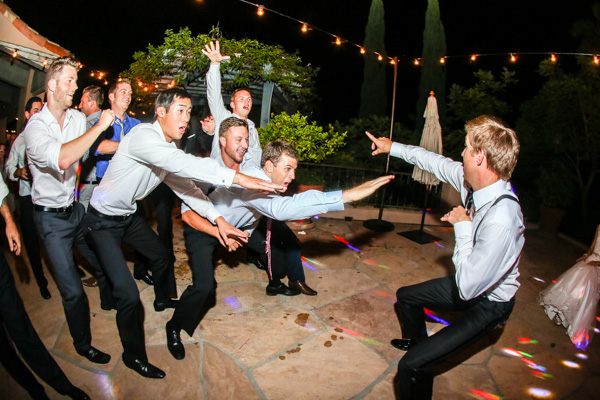
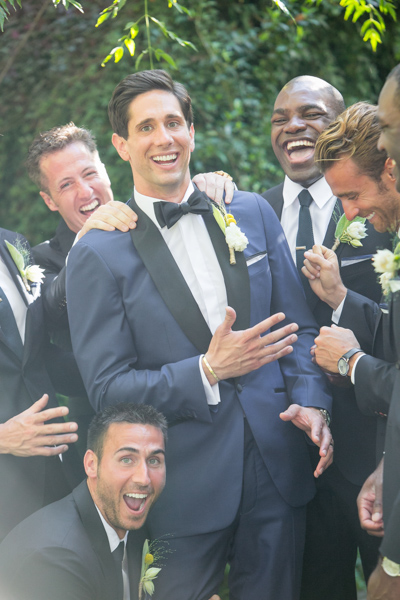
To get photos like these, I usually have the guys grouped together in a friendly way, and then I tell them to “harass the groom.”

Next I go through and do my two-star selects. These are the best photos from the day that tell a clear story from beginning to end. They are images that would likely end up in a photo album (besides family photos). I almost always end up with 100 photos, give or take a few. This should take about 10-15 minutes, since you are selecting from a much narrower field of photos. Also, you really have to trust your gut on which photos are winners here.

Step #3 – Editing and retouching (three hours)

After I’ve selected my favorites, I edit them first. I actually enjoy editing these ones, because I am proudest of them, and they are all different. I edit everything in Lightroom. I never open photoshop unless I’m making a diptych or doing heavy changes to a photo. Sometimes I start with a base preset in Lightroom, one I called “Typical Phil.” I hand edit all of these photos. This should take about an hour or two tops. These are then exported at 2500px, 300dpi, 88 quality, (and also renamed Highlights-0001.jpg, Highlights-0002.jpg, etc.), into a folder called Highlights which has been created inside the the main folder of images. I upload the Highlights into a PASS gallery, and deliver this immediately, so the clients don’t have to wait any longer to see some of their wedding images.

Never spend more than 30 seconds on a photo. If you do, you are editing for yourself and other photographers, not the client. Most clients won’t be able to tell the difference between good, great, and perfect. Aim for great.

My export settings make each of my images only about one or two megabytes in size, but they are able to be printed up to 11×14″. Anything larger and I’m happy to provide a specific file to my client directly. I do this in the interest of hard drive and cloud storage space. Also, clients are usually only printing at most one or two photos extra large, so I don’t see the need to make every photo 30 inches on the long edge.

PASS is a phenomenal application that is incredibly intuitive and easy to use for delivering digital photos to clients. Pixieset is another popular competitor. PASS charges per album of photos; Pixieset charges for bandwith/storage.

digitalphotographyschool-1-13

This next part is the secret to my rapid editing and turnaround of images. Take each of the favorite images that you’ve edited (two-star images), and copy each edit onto surrounding photos with a similar light source. If your exposure is consistent in this range of photos, the edit you do for one image should look great for every other image in that scene. This should take about two hours straight through.

Lightroom speed tip

Here is a Lightroom secret to make the copying and deselecting of images extra fast. With your main image selected, hold down Command and select all the other images you want to copy the edit to. In Develop mode, hold down the option key and press sync. This automatically copies the edit onto all the other photos (to make sure you are copying the appropriate edits across all photos, you can simply press sync and a dialogue box will pop up showing which edits are going to be copied).

Now that the edits are synced, you can deselect each image and check for consistency by pressing “/” which is the shortcut for deselecting the current image. I do this to make sure I’ve seen and checked each image for perfect exposure.

digitalphotographyschool-2-3

Remember, you’re not retouching every face, every sky, every element of a picture. You can spend a little more time doing that on the favorites, but chances are your couple isn’t going to be printing every single photo from their wedding, so why are you retouching random shots from the reception?

Step #4 – Exporting (45 minutes)

Export all images from each section of the wedding into their own folders. Folders and images can be named according to which part of the wedding they belong to (Getting Ready or Pre-Ceremony, Ceremony, Family, etc.). These can all be exported with these settings: 88 Quality, 2500 px long edge, 300dpi. This should take about ten minutes to start doing, and maybe an hour for the computer to finish (depending on number of images and your computer’s power and speed).

digitalphotographyschool-3-6

Step #5 – Uploading (one hour)

Upload all your files to your photo sharing service of choice (PASS, Pixieset, Zenfolio, Pixifi, etc.). Ideally, the first gallery that a viewer will see is the Favorites, or Highlights gallery. No need to overwhelm them with every photo from the Getting Ready series. Your top 50-100 photos makes for an excellent opener in an online wedding gallery, like this.

That should take about 10-30 minutes (up to an hour or so), depending on how fast your internet connection is.

digitalphotographyschool-1-15

Step #6 – Delivery (10 minutes)

Email the bride/groom the following:

“Hi! How is everything going? I know I said it would be a couple of weeks until the photos are finished, but I have good news for you! I’ve finished and edited ALL the photos and they are ready for you to see and download in this gallery here.

Simply click on the download button to create a zip file with all of the high resolution images to your computer. This will save you time having to wait for me to mail you a disk or thumb drive, which would have all the exact same files in it.

As a special surprise, I am gifting you $ 50 of print credit! Simply put in “bridegroomname” in the checkout section of ordering prints under coupon code. This should buy you up to X amount of 8×10’s, or X amount of 5×7’s.

Let me know if you have any questions about anything! Enjoy the photos :)

-Phil”

digitalphotographyschool-1-34
I recognize this doesn’t involve an in-person sales meeting, delivery of albums, or anything of that nature. This is simply the fastest way you can do business and work smart, not hard. I regularly book weddings between $ 3000-4000 doing exactly this. I have sold wedding albums, and that’s room for more profit, but also more headache and work. Write to me and I’ll let you know how to make album making a painless, quick process as well. It’s all about guiding your clients’ expectations.

digitalphotographyschool-5-2

Do you have any other workflow tips for weddings?

googletag.cmd.push(function() {
tablet_slots.push( googletag.defineSlot( “/1005424/_dPSv4_tab-all-article-bottom_(300×250)”, [300, 250], “pb-ad-78623” ).addService( googletag.pubads() ) ); } );

googletag.cmd.push(function() {
mobile_slots.push( googletag.defineSlot( “/1005424/_dPSv4_mob-all-article-bottom_(300×250)”, [300, 250], “pb-ad-78158” ).addService( googletag.pubads() ) ); } );

The post 6 Steps to Edit and Deliver Wedding Photographs in One Day by Phillip Van Nostrand appeared first on Digital Photography School.


Digital Photography School

 
Comments Off on 6 Steps to Edit and Deliver Wedding Photographs in One Day

Posted in Photography


Talking Windows: Trains Deliver Ads Directly into Your Head

26 Oct

[ By Delana in Conceptual & Futuristic & Technology. ]

marketing through bone conduction ads

Television, radio, the internet, billboards, newspapers, magazines, malls, supermarkets…wherever you are and whatever you’re doing, it’s highly likely that at least a few  companies are trying to market their products to you every moment. A quiet train ride and a nice nap used to be a welcome escape from the cacophony of consumerism, but soon even your commute-time nap may be filled with the sounds of advertisements.

bone conduction train ads

The German branch of ad company BBDO has tested a form of bone conduction technology on a train between Munich and North Rhine-Westphalia. When a commuters rest their heads against a window, hoping to catch a few winks before getting to their destination, ads which were previously inaudible suddenly begin playing inside their heads.

The technology works by using high-frequency transmitters to send sounds through the train’s windows. If you aren’t touching the window you can’t hear the ads at all. But lean your head against the window and the sounds are loud and clear, having been transmitted through your skull and directly to your inner ear. It’s the same concept that makes bone-conduction headphones and hearing aids work.

talking train window advertisements

Although BBDO has no current plans to actually put the technology into use, the fact that it was tried out successfully may mean that this type of marketing will soon be used on a wider scale. We have a feeling commuters would object to the practice of advertisements invading their sleep, but if trains played relaxing music or important travel information in this manner it would be much easier to get behind the idea.

Share on Facebook


[ By Delana in Conceptual & Futuristic & Technology. ]

[ WebUrbanist | Archives | Galleries | Privacy | TOS ]


WebUrbanist

 
Comments Off on Talking Windows: Trains Deliver Ads Directly into Your Head

Posted in Creativity