Nikon D3 & D300 DSLR Camera Product Launch
Video Rating: 4 / 5
Video of the HDMI Out capabilities on a Nikon D300. Tether it via HDMI to a TV and view your photo on there instead of your 3″ screen. This is a 32″ LCD TV.
Nikon D3 & D300 DSLR Camera Product Launch
Video Rating: 4 / 5
Video of the HDMI Out capabilities on a Nikon D300. Tether it via HDMI to a TV and view your photo on there instead of your 3″ screen. This is a 32″ LCD TV.
This is my new D300 that i got a few weeks ago. I sold my d80, which i loved to get this. The D80 was a great camera, however the d300 is a totally different beast. I mean what a great instrument!!
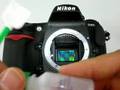
Nikon D300 sensor cleaning using MXD-100 Swab (green) from Visibledust
See and buy my Photos at: momentsofnaturephotography.com detailed description of d300′ s new features. how they compare to other cameras and my opinion on the new features.
A quick and dirty way to check the focus calibration for front-focus or back-focus on any autofocus camera. The D300 is the first camera I’m aware of that allows you to fine tune the autofocus for each lens in software. Please excuse my leet MS Paint skillz. One more note about recomposing the focus: The further away you are from the subject, the larger the arc created when you move the focus off-center which means the less impact you’ll have on the focus plane. That means what I say is only true if you are reletively close to the subject. Say within 10 to 15 feet. It all depends on how many dgrees you have to angle the camera to re-compose, as well as what your f-stop is. Generally you only have to worry about it if you have a wide apeture, like 2.8 or 1.4.

This is a little trick you can do right inside the D300 to create new effects for your photos. Check out the real deal at www.elitevideo.com
Video Rating: 3 / 5
My new Nikon D300 and 18-200mm VR lens. Unboxing… **Sorry about the low sound in some parts of the video!**
Video Rating: 3 / 5
A demonstration of how the GPS interface works and what to expect. The built-in GPS interface requires the GPS receiver to be set to protocol NEMA IN NEMA OUT. It may require you to purchase two cables. The serial cable for your GPS and the GPS cable for your Camera. The Nikon MC-35 has a male 9 pin serial interface. The company I mention at the end of the video is JOBO.
Video Rating: 4 / 5

Information I missed or didn’t cover well enough in the menu walk through. Contents: Mirror up: Begin exposure after the mirror is up for a while (reduce vibrations) Bulb exposrue: Take very long exposures, over 30 sec. Single Focus Area Useful for AF-S and AF-C Full Auto useful for AF-S only Dynamic Area 9, 21, 51, 51-3D useful for AF-C only Note: To see the area that was focused on in image review go to playback menu to Display mode to Focus Point
Video Rating: 5 / 5