RSS
 

Posts Tagged ‘Cards’

Battle of the Wi-Fi Cards: Eye-Fi and Transcend SDHC cards reviewed

29 Aug

Showdown-Feature_1.jpg

Being able to wirelessly connect your camera to a smartphone, computer or to ‘the cloud’ has a lot of appeal. Wi-Fi can expedite workflow by allowing you to transfer image files remotely while on location and also negate the need for card readers or cables. It’s easy to forget that your camera doesn’t have to have Wi-Fi built-in to benefit from the advantages of connectivity. In this article, we pit Eye-Fi’s 16GB Pro X2 Wi-Fi SDHC card against the cheaper, higher-capacity Transcend 32GB Wi-Fi card and see which comes out on top. 

News: Digital Photography Review (dpreview.com)

 
Comments Off on Battle of the Wi-Fi Cards: Eye-Fi and Transcend SDHC cards reviewed

Posted in Uncategorized


Toshiba announces first UHS-II SD cards as world’s fastest

17 Jul

Toshiba-UHSII.png

Toshiba has announced the Exceria and Exceria Pro ranges of SD cards – the first to conform to the UHS-II standard and the fastest SD cards yet announced. The Exceria Pro cards will be available in 16GB and 32GB sizes from October 2013 and will offer read/write speeds of 260MB/s and 240MB/s respectively. 32GB and 64GB Exceria series cards offering the same read speeds but half the write speed will follow a month later.

News: Digital Photography Review (dpreview.com)

 
Comments Off on Toshiba announces first UHS-II SD cards as world’s fastest

Posted in Uncategorized


Heat-Sensitive Business Cards Take On Temporary Images

12 Apr

[ By Steph in Design & Graphics & Branding. ]

Thermal Business Cards 1

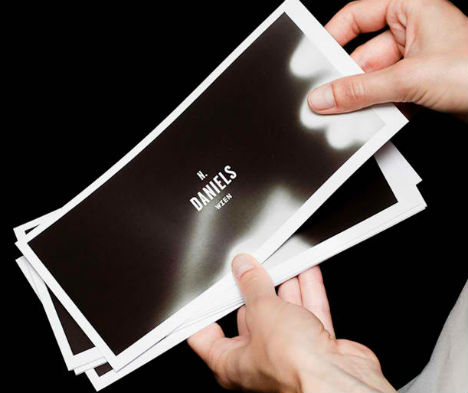
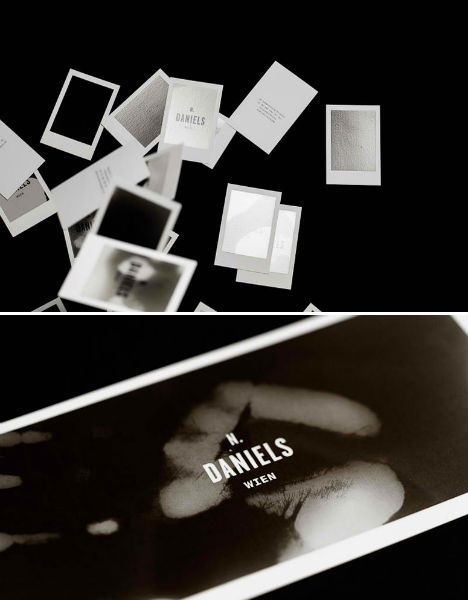
Many of the people who end up with your business cards will use them to jot down notes or grocery lists, but this creative twist on the conventional lets them leave their mark in a much more fun and memorable way. Austrian graphic design studio Bureau Rabenstein created a set of heat-sensitive, white-bordered business cards that look like developing Polaroids for photo producer Natalie Daniels.

Thermal Business Cards 2

The thermo-sensitive black ink under the surface takes on the imprint of whatever is placed upon it – be it fingers, lips or objects – for just a few moments before they fade.

Thermal Business Cards 3

While they’re are certainly nowhere near as cheap to produce as plain old paper ones, they’re also nowhere near as disposable. Creative business cards like these will not only make a (literal) impression, they’re likely to stick around as fun keepsakes instead of ending up in the trash.

Thermal Business Cards 4

Other cool, way-out-of-the-box business card designs include razor blades, lock picking kits, pop-up cards, Legos and x-rays. Check out 15 examples.

Share on Facebook


[ By Steph in Design & Graphics & Branding. ]

[ WebUrbanist | Archives | Galleries | Privacy | TOS ]


WebUrbanist

 
Comments Off on Heat-Sensitive Business Cards Take On Temporary Images

Posted in Creativity


How To Keep Your Memory Cards Healthy

03 Feb

In this post, Steve Berardi from PhotoNaturalist explains how to keep your memory cards healthy.

Memcard

Memory cards are one of the most often neglected parts of digital photography. But, they’re extremely important because they’re responsible for safely storing your photos until you get them to your computer.

So, it’s important to take care of them properly. Here are a few tips for keeping them healthy:

1. Format new cards as soon as you get them

Many memory cards are advertised as “pre-formatted” and “ready to use,” but it’s always a good idea to reformat the card again when you receive it, since some cameras have special requirements for the file system of memory cards. Formatting the card with the camera you’ll be using it with will ensure that the card is in a format that the camera recognizes.

2. Never fill your cards completely

Most cameras have some kind of indicator on the LCD screen that tells you how many more photos you can shoot before filling the card. Keep an eye on this number and make sure you never get too close to filling the card, because if you happen to shoot a photo when the card is already full, there’s a chance your camera will still try to write part of the photo to the card (and potentially triggering a write error).

3. Never let your batteries drain completely

It’s also important to never let your batteries drain completely, because if your camera runs out of energy at the exact moment that it’s trying to write a photo to the memory card, then there’s a good chance that the camera will only write part of the file (which could corrupt the rest of the card).

4. Reformat your cards instead of deleting all the photos

Instead of deleting the photos on the card from your computer, always reformat the card from within the camera. This will ensure the card is in a format that the camera expects.

5. Use good quality memory cards

With all those camera bodies and lenses being so expensive, it’s tempting to save some money by getting inexpensive off-brand memory cards. But, remember the importance of these cards: they’re responsible for safely storing your photos. It’s worth a few dollars more to ensure your photos arrive safely at your computer :) Two brands that I can personally recommend are SanDisk and Lexar (if you’ve had good experience with another brand, please let us know by leaving a comment!).

Steveb2About the Author: Steve Berardi is a nature photographer and software engineer. You can usually find him hiking in the beautiful mountains and deserts of southern California.

Read more of his articles on nature photography at PhotoNaturalist.

Post originally from: Digital Photography Tips.

Check out our more Photography Tips at Photography Tips for Beginners, Portrait Photography Tips and Wedding Photography Tips.

How To Keep Your Memory Cards Healthy


Digital Photography School

 
Comments Off on How To Keep Your Memory Cards Healthy

Posted in Photography


How to recover lost photos & videos from memory cards with free software for Windows

02 Jan

blog.danimations.com.au Learn how to recover lost photos & video easily after memory card errors. This video installs and demonstrates the free image recovery tool in Zero Assumption Data Recovery for Windows software, and also shows you how to lock, unlock and format your card media. This process can also undelete files inaccessible due to card formatting or accidental deletion. SD card recovery and repair is demonstrated, but XD, memorystick, compactflash, microSD and other card formats can all utilise the same easy process. This is the first in a series of Danimations Digital Media Tips. To suggest a future episode topic, please leave a comment on our channel page.
Video Rating: 4 / 5


When to Replace Your Memory Cards – SD or Compact Flash

25 Dec

www.artoftheimage.blogspot.com – I’ve had quite a few questions about memory cards, their working lifespan, and when should they be replaced. I address that here in this video… When to Replace Your Memory Cards SD or Compact FlashCheck out the new Art of the Image Recommended Photography Gear List at http PS If you have kids or know someone with kids, check out my latest online book, “Diary of a Nerd King” at www.nerdkingdiary.com. It’s funny and it’s FREE! Please pass it along… thanks! PSS If you have toddlers or small children, check out http for my children’s ebooks for Kindle, iPad, iPod, iPhone, laptops, etc! Please pass it along… thanks!


Can we go Faster, Please? Lexar 1000x CF Cards

10 Dec

This isn’t so much a review as a “I had the chance to use the Lexar 1000x CF cards and wanted to tell you about my experience”

Time is one thing that we’re all finding we have less and less of, so anything that speeds a process up is a good thing. I’ve recently changed my focus (boom boom) in the kind of photography work I’m taking on, and find myself approaching weddings and portraits. Whilst a portrait shoot might be anywhere from 50 to 200 images, depending on what the person is after, a wedding might be 1000 images or even more – depending on the length of the wedding, the locations, the people involved etc… That can be anywhere from 20 to 40gb of images (camera depending, etc) and shifting that data into your computer can be time consuming.

Lexar 1000x memory cards

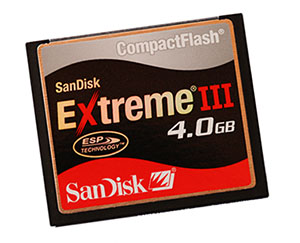
The Lexar is quick in camera, emptying the buffer more quickly than any of my other CF cards including, but only just, the Sandisk Extreme Pro, but that’s not really an issue for me – I shoot with a Canon 5DMKII and MKIII and the Sandisk and the Lexar are fast enough for burst modes in both of these cameras, despite the newer MKIII being almost twice as fast as the MKII.
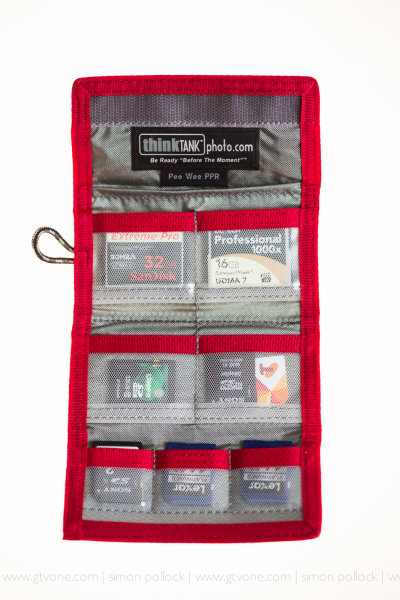
Though, this can be an issue when you’re shooting fast events or continually filling your buffer before the card can write that data to its memory. Where the 1000x really came into its own was when transferring to my laptop via USB3 – I’m fortunate to be using a mid 2012 Macbook Air when on a location shoot, and so can transfer my files using the Lexar USB 3.0 card reader and the USB3 port on the laptop. Zoom zoom zoom.

The speed difference between USB 2 and USB 3 is vast…. So, let’s go back to USB 1.0 — 12Mbps then, USB 2.0 at 480Mbps and we all ‘wowed’ so now, USB3.0 is able to transfer at a theoretical 4.8Gbps…..Don’t fear, I’m not going to geek out on you – let’s call it USB2 was fast at roughly 40Mbps, USB3 is about ten times as fast.

So, taking a 16GB card full of images and transferring them via the Lexar USB3 (UDMA7) reader means that your transfer takes no time, when compared with an older card….
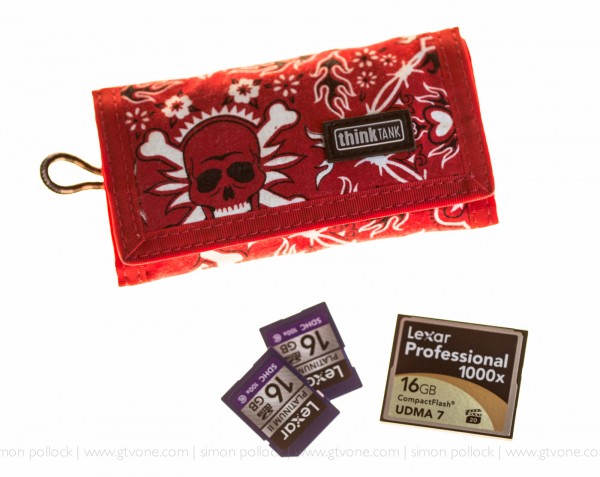
My basic test, for you, went like this… Take the iPhone stopwatch, take a 10gb file (Video) and transfer it to the card… Twice… Then download it again, twice!

We’ll start with the aData 16gb ….”not sure of the speed” CF card..

Upload to my aData 16GB card took — 08:11.7
Download from my aData 16GB card took — 04:07.3

Yeah, was like watching paint dry! – That card is a backup for when all else fails!

So let’s go to the Sandisk UDMA 7 Extreme Pro 32GB..

Sandisk Upload — 01:46.4
Sandisk Download —  02:56.3 (odd that up was faster than down, right? Well, this isn’t a lab)

Right then, let’s pop the Lexar 1000x 16gb CF card in… UDMA7

Lexar 1000x upload took — 02:15.8
Lexar 1000x download took — 01:22.6

Yeah, lightning! – That download was the important bit, the upload being plenty fast enough. From 4 minutes down when using the aData to 1:22 of the Lexar 1000x is pretty good.
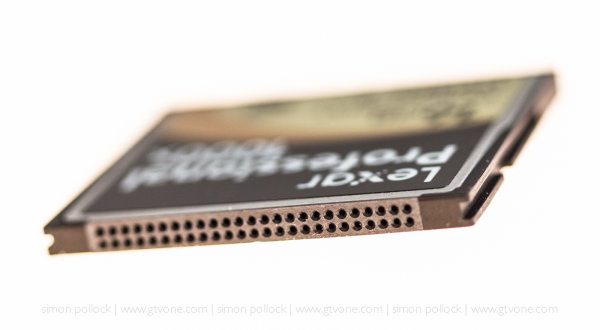
The Lexar comes with recovery software and is competitively priced. The Lexar 16GB is currently $ 77 and the Sandisk Extreme Pro 16GB is $ 79. The aData was about ten bucks, it’s true – you get what you pay for.

Lexar Professional 1000x 16GB

SanDisk 16GB Extreme Pro

So, bottom line, do you need to buy the fastest memory card on the planet? Well – A few questions – is your camera new enough to handle a UDMA7 memory card? Are you able to take advantage of USB 3 on your computer? Does your shooting style require faster memory cards? — If you’ve answered yes, then simply click the link above and buy one. (They are affiliate links, and we thank you for your continued support)

Now that you’ve read all this – maybe it’s time to pop across to another article on ‘how to care for your memory cards‘

Hope that helps some of you umming and ahhhing about the newer faster compact flash cards.

–Sime

Post originally from: Digital Photography Tips.

Check out our more Photography Tips at Photography Tips for Beginners, Portrait Photography Tips and Wedding Photography Tips.

Can we go Faster, Please? Lexar 1000x CF Cards


Digital Photography School

 
Comments Off on Can we go Faster, Please? Lexar 1000x CF Cards

Posted in Photography


DIY: Turn Your Own Photos into Insta-Holiday Cards

29 Nov

Extra photos for bloggers: 1, 2, 3

Holiday Cards + Instagram = HoliGram?!

No, not like Tupac’s hologram, silly.

We’re talking about Holiday-grams. Real life cards from your favorite ‘grams.

Make and send holiday cards from your favorite Instagram pics or pretty much any photo on your phone.

This guide has a card-making style for everyone, from the super app-savvy to the DIY-ers.

Making holiday cards has never been so instant … and awesome!

Make DIY Instagram Cards!

p.s. Come on a photo walk with us! We’ll be meeting this Sunday 12/2 at the Photojojo Secret Store in San Francisco with cider and cameras.(…)
Read the rest of DIY: Turn Your Own Photos into Insta-Holiday Cards (1,067 words)


© Margo for Photojojo, 2012. |
Permalink |
No comment |
Add to
del.icio.us

Post tags:


Photojojo

 
Comments Off on DIY: Turn Your Own Photos into Insta-Holiday Cards

Posted in Equipment


Funny Happy Birthday Animated Cards – Happy Birthday Wishes with Music

21 Aug

Happy Birthday – www.freeecardsgreetings.com Funny animated birthday greeting to wish your friends & loved one a very Happy Birthday online!! Send this card and let your friend be surprised after receiving this cute video in his/her email
Video Rating: 4 / 5


Samsung US announces rugged and waterproof SD cards

19 Feb

SDHC16GB.gif

Samsung US is showing off a range of tough, waterproof and magnetproof SDHC and Micro SDHC cards. The range includes several high-speed versions in addition to the ones announced in Europe last July. The latest cards include ‘Extreme Speed’ Class 10 16Gb cards (24MB/s read, 21MB/s write), and ‘High Speed’ 32Gb (24MB/s read, 17MB/s write) cards also described as Class 10.

News: Digital Photography Review (dpreview.com)

 
Comments Off on Samsung US announces rugged and waterproof SD cards

Posted in Uncategorized