Canon has updated its Digital Photo Professional 4 (DPP) software to version 4.1.50. The update brings support for a couple of new lenses and several camera models, improvements to multiple functions, and compatibility with 64-bit native environments, among other things. The newest version, says Canon, incorporates feedback from both APS-C and older full-frame owners eager for ‘the very latest Raw workflow solution’. Read more
Tag: Canon
-
Take two: Canon EOS 7D Mark II Review
Canon’s EOS 7D Mark II was a long time coming. It arrived in time for Photokina 2014, combining a pro-grade AF module with a 20MP APS-C CMOS sensor using Dual-Pixel AF. The 7D II also provides 10 fps continuous shooting, a 150,000 RGB +IR pixel metering sensor and 1080/60p video recording. Our full review takes an in-depth look at its performance. Read review
-
The Q Button – What Every Canon DSLR Photographer Needs to Know
Cameras can be super complex these days. Buttons, knobs and switches are everywhere. How can you remember what all of them do and where to begin? Well, Canon has given you a secret button to use that allows you to access all of those most important functions within your complex machine. Perfect, where is this secret button you ask? It’s right on the back of your camera marked with the letter Q. It’s not really a secret, it’s just under utilized.

The Q Button
What does Q stand for? Quick. The button makes navigating just that. Using the button gives you quick access to all of the major functions that you need. Let’s go through some of those functions so you can see how easy it is use your camera. Grab your Canon and let’s try it out.
How to use it
Go ahead, give the Q button a press while watching the LCD screen on the back of your camera. As you see it highlights one of your current settings. Depending on your Canon model this may light up the current selection in a blue/green color or it may outline it with an orange box. Next you can cycle through your settings by using the directional pad located around your SET button. Simply highlight the setting you want to change and then you have a couple of options.
First, and easiest, is to roll your settings dial while it is highlighted. This will cycle through your options for that particular setting. Your second choice is to push the SET button while a setting is highlighted. This will lead you to a more detailed screen showing all of your options for that setting.
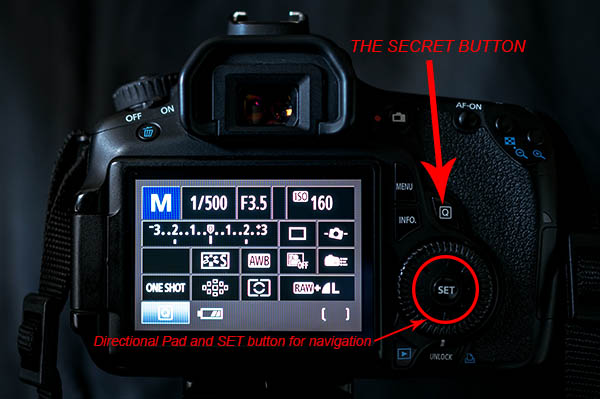
Canon also made things easy by providing a description of each option at the bottom of the LCD as you scroll through. At first it will be more beneficial to use the second option so you become familiar with what settings are available, and what the symbols mean. Once you get that down, using option one to zip through the settings is a breeze.
As a beginner it can be really helpful using the LCD screen and the Q button so you can see everything about the exposure and settings right in front of you. When you depress the shutter button half way the current exposure reading will be displayed on the meter on your LCD. This makes it really easy to adjust your settings while seeing how each element of exposure (aperture, shutter speed and ISO) is affecting the meter.
Some of the settings you will adjust most are ISO, exposure bracketing, white balance, focus type, focus point and drive mode. When you use these techniques they each can be adjusted in seconds!
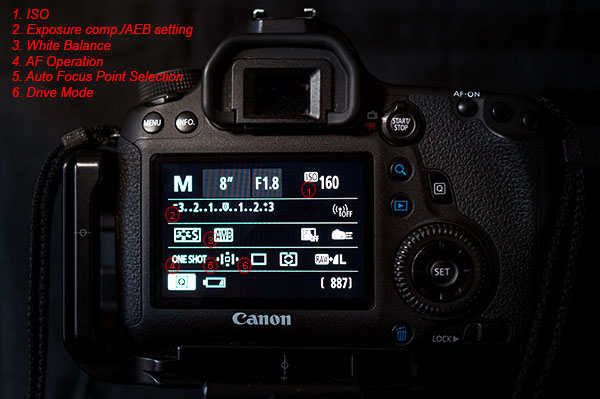
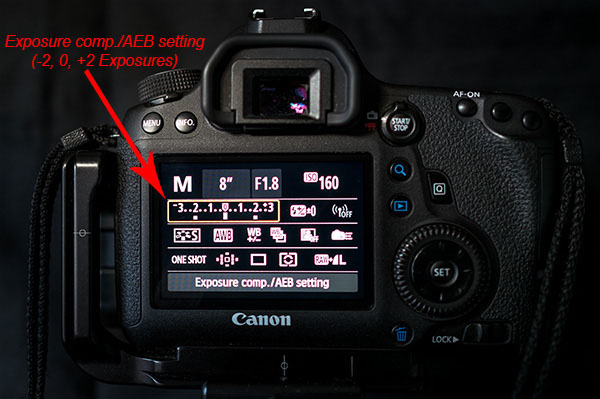
The Q button is particularly useful when you are bracketing exposures for HDR. Press it and highlight the Exposure Compensation/AEB setting. Now spin your settings dial to the right and watch as the light meter changes to three lines in lieu of the typical single line. Set the lines as far apart as you want your bracket to be (i.e. -1, 0, +1 or -2, 0, +2). Last, use the directional pad to highlight the Drive Mode setting. Again scroll to the right until you reach the Self-timer (2 seconds/remote setting). Now, once you fully press the shutter button your camera will wait two seconds and then take all three exposures that you set. It’s as simple as that.
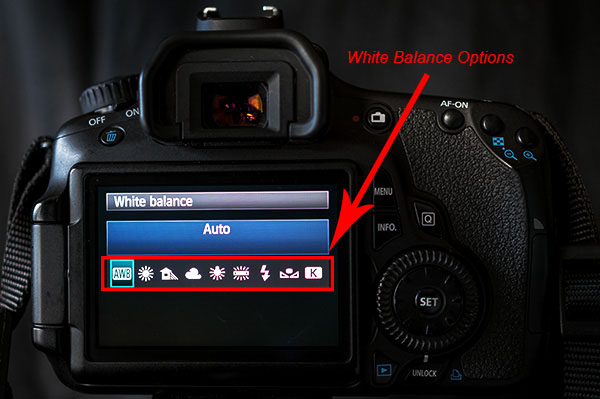
As the light, and your shooting situation, changes your white balance settings need to be adjusted. You typically don’t find a special button for this important setting. Once again the Q button makes your life easy. As you scroll through the options you will see some simple pictures for each WB setting. A sun for sunny, a cloud for cloudy, a lighting bolt for flash, etc. Sometimes it is easier to see what your options are by looking at a picture. If not, Canon still gives you the description of the WB setting.
Next up is the Auto Focus Point Selection. This is seriously one of the hardest functions to find on most cameras. Again, made easy by Canon. Press the Q and then use the directional pad to navigate to the AF Point Selection. Spin that dial and watch as the points spiral around to each individual focus point at your will.
Do you switch between shooting action and still subjects often? If so you may find yourself digging through the menu to find your Single and AI Focus options and the Drive Modes. Simply press the Q button and move over to the AF Operation. Roll your dial and you can choose ONE SHOT, AI FOCUS or AI SERVO. Then you can navigate over a couple of settings to the Drive Mode and choose between Single, Continuous Shooting or Timer Mode.
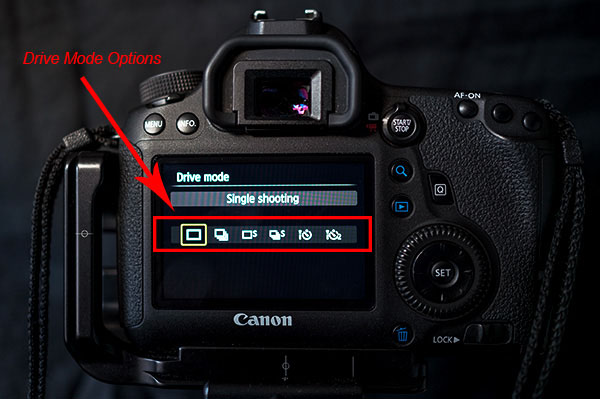
Some Canon models are equipped with an internal level that is accessible from the Q menu. This is really helpful when you are shooting landscapes on a tripod. When in the menu highlight the Electronic level. Press the set button and a level looking like it belongs in the cockpit of an airplane shows up on the LCD. Tilt your camera from side to side and watch how the level changes. When your camera is horizontally level the line will turn green. This can definitely save you some time and heartache in post-processing when trying to make your horizon lines straight. It takes the guess work out of it for you.
As you can see the Q button is the most powerful and useful button on your camera. Navigating through those complex menus are over. Once you use the secret button you will begin to wonder why any of the other buttons even exist, with the exception of the shutter of course. Go ahead and feel free to start spreading the secret. Have fun!!!
googletag.cmd.push(function() {
all_slots.push( googletag.defineSlot( “/1005424/_dPSv4_mob-all-article-bottom_(300×250)”, [300, 250], “pb-ad-78623” ).addService( googletag.pubads() ) );
} );googletag.cmd.push(function() {
mobile_slots.push( googletag.defineSlot( “/1005424/_dPSv4_mob-all-article-bottom_(300×250)”, [300, 250], “pb-ad-78158” ).addService( googletag.pubads() ) );
} );The post The Q Button – What Every Canon DSLR Photographer Needs to Know by Jack Thatcher appeared first on Digital Photography School.
-
DxO OpticsPro update adds Canon 7D II, GoPro Hero4 Black Edition support
DxO’s latest update to its Optics Pro software, version 10.1, brings compatibility with several new camera models including the Canon EOS 7D Mark II, PowerShot G7 X and GoPro Hero4. The iPhone 6 and 6 Plus are also included, and this update also makes OpticsPro 10 compatible with star rating systems used by Lightroom and other programs using XMP data. Read more
-
Canon EOS 7D Mark II studio analysis added to first impressions
The Canon EOS 7D Mark II is the long-awaited replacement to the 7D, which was launched in 2009. It features a 20.2MP APS-C CMOS sensor and dual DIGIC 6 image processors. It has a new 65-point, all cross-type autofocus system as well as an updated version of Canon’s Dual Pixel CMOS AF system that provides continuous phase detect focusing during video recording. We’ve just updated our first impressions review with analysis of the camera’s performance in our studio scene. See how it compares
-
The Canon EF 8-15mm f/4L Fisheye USM, My New Favorite Wide Angle Canon L Series Lens
I almost didn’t purchase the Canon EF 8-15mm f/4L Fisheye USM lens. I remember a conversation when I bought it a few years back on Google+ with my good pal Gordon Laing where I was really debating buying it. It was in pre production and I had an order in with B&H but it hadn’t shipped yet. At around $ 1,400 the lens felt expensive for what I worried might be an oddball lens, a lens useful for making a few high impact fisheye shots but not good for much else.
I’m happy to say that I did buy the EF 8-15mm fisheye lens and that I couldn’t be more happy about that decision.
My main dilemma with the EF 8-15mm fisheye was that I already owned the excellent EF 24mm f/1.4 lens and EF 14mm f/2.8 lens, and so I felt like I had the whole wide angle world covered. Now I find that I use this lens at 15mm much more than either my EF 24mm f/1.4 lens and EF 14mm f/2.8 lens and get what feels to me to be a remarkable more normal non fishy looking wide angle shot. Yes, you can tell it came from a fisheye lens at 15mm, but barely and I love the slightest degree of distortion I get there artistically speaking.
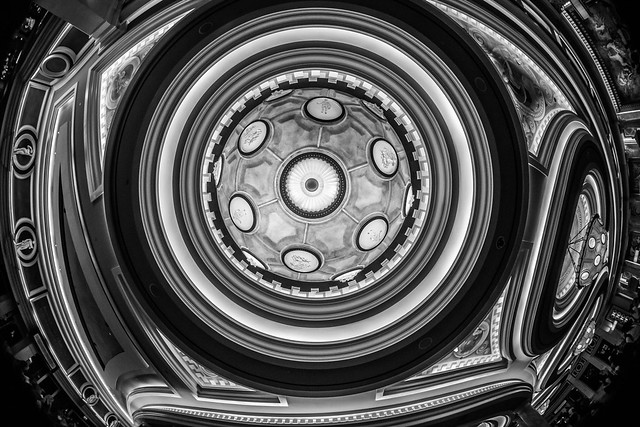
Of course I have way more fun shooting this lens at 8mm and have found that beyond traditional fisheye subjects, this lens has opened up a whole new world to me when it comes to shooting more abstractly — especially with architecture. I find these days my EF 14mm lens stays in my bag and instead I put on my EF 8-15mm fisheye lens for almost every ceiling photo I take.
I find this lens gets me my highest impact shots. Shots that make you go wow and make people notice.

On a full frame lens this lens gives you a perfect circle at 8mm. I love the square crop format and frequently shoot it at 8mm and then crop square afterwards.
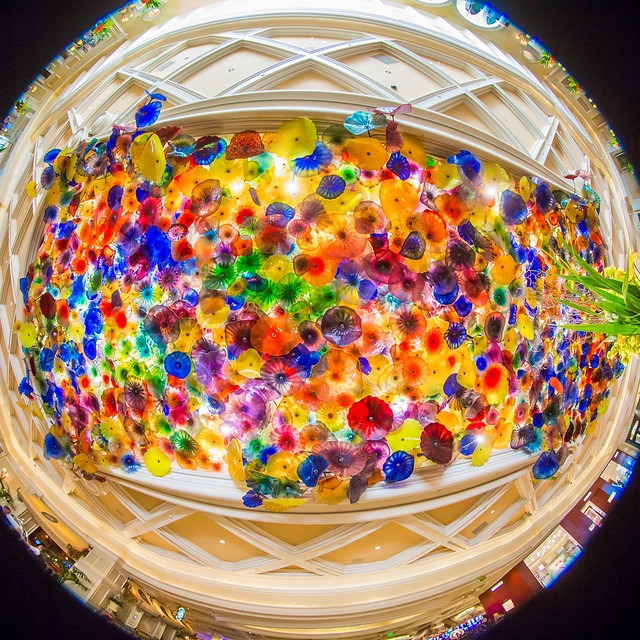
The lens is super sharp and great if you want to get the entire ceiling of Chihuly’s amazing sculpture at the Bellagio like in the photo with this post.
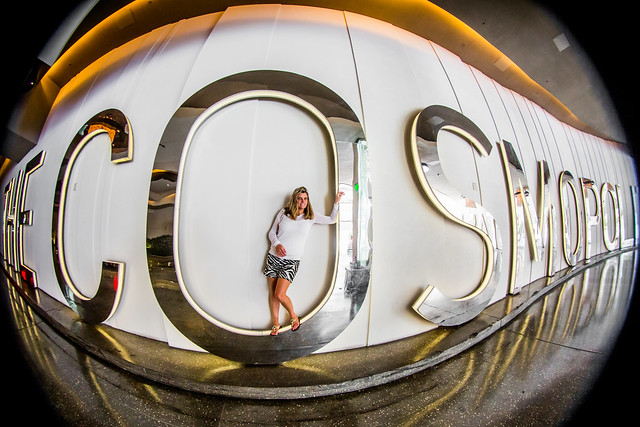
While it’s not the best portrait lens, it can be fun to use as well with photographing people in new and creative ways (like this version of the human eye that I used it on).
As a reminder, my analysis of my Canon gear is being done in partnership with Canon and I am receiving compensation for this work with them.
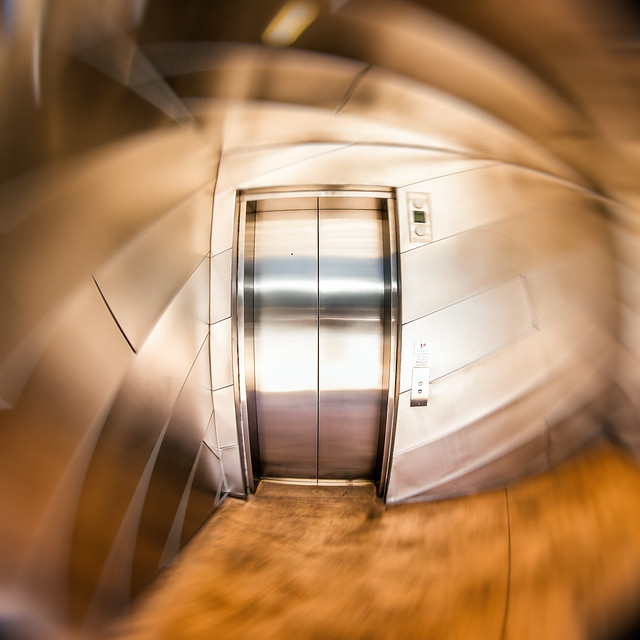
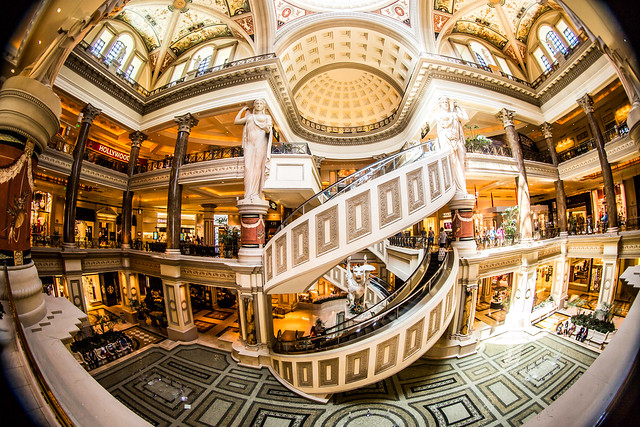

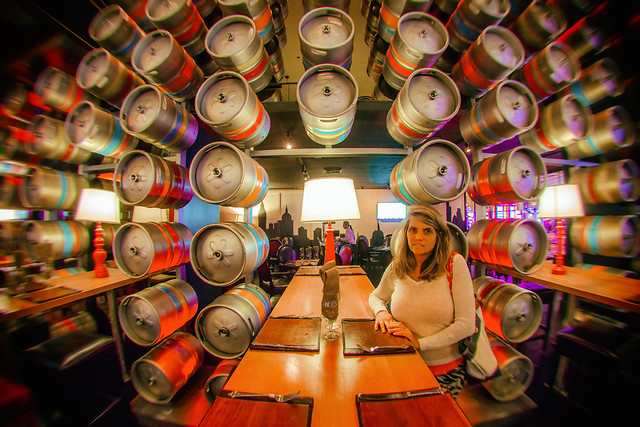
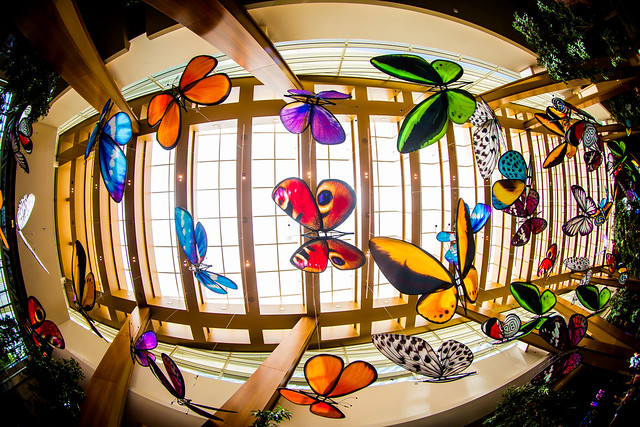

-
Canon EOS 7D Mark II shooting experience added to first impressions review
Canon’s successor to the EOS 7D was a long time coming, but the 7D Mark II appears to have all the makings of a DSLR worth the wait. Offering a 20.2MP APS-C CMOS sensor, Dual Pixel AF with 65 phase-detect points and more robust weather-resistance, the 7D II is a formidable follow-up indeed. Our full review is well underway and we’ve just updated our first impressions with a detailed shooting experience. Read more
-
Writer’s Favorite Lens – the Canon 40mm Pancake Lens
Like many beginning photographers, I’ve been a long-time fan of zoom lenses throughout much of my four year photography career. This past year, however, something in my brain shifted and I began to first accumulate and suddenly prefer using prime lenses. I began with the humble Canon 50mm f/1.8, eventually adding a 100mm f/2.8 macro lens. For many months, this combination of lenses paired with my Canon 6D became my preferred travel photography kit, replacing my beloved 16-35mm f/2.8. I loved the compact, significantly lighter kit that I was now able to tote around in my discrete Kata DSC 437 camera bag.
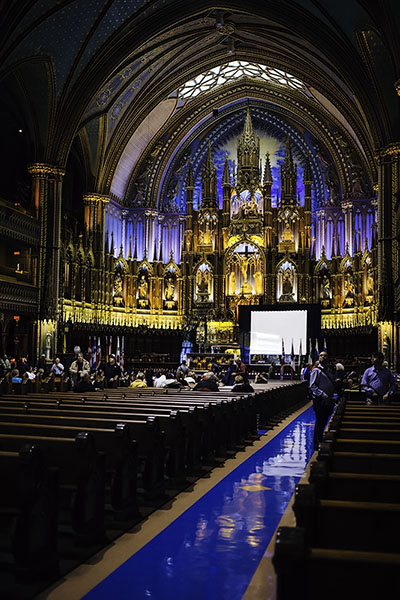
Several weeks ago, I decided to pull the trigger on another prime lens: the Canon EF 40mm f/2.8 STM pancake lens. Announced by Canon in June 2012, this is a relatively new lens and is the smallest ever made by Canon. Intrigued by its smaller size and slightly wider focal length, I decided to use it in place of my nifty fifty lens on a two week trip to New York and Montreal. The resulting images I took and overall experience shooting with the 40mm have secured it as my favorite new all-around shooting lens. Here are some reasons why you too may want to consider adding the 40mm pancake lens to your collection.
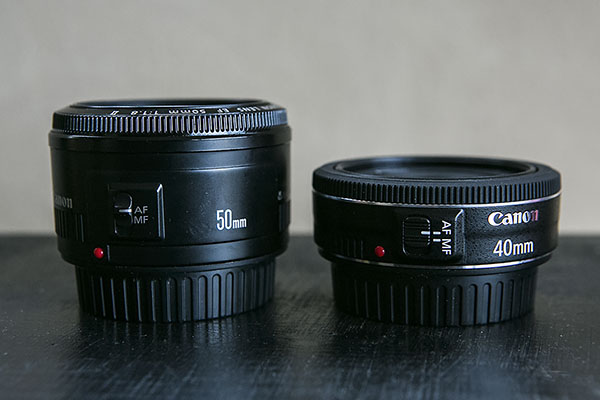
Makes DSLR cameras even more compact
At 22mm (0.86″) deep, the 40mm is significantly shorter than the 50mm f/1.8, which measures 41mm (1.6″) deep. The 40mm’s shortened length makes it easy to slip it into a relatively small camera bag, or even a medium sized purse.
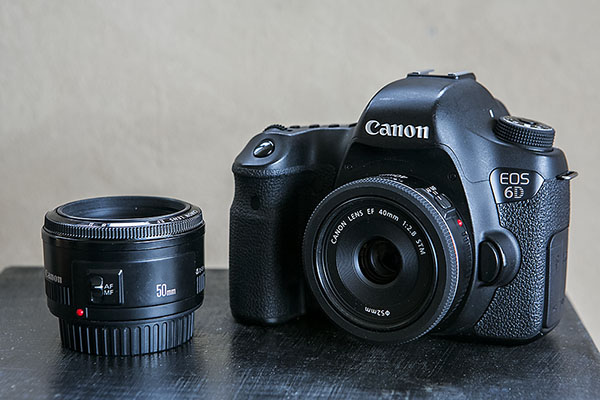
Allows for the “perfect normal” focal length for full-frame cameras at a reasonable price
While the 40mm will work on every Canon DSLR ever made, it is optimized for use on full-frame digital cameras. I always found 50mm to be slightly too long for most of the casual street photography or travel shots that I want to take, and Canon doesn’t make a 35mm for less than $ 500. Priced brand new at $ 199.99, the 40mm is the perfect balance in terms of focal length and cost, providing an incredibly natural perspective to images at a reasonable cost.
Solidly built with instant manual focus override
Despite being drastically shorter than the 50mm f/1.8, the 40mm actually weighs about the same at 4.6 ounces (130 grams). This is likely due to the 40mm being constructed of both metal and plastic, giving it a very solid and secure feel, especially when compared to the mostly plastic 50mm f/1.8. Like the 50mm f/1.4, the 40mm also has an outer focus ring that can be adjusted at any time for instant manual-focus override when shooting in Canon’s One Shot focus mode.
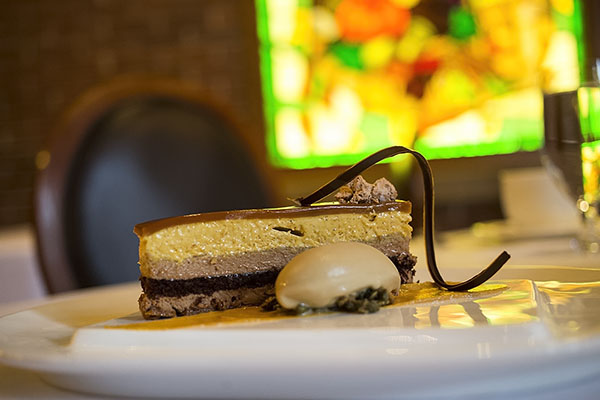
Ideal for street, architectural, and food photography
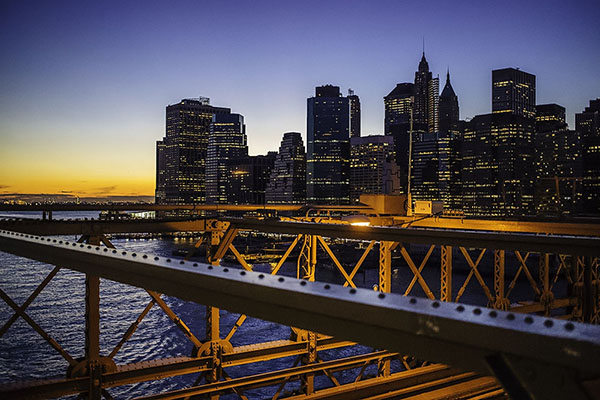
The 40mm’s compact build makes it very easy to stow in casual bags of nearly any size. Its size also makes it more inconspicuous, making it ideal for street or documentary photography, as opposed to the popular 24-70 f/2.8 lens, which always seems to stick out. My travels through New York and Montreal saw many tall buildings and skyscrapers which were admittedly harder to shoot with the 40mm, making me miss my wider 16-35mm.
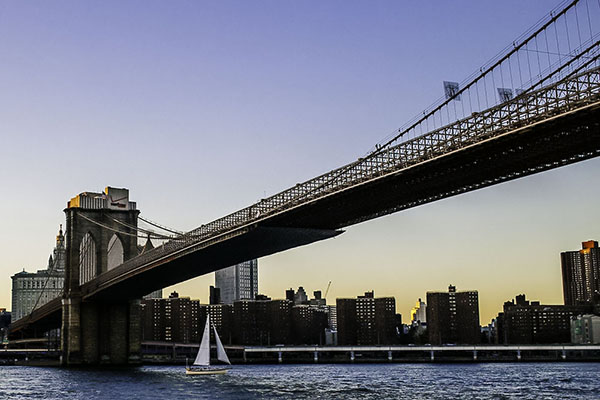
However, the 40mm was still wide enough to capture certain architectural scenes, and the benefit was the lack of distortion when captured at 40mm versus 16mm. This meant far less lens correction in post-processing. Another area of photography that is immensely easier with the 40mm is food and drink photography for the casual shooter.
If you want to make less of a show of grabbing a few snaps of a dish while being seated at a restaurant, the 40mm’s wider focal length and minimum focusing distance of 0.3m (11.8″) – compared to 0.45m (17.7″) on the 50mm f/1.8 – is perfect for capturing what is immediately in front of you without having to stand up and fuss with angles.

The One Downside to Having a Pancake Lens
Throughout my three weeks of shooting with the 40mm, I had only one minor complaint that to me is the compromise of having a slimmer lens: lack of space to properly handle the lens during lens changes. It is much harder to attempt spur of the moment lens changes without accidentally getting fingerprints on one side of the lens or potentially dropping it.
Do you have a favorite lens? Have you tried this little gem? Share your thoughts in the comments.
The post Writer’s Favorite Lens – the Canon 40mm Pancake Lens by Suzi Pratt appeared first on Digital Photography School.
-
It’s all in the details: Canon PowerShot G7 X Review posted
One of the year’s most interesting compacts comes in the form of the Canon PowerShot G7 X, which bears a 20MP 1-inch BSI CMOS sensor. It’s not just the bigger, likely Sony-branded sensor that’s the G7 X’s attraction, it’s also the 24-100mm equivalent F1.8-2.8 lens. On paper it’s a serious rival to Sony’s RX100 series, widely considered class leaders in terms of compact camera image quality. Does the G7 X live up to its impressive spec sheet? Read review
-
Video: Capturing nature with the Canon EOS 7D Mark II
When we review high-end DSLRs, one of the most common requests we receive is to get them into the hands of professional photographers that work in the kinds of environments for which they were designed. That’s why when we received the Canon EOS 7D Mark II we joined up with Adam Jones, a professional wildlife and nature photographer, to see what he makes of the new camera. Click through to watch our video