RSS
 

Posts Tagged ‘Camera’

Casio launches EX-MR1 selfie camera with lens behind a mirror

05 Dec

Casio has taken the selfie camera a logical step forward with a new design. The Casio Exilim EX-MR1 uses a lens behind a large mirror so that shooters can check their appearance as they take a picture. The camera, which the company seems to be targeting at women, is a 14MP compact camera with an extra wide angle 4x zoom that starts at 21mm equivalent – a focal length Casio says is optimal for taking self-portraits. Read more

Articles: Digital Photography Review (dpreview.com)

 
Comments Off on Casio launches EX-MR1 selfie camera with lens behind a mirror

Posted in Uncategorized


F-Stop Gear’s Kashmir camera bag is designed for women

04 Dec

F-Stop Gear has introduced Kashmir, a camera backpack designed specifically for women. Kashmir is billed as an ultra-light camera pack with a harness system and torso height adjusted to complement a woman’s body, something accomplished through the use of an Ultra Lite EVA-padded hip belt and what the maker says are ‘female specific S-shoulder straps’. The bag is being funded through Kickstarter. Read more

Articles: Digital Photography Review (dpreview.com)

 
Comments Off on F-Stop Gear’s Kashmir camera bag is designed for women

Posted in Uncategorized


Sony A6000 Mirrorless Camera Review and Example Images

02 Dec

The Sony A6000 Review by Gavin Hardcastle

If the Sony A7R is a champion heavyweight in its prime, the Sony A6000 is the scrappy younger brother with a leaner frame, faster feet and a few tricks up its sleeve that big brother hasn’t bothered to learn.

Having spent almost a year with the A7R as my main camera, I’ve become very familiar with the current Sony Alpha system, so I hit the ground running with the A6000. Here is my Sony A6000 review along with a load of example images from my most recent road trip.
Sony A6000 Mirrorles Camera Rewview

For this shot I used my Canon 24-105mm with the hated Metabones Adapter.

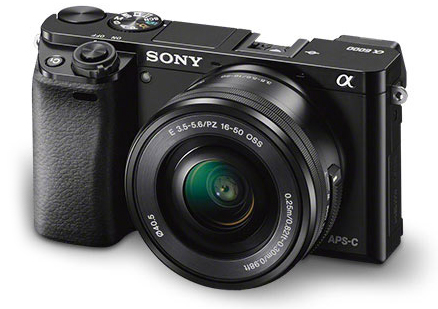
Sporting a 24.3 Megapixels APS-C sensor, this mirrorless camera crams a lot of horsepower into a tiny little box and the E-Mount (like the A7R) means you have some nice Sony/Zeiss glass to choose from. You can also use an adapter for the E-Mount which will allow you to use a wide variety of lenses. If you already own some nice Leica, Nikon, or Canon glass for APS-C cameras, you can throw those on the A6000 with the right adapter.

The Price is Right

For just under $ 800 you can walk away with the Sony A6000 and the 16-50mm kit lens, or get the body only for around $ 600. For image quality like this in a tiny package that boasts a lot of versatility, that’s a keen price. When you compare it to the likes of the full frame A7R and the A7S, it’s a total bargain.

Image Quality

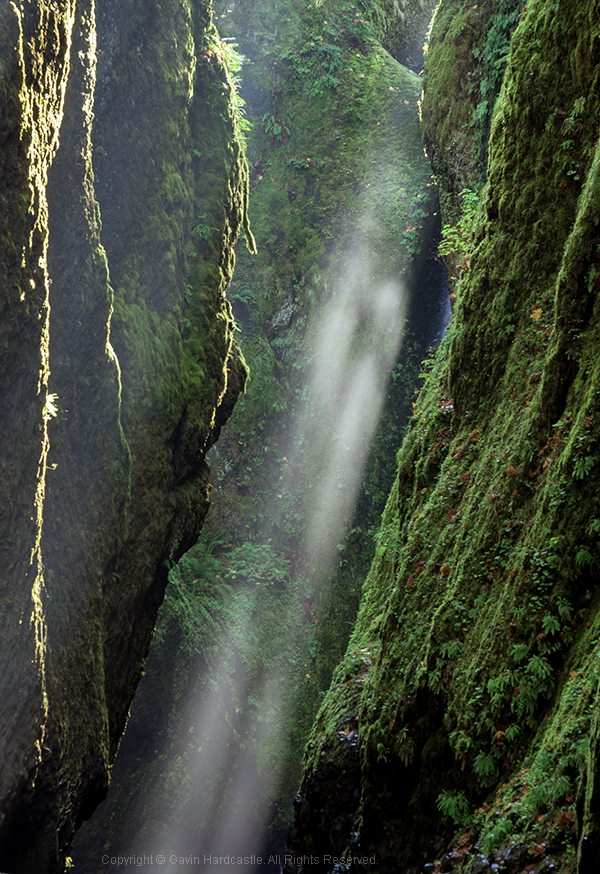
Lets face it, Sony are the world leaders when it comes to image sensors and they know how to get the most out of them. While you won’t get ultra low noise, or A7R-like sharpness out of the A6000, you’ll certainly get great image quality and enough sharpness to suite most requirements. This sensor has the same ability to pull up shadow detail like the A7R (although with more noise than its counterpart), while keeping the file sizes at a much more manageable, yet very print-worthy level.

The Sony a6000 reviewed by Gavin Hardcastle

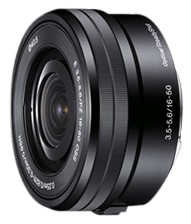
This shot was made with the E PZ 16-50mm F3.5-5.6 OSS kit lens

Faster Focus

One of the main selling features of the A6000 is its super fast hybrid autofocus and focus tracking. While these are features I would rarely use, I can see the attraction for sport, wildlife shooters and parents hoping to capture images of their kids at play. With a burst rate of 11 fps, you’ll have a good chance of catching those golden moments.

Small Form Factor

I actually prefer the feel of the A6000 to the A7R. This camera is clearly all about being small, lightweight, and discreet. The A7R was designed to take advantage of big wide angle and telephoto lenses so it never felt big enough. The A6000 however, feels exactly right for its purpose and for me, that is to get the best image quality out of the smallest package possible.

With the 16-50mm kit lens this camera looks and feels wonderfully miniature. As more premium E-mount lenses become available from Sony/Ziess you’ll be able to get much better image quality but still retain that perfect small form factor. I doubt the prices of that premium glass will be small though.

Sony A6000 Reviewed by Gavin Hardcastle

The 16-50mm Kit Lens

E PZ 16-50mm F3.5-5.6 OSS

I often find that kit lenses get a bad rap. They are deliberately made to feel shabby next to their more deluxe siblings, but if you know how to squeeze the best out of your glass you’ll be able to get some decent image quality from the 16-50mm.

The sharpest aperture was f/8 with a very noticeable drop in image quality when you select wider or narrower apertures. Sadly there is a very noticeable edge vignette even at f/8, which I thought very shabby of Sony. It’s not a great lens at this price but if you’re prepared to do a bit of tweaking in post, you’ll achieve some decent shots. The main challenge with this budget lens is getting tight focus with the pathetic focus ring of misery.

OSS – Optical Steady Shot

Apparently, image stabilization is performed inside the Sony lenses that have this feature but enabling/disabling the OSS has to be done in the menu. I much prefer a switch on the lens to turn this feature on and off.

If you plan on shooting on a tripod you’ll want OSS switched OFF. It’s really only any use for hand held shots. Here’s an example of the OSS on and off while used on a tripod. You can see that the numbers on the ruler look much sharper with OSS switched OFF. You’ll find the same results of most cameras that have some form of image stabilization.
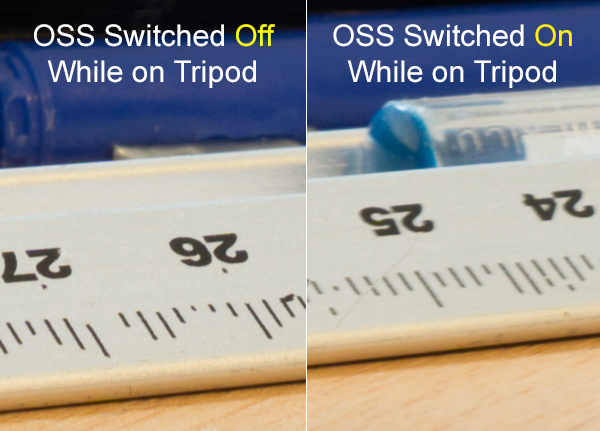
Sony A6000 Review by Gavin Hardcastle - OSS testing

Video Quality

While the A6000 records superior video to the A7R, it’s actually not as good as the video quality you can get with the even cheaper A5100 mirrorless camera which boasts the XVID codec. You’ve got to wonder what Sony is playing at with these silly configurations. I’m sure it would have been a small thing to include XVID video recording on the A6000 but Sony in their wisdom decided to forego it to make the A5100 more attractive.
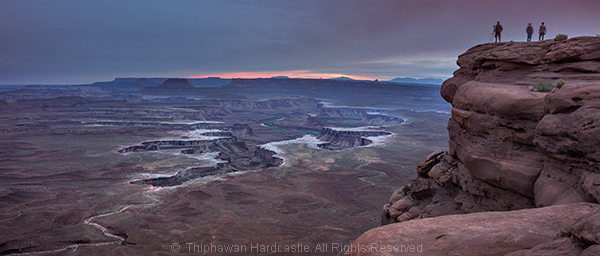
Sony A6000 Reviewed with Example Images

The Sony A5100 as an Alternative

The one thing that stopped me from choosing the A5100 over the A6000 was the lack of dedicated buttons and dials for controlling your settings. Although it has the exact same 24.3 MP sensor, the A5100 is even smaller than the A6000 and that means you’re forced to dig into the menu system in order to play with your settings. This would have resulted in me having a full blown frustration tantrum on a mountaintop and launching the A51000 off a cliff, so I chose the A6000 due to its two dials and three customizable buttons, way more user friendly but man I miss that XVID codec.

The Viewfinder of Mediocrity

If you’re switching from DSLR to a Sony Mirrorless, be prepared to be completely underwhelmed by the horrifically pixelated joke of an electronic viewfinder. DSLR users will look through that thing and feel that there is no chance their image will turn out well. Don’t be dismayed. Just use the viewfinder to set your focus and view your settings but don’t for one second think that your lovely RAW file will remotely resemble the grainy atrocity on display through that poxy peephole.

Apparently the viewfinder on the RX1 is infinitely better, but at almost $ 2800 it should be. If you can live with the lame EVF of the A6000 which is the same as on the much more expensive A7R, you’ll be fine. It took me a bit of getting used to when I switched from DSLR but once you’ve seen those gorgeous RAW files, you’ll come around.
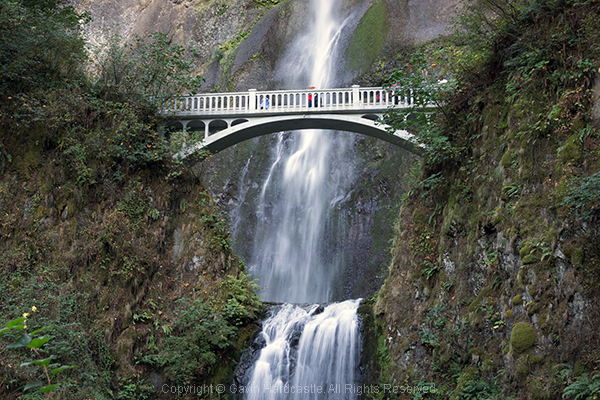
Sony A6000 Example Images and Review

Hot Shoe Accessories for the Sony A6000

Flash fanatics will be delighted to learn that the A6000 has a multi-interface hot shoe slot on the top of the camera. This is also great for videographers who want to add the external mic. Sadly there are no software audio level controls when recording video on the A6000 and that is a MAJOR let down. Again, Sony could have included that software which is available on the A7R but in their wisdom, decided not to.

Apps for the Sony A6000

Like all of the current alpha range, the A6000 allows you to install Sony apps for extended functionality (and cost). The Time Lapse app had an update a few months ago that has made it much more usable. Other apps include remote control, star trails and a bunch of other awful ideas I’ll never bother to download or use.
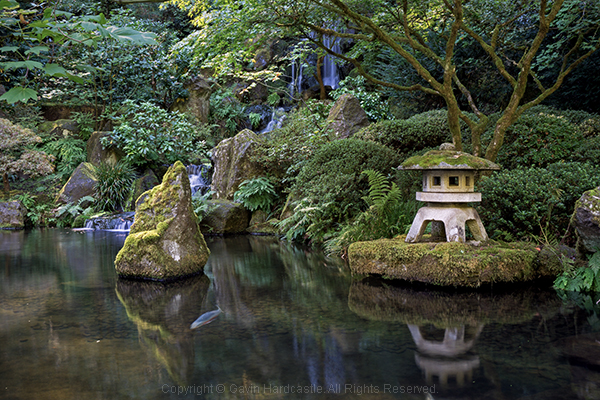
Review of the Sony A6000 Mirrorless Camera

Built-in Flash

The A6000 does have a built in flash that pops up dramatically. You can even angle the flash to point up at the ceiling to bounce the light.

Tilt Screen
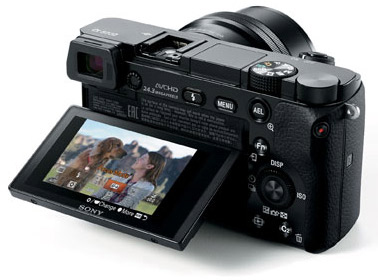
Sony A6000 Tilt Screen

Like the A7, A7R and A7s, the A6000 has a tilt screen which you can angle for low or high shots and still be able to view the screen comfortably. I love this feature and although the A6000 has a smaller screen than the A7R, it works well while fitting into the smaller frame of the chassis. When cameras at this price point all seem to be able to include this technology it baffles me why the likes of Canon and Nikon exclude this feature on their high end cameras.

While I’m delighted that the A6000 does have a tilt screen, it has to be said that the screens image quality is pretty shabby compared to the screens you’ll see on the likes of the Olympus OM-D EM1. I heard a rumour that Sony makes those screens for Olympus so why not include that technology in the A6000? Perhaps that would have jacked up the price to a place where Sony didn’t feel comfortable.
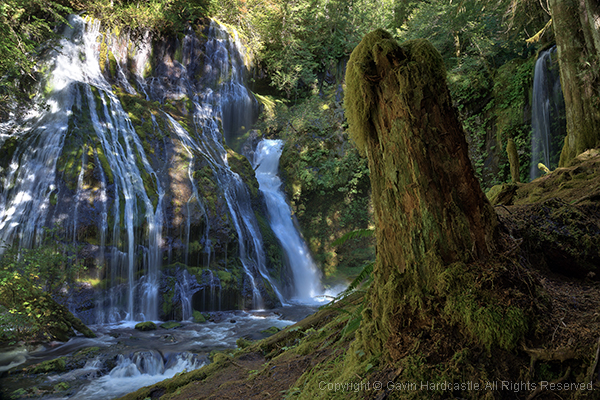
Test images using the Sony A6000 in the Gavin Hardcastle Review

Battery Life Woes

Although nowhere near the longevity of a Canon DSLR battery, the FW50 batteries last longer in the A6000 than they do in the A7R. Just like the A7R, you won’t get a battery charger with the A6000 either so your options are to connect the charger cable directly to the camera or buy a third party charger. I’d recommend the latter as you’ll soon wear out the multi/charge socket on the camera.

Shutter Noise

This is a non-issue with the A6000. Unlike its noisy big brother the A7R, which has a super loud shutter noise (that I love), the A6000 has a very quiet shutter so you won’t startle the koala bears.

What I love about the Sony A6000 Mirrorless Camera

  • Small form factor feels great in the hand – it’s discreet
  • Great image quality if you don’t need full frame
  • Uses the same batteries as the current Alpha family of mirrorless cameras
  • Tilt screen is really useful for low to the ground shots
  • Competitive price
  • Has a built-in flash
  • Shoots 59 fps video in AHVCD
  • Features the E-Mount lenses
  • MU hot shoe
  • I can assign any setting to the three custom function buttons

What I hate about the Sony A6000 Mirrorless Camera

  • No digital level like on the A7R
  • No audio level control like on the A7R
  • No XVID codec like on the a5100 which is cheaper
  • Poor quality display on both the EVF and tilt screen
  • I can’t seem to reverse the EV dial operation
  • I hate the position of the mode dial, I keep hitting it by mistake when I change my aperture setting because that’s where my thumb falls naturally
  • There’s no C1, C2 setting on the mode dial. I have to dig into the menu to call these up.

Should You Buy the A6000?

Sony A6000 Camera Review

Yours truly. Dynamic range is surprisingly good with great highlight recovery and shadow detail.

That depends on your needs. If like me, you use the A7R as your main camera, the A6000 is the logical choice for your backup camera. It shares the same menu, batteries, lens mount and can be configured to be almost identical in operation to the A7R.

If you’re a DSLR user that’s used to the APS-C sensor size, the main thing you’ll struggle with is the EVF. Once you’ve gotten used to that, you’ll enjoy the superior image quality, customizable controls and most of all, the adorably small size of this wrist saving camera. Shoot with one of these for a week and then try going back to your clunky DSLR. Your old camera will feel like a breeze block.

Canon videographers will find little reason to switch due to the average codec and lack of audio level controls on the A6000.

First time camera buyers will love this camera because of its image quality, portability and price.

With that well considered summary, I’m awarding the Sony A6000 four out of five stars. They could have achieved five stars with a better quality LCD that included touch screen functionality.

The post Sony A6000 Mirrorless Camera Review and Example Images by Gavin Hardcastle appeared first on Digital Photography School.


Digital Photography School

 
Comments Off on Sony A6000 Mirrorless Camera Review and Example Images

Posted in Photography


Enthusiast mirrorless camera roundup (2014)

27 Nov

As a keen enthusiast photographer, which mirrorless camera should I buy?

Articles: Digital Photography Review (dpreview.com)

 
Comments Off on Enthusiast mirrorless camera roundup (2014)

Posted in Uncategorized


2014 Enthusiast Mirrorless Camera Roundup

27 Nov

The enthusiast camera category is small, but mighty. These cameras offer more high-end features and controls than their consumer-level counterparts, many doubling as excellent video and still cameras. Expect fast burst rates, strong image quality, solid AF performance and in several cases, 4k video capture. Read our 2014 enthusiast mirrorless roundup and see how the cameras in this category compare

Articles: Digital Photography Review (dpreview.com)

 
Comments Off on 2014 Enthusiast Mirrorless Camera Roundup

Posted in Uncategorized


Updated: Enthusiast compact camera roundup

26 Nov

We’re updating our ‘What to buy and why’ camera roundups to include new models introduced in 2014, and first up is the enthusiast compact camera class. These cameras may be a bit too big to fit in your pocket but most are compact enough to be considered appealing alternatives to heavier, bulkier, interchangeable lens camera systems. Read more

Articles: Digital Photography Review (dpreview.com)

 
Comments Off on Updated: Enthusiast compact camera roundup

Posted in Uncategorized


Getting to Know Your New Camera

25 Nov
Get to know your new camera

With my new camera I can set Film Simulation to black and white and the camera gives me a black and white view in the electronic viewfinder. I can also select the square format and see a square image. This is a great aid to composition. Finding and using helpful features like this is part of getting to know your new camera.

I recently purchased a new camera and the process of learning to use it has been a good reminder of just how long the process can take. My new Fujifilm X-Pro 1 is a very different machine from the Canon EOS digital SLRs I’m accustomed to using, and it’s taken me a while to find my way around the layout and menu.

Based on my experience, here are some tips for getting to know your new camera. Most of these will apply if your new camera is from the same manufacturer as one you already own.

Read the manual

This one’s fairly basic – you can learn a lot about your camera from its manual. Even if your approach is to learn by using the camera, there are still times when you need to look up things you can’t figure out yourself. You could also buy a book or ebook about your specific camera. These are usually written by photographers who know the camera well and give plenty of tips for getting the most from it, including things not mentioned in the manual.

Shoot at high ISOs

Newer cameras have fantastic high ISO performance and it’s worth spending some time shooting in low light at your new camera’s high ISO settings. Then look at the results on your computer to determine the highest ISO setting you are happy to use. Remember, the amount of noise you will see depends as much upon your subject as the camera. If your subject contains lots of textured surfaces or light tones you’ll see less noise than if it contains dark tones or large areas of sky.

Get to know your new camera

This photo was taken at dusk at ISO 6400 on my new camera.

Get to know your new camera

This is a 100% magnification view (taken from the bottom of the previous image). You should look at your high ISO photos at 100% magnification to see how noisy the image is. Only you can decide which settings have too much noise.

Shoot in tricky lighting situations

The aim of this exercise is to learn how your camera’s meter reacts in different lighting situations. While metering modes such as centre-weighted and spot metering should work in much the same way on most cameras, you may find a larger difference in the way that evaluative metering* modes work.

Evaluative metering is where your camera takes exposure readings from multiple areas of the frame (usually weighted in priority towards the active autofocus point) and then decides on the appropriate exposure according to a formula known only to the manufacturer. If the maker of your new camera uses a different formula to the maker of your old one, then both cameras may give different exposure readings for the same subject. Therefore it’s helpful to take some photos in tricky lighting situations to learn how your new camera copes with each of them.

*Evaluative metering is the term used by Canon and Sigma. The same mode is called Matrix metering by Nikon, Multi segment metering by Sony and Pentax, Multi metering by Fujifilm and digital ESP metering by Olympus.

There are three basic scenarios that can give your camera problems:

Backlighting: With backlit photos, you need to decide whether you want to expose for the subject (burning out the background), the background (turning the subject dark) or somewhere in between. Only you can decide, and your camera’s evaluative metering may be weighted towards one option or the other. Test your camera with some backlit subjects to see how it reacts. Another function of this test is to learn how well your camera’s sensor renders blown out highlights.

Subjects with predominantly light tones: Cameras tend to underexpose this type of subject. Experiment with exposure compensation to see how much you need to increase the exposure when taking photos of light toned subjects.

Subjects with predominantly dark tones: Cameras tend to overexpose this type of subject. While this type of subject isn’t as common as light toned subjects, if you come across one you can experiment to see just how much you need to adjust the exposure compensation dial to make up for the camera’s tendency to underexpose.

These last two concepts are explained in more detail in my article Why Your Camera’s Meter Gets Exposure Wrong.

Get to know your new camera

This is a good example of a dark toned subject that may fool your camera’s meter into overexposure. The only way to see how your camera responds is to test it.

Find the limits of your camera’s autofocus

One of the biggest differences between various cameras is autofocus. Every manufacturer approaches autofocus differently. Some cameras are designed to focus accurately on fast moving subjects, some are not. Some cameras have more autofocus points than others. Some cameras use phase detection autofocus, some use contrast autofocus, some use a combination of both.

The best way to learn about the autofocus system on your camera is to start by reading the manual, then searching online for good articles written by photographers using your specific model.

Then test your camera. How do you switch between autofocus modes? How do you move from one autofocus point to the other? How reliable is your camera when taking photos of moving subjects? You will only learn these things by testing and using your camera.

Get to know your camera’s menu

If your new camera is made by a different manufacturer than your old one, the menu system will be different. You need to spend time familiarizing yourself with the menu, and the functions that are relevant to the types of photography you do. Otherwise you may find yourself in the field searching for a certain setting and missing the opportunity to take a photo as a result.

Get to know your new camera

The menu on my new camera is completely different from that on the EOS cameras I’m accustomed to using. Until you’re familiar with a new menu system, it may take you much longer to find certain settings.

Familiarize yourself with your camera’s layout

Take some time to learn where all the buttons are on your camera. Do any of them have functions that are not immediately obvious? For example, on my X-Pro 1 it took me ages to work out how to activate Live View (there isn’t a button labelled Live View). Ideally, you should be able to find your way around all the important buttons and dials with your eyes closed, so you can use your camera without thinking when you take photos. Naturally, this level of familiarity takes time.

Get to know your new camera

The dials and buttons on my new camera are also very different from those on my EOS cameras.

By the way, if you bought a new lens with your new camera, you may also find my article Getting to Know Your Lenses useful.

Your turn

This is not an exhaustive list of ways to get to know a new camera, but it’s a good start. What other suggestions can you make, based on your own experience? Please let us know in the comments.


Mastering Photography

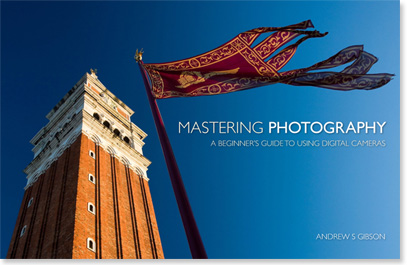
Composition and lineMy latest ebook, Mastering Photography: A Beginner’s Guide to Using Digital Cameras introduces you to digital photography and helps you make the most out of your digital cameras. It covers concepts such as lighting and composition as well as the camera settings you need to master to take photos like the ones in this article.

The post Getting to Know Your New Camera by Andrew S. Gibson appeared first on Digital Photography School.


Digital Photography School

 
Comments Off on Getting to Know Your New Camera

Posted in Photography


How to Buy Used Camera Gear

22 Nov

Even though the prices of digital photography equipment continue to fall significantly, it can be a tough to dole out a thousand plus dollars on a brand new camera or lens. On the positive side, camera gear (especially lenses) retains its value really well. As a result, there’s almost always a surplus of used camera bodies, lenses, and accessories. Before you take the plunge and buy used gear, be sure to understand that used equipment can be a bit tricky to assess in terms of quality and price. As a photographer who shamelessly has about 50% used gear in her collection, here are some methods I run through when contemplating a used camera purchase.

How to buy used photography gear

Price check used items on reputable online sources

By now, just about every online camera retailer has a used section on their website. Availability of items is obviously variable, but a simple item check can pull up estimates for the current standard used prices of the items you want. Be sure to note the quality rating and commentary of each item, and see how it matches up to your expectations. Often, used items that are priced too low have some sort of cosmetic or mechanical problem, so if you think you’re getting an amazing deal, get suspicious. Another reason to be suspicious of outrageously low prices is that they might be grey market items, which essentially come with no factory warranties. The best way to check if it’s a grey market item is to find the serial number and reference it in the camera maker’s database.

The advantage to buying used gear online is that often the gear has been checked out and issued a rating by the retailer. There may also be some flexibility in terms of exchanges and returns in case you aren’t happy with your purchase. Be sure to double check and make sure you know who the seller is, especially on Amazon, which allows private sales to be made.

  • Amazon Used Camera Section
  • Keh.com
  • B&H Used Camera Section
  • Adorama Used Camera Section

Used lens 03

Check out the local classified ads

Scan local communities boards or publications, or see what’s listed in your local Craigslist directory. The advantage to buying used gear in-person is the ability to test the gear out before you buy it. Nervous about meeting a stranger for a business transaction? Choose a meeting place at a super public space like a mall or cafe. Also, I’ve found that many Craigslist sellers of camera gear in my area tend to be other professionals, and thus their names and corresponding web portfolios can be easily researched online prior to meeting in person. If you do opt for an in-person transaction, be clear on how to assess used camera gear yourself.

How to Determine Used Lens Quality

Used lens 02

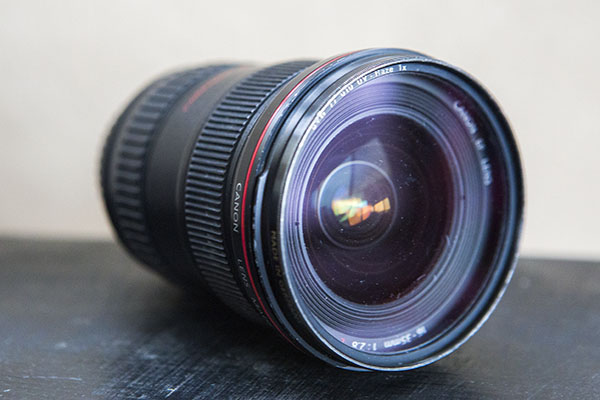
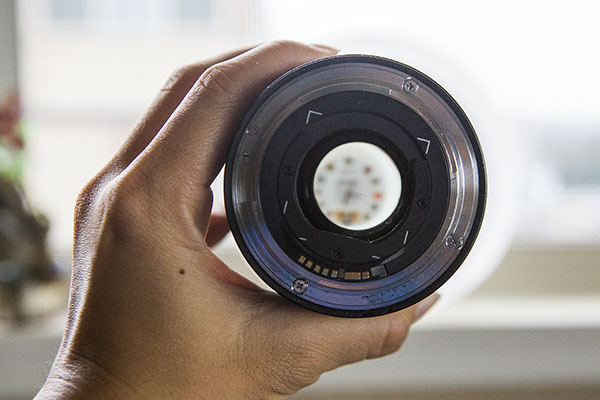
Lenses are relatively straightforward to assess in terms of quality. First, investigate the lens thoroughly and watch out for common problems such as fungus, dust, and scratches. Shine a light through the lens, and any imperfections should be visible. Note that some problems such as dust and small scratches will likely just be cosmetic damage and should not affect overall image quality. However, any signs of fungus on the lens is a deal breaker as it is incredibly difficult and costly to remove.

Second, do a mechanical test of the lens to see how it performs. It’s best to have your regular DSLR with you to see how it fits. Make sure the aperture blades on the ring are clean and can move freely, and try out both the zoom and focus rings. Depending on the lens model, it’s not uncommon for the rings to offer some resistance, but be sure sure they both operate relatively smoothly. Finally, check out the autofocus operation on the lens and make sure it is smooth.

How to Determine Used Camera Body Quality

Used camera 04
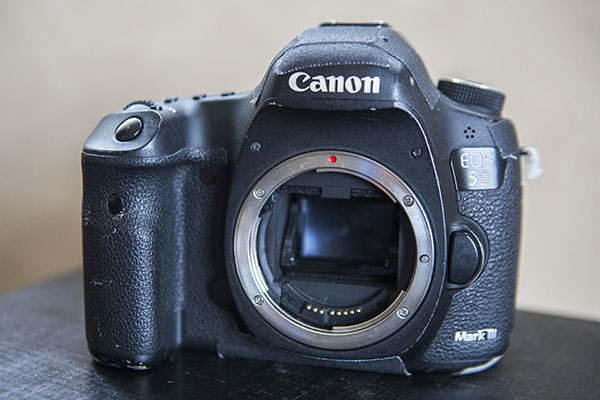
Used camera bodies can be a bit trickier to assess. While it’s perfectly normal for bodies to have physical signs of wear and tear, use your initial visual impressions of the camera as your first judgement. If the camera appears badly worn and used, it’s likely not looking any better on the inside. However, the most telling part of the camera body’s lifespan is the shutter, which is very expensive to replace. Sometimes people will sell their cameras when the shutter is about to die, meaning the new owner will have to drop a lot of extra money soon after to replace it. How to check shutter counts, as well as how many shutter counts are acceptable for a used body, depend on the camera make and model. Google searches and forums should offer some resources.

Autofocus is another aspect of the camera body that should be tested. Using a reliable lens that you bring with you, test out the camera and see how both single and continuous autofocus performs. While you’re at it, also examine the lens mount on the camera and make sure the lens mounts securely.

Whether you’re an amateur or a professional, it’s completely acceptable to purchase used camera gear. Just be sure to do your research and have a thorough understanding of the product you are considering buying. Always use reputable sources, and remember that if the deal seems to good to be true, it probably is!

The post How to Buy Used Camera Gear by Suzi Pratt appeared first on Digital Photography School.


Digital Photography School

 
Comments Off on How to Buy Used Camera Gear

Posted in Photography


Sony announces Alpha 7 II full-frame mirrorless camera with 5-axis IS

20 Nov

Sony has announced its Alpha 7 II, which the company has managed to keep very close to its vest. The big story on this 24MP full-frame mirrorless is its 5-axis sensor-shift image stabilization – the first that we’ve seen in a full-frame camera. Sony claims that this IS system can reduce shake by 4.5 stops using the CIPA standard. The Hybrid AF system has also been improved upon, offering 30% faster speeds and a 1.5X improvement in tracking. The a7 II also sports a larger grip, new front dial, and sensibly relocated shutter release. Read more.

Articles: Digital Photography Review (dpreview.com)

 
Comments Off on Sony announces Alpha 7 II full-frame mirrorless camera with 5-axis IS

Posted in Uncategorized


Adobe Camera Raw, Lightroom and DNG Converter add EOS 7D II, X100T, G7 X, NX1 and LX100 support

20 Nov

Adobe has launched Adobe Camera Raw v8.7 and Lightroom v5.7, adding support for the Canon EOS 7D Mark II, Samsung NX1, Fujifilm X100T, Canon G7 X, Panasonic LX100 and a host of other recent cameras. An update to DNG Converter allows files to be adapted for use with older versions of Adobe’s software. The latest downloads are available through the software update feature or the links provided. Learn more

Articles: Digital Photography Review (dpreview.com)

 
Comments Off on Adobe Camera Raw, Lightroom and DNG Converter add EOS 7D II, X100T, G7 X, NX1 and LX100 support

Posted in Uncategorized