RSS
 

Posts Tagged ‘BABIES’

5 Affordable Canon Lenses For Photographing Babies And Newborns

01 Apr

It can be daunting trying to decide which lenses to buy for photographing babies and newborns, especially when you’re on a budget. Award-winning family photographer Louise Downham shares her straightforward advice on which affordable lenses are best, as well as which lenses to consider upgrading to when your budget allows: Assuming you have a full-frame sensor, the key lenses you’ll Continue Reading

The post 5 Affordable Canon Lenses For Photographing Babies And Newborns appeared first on Photodoto.


Photodoto

 
Comments Off on 5 Affordable Canon Lenses For Photographing Babies And Newborns

Posted in Photography


How to Use Photoshop to Create Milestone Photos of Babies

22 Jan

Buried deep in my parents’ basement are boxes of slides with pictures of my siblings and I, when we were kids, all taken with my dad’s Minolta DSLR that has long since been lost to the ages. I have a few scans of those early photos but most of them won’t see the light of day anytime soon. Thus the images that marked the passage of time for me, my sister, and my three brothers are few and far between.
Baby milestones Photoshop background

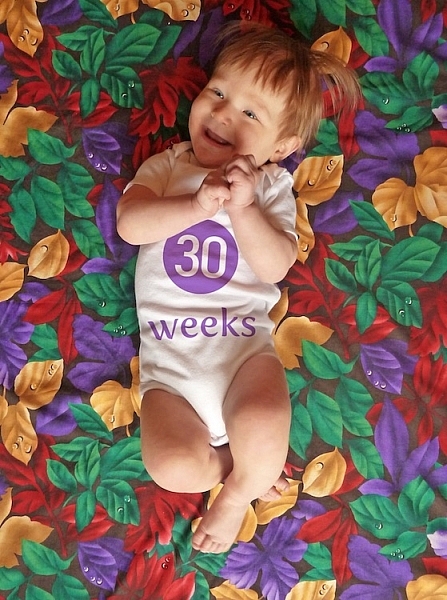
This picture taken with a pocket camera and the fabric was purchased at a thrift store.

Thankfully modern technology and the prevalence of digital cameras means babies born today will likely have no shortage of images to mark their early years. One of the most common methods of documenting milestones is to take pictures at weekly or monthly intervals. Often these are augmented with some type of decoration or adornment to indicate the passage of time (e.g. a small chalkboard, a giant sticker on the kid’s tummy, or a number stamped in the corner of the picture).

There is an incredibly easy, fun, and highly effective way to do this in Photoshop. It only takes a few minutes and produces great results, even if you have never used this program before you should be able to figure it out.

Preparing for the photo shoot

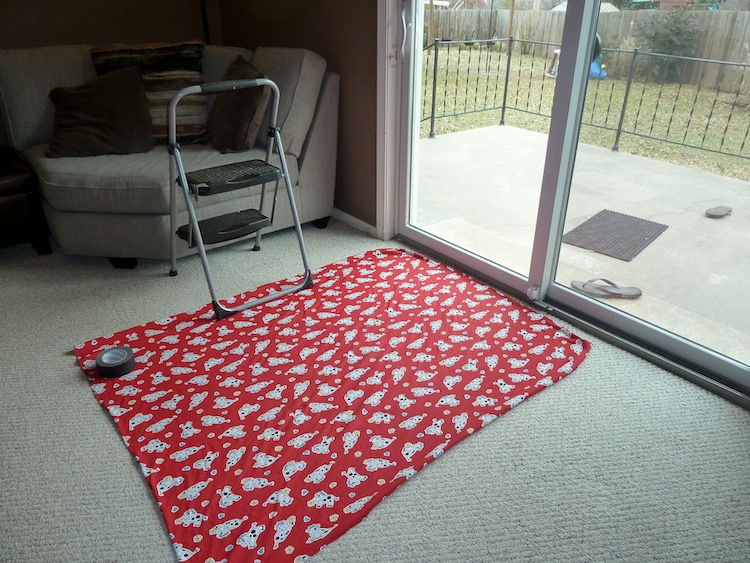
My wife and I got this idea after reading a post on the popular do-it-yourself blog Young House Love but have tweaked it to fit our style. To get started you will need a few things, many of which you probably already own:

  • Fabric with big colorful prints; Finer-detailed prints are okay, but the bigger and more prominent the pattern, the better it will look when paired with your baby. Don’t spend much money on these since you’ll need a lot if you do a different fabric each week. Pro tip, let the grandparents know you’re in need of fabric. Ours were thrilled to go shopping at thrift stores and send us what they found.
  • White onesies; A t-shirt works better after the first year, but until that time onesies are best because they stretch nice and even across the baby’s body leaving you with fewer wrinkles to contend with in the post-processing phase.
  • Blue painter’s tape;  Used to hold the fabric down to the ground.
  • A big window; Or a glass door, or another similar surface to let in a lot of light.
  • A step stool; so you can get a higher angle.
  • Tape to hold the fabric in place; Blue painter’s tape will work but I like to use Gaffer’s tape (I recommend this brand which is stronger and leaves no residue on the carpet when you pull it off.)
  • A reflector;  We didn’t buy one of these until well into our second child and it’s amazing how much a reflector helps get nice even lighting.
How to Use Photoshop to Create Milestone Photos of Babies - setup

It doesn’t take much to prepare for this type of photo shoot.

The session

The process works best with two people; one to take pictures and someone else to do multiple jobs like hold the reflector, smooth the blanket, and soothe the baby. Position your child with his or her feet near the light source (i.e. giant window or glass door) and have your helper hold the reflector by the baby’s head to bounce light back. Then get up on the stepstool and start taking pictures! Babies wriggle and squirm around a lot so don’t worry about quantity. It’s better to have too many good ones than to have to redo everything because you only took three shots and the baby was frowning in all of them.

Photoshop time

After your pictures are done it’s time to head to Photoshop where the real fun begins. You will need two fonts: Fyra for the numbers and one that you want to use for the letters. I like Fertigo Pro, but almost anything will work, it’s largely a matter of personal taste here.

Open your photo in Photoshop and it will appear as the background layer. You can leave it as is unless you plan to do any editing such as color adjustments or retouching, though my advice is to keep it simple and avoid all that if possible. You’ve got a newborn and you can’t spend hours editing your photos every single week when there are diapers to change and clothes to wash!

Add the text

photoshop-baby-milestones-fyra

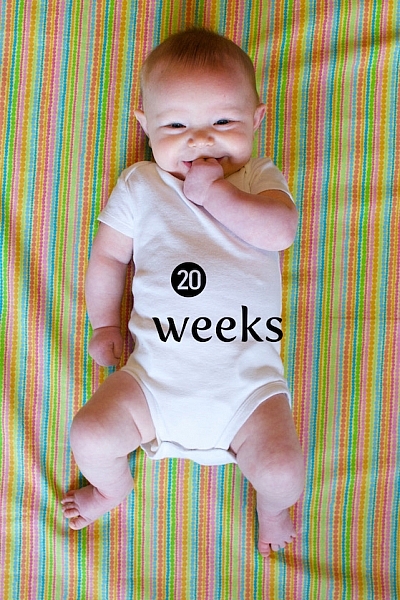
Click the “T” button in the tool palette to activate the Text Tool, then click anywhere in the picture to create a new text layer. Use the Fyra font and type a letter which will show up as a big circular number – perfect for marking the weeks or months of time that have passed.

Use the toolbar at the top of your screen to adjust the size of the number, and if you don’t get it perfect you can always change it later using the Transform Tool. Press [enter] to lock in the number, then repeat most of the process for “weeks” by clicking the Text tool, selecting a font, clicking on your baby, and typing the label (weeks, months, etc.) you want.
How to Use Photoshop to Create Milestone Photos of Babies adding the text

At this point your picture might look like something the neighbor kid made in Microsoft Paint, but you’re just getting started. The finished version will look much better thanks to the magic of Photoshop.

Resize and warp the text

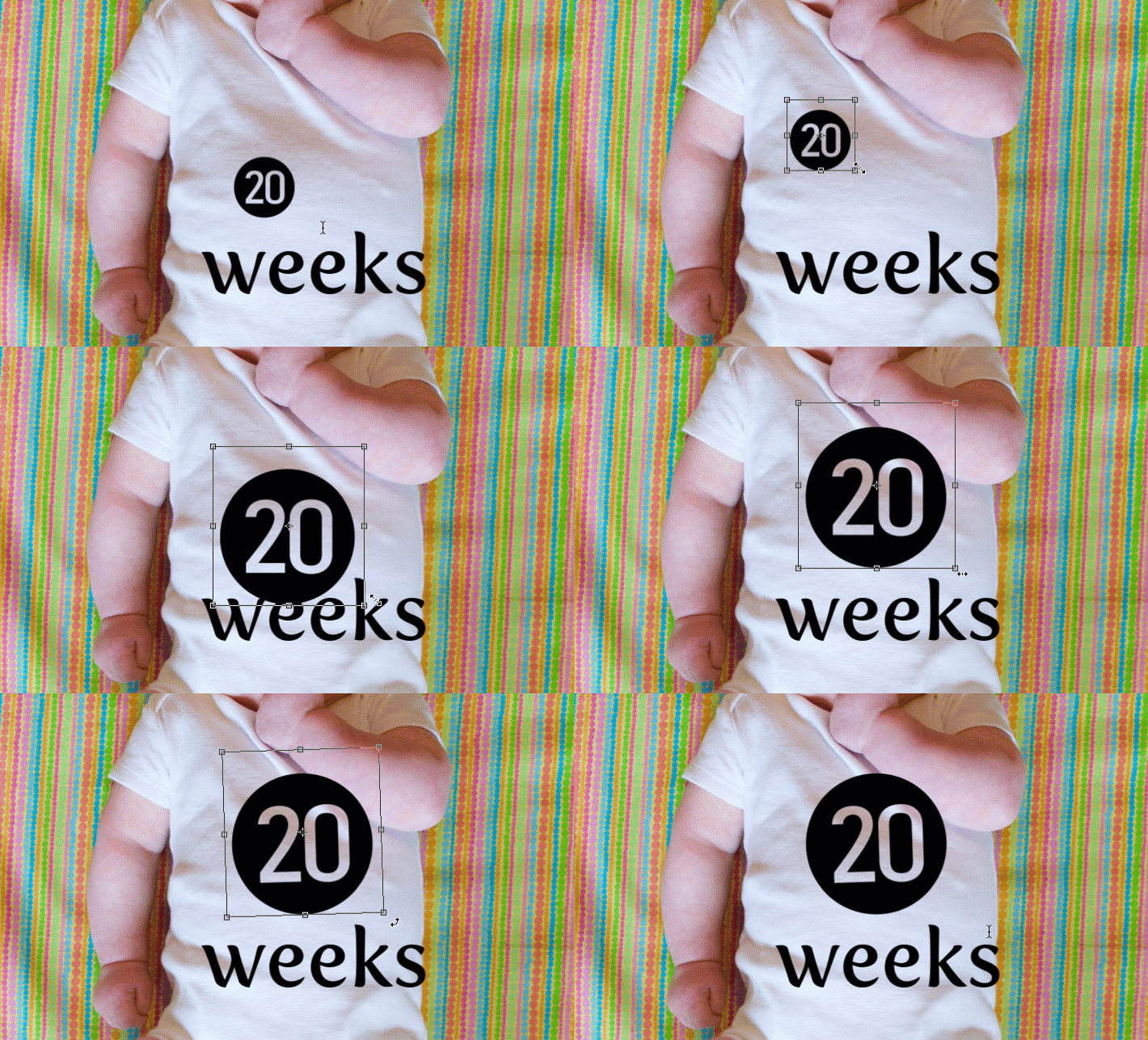
The next step is to customize the size and position of each of the elements. Using the Layers palette select the layer with a single letter, which is actually the number in the picture, and choose “Edit > Transform”. You can now reposition the number where you want it, and resize it by clicking and dragging on one of the corners. Hold down the [shift] key while doing this to maintain the proportions (shape) of the number or else your finished product will look all stretched out. You can even rotate the number by hovering your cursor near one corner until it turns into a cornered arrow and then click and drag.
How to Use Photoshop to Create Milestone Photos of Babies transform the text

Repeat the same process for the word you’ve used then with that layer still selected, click the Text tool in your toolbar and manually select the word (in this case “weeks”) itself. Then choose; Layer > Type > Warp Text… and add an Arch style. (You can also click the “Warp Text” toolbar button to do the same thing, see red arrow below.)

How to Use Photoshop to Create Milestone Photos of Babies warp text

I like to use just a couple of degrees here, which helps the text simulate a more natural curve that you might see if it were printed across the white onesie directly. Usually, +5 gets the job done just fine.
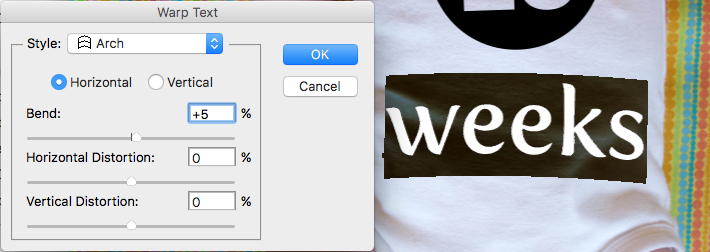
How to Use Photoshop to Create Milestone Photos of Babies warp text tool

Text color

After that, the next step is to change the color of the text so it complements the fabric on which your baby is laying. Use the Text tool to select either the number or the word (weeks) then click the black box next to the Warp Text button to change the color of the text.

How to Use Photoshop to Create Milestone Photos of Babies text color

Use the eyedropper to select a color from the fabric and tweak as necessary. you will also see the color of your text or number, whichever is selected, change as you try out different options. When you find one you like you can click the “OK” button to lock it in place.

But, before you do that select the six letters and numbers in the # box at the bottom and press [ctrl+c] to copy it. This is the hex code that tells your computer what color is in use, and you will use it again in the next step.
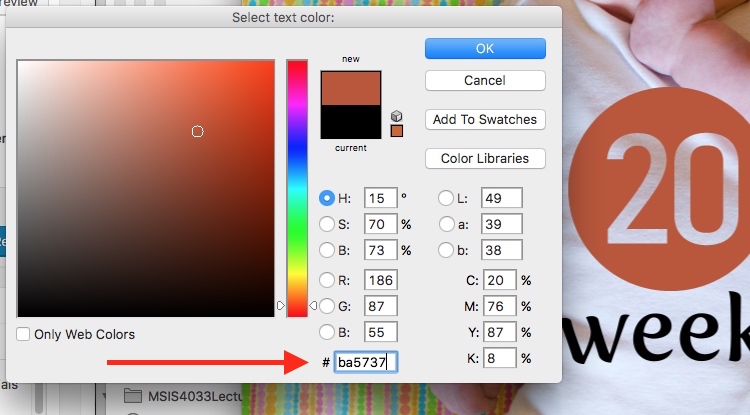
How to Use Photoshop to Create Milestone Photos of Babies text color

Repeat the same process for the other layer of text. To get the same color you can either hover the eyedropper over the newly-colored text on the picture or paste the color code (6-digits you copied) into the box at the bottom. When you are finished you will have an image that is close to the final product, but you’re not quite done yet.
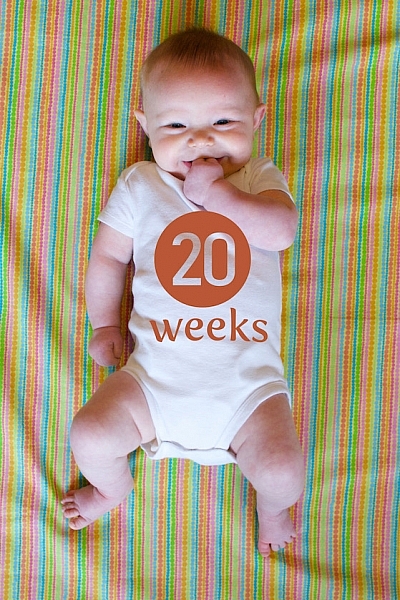
How to Use Photoshop to Create Milestone Photos of Babies

Blend mode

Two final editing steps remain before your image is done, the first involves blend modes. These have to do with the way in which layers work together and how one layer’s color can be altered based on how it is combined with the layer below.

Use the Layers palette to highlight a text layer and change its blend mode to “multiply” with an opacity of 75%. This will allow some of the texture of the white onesie to show through, and make the text seem like it naturally printed on the fabric instead of just pasted on afterward in a computer program.
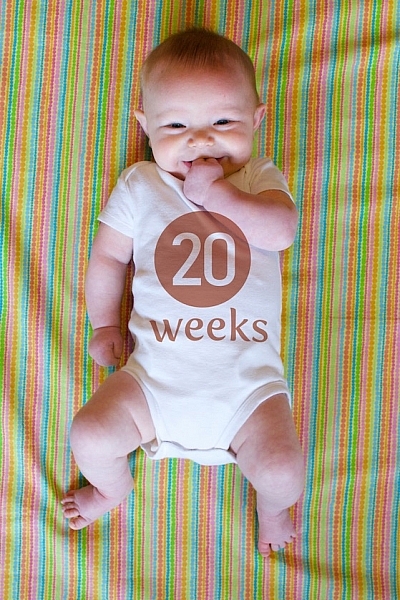
How to Use Photoshop to Create Milestone Photos of Babies blend mode

Masking

At this point, you may be thinking about using the eraser tool to fix parts of your image where the baby’s hands obscure the number or text. But trust me, this is not what you want to do!

Photoshop has a fantastic feature called layer masks that let you hide (erase) parts of a layer and even recover (show) them again later if you erase too much. In the example above, you will note that the baby’s arm should be covering up the 20, so the solution is to use a layer mask to remove (hide) that portion of the 20. How to Use Photoshop to Create Milestone Photos of Babies masking
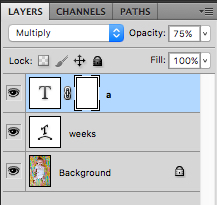
Click the text layer that you want to edit then choose “Layer > Layer Mask > Reveal All”. Now you will see a white box next to the layer that you can use to show and hide different parts of the layer itself. When you add anything dark to this layer mask it will erase (hide) that part of the layer, and when you add anything white to the mask it will show that part of the layer. This is an incredibly useful feature in Photoshop that you can use in all sorts of ways to edit your images, not just snapshots of your baby with milestone stickers.

Click the brush tool and start painting over the portion of the layer mask you want to erase, but keep one finger on the “x” key of your keyboard to switch between erasing mode and adding mode. If you accidentally brush over something that you want to keep, press “x” and add it back by painting it back in white! Then press “x” again to go back to deleting (painting with black).

Press the “z” key to zoom in on your image (and option-z to zoom out) and then “b” to go back to the brush tool. After a few strokes of your brush, your image is ready to share with family and friends!
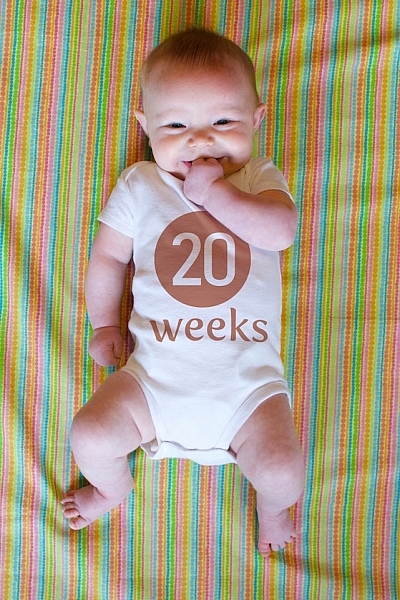
How to Use Photoshop to Create Milestone Photos of Babies

When to stop

Right here is where I like to stop because the image is, as I like to say, good enough. There are some imperfections that could be cleaned up like using a displacement map to alter “weeks” so it follows all the contours and folds of the fabric, but I have found that these are just not worth my time. To be honest, most people won’t even notice.

You can easily spend hours using warp transforms, color tweaking, and spot removal to get each picture looking pixel-perfect and ready to print in Baby Cosmopolitan. But parents of newborns have to find a balance between time spent on the computer and time spent with their families.
How to Use Photoshop to Create Milestone Photos of Babies

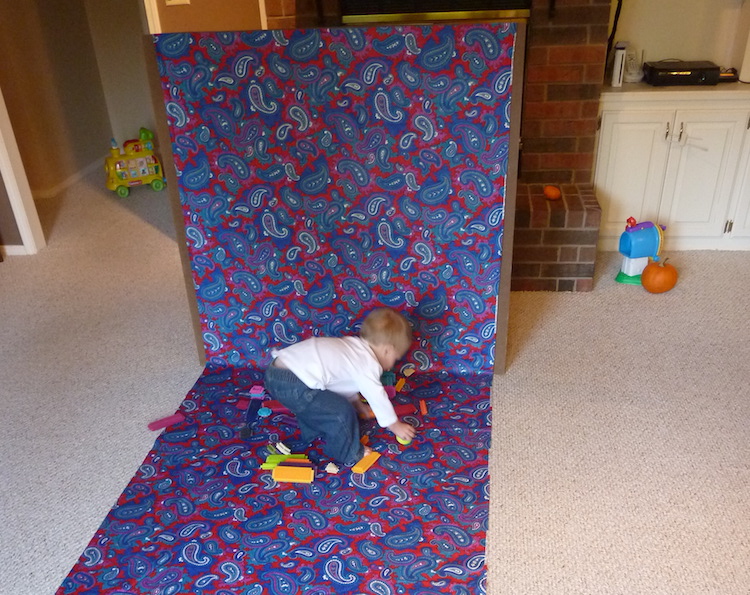
After 52 weeks of doing pictures we used a slightly different setup and reduced our images to once a month with our child standing or sitting instead of lying down.

Conclusion

If you have an infant or are expecting one, pictures like this are a fantastic way to mark the passage of time. My wife and I did shots like these with our two boys every week for the first year of their lives, and then every month until they turned two.

At the time it seemed like a huge hassle to get out the fabric, put a white onesie on, and try to soothe a fussy infant long enough to snap a few pictures every single week. Looking back through them we are so glad we did. When shown in an album side by side these images provide a priceless way of seeing how our kids both grew so much during those early times of their lives.

If you have a small baby and give this a try, please share your images and/or questions in the comments area below.

googletag.cmd.push(function() {
tablet_slots.push( googletag.defineSlot( “/1005424/_dPSv4_tab-all-article-bottom_(300×250)”, [300, 250], “pb-ad-78623” ).addService( googletag.pubads() ) ); } );

googletag.cmd.push(function() {
mobile_slots.push( googletag.defineSlot( “/1005424/_dPSv4_mob-all-article-bottom_(300×250)”, [300, 250], “pb-ad-78158” ).addService( googletag.pubads() ) ); } );

The post How to Use Photoshop to Create Milestone Photos of Babies by Simon Ringsmuth appeared first on Digital Photography School.


Digital Photography School
 
Comments Off on How to Use Photoshop to Create Milestone Photos of Babies

Posted in Photography


5 Easy Tips for Photographing Babies Outdoors

10 Oct

When it comes to photographing babies under two years old (and newborns), most people immediately think of studios with elaborate backdrops and lots of available headbands, hats, and props. There’s nothing wrong with that type of photography for children, but if you don’t have access to a studio space of your own, you have to get a little creative.

outdoor-newborns

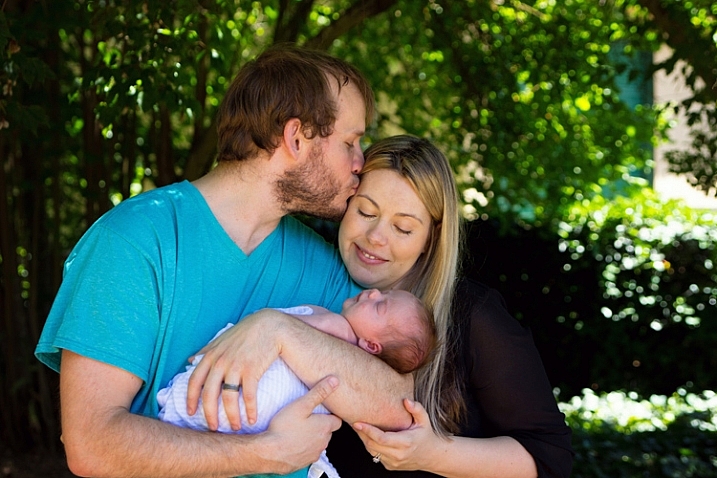
More and more, I’m discovering that I love to photograph both newborns and young babies outdoors. Yes, I often take even 5-10 day old little babies outside for at least part of their session. If you’d like to give it a try as well, here are five simple tips to help get you started while also keeping the little guys and gals safe.

1. Settle them inside

photographing-newborns-outs

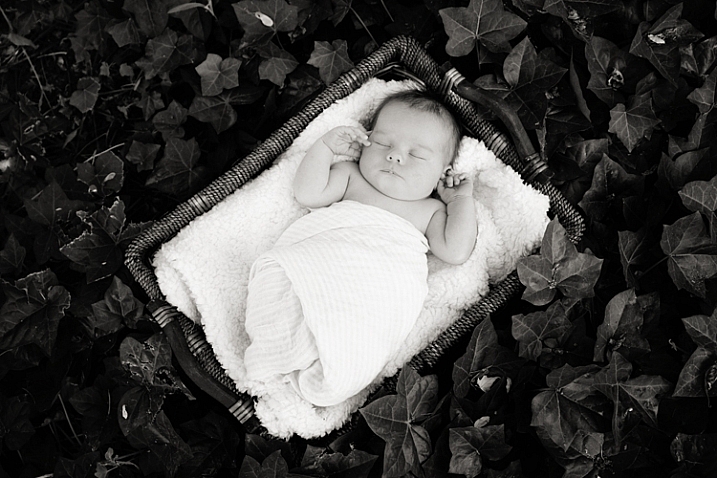
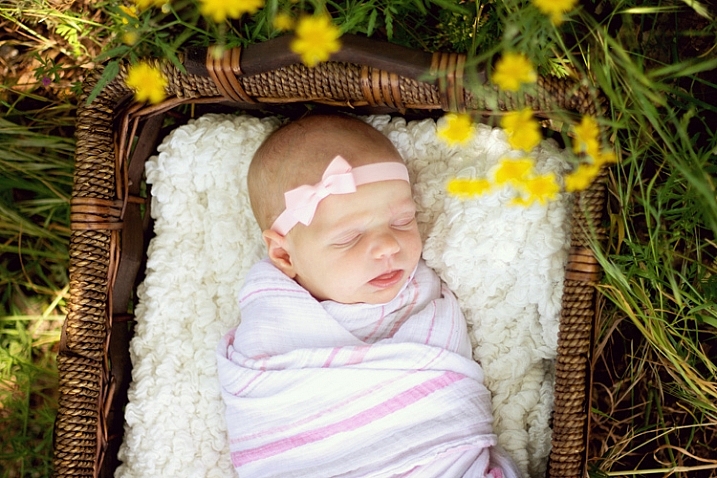
When it comes to newborns, you’ll find that they settle best when they’re very warm. This means that if you want to photograph a baby outdoors, you will typically be more successful if you begin indoors. Inside, swaddle the baby up tightly. Keep in mind that babies like to be warm, so you may want to leave them in pyjamas under the swaddle. Then rock them while playing white noise or making sushing sounds until they are nice and sleepy. Next, lay the baby in a basket or bowl that has been lined with a fluffy blanket and let them settle. Once the baby has settled in, carry the whole thing outdoors.

newborn-photos-outside

Sometimes, photographing babies outdoors can be a bit of a race against time, as any big gust of wind or loud noise can startle them awake. For best success, scout out a location that’s close to the house before you begin. Also, even in the most ideal situations, there are times when a baby just won’t stay settled outdoors. If you experience that, don’t sweat it, just move on.

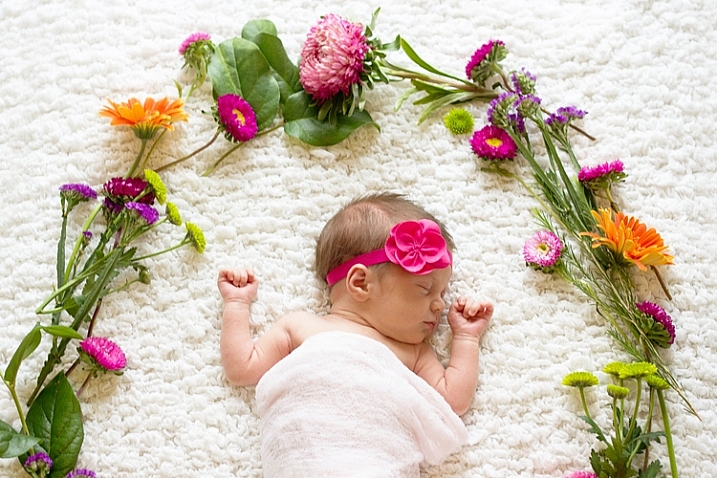
Recently, I tried to take a baby outdoors on several occasions, and each time she woke up crying before I could get even a single shot. So with permission, I cut a few flowers and brought them inside, and photographed the baby inside with the flowers instead (see photo above). Just be flexible. If you can’t bring the newborn outside, consider ways to bring the outdoors in.

2. Have someone hold them

newborn-session-outdoors

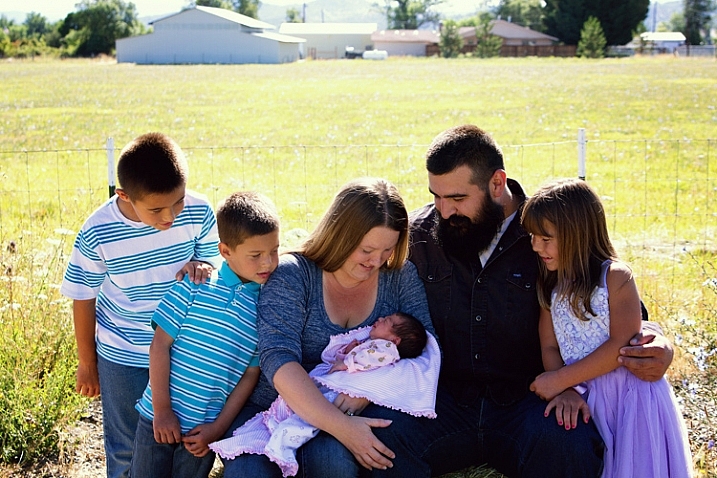
If you primarily shoot on location, you’ll find that not all families have a great space for family portraits indoors. Sometimes the physical shape or size of the room isn’t particularly conducive to a group portrait, or the decor doesn’t quite match the desired aesthetic. Sometimes families just have beautiful outdoor spaces that I love to showcase.

Regardless of the scenario, I often find myself asking mom or dad to hold the baby during a few family portraits outdoors. Particularly if the family has expressed an interest in “lifestyle” or “candid” images, as nature can tend to feel less stuffy and conservative than an indoor studio setup.

outdoor-newborn-session

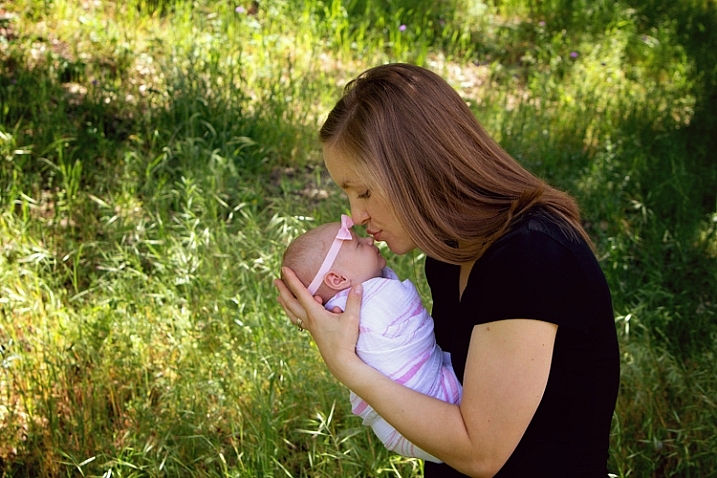
Even if you experience a baby that won’t settle outdoors in a basket or bowl, keep in mind that being held in mom or dad’s arms may be an entirely different story. Sometimes babies just want to be held. Don’t be afraid to experiment with both scenarios until you discover what works best for each individual baby and family.

3. Shade them appropriately

outdoor-newborn

Whether you’re placing a baby in some vessel or having a parent hold them outdoors, it is really important to make sure that they’re shaded appropriately. Both newborns and older babies have very sensitive skin, and the last thing you want is for them to get a sunburn for the sake of some photos (it’s also better light for portraits). If you’re not able to find shade naturally available, some alternative options are a large umbrella (patio or beach umbrellas work well), or even a reflector held directly overhead.

When dealing with dappled light through trees, I sometimes position mom or dad strategically just out of frame so that they block any light that may fall on baby’s face or body.

4. Try to contain walkers and crawlers

photograph-babies-outdoors

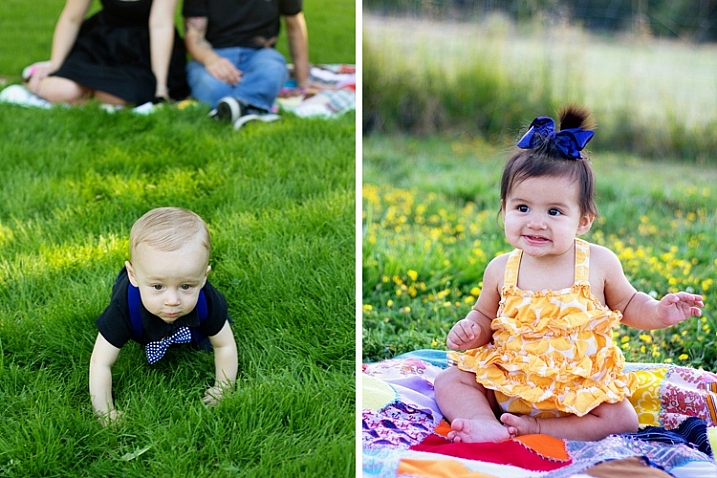
When it comes to photographing older babies outdoors, there’s a sweet spot between sitting babies and crawling babies when outdoor photography is easiest. That said, you won’t always be working with the ideal developmental stage because all babies hit those stages at different ages. So, it’s best to be prepared with a few tricks up your sleeve to make photographing walkers and crawlers a little bit easier.

photograph-babies-outside-3

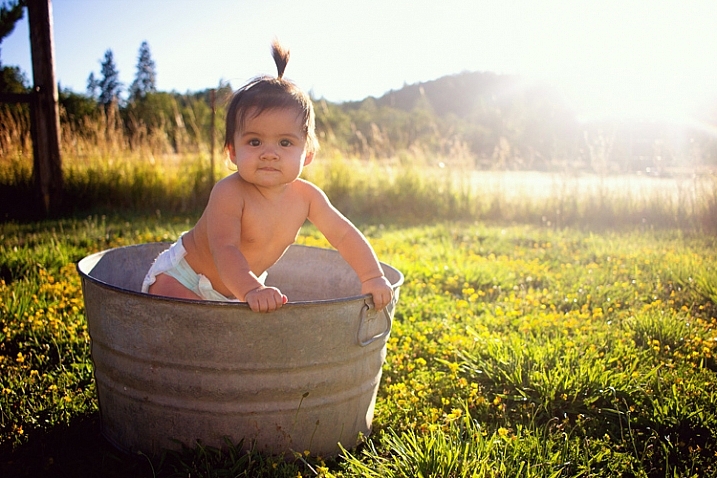
I usually start by laying a quilt or blanket down on the ground. Some babies will not crawl off the blanket because they hate how the grass feels on their bare hands and feet. This is typically not a solution that lasts for the duration of the session without causing frustration, but can sometimes buy you a few stationary minutes. Other than the blanket trick, I have used galvanized wash tubs, old crates, toddler sized chairs, and wagons, to help contain older babies outdoors.

When using any of these props, please be safe. Use a spotter if necessary to prevent tumbles, and don’t be afraid to use composite images (combine two shots) if needed so that someone can have a hand on the baby at all times.

5. If you can’t contain them, entertain them

photograph-babies-outside

If sitters, walkers, and crawlers aren’t happy being contained, your next best bet is to just roll with it. Don’t push things, or you’ll likely to end up with a baby in tears, and nobody wants that at a photo session.

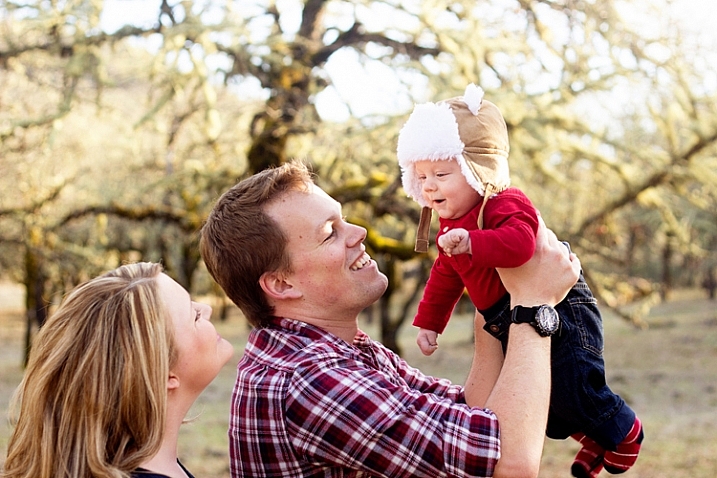
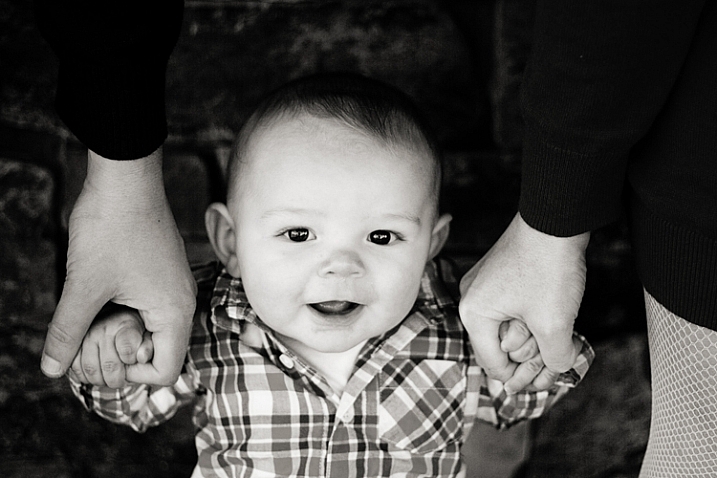
At the first signs of frustration, transition to games or activities that will entertain the baby, then keep taking pictures. Many babies and early walkers love to hold hands and stand or walk, so let them. Have mom or dad pick up the baby overhead and play airplane. Play a game of chase. You’ll be surprised at the opportunities for candid images of the family having fun together, as well as the number of opportunities for images that have a portrait feel to them as well.

photograph-babies-outdoors-

Do you have any other tips for photographing newborns or young babies outdoors? If so, please chime in the comments below.

googletag.cmd.push(function() {
tablet_slots.push( googletag.defineSlot( “/1005424/_dPSv4_tab-all-article-bottom_(300×250)”, [300, 250], “pb-ad-78623” ).addService( googletag.pubads() ) ); } );

googletag.cmd.push(function() {
mobile_slots.push( googletag.defineSlot( “/1005424/_dPSv4_mob-all-article-bottom_(300×250)”, [300, 250], “pb-ad-78158” ).addService( googletag.pubads() ) ); } );

The post 5 Easy Tips for Photographing Babies Outdoors by Meredith Clark appeared first on Digital Photography School.


Digital Photography School
 
Comments Off on 5 Easy Tips for Photographing Babies Outdoors

Posted in Photography


Working with what you’ve got: Bambi Cantrell on photographing brides, babies and more

21 Feb
 

Bambi Cantrell is a 30-year veteran of the photography industry specializing in portraiture and wedding photography. In this presentation from PIX 2015, she translates lessons learned over her career into real photographic results, whether her client is a bride, a couple or a young family. As Cantrell’s tastes and photography have evolved over the years, she encourages others to embrace change. ‘Lay a strong foundation on concepts,’ she says. ‘Don’t put blinders on…. You can adapt as you decide to change and get older.’

Keep it simple.
‘Give me a wall, a window and a reflector, and I’m home free,’ says Bambi Cantrell, ‘Don’t feel like you have to have every single tool that’s made to get good pictures.’

Do what you can with what you’ve got.
‘I love tungsten lighting as well,’ Cantrell says. ‘Use existing light sources to create beautiful images. It’s not that the planets line up perfectly for [pro photographers] and not someone else. It’s how can I take the best possible picture with what I’ve got in front of me right now.’

A great expression can be perfection.

‘She’s just laying across the bed in her home, holding her newborn baby,’ Cantrell says. ‘It’s about who you’re photographing. What is this person like?’

Articles: Digital Photography Review (dpreview.com)

 
Comments Off on Working with what you’ve got: Bambi Cantrell on photographing brides, babies and more

Posted in Uncategorized


How to Photograph Babies from a Week Old to Sitting up

24 Mar

There is a huge trend among baby photographers to do all of those awesome shots of babies all curled up and almost “in the womb” looking. I LOVE those shots, but they have very definite parameters, meaning that you have to catch the baby while she is still curly; so 3 to 7, or sometimes, at the very oldest, 12 Continue Reading

The post How to Photograph Babies from a Week Old to Sitting up appeared first on Photodoto.


Photodoto

 
Comments Off on How to Photograph Babies from a Week Old to Sitting up

Posted in Photography


Royal photographer shares tips on photographing babies, #royalbaby etc…

23 Jul

AES-WILLIAM-BABY-.jpg

As Prince William and the Duchess of Cambridge celebrate the birth of a baby son (OMG! #shinynewprince), official Royal photographer for The Sun (that’s the British tabloid newspaper) has shared some tips for photographing babies. Arthur Edwards knows what he’s talking about, having photographed the proud father, William, when he was an infant. Click through for some of Edwards’ top tips for photographing babies – assuming of course that you’re not utterly bored of the whole thing by now. 

News: Digital Photography Review (dpreview.com)

 
Comments Off on Royal photographer shares tips on photographing babies, #royalbaby etc…

Posted in Uncategorized


SKATERS SAVE TWO BABIES FROM LOCKED CAR

28 Nov

Kids locked in a dangerously hot car were saved by a group of skaters and some good samaritans. The parents locked there keys in the car and left there two 1-2 year olds in the car alone. Filmed at Crossroads Park in Bellevue Washington. Skaters- 1. Kenta 2. Julian Castaneda 3. Hunter Krech 4. Nick Lukens 5. Ken Maddy Filmers- 1. Nick Lukens 2. Hunter Krech Thanks too everyone that acted quick enough to save the babies.
Video Rating: 4 / 5

Music video by Royal Stell performing StelldaDick (PromoVideo). (C) 2012 Unbeatable Records mixtape “StelldaDick NO.1” download it now: bit.ly www.reverbnation.com Directed by Kryštof Šašek www.facebook.com
Video Rating: 4 / 5

 
Comments Off on SKATERS SAVE TWO BABIES FROM LOCKED CAR

Posted in Nikon Videos