The post The 17 Best Photo-Editing Apps (in 2021) appeared first on Digital Photography School. It was authored by Ana Mireles.
Are you looking for the best photo-editing apps available in 2021? You’ve come to the right place.
In this article, I’m going to share my 17 favorite editing apps – including apps for general editing, apps for fun and filters, and apps for specialized editing.
So whether you’re a dedicated smartphone photographer or just looking to find some powerful ways to edit on the go, this list contains the perfect app for your needs.
Let’s get started.
The best photo-editing apps for general editing
In this section, you’ll discover the best photo-editing apps for general adjustments. With the apps on this list, you can adjust exposure, enhance colors, crop, sharpen, and more.
1. Snapseed
Cost: Free
Availability: iOS and Android
Snapseed is one of the most popular photo-editing apps on the market – and for good reason. It’s very intuitive and easy to use, which makes it great for beginners. At the same time, Snapseed offers a lot of control for more skilled users.
You don’t need to pay any fees for using Snapseed, nor are there in-app upgrades; it’s completely free. So if you’re after a beginner-friendly photo editor that can do pretty much anything, Snapseed is a great choice.
2. Lightroom
Cost: Limited version for free. Full version available with an Adobe subscription (from $ 9.99).
Availability: iOS and Android
The free version of Lightroom Mobile lets you do most basic editing tasks. You can also access and create presets.
However, if you decide to upgrade, you’ll gain access to a healing brush, selective adjustments, geometry tools, and RAW editing. You can also use the camera from the app to shoot RAW images.
If you want to use Lightroom Mobile to speed up your workflow, check out this article.
3. Photoshop Express
Cost: Free
Availability: iOS and Android
Adobe Photoshop is the industry standard for photo editing. Its mobile version is divided into three smaller and specialized apps; the basic editor is Photoshop Express.
Photoshop Express offers one-touch solutions such as an auto-fix option and filters. It also allows you to edit and retouch with total control. And it’s packed with many fun features such as stickers and collages.
You can crop to most platform’s formats and share directly from the app. While you don’t need an Adobe subscription to use Photoshop Express, you will need a free account.
4. Pixlr
Cost: Limited version for free
Availability: iOS and Android
Pixlr is a well-rounded editing app, offering all the post-processing essentials plus tons of presets and features to unleash your creativity.
There’s no need to create an account and you can download Pixlr for free, though you’ll be offered in-app purchases for overlays and stickers.
Pixlr also offers two great browser versions that you can use for free – or you can get a subscription for full access to both browser versions and other useful assets.
Best photo-editing apps for fun and filters
In this section, I’ll share the best photo-editing apps for filters and effects.
(In most cases, these apps also include a camera and some basic adjustments tools.)
5. VSCO
Cost: Free limited version. $ 19.99/year for the full version.
Availability: iOS and Android
VSCO works as a general photo editor, but it belongs in the fun and filter category thanks to its artsy, social-media-focused features.
To use VSCO, you will need to create a (free) account. After that, you can continue to use VSCO for free, but most of the filters are sold separately.
Alternatively, you can grab a yearly subscription for $ 19.99 that includes 200 filters (and you have a 7-day trial to make sure it’s worth it).
Your creations can then be shared with the community, which is like- and comments-free. In other words, the VSCO community is more about the quality of the work. You can also share VSCO creations directly from the app to other social networks such as Instagram or Snapchat.
6. Prisma Photo Editor
Cost: Free limited version or free 3-day trial. Full version is $ 29.99/year.
Availability: iOS and Android
Prisma is designed for art lovers. It’s more than just filters; Prisma uses artificial intelligence to turn your photos into artworks inspired by the greatest artists in history. And unlike other apps, Prisma adds new filters every day.
General editing is also possible (as it is with most filter apps). Though I do miss the rotation tool to correct the horizon if needed.
7. PicsArt Photo Editor
Cost: 7-day free trial, then $ 34.99/year.
Availability: iOS and Android
PicsArt Photo Editor is one of the most versatile editing apps on the market. You have a powerful in-app camera, plus tools and presets to no end. You can do anything with PicsArt, from professional applications like time-lapse photography to fun stickers and drawing.
PicsArt Photo Editor also has social media integration, as well as thematic contests that will spark your creativity.
8. A Color Story
Cost: Free
Availability: iOS and Android
A Color Story is the perfect app to manage your Instagram account. You can do some basic editing and apply filters to your images and videos.
New filter collections based on current trends are added often, although most do need to be purchased separately.
You can even plan your Instagram feed with the Grid feature. In fact, you can use this just to see how the feed looks after each picture you add, or you can connect it to your Instagram account for scheduling posts. That’s why A Color Story is great for maintaining a unified Instagram feed – whether you are a photographer, influencer, or community manager.
9. Afterlight Photo Editor
Cost: Free
Availability: iOS and Android
Afterlight boasts 59 filters, 66 textures, and 77 frames for you to transform your images in a single click. Some of these tools are offered for a small fee, but there is also a wide variety of free, high-quality effects to choose from.
Afterlight can also handle basic editing tasks; the app has 15 tools to make most of the adjustments you’ll need.
The Crop tool is also quite versatile; it allows you to straighten, flip, and crop freehand and to many standard ratios.
10. Photo Lab Picture Editor
Cost: 3-day free trial, then $ 9.99/year or $ 4.99/month.
Availability: iOS and Android
Photo Lab is full of filters and effects; you can have fun or do some professional-looking work. You can even turn your photos into cartoons, and you can swap faces and make collages.
Photo Lab is an app designed to give free rein to your creativity. It’s also a social app with a big community of followers that’ll help you stay inspired.
Best apps for specialized editing
If you’re looking for the best photo-editing apps with dedicated features, this is the list for you:
11. Foodie
Cost: Free
Availability: iOS and Android
Although it has all the standard photo-editing tools, Foodie is designed primarily for food photography.
You can use Foodie’s in-app camera to take pictures (and you’ll get a live view of your selected filter). There are plenty of food filter series, including Fresh, BBQ, Yum, and more.
Once you’ve chosen a filter, you can compose your image using the smart grid. For flat lays, you’ll get a yellow band across the edges of the screen when the camera is perfectly level.
Foodie is only missing one key editing feature, but it’s a big one: a crop tool. You’ll either need to compose well from the beginning or have another photo editor on hand to deal with any cropping.
12. Photoshop Fix
Cost: Free
Availability: iOS and Android
This mobile version of Photoshop boasts Photoshop CC’s most popular portrait retouching tools. You get the main tools for basic retouching such as exposure, contrast, etc. And Photoshop Fix also offers a separate Light tool, which allows you to selectively adjust highlights and shadows.
But the real power is in the Liquify tool. With it, you can smooth the skin and even adjust expressions to make your subjects smile.
Photoshop Fix is free, but you will need to create an Adobe account.
13. SKRWT
Cost: $ 1.99
Availability: iOS and Android
If you like photographing architecture, real estate, or urban scenes, then you’re going to love SKRWT.
It’s a dedicated distortion-correction app, plus it has a powerful auto-cropping feature to ensure you get the best results.
And it corrects lens distortion regardless of whether the image was taken with an interchangeable lens camera, a GoPro, or your smartphone.
14. TouchRetouch
Cost: $ 2
Availability: iOS and Android
Removing unwanted objects from a photo is something we all have to deal with, no matter the genre of photography.
With TouchRetouch, you can use brush and lasso tools to select an object for removal. And if you’re removing a line (e.g., telephone wires in the background), you just need to tap; it will automatically be selected and removed.
TouchRetouch also has a clone tool, plus a feature called Quick Fix to remove blemishes. Many apps offer some kind of healing brush, but as a specialized app, TouchRetouch will get you the best results.
15. Photoshop Mix
Cost: Free
Availability: iOS and Android
If you aren’t a fan of other mobile versions of Photoshop, then you should try out Photoshop Mix.
You can work with layers to create cut-outs and photo composites. You can also work with texture overlays thanks to Photoshop Mix’s different blending modes.
As with the other Adobe apps on this list, you’ll need to create a (free) account to use Photoshop Mix, but you don’t need a subscription.
16. Motionleap (formerly Pixaloop)
Cost: Free limited version, or one of three paid choices: $ 3.50/month, $ 18/year, or a one-time purchase of $ 55.
Availability: iOS and Android
Have you seen pictures where everything is motionless – except for the water running or the coffee steam coming out of a cup? Well, Motionleap lets you create that effect with just a few taps and swipes.
You can also add filters, do some basic adjustments, and apply overlays. Keep in mind that the free version won’t let you export your projects and you won’t have all the tools available, so it’s worth considering a paid subscription.
17. Canva
Cost: Free
Availability: iOS and Android
If you use your photography for marketing purposes, then Canva is the app for you. It offers enough graphic design templates to fit your every need.
From creating an eye-catching Facebook post to designing an entire menu, Canva is intuitive and easy to use.
Many templates are free, though others must be purchased separately. Canva also has a browser version so you can access your projects on your computer, too.
Best photo-editing apps: final words
Well, that’s it:
The best photo-editing apps available in 2021! So start downloading your favorites.
And remember that you don’t need to pick just one; you can use two apps, three apps, or more to improve your editing workflow.
Do you like any other photo-editingapps? Are there apps that should be added to this list? Share your thoughts in the comments below!
FAQ
Are paid photo-editing apps better than free photo-editing apps?
No, there are excellent free choices such as Snapseed and Photoshop Express.
Should I have more than one editing app?
That depends on your needs. In my experience, it is useful to have different apps for different tasks.
What if I like smartphone photography but prefer to edit on my computer?
If you don’t like editing on your phone, you need to use an app that allows you to easily transfer pictures between your phone and your computer. You can use Lightroom for this (with an Adobe subscription). Another choice is to use a cloud service such as Dropbox.
What is the best photo-editing app?
I don’t think there’s one app that tops all the others; I think it’s about which one is best for you. That will depend on your phone, your budget, and your editing needs – plus your personal preference.
The post The 17 Best Photo-Editing Apps (in 2021) appeared first on Digital Photography School. It was authored by Ana Mireles.
The post The Best Online Photo Storage Platforms in 2021 Compared appeared first on Digital Photography School. It was authored by Simon Ringsmuth.
Of all the options for managing our digital images, which one offers the best online photo storage?
With dozens of services to explore, it can be difficult to find the right storage for your needs. Some prioritize features, while others compete based on price. Some services are basic but easy to use, and others are highly customizable but intimidating to set up.
The trick is to find the service that works right for you!
And that’s what this article is all about:
Exploring the current photo storage options to find one the one that best meets your needs.
Let’s get started.
Online photo storage: a brief overview
Not long ago, cloud-based storage was slow, expensive, and out of reach for most users. People kept their digital photos in folders on their computers, and images weren’t widely shared like they are today.
But now people take more photos than ever, and all those images can quickly fill up a phone, memory card, or hard drive.
Fortunately, online photo storage solves this problem – by giving people a way to store photos remotely and access them at any time from any device.
In 2013, Flickr rocked the photography world by offering one terabyte of free storage, and in 2015, Google fired back by offering unlimited photo storage.
Sadly, these deals didn’t last; in 2018 Flickr slashed the storage limit for free accounts to 1000 photos, and in June of 2021 Google will limit users to 15 GB of storage for their entire account: photos, movies, documents, and everything else.
Flickr’s redesign in 2013 gave every user one free terabyte of storage. It seemed too good to be true. Turns out it was!
While the halcyon days of near-infinite online photo storage might be over, that doesn’t mean there aren’t options.
In fact, you now have more storage solutions than ever, but they have a few caveats and tradeoffs that didn’t exist before. Pricing has finally caught up with demand, and most online photo storage sites now have a limited free tier along with paid options.
One immutable fact we have learned over the last two decades of digital photography is that the old adage rings true: There’s no such thing as a free lunch. Or in this case, free online photo storage. Some sites have free tiers, but all are limited in important ways.
So if you want the best online photo storage, you’re going to have to pay for it.
Not much, mind you – generally only a few dollars each month. Just know you can’t get something for nothing, especially when it comes to storing your photos in the cloud.
Will you use online photo storage for backup or sharing with others? The answer could affect your choices dramatically.
The best online photo storage in 2021: Flickr
Flickr has been in the online photo storage business longer than almost any other site. That doesn’t mean it automatically earns a place at the top of my list, since longevity does not equal quality when it comes to internet ventures.
But in the case of Flickr, it is a huge advantage, since the site carries a rich legacy that photographers have enjoyed for years. Its interface is specifically designed around sharing photos, which is a pleasant change from social media sites that seem to be more interested in advertising than photography.
Flickr’s main interface is the Photostream, or a scrollable list of the most recent pictures you have uploaded.
The Flickr Photostream is a public showcase for your most recent images.
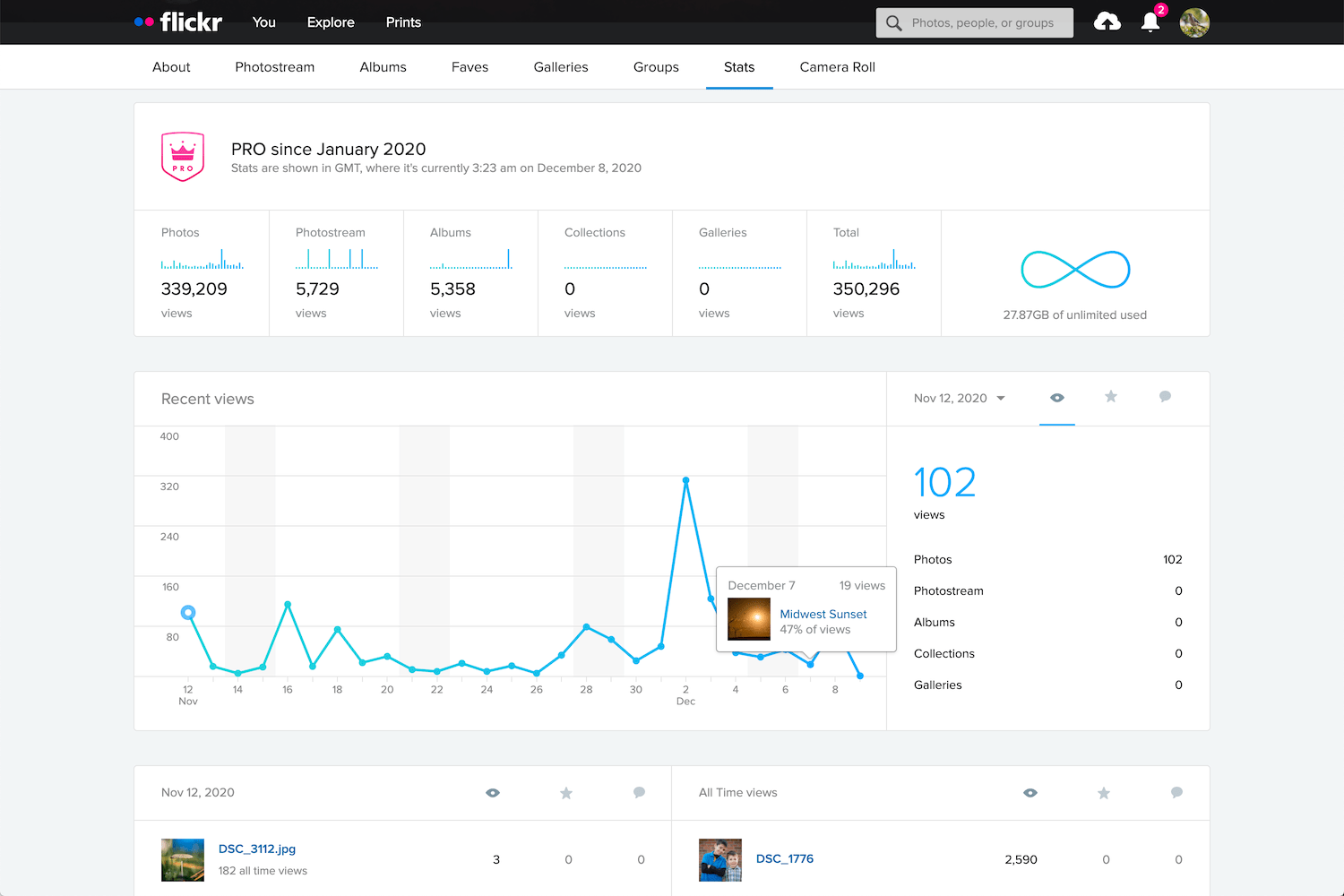
You can create Albums and Galleries, and mark photos as viewable for the public as well as friends or family members. Pro members get detailed statistics on how often their photos are viewed, favorited, and commented on. The mobile app automatically uploads all recent photos and videos. Images can be categorized with keywords, added to groups, and licensed with several types of Creative Commons.
Flickr shows complete EXIF data for photos, which is an invaluable tool that helps photographers learn more about how a given image was taken. Images can be embedded or downloaded (if the photographer allows), and prints can be purchased directly on the site.
Flickr also has over two million groups – online communities organized around specific topics where users engage in discussions about photos and share information and advice.
Flickr Pro users have access to advanced statistics and data for their images.
While the 1000 photo limit for free users seems positively anemic in the age of smartphones (when average users could easily reach that in a month or two), it does strike a good balance between end-user practicality and long-term business sustainability.
Also, the mobile app for Flickr can automatically upload pictures from your phone (though its interface is a bit simplistic compared to some other options).
Free Version: 1000 photo limit, ad-supported, no statistics for photos.
Paid Version: $ 59.99/year, unlimited photo/video uploads, no ads, advanced statistics, desktop app for automatic photo backup.
Pros: Easy to use for casual photographers. Rich set of tools for power users. No ads or storage quotas for Pro members. Photos are uploaded at full resolution with no compression.
Cons: Some interface elements are very outdated. RAW files are not supported, which limits Flickr’s appeal for professional photographers.
2nd place: Google Photos
Born from the ashes of the Google+ social media site in 2015, Google Photos quickly became the most popular photo-sharing site in the world thanks to its free, unlimited photo storage.
For five years, Google Photos reigned supreme as the go-to place for over a billion users to upload their images. Unfortunately, starting in mid-2021, a 15 GB limit will be imposed on new files added to free accounts.
But just because Google will start charging users who exceed 15 GB of storage doesn’t mean it is no longer a great option for people looking for online photo storage.
Google Photos is a great option for mobile users who want easy, intuitive photo storage, organization, and sharing.
Unlike Flickr, Google Photos is built for mobile. The Google Photos app uploads your images automatically, where they are sorted, tagged, and automatically analyzed by Google’s AI-driven software. Some users find this to be a bit invasive, but Google has said that this data remains private and is not used for advertising. The app also contains a surprisingly in-depth photo editor that also uses AI to enhance your images and suggest edits.
Google Photos has powerful built-in sharing features that let you set up shared albums and galleries and allow multiple people to contribute to a single album. This works great for parties or events where everyone is taking photos; the files can be instantly shared among attendees.
Photo albums can be shared publicly, or they can be shared privately with anyone who has a Google account.
AI software also recognizes people and uses geotagging for places, and this can help with sorting through your images. These algorithms also find objects in your photos, so you can search for words like “pumpkin” or “fireworks” and the app will display relevant images, all without you doing any extra work to add tags.
For privacy hawks, this might be a little too intrusive, as there’s no telling exactly what Google is doing with all this information in your photos. And there’s no way to adjust or customize the AI scanning and analyzing of your images. However, you do get to control who sees your images, and all photos are private by default.
Instead of offering a quantity limit, Google Photos restricts the free option to 15 GB. That might seem like a lot, but the 15 GB is for your entire Google account, not just your photos. If you have large files or other data already taking up lots of space in your Google account, there won’t be much left for your photos.
Free Version: No limits on functionality, but storage is limited to 15 GB.
Paid Version: $ 19.99/year for 100 GB. $ 29.99/year for 200 GB. $ 99.99/year for 1 TB. Same features as the free version, but storage is increased.
Pros: Excellent mobile interface. AI algorithms help with tagging and organizing. Sharing albums is easy since most people have Google accounts.
Cons: Some privacy concerns related to how Google uses your data. Storage that you pay for includes all your documents and files, not just photos.
3rd place: Apple iCloud Photos
Apple iCloud Photos is the de facto standard for iPhone and Mac users and with good reason. It’s designed to be extremely easy to use and integrates deeply with the Apple software and hardware ecosystem.
All photos you take with your iPhone are automatically uploaded to your iCloud account, where they can be synced with other devices such as iPhones, iPads, and Macintosh computers. The iOS Photos app has a rich set of editing options, and all edits are automatically synced across devices, as well. Images can be edited with the Photos app on a Mac, and edits are synced instantly.
iCloud Photos is excellent for Apple users, though the free 5 GB of storage is very limiting.
Apple has steadily been improving iCloud Photos over the years with on-device machine learning, which ensures your photo information is not sent to the Cloud or mined for advertising or other purposes.
You can search for people, places, and objects without doing any extra work; on-device software analyzes your photos, organizes them into groups of related images (i.e., vacations, holidays, etc.), and even attempts to pick out favorite moments and memories. None of this information is done in the cloud, which makes iCloud Photos a little more attractive for people who value privacy at the expense of some functionality.
One of my favorite iCloud Photos features is its ability to back up all the images and videos on your mobile device and retrieve them instantly. This is great for people whose phones are constantly low on storage space. Small thumbnails of all your photos are left on the device, while the full-size originals are safely stored in the cloud. Tapping a photo will download the original file on the fly, so you can take thousands of pictures without using up all the space on your phone.
All your mobile phone pictures are automatically uploaded to iCloud Photos. They can be synced with other Apple devices or shared publicly.
Unfortunately, iCloud Photos stumbles with the social and sharing functions. Flickr and Google Photos have easy options for sharing images and albums with others, making some photos public, and letting people leave comments or even their own tags. Some of this is possible with iCloud Photos, but it’s not as easy or seamless as other platforms.
Also, while Google Photos and Flickr work on both iOS and Android devices, iCloud Photos is specifically designed to work with Apple hardware and software. This is a dealbreaker for anyone who prefers to use non-Apple products.
Free Version: No limits on functionality, but storage is limited to 5 GB.
Paid version: $ 12/year for 50 GB, $ 35/year for 200 GB, $ 120/year for 2 TB.
Pros: Incredible suite of editing tools in the Photos app. Integrates seamlessly with Apple devices. Private and secure, with no advertising or data mining.
Cons: Limited to Apple devices. Sharing and social elements like commenting are not as easy as other platforms.
Honorable mentions
Flickr, Google Photos, and iCloud Photos are great options for online cloud photo storage, but you might have other requirements or workflows that are better suited to other platforms.
Thankfully, there are a host of other companies to consider. So if none of the above options meet your needs, here are a few excellent alternatives:
SmugMug
SmugMug has a suite of features and tools that make it great for professionals, but even casual photographers will find a lot to like.
SmugMug is designed for professionals who need a way to showcase their images and create galleries for clients, but it has a good option for casual users, too.
The Basic plan has everything most non-professionals could want, including unlimited uploads, solid organizational tools, options for sharing, and even a front-facing website. The latter is somewhat unique among online photo storage tools and makes SmugMug one of the best options for people who want a web presence along with storage.
SmugMug’s features are about what you’d expect. You can upload images from your phone or computer, and people can follow you to see your public photos.
You do have some options for sharing photos with SmugMug, but not nearly the same as Flickr or Google Photos. There isn’t the same level of community and engagement as on other sites, but if you want a simple method for storing your photos, SmugMug might be worth a look.
SmugMug lets anyone create a website to showcase their best work.
If you’re a working professional who needs control over how your photos are presented, as well as methods for selling your images to clients, SmugMug is definitely worth considering.
Paid version: $ 55/year for unlimited uploads. $ 85/year, $ 200/year, and $ 360/year options for professionals, which include advanced organization options and client tools.
Pros: Unlimited photo uploads. Price includes a website for showcasing your best work, plus a high degree of control over organizing your images.
Cons: No free option with limited functionality (but you can get a 14-day trial).
500px
Like SmugMug, 500px is generally geared towards professionals and more serious artists, but it is worth considering for people who want a solid option for online cloud photo storage. It offers a limited, ad-supported free tier, but the basic paid plan is priced similar to other sites.
What separates 500px from other options on this list is its communal focus. It’s a great option if you want to get exposure and build engagement with a community.
500px is more geared towards building a photography community, and it gives users a chance to build a brand and grow their following.
In some ways, 500px is better compared with Instagram than Flickr or Google Photos. You can quickly gain a following and view statistics on which of your photos lead to the greatest audience engagement.
If you are tired of the endless advertising and data mining on social network sites, then 500px might be worth a look, but its walled-garden nature somewhat limits its appeal. That can be a good thing, as it leads to more considered, curated content – but ultimately, 500px doesn’t have the same level of broad appeal as other sites.
500px has Quests to help members grow their skills and educational resources offered for free or at a discount.
Free version: 7 uploads per week, ad-supported, with limited access to some of the more powerful features like statistics and liked photos.
Paid Version: $ 48/year for unlimited uploads, data on how your photos perform among the 500px community, and tools to organize, share, and promote your images. $ 72/year for professionals who want a powerful platform with tools for creating a website, gaining clients, and finding jobs.
Pros: Unlimited photo uploads and access to a vibrant community of artists sharing quality work. Tools to organize and share images with the community and others.
Cons: Free option is extremely limited.
Adobe Creative Cloud
If you pay for a $ 9.99/month Adobe Creative Cloud plan, you already have pretty awesome online photo storage built into your subscription. Whether you have the cloud-focused Lightroom plan or the desktop-centric Photography Plan, you can create online galleries and share them with specific people, or make them publicly viewable for anyone who has the link.
You can upload photo galleries to the cloud even if you just use Lightroom Classic. This is extremely useful for sharing images publicly, privately, or with clients. (Note: The uploads are not full-resolution originals.)
Best of all, if you use Lightroom Classic, these online galleries don’t even count against your storage quota. When you create a public gallery, Lightroom uploads Smart Previews of your images to the cloud. These aren’t full-size, high-resolution images, but they’re great for just sharing pictures with friends and family.
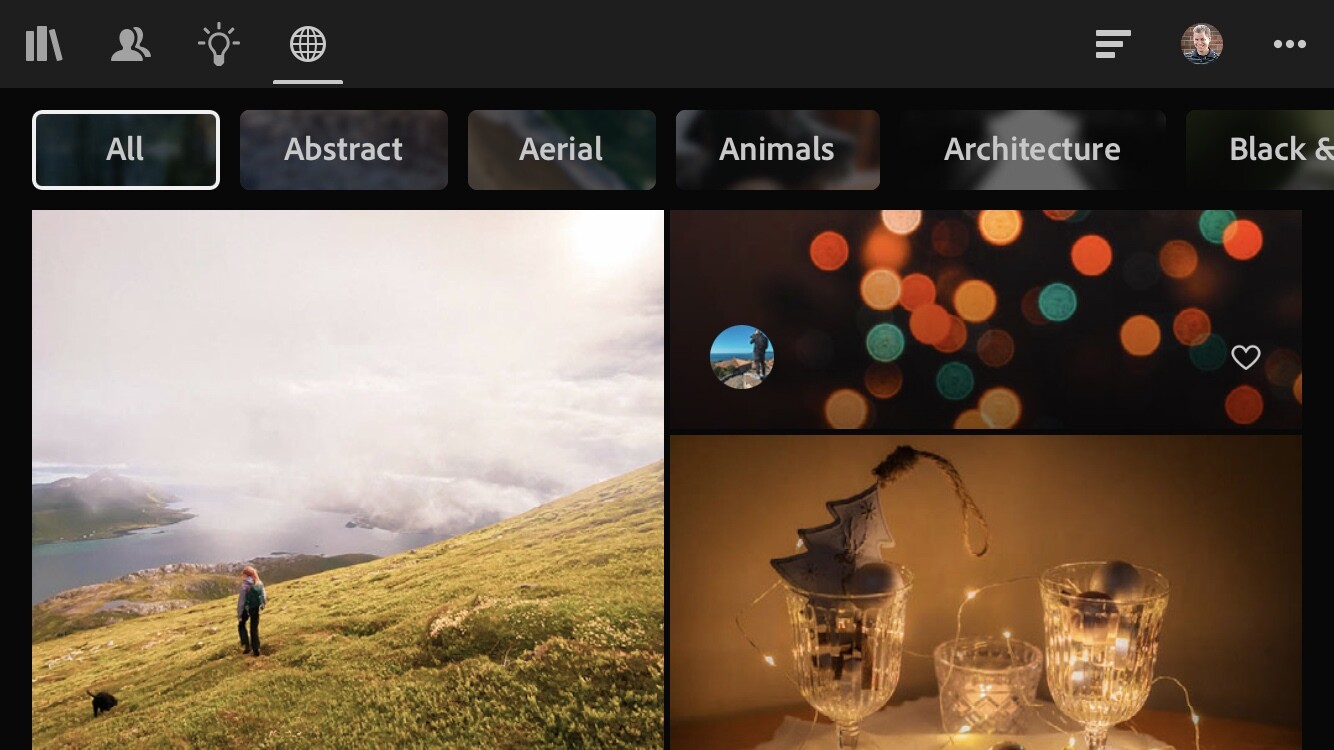
You can also use the Discover feature in Lightroom Mobile to join a community of photographers in order to showcase your work and engage with an audience.
Adobe has been building a photography community similar to Instagram and 500px through their Discover tool (which is built into Lightroom Mobile).
While Adobe Creative Cloud isn’t as full-featured as Flickr, Google Photos, or others on this list, it’s definitely worth investigating if you already have an Adobe subscription and don’t want to pay more for an online photo storage site.
Paid Version: $ 9.99/month for 1 TB cloud storage or 20 GB cloud storage. Creating online galleries to share does not count against your cloud storage.
Pros: Included as part of the Adobe Lightroom or Photography plans. Unlimited images with no storage quota. A decent level of control over how your images are shown in online galleries.
Cons: Images you upload to online galleries are smaller-size previews of your images. Not as full-featured as other photography sites. No built-in support for sharing videos or allowing your photos to be purchased.
Amazon Prime Photos
If you’re one of the millions of people who pay for Amazon Prime, you already have access to Amazon Photos at no additional charge. This service allows you to upload an unlimited number of images (including RAW files) from desktop or mobile. You can organize your photos with Albums, buy prints, and share images with other people in just a few clicks.
If you pay for Amazon Prime, you also have access to Amazon Photos, which allows for unlimited photo uploads to the cloud.
The Amazon Photos app lets you back up all the images on your phone to save space. However, accessing them afterward involves using the same Amazon Photos app instead of the native Photos app on your device. You can also use the desktop app to automatically upload all the pictures on your computer to your Amazon Photos account.
All these features make Amazon Photos great for online storage, but there are a few glaring issues that hold it back from being a true competitor to the others on this list. For one, there are no social networking features and viewers can’t leave comments on your images. The desktop app is kind of clunky, and all your uploaded images are organized solely by the folder they happen to be in on your computer.
The user interface for Amazon Prime Photos is pretty basic, but it gets the job done. You can create albums, share images, and order prints.
Amazon Photos also does auto-tagging by default, but you can turn this off if you prefer to keep Amazon’s artificial intelligence algorithms out of your images. This feature looks for easily-recognizable objects and also analyzes people using facial recognition algorithms, which is similar to a feature that Google offers. Some people find these extremely useful, but your mileage may vary.
If all you want is a simple way to back up your images, then Amazon Prime Photos is a great choice. If you are looking for robust organizing tools, options for sharing your images, and a full-featured image browsing experience, it’s best to look elsewhere.
Paid Version: Included with a $ 119/year Amazon Prime account. No limit for photo uploads; a 5 GB upload limit for videos.
Pros: Great for backing up your images. No extra charge for Amazon Prime members.
Cons: No social features. Web interface is unrefined and desktop uploading app is clunky with occasional bugs.
Dropbox
In the search for the best online photo storage platforms, Dropbox might not be the first option that comes to mind.
While it’s not exactly designed with photos in mind, if you want a solid option for storing, backing up, and even sharing your images, Dropbox is a great choice.
Now, there’s nothing in the way of social features and the web-based user interface is fairly utilitarian, so keep your expectations in check. But it’s one of the best services around for easily transferring and managing huge amounts of data, including images.
Dropbox is made for online file storage and not specifically geared toward photographers, but it’s definitely an option to consider if you have a vast library of photos that you want to keep safe and secure.
Designed first and foremost as a cloud-based storage platform, Dropbox works great, not just for storing photos, but also for syncing them across multiple devices. If you want to back up your photo library to the cloud and mirror it to another computer, Dropbox just might be the solution you are looking for.
DropBox’s free version is positively anemic with only 2 GB of storage, but the paid version is outstanding – if a little on the pricey side.
Photos can be shared publicly, and other Dropbox users can leave comments next to an image or by clicking directly on a specific portion of an image.
One of my favorite features of Dropbox is the ability to instantly share a file or folder with anyone via a public link. Navigate to a file or folder on your computer that is synced with Dropbox, right-click on it, and get a link you can copy and paste into an email, text message, or social media account. Anyone with the link can view the file or the contents of the folder, and of all the photo services on this list, Dropbox handles this simple task easier than the rest.
The mobile app can automatically upload your images to Dropbox and includes a host of other features for managing all your cloud-based files.
Free Version: 2 GB storage, limited to 3 synced devices.
Pros: Rock-solid cloud storage with outstanding backup and syncing features. Easy to share photos with a public link. Images can be easily downloaded from the public link.
Cons: Designed more for file storage and backup than sharing photos. No social networking features. 2 TB storage is generous, but the price is expensive.
Microsoft OneDrive
We’re a little off the beaten path here, since OneDrive isn’t exactly known as the world’s greatest online photo storage platform.
However, it’s a service many people already pay for in order to use Microsoft programs such as Word, Excel, and PowerPoint. And since 1 TB of storage is included in a personal or family OneDrive plan, it’s something to consider if you want a simple way to back up your photos.
Microsoft includes 1 TB of OneDrive storage with their cheapest paid plan, which also includes access to Office software such as Word, Excel, and PowerPoint.
OneDrive is similar to Dropbox in that it is designed around file storage and syncing, but it has some useful features for photographers, as well.
You can automatically upload your mobile device pictures directly to OneDrive and share individual images or folders with others. OneDrive syncs across devices, too – though over years of using both platforms, I have found Dropbox to be more reliable and less prone to head-scratching glitches.
Photos in OneDrive can be viewed online and shared with others.
OneDrive won’t blow you away with its photo-centric features, AI-based image organization, or a community of shutterbugs to connect with. But if you already pay for the service, then it’s worth checking out for the features it does offer.
Free Version: 5 GB storage only. No access to Office apps like Word/Excel/PowerPoint.
Paid Version: $ 2/month for 100 GB storage. $ 70/year for 1 TB storage as well as access to Office apps.
Pros: If you already pay for OneDrive, you can use your 1 TB storage for managing photos. Great for backing up your images and sharing with others.
Cons: Designed more for file storage and backup than sharing photos. No social networking features.
iDrive
For photographers who want a simple, robust, and fairly inexpensive solution to backup their photos, it’s hard to beat iDrive. iDrive has a long history of offering cloud-based storage and backup, and this reputation makes it easy to recommend them over other storage providers.
While iDrive is more specifically geared toward backing up your entire computer, that doesn’t mean it has nothing to offer photographers. Quite the opposite, in fact.
iDrive is built for file storage and backup. It’s a good choice if you have a huge photo library, but doesn’t have the same level of features as Dropbox in terms of sharing and commenting.
If you have a massive photo library and care more about making sure your work is safely backed up than sharing your pictures with the world, iDrive is a good option to consider. Their software will securely transfer all your data, or just the files and folders you choose, to their cloud servers. You can sync everything with another computer, access your photos via the web interface, and use the mobile app to automatically upload your camera photos.
Don’t expect image editing tools, a community of photographers, or other advanced features found on photography-centric platforms. But you can share images with others and use iDrive to transfer large batches of photos to clients.
Free Version: 5 GB Storage
Paid Version: $ 70/year for 5 TB storage. Back up one or more computers continuously. Clone an entire hard drive, which is useful for backing up a photo library.
Pros: Great reputation for cloud-based storage and backup. Price is very good for the amount of storage, which is important for photographers with large photo archives.
Cons: Not specifically created for photographers, and options for creating galleries and for sharing images are limited.
pCloud
Like Dropbox and OneDrive, pCloud isn’t known first and foremost for online photo storage. It was created for easy-to-use file storage and syncing, and has a free tier with 10 GB of storage for people who want to try it out without committing to a monthly fee.
What sets pCloud apart is its price: It’s the only cloud storage option on this list that has a one-time fee option instead of monthly or yearly charges. While the one-time fee is expensive, it is far cheaper in the long term if you plan on using the service for years.
pCloud is a great choice for photographers on a budget who don’t want to commit to expensive yearly fees but require solid online photo storage.
pCloud’s options for photographers won’t knock anyone’s socks off, but they do have some pleasing features. The mobile app can upload your images directly to pCloud, and the web-based interface lets you resize your photos to make them smaller. This is useful if you want to share photos while keeping an eye on file sizes and bandwidth usage.
Free Version: 10 GB storage. Includes all pCloud features in the commercial version.
Paid Version: $ 175 one-time fee for 500 GB storage. $ 350 one-time fee for 2 TB. Annual plans also available.
Pros: One-time fee. Uploading via the mobile app. Offers an easy way to resize photos.
Cons: Expensive up-front cost. Not designed for social networking or easy image-sharing.
Synology Photo Station
Synology Photo Station differs from the other options on this list because Synology isn’t really a cloud-based photo storage platform.
With Synology, you essentially build your own cloud storage server, called a NAS (network-attached storage). It’s a physical device you keep at home and can access from anywhere with advanced, highly-customizable software. This might make its inclusion on the list a little confusing, but hear me out.
Synology gives you your own personal cloud storage on a device you own. You can then access your photos and other files from anywhere.
Instead of an external hard drive that you plug into your computer, a NAS is a disk or array of disks that you access over a network. NAS devices are standard in many businesses, and are becoming more popular at home as people realize how flexible and powerful they can be.
In late 2020, Synology released a service called Photo Station. It’s designed for people who want to easily share images with others in online galleries, but need to control the physical media themselves. That way, you can buy a Synology NAS and use it to host photo galleries, share images, and manage all your digital images – without relying on a cloud server you can’t always control.
Introduced near the end of 2020, Synology’s Photo Station tool gives photographers a way to share images and create public albums. It’s a nice perk for those who have already invested in Synology hardware and don’t mind a bit of a learning curve.
Synology Photo Station lets viewers engage with your images by leaving comments and clicking on highlighted areas, so it’s great for sharing images with clients or even the general public. Storage space isn’t a problem, since you can just add more drives to your NAS or swap out the existing disk for a bigger one.
There is a learning curve to set it all up, and if something goes wrong you might find yourself spending more of your own time to fix it than you want. But it’s definitely worth a look for photographers who require the highest level of control over their photos.
Price: Around $ 200 for a basic enclosure, but drives need to be purchased separately.
Pros: Highly customizable, infinitely expandable. Easy to share photos with others and no long-term recurring fees.
Cons: Steep learning curve. Not true a cloud-storage service, so your photos aren’t backed up remotely.
How to choose
At the end of the day, you just want the right solution for you and your workflow.
With so many options available, how can you possibly pick the best online cloud storage option for your photos?
To answer that question, it’s helpful to reframe things just a little and realize that there is no one single solution that is ideal for everyone. Different people have different needs, and no single cloud platform is going to meet the needs of every individual.
Keeping that in mind, here are my picks for the best online photo storage options for three types of people:
The casual photographer: Flickr
Flickr occupies the ideal middle ground between storage, price, features, and community. Its yearly cost is right in line with what many other services offer, and it offers unlimited photo uploads so you never have to think about running out of space or upgrading your storage plan.
Flickr has existed since 2004 and has outlasted many competing services while still remaining relevant today. Its mobile app is perfectly usable, if not as feature-rich as some alternatives, and the 1000-photo free tier is enough for you to get plenty of use before paying to upgrade.
The lack of RAW uploads makes Flickr less appealing to professionals, and there’s no front-facing website for showcasing your best work to clients. Additionally, some elements of the Flickr web interface feel like they haven’t been updated since 2004, which can make using them a bit of a challenge.
Flickr has been around since 2004, which is also the last time some parts of its interface appear to have been updated. Nevertheless, it’s the best online storage option for many photographers.
You won’t find artificial intelligence sorting and organizing on Flickr, either. But if you’re a casual or even semi-professional photographer looking for an outstanding online photo storage platform – one that can meet your needs without requiring too much money – Flickr is the best option.
The professional photographer: SmugMug
SmugMug is the best storage option for professionals who require more feature-rich storage. The Basic plan is fine for casual photographers and shares many of the same features as Flickr, though it lacks the social elements and photography communities that have made Flickr so useful over the years.
SmugMug has tools for professionals to create a website and let clients order prints, and its SmugVault tool allows for uploading RAW, TIFF, and other high-quality image formats. Combine that with unlimited storage and the result is an online photo storage platform ideal for working professionals.
The archiver: Dropbox
If you’re a person with hundreds of thousands of photos and you just want to store them safely in the cloud, Dropbox is your best choice.
The price is a little higher than some of the other options, but you do get what you pay for. Dropbox handles tasks like uploading, downloading, syncing, versioning, and restoring deleted files and folders more smoothly than any other platform.
Dropbox has been refining its file syncing technologies since 2007. They only do one thing – online cloud storage and syncing – and they do it very, very well.
Dropbox syncs your files instantly across multiple devices and has a robust and full-featured mobile app for uploading photos and managing files. Plus, the one-click public sharing for pictures and entire folders is so useful that, once you have it, you won’t ever want to go back.
The cheapest paid tier offers a generous 2 TB of storage, and if you want to free up space on your computer, you can tell Dropbox to store originals in the cloud; you can then download them on an as-needed basis.
Dropbox doesn’t have productivity apps like OneDrive, and it’s more expensive than iDrive or pCloud, but it handles the straightforward task of cloud storage better than anything else on the market.
The best online photo storage: conclusion
I hope this guide was useful to you!
And now that you’ve finished, you should know the best online photo storage provider for your needs.
Now I’d like to ask you:
What do you think about online photo storage options? Do you have a site you like that didn’t make it on this list? Are there features of these tools that you use but I didn’t mention in my review? Leave your thoughts and questions in the comments section below!
The post The Best Online Photo Storage Platforms in 2021 Compared appeared first on Digital Photography School. It was authored by Simon Ringsmuth.
Nominees were recently announced for the 64th annual World Press Photo Contest. The list includes contenders for the World Press Photo of the Year, World Press Photo Story of the Year, and World Press Photo Interactive of the Year.
“The nominated images, stories, and productions we introduce today present different perspectives of one of the most important years in recent history, marked by the impact of the COVID-19 pandemic and the social rights movements around the world. Amongst the nominees are remarkable stories of hope, resilience, and social change. I would like to thank the independent jury for their dedication and commitment in selecting the stories that mattered in 2020,” said Joumana El Zein Khoury, executive director of the World Press Photo Foundation.
The World Press Photo Foundation was founded in 1955 to connect the public with trustworthy photojournalism. Some captions for these nominated photos won’t be available until the end of March. Winners will be announced on April 15th through an online ceremony.
Nominee, World Press Photo of the Year: ‘Fighting Locust Invasion in East Africa’ by Luis Tato (Spain) for The Washington Post
Story: In early 2020, Kenya experienced its worst infestation of desert locusts in 70 years. Swarms of locusts from the Arabian Peninsula had migrated into Ethiopia and Somalia in the summer of 2019. Continued successful breeding, together with heavy autumn rains and a rare late-season cyclone in December 2019, triggered another reproductive spasm.
The locusts multiplied and invaded new areas in search of food, arriving in Kenya and spreading through other countries in eastern Africa. Desert locusts, Schistocerca gregaria, are potentially the most destructive of the locust pests, as swarms can fly rapidly across great distances, traveling up to 150 kilometers a day.
A single swarm can contain between 40 and 80 million locusts per square kilometer. Each locust can eat its weight in plants each day: a swarm the size of Paris could eat the same amount of food in one day as half the population of France. Locusts produce two to five generations a year, depending on environmental conditions. In dry spells, they crowd together on remaining patches of land. Prolonged wet weather—producing moist soil for egg-laying, and abundant food— encourages breeding and producing large swarms that travel in search of food, devastating farmland.
Even before this outbreak, nearly 20 million people faced high levels of food insecurity across the East African region, challenged by periodic droughts and floods. COVID-19 restrictions in the region slowed efforts to fight the infestation as supply chains of pesticides were disrupted.
Caption: Henry Lenayasa, chief of the settlement of Archers Post, in Samburu County, Kenya, tries to scare away a massive swarm of locusts ravaging grazing area, on 24 April. Locust swarms devastated large areas of land, just as the coronavirus outbreak had begun to disrupt livelihoods.
Nominee, World Press Photo of the Year: ‘Those Who Stay Will Be Champions’ by Chris Donovan (Canada)
Story: The Flint Jaguars basketball team in Flint, Michigan, USA, embodies efforts to nurture stability, encourage mutual support and strengthen community spirit in a city struggling to survive. Flint, the birthplace of General Motors, is striving against outmigration caused by a precipitous decline in its motor industry, a health crisis brought about by the authorities switching water-supply sources without proper safeguards, and the systemic neglect of high-poverty, predominantly Black neighborhoods. Basketball is an integral part of Flint culture, and the city once produced dozens of big names at collegiate and professional levels.
For decades, four high school teams battled as fierce rivals. Now there is only one high school in town. The Flint Jaguars were established in 2017, merging the teams of the last two schools that remained at the time. In 2020, the team fought to turn around what had up until then been a nearly winless history. By March, they were prepared to head to the division finals with an 18-4 record, having won more games in 2020 than in the previous three years combined. Their play-off run ended prematurely when COVID-19 forced the cancellation of the season. Nevertheless, the student athletes had had a taste of collective success.
Caption: Flint Jaguars team star Taevion Rushing jumps from one locker to another in the team locker room before the last regular season game of his high school basketball career, on 24 February 2020. He aims to go on to play basketball at a junior college.
Nominee, Contemporary Issues Singles: ‘Doctor Peyo and Mister Hassen’ by Jérémy Lempin (France)
Story: The Second Nagorno-Karabakh War began on 27 September, and conflict continued until 9 November. It was the worst fighting between Armenia and Azerbaijan over the disputed territory since the First Nagorno-Karabakh War in the 1990s. The first war ended in an uneasy ceasefire, with victorious ethnic Armenians unilaterally declaring an independent state, and sending hundreds of thousands of Azerbaijanis into exile.
In the intervening 30 years, little was done to resolve the status of Nagorno-Karabakh, which was still internationally recognized as belonging to Azerbaijan, and there were periodic military clashes between the two sides, which escalated into war in 2020. In a settlement brokered by Russia in November, Azerbaijan regained possession of territory lost in the 1990s, but the regional capital, Stepanakert, was left under Armenian control. The Armenian army gradually withdrew from the Nagorno-Karabakh region, to be replaced by Russian peacekeeping forces, who will be deployed until 2025.
Animal-assisted therapy, also known as pet therapy, is used in many clinical environments, especially in psychological therapy and palliative care. Animals appear to be able to reduce anxiety and stress, and also to have physical effects, such as lowering blood pressure, improving heart rate, or helping in pain management.
In hospices, the aim is to use the natural bond between humans and animals to provide comfort, peace, and companionship to terminally ill patients. Horses seem particularly suited for palliative care as they are especially in tune with their surroundings. Peyo works with his trainer Hassen Bouchakou at Les Sabots du Coeur, an organization devoted to animal-assisted therapy, and to scientific research into the subject. He supports around 20 patients each month, and scientists are now studying his instinctive ability to detect cancers and tumors.
Caption: Marion (24), who has metastatic cancer, embraces her son Ethan (7) in the presence of Peyo, a horse used in animal-assisted therapy, in the Séléne Palliative Care Unit at the Centre Hospitalier de Calais, in Calais, France, on 30 November.
Nominee, Environment Stories: ‘Pantanal Ablaze’ by Lalo de Almeida (Brazil), Panos Pictures, for Folha de São Paulo
Story: Nearly a third of Brazil’s Pantanal region—the world’s largest tropical wetland and flooded grasslands, sprawling across some 140,000 to 160,000 square kilometers—was consumed by fires over the course of 2020. According to Brazil’s National Institute for Space Research, there were triple the amount of fires in 2020 compared to 2019. Fires in the Pantanal tend to burn just below the surface, fueled by highly combustible peat, which means they burn for longer and are harder to extinguish.
The Pantanal, which is recognized by UNESCO as a World Biosphere Reserve and is one of Brazil’s most important biomes, is suffering its worst drought in nearly 50 years, causing fires to spread out of control. Many of the fires started from slash-and-burn farming, which has become more prevalent due to the weakening of conservation regulation and enforcement under President Jair Bolsonaro’s administration. The Brazilian Institute of the Environment and Renewable Natural Resources (IBAMA) has seen its funding reduced by around 30 percent.
Bolsonaro has frequently spoken out against environmental protection measures, and has made repeated comments undermining Brazilian courts’ attempts to punish offenders. Environmentalists say that this is encouraging agricultural burning and creating a climate of impunity. Luciana Leite, who studies humanity’s relationship with nature at the Federal University of Bahia, predicts the total collapse of the Pantanal, if current climate trends and anti-environmental policies persist.
Caption: Not available at this time.
Nominee, General News Stories: ‘COVID-19 Pandemic in France’ by Laurence Geai (France)
Story: The first confirmed cases of COVID-19 in Europe were reported in France on 24 January. Reports of infections in other European countries followed quickly, and on 13 March the World Health Organisation declared Europe to be the epicenter of the pandemic. By the end of March, Paris and its suburbs accounted for more than a quarter of the 29,000 confirmed infections in French hospitals, with 1,300 people in intensive care.
France went into home lockdown between 17 March and 11 May, with restrictions in Paris being extended to 14 June. Schools, cafés, restaurants, non-essential shops and public buildings were closed, and people outside the home had to carry identification and signed declarations for any travel. Care homes were closed to visitors. Hospitalizations reached a peak in April, with 7,148 people in intensive care, when ICU capacity was only 5,000.
Specially converted trains transported patients from overcrowded hospitals to regions that had fewer cases, and the French military airlifted critical cases from eastern France to hospitals in neighboring countries. As the death rate rose, morgues filled to capacity and ad hoc mortuaries were opened in places like the refrigeration hall of Paris’s Rungis wholesale food market. Funeral homes were ordered to bury or cremate bodies immediately, without any ceremony, mortuary preparation, or anyone in attendance.
Caption: Not available at this time.
Nominee, General News Stories: ‘Cross-Border Love’ by Roland Schmid (Switzerland)
Story: Switzerland closed its borders for the first time since the Second World War, as a consequence of the COVID-19 pandemic. In towns like Riehen and Kreuzlingen, citizens had barely noticed the borders with Germany for decades, and had crossed freely. The closure lasted from 16 March to 15 June. Barrier tapes indicated boundaries that should not be crossed, retracing borders that had been reinforced with barbed wire during the war.
In some places, these barriers became meeting places for people who were no longer allowed to be together. Despite regulations to restrict movement and socializing, many individuals found inventive ways to see their loved ones.
Caption: Not available at this time.
Nominee, Long-Term Projects: ‘Habibi’ by Antonio Faccilongo (Italy), Getty Reportage
Story: Nearly 4,200 Palestinian security detainees are being held in Israeli prisons, according to a February 2021 report by human rights organization B’Tselem. Some face sentences of 20 years or more. To visit a Palestinian prisoner in an Israeli jail, visitors have to overcome a number of different limitations resulting from border laws, prison regulations, and restrictions set by the Israel Security Agency (ISA).
Visitors are usually allowed to see prisoners only through a transparent partition, and talk to them via a telephone receiver. Conjugal visits are denied and physical contact is forbidden, except for children under the age of ten, who are allowed ten minutes at the end of each visit to embrace their fathers.
Since the early 2000s, long-term Palestinian detainees hoping to raise families have been smuggling semen out of prison, hidden in gifts to their children. Semen is secreted in a variety of ways, such as in pen tubes, plastic candy wrappers, and inside bars of chocolate. In February 2021, Middle East Monitor reported that the 96th Palestinian baby had been born using sperm smuggled from Israeli prison.
Habibi, which means ‘my love’ in Arabic, chronicles love stories set against the backdrop of one of the longest and most complicated conflicts in modern history. The photographer aims to show the impact of the conflict on Palestinian families, and the difficulties they face in preserving their reproductive rights and human dignity. The photographer chooses not to focus on war, military action, and weapons, but on people’s refusal to surrender to imprisonment, and on their courage and perseverance to survive in a conflict zone.
Caption: A portrait of Mazen Rimawi, a former Palestinian political prisoner and uncle to Majd Rimawi, whose father is serving a 25-year sentence, on 22 December 2019. Majd was born in 2013, following IVF.
Nominee, Long-Term Projects: ‘Reborn’ by Karolina Jonderko (Poland)
Story: ‘Reborn’ babies first appeared in the 1990s. Each is unique, carefully crafted by artists known as ‘reborners’. The hyper-realistic reborn babies are created with such details as birthmarks, veins, implanted hair, pores, tears, and saliva. More sophisticated reborns are equipped with electronic systems capable of reproducing the heartbeat, breathing, and sucking of a real baby.
Most of the dolls are made of vinyl, though the more realistic ones are made from silicone. Human hair is used for eyelashes, and completed dolls are sometimes perfumed with a ‘new baby’ smell. Reborn babies are available whole and in kit form, and can be purchased online and at fairs. The process of buying a reborn can be done in such a way as to simulate adoption: dolls come with ‘adoption’ or ‘birth’ certificates.
Reborn babies have been used in pediatric training to teach students practical childcare skills, and the use of the dolls in care homes has been shown to help reduce disruptive behaviour in people with dementia. While most reborn owners are doll collectors, others have experienced miscarriage, neonatal deaths, have no means for adoption, or suffer from empty nest syndrome, and may use the doll as a substitute for a child.
The photographer wished to explore the phenomenon of how artificial babies evoke genuine emotional response in adults. Each woman portrayed in this project has a personal motivation for having a reborn baby. Some who cannot have, or who have lost, a baby, give their love to an artificial one, looking after them, changing them, and buying them clothes. For some, the dolls are a means of dealing with loss or anxiety; for others they provide companionship.
Caption: Not available at this time.
Nominee, Portraits Stories: ‘The “Ameriguns”‘ by Gabriele Galimberti (Italy) for National Geographic
Story: According to the Small Arms Survey– an independent global research project based in Geneva, Switzerland–half of all the firearms owned by private citizens in the world, for non-military purposes, are in the USA. The survey states that the number of firearms exceeds the country’s population: 393 million guns to 328 million people.
Gun ownership is guaranteed by the Second Amendment of the US Constitution, which dates from 1791 and has long been a controversial issue in American legal, political, and social discourse. Those who argue for the repeal of the Second Amendment or introduction of stricter gun control say that the Second Amendment was intended for militias; that stronger regulation will reduce gun violence; and that a majority of Americans, including gun owners, support new restrictions.
Second Amendment supporters state that it protects an individual’s right to own guns; that guns are needed for self-defense against threats ranging from local criminals to foreign invaders; and that gun ownership deters crime rather than causes more crime. According to the independent Gun Violence Archive (GVA), the US has had more mass shootings than any country on the planet, with 633 mass shootings in 2020 alone.
Caption: Not available at this time.
Nominee, Portraits Stories: ‘The “Ameriguns”‘ by Gabriele Galimberti (Italy) for National Geographic
Story: According to the Small Arms Survey– an independent global research project based in Geneva, Switzerland–half of all the firearms owned by private citizens in the world, for non-military purposes, are in the USA. The survey states that the number of firearms exceeds the country’s population: 393 million guns to 328 million people.
Gun ownership is guaranteed by the Second Amendment of the US Constitution, which dates from 1791 and has long been a controversial issue in American legal, political, and social discourse. Those who argue for the repeal of the Second Amendment or introduction of stricter gun control say that the Second Amendment was intended for militias; that stronger regulation will reduce gun violence; and that a majority of Americans, including gun owners, support new restrictions.
Second Amendment supporters state that it protects an individual’s right to own guns; that guns are needed for self-defense against threats ranging from local criminals to foreign invaders; and that gun ownership deters crime rather than causes more crime. According to the independent Gun Violence Archive (GVA), the US has had more mass shootings than any country on the planet, with 633 mass shootings in 2020 alone.
Caption: Not available at this time.
Nominee, Sports Singles: ‘Tour of Poland Cycling Crash’ by Tomasz Markowski (Poland)
Story: Groenewegen had deviated from his line, veering towards the right barrier and leaving little room for his teammate, sending Jakobsen crashing over the barricade. The two had been competing for first place in the stage, and were traveling at around 80 kilometers per hour.
Jakobsen sustained severe injuries, underwent a five-hour operation, and spent a week in intensive care. Groenewegen broke his collarbone. He was disqualified from the race and received a nine-month suspension from the Union Cycliste Internationale (UCI). Jakobsen was awarded first place for stage one.
Caption: Dutch cyclist, Dylan Groenewegen (left), crashes meters before the finish line, after colliding with fellow team member Fabio Jakobsen during the first stage of the Tour of Poland, in Katowice, Poland, on 5 August.
Nominee, Nature Stories: Taal Volcano Eruption by Ezra Acayan (Philippines) for Getty Images
Story: Taal volcano, in Batangas province, on the island of Luzon in the Philippines, began erupting on 12 January, spewing ash up to 14 kilometers into the air. The volcano generated ashfalls and volcanic thunderstorms, forcing evacuations from the surrounding area. The eruption progressed into a magmatic eruption, characterized by a lava fountain with thunder and lightning.
According to the Department of Social Welfare and Development, a total of 212,908 families, nearly 750,000 people, were affected by the eruption. Damage caused to infrastructure and livelihoods, such as farming, fishing and tourism, was put at around US$ 70 million. Taal volcano is in a large caldera filled by Taal Lake, and is one of the most active volcanoes in the country. It is a ‘complex volcano’, which means it doesn’t have one vent or cone but several eruption points that have changed over time.
Taal has had 34 recorded historical eruptions in the past 450 years, most recently in 1977. As with other volcanoes in the Philippines, Taal is part of the Pacific Ring of Fire, a zone of major seismic activity that has one of the world’s most active fault lines.
Caption: Not available at this time.
Nominee, Sports Stories: ‘Faces of Bridge’ by Henrik Hansson (Sweden)
Story: Bridgeklubb i Borlänge, a bridge club in the municipality of Borlänge in Sweden, has around 100 members. For a while, the COVID-19 pandemic put a stop to games, but during the summer, a solution was found by separating players by means of crossed plexiglass screens. A tactical game of skill, contract bridge (or simply bridge) has its origins in the 16th century, in what were known as trick-taking games, but evolved into its present form in the 19th and 20th centuries.
Today’s game is based on rules set out by Harold Stirling Vanderbilt, an American railroad executive, in 1925. A World Bridge Federation coordinates revision of laws, and conducts world championships. Duplicate bridge, in which the same deal of cards is used at each table, is the most widely employed variation of contract bridge in club and tournament play. Bridge, as with chess, is recognized as a ‘mind sport’ by the International Olympic Committee, although neither has yet been found eligible for the main Olympic program. The Swedish Bridge Federation currently has around 27,000 members and operates an annual bridge festival with more than 8,500 tables in play.
Caption: Not available at this time.
Nominee, Spot News Stories: ‘Port Explosion in Beirut’ by Lorenzo Tugnoli, (Italy), Contrasto
Story: At around 6pm on 4 August, a massive explosion, caused by more than 2,750 tons of high density ammonium nitrate, shook Lebanon’s capital Beirut. The explosive compound was being stored in a warehouse in the port. Some 100,000 people lived within a kilometer of the warehouse. The explosion, which measured 3.3 on the Richter scale, damaged or destroyed around 6,000 buildings, killed at least 190 people, injured a further 6,000, and displaced as many as 300,000.
The ammonium nitrate came from a ship that had been impounded in 2012 for failing to pay docking fees and other charges, and apparently abandoned by its owner. Customs officials wrote to the Lebanese courts at least six times between 2014 and 2017, asking how to dispose of the explosive. In the meantime, it was stored in the warehouse in an inappropriate climate. It is not clear what detonated the explosion, but contamination by other substances, either while in transport or in storage, appear the most likely cause.
Many citizens saw the incident as symptomatic of the ongoing problems the country is facing, namely governmental failure, mishandling and corruption. In the days after the blast, tens of thousands of demonstrators filled the streets of central Beirut, some clashing with security forces and taking over government buildings, in protest against a political system they saw as unwilling to fix the country’s problems.
The post 15 Ways to Find Photography Inspiration in 2021 appeared first on Digital Photography School. It was authored by Megan Kennedy.
Photography inspiration is easy to lose.
Fortunately, there are plenty of ways to ignite your creativity and get you excited about shooting again!
In this article, you’ll discover 15 ways to feed your photographic inspiration.
Let’s dive right in.
1. Make a list
Photography inspiration can manifest in mysterious ways. And while it may seem removed from the photographic process, list-making can actually help inspire new creative photography ideas.
Try compiling a list of photography goals to work through, or make a list of subjects to photograph. These lists can be as detailed as needed, so grab a pen and paper and brainstorm your next move.
Canon 5D Mark II | Canon EF 50mm f/1.8 II with extension tubes | 1/6400s | f/1.8 | ISO 100
2. Get some exercise
Researchers have found that mood and creativity can be improved by physical exercise.
So if you’re in the midst of a creative lull, lace up your shoes and head out the door for a quick walk around the block – you could even bring your camera!
3. Try a new medium
Canon 5D Mark II | Canon EF 50mm f/1.8 II with extension tubes | 1/80s | f/4.0 | ISO 100
Trying a new artistic medium can often provide surprising artistic perspectives that feed into photographic inspiration.
Activities like drawing or painting can open you up to fresh compositional insights that inspire intriguing creative possibilities.
4. Keep a journal
Maintaining a written journal is a great way to get down your important photographic processes on paper.
Journaling encourages introspection, which will help you nail down the effective aspects of your photography (and which you can reflect on later).
Ultimately, keeping a journal can give you a clear sense of creative direction, inspiring new photography ideas and approaches.
5. Make time for photography
It’s easy to get wrapped up in the day-to-day. But actively setting aside dedicated photography time feeds photographic inspiration and facilitates creative growth.
Regularly making time for photography will help exercise your creative muscles – even if it’s only an hour a week.
6. Try new equipment
Canon 5D Mark II | Canon EF 50mm f/1.8 II with extension tubes | 1/250s | f/2.8 | ISO 100
Trying new equipment can broaden photographic possibilities considerably.
Simple and cost-effective accessories like extension tubes, prisms, and filters are economical ways to inspire new methods of photography.
7. Make a mood board or a visual diary
Mood boards and visual diaries are used by artists to keep creative information in one place. By creating an accessible source of inspiration, artists can more easily expand on their own processes and ideas.
Traditionally, visual diaries were kept on paper. Today, websites like Pinterest and Tumblr allow you to maintain a visual diary or mood board online.
No matter which method you use, mood boards and visual diaries are a tried-and-true source of valuable photographic inspiration.
8. Catch up on art history
Art has a rich and varied history dating back millennia. Familiarizing yourself with art history contextualizes, informs, and expands creative output.
In fact, a good knowledge of art history can help you identify the subjects and approaches that have inspired creatives over the centuries, which you can then use in your own photography!
9. Revisit old photographs
Canon 5D Mark II | Canon EF 24-105mm f/4L IS USM | 1/160s | f/5.0 | ISO 100
The depths of a photographic library can be a great source of inspiration. When sifting through old photographs, opportunities to revisit past subjects and locations may reveal themselves, inspiring new photography ideas.
Looking through old photographs can also reveal consistent errors to fix in future photoshoots. And it can draw attention to how far you’ve developed over a period of time, encouraging a positive sense of creative growth.
10. Check out art establishments
Art establishments, such as galleries, are full of inspirational material.
And since the beginning of the COVID-19 pandemic, plenty of galleries have added online tours and online events that allow you to experience art from the comfort of your own home.
11. Read photography books and magazines
Canon 5D Mark II | Canon EF 50mm f/1.8 II with extension tubes | 1/1000s | f/2.5 | ISO 100
These days, most visual art material comes from a digital screen. But reading photography books and magazines can inspire a greater appreciation for printed photography, which can feed new creative possibilities.
12. Find photography inspiration by learning from past mistakes
From forgetting gear to technical or practical mishaps, photography, like any art form, is full of easy mistakes.
But when mistakes happen, don’t get discouraged. Instead, make a note of what went wrong – and be inspired to do better next time.
13. Reach out to fellow photographers
Photography often seems like a single-person endeavor, but reaching out to other creatives is an important way to generate and share inspiration.
From Instagram to in-person photography meetups, there are plenty of ways to connect with fellow creatives; ultimately, you can encourage growth and creativity in yourself and other photographers.
14. Photograph a favorite subject
Canon 5D Mark II | Canon EF 100-400mm f/4.5-5.6L IS II USM | 1/400s | f/16 | ISO 100
Photographing a favorite subject can help you remember the reason you took up photography in the first place.
While it isn’t always easy, prioritizing a session of photography simply for the sake of reconnecting with a favorite subject is an effective way to boost photography inspiration.
15. Challenge yourself
Photographing challenging subjects supports creative growth. Sure, photographing tricky subject matter can be intimidating. But getting outside your comfort zone is a surefire way to generate photography inspiration.
If you like landscape photography, give portraiture a try. Or if you’re into abstract photography, why not focus on wildlife for a change?
In short, take the opportunity to branch out. This will broaden your photographic experience and help you develop a more versatile approach to capturing images.
Ways to find photography inspiration: Conclusion
From photographing a favorite subject to maintaining a journal, there are many simple ways to get out of a creative rut.
And while it’s true that photography inspiration can be elusive, making these changes to your creative habits is a great way to build your skills and develop new approaches!
Do you have any additional tips for finding photographic inspiration? Share them in the comments below!
The post 15 Ways to Find Photography Inspiration in 2021 appeared first on Digital Photography School. It was authored by Megan Kennedy.
New Year Day afternoon. I started the 2021 paddling on Horsetooth Reservoir with Sea Wind, my expedition canoe. No drysuit or wetsuit needed, but loading this boat on Toyota 4Runner and carrying to water was a good crossfit training in […] paddling with a camera
The post Weekly Photo Challenge – 2021 Goals appeared first on Digital Photography School. It was authored by Sime.
Last week we all shared our ‘Best of 2020’ and this week, for something completely different, we want you to reflect on 2020 and your photography (try to forget everything else for a minute!) and think about what you’d like to do with your photography in 2021, and, rather than share an image, just let us know what you’d like 2021 to look like for your photography?
Maybe you want a new camera?
Maybe it’s time for that new lens you’ve been thinking about?
Perhaps you’re thinking it’s time to ‘go pro‘
Maybe you’re going to put the camera away for a while?
Could it be time to try a different genre?
I’ll start! I’ve been photographing food for a little while now, and this year I’m going to focus on portraiture and learning all I can about portrait lighting and photography!
If you’ve already started heading towards your goal, feel free to include a photograph of the journey! We’ll be back to our regular weekly challenge next week.
As ever, comment in the comment’s section below, include a photo as per above, but mostly just tell us what you hope to achieve with your 2021 photography.
Happy New Year everyone, from all of us here at dPS.
–Simon
The post Weekly Photo Challenge – 2021 Goals appeared first on Digital Photography School. It was authored by Sime.
It’s time for our annual predictions episode! Chris and Jordan tell us what to expect from each camera company in 2021. And like true Canadians, they do it while ice fishing.
Subscribe to our YouTube channel to get new episodes of DPReview TV every week.
The post GIMP vs Photoshop: Which Should You Use in 2021? appeared first on Digital Photography School. It was authored by Ana Mireles.
Which is the better post-processing program, GIMP vs Photoshop?
That’s what this article is all about. I’m going to take you through the pros and cons of each program – so by the time you’ve finished, you’ll know which option is right for you.
So, if you’re ready to determine the best editing software for your needs…
…then keep on reading!
GIMP vs Photoshop: Overview
Photoshop is proprietary software that is available via paid subscription, whereas GIMP is a free, open-source program.
In the old days, before 2013 when Adobe changed to its subscription model, price was enough to decide between Photoshop vs GIMP.
You could choose Gimp for free, Photoshop CS6 for $ 699, or Photoshop CS6 Extended for $ 999. For most photographers, GIMP would inevitably win out.
Nowadays, you can have Adobe Photoshop starting at $ 9.99 USD per month. That’s a very reasonable price, even for a hobbyist.
Of course, GIMP is still free, so don’t automatically pay for Photoshop without thinking.
Instead, I recommend you take a careful look at the key differences between these two programs:
GIMP pros
Portability
Light download
Faster processing
Customizable
Free
Photoshop pros
Mobile
More tools
Handles more color profiles
Supports RAW and other file formats
Non-destructive editing
Good value for the money
Mobility and portability
If you only have one computer and do all your photo editing there, this isn’t an issue for you. However, most photographers don’t edit that way.
You see, here’s one of the most important differences between GIMP and Photoshop:
GIMP is more portable, while Photoshop is mobile.
GIMP doesn’t have a mobile version, which puts it at a huge disadvantage in today’s world where every smartphone has a camera.
Of course, you can still edit your photos on your phone for free. There are many options out there (including Photoshop, as I’ll explain in a moment). However, you can’t do mobile editing with GIMP.
What GIMP does have is portability. If you need to work on multiple computers, GIMP can be downloaded as many times as you want. You can even install GIMP on a USB drive so you can use it on any computer without having to download it.
This is an excellent choice if you want to edit your photos in a university library or in the business lounge at your hotel or airport, for example.
Photoshop, on the other hand, can only be installed on two computers. Also, the program needs to be fully installed, so you can’t place it on external hard drives.
However, Photoshop does have a mobile version: any paid Photoshop subscription comes with Photoshop for the iPad.
Plus, Photoshop for smartphones has three free versions (though you’ll need a free Adobe account to use them).
In summary:
Photoshop wins if you need to edit on the go. GIMP wins if you need to use it on many computers, including public ones.
Size and speed
GIMP is a very light program (after all, you can install and use GIMP from a portable USB drive!).
Photoshop, on the other hand, occupies quite a lot of space on your hard drive. It also uses a lot of RAM. So if your computer has limited processing capacity, Photoshop won’t be your friend.
There are some ways to optimize your computer for Photoshop use, but all in all, Photoshop will always be more resource-intensive than GIMP.
For Photoshop, you need 4 GB of available hard disk space (and additional space is required for installation).
GIMP requires 200 MB for the official install. This can grow depending on how you enhance GIMP over time.
As far as memory goes, Adobe recommends a minimum of 8 GB and preferably 16 GB of RAM. I’ve used Photoshop with 4 GB of RAM, and it works – but it’s choppy. GIMP, however, only needs about 20 MB of memory.
Note that the memory required by both GIMP and Photoshop can significantly increase depending on the images you’re working on, so that’s always something to bear in mind.
Ultimately, thanks to its size and processing requirements, I have to give the win to GIMP.
System and tools
I mentioned at the beginning that GIMP is open source while Photoshop is proprietary software.
This means you can modify GIMP as much as you want, from adding tools to directly changing the source code.
Modifying a program is great, but if you don’t know the tech behind GIMP, you probably won’t be able to take advantage of the open-source design. Even installing GIMP plug-ins can be difficult, and without these enhancements, you’ll be left with a program that is too bare to be appealing.
On the other hand, if you can get the hang of it, this flexibility can be hugely helpful. Plus, there is a big community behind GIMP, and many members are constantly creating interesting program additions. That way, you don’t have to wait for the GIMP team to release the next update; you can use community members’ programming to enhance your own GIMP software.
Photoshop is delivered as a finished product. You can’t make many changes, but it also doesn’t require much in the way of enhancements. You can set up your own workspace and add plugins, but that’s about it. On the upside, you get continuous updates included as part of your Adobe subscription – and in every update, you get high-quality improvements and innovations, thanks to a huge team that has maintained Photoshop’s status as the industry standard for many decades.
Photoshop also gives you the tools to create graphics and 3D designs, which is a very big plus if you have use for it.
Otherwise, these features will take up a lot of space in your system, but you don’t have the option to remove them and keep only what you need.
When it comes to tools, I find it difficult to declare an overall winner. Photoshop is a more robust program, but GIMP is more flexible. I’ll call it a tie, depending on your needs and skills.
File formats and color profiles
As you know, digital images are files with information. The file format is the way in which this information is encoded and stored.
Photoshop has its own native format: the PSD, or Photoshop Document. In the same sense, GIMP has native XCF files.
While the PSD is native to Photoshop, it’s very compatible; it can be opened by the Adobe apps, CorelDRAW, and even GIMP.
On the other hand, the XCF file format is not supported by other image editing programs. This makes it difficult to share original XCF files.
As a workaround, you can export the file using one of the common file formats like JPEG or TIFF, but the lack of XCF support does present some problems if you want the file recipient to build on your own edits (assuming they don’t use GIMP).
Also, GIMP doesn’t open RAW files by default. If you want to work with RAW files in GIMP, you have to download and install a plugin called UFRaw, whereas Photoshop has a built-in companion program, Adobe Camera RAW, which handles RAW files with ease.
When it comes to file management, you also have to consider the color profile options.
Gimp can only handle the sRGB color profile, whereas Photoshop has many more options. This is important when you want your images to look their best on the web and for printing.
To recap:
Regarding file formats and color profiles, Photoshop offers more options and is more compatible with other programs – which is why I’d give the win to Photoshop.
Editing and layers
I already covered the tools in a previous section, so you know that, for advanced editing, Photoshop has the edge over GIMP.
Both programs support plugins, actions, and presets. You can find many great options for free. The only difference is that Photoshop has more variety to choose from because it’s more popular overall.
The same rules apply for tutorials:
You’ll find so many more educational materials for the Adobe products compared to GIMP.
Finally, there is one thing Gimp is sorely lacking: non-destructive editing. Photoshop offers both adjustment layers and smart objects, which are extremely important for serious editing and hand Photoshop a definite win.
Cost and value
Last, I want to talk about cost and value.
When you download GIMP, there is no cost or subscription involved in the process. You get a photo editing program for free.
That’s not bad at all, considering that you’re not paying any money or giving out any information that many other “free” programs require.
However, you’ll need to download GIMP enhancements separately.
A Photoshop subscription includes the editing program, plus cloud storage space, a free customizable website on Adobe Portfolio, and access to Adobe Fresco, Adobe Fonts, and Adobe Spark. You can also get Adobe Lightroom if you choose the Photography plan.
And you have access to all the perks that come with the size and experience of Adobe, such as thousands of high-quality, creative brushes designed by Kyle T. Webster, as well as the most innovative tools that a big team of experts can develop.
When it comes to value, I have to declare a Photoshop vs GIMP tie. GIMP is free in every sense of the word, and you get excellent software.
For Photoshop, you do have to pay, but considering the low cost, the high quality, and the number of extras that you get, the program offers great value for the money.
It all comes down to what you need and what you can afford.
GIMP vs Photoshop: Conclusion
In my opinion, Photoshop is worth having if you’re into photography post-production.
That is, of course, if you can afford it. If you can’t do that just yet, then GIMP is a magnificent choice.
I actually have and use both programs. There are some things I find easier to do in one software versus the other. So owning Photoshop and GIMP gives me the best of both worlds!
I hope this GIMP vs Photoshop comparison gave you enough information to decide on the right program for you, based on your needs and budget.
Remember that the most important thing is your passion and your skills, so keep on creating – no matter which program you choose!
To download GIMP, click here, and to purchase Photoshop, click here.
Now over to you:
Which post-processing program do you prefer, GIMP or Photoshop? And why? Share your thoughts in the comments!
The post GIMP vs Photoshop: Which Should You Use in 2021? appeared first on Digital Photography School. It was authored by Ana Mireles.
The post Canon to Release an APS-C EOS R Mirrorless Camera in 2021 appeared first on Digital Photography School. It was authored by Jaymes Dempsey.
It’s more certain than ever before:
Canon will release an APS-C EOS R model, probably before 2021 is out.
The APS-C mirrorless camera (dubbed the “Canon EOS R7” by Canon Rumors) has been rumored for months – we reported on it back in March of this year – but its existence has been hotly debated on the internet.
Why?
For one, Canon already offers a popular series of APS-C mirrorless models (the EOS M lineup), which would make the EOS R7 a bit of an oddity. And an EOS R7 could pave the way for an EOS M phaseout.
To be clear, Canon hasn’t actually acknowledged the existence of the EOS R7. But Canon Rumors has it on good authority that there is “an APS-C sensor-equipped RF mount camera…in the wild with a select group of photographers.”
And from a historical perspective, the EOS R7 makes sense. The Canon EOS 7D and EOS 7D Mark II were Canon’s two semi-professional APS-C DSLR models, designed for bird, wildlife, and action photographers who couldn’t afford a Canon 1D series camera or who simply wanted to maximize reach in the field. They offered blazing-fast autofocus, high continuous shooting speeds, and rugged bodies that could handle extreme conditions.
But the EOS 7D Mark II launched way back in 2014, and despite various rumors, no successor has ever been announced – which is what makes the prospect of an EOS R7 so exciting for fans of the 7D series.
Of course, we don’t know for certain that an EOS R7 would be a true “7D Mark III” model. But an APS-C EOS R camera would be well-placed to cater to the same type of photographers so enamored with the 7D series. An RF APS-C camera would offer the technological advancements of the EOS R series, access to Canon’s excellent (and fast-growing) RF lens lineup, plus a 1.6x crop factor (one that’ll turn the new Canon RF 100-500mm lens into a 160-800mm powerhouse!).
According to Canon Rumors, the EOS R7 “looks nearly identical to the EOS R6,” and Canon Rumors suggests that “specifications [will] be nearly identical as well.” This makes sense; while the Canon EOS R6’s 20 MP sensor offers little in the way of resolution, it makes up for it in autofocus speed, 20 frames-per-second continuous shooting, excellent in-body image stabilization, dual card slots, stellar low-light performance, 4K/60p video, and more – exactly what you’d expect from a next-gen Canon EOS 7D model.
So for any bird photographers, wildlife photographers, or action photographers looking for a relatively inexpensive but high-powered APS-C camera…
…the wait is almost over!
Now over to you:
What do you think of Canon’s decision to create an RF-mount APS-C camera? And do you think it’ll be a 7D successor? Share your thoughts in the comments!
The post Canon to Release an APS-C EOS R Mirrorless Camera in 2021 appeared first on Digital Photography School. It was authored by Jaymes Dempsey.
The post The Sony a7 IV Will Launch in 2021, With a 30+ MP Sensor and 4K/60p Recording appeared first on Digital Photography School. It was authored by Jaymes Dempsey.
The Sony a7 IV will likely be the next a7 model to launch, around a year after the a7S III (pictured above).
It’s been over two years since the release of the Sony a7 III, but it seems like we’re finally getting close to its successor.
According to Sony Alpha Rumors, the a7 IV will debut midway through 2021. And while the camera won’t offer any truly groundbreaking features, SAR’s “usually very good source” suggests a suite of intriguing specs.
First, the sensor will no longer fit Sony’s 24 MP mold. Instead, we’ll be treated to a megapixel upgrade, something in the “30-32 MP region.” If this is true, the Sony a7 IV resolution will offer a meaningful boost over the 24 MP a7 III and a7C, without reachingthe storage-hogging heights of the a7R series. Personally, I’m a big fan of this megapixel “middle ground” – it guarantees some additional pixels without significantly affecting high-ISO noise performance (and you can bet that Sony’s done a good job with the sensor, which means that it’ll offer a noise performance at least comparable to the excellent a7 III).
One of the few areas where the a7 III has lagged behind the competition is with the electronic viewfinder, which comes in at 2.36M-dots, compared to the Canon EOS R’s and the Nikon Z6’s 3.69M-dot resolution. But while the a7 IV won’t compete with its 5.76M-dot sibling, the a7R IV, SAR claims the a7 IV should offer a 3.69M-dot EVF, which puts it in a “professional” range and should improve the overall a7 IV shooting experience.
Sony Alpha Rumors also claims that, despite a “cheap” LCD, the “image quality and AF will be top-notch.” While I wouldn’t expect anything less from an a7 III successor, it’s nice to hear it from a source.
As for video:
The a7 IV will offer (unsurprisingly) 4K/60p recording, which should be enough for most videographers, though it certainly won’t turn heads like the a7S III with its 4K/120p capabilities, or the Canon EOS R5 with its 8K option.
Finally, you can expect a price of around $ 2500 USD, which is expensive without heading into that “niche professional” category.
We’re a long way off from an announcement, but make sure to check back on dPS for any relevant updates!
The post The Sony a7 IV Will Launch in 2021, With a 30+ MP Sensor and 4K/60p Recording appeared first on Digital Photography School. It was authored by Jaymes Dempsey.