NASA has released pictures taken by the OSIRIS-REx spacecraft that show the moment it touched down on the Bennu asteroid 200 million miles from Earth. The craft left Cape Canaveral a little over four years ago with the aim of intersecting the asteroid, and landed on the surface within three feet of the intended target on 20th October.
As the craft approached the asteroid its SamCam camera captured images at a rate of one every 1.25 seconds, recording the successful touch-down and the lift-off just six seconds later. While in contact with the surface OSIRIS-Rex used its Touch-And-Go Sample Acquisition Mechanism (TAGSAM) arm to collect samples of materials which it will bring back to Earth for analysis in March next year. The arm blasts the surface with pure nitrogen to force materials into the collecting chamber with the target of bringing back 60g of samples.
The aim of the mission and the sample collection is to help scientists learn more about the creation of the solar system and to see if organic molecules like those that make-up life on Earth can be detected. NASA says the value of this mission will be that it will be able to study materials that haven’t been subjected to the harsh process of entering the Earth’s atmosphere.
‘The O in OSIRIS-REx stands for Origins – understanding the origins of the solar system, which includes the origin of life on Earth. Bennu, the target of the OSIRIS-REx mission, will help us answer important astrobiology questions such as the role asteroids may have played in delivering life-forming compounds to Earth. It is a primitive carbonaceous asteroid that holds the record of our solar system’s earliest history.’
SamCam is only one of three cameras attached to the craft, the others being PolyCam which has an 8in telescope and was responsible for spotting the asteroid, and MapCam which checks the area on which the craft is to land.
The 82-image timelapse of the touch-and-go event shown here was taken over a five minute period, beginning when the craft was 82 feet from the surface and ending when it had backed away to 43 feet. It’s very cool but I have to say, if I’d driven all that way I would have shot it in color!
Here’s a video about how the craft approached the asteroid and mapped out the landing site.
For more information on the OSIRIS-REx mission visit the NASA website.
Manfrotto has introduced its own-brand camera batteries and a dual-bay charger that will be available exclusively in the USA. The lithium-ion batteries fit Canon and Nikon cameras, and are said to offer enhanced performance over standard batteries.
The HLX-E6N battery for Canon is a replacement for Canon’s LP-E6N, but the Manfrotto version offers 2000mAh over Canon’s 1865mAh. The Nikon alternative has slightly greater capacity than the 1900mAh of Nikon’s EN-EL15A and EN-EL15B batteries, but slightly less than the 2280mAh capacity of the EN-EL-15C.
The ProCube charger can accommodate two batteries of the same type and charge them simultaneously. The charger is compatible with batteries from Sony cameras as well as those from Canon and Nikon. An LCD panel shows charging progress as a percentage as well as in mAh, and also informs users of the health of the cells. The charging bay plate is interchangeable, so those with more than one brand of camera will be able to use the camera charging unit with different plates, and AA batteries can also be charged via a further included plate.
Sharp-eyed readers will note the striking similarity between the Manfrotto ProCube with its new batteries and the ProCube and batteries currently available from Hähnel. Perhaps existing Hähnel charging plates for other brands and battery types will also be compatible with this Manfrotto version. While Manfrotto has no track record in battery technology Hähnel does, and it is a pretty good one at that, so we can assume these will be very good alternatives to those supplied by the camera manufacturers.
Manfrotto Professional Batteries will cost $ 49.99, while the ProCube will cost $ 79.99 including adapters for European and UK plugs. For more information see the Manfrotto website.
Press release
NEW PROFESSIONAL BATTERIES AND CHARGERS FROM MANFROTTO
High quality batteries
Charge 2 batteries simultaneously, or 4 AA batteries
Intelligent fast IC charge control
Vitec Imaging Distribution, world leader in the photography and videography, imaging equipment and accessories industry announces their new range of batteries and chargers – the first they have produced.
High quality batteries Exclusive to the US, Manfrotto batteries and chargers go above and beyond the standard offerings currently on the market. With faster, more efficient charging and higher quality batteries, the Manfrotto Professional li-ion batteries deliver additional capacity, extra performance and ultimate reliability. The best UL approved cells have been carefully selected to ensure an extended life cycle, performance and safety.
Think all batteries are the same? Think again. The Professional li-ion batteries have been built to withstand tough environments and extreme field conditions – each battery has been injected with silicone giving them a shock absorbing construction, superior circuit protection and additional electrical insulation. They are drop proof up to 9ft, so you know you can rely on them whatever environment you are in.
Simultaneous charging It isn’t easy to replenish two batteries at the end of the shoot as cameras are only supplied with the means to charge one. The Manfrotto ProCUBE will give you the capability to charge 2 batteries at the same time. It features a sturdy metal shell and interchangeable plates that each accept a pair of batteries as well as a plate for charging four AA batteries. The battery holders simply clip into place, whilst the AA plate fixes magnetically onto the top of the unit. The Manfrotto ProCUBE is an essential piece of kit for professionals who use multiple cameras from the same brand.
The easy to read LCD display shows the charging status of each battery as well as a battery health check, and the USB Power Source and Car Charging Cable means you can charge wherever your shoot takes you. US, Euro and UK plug adapters are also included.
The Professional Batteries are available for Canon and Nikon. MAP $ 49.99
The ProCube Chargers are available for Canon, Nikon and Sony. MAP $ 79.99.
For more information see https://manfrotto.com/us-en/products/batteries-chargers/
Off-the-wall photographic company Lomography has introduced a 35mm film camera that shoots 104mm long panoramic images through a lens that we are encouraged to fill with water. The company claims the HydroChrome Sutton’s Panoramic Belair camera is the world’s first 35mm format panoramic camera with a liquid-filled lens. Not surprising you might think, but they had to specify ‘35mm’ as in 1859 pioneering British photographer Thomas Sutton invented a panoramic camera with a water-filled lens that recorded on curved plates.
The camera has a plastic body and a lens that offers the angle of view of a 32mm. There is a chamber in the lens construction that allows users to add a liquid of their choice to create unusual effects. The liquid as such doesn’t form part of the focusing characteristics of the lens so much as operates as a form of filter. Clear water delivers a low saturation washed-out look, while adding weak coffee creates a sepia feel. Lomography recommends colored food dyes, tea and even diluted soy milk!
Images record across the entire width of the 35mm film used in the camera, so the emulsion around sprocket holes is exposed too allowing users to include the holes in their picture or to crop them off. Focus is fixed and the lens has an aperture of F11. Other smaller apertures can be achieved with the use of aperture plates, and shutter speeds are limited to 1/100sec, B(ulb) and T(ime). Cable release and tripod sockets help to keep the camera still during long exposures as well as for multiple exposures, and a hot shoe and a PC socket provide the means for a burst of flash.
Below are a handful of sample images, provided by Lomography:
The Lomography HydroChrome Sutton’s Panoramic Belair Camera is available now and costs $ 79 / £75. For more information see the Lomography website.
Press release:
The Lomography hydroChrome SuTTon’S panoramiC BeLair Camera
GO LOOPy WITH LIQUIDS, WILD FOR THE WETLOOK AND CRAzy WITH COLORS!
The world’s first 35 mm format panoramic camera with a liquid- filled lens
Unique experimental lens to step up your creativity and craft unexpected liquid effects
A fixed-focus lens with extra aperture plates for versatile renderings
Undeniably analogue aesthetic with lomo vignetting and perforated edges across panoramic shots
A fun introduction to experimental photography suitable for all creative spirits
A CREATIVE NEW CAMERA IS BORN An inspiring new invention, the HydroChrome Sutton’s Panoramic Belair Camera combines some of Lomography’s best-loved features into one exciting analogue innovation. The sweeping panoramic perspective of the Belair body meets the thrilling and unpredictable effects of the Sutton Liquid Lens with exposed sprocket holes to boot. Affordable, ingenious and incredibly simple to use with almost no need for settings, this new edition to the Lomography camera family invites creative spirits and first-time photographers alike to dive into an ocean of colorful experimentation.
EXPERIMENTAL, ENCHANTING, LIQUID EFFECTS The HydroChrome soaks up the scenery and drenches spectacular sprawling shots with special liquid looks. The unique Sutton lens lets you inject liquid into a circular dial, creating distinctive filters and luscious liquified scenes. With just the simple addition of clear water, you can achieve vintage aesthetics, washed-out tones and radiant blur too – every concoction creates unprecedented, unpredictable effects. Check out the HydroChrome Liquid Guide for inspiration and tips.
UNDENIABLY ANALOGUE AESTHETICS The HydroChrome makes experimenting easy. As well as a totally unique lens, this camera comes with a further two built-in features to explore – sprocket holes and panoramic exposures. Artistic minds can let their imagination run wild as they craft panoptic shots complete with lo-fi dreamy aesthetics, authentically analogue perforated edges, and extraordinary liquid effects, all on easy-to-use 35 mm film. Creative photographers can also experiment with multiple, long and pinhole exposures as well as four interchangeable aperture plates for versatility in a variety of lighting conditions.
TECHNICAL SPECIFICATIONS
Film Type: Standard 35 mm film Exposure Area: 104 mm × 35 mm Lens Angle of View: 32 mm Aperture: f/11 with f/16, f/22, f/32 & f/168 pinhole aperture plates Focus: Fixed-Focus Lens Focus Range: Focus-Free, 1.5 m – Infinity Shutter Speed: N (1/100), B (Bulb) T-Shutter: Individual T-Shutter Lever Viewfinder: Sports Viewfinder Multiple Exposure: Yes Tripod Socket Thread: Standard Tripod Socket Flash Sync: PC-Sync Socket & Hot-Shoe Cable Release Socket: Yes Price: 79 USD
Lux Optics, the company behind the popular iOS camera app Halide, has announced the release of Halide Mark II, a second-generation camera app for iOS that’s the culmination of more than 18 months of work.
Halide Mark II is an entirely new app with a revamped interface designed from the ground up to make a more a user experience that is simple to use, but rich in professional-level features for those who want to get the most out of their iPhone photography.
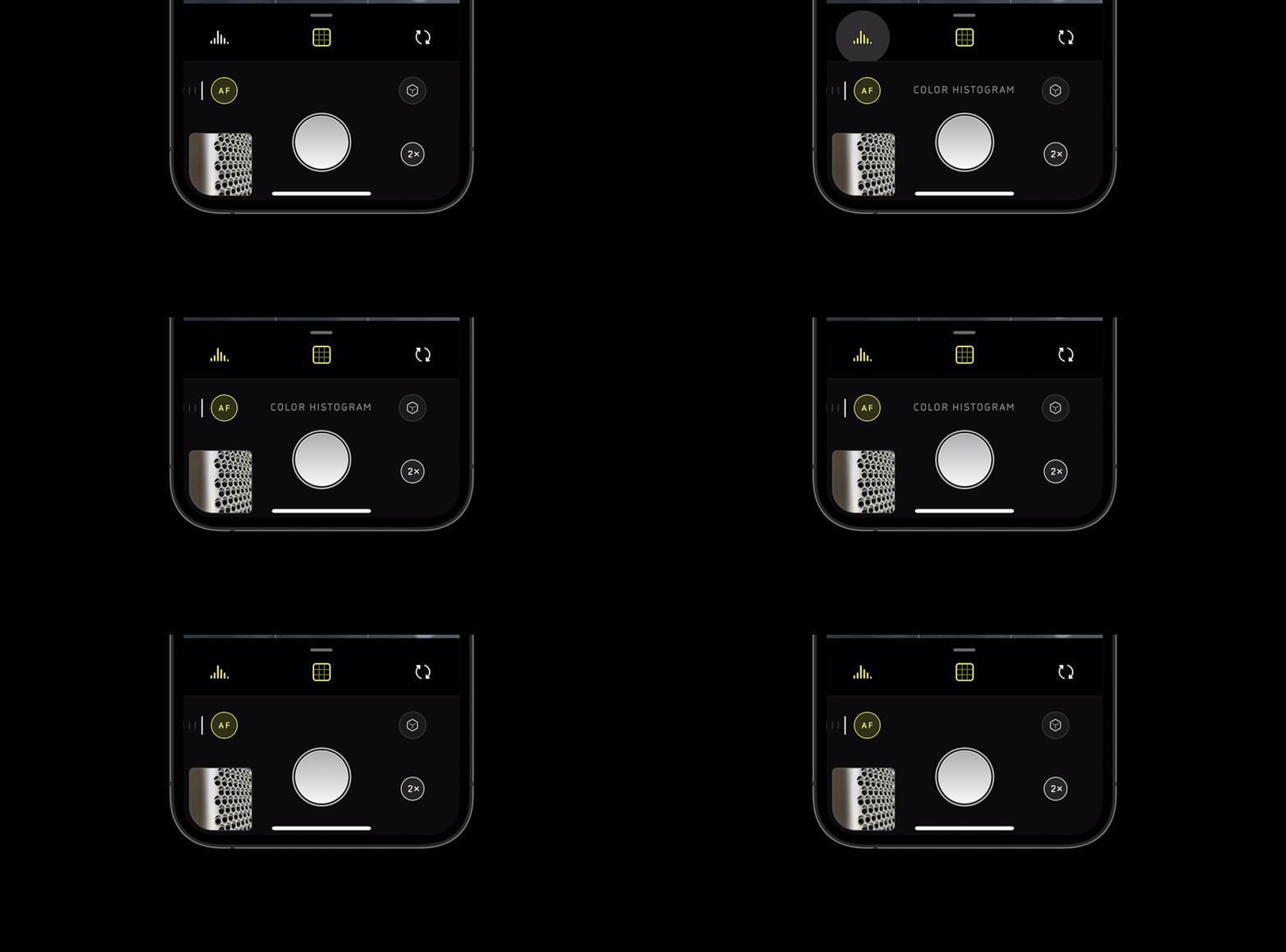
Halide Mark II has the same exposure control and focus gestures as before, but has further refined the experience with additional interface elements. Now, when manually adjusting focus, a new Focus Loupe will appear in the center of the screen that zooms in to help ensure you get focus just where you want it. When you let go, the Focus Loupe will disappear and show the usual overlay so you can compose your shot.
The manual exposure controls, including ISO and shutter speed, have also been moved and are now accessible with a quick swipe from the right-hand side of the screen. The app keeps its interface minimal, but when tapping on an icon, a text description of the tool or setting you’re adjusting, as you can see in the below GIF:
With Halide 1.0, you were given the option to see both Color and Luminance histograms to ensure you achieved just the right exposure. Well, as with most things in Halide Mark II, both of these have been updated with option to make the overlays smaller on the screen. Also new is the ‘Color Zebras’ feature, which breaks down three separate color channels — red, blue and green — into individual waveforms with zebra stripes that will appear if certain colors are clipped in either the highlights or the shadows. This ensures that no matter what color the scene you’re composing is, you can ensure you’re not clipping the highlights or shadows for any three of these channels.
If you’re using the histogram, waveform or zebra tools while in fully-manual mode, where you adjust the ISO and shutter speed, things get even more powerful thanks to a new feature Lux Optics calls XDR Analysis. Rather than using the post-processed 8-bit data other camera apps do to display the waveform and histogram data, Halide Mark II uses the full 14-bit Raw data, in real time, to calculate the exposure. Although Lux Optics says it has a more in-depth post in the works on the technology behind XDR Analysis, it sums it up like this in its blog post:
’Consider that video of the Golden Gate Bridge from earlier. Your histogram, analyzing 8-bit data, might think the sky is clipped. If you saw that in your zebra stripes, you’d say, “It’s over exposed, I should go down turn things down a bit.” In fact, the cloud are not over exposed in the RAW, and there’s no need to turn down your exposure. By under exposing, you’re now going to lose details in the shadows!’
The redesigned image reviewer now shows more accurate metadata information and allows you to view both the Raw and JPEG/HEIC image with a toggle between the two buttons.
Halide Mark II also features ‘Coverage,’ a new capture mode that takes two photos — one with Smart HDR 2/3 and Deep Fusion, and one in RAW. This gives you the benefit of having a more robust Raw file to work with in an editor as well as an instantly sharable JPEG or HEIC file to share with family and friends. Also new is ‘Instant Raw,’ a feature within Halide Mark II’s image reviewer that uses a 17-step process powered by onboard machine learning to instantly create a sharable image from an iPhone Raw file.
If all of these new features, settings and modes seem confusing, don’t worry. To complement the new app is a built-in 10-day course that will not only show off the features of Halide Mark II, but also teach a number of photography concepts along the way through examples.
As Lux Optics explains at the conclusion of its introduction blog post, it’s decided to make Halide Mark II an entirely separate app from Halide 1.0; one that’s free-to-download with a one-week trial and two options for continuing to use the app after the one-week trial is up.
After spending time talking with current users of Halide, as well as beta testers of Halide Mark II, the Lux Optics team decided to offer both a one-time purchase option in addition to an annual subscription option, both prices of which were based on the suggestions of users. A one-time purchase, which will include all future updates and features, costs $ 30 at launch and will go up to $ 36 after the introductory offer. Subscriptions will start at $ 12/month with a limited $ 10/month introductory offer that will lock you in at $ 10 for the life of the app.
Users who have already purchased Halide 1.0 will get Halide Mark II for free and have a year’s membership comped to their account.
You can download Halide Mark II in the iOS App Store and find out more information on the Halide website. For a full run-down of all the new features and updates, check out Lux Optics’ thorough introduction blog post.
Adobe has announced a massive Photoshop update which included, among many other features, the integration of Adobe’s new Unified Extensibility Platform (UXP) for plugins. Shortly after Adobe unveiled the new version of Photoshop, Loupedeck announced its collaboration with Adobe on a new plugin for Photoshop.
The free plugin, which can be downloaded through the new Plugin Marketplace in the Adobe Creative Cloud Desktop application, introduces new features and improvements for owners of the Loupedeck CT and Loupedeck Live. You may recall that we covered the new Loupedeck Live product last month, which you can learn more about here.
Image credit: Loupedeck
In addition to the improve performance and usability offered by Adobe’s UXP architecture, the new Loupedeck Photoshop plugin includes the following features, per Loupedeck:
Ability to add adjustment layers and control their corresponding parameters with dials and/or wheel
Reset functionality for individual adjustment parameters
Intuitive control over Font settings
Quickly scroll through and view history panel with dial and/or wheel
Increased control over Curves, including the ability to adjust color channel curves separately and control curve points
Smoother control over Brush settings and Zoom In/Out functions
Streamline workflow by combining Photoshop actions into macros within the Loupedeck software
Full control over Layer Properties
Ability to control Quick Actions (e.g., select object, remove background) introduced in Photoshop 2020
Better performance for Camera Raw
Of the new plugin, Loupedeck’s founder and CEO, Mikko Kesti, says, ‘We collaborated with Adobe to develop the new plugin and to ensure Loupedeck users could easily integrate and maximize their creative potential with the new features offered by Photoshop the moment they are available. Our new plugin for Photoshop incorporates the software’s new features into both the Loupedeck CT and just-launched Loupedeck Live, giving creators the power to further customize their Photoshop experience.’
Image credit: Loupedeck
Vijay Vachani, Adobe’s Senior Director of Product Management and Partner Ecosystem for Adobe Creative Cloud adds, ‘Photoshop users will now have increased functionality when using their Loupedeck devices and the ability to take even more control over a wide variety of Photoshop features, including the newly introduced Quick Actions.’
You can download the plugin from Adobe’s Plugin Marketplace by clicking here. You can learn more about Loupedeck Live and purchase it directly from Loupedeck. To learn more about Loupedeck CT, click here.
The post Manual Exposure Cheat Sheet for Beginners: How to Expose Manually appeared first on Digital Photography School. It was authored by Kevin Landwer-Johan.
Photographers are visual people. Learning is often made easier for us with the help of graphics and images. In this article, I want to break down this classic manual exposure cheat sheet:
Beginner photographers, and even more experienced ones, often think that Manual mode is complicated.
It’s not.
But to learn how to use Manual mode well, you need to understand a few basics. These are the three camera controls that manage exposure:
Aperture
Shutter speed
ISO
You also need to use the exposure meter, LCD, or viewfinder to assist you in choosing the best settings. If you read the light, you can then set your exposure.
This manual exposure cheat sheet will help you understand these few essentials.
All modern cameras have a built-in exposure meter. This tool indicates when you have your settings balanced to achieve a good exposure. In most cameras, it looks something like this:
Some cameras use a number system and a + or – symbol to show the exposure value.
Whatever display method your camera uses, you are aiming to have the meter read “0.” This is the indication you have a good exposure. If the display indicates the exposure is toward the – side, your photo will be underexposed. If it’s showing that the exposure is toward the + side, your photo will be overexposed.
This is a very simplified explanation of the metering system. To gain a more in-depth understanding of how it works, please read this article: Understanding Exposure Metering Modes.
With many cameras, you can also use the rear LCD to help you determine the best exposure settings. Additionally, mirrorless cameras allow you to see the effect of changes you make via the viewfinder.
To discover if your camera has this function, turn on Live View and set your camera to Manual mode. Now adjust your aperture and/or shutter speed. Can you see the brightness value of the LCD change as you do this? If so, you can use your LCD screen and/or viewfinder to help you manage your exposure settings. If you are new to using Manual mode, this method will make learning easier.
Whether you look at the exposure meter graphic or use your viewfinder/LCD to help you choose your settings, treat these as a guide. Your camera does not know what the main subject of your composition is. You must control the exposure so the most important part of your image is well exposed.
Every lens has an aperture. This is an adjustable diaphragm that controls how much light can enter the lens. Each aperture setting corresponds to an f-stop.
A smaller f-stop number indicates more light will enter the lens. A higher number means the opening is smaller and less light will enter.
On this manual exposure cheat sheet, you can see there is a range of aperture settings. The smallest aperture setting, on the left, is f/16. To the right of the graphic is the widest setting, at f/1.4. Not all lenses have the same aperture settings. Some will have wider or narrower minimum and maximum settings.
Along with governing the amount of light that enters the lens, the aperture setting influences depth of field (DOF).
DOF is the amount of the photo that is acceptably sharp. The wider the aperture setting you choose, the shallower the DOF will be. You can see this on the cheat sheet graphic of the person and tree. At f/16, both the person and tree are sharp. At f/1.4, the person is sharp and the tree in the background is out of focus.
A narrow aperture setting allows less light to enter the lens. It also means you’ll have more of your photo in focus. A wide aperture setting allows more light into the lens and the DOF is shallower.
You can adjust the aperture setting to help balance your exposure and control how much of your composition is in focus. The amount of DOF can be used creatively in your photographs.
Inside your camera, there’s a shutter. This typically consists of two “blinds” that open and close when you press the shutter release button. Opening the shutter exposes the camera sensor to light, which allows it to create an image.
The duration the shutter is open for controls how much light will affect the sensor. If the shutter is open for too long, the photo will be overexposed. If the shutter is open for a duration that is too short, the photo will be underexposed.
Your choice of shutter speed can also affect how sharp your photos will be.
If you choose a shutter speed that’s too slow and your camera moves during the time the shutter is open, your photo will be blurred. This is known as camera shake.
If you have a moving subject and use a slow shutter speed, your subject will be blurred. This is known as motion blur.
Using a faster shutter speed will help you avoid camera shake and unwanted motion blur.
In the manual exposure cheat sheet, you can see the graphic of a person running. At a shutter speed setting of 1/1000s, the figure is sharp. At a setting of 1/60s, the figure is blurred a little. At a shutter speed of 1 second, the figure is very blurred. The relationship between how fast your subject is moving and the shutter speed will determine how much blurring occurs.
You can adjust the shutter speed to help balance your exposure and to control blur from camera shake or motion. Motion blur and camera shake, or a lack thereof, can be used creatively in your photography.
ISO settings control how responsive your camera’s sensor is to light. A low number means your sensor is going to be less responsive than when you use a high number.
I prefer to use my ISO as a foundation for my exposure. I generally only adjust it when lighting conditions change significantly.
Outside on a sunny day, you will want to choose a low ISO. Inside or at night, you will want to choose a high ISO.
Unlike your other two exposure settings, ISO has no creative influence on your photos. It will affect the technical quality, though. At higher ISO settings, digital noise will start to appear in your photos. The color and contrast will also tend to flatten out.
In the manual exposure cheat sheet, you can see that lower ISO settings mean the sensor is less responsive compared to higher ISO settings. To avoid seeing digital noise in your photos, always aim to use the lowest ISO setting you can.
Each incremental change indicated by the manual exposure cheat sheet is one “stop.” The term “stop” in photography is the measurement of exposure. Plus one stop means the exposure is doubled. Minus one stop means the exposure is halved.
A stop can be controlled by aperture, shutter speed, or ISO. If you adjust one setting by plus one stop, you can always achieve the same initial exposure by adjusting another setting by minus one stop, and so on.
As you can see on the cheat sheet, the increments I have used for the shutter speed and ISO are clearly half or double the adjacent numbers. The f-stop numbers appear a bit random, however. This is because they indicate the aperture opening size in relation to the lens focal length. But each f-stop setting is either half or double the setting on either side of it.
Manual exposure of your photographs is not so complicated. All you need to do is manage the relationship between the three exposure settings.
The relationship between aperture settings, exposure, and depth of field is plain to see on this cheat sheet. How your choice of shutter speed affects both exposure and blurring is also well illustrated. Keep your ISO in mind and make it as low as you can. But don’t hesitate to alter it when you need to.
Print the manual exposure cheat sheet to make learning and mastering Manual mode a little easier. It will not happen without some commitment and practice.
But once you become familiar with Manual mode and manage your exposures well, your photography will become more creative.
The post Manual Exposure Cheat Sheet for Beginners: How to Expose Manually appeared first on Digital Photography School. It was authored by Kevin Landwer-Johan.
Adobe has announced Premiere Pro (version 14.5) will now natively support ProRes Raw, finally opening up editing of Apple’s Raw video format to all Premiere Pro users.
Earlier this year, Adobe started selectively supporting ProRes Raw, but only for Windows users running Nvidia GPUs. With this new update, both macOS and Windows users will be able to edit ProRes Raw video regardless of what system or GPU your computer has packed inside.
The initial support is limited, in the sense you aren’t offered full control of ISO and White Balance settings as you are with Apple’s Final Cut Pro X, but it’s likely Adobe is working to get this functionality in place too. Adobe has also added ProRes Raw to LOG color space conversion.
As more cameras get ProRes Raw recording, most notably with the help of Atomos who’s already brought ProRes Raw support to more than 20 cameras via its Ninja V monitor/recorder, it’s nice to see Premiere Pro finally getting the ability to decode and work with the files.
Other improvements in the October 2020 release (version 14.5) of Premiere Pro include support for HDR workflows in Rec2100 PQ color space, improved hardware decoding when using AMD and Nvidia GPUS and faster audio pre-roll.
During the Adobe MAX conference on Tuesday, HP introduced the newest products added to its HP Create Ecosystem, including the next-generation DreamColor and Z by HP monitors. According to the company, these models were made ‘with the creator in mind,’ offering everything from frameless designs to the promise of ‘seamless color accuracy,’ 4K resolutions and USB-C connectivity.
The HP create Ecosystem was first announced at Adobe MAX 2019, introducing a variety of products and partnerships aimed at supporting the creative community, including photographers and videographers. The new expansion of this ecosystem announced during Adobe’s 2020 conference adds a total of eight displays, all created for visual professionals.
Leading the lineup is HP’s Z25xs G3 and Z27xs G3 DreamColor displays; these models boast more than a billion on-screen colors, PANTONE Validated color gamut and the promise of color accuracy straight out of the box. HP says that these DreamColor models are the world’s first ‘color critical HDR monitors’ to feature a one-touch brightness adjustment feature, enabling users to rapidly increase display brightness.
Users are likewise promised up to HDR 600 and customized workflow color presets, USB-C connectivity and support for both macOS and Windows from the DreamColor monitors.
Those two models are joined by the six new Z Core displays, all of which HP describes as premium and offering creators ‘flawless color accuracy’ straight from the box. The Z Core models are notable for their incredibly thin profiles, nearly bezel-free displays — something HP calls a ‘frameless’ design — and support for all devices with its 100W USB-C power delivery.
HP notes a number of features that come with the Z Core displays, including the integrated HP Display Manager for remotely managing the monitors, as well as HP Eye Ease, a proprietary technology that offers ‘always-on low-blue light’ that HP claims offers ‘ultimate comfort with zero impact on color fidelity.’
The company likewise says that its Z by HP product family was made with a focus on sustainability, noting that, for example, the Z Display lineup uses plastics featuring more than 80% ocean-bound and consumer waste plastics. Likewise, 75% of the aluminum used in these monitors has been ‘upcycled’ and the packaging used to ship the monitors is 100% sustainably sourced.
The inclusion of USB-C connectivity makes these monitors ready for the latest and greatest laptops on the market, but they can also be used with other hardware, as well, due to the inclusion of DisplayPort 1.4 and HDMI 2.0 (DreamColor models). The new product lineup brings a variety of resolutions at various price points ranging from Full HD to Quad HD and $ 239 to $ 749.
HP lists the new monitor availability and pricing as follows:
HP Z25xs G3 QHD USB-C DreamColor Display is expected to be available in March 2021 for a starting price of $ 599
HP Z27xs G3 4K USB-C DreamColor Display is expected to be available in March 2021 for a starting price of $ 749
HP Z24f G3 FHD Display is expected to be available in January 2021 for a starting price of $ 239
HP Z24n G3 WUXGA Display is expected to be available in January 2021 for a starting price of $ 299
HP Z24u G3 WUXGA Display is expected to be available in May 2021 for a starting price of $ 349
HP Z27q G3 QHD Display is expected to be available in January 2021 for a starting price of $ 399
HP Z27u G3 QHD Display USB-C is expected to be available in March 2021 for a starting price of $ 449
HP Z27k G3 4K USB-C Display is expected to be available in March 2021 for a starting price of $ 599
The new HP DreamColor display models join Dell’s newly announced UltraSharp HDR display, a particularly pricey model at $ 5k launched to directly compete with Apple’s Pro XDR Display, beating it specs-wise by offering a 2,000-zone mini-LED array versus the 576 zones found in Apple’s model.
HP’s new models are quite a bit cheaper, of course, pitting them against Dell’s newly introduced and likewise less expensive UltraSharp 24 USB-C Hub monitor with ComfortView Plus tech and a WUXGA resolution; this model is priced at $ 450. In addition, Dell also released its new UltraSharp 34 Curved USB-C Hub monitor with a massive 21:9 aspect ratio, USB-C with 90W power delivery and an $ 800 price tag.
It’s been a busy week for photo editing software announcements. The day after Adobe announced the latest versions of Lightroom and Photoshop, DxO has joined the party with its announcement of DxO PhotoLab 4.
PhotoLab 4 includes numerous new features and improvements, but the highlight is DxO’s new DeepPRIME technology. DeepPRIME utilizes artificial intelligence to perform improved demosaicing and denoising in a single step. DxO has used machine learning and millions of images to train the DeepPRIME algorithm. The result is that all images, particularly those captured at high ISO settings or with smaller sensors, will look better than ever before. DxO also states that photos captured with early-generation cameras will experience a pronounced gain in overall quality.
A traditional approach to processing raw images comprises demosaicing and noise reduction separately. However, with DeepPRIME and its deep learning, these two steps are combined into one ‘to deliver exceptional performance.’ Compared to DxO’s previous denoising algorithm, DxO PRIME, DeepPRIME ‘delivers a gain of around two ISO sensitivity values at a comparable level of quality.’
Of DeepPRIME, Jérôme Ménière, DxO’s CEO, says, ‘There are a number of applications for DxO DeepPRIME. [It] creates new creative opportunities by helping expert photographers overcome digital noise or a lack of light. For amateur photographers, DxO DeepPRIME compensates the drawbacks of the smaller sensors on compact and bridge cameras, which can typically only take high-quality images in bright light. Lastly, it can also be used to revamp photos taken by less advanced cameras from the start of the digital era.’ The idea of breathing new life into old images is certainly appealing and it will be interesting to see how much of an improvement DeepPRIME delivers.
DxO’s new DeepPRIME algorithm promises improved performance and image quality compared to the former DxO PRIME tech. DxO states that the most noticeable gains will be experienced when working with high ISO images and photos captured using small or older image sensors. Image credit: DxO
In addition to the new DeepPRIME technology, DxO PhotoLab 4 incorporates a new workspace, dubbed DxO Smart Workspace. The workspace is centered around a system of filters accessible via the toolbar. DxO describes it as follows, ‘It allows users to show tool palettes by correction type, only display their pre-selected favorite palettes, or only show palettes with activated corrections.’ You can also utilize a dedicated search field to locate a specific tool. DxO states that the new workspace will not only allow experienced PhotoLab users to work more efficiently, but it will also allow new users to acclimate to the software and its available tools more quickly.
Another workflow improvement includes the ability to batch rename multiple files at once. This can be achieved via the DxO PhotoLibrary or Photo Browser. You simply select multiple files and then use a dedicated dialog box to rename the files.
The new DxO Smart Workspace promises improved access to image editing tools plus a new search function, allowing experienced and novice users alike to track down a specific tool. Image credit: DxO
There’s a new History palette in DxO PhotoLab 4 as well. This displays all edits in chronological order and shows the specific edits made to an image, allowing you to go back at any time to a specific change you made to your image. For example, if you adjust exposure, it will show this adjustment and the amount that exposure was adjusted. Adjustments can also be grouped by type and then hidden if you don’t need to see the full list.
Similarly, PhotoLab 4 allows the user to selectively copy and paste edits across multiple selected images. DxO states, ‘From the Photo Browser, users can select the specific edits they want to apply to one or several other images by editing type, such as lighting, color, detail, local adjustments, geometry, or watermarking.’
In order to protect your images when sharing them online, PhotoLab 4 includes a new Instant Watermarking feature. You can embed text and/or an image on selected photos simultaneously and get a live preview of the watermarking. You can adjust placement, scale, orientation, opacity, and margins. There are also seven available blend modes, something DxO says is unique to PhotoLab 4.
DxO believes its new Instant Watermarking tool is the best in the business. Image credit: DxO
More than 60,000 camera and lens combinations are supported in PhotoLab 4, including new camera support for the following cameras: Canon EOS R5, EOS R6, and EOS 850D, the Nikon D6 and Z5; the Olympus OM-D E-M10 Mark IV; and the Panasonic Lumix S5 cameras.
DxO PhotoLab 4 is available now from DxO on Windows and macOS. Until November 19, DxO is offering promotional prices. DxO PhotoLab 4 Essential Edition is available for $ 99.99 USD and the Elite Edition is $ 149.99. This represents a savings of around $ 30 and $ 50, respectively. Existing owners of PhotoLab 3 can purchase an upgrade license by signing into their customer account on this webpage. You can also download a fully-functional one-month trial. For more information, visit DxO.
Winners of the 1st annual Paris Aerial Photography Awards
Several thousand photos from 65 countries were submitted to the 1st annual Paris Aerial Photography Awards – a competition open to artists using drones, kites, balloons, helicopters, and planes to capture imagery. The jury, including From Where I Drone’s Dirk Dallas, Costas Spathis, Women Who Drone’s Elena Buenrostro, the Abstract Aerial Art team, and Florian Ledoux awarded 106 photos in 22 categories and 11 photographers in 6 master categories.
‘When I submitted my images to the Aerial Photography Awards I knew the competition was going to be fierce. The number of aerial photographers has grown exponentially in the past few years. The advent of high quality, inexpensive and easy to fly drones is the obvious cause. But it takes more than just good gear. The incredible images submitted to the competition shows the dedicated and talented artists that the Aerial Photography Awards attracts,’ Jamie Malcolm-Brown, who received a nod in the Special Mentions section, tells DPReview.
A few of the Master category winners include these photos, from left to right, in the Abandoned, Travel, and Cityscapes categories.
Sebastian Nagy was awarded overall Aerial Photographer of the Year. He got his start in aerial photography on city rooftops. Six of the images he submitted were category winners. Make sure you check out the Awarded Photographers, Aerial Photos of the Year, and Special Mentions.
Aerial Photographer of the Year 2020, 1st Place, Daily Life: ‘The Lady of the Sea’ by Duy Sinh (Vietnam)
Artist Statement: A fishing boat is dropping a net and accidentally the waves pull the edges of the net into a lady on the blue sea. An accident of creation.
Aerial Photography Technique: Drone
Aerial Photographer of the Year 2020, 2nd Place, Daily Life: ‘Anchovy Catching’ by Thien Nguyen (Vietnam)
Artist Statement: Soft light of new day illuminating the long smoke from fishing boat engine & the shape of green nets moving underneath the water surface when local fishermen pulling their nets.
Many local fisherman families along the coastline of Phu Yen province will follow the near-shore currents to catch the anchovy during peak season. Salted anchovy is the most important raw material to create traditional sh sauce – the spirit of Vietnamese cuisine.
Aerial Photography Technique: Drone
Aerial Photographer of the Year 2020, 1st Place, Patterns: ‘Umbrella Crossing’ by Daniel Bonte (Japan)
Artist Statement: Crossing of umbrellas bring colors on a gray rainy canvas.
Aerial Photography Technique: Drone
Aerial Photographer of the Year 2020, 2nd Place, Editorial: ‘Eid Congregation’ by Azim Khan Ronnie (Bangladesh)
Artist Statement: South Asia’s largest Eid-ul-Fitr Congregation held in Gor-e-Shahid Boro Math, Dinajpur, Bangladesh. According to the organizers’ claim, over 600,000 devotees participated in this Eid congregation. The prayers began at 8:30 am with devotees coming from different parts of the region. Eid-ul-Fitr is a Muslim festival of happiness celebrated all over the world.
Aerial Photography Technique: Drone
Single Category Winner, Digitally Enhanced: ‘Airplanes’ by Cassio Vasconcellos (Brazil)
Artist Statement: These aerial images are all constructed after many different photos that I did flying by helicopter. All images presented here are done after 2015 but is impossible to determine just a one-day shooting since I use sometimes hundreds of photos.
Aerial Photography Technique: Helicopter
Aerial Photographer of the Year 2020, 1st Place, Documentary: ‘Fire Attack’ by Marc LeCornu (Jersey)
Artist Statement: Firefighters from the Jersey Airport Rescue & Firefighting Service work as a team to attack a simulated aircraft response. These live response scenarios are designed to ensure the crews are fully skilled and ready should a real incident occur.
Aerial Photography Technique: Drone
Aerial Photographer of the Year 2020, 1st Place, Waterscapes: ‘Arctic Paradise’ by Kyle Vollaers (United Kingdom)
Artist Statement: This image was taken o the coast of Qeqertarsuaq in -25° celsius. One of the most beautiful yet abstract places I’ve ever seen.
Aerial Photography Technique: Drone
Aerial Photographer of the Year 2020, 1st Place, Landscapes: ‘Skyggnisvatn’ by Sebastian Müller (Switzerland)
Artist Statement: The Highlands of Iceland.
Aerial Photography Technique: Drone
Aerial Photographer of the Year 2020, 1st Place, Trees & Forests: ‘Forest Path’ by Mehmet Aslan (Turkey)
Artist Statement: Herd of sheep uses forest road to return home.
Aerial Photography Technique: Drone
Aerial Photographer of the Year 2020, 1st Place, Abstract: ‘Tatacoa Desert’ by Johan Van Den Hecke (Belgium)
Artist Statement: A topdown view of the rock formations of the Tatacoa desert at sunset.
Aerial Photography Technique: Drone
Aerial Photographer of the Year 2020, 1st Place, Accommodations: ‘Colors of Dubai’ by Kevin Krautgartner (Germany)
Artist Statement: Real estate shooting for accommodations in the Burj Khalifa.
Aerial Photography Technique: High point of view.
Special Mention: ‘Love Island’ by Jamie Malcolm-Brown (United States)
Artist Statement: The fog dissipated as the sun rose behind some storm clouds over this heart-shaped island.




You must be logged in to post a comment.