RSS
 

Archive for November, 2019

The Canon EOS M200 is our favorite camera for around $500

18 Nov

The previous winner of our ‘Best cameras under $ 500’ buying guide was the Canon EOS M100, and the recently announced M200 – which offers an improved AF system and 4K video capture – is the obvious choice to take over first place.

Articles: Digital Photography Review (dpreview.com)

 
Comments Off on The Canon EOS M200 is our favorite camera for around $500

Posted in Uncategorized


LG’s G8X ThinQ Dual Screen might just be a killer feature ahead of its time

17 Nov

The LG G8X ThinQ is the South Korean brand’s latest high-end smartphone and was launched at IFA in September. It’s powered by Qualcomm’s Snapdragon 855 top-of-the-line chipset and features a 6.4-inch AMOLED display with FullHD+ resolution, 6GB RAM and an under-display fingerprint reader.

On the camera side of things the new model relies on similar hardware as previous LG devices but has to make do without the dedicated tele lens that could be found on the G8 ThinQ. The X-model’s dual-camera setup combines a primary camera using a 12MP 1/2.55″ sensor and F1.8 27mm equivalent lens with an ultra-wide camera that offers a 13MP resolution, F2.4 aperture and 16mm equivalent field of view. The primary camera also features OIS and PDAF.

The device’s standout feature is an attachable dual-screen case, though. It allows you to double the overall screen size and resolution, similar to other recent dual-screen devices, such as the Huawei Mate X or Samsung Galaxy Fold.

We’ve had the chance to use the LG G8X ThinQ with Dual-Screen accessory for a few weeks now. Read on to find out what the Dual Screen has to offer for mobile photographers.

The Dual Screen accessory

$ (document).ready(function() { SampleGalleryV2({“containerId”:”embeddedSampleGallery_5646844054″,”galleryId”:”5646844054″,”isEmbeddedWidget”:true,”selectedImageIndex”:0,”isMobile”:false}) });

The G8X ThinQ’s dual-screen solution is different from other dual-screen devices in that the secondary screen can be removed when not needed. This means you have a very visible border between the two displays, but you can also leave the secondary display at home when not needed – which is a good thing as it adds quite a bit of bulk and weight.

The secondary display is embedded into a case that the G8X can be inserted in, and connects to via its USB-C port. This means you need an accessory dongle for connecting a USB-cable when the Dual Screen is attached. This is not a major issue but, like any small accessory item, the dongle is quite easily lost if you’re not careful. The G8X is capable of wireless charging as well, though.

There’s no need to open the case to check the time or to see if you have any new notifications

The Dual Screen case does not have its own battery and instead draws power from the phone’s. LG claims the Dual Screen increases power consumption, depending on use, by between 20 and 30 percent, which is line with our experience.

The secondary display itself is the same P-OLED type, size and resolution as the primary one and we also found the color rendering to be identical. The hinges of the case allow for 360-degree movement, and at the front there’s a 2.1″ monochrome OLED cover display that shows app notifications as well as time and date. This means there’s no need to open the case to check the time or to see if you have any new notifications.

The rear portion of the case comes with a cutout, allowing you to use the phone’s camera while it’s in the case.

Dual-Screen controls

Once the Dual Screen is connected a control button appears on the right edge of the main display. A tap opens up the controls which let you swap the content of the two screens or turn the secondary display off.

The Dual Screen has its own app drawer and you can place app shortcuts and widgets on it in exactly the same way as the main display. In the Dual Screen settings you can adjust brightness of the secondary display (or set it to be the same as the main screen), turn off the cover display and Dual Screen control button, and set an app to open when the Dual Screen is turned on among other options.

Multi-tasking

Multi-tasking is the Dual Screen’s main purpose. For example, you can watch a video on one display while writing and sending a message on the other, or use Google Maps for navigation at a holiday destination while browsing a travel app.

In terms of use for imaging purposes, the options are (still) slightly limited. You could have the camera or an image editing app on one screen while browsing Instagram or another image sharing app on the other, but overall workflow efficiency gains are fairly small. At this point the Dual Screen is mostly about convenience: you can continue your Whatsapp-chat while preparing an Instagram-upload or editing an image.

Mirror Mode in the Camera app

App support for the Dual Screen is currently still quite limited but fortunately the LG Camera is one of the few apps that makes use of the secondary screen. With the Dual Screen attached you can turn on Mirror Mode. As the name suggests, it mirrors the camera’s preview image on the secondary display.

Combined with the ability to angle the latter any way you like, this feature can be really handy when shooting overhead or at low height, just like a tilting display on a regular camera. You can also use the secondary screen like a waist-level viewfinder which is particularly helpful for holding the device in a stable fashion when recording video.

It’s worth noting though that the mirrored display only comes with a shutter/video button. For all other controls you’ll still have to go back to the main screen. You can however swap the display content using the Dual Screen controls.

Wide Mode

Wide-view expands an app across both screens, offering an overall display size of 12.8 inches. This can be great for reading websites, viewing images and watching video but in many cases, especially when consuming multi-media content, the 15mm combined bezel between the two screens somewhat limits the experience.

The fact that the feature currently only works with websites viewed in the Chrome browser is another downside. Still, Wide Mode can be useful for viewing websites in desktop mode or on those occasions when additional real estate increases usability, for example when viewing and navigating a map.

Extended View

In Extended View mode an app is divided into two screens. Unfortunately this feature is currently only supported by two apps – the LG Gallery and the Naver Whale browser – but LG says it is expecting support to be expanded to additional apps in the future.

In the Gallery app you can tap on the Dual Screen button to expand the view. This allows you to browse thumbnails on one screen and open the full image on the other. You can zoom into the full image as well as share or delete it in this viewing mode. However, if you want to add a memo or edit, you’ll have to go back to the main screen, so the Dual Screen’s added value is somewhat limited in this instance.

LG’s Naver Whale is a web browser and allows you to view websites in Wide Mode, just like Chrome. However, it also lets you open links on the secondary screen by double-tapping them. This can be useful when browsing shopping websites for example, when you don’t have to jump back and forth between your list of search results and product pages. You simply keep the list open on one screen and open product pages on the other.

In a similar manner, when browsing Instagram or equivalent sites you can keep a user’s profile page open on the main screen and open individual posts on the secondary display. All this has to happen in the browser, though.

Virtual Game Pad and Keyboard

This Dual Screen use case is arguably the one that LG has implemented best so far. The Dual Screen can be used to display a virtual gaming pad. Android recognizes the app as connected bluetooth hardware which makes it compatible with any game that supports this kind of hardware. The pad is also customizable.

We’re no gamers but after a few trial runs on Asphalt 9 it’s fair to say the pad works quite well. A hardware pad is arguably a better option, but this virtual implementation isn’t far off.

The LG keyboard offers a very similar function. You can display a soft-keyboard on the main screen while having the app you are writing in, for example Gmail or Instagram, open on the secondary screen. The keys are larger than they’d be on a usual split-screen style keyboard and allow for more comfortable typing. We would not recommend it for writing your next novel but shorter pieces of text are absolutely manageable in this setup.

Conclusion

LG is a smartphone manufacturer who does not shy away from risky development decisions. Some years ago the company introduced a modular system with its G5 model which was very innovative but ultimately proved commercially unsuccessful. It was also among the first to introduce ultra-wide angle cameras to smartphone photography which today are pretty much ubiquitous.

The Dual Screen follows in this tradition but at the current stage it’s still too soon to say if it will go the way of the G5 modules or become a success like the ultra-wide camera. It’s fair to say that for the latter to happen more apps will probably need to support the secondary screen.

The most useful feature for photographers is Mirror Mode in the camera app which helps when shooting at awkward angles

Right now it provides the most obvious benefits to those users who like to multi-task, letting you work in two apps at the same time. The ability to consume content across two screens or separate app controls from the main screen are great but unfortunately only work with a very limited number of apps. Currently, the most useful feature for photographers is Mirror Mode in the camera app which helps when shooting at awkward angles.

For everybody else, and especially those who write a lot on their smartphones, the virtual keyboard on its own might be an argument to purchase a G8X ThinQ with Dual Screen. If that doesn’t quite convince you yet it’s probably a good idea to wait and see if the Dual Screen will get more support from app developers.

Articles: Digital Photography Review (dpreview.com)

 
Comments Off on LG’s G8X ThinQ Dual Screen might just be a killer feature ahead of its time

Posted in Uncategorized


Opinion: I love what the a6x00 series can do but I’m not convinced by the ergonomics

17 Nov
Something for everyone? Sony uses variations of the same body for everything from its $ 600 entry-level model all the way through to its $ 1400 one.

All of Sony’s current APS-C cameras come in variants of the same camera body. And the more I have to use them and write about them, the more convinced I am that it’s not ergonomically especially well suited to any specific type of user.

The a6000 series cameras all derive, essentially, from the NEX-6, a mid-range/enthusiast camera from 2012. It was a time when Sony was experimenting with NEX body shapes and interfaces, as it tried to create a product that matched the people actually buying the cameras. Having tried stripped-down cameras with icon-based interfaces and odd ‘three dials, but all controlled with your thumb’ designs, they settled on something in the middle. And then tried to make it work for everyone.

Personally, I’m not sure they’ve succeeded. I believe they’ve created a series of cameras that’s intimidating to beginners but too simplistic to be enjoyed by more advanced users.

Too complex to be simple

As I wrote in my recent review, the a6100 can be a very good family and travel camera. This is thanks to two main things: the autofocus being really powerful, and the touchscreen meaning you can tell it where to focus without needing to really engage with the user interface.

More than one person I’ve handed the a6100 to has recoiled and asked me ‘what do I press?’ which makes me think it would make more sense in the a5100’s body.

The problem is that the camera design and user interface seem to have made almost no concessions to this audience. On more than one occasion I’ve handed an a6100 or a6400 to a novice only to watch them recoil and demand I just tell them which button to press.

The camera body and displays are awash with obscure icons, to a degree that can be intimidating to the first time user. And the menus aren’t just consistent with the range-topping a9, they’re pretty much directly copied across. You have to have a lot of faith in your user interface to believe that pro sports users and family photographers will be equally well served by it. To me that faith seems, shall we say ‘optimistic’?

I’d argue the Fujifilm X-A7 is a much more approachable entry-level camera than the a6100 (and that the X-T30 is a more engaging mid-range camera than the a6400)

Sure, you can stick the camera in ‘Auto’ mode (or perhaps iAuto+ if you can find it), but ‘just ignore all the buttons, labels and stuff, and use it as a point-and-shoot’ isn’t exactly a ringing endorsement of the camera’s design.

The result is a hugely capable but not especially welcoming camera for beginners.

Too simple to be sophisticated

At the other end of the spectrum, you have the a6600, which has impressive looking specs on paper: excellent AF, weather sealing, in-body stabilization and the longest battery life of any mirrorless camera. But the shooting experience doesn’t always live up to this spec, in my opinion.

Although the body has twin control dials, they’re both controlled with your thumb, rather than the thumb-and-forefinger layout found on almost every rival model. In my experience I have to think more, and re-position my hand to a greater extent when trying to operate the a6600. And, while it does gain some extra custom buttons over the cheaper models, they’re located in positions I find uncomfortable to operate.

The addition of a touchscreen means it’s no longer such a faff to move the AF point, but I still find the a6400 and a6600 less enjoyable to shoot with than their rivals.

These criticisms, which extend to the a6400 if you’re trying to take control over exposure, aren’t about trying to make moment-by-moment changes (something my colleague Carey found to present its own set of problems), but more about being able to enjoyably take control over the camera. Maybe it’s just me.

As the camera market seemingly contracts back to a state where most people buying cameras are doing so because they enjoy the process of taking photographs, it becomes ever more important to make cameras that are enjoyable to use. The a6400’s autofocus is unquestionably better than that of its current peers, but would I rather go out shooting with it over a Canon M6 II or Nikon Z50? No.

One thing common to most $ 1000+ cameras (including Sony’s a7 series cameras): twin control dials controller with the forefinger and thumb. Clockwise from top: Canon EOS M6 Mk II, Fujifilm X-T3, Olympus OM-D E-M5 III, Nikon Z50.

None of which is to say that they’re bad cameras. As I say, the a6600 has excellent battery life, impressive AF, in-body stabilization and, most importantly, can take really nice images: we’d actually recommend it for some types of shooting, despite not quite cutting it when pushed to its limits. But it wouldn’t be my first choice of camera, if I had to grab something to go shooting with.

And that’s a shame because, with the introduction of its 16-55mm F2.8 and support from Sigma’s trio of F1.4 primes, Sony’s E-mount is starting to look like a credible APS-C system for enthusiast photographers.

Not just on the outside

The problems aren’t all just a question of handling. The menus also show little sign of specialization. Across all three models you’ll find a host of hand-holding features such as Soft Skin Effect, Smile Shutter and Auto Object Framing buried in the menus. These seem too well hidden to be useful for most beginner users and risk just being distracting clutter for more advanced users.

A horizontal layout with no indication of where different sub-sections live means the Sony menus rely on the users’ memory more than most (though Canon’s layout is looking similarly overwhelmed). The ‘My Menu’ option lets you configure your way around the worst of it.

In fairness, Sony has made some effort to arrange, name and color-code the sections of its menus, but it still gives you no real way to find your way to those sections. This means you have to rely more on memory than with most other brands. And even if they did give top-level section indicators, I’m not sure how many first-time users would guess that you enable AF Tracking in video mode using the ‘Func. of Touch Operation’ in the Setup menu, rather than something from the ‘AF’ sub-section of the Camera tab. Again, it just doesn’t feel like these cameras have been tailored to suit any particular type of user.

Shop-shelf confusion

What are the differences? Which one should I choose?

So maybe I’ve got all this wrong. Maybe Sony isn’t trying to segment the market based on different needs and expectations, but solely by price. Perhaps that’s why the body styles and model names are so much less distinct than those of the similarly-priced models from other manufacturers. So rather than making X-A7/X-T100 style models for the beginners, M6 II / Z50 rivals to address the middle ground and an X-T3 competitor for more hands-on users, maybe Sony’s just making undifferentiated price variants.

If it’s purely a question of ‘how much camera are you willing to pay for?’ then it makes some sort of sense. But I’m not sure it results in cameras that are particularly well suited to any specific person.


*Richard Butler will not be reviewing the a6600

Articles: Digital Photography Review (dpreview.com)

 
Comments Off on Opinion: I love what the a6x00 series can do but I’m not convinced by the ergonomics

Posted in Uncategorized


Photographing on Overcast Days: The Light Simply Doesn’t Get Any Better

17 Nov

The post Photographing on Overcast Days: The Light Simply Doesn’t Get Any Better appeared first on Digital Photography School. It was authored by Herb Paynter.

photographing-on-overcast-days

Lighting is everything in photography, but some “poor” conditions may surprise you. Am I alone here? Does anybody else get excited about photographing on overcast days?

I use to think I was a contrast junkie, but I discovered that my passion is for detail, more of an internal contrast issue than one of overall contrast. Internal contrast (the clear distinction between tones inside the extremes of white and black) is what delivers the distinctions we call detail.

Hot highlights and deep shadows

Photographing on Overcast Days: The Light Simply Doesn't Get Any Better

When you consider the dynamic range of most digital camera image sensors, typical bright sunny days can present two challenges right off the bat: hot highlights and deep shadows. When the highlights in the original image are very hot, and the shadows are very deep, extracting detail in the “near shadows” and “near highlights” turns into an editing issue.

This is why photographing on overcast days is the easiest lighting condition to deal with.

photographing-on-overcast-days

The holy grail of photographic exposure range is located well within those bookend extremes. On a typical Florida day, with the Sun blaring on a scene, the trick is to keep the quarter, middle, and three-quarter tones ideally balanced in order to capture critical detail.

With highlights too “hot,” the inevitable shadows cast by the tropical Sun tends to push critical three-quarter tones (shadow detail) into the mud. Shooting in RAW mode allows most images to recover all but the most severe edges of dark and light, though it can take a careful adjustment to do so.

Filtering effect of clouds

Photographing on Overcast Days: The Light Simply Doesn't Get Any Better

When photographing on overcast days, the filtering effect of clouds mellows the Sun’s harsh light, revealing significant quarter tones (highlight detail).

The wonderful byproduct of this softer “diffused” light is softer shadows, which in turn deliver more shadow detail.

It is much easier to boost the highlights and deepen the shadows with a little help from overcast weather. On very sunny days, you might have to use a reflector or fill flash to open up the shadows, but on cloudy days, they’re already open! This natural diffuser renders rich colors and a full range of tones from the deepest shadows to the lightest highlights.

This lighting is the ideal time to press your 18% gray card into action.

Gray card

photographing-on-overcast-days

There is a reason why photographers like to balance their lighting around an 18% gray card. That 18% value just happens to be the same reflective value as average Caucasian skin color. And that value is the sweet spot of all photographic exposure.

Your camera’s image sensor is tuned to record skin tones in the very center of the contrast range. Image sensors do their best work when you point them at this reflective value. Once the camera knows this value, the lighter and darker tones fall quite naturally in line. And when the outdoor lighting falls neatly within the camera sensor’s “cruising range” (with headroom on either side of the scene’s histogram), that my friends, delivers top drawer results.

Photographing on overcast days may well become your favorite lighting.

Middle tone emphasis

Photographing on Overcast Days: The Light Simply Doesn't Get Any Better

Don’t be afraid to put the scene’s tones well within the middle of the histogram.

There is no hard, fast rule that says that every image has to contain extreme highlights or near-black shadows. Real-life simply doesn’t appear that way to your eyes. Not even high-key photography mandates that the lightest tones must be extremely bright. Some of the most moving photos are nearly void of overall contrast.

Don’t fall into the trap of “optimizing” every photo’s range so that it produces bright highlights and deep shadows. Allow nature to dictate the visual mood. Realistically speaking, the only thing in nature that is truly “black” is the inside of a cave at midnight. The only thing pure “white” is a direct view of the Sun at noon.

Auto levels

photographing-on-overcast-days

It’s okay to have highlights that aren’t pegged up against the right side of the histogram. Please think twice before you hit the dreaded Auto button in the Levels dialog of Photoshop. That kind of cookie-cutter photography should be left to those who don’t know any better. Let the scene set the mood and simply convey what you experienced.

Occasionally, dynamic adjustments within software applications tempt us to automatically force nature into conditions that aren’t natural.

White balance

photographing-on-overcast-days

The next time you find yourself in the shadow-free lighting of a clouded sky, go and get your camera. Great color (and fabulous black and white) photography is there for the taking. However, do keep in mind that outdoor shots under cloud cover will appear slightly bluish because those clouds are absorbing the shorter wavelengths.

Set your camera’s white balance to Overcast or Cloudy. This setting will compensate for the bluishness of the scene. If you are using a gray card and have the time to set a situational white balance, you can zero in on the color even more accurately.

Conclusion

Photographing on Overcast Days: The Light Simply Doesn't Get Any Better

Next time you shoot outdoors in overcast weather, search the scene for something interesting and unique, something that will bring a smile to your face. I’ve found that I find whatever I’m looking for in life, and that includes dismal weather. There is a bright spot in just about every situation if you keep your eyes (and your mind) open.

I hope this inspires you to look forward to photographing on overcast days. These special days deliver great natural lighting and provide many opportunities to see a different side of life.

Do you photograph on overcast days? What are your thoughts? Share with us in the comments!

The post Photographing on Overcast Days: The Light Simply Doesn’t Get Any Better appeared first on Digital Photography School. It was authored by Herb Paynter.


Digital Photography School

 
Comments Off on Photographing on Overcast Days: The Light Simply Doesn’t Get Any Better

Posted in Photography


Student photographer knocked unconscious after vicious collision on the sideline of a football game

17 Nov

During today’s college football game between the Georgia Bulldogs and Auburn Tigers, a photographer on the sideline was knocked unconscious when a Georgia wide receiver knocked her over as he ran out of bounds following a short pass play.

University of Georgia student photographer, Chamberlain Smith, was put in a neck brace and taken off the field on a stretcher following the hard collision.

According to reports, Smith was responsive on the stretcher and was able to move all of her extremities, but was taken to the hospital to be checked for an orbital fracture and a concussion. It’s since been confirmed that Smith was released from the hospital, but there are no details on the extent of her injuries.

Brian Herrien, the receiver who ran into Smith, was extremely concerned about her wellbeing and had to be told by officials to go to his sideline following the incident. After the game he shared the below tweet:

Gary Danielson, one of the college football analysts providing color commentary for the game, has taken heat across social media for chuckling at the photographer on the ground following the collision and subsequently making insensitive comments:

Football photography might not seem dangerous, but when you’re looking through the viewfinder, you never know what can happen. Consider this a reminder to always be vigilant about your surroundings.

We would like to wish Smith the best in her recovery.

Articles: Digital Photography Review (dpreview.com)

 
Comments Off on Student photographer knocked unconscious after vicious collision on the sideline of a football game

Posted in Uncategorized


Treat yourself 2019: 10 gifts for the most important photographer in your life: you

17 Nov

Treat Yourself 2019

You’ve worked hard and been good all year, it’s time to treat yourself.

Photographers are notorious for being difficult to please when it comes to gift receiving. We often have both brand-specific and/or expensive taste. So this holiday season, instead of leaving your holiday wishes up to the gift gods/friends and family, why not indulge yourself in the gear you actually want?

We’ve spent all of 2019 shooting, testing and obsessing over the latest cameras, lenses and accessories. And what follows are the items we, as the staff of DPR, most desire. For photographers, by photographers, we present Treat Yourself 2019. Happy shopping!

Peak Design Travel Tripod

Peak Design Travel Tripod | $ 350 (aluminum), $ 600 (carbon fiber) | PeakDesign.com

By far one of the hottest accessories to come out this year was the Peak Design Travel Tripod. Available in aluminum and carbon fiber, it’s quickly become our favorite tripod for on-the-go work thanks to its compact size (it breaks down smaller than the competition), high-degree of stability and well-designed, low-profile ballhead.

We obviously prefer the carbon fiber version, which is lighter and more stable than the aluminum one. But we’d still take PD’s aluminum model over just about any other travel tripod in the game. So treat yourself to the gift of stability, wherever you may go.

View our Peak Design Travel Tripod
hands-on slideshow

Sony Cyber-shot RX100 VII

Sony RX100 VII | $ 1300 | Sony.com

Sony got just about everything right in the RX100 VII, the ultimate do-it-all compact camera. The RX100 series has long impressed, but it wasn’t until this iteration that they really nailed down the autofocus implementation as well as the AF performance. Sony also made a series of much-needed usability improvements.

These upgrades help to better unlock the camera’s full potential, allowing users to make the most of a long, sharp, versatile zoom lens, super-fast burst shooting and class-leading stills and video quality. So treat yourself to the Swiss Army Knife of cameras.

Read our Sony RX100 VII Review conclusion

Sony TOUGH SD cards

Sony Tough Cards | $ 60 (32GB), $ 110 (64GB), $ 210 (128GB) | Sony.com

One thing we lost when the industry mostly abandoned CF cards in favor of SD cards is the structural integrity of the media. Like many photographers, I have an ever-growing pile of busted SD cards at my desk, some with missing ribs, some with cracks along their seams and others that have just disintegrated completely. Fortunately Sony has solved the issue of the fragile SD with their SF-G series TOUGH cards.

These cards are molded from one piece of composite material with no seams and no ribs around the contact points. They’re drop, crush and bend-proof far beyond that of a traditional SD card. And an IP68 dust and water-proof rating means they’re not going to let you down, even in the worst conditions. Plus they offer super-fast transfer speeds up to 299Mb/s and write speeds up to 200MB/s. Simply put, these are the most reliable cards we’ve come across. And there’s no better treat than peace of mind.

Read more about Sony’s Tough SD cards

Gnarbox 2.0 SSD

Gnarbox 2.0 SSD | $ 500 (256GB), $ 600 (512GB), $ 900 (1TB) | Gnarbox.com

Speaking of peace of mind, having reliable memory cards is only part of the battle. The journey from photos being shot, to being backed up properly is one with occasional bumps in the roads – bumps that can cause devastation.

The Gnarbox 2.0 SSD looks to smooth out some of these bumps by offering a rugged go-anywhere SSD solution meant for backing up files as soon as they’re shot, with the added ability to tag and sort images via mobile device. The Gnarbox has a built-in SD slot, USB-C connectivity and a Micro-HDMI port. It’s also weather, dust and impact-resistant. Batteries are swappable and it can even be used to charge another device. But perhaps most importantly, transfer speeds are super-fast (up to 350MB/s), plus integration with Photo Mechanic and Lightroom makes it an even more versatile tool for those on-the-go. It’ll even play nice with iPad Pro devices when connected via USB-C.

Read more about the Gnarbox 2.0

Olympus XA 35mm film rangefinder

Olympus XA | $ 65-120 (used)

We’ve long preached the values of shooting film as a photographic companion to your digital work, or vice versa. Both mediums offer benefits that will improve your photography. Seeing as this is a digital camera site, we figured most people around here don’t have analog on their mind. But let’s change that.

If you’ve never shot film, or haven’t in a while, the Olympus XA is an enjoyable and affordable entry into the 35mm medium. Released in the late 70’s, this pocketable aperture-priority rangefinder (one of the world’s smallest) offers a fixed 35mm F2.8 lens hidden behind a sliding cover. The lens is sharp, the shutter is very quiet and the camera itself is full of wacky charm, from the tiny rangefinder tab, to the big red square shutter release, to the four-bladed aperture. In short, the XA is both fun and capable, without taking itself too seriously. Just like you.

Read more about the Olympus XA and other film cameras we recommend

Leica Q2

Leica Q2 | $ 5000 | us.Leica-Camera.com

Speaking of rangefinders, what ‘Treat yourself’ list would be complete without a Leica product? Among the DPReview staff, the rangefinder-style Leica Q2 was easily one of the most lusted-after cameras of the year. And why shouldn’t it be? The combination of a seriously-sharp 28mm F1.7 lens in front of a high-res 47MP full-frame sensor in a beautifully-designed body with excellent ergonomics makes the Q2 the ‘créme de la créme’ of modern fixed-lens cameras. Plus Leica redesigned the Q2 from the inside out to add extensive weather-sealing. They also updated the EVF and improved battery life.

And if the price tag seems a bit steep, perhaps you can justify picking the Q2 up for that special someone (that’s you) knowing there will never be another lens to drool over for the camera. Owning one is an end in itself to one’s gear lust. Probably. Maybe. Whatever… treat yourself!

Read our Leica Q2 Review conclusion

DJI Mavic Mini

DJI Mavic Mini | $ 399 (drone), $ 499 (Fly More Combo) | store.DJI.com

If the idea of using a drone as a creative tool hasn’t hovered noisily to the top of your mind yet, now is the perfect time to consider aerial photography/videography. Most people think of drones as big, loud nuisances, zipping around like angry bees. But the just-announced DJI Mavic Mini is compact (palm-sized), lightweight and reasonably quiet. It’s also super easy to fly. And despite its comparably lower price tag, it offers many of the same features found in its pricier DJI siblings like an accident avoidance camera, return-home functionality and a 3-axis camera gimbal.

The camera aboard the Mini is relatively modest with a 12MP 1/2.3-inch sensor capable of JPEG-capture only and up to 2.7K/30p or 1080/60p video. But for first time fliers, it’ll easily give you just about the same image/video quality of a smartphone, with the advantage of a bird’s eye view. So go on and treat yourself to a fresh new perspective, courtesy of this tiny/fun drone.

Read our DJI Mavic Mini Review

RucPac Professional Tech Gloves

RucPac Tech Gloves | $ 40 | RucPac.com

Cold hands are a reality for many photographers, especially those passionate about landscape, wildlife and sports. Sacrificing dexterity for warmth is simply not an option when ‘the shot’ can come and go in an instant. We’ve used finger-less gloves in the past, but found they don’t keep our hands all that warm. And ordinary gloves don’t provide enough finger movement. If only there were a warm form-fitting glove with good dexterity. Oh wait, there is! RuPac’s Tech gloves.

This pair of hotties comes in two sizes with sticky rubberized grips along the palm and fingers. They’re made of a weather-resistant polyester material that’s thick enough to provide a good deal of warmth on a cold day, but not so thick that they’ll limit hand movement or tactile response. They’re not going to save your paws from an Arctic chill, but for reasonable cold, they’ll get the job done. Plus they offer touchscreen compatible material at the tips of the index fingers and thumbs. So treat yourself to some happy hands this winter.

CAM-IN camera strap

Cam-IN camera strap | $ 25-35 (depending on style) | Cam-In.dk or Amazon.com

Let’s be honest – the strap that came in the box with your camera works just fine. But if you’re looking to treat yourself to something a little more stylish yet highly-functional, look no further than Danish brand CAM-IN’s leather and rope camera straps.

These straps looks great, are made from high-quality materials and feature excellent craftsmanship. They’re also fairly affordable. Simply put, they’ll provide you camera support long into the future, while looking snazzy all along the way. What more could you ask for? Treat yourself.

‘Parks Project’ National Parks/National Geographic apparel

Parks Projects T-shirts, hoodies and hats | $ 35-70 | ParksProject.us

Photographers are not usually known as a well-dressed bunch, but all more reason to freshen up your look with some new threads. And why not support a worthy cause while doing so? Parks Project is a clothing brand that’s partnered with more than 50 non-profits to help restore and protect National Parks in the United States through donations and volunteer work. You can read more about their contributions here. As photographers, many of us have a special relationship with the outdoors: all the more reason to protect it.

Most of Parks Projects’ clothing features hip/retro designs related to specific National Parks like Yosemite, Yellowstone and Zion. They also recently launched a super cool National Geographic collaboration. If there’s a clothing line more appropriate for photo nerds, without being cheesy, we haven’t seen it. TREAT YOURSELF.

Articles: Digital Photography Review (dpreview.com)

 
Comments Off on Treat yourself 2019: 10 gifts for the most important photographer in your life: you

Posted in Uncategorized


Canon EOS M200 tops our shortlist of best easy-to-use cameras

17 Nov

We recently named the Canon EOS M200 our top choice for cameras under $ 500, and we’re recognizing it again – this time as the best easy-to-use camera on the market.

Articles: Digital Photography Review (dpreview.com)

 
Comments Off on Canon EOS M200 tops our shortlist of best easy-to-use cameras

Posted in Uncategorized


How to Use an Art Gallery Visit to Inspire Your Photography

17 Nov

The post How to Use an Art Gallery Visit to Inspire Your Photography appeared first on Digital Photography School. It was authored by Charlie Moss.

art-gallery-visit-inspire-photography

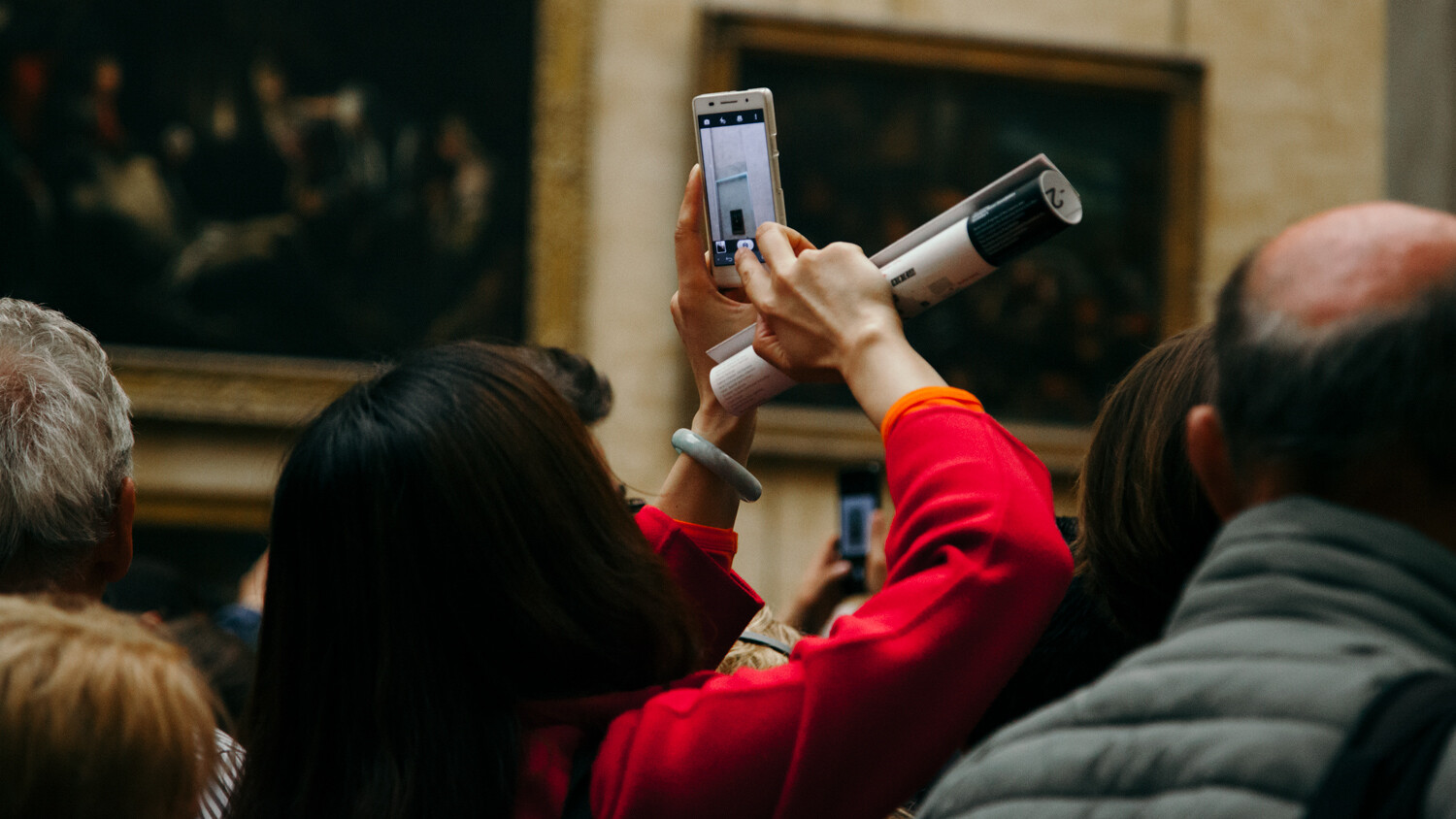
We’ve almost all done it. We’ve gone to an art gallery to look for inspiration for our photographic work and ended up just snapping some pictures of paintings we like on our phones for later reference.

How to Use an Art Gallery Visit to Inspire Your Photography

While that is one way to approach the task of finding inspiration for photography in art galleries, there are other ways that you might find more success.

In this article, I’m going to explore some different ways that you can use an art gallery to find inspiration for your photography. And they’ll all result in a more original result than if you just photograph the actual work of art itself.

Visiting a gallery

When you visit an art gallery, make sure you allow yourself enough time. Ideally, set aside a whole morning or afternoon for a larger gallery.

When going to a new gallery that I’ve never been to before, I love to take a trip around the whole thing. Then I go back and visit rooms or artworks that I loved to see them in more detail. At very large galleries or museums, you might want to look on the floor plan ahead of time and identify a smaller section to see on that visit.

How to Use an Art Gallery Visit to Inspire Your Photography

After you’ve viewed works of art for an hour or so, take time to visit the cafe and relax a bit. This will give you time to think about what you’ve enjoyed so far. Use this time to make some notes if you want to.

Of course, it’s not possible for everyone to visit a gallery, or to do so regularly. Instead, perhaps ‘visit’ the online archive of a museum or gallery on their website. Some museums and galleries offer themed collections that you can browse. Others have lists of the artwork in each room so that you can ‘tour’ it virtually!

Take a sketchbook

So many photographers don’t use a sketchbook, but I think they’re vital to inspiration-gathering. You don’t have to be good at drawing to use a sketchbook. My sketching abilities extend to a fraction more than stick figures. But it isn’t your drawing ability that counts; your sketchbook will just be a place to record ideas for your own reference.

art-gallery-visit-inspire-photography

As you make your way around the different rooms of the art gallery, stop in front of any work that catches your eye. Ask yourself why that piece of art caught your attention. Perhaps it was the:

  • pose
  • colors
  • concept
  • composition

This approach for finding inspiration is applicable to all types of photography. You could be interested in still life, landscapes, architecture, or any other kinds of photography!

Record what you see

Take out your sketchbook and record those thoughts. Draw a sketch of the pose or the composition. It doesn’t have to be an elaborate or detailed sketch. Just a thumbnail to serve as an aide-memoire in the future when you’re planning shoots.

If it was the concept or the colors that caught your eye then make a note of them. Write down the things that you particularly liked about it. Perhaps pink roses against a blue background seemed particular striking for you. Or maybe a bright blue gown gave you ideas for something in the future.

Image: These six thumbnail sketches were done at the Tate Modern in London to record down quick idea...

These six thumbnail sketches were done at the Tate Modern in London to record down quick ideas of pose and composition.

It might not even be important to you to record the name of the artwork or the artist. If it’s just a pose you like, then who cares who originally painted the picture?

This approach is nothing new in the art world. The eighteenth-century British painter, Sir Joshua Reynolds, allegedly had a book where he would sketch down poses that other painters had used. When you commissioned him to paint your portrait, you could pick your pose from the book!

When you come to create new photographs, go back and look at your sketchbook. Pull together your ideas from these notes, and you’ll soon find yourself with some interesting inspiration for your photography that doesn’t rely heavily on a single source.

Taking inspiration from single works of art

If there’s a particular artwork that you love then start to analyze that piece and see what it really is that you love about it. You might surprise yourself.

art-gallery-visit-inspire-photography

Researching Van Gogh’s paintings of sunflowers revealed themes of hope and gratitude as well as life and death. I created my own interpretation which I wrote about here.

I always start with a blank page in my notebook, where I sketch out the pose or composition of the work of art. Then I identify different elements. Perhaps the colors that seem particularly strong, the mood of the image, or the concept. There might be a key prop or costume piece that I like, and I’ll note that down too.

Try doing the same and then use that information, rather than the original artwork, to shape the photoshoot you have planned. You’ll almost certainly find that your ideas take on a life of their own that is quite different from the original piece of inspiration.

Taking inspiration from a whole exhibition

It can be an interesting creative exercise to take inspiration from a whole exhibition rather than a single artwork. And it often results in the creation of some very different photographs that don’t resemble the exhibition at all!

See the exhibition and, again, take out your notebook or sketchbook. Write down the themes of the exhibition that you can identify. Look around and see if you can find any compositions, styles, or techniques that reoccur in the work of the artist and make sketches or notes about those.

Image: This image was created on a visit to Monet’s home in Giverny in France where he painted...

This image was created on a visit to Monet’s home in Giverny in France where he painted. The day before I had seen the incredible display of his impressionist water lilies paintings at the Musée de l’Orangerie in Paris.

Don’t be afraid to put your notes to one side for a while. I often wait for weeks or even months before creating an image inspired by the art I have seen.

Sometimes it can be good to wait a while – you’ll be using the concepts and ideas as a starting point for your own work rather than just copying what you have seen. A break can help you to interpret the themes of the exhibition in your own way.

Venture outside your comfort zone

Be bold and try something new! Experiment with taking inspiration from different genres of art. Use the process of creating new photographs to motivate you to visit the kinds of galleries and exhibitions that you might not have visited before.

But most of all, try and interpret the artworks and exhibitions that you see into something original. Focus on bringing a part of yourself to the work that you create, no matter where your inspiration comes from, and you’ll be well on the path to originality.

How to Use an Art Gallery Visit to Inspire Your Photography

And while you’re there, don’t forget to take some photographs of the gallery itself and the people around you! There’s no reason why you can’t be finding inspiration for future image-making while also practicing your street photography.

The post How to Use an Art Gallery Visit to Inspire Your Photography appeared first on Digital Photography School. It was authored by Charlie Moss.


Digital Photography School

 
Comments Off on How to Use an Art Gallery Visit to Inspire Your Photography

Posted in Photography


Sony a6100 review sample gallery (DPReview TV)

16 Nov

$ (document).ready(function() { SampleGalleryV2({“containerId”:”embeddedSampleGallery_0052091785″,”galleryId”:”0052091785″,”isEmbeddedWidget”:true,”selectedImageIndex”:0,”isMobile”:false}) });

Check out our gallery of Sony a6100 sample photos captured during this week’s production of DPReview TV.

View DPReview TV’s a6100 sample gallery

Articles: Digital Photography Review (dpreview.com)

 
Comments Off on Sony a6100 review sample gallery (DPReview TV)

Posted in Uncategorized


The Sony a7R IV is the best camera for landscape photographers

16 Nov

We’ve updated our guide to the best cameras for landscape photographers with a new overall winner: the Sony a7R IV. Take a look at the full shortlist for all of our picks.

Articles: Digital Photography Review (dpreview.com)

 
Comments Off on The Sony a7R IV is the best camera for landscape photographers

Posted in Uncategorized