RSS
 

Archive for June, 2019

10 Questions to Ask a Tour Operator Before Signing up for a Photography Tour

14 Jun

The post 10 Questions to Ask a Tour Operator Before Signing up for a Photography Tour appeared first on Digital Photography School. It was authored by Peter West Carey.

The company has an entrancing website and bedazzling photos. The itinerary looks all-encompassing and the testimonials seem positive. You’re excited and have your credit card ready for the deposit.

Slow down, partner.

Before you hand over your money, it’s a good idea to ask a number of questions of the photography tour operator.

Asking questions before paying for a photography tour is all about setting expectations – both yours and the operators. It’s also a chance to learn about the professionalism of the person or company you are signing up with.

Here then are 10 key questions to help you with your tour choice.

1. Do they have insurance? And what will it cover?

Protecting yourself is important with any tour, and it’s important to know what your tour operator has in place before you sign up. With the proliferation of photographers jumping to offering tours, it’s possible not all have put serious thought into insurance matters.

At the least, your operator should have insurance covering accidents during the trip – both ones they cause and ones out of their control.

The reason operators may skimp on insurance is simple – it’s expensive. And that cuts into profits. It’s also often the reason two operators who offer roughly the same itinerary will differ in price by 10-20%. Make sure you are covered before paying your deposit.

2. What is their guest to instructor ratio?

Everyone has their own ideal when it comes to instructor-to-guest ratios. Some enjoy one-on-one instruction all the time, and others prefer a small group of maybe five or six. Still, others may love the anonymity of a large 15-person group so they can do their own thing without interference.

I prefer groups no larger than six guests per instructor. This allows for some hands-on, one-on-one time. It also ensures the instructor is not being asked 5,000 questions while you wait for your chance.

Also, realize that an instructor may have a low ratio, but the over-group size might be larger, meaning they may bring in other instructors to help out. This is usually not a problem, but if you are hoping to hear directly from the lead instructor who attracted you to the tour, be aware you might not get the amount of facetime you’re expecting.

3. Is this a tour or workshop?

What’s the difference between a workshop and a photo tour? Susan Portnoy has a good comparison on her site, The Insatiable Traveler.

A tour is a chance to be guided through an area typically rich in photographic content. There is less direct hands-on instruction, moment to moment, and the subject matter can cover a large spectrum.

A workshop, by contrast, is usually more hands-on and directed to a specific goal. An example of this is a one day workshop on street photography. Your instructor will be close at hand to make all those small course corrections and critiques needed for improvement.

4. Do they have any other assignments during this trip or is this their only gig?

I’ve run across this myself while taking a tour. The instructors brought us to a scenic overlook and then POOF! Gone.
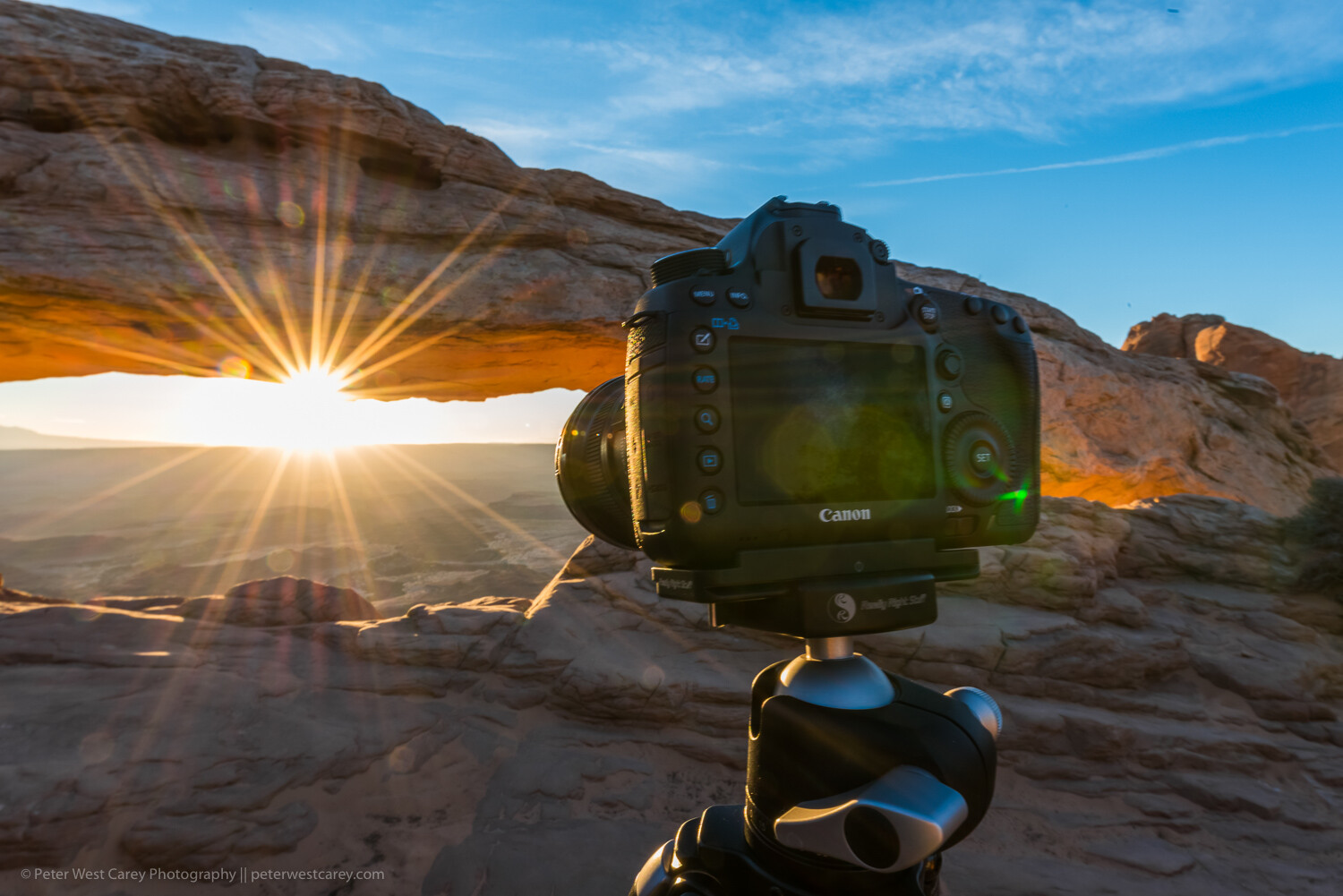
It turned out they had an assignment in that area. While they only headed off five minutes away, it was rather disconcerting to think I, and the other guests, were less important for that hour of ‘other work.’

It’s important to also realize that having other work isn’t necessarily horrible for you. However, it’s important to know about it up front, and then you can decide if it is acceptable. Most of us are okay with some deviation if we know about it in advance.

5. Will there be daily opportunities to review work?

Some people love to have constant feedback and need that on their tour. While others could not care less because their art is a personal endeavor.

If you want regular feedback, ask about it. Again, it’s about setting expectations, so you’re not disappointed when your needs aren’t being met.

Sometimes the reviews are just back-of-camera check-ins to see what you’re seeing and offer correction or encouragement. Or maybe you want an hour of the instructor’s time every three nights in front of a laptop so you can get more in-depth critiques. Either way, know before you go.

6. Why do they run tours to this location?

This is a big question that should be easy for any operator to answer. I believe the best answer is, “Because I love the area/region/country!” Often, the answer in the background is, “Because it is highly profitable or super popular.”

There’s nothing wrong with making a profit or leading tours to popular spots, but I feel it is important to know why the operator is running the tours they run. If it’s for the love of an area, you’re more likely to get hard-to-acquire information, background details, and unique locations. Experience certainly matters in the photography tour business for access to hidden experiences.

7. What is their cancelation policy?

This item is pretty straightforward. You should ask this for tours, workshops or any time you are plopping down a large sum of cash for a service. Do they offer full refunds? What is the deadline for canceling without a fee? Do they offer to reschedule if extenuating circumstances or family health are involved?

What about the operator canceling a tour? Will they try to rebook you with another, similar operator? How quickly will they offer a return of all funds?

8. What is a typical day like?

The advertisements and website you researched looked incredible! Beautiful images and exotic locations abound in that slick presentation.

But what will it really be like when you’re on the tour? Sure, no two days will be the same if you’re traveling all around. However, it is important to understand if you’ll be on a bus for five hours each day or if dinner is planned without thought to sunset timing each night. It’s often the difference between a photo tour and a regular tour.

In my mind, a photo tour should be a balance of exposure to opportunities with time to reflect and take a break. Food is also very important to keep energy up for shooting all day. If you’re always on the move, you won’t have time for photos. If your itinerary covers too much ground, you’ll see a lot of things through car or bus windows without many opportunities.

Pacing can be essential during a week or two-week long tour. If every day is packed with 18 hours of photography and instruction, you’re going to be exhausted by Day 3. Flexibility is also important so that one event taking extra time doesn’t make the rest of the day’s itinerary crumble.

9. How much instruction can you expect?

This question is also a chance to make your expectations known. If you want hand-holding the whole time, and have barely touched a camera, let the operator know so they can decide if the trip will be a good fit.

Perhaps you have a particular skill set you want to develop. Letting the operator know early will help them prepare, and both of you can work on a simple plan to help you improve during the tour. Everyone on your trip will have different aspects of photography they want to improve. Expressing your desires will help all involved.

10. Do they handle all logistics or work with local operators?

This is another question that has no right or wrong answer, but it’s important to know in setting your expectations. Some operators, to increase profits or because they desire more control, will want to book all the hotels, events, admissions, etc., themselves. This can also lead to a lower cost for guests. But it can also lead to the operator taking more time away from instructing.

On the other hand, an operator who hires a local guide or tour company should have more time for instructing. It can also help to have a local when things go sideways, and a deep understanding of local customs and protocol is essential. It allows for a division of labor; the local guide can go ahead and check the group into a hotel and have rooms ready while the group continues to soak up a particularly beautiful sunset.

Conclusion

Many of the questions I posed here have no right or wrong answer. However, I feel they are all important to ask in setting expectations before investing time and money in a tour. Asking them can also help expose a guide who is not organized or ready to take a group on a trip due to lack of diligence.

Can you think of other important questions to ask? We’d love to hear them in the comments section below.


photography tour questions

The post 10 Questions to Ask a Tour Operator Before Signing up for a Photography Tour appeared first on Digital Photography School. It was authored by Peter West Carey.


Digital Photography School

 
Comments Off on 10 Questions to Ask a Tour Operator Before Signing up for a Photography Tour

Posted in Photography


Sony adds Animal Eye AF to the a6400 with new 2.00 firmware update

13 Jun

Sony has released firmware version 2.00 for its a6400 mirrorless camera, bringing with it Animal Eye AF, support for the RMT-P1BT wireless remote commander and other improvements to help with stability.

It’s been roughly two months since Sony launched firmware updates for its a7R III and a7 III, which brought with them, amongst other things, Sony’s new Animal Eye AF. Now, Sony has brought the system to its crop sensor mirrorless cameras.

As a refresher, Animal Eye AF is an autofocus mode that uses AI-trained algorithms to find and focus on the eyes of wild animals and pets. It works with AF-C focus mode and is activated when the shutter is half-pressed or when assigned to the AF-ON button.

As with the firmware updates for the a7R III and a7 III, Animal Eye AF can’t be used at the same time as Human Eye AF and, due to the extra processing power required to get the job done, it won’t be nearly as fast as the Human Eye AF. Sony has put together a full documentation page detailing the intricacies of Animal Eye AF.

Firmware version 2.00 has also added support for Sony’s RMT-P1BT wireless remote commander and a number of other bug fixes that improve the overall stability and functionality of the a6400.

Firmware version 2.00 can be downloaded from Sony UK’s website for macOS and Windows computers. Installation instructions can be found on the respective download pages.

Articles: Digital Photography Review (dpreview.com)

 
Comments Off on Sony adds Animal Eye AF to the a6400 with new 2.00 firmware update

Posted in Uncategorized


DPReview TV: Shooting with the Fujifilm 200mm F2 in Japan

13 Jun

While on assignment in Japan, Chris and Jordan had a couple days to shoot with the Fujifilm XF 200mm F2 telephoto lens, which Chris nicknamed ‘The Big White Sharp’. To make things more interesting, Jordan filmed this entire episode using the new Fujifilm GFX 100 medium format camera.

Get new episodes of DPReview TV every week by subscribing to our YouTube channel!

  • Introduction
  • Greetings from Japan
  • Samples
  • Design and handling
  • Sharpness
  • Autofocus
  • Video performance
  • Who's it for?
  • Wrap-up

Sample gallery from this episode:

$ (document).ready(function() { SampleGalleryV2({“containerId”:”embeddedSampleGallery_5715796182″,”galleryId”:”5715796182″,”isEmbeddedWidget”:true,”selectedImageIndex”:0,”isMobile”:false}) });
Articles: Digital Photography Review (dpreview.com)

 
Comments Off on DPReview TV: Shooting with the Fujifilm 200mm F2 in Japan

Posted in Uncategorized


We’re hiring! DPReview is looking for a Software Development Engineer and Senior Product Manager

13 Jun

We’re looking to add a Software Development Engineer and a Senior Product Manager to our team! Each role is uniquely positioned to help shape the future of the site. The Senior Product Manager will own DPReview’s product roadmap, working closely with our engineering and editorial teams. The Software Development Engineer will help build the next generation of web and mobile experiences for DPReview, shaping products from concept to delivery.

If you’re passionate about photography and ready to help build the future of DPReview, take a look at the full job descriptions linked below and learn how to apply.

Apply now: Senior Product Manager

Apply now: Software Development Engineer

Articles: Digital Photography Review (dpreview.com)

 
Comments Off on We’re hiring! DPReview is looking for a Software Development Engineer and Senior Product Manager

Posted in Uncategorized


Shiftcam returns to Kickstarter with a 12mm aspherical smartphone lens

13 Jun

Most current high-end smartphones come with multi-camera modules with integrated ultra-wide-angles that typically offer an equivalent focal length of approximately 16mm, but if you need something even wider, or are using an older single-camera phone, Shiftcam’s latest offering could be worth a closer look.

The company, which has previously completed several successful smartphone lenses on Kickstarter, is back on the crowdfunding platform, this time with a 12mm ultra wide aspherical lens.

Like other lenses in the Shiftcam Pro line, the 12mm can be attached to iPhones via a specific case or to all other phones with a universal lens mount. The company also offers a counterweight for use on gimbals and a filter adapter.

The lens itself features six elements in four groups. The body is made from aluminum, the front element comes with a nano-coating to reduce flare and Shiftcam says the lens is practically distortion-free.

Pledges start at $ 89 for the early-bird lens and mount and go up all the way to $ 299 for the entire Shiftcam Pro lens kit. The funding goal has already been exceeded multiple times, so the project will go ahead. Delivery is estimated for August 2019. You can find more information including a full list of compatible device’s on the project’s Kickstarter page.


Disclaimer: Remember to do your research with any crowdfunding project. DPReview does its best to share only the projects that look legitimate and come from reliable creators, but as with any crowdfunded campaign, there’s always the risk of the product or service never coming to fruition

Articles: Digital Photography Review (dpreview.com)

 
Comments Off on Shiftcam returns to Kickstarter with a 12mm aspherical smartphone lens

Posted in Uncategorized


Google confirms that Pixel 4 will offer multiple rear cameras

13 Jun

Leaked renderings of the upcoming Pixel 4 seem to have prompted Google to get ahead of its own story by tweeting an image of the device well ahead of its expected fall launch date. Prominently featured is a square “bump” that appears to house two rear-facing cameras, a flash and two smaller sensors, one of which is visible if you raise the image’s shadows.

We imagine that the small sensor to the right of the flash is a spectral + flicker sensor, something that helps avoid banding with flickering light sources and also helps the auto white balance algorithm estimate the dominant illuminant for better color reproduction. The Pixel 3 has one of these sensors next to its flash, too.

The fourth sensor, positioned above and centered between the two main cameras, appears too small to be another camera unit. We’ve often wondered about the future inclusion of a Time-of-Flight (ToF) camera in the Pixel lineup. Competitors like Huawei and Samsung have been adding these sensors to their devices to help with depth mapping. The Pixel 3’s portrait mode images were already among the best from current mobile devices, so we’re interested to see what the addition of a secondary camera – and whatever that additional sensor is – might add up to.

Articles: Digital Photography Review (dpreview.com)

 
Comments Off on Google confirms that Pixel 4 will offer multiple rear cameras

Posted in Uncategorized


Fujifilm Instax Mini LiPlay can play sound that’s printed onto its instant images

13 Jun

Fujifilm’s next Instax mini model has a 5MP sensor, saves images to a memory card and allows users to record a ten-second audio clip that can be played when the printed picture is viewed. The Instax mini LiPlay, Fujifilm’s smallest and lightest Instax to date, produces the usual credit card sized prints but can print a QR code in the corner that links to the audio that was recorded to go along with the picture.

The idea is that users can record a message to a friend with whom they will share the picture taken with the camera. The friend scans the QR code using Fujifilm’s Instax mini LiPlay app and the audio clip plays through the phone. The audio could be a spoken message or the sounds from the place the picture was taken – Fujifilm suggests the sound of the sea to accompany pictures from the beach.

The camera uses a 5MP sensor and allows users to review images before deciding to print them or not. Images can also be saved to internal memory or to a removable MicroSD card, and images taken with other devices can be printed on the camera via a smartphone with a Bluetooth connection. The camera’s lens has an angle of view to match a 28mm lens on a full frame system and has a maximum aperture of F2. The lens has an AF system and shutter speeds run from ¼ – 1/8000sec, while the auto ISO feature moves between ISO 100 and 1600.

The Instax mini LiPlay will come in three colors and textures, and will begin shipping immediately depending on your region. It will cost $ 159.99/£149.99. For more information see the Fujifilm website.

Press release:

Hybrid instant camera “Instax mini LiPlay”

  • New-generation instax with sound-recording capability!
  • Capture memories in an instax print with audio message
  • Mini-format film “CONFETTI” and square-format film “Star-illumination” with metallic frame also available to add a touch of flamboyance to your pictures

FUJIFILM Corporation (President: Kenji Sukeno) has announced that it will release a hybrid instant camera “instax mini LiPlay” (hereinafter “LiPlay”), which supports credit-card-size film, on or after June 14, 2019 on a market-by-market basis. The model is a new addition to the lineup of “instax” instant cameras, which allows you to enjoy photo prints on the spot. The camera’s main unit is the smallest and most lightweight in the history of the instax series for outstanding portability. Yet, at the same time, the camera is packed with new features such as the “Sound” function* to convey a voice message or other audio data in the form of a QR code** included in a photo print, and the “Direct Print” function*1 to print images in your smartphone on instax film — broadening the scope of situations the camera can be enjoyed.

Fujifilm has also announced new metallic instax mini film “CONFETTI” and instax square film “Star-illumination,” available in two designs, adding a touch of creativity to your photos.

Overview of the instax series

The “instax” series of instant cameras, launched in 1998, is affectionately called “Cheki” in Japan, where it has enjoyed wide popularity for over 20 years. Today, it is sold in over 100 countries around the world, including Europe, Americas and Asia Pacific, with the cumulative number of shipments topping 45 million worldwide. It has been particularly loved by the digital-native generation in their teens and young adults who have embraced it as a communication tool, saying “It is fun to share those precious moments in life in the form of photo prints. When I hand photo prints to my friends, it gives me a real sense of connection with them.”

Overview of the new product, “instax mini LiPlay”

The new “LiPlay,” is a hybrid instant camera that allows you to review photos captured on the device via the LCD monitor on the back of the camera and choose images you want to print. The camera’s “Sound” function is capable of recording up to ten seconds of audio. The function converts the audio data into a QR code and adds it to a photo to be printed out together. The audio can be replayed*** by scanning the printed QR code with a smartphone*4. This allows you to give a photo together with your description about the pictured scene. The camera also features the “Direct Print” function, which transfers a photo taken with your smartphone to the LiPlay for printing. You can print your favorite picture in your smartphone easily on instax film and share it with your friends. To make it easy to take a group photo, the camera also offers the “Remote Shooting” function so that you can use a smartphone operation to release the shutter while standing away from the camera itself.

The camera body boasts a streamlined and stylish design. Its compact and lightweight form factor makes it easy to carry. Buttons and dials for basic operations such as shutter release and “Sound” function are laid out for advanced operability. Extra attention has been paid to perfect the camera’s texture. The camera comes in three colors, each of which has different surface processing, such as embossed or smooth finish.

Fujifilm will continue to broaden the world of the “instax” instant photo system for on-the-spot photo printing.

* * The free “instax mini LiPlay” app must be downloaded and installed on your smartphone to use the Sound and Direct Print functions.
* ** QR Code is a registered trademark of Denso Wave Inc.
* *** Recorded audio data is stored for one year from the time it is uploaded to the server together with its linked photo image via a special smartphone app.
* *4 Smartphones with the QR Code scanning capability are required to read the QR code.

1. Product Name

(1) Hybrid instant camera “instax mini LiPlay”

(2) Mini-format film “CONFETTI”

(3) Square-format film “Star-illumination”

2. Release Date

On or after June 14, 2019, on a market-by-market basis

3. Price

Open price

4. Main features

(1) “instax mini LiPlay”
1. Smallest and most lightweight hybrid instant camera in the history of the instax series
The LiPlay is a highly-portable hybrid instant camera that incorporates digital technology. Featuring a 2.7-inch LCD monitor at the rear, the camera allows you to shoot photos while checking the monitor and choose pictures to print. The camera also offers brightness adjustment capability based on exposure compensation as well as six filters for processing photos, e.g. in sepia tone or in monochrome, to create a different impression.

2. New “Sound” function
The camera’s audio-recording capability means you can record up to 10 seconds of sound. The function converts sound data into a QR code and prints it on your photo. Scan the QR code with a smartphonoe’s QR Code reader and replay the audio message. Printing a photo with a recorded message allows you to convey your sentiments to the person receiving the photo, making the scene more memorable. Alternatively, photograph a beach and attach the sound of waves, for example, to create a print that reminds you of the photographed situation, so that your memory of the precious moment stays vivid.

3. “Direct Print” function to use the camera as a smartphone printer
Images stored in a smartphone can be transferred to the camera via Bluetooth*5 for printing. You can enlarge or rotate images before transferring them.
4. “Remote Shooting” function for taking pictures while standing away from the camera
This function allows you to release the shutter with a smartphone operation while standing away from the camera. Remotely-taken images can be also printed on the spot. This function is particularly useful for a group photo or when you want to achieve a dynamic effect by taking photos from high or low angles.
5. Wide variety of design frames on offer
The camera comes pre-installed with ten design frames, which can be selected during or after taking a picture so that they are incorporated into the image for printing. Download the “instax mini LiPlay” smartphone app (free) to enjoy 20 additional design frames, bringing the total number of design frames available to 30.

6. Stylish camera body design
The streamlined shape of the camera body is complemented with a different surface finish for each of the three color variations in a design approach that even pays close attention to your tactile sense. The Stone White version has a rough, stone-like surface achieved with a special spray coating. The Elegant Black version features an eye-catching embossed finish on the camera surface, while the Blush Gold version dazzles with a smooth lustrous finish. Metallic parts are used for the lens ring, etc. for a premium look.

(2) New instax film
1. Mini-format film “CONFETTI”

  • Compatible with all “instax mini” series models that support the mini format
  • Colorful metallic frame that adds a touch of flamboyance to your photo
  • 10 prints per pack

2. Square-format film “Star-illumination”

  • Compatible with all “instax SQUARE” series models that support the square format
  • Elegant design of the night sky scattered with colorful stars to make your photo look stylish
  • 10 prints per pack

* *5 Bluetooth® work mark and logo are registered trademarks of Bluetooth SIG, Inc. FUJIFILM Corporation uses these marks based on a license agreement.

Articles: Digital Photography Review (dpreview.com)

 
Comments Off on Fujifilm Instax Mini LiPlay can play sound that’s printed onto its instant images

Posted in Uncategorized


How to Create a Documentary Photography Project

13 Jun

The post How to Create a Documentary Photography Project appeared first on Digital Photography School. It was authored by Kevin Landwer-Johan.

We all love a good story. A tale that captures your attention and draws you in to discover more. Creating a documentary photography project can be a great way to develop your photography. It can also help hold the attention of your audience for longer.

Monk in a Saamlor tricycle taxi in Chiang Mai, Thailand.

© Kevin Landwer-Johan

Random collections of unrelated images tend to be glanced over. This is especially so when most of your photography is viewed on social media platforms. Making your photography stick in people’s minds is a constant challenge.

Developing a photography project and working on it over a period of time, be it weeks, months or even years, can help you stand out from the crowd. Your personal skills and style will evolve in a more meaningful direction. The deeper commitment you have to a documentary photography project the more you will benefit.

Have a plan and a purpose for your photography project

Charging into a project on a whim will sometimes work, but not often. Without purpose and a plan, you are more likely to lose interest. You’ll struggle to keep momentum and find it too challenging to come up with fresh ideas to keep your project alive.

Start a list. Write down ideas as they come to you. What would most like to photograph? As you start, don’t restrict yourself. Jot down whatever comes to mind, giving no thought to whether or not it’s practical. Let your list grow over a week and then review it.

Market Tricycle Taxi Ride How to Create a Documentary Photography Project

© Kevin Landwer-Johan

Give yourself some space alone with your list. Edit it down to what’s practical. What can you photograph every day, or every week? If anything on your list is not accessible to you, remove it. Add it to a list for future projects.

Concentrate on what excites you. What’s on your list that you’d most like to commit to photographing regularly? Having a passion for your theme or concept will keep you motivated. Don’t choose ideas you think will be easy. Being challenged is good for you.

Narrow your list down to two or three ideas. Mull these over before deciding on one of them. Even make a start on more than one. You can begin work on more than one project, then, if it’s too much of a commitment, pick the one you’re enjoying the most.

Now write another list of what you will do with the photos you’ll create for your documentary project. Stories are for sharing. Who will be interested in the tale you are telling? What’s the best medium or platform for you to display your images?

You might want to make a physical scrapbook with prints of your favorite photos. Instagram or Pinterest may be an ideal outlet for you, or your own website. Photo sharing sites like 500px or Flickr are also options. You could email a small selection of your project photos to one or two photographer friends each week for their feedback. Consider what you most want to achieve by sharing your photos.

Tricycle Detail How to Create a Documentary Photography Project

© Kevin Landwer-Johan

Know your subject better than anyone

Research. Dig into your chosen project idea like it’s brand new. Even if you already know a lot about it, find out more. Telling a story built on thin information will not hold people’s attention for very long.

The more of an expert you become on your subject, the better the story you will tell. You might even want to plan a narrative. What will be the beginning, middle, and end? The greater your knowledge about it, the more interesting detail you’ll be able to include. You want other experts on your topic to be surprised at what you are showing them in your photos.

Look into the history of the project idea. Talk to people who know about your topic. Don’t only rely on the internet. To touch the heart of the thing will require experience – yours and other people’s.

Tricycle Taxi Rest How to Create a Documentary Photography Project

© Kevin Landwer-Johan

Take lots of photographs

While it’s important to plan, don’t be held back by it. Make a start as soon as you have decided on what your documentary photography project will be. You might start slowly and change direction a few times, but that’s okay.

Procrastinating will not help you achieve your goals. Once you begin, you will see your story develop, and you can steer it in any direction you feel is right.

The topic for your project may dictate how frequently you can take photos. Hopefully, this will be regular, especially if you are embarking on your first documentary photo project.

Vary the images you are making. You may decide to use one prime lens. If so, push yourself to create a diverse selection of compositions with it. Or use your widest and your longest lens with the same subject on the same day for variety.

Waiting for a Ride How to Create a Documentary Photography Project

© Kevin Landwer-Johan

Use a mixture of aperture, shutter speed, and ISO settings to also help build an interesting series of photos. If there’s movement, let it blur out using a slow shutter speed. If you would normally photography a subject with a wide aperture, close it down and get as much in focus as possible. Stretch your technique beyond what you would typically use.

Photograph in a mixture of lighting situations. Take some photos in the morning and others in the afternoon or at night. Aiming for variety will give you a more interesting body of work to edit down from for the images you will share.

As you build up a body of work, you will begin to see your strengths and weaknesses. You will see the photos you like the most. Organize these into a separate folder, or series of folders so that you can compare them often.

Taxi Rider in Chiang Mai, Thailand How to Create a Documentary Photography Project

© Kevin Landwer-Johan

Cultivate a relationship with your project

Photographing a project will involve some amount of repetition. You’ll visit the same locations. Photograph the same things. Meet the same people. Experience weather and seasonal changes.

Be aware of your feelings each time you are working on your project. Make photographs that are in tune with your mood and how you are experiencing what you are doing. This will make your story more personal and interesting.

Your view of the world is unique, and your photographs should portray this. The concept may seem a little abstract, but as you are mindful of it and practice over time, you will find your photos become more expressive of who you are.

Waiting for Customers How to Create a Documentary Photography Project

© Kevin Landwer-Johan

Interacting with people who are part of your project, if there are any, will help develop the character in your photo story. You might prefer to only take candid photos of people, but the way you do this will also reflect in your pictures. Using a long lens, or a wide one, will result in very different candid images.

Engaging with people throughout your project is very interesting. At the start, people may be uncertain of what you’re doing or why. As you revisit and photograph them, your relationship with them will change. People will become accustomed to you and will be more relaxed in your presence. Others may become irritated or bored. The nature of the photos you make of them will change.

Observe the differences. What’s changed since the last time you worked on your project? Look for subtitles you may not have picked up on if you’d only photographed in that place once. Over time you will start to see things you did not pick up on before. These details can add a depth of interest to your documentary project.

Poise of the Rider How to Create a Documentary Photography Project

© Kevin Landwer-Johan

Review your photos and seek feedback

What do you think of your photos? Are others enjoying your visual storytelling?

Working on a project allows you to see your own photography developing. Because you’re photographing the same theme or concept over a period of time, you will reproduce similar types of photos. Compare them. Can you see growth in your skills and style?

Separate the top 10 or 20 percent of your photos after each session you have working on your project. This will give you a clearer idea of your progress. From time to time, review these photos and look for gaps in your story. What’s missing? What are you photographing too much?

Having a photographer friend or mentor look over your photos and share their critique on them will help you see things from another perspective. They may point out things or ask questions you have not thought of. Healthy feedback can lead to a deeper, richer story being told.

Cycle Taxi Shadow How to Create a Documentary Photography Project

© Kevin Landwer-Johan

Let your documentary photography project grow organically

Go with the flow. Don’t stick to your plan too closely if you feel a more exciting story is emerging from your project. Let it develop organically. This will help you keep interested in what you are doing. You may stretch your project out for longer than you had planned.

Start today. Begin writing your list of ideas. Don’t rush it, but don’t let the idea stagnate. Once you begin, keep thinking about your project and adding to it. Right from when you start your list, through to the taking of photos and sharing them.

Have you ever given yourself the challenge of a documentary photography project? You may find you love the more in-depth storytelling aspect of working on a body of work.

Do you already have a project which has stalled a little and needs a kickstart? Design a story for it and plan to share it. This can help you get back on track.


The post How to Create a Documentary Photography Project appeared first on Digital Photography School. It was authored by Kevin Landwer-Johan.


Digital Photography School

 
Comments Off on How to Create a Documentary Photography Project

Posted in Photography


Shutterfly acquired for $2.7B, set to be merged with Snapfish

13 Jun

Apollo Global Management LLC (AGM), an American private equity firm, has agreed to acquire online photo hosting and printing platforms Shutterfly and Snapfish in a multi-billion dollar deal.

According to a report from Reuters, AGM is shelling out $ 2.7 billion for Shutterfly, which includes approximately $ 900 million in debt, some of which is likely to be from Shutterfly’s $ 825 million acquisition of school and family portrait franchise Lifetouch last year. The report further specifies Apollo is paying ‘$ 51 per share in cash for Shutterfly, a 13% premium to the company’s value on Feb. 5, the last trading day before it announced it would explore a sale.’

No specific financials were given on the acquisition of Snapfish, but Reuters reports Apollo plans on merging the two companies together.

A screenshot from Shutterfly’s homepage at the time of writing this article. It shows mugs, photobooks and graduation cards that can be made with the service, in addition to dozens of other trinkets and stationary items.

Both Shutterfly and Snapfish are online platforms that allow consumers to publish images online and create various objects and stationary with their photographs. In addition to basic editing tools in the browser, both Shutterfly and Snapfish allow images to be printed into books, calendars, cards and more, as well as printed on mugs, glasses, tiles and more.

For the time being, both the Shutterfly and Snapfish websites are up and operating as usual. There doesn’t appear to be a timeline for when the merge will happen or how it will go down.

Articles: Digital Photography Review (dpreview.com)

 
Comments Off on Shutterfly acquired for $2.7B, set to be merged with Snapfish

Posted in Uncategorized


5 Reasons to Consider Aperture Priority Over Manual Mode

13 Jun

The post 5 Reasons to Consider Aperture Priority Over Manual Mode appeared first on Digital Photography School. It was authored by John McIntire.

Choosing aperture priority mode in difficult lighting situations can free your mind up to deal with the things that matter most to the photo, like timing, rather than messing around with the dials to get the same result.

There’s a lot to be said for the manual exposure mode on your camera. When you’re starting out, learning how to shoot in manual will help you to learn the relationship between shutter speed and aperture. This ensures that you learn what the camera is doing every time you make an exposure. It also builds the basis for you to take what you learn about exposure and correct for the camera’s inability to cope with extreme exposure situations as well as to make creative choices for your images.

After you’ve learned the ins and outs of manual mode, however, there are a few reasons why you might want to forego your hard-learned manual skills for Aperture Priority mode. This article outlines five of these reasons and details what Aperture Priority mode might offer you and your photography in some situations.

1. Aperture priority does the same job as manual mode

In manual mode, the meter in your camera is taking a reading based on your set ISO (provided you’re not using auto ISO). The chances are likely that you’ve picked a deliberate aperture setting before you even lifted the camera up. To get your exposure, you now have to alter the shutter speed so that the indicator on your camera lines up with what the meter dictates is a correct exposure.

Aperture priority does the exact same thing, except that the camera sets up the shutter speed for you.

In instances where you are trusting your camera’s light meter (let’s be honest, that’s most of the time), this will result in the same exposure every single time whether you are shooting in manual mode or aperture priority mode.

What aperture priority mode does is remove the need for you to set the shutter speed yourself. It frees you to concentrate on things like composition without having to constantly keep an eye on the meter.

Exposing for the meter in manual mode resulted in an exposure of f/11 at 1/50th of a second.

Exposing the scene in aperture priority mode just a second later resulted in the exact same exposure. f/11 at 1/50th of a second.

In situations where you need to compensate for dark or light subjects, aperture priority mode still gives you full manual control of the exposure through exposure compensation. Are you taking photos of a dark subject like a black dog? Dial in -1 stop of exposure compensation just one time and keep shooting without having to constantly adjust your settings to get to the same result. Are you taking photos of a fluffy white dog? Same again. This time, add +1 stop of exposure compensation and away you go.

Dark subjects will require you to underexpose them. In Aperture priority mode, this is easily done with exposure compensation. Once you dial in exposure compensation, you are set to go until it has to be changed again. With light-toned subjects, you will have to overexpose them to maintain the correct exposure.

High contrast subjects, like this sheep’s white face lit directly by the setting sun, will also have to be underexposed by at least a few stops.

The only difference between aperture priority mode and manual mode in these circumstances is that you will be spending more time focusing on the creation of the photos than you will be on the dials on your camera.

To be clear, I am not advocating for not learning how to use manual mode. For the best results, it is important for you to understand how your camera works in relation to exposure. Using manual mode is the best and fastest way to do that. So, please, don’t skip over manual altogether. However, once you have it down, using other modes alongside your knowledge of exposure and how it works will help you and your photos in the long run.

2. Speed

The backlighting in this image created an extremely high contrast situation. By dialing in -3 stops of exposure compensation, I was able to ensure that the issues were dealt with in a series of images with one turn of the dial.

As mentioned, using aperture priority reduces the amount of time you have to spend watching the camera’s meter. Because the camera is now setting the shutter speed for you, the only thing you have to worry about in most situations is exposure compensation. Once you set your camera to aperture priority mode, it takes only one finger (on all modern cameras that I’ve used) to adjust the exposure compensation settings.

Need to underexpose by a stop? Just turn the one (relevant) dial three clicks. Done.

The only other thing you might have to worry about is if you have the need, or want, to change your ISO. But that is going to be more uncommon.

3. Aperture priority still gives full manual control

At the risk of repeating myself, but I feel this point really needs to be driven home. Aperture priority mode gives you full manual control over your exposure. It is not automatic, or an auto mode, in any way more than it allows the camera to set the shutter speed based on the meter you are already using.  At any time while in aperture priority mode, you will still have full manual input on what exposure the camera is recording. You just have less physical steps to go through before you get there.

4. Helps to create a constant exposure in changing lighting conditions

One scenario in which aperture priority mode really shines is in changing lighting conditions. For example, if you’re out on a windy and cloudy day, the light levels can constantly shift. In aperture priority mode, your camera changes the shutter speed for correct exposure (already taking into account any exposure compensation that you might have set). Thus, helping you to achieve a consistent look for all of the images in a sequence. This is most useful in terms of shooting a sequence of images to later stitch into a panorama.

When creating a sequence of images for a panorama, aperture priority can help to ensure a consistent exposure throughout the frames.

If you were shooting this sequence in manual mode, it would require you to be constantly looking at the meter and changing your shutter speed settings as required. This isn’t a big deal, but using aperture priority mode allows you to get the same results without constant fetter over the settings.

At sunset, the light rapidly changes. Add a moving subject to that high contrast scene and you have an exposure nightmare. Aperture priority can help to maintain a fairly consistent exposure between frames.

This isn’t perfect, and extreme shifts in lighting can have drastic effects on your images and your exposure. You will still have to pay attention to the details to ensure nothing is going wrong. On normal days, however, it will work just fine.

5. TTL and HSS enabled flashes

Using aperture priority with TTL and HSS enabled flashes might just be the perfect match.

When you are using a flash with TTL (through the lens metering) and HSS (High-Speed Sync) enabled, the chances are that you are going to be working with a fixed aperture anyway.

Remember, shutter speed does not affect flash exposure, only ambient exposure. Aperture priority mode will give you the freedom to set your desired aperture and then let the camera do what it needs to match the meter.

Not only will you still have full control over the exposure compensation for the ambient, but you will also have full control over exposure compensation with the flash unit.

Again, this allows you to get the exposure where you want it one time, and then you are free to concentrate on the actual photos.

That’s it

Aperture priority can be a fantastic tool for any photographer. At the end of the day, it does the exact same thing that manual mode does. It just takes away some physical steps that you have to go through in manual mode to set the exposure.

That said, like just about everything else in photography, it is not perfect, and it won’t always be a solution.

If you take only one thing away from this article, let it be this: shooting only in manual mode does not make you a better photographer. Aperture priority and shutter priority modes do the exact same thing, just in a different way. Use whichever works for the situation you’re in.

Do you use Aperture or Shutter Priority? Share with us your thoughts in the comments below.


5 Reasons to Consider Aperture Priority Over Manual Mode

The post 5 Reasons to Consider Aperture Priority Over Manual Mode appeared first on Digital Photography School. It was authored by John McIntire.


Digital Photography School

 
Comments Off on 5 Reasons to Consider Aperture Priority Over Manual Mode

Posted in Photography