RSS
 

Archive for January, 2019

What to do When the Light’s Down Low

03 Jan

The post What to do When the Light’s Down Low appeared first on Digital Photography School. It was authored by Kevin Landwer-Johan.

Cameras create images using reflected light. When there’s not much light reflecting off your subject, the camera is challenged. You need to learn the methods of controlling your camera when you are photographing in low light situations.

What to do When the Lights Down Low Bronze Crucible

© Kevin Landwer-Johan

Our cameras and our eyes ‘see’ in different ways. When the light is low, our eyes often do not see color so vividly. When we are photographing in low light we can make adjustments to our camera exposure settings. This enables them to make photos our eyes never see naturally.

Light streaks from passing vehicle lights or blurred movement of flames in a fire are never things our eyes see naturally. These are only the result of using a slow shutter speed on your camera.

Opening up your lens aperture will produce a shallow depth of field beyond what your eyes will see. Doing this allows more light to affect the sensor and can produce some surreal results in low light.

What to do When the Lights Down Low Silhouettes in a Passageway

© Kevin Landwer-Johan

Setting your ISO very high, especially on newer cameras, makes it possible to take photographs in near darkness.

Visualize the look you want

Starting out with an idea in your mind about with the look and feel you want your photo to have makes it easier to achieve. This will lead to more creative development in your photography.

What to do When the Lights Down Low Istanbul

© Kevin Landwer-Johan

Starting out this may be a challenge for some, but it is a great thing to learn as it pushes you to learn how to use your camera more flexibly.

Consider if you want a sharp image, or if you want to embrace the blur of slow shutter speed if there’s movement in your subject. Think about how a wide aperture setting will affect how much of your photo is in focus. Is this the look you want?

How do I know which settings to adjust?

I can give you some guidelines but you will only truly know through experimenting with the settings yourself. I can’t tell you the precise settings to use because every situation you will photograph contains many variables.

What to do When the Lights Down Low Merlion Park, Singapore

© Kevin Landwer-Johan

You could set your camera to Program Mode on Auto ISO and let the camera make choices for you. Alternatively, choose one of the night scene modes your camera may have.

Both these options are very helpful when you first begin to experiment with low light photography. Both, however, will produce rather generic looking results.

Automatic settings are best when you use them to get you started and then analyze the EXIF data they contain. Having in mind the way you want your photo to look means you can then study the aperture, shutter speed and ISO information contained in the EXIF.

Asian New Year Lanterns

© Kevin Landwer-Johan

Once you have done this, switch your camera to Manual Mode using the same three exposure settings. Now adjust the ones you think will begin to give your desired effect. Continue to make small adjustments, one at a time, tweaking them until you are happy with what you see.

As you practice this and become more familiar with your camera settings and lighting conditions you will no longer need to use an auto mode to help get you started.

What to do When the Lights Down Low Fire 1

© Kevin Landwer-Johan

In this photo I was aiming to have my subjects relatively sharp. The lens I used on my Nikon D800 was the 35mm f1.4. The ISO was set to 4000, aperture to f/1.4 and the shutter speed was for 1/10th of a second. I did not use a flash.

What to do When the Lights Down Low Fire 2

© Kevin Landwer-Johan

An 8 second exposure time was used in this photo to allow for some motion blur in the people and the fire. My ISO was set at 1600 and my aperture was f/7.1

The varying amount of light from the flames meant I had to carefully watch my exposure settings and adjust them as necessary.

Adding an external light

Flash and LED light added to a scene when the light is low will influence your photograph. You need to control these lights carefully to be able to obtain the most natural looking results.

Too much extra light will cause unsightly shadows and possibly harsh highlights. With not enough additional light, you may not be able to see the effect at all. Again, when you are first starting out, experimentation is the key.

What to do When the Lights Down Low Tuktuk

© Kevin Landwer-Johan

Test the various flash settings to determine which one will give you the best look. Try TTL or auto settings first. Depending on your camera and flash these settings in any situation the results will be better or worse.

If you are not satisfied, switch your flash to Manual Mode. Start with the power set to half and take a photo. Adjust the setting higher or lower and gradually taking a series of photos until you are happy with the result you see on your monitor.

Create RAW files and post process them

Low light being challenging, you will obtain the best results only after some post-processing. Camera technology continues to improve, but is not yet ideal, especially when the light is low.

What to do When the Lights Down Low Loi Krathong

© Kevin Landwer-Johan

Making RAW images allows you greater flexibility to post process and retain a higher quality. Most commonly you will want to reduce the amount of digital noise which occurs at higher ISO settings.

Color and contrast can both become flat and dull at higher ISO settings. Boosting contrast and saturation will make your photo look crisper.

Keep focused

Many cameras will struggle to autofocus in low light conditions. The lens may search for some time before it finds a focus point. Even then, it may not choose the point you want it to focus on if your camera is set to multi-point focus. In more extreme circumstances it may not be able to focus at all.

What to do When the Lights Down Low Dancer

© Kevin Landwer-Johan

Manually focusing may be the best option. But this is also more challenging in low light. Using an external light source, like a flashlight, aimed at the area of your composition you wish to focus on can help. Once your lens is focused turn your flashlight off if you do not want it to affect your exposure.

Conclusion

Practice and experimentation will lead to the best results. The more you photograph in low light the more familiar you will become with the variables different settings will produce.

Start with easy subjects when you have ample time. Learning to take great photos in low light is not something that will happen overnight.

The post What to do When the Light’s Down Low appeared first on Digital Photography School. It was authored by Kevin Landwer-Johan.


Digital Photography School

 
Comments Off on What to do When the Light’s Down Low

Posted in Photography


A Nokia 9 PureView promo video has been leaked showing off its 5 camera arrangement

02 Jan

We’ve seen rumors of a new Nokia smartphone with a penta-lens camera setup floating around the Internet since last September. Now these rumors have been all but confirmed and it looks like we are pretty close to an official launch of the device.

Website mysmartprice.com has published what looks like a promotional video for the as yet unannounced device. In addition “professional leaker” Evan Blass posted an image of the new device on his Twitter account. In the video the device is called the Nokia 9 PureView and can be seen with the rumored penta-lens camera on the back.

According to the video, the camera captures five images simultaneously when the shutter is pressed. This results in more light being captured than on conventional cameras and therefore produces better-than-usual low light capabilities. Images can also be refocused after capture, but there is no talk about zoom performance.

The new Nokia will allegedly also come with a 5.99-inch “PureDisplay” that supports the HDR10 standard and features an in-display fingerprint reader. The device will be powered by a Qualcomm Snapdragon 845 chipset and 6GB of RAM. 128GB of built-in storage are on board as well.

While general specs are pretty much in line with other current high-end smartphones, the upcoming Nokia’s camera definitely will stand out from the crowd when the phone is made official. This could happen pretty soon and we’d expect the Nokia 9 PureView to be announced at the Mobile World Congress in February at the latest.

Articles: Digital Photography Review (dpreview.com)

 
Comments Off on A Nokia 9 PureView promo video has been leaked showing off its 5 camera arrangement

Posted in Uncategorized


Canon EF-M 32mm F1.4 sample gallery

02 Jan

$ (document).ready(function() { SampleGalleryV2({“containerId”:”embeddedSampleGallery_6596689888″,”galleryId”:”6596689888″,”isEmbeddedWidget”:true,”selectedImageIndex”:0,”isMobile”:false}) });

Users of Canon’s EOS M system got a treat this fall, with the announcement of the EF-M 32mm F1.4. Announced more than a year after Canon’s last EF-M lens (the EF-M 28mm F3.5 Macro), the new 32mm offers a native 50mm equivalent field of view, a metal mount, a focus limiter switch and overall solid construction. But how is it optically? Take a look through our sample gallery to get an idea of how it performs.

Articles: Digital Photography Review (dpreview.com)

 
Comments Off on Canon EF-M 32mm F1.4 sample gallery

Posted in Uncategorized


25 Practical Photography Projects for the New Year

02 Jan

The post 25 Practical Photography Projects for the New Year appeared first on Digital Photography School. It was authored by Mat Coker.

So many photographers become stale in their pursuit of photography. Perhaps your hard drive overflows with tens of thousands of photos, yet somehow your photography seems to have become stagnant?

A new year is upon you and with this fresh beginning comes a chance to renew your love of photography. Perhaps there is no better way to do this than with practical photography projects.

Here are 25 practical photography projects to get you started!

Using Lightroom to organize photos - Practical Photography Projects

I use Lightroom to bring the chaos of my overflowing hard drives under control. Photos are sorted into folders waiting to be flagged, tagged, starred, and colored! Once this is done, projects become much easier to accomplish.

Projects based on photos you’ve already taken

Many projects can be accomplished based on photos you have already taken. Photography isn’t merely about snapping more and more photos. Therefore, it’s important to look back at our earlier work and draw it together in some sort of coherent project.

1. Study your old photos

You might be surprised by what you find when you sift through your old photos. It’s the perfect way to measure your improvement and growth as a photographer. Take as long as you wish to work on this project.

When you focus on your current difficulties or look ahead at all the skills you’re struggling to learn, it can seem like you’re never going to get there. But when you look back on where you’ve come from you can see how much you’ve truly grown.

Set goals for the future, but always look back to see how you’ve grown.

2. Create a collection

As you study your old work, you may notice patterns in all those photos. Perhaps you’ll see enough of a pattern to create a collection of photos. As you sort through your old photos, try to create collections based on subjects, themes, people or locations.

Practical Photography Projects

Sifting back through old pictures, I noticed I had quite a collection of photos of my kids playing in the window and curtains.

3. Print your collection

Studying your old work and creating collections are big projects in themselves. Once you’ve completed them, your next project should be taking time to appreciate your work by printing it.

4. Hang your collection

Raise your hand if you’ve already got stacks of photos stored away in albums and boxes? A perfect project for you is to find a place in your home or studio to display your printed collection. Maybe you know a small business owner or hotel manager who would appreciate displaying your collection for a while.

5. Invite other photographers to join you

All of these projects become ten times better when you work on them with other photographers.

Help each other narrow down your collections. Gain insight from others as to what should be printed and why.

You could even host a gallery evening together. Invite other photographers and friends to come and enjoy your photos along with some coffee or wine. Why not approach a local cafe or winery to host your event?

volunteer photography project - Practical Photography Projects

I volunteer as a photographer for Habitat for Humanity. I follow the house build from the first shovel going into the ground to the keys of the finished house being handed to the family. In the midst of running my photography business, I have this exciting photography project throughout the year.

Photos you’ve always dreamed of

So much for all those photos you’ve already taken, how about the photos you’ve always dreamed of taking? Let’s look at 20 more projects that will keep you busy exploring new things.

6. A childhood project you never completed

Maybe you had dreams and ideas for photos when you first got your camera but didn’t have the know-how to pull them off. Now that you’ve developed your creativity and skill, you should tackle one of those old ideas.

7. A half-finished project that needs completion

Look around for a half-finished project. There is nothing more discouraging than half-finished work reminding you how incapable you are. Even if you’ve lost your inspiration for that project; get it done! Sometimes tackling a project and finishing it off will inspire you to something bigger.

8. Learn a new skill

Perhaps your project won’t be a collection of photos or a new body of work but learning a new skill. DPS has plenty of books, courses and tips to help you learn something new. You can even document your learning journey through photos on social media or your website.

New skill photography project - Practical Photography Projects

Many of the volunteers with Habitat for Humanity do not know how to build houses. But by the end of the day, they’ve learned some new skill and feel happy with their accomplishments.

Projects that take all year

It’s worth considering how long you would like your project to be. You may even wish to tackle a number of smaller projects that feed into one larger project over the year. Here are several more projects that can last a week, month, or year!

9. Start a photography website

Whether you want a place to display your photos, write tutorials, or document your journey as a photographer, a website is a great place to get started. Find something with nice templates if you don’t want to fuss over the details, or use a highly customizable website if you want to stretch your creativity.

10. Something uncomfortable

When we talk about getting better as a photographer we often mean learning about technology or refining our technique. Those are important, and why not add growing as a person?

Try a type of photography that will take you out of your comfort zone. If you’re uncomfortable with people then try portrait or street photography. If you’re lazy, get out hiking and try landscape photography.

Introvert photography project - Practical Photography Projects

As a person who is very introverted, I try to take on photography projects that involve people. This helps me break out of my shell and be more social. My wife notices that I’m far less withdrawn than I was a couple of years ago. Photography isn’t just about expanding your portfolio, it’s also about growing as a person.

11. 365 project

A 365 project usually means taking a picture a day for a whole year. You can use it as a way to document your life, explore a theme, or follow a subject.

  • The first 365 days of your child’s life
  • 365 days in the life of your dog/cat
  • 365 unique plant types
  • 365 landscapes, documenting the seasons
  • 365 streets in a big city like New York

Don’t become anxious if you miss a day. The spirit of this project is to establish a collection over the course of a year. 300 photos, or even 100, is better than 0.

12. 52-week project

If the 365 project sounds too much for you, try a less intense version. Take 52 weekly photos over the course of a year.

  • 52 portraits of strangers
  • 52 food dishes
  • 52 photos of roses
  • 52 pasta dishes

13. A theme

Explore a theme on your own time and on your own terms.

It could be something warm and positive such as childhood or love.

It could be something confrontational such as violence or pollution.

This project is perfect for inquisitive explorer types.

Themed photography project - Practical Photography Projects

Expressing a theme in a photograph can be difficult. In this photo, I wanted to capture the idea of the difficult and messy work that volunteers do. I captured the muddy boots climbing up the scaffolding with people working in the background.

14. The seasons

Document the seasons throughout the year. You may consider traveling for this project. Hop on a plane 4 times a year to photograph the seasons in a climate different to yours. This project is perfect for people who travel a lot anyhow.

15. A person a day/week

Photograph a person (family, friend, stranger) daily or weekly. This might mean photographing one person over and over throughout the year or finding a new person each day or week. A perfect project for the social butterfly!

365 photography project - Practical Photography Projects

When I photograph a group of people over a long period of time, I try to mix things up every time I photograph them. Sometimes I’ll limit myself to certain angles, like this low angle photo.

Projects that take a month

16. 30-day project

Similar to the 365 or 52-week project, but this one only lasts a month.

17. A color

Choose a color to photograph for one month. Then choose another color each month and make this project last the whole year.

18. Document a charity

Find a charity that you can volunteer to photograph. You’ll expand your experience, build your portfolio and help them with their photography needs.

Volunteer work photography project - Practical Photography Projects

I began with a desire to photograph a house build. Then I discovered a charity who I could volunteer with. When you volunteer your time as a photographer, make sure it’s something you’re excited to get involved in and a worthy cause.

19. One camera, one lens

Choose one camera body and one lens to use for a month. Don’t touch anything else. Constraints like this can really help your creativity and photography to grow.

20. Camera phone

Perhaps that one camera/one lens is your phone! Treat your phone as a serious camera and you can take great photos with it. Through practice, you can learn to be just as creative with your phone as you are with your DSLR and 70-200mm lens.

21. Black and white for a month

Limit yourself to black and white photography in order to grow your vision and creativity. Set your digital camera to photograph in black and white in order to help train your eye.

Black and white photography project - Practical Photography Projects

In my mind, some moments are made for black and white. I know when I lift the camera to my eye that the photo will be black and white.

22. One subject

Find one subject to photograph for a month. Push yourself to take a different sort of photo than you did the day before. This will exercise your creativity and leave you craving the next month’s project.

23. Teach photography to a newbie

Your own understanding and ability grow when you teach what you know (or think you know) to somebody else. Your ideas and techniques become more deeply ingrained in yourself when you can learn to explain them simply to another person.

You’ll both grow as photographers. They may even push you to learn new things just so that you can explain it to them!

Habitat for humanity photography project - Practical Photography Projects

Projects that take a day

24. Day in the life of…

Photograph a person, place or thing for a whole day. Maybe your kids, the sun, your dog or a garden.

25. Self-portraits

Break out beyond the selfie and take some interesting portraits of yourself.

  • Street photographers can photograph their reflection in buildings
  • Portrait photographer can experience themselves as the subject
  • Landscape photographers can work themselves into the photo

Practical Photography Projects

Choose one

Pick one of these projects that suits where you are on your photography journey. You can easily choose a variety of shorter projects that you can weave together into a larger project over the course of the year.

Please share with me which photography project you plan to work on this year.

The post 25 Practical Photography Projects for the New Year appeared first on Digital Photography School. It was authored by Mat Coker.


Digital Photography School

 
Comments Off on 25 Practical Photography Projects for the New Year

Posted in Photography


Best Photos of 2018 by Jim M. Goldstein

02 Jan

2018 has been quite the year. You wouldn’t know it from my blog, but it’s been one of the most hectic years I’ve had in a long time. Much of that centered around establishing a new home base for my family, albeit in the same area. Uprooting a family of 4 in the SF bay area is not for the light hearted. Luckily everyone has been quite excited about our move, but it has taken up most of my free time. I’m happy to say that I’m starting to get my nose above water and eager to do a bit more photography.

Another development this year was my acquisition of the domain calphoto.com and the CALPHOTO California photographic condition mailing list associated with the domain. Interested in real-time photo conditions across California? Then be sure to join. CALPHOTO is comprised of a great community of people who share a common interest in photographing and preserving the beauty of our state.

With limited time this year I focused on trips for my kids versus dedicated photo trips. In years past I’ve mentioned how my focus was to foster a deep appreciation of nature and the outdoors with my boys and that has firmly taken hold. I am regularly asked when our next camping trip will be and what other cool places we can visit. I also get a great deal of joy from the kids when we’re driving around town and an epiphany hits that we haven’t been to Yosemite in a while. I suppose that adds to the prospect of more photography and photo trips as they’ve been picking up an interest in taking photos too.

That should give you an idea of 2018 in a nutshell. Here are my 8 best photos of 2018…

Landscapes


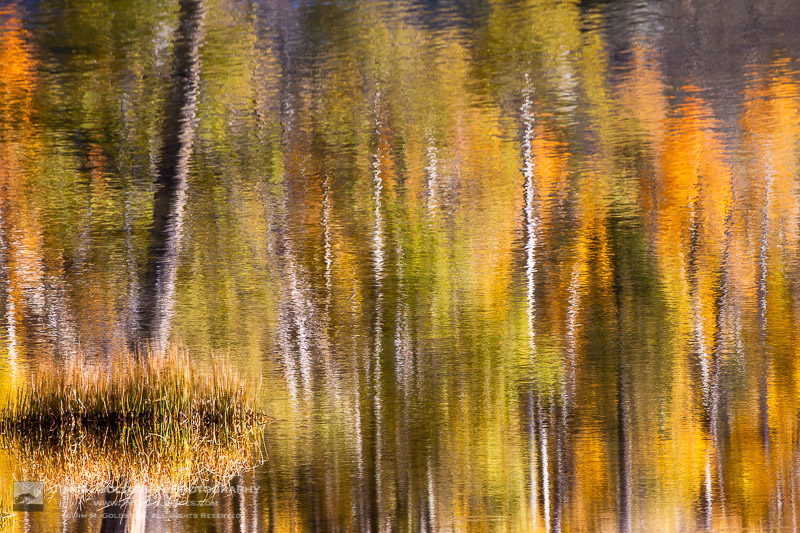
Fall Color Abstract


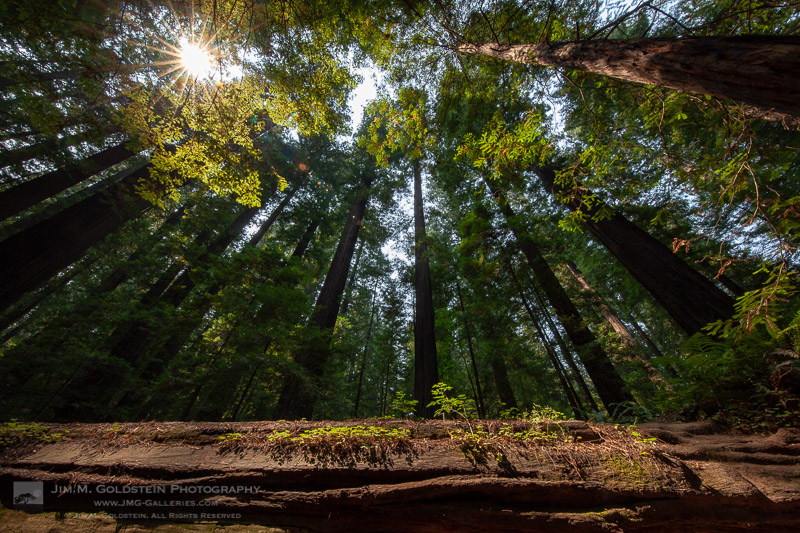
Redwood Circle of Life


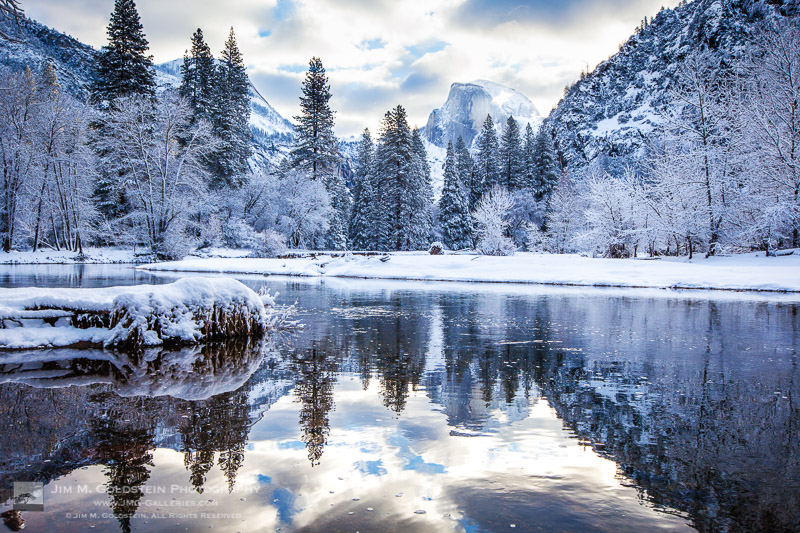
Fresh Snow in Yosemite Valley


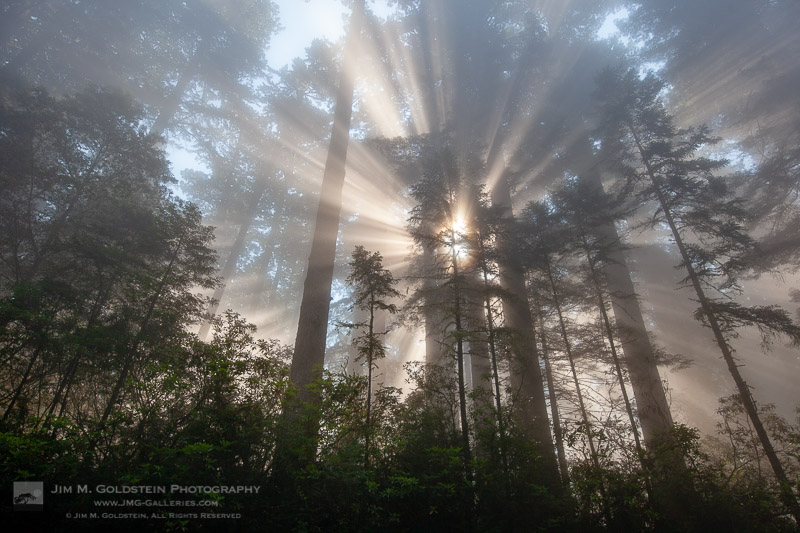
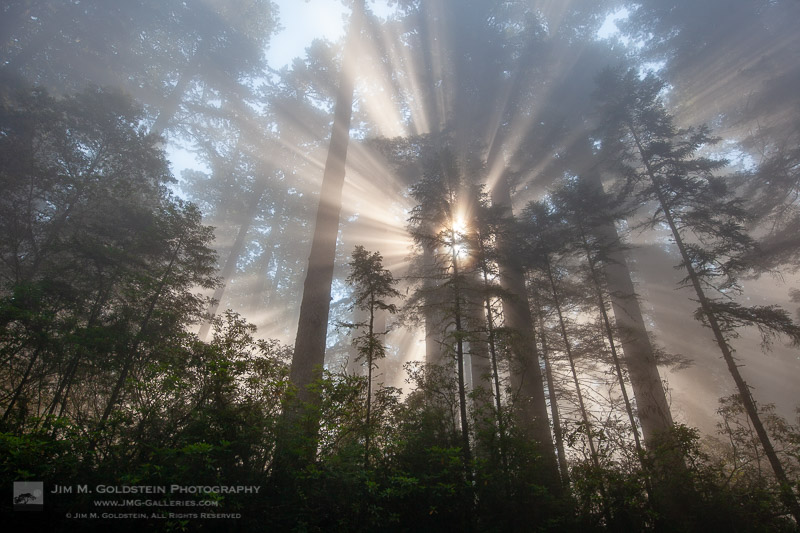
Rays of Sun in the Redwoods National Forest

Family Fun


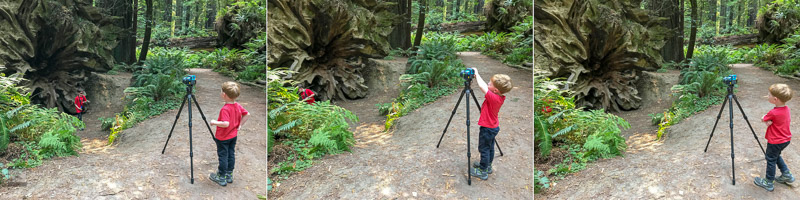
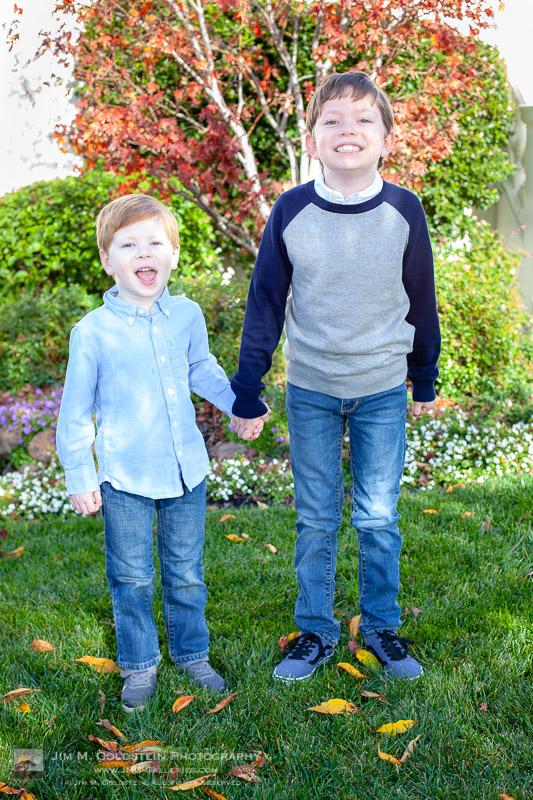
Someone has picked up good tripod technique by watching his dad. He started doing this on his own randomly during our trip. He was insistent he use my tripod even if he was just resting his camera on top of it without a base plate.


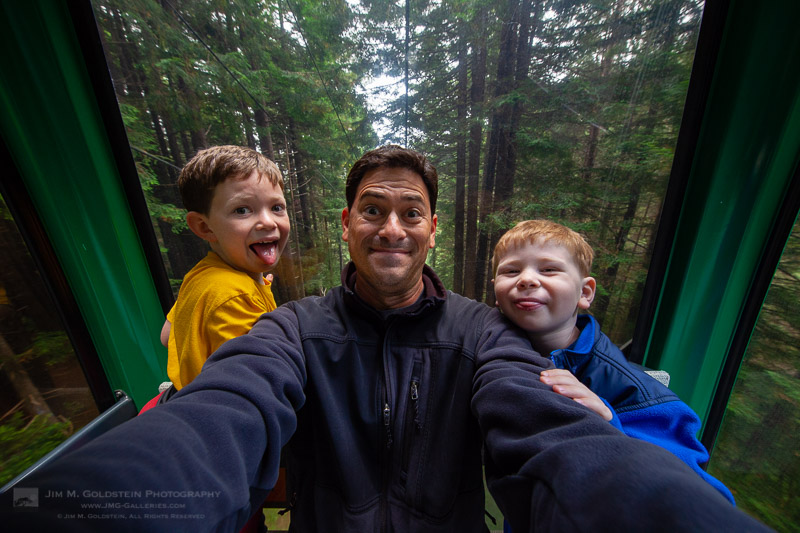
Fun at the Trees of Mystery


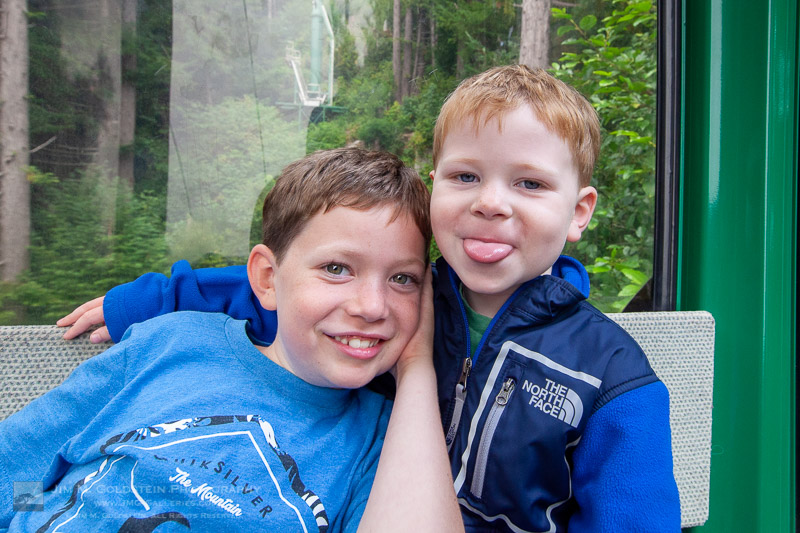
Trees of Mystery Portrait


Holiday Photo Hijinks

Thanks for looking and have a great new year!

The post Best Photos of 2018 by Jim M. Goldstein appeared first on JMG-Galleries – Landscape, Nature & Travel Photography.


JMG-Galleries – Landscape, Nature & Travel Photography

 
Comments Off on Best Photos of 2018 by Jim M. Goldstein

Posted in Equipment


Review: Peak Design Travel Backpack 45L and ‘Packing Tools’ are pricey but versatile

01 Jan

Introduction

The Peak Design Travel Backpack 45L is the core item in the brand’s new travel line.

The Internet has been abuzz with excitement over Peak Design’s new travel-oriented bag line which revolves around a 45L carry-on-sized backpack and set of organizational ‘Packing Tools’. The system is for those who love Peak Design gear and want to travel with their camera gear and personal items packed into just one bag.

The system is for traveling with camera gear and personal items packed into just one bag

The Kickstarter for said line of bags launched in July and crossed the finish line with over 10 times its initial goal raised. In more direct numbers, that’s 5.2 million dollars raised, with an initial goal of $ 500,000. Wow.

The whole kit I tested: Travel Backpack 45L (right), Packing Cube (top-middle), Shoe Pouch (bottom-middle), Camera Cube (top-left), Tech Pouch (middle-left), Wash Pouch (bottom-left).

For the sake of this review I’ll be looking at the Travel Backpack 45L, on page one. On page two I’ll look at the rest of the system, including the Tech Pouch, Wash Pouch, Shoe Pouch, Rain Fly, Packing Cube (small), and Camera Cube (medium). Combined these items add up to $ 545.

It’s important to note this bag and its accessories should be viewed almost as a gear carrying ecosystem, not unlike owning a Macbook, iPhone, AirPods, etc. These products are designed to be used together, but I believe its important to remind both myself and anyone else interested in these bags you certainly can choose to use other brands alongside the different pieces of the Peak Design (PD) ecosystem. I’ll go in depth with the main bag, then share my notes on the each of the smaller items, and lastly return to how all of these things fit together.

Peak Design Travel Backpack 45L
$ 299.95| PeakDesign.com

The most important part of the Travel Line is the backpack itself. It’s big, sleek, and surprisingly boxy, though I’ll get to why that’s not such a bad thing later. As mentioned, this bag is oriented towards travelers, photographers, videographers and anyone in between. It blends some design principles of a traditional ‘backpacking’ bag with the sensibilities of a camera luggage bag, sans-wheels.

Specifications

  • Carrying Capacity: 30L – 45L
  • Height: 56 cm (22″)
  • Width: 33 cm (13″)
  • Depth: 23 – 29 cm (9″ -11″)
  • Weight: 2.05kg (4.52lb)
  • Back panel and dual side loading/access
  • 2 Expandable side pockets with drainage holes
  • Front access organization panel with 5 zippered compartments
  • Passport/travel document pocket in back panel
  • Laptop/Tablet sleeve in back panel interior, fits 15″ laptop
  • Storable hip and shoulder straps
  • 12 gear attachment loops across bag
  • 400D weatherproof, 100% recycled nylon canvas outer shell
  • 900D weatherproof bottom liner
  • Durable water repellent, polyurethane coated interior
  • Weatherproof zippers for back, front and side panels
  • Padded ultralight foam around entire bag

Compared to other bags

There aren’t a lot of direct competitors to the Travel Backpack, but two that comes to mind are Osprey’s Porter 46 Travel Pack and Mind Shift’s Firstlight 40L. These two bags represent the different focuses that Peak Design is trying to blend: a long distance travel backpack (Osprey) and a camera gear bag (Mind Shift).

The Porter is nearly identical in size, fits many of the same things and weighs only 1.5kg, or .5kg less than the Peak Design – it also costs $ 140, less than half of Peak Design’s $ 300 price tag. That being said, the Porter doesn’t have quite the gear readiness of Peak Design’s bag and is also missing the 900D bottom liner, though it does boast 420D weatherproof nylon, as opposed to PD’s 400D.

Peak Design’s Travel Backpack 45L packed with the Camera Cube (medium)

Meanwhile, the Firstlight has 5L less carrying capacity and an interior depth of 18.5cm compared to PD’s 23cm at the low end. The Firstlight also costs $ 330, $ 30 more than Peak Design but the key difference here is that the Firstlight comes readily equipped with padded dividers in the main compartment of the bag – not the case with the PD option. With the Firstlight you lose some of the flexibility and travel-focus of Peak Design’s bag, but you actually end up spending less in the long run if what you’re looking for is a gear-focused bag.

Design and construction

This bag really surprised me out of the gate. Design-wise, it boasts a simple facade that has all kinds of pockets, straps, and secret stash areas. The boxiness of the bag seems like a departure from Peak Design’s more angular, triangle-based design you see in the Messenger and Everyday Backpack. This bag doesn’t ask for attention in its appearance.

The Travel Backpack has a simple design with little flashiness.

In the Black version (tested here), everything blends together seamlessly. None of the straps, loops, or zippers call attention to themselves and everything has a James Bond-esque coolness to it. The Sage color also looks classy.

Nothing feels flimsy and all the zippers are smooth. Every strap feels like it belongs and helps the user carry the bag in whatever method is most convenient in the moment. I particularly appreciate the addition of the duffel-style strap in the center of the back panel. I’m a huge fan of Peak Design’s padded handles on both the tops and sides of their bags so to see another one in another place I didn’t realize I wanted it until I had it is a joy.

Back of the Travel Backpack 45L, note the duffel handle in the middle

I think the area that Peak Design seems to excel the most is producing bags that feel sturdy and warrant the trust we give them with our gear. Another stellar addition here is the 900D weatherproof bottom liner, something you rarely even see in more outdoor-oriented bags.

The only design flaw that really stands out to me is the hip straps’ locking mechanism feels particularly unfamiliar. I like that Peak Design chooses to use hard metal joiners, like for the sternum strap, but for me I would’ve been perfectly happy with a hard plastic buckle.

Hip Strap Sternum Strap

In Use

I actually found this bag to be much more comfortable on my shoulders than my backpacking bag from REI. The hip straps aren’t quite as load-bearing, though I still find they take some of the weight off my shoulders and I think part of this is to do with the fact that a) I’m skinny, and b) the metal hook used to secure the hip straps doesn’t have quite the same tension as a buckle.

That said, the magnetic latches that allow you to store the hip straps in the back panel are super helpful for keeping things streamlined without a bunch of straps flapping in the wind when you’re moving around. And yes, this bag weighs more than others, I didn’t find it to be excessively heavy but ultimately that’s going to depend on how you pack it.

Strap storage, brought to you by: magnets!

I first used this bag (along with the medium sized camera cube) like a gear suitcase traveling from Seattle to Portland to shoot a wedding and found it more than adequate for moving my equipment in a safe, comfortable manner.

I later used it without the camera cube as my main pack to travel around Europe for a few weeks and it was also pretty great. I opted to keep all my clothes and miscellaneous belongings in the main backpack and then carried Peak Design’s 10L Sling separately to keep my camera, extra lenses, journal, Kindle, etc. protected. Although it’s not really possible with the 10L Sling, Peak Design’s 5L sling can fit inside the Travel Backpack no problem, though you won’t have the same side panel access you could have with the camera cubes.

There are a lot of features packed into this bag and they take time to learn

The compression down to 30L is nice for those who want to use it, but I found the bag still felt too large for use as a ‘day pack’, even compressed down. The compression is achieved by folding two buttons on the top of the bag back onto their button counterparts, making the bag more angled down its face. There are a lot of features packed into this bag and honestly one of the biggest hindrances of enjoying them is they take time to learn. I’d highly recommend anyone interested in using using this pack for extended travel consider taking it out on a short weekend excursion first to learn some of the ins and outs. I didn’t initially realize that the front zipper panel with 4 zipper pockets could actually be rolled up and stowed for a more simple 1 compartment approach (see below).

My biggest usage gripe with the bag (which also extends to Peak Design’s Everyday Backpack) is that the side pockets really don’t expand much and can only fit some pretty small things. My 32oz Nalgene bottle for example, had to be attached on one of the gear loops because it didn’t fit in the side pockets. My guess is that this tightness is based around keeping things like tripods snug against the side of the bag. On the other hand one thing I like most about this bag is it stands upright on its own, unlike some of Peak Design’s other packs.

The pocketed divider can be stowed to create one big main pocket with immediate front access.

Conclusion: Peak Design Travel Backpack 45L

Overall, I really enjoy using this bag and think I’ll be relying on it more to come in the future. The build quality is stellar, it’s stylish but subdued and it offers a lot of possibilities in terms of approaching how you carry all your stuff with you.

On it’s own this backpack offers a really awesome option for traveling light. It can fit enough to live out of, but doesn’t make you feel like a turtle. The sturdy design of the bag gives buyers a chance to manipulate the space within it as effectively as possible, unlike other backpacking bags that require you to stuff things in from the top down.

What we like:

  • Stylish design
  • Lots of space and versatility
  • Comfortable fit
  • Packed with tons of features
  • Durable and naturally protective

What we don’t:

  • Too large for daypack use
  • Pricey
  • Features can be overwhelming at first
  • Small side pockets

Peak Design Travel Backpack 45L rating:


Head to page 2 for a breakdown of the rest of Peak Design’s Packing Tools and our overall conclusion.

Articles: Digital Photography Review (dpreview.com)

 
Comments Off on Review: Peak Design Travel Backpack 45L and ‘Packing Tools’ are pricey but versatile

Posted in Uncategorized


Gear Review: Lensbaby Sol 45 Field Test

01 Jan

The post Gear Review: Lensbaby Sol 45 Field Test appeared first on Digital Photography School. It was authored by Suzi Pratt.

Lensbaby has always been a niche company, offering lenses that help photographers put a creative, untraditional spin on their images. This year, the Portland, Oregon based company released the Lensbaby Sol 45. At $ 200, this is their least expensive lens yet, making it an attractive way for photographers to enter the creative effects world of Lensbaby. We got to test out this new lens and found it to be great for unlocking new creative angles. Read on for more thoughts on the lens and our ultimate recommendation.

Lensbaby Sol 45

Lens specs

Design

Announced on August 7, the Lensbaby Sol 45 is a fixed 45mm f/3.5 lens with an unusual lens design. Relatively compact at just 5 ounces, this lens looks normal until you twist the front to unlock it. When in the unlocked position, this lens can bend in just about every direction. It does this via its “bokeh blades” that rest on the lens hinges. When unlocked, these blades can be moved around to alter the quality of bokeh or image blur.  The result is an image with textured bokeh and custom edge blurs that can’t be achieved with “normal” lenses. It’s a very specific creative look that may or may not appeal to you.

Lensbaby Sol 45mm Tilt Shift Lens

Build

Despite being one of Lensbaby’s cheapest lens, Sol 45 feels very well built. The exterior is mostly metal and has a solid feel in your hands. Perhaps the only thing to note is that the lens’ moving parts could potentially get stuck or broken, so it’s important to keep the lens in a locked position.

Lensbaby Sol 45

Compatibility

The Lensbaby Sol 45 is a full-frame lens, but it can also work on crop-sensor cameras. Currently, the lens is available for Canon EF, Nikon F, Sony A and Sony E, Pentax K, and Fujifilm X mounts. For Micro Four Thirds cameras, the Sol 22 is available with an equivalent focal length of 45mm. For this article, Sol 45 was used with the full-frame Sony A7rIII.

Lensbaby Sol 45

The shooting experience

Besides its unusual design, Lensbaby Sol 45 is also a manual focus lens (as are all other Lensbaby products). This means that in addition to manually altering the bokeh blades, you also have to manually set your focus point. Depending on your subject, getting a tack sharp image can be challenging. If your camera has manual focus peaking, this can greatly help with correctly setting your focus, so take advantage of it!

Lensbaby Sol 45

Fun for closeup shots

The lens has a minimum focusing distance of about 1.1 feet. This means you can get pretty close to a photo subject and isolate it with a nice bokeh background. Even though most photographers likely use this lens for still photos, it also made for creative video shots.

Lensbaby Sol 45

Lots of moving parts

I used the Lensbaby Sol 45 on a Sony A7rIII. As someone who rarely uses manual focus, shooting with this lens took some getting used to. For one, it’s a process just to set the bokeh blades since you have a wide range of positions to lock them in. After setting the bokeh, you then have to tinker with the front element of the lens to set your focus point. With focus peaking enabled, it was a breeze to shoot with this lens. But if I didn’t have focus peaking, I could see this shooting experience getting frustrating very quickly. In general, this lens isn’t the best choice if you’re shooting a moving subject or need to capture your shot quickly.

Lensbaby Sol 45mm Tilt Shift Lens

Should you get this lens?

The Lensbaby effect is a specific, very unique look that won’t suit every taste. It also shouldn’t necessarily be applied to every photo, so it’s very much a specialty lens. But what’s great about having a unique look is that it may appeal to you in surprising ways. Although it took a while to get used to handling the lens, I eventually found it to be a delight for viewing the world from a very different perspective. It became a novelty that unlocked a creative side of my brain that I hadn’t used before. Sometimes, this is what creatives need if they’re stuck in a rut or simply need a new form of inspiration.

Bottom line

If you’ve been curious about Lensbaby products, Sol 45 is a great lens to get started with. It has a low price point, and the lens itself is very compact and easy to travel with. While untraditional in many ways, this lens is great for offering you a new perspective on photo subjects if that’s something you’re seeking.

Lensbaby Sol 45mm Tilt Shift Lens


Lensbaby Sol 45mm Tilt Shift Lens

Lensbaby Sol 45mm Tilt Shift Lens

Lensbaby Sol 45mm Tilt Shift Lens

Lensbaby Sol 45mm Tilt Shift Lens

Lensbaby Sol 45mm Tilt Shift Lens

Lensbaby Sol 45mm Tilt Shift Lens

Have you used the Lansbay Sol 45? If so we’d love to hear your thoughts and see you images in the comments below.

The post Gear Review: Lensbaby Sol 45 Field Test appeared first on Digital Photography School. It was authored by Suzi Pratt.


Digital Photography School

 
Comments Off on Gear Review: Lensbaby Sol 45 Field Test

Posted in Photography


Happy New Year 2019 and the Ultimate Guides of 2018!

01 Jan

The post Happy New Year 2019 and the Ultimate Guides of 2018! appeared first on Digital Photography School. It was authored by Caz Nowaczyk.

Happy New Year 2019 and the Ultimate Guides of 2018!

Wishing you the happiest new year from the dPS family. We look forward to bringing you more great tutorials to help you on your photographic journey in 2019!

As a bonus, here is a summary of some amazing dPS Ultimate Guides we published in 2018 that may be helpful for you.

Happy New Year 2019 and the Ultimate Guides of 2018!

Each is available as a free PDF – just click on the ones you want to download below.

  • The Ultimate Guide to Night Photography
  • The Ultimate Guide to Taking Portraits and Photographing People
  • The Ultimate Guide to Street Photography
  • The dPS Ultimate Guide to Landscape Photography
  • The dPS Ultimate Guide to Getting Started in Lightroom for Beginners
  • The dPS Ultimate Guide to Photography for Beginners
  • The dPS Ultimate Guide to Photography Terms – a Glossary of Common Words and Phrases
  • The Ultimate Guide to Nature and Outdoor Photography
  • The dPS Ultimate Guide to Fine Art Photography

Enjoy, and if you feel these guides are valuable, please share this page with your friends!

The post Happy New Year 2019 and the Ultimate Guides of 2018! appeared first on Digital Photography School. It was authored by Caz Nowaczyk.


Digital Photography School

 
Comments Off on Happy New Year 2019 and the Ultimate Guides of 2018!

Posted in Photography


The dPS Top Street Photography Tips of 2018

01 Jan

The post The dPS Top Street Photography Tips of 2018 appeared first on Digital Photography School. It was authored by Caz Nowaczyk.

This week on dPS we’re featuring some of the top articles in different categories that were published on the site over 2018.

We’ve already shown you the Top All-Round Photography Tips, the Top Photography Gear Tips, the Top Post-Processing Photography Tips, the Top Landscape Photography Tips, the Top Portrait Photography Tips, and the Top Travel Photography Tips of 2018.

This one is all about the best street photography tips of the year.

Here are the top street photography tips articles of 2018:

1. 4 Ways To Make Better Street Portraits While Traveling

4 Ways To Make Better Street Portraits While Traveling

2. Which Street Photography Lens is Right for You?

Which Street Photography Lens is Right for You?

3. 10 Tips for Photographing Street Markets

10 Tips for Photographing Street Markets

4. Panning and Other Tips for Adding Motion to Your Street Photography

Panning and Other Tips for Adding Motion to Your Street Photography

5. 6 Tips for Aiming Low and Going Unnoticed in Street Photography

6 Tips for Aiming Low and Going Unnoticed in Street Photography

6. How to Avoid Distracting Backgrounds in Street Photography

How to Avoid Distracting Backgrounds in Street Photography

7. Tips for Getting Started in Street Photography

Tips for Getting Started in Street Photography

8. 5 Essential Shots You Need to Get for Street Market Photography

5 Essential Shots You Need to Get for Street Market Photography

9. 6 Ways to Improve Your Street Photography

6 Ways to Improve Your Street Photography

10. How To Easily Improve Your Street Photography Portraits

How To Easily Improve Your Street Photography Portraits

We hope you have enjoyed the week of top photography tips and that you learnt some new things from reading them!

The post The dPS Top Street Photography Tips of 2018 appeared first on Digital Photography School. It was authored by Caz Nowaczyk.


Digital Photography School

 
Comments Off on The dPS Top Street Photography Tips of 2018

Posted in Photography