RSS
 

Archive for July, 2018

9 Recommended Accessories for Your New Sony a7R III or a7 III Camera

24 Jul

The Sony a7 III is arguably the hottest and most popular full-frame DSLR on the market right now. It packs much of the power of Sony’s other full-frame powerhouses, the a9 and a7R III, into a camera that’s significantly more affordable.

If you’ve added the Sony a7III (or the a7R III) to your camera kit recently, here are 10 accessories you might want to buy as well to help you capture better photos and/or videos.

Side note: This article excludes specific lenses, flashes, and camera bags as recommended accessories since they’re hot topics in their own rights, but make sure you get some of those as well.

Sony accessories 01

1. Screen Protector

Both the Sony a7R III and a7 III are certainly very solidly built. You probably won’t need to buy additional protective accessories to shoot in most conditions (unless, of course, you plan on shooting in extreme conditions).

However, it’s a good idea to invest in a screen protector for the rear LCD screen. They’re cheap, relatively easy to apply, and they let you use Sony’s limited touchscreen functions. Just make sure to buy a screen protector that fits your camera model.

2. SD cards

Make sure you invest in at least a couple of SD memory cards to store your images in-camera. If you have multiple memory cards, a memory card wallet or holder is also great to keep them organized.

Size-wise, bigger is better given the larger file sizes of these cameras, so consider getting 32GB or 64GB cards. If you plan to shoot 4K video or take advantage of your camera’s blazing fast frames per second shooting, make sure you choose memory cards with a high write speed, such as this SanDisk 64GB USH-II SD card.

9 Recommended Accessories for Your New Sony a7R III or a7 III Camera - SD cards

3. Camera strap

Both the Sony a7 III and a7R III come with dedicated Sony camera straps. They get the job done but can be difficult to remove in a situation where you don’t want a camera strap in your way (ie. shooting on a tripod). Thus, many photographers opt to purchase third-party camera straps.

The Peak Design Slide camera strap is especially popular right now since they have the ability to easily connect and disconnect from your camera as needed. Also worth checking out are Black Rapid camera straps, especially if you have two camera bodies and need a Double Camera Harness.

Photographers looking for a more fashionable alternative may also be drawn to the HoldFast Money Maker camera strap, which is handmade from genuine or vegan leather.

4. Lens filters

Both the Sony a7 III and a7R III require detachable camera lenses that you have to buy separately. This article won’t discuss specific lenses, but no matter which ones you end up with, you should definitely have a UV filter for each of your lenses.

Not only do UV filters minimize atmospheric haze, but they also protect the surface of the lens from scratches, dust, and most other external damage.

Other handy photography filters include a polarizer and neutral density filter. These are especially applicable if you plan to shoot outdoors.

9 Recommended Accessories for Your New Sony a7R III or a7 III Camera

5. External hard drive

Today’s cameras are packed with more megapixels and high-resolution video recording capabilities than ever before. While this can be a great thing for creatives, it can be a bane on your digital media storage. This is especially true if you have the Sony a7R III, which is capable of producing massive 42-megapixel images.

To avoid filling up your computer, you’ll want at least one external hard drive, or ideally three total to make backups of your images after shooting. When selecting an external hard drive, consider getting a “tough” or version such as the LaCie Rugged Portable Hard Drive that will give you some extra protection, since hard drives can be notoriously easy to damage.

9 Recommended Accessories for Your New Sony a7R III or a7 III Camera - computer and hard drives

6. Spare batteries and a battery charger

It’s somewhat arguable if these two accessories are needed. In case you haven’t heard, Sony drastically improved the battery life in the new Z-batteries that ship with the Sony a9, a7R III, and a7 III.

In my experience with the A7rIII, these new batteries last as long as the ones that power the Canon 5D Mark III. I find that I rarely bust through a whole battery in a full day of shooting still photography. However, it’s always wise to carry a spare battery or two, just in case.

As for the battery charger, you will probably need to buy one if you have the a7 III since that camera is reportedly not shipping with a battery charger in the box. Or, you can simply juice up your camera using the next recommended accessory.

7. External battery charger

One of the most refreshing parts about switching from a DSLR to a Sony mirrorless camera is the fact that you can charge your camera without removing the battery. Simply plug your camera into a wall outlet or external battery via the USB-C port to start charging.

Best of all, you can operate your camera while it’s being charged! As far as external battery packs go, Anker makes stellar options such as this one that is slim and capable of charging not only your camera but also your cell phone.

8. Tripod

Most photography articles include a tripod as a definite “must-have” in your camera kit, but I think this is a very arguable accessory, especially as camera technology improves. If you plan to shoot architecture, real estate, products, or in low-light scenarios, you definitely need a sturdy tripod such as this beastly Manfrotto tripod that is huge, but rock solid.

However, if you’re more of a run and gun shooter or looking for a more minimalist camera setup, you can get away with something like the Manfrotto BeFree travel tripod series, or even a GorillaPod.

In particular, I’ve found the GorillaPod to be ultra convenient. It’s compact and flexible enough to throw into your bag and have it as an option to quickly stabilize your camera as needed (if at all). If you do get a GorillaPod, be sure to get the 3K or 5K option, as any smaller models are often not strong enough to support Sony a7 cameras, or DSLRs in general.

Sony accessories - photographer with pack and tripod in the mountains

9. Timelapse trigger

If you’ve owned a previous model of Sony camera such as the a7R II or an a6000, you probably used the built-in Sony apps. These unlock a host of extra features such as built-in time-lapse.

Unfortunately, Sony removed those apps from both the a7R III and a7 III cameras. That means you can’t easily do built-in time-lapses anymore. Fortunately, there are other options such as the MIOPS Smart Trigger.

In Conclusion

There you have it, nine recommended accessories (besides lenses, flashes, and bags) that you should get for your Sony a7 III or a7R III camera. Would you add any accessories to this list? Please let us know in the comments below.

The post 9 Recommended Accessories for Your New Sony a7R III or a7 III Camera appeared first on Digital Photography School.


Digital Photography School

 
Comments Off on 9 Recommended Accessories for Your New Sony a7R III or a7 III Camera

Posted in Photography


Ricoh’s Theta Plug-in store is now live

24 Jul

Ricoh has announced that its Plug-in Store for the Theta V 360 camera is now live, featuring plugins created by Ricoh, and others by third-party developers as part of the the Theta Plug-in Partner Program.

The Store provides access to downloadable Plug-ins which will add various features to the Android-based Theta V, including wireless streaming, automatic uploads, and an automatic face blurring feature for anonymizing people captured in 360-degree imagery.

Read our impressions of the Ricoh Theta V

Press Release:

RICOH THETA Plug-in Store Goes Live

RICOH THETA V owners can now “customize” their 360-degree camera with new functionality via downloadable plug-ins from new online marketplace

TOKYO, July 23, 2018 Ricoh today announced the RICOH THETA Plug-in Store has gone live. The new, online marketplace makes available downloadable software plug-ins that provide new functionality for the RICOH THETA V fully spherical camera, such as wireless live streaming, remote camera control, automatic image uploads and much more. Starting today, plug-ins created by Ricoh and such organizations as Sony, NTT DOCOMO and HoloBuilder can be downloaded from the site.

The plug-ins are being created by members of the RICOH THETA Plug-in Partner Program, which allows third-party developers to create their own Android-based software plug-ins for the RICOH THETA V, a camera capable of capturing fully-spherical 4K-equivalent video and high-resolution still images. Based on the open-architecture Android operating system, the RICOH THETA V is unique among 360-degree imaging cameras in that its functionality can be further expanded by installing plug-ins.

“The new THETA Plug-in Store helps us serve our customers with technology solutions that directly impact their bottom line,” said Mostafa Akbari, CEO of HoloBuilder, which joined the Plug-in Partner Program to build innovative, secure and user-friendly applications for the construction industry. “We are thrilled that Ricoh is providing this flexible, customizable system for developers to get 360-degree technology solutions out quickly and proud to announce our first RICOH THETA Plug-in: HoloBuilder 360 SiteStream. This is the world’s first 360-degree livestreaming application that helps general contractors and owners monitor construction site progress from a first-person perspective, in real time.”

Ricoh kicked-off the RICOH THETA Plug-in Partner Program last month, with a website that provides easy access to tools and online support. Since then, many developers have joined the program, and five third-party plug-ins are currently available from the store. Three new plug-ins developed by Ricoh are also available.

Ricoh intends to continue to add capabilities to the development environment to meet the needs of consumers and businesses.

New Plug-ins created by third-party developers

  1. Device WebAPI Plug-in

Developer:

NTT DOCOMO, INC. (Development framework provider) (https://www.nttdocomo.co.jp/english/)

GClue, Inc. (Application developer) (www.gclue.com)

NTT DOCOMO has created new functionality for the existing WebAPI plug-in (developed by GGlue) that enables it to collect information from and control the function of the RICOH THETA V’s built-in sensor. The Device WebAPI Plug-in conforms to OMA GotAPI specifications, which builds a WebAPI on the RICOH THETA V device and enables function access via a common WebAPI on other devices such as smartphones.

  1. MESH plugin for RICOH THETA

Developer: Sony Corporation (www.meshprj.com)?

MESH is a platform of app-enabled smart triggers that can transform everyday objects into smart devices that can be controlled from a phone or tablet. The new MESH plugin for RICOH THETA enables direct control of the RICOH THETA V via a MESH block.

  1. EVRYPLACE Sync

Developer: EVRYPLACE (www.evryplace.com)

EVRYPLACE Sync allows for seamless uploads of images created using RICOH THETA V camera and the EVRYPLACE app. Using the plugin, individuals using the EVRYPLACE editor can get instant updates on their projects. They can choose 360 images on RICOH THETA V, open the EVRYPLACE app, and then upload these directly from the camera to their project. EVRYPLACE is ideal for real estate sales, delivery documentation, insurance documentation, training material updates and more.

  1. HoloBuilder 360 SiteStream

Developer: HoloBuilder, Inc. (www.holobuilder.com)

HoloBuilder’s 360 SiteStream plug-in gives construction companies 24/7 access to view construction sites in 360° through livestreaming (Livestreaming duration depends on usage environment). Users can set up a RICOH THETA V in mission-critical locations on a construction site and then remotely zoom into the project from anywhere to see what is going on in real time. The plug-in allows adding an infinite number of 360-degree livestreams. The plug-in is part of HoloBuilder’s reality-capturing solution, which enables integration of livestreams into existing HoloBuilder projects to combine all visual site documentation.

  1. Fita

Developer: Everywoah (www.fita.io)

Fita is a plug-in suite that enables RICOH THETA V owners to connect to Google Cloud Storage. As an onboard RICOH THETA V camera plug-in and a companion Android or iOS app for your device, Fita allows the RICOH THETA V to upload media to a connected Google Cloud StorageTM account for optimal workflow and team collaboration for 360-degree photo and video workflow over Wireless LAN.

New Plug-ins from Ricoh

  1. Wireless Live Streaming: allows for wireless fully-spherical live-streaming on YouTubeTM
  2. Automatic Face Blur (Beta): provides facial recognition and enables faces to be blurred for privacy/security reasons
  3. File Cloud Upload: automatically uploads images saved on the RICOH THETA V to Google PhotosTM via a router

You can learn about the other plug-ins that Ricoh is planning to upload in this web page:

http://theta360.com/en/about/theta/v/roadmap.html

Articles: Digital Photography Review (dpreview.com)

 
Comments Off on Ricoh’s Theta Plug-in store is now live

Posted in Uncategorized


Leica Noctilux-M 75mm F1.25 ASPH: more fun than a Nissan Versa

24 Jul

Leica: the crazy diamond of the photography world. In an industry increasingly dominated by dull moments, it’s always nice to see a company consistently doing something brightly, colorfully different. Even when – or maybe especially when – that company appears so gleefully unconcerned with what their peers (it doesn’t quite make sense to say competitors) are up to in the meantime.

Noctilux-M F1.25 75mm ASPH key specifications

  • Leica M mount
  • Manual focus
  • Maximum magnification ratio: 1:8.8
  • Minimum focus: 0.85m
  • Optical construction: nine elements in six groups (two aspherical)
  • 67mm filter thread
  • Built-in extending hood
  • Length / Diameter: 91mm x 74mm (3.6 x 2.9in)
  • Weight: 1.05 kg (2.33 lb)

Only Leica could have made the Noctilux-M F1.25 75mm ASPH – a manual focus prime lens that weighs more than a kilo and costs as much as a new car (no, really). Inevitably, a lot of the responses to our coverage of this lens so far (and indeed of pretty much all Leica hardware) focus on the price, but at this point, this mode of criticism misses the point. Yes, Leica stuff is expensive. It always has been. Sure, there are cheaper alternatives, and there always have been – see also: organic avocados, brand-name printer ink, fancy chocolate (you know the stuff by the self checkouts, in the fancy gold paper that mum likes, with the sea salt) and cars that aren’t the Nissan Versa.

Using the 75mm F1.25 on the Leica M10

The 75mm Noctilux is not an everyday kind of a lens. Designed for use with the company’s digital rangefinder cameras, for starters there’s the small matter of its focal length. 75mm has always been a bit of a weird fit for Leica’s rangefinders, occupying an awkward position between the long-established standard 50mm and 90mm focal lengths. Mounting a 75mm lens on a Leica rangefinder brings up the 50mm framelines, with 75mm indicated roughly by a dotted rectangle just inside them.

Personally, I’m so used to ignoring the inner dotted lines when shooting with a 50mm that un-ignoring them when I actually want to shoot at 75mm is surprisingly difficult. Then again, I try to get into my apartment using my car keys at least once a week, so maybe you shouldn’t take anything I say too seriously.

All of Leica’s rangefinder cameras since the M4-P of 1980 have included 75mm framelines, indicated by broken lines inside the main (outer) 50mm framelines. As you can see, the massive 75mm F1.25 blocks a large portion of the frame. This view shows the maximum occlusion, which occurs at the minimum focus distance of 0.85m, with the built-in hood extended.

And then there’s the issue of viewfinder blockage. Regardless of the focus or hood position, as you can see from the picture above (taken through the viewfinder of an M10) the 75mm F1.25 obscures a very large portion of the frame, almost as far as the focusing patch. This is one of the reasons why Leica recommends the 75mm F1.25 should be used in live view mode, and preferably with the aid of the optional electronic viewfinders available for recent M-series digital cameras.

$ (document).ready(function() { SampleGalleryV2({“containerId”:”embeddedSampleGallery_9665775212″,”galleryId”:”9665775212″,”isEmbeddedWidget”:true,”selectedImageIndex”:0,”isMobile”:false}) });

The other reason for using live view is focus accuracy. You can have the best technique in the world, but nailing focus on a short telephoto prime wide open at F1.25, with a rangefinder, isn’t easy. I did try Leica’s 2X screw-in magnifier, but it didn’t help my hit-rate much (and obviously it had no effect on the substantial viewfinder blockage).

Shot in relatively dim conditions, I selected F2 for this portrait because I was having so much difficulty getting accurate focus at F1.25 using live view on a Leica M10. Critical focus is acceptable here, but it’s still a hair away from where I was aiming.

Leica M10 | ISO 800 | 1/250 sec | F2

Focus peaking and magnified live view don’t guarantee accurate focus, but they certainly make it easier. Even with these aids, however, the razor-thin depth of field and the sheer bulk of the lens both work against the rangefinder shooter. When taking photographs hand-held, it’s difficult to support the weight of the lens without shifting the focus ring. I’ve found that this often forces me into a loop of focus checking, recomposing, focus checking again, recomposing again (etc.). Especially when shooting portraits, the potential for slight subject movement adds yet another variable, and leads to yet more focus checking, recomposing, and checking again…

The Leica 75mm F1.25 weighs more than a kilo and its wide diameter mean that the M10 can’t lie flat on its base with the lens attached. For these reasons the lens has its own tripod mount.

Disabling automatic live view magnification helps avoid the need for constant recomposing, but the secret to accurate focus on an M10 with the 75mm F1.25 is bracketing: shoot a lot of photos, and bracket focus as you go. When you get a sharp result, trust me – the extra effort will have been worth it. Things are easier if you set up on a tripod, and the heavyweight 75mm Noctilux actually has its own tripod screw in the base, to avoid putting too much strain on the camera’s lens mount.

Using the 75mm F1.25 on the Leica SL

Despite being a native M-mount lens, the 75mm F1.25 handles very nicely on the SL. Arguably, in fact, it’s more pleasant to use on the larger, chunkier camera. Obviously the combination is heavier but the weight is better distributed, making the whole package feel balanced and notably less front-heavy than it does on the lighter (and grip-less) M10. Crucially, the SL’s large handgrip means that you don’t need to support the Noctilux’s weight entirely from the lens itself, which makes it less likely that you’ll accidentally nudge the focus or aperture rings when composing a shot.

On the Leica SL, things get a bit easier, partly thanks to the substantial grip and DSLR-style handing of the larger camera. This portrait was shot hand-held at F1.25.

Leica SL | ISO 100 | 1/4000 sec | F1.25

The SL’s viewfinder makes for a better framing and focusing experience too, by virtue of the SL’s full-time live view and more DSLR-styled ergonomics. Leica’s M to L adapter is relatively slim, doesn’t add much extra weight and communicates the 6-bit code from the lens to the camera body just as it would on a digital M-mount camera.

Image quality

As far as the results are concerned, hopefully our gallery of sample images speak for themselves. Contrast across the frame is high and sharpness at F1.25 is pretty stunning. Longitudinal chromatic aberration is present if you go looking for it in areas where focus is just falling-off, (around the edges of my subject’s sunglasses in this shot is about as bad as it gets) but it’s generally inoffensive, and the bokeh at wide apertures is (I happen to think) delightful.

Shot wide open on a Leica M10, this portrait demonstrates the 75mm Noctilux’s key selling-points: creamy smooth bokeh, great sharpness and razor-thin depth of field. There’s a hint of longitudinal chromatic aberration in our subject’s hair as it goes out of focus, but it’s far from objectionable.

Photo by Wenmei Hill.

Leica M10 | ISO 100 | 1/350 sec | F1.25

While accurate focus at F1.25 is a challenge, the incredibly thin depth of field opens up creative possibilities foreclosed by the older, slower, but generally more practical 75mm F2 Summicron. You could shoot the Noctilux at F8 but what would be the point? If you’re prepared to pay this much for a lens you’ll probably want to shoot it wide open.

Leica Noctilux-M 75mm F1.25 ASPH real-world samples

$ (document).ready(function() { SampleGalleryV2({“containerId”:”embeddedSampleGallery_5242743195″,”galleryId”:”5242743195″,”isEmbeddedWidget”:true,”selectedImageIndex”:0,”isMobile”:false}) });

Personally, I don’t gravitate to medium telephoto lenses. I tend to shoot mostly at 35mm, often at 28mm, and sometimes at 50mm. I have a 90mm, which mostly (weirdly) gets used for landscapes and urban details. Using the 75mm F1.25 hasn’t converted me to that focal length by any means, but its rendition is so unique that while I might not have enjoyed some of the experience of shooting with it, I do feel that the results go some way to justifying the awkward handling.

Ultimately, the 75mm Noctilux won’t be made in large numbers and it won’t be owned by many people. It isn’t a magic lens – there are plenty of excellent alternatives available for much less money, albeit of course for other systems. Leicaland is a different country, and one that will remain foreign for most photographers. But hey – it’s a fun place to visit, from time to time. Plus ça change, as the Germans don’t say.

Regardless, it would be unfair to dismiss the Noctilux as a ‘stunt’ lens that exists only to show off the expertise of Leica’s optical and mechanical engineering. It’s more than that – and it’s priced accordingly.

Articles: Digital Photography Review (dpreview.com)

 
Comments Off on Leica Noctilux-M 75mm F1.25 ASPH: more fun than a Nissan Versa

Posted in Uncategorized


How to Use Neutral Tones to Craft Realistic Edits for Landscape Photos

24 Jul

When you look at a white wall, how does it make you feel? Dingy? Cold? Warm and radiant? Modern? Sophisticated? Clean?

White and light gray, sometimes referred to as “neutral tones”, are some of the most powerful colors in the spectrum. We can distinguish many shades of white, and bounced light from a neutral source influences the tint of every other color nearby.

Neutral tones set the mood of an image more than any other colors. You’ve probably transferred a photo to your computer where the white balance was noticeably off: a night shot where everything was too green and cool, or an indoor photo that was orange. White balance is an easy fix in most photo editing software, but neutrals don’t end there: by tweaking them creatively, you can take your photos to the next level.

Sella towers - How to Use Neutral Tones to Craft Realistic Edits for Landscape Photos

What are the sources for neutral tones?

It’s possible to have a photo without white and grays, but most of the time scenes are full of them. These are some of the more common sources in landscape photography.

Clouds

Those water-saturated cotton balls do a great job of reflecting light. On a sunny day they tend to be slightly warm, while storm clouds are a fantastic source for chilly gray tones. However, clouds are not a good source for neutrals when shooting after golden hour or before sunrise.

Overblown sky

When shooting after sunrise and before sunset, the sky will typically be overexposed if you properly expose the rest of the image. It’s not usually desirable, but in a few instances an overblown sky is a good source of white.

Sass de putia - How to Use Neutral Tones to Craft Realistic Edits for Landscape Photos

Water

Lakes and shorelines are my favorite method to introduce strong neutral tones to landscape photos. You can use bodies of water to reflect an overcast sky, and along the coast, you can shoot a long exposure to blur the white foam from the waves.

Both tend to create pure neutrals, so you can completely change the mood of an image with tiny adjustments.

Man o war - How to Use Neutral Tones to Craft Realistic Edits for Landscape Photos

Fog

The most powerful way to introduce mystery and dreariness, fog is often the largest source of gray tones in your image.

Hohenwerfen castle - How to Use Neutral Tones to Craft Realistic Edits for Landscape Photos

Snow

Winter photography enjoys the most magical source for neutral tones. Tinting snow just a bit cooler or warmer profoundly impacts the scene’s mood.

Mount hood - How to Use Neutral Tones to Craft Realistic Edits for Landscape Photos

Moon and stars

When shooting astrophotography, the stars tend to cast a cold white light, and the moon a warmer light.

Gimmelwald - How to Use Neutral Tones to Craft Realistic Edits for Landscape Photos

Haystack rock - How to Use Neutral Tones to Craft Realistic Edits for Landscape Photos

Architecture

Man-made structures that ought to be white or gray such as; lighthouses, white-washed brick houses, winding gravel roads, and expansive castles — are often the subject of an image. Consequently, they make a compelling neutral source.

South stack lighthouse - How to Use Neutral Tones to Craft Realistic Edits for Landscape Photos

Why are neutral tones important?

Out of the camera, even after editing, your neutral tones may not really be neutral. They may be heavily tinted. Introducing off-white into your neutral sources is an important technique for crafting compelling edits.

Keep in mind that the viewer will expect those subjects to look neutral, so if you push the white balance too far or don’t balance the warms and cools, it will begin to look over-edited. A tiny change in neutrals has 10 times the power of changing your colors and blacks.

So, in general, start with subtle adjustments and revisit the photo often under different lighting conditions. Some of the most common ways to pollute neutral tones are:

  • Pushing saturation or vibrance.
  • Over-saturating an image shot at a high ISO.
  • Shifting the white balance too far from pure white to bring out colors in the sky or a dark foreground.

With those caveats in mind, here are four ways your neutral tones can support the rest of the image.

Strumble head lighthouse - How to Use Neutral Tones to Craft Realistic Edits for Landscape Photos

1. Neutral tones root an image’s color palette

With strong neutrals, viewers can believe almost any edits in an image: sunsets that pop, overly blue skies, or glassy teal water. But the moment you introduce color into an element that should obviously be white or light gray, the image’s believability disintegrates.

This is why split toning is rarely a magic pill for making a great photo. Toning the highlights and mid-tones often ends up tinting your neutral sources.

The foam in this shot of Spirit Falls (below) is pure white, but the rest of the image has been significantly warmed and tinted green to bring out the beautiful colors. The contrast between the pure white foam and warm greens creates the impression that the water is refreshingly chilly.

Spirit falls - How to Use Neutral Tones to Craft Realistic Edits for Landscape Photos

2. Neutral tones help you resurrect the colors you remember

After shooting a stunning sunset, it can be disappointing to open the RAW image in your editing software and find that the colors are missing. In most cases, the detail and colors are there, but it’s up to you to revitalize them. Neutral tones will help.

Start by identifying elements in the photo that ought to be white or gray, then adjust white balance and tint accordingly. This will give you a great starting point.

It may still be underwhelming, but now that your neutrals are about right, start selectively bumping the saturation, temperature, and tint on the colorful subjects in your composition. You might add a graduated filter to the sky portion of the image and warm or cool it to help them pop.

Roads end - How to Use Neutral Tones to Craft Realistic Edits for Landscape Photos

Sunsets create a powerful contrast between the warm sky and cool shadows. The image of Road’s End above is primarily cool since the most of the image is in shadow.

However, the sea foam reflects both the warms and cools, so in post-production, I played with the global white balance until both tones came out. Afterward, I introduced a strong magenta cast to bring out the pinks in the sky and foreground.

3. Neutral tones set the overall mood

In reality, neutral tones are rarely neutral. By slightly tinting neutrals, you can communicate aspects of the scene. Here are some examples.

Time of day

Night photography is typically cooled, while sunset or midday photos are warmed. This shot of Mount Bachelor was taken after during civil twilight, so the only source of warm light was the grass in the foreground and hints of alpenglow on the snow. Everything else was left cool.

Mount bachelor - How to Use Neutral Tones to Craft Realistic Edits for Landscape Photos

Temperature

An overly warm image can communicate a hot day, and on chilly days, the overall white balance can be left cool. This is especially powerful if your image has a small, warm light source to draw the viewer’s eye.

Morning fog over this lake in Snowdonia introduced a neutral source and warming the color raises the perceived temperature.

Snowdonia - How to Use Neutral Tones to Craft Realistic Edits for Landscape Photos

Weather

Clear days can be tinted slightly pink to warm the scene, while an incoming storm should incorporate a greener tint.

Oregon is rich with various biomes, and Smith Rock State Park feels like a desert on a clear day. The strong magenta cast brings out colors in the rocks and reinforces the cloudless sky.

Smith rock - How to Use Neutral Tones to Craft Realistic Edits for Landscape Photos

Clarity

When the fog rolls in, it tends to chill the image and evoke mystery. A hazy day adds depth and layers to an image and tends to warm the image at golden hour.

In this shot from Bavaria, the haze on the mountain range adds warmth and communicates just how distant the mountains are.

Geroldsee - How to Use Neutral Tones to Craft Realistic Edits for Landscape Photos

4. Neutral tones help to bring out or tone down a region

Neutrals don’t have to be the same color or white balance! They can help root the mood and color palette of a local section of the image.

For example, snow beneath some trees in the foreground should be cool, and snow on a mountain under sunrise should be warm.

The different white balances communicate the temperature contrast between the foreground and background. Furthermore, since cool colors recede while warm colors pop forward, the warm snow in the background entices the viewer’s eye up from the ice-covered lake in the foreground.

Lost lake -- How to Use Neutral Tones to Craft Realistic Edits for Landscape Photos

What if my image doesn’t have any neutral tones?

It’s not impossible to realistically edit images without strong neutrals. But since your viewer has no neutral reference to root the color palette, you will need a compelling balance of warms and cools to convince the viewer you didn’t artificially crank up the white balance.

This shot from the village of Brunate (below) doesn’t have any substantial neutrals. Although the fog could be considered a neutral source, it strongly reflects the colors in the sky. However, the overpowering warmth in the top left sky is balanced by cooler tones in the rest of the image, which keeps the white balance from being entirely warm and pink.

The contrast also draws the viewer’s eye from the village in the foreground to the beautiful sky in the background.

Brunate - How to Use Neutral Tones to Craft Realistic Edits for Landscape Photos

Conclusion

Crafting realistic edits in landscape photography is a subjective experience. But by carefully preserving your neutrals, you grant yourself almost unlimited creative liberties in the editing process.

So next time you want a fall photograph to feel like a shot from Rivendell, identify the sources of neutral tones in your image and apply these techniques.

The post How to Use Neutral Tones to Craft Realistic Edits for Landscape Photos appeared first on Digital Photography School.


Digital Photography School

 
Comments Off on How to Use Neutral Tones to Craft Realistic Edits for Landscape Photos

Posted in Photography


“Really moldy” Hasselblad 500c cameras and 80mm lenses listed on eBay

24 Jul

A new eBay listing offers two “really moldy” Hasselblad 500c cameras with 80mm planar lenses and backs, as well as three extra backs and a mixture of exposed and unexposed film. One camera, the listing explains, has a prism finder, and there’s also mention of a functional speed focus handle.

Needless to say, the entire kit is being sold as-is with an allergy warning for potential buyers who are sensitive to mold. The auction ends on Thursday, July 26, and currently resides at a price of about $ 18 USD.

Via: eBay

Articles: Digital Photography Review (dpreview.com)

 
Comments Off on “Really moldy” Hasselblad 500c cameras and 80mm lenses listed on eBay

Posted in Uncategorized


What are your greatest fears as a photographer?

24 Jul

In light of two big losses in the creative space – first that of Kate Spade and then that of the much loved and idolized Anthony Bourdain, there are a lot of questions being asked in the creative industry around success and personal happiness.

Why did this happen? What could have triggered these terrible tragedies? How many more are silently suffering? Is there such a thing as too much success? And alternatively what does success truly mean to us creatives?

Taj hotel Mumbai India at Sunrise - What are your biggest fears as a photographer?

Before I go any further with this article I have to make some things very clear. This article is not intended to make light of the situation(s) that lead to the demise of either Kate Spade or Anthony Bourdain. If anything, I really want us, the creative industry, to really sit up and take notice of the challenges and difficulties we all face in achieving our own levels of success.

I still use my Kate Spade wallet. In fact, it was the first wallet I gifted myself when I landed my corporate job 15 years ago. There was something about the Kate Spade brand that really resonated with me at that time – it symbolized femininity, freedom, success, and achievement.

Anthony Bourdain inspired me to dream big dreams and instilled a love of travel and people unlike anyone else I had ever seen. The fact that both of these global icons were lost in such similar situations really pushes us to ask those difficult questions around success, hustle, and challenges that go hand in hand.

So let’s start by addressing some of the most common fears that we photographers face on a day to day basis.

Fear #1 – How to make money as a photographer?

Let’s deal with the elephant in the room – I don’t think there really is a correct way to answer this question. Just as there are hundreds of genres of photography – from the super-niche to the really broad – there are hundreds of ways to make money with your photography.

Some of the most commonly explored ones are around consumer photography services, photography education, product sales, commercial photography, visual branding, etc.

I am of the opinion that diversifying your portfolio to include a few different revenue streams is a smart way to do business as a photographer. Diversification not only gives you the creative freedom to explore different genres of photography but also encourages you to learn new techniques and skills.

Additionally, earning a steady income during the off-season helps reduce the anxiety around money.

Moody Summer Florals - What are your biggest fears as a photographer?

Florals as images for digital screensavers as well as postcards and thank you cards are a nice way to sell prints and diversify your photography income.

Fear #2 – How to learn all the required technical stuff?

Photography is as much a science as it is an art form. If you don’t believe me just take a look at your camera user manual. To really get good at the art of photography you need to understand the technical terms as well as the soft skills like composition, posing, communicating, etc. There is a lot of stuff to learn and understand to really excel in this craft.

Luckily there are many online classes as well as in-person workshops that teach and train you in various aspects of photography. While you can really learn a lot from free courses, articles, and videos, there is a lot of value to be had in workshops and classes. Not only do you get to connect with professionals in the areas that you want to specialize in, you also get to meet others who are in the same boat as you.

Don’t view other photographers as your competitors. Instead, view them as your peers. These are the people who understand you and the passion you have for this field because they have it too. Focus on building your community of friends, peers, and people who you can connect with when you have difficulties and challenges.

Having a strong support system is really important especially in creative fields.

Fear #3 – That you don’t have the right gear

Let’s break this down into one simple question. What does one need to create an image? The answer is a camera!

It truly does not matter what camera you have. Just google iPhone photography and you will find some amazing artists who are creating phenomenal work with just their phones. Similarly, if you search for photographers who use entry-level DSLR cameras, you will find many great photographers who still work with a basic DSLR camera and a kit lens!

You don’t need the latest full frame or mirrorless camera and pro-grade lens to create great images. Focus more on learning and understanding the technical skills than on the gear.

When you are just starting out, experiment with different cameras and lenses to see which ones feel right. Rent or borrow gear from other photographers so you can become good at creating great images no matter the gear.

For the first two years of my business, I only had one camera and one lens. I rented the gear I needed depending on the job which helped me keep my costs low. There are many ways of being successful without going broke.

Pelican Flying over the water -

You will need different gear to photograph wildlife than you would to do food photography for a restaurant. But that does not mean you need to go buy all the gear out there for each and every genre. Use the basics first and then add on when you are ready!

Fear #4 – That your work isn’t good enough

In any field of work, the only way to produce great work is to do the work. There truly is no such thing as overnight success. You might look at someone who seems to have achieved a lot (which is really subjective by the way) and think that they have it easy.

But you don’t see the true reason for that success. You don’t see the late nights, the hustle, the constant planning and execution, the anxiety over money, the failures, the challenges and the struggles. You don’t see them because they are generally not talked about openly.

So before you question how to produce great work, go ahead and consistently do the work. Get out there and photograph even when you don’t want to. Photograph in different lighting situations to understand light. Work with different subjects so you know how to interact and communicate to get the look you want.

Reach out and connect with other creatives and collaborate on projects. Everyone who wants to make it big is willing to do the work, are you?

Sunset on the water with a cruise ship

Great work – work that you are proud of – takes practice. So get out there and practice everyday.

Fear #5 – Not getting any clients, inquiries, and bookings

You can have the best portfolio, the best website and the perfect studio space. But it all means nothing if you are not getting a steady stream of inquiries and clients.

The only way to really get clients and bookings is to actively go seek them. One way to seek new clients is to put yourself out there as a photographer/creative artist. Network with people from different industries, pitch your work to your ideal clients, market your work effectively and the inquiries will come.

Sure this will take time but if you are in this industry for the long game then take the time to make a mark with your work.

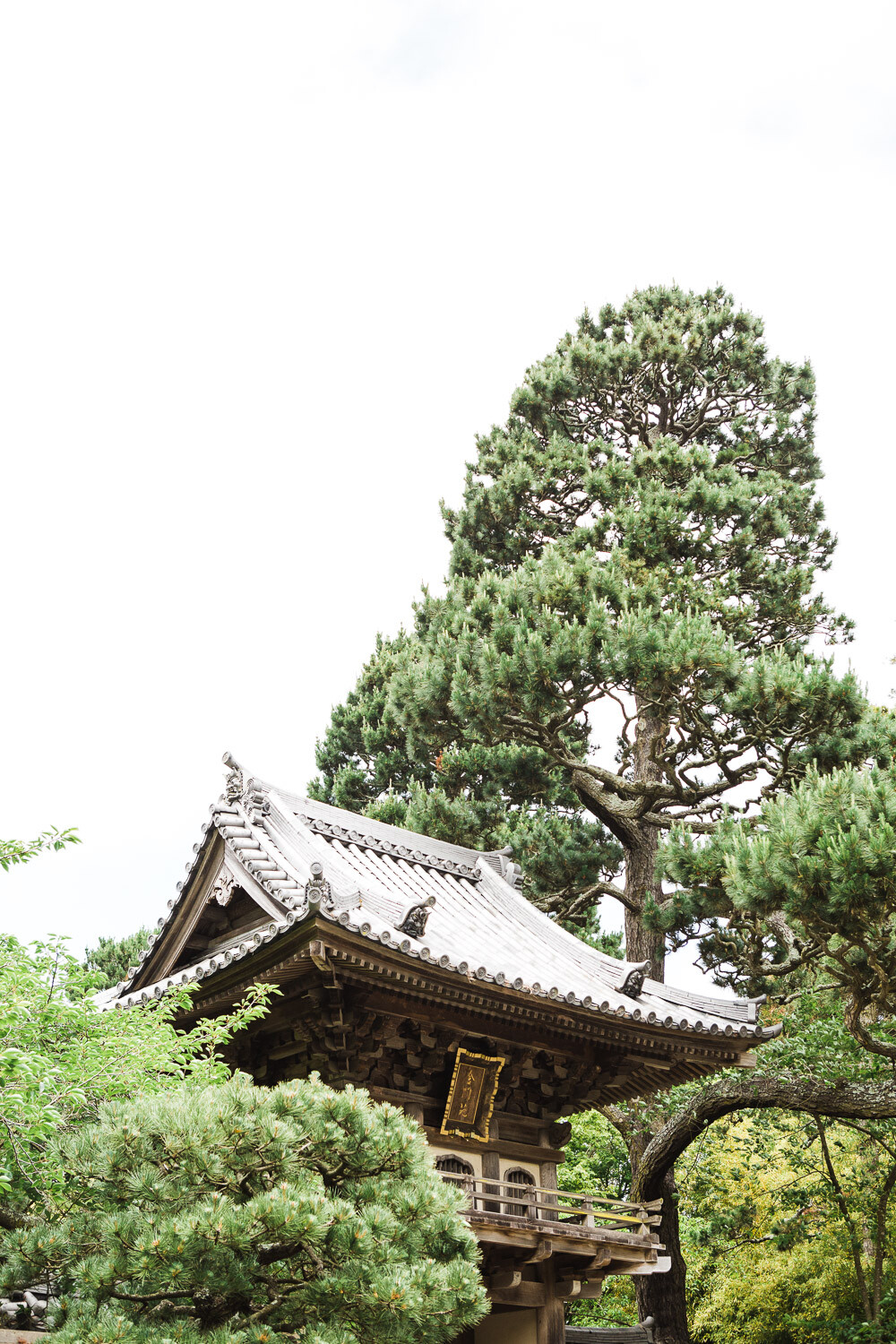
Japanese temple in San Francisco

Fear #6 – That your portfolio isn’t diverse enough

Look, we all start somewhere and there is no shame in that. I remember when I first started building my portfolio I had a ton of pictures of my kids and those of my friends and family. I would practice every opportunity I would get with people I knew.

Slowly I started getting confident about my work and made it known that I was an aspiring family photographer. I didn’t focus on the sale but instead on building a network of clients. I networked with other photographers via in-person meetings as well as online forums and learned as much as I could about the business of photography.

 Moody white flowers photos

So when you are just starting out, put yourself out there. Ask friends and family if you can practice your photography skills on them. Reach out to others and see if you can collaborate.

There is no lack of ways to build your portfolio – you just have to get comfortable with asking.

Fear #7 – Not knowing how to market yourself

We live in a very different world now more than ever. Everything is online and everyone is online. Traditional forms of marketing like print ads, radio, and TV don’t do as well as online and social media marketing.

Since social media and online presence seems to be the new status quo, make sure you have an online presence. And remember social media is all about being social! So make sure you are being social online by sharing a little bit about you and not just your work. Work on building a relationship with clients and potential clients because people will only buy from brands (and people) that they know, like and trust.

Invest in social media marketing and advertising as well as traditional forms of marketing. A lot of my work still comes from word of mouth and referrals, so make sure you are taking advantage of those channels as well.

Wedding couple against Chicago riverwalk background

Sharing and promoting your best work as part of your marketing campaigns is a great way to grow your reach and your business.

Conclusion

I hope these tips were helpful and shed light on some of the commonly expressed fears that others including myself regularly experience.

Please remember that you are not on an island without any help and nor are you the only one going through all these emotions and feeling of anxiety around your work. We all face these same issues time and time again.

The key is to objectively work through them and come out strong. If you are truly passionate about photography and want to make it a career, keep up the hard work and the fruits of your labor are bound to be as sweet as can be!

The post What are your greatest fears as a photographer? appeared first on Digital Photography School.


Digital Photography School

 
Comments Off on What are your greatest fears as a photographer?

Posted in Photography


Peak Design announces 45L Travel Backpack and new system of ‘Packing Tools’

24 Jul

$ (document).ready(function() { SampleGalleryV2({“containerId”:”embeddedSampleGallery_6187580265″,”galleryId”:”6187580265″,”isEmbeddedWidget”:true,”selectedImageIndex”:0,”isMobile”:false}) });

Peak Design has announced a fresh travel-oriented product line that centers around a 45L carry on-sized Travel Backpack that can be yours for a reduced price through Kickstarter (starting today). Also in the line is a set of set of ‘Packing Tools’ to help keep your gear and personal items organized on the go.

The 45L Travel Backpack has all the bells and whistles of a high-end pack: a weatherproof nylon canvas shell, a rugged bottom liner, a luggage pass-through, full rear and side access, a laptop compartment, luggage handles and tons of organization pockets. It can also be expanded or contracted to fit 35L or 45L worth of stuff.

The 45L Travel Backpack officially hits stores this holiday season for $ 299.95 and will be available in either black or sage

The Packing Tools bring a nice level of versatility and modularity to the 45L Travel Backpack (though could easily be used in any pack). They come in a variety of forms including general packing ‘Cubes’ – useful for items like clothing (available in two sizes) – and ‘Camera Cubes’ for your precious gear (available in three sizes). There are also packing tools specifically for tech odds and ends, toiletries and shoes.

The 45L Travel Backpack is projected to officially hit stores this holiday season for $ 299.95 and will be available in either black or sage. The Packing Tools range in price from $ 24.95 – $ 89.95 and will also be available for the holidays.

Look for a full review of the 45L Travel Backpack on DPReview soon. In the meantime, read our review of the Peak Design Capture Clip V3.

Press Release

Peak Design’s Travel Line Reinvents One-Bag Travel

Travel Backpack 45L and Packing Tools Offer Infinite Customization

San Francisco, CA (July 23, 2018) – Peak Design, the leader in crowdfunding and best-in-class carry solutions, is proud to unveil the first products in their Travel Line: the Travel Backpack 45L and complete system of Packing Tools. With a focus on versatility, organization, and access, the Travel Line aims to satisfy a simple design directive: no two trips are the same, so the best luggage should adapt to them all.

Peak Design was founded during a trip and has grown into a team of prolific travelers who understand life on the road. The Travel Line combines Peak Design’s travel experience with their expertise, innovation, and design philosophies honed through their massively successful photography and everyday bag lines.

The hero of the Travel Line is the Travel Backpack 45L, a carry-on-sized backpack that boasts a collection of best-in- class travel functionality. In addition to full rear access for easy packing, the bag features dual side access, top access to laptop/tablet, and a dedicated front-access organization panel for smaller items. Beefy shoulder and waist straps stowe instantly beneath a magnetically sealed back pad. Expansion zips allow the bag to grow to 45L check-in size, while an innovative compression snap system shrinks the bag down to a 35L daypack. Thoughtful details include 360-degree grab handles, a duffle/luggage carry handle, theft-deterrent zips, hidden passport pockets, a soft- lined sunglasses pocket and tuck-away external carry compression straps. The Travel Backpack comes with a weatherproof 400D nylon canvas shell made from 100% recycled plastics and available in black or sage colorways.

Peak Design Founder and CEO, Peter Dering, rarely stays in any one place longer than two weeks: “From day one, travel has been a primary inspiration to us as photographers, designers, and adventurers. Living on the road is part of our DNA as a brand, and we couldn’t be more excited to have built a set of travel gear that truly adapts to the endless variety of trips we take.”

Accompanying the Travel Backpack is a feature-rich system of Packing Tools that provide endlessly customizable organization and protection of clothes, shoes, toiletries, tech items and photo/video gear. Designed to fit perfectly in Peak Design travel bags, each cube or pouch offers easy access, thoughtful organization, durable materials and a consistent aesthetic cleanliness.

Each Packing Tool was designed from the onset as a standalone product, intended to push their respective category forward with unique patterns, features and innovation. Art Viger, Lead Designer at Peak Design, commented on the system: “When you travel, the things you carry become your home on the road. Each and every one of the pouches and cubes are designed to work as a fluid ecosystem that can be easily re-configured for any type of trip.”

The new Travel Backpack (MSRP: $ 299.95) and Packing Cubes, will be available on Kickstarter (peakdesign.com/ks) for a pre-sale discount beginning July 23, 2018. The system will then be available for purchase online at peakdesign.com and through major retailers in time for the 2018 holiday season.

About Peak Design

Since 2010, Peak Design has been building innovative carry solutions with a simple overarching design directive: make the best things. The idea for our first product was born on a motorcycle trip through Southeast Asia and has since expanded to include a cross-functional ecosystem of bags, pouches, slings, straps, and clips. We’ve won applause along the way, but we’re most proud of the fact that we’re 100% crowdfunded and 100% employee-owned. We’ve raised $ 15.6 Million through 8 Kickstarter campaigns, allowing Peak Design to stay investor-free and focused on the things that matter most: designing great products, fostering happy employees, and taking care of our customers and the natural environment. Learn more at peakdesign.com.

45L Travel Backpack

MSRP: $ 299.95
Available on Kickstarter for a Limited Time: $ 235

Access

  • Full back panel-load access for packing
  • Dual zippered side hatches for instant camera access
  • Quick tablet & laptop access
  • Dedicated front organization panel
  • Soft-lined sunglasses pocket
  • Hidden passport/document pockets
  • Bag sits upright on floor when packed or empty

Expansion & Compression

  • Maximum international carry on size in normal 35L state
  • Expansion zip gives additional 10L of storage (45L max)
  • Compressible down to 30L day bag size
  • Expandable side pockets for water bottles, tripods
  • Tuck-away external carry compression straps

Organization

  • Rigidly supported sidewalls for easy packing
  • Zippered dividing panel separates bag into 2 compartments, or stows away for 1 large volume
  • Front organization panel contains 4 zippered mesh pockets for smaller items
  • Mount Camera Cubes (sold separately) internally for back or side access to photo, drone, or video gear
  • Protected luggage tag holder

Comfort & Portability

  • Magnetic strap storage system
  • 360-degree grab handles
  • Full-size padded hip belt with additional pockets and attachment points for Capture & Range Pouch (sold
    separately)
  • Axial strap attachments for shoulder & hip straps give constant comfort for all body types and carry loads
  • Proprietary sternum strap
  • Luggage pass-through and duffel grab handle
  • Back panel folds under for increased ventilation & comfort

Security

  • 400D weatherproof 100% recycled nylon canvas shell
  • DWR impregnated, PU-coated interior for water resistance
  • Oversized #8 (front, side) and #10 (back) main zips are weatherproof and lockable
  • Rugged 900D weatherproof bottom liner
  • Ultralight padded foam provides security, structure, and aesthetic cleanliness around entire bag

Packing Cubes (sold separately):

Packing Cubes (MSRP: Sm – $ 29.95, Md – $ 39.95) – Compressible, easy to access, and dividable, Peak Design Packing Cubes are available in 2 sizes. A tear-away main zip lets you access contents instantly, and an internal divider allows separation of clean and dirty clothes. An expansion/compression zip doubles available space or compresses clothes so you can fit more in your bag.

Wash Pouch (MSRP: $ 59.95) – Dedicated, easy-to-clean pockets for toothbrush and razor. Hangs or sits upright on sink for easy access in tight spaces. Unique folding pocket layout keeps toiletries neatly organized and easy to find.

Tech Pouch (MSRP: $ 59.95) – Designed to store small items like cables, cards, batteries, and travel essentials, Tech Pouch’s unique origami-style pockets create enormous spatial efficiency. Pack more into a smaller space, yet keep all items organized and easy to find.

Camera Cubes (MSRP: Sm – $ 49.95, Md – $ 69.95, Lg – $ 89.95) – Camera Cubes provide protection, organization, and instant access to camera, video, and drone gear. Securely mount Camera Cubes inside the Travel Backpack and access your gear via the rear or side zips. Tuck-away lids let you access camera gear from outside of the bag via a single zip, while a system of intelligently designed dividers allows for endless organization and customization.

Shoe Pouch (MSRP: $ 24.95) – An ultralight, durable, weatherproof pouch for shoes or additional clothing storage.

Rain Fly (MSRP: $ 29.95) – Provides complete waterproof protection to an already weatherproof bag. Rain Fly is made of durable, ultralight 200D rip-stop nylon, adjusts via cinch cord for snug form-fit, and stuffs into a convenient storage pocket.

Articles: Digital Photography Review (dpreview.com)

 
Comments Off on Peak Design announces 45L Travel Backpack and new system of ‘Packing Tools’

Posted in Uncategorized


Sony IMX586 smartphone sensor comes with 48MP and Quad Bayer design

24 Jul

Sony has introduced a new smartphone image sensor today and, looking at the IMX586’s impressive spec sheet, the new chip could help boost smartphone camera performance further in the next generation of high-end devices.

The sensor combines two key technologies: very high resolution and a ‘Quad Bayer’ color filter pattern to offer a series of clever processing modes.

According to Sony, low light performance is comparable to large 1.6?m pixels

With its 1/2″ format (6.4 x 4.8 mm) the stacked sensor is at the large end of the spectrum for smartphone cameras: nearly twice the size of a typical 1/3″-type chip. This allows it to squeeze 48MP onto its surface, but still requites a comparatively small pixel size of 0.8 ?m.

The IMX586 is not just about pixel count, however. It comes with a Quad Bayer color filter array in which every 2×2 pixel array has the same color filter. This allows it to offer several ways to process its data, depending on the conditions.

In low light image data from the four pixels in such an array is merged and processed as one single pixel, resulting in a reduced 12MP image resolution. According to Sony, low light performance is comparable to large 1.6?m pixels.

In bright light the image signal processor can make full use of the sensor’s 48MP pixel count, however, and capture high-resolution images or use the abundance of captured image data for high-quality digital zooming. This requires processing to convert the ‘Quad Bayer’ data into an approximation of what a 48MP Bayer sensor would have captured. It’ll be interesting to see how well this does.

Sony’s write-up seems to allude to a third way of using the data. It talks about the sensor being able to display up to four times the dynamic range of conventional products. We suspect this uses the system Sony uses on its IMX294 chip, where alternate pixels are switched off, mid exposure, protecting highlight capture while still recording full shadow detail. The Quad Bayer pattern would lend itself particularly well to this.

This three-mode approach… may remind some readers of Fujifilm’s Super CCD EXR technology

This three-mode approach to offering better performance in low light, higher DR in high contrast situations or high resolution when there’s plenty of light may remind some readers of Fujifilm’s Super CCD EXR technology, with which there are some obvious parallels.

As usual we don’t know when the new sensor will see the light of day in a production smartphone, but the Sony Xperia XZ3 which is expected to be launched at IFA in September looks like a good candidate. Given Sony is the biggest sensor provider to the smartphone industry we should sooner or later see the IMX586 in non-Sony smartphones as well.

Articles: Digital Photography Review (dpreview.com)

 
Comments Off on Sony IMX586 smartphone sensor comes with 48MP and Quad Bayer design

Posted in Uncategorized


Nikon teases mirrorless with video and microsite

23 Jul

Nikon has posted a cinematic new teaser video featuring what appears to be its forthcoming mirrorless camera. The minute-and-a-half long video appears on a ‘special events’ page with the tagline ‘In Pursuit of Light’ and a promise of more content to come.

Check out Nikon’s new microsite

The first part of the video seems to be a cinematic representation of light hitting a sensor, but the last few seconds give a glimpse of the shadowy outline of a camera on a tripod. To save you the trouble, below are a couple of screengrabs from the video with brightness boosted.

There’s not much to glean from these few seconds, but from the profile view the camera clearly looks mirrorless. That’s not a surprise, considering that the industry executives we spoke to at CP+ all told us that full-frame mirrorless from the major traditional manufacturers would become the norm very soon.

What do you think?

Articles: Digital Photography Review (dpreview.com)

 
Comments Off on Nikon teases mirrorless with video and microsite

Posted in Uncategorized


Tips for Better Results When Shooting in Low Light Conditions

23 Jul

Shooting in low light conditions can result in beautiful photographs. But it also presents plenty of technical challenges for you as a photographer to overcome.

noodles in a person's hands - Tips for Better Results When Shooting in Low Light Conditions

The main issues with doing low light photography are:

  • You may not be able to use a shutter speed fast enough to hand hold your camera without creating camera shake.
  • If you use a high ISO, your photos can be very noisy.
  • Shooting at a wider aperture might not give you the depth-of-field you need to get enough of the subject in focus.
  • Your pictures can be underexposed and lack shadow detail.
  • It may be difficult for your lens to focus in low light.

Working with a tripod can greatly reduce some of these technical difficulties, but what about situations where shooting handheld is usually a necessity, like street photography? Or in places where a tripod may be prohibited, like a restaurant or museum?

There are ways to take control of your camera to ensure you get the most out of these challenging situations.

urban street scene high viewpoint - Tips for Better Results When Shooting in Low Light Conditions

Tip #1 – Use a Prime Lens

There is no denying that zoom lenses are convenient, but choosing a prime over a zoom lens can ensure that your images will be that much sharper.

Zoom lenses are constructed with extra glass elements that move in order to zoom. More elements within the lens contribute to lens diffraction, a phenomenon of optical physics that degrades the quality of an image. Lens diffraction is why a generic prime lens can often be sharper than a much pricier zoom counterpart.

2 images of a tree and leaves - Tips for Better Results When Shooting in Low Light Conditions

Shot with an 85mm prime lens.

Tip #2 – Use Shutter Priority

We’re taught that the best way to get great photos is to always shoot in Manual Mode, but sometimes this isn’t the case. In low light photography, shooting in shutter priority mode will help you take better control of your camera.

Shutter Priority mode lets you set the ISO and shutter speed, while the camera will calculate the best aperture for the lighting conditions in which you’re working.

The shutter speed needs to be fast enough to prevent camera shake. Your settings will vary, depending on your focal length and the size of your camera’s sensor. A good approach is to start with the same number (as a fraction) as your focal length for a full frame camera, and then add a stop (double it).

For example, if you are shooting with a 50mm on a full frame camera, try 1/100th of a second and check your results. For a cropped sensor, double your focal length number and add a stop (so 50mm x 2 = 100 x 2 = 200 so 1/200th).

Keep in mind that this is only a guideline. It’s to be used as a quick baseline from which to start. Your camera, the lens you’re using, and the environment you’re shooting in are all factors that will influence your end result.

Tip #3 – Use a High ISO

Tips for Better Results When Shooting in Low Light Conditions - tree with pink lights in it

Your images can be very noisy at a high ISO. Some cameras handle high ISO settings better than others, but the vast majority of DSLRs (and mirrorless cameras) these days have good ISO capabilities. At least good enough to give you a decent base file for post-processing.

Lightroom and Photoshop can fix noise effectively, but the best results can be had with a program called Dfine from DxO’s Nik Collection. (Note: Once available for free, this plug-in can now be purchased with the entire Nik Collection from DxO).

The software measures select areas of your image for noise and adjusts it automatically. You can also take control and selectively increase and decrease noise reduction intensity and type in different parts of the image.

Before beginning to shoot in low light, I recommend doing an ISO test to determine how far you can push it with your camera. Run a few images through your post-processing program of choice and analyze the results. If you need to do a lot of noise reduction, your images might end up looking too plastic.

Tip #4 – Use Back Button Focus

Many of us rely on autofocus these days, especially if we have less than 20/20 vision. Both autofocus and manual focus have their pros and cons.

For example, when using autofocus, it’s very easy for the camera to miss focus at wider apertures. Also, when a scene lacks contrast, which is often the case in low lighting scenarios, the lens may struggle to find focus. You can remedy this by focusing on the edge of a brighter spot in your frame and then recomposing.

Tips for Better Results When Shooting in Low Light Conditions - images show in low light with back button focus

You’ll need to use focus lock, or back button focus so your camera doesn’t attempt to refocus once you try to recompose. Back button focus moves the trigger for focusing from the shutter button to the back of your camera. When your focus is not set with the shutter button, your camera will not attempt to refocus when you take a shot.

I always have my camera set to back button focusing, whether I am shooting in low light or not.

Low Light Portraits

If you need to shoot portraits in low light without a tripod, try image stabilization if your lens offers this technology. Image stabilization counteracts any minor vibration due to shaky hands.

An image stabilizer can help you shoot at a slower shutter speed that you ordinarily would with a lens that doesn’t have this function.

When shooting portraits, shoot at the lowest (widest) aperture possible. It will give you a narrower depth of field, which will help you blur out a busy background by letting it fall out of focus. If possible, use a reflector to bounce some light onto your subject’s face.

Tips for Better Results When Shooting in Low Light Conditions - portrait in low light

This child portrait above was shot handheld, very late in the day, without a reflector. Despite using some of the tips outlined here, it still was underexposed. I was able to bring some brightness back by using Curves in Photoshop and lightened the right side of her face a bit to counter some of the dreaded raccoon-eyes you often get with low light portraits.

Post-processing can go along way toward counteracting some of the problems encountered in low light photography, but trying to get things as perfect as you can in-camera, will save you a lot of time and headaches later.

Low Light Landscapes

Shooting at the golden hour or blue hour, when the light is low, is an ideal time to shoot landscapes. But it also presents the same challenges. In this case, a good, sturdy tripod is essential.

Also, you’ll need a shutter release. Manually depressing the shutter button will cause a vibration that will introduce camera shake and cause your images to be less than sharp.

When shooting landscapes in low light conditions, use Manual or Aperture Priority mode and be careful not to underexpose, or you’ll end up with too little shadow detail.

Your aperture should be fairly narrow, such as f/8 or f/11. Stopping down to apertures such as f/16 or f/22 can cause lens diffraction, in either prime or zoom lenses, no matter the quality. Shooting at f/8 will give you a good depth of field and enough sharpness. Not to mention, most lenses function at their best around this aperture.

Tips for Better Results When Shooting in Low Light Conditions - marina at night shot

Bulb mode is also a great way to shoot landscape photography. This mode is mostly used for long exposures at night or in dark conditions and allows you to do an exposure longer than 30 seconds. You can keep the shutter open as long as required to get the shot in this mode.

If image sharpness continues to be an issue, taking three identical images with different focus points and blending them together using the focus stacking function in Photoshop is an excellent remedy.

Low Light Indoors

Sometimes you’ll need to shoot indoors in low light where you can’t use a flash, such as in a museum or a restaurant. You can choose to crank up your ISO and try Shutter Priority, as mentioned above.

For shooting subjects like food or still life indoors in natural light, shoot by a window and do a long exposure with the camera on your tripod. As long as you have some light, you can still shoot. Use reflectors to bounce some of the light back onto your subject.

Long exposures can be used for still life indoors pomegranate - Tips for Better Results When Shooting in Low Light Conditions

In Summary

The key to getting consistently great results shooting in low light is understanding the principles as outlined above. Take some time to practice and take notes on what you observe while trying to get a well-exposed image.

After a while, it will become second nature for you to know what to do in any given low light situation.

The post Tips for Better Results When Shooting in Low Light Conditions appeared first on Digital Photography School.


Digital Photography School

 
Comments Off on Tips for Better Results When Shooting in Low Light Conditions

Posted in Photography