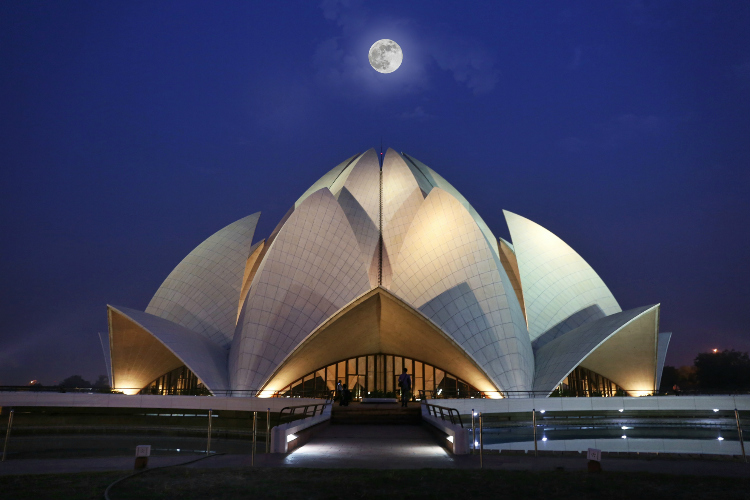
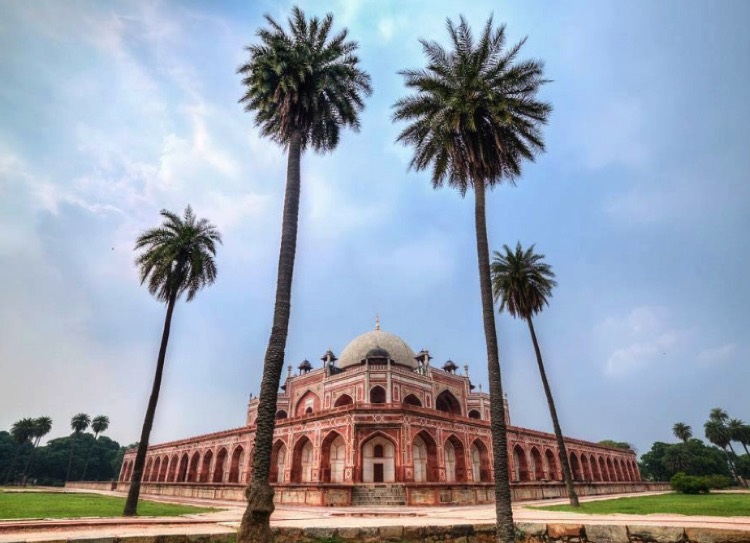
RSS
 

Archive for February, 2017

5 Easy Ways to Drastically Improve Your Photographs for Beginners

11 Feb

It’s the easiest thing in the world to take a photo. You aim and press, and you’ve captured a moment, which in time will turn into a treasured memory. But did you know that with just a little bit more effort and barely any time, you can turn those captures into something more? Something that offers the subject the respect it deserves. Something that is a pleasure to look at even before the shimmer of nostalgia is sprinkled onto it by time, and something you’ll be proud to share.

With these five basic steps, you will notice an immediate improvement in your photos. Once you’ve started giving it just a little bit more thought, it’ll become a natural part of your photography.

Let’s begin!

1. Get low, get high — it’s all about perspective

The easiest and most natural way is to photograph from the level of your own eyes. There is nothing wrong with that, but it’s just one of many viewpoints — and perspective is essential to the way we relate to a photograph.

5 Easy Ways to Drastically Improve Your Photographs for Beginners - perspective

Shot at human eye level.

Want to expand your perspective? Don’t be afraid to move, crouch, or if you’re up to it, lie down before taking your photo. Climb up on a chair even. If you’re photographing a child, get down to their eye-level and see what a difference it makes to your photo.

5 Easy Ways to Drastically Improve Your Photographs for Beginners - perspective

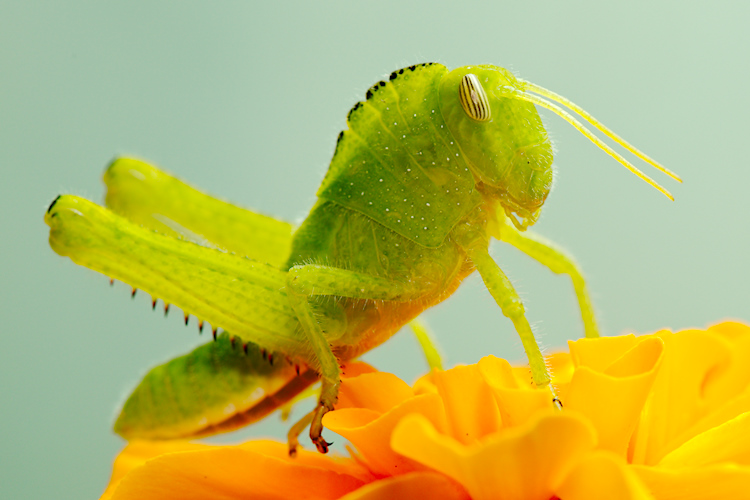
Shot at bug level.

2. Less space, more content

Do you tend to point and shoot, without composing the photo? This leads to two very common outcomes. One of them being a lot of unnecessary space around the subject, the other we’ll discuss in step three below.

Does the person you’re photographing take up only a small portion of the image? Most of the time, that’s unintentional, and it just makes it harder to enjoy the look of the subject, whether it’s a person, flower, or a sculpture.

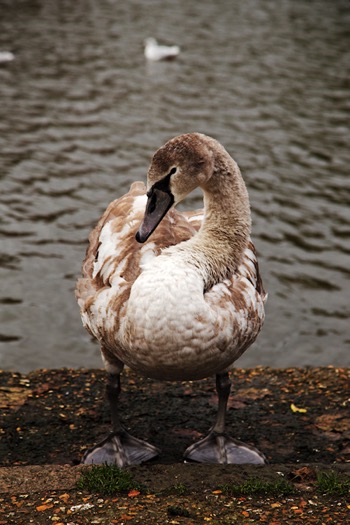
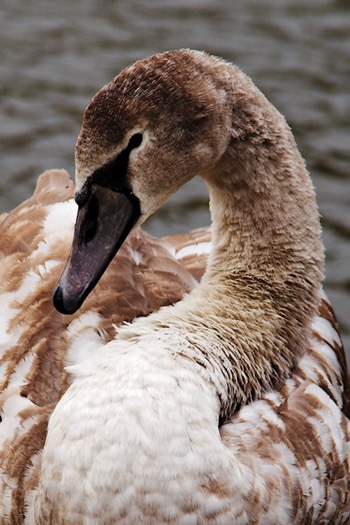
Try filling the frame with a face. Don’t be afraid to get closer (unless you’re photographing a venomous snake).

5 Easy Ways to Drastically Improve Your Photographs for Beginners - get close 5 Easy Ways to Drastically Improve Your Photographs for Beginners - get close

3. A view askew (off-centered)

The other common result of pointing and shooting is that the subject almost always ends up being in the center of the frame. Sometimes, that works beautifully, but most of the time it’s just boring.

If you’re photographing a person, try to place them (particularly their eyes) off-center in the image. Be aware of their movement or line of sight, and leave room for that. Meaning, place the subject to the side they’re not moving into or looking at, and put more space in front of them in the direction they’re facing.

5 Easy Ways to Drastically Improve Your Photographs for Beginners - off-center

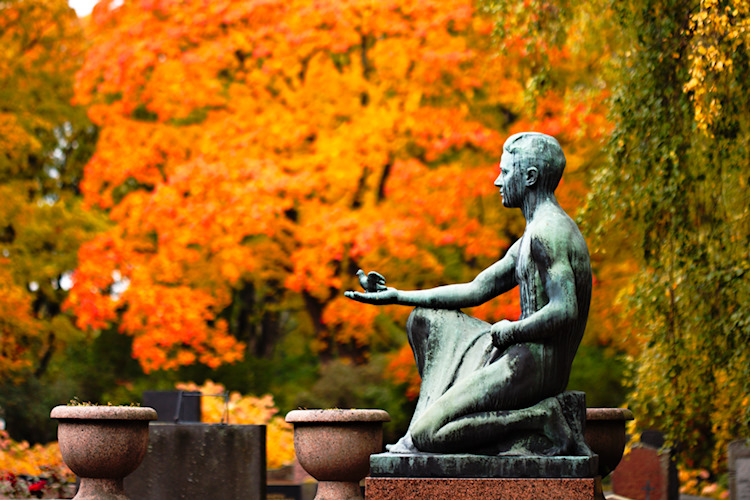
The statue is entered in the frame here and the image is very static (boring).

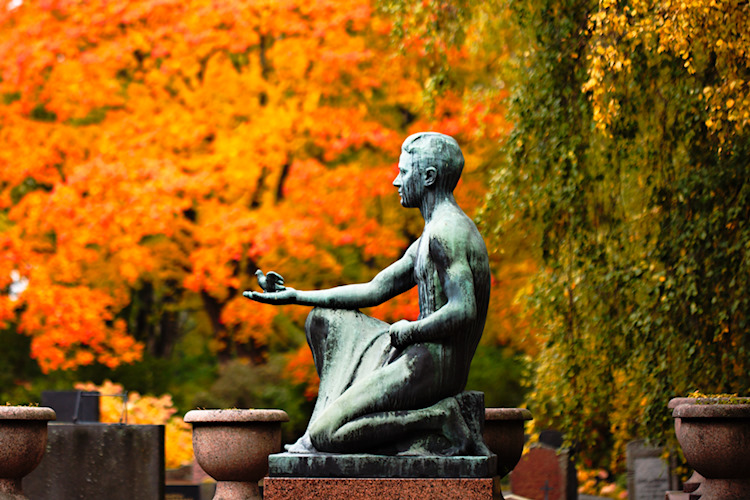
5 Easy Ways to Drastically Improve Your Photographs for Beginners - off-center

In this image there is more room in front of the statue in the direction the hand is pointing, leaving room for the little bird to “fly”.

To learn more about composition, check out these composition tips.

4. When too much is just right

If you’ve been doing photography for a while, you’ve probably heard how important it is to control the exposure of your images correctly (in other words avoiding both too little and too much light. It’s a basic rule of photography, but let me suggest that you try breaking it.

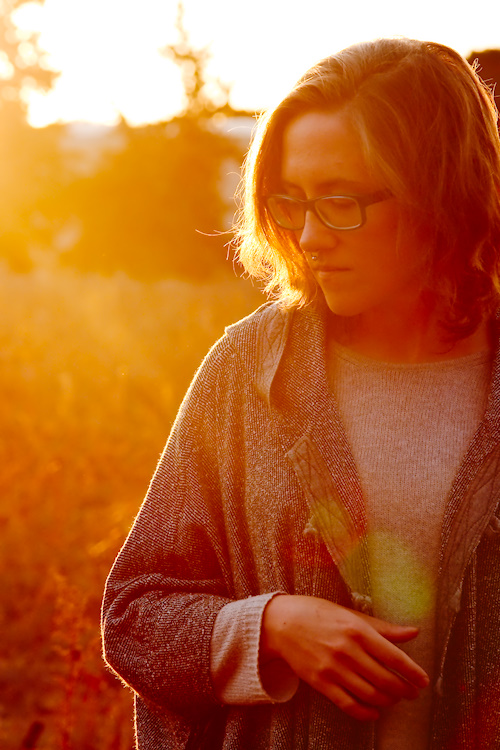
In my experience, too little light is more of a problem than too much, and sometimes, too much is just perfect — especially if your subject is backlit.

Try it and see what you think!

5 Easy Ways to Drastically Improve Your Photographs for Beginners

5. Space is cheap

Don’t worry about taking too many photos. Really! One of the great things about digital photography is that you can snap loads of shots and choose among them later for the best ones to keep. Don’t miss a moment because you hoped to capture it perfectly in one go.

5 Easy Ways to Drastically Improve Your Photographs for Beginners

5 Easy Ways to Drastically Improve Your Photographs for Beginners

5 Easy Ways to Drastically Improve Your Photographs for Beginners

Try taking photos the way you would normally, then experiment with the steps presented above. When you look through your photos, choose the ones you like and delete the rest. Think a bit about why you like the ones you kept and why you chose to delete some. It’s a fun, easy, and cheap way to learn and to find your own style.

Lastly

As always, rules are meant to be broken! But remember that the more familiar you are with the rules, the more creative your breaking of them can be. If you try out any of these steps, I’d love to see your creations in the comments below!

googletag.cmd.push(function() {
tablet_slots.push( googletag.defineSlot( “/1005424/_dPSv4_tab-all-article-bottom_(300×250)”, [300, 250], “pb-ad-78623” ).addService( googletag.pubads() ) ); } );

googletag.cmd.push(function() {
mobile_slots.push( googletag.defineSlot( “/1005424/_dPSv4_mob-all-article-bottom_(300×250)”, [300, 250], “pb-ad-78158” ).addService( googletag.pubads() ) ); } );

The post 5 Easy Ways to Drastically Improve Your Photographs for Beginners by Hannele Luhtasela-el Showk appeared first on Digital Photography School.


Digital Photography School

 
Comments Off on 5 Easy Ways to Drastically Improve Your Photographs for Beginners

Posted in Photography


Study: people don’t actually like looking at selfies

11 Feb

A couple of weeks ago a Sony-sponsored study found that consumers are ready to embrace selfies as a tool. Now a research paper, published by Sarah Diefenbach and Lara Christoforakos of Ludwig-Maximilians-University Munich published in Frontiers in Psychology in January suggests that a majority of smartphone users enjoys taking selfies, but very few people like looking at selfies of others.

The paper is titled ‘The Selfie Paradox: Nobody Seems to Like Them Yet Everyone Has Reasons to Take Them’ and is based on a study that surveyed 238 people from Austria; Germany and Switzerland. Of those who responded, 77% said they take selfies at least once a month and 49% said they receive selfies from others at least once a week. While respondents thought of their own selfies as somewhat ironic and playful, they had less favorable views on others’ selfies.

‘Altogether, participants expressed a distanced attitude toward selfies, with stronger agreement for potential negative consequences (threats to self-esteem, illusionary world) than for positive consequences (e.g., relatedness, independence), and a clear preference (82%) for viewing more usual pictures instead of selfies in social media.’

Many respondents also thought selfies could have an adverse effect on self-esteem and create a superficial and inauthentic image of the person taking and sending them. 90% of participants regarded others’ selfies as self-promotion. However, only 46% of respondents said the same about their own selfies. The research team acknowledges that the results are potentially biased towards the surveyed regions, and that other cultures have more accepting attitudes towards selfies. As so often in science, further study is required.

Articles: Digital Photography Review (dpreview.com)

 
Comments Off on Study: people don’t actually like looking at selfies

Posted in Uncategorized


5 Tips to Get Sharp Photos While Using a Tripod

11 Feb

We all love to admire landscapes and cityscapes. The moment we witness the beauty of nature we instantly take out our camera and start clicking photos. If you are travelling with a tripod you would most probably be using it to take photos in low light conditions or to capture creative long exposure shots.

Shooting with your camera mounted on a tripod might seem easy and a quick fix, but it is equally important to know a few things in order to capture sharp photos. Simply follow these five tips and by end of this article you may be able to figure out why you were not able to capture sharp photos using a tripod before.

Tips sharp photos tripod 01

1. Extend the tripod legs only when needed

While buying a tripod we all research about the maximum height and how tall it can stand, which is completely fine. I have seen many budding photographers extending the legs of their tripod fully the moment they take it out to shoot. But, it does not mean that you always have to fully extend the legs just because your tripod allows to do so.

As you go on extending the length of the lens, the stability and sturdiness of your tripod starts reducing. This gets worse when you are shooting landscapes or stars at a windy location. Even if you wish to extend the legs, start opening up the top (larger/thicker) most section of the legs and then move to the lower (thinner) ones. The last thing to extend should be the neck of your tripod, as it is most prone to causing shake.

Tips sharp photos tripod 02

2. Switch-off image stabilization while using a tripod

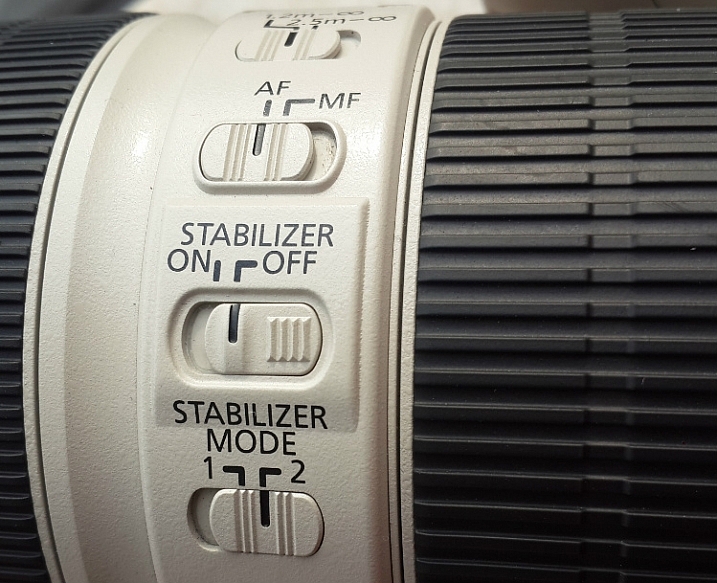
It is fairly possible that you possess a lens which features image stabilization (IS or VR) and there are fair chances that you may be using your lens with IS/VR switched on. It is fine when you are shooting at a high shutter speed using a tripod, but as you slow things down, that’s when the real problem starts.

Check your lens for the IS or VR switch.

When you are shooting with IS/VR switched on, your lens generates a minor shake (meant to counter-act your hand movements) which ultimately reaches the camera. This minor vibration can introduce shake in your photos when shooting on a tripod, especially at slower shutter speeds.

While shooting landscapes in the evening, star trails, light trails, or any long exposure shot, you need to slow down your shutter speed. As you cannot shoot these types of photos handheld, you will need a tripod. I would advise you to switch off the IS/VR on your lens in order to eliminate the minor shake that would have been generated otherwise.

Tips sharp photos tripod 03

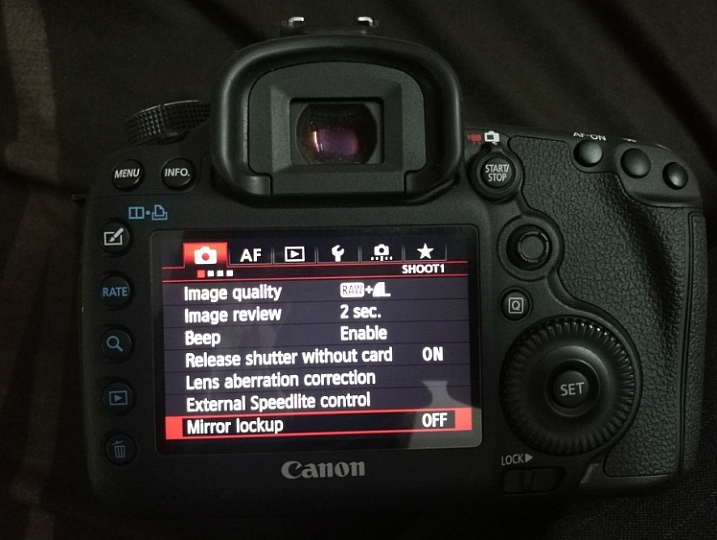
3. Use the mirror lock-up feature on your camera

You may be aware of the fact that there is a mirror inside your digital camera (except for mirrorless cameras) that moves to expose the image sensor when you press the shutter release button. This movement of the mirror can cause a minor shake while the camera is mounted on a tripod, thus affecting the sharpness of your photos.

This shake caused by the mirror may not affect your photos while you are shooting at a fast shutter speed, but as you slow down the shutter speed the shake would become visible in your photos. In order to eliminate this, you can manually lock the movement of the mirror. This can easily be done by activating the mirror lock-up feature (look through your camera’s menu settings or consult the user manual).

Tips sharp photos tripod 08

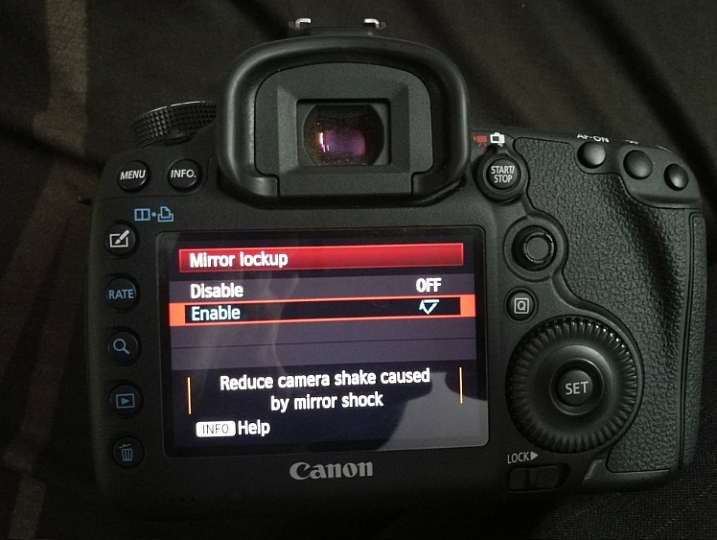
As you activate the mirror lock-up feature on your camera, the camera will raise the mirror up and keep it there until you disable the feature. So when you press the shutter release button the mirror will not move and the chances of minor shake being generated would be eliminated.

Mirror Lockup feature on Canon

Mirror Lockup enabled.

Note: This works differently on some camera models. Some the mirror stays up until you release it, on others you press the shutter button twice – first one lifts the mirror, second one takes the shot and lowers the mirror. The latter requires you to do it each time, but you can see your scene through your viewfinder between shots. In the former you cannot as the mirror blocks light coming to the eye piece.

Tips sharp photos tripod 04

4. Use the 2-second timer or a remote shutter release

Do you use the shutter release button to take a photo when the camera is resting on a tripod? If you said yes, then make sure that you switch on the 2-second timer in your camera. Do not assume that if the camera is on a tripod there will be no shake no matter what. When you press the shutter button you introduce a minor shake by applying some pressure to the camera. By using the 2-second timer feature you can do away with the camera shake as you are allowing 2 seconds for the camera to absorb that minor shake before exposing the photo.

Use a remote trigger or your 2-second timer to eliminate camera shake.

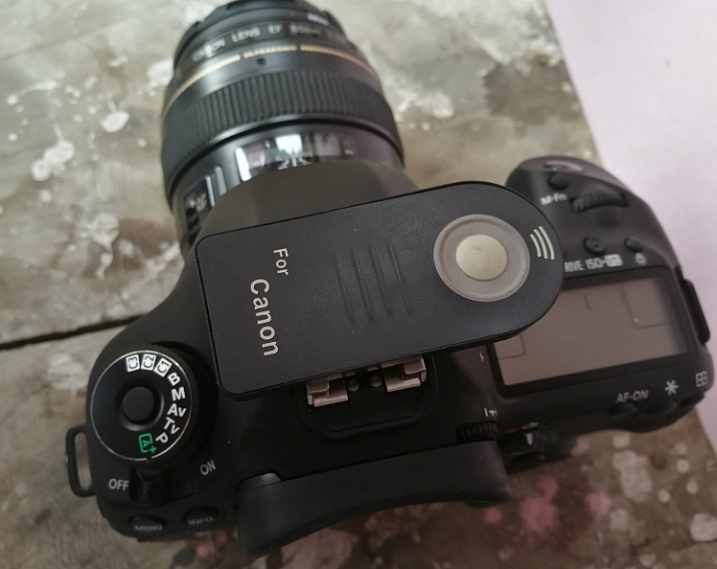
If you want to be extra cautious and not take any chances, you can use a remote shutter release or cable. The remote allows you to go wireless and click photos without even touching the camera, thus ensuring that your images will be crisp and sharp. A wired trigger is equally useful except for the fact that there is a cable attached to the camera, otherwise it functions exactly the same as a remote.

Tips sharp photos tripod 05

5. Shoot at the lowest ISO possible

The lower the ISO, the less sensitive the camera’s image sensor is to light and the chance of noise and grain is lessened. While you are shooting with your camera on a tripod, likely you may be working in low light conditions or doing long exposures. You would usually shoot at high ISO in order to compensate for slow shutter speed, but that is not necessary while using a tripod.

If you are shooting in low light conditions, using high ISO would obviously introduce noise or grain into your images. As you are already using a tripod, you do not have to worry about camera shake because of slow shutter speed. Without any second thoughts set the ISO sensitivity to the minimum value available on your camera, this will result in a sharp and grain free image.

Tips sharp photos tripod 06

Conclusion

So if you have had issues getting sharp images while shooting with a tripod, I hope these tips will help you solve them. Please share your comments and thoughts below.

googletag.cmd.push(function() {
tablet_slots.push( googletag.defineSlot( “/1005424/_dPSv4_tab-all-article-bottom_(300×250)”, [300, 250], “pb-ad-78623” ).addService( googletag.pubads() ) ); } );

googletag.cmd.push(function() {
mobile_slots.push( googletag.defineSlot( “/1005424/_dPSv4_mob-all-article-bottom_(300×250)”, [300, 250], “pb-ad-78158” ).addService( googletag.pubads() ) ); } );

The post 5 Tips to Get Sharp Photos While Using a Tripod by Kunal Malhotra appeared first on Digital Photography School.


Digital Photography School

 
Comments Off on 5 Tips to Get Sharp Photos While Using a Tripod

Posted in Photography


Panasonic’s new organic CMOS sensor won’t be in your next camera but it’s cool anyway

10 Feb
Organic chips, but not the kind with sea salt. On the left the sensor is used in plain old visible light mode. By changing the electric charge applied to the chip, visible and near-infrared light are captured simultaneously, shown on the right.

Panasonic has been developing organic sensors for a while now and has just announced a new breakthrough: an organic CMOS chip that can capture visible and near-infrared (NIR) light simultaneously without sacrificing resolution.

There are sensors available now that can image both near-infrared and visible light, but they sacrifice one out of every four pixels to NIR capture. As a result, resolution of the final image suffers. Panasonic’s new chip makes use of two organic layers: the top layer is sensitive to visible light and the bottom layer is sensitive to near-infrared light. By changing the voltage applied to the layers, it’s possible to choose whether the lower layer is active or not. This means it can switch between visible and visible+NIR imaging frame by frame, which is useful in machine vision applications where subjects may be moving quickly.

The image on the left is recorded with color imaging mode, the right shows the scene in NIR imaging mode. The new sensor could be used for night vision and surveillance.

Alternatively, it allows for the creation of security cameras that capture visible light during the day then switch to visible+NIR for a full-resolution ‘night vision’ mode after dark.

It’s great news too if your job relies on checking things that aren’t visible to the human eye, like checking things on an assembly line that are out of sight, but this sensor is unlikely to ever be used in a consumer digital camera. Still, it’s promising to see that Panasonic’s experiments in creating chips made of something besides silicon are paying off.

If nothing else, separating the capture medium from the readout mechanism makes it easier to implement a global shutter design, since the light-sensitive layer can be switched on and off independently, rather than being constrained by the (sequential) read-out process.

Articles: Digital Photography Review (dpreview.com)

 
Comments Off on Panasonic’s new organic CMOS sensor won’t be in your next camera but it’s cool anyway

Posted in Uncategorized


Canon EF 70-300mm F4-5.6 IS II USM sample gallery update

10 Feb

The Canon EF 70-300mm F4-5.6 IS II USM is a full-frame lens, but this budget-friendly, stabilized tele-zoom will likely appeal to owners of APS-C bodies too. So we’ve updated our initial sample gallery, shot on the Canon EOS 5D Mark IV, with some more images captured with the EOS 80D. Check out the full gallery by clicking the link below; to see everything that’s new in a glance, hit the grid view and use the options on the right to filter the gallery by camera body.

See our updated Canon EF 70-300mm
F4-5.6 IS II USM sample gallery

Articles: Digital Photography Review (dpreview.com)

 
Comments Off on Canon EF 70-300mm F4-5.6 IS II USM sample gallery update

Posted in Uncategorized


5 Reasons Why You Should be Doing Night Photography

10 Feb

We photographers tend to avoid night photography. Sure, there are some who seem to specialize in it, but most of us stick to daylight hours.

night photography tips and course

Historically, there were good reasons for this. Night photography was hard. You couldn’t see what you were doing because there were no LCD screens on camera. Every mistake cost you money in the form of film and processing. Even when digital cameras came on the scene, the low light performance in most cameras was so atrocious that it made it difficult to shoot at night.

But now, times have changed. Obviously, with digital, you can see exactly what you are doing and take as many test shots as you like. Cameras – and the low light performance of cameras in particular – have improved drastically in the last three to five years. Post-processing tools have come a long way as well, so now you can enhance your night photos a great deal.

night photography tips and course

All that makes night photography much more feasible. But is it something you should do? Will it lead to great photos? Is it fun?

The answers are; yes, yes, and yes. In this article, I will show you some of my favorite things about night photography. Once you get started, you are sure to have some of your own reasons.

1.  Otherwise mundane places are dramatic at night

Most photographers struggle with one thing in particular. That is how to make their photos stand out from the crowd.

Photographing at night can help you make that happen. Let’s be clear, though, just taking any old photo at night won’t get you there. But you’ll be surprised at how many locations that appear rather mundane or drab during the day can be made to look incredibly dramatic at night.

night photography tips and course

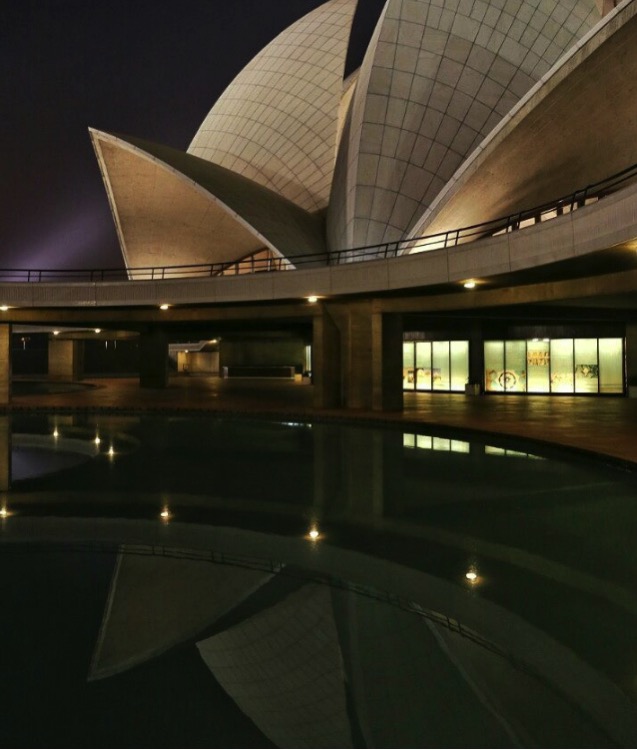
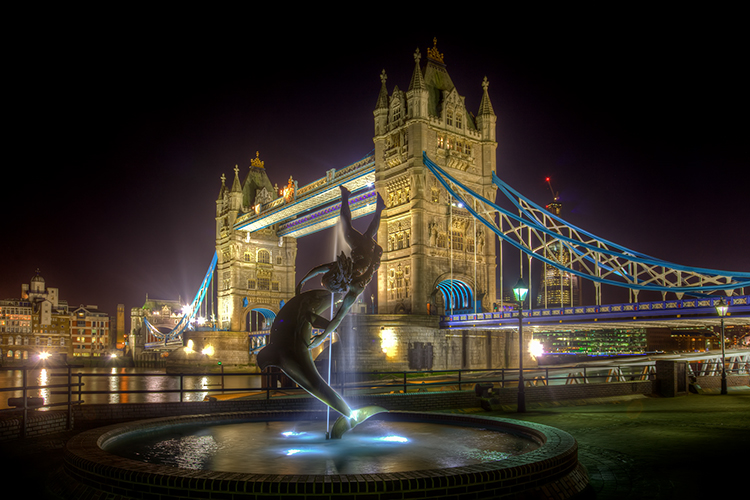
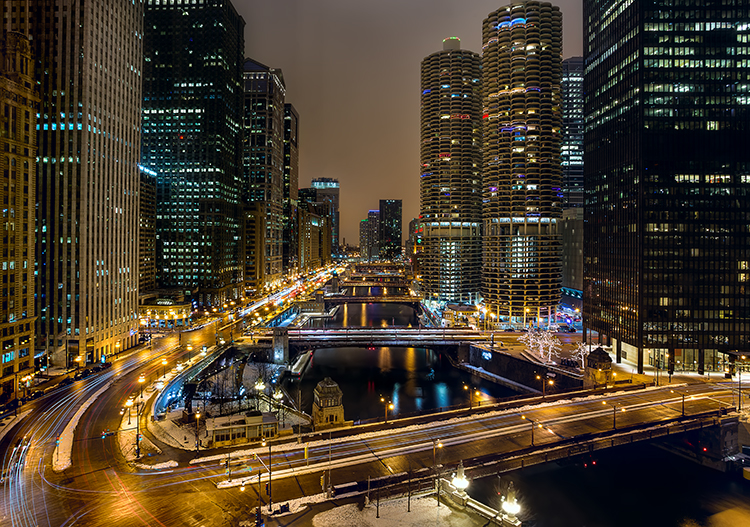
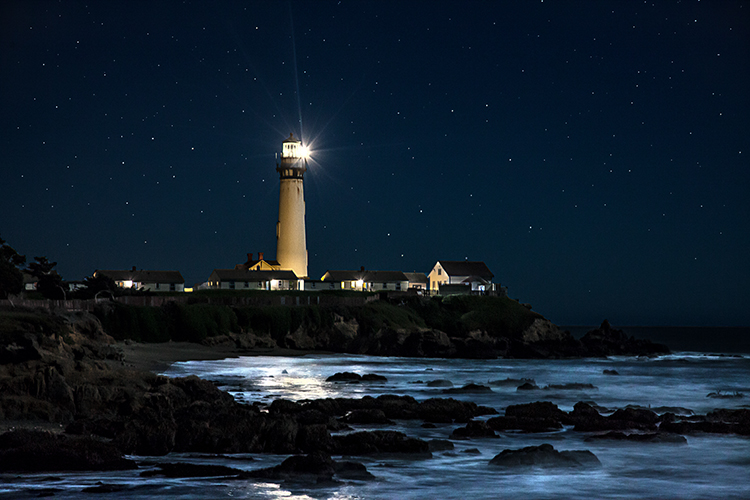
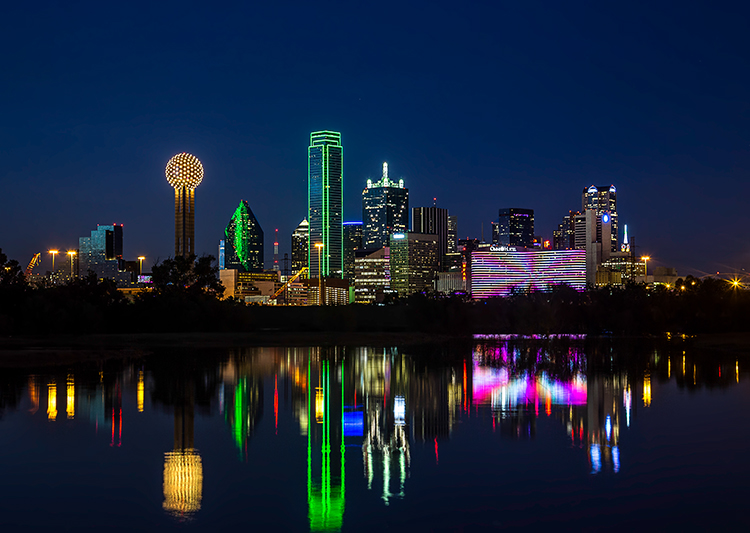
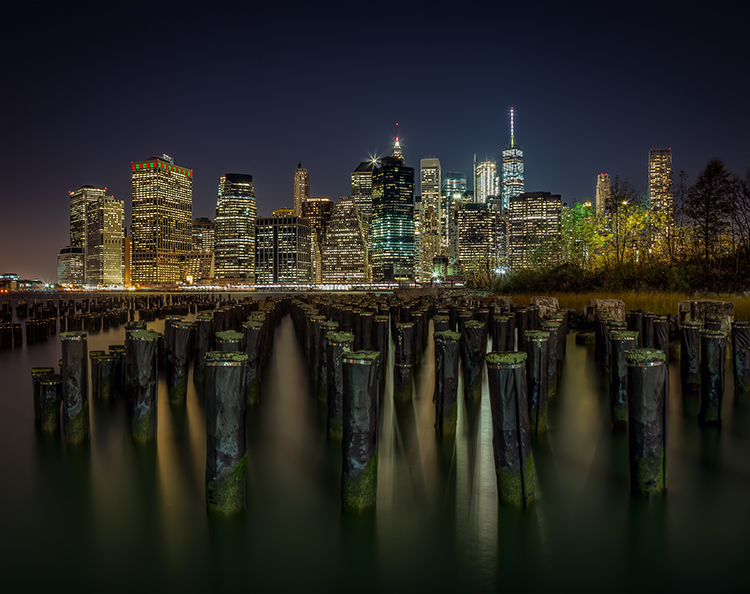
In cities, for example, you will find well-lit facades, bridges, skylines, etc. The city lights add interest and give you lots to work with. During the day, these appear flat and uninteresting. At night, however, there is usually dramatic lighting added. In rural environments, you have the night sky. A clear sky in the daytime is nothing special, but at night you are treated to a sky full of stars. In either case, you can add your own light to the scene via a flash unit or light painting (bring your flashlight!).

In addition, the night is just different than what most people normally see. That’s not to suggest that night photography is somehow a novelty, but photography during the day is much more common. People are accustomed to seeing photos during the day. They are even used to seeing dramatic sunrise and sunset photos. Night photos are a little more unusual. Take advantage of it.

2.  You can achieve amazing effects that are impossible during the day

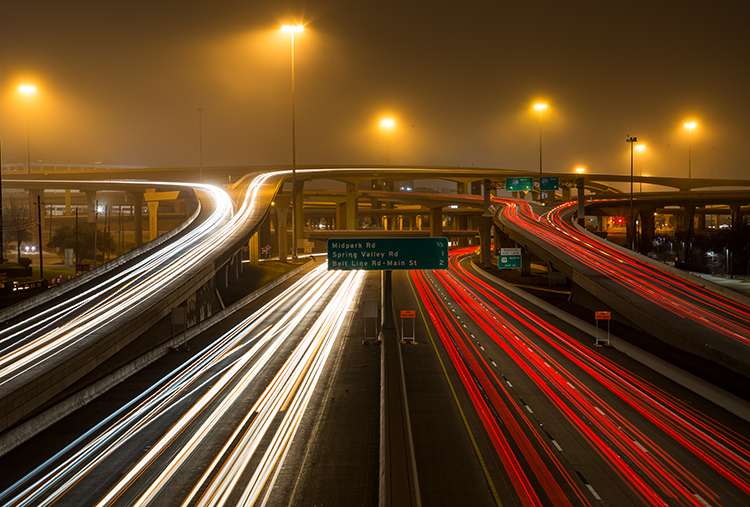
Light trails, starburst effect, motion blur . . . these are all easy at night. The long shutter speeds that are often required for proper exposure in night photography can lead to really cool effects. In addition, at night you can work with lights that just aren’t on during the day.

night photography tips and course

At night, not only are you taking pictures that many others don’t take because they are at home, but you are also taking pictures that many photographers can’t take. You need to have more than a rudimentary understanding of exposure to get a good night shot. Long exposures are very common, so a tripod and a remote shutter release are necessities. Beyond that here are some other considerations for night photography:

  • You need to control shutter speed to get motion blur where you want it and avoid camera shake when you don’t.
  • Aperture control is needed to balance competing goals of letting enough light in, achieving a proper depth of field, achieving a starburst effect to lights, and avoiding diffraction.
  • You need to control ISO to achieve a proper exposure without an intolerable amount of noise that often goes along with night photography.

Granted, some of these things are issues during the day as well. But they are much more of an issue at night. The lack of light is not that difficult to overcome, but you do need to know what you are doing.

3.  The light never changes

night photography tips and course

As someone who loves landscape photography, it can be really frustrating to spend all your time waiting for fleeting moments of light that may or may not ever arrive. Have you ever considered what percentage of a typical day is actually good light for landscape photography? It is a tiny window! Furthermore, how many times have you awaited a sunset and aftermath that didn’t even pan out?

With night photography, on the other hand, you aren’t waiting around for the light. Once the sun is fully set, the light never changes. It is just always dark. Streetlights, spotlights, and other artificial lights aren’t changing (so long as they are on), but rather are constant. So you have all night.

night photography tips and course

You can go out any night and things will be the same. Once you are out, you don’t have to hurry your exposures on account of the changing light. Of course, you may have to hurry if your subject is moving, but it won’t be on account of the changing light.

4.  It is Not So Weather Dependent

Night photography is also not as dependent on the weather. For example, at night, whether it is clear or cloudy, any sky in your picture will likely be black or very dark. You aren’t looking for particular cloud formations.

night photography tips and course

That said, certain weather is not conducive to photography whether it is day or night. Grey, misty days often don’t lead to great pictures (unless you are looking for a mysterious element). And you probably don’t want to go outside in a monsoon or storm. But for the most part the background of your shots just isn’t as weather dependent as shots taken during the day.

5.  It fits your life

You know how you want to get out and do more photography but life keeps getting in the way? You cannot get out during the week because you have to work. On weekends you seem to be tied up with family commitments and errands. It seems like there is never a good time to get out and do some photography.

Most people find, however, that it is easier to get out and do photography at night than during the day. During the day, you are working. At night, most people are off work. During the day, there are family activities. At night the family is winding down and/or going to sleep. During the day, there are errands to run. At night, most stores are closed. You get the idea. There is just less going on at night, such that it always seems easier to get away and do some photography.

night photography tips and course

Conclusion

Don’t forget – half of every day consists of night. In fact, in higher latitudes, the winter can feel like nothing but darkness. But by neglecting the night, you are overlooking the majority of every day. In some ways, you are missing the best part.

Anyway, these are some of my favorite things about night photography. Once you try it, you are sure to have some of your own reasons.

** NOTE ** If you’d like to know more about this subject, learn more about my brand new course on night photography here, so you can take stunning night photos too!

googletag.cmd.push(function() {
tablet_slots.push( googletag.defineSlot( “/1005424/_dPSv4_tab-all-article-bottom_(300×250)”, [300, 250], “pb-ad-78623” ).addService( googletag.pubads() ) ); } );

googletag.cmd.push(function() {
mobile_slots.push( googletag.defineSlot( “/1005424/_dPSv4_mob-all-article-bottom_(300×250)”, [300, 250], “pb-ad-78158” ).addService( googletag.pubads() ) ); } );

The post 5 Reasons Why You Should be Doing Night Photography by Jim Hamel appeared first on Digital Photography School.


Digital Photography School

 
Comments Off on 5 Reasons Why You Should be Doing Night Photography

Posted in Photography


9 Tips for Taking Better Photos of Cats

10 Feb

For many of us, pets are such a vital part of our lives that we love them like our own flesh and blood, sometimes more! It’s only natural that we should want to capture them on camera and hold their memory close to our hearts. The problem is that taking great pet photos can be tricky, especially when the animal is a single-minded cat.

If you’re reading this, chances are you have a cat or two of your own, or maybe a whole pride of them (wrong cat, maybe). You might just be someone who enjoys photographing cats around your neighborhood. Whatever your story, I’m going to help you take great feline shots with these tips for getting better photos of cats.

Tips photos cats 01

1 – Patience is key

First things first; when photographing cats, you should expect a high failure rate. The more discerning you become as a photographer, the more this is the case. Cats are not an ideal subject for impatient types since they don’t strike obliging poses for long. Just as you’ve framed the shot, they’re likely to walk up to you and sniff the lens. If not that, they’ll turn their heads at the precise moment you release the shutter. Guessing what they’ll do next is part of the fun.
Have your camera ready.

Cats tend to strike random funny poses, especially when they’re lolling about half asleep. To capture these comical moments, it’s best to always have a camera handy, even if it’s a phone. If you need to go dig out your camera before taking a shot, the cat will most likely hear you and move. Likewise, if you’re outside with your cat, have your camera ready for some outdoor action shots. You’ll miss great pictures if you first need to fetch your gear from inside a bag.

Tips photos cats 04

2 – Attention seeking

By now, you’ll know how much your cat likes to thwart you at every turn and foil your photo attempts. However, there are tactics you can use to get the pictures you want. When working alone, learn to use your camera one-handed, even though it’s not textbook technique. Set everything up on Auto so you don’t have to fiddle around before taking the shot. With the other hand, you’ll be attracting your cat’s attention. Clicking the fingers usually works for a time, until the cat wises up to it.

Cats are intrigued by rustling noises too, so you can crunch a paper bag to make the cat look towards you. Use a cat toy if you want a livelier picture, but the success rate will be lower. You’ll make life easier if there’s a window behind or beside you, so plenty of natural light falls on your cat’s face.

Tips photos cats 09

3 – Getting down to your cat’s level

One common mistake made by budding pet photographers is that they photograph their cat or dog from a human height. This rarely works well. Photos of animals taken on their own level tend to have more impact and show the animal’s personality better, from the perspective of an equal.

If you want to capture a cat in hunting mode, getting down to ground level gives the feeling of being the cat’s prey and adds drama to the photo. If it’s hard to adopt these low positions, you’ll achieve the same thing using a digital camera with a swivel screen. Since cats like to climb, you won’t always have to stoop to be at eye level.

Tips photos cats 08

4 – Frame your subject

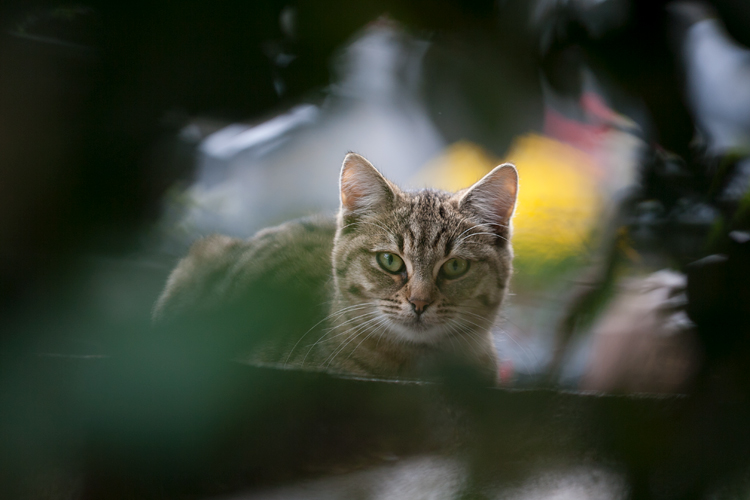
Framing your cat in the shot with surroundings like long grass, shrubs, or tree foliage gives the photo added depth. It also creates the feeling of peeking into the cat’s own natural habitat, or his world. It’s a technique you’ll often see in wildlife photography. Indoors, you can frame your cat by including any cubby holes or hiding places that cats generally like. Comfy towel cupboards are a frequent favorite.

Tips photos cats 02

5 – Focus on the eyes

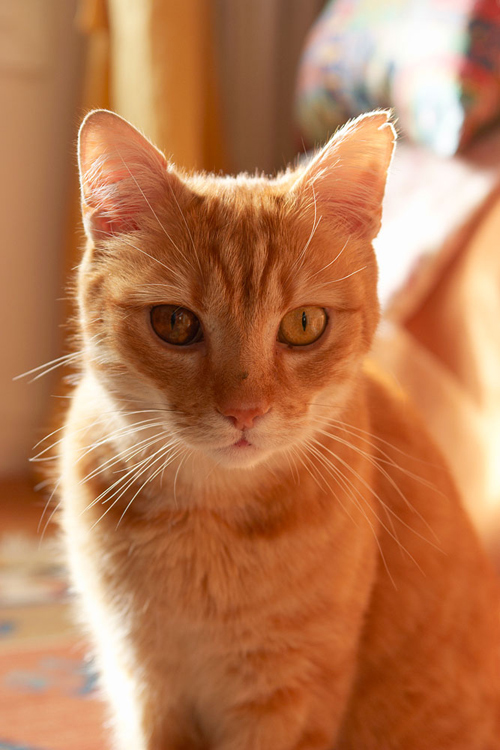
If you’re taking a close-up portrait of your cat, it’s important to make sure the eyes are in focus. This is surprisingly easy to get wrong in animals since it takes only slight carelessness to focus on the nose instead. The camera you use and its sensor size will affect how easy this is. A phone camera will typically give you loads of depth of field, so it’s difficult to get the eyes out of focus, whereas an SLR with a larger sensor gives a shallower depth of field and demands more control over technique.

If you’re taking the portrait from an angle, try to have the nearest eye in focus, as it looks unnatural to have only the far eye sharp. These same principles are generally applied to human portraits, too. They are only guidelines, however, so you can ignore them if you’re going for a specific effect.

Tips photos cats 10

6 – Lighting for cats

You’ve probably seen photos of people taken at night that exhibit the dreaded red-eye effect. This is the result of using a flash, either built into the camera or directly mounted onto it. Blood vessels in the back of human eyes create a red reflection. Cats and other animals have a special reflective layer in the back of their eyes that enhances night vision. This causes a variety of colors to be bounced back when a flash is aimed at them, but typically it will be blue in a kitten and green in an adult cat. These colors are more attractive than red, but still undesirable in your photo.

By mounting or holding a flashgun away from the camera, you can take night photos of your cat without this demonic eye effect. Covering the flash with a softbox will help avoid harsh shadows. High-quality flash photography requires a further investment in gear and is not strictly necessary when window light provides an easy and effective alternative. As well, digital cameras have greatly improved in high ISO performance in recent years, so you can grab photos in relatively low household light and avoid excessive noise in the picture. The only downside with that is you’ll be often forced to correct the color cast created by electric light bulbs.

Tips photos cats 06

Try photographing your cat outside when the sun is low in the sky. You’ll achieve some very attractive photos if the sunlight catches the cat’s fur, which requires that you shoot towards the sun. In this situation, you can sometimes get away with using a flash directly on your camera for a little “fill-flash”. The harsh green-eye effect that happens at night doesn’t occur if the flash is diluted by enough daylight. This avoids the cat itself being underexposed, which is a possibility when shooting into direct sunlight.

7 – Lens choice

A portrait lens around 85-130mm (or equivalent) works well with cats, giving just enough working distance that they don’t instantly make a beeline towards you. If it’s also a macro lens, like the classic Tamron 90mm 1:1 macro, you’ll have the option of moving in for some ultra-close photos of eyes or even paws.

Tips photos cats 12

Wider reportage type lenses around 35mm are good for grabbing full-body photos of your cat. At the other end of the scale, a long telephoto lens allows a greater working distance and lets you be more selective about the background, as it will have a narrower field of view. You’ll probably go for a shorter lens indoors since you won’t need as much light to keep the photo sharp.

Tips photos cats 07

Compact cameras or a mobile phone will normally let you move in so close to your cat that you’re almost touching him or her, but be aware that this closeness distorts perspective and your cat’s features. Despite this drawback, the resulting photos are often pleasing enough.

8 – Camera settings

Manual Mode + Auto ISO

If you have a solely automatic camera, you can ignore this section, but it’s a neat trick for anyone with access to Manual mode and an Auto ISO feature. A lot of experienced pros and amateur photographers routinely set their cameras to Aperture Priority mode (Av/A) and have their ISO set to a low value for minimum image noise. The camera is then left to automatically adjust shutter speed for the correct exposure. This is fine, but it reduces the chances of taking sharp action photos in low light, as the shutter speed will often end up too slow. For cat photography, that’s a potential problem.

Tips photos cats 03

By setting the camera to Manual Mode in combination with Auto ISO, you always have control over the aperture and shutter speed settings, while the ISO is sorted out by the camera. In fact, the “manual” setting in this instance is no less automatic than aperture priority (Av/A) or shutter priority (Tv/S) modes but gives more creative control over the photo. This technique is more viable nowadays than it was a few years ago since modern digital cameras produce high ISO images with very little noise. That said, if you try this technique in poor indoor light you’ll be pushing your camera’s limits and may well be dissatisfied by the results. Given a reasonable amount of light, it’s a versatile way of working.

Camera settings – Continuous Drive mode

Capturing pictures of your cat chasing a toy, leaping or running around a garden or scurrying up a tree is not going to be easy if you leave your camera in single shot mode. That is true unless you literally have lightning reflexes or get lucky with the timing. Therefore, if you know you’re going to be attempting action shots, switch your camera to its continuous drive or burst mode. You’ll need to set a fast shutter speed too if you want to freeze the action (I’d suggest a minimum of 1/500th of a second).

While this may be less skillful than snatching single photos with ninja-style dexterity, there is no shame in stacking the odds in your favor. Remember that your audience won’t usually care about how you took the photo but will admire great results.

Tips photos cats 05

9 – Black cats, white cats

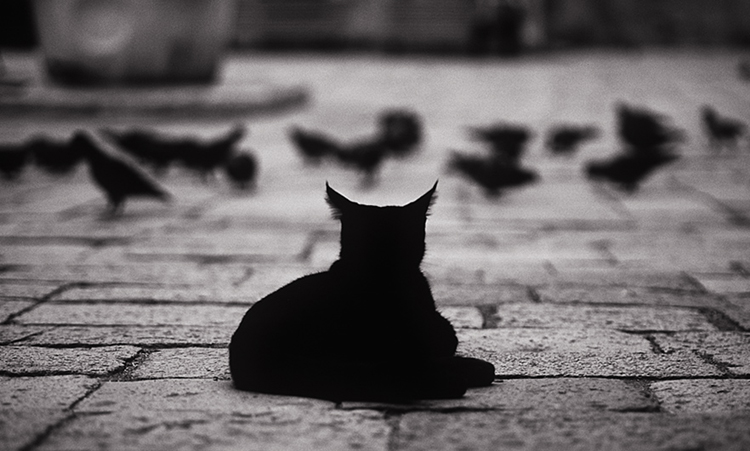
Left to its own devices, your camera’s exposure meter will often underexpose a white cat and overexpose a black cat, particularly if they take up a large portion of the photo or are set against a similarly toned background. The white cat will look murky gray and the black will lose the deep luster of its fur and appear grayish, too. You can remedy this by using your camera’s exposure compensation feature and dialing in one or two stops of overexposure for a white cat or underexposure for black. While it’s generally better to do this in-camera, with digital you can usually fix it later when editing. Being aware of the issue is the main thing.

Tips photos cats 11

Lastly, take plenty of photos

If you keep pets through much of your life, sooner or later they’ll break your heart. Don’t be caught when it’s too late without any good photos of your beloved cat. Think about his or her personality and try to record their various traits on camera. Take lots of photos to enjoy during and after your pet’s lifespan, including selfies of you both together. Cherish your cat and celebrate living!

For more info check out: Your Essential Guide to Photographing Cats and Dogs: Snap’n Paws

Did I miss anything? Please share your cat photos and tips below as well.

googletag.cmd.push(function() {
tablet_slots.push( googletag.defineSlot( “/1005424/_dPSv4_tab-all-article-bottom_(300×250)”, [300, 250], “pb-ad-78623” ).addService( googletag.pubads() ) ); } );

googletag.cmd.push(function() {
mobile_slots.push( googletag.defineSlot( “/1005424/_dPSv4_mob-all-article-bottom_(300×250)”, [300, 250], “pb-ad-78158” ).addService( googletag.pubads() ) ); } );

The post 9 Tips for Taking Better Photos of Cats by Glenn Harper appeared first on Digital Photography School.


Digital Photography School

 
Comments Off on 9 Tips for Taking Better Photos of Cats

Posted in Photography


How to Turn Your Kids into Star Wars Characters Using Photoshop

10 Feb

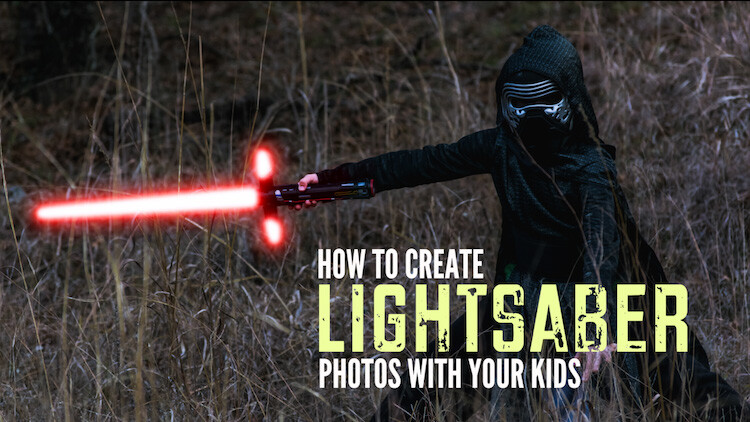
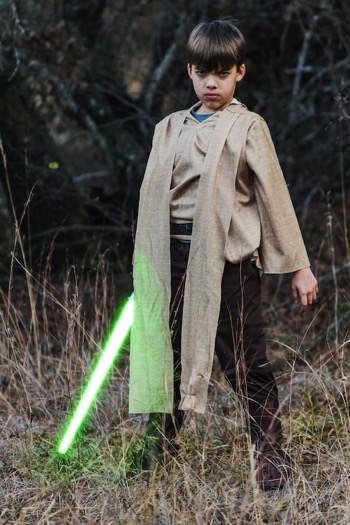
Do your kids love Star Wars? Do you love photography? If so, here’s a great opportunity to join forces and turn your kids into Star Wars heroes or villains by giving them the ultimate Star Wars weapon, the lightsaber.

How to Turn Your Kids into Star Wars Characters Using Adobe Photoshop

All you need to awaken the force are these three steps:

  1. The setup
  2. Capturing the shot
  3. Light up your sabers using Photoshop

BONUS tip – The Jumping Jedi

Step #1 – The Setup

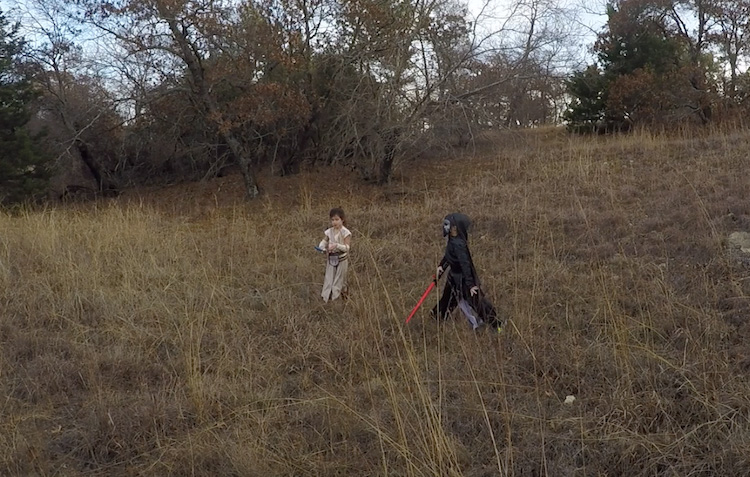
For the setup, you will want to make sure that the photographs of your kids look as close to a Star Wars scene as possible. Don’t just take a picture of your kids wearing a t-shirt standing in the kitchen. Luke Skywalker doesn’t light up his lightsaber in a kitchen. Your kids will have a lot of fun getting into character, so spend some time on the setup.

Costumes

You can buy costumes for your kids on Amazon. Here are the costumes used in this tutorial.

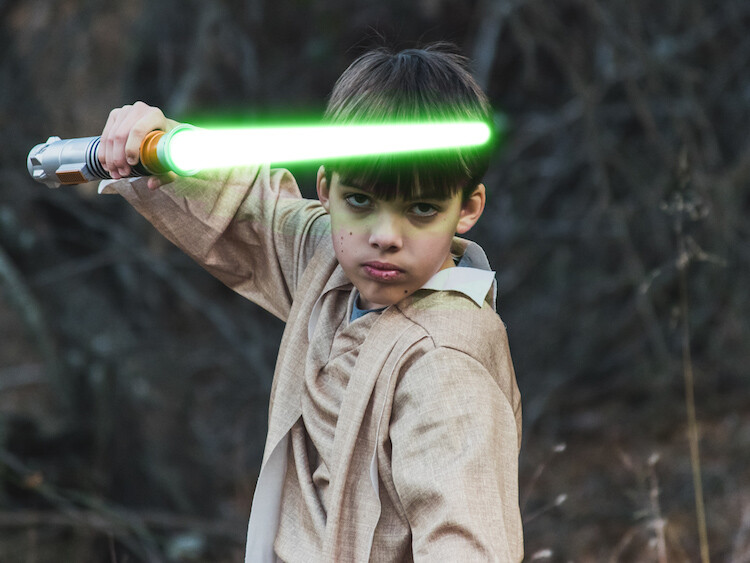
  • Luke Skywalker
  • Rey
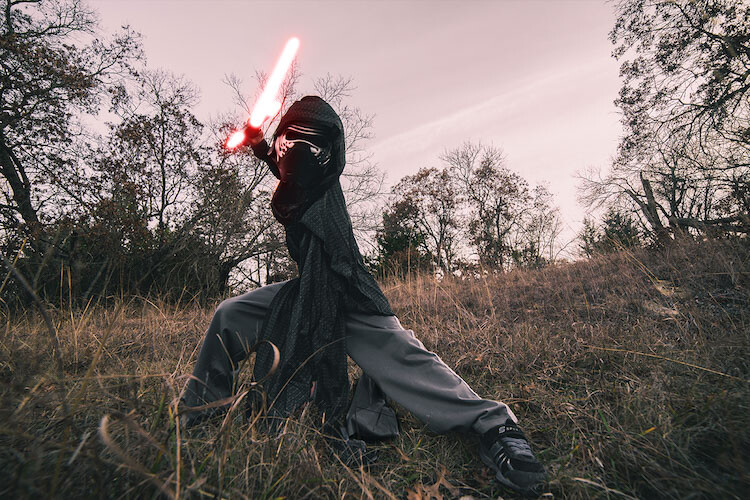
  • Kylo Ren
  • Lightsabers
  • Total customs cost ~ $ 40-70

Location

For the location, you will want to find a place that looks like it could be a scene in any of the Star Wars movies. The easiest location to use would be a park with trees, and no noticeable man-made objects in sight.

2 Location - How to Turn Your Kids into Star Wars Characters Using Adobe Photoshop

Step #2 – Capturing the Shot

Action shots

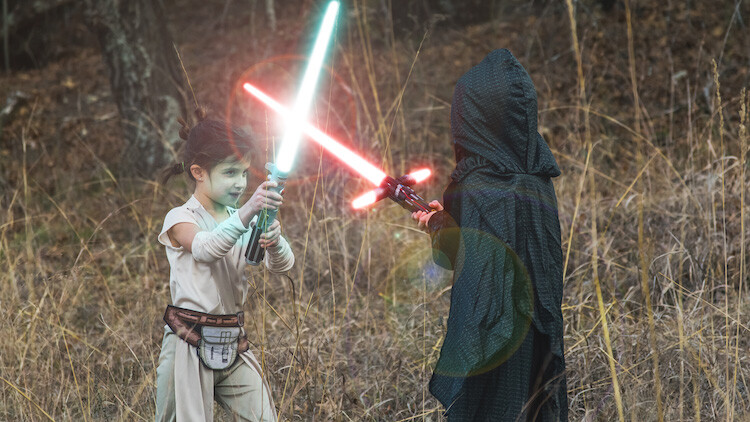
For action shots of a lightsaber battle, you will want to use a fast shutter speed of at least 1/500th of a second, and set your camera to continuous (burst) shooting mode. This will allow you to freeze the action of the battle and take multiple shots in sequence to ensure you capture the best of the action.

4 Action shot - How to Turn Your Kids into Star Wars Characters Using Adobe Photoshop

Shutter speed was 1/800th of a second.

Portraits

For the portraits, give your kids some epic poses to follow. To give you ideas for creative poses, do a Google images search for the Star Wars character of your choice. This will also help your child get more into the character. For example here are some for Rey.

5 Portrait pose - How to Turn Your Kids into Star Wars Characters Using Adobe Photoshop

Do basic edits to the image

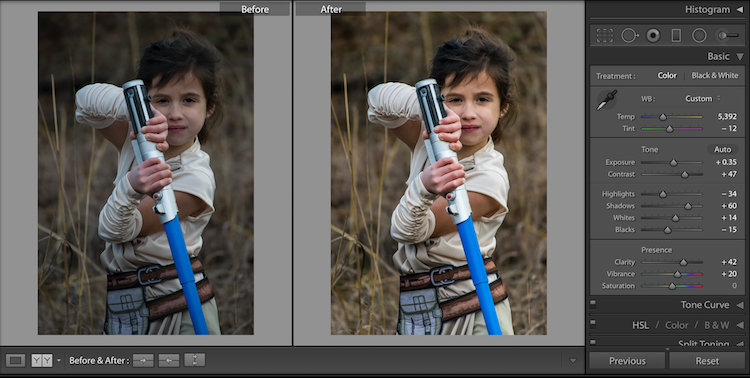
After you capture the image, you will need to make a few adjustments to the image to make it stand out. This can be done in Adobe Lightroom and is the final step before your photo is ready to go into Photoshop for the lightsaber effect.

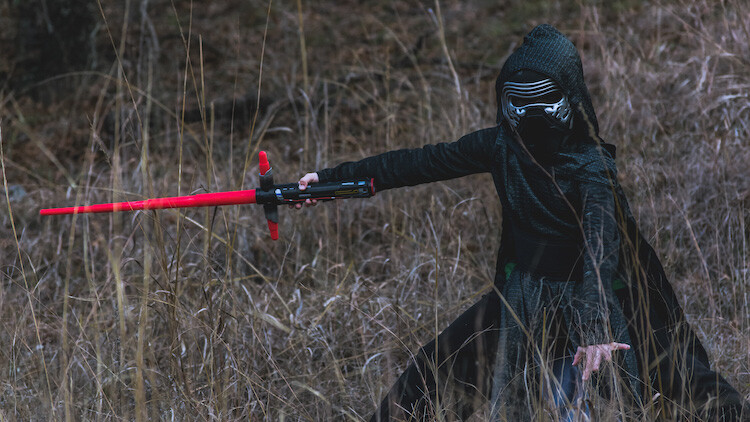
For the look of Star Wars, a few basic edits, such as increasing the contrast and the clarity will help give it a rough and grungy look that Star Wars is known for.

6 Before After Lightroom Edit Star Wars

Notice the differences between the before and after of this image by making a few basic edits in Adobe Lightroom.

Step #3 – Light your sabers up in Photoshop

Adding the lightsaber effect is the last and final step in making turning your kid into the Star Wars character of their dreams. This process should take about five minutes per photo once you have done it a few times.

Part 1: Prepare the layer

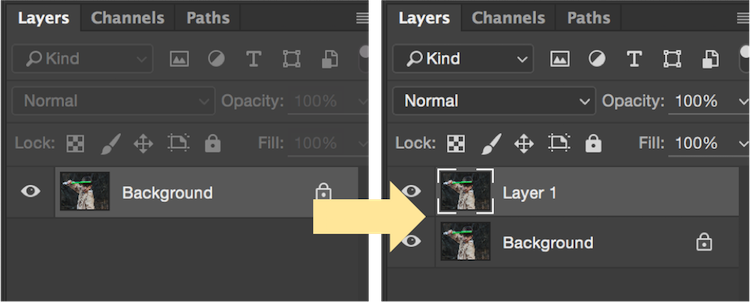
Start by creating a duplicate layer by pressing CTRL/CMD + J.

8 Duplicate layer - Star Wars character in Photoshop

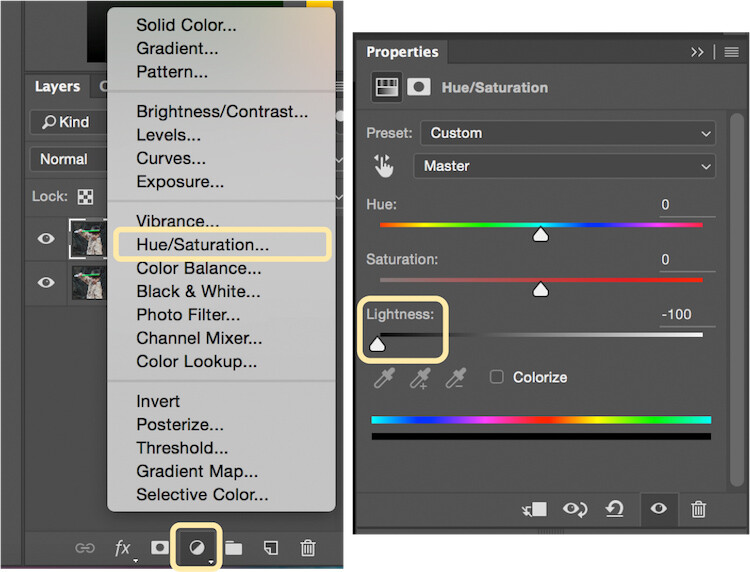
Select the icon to create a new fill or adjustment layer, and from that menu select Hue/Saturation. Then, move the lightness slider to -100 to make it black.

9 Hue Saturation

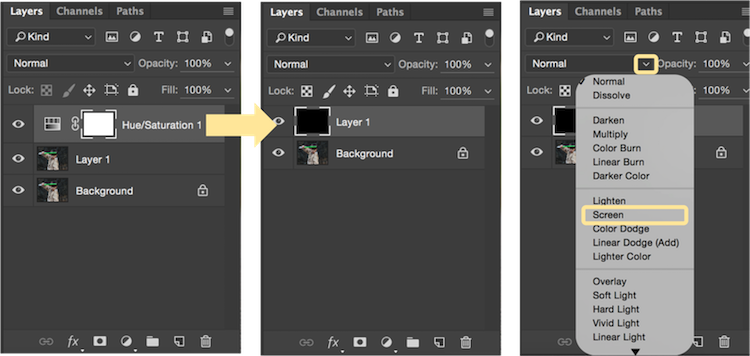
Select CTRL/CMD + E to merge the adjustment layer and duplicate layer. Next, set the blending mode drop down to Screen.

10 merge and screen Star Wars

At this point, your layers are prepped and ready to add the lightsaber.

Part 2: Add the lightsaber by using the brush tool

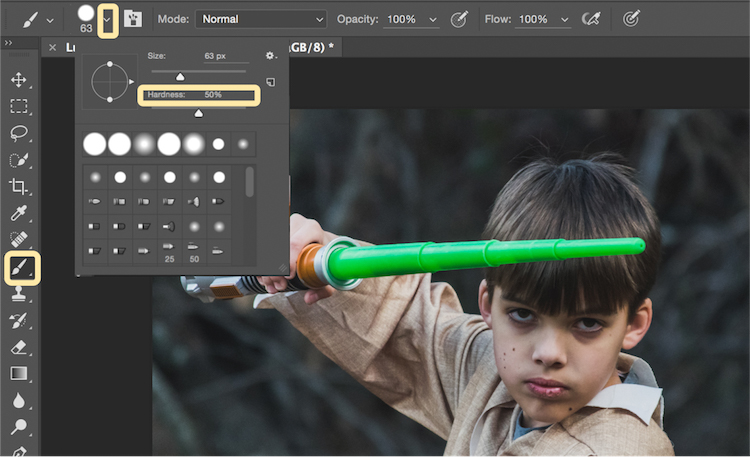
Select the brush tool, and adjust the size and hardness of the brush. The size of your brush will vary based on the size of the lightsaber and your image. Set the hardness of the brush to approximately 50%.

11 brush selection

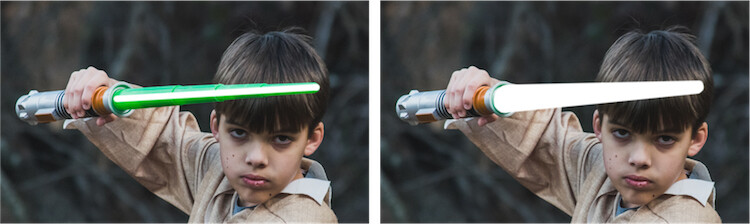
Begin to add your lightsaber using brush strokes. Select the end point of the lightsaber, then hold down shift, and click the other end of the lightsaber to draw a straight line. Repeat these lines multiple times to fill in the lightsaber with brush strokes. You will likely need to add free-form brush strokes around the base of the lightsaber to fill it in.

12 draw the saber

Illuminate the lightsaber

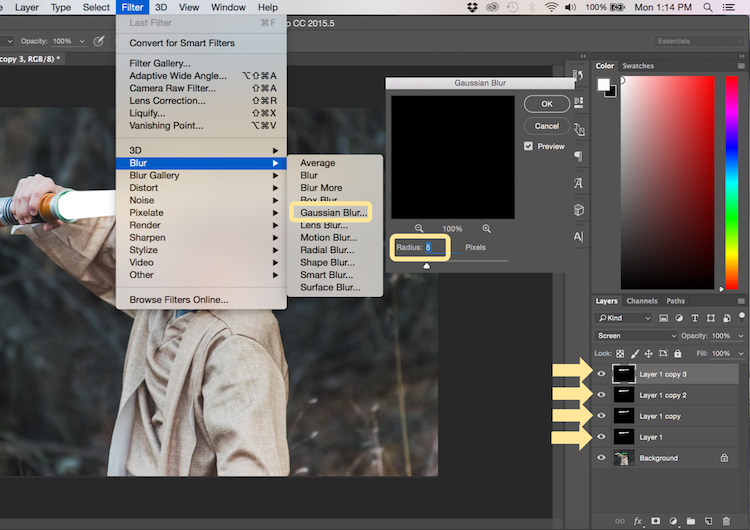
The next step allows you to illuminate the lightsaber. Create three duplicate layers of the lightsaber by selecting CTRL/CMD + J three times. For each layer, you will then select Filter > Blur > Gaussian Blur. But, each layer will be set to a different radius setting. For this image, we used 5, 15, 35, 75 for each respective layer. Note, that the amount of Gaussian Blur needed may vary based on the size of your image. Adjust these numbers as needed to ensure you have a nice glow from the lightsaber.

13 Gausian Blur

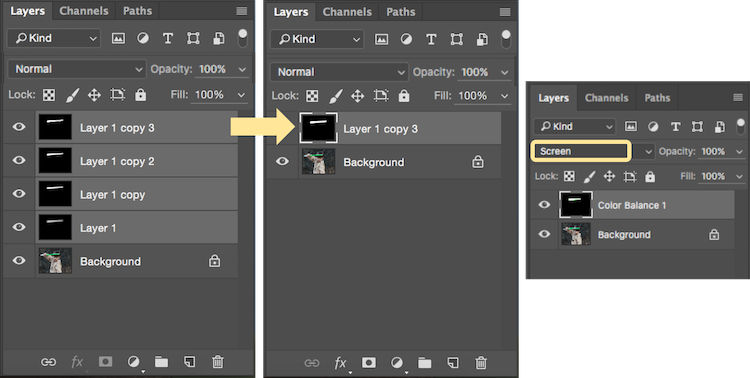
Select all of the duplicate layers (do not select the background), and merge them into one layer by pressing CTRL/CMD + E. Then set the blending mode to Screen.

14 Merge and Screen

Add color to the lightsaber

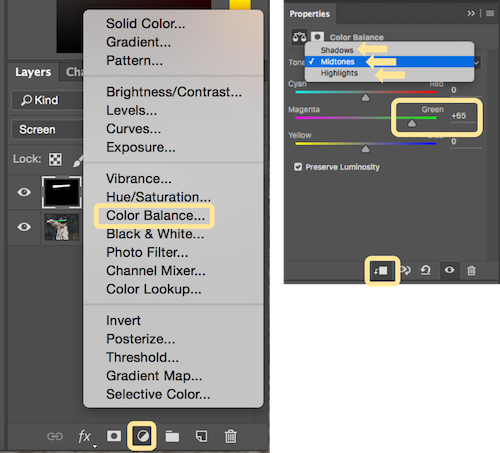
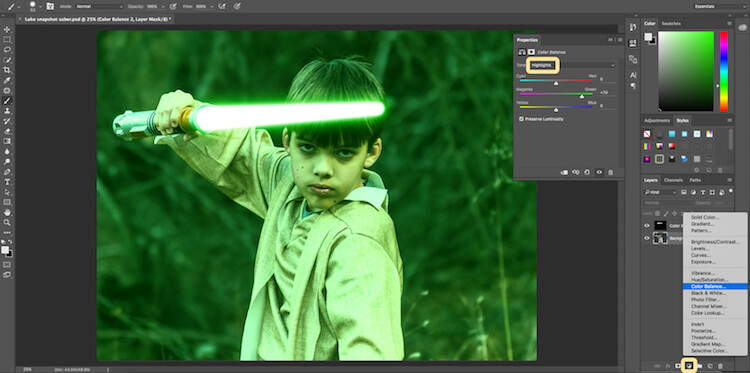
It’s now time to add color to your lightsaber. Select the icon to create a new fill or adjustment layer, and choose the option for Color Balance. Activate the clipping mask so that you only add color to the lightsaber, not the entire image. You can choose any color of your choice, but in this example, we are working with green.

You will want to add the color selection to each option for Shadows, Midtones, and Highlights. Adjust the color slider up or down based on the color preferences for your lightsaber. For this photo, we set shadows, midtones, and highlights to green at around +65.

15 Color Lightsaber

Your lightsaber is now complete, but there is still one more important step to get a realistic photo. You need to add some glow to the subject from the illumination coming off of the lightsaber.

Part 3: Add the reflective glow from the lightsaber

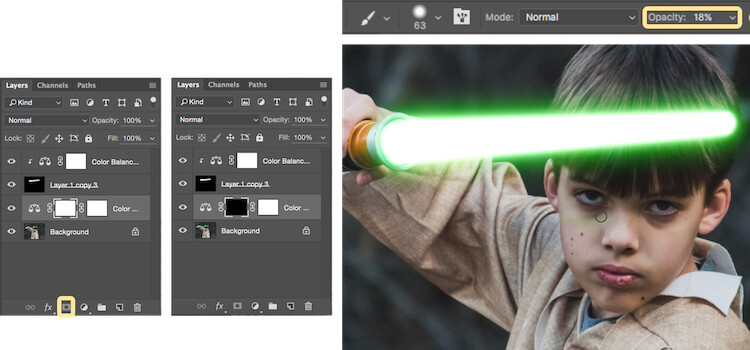
Select the background or base layer. Click the icon to create a new fill or adjustment layer, and choose the option for Color Balance. Choose the same color as you used for your lightsaber, but this time as you adjust the color for Shadows, Midtones, and Highlights, it will work best if you emphasize the color around the highlights more than the shadows or Midtones. For this photo, we used Shadows +32, Midtones +38, and Highlights +70

16 Color for Glow

Add a vector mask and then select CTRL/CMD + I to hide all of the color balance. Select the brush tool, and make it a soft edge brush with an opacity around +18. This will allow you to brush in a soft reflection of glow to parts of the image that make it look realistic.

17 Brush in glow reflection

Bonus – Jumping Jedi

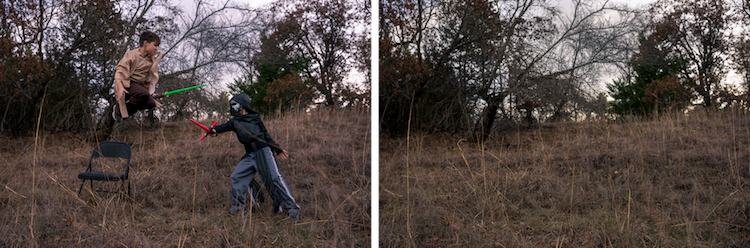
A bonus tip that you may want to use in your Star Wars photo shoot is a jumping Jedi. With a few simple tricks, you can give the illusion of your Jedi jumping high into the air over a swinging lightsaber.

First, make sure you use a tripod as you will need the camera to be completely stationary for two different shots. You can have your Jedi jump off a chair at the same time that his enemy swings his lightsaber. Then remove the chair and capture a shot of the exact same scene, but this time without the chair or characters in the shot (tripod use is important for image alignment later).

The second shot should be empty with the exception of the background because it will allow you to take the chair out of the original picture to create the illusion of a jumping Jedi.

19 Jumping jedi tripod shots

Here’s how it’s done in Photoshop.

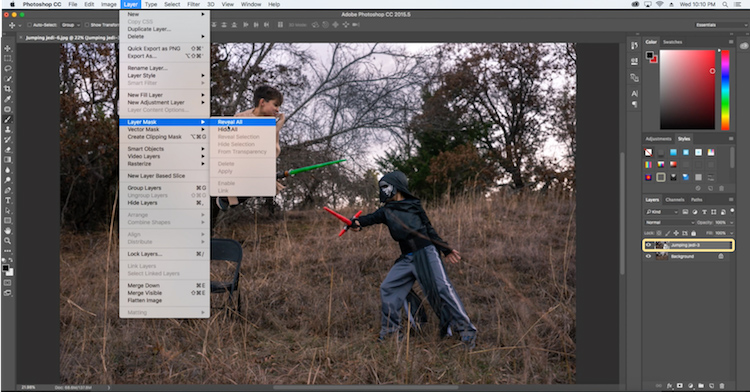
Start by opening both photos as layers. You will want the empty background shot to be set as the base layer and the action shot as the top one. Select the top layer of the action shot, and click Layer > Layer Mask > Reveal all.

20 Jumping Jedi mask

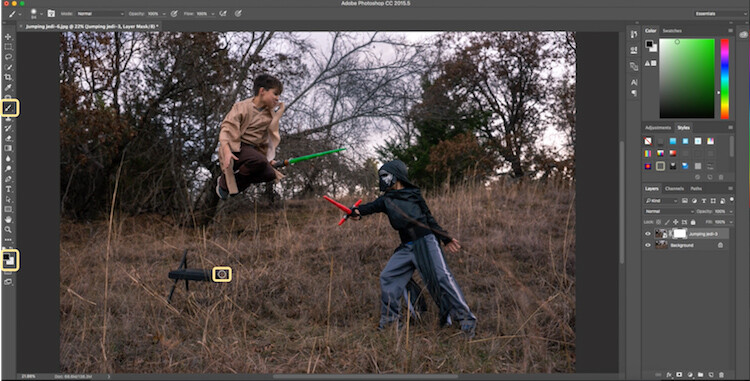
Select the brush tool, and make sure that your foreground color is set to black, which will allow you to brush away the top layer to reveal some of the base layer. If your foreground color is set to white as opposed to black you can switch it to black by clicking X. Simply brush over the chair (make sure you are painting on the mask NOT the layer) to make it disappear.

21 Jumping Jedi brush away

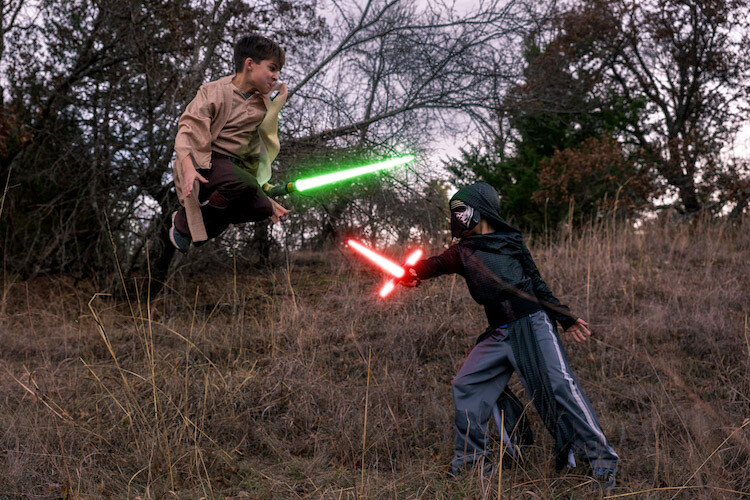
Add the lightsaber effect from above, and you have the illusion of a jumping Jedi.

22 Final photo Jumping Jedi

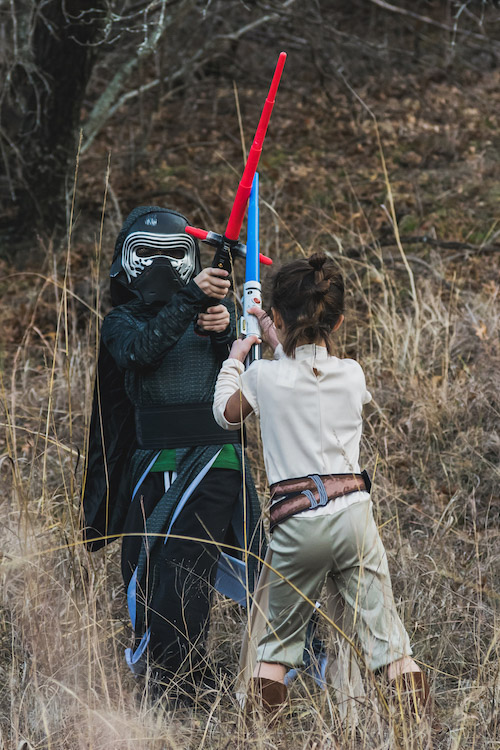
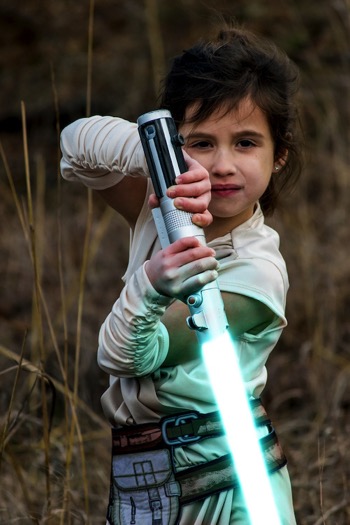
Below are some additional examples of the final images from this Star Wars project to give you additional ideas for action shots and portraits to bring your characters to life.

28 Final photo Rey portrait 29 Final Photo Luke portrait

30 Kylo Ren Red

27 Final photo saber battle

Finally

You can watch this whole process in the follow short video as well:

Note: thanks to my co-author on this article, David Kahl.

Try to awaken the force in your family by giving them a lightsaber and following this tutorial. In addition, leave a comment with any other fun photography projects that you have captured with your kids or family. Share your images if you give this a go, we’d love to see them!

googletag.cmd.push(function() {
tablet_slots.push( googletag.defineSlot( “/1005424/_dPSv4_tab-all-article-bottom_(300×250)”, [300, 250], “pb-ad-78623” ).addService( googletag.pubads() ) ); } );

googletag.cmd.push(function() {
mobile_slots.push( googletag.defineSlot( “/1005424/_dPSv4_mob-all-article-bottom_(300×250)”, [300, 250], “pb-ad-78158” ).addService( googletag.pubads() ) ); } );

The post How to Turn Your Kids into Star Wars Characters Using Photoshop by Paul Fontanelli appeared first on Digital Photography School.


Digital Photography School

 
Comments Off on How to Turn Your Kids into Star Wars Characters Using Photoshop

Posted in Photography


8 Tips For Doing Stunning Urban Landscape Photography

10 Feb

As a photographer, when you hear the word landscape your mind will most likely conjure up images of lush valleys, looming mountains, and majestic, sweeping vistas. With good reason, as the natural world can be a place of staggering beauty. But done well, a different type of landscape photography, the urban landscape, can produce shots that are equally as compelling as anything Mother Nature can throw your way.

The energy of a major city lends images a vitality that can’t be found anywhere else. There’s so much movement and life in the urban environment, and the best city shots capture that buzzing vibrancy.
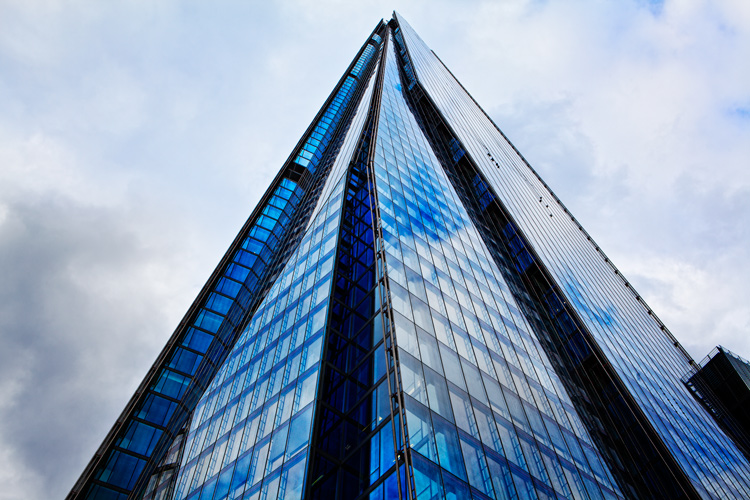
Urban landscape 02

Shooting urban landscapes also has plenty of practical advantages too. Every type of photography is all about the light, and that is one thing cities never run out of. You can shoot in the artificial glow of the metropolis long after you’d have been forced to pack up your kit and make your way home from a day in the countryside.

Couple that with the fact that, for the most part, cities are a lot more accessible for the majority of us, and shooting urban landscapes is the ideal activity for photographers during those long winter months.

So here are our top 8 tips for getting the most out of your time pounding the sidewalks.

#1. Research

You wouldn’t embark on a traditional landscape photography outing by jumping in the car, heading for the hills and hoping for the best. Likewise, the success of an urban landscape shoot depends largely on how well you plan.

Your home town

Even if you’re off to capture the town or city you grew up in, putting in the effort to do a little research up front usually pays dividends.
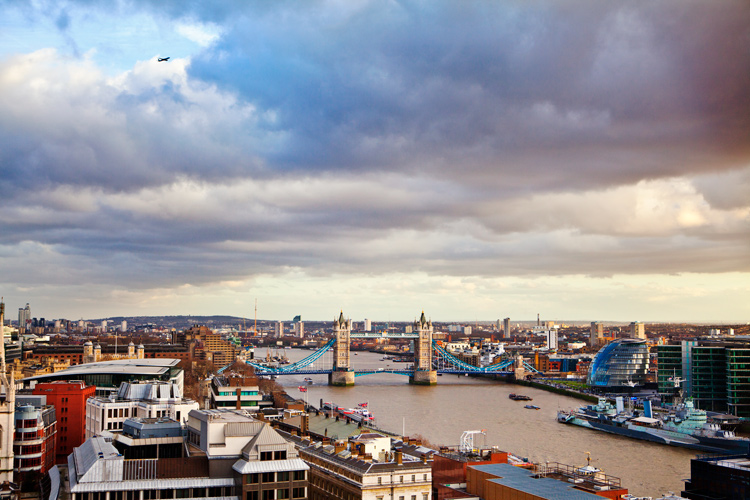
Urban landscape 01

For example, when I wanted to get a shot from high up, overlooking my hometown of London, I didn’t foresee any problems in finding a suitable viewpoint. However, after a little digging, I learned that while London isn’t lacking in tall buildings offering amazing views, the number you can actually gain access to, that are also well suited for photography, can be counted on the fingers of one hand.

The vast majority are either restricted entry or in the case of The Shard (seen at the top of this article), cursed with a viewing gallery shrouded with ultra-reflective windows.A few minutes Googling directed me to a lesser-known church tower on the banks of the Thames with unrestricted views downriver, saving me hours of fruitless searching.
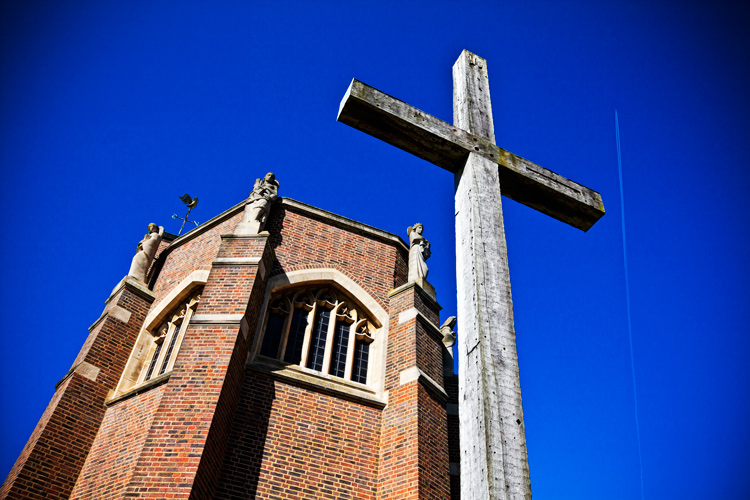
Visiting another city

If you’re visiting a city for the first time, it’s a good idea to spend a little longer familiarizing yourself with the place before you go. Drawing up a shot list of the locations you want to photograph is a good idea as well.

But all that being said, don’t make yourself a slave to it. Few things are more exciting or rewarding in photography than allowing yourself the freedom to meander through a new landscape, get a little lost, and allow whatever happens to happen.
One word of warning: depending on your location, be sure you know where you can and cannot shoot. Many places these days are understandably sensitive about strangers waving cameras around. If in doubt, ask.

#2. Light

The quality, color, and angle of the light can make or break any shot, and this is especially true for urban landscape photography. A subject that looks dull and uninspiring at one time of day can transform into a truly spellbinding image just with the passing of a few hours.
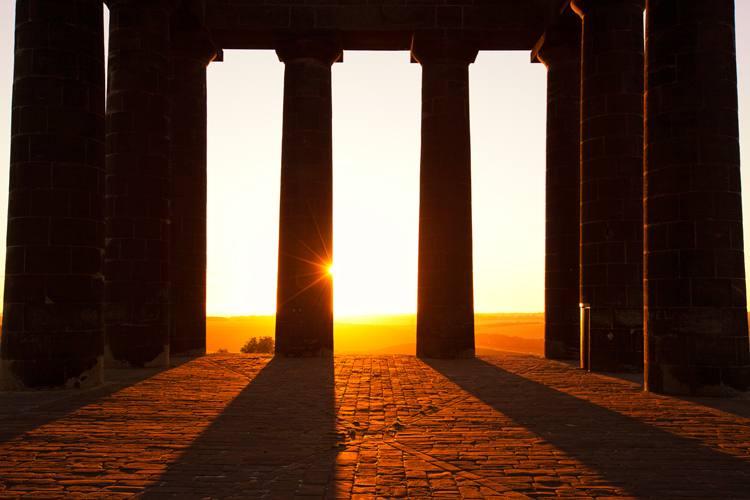
Urban landscape 03

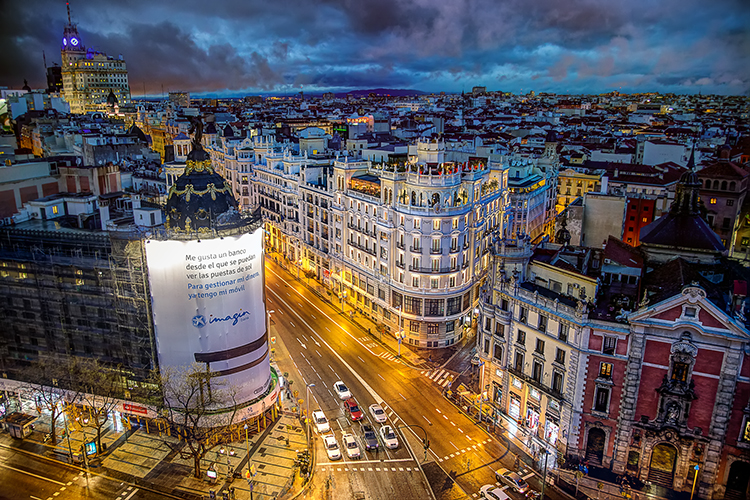
As with any landscape photography, dragging yourself out of bed before the sun puts in an appearance can reward you with the kind of light show that almost makes up for all that missed sleep. The golden hour, that brief a period right after sunrise and before sunset, can present you with views of a city that you may never have seen before.

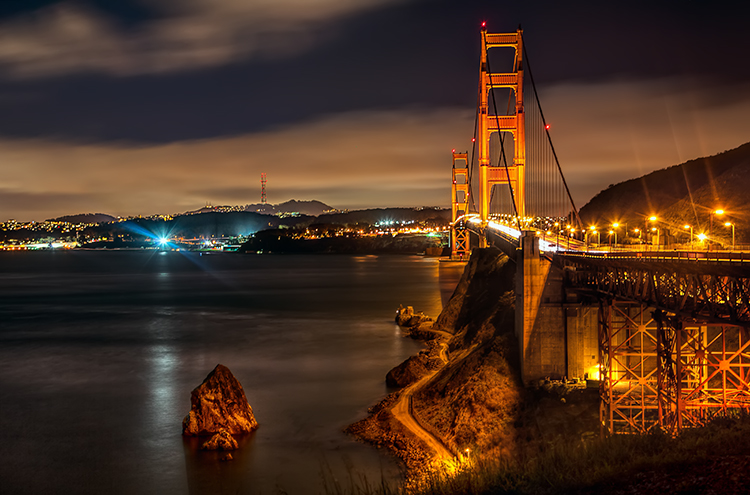
Plus, you can carry on shooting long after the sun’s gone down. Cities come alive at night. They never get truly dark, and some of the most interesting shots can be taken with the only illumination coming from artificial light.

Just remember to bring your tripod!
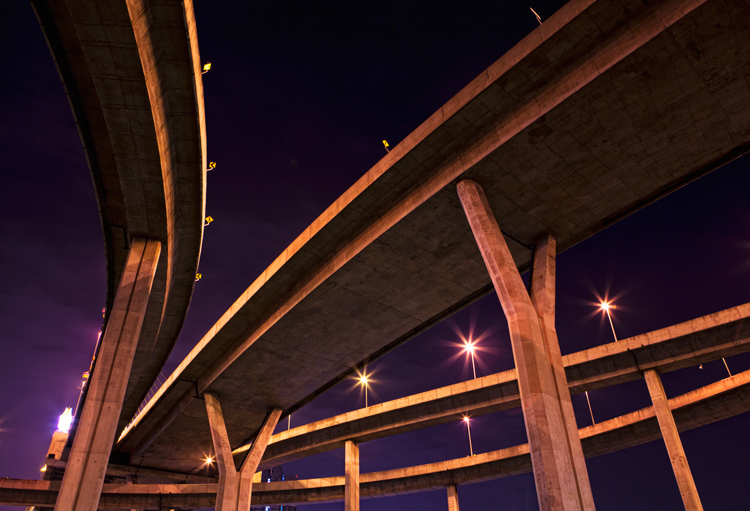
Urban landscape 04

#3. Hustle and Bustle

Major cities are fast and frenetic places. Everyone seems to be moving a million miles an hour and there’s always something going on. It’s the perfect environment for photographers.

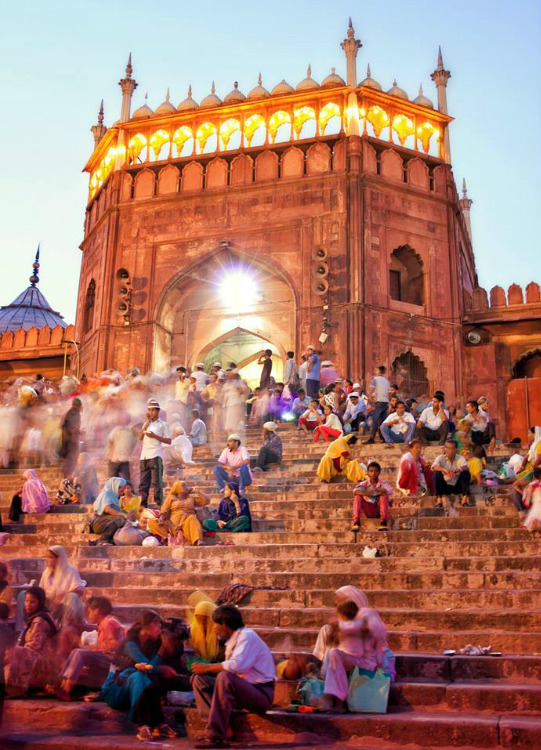
If you can manage to avoid getting swept along in the tidal wave and stop to look around, you can capture images that convey all that chaotic frenzy. Using a slower shutter speed will help you pick up a real sense of movement, either tripod-mounted or handheld if you’re feeling brave.
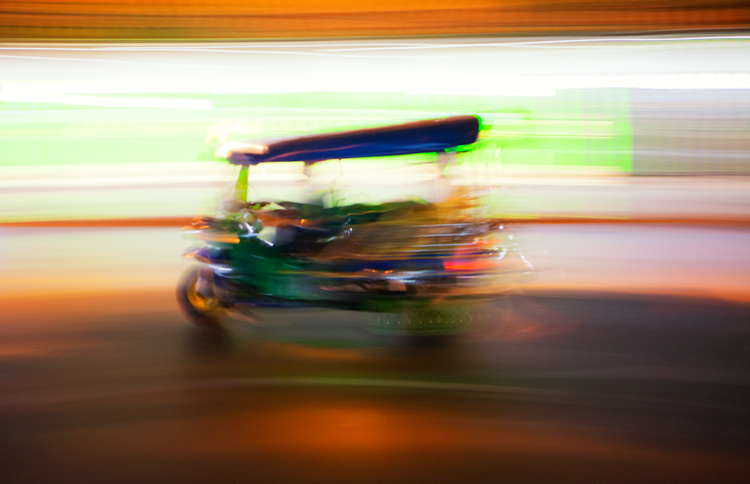
Urban landscape 05

#4. Details

There are countless small and fascinating details in cities. Always be on the lookout for the tiny intricacies, the patterns, and shapes that otherwise go unnoticed.

They won’t all be right in front of you. Keep your eyes moving and your head on a swivel, some of the most rewarding shots are going to be found way above your head or close to the ground.
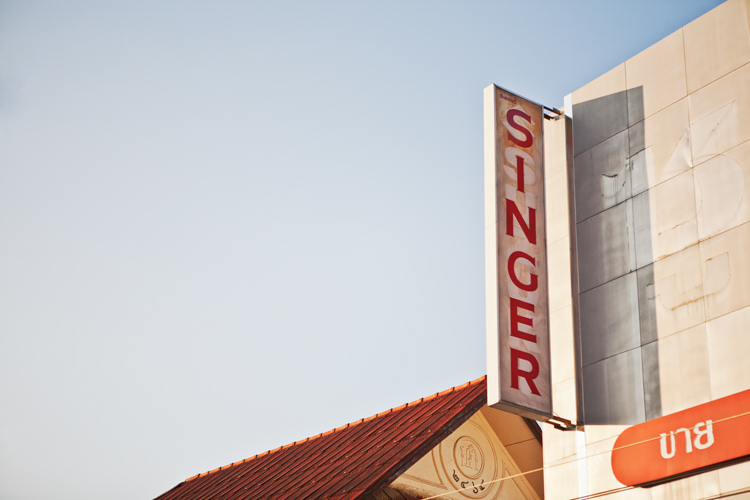
Urban landscape 06

Whether it’s an advertising billboard, some rugged brickwork, or a set of windows, get in close, fill the frame, and isolate your subject.

This is another time when the quality of the light can make all the difference to the success of a shot. A strong, high contrast light can give interesting areas of highlights and shadow, turning an everyday scene into a beautiful abstract. If you have time, it’s worth revisiting potential subjects at different points throughout the day.
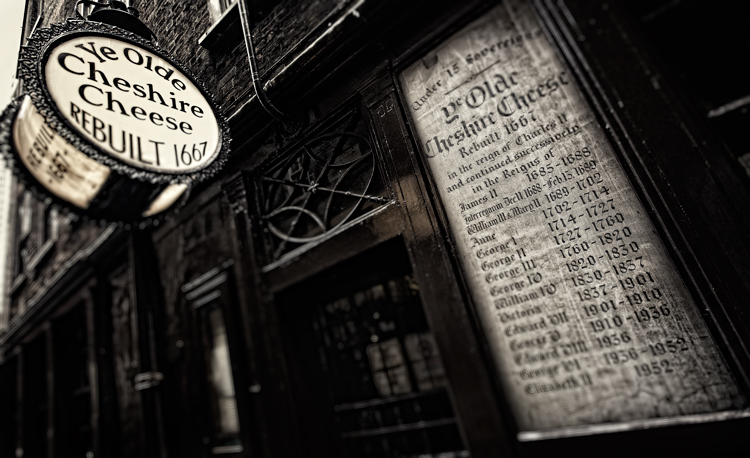
Urban landscape 07

#5. Composition

Moving from the countryside to the urban environment doesn’t mean all the old landscape composition rules go out the window. Much of what applies standing on top of El Capitan in Yosemite Park, is still relevant looking down on New York from the Empire State.

Keep the basics of composition in your mind, things like the rule of thirds, leading lines, and natural frames. Then be prepared to break the rules when necessary.
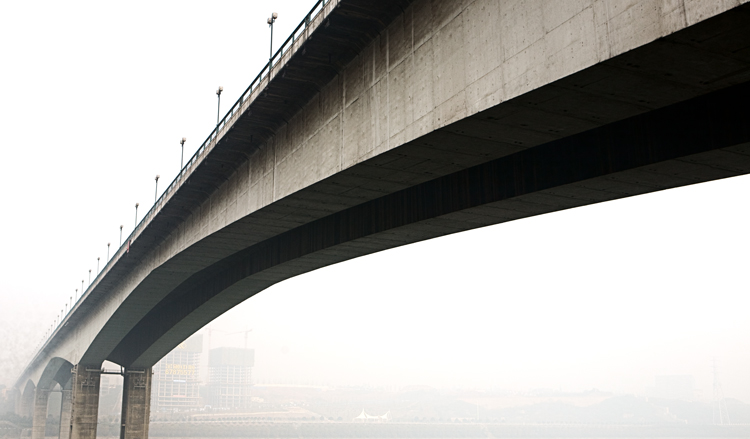
Urban landscape 08

Always think before you shoot. Look around you and see if taking a different viewpoint would improve your shot. Can you get higher and look down or even lie on the ground and shoot upwards?

Unfortunately, in major cities buildings are often so close together they can restrict your options and movements as a photographer, but make sure you’re at the optimum position for your subject. The difference between a winning shot and a mediocre one can sometimes be measured in the space of just a few feet.
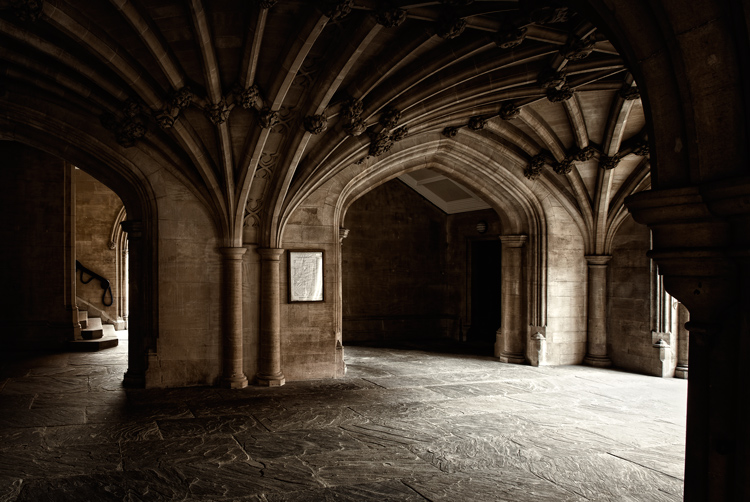
Urban landscape 09

#6. People

One area where urban landscapes differ greatly from the traditional is in the number of people you’re likely to encounter. It can be frustrating when you arrive at your dream location, only to find it swarming with tourists, as well as the locals going about their daily business, all seemingly determined to clutter up your shot. Along with the great light, it’s another good reason to be up and about in the early hours of the day, while everyone else is still tucked up in bed.
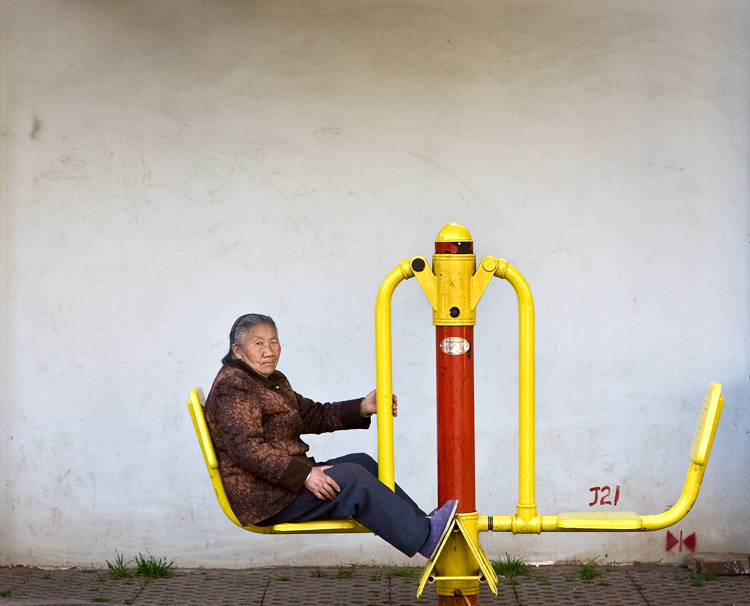
But people make great subjects for candid portraits as you wander the streets. Big cities attract some real characters, and capturing them in their home environment can lead to some winning images.

One thing to remember is to always ask your subject’s permission before you shoot. The vast majority will be more than happy to oblige so long as you’re polite. (Take this from a man who once got a severe and humiliating telling off from a Buddhist monk in Thailand for taking his picture without having the courtesy of asking first. They’re not as chill as you’d think!)

Urban landscape 11

#7. Reflections

Modern cities seem to be more glass than anything else. This is great news for you as a photographer. You can use that beautiful reflective quality in your compositions to create some wonderful, quirky effects.

The major landmarks in every city have been photographed a bazillion times. So, you have to work a little harder and think a little more creatively to come away with shots that are distinctly your own. Shooting a famous and easily recognizable building reflected in the windows of another gives an interesting change of context, especially as it often contrasts the old and the new.
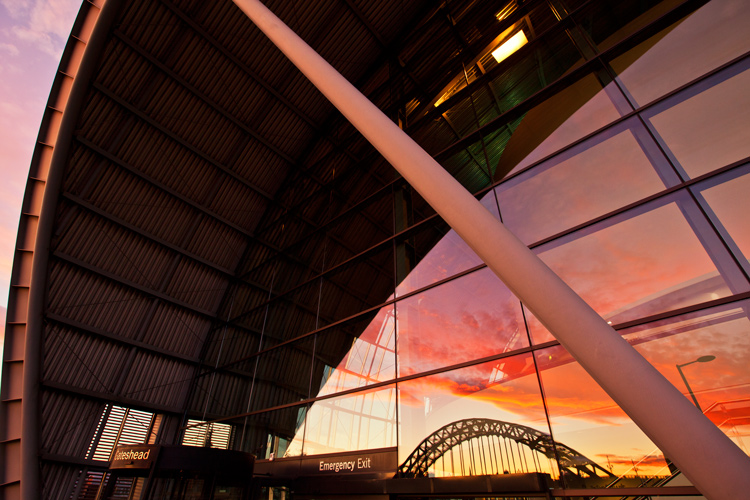
Urban landscape 12

Many big cities are built along the banks of hefty rivers as well, which gives you another opportunity to utilize reflections in your shots. Clear skies offer the best results, preferably at the start or end of the day to give a little color. A dull, overcast day will be reflected in the water, giving it an ugly, muddy quality.
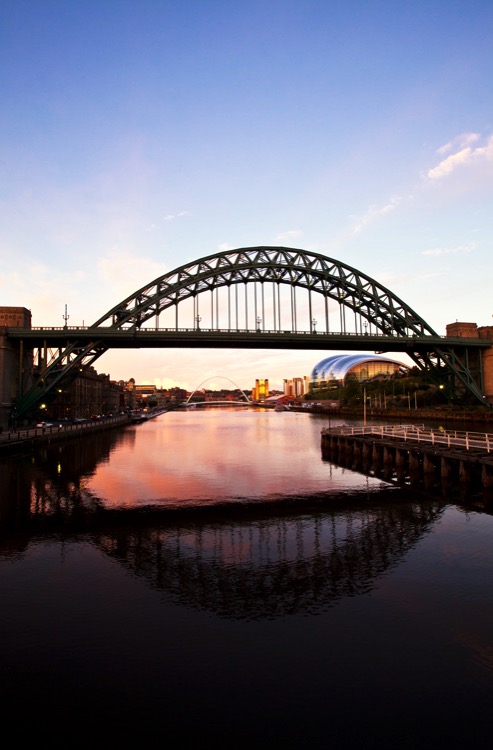
Urban landscape 13

#8. Monochrome

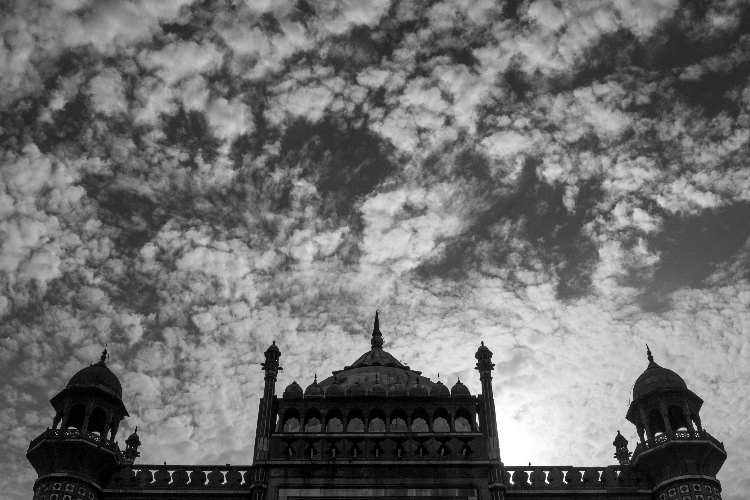
Urban landscapes are very well suited to the simplicity of black and white photography. Taking away the distractions of the vast range of different colors on show in any city and focussing on just the tones and textures, gives a completely new dimension to your shot.
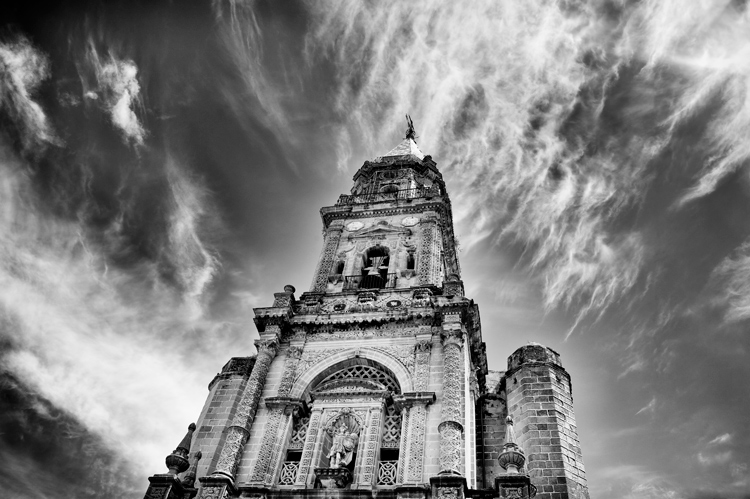
Urban landscape 14

The increased contrast of a monochrome image benefits architecture especially, enhancing the shape of buildings and accentuating their details. Again, the light is all-important. A low sun highlights surfaces and gives areas of rich shadow for added depth.

Try and avoid using the black and white function on your DSLR and shoot RAW if you can. Then use your post-production software for the conversion. It allows you much more control over the final image.

Conclusion

Shooting urban landscapes can be a richly rewarding experience and gives you the opportunity to try out several different disciplines at once.

You have the chance to flex your portraiture and architectural photography muscles, as well as experimenting with close-up abstracts and shooting in black and white. Plus, you get to practice all that while staying firmly in civilization and never more than a few feet from a decent cup of coffee!
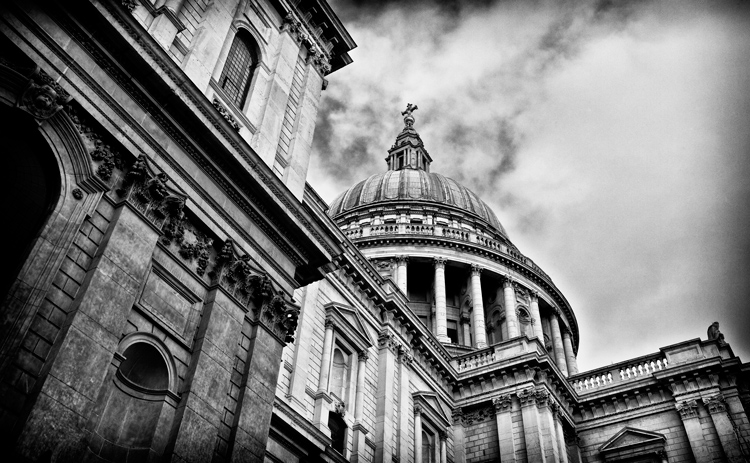
Urban landscape 15

Of course, all that added convenience comes at a price. Shooting in cities has its inherent risks and you always need to keep your wits about you. Watch where you stand to shoot and make sure you’re not in any danger from fast-moving traffic or trespassing on anyone’s property.

Also, keep a tight grip on your equipment, especially if you’re shooting at night. Cities have more than their fair share of bad people who’d not think twice about running off with your expensive kit. If you’re nervous, it’s the perfect opportunity to buddy up with another photographer and explore the location together.

Please share your urban landscape photos in the comments below.

googletag.cmd.push(function() {
tablet_slots.push( googletag.defineSlot( “/1005424/_dPSv4_tab-all-article-bottom_(300×250)”, [300, 250], “pb-ad-78623” ).addService( googletag.pubads() ) ); } );

googletag.cmd.push(function() {
mobile_slots.push( googletag.defineSlot( “/1005424/_dPSv4_mob-all-article-bottom_(300×250)”, [300, 250], “pb-ad-78158” ).addService( googletag.pubads() ) ); } );

The post 8 Tips For Doing Stunning Urban Landscape Photography by Andy Callan appeared first on Digital Photography School.


Digital Photography School
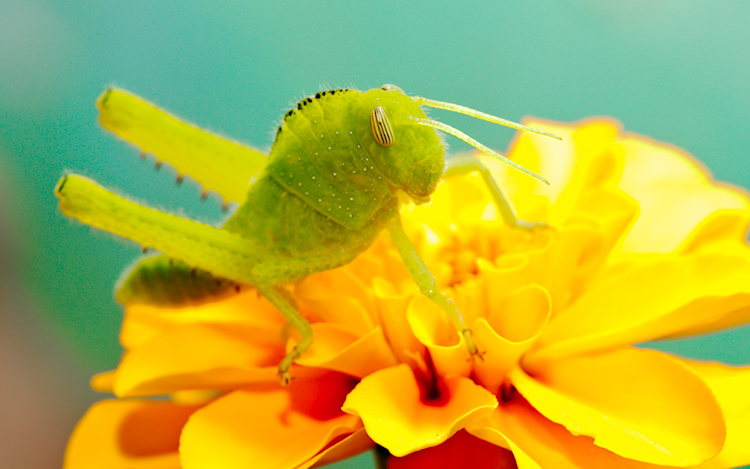
 
Comments Off on 8 Tips For Doing Stunning Urban Landscape Photography

Posted in Photography


This camera is made of 32,000 drinking straws

10 Feb

$ (document).ready(function() { SampleGalleryV2({“containerId”:”embeddedSampleGallery_2231851679″,”galleryId”:”2231851679″,”isEmbeddedWidget”:true,”standalone”:false,”selectedImageIndex”:0,”startInCommentsView”:false,”isMobile”:false}) });

Looking for a craft project to tackle this weekend? It might be an undertaking, but it turns out if you put 32,000 drinking straws together in a wooden box, voila – you’ve got a camera. At least, that was the starting point for a collaboration by artists Michael Farrell and Cliff Haynes. Over the course of several years they worked on iterations of the Straw Camera, a project that combined their love of sculpture, photography and innovation.

The first versions of Straw Camera used 10-inch black drinking straws, each one with roughly an F127 aperture. The pair began photographing still life, but early results were mixed. Haynes describes his frustrations with images from the first version of the camera:

‘I was slightly disillusioned by the output from the initial camera, the straws were never going to be even, the camera had it’s own signature, changing slightly each time a few more were added as they settled in the box. I thought a similar, more even field could be obtained using corrugated black plastic protective floor sheeting instead of straws.’

Later versions of the Straw Camera used a more predictable, easier-to-work-with corrugated plastic layer. Its creators moved past still life and focused on creating portraits with the camera, embracing the pointillist qualities of its output as a contrast to the ubiquitous, high-resolution selfie. Says Haynes:

‘…a Straw Camera image of an individual, with its engineering projection and disappearance of the subject into the near fog of visual capture, gives the viewer a glimpse of just how transitory perception is.’

You can see some samples of Haynes and Farrell’s work above. if you’re in London you can also check out their work in person at Slade Research Centre, University College London from February 16-19 from 12-5pm. A book of Straw Camera images is available on Blurb. 

Articles: Digital Photography Review (dpreview.com)

 
Comments Off on This camera is made of 32,000 drinking straws

Posted in Uncategorized