RSS
 

Archive for January, 2017

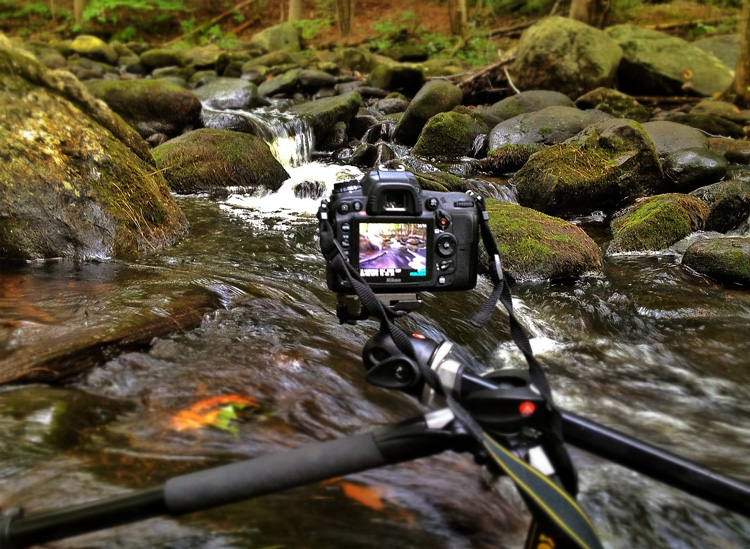
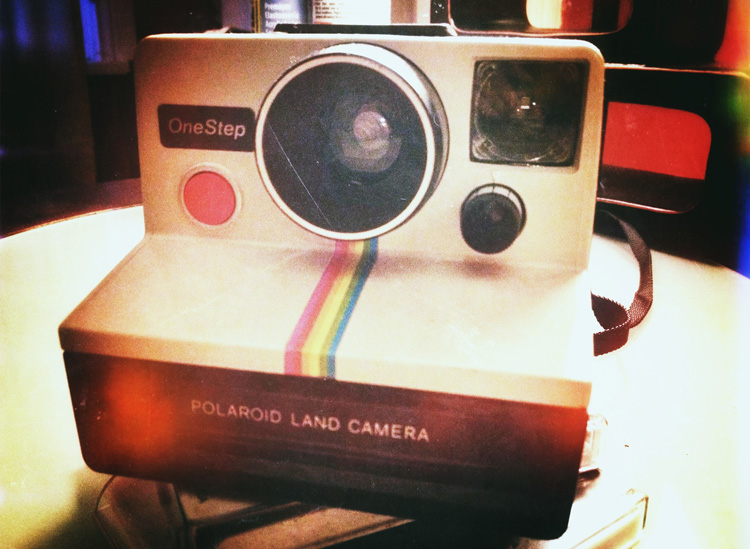
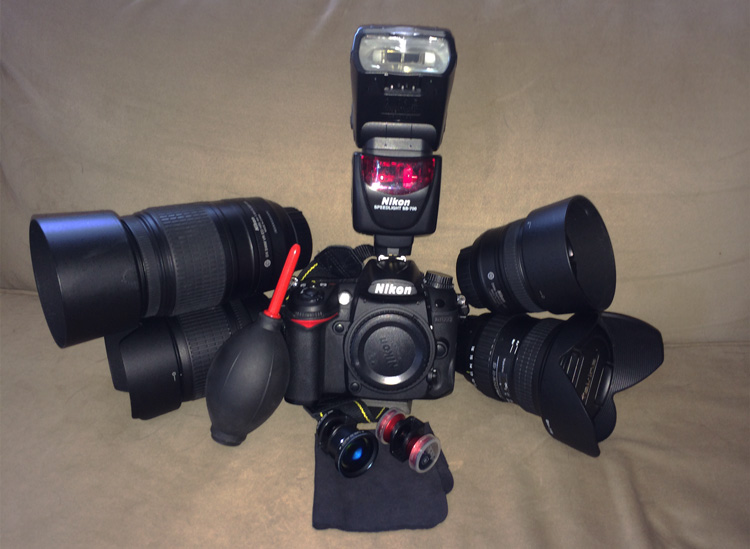
When is the Right Time to Upgrade Camera Gear?

21 Jan

Knowing when to upgrade camera gear can be a little tricky. Picking the right time to upgrade is about knowing who you are as a photographer, and who you want to become.

When is the Right Time to Upgrade Your Camera Gear?

What makes upgrading tricky is the pace at which technology advances. New form factors, features, and capabilities will continue to be innovated over the years to come. It’s certainly possible that new trends could make traditional photography obsolete. For example, 360 degree photography is one new trend that has garnered a lot of interest.

If that wasn’t enough, the amount of money that companies spend on marketing their innovations is continuing to increase. This means that there are more deals, more packages, and more attempts to convince you that it is the right time to upgrade your gear.

So how do you know when you are actually ready to upgrade your photography gear?

Five Signs you’re ready to upgrade your camera gear

Your needs and wants will be different from mine and from that of your neighbor’s so it’s difficult to offer a blanket “This is when you should upgrade” statement. But, there are at least five key things to consider when upgrading your gear.

When is the Right Time to Upgrade Your Camera Gear?

1. Your current gear is struggling to keep up with your creative needs

It’s a good sign that you are ready to upgrade your gear when your current gear fails to give you the results you are looking for.

When this might be the case is if you are trying to take portraits of people with sharp focus in the foreground and creamy bokeh in the background. If you’re still using the kit lens that came with your camera, odds are the results you’re getting aren’t meeting your needs. In a case like this, buying a new lens might be worth considering.

2. If you’ve decided to go to a more professional level of work

When you decide to make the move from hobbyist to being a professional photographer, upgrading could become a viable option. Higher quality gear tends to be more durable and offers more flexibility, both of which are important in a professional setting.

As an added bonus once you start working professionally you will be able to deduct the costs of your gear from your taxes making the cost of upgrading more bearable.

3. Your gear is showing its age

While tomorrow’s technology will always make today’s look old, and upgrading to stay current is not usually the right choice – there will come a time when you gear does get so dated, that upgrading is actually your best option.

You may even be able to save some money by upgrading to generation body or lens that is a year or two old. This will still allow you to make a leap in terms of the technology that you are using, at a fraction of the cost of jumping to the current generation technologies.

When is the Right Time to Upgrade Your Camera Gear?

4. The manufacturer has dropped support

Sometimes you’ll find out that the manufacturer has dropped support for the product you own. In cases like this, it might be time to consider upgrading. (Note: this means you ignored point #3 above and kept using your aging gear until it effectively died).

5. Your current gear is “hacked” together to meet a need

Finally, let’s say that your current gear does what it needs to do to achieve the photographs that you want, but it does so in a way that requires a cumbersome process or a jerry-rigged system. If there’s a solution available that would simplify your current process in a way that saves you time and frustration it’s certainly worth considering an upgrade.

Two good reasons you are not ready to upgrade

When is the Right Time to Upgrade Your Camera Gear?

1. Upgrading when a new model is released

New model releases are always going to tempt you into upgrading. Marketing teams do a fantastic job at showcasing the new improvements, and how they will enhance your photography. However, rarely will these improvements have a substantial impact on your overall photography. It’s not about whether the new features are better than the ones that you currently have, but will they actually impact the results that you can not achieve with your current camera.

More concisely – does the new model help justify one or more of the reasons listed above? If not, then it’s probably not worth upgrading at this point in time.

2. Keeping up with your friends

As if you need another reason to upgrade – your best photography buddy just did – so now you have to as well. If the reason you’re buying something is because you’re trying to outdo, or one-up someone you know – it’s the wrong reason to upgrade your gear.

What are other valid reasons to upgrade?

Read more here:

  • 3 Valid Reasons it Might be Time to Upgrade Your Camera Equipment
  • Ready to Upgrade Your Kit Lens? Tips for Which Lens to Invest in Next
  • Do You Need to Upgrade to the Latest Camera?

When have you felt the need to upgrade your camera gear? Let us know in the comments below.

googletag.cmd.push(function() {
tablet_slots.push( googletag.defineSlot( “/1005424/_dPSv4_tab-all-article-bottom_(300×250)”, [300, 250], “pb-ad-78623” ).addService( googletag.pubads() ) ); } );

googletag.cmd.push(function() {
mobile_slots.push( googletag.defineSlot( “/1005424/_dPSv4_mob-all-article-bottom_(300×250)”, [300, 250], “pb-ad-78158” ).addService( googletag.pubads() ) ); } );

The post When is the Right Time to Upgrade Camera Gear? by John Davenport appeared first on Digital Photography School.


Digital Photography School

 
Comments Off on When is the Right Time to Upgrade Camera Gear?

Posted in Photography


Fujifilm releases first round of G-mount medium-format lenses

21 Jan

$ (document).ready(function() { SampleGalleryV2({“containerId”:”embeddedSampleGallery_8672839365″,”galleryId”:”8672839365″,”isEmbeddedWidget”:true,”standalone”:false,”selectedImageIndex”:0,”startInCommentsView”:false,”isMobile”:false}) });

You’re going to need some lenses to go along with that new Fujifilm GFX 50S, and the company announced a trio of them.

First up is the GF 63mm F2.8 R WR, which is equivalent to 50mm when mounted on the medium-format GFX 50S. It’s small and lightweight, features nine rounded aperture blades and is sealed against dust and moisture (as are the other two lenses announced today). It will be available in February for $ 1499/£1399.

For those seeking a zoom, there’s the GF 32-64mm F4 R LM WR. This lens is equivalent to 25-51mm and has aspherical, ED and Super ED elements and a linear motor-powered internal AF system. The zoom will set you back $ 2299/£2199.

The final lens is a tele-macro model with optical image stabilization rated to 5 stops. The GF 120mm F4 R LM OIS WR Macro is equivalent to 95mm and has 3 ED elements, a linear AF motor and a minimum focus distance of 45cm/18in. The 120mm is priced at $ 2699/£2599.

Three additional lenses will be released by the end of the year, including a 23mm F4, 45mm F2.8 and 110mm F2. 

GROUNDBREAKING FUJIFILM GFX 50S MEDIUM FORMAT MIRRORLESS CAMERA DELIVERS ULTRA-HIGH IMAGE QUALITY

FUJIFILM GFX 50S combines an extraordinary sensor, processor and design with FUJINON lenses to give users the ultimate photography experience

Valhalla, N.Y., January 19, 2017 – As the leader in innovation for photographers, FUJIFILM North America Corporation today announces the FUJIFILM GFX 50S medium format mirrorless digital camera that will launch late February, 2017 with an initial selection of three FUJINON lenses – the GF63mmF2.8 R WR, the GF32-64mmF4 R LM WR, and the GF120mmF4 R LM OIS WR Macro. These lenses encapsulate the design philosophy of FUJINON lenses that are renowned by photographers around the world.

The innovative GFX system utilizes a Fujifilm exclusive 43.8 x 32.9mm (FUJIFILM G Format) 51.4MP CMOS sensor. The GFX 50S combines the heritage of over 80 years of imaging and the innovative award-winning functional design of our X Series digital camera system in the relentless pursuit of image quality.

The FUJIFILM GFX 50S Revealed

The FUJIFILM GFX 50S mirrorless digital camera uses the new 51.4MP FUJIFILM G Format 43.8 x 32.9mm sensor with approximately 1.7x the area of a 35mm sensor. In addition to the camera are three new FUJINON GF Lenses that will be followed by three additional lenses later in 2017.

The GFX 50S 51.4MP sensor shows its true potential when making large format prints, capturing majestic landscape photos or reproducing historical documents. Compared to a full size sensor with equivalent megapixels, both resolution and sensitivity are dramatically better due to the larger size of each pixel. As a result, the sensor captures great textures and subtlety of tone that is unique to large size sensors. The texture and tone combine to give a unique three-dimensional effect creating extremely high quality photography. Images captured can be reproduced down to the smallest detail, conveying the texture of the subject, a three-dimensional feeling, and the atmosphere of the scene.

For flash photography in the studio or outdoors during the day, the GFX 50S sensor has a native ISO of 100. The sensor can also be adapted to various aspect ratios, including 4:3, 3:2, 16:9, 1:1, 65:24, 5:4, 7:6, all of which are available in large and medium format film cameras.

The FUJIFILM GFX 50S uses the X Processor Pro (also used in the X-Pro2 and X-T2 cameras) and allows photographers to use Fujifilm’s proprietary Film Simulations with a Medium Format sensor. The camera supports Full HD recording at 29.97p/25p/24p/23.98p. Users can enjoy high quality video with no post-processing required by using Film Simulation modes just like they would with a still image. The GFX 50S introduces a new Color Chrome Effect feature that reproduces subtle tones in highly saturated subjects.

Ultimate Performance in a Compact Body

With a compact and lightweight body constructed from magnesium alloy, the FUJIFILM GFX 50S weighs approximately 43 ounces when paired with the FUJINON GF63mmF2.8 R WR, and weighs approximately 60% of a medium format DSLR camera equipped with a sensor of the same size. When compared to a full frame, the weight is almost identical. Overall camera body height and width have also been minimized for maximum flexibility, overturning the common perceptions regarding the mobility of medium format digital cameras.

Bright, Crystal Clear Viewfinder and Large Touchscreen

The FUJIFILM GFX 50S gives users a 3.69M dot organic EL electronic viewfinder and 2.36M dot touchscreen LCD back panel for easy viewing. The EVF is detachable to allow for flexible operation. Users can attach the accessory EVF-TL1 EVF tilt adapter (sold separately) to allow the finder to be tilted to 90° vertically and swung ±45°. A 3.2 inch, 2.36M dot touch panel is used for the rear monitor, with touch operation for the menu, focusing points and image playback. A three-directional tilting LCD screen improves operability and makes viewing images and checking focus even easier.

FUJINON Lenses Guarantee Image Perfection

As part of the GFX system, Fujifilm is launching newly developed, ultra-high resolution FUJINON GF lenses. Taking advantage of the mirrorless system’s structure, the G Mount has a short flange back distance of just 26.7mm that reduces the back focus distance as much as possible. This prevents vignetting and achieves edge-to-edge sharpness. All FUJINON GF Lenses have been designed to support sensors of over 100MP.

GFX lens barrels feature an aperture ring in the same manner as FUJINON XF lenses, for intuitive operation. A new C (Command) Position has been added to the aperture ring, allowing users to change the aperture with the camera’s command dial. The A (Auto) Position and C Position feature a locking button installed on the aperture ring that must be disabled to implement changes.

Built for the Professional, and the Enthusiast

Just as with the flagship X Series models, the FUJIFILM GFX 50S features dedicated dials to independently set aperture, shutter speed, and ISO, the important factors in determining exposure.

Aperture and ISO feature a C (Command) and the shutter speed dial has a T (Time) Position. Setting the dial to this position allows the user to change exposure settings using the command dials on the front and rear of the camera body. The user can choose between these two operation methods according to their preference, ease of use, and the shooting environment.

The GFX 50S is equipped with a 1.28 inch LCD sub monitor on the top of the body. Important exposure data such as aperture and shutter speed is displayed on this screen. This display is extremely useful when shooting on a tripod or tethered to a computer.

A 117-point (9 x 13 / maximum of 425 points when miniaturized) contrast AF system is used on the GFX 50S. High-precision AF on the imaging sensor dramatically improves focusing accuracy with the shallow depth of field produced by medium format lenses. First adopted in the FUJIFILM X-Pro2, focus point selection can be performed by using the Focus Lever, which allows intuitive movement of the focus point. Alternatively, users can select the focus point from the touch panel LCD screen.

Initial Lens Lineup Will Include the Following Three FUJINON Options:

  1. GF63mmF2.8 R WR (equivalent to 50mm in 35mm format)
  2. GF32-64mmF4 R LM WR (equivalent to 25-51mm in 35mm format)
  3. GF120mmF4 Macro R LM OIS WR (equivalent to 95mm in 35mm format)

FUJINON GF63mmF2.8 R WR

The optical system features a construction of 8 groups and 10 elements, including 1 ED lens element. This lens construction is the most suitable for high resolution in compact and stylish design, the external form of this small and lightweight lens has a diameter of just 84.0 x 71.0mm with a weight of only 14.2 ounces \ 405 grams. Using the front group for the focus, aberrations due to focus distance are suppressed, achieving high resolution performance even when wide open from the center to the edges of the lens.

FUJINON GF32-64mmF4 R LM WR

The FUJINON GF32-64mmF4 R LM WR features a construction of 11 groups and 14 elements, 3 aspheric elements, 1 ED lens and 1 super ED lens, allowing this lens to achieve image quality rivalling prime lenses. As a result, the lens demonstrates extremely high performance from the center all the way to the edges. The lens uses internal focusing, reducing the weight of the focus lens and achieving fast and silent AF by driving focus using a linear motor.

FUJINON GF120mmF4 R LM OIS WR Macro

The FUJINON GF120mmF4 R LM OIS WR Macro has a construction of 9 groups and 14 elements, including 3 ED lens elements. By adopting a floating focus method using a linear motor, silent high-speed autofocusing is achieved while aberrations are corrected, dramatically increasing the resolution. Furthermore, by arranging the ED lenses properly, chromatic aberrations are also properly corrected, contributing to high quality images. In designing this lens the quality of the out of focus area both in front and behind the plane of focus were considered, giving this lens beautiful bokeh. This lens is equipped with optical image stabilization (OIS) effective up to 5.0-stops, making this lens perfect for handheld shooting in low-light situations.

Three Additional FUJINON GF Lenses to be Announced Later in 2017:

  1. GF110mmF2 R LM WR (equivalent to 87mm in 35mm format)
  2. GF23mmF4 R LM WR (equivalent to 18mm in 35mm format)
  3. GF45mmF2.8 R WR (equivalent to 35mm in 35mm format)

GFX 50S Accessories (sold separately)

  1. Vertical Battery Grip VG-GFX1 – high-performance battery grip is designed to place the release button, dials, and function buttons in the same positions when shooting vertically. The battery grip can be loaded with one NP-T125 dedicated battery, lowering the frequency that batteries need replacing. Also, by connecting the AC-15V accessory (sold separately), it is possible to charge the battery within the grip in approximately 2 hours.
  1. EVF Tilt Adapter EVF-TL1 – mounting this accessory between the camera body and EVF, the angle of the EVF can be changed to angles from 0°?90° vertically and from -45°?+45° horizontally. Doing this allows the user to shoot at various angles while using the viewfinder, greatly increasing the versatility of the finder for different subjects.
  1. H Mount Adapter G – allows you to use SUPER EBC FUJINON HC interchangeable lenses developed for the FUJIFILM GX645AF medium format film camera (discontinued). By attaching this adapter to the GFX 50S, a total of 9 SUPER EBC FUJINON HC interchangeable lenses and 1 tele-converter developed for the GX645AF can be used. While the focusing method will be limited to manual focusing, the lens aperture can be changed using the command dial on the camera body, and shooting with the leaf shutter built in to the lenses is also possible. Using this lens shutter will allow high speed flash synchronization up to a maximum speed of 1/800 sec.

    Also, the adapter is equipped with electrical contacts that can communicate with the camera body, independently creating, saving, and applying correctional data for each lens. The adapter supports Manual and Aperture Priority AE exposure modes.

*A removable tripod foot is included to mount the camera with a heavy or long focal length lens.

  1. View Camera Adapter G – allows the GFX 50S to be used as a digital back. The view camera adapter allows the GFX 50S to be mounted to the standard universal-type back of a view camera. This allows the use of FUJINON large format camera lenses, such as the CM-W FUJINON lens series. The camera or lens shutter can be triggered, allowing the user to choose the optimum method. The large image circle and the bellows of the view camera can be used with tilt, shift and swing movements, effective for product and architectural photography.
    *There may be instances in which the adapter cannot be mounted depending on the shape of the view camera.
  1. Tethered Shooting Solutions – We have the following tethering solutions for photographers, including: X Acquire to transfer images from the camera to a hot folder on your computer for use with your preferred imaging software, Tether Shooting Plug-in PRO for Adobe® Photoshop® Lightroom® and HS-V5 for Windows (sold separately).

    By connecting the GFX 50S to a PC via USB cable and using this software, it is possible to transfer photographed images directly to the PC, as well as control the camera from the PC. Also, by using the Control Panel Window newly added to Tether Shooting Plug-in PRO for Adobe® Photoshop® Lightroom®, additional camera functions become available.

  1. RAW FILE CONVERTER EX2.0 – powered by SILKYPIX (free of charge) RAW development software and Adobe® Photoshop® Lightroom® / Adobe® Photoshop® CC (sold separately). RAW development software is used for detailed corrections and advanced image processing that isn’t supported by the in-camera RAW conversion. Both software support Fujifilm’s “Film Simulation” modes, allowing creation of image data that is extremely close to Fujifilm’s advanced color reproduction.

FUJIFILM GFX 50S Key Features:

  • 51.4MP Medium Format 43.8 x 32.9mm sensor for superior sharpness and image quality for all photographers
    • Adaptable to various aspect ratios, including 4:3 (default), 3:2, 16:9, 1:1, 65:24, 5:4, 7:6
  • FUJIFILM G Mount with short flange back distance of just 26.7mm
  • X-Processor Pro imaging processor
  • Detachable electronic viewfinder
  • Weather and dust resistant; operation to as low as 14 degrees Fahrenheit \ -10 degrees Celsius
  • File formats include three different JPEG settings (SUPER FINE, FINE, NORMAL), as well as two different RAW settings (uncompressed, compressed). TIFF output is also possible with in-camera RAW development
  • Full HD for Movie Mode: 1920×1080 29.97p/25p/24p/23.98p 36Mbps, in Film Simulation modes
  • Light body weighs approximately 43oz. \ 825g (including battery and memory card)
  • Uses SD Cards (UHS-II recommended)
    • Equipped with dual slots
    • Supports three different types of recording methods, “Sequential,” in which recording can be continued according to shooting order, “Backup,” which records the same data on two cards simultaneously, and “Sorting,” which records RAW and JPEG data on separate cards
  • Uses newly developed NP-T125 high capacity battery for approximately 400 photos (with Auto Power Save ON)
  • All FUJINON GF Lenses are dust and weather resistant, built to withstand operation at temperatures as low as 14 degrees Fahrenheit \ -10 degrees Celsius allowing photographers to take them outdoors with confidence in challenging weather conditions.
  • The new FUJINON GF Lenses feature an aperture ring, a popular feature in the X Series, and have a new C (Command) Position on the ring to enable aperture adjustments with the Command Dial on the camera body
  • A Fluorine coating applied to the front lens element creates a hydrophobic coating that repels moisture.

The GFX 50S and FUJINON GF lenses culminate to create a new camera system capable of creating the world’s highest level of photographic expressions by combining the thorough incorporation of knowledge regarding camera operation, optical design, image capture, and image processing.

Availability and Pricing

The new FUJIFILM GFX 50S Medium Format Camera Body will be available Late February, 2017 in the U.S. and Canada for USD $ 6,499.95 and CAD $ 8,499.99.

Also available in February, 2017 will be the first three FUJINON GF lenses. GF63mmF2.8 R WR for USD $ 1,499.95 and CAD $ 1,899.99, GF32-64mmF4 R LM WR for USD $ 2,299.95 and CAD $ 2,999.99, and GF120mmF4 R LM OIS WR Macro for USD $ 2,699.95 and CAD $ 3,499.99.

Fujifilm GF 63mm F2.8 R WR / 120mm F4 R LM OIS WR Macro specifications

  Fujifilm GF 63mm F2.8 R WR Fujifilm GF 120mm F4 R LM OIS WR Macro
Principal specifications
Lens type Prime lens
Max Format size 645
Focal length 63 mm
Image stabilization No Yes (5 stops)
Lens mount Fujifilm G
Aperture
Maximum aperture F2.8 F4
Minimum aperture F32
Aperture ring Yes
Number of diaphragm blades 9
Aperture notes Rounded blades
Optics
Elements 10 14
Groups 8 9
Special elements / coatings 1 ED element 3 ED elements
Focus
Minimum focus 0.50 m (19.69) 0.45 m (17.72)
Maximum magnification 0.17× 0.5×
Autofocus Yes
Motor type Linear Motor
Full time manual Yes
Focus method Extending front Internal
Distance scale No
DoF scale No
Physical
Weight 405 g (0.89 lb) 980 g (2.16 lb)
Diameter 84 mm (3.31) 89 mm (3.5)
Length 71 mm (2.8) 153 mm (6.02)
Sealing Yes
Filter thread 62.0 mm 72.0 mm
Hood supplied Yes
Tripod collar No

Fujifilm GF 32-64mm F4 R LM WR specifications

Principal specifications
Lens type Zoom lens
Max Format size 645
Focal length 32–64 mm
Image stabilization No
Lens mount Fujifilm G
Aperture
Maximum aperture F4
Minimum aperture F32
Aperture ring Yes
Number of diaphragm blades 9
Aperture notes Rounded blades
Optics
Elements 14
Groups 11
Special elements / coatings 3 aspheric lenses, 1 ED lens, 1 Super ED lens
Focus
Minimum focus 0.50 m (19.69)
Maximum magnification 0.12×
Autofocus Yes
Motor type Linear Motor
Full time manual Yes
Focus method Internal
Distance scale No
DoF scale No
Physical
Weight 875 g (1.93 lb)
Diameter 93 mm (3.66)
Length 116 mm (4.57)
Zoom method Rotary (extending)
Power zoom No
Zoom lock Unknown
Filter thread 77.0 mm
Hood supplied Yes
Tripod collar No

Articles: Digital Photography Review (dpreview.com)

 
Comments Off on Fujifilm releases first round of G-mount medium-format lenses

Posted in Uncategorized


Take flight over Australia: aerial photos by Scott McCook

21 Jan

Take flight over Australia: Aerial photos by Scott McCook

Originally a tailing pond image, I have created a fictional piece of work to convey a story about Australia riding the mining boom, Boddington Western Australia

Scott McCook is a native Australian and an award winning landscape photographer with a serious passion for aerial photography. All of the images that you see in this article were shot from the skies high above remote areas of Australia and New Zealand. His goals are to not only highlight the beauty in areas that are remote and far removed from the public eye, but also to illustrate the impacts that industry can have on the world around us.

To see more of his work, check him out on Facebook and Instagram.

What inspired you to begin your aerial work?

Big Lagoon Shark Bay, an isolated birrida, these birridas are gypsum clay pans that used to be saline lakes

I have two main sources of inspiration, the first of which is my drive to photograph what hides in plain sight. This started many years ago with astrophotography, which was something I pursued in my earlier days of landscape photography. The idea of something so beautiful hiding above cities and street lights every night with many people never even seeing the Milky Way with their own eyes drove me to the dark spots of Western Australia (of which there are many) to capture the incredible beauty of the Milky Way and show people here in Western Australia what’s in their backyard every night.

This concept of showing people, via my imagery, what hides just below the surface (or above your head) is what fanned my obsession for aerial photography. It’s the very same principals, the idea that these beautiful and sometimes abstract landscapes that we see every day from the ground can explode into life from the air.

My second source of inspiration is to show people the impact of mankind on nature, as in the case of my mining aerial imagery. It’s showing people areas that they would never normally be able to see on that scale. It has the possibility to empower people to make their own opinion on these landscapes and how far man will go to chase our precious resources.

I should also mention that there are a number of truly amazing landscape photographers based out of Australia that inspire me on a daily basis. The collective of landscape photographers from ND5 put life back into the aerial genre here in the last 10 or so years and their work sparked my interest in what our beautiful country has to offer from the air. Photographers like Tony Hewitt, Christian Fletcher and Peter Eastway have not only supplied inspiration over the years but have been great mentors for myself and many other budding landscape photographers here in Australia.

What’s your favorite aspect of aerial photography?

Shark Bay Western Australia, coastal floodplain

It really comes down to two questions: Is it the unique photography? Or the thrill of being in a plane or chopper?

I think it’s the pure thrill and enjoyment of flying that keeps bringing me back and then it’s the excitement of having no idea what incredibly unique moment or landscape you’ll capture from the air. Often with aerial photography, it feels like you’re an early explorer, going over uncharted territory, the feeling is quite amazing because often we are lucky enough to be the first people shooting a location from the air.

This is often the case because you can travel to very remote locations in a short amount of time. You can really feel the excitement come over you when you know you’re shooting something completely new. So let’s go with 50% the thrill, 50% the photography, how’s that for a safe answer?

What lenses and equipment do you normally shoot with?

Perth, Western Australia. Alcoa Tailing Ponds

Everything!!! Would be my short answer, but the slightly extended answer is as follows:

My Full-frame Go to Kit:

  • Nikon D810
  • Nikon 24-70 F2.8
  • Nikon 70-200mm F2.8 VR2
  • Sigma 35mm F1.4 Art

My Medium Format combo:

  • Phase XF + IQ150
  • 80mm blue ring Shnieder
  • Mamiya 35mm

When it comes to aerial photography I have found shooting large sensor MF images really helps with not only print but the editing process, but the extra data can make all the difference to your creative vision and post processing.

How do you go about composing a shot from that high up in the sky?

Useless Loop salt farm, the different colors coming from varying stages of the process and product, Western Australia

You often have a very small window space to shoot from and you’re traveling 160km an hour at around 1500 ft, so the ground is going fast, very fast! This means you need to be on your game, with the camera settings tuned into something you would possibly find in sports photography: high shutter speeds, high ISO and looking for that sweet spot aperture.

Research using Google Maps is the key to this scenario – often I will know what is coming up, so I’m preparing myself physically (putting my arms in positions thought not humanly possible) and mentally as well, thinking ‘What orientation do I want this area in?’ Then in a matter of seconds your shooting window comes and before you know it, it’s gone. You can ask the pilot to lock into a loop pattern over the area, but time is money and I find if you can nail it first go, you can be onto the next location and maximize your shooting time and minimize your wallet taking a beating.

How much planning goes into a single aerial photography trip?

Southern Alps, New Zealand, this is an image of the ice that feeds the Fox Glacier in the South Island

Weeks or months. I did two very different aerial expeditions last year which I’ll touch on because of the difference in planning. The first was to Shark Bay Western Australia, a World Heritage Listed area and a location that is totally mind-blowing from the air. I spent around four weeks using Google Maps (My Maps) to scan areas of Shark Bay to shoot. Once I found a potential location I would run a screen grabbed image through Lightroom and the de-haze filter, along with some minor color balance adjustments – this helps me envision what I will be shooting when I arrive to the location.

The satellite images provided by Google are pretty good but with a little tweaking you can really get some detail from them and this helps me know what I’ll be coming across when we’re in the air. I would then save these screen grabs along with the location drawn onto a map, these will then be loaded onto my iPad and used when I’m discussing the flight plan with the pilot. This is extremely helpful because it allows our pilot to see exactly what we want to shoot and where it is, allowing him/her to be more precise.

The other shoot I did was in the Southern Alps of New Zealand in May last year. This was from a Hughes 500 Helicopter with all the doors off. Now, this shoot was different because using Google Maps to do reconnaissance is very limited. Why? Well because it’s a mountainous region it’s a lot harder to use the aerial perspective for a gauge on what you’re going to see. Adding to the difficulty is the fact that the snow in such areas is highly reflective, meaning large areas of Google Maps data can be blown out.

Being in a chopper allows us to hover and hold locations, so there’s no need to try and capture that one moment in a split second. We can now spot an amazing location and tell our awesome pilot (thanks Michael from Mountain Helicopters Fox Glacier, complete legend!) to head on over and bank the chopper in just the right spot. This type of aerial expedition feels far more like exploring on foot, just with the added bonus of a multi million dollar piece of machinery giving us the gift of flight wherever we want.

Okay, so slightly different than traveling by foot but I have to admit it’s an incredibly beautiful experience when you fly with all the doors off in such a location.

How do you think drones will impact aerial photography?

Shark Bay, Western Australia

How do I think drones will impact aerial photography? EVERYWHERE! That happened fast didn’t it? I’m still waiting on drone delivery of alcohol in bars, so I feel they haven’t quite achieved their full potential yet.

On a more serious note it’s impacting photography right now, the whole aerial genre has exploded in the last few years. The effect I think is largely positive, if anything it’s sparking the passion of photography in more and more people. I notice many drone operators will start off just wanting to fly drones as their primary objective and in time they develop a love for photographing the world from above, and proceed to learn the photography side of things properly.

On the not-so-positive side I’ve seen it very rapidly develop a bad name in some areas due to pilots breaking the rules and flying dangerously. This puts a bad spin on aerial photography, and in most cases the actions of very few are ruining the potential for some amazing shots for many people. But in general, I think drones are having a positive impact. Do I fly drones? Not yet, I still need my buzz! Looking at the world fly past via an iPad or iPhone just doesn’t quite do it for me yet, I like to be up there experiencing it.

What’s your favorite aerial image to date and how did you go about getting the shot?

Dirk Hartog Island, Western Australia. Coastal Sand Dunes, spot the Kangaroo tracks coming in from top of frame

It’s really hard to pick just one image, but I’m going to have to go with an image I captured near Dirk Hartog Island Western Australia. It was around 7:30am in the morning on our 5th and last day of shooting the an area called Shark Bay. Paul Hoelen and I had decided that we would burn some fuel and head over to a remote strip of sand dunes. This particular area wasn’t shot often because you had to spend a fair bit of time and money to just get there so we were pretty excited about finding some untouched landscape.

Upon our arrival we found what we were after, beautiful clean dunes, we shot the location and both nodded to each other in appreciation of our gamble paying off. We then spoke to our pilot Ryan and said lets head south then home, as we made our way down the coast something happened, Paul can barely contain himself, he’s just waving his arm and pointing down “Scott, Scott, Scott!!! Down, look down!”, I look over and this gorgeous half moon shaped sand dune just appears from nowhere. It was so out of place in relation to the rest of the landscape, like mother nature had just created the most stunning sand dune possible then placed it hidden away for Paul and I to find.

I haven’t got to the really cool bit yet, so after shooting this mind blowing sand dune, we get back to our motel that night and load up the images, I go straight to the sequence of this stunning half moon dune and start looking at the images, I zoom in 50% and suddenly spot tracks, it’s kangaroo tracks! This perfect set of Kangaroo tracks is cutting into my composition and up the spine of the sand dune. I couldn’t believe it, the chances of all those things lining up were incredibly rare and it’s why I love photography so much. Yes it’s skill and creativity, but it has equal doses of luck.

How do you keep yourself inspired?

The Salt Farms of Useless Loop Shark Bay, Western Australia

I get much of my inspiration from the amazing, kind-hearted and adventurous landscape photographers I’ve made friends with along the way. It’s so cool in this amazing field we’re in, the community is a place you can draw many things from and inspiration is available everywhere. Beyond that I gain much inspiration from the people who have come before me, I read a lot and attempt to piece together the past as it helps pave the road to my future in this craft.

What are your aerial photography goals for 2017?

Arteries of coastal floodplains pump across the land, Carnarvon, Western Australia

Push the aerial genre to new heights, pardon the pun! I love aerial photography, I am well and truly hooked. I look at 2017 as my chance to challenge myself within this genre, I enjoy story telling via my aerial imagery and look forward to sharing that this year.

Behind the Scenes

This is the Hughes 500 Helicopter with all the doors taken off that was used for the flight over the Southern Alps of New Zealand. Huge thanks to Michael from Mountain Helicopters Fox Glacier!

The below video was shot when I snagged my favorite image to date. It gives you a great idea of the feverish pace at which you are taking images while shooting aerials in a plane.  

Articles: Digital Photography Review (dpreview.com)

 
Comments Off on Take flight over Australia: aerial photos by Scott McCook

Posted in Uncategorized


Pete Souza captures Obama’s final day in the White House

21 Jan

Pete Souza, the official photographer for now-Former President Obama, posted a series of photos on his Instagram account showing the Obama’s final departure from The White House. Like the Former President, Souza plans on taking some time off, sleep late and ‘do whatever the wife wants me to do.’

All of the photos Souza took during his eight-year tenure as White House photographer are archived here.


President Obama leaves the Oval Office this morning for the last time. What a great experience I’ve had the past eight years. Every photo I’ve posted to this account has been archived and locked at @petesouza44. This account (@petesouza) will now be my personal account so I hope you will continue to follow me. I expect to be very active on Instagram although I may not post that much initially as I try to take a little break, sleep late, do whatever my wife wants me to do, go the gym every day, see some concerts, watch some movies, read some books, drink some wine….you get idea.

A photo posted by Pete Souza (@petesouza) on


Another view of President Obama leaving the Oval Office for the last time this morning (taken with remote camera).

A photo posted by Pete Souza (@petesouza) on


President Obama waves from the steps of Executive One helicopter following the inauguration of Donald Trump at the U.S. Capitol.

A photo posted by Pete Souza (@petesouza) on


Farewell.

A photo posted by Pete Souza (@petesouza) on

Homepage photo by Susan Sterner

Articles: Digital Photography Review (dpreview.com)

 
Comments Off on Pete Souza captures Obama’s final day in the White House

Posted in Uncategorized


Fujifilm medium-format GFX 50S to ship in late February for $6500

21 Jan

$ (document).ready(function() { SampleGalleryV2({“containerId”:”embeddedSampleGallery_9285245724″,”galleryId”:”9285245724″,”isEmbeddedWidget”:true,”standalone”:false,”selectedImageIndex”:0,”startInCommentsView”:false,”isMobile”:false}) });

Back at Photokina in September, Fujifilm took the wraps off of its new mirrorless medium-format camera, the GFX 50S. Today they’re released all of the details, including price and ship date.

The GFX 50S uses a 51.4MP ‘Fujifilm G Format’ medium-format sensor (43.8 x 32.9mm), which is 1.7x the area of a full-frame sensor. The lens mount is known as G-mount and, like all medium-format cameras, it has a ‘reverse’ crop factor of 0.79x, so that new 63mm F2.8 lens is equivalent to 50mm. The camera has a 117-point contrast-detect AF system, and users can set the focus point using the touchscreen or a joystick on the rear plate. Its NP-T125 lithium-ion battery is rated for 400 shots on a single charge (meaning you’ll probably get many more in most real-world usage).

The weather-sealed body is made of a magnesium alloy and weighs just 825g/43oz with battery and memory card installed. It has a 3.2″ dual-tilt touchscreen LCD display and a 2.36M-dot OLED viewfinder, to which you can add a ’tilt adapter’ allowing it to tilt upward by 90° and rotated left or right by 45° (that’s a lot of tilting). On the top plate is a 1.28″ LCD which displays current shooting settings. There are two SD card slots, both of which support high-speed UHS-II media.

The GFX 50S has Fujifilm’s Film Simulation modes, including a new Color Chrome Effect option. It can capture Full HD video at up to 30p, with a bit rate of 36 Mbps. As one would expect from a camera in this class, the GFX 50S supports tethered shooting from a PC. Optional accessories include a battery grip, H-Mount adapter for use with classic Fujinon HC lenses and a ‘View Camera Adapter G’ that lets you use the GFX as a digital back.

Along with the GFX come three new lenses, with three more to follow by the end of the year. The initial trio of lenses including a 110mm F2 (equivalent to 87mm), 23mm F4 (18mm equiv.) and 45mm F2.8 (35mm equiv.).

The GFX 50S will ship in late February at an MSRP of $ 6499/£6199.

GROUNDBREAKING FUJIFILM GFX 50S MEDIUM FORMAT MIRRORLESS CAMERA DELIVERS ULTRA-HIGH IMAGE QUALITY

FUJIFILM GFX 50S combines an extraordinary sensor, processor and design with FUJINON lenses to give users the ultimate photography experience

Valhalla, N.Y., January 19, 2017 – As the leader in innovation for photographers, FUJIFILM North America Corporation today announces the FUJIFILM GFX 50S medium format mirrorless digital camera that will launch late February, 2017 with an initial selection of three FUJINON lenses – the GF63mmF2.8 R WR, the GF32-64mmF4 R LM WR, and the GF120mmF4 R LM OIS WR Macro. These lenses encapsulate the design philosophy of FUJINON lenses that are renowned by photographers around the world.

The innovative GFX system utilizes a Fujifilm exclusive 43.8 x 32.9mm (FUJIFILM G Format) 51.4MP CMOS sensor. The GFX 50S combines the heritage of over 80 years of imaging and the innovative award-winning functional design of our X Series digital camera system in the relentless pursuit of image quality.

The FUJIFILM GFX 50S Revealed

The FUJIFILM GFX 50S mirrorless digital camera uses the new 51.4MP FUJIFILM G Format 43.8 x 32.9mm sensor with approximately 1.7x the area of a 35mm sensor. In addition to the camera are three new FUJINON GF Lenses that will be followed by three additional lenses later in 2017.

The GFX 50S 51.4MP sensor shows its true potential when making large format prints, capturing majestic landscape photos or reproducing historical documents. Compared to a full size sensor with equivalent megapixels, both resolution and sensitivity are dramatically better due to the larger size of each pixel. As a result, the sensor captures great textures and subtlety of tone that is unique to large size sensors. The texture and tone combine to give a unique three-dimensional effect creating extremely high quality photography. Images captured can be reproduced down to the smallest detail, conveying the texture of the subject, a three-dimensional feeling, and the atmosphere of the scene.

For flash photography in the studio or outdoors during the day, the GFX 50S sensor has a native ISO of 100. The sensor can also be adapted to various aspect ratios, including 4:3, 3:2, 16:9, 1:1, 65:24, 5:4, 7:6, all of which are available in large and medium format film cameras.

The FUJIFILM GFX 50S uses the X Processor Pro (also used in the X-Pro2 and X-T2 cameras) and allows photographers to use Fujifilm’s proprietary Film Simulations with a Medium Format sensor. The camera supports Full HD recording at 29.97p/25p/24p/23.98p. Users can enjoy high quality video with no post-processing required by using Film Simulation modes just like they would with a still image. The GFX 50S introduces a new Color Chrome Effect feature that reproduces subtle tones in highly saturated subjects.

Ultimate Performance in a Compact Body

With a compact and lightweight body constructed from magnesium alloy, the FUJIFILM GFX 50S weighs approximately 43 ounces when paired with the FUJINON GF63mmF2.8 R WR, and weighs approximately 60% of a medium format DSLR camera equipped with a sensor of the same size. When compared to a full frame, the weight is almost identical. Overall camera body height and width have also been minimized for maximum flexibility, overturning the common perceptions regarding the mobility of medium format digital cameras.

Bright, Crystal Clear Viewfinder and Large Touchscreen

The FUJIFILM GFX 50S gives users a 3.69M dot organic EL electronic viewfinder and 2.36M dot touchscreen LCD back panel for easy viewing. The EVF is detachable to allow for flexible operation. Users can attach the accessory EVF-TL1 EVF tilt adapter (sold separately) to allow the finder to be tilted to 90° vertically and swung ±45°. A 3.2 inch, 2.36M dot touch panel is used for the rear monitor, with touch operation for the menu, focusing points and image playback. A three-directional tilting LCD screen improves operability and makes viewing images and checking focus even easier.

FUJINON Lenses Guarantee Image Perfection

As part of the GFX system, Fujifilm is launching newly developed, ultra-high resolution FUJINON GF lenses. Taking advantage of the mirrorless system’s structure, the G Mount has a short flange back distance of just 26.7mm that reduces the back focus distance as much as possible. This prevents vignetting and achieves edge-to-edge sharpness. All FUJINON GF Lenses have been designed to support sensors of over 100MP.

GFX lens barrels feature an aperture ring in the same manner as FUJINON XF lenses, for intuitive operation. A new C (Command) Position has been added to the aperture ring, allowing users to change the aperture with the camera’s command dial. The A (Auto) Position and C Position feature a locking button installed on the aperture ring that must be disabled to implement changes.

Built for the Professional, and the Enthusiast

Just as with the flagship X Series models, the FUJIFILM GFX 50S features dedicated dials to independently set aperture, shutter speed, and ISO, the important factors in determining exposure.

Aperture and ISO feature a C (Command) and the shutter speed dial has a T (Time) Position. Setting the dial to this position allows the user to change exposure settings using the command dials on the front and rear of the camera body. The user can choose between these two operation methods according to their preference, ease of use, and the shooting environment.

The GFX 50S is equipped with a 1.28 inch LCD sub monitor on the top of the body. Important exposure data such as aperture and shutter speed is displayed on this screen. This display is extremely useful when shooting on a tripod or tethered to a computer.

A 117-point (9 x 13 / maximum of 425 points when miniaturized) contrast AF system is used on the GFX 50S. High-precision AF on the imaging sensor dramatically improves focusing accuracy with the shallow depth of field produced by medium format lenses. First adopted in the FUJIFILM X-Pro2, focus point selection can be performed by using the Focus Lever, which allows intuitive movement of the focus point. Alternatively, users can select the focus point from the touch panel LCD screen.

Initial Lens Lineup Will Include the Following Three FUJINON Options:

  1. GF63mmF2.8 R WR (equivalent to 50mm in 35mm format)
  2. GF32-64mmF4 R LM WR (equivalent to 25-51mm in 35mm format)
  3. GF120mmF4 Macro R LM OIS WR (equivalent to 95mm in 35mm format)

FUJINON GF63mmF2.8 R WR

The optical system features a construction of 8 groups and 10 elements, including 1 ED lens element. This lens construction is the most suitable for high resolution in compact and stylish design, the external form of this small and lightweight lens has a diameter of just 84.0 x 71.0mm with a weight of only 14.2 ounces \ 405 grams. Using the front group for the focus, aberrations due to focus distance are suppressed, achieving high resolution performance even when wide open from the center to the edges of the lens.

FUJINON GF32-64mmF4 R LM WR

The FUJINON GF32-64mmF4 R LM WR features a construction of 11 groups and 14 elements, 3 aspheric elements, 1 ED lens and 1 super ED lens, allowing this lens to achieve image quality rivalling prime lenses. As a result, the lens demonstrates extremely high performance from the center all the way to the edges. The lens uses internal focusing, reducing the weight of the focus lens and achieving fast and silent AF by driving focus using a linear motor.

FUJINON GF120mmF4 R LM OIS WR Macro

The FUJINON GF120mmF4 R LM OIS WR Macro has a construction of 9 groups and 14 elements, including 3 ED lens elements. By adopting a floating focus method using a linear motor, silent high-speed autofocusing is achieved while aberrations are corrected, dramatically increasing the resolution. Furthermore, by arranging the ED lenses properly, chromatic aberrations are also properly corrected, contributing to high quality images. In designing this lens the quality of the out of focus area both in front and behind the plane of focus were considered, giving this lens beautiful bokeh. This lens is equipped with optical image stabilization (OIS) effective up to 5.0-stops, making this lens perfect for handheld shooting in low-light situations.

Three Additional FUJINON GF Lenses to be Announced Later in 2017:

  1. GF110mmF2 R LM WR (equivalent to 87mm in 35mm format)
  2. GF23mmF4 R LM WR (equivalent to 18mm in 35mm format)
  3. GF45mmF2.8 R WR (equivalent to 35mm in 35mm format)

GFX 50S Accessories (sold separately)

  1. Vertical Battery Grip VG-GFX1 – high-performance battery grip is designed to place the release button, dials, and function buttons in the same positions when shooting vertically. The battery grip can be loaded with one NP-T125 dedicated battery, lowering the frequency that batteries need replacing. Also, by connecting the AC-15V accessory (sold separately), it is possible to charge the battery within the grip in approximately 2 hours.
  1. EVF Tilt Adapter EVF-TL1 – mounting this accessory between the camera body and EVF, the angle of the EVF can be changed to angles from 0°?90° vertically and from -45°?+45° horizontally. Doing this allows the user to shoot at various angles while using the viewfinder, greatly increasing the versatility of the finder for different subjects.
  1. H Mount Adapter G – allows you to use SUPER EBC FUJINON HC interchangeable lenses developed for the FUJIFILM GX645AF medium format film camera (discontinued). By attaching this adapter to the GFX 50S, a total of 9 SUPER EBC FUJINON HC interchangeable lenses and 1 tele-converter developed for the GX645AF can be used. While the focusing method will be limited to manual focusing, the lens aperture can be changed using the command dial on the camera body, and shooting with the leaf shutter built in to the lenses is also possible. Using this lens shutter will allow high speed flash synchronization up to a maximum speed of 1/800 sec.

    Also, the adapter is equipped with electrical contacts that can communicate with the camera body, independently creating, saving, and applying correctional data for each lens. The adapter supports Manual and Aperture Priority AE exposure modes.

*A removable tripod foot is included to mount the camera with a heavy or long focal length lens.

  1. View Camera Adapter G – allows the GFX 50S to be used as a digital back. The view camera adapter allows the GFX 50S to be mounted to the standard universal-type back of a view camera. This allows the use of FUJINON large format camera lenses, such as the CM-W FUJINON lens series. The camera or lens shutter can be triggered, allowing the user to choose the optimum method. The large image circle and the bellows of the view camera can be used with tilt, shift and swing movements, effective for product and architectural photography.
    *There may be instances in which the adapter cannot be mounted depending on the shape of the view camera.
  1. Tethered Shooting Solutions – We have the following tethering solutions for photographers, including: X Acquire to transfer images from the camera to a hot folder on your computer for use with your preferred imaging software, Tether Shooting Plug-in PRO for Adobe® Photoshop® Lightroom® and HS-V5 for Windows (sold separately).

    By connecting the GFX 50S to a PC via USB cable and using this software, it is possible to transfer photographed images directly to the PC, as well as control the camera from the PC. Also, by using the Control Panel Window newly added to Tether Shooting Plug-in PRO for Adobe® Photoshop® Lightroom®, additional camera functions become available.

  1. RAW FILE CONVERTER EX2.0 – powered by SILKYPIX (free of charge) RAW development software and Adobe® Photoshop® Lightroom® / Adobe® Photoshop® CC (sold separately). RAW development software is used for detailed corrections and advanced image processing that isn’t supported by the in-camera RAW conversion. Both software support Fujifilm’s “Film Simulation” modes, allowing creation of image data that is extremely close to Fujifilm’s advanced color reproduction.

FUJIFILM GFX 50S Key Features:

  • 51.4MP Medium Format 43.8 x 32.9mm sensor for superior sharpness and image quality for all photographers
    • Adaptable to various aspect ratios, including 4:3 (default), 3:2, 16:9, 1:1, 65:24, 5:4, 7:6
  • FUJIFILM G Mount with short flange back distance of just 26.7mm
  • X-Processor Pro imaging processor
  • Detachable electronic viewfinder
  • Weather and dust resistant; operation to as low as 14 degrees Fahrenheit \ -10 degrees Celsius
  • File formats include three different JPEG settings (SUPER FINE, FINE, NORMAL), as well as two different RAW settings (uncompressed, compressed). TIFF output is also possible with in-camera RAW development
  • Full HD for Movie Mode: 1920×1080 29.97p/25p/24p/23.98p 36Mbps, in Film Simulation modes
  • Light body weighs approximately 43oz. \ 825g (including battery and memory card)
  • Uses SD Cards (UHS-II recommended)
    • Equipped with dual slots
    • Supports three different types of recording methods, “Sequential,” in which recording can be continued according to shooting order, “Backup,” which records the same data on two cards simultaneously, and “Sorting,” which records RAW and JPEG data on separate cards
  • Uses newly developed NP-T125 high capacity battery for approximately 400 photos (with Auto Power Save ON)
  • All FUJINON GF Lenses are dust and weather resistant, built to withstand operation at temperatures as low as 14 degrees Fahrenheit \ -10 degrees Celsius allowing photographers to take them outdoors with confidence in challenging weather conditions.
  • The new FUJINON GF Lenses feature an aperture ring, a popular feature in the X Series, and have a new C (Command) Position on the ring to enable aperture adjustments with the Command Dial on the camera body
  • A Fluorine coating applied to the front lens element creates a hydrophobic coating that repels moisture.

The GFX 50S and FUJINON GF lenses culminate to create a new camera system capable of creating the world’s highest level of photographic expressions by combining the thorough incorporation of knowledge regarding camera operation, optical design, image capture, and image processing.

Availability and Pricing

The new FUJIFILM GFX 50S Medium Format Camera Body will be available Late February, 2017 in the U.S. and Canada for USD $ 6,499.95 and CAD $ 8,499.99.

Also available in February, 2017 will be the first three FUJINON GF lenses. GF63mmF2.8 R WR for USD $ 1,499.95 and CAD $ 1,899.99, GF32-64mmF4 R LM WR for USD $ 2,299.95 and CAD $ 2,999.99, and GF120mmF4 R LM OIS WR Macro for USD $ 2,699.95 and CAD $ 3,499.99.

Fujifilm GFX 50S specifications

Price
MSRP $ 6499/£6199
Body type
Body type Mid-size SLR
Body material Magnesium alloy
Sensor
Max resolution 8256 x 6192
Image ratio w:h 1:1, 5:4, 4:3, 3:2
Effective pixels 51 megapixels
Sensor size Medium format (44 x 33 mm)
Sensor type CMOS
Processor X Processor Pro
Color space sRGB, Adobe RGB
Color filter array Primary color filter
Image
ISO Auto, 100-12800 (expands up to 102400)
Boosted ISO (maximum) 102400
White balance presets 7
Custom white balance Yes
Image stabilization No
Uncompressed format RAW + TIFF
JPEG quality levels Super fine, fine, normal
File format
  • JPEG (Exif v2.3)
  • Raw (14-bit RAF)
  • TIFF (via Raw conversion)
Optics & Focus
Autofocus
  • Contrast Detect (sensor)
  • Multi-area
  • Center
  • Selective single-point
  • Tracking
  • Single
  • Continuous
  • Touch
  • Face Detection
  • Live View
Manual focus Yes
Number of focus points 117
Focal length multiplier 0.79×
Screen / viewfinder
Articulated LCD Tilting
Screen size 3.2
Screen dots 2,360,000
Touch screen Yes
Screen type OLED
Live view Yes
Viewfinder type Electronic
Viewfinder coverage 100%
Viewfinder magnification 0.85×
Viewfinder resolution 3,690,000
Photography features
Minimum shutter speed 360 sec
Maximum shutter speed 1/4000 sec
Maximum shutter speed (electronic) 1/16000 sec
Exposure modes
  • Program
  • Aperture priority
  • Shutter priority
  • Manual
Built-in flash No
External flash Yes (via hot shoe or flash sync terminal)
Flash modes Auto, standard, slow sync, manual, off
Flash X sync speed 1/125 sec
Drive modes
  • Single
  • Continuous
  • Self-timer
  • Remote
Continuous drive 3.0 fps
Self-timer Yes (2 or 10 sec)
Metering modes
  • Multi
  • Center-weighted
  • Average
  • Spot
Exposure compensation ±5 (at 1/3 EV steps)
AE Bracketing ±5 (2, 3, 5, 7 frames at 1/3 EV, 1/2 EV, 2/3 EV, 1 EV, 2 EV steps)
WB Bracketing Yes
Videography features
Format MPEG-4, H.264
Modes
  • 1920 x 1080 @ 30p / Mbps, MP4, H.264, Linear PCM
  • 1920 x 1080 @ 25p / Mbps, MP4, H.264, Linear PCM
  • 1920 x 1080 @ 24p / Mbps, MP4, H.264, Linear PCM
  • 1920 x 1080 @ 23.98p / Mbps, MP4, H.264, Linear PCM
Microphone Stereo
Speaker Mono
Storage
Storage types SD/SDHC/SDXC (dual slots, UHS-II supported)
Connectivity
USB USB 3.0 (5 GBit/sec)
HDMI Yes (micro-HDMI)
Microphone port Yes
Headphone port Yes
Wireless Built-In
Wireless notes 802.11b/g/n
Remote control Yes (via cable or smartphone)
Physical
Environmentally sealed Yes
Battery Battery Pack
Battery description NP-T125 lithium-ion battery & charger
Battery Life (CIPA) 400
Weight (inc. batteries) 740 g (1.63 lb / 26.10 oz)
Dimensions 148 x 94 x 91 mm (5.83 x 3.7 x 3.58)
Other features
Orientation sensor Yes
Timelapse recording Yes
GPS None

Articles: Digital Photography Review (dpreview.com)

 
Comments Off on Fujifilm medium-format GFX 50S to ship in late February for $6500

Posted in Uncategorized


Meitu: harmless selfie app du jour or data mining scheme?

21 Jan

Meitu is an Android and iOS app made by China-based developer Xiamen Meitu Technology Co., Ltd. The app adds cartoonish embellishments and facial feature distortion reminiscent of Japanese anime to selfies, and for some reason, became widely popular with Western users this week. Meitu is by no means new – it’s been around since 2008. But if you went to sleep last night blissfully unaware of its existence, chances are you saw someone’s Meitu selfie somewhere on the internet when you woke up.

Meitu brings a couple of things to the table. First, you can use the app as it’s intended and apply effects to your own selfies. Take a selfie, add a silly filter, post to Facebook and everyone has a good laugh about it. But Meitu’s effects can also be applied to other photos – cue much merriment and silliness on the internet. You can even keep feeding it the same image and re-applying filters until it no longer recognizes a human in the picture, which raises all sorts of existential questions.

But as quickly as it came into the spotlight, spoil sports put the brakes on when they looked closely at the app’s code. CNET published an article cautioning users against downloading the app, citing privacy concerns. Twitter user and self-described ‘security pessimist’ @FourOctets posted an alarming message that the app was sending each user’s unique phone identification number to a server in China. Jonathan Zdziarski, a security researcher, also tweeted some of his findings after combing through the iOS version of the app.

It all sounds pretty alarming, but Zdziarski doesn’t actually see anything particularly malicious about Meitu. Or at least, nothing unique.

Another Twitter user theorizes that the app’s maker is just complying with new Chinese laws.

So what do you think? Is Meitu nothing more than a data-mining scam? Or are you comforted by the fact that all of your other apps are spying on you anyway, so what’s the difference? Let us know in the comments.

Articles: Digital Photography Review (dpreview.com)

 
Comments Off on Meitu: harmless selfie app du jour or data mining scheme?

Posted in Uncategorized


Ambassadorship and $24,000 of kit up for grabs in broncolor’s Gen Next contest

21 Jan
Picture by David Sheldrick, one of the winners from last year’s contest

Broncolor is looking for its next generation of young ambassadors and has opened the entry process for this year’s Gen Next contest. The competition is aimed at flash users between the ages of 18 and 30 who inspire the judges and who represent what they see as the next generation of photographers. Winners will receive $ 24,000 worth of broncolor flash equipment and will have their photography promoted for two years through broncolor’s activities around its ambassador program.

The contest has been running for three years already and on each occasion the company has picked five young photographers to promote. Submissions should include three images that involve some use of flash, though the company doesn’t specify that its equipment has to have been used. As ambassadors the winners will be required to actively promote their use of the broncolor equipment that they won, and will be expected to produce posts for the broncolor blog – but they will also get 20% off purchases and free loans for approved projects.

Entry closes on 6th March. For more information see the broncolor Gen Next website.

Press release

The Gen NEXT program from broncolor seeks young photographers with exceptional talent and creative vision to become Gen NEXT Ambassadors.

For a chance to become a Gen NEXT ambassador, share three of your most inspiring images to the official contest website at gennext.broncolor.com. The contest is open to image makers worldwide, between the ages of 18 and 30, looking to push their career to the next level. Entries are accepted between January 16th and March 6th, 2017, with winners announced the following month by April 26th.

Selected winners will be named as Gen NEXT ambassadors and outfitted with $ 24,000 (USD) of broncolor equipment. For the next two years, their work and journey as growing photographers will be featured on the Gen NEXT website. With stunning images, behind-the-scenes content, and insight on the photographer’s artistic decisions, Gen NEXT gives an inside look at the creative growth, while promoting the ambassadors’ work to broncolor’s global audience.

First launched in 2014, Gen NEXT features 15 outstanding young photographers representing a wide range of interests in the world of image making. Through their impressive work, the current Gen NEXT ambassadors have already received considerable worldwide attention and continue to lead the way with inspiring images.

First Generation
Gen NEXT ambassadors from the inaugural 2014 group of five include Benjamin Von Wong (CAN), Dustin Snipes (USA), Jason Jia (CHN), Lara Jade (USA) and Manuel Mittelpunkt (GER).

Second Generation
Gen NEXT’s 2015 group features Anita Anti (UKR), Cristina Otero (ESP), Gonzaga Manso (ESP), Lauri Laukkanen (FIN), and Yulia Gorbachenko (UKR).

Third Generation
The latest group from 2016, adds five more ambassadors; David Sheldrick (UK), Jvdas Berra (MX), Justin Lister (USA), Lara Zankoul (LB), and Natalia Evelyn Bencicova (SK).

To find out who will follow in their footsteps, stay tuned on gennext.broncolor.com and on our social media channels Facebook, Instagram, Twitter & YouTube.

Welcome to the future of photography. Welcome to broncolor Gen NEXT.

Articles: Digital Photography Review (dpreview.com)

 
Comments Off on Ambassadorship and $24,000 of kit up for grabs in broncolor’s Gen Next contest

Posted in Uncategorized


7 Vital Tips to Improve Your Candid Street Photography

21 Jan

If people watching is in your nature, you owe it to yourself to try some street photography. It can be addicting, and the fleeting moments you can capture will be one of a kind. It is a genre of photography similar to fishing. The more you enjoy the process, and the more you cast your reel out there (is this correct fishing terminology?), the more you will catch.

Time and experience trump everything due to the difficulty, and while perseverance is the only way to do street photography well, there are some important tips and strategies that can set you off in the right direction. Here are some of my favorites.
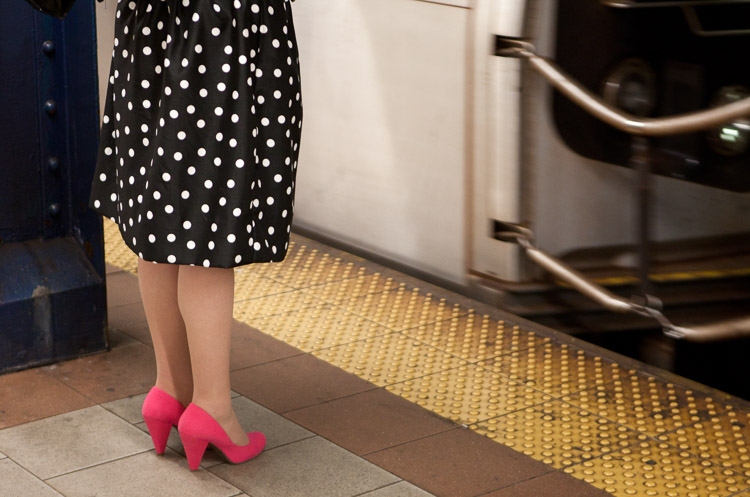
7 Vital Tips to Improve Your Candid Street Photography Polka Dots and Pink Shoes, Subway, 2012.

1. Travel light and with minimal gear

Many of you will have a DSLR and a mid-range zoom lens. While it is fine to shoot street photography with this equipment and many do (and even more start out this way), lightening your load will make a huge difference. You will have more energy, your coordination will be better, and you will be faster and more willing to explore. You will also be able to photograph in situations where you would not want to bring a large camera.

Not only are micro-4/3rds and mirrorless camera systems lighter, but they look less intimidating to the people you are photographing. If you have a DSLR, consider using a 35 or 50mm prime, or a pancake lens for these reasons. Fortunately, you do not need the fastest versions of these lenses, so it will not be quite as expensive. A 35mm f/2 is usually about half the size of a 35mm f/1.4, and Canon’s 50mm f/1.8 is both small and only $ 125.
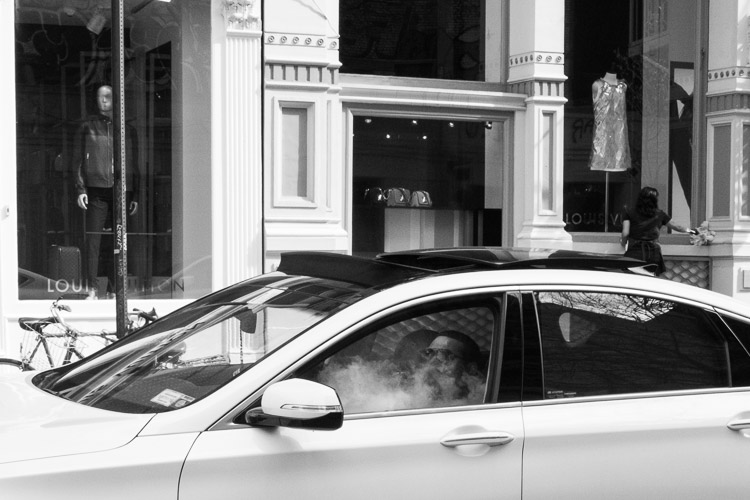
7 Vital Tips to Improve Your Candid Street Photography Greene Street, New York Street Photography

Prime lenses

Prime lenses will restrict you to a specific focal length, but this limitation can actually be quite freeing. By sticking to a focal length such as 35mm or 50mm (the two favorite lenses for most street photographers), you will learn to see how the lens sees.

You may miss out on certain moments by not having a zoom, but at the same time, you will be able to capture more quality images within the ideal distance for the lens that you are using. You will be quicker and more spontaneous with your camera. You will even start to think more about your perspective and framing without having the luxury of the zoom, and as the old saying goes, you will begin to zoom with your feet.

2. Raise your ISO
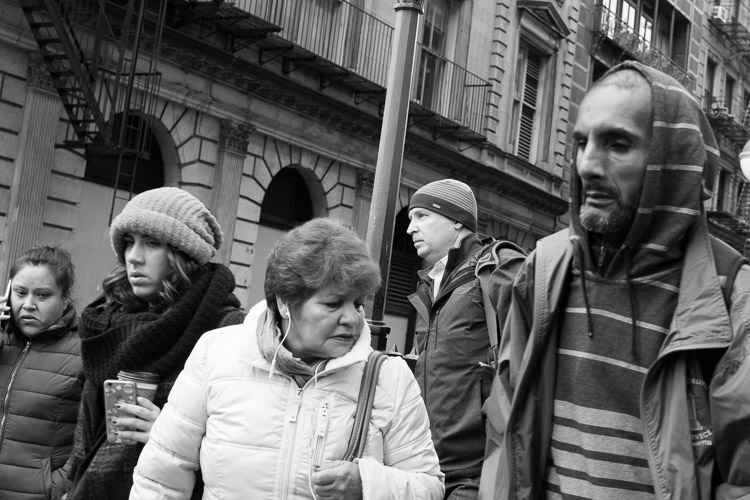
7 Vital Tips to Improve Your Candid Street Photography SoHo, New York Street Photography

It used to be taught that you always needed to use as low an ISO as possible. This is because the early digital cameras were terrible at high ISOs, particularly over 400. Luckily, new digital cameras blow the old ones out of the water in terms of high ISO ability. You can now shoot at ISOs of 1600 and 3200 with beautiful looking grain/noise, but the stigma of using high ISOs still exists.

For street photography, I will typically shoot at ISO 400 in sunlight, 800 in light shade, 1600 in dark shade, 3200 at dusk, and 6400 at night. With an entry level or less advanced camera, I would go down one stop in ISO, i.e. ISO 200 in sunlight and up to 3200 at night.

Benefits of high ISO

This gives us a huge advantage. Being able to raise our ISOs this high not only allows us to shoot handheld in dark situations, but it also allows us to simultaneously shoot with a faster shutter speed to freeze motion and a small aperture to maximize the depth of field.

Some photographers prefer a shallow depth of field, but in the fast moving world of candid photography, I prefer a large depth of field for a few reasons. First, if you miss the focus on your subject, they can still turn out sharp. If you are photographing at f/2.8 on the other hand, your image will be ruined if you miss the focus. Next, since context is very important in street photography, if you have multiple subjects at different depths or important background elements, it will allow everything in the frame to be relatively sharp.

I prefer to shoot at 1/250th of a second to guarantee that there is no motion blur in my subjects, although I will go to 1/160th or 1/125th in the darkest of situations. In bright light, I will shoot at 1/320th or 1/400th of a second. A high ISO is what allows me to shoot with these speeds, no matter what the lighting is like.

3. Pick a spot and wait
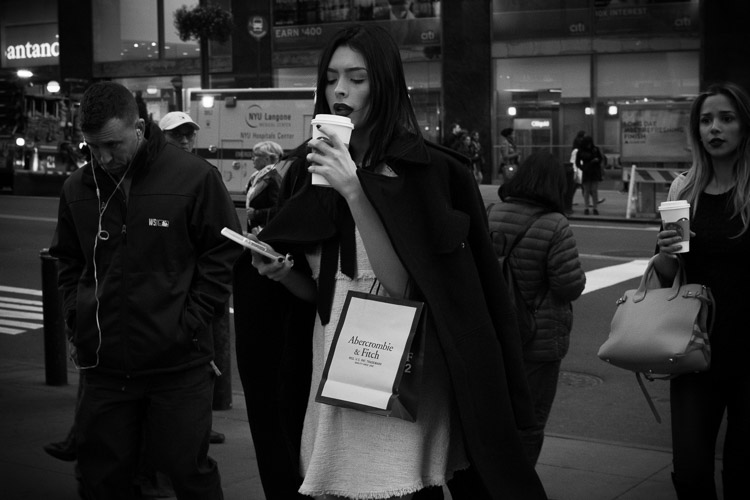
7 Vital Tips to Improve Your Candid Street Photography Broadway, New York Street Photography

Street photography and going for a walk go hand in hand. Sometimes you just want to take your camera and explore on a nice day. However, by constantly walking, you might be doing yourself a disservice. Instead, try to find some promising locations on the way and linger there for a while as you wait for something to happen.

Picking one spot does a few things. First, it allows you to combine a good location with an interesting moment. If you find a quality location and just take a quick photo and move on, you’re killing so much of the potential. By waiting, you give yourself more time for that magical moment to happen. It’s when the right location merges with the interesting moment, that a great photograph appears.

It’s when the right location merges with the interesting moment, that a great photograph appears.

You will also be faster at noticing your surroundings and quicker with your camera because you will be focused on looking around instead of walking. In addition, people will be coming into your scene and entering your space instead of you entering their space, so it makes the whole practice of street photography easier and less confrontational.

Camera snap

A small but important tip that goes hand in hand with this idea has to do with the camera snap. The camera snap is the quick, instinctive removal of the camera from their eye that photographers do immediately after clicking the shutter. It is the motion that tips your subjects off to the fact that you just took a photo.

By picking a spot and waiting for a subject, you can be as candid as possible. Just put the camera to your eye, take the image, and keep it there as the subject leaves your scene. This will make it seems like you were just photographing the background and waiting for them to get out of the way.

4. Know what to say if someone stops you
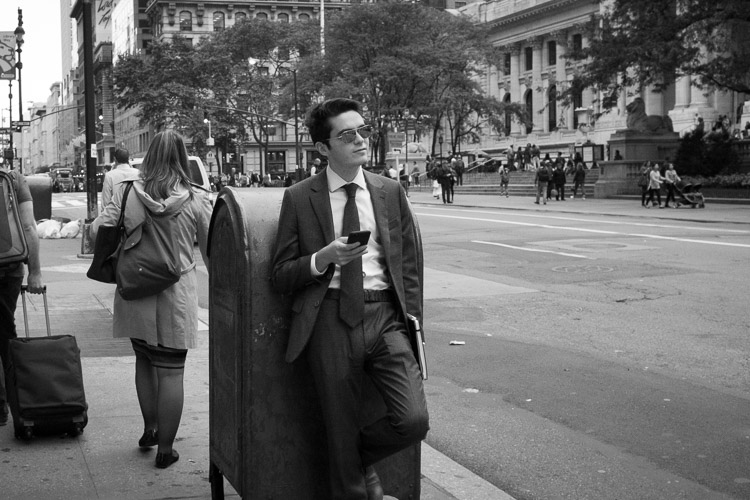
7 Vital Tips to Improve Your Candid Street Photography

No matter how you approach it, there is an inherent creep factor to street photography. Some of your subjects will understand and be flattered, while others will think you are the weirdest person on the planet. If you like to photograph your surroundings and culture, people are a big part of that. Including them in what you capture can be a big part of telling the story of your surroundings, and there is nothing wrong with it.

While tough situations are rare, particularly if you handle yourself in the right way, knowing what to say ahead of time is very important. If someone asks if you took their photo, own up to it and tell them what you were doing. Talk to them and explain why you found them interesting. This will flatter some people, but others will still not understand. I always keep a business card with me and offer to send the photograph if someone emails me for one.

Keep your cool

Always keep a smile on your face. If someone seems angry for any reason, there is no need to get defensive or angry back. You don’t have to explain that it’s in your legal right (depending on where you are photographing of course) unless it comes to that. That’s not the best thing to bring up right away because it can make people even angrier.

Instead, figure out how to diffuse the situation and tell them that you did not mean to make them uncomfortable. I’ve offered to delete a couple of photos over the years when I felt it was necessary. The ability to diffuse a situation is very important, even though I have only had one or two uncomfortable situations over a 15 year period of frequent shooting.

5. It’s not just about people
7 Vital Tips to Improve Your Candid Street Photography

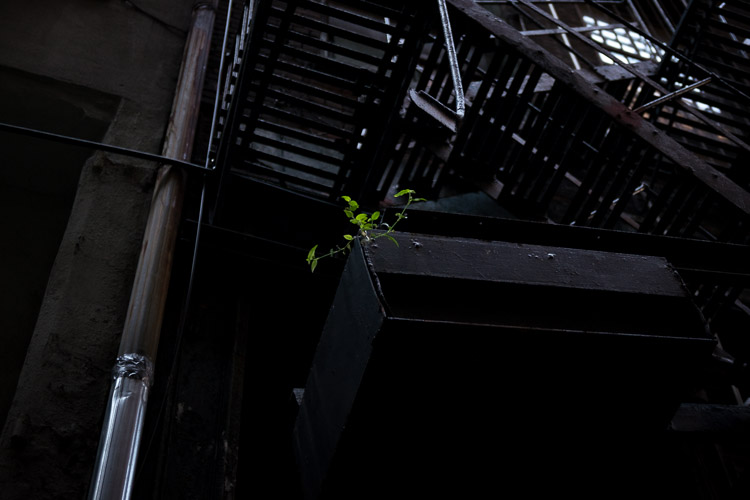
It is a common thought that street photography is only about capturing people walking down the street, on a beach, or in public. That’s just not the case. Street photography is about candid photography of life and culture. While that can and should include people sometimes, other times it can be about nearly anything else. Capture daily scenes and backgrounds that you find to be interesting.

They can be weird images. Capture something unique. You do not always have to take the prettiest or most epically beautiful photograph. Capture something that makes someone think or that throws them off balance. Capture images for yourself, and ones that you know some people will not understand or like right away. It is not your job to please everyone. It’s your job to take a good photograph.

Be spontaneous and go for it

Be spontaneous. With other forms of photography, you can be a perfectionist about every detail. While it is also important to think this way for street photography, so many of these decisions are made in a split second. Let yourself go and be spontaneous with what you capture. Whenever you feel there is potential for a strong image, even if you aren’t sure, go for it. Many will fail, but some of those moments will end up being the best photos you have ever taken.

Go somewhere that you think will make it tough to capture an interesting photograph. Sometimes you will find that you will be able to capture unique content in areas that others would think of as quiet or boring. There are good photographs everywhere and the best photographers have a way of finding them anywhere.

6. Group your photos while editing
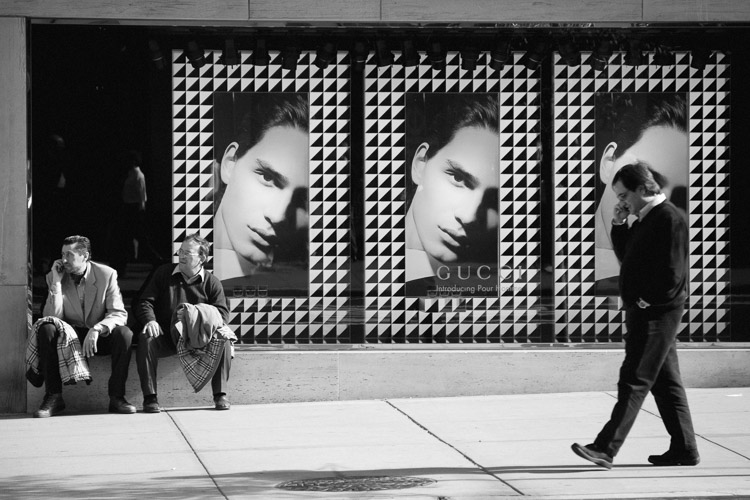
7 Vital Tips to Improve Your Candid Street Photography - Three Men, Gucci, New York Street Photography

This is not a tip that all street photographers adhere to. Some like each of their photographs to live on their own. However, many prefer to group their work by feeling, ideas, or themes. For some, the book is the ultimate form of display for street photography.

Group your photos based on feel and sequence them into a loosely based narrative of some sort. Come back often and add to and take away from it. Over time, you will notice that ideas will grow organically. It will help inform you about what to capture when you are out there. These ideas will develop as you grow as a photographer.

Before you think about putting together a book, purchase a simple cork board for your office wall and fill it with 4×6 and 5×7 images. Constantly print and replace them to create a cohesive wall of images. It is a lot of fun and a great way to view your work and your progress.

7. Explore the work of other photographers

7 Vital Tips to Improve Your Candid Street Photography

This is such a simple tip but it is immensely important. In your free time, look up the work of all types of street photographers and study their portfolios. Explore the content, the technique, and the styles that you like. Watch videos of these photographers in action to see how they approach the street. Go to gallery shows and look at real life prints to train your eye. This will give you a range of ideas for what to capture the next time you are out shooting.

The fascinating thing about street photography is that while the content is the same for all of us, what we each come back with is completely different. Studying the styles of different photographers will help inform what is possible for you to create.

It is inspiring and fun to do. Start a photography book collection or even purchase a couple prints for your walls. The more you surround yourself with it, the better you will become, the more ideas you will have, and the more inspired you will be.

Some photographers to start out with are Henri Cartier-Bresson, Garry Winogrand, Robert Frank, Helen Levitt, Lee Friedlander, William Eggleston, Walker Evans, Daido Moriyama, Martin Parr, Elliot Erwitt, Joel Meyerowitz, Mary Ellen Mark, Bruce Davidson, Saul Leiter, Trent Parke, Alex Webb, Vivian Maier, and Bruce Gilden.

Conclusion

Now go out there and have some fun. The biggest tip is that the more time you spend shooting, the better images you will come back with. So shoot with some regularity and do it in the way that you find the most fun so you will continue to practice.


If you’d like to learn more about Street Photography, then please check out my ebook The Essentials of Street Photography.

googletag.cmd.push(function() {
tablet_slots.push( googletag.defineSlot( “/1005424/_dPSv4_tab-all-article-bottom_(300×250)”, [300, 250], “pb-ad-78623” ).addService( googletag.pubads() ) ); } );

googletag.cmd.push(function() {
mobile_slots.push( googletag.defineSlot( “/1005424/_dPSv4_mob-all-article-bottom_(300×250)”, [300, 250], “pb-ad-78158” ).addService( googletag.pubads() ) ); } );

The post 7 Vital Tips to Improve Your Candid Street Photography by James Maher appeared first on Digital Photography School.


Digital Photography School
 
Comments Off on 7 Vital Tips to Improve Your Candid Street Photography

Posted in Photography


TwoEyes VR stereoscopic camera simulates human vision

21 Jan

Another VR camera has launched on Kickstarter, but this one does things a little differently: TwoEyes VR features two horizontally-oriented cameras spaced 65mm apart that record footage in a stereoscopic arrangement. The resulting 3D video simulates the way someone would see the subject with their own eyes.

TwoEyes VR features two F2.0 180-degree lenses spaced 65mm apart, which is said to be the average distance between human eyes. The two cameras (CMOS 1/2.3” sensors), when used together, can record 3D videos in both 180 and 360 degrees, while recording with just one camera results in 360-degree non-3D footage. The camera also supports generating red-cyan 3D footage.

Content is stored to an internal 128GB drive, while other camera features including a 4K image processor, 2,000mAh battery, Bluetooth 4.1, dual-band WiFi, WiFi Direct, and a gyro sensor. The related Android and iOS mobile apps offer users live video previews from the camera, two-button shooting controls, and a post-processing tool for generating either 3D, VR, or 360 videos. 

The team behind TwoEyes is seeking funding on Kickstarter, where they have raised more than double their $ 40,000 goal with 36 days remaining in the campaign. A ‘Kickstarter Pack’ is offered to backers who pledge at least $ 239 — it includes the camera and global shipping. Shipments to backers are expected to start this upcoming August.

Via: Kickstarter

Articles: Digital Photography Review (dpreview.com)

 
Comments Off on TwoEyes VR stereoscopic camera simulates human vision

Posted in Uncategorized


Samsung virtual assistant rumored to use camera for object identification

21 Jan

In its upcoming flagship smartphone Galaxy S8 Samsung is expected to implement a Siri or Google Assistant style virtual assistant named Bixby. According to sources of SamMobile, Bixby will include visual search capabilities and be able to analyze a photograph and identify objects within the frame. The system will also perform optical character recognition on visible text. Users will be able to launch the service via the camera app or a dedicated button on the side of the device. 

We have seen apps with similar functionalities before, for example Google Goggles, but Bixby is reportedly aiming to take things to the next level by offering a higher degree of interchange with other applications installed on the phone. For example, users will be able to use detected objects or text to order on shopping apps or perform searches.  

The Bixby technology is likely to have come from Viv Labs, a startup created by former Apple employees and Siri co-founders Dag Kittlaus, Adam Cheyer, and Chris Bringham. Viv Labs was acquired by Samsung last October. It’s not quite clear at this point when the Galaxy S8 will be revealed to the public. It could be at the Mobile World Congress at the end of February or on a dedicated event as late as April. In any case, we’re looking forward to the camera being used in innovative ways on the new Samsung. 

Articles: Digital Photography Review (dpreview.com)

 
Comments Off on Samsung virtual assistant rumored to use camera for object identification

Posted in Uncategorized